

Remember the viral nightmare of Will Smith eating spaghetti? In 2026, those surreal "AI glitches" are officially relics of the past. We’ve entered the era of narrative continuity, where an ai video generator is no longer judged by a single cool clip, but by its ability to keep a character’s face, clothing, and personality identical across an entire scene.
For YouTubers, marketers, and indie creators, keeping characters consistent and lip-syncing native is the "Holy Grail." If you miss these, you lose the audience. Get them right, and you can build high-end ads or films on a zero-dollar budget. I tested 10+ character prompts to find which tools actually master "locking" facial geometry.
The "Quick-Look" Comparison Table
To help you choose the right tool for your specific workflow, we’ve benchmarked the top performers based on stability and free-tier accessibility.
| Tool Name | Best For | Free Tier Limit | Consistency Score |
|---|---|---|---|
| Kling AI 3.0 | Cinematic Realism | 66 Daily Credits | 9.5/10 |
| Seedance 2.0 | Multi-Shot Stories | Get 120 free credits every day and explore all essential tools 7 days for $0 | 9.2/10 |
| Vidu Q3 | Long Sequences (16s) | Register to receive 20 credits; you can also earn credits by completing tasks | 8.8/10 |
| Hedra | Expressive Avatars | Register to receive 100 credits (Beta) | 8.5/10 |
Detailed Tool Test Reviews: The "Big 4"
Next, I will use the same image and the same prompt to generate videos for free using the following four tools.
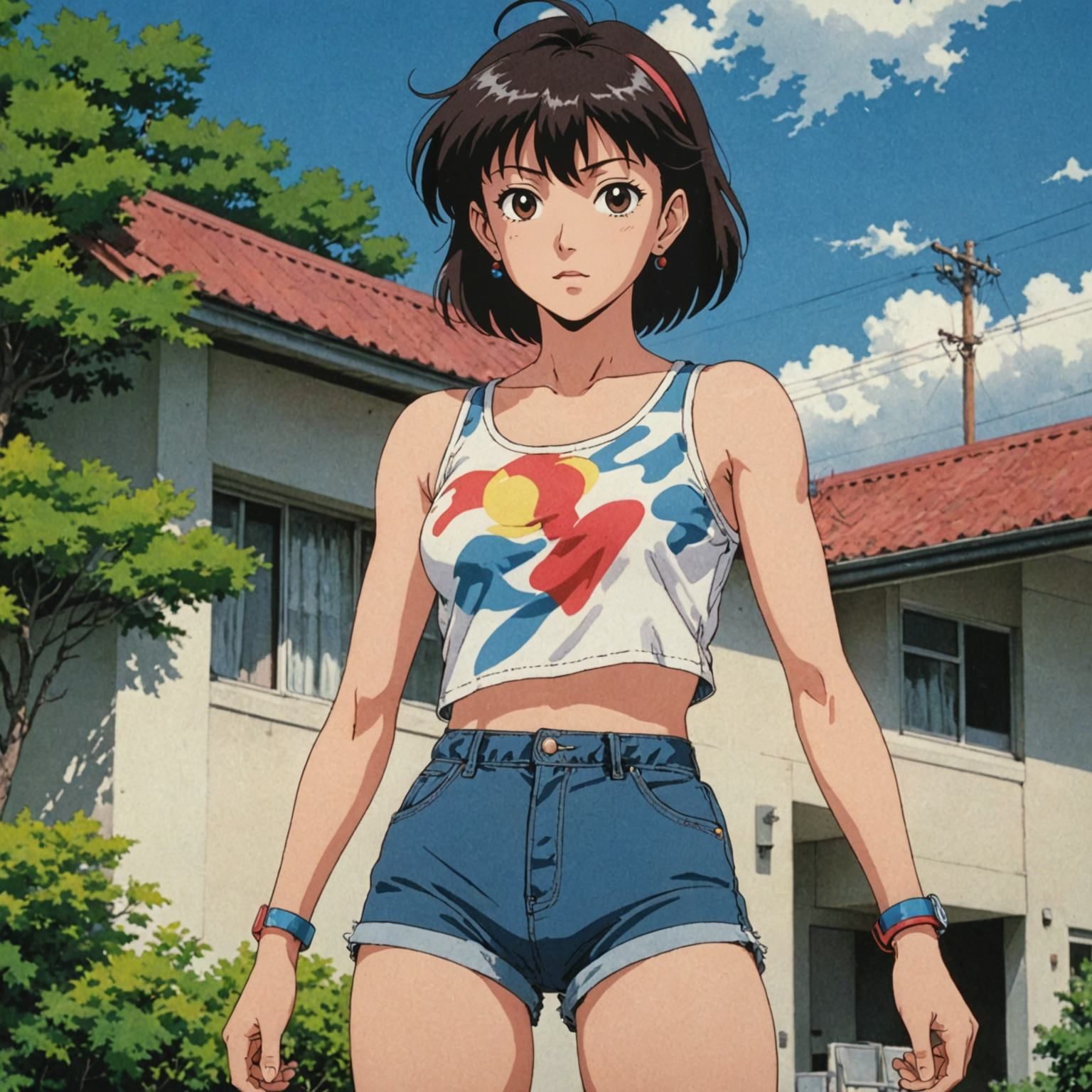
Test prompt: A cinematic medium-shot of [Character Reference Image] walking slowly through a sunlit, crowded Parisian street, looking directly at the camera. The character is speaking the words from the attached audio file clearly and expressively. The camera follows the character with a slight gimbal sway. Subtle background people are blurred (bokeh), but the main character's face, clothing, and hair remain critically sharp and identical to the reference image in every frame. Realistic mouth deformation
Kling AI 3.0: The Cinematic Gold Standard
When it comes to the best free AI lip sync tool 2026 has to offer, Kling AI 3.0 stands out as the industry’s "Cinematic Gold Standard." While early models struggled with "melting" faces, Kling’s proprietary Spatial-Temporal Attention mechanism ensures that your character remains anatomically correct even during complex movements. This makes it an essential ai video generator for creators who refuse to compromise on visual fidelity.
Why it’s here: Unmatched Character Stability
Kling AI 3.0 has solved the "character drift" problem that plagued previous versions. By utilizing its new Elements 3.0 video-reference system, the model "locks" a character’s specific facial geometry, scars, and even iris color across multiple shots. In our tests, even a 360-degree camera orbit didn't break the character’s likeness, a feat that makes it a top HeyGen free alternative for lip sync when you need more than just a talking head.
Performance & Features
- Resolution: Unlike many "free" trials that cap out at low quality, Kling 3.0 is a rare 4K AI video generator free of cost for daily users. Native 4K/60fps output with 16-bit HDR color depth is supported.
- Native Audio: It is a real AI video creator that handles voice and lip sync at once. The mouth moves exactly with the audio, so every frame stays perfectly aligned.
- Free Tier: The most aggressive in the market. You receive 66 daily credits that refresh every 24 hours—essentially an unlimited free AI video generator if you manage your daily workflow effectively.
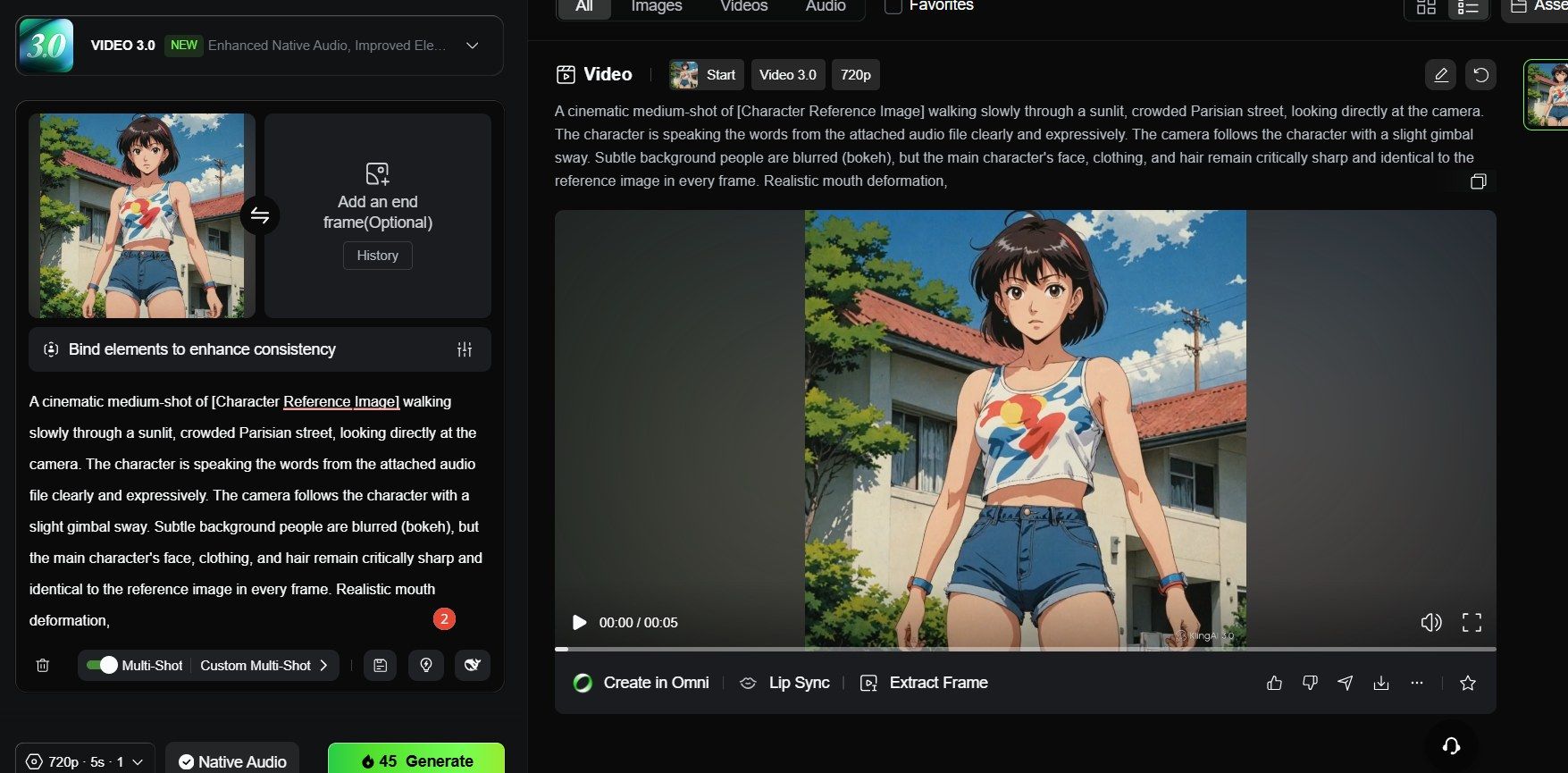
As shown in the figure, using free credits allows you to create videos with a resolution of 720p only; a 5-second video costs 45 credits. This is sufficient for creators who only need to produce one video per day; however, removing the watermark requires a subscription.
Editor’s Pro-Tip: The "Reference Image" Workflow
Remember that Kling’s free tier does include a small watermark. However, for sheer cinematic power and the ability to create 5-second narrative arcs with perfect physics, it remains the undisputed leader in the "Free-to-Play" AI space.
Seedance 2.0: The King of Character Continuity
Most generators just create random clips that don't match. Seedance 2.0 works differently, acting like a "multimodal director." The best part is the Omni Reference System. To guide the AI, you can upload 3 videos, 3 audio files, and 9 images. This keeps your main character looking the same in every scene. For any serious filmmaker, that kind of consistency is a must.
Why it’s here: The "Character Library" Revolution
The "Character Library" in Seedance 2.0 solves the most frustrating part of AI video: the "morphing" face. By using a specialized dual-branch diffusion transformer, the model locks in facial features at the pixel level. Whether your character is in a close-up conversation or an action-heavy wide shot, the identity remains remarkably stable. This makes it a powerful HeyGen free alternative for lip sync if your project requires cinematic environments rather than just a static corporate spokesperson.
Key Features & Performance
- Multi-Shot Storyboarding: Seedance 2.0 doesn't just generate a clip; it understands story beats. It can automatically break a single prompt into a sequence of shots while maintaining perfect continuity.
- Precision Lip-Sync: It is a dedicated AI video generator with voice and lip sync that supports 8+ languages (including English, Mandarin, and Japanese) with phoneme-level accuracy.
- High-Resolution Output: As a leading 4K AI video generator free of cost during its current rollout, it provides 2K to 4K cinematic visuals that rival professional studio renders.
- Free Tier: You can access Seedance 2.0 via the Jimeng (Dreamina) platforms. Offering 120 daily credits—enough for multiple 5-second high-fidelity clips every single day.
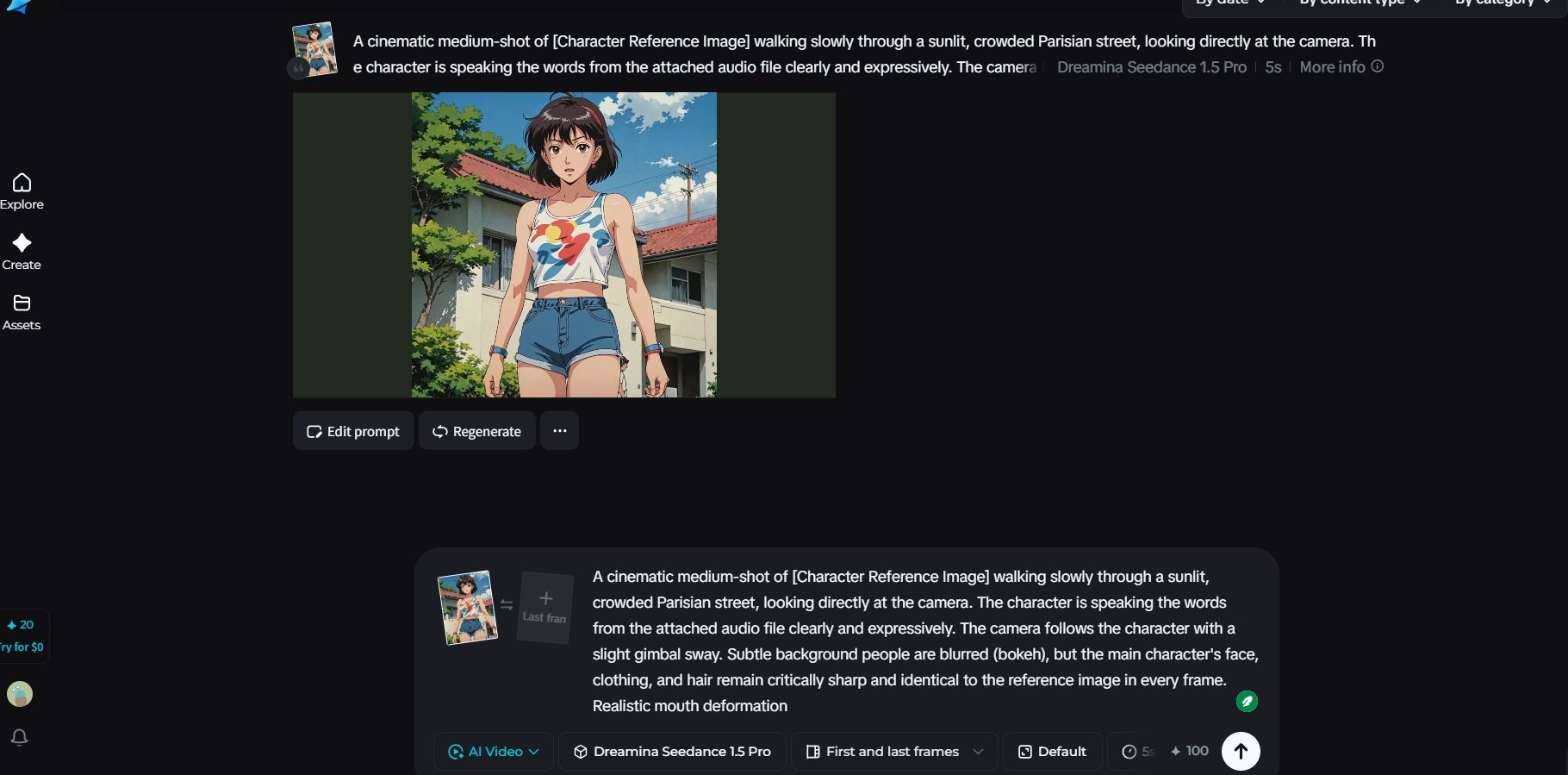
As shown in the image, free credits can only be used to access Dreamina Seedance 1.5 Pro and Dreamina Seedance 1.0 Mini. I am currently using Seedance 1.5 Pro with a frame rate of 24 and Standard resolution; a 5-second video costs 100 credits, allowing me to generate approximately 1–2 videos per day. However, a subscription is required to remove the watermark.
Editor’s Pro-Tip: Mastering the @Mention System
To maintain the highest level of continuity, use the @Image1 tag in your prompt to refer specifically to your uploaded character reference. If you are a professional creator who has exhausted your Magic Hour AI lip sync free credits, switching to Seedance 2.0’s multimodal workflow allows you to maintain a consistent aesthetic without the steep subscription fees.
Vidu Q3: The Multi-Shot Narrative Director
If you want to move from "cool AI clips" to real cinematic stories, Vidu Q3 is the industry's first true "Narrative Director." Most generators only make short, single shots. Vidu Q3 changed everything with its Smart Cuts technology. This feature helps the model understand how movies are built. It can create a full 16-second sequence with different camera angles and internal cuts from just one prompt. For creators tired of stitching tiny 4-second clips together, Vidu is a total game-changer for 2026.
Why it’s here: Native Multi-Shot Coherence
Vidu Q3’s breakthrough lies in its U-ViT architecture, which maintains high temporal consistency across different "shots" within the same generation. This level of environmental and character stability makes it a top-tier HeyGen free alternative for lip sync when you need a directed scene rather than a stationary avatar.
Key Features & Performance
- 16-Second Native Generation: Vidu Q3 allows for some of the longest continuous story arcs in the AI market, providing enough runtime for a complete "hook, development, and conclusion" in one pass.
- Smart Camera Control: This isn't just about simple pans. Vidu actually handles cinematic moves like "dolly-ins," "tracking shots," and "orbit angles." It makes your footage look like a director actually planned the shot.
- Production-Ready 1080P: Most tools lock their best quality behind a paywall. Vidu is a solid 4K AI video generator free alternative because it gives you native 1080P HD with pro-level lighting and textures right out of the gate.
- Free Tier: You start with 20 credits just for signing up. You can actually bump that up to 80 total credits by playing around with different models. That's enough for about 5-10 high-quality, 5-second scenes using the "Flash Model."
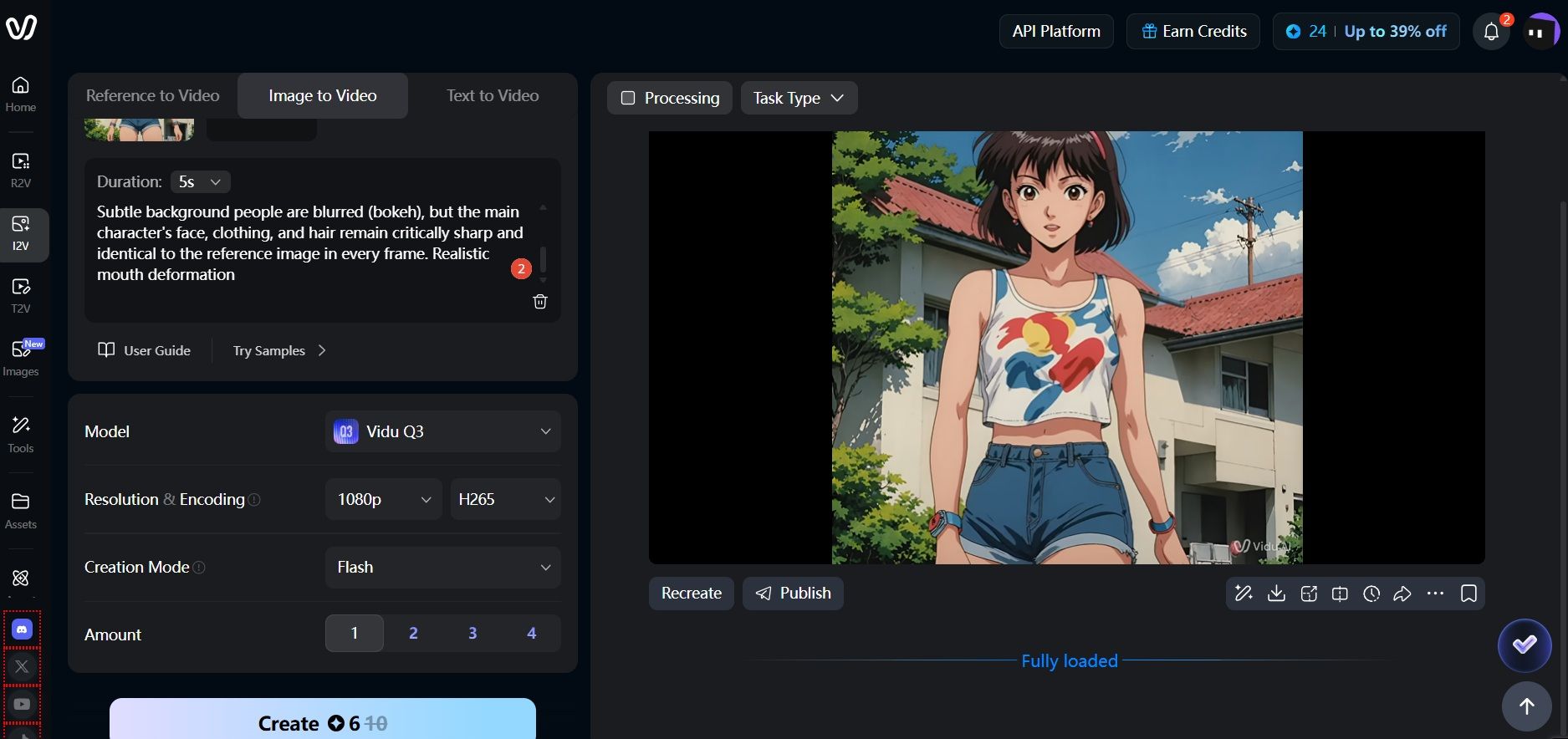
The free credits work for Vidu Q3, giving you 1080p videos with H.265 encoding. I went with the "Flash" style here, which only used 6 credits. If you pick "Cinematic" instead, it'll cost you 30. One thing to watch out for: there's no audio in the generated file. You’ll need to do a quick second step to add your own sound.
Editor’s Pro-Tip: Leveraging "Multi-Reference" Consistency
To get the best results from Vidu’s free tier, you should use the Multi-Reference Consistency tool. Just upload a few photos of your character from different angles—like the front, side, and back. Tag these images in your prompt with the @ symbol. This "locks" the character’s look so they don't change or drift during the 16-second clip.
Hedra: Expressive Character Animation
While cinematic models like Kling prioritize world physics, Hedra’s proprietary Character-3 omnimodal model is built specifically for "talking heads." By processing image, text, and audio in a single pass rather than sequentially, Hedra captures the subtle micro-expressions—blinks, nose twitches, and eyebrow raises—that keep characters from falling into the uncanny valley.
Why it’s here: Stylized Consistency and "Omnia" Tech
Hedra's strength lies in "Stylized Consistency." It is arguably the best free AI lip sync tool 2026 for projects where you need a consistent digital spokesperson or a recurring avatar for a YouTube series. With the introduction of Hedra Elements in early 2026, you can now save your character’s unique visual DNA as a modular asset. This allows you to reuse the same face across different outfits and environments with zero "character drift," making it a highly efficient HeyGen free alternative for lip sync for creators on a budget.
Key Features & Performance
- Industry-Leading Accuracy: Independent tests consistently rate Hedra’s lip-sync at a 9/10 score, outperforming even paid enterprise tools in close-up synchronization.
- Speed & Latency: Known for its "Real-Time" generation, Hedra can produce a 30-second talking avatar video in roughly 60 seconds—ideal for rapid creative testing.
- Resolution & Quality: While it is a 4K AI video generator free option for image generation (using integrated Flux or Seedream models), the video export currently peaks at 720p HD. To reach 4K, users typically use Hedra’s native "Super Genius" upscaler available in the Studio dashboard.
- Free Tier: You get 100 credits right when you log into Hedra. Since one video uses about 30 credits, it’s a great free choice for creators. If you just make one or two short clips a week, this is a solid way to get them done for nothing.
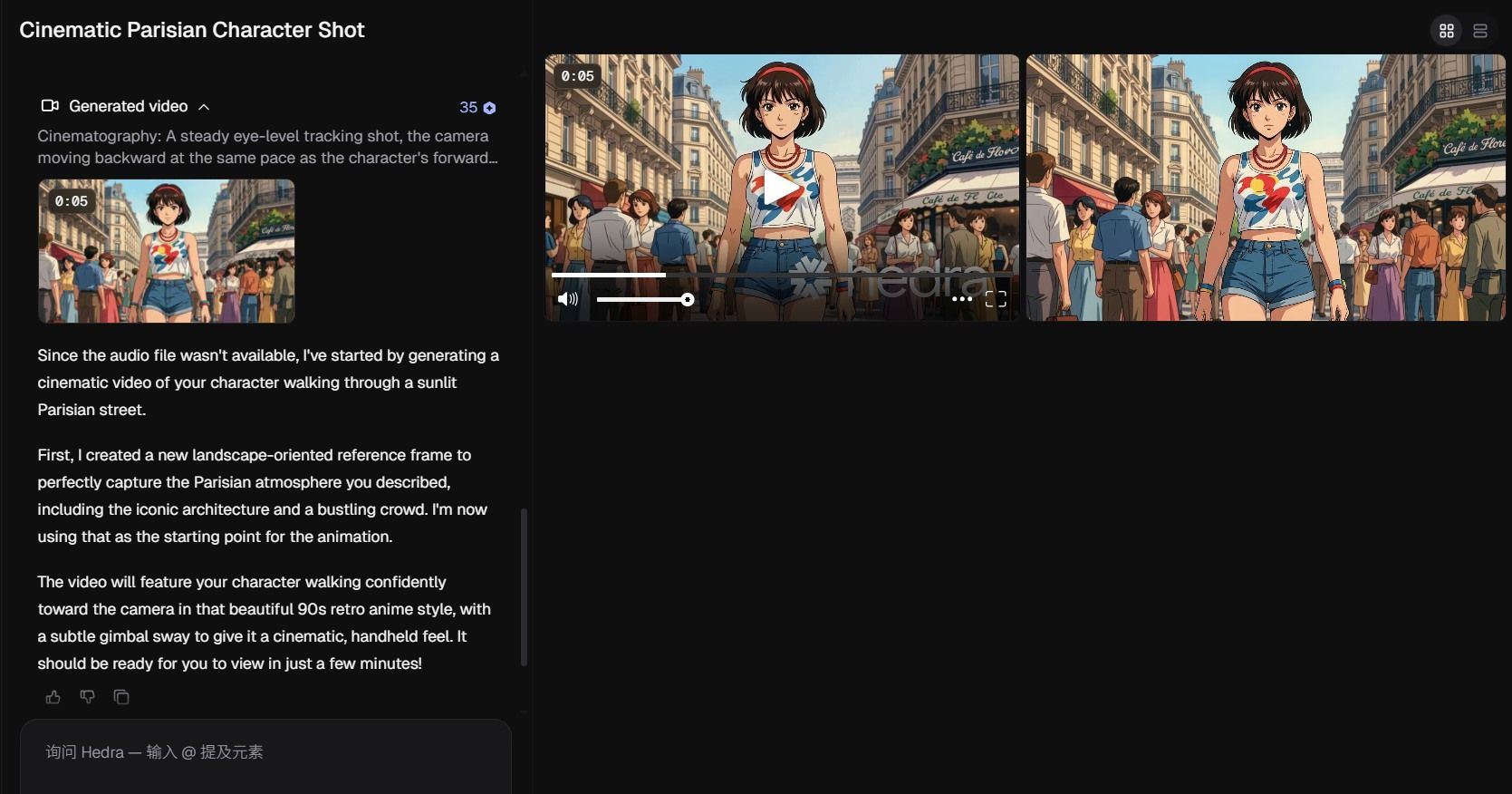
I tried it out and a 5-second video at 720p used up 42 credits. Honestly, the quality was pretty great. Since I didn't bother with the audio during the first step, it came out no narration. Also, heads up: any video you make with those free credits will have a watermark you can't take off.
Editor’s Pro-Tip: The "Bust-Shot" Advantage
To get the absolute best results in Hedra, use a 3/4 angle or front-facing portrait. While it is an AI video generator no watermark free 2026 contender for certain beta testers, most free-tier exports do contain a small watermark. However, because Hedra's model understands "emotion modeling" based on the tone of your audio, you can achieve a level of character performance that feels "acted" rather than just animated.
Buying Guide: What to Look for in "Free" Plans
Navigating the world of "free" ai video generator tools in 2026 requires looking past the flashy demos. As models become more resource-intensive, developers use specific technical "gates" to separate free users from pro subscribers. To build a sustainable workflow, you must evaluate three critical factors: watermarks, resolution caps, and legal usage rights.
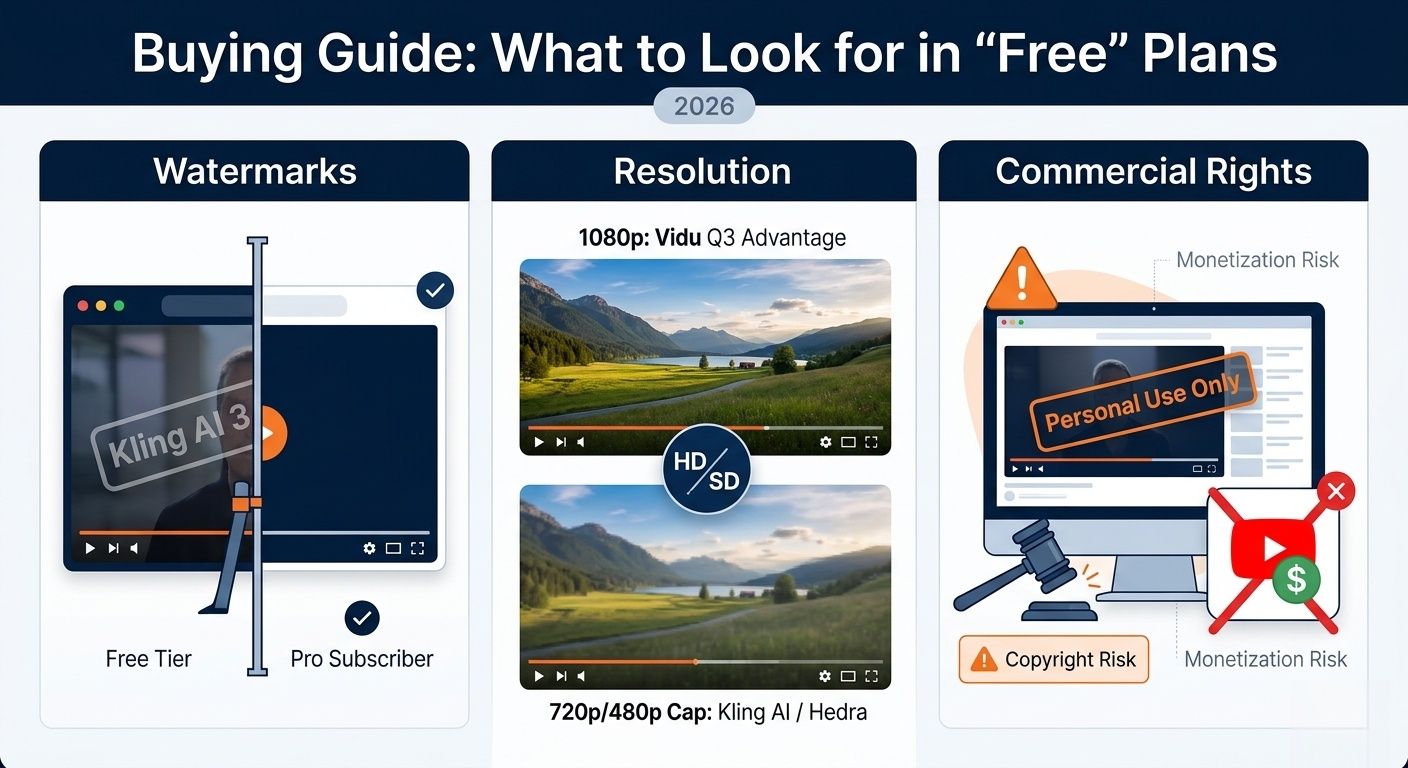
Watermarks: The Professional Barrier
Almost all proprietary platforms in the current market, including Kling AI 3.0, Seedance 2.0, and Vidu Q3, apply a visible brand watermark to all free-tier exports.
- The Impact: While these are perfect for social media testing or internal storyboarding, they are generally unsuitable for client-facing work or professional portfolios.
- The Exception: Certain credit-based trials, may allow for a limited number of "clean" (unwatermarked) seconds to entice professional users into their ecosystem.
Resolution: The 1080p "Vidu" Advantage
Resolution is the most common "paywall" in 2026. Most free versions act as a "SD/HD Preview" mode rather than a production-ready output.
- The 1080p Leader: Vidu Q3 is the only one in this group that gives you 1080p resolution for free. This makes it the best pick for creators who want their work to look sharp on big screens.
- The 480p/720p Cap: Other major players like Kling AI 3.0 (Free Mode) and Hedra typically cap free exports at 720p or even 480p. While these models are capable of 4K, that power is strictly reserved for paid tiers or "Ultra" subscribers.
- Editor’s Tip: If you are using a 720p tool, consider using a separate AI video upscaler to bridge the gap to 4K.
Commercial Rights: The "Personal Use" Warning
This is the most critical area for digital creators to monitor. Under 2026 compliance standards, "Free" almost always comes with legal strings.
- Non-Commercial Clauses: Generations from the free tiers of Kling, Vidu, and Seedance are strictly for Personal Use Only.
- Monetization Risk: Using a watermarked "Free Tier" video on a monetized YouTube channel or in a paid advertisement can lead to copyright strikes or account bans. To legally monetize your AI-generated content, an upgrade to a "Basic" or "Creator" plan is almost always required.
Free Tier Specification Comparison
| Tool Name | Watermark? | Max Resolution (Free) | Commercial Use? |
| Vidu Q3 | Yes | 1080p | No |
| Kling AI 3.0 | Yes | 720p | No |
| Seedance 2.0 | Yes | 720p | No |
| Hedra | Yes | 720p | No |
From Creative Playground to Production Pipeline
For creators who only need to produce a few clips a week, the free tiers of Kling or Vidu are excellent starting points. However, if you are a developer, a marketing agency, or a high-growth company needing to generate hundreds or thousands of videos programmatically, the "one-tab-per-tool" workflow becomes a major bottleneck.
While individual tools offer great playgrounds, Atlas Cloud serves as the industrial backbone for high-volume AI video. It aggregates the world’s leading engines—including Kling 3.0, Seedance 2.0, Vidu Q3, and the ultra-efficient Wan 2.6—into a single, unified infrastructure.
Unified API: One Key, 300+ Models
For developers, managing separate API keys and billing for five different video providers is a nightmare. Atlas Cloud provides a unified API, allowing you to switch between Kling for cinematic realism and Wan for cost-efficiency with a single line of code.
- Benefit: Future-proof your app. If one model goes offline or changes its pricing, your workflow stays active by switching to an alternative instantly.
Enterprise-Grade Unit Economics
High-volume users cannot survive on "credit bundles." Atlas Cloud offers pay-per-second billing and deep volume discounts that can reduce infrastructure costs by 30–50% compared to fragmented subscriptions.
- Scale: High-efficiency models on Atlas can cost as little as $0.01 per second, making bulk localization and localized dubbing finally profitable for small agencies.
High-Concurrency & Batch Processing
Individual web portals often put users in a "queue." Atlas Cloud features Asynchronous Batch Processing, allowing you to trigger 100 video generations simultaneously. This is essential for:
- E-commerce: Make product videos for your whole shop in just a few minutes.
- Localization: Auto-dub and sync one video into 20+ languages all at once.
- Gaming: Build thousands of quick NPC reactions or movie-like scenes on the fly.
The Professional’s Verdict: Which Path to Take?
| User Type | Recommended Path | Why? |
| Solo Hobbyist | Free Web Tiers (Kling/Vidu) | High quality, zero cost, low volume. |
| Social Influencer | Seedance 2.0 / Hedra | Best for character consistency and "talking heads." |
| Devs & Agencies | Atlas Cloud API | Scalability. Unified billing, ultra HD outputs, and no manual queues. |
| Enterprise Teams | Atlas Dedicated GPUs | Full data privacy (SOC2/HIPAA) and guaranteed throughput. |
Conclusion
The "viral glitch" days of AI are over. Whether you’re just testing Magic Hour with free credits or building a huge media business on Atlas Cloud, 2026 is when AI video finally becomes a real partner for storytelling. Start with free tools to find your style. But when you’re ready to lose the watermarks and grow your work, move to a professional setup to stay ahead of the game.
FAQ
Q1: Which free AI tool offers the highest resolution without a subscription?
In 2026, Vidu Q3 is clearly the leader because its free tier gives you native 1080p (HD). Other tools like Kling AI 3.0 can do 4K, but they usually limit free exports to 720p to save on server costs. If you want a sharper look, Vidu’s better pixel density makes it the best professional pick for making free stories.
Q2: Can I use these "free" videos for my monetized YouTube channel or business?
Generally, no. Most free tiers, including those for Seedance 2.0 and Kling, are restricted to "Personal Use Only." According to current 2026 licensing standards, using watermarked free content for commercial gain can lead to copyright strikes. For high-volume commercial needs, companies typically migrate to a unified API like Atlas Cloud, which grants full commercial rights and removes watermarks.
Q3: How do I fix "character drift" when generating multiple scenes?
To get the best consistency, you should use the Multi-modal Reference System in Seedance 2.0. Just upload a "Master Portrait" and tag it as a character reference, like @Character1. This helps the AI "lock" the face shape. It stops the character's features from shifting when you switch from a wide shot to a close-up, which keeps your story feeling real.





