

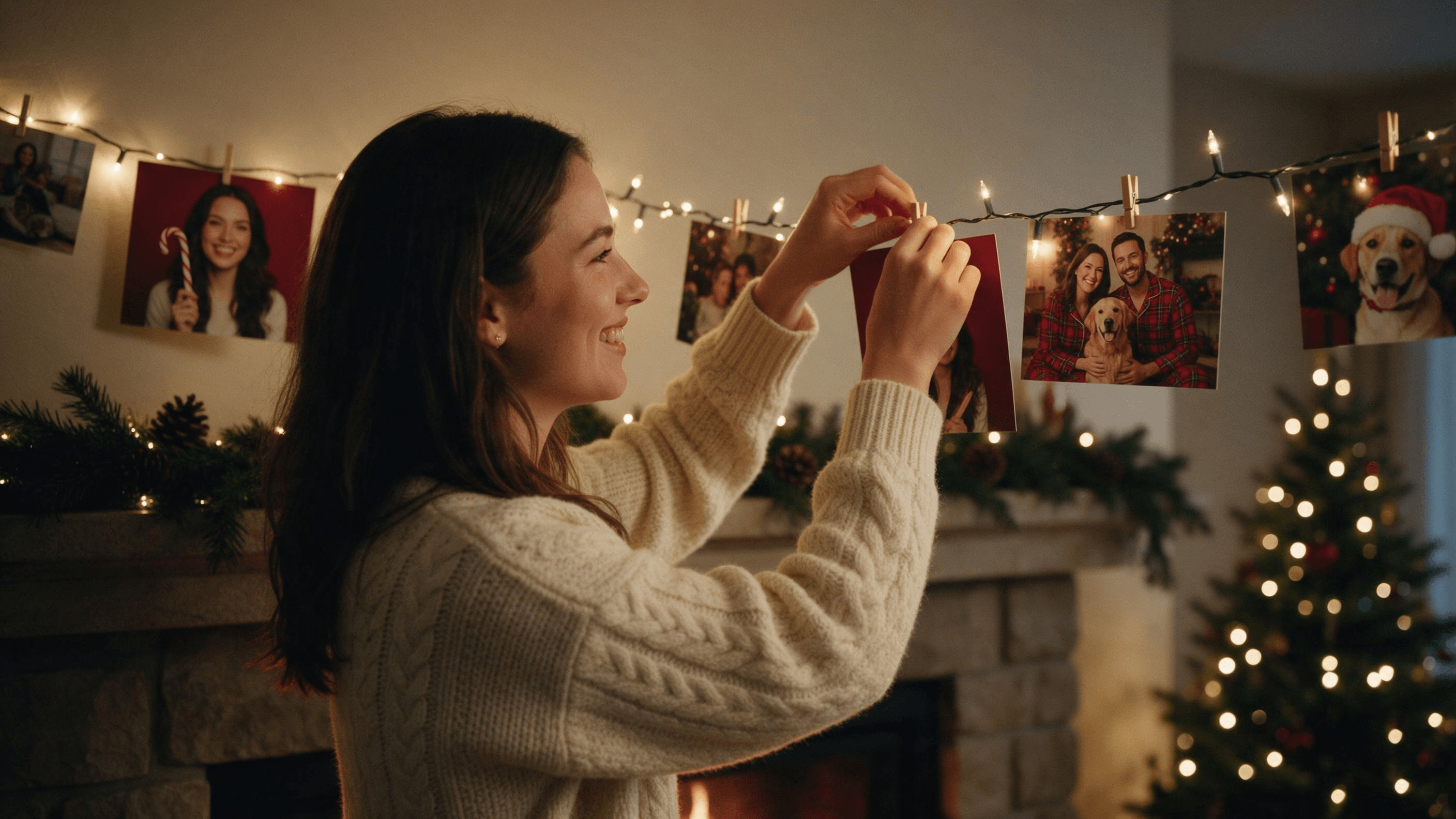
Last December the same picture kept landing in group chats: a friend in a glossy red studio, hugging a candy cane almost as tall as they were, lit like a magazine cover. That was the AI Christmas photo trend, and the recipe began with an ordinary phone shot.
This guide covers how people made them in ChatGPT and Gemini, how to make an AI Christmas photo that still looks like you, and how to merge separate photos of the family (dog included) into one card. Every edit below came from our own runs on real portraits, with the exact prompt beside it. First, what the trend actually is.
Key Takeaways
- The AI Christmas photo trend ran through December 2025, led by candy cane studio portraits made in ChatGPT, with Gemini versions covered the same month.
- The recipe is one clear photo plus a studio-style prompt, and a line naming what must not change keeps your face.
- Seedream 5.0 Pro in Atlas Cloud's AI image editor restyles the whole Christmas set while keeping your face.
- Separate photos of each family member, the dog too, can be merged into one Christmas card scene in a single edit.
- Free ChatGPT and Gemini plans both handle the trend, but neither publishes a fixed daily image number.
What Is the AI Christmas Photo Trend?
It is a studio-style holiday portrait made from a selfie. The classic version surrounds you with candy canes, lollipops, fairy lights, baubles and snow, under bright holiday lighting that looks like a paid photo shoot.
The Tab walked readers through the candy cane version in ChatGPT in an explainer published December 22, 2025. Its prompt opens with "Create an ultra-realistic 8K Christmas portrait using a 55mm lens."
Gemini users had their own lists: The Bridge Chronicle published Nano Banana prompts for festive photos on December 11, and on Christmas Eve, Zee News and NewsX ran prompt guides for both apps, NewsX's built around family photos.
Under the props, the recipe behind these Christmas AI photos is simple. A clear photo goes in, the prompt paints a detailed scene, and one line tells the model which parts of you to leave alone.
How to Do the AI Christmas Photo Trend on Atlas Cloud
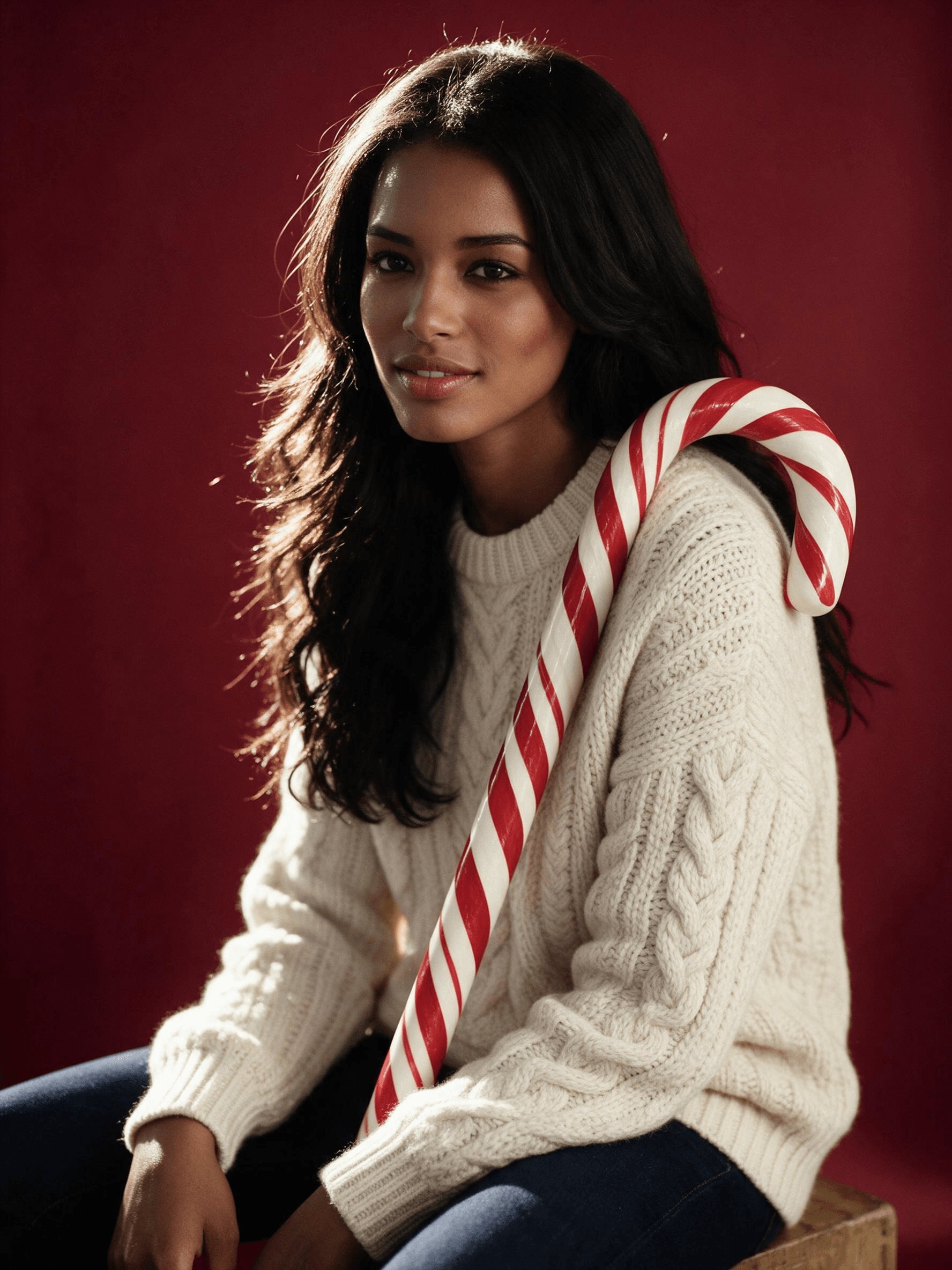
The hard part is the face. An outfit can look great on someone who no longer looks like you. Atlas Cloud runs ByteDance's Seedream 5.0 Pro, an editing model that rebuilds the whole scene around you while holding on to your features. That turns the image workspace into an AI Christmas photo generator that needs one photo and one paragraph. Here is a portrait moved from a café table to Christmas night.
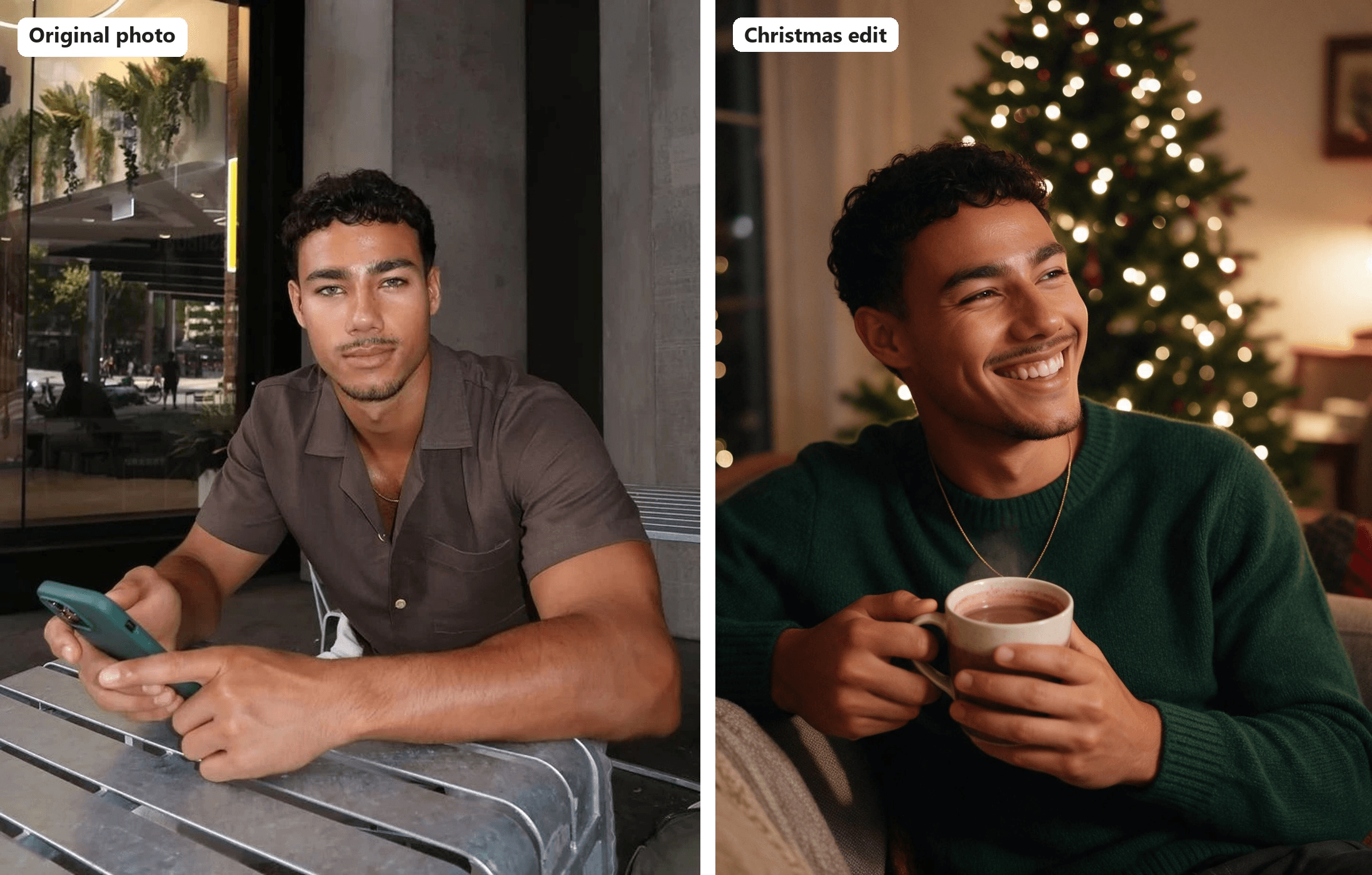
Five steps get you there:
- Open the Image Edit tab.
- Pick Seedream v5.0 Pro from the model list.
- Upload your photo under Reference.
- Write the prompt: what to keep first, then the new scene.
- Click Run.
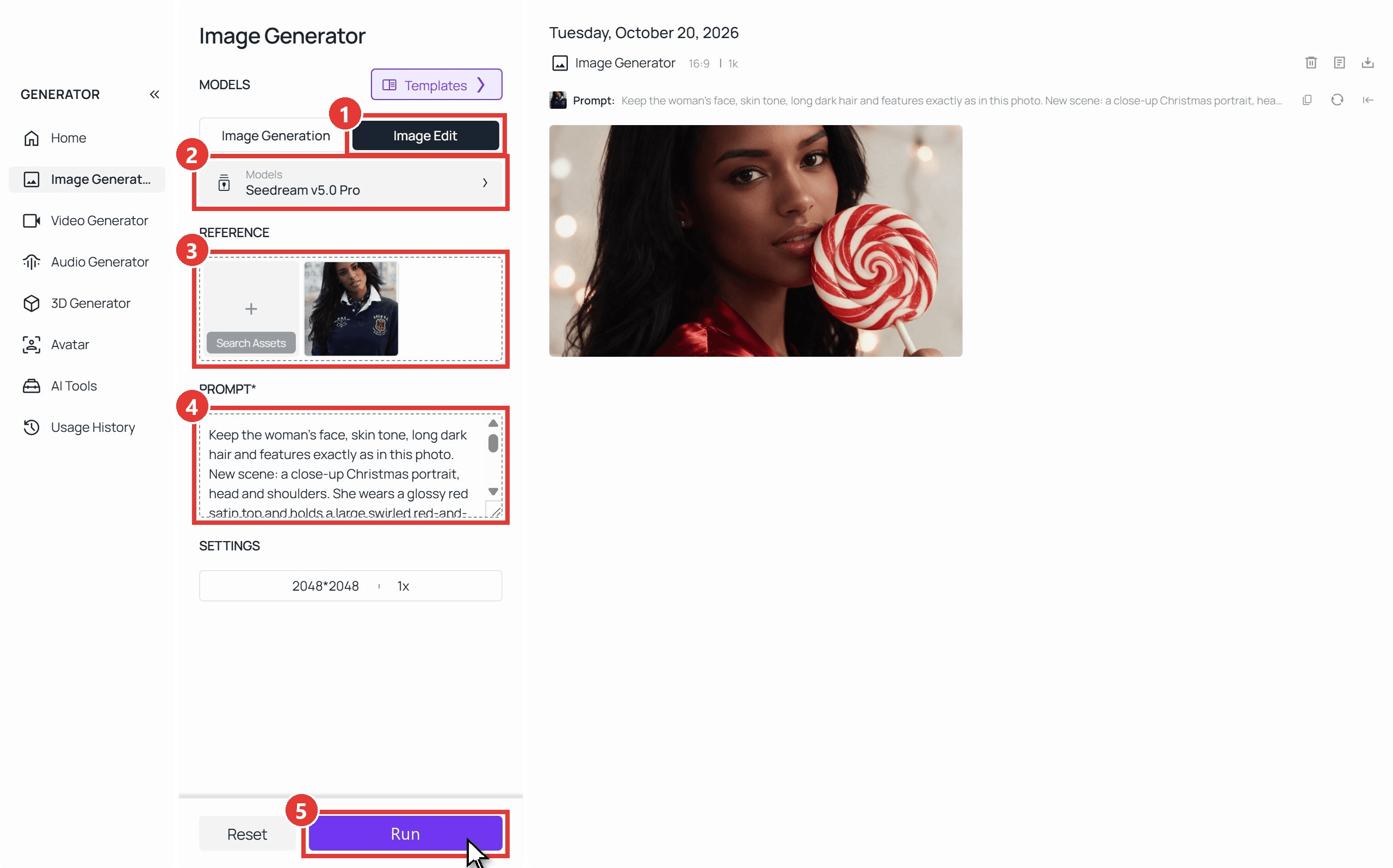
Our edits took one to four minutes each, and the workspace outputs 2048×2048 by default.
Turn One Selfie Into a Candy Cane Portrait
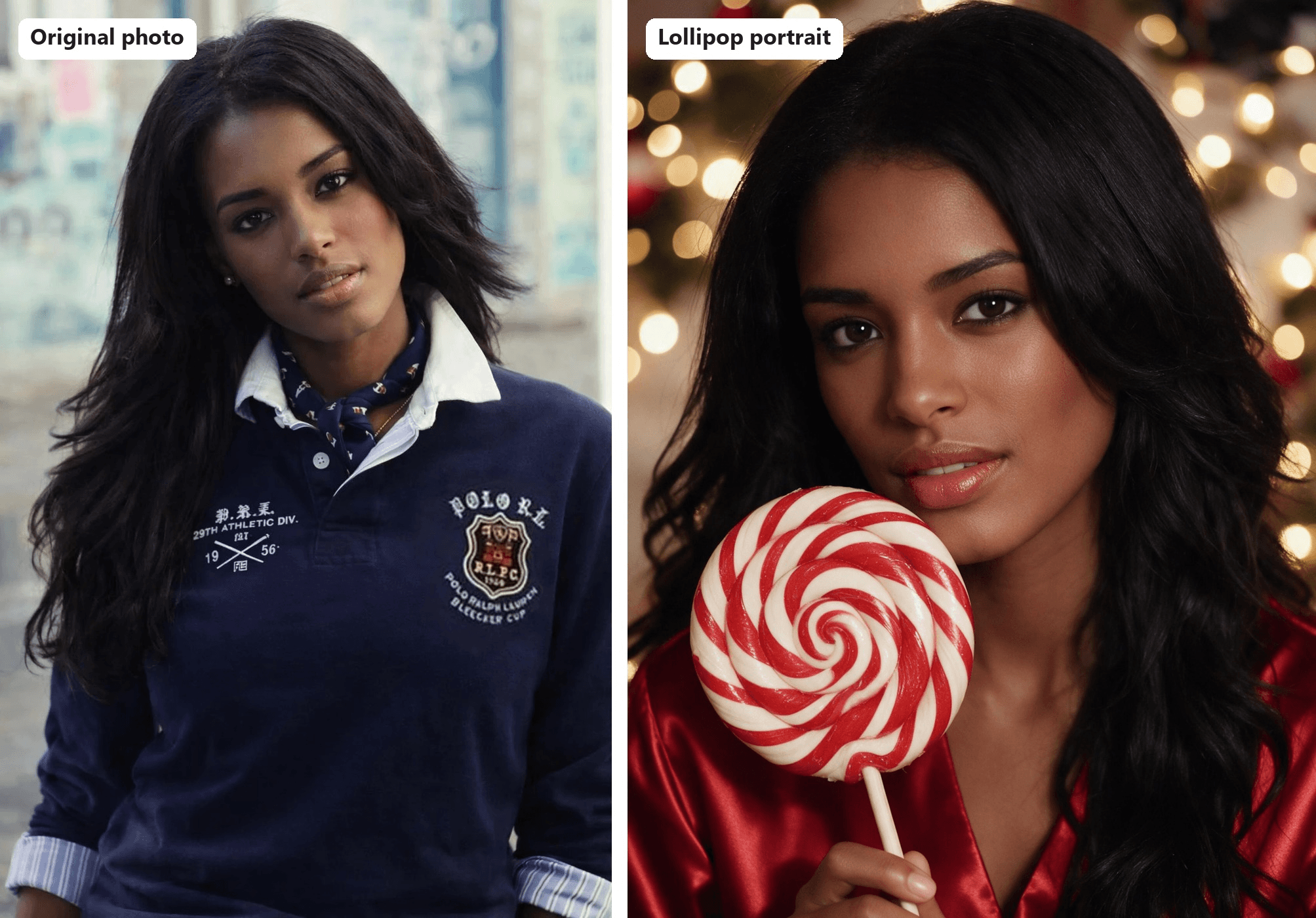
The lollipop close-up makes a good first try, since it only needs your head and shoulders. This is the prompt from the screenshot above:
plaintext1Keep the woman's face, skin tone, long dark hair and features exactly as in this photo. New scene: a close-up Christmas portrait, head and shoulders. She wears a glossy red satin top and holds a large swirled red-and-white lollipop beside her cheek. Warm string lights melt into round bokeh behind her.
The first sentence does most of the work. List the features the model must keep before you describe anything new, and leave clothing off that list, or the old outfit tags along.
Pick a sharp, evenly lit photo where nothing covers your face. Sunglasses or a phone in front of your chin leave the model guessing. If you want new angles of yourself rather than a holiday set, our guide to making an AI picture of yourself covers that.
Merge Separate Photos Into One AI Family Christmas Photo
Nobody has to stand in the same room. The Seedream v5.0 Pro Edit playground takes up to 10 reference images in one request, so we gave it three: a man at a café, a woman on a city street and a golden retriever on the grass.
The prompt numbers each photo and states the head count; the fixes table further down explains why both matter.
plaintext1Exactly three subjects: the man from image 1, the woman from image 2 and the golden retriever from image 3, one of each, no extra people. Combine them into one family Christmas card photo. Keep the man's face exactly as in image 1 and the woman's face and long dark hair exactly as in image 2; do not blend their features. The couple sits close together on a thick rug in front of a stone fireplace with knitted stockings on the mantel and a lit Christmas tree to the right. Both wear matching red plaid flannel pajamas. The golden retriever lies across their laps wearing a small red bow. She laughs while he looks at the dog. Warm firelight from the left, soft fill from the tree lights, 35mm lens at eye level, natural skin texture and light film grain. Horizontal framing.
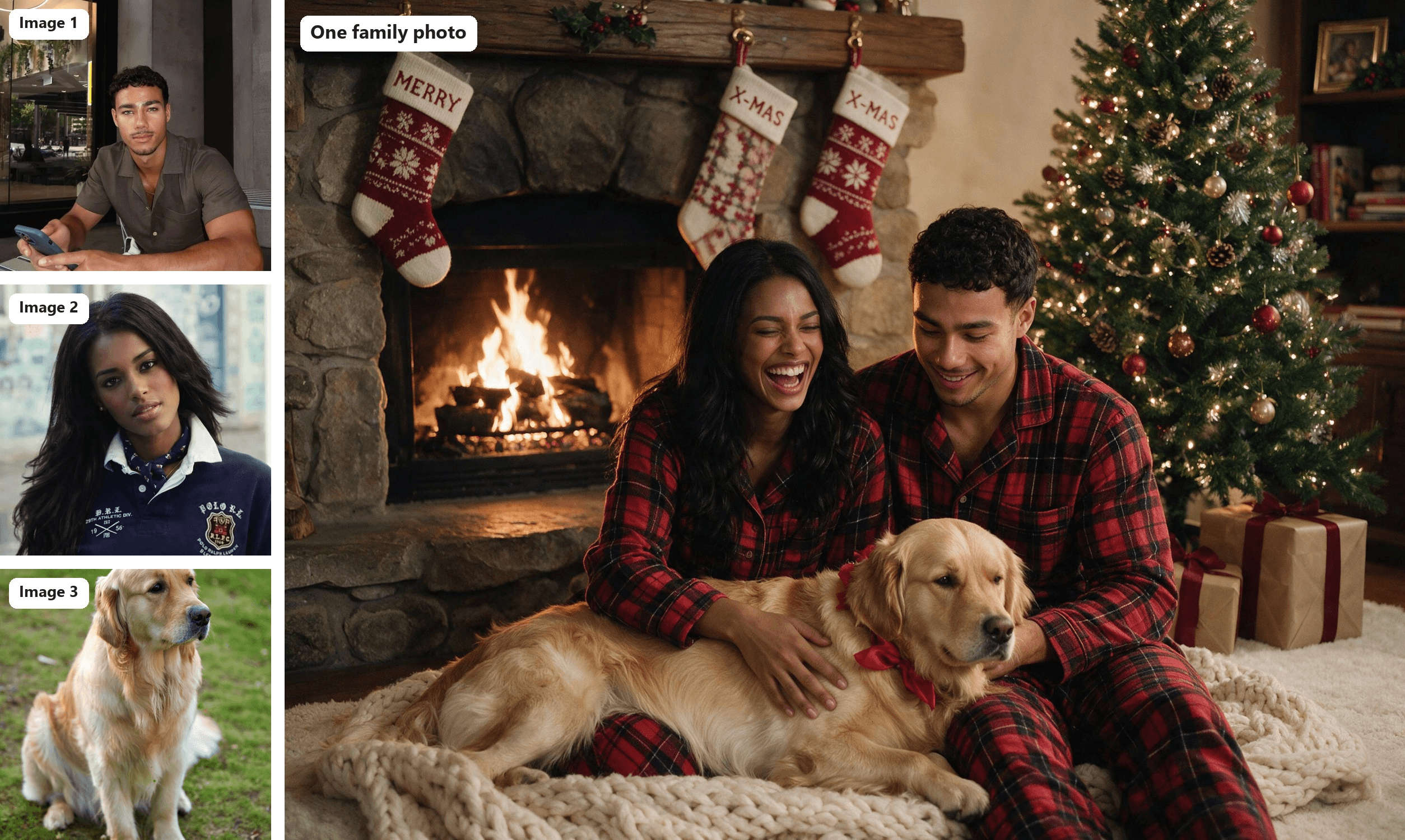
Dog photo (image 3): Barnabas Davoti on Pexels
One edit, 2368×1776, ready for a card. We used a dog where a child might go; the FAQ covers what to check before uploading kids' photos.
How to Make a ChatGPT Christmas Photo (and the Gemini Version)
How are people making the AI Christmas photos on their phones? Mostly in ChatGPT or Gemini, the apps they already have.
In ChatGPT: upload a selfie, paste a candy cane prompt like The Tab's, and ask for a vertical image. The pricing page lists the free plan as "Limited image creation," and OpenAI's free tier FAQ says image generation has its own usage limit without giving a number. We measured how far a free account goes in our ChatGPT image limit test.
In Gemini: the same steps work in the Gemini app, which runs Nano Banana 2 by default. Google's help pages say downloads come at 1K without an AI plan and 2K with one, and usage limits refresh every 5 hours until you reach a weekly cap.
| ChatGPT | Gemini app | Atlas Cloud | |
|---|---|---|---|
| Image model | ChatGPT's built-in image tool | Nano Banana 2 (Nano Banana Pro redo on paid plans) | Seedream 5.0 Pro |
| Free plan, official wording | "Limited image creation" | "Standard limits," refreshed every 5 hours | Pay per image |
| Best for | A quick candy cane portrait from one selfie | Fast variations on your phone | Keeping one face across a set, and group shots built from separate photos |
AI Christmas Photo Trend Prompts You Can Copy
We ran six prompts on the same two portraits and one dog. Keep the first sentence, swap in your own details. They are plain English with no model-specific syntax, so they double as ChatGPT Christmas photo prompts.
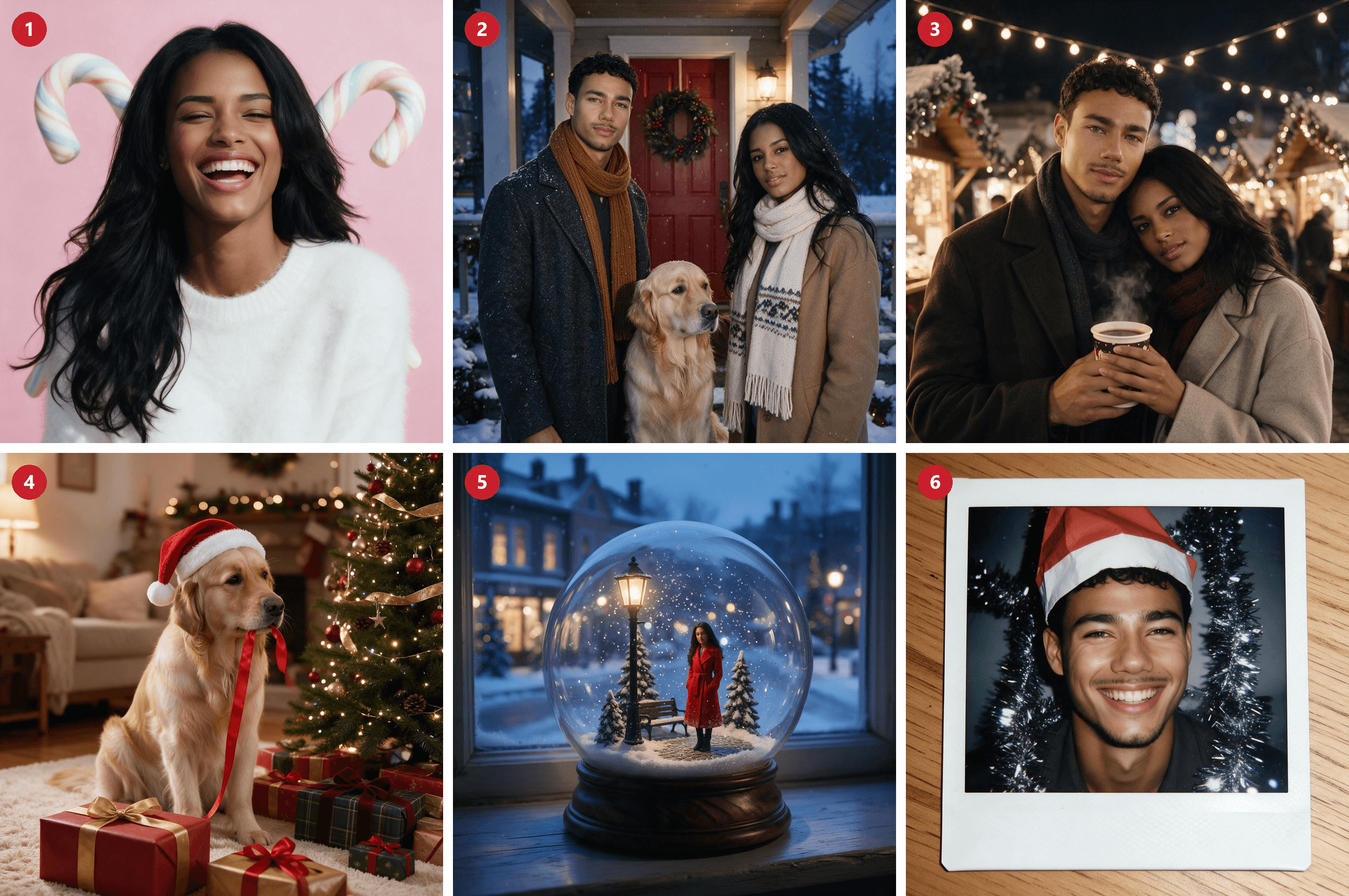
{width="100%"}
1. Pastel candy cane portrait
plaintext1Keep the woman's face, skin tone and long dark hair exactly as in this photo. Christmas studio portrait on a pale pink seamless backdrop, two oversized pastel candy canes crossed behind her, white fluffy sweater, laughing with her eyes half closed. Soft window-style key light, natural skin texture, light film grain, square framing.
2. Snowy porch family
plaintext1Exactly three subjects: the man from image 1, the woman from image 2 and the golden retriever from image 3. One person each, no extra people. They stand on a snowy front porch with a pine wreath on the red door, the dog sitting between them. Keep each face exactly as in its own photo. Wool coats and scarves, light snow falling, blue-hour dusk with warm porch light. 35mm lens, natural grain, square framing.
3. Christmas market couple
plaintext1The man from image 1 and the woman from image 2 as a couple at a Christmas market at night, sharing a paper cup of mulled wine under strings of warm bulbs, wooden stalls blurred behind them. Keep both faces exactly as in their photos. Wool coats, her head on his shoulder. Available light, 50mm lens, natural grain, square framing.
4. Pet in a Santa hat
plaintext1Keep this golden retriever's face, coat color and markings exactly as in the photo. The dog sits beside a decorated Christmas tree wearing a small red Santa hat, a pile of wrapped gifts in front, one ribbon in its mouth. Warm living-room light, tree lights as soft bokeh, eye-level 50mm lens, natural fur detail, square framing.
5. Snow globe miniature
plaintext1Shrink the woman from this photo into a tiny figure inside a glass snow globe, keeping her face and long dark hair recognizable. She wears a red coat and stands on a miniature snowy street with a lamp post, snowflakes swirling in the glass. The globe sits on a wooden windowsill at dusk with soft blue light outside. Macro product-photo look, square framing.
6. Instant-camera snapshot
plaintext1Keep the man's face, curly hair and beard exactly as in this photo. Turn it into a 2000s instant-camera Christmas snapshot: direct on-camera flash, a silver tinsel garland behind him, a paper Santa hat tilted on his head, a big grin. Show the whole picture as a white-bordered instant print lying on a wooden table. Square framing.
Why Your AI Christmas Photo Doesn't Look Like You
When a result misses, check the prompt and the source photo before anything else, whichever app you use. Here are common culprits and the line that fixes each one.
| Problem | Likely cause | Fix |
|---|---|---|
| The face looks like someone else | The prompt never asked to keep it | Open with "Keep her face, skin tone and hair exactly as in the photo" |
| Two faces blend together | The model can't tell who is who | Number the photos ("the man from image 1") and add "do not blend their features" |
| An extra person shows up | No head count in the prompt | Add "Exactly three subjects, one of each, no extra people" |
| Your phone or old outfit carries over | The model copies what it sees | Describe the new outfit and add "no phone" |
| A logo from your shirt comes back | The same copying habit | Name the new clothes and add "no logos" |
| Odd fingers around the candy cane | Hands holding props are hard to draw | Rest the prop on a shoulder, or describe one simple grip |
For skin that doesn't look airbrushed, our Seedream portrait guide goes deeper on lighting and texture words.
FAQ
Is the AI Christmas photo trend free?
Within limits, yes. Both free apps can make these photos (their caps are covered above), but a free AI Christmas photo generator runs out fast once the whole family wants a turn.
On Atlas Cloud, a Seedream v5.0 Pro edit costs $0.036 at 1.5K sizes and $0.072 at 2K sizes such as 2368×1776, plus $0.0024 per extra reference photo. Those prices include the 20% discount shown on the model page as of October 20, 2026; list prices are $0.045 and $0.09.
Is it safe to upload my kids' photos to an AI photo editor?
Check the data settings first. OpenAI says it may use your content from Free, Plus and Pro accounts to train its models unless you switch off "Improve the model for everyone." Google's Gemini privacy hub says some chats are read by human reviewers and activity is kept for 18 months by default. The FBI's internet crime center also urges discretion when posting images of children. A pet makes an easy stand-in.
Do I need to label AI Christmas photos on Instagram or TikTok?
On TikTok, yes, if the result looks real: its Community Guidelines require creators to label AI-generated content that shows realistic-looking scenes or people. Meta's labeling policy makes disclosure mandatory for photorealistic video and realistic audio. For still images, Instagram and Facebook add an "AI info" label when they detect AI signals in the file.
What size should an AI Christmas photo be for Stories or printed cards?
Meta recommends 1080×1920 pixels at 9:16 for Stories. Shutterfly suggests printing at 300 DPI, which works out to 1500×2100 pixels for a 5×7 card. Seedream 5.0 Pro's 1584×2816 preset covers Stories, and a 1776×2368 portrait leaves room to crop a 5×7 card.
Conclusion
The candy canes were never the hard part. The trend comes down to one clear photo, a prompt that names what to keep, and a model that respects it. Do that, and the same recipe stretches from a solo lollipop close-up to a family card made from photos taken in three different places.
If last year's attempt gave you a stranger's face, start this year's with the face line, number every photo, and count the subjects. That is all it takes to join the AI Christmas photo trend and still recognize yourself in the result.





