

You probably do not need the biggest Qwen model. For most developers searching for the best qwen model for local coding, the practical answer is Qwen3 Coder 30B A3B, usually through qwen3-coder:30b in Ollama or a GGUF loaded in LM Studio.
The confusing part is not whether Qwen can code. It is which Qwen your machine can hold while your agent reads files, writes patches, and runs tests without turning a Tuesday bugfix into a hardware project.
This guide chooses by real workflow: your memory tier, your agent, your context window, and your test loop. Use local Qwen first when privacy matters. Use a hosted Qwen pass when the repo is too large, the patch is risky, or your laptop is clearly suffering.
Key takeaways
- Best practical local pick: Qwen3 Coder 30B.
- Best hardware tier: 24GB VRAM or 32GB+ RAM.
- Best workflow: Ollama or LM Studio plus Cline, Continue, or Aider.
- Biggest failure reason: bad context and weak agent settings.
- Best fallback: hosted Qwen review for one risky patch.

Animated local Qwen checkout bugfix workflow
Animated workflow example: start from the checkout test plan, ask local Qwen for the smallest React state-path change, then rerun the check.
Why the Best Qwen Model for Local Coding Got Confusing in 2026
Qwen naming now covers small chat models, long-context coder models, MoE variants, and hosted frontier options. A search result may mention Qwen3 Coder 30B, Qwen3 Coder Next, Qwen3.6, 480B, GGUF, MLX, Q4, Q8, A3B, and A35B in the same breath. That is a lot of labels before you even open VS Code.
The useful distinction is simple. A local coding model must do more than answer code questions. It must hold repository context, follow tool calls, write minimal diffs, and recover from test output. Qwen3 Coder 30B A3B is attractive because its model card lists 30.5B total parameters, 3.3B activated parameters, native 262,144 token context, Apache 2.0 licensing, and non-thinking instruct behavior (Hugging Face model card, accessed August 2026).
The 480B-class Qwen3 Coder line is a different machine class. The official Qwen launch framed Qwen3 Coder around agentic coding, browser use, tool use, and native 256K context with expansion to 1M through YaRN (Qwen Team, July 2025). That scale matters for hosted or server setups, but it does not make your 16GB laptop a 480B workstation.
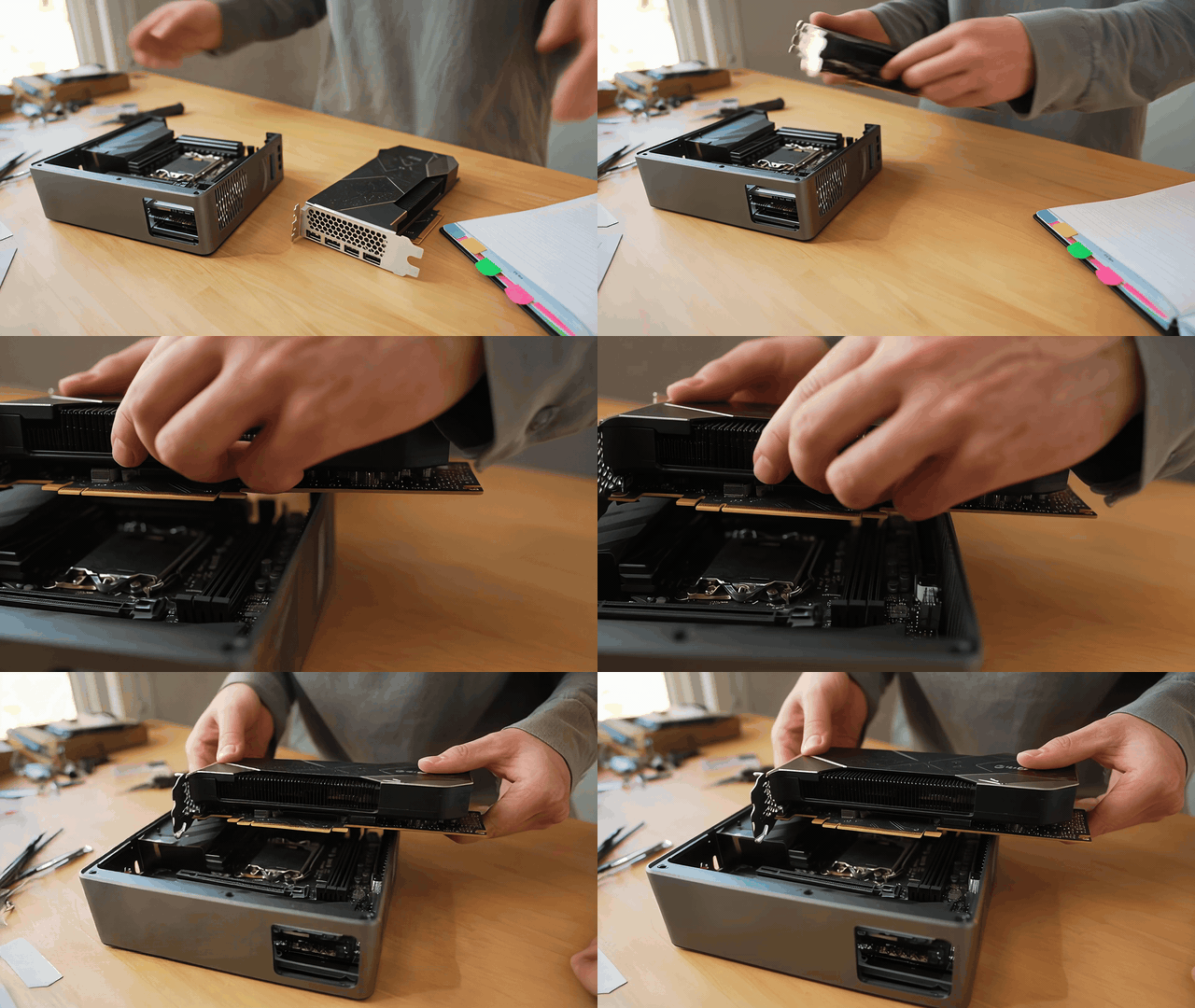
Animated local Qwen hardware preparation workflow
Animated workflow example: check the compact local hardware before loading Qwen, because VRAM and context capacity decide whether the coding run stays usable.
Best Qwen Model for Local Coding by Hardware Tier
Start with the hardware you own. The default qwen3-coder:30b tag on Ollama is a Q4_K_M artifact of about 19GB and can be launched with ollama run qwen3-coder:30b (Ollama library, accessed August 2026). That size makes it realistic for serious desktops, not tiny laptops.
Atlas Cloud fits as a verification lane, not as a replacement for local privacy. If your machine cannot hold the model or you want a second opinion on a risky patch, run the same prompt once through Atlas Cloud, then bring the review back into your local workflow.
| Hardware tier | Practical Qwen pick | Runtime | Best use | Watch-out | Hosted fallback |
|---|---|---|---|---|---|
| 16GB VRAM / 32GB RAM | Qwen3 Coder 30B Q4 with offload | Ollama or LM Studio | small bugfixes, tests, local chat | long context gets slow | Qwen3 Coder Next on Atlas |
| 24GB VRAM | Qwen3 Coder 30B Q4 or Q5 | Cline, Continue, Aider | day-to-day local coding | tune context before blaming the model | Qwen3 Coder Next |
| 64GB unified memory or RAM | Qwen3 Coder 30B Q8, or larger Qwen coder variants | LM Studio, llama.cpp, vLLM | multi-file edits and repo review | KV cache pressure | Qwen3.6 35B A3B as comparison |
| 128GB+ | Qwen3 Coder Next or larger quantized experiments where available | llama.cpp, vLLM, SGLang | repo-scale agent loops | setup time and heat | Atlas for quick A/B review |
| No suitable local hardware | Hosted Qwen | Atlas model playground or API | patch review and long prompts | follow code privacy policy | direct hosted run |
For the hosted fallback, live Atlas pages showed these LLM prices during this August 2026 check: Qwen3 Coder Next at 262.14K context, $0.18/M input tokens and $1.35/M output tokens; Qwen3.6 35B A3B at 262.14K context, with the detail page showing $0.248/M input tokens and $1.485/M output tokens plus a 35% discount marker; and Qwen3.6 Plus on the model list at 1,000K context, $0.325/M input tokens and $1.95/M output tokens. Check the live Atlas model explorer before budgeting a long run.
| Runtime | Who it fits | Endpoint style | Good default | Watch-out |
|---|---|---|---|---|
| Ollama | fastest local start | local Ollama host | qwen3-coder:30b | context must be set deliberately |
| LM Studio | Mac and GUI users | OpenAI-compatible local server | Q4/Q5 GGUF | load context before opening the agent |
| llama.cpp | advanced quantization control | local server flags | Q4_K_M or Q8 | more manual tuning |
| vLLM / SGLang | team or lab serving | OpenAI-compatible server | BF16 or FP8 where supported | hardware and setup complexity |
Step 1: Install and Connect the Best Qwen Model for Local Coding
Install with Ollama. Ollama is the quickest reproducible route. Pull the model first, then start a local chat to confirm the model responds before attaching it to an agent.
plaintext1ollama pull qwen3-coder:30b 2ollama run qwen3-coder:30b
Exact prompt to paste:
plaintext1You are a local coding assistant. Reply with one sentence confirming that you can inspect code, propose patches, and explain test failures. Do not write code yet.
Settings to pick:
| Setting | Value |
|---|---|
| Runtime | Ollama |
| Model | qwen3-coder:30b |
| Context | start 32K or 64K |
| Temperature | 0.2 for bugfix, 0.7 for design discussion |
| top_p / top_k | 0.8 / 20 |
| repetition_penalty | 1.05 |
Connect the coding agent.
Use Cline, Continue, or Aider. Cline is a good first agent because its local-model guide recommends Qwen3 Coder 30B, notes the no-API-cost privacy benefit, and warns that smaller models can fail tool-use formats (Cline docs, accessed August 2026).
Exact prompt to paste:
plaintext1Inspect this repository without editing files. Summarize the app structure, identify the test command, and tell me which files are likely involved in the failing checkout discount behavior.
Settings to pick:
| Setting | Value |
|---|---|
| Provider | Ollama or OpenAI-compatible local endpoint |
| Base URL | localhost:11434 or /v1 form required by the tool |
| Model | qwen3-coder:30b |
| Context | 64K for a medium repo |
| Temperature | 0.2 |
| Permissions | read-only first |
| Agent option | compact prompt on, when available |
Step 2: Use the Best Qwen Model for Local Coding on a Tests-First Bugfix
Do not ask for a pretty explanation first. Ask the model to read the failing test, patch the smallest code path, and report the exact test result. Local coding earns trust when the terminal improves.
Exact prompt to paste:
plaintext1Fix the checkout discount bug using a tests-first workflow. 2 3Rules: 41. Read the failing test output before editing. 52. Identify the smallest code path that can cause the discount to apply twice after quantity changes. 63. Patch only the necessary files. 74. Do not change public component props. 85. After editing, run the relevant test command and report the exact result.
Settings to pick:
| Setting | Value |
|---|---|
| Model | qwen3-coder:30b |
| Temperature | 0.2 |
| Context | 64K |
| Compact prompt | on |
| Allow tools | read files, edit files, run test command |

Animated tests-first local Qwen bugfix workflow
Animated workflow example: use one failing checkout test to constrain the edit, make the smallest correction, and finish by verifying the outcome.
Step 3: Try a Cross-File Refactor with Qwen3 Coder 30B
After one bugfix works, try a controlled refactor. Keep the task narrow, preserve public function names, and require tests. This is where many smaller local models drift because they must hold old wrappers, new types, and two call sites in memory.
Exact prompt to paste:
plaintext1Refactor the billing API client into a typed service. 2 3Goal: 4- Create a BillingService with typed request and response objects. 5- Keep the existing public function names working through thin wrappers. 6- Update the two current call sites. 7- Add or update tests for the wrapper behavior. 8- Do not introduce a new dependency. 9- Show the final diff summary and test result.
Settings to pick:
| Setting | Value |
|---|---|
| Model | qwen3-coder:30b |
| Temperature | 0.2 |
| Context | 96K if the repo has many related files |
| If slow | reduce included files and give an explicit file list |

Animated cross-file refactor planning workflow
Animated workflow example: lay out the affected service paths, move one bounded responsibility, then keep the wrapper and tests aligned.
Step 4: Use Qwen Local Coding Fill-in-the-Middle Only Where It Fits
Fill-in-the-middle is excellent for a single missing function body or editor completion gap. It is the wrong shape for a full repo task because it does not carry the same planning, tool use, and feedback loop.
Exact prompt to paste:
plaintext1Complete only the missing function body. Preserve the surrounding code style and do not add explanations. 2 3<|fim_prefix|> 4export function normalizeDiscountCode(input: string): string { 5<|fim_suffix|> 6} 7 8export function isValidDiscountCode(input: string): boolean { 9 return /^[A-Z0-9-]{4,24}$/.test(normalizeDiscountCode(input)); 10} 11<|fim_middle|>
Settings to pick:
| Setting | Value |
|---|---|
| Temperature | 0.1 |
| Max output | 300 tokens |
| Use | editor completion or direct local chat |
| Avoid | broad refactors and multi-file agent work |
Step 5: Verify Qwen Local Coding Changes with Atlas Cloud Qwen3 Coder Next
Qwen3 Coder Next is the hosted review lane in this workflow. It is useful when your local context is too tight, your machine is too slow, or the patch is important enough to deserve an independent pass. Atlas Cloud is cloud execution, so paste the smallest useful diff and follow your company policy.
Exact prompt to paste:
plaintext1Review this patch as a senior software engineer. 2 3Context: 4- The local model fixed a checkout discount bug and all current tests pass. 5- I want a second opinion before merging. 6 7Review checklist: 81. Look for missed edge cases. 92. Look for state-management regressions. 103. Look for test gaps. 114. Do not rewrite the whole patch. 125. Return only: blocking issues, non-blocking improvements, and one recommended extra test. 13 14Patch: 15[paste diff here]
Settings to pick:
| Setting | Value |
|---|---|
| Model | qwen/qwen3-coder-next |
| Max tokens | 2,000 to 4,000 |
| Temperature | 0.2 |
| Stream | optional |
| Input discipline | paste a minimal diff, not secrets |

Animated independent final patch review workflow
Animated workflow example: an independent review reads the patch and test notes together, then calls out the remaining edge case before release.
Variations: Cline, Continue, Aider
Cline fits developers who want a VS Code agent to read files, edit, and run commands. Turn on compact prompt when available, keep auto-approval conservative at first, and start with one failing test rather than a vague feature request.
Continue fits developers who want local chat, inline completion, and repo context without giving the model too much command power. It is a good daily setup when you mainly need code reading, small edits, and fast answers.
Aider fits test-driven edits. It works well when you can name the files and the command that decides success. That style also gives you a fair way to compare local 30B against a hosted Qwen review: same diff, same tests, same acceptance bar.
Use LM Studio if you prefer a GUI and want to inspect quantization, context, and server status. Use llama.cpp when you want tighter control over flags. Use vLLM or SGLang when a team needs a shared endpoint and has enough hardware to justify the setup.
Cost: Local Hardware vs Hosted Qwen
Local Qwen has no per-token API bill, but it is not free in the practical sense. You pay with VRAM, RAM, electricity, setup time, slower long-context runs, and the occasional afternoon spent finding the setting that should have been obvious.
For most local coding setups, Qwen3 Coder 30B Q4 is the useful compromise. It is large enough for agentic coding, small enough to fit on serious consumer hardware, and well documented across local runtimes. The 480B class belongs to server-grade memory or a hosted lane.
| Scenario | Local Qwen choice | Atlas Cloud usage | Why it makes sense |
|---|---|---|---|
| Hobby side project | Qwen3 Coder 30B Q4 | final patch review only | low recurring cost, enough quality |
| Privacy-sensitive repo | local only | none unless policy allows | code stays on the machine |
| Underpowered laptop | smaller local model for notes | hosted Qwen for heavy prompts | avoids painful local latency |
| Team evaluating Qwen | local 30B and hosted Qwen Next | compare the same prompts | separates model quality from hardware limits |
Privacy note
Local inference is the privacy advantage. Your private repo can stay on your machine, and your agent can run tests without sending code to a hosted endpoint.
Hosted review is still useful, but treat it like any other cloud code tool. Do not paste secrets, private keys, customer data, or entire proprietary repositories. Paste the smallest diff and the relevant test output. Also check the license of the exact checkpoint or quantization you download, even when the upstream model card lists Apache 2.0.
If you remember one thing from this guide, make it this: the best qwen model for local coding is the one that can hold your repo context, obey your agent, and pass your tests on the hardware you actually use.
Frequently Asked Questions
What is the best Qwen model for local coding right now?
For most developers, Qwen3 Coder 30B A3B is the practical local pick. It has the best mix of size, context, agentic coding behavior, and local runtime support.
Can Qwen3 Coder 30B run on 16GB VRAM?
It can be workable with quantization and offload, but expect compromises. A 24GB GPU or 32GB+ system memory gives you a calmer setup, especially once the KV cache and context window grow.
Is Qwen3 Coder Next better than Qwen3 Coder 30B for local coding?
It may be stronger for some review and long-context tasks, but it is less practical for ordinary local machines. Treat Qwen3 Coder Next as a hosted or high-memory workstation option unless you have the hardware to run it comfortably.
Should I use Ollama, LM Studio, llama.cpp, Cline, Continue, or Aider?
Use Ollama for the fastest command-line start. Use LM Studio for a GUI. Use llama.cpp for deeper control. Use Cline when you want a VS Code agent, Continue for chat and completion, and Aider for test-driven patch loops.
Why does my local Qwen coding agent fail even when the model is good?
The usual causes are too little context, a hot temperature, a weak tool-use harness, a model smaller than the agent expects, or a prompt that asks for a sweeping refactor before the model has mapped the repo.
When should I use Atlas Cloud instead of running Qwen locally?
Use Atlas Cloud when your local machine cannot hold the model, when you need a hosted Qwen second opinion, or when a team wants to compare local 30B against a larger Qwen endpoint. Keep sensitive code out unless your policy allows it.





