

A game can look finished in a screenshot and still fail when someone steers, scores, loses, or presses restart. DeepSeek V4.1 Flash for game development and 3D projects is worth evaluating for small prototypes, but the useful question is whether its code survives a real playtest. DeepSeek’s October 17, 2026 update, called Flash-1017, presents four ambitious project demos. Those demos show what the company chose to demonstrate; they do not establish that every generated project is complete or production-ready.
This guide separates the release evidence from a practical test you can run yourself. The test prompt and checklist below are reproducible instructions, not results from an independent Atlas Cloud run.
Key takeaways
- Flash-1017 is an October update to V4.1 Flash, with official examples spanning a browser game, Godot, and 3D scenes.
- Start with a small browser prototype whose controls, objectives, and restart behavior can be checked.
- Treat a rendered scene as a starting artifact. Run the project and verify interactions, state changes, and errors.
- Atlas Cloud lists token-based access to DeepSeek V4.1 Flash; a model call returns code, while you provide the runtime and testing.
What changed in DeepSeek V4.1 Flash-1017?
Flash-1017 is the refreshed version of DeepSeek V4.1 Flash announced on October 17. DeepSeek says it used self-feedback reinforcement learning to improve the model’s ability to build complete game and 3D projects from fewer prompts and references. The company also reports better benchmark performance, shorter task times, and shorter outputs than the prior release. These are vendor-reported claims, not an independent evaluation (DeepSeek, October 17, 2026).
The announcement matters because it focuses on whole project tasks rather than isolated code completion. A request such as “make a browser racing game” asks a coding model to create a scene, connect input, define a game loop, and present a usable result. The size of that request also creates more ways for a project to fail. A demo can establish that an example was produced in the announced environment; it cannot by itself tell you whether the source is easy to modify, how it behaves on your machine, or how much debugging another brief will require.
The announced work was created inside DeepSeek Harness. That detail matters when comparing the demonstration with a direct model call: harness tools, prompt iterations, and execution environment can contribute to the result. Don’t assume that selecting the model in a chat interface reproduces the full demonstration automatically.
The Harness detail changes how to interpret the release. These examples show project generation in a tool-assisted setup, not a controlled one-shot comparison across interfaces. For your own evaluation, record the interface, displayed model name, prompt, and date. A model label can remain stable while a provider updates the served snapshot, so avoid calling your result Flash-1017 unless the interface confirms that version.
What do the official game and 3D demos show?
DeepSeek’s gallery gives a useful map of task types. Each example suggests a different first experiment, but each remains a vendor demonstration.

DeepSeek’s browser racing demo. The animation is an official release example, not an independently tested build.
The browser racing example is the closest match for a quick personal test. A browser project is relatively easy to open and share, and its basic loop can be inspected without installing a game engine. Still, the gallery does not establish that the source is self-contained, that every control works, or that the game behaves consistently after a clean reload.
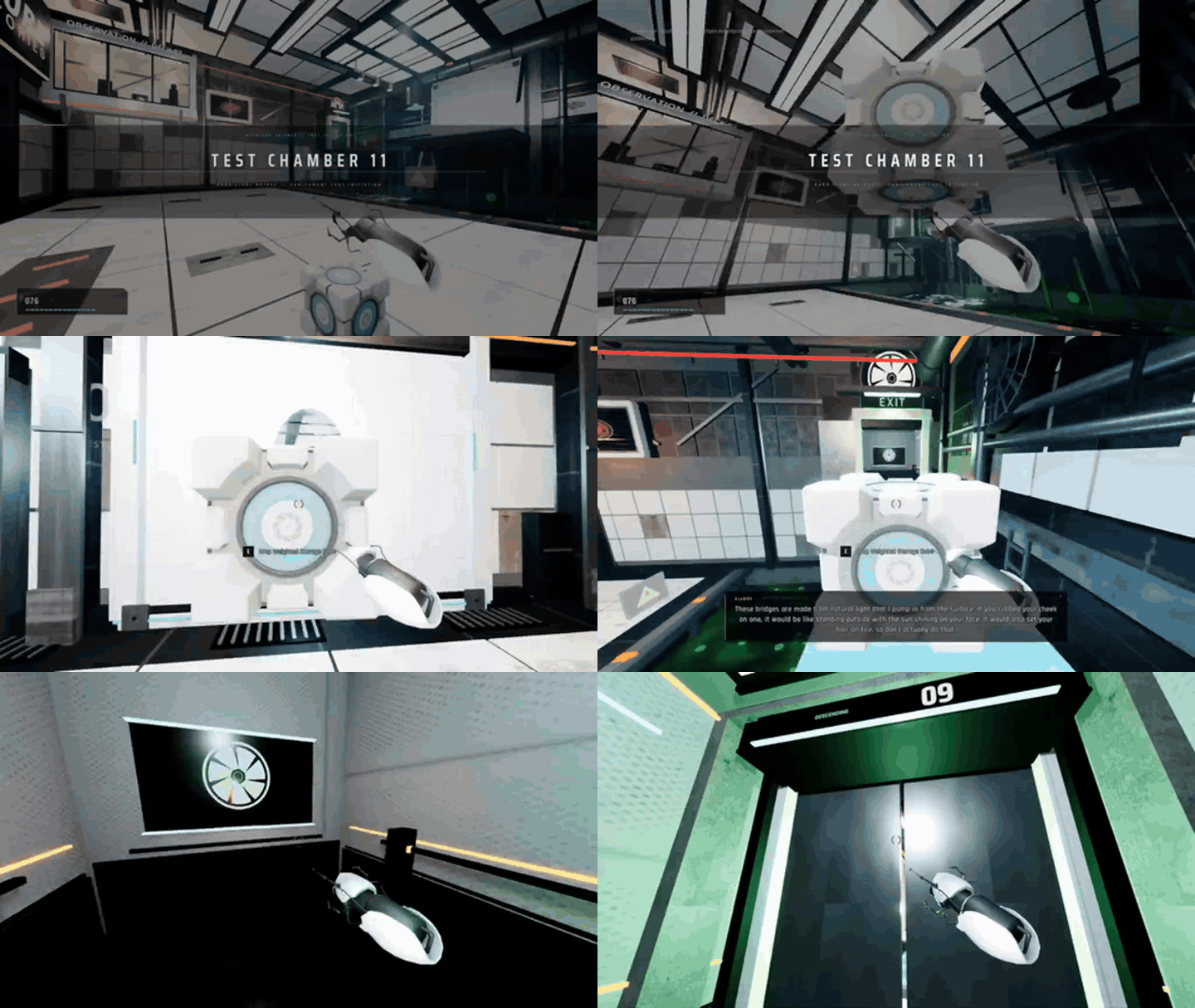
DeepSeek’s Godot recreation demo. It shows an engine-based project in the release gallery; it does not document a local setup or compatibility test.
The Godot example signals an engine-project workflow. That is a larger handoff than a browser snippet: a developer needs the project files, a compatible Godot version, and a local run to check scenes, input mappings, assets, and scripts. The announcement does not provide enough information to infer Unity support or to claim that the model ran Blender.

DeepSeek’s 3D Forbidden City example. The animation is presented by DeepSeek as a generated 3D modeling result.
The Forbidden City scene demonstrates a 3D modeling task in the release’s own presentation. A developer should distinguish code-built geometry and a navigable scene from a production asset with verified topology, scale, UVs, materials, and export settings. The gallery does not document those checks.
The release also includes “Valley of Ages,” a historical 3D scene that moves through eras. As with the other gallery pieces, that presentation suggests a useful scene-generation task, but it does not validate a production level or historical reconstruction.
Choose a browser game when you want the shortest path from code to a repeatable playtest. Choose an engine project when the question depends on a particular engine feature, scene structure, or asset pipeline. Choose a 3D scene when you can name what the viewer should inspect, such as camera movement or object interaction. Those choices make the first request answer a real development question instead of asking for an impressive-looking demo.
The common lesson is about scope. Flash-1017’s examples make whole-project generation a reasonable thing to try. They do not remove the need to inspect deliverables or establish how much follow-up work a particular project needs.
How to test DeepSeek V4.1 Flash on a small browser game
A compact browser game makes a better first test than an open-ended request to “build a complete game.” You can save one HTML file, open it locally, and check the same requirements every time. The specification below uses Three.js from a public CDN, so the test requires an internet connection when the page loads.
Select DeepSeek V4.1 Flash in the LLM playground. Paste the prompt once and save the first response before requesting changes. The current Atlas listing names the refreshed entry “DeepSeek V4.1 Flash 1017,” but the deployed alias should be confirmed in the interface at the time you run it. Do not infer the served snapshot from the model family name alone.
plaintext1Create one self-contained HTML file for a small playable 3D browser game using Three.js loaded from a public CDN. 2 3Game concept: a low-poly hovercraft moves along a floating track and collects 10 glowing rings before time runs out. 4 5Requirements: 6- Use a third-person camera that follows the player smoothly. 7- Controls: WASD or arrow keys to steer, Space to brake, and R to restart. 8- Show a start screen, countdown, timer, ring counter, win state, and lose state. 9- Make the track, player, rings, and obstacles from simple geometry. Do not use external image or model assets. 10- Keep all JavaScript in the HTML file. Include clear instructions above the game. 11- Handle window resizing and prevent the player from passing through the track boundaries. 12- Make the game playable with keyboard input and include visible on-screen controls for touch devices. 13- Before returning the file, check that every referenced element and function exists and that restart resets the timer, player, rings, and game state. 14- Return only the complete HTML inside one code block. After the code block, list any known limitations in three bullets.
Save the returned code as index.html and open it in a current desktop browser. Keep the original response unchanged so you can compare it with any correction. If a requirement fails, ask for a targeted fix such as “restart resets the ring counter but leaves the timer at zero; update only the restart function and show the changed code.”
Treat the prompt as a short acceptance contract. It specifies an objective, controls, state transitions, resize behavior, and restart conditions. That gives you concrete things to inspect instead of judging the answer by whether it looks ambitious. If the first response is too large to review, keep the single-file constraint and ask for one targeted repair at a time rather than adding more features.
A usable record includes the initial prompt, first response, any correction prompt, final HTML, browser version, and the checks that passed or failed. If you use an Atlas playground screenshot to document your own run, capture the actual request and response. Do not substitute a model-made picture of an interface or treat a clean-looking screenshot as evidence that the game works.
How to tell whether the generated game is playable
Test the browser behavior, not just the first frame. Run the game from a clean reload and check one requirement at a time:
| Check | What to do | Passing evidence |
|---|---|---|
| Start and countdown | Begin from the start screen and wait through the countdown | Play begins once, with the timer advancing |
| Controls | Try WASD, arrow keys, and Space | The hovercraft moves and brakes as described |
| Objective | Drive through rings and touch obstacles | Ring count and collision behavior update correctly |
| Win and loss | Collect the required rings, then separately allow the timer to expire | Each terminal state appears under its stated condition |
| Restart | Restart after a win and after a loss | Timer, position, rings, and state reset |
| Resize and reload | Resize the window, then reload from a clean tab | Camera and controls still work; no hidden session state is required |
| Console and network | Inspect browser developer tools | No uncaught errors or missing files block play |
A screenshot can help document the rendered result, but it cannot prove the control loop. Keep a short pass/fail log and note the exact browser and date. If the project fails, fix one issue at a time and repeat the relevant check. This makes it clearer whether the correction addressed the cause or only changed the visible scene.
If the model’s explanation says a check passed, verify it yourself. Code comments and a checklist in the response are not execution evidence. A prototype that starts, responds to input, updates its objective, and restarts cleanly is a useful result even if its art and level design still need work.
Where DeepSeek V4.1 Flash fits in a 3D workflow
For a fast trial, ask for a self-contained Three.js scene with a defined camera, a small number of objects, and one interaction. The browser gives you a short path from code to a visible result. A browser scene can also help an artist or designer communicate a blocking idea before someone builds it in a larger tool.
For Godot, Unity, or Blender, make the environment part of the task specification. Name the engine or application version, expected folder structure, input method, and how the project should be launched. Then open the result in that application. A code answer can draft a Blender Python script or Godot scene, but the model’s ability to generate source is separate from whether the target application accepts and runs it.
For code-built geometry, judge scene appearance separately from asset readiness. A recognizable building can still rely on repeated shapes, approximate scale, or temporary materials. Inspect collision, polygon density, scene hierarchy, and export settings only when the target application exposes those properties. A browser view cannot prove properties that are invisible in the rendered scene.
Use the deliverable type to set the acceptance bar:
| Project type | Model can help draft | You still need to verify |
|---|---|---|
| Browser prototype | HTML, JavaScript, scene setup, basic interactions | Browser run, controls, state, network dependencies |
| Engine prototype | Scripts, scene structure, setup notes | Exact engine version, imported assets, input mappings, runtime |
| Production game or asset | Iterations and implementation tasks | Performance, accessibility, art direction, licensing, QA, platform build |
The official demos support trying the first two categories. They do not verify the last row.
Limits to expect before using it on a real project
A long brief can lead to a polished first screen while missing a small but essential requirement. State transitions are especially easy to overlook: a timer can stop visually without ending the game, or a restart button can redraw the scene while leaving score data unchanged. That is why acceptance checks should name observable behavior rather than broad goals such as “make it fun.”
A generated project also inherits its dependencies. A Three.js page that imports from a CDN may fail offline or if the dependency URL changes. Engine-specific output can rely on an expected folder structure or version that the prompt did not specify. Ask the model to list assumptions, but treat that list as a guide for inspection rather than proof.
Community examples can add context, but they are anecdotal. A same-prompt Three.js game comparison posted on October 19 reports one creator’s run and workflow; it is not a controlled benchmark, and its observations should not be generalized to every prompt or setup. Earlier-version tests should not be presented as evidence about Flash-1017. For a project decision, your own saved prompt and repeatable browser checks are more useful than a broad claim that one model “can make games” (DeepSeek community, October 19, 2026).
A clean restart is especially useful because browser state can hide defects. Close the tab, reopen the saved file, and confirm that the CDN dependency loads again. Then repeat the start, objective, and restart checks without relying on a previous session. If a correction changes the game loop, rerun the checks that depend on it, not only the check named in the model response.
Keep the first milestone small: one scene, one control scheme, one objective, and a clean restart. Add levels, menus, asset pipelines, and engine integrations only after the core loop passes. That approach reduces debugging cost and gives you a clearer signal about whether the model is helping with your actual task.
Try DeepSeek V4.1 Flash through Atlas Cloud
If you want to run the same coding test through an API playground, Atlas Cloud lists DeepSeek V4.1 Flash with token billing. The current model listing shows $0.30 per million input tokens and $1.20 per million output tokens, with no discount displayed. It also lists cache-read pricing separately. Check the live model pricing page before a run because rates and model labels can change.
A request’s cost depends on the prompt and how much code the model returns, plus any correction turns. A full HTML response can be much longer than a small code edit, so a fixed “cost per game” would be misleading. Atlas Cloud returns the model response; you still save the code, supply a browser or engine, and evaluate the project locally.
For a first pass, keep one model and one prompt. Save the output, test it against the checklist, then decide whether a narrow repair is worth another request. That gives you a useful view of both the result and the iteration effort before you commit the model to a larger game or 3D project.
Frequently Asked Questions
Can DeepSeek V4.1 Flash create a playable game from one prompt?
It may produce a first version from one prompt, as DeepSeek’s browser-game demo illustrates. Whether that output runs and meets your requirements depends on the returned code and runtime. Test controls, objectives, state changes, and restart behavior before calling it playable.
Does DeepSeek V4.1 Flash-1017 accept images for game debugging?
The model family’s documentation and the specific Atlas interface can differ in supported inputs. Confirm that image upload is available in the interface or endpoint you plan to use before relying on screenshots for debugging. This workflow uses a text prompt and does not require image input.
Can I use it directly inside Unity, Godot, or Blender?
The model generates responses through the interface or API you use. The official release demonstrates a Godot project, but that alone does not establish a built-in plugin or direct integration with Unity, Godot, or Blender. You need to transfer the code or project into the target application and test it there.
Is generated game code ready for commercial release?
A prototype is not a release review. Check licenses for dependencies and assets, security, performance, platform behavior, accessibility, and QA requirements before shipping. The official gallery does not document those production checks.
Does Atlas Cloud charge per prompt or per token?
The current listing describes token billing, with separate input and output rates and a cache-read line item. Total usage varies with the text sent and returned. Review the live model pricing before running a large generation.
A practical next step
DeepSeek V4.1 Flash for game development and 3D projects is most useful to evaluate on a bounded task with visible pass/fail criteria. Start with one browser loop, run it locally, and record what works before expanding the brief. If you want to compare the same prompt through an API playground, open the Atlas Cloud model listing and verify the current served version and billing details first.





