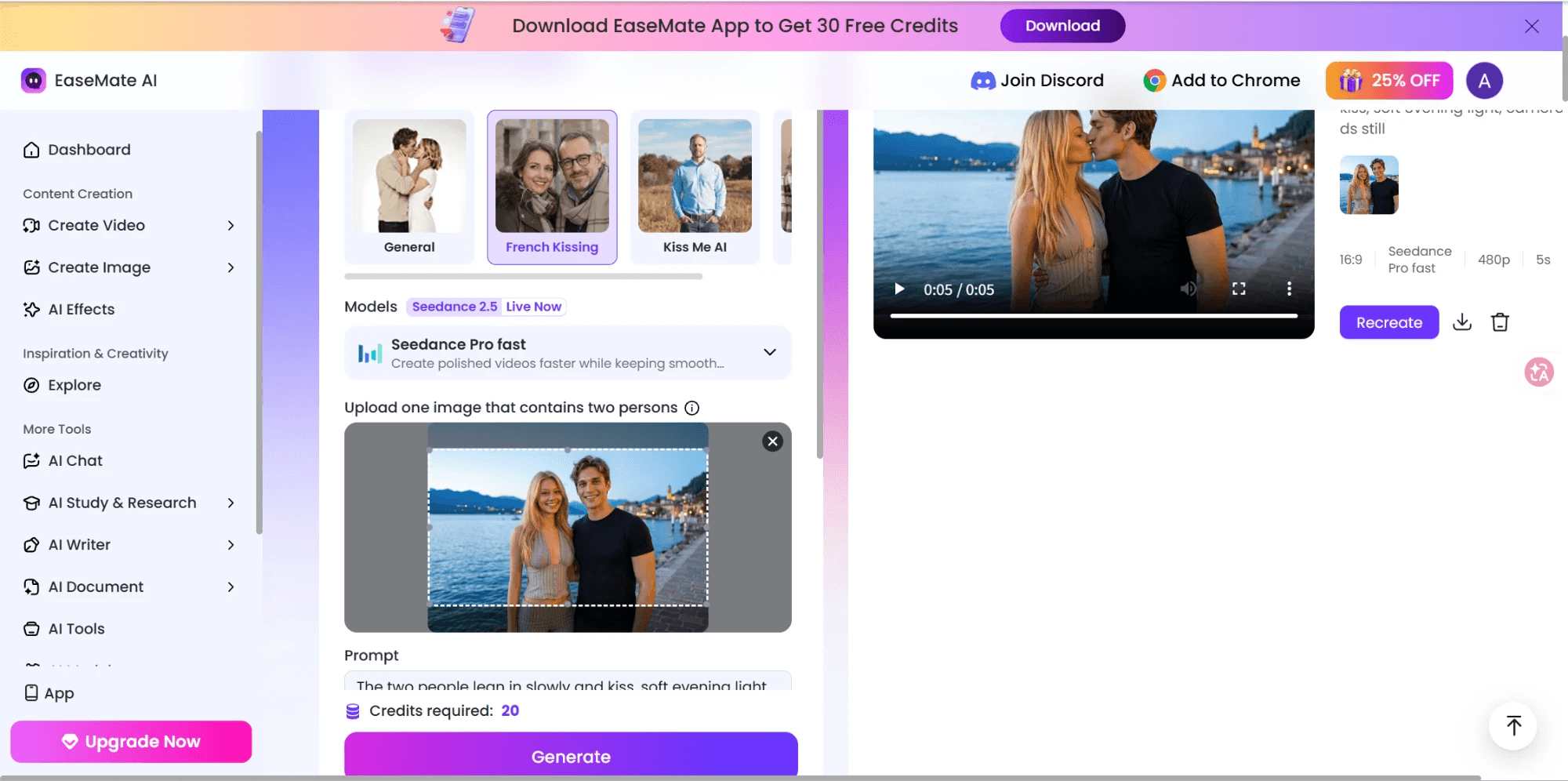
You upload a photo of the two of you, pick French Kissing from the kiss type menu, and press Generate. About a minute later a 5-second clip plays back: the pair starts side by side and meets in the middle by the second mark. The EaseMate AI kissing video generator does make a video. What it hands you is 864 by 480 pixels, silent, and it costs more credits than the FAQ says it should, which is worth knowing before you plan an anniversary post around it.
This guide checked EaseMate's kissing tool against its own pages first: credits, kiss types, plans, watermark claims. Then it ran the same couple through Atlas Cloud's alternative path, a free kiss-photo generator followed by a paid-per-second video model. Neither side gets a free pass. What follows is what each one actually did with the same two faces.
Key Takeaways
- EaseMate's kissing tool returned a real 5-second MP4 in our test: 864x480, 16:9, no sound, no watermark, generated from one photo that already shows both people.
- Atlas Cloud splits the job in two: a free AI kissing generator makes the kiss photo from two separate portraits, then PixVerse V6 animates it at up to 1080p with sound, billed per second.
- EaseMate's FAQ prices a clip at 15 credits. The Generate button asked for 20, so the 30 daily credits covered one clip, not the two the FAQ promises.
- EaseMate's own pages also disagree on what the 30 credits are: a daily grant on the kissing page, a one-time signup bonus on the pricing FAQ.
- Both paths need a sign-in. Atlas Cloud's photo step is one of the free tools in its AI Tools lineup; the video step has no free tier.
What EaseMate's AI Kissing Video Generator Actually Delivers
EaseMate's kissing tool sits on a single page with two entry points, image to video and text to video. Upload one photo that already shows both people (the field says "Upload one image that contains two persons"), or skip the photo and describe the scene in text. Either way you pick a kiss type before generating: General, French Kissing, Kiss Me AI, or Cheek Kiss.
The model tag on the widget reads Seedance 2.5, marked Live Now, and the model picker under it defaulted to "Seedance Pro fast" in our run. The page's marketing copy separately claims the tool is "Powered by Veo 3, Grok Imagine, Sora 2, and more." Only the Seedance option showed up as selectable, so treat the longer model list as EaseMate's stated range rather than something confirmed on screen.
EaseMate's Free Tier: What 30 Credits Actually Buy
EaseMate's kissing-tool FAQ makes a specific claim: "Once you log in, you'll receive 30 free credits each day, allowing you to create 2 kiss videos with AI." Read the site-wide pricing FAQ, though, and the same number gets a different explanation.
| Where it's stated | What it says |
|---|---|
| Kissing tool FAQ | 30 free credits "each day," enough for 2 kiss videos |
| Site-wide pricing FAQ | "if you sign up, you'll receive 30 free credits," plus extra credits "through daily check-ins" |
| Generate button, our run | "Credits required: 20" for one French Kissing clip at 480p and 5 seconds |
One page describes a recurring daily grant. The other describes a signup bonus you top up by checking in. And the button priced a single clip at 20 credits, so 30 credits bought one clip on our settings, not two. Past the free credits, paid access runs through two plans: Lite at "$8.9/month First month, then US$9.9/mo" for "1200 credits per month" and "Up to 60 videos per month," and Pro at "$19.9/month First month, then US$24.9/mo" for "3000 credits per month" and "Up to 150 videos per month."
Credits are also where EaseMate's Trustpilot record gets specific. The company holds a 3.6 out of 5 across 97 reviews, split in a way that is hard to average into one impression: 54% five-star against 35% one-star, with almost nothing in between.
One reviewer, Danielle, wrote in a Trustpilot review posted August 26, 2026, that "half the generations that costed me credits didn't follow prompts fully... others had no audio at all or simply showed a blank screen where generation should have been," adding that the blank results still got charged. Our own run did not fail, but it did cost more than the FAQ said, and that is the same theme: what the meter takes and what the page promises are two different numbers.
What EaseMate's Kiss Video Test Returned: 5 Seconds at 480p
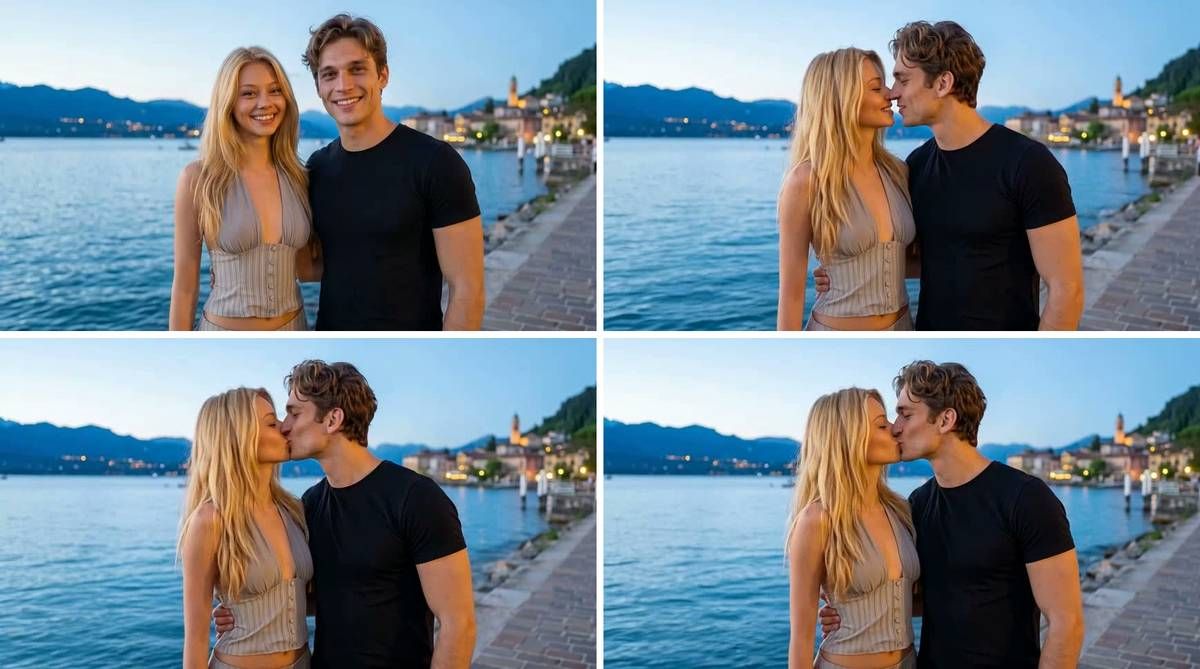
Frames at 0, 1.7, 3.3, and 5 seconds from the clip EaseMate returned. It moves, it is 864x480, and it has no audio track.
The file that came back was a 5-second MP4 at 864x480, 24 frames a second, 121 frames in total, with a single video stream and no audio. The result panel labelled it 16:9, Seedance Pro fast, 480p, 5s. No watermark appeared on any frame we pulled, which matches the page's "without any watermarks" line. The kiss itself is convincing: faces hold, the lean-in is gradual, and the background stays put.
Check the resolution before you plan a post around it. 864x480 is fine for a story on a phone and soft on anything larger, and there is no sound to cover the silence. If you want a bigger frame or audio, the free tier offers no toggle for either, and the paid plans list more credits without naming a resolution.
Step 1: Atlas Cloud's Free AI Kissing Generator Makes the Photo
Atlas Cloud's path starts one step earlier than EaseMate's. Its free AI kissing generator asks for one portrait of each person rather than a photo that already shows the two of you together.
That difference matters for couples who have never been photographed side by side. For the EaseMate run above we had to make a photo of both people first; here the two solo shots are the input.
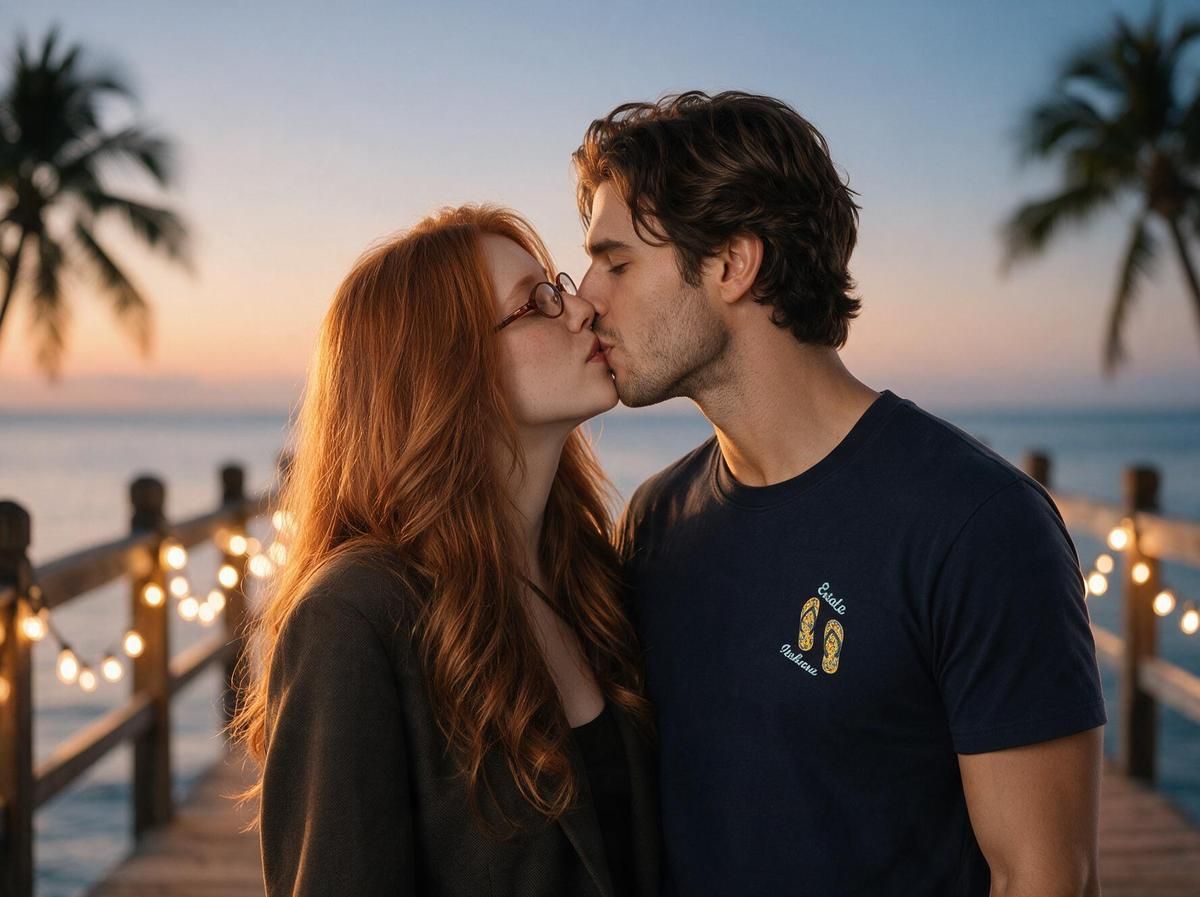
Two solo portraits in, one 1776x1328 kiss photo out. This is the frame the video step animates.
The listing describes it as "self/authorized use only," and it is built around consenting subjects: couples, partners, friends who agreed to appear, not strangers or public figures. It is one of several free tools in Atlas Cloud's AI Tools collection, alongside an image upscaler, a background remover, and an object eraser.
Step 2: PixVerse V6 Turns That Photo Into the Kissing Video
A kiss photo is a still until something animates it. Atlas Cloud hosts PixVerse's image-to-video models, and PixVerse V6 image-to-video is the one already proven on this exact use case: it is the engine behind PixVerse's own KissKiss template, which sent kiss clips across TikTok in several languages. Our KissKiss template guide covers where that trend started and where PixVerse draws its consent line. This section covers running the model yourself.
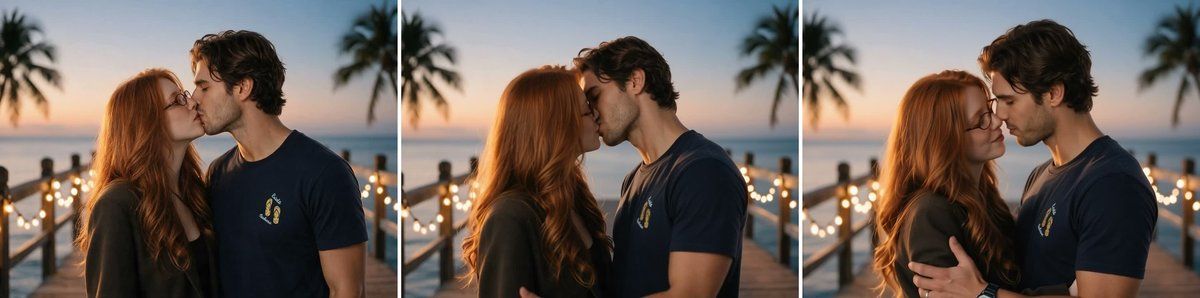
Start, middle, and end of the Atlas Cloud clip. The file came back at 1108x832 with an AAC audio track.
Method 1: Make the Kissing Video in the Playground
- Open the PixVerse V6 image-to-video playground and upload the kiss photo from step one.
- Describe the motion. Ours read: "the two people turn toward each other and share a gentle kiss, camera static."
- Pick a duration from 1 to 15 seconds and a quality from 360p to 1080p. We used 5 seconds at 720p.
- Leave sound on or switch it off, then run. The button shows the price before you commit to it.
Method 2: Call the API in Three Steps
Step 1: Get your API key. Create one in the Atlas Cloud console dashboard and copy it.
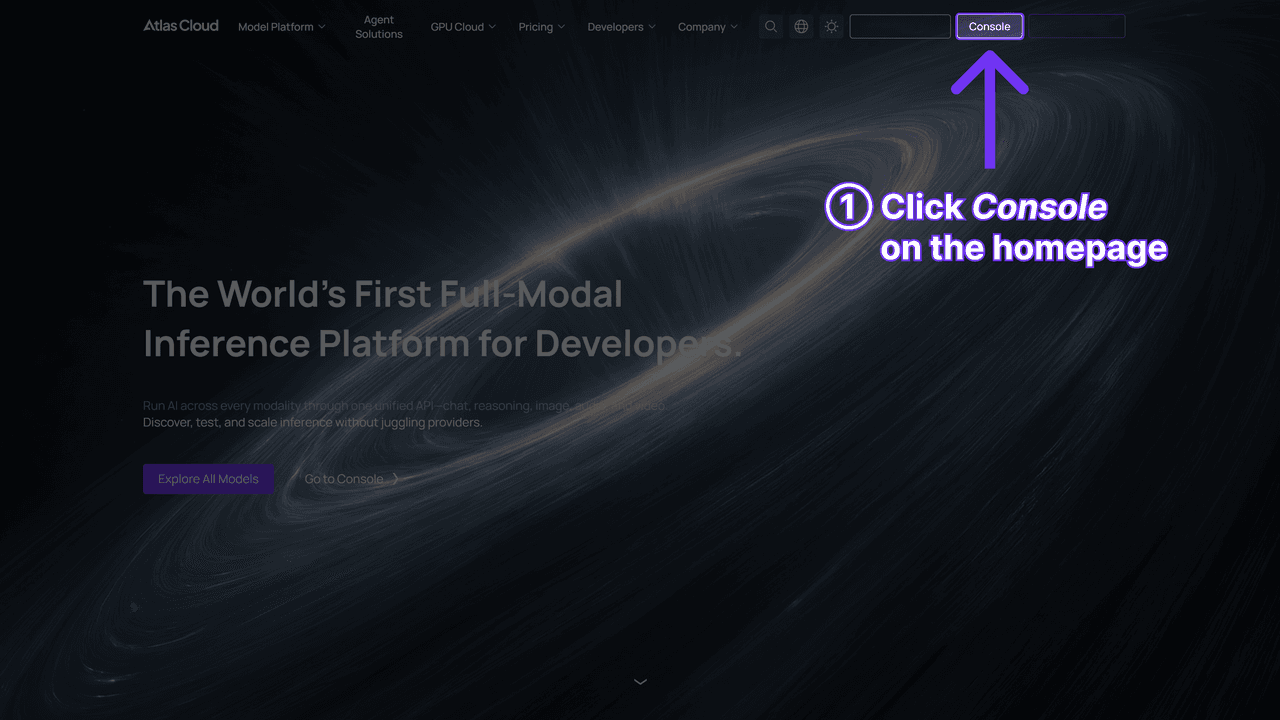
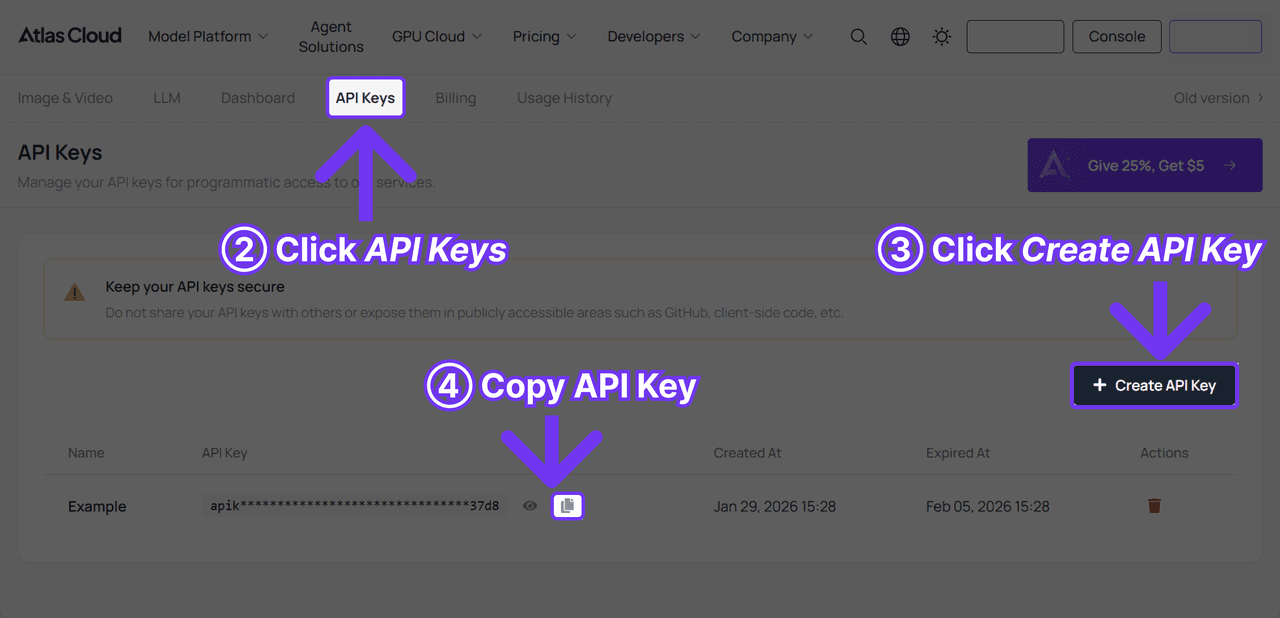
Step 2: Check the API docs. Endpoints, parameters, and authentication live in the API documentation.
Step 3: Make your first request. Submit the job:
plaintext1curl -X POST https://api.atlascloud.ai/api/v1/model/generateVideo \ 2 -H "Content-Type: application/json" \ 3 -H "Authorization: Bearer $ATLASCLOUD_API_KEY" \ 4 -d '{ 5 "model": "pixverse/v6/image-to-video", 6 "image": "<your_kiss_photo_url>", 7 "prompt": "The two people turn toward each other and share a gentle kiss, soft window light, camera static", 8 "duration": 5, 9 "quality": "720p", 10 "sound": true 11 }'
Poll the prediction until it completes:
plaintext1curl https://api.atlascloud.ai/api/v1/model/prediction/<prediction_id> \ 2 -H "Authorization: Bearer $ATLASCLOUD_API_KEY"
The same key and the same submit-and-poll loop work for every model Atlas Cloud hosts, so swapping to a different model later is a one-line change rather than a new integration.
EaseMate vs. Atlas Cloud's Two-Step Path: Side by Side
| EaseMate (one step) | Atlas Cloud (two steps) | |
|---|---|---|
| What you get | A 5-second MP4 at 864x480, 16:9, no audio, from one photo of both people | Step 1: a kiss photo from two solo portraits (1776x1328 in our run). Step 2: a video at 360p to 1080p with optional sound (1108x832 with audio in our 720p run) |
| Free tier | 30 credits, described as daily on one page and as a signup bonus on another; one clip cost 20 | Step 1: one free run after sign-in. Step 2: no free tier |
| Sign-in required | Yes | Yes, for both steps |
| Kiss customization | 4 preset kiss types plus a free-text prompt | The motion prompt in step 2 |
| Photo input | One photo that already shows both people | Two separate solo portraits |
| Watermark | Page says none; none on our clip | Not addressed on either page; none on our photo or clip |
| How you pay | Credits per clip, and reviewers report failed runs still charged | A per-second rate printed on the run button before you commit |
Should You Switch From EaseMate?
| Stick with EaseMate if… | Move to the two-step path if… |
|---|---|
| You already have one photo of the two of you and a silent 480p clip for a phone story is enough | You only have separate portraits, long-distance couples included |
| You want kiss-type presets (French Kissing, Cheek Kiss) picked from a menu | You want 720p or 1080p, or a clip with sound |
| One free clip a day covers your use | You want the exact price of each clip on screen, or an API route |
The sign-in requirement is a wash between the two. The real differences are frame size, audio, and how you pay: a credit meter that ran ahead of its own FAQ, or a per-second price you read before clicking.
Frequently Asked Questions
Does EaseMate's AI kissing video generator actually make a video?
Yes. Our French Kissing run returned a 5-second MP4 at 864x480 and 24 frames a second, with the couple moving from standing side by side to kissing. The file had no audio track and no watermark. The result panel labelled the output 16:9, 480p, 5s on the Seedance Pro fast model.
Is EaseMate's AI kissing generator really free?
Up to a point, and the point is described two different ways. The kissing-tool FAQ calls the 30 free credits a daily grant good for two clips; the pricing FAQ calls the same 30 credits a signup bonus topped up by daily check-ins. Our clip cost 20 credits, so the daily grant bought one. Beyond that, the Lite plan is $8.9 for the first month and $9.9 a month after, for 1,200 credits.
What's a free alternative to EaseMate's AI kissing video generator?
Atlas Cloud's kiss photo generator is free for the first run after sign-in and takes two separate portraits. Turning that photo into a clip is the paid step: PixVerse V6 image-to-video bills $0.025 to $0.115 per second depending on resolution and audio, and on September 17, 2026, a 5-second 720p clip with sound showed $0.30 on the run button with no discount active. Extra kiss photos on the playground showed $0.048 per run the same day.
Can I use one photo of just one person with EaseMate's kissing generator?
No. EaseMate's image-to-video mode asks for a single photo that already contains both people. If you only have separate solo portraits, you need to combine them yourself first or generate the kiss photo somewhere built for two separate uploads.
Conclusion
EaseMate bundles the kiss and the motion behind one Generate button and one credit meter, and in our test the button did what its label says: a real clip, 5 seconds long, 480p, silent, and 20 credits instead of the FAQ's 15. Atlas Cloud keeps the same two steps visible: a free photo generator that takes two solo portraits, then a video model that names its resolution, keeps the audio, and prints its price before you run it.
If you have a photo of the two of you and a phone-sized silent clip is the goal, EaseMate's kiss-type menu is the quicker route. If you are starting from separate portraits, want 720p or better with sound, or want to know the cost of each clip before you make it, treat the EaseMate AI kissing video generator as one option and the two-step path as the other, and pick by what you need the file to be.





