

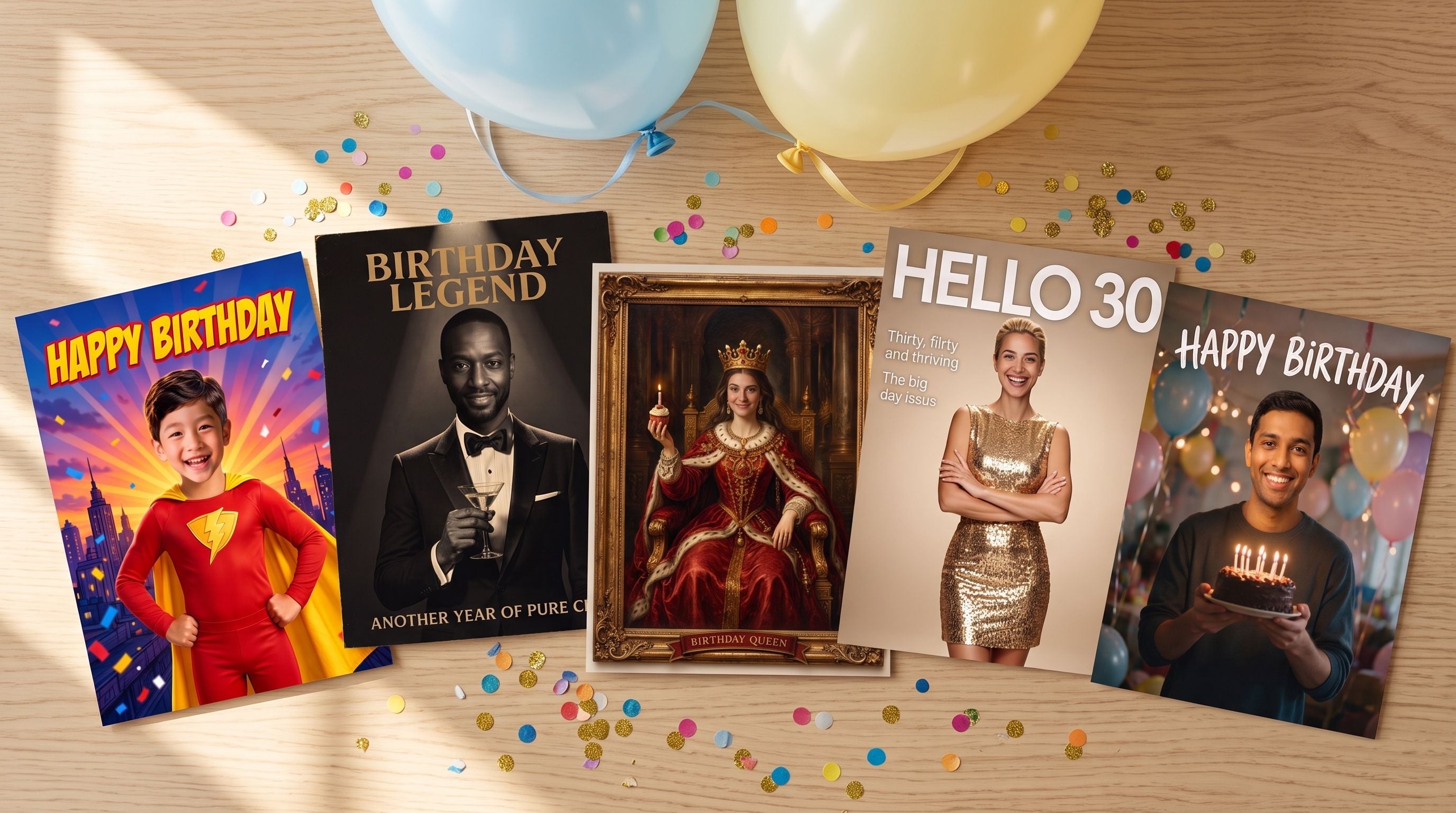
Half the fun of a birthday card is the reaction when it gets opened, and nothing beats the birthday person finding their own face on a superhero poster or a royal oil painting. You can make face swap birthday cards free in a browser: pick or generate a card design, upload one clear photo, and the swap comes back in about 8 seconds as a watermark-free PNG. This guide walks through 5 card ideas with the exact prompts behind them and the finished cards, so you can copy whichever one fits the person you are celebrating.
Key Takeaways
- Atlas Cloud's free AI face swap tool puts a face onto any card design with no watermark and no usage cap, and the result downloads as a clean PNG.
- A single photo is the whole input. The card design itself can come from any image generator or a picture you already have.
- The finished card downloads at the size of your design, up to 1280 pixels on the longest side, which covers chat apps, stories, and small prints.
- The tool is built around one clear face per photo, so design group cards with the birthday person front and center.
Make Face Swap Birthday Cards Online Free in 3 Steps
Here is the whole trick in one picture: a generated card design goes in on one side, a normal photo goes in on the other, and the card comes back with the right face on it.
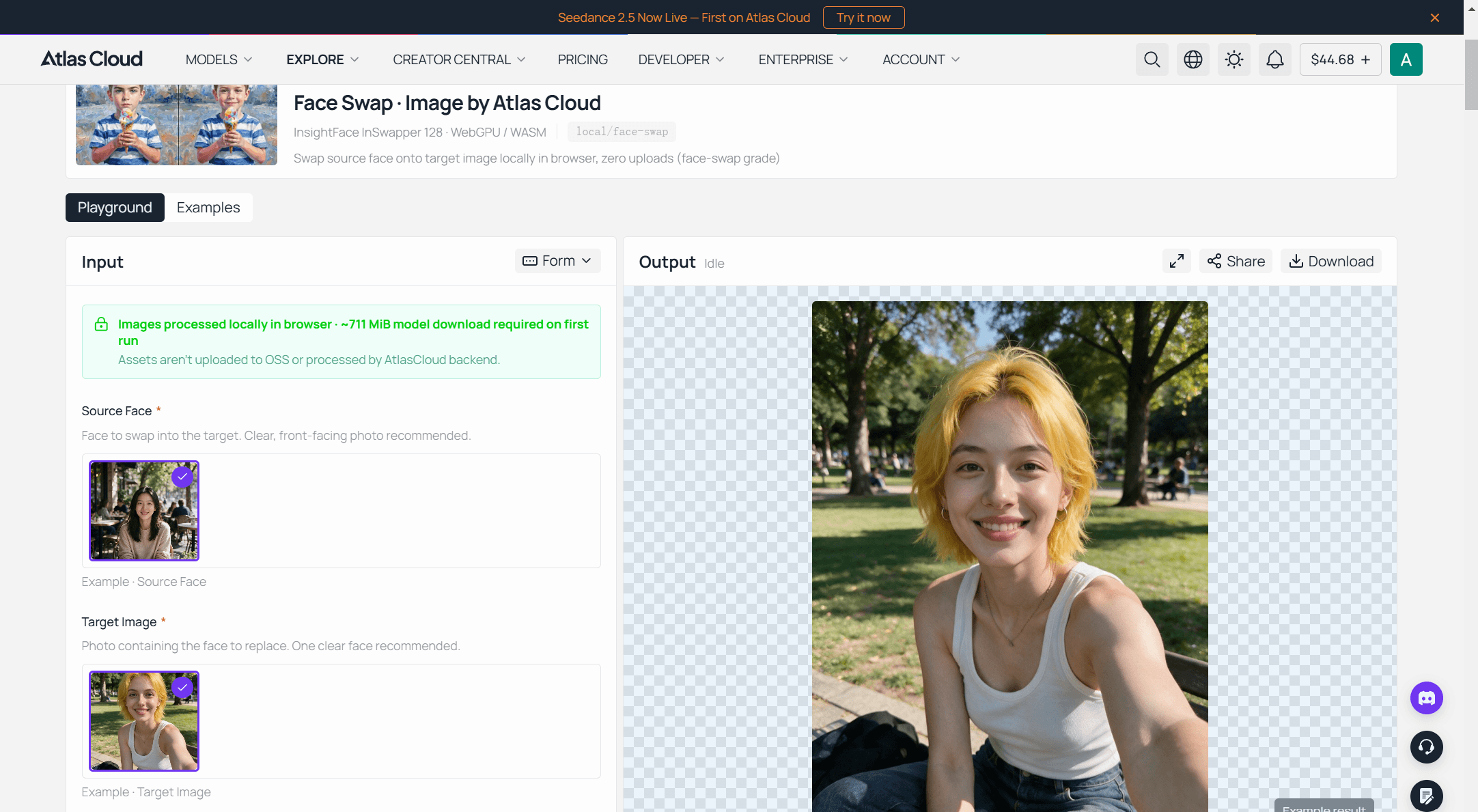
Every card in this guide went through the same page: the free face swap tool on Atlas Cloud. It sits in the platform's collection of one-page AI tools, carries a Free label with no charge attached, and its page spells out the terms plainly: no daily counter, no watermark stamped on the result. The workflow:
- Load your card design as the target photo. JPG, PNG, or WebP. This is the birthday card artwork with a placeholder face in it. The prompts in the next section each produce one.
- Load the birthday person's photo as the source face. A phone photo in decent light is enough; the photo section further down covers what to avoid.
- Run the swap and download. The pass takes about 8 seconds. If the edges of the face look harsh, nudge the Blend and Feather sliders and run it again.
That is the entire process for making face swap birthday cards online free. The rest of this guide is about making the card design worth swapping into.
5 Face Swap Birthday Card Ideas You Can Copy
Each idea below comes with the prompt that generated the card design and the finished swap. The faces in these finished cards are AI-generated stand-ins, because publishing a real person's face needs their permission. Get that yes from your birthday person too. Generate the design with any image model that renders short text reliably, keep the wording on the card to a few words, and hand the result to the face swap tool.
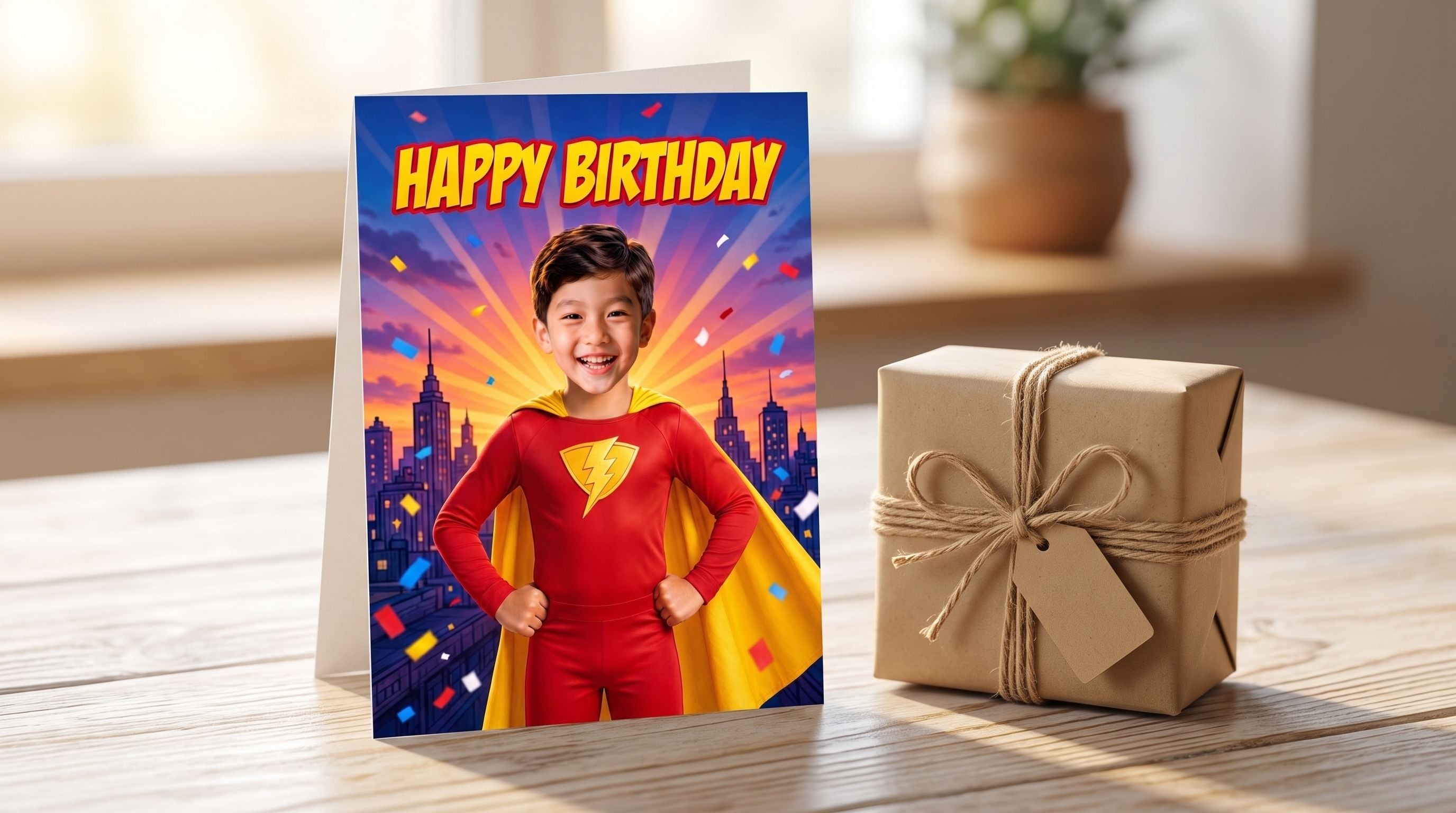
The Superhero Kid Card
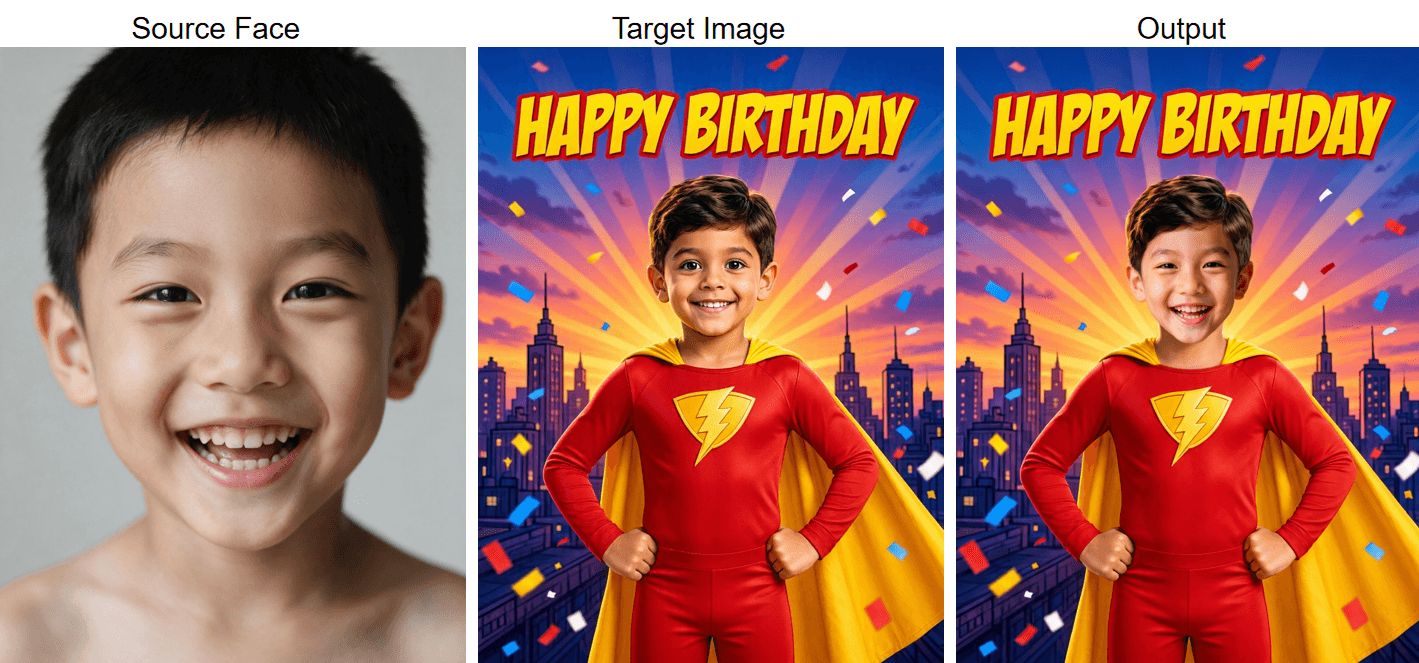
For kids, the card is the gift. A comic-style poster with their own face on the hero gets taped to a bedroom wall, and the design takes one prompt:
Plain1Make the boy from the second image the hero of the birthday card in the first image. Show him in the same heroic pose with fists on hips, wearing the same red superhero suit with the golden lightning emblem and yellow cape, no mask, in front of the same comic city skyline, sunburst rays and falling confetti, with the "HAPPY BIRTHDAY" text unchanged. Keep his big happy smile from the second image, match him to the card's bright even lighting and vibrant colors, keep child-like proportions. Photorealistic result, everything else unchanged.
Swap in a school photo or any front-facing shot. Change the age, costume color, and pronouns in the prompt to match the kid.
The Vintage Movie Poster Card
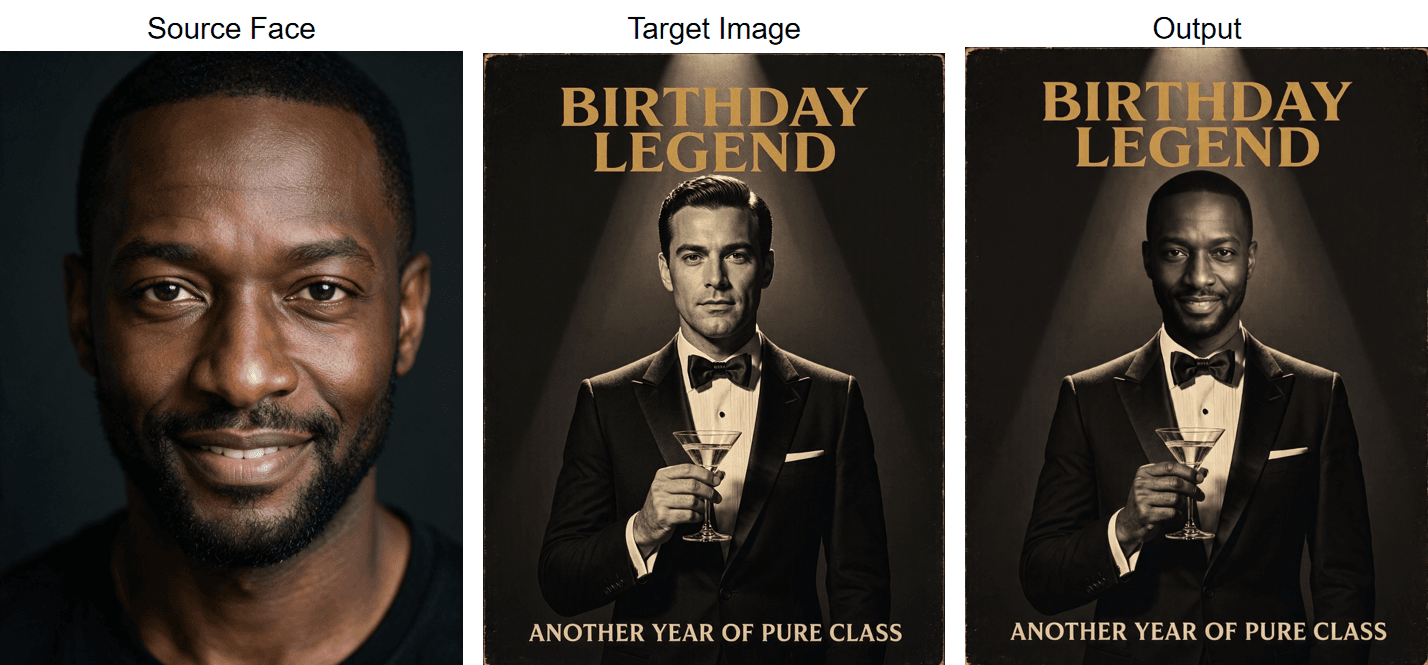
This one works on any adult with a sense of humor. The aged-paper look also tends to hide small swap imperfections better than clean modern designs do.
Plain1Turn the man from the second image into the star of the vintage movie poster in the first image. Show him wearing the same black tuxedo and bow tie, holding the same martini glass in the same pose, under the same single spotlight against the same charcoal background. Keep the gold "BIRTHDAY LEGEND" title, the cream tagline and the aged paper texture exactly as they are. Light him with the same film-noir key light and rim light, and let the poster's subtle grain cover him lightly so he belongs to the same print. Photorealistic result, everything else unchanged.
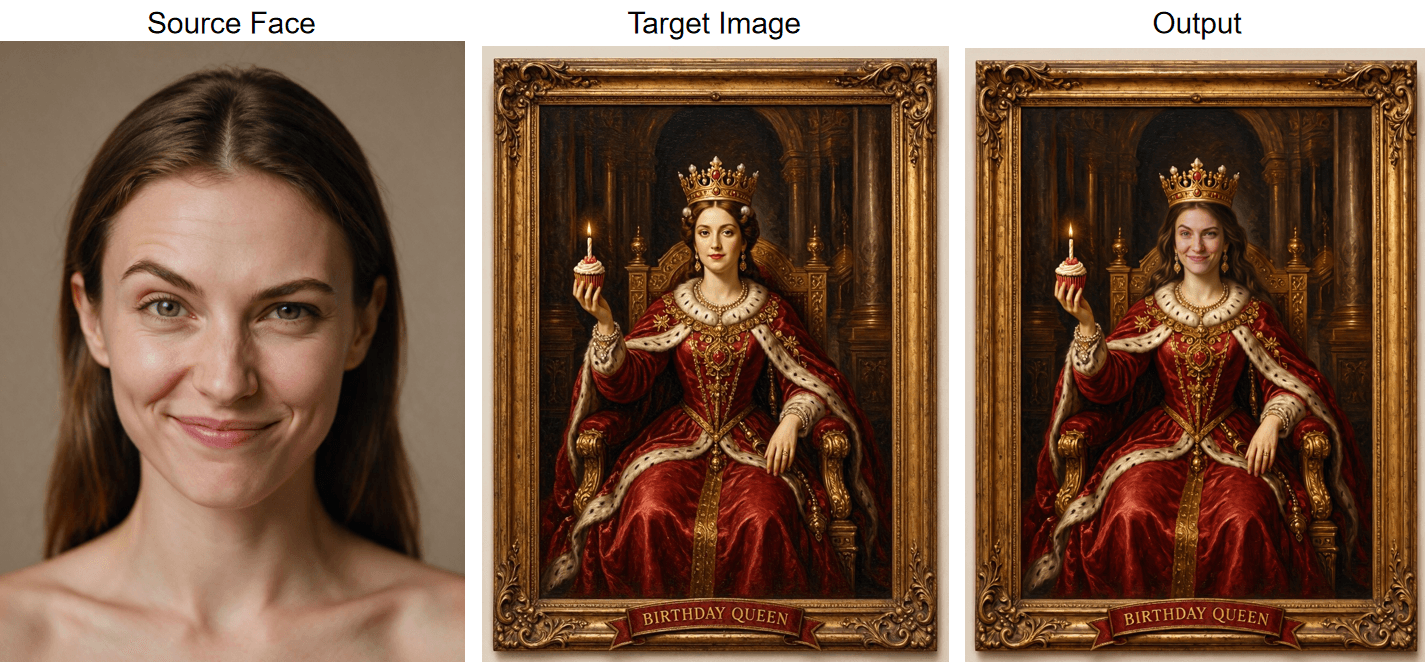
The Birthday Queen Portrait Card
A Baroque oil painting of the birthday person holding a cupcake instead of a scepter. One detail in the prompt matters: ask for the face to be painted realistically. Swaps hold up best when the face in the design looks close to a real one, and heavily stylized painted faces are where results tend to fall apart.
Plain1Make the woman from the second image the queen in the painting from the first image. Show her seated on the same throne wearing the same golden crown and crimson fur-trimmed robe, holding the same cupcake with its lit candle, inside the same gilded frame with the "BIRTHDAY QUEEN" ribbon unchanged. Render her like a photorealistic portrait inside the oil painting, lit by the same Rembrandt lighting, the crown's soft shadow falling naturally on her forehead, keeping her playful smirk from the second image. Everything else in the painting unchanged.
The Milestone Magazine Cover Card
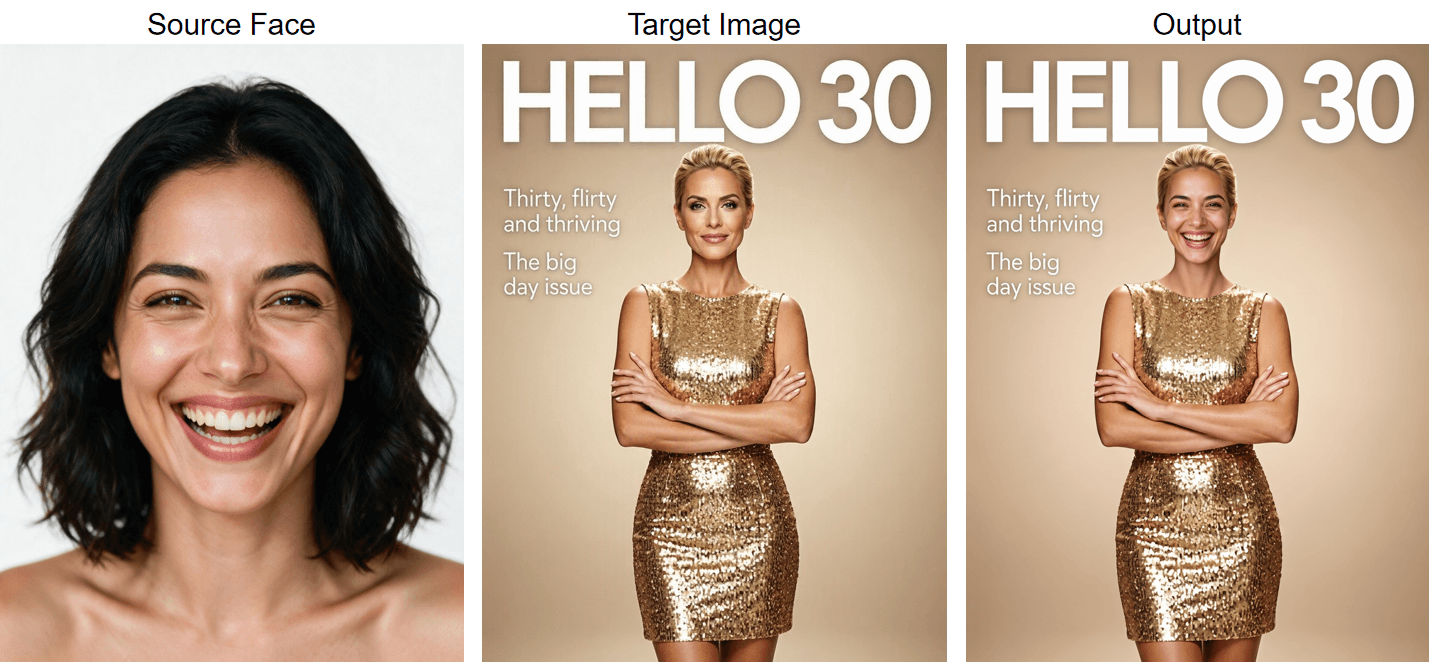
Turning 30, 40, or 50 reads a lot better as a magazine cover. Cover lines double as inside jokes, so swap the tagline text for something only the birthday person would get.
Plain1Make the woman from the second image the cover star of the magazine in the first image. Show her in the same pose with arms crossed, wearing the same gold sequin dress, against the same champagne studio background, with the "HELLO 30" headline and both cover lines staying crisp and exactly as they are. Keep her warm laughing expression from the second image, light her with the same clean beauty lighting and editorial color grading. Photorealistic magazine finish, everything else unchanged.
The Group Party Card
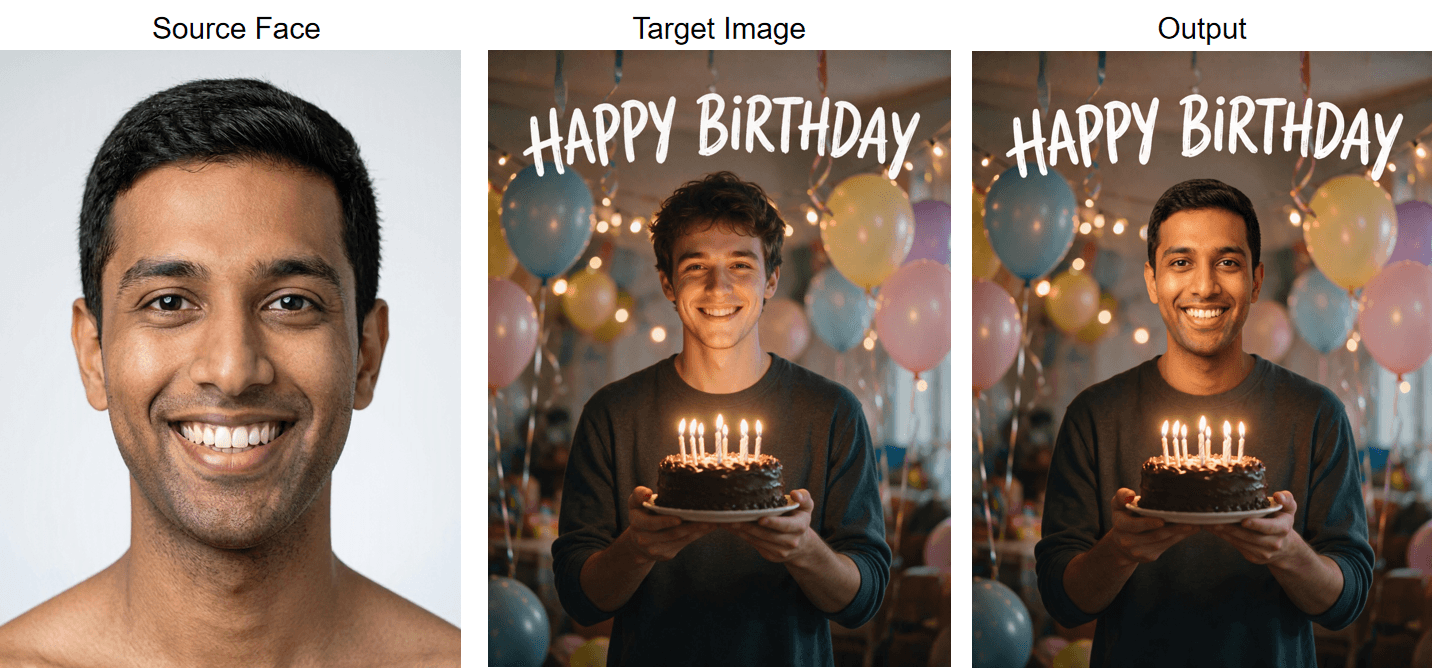
For a card from the whole friend group, generate a party scene and swap the birthday person into the middle spot:
Plain1Make the man from the second image the birthday star in the first image. Show him in the same position at the center of the party, holding the same chocolate cake with lit candles in both hands, keeping his wide grin from the second image, lit by the same warm party light with the candle glow softly lighting him from below. Keep the cake, the balloons, the string lights bokeh, the streamers and the "HAPPY BIRTHDAY" lettering exactly as they are. Photorealistic result, everything else unchanged.
The free tool recommends one clear face per photo, so make the birthday person's face the largest and most central in the design and swap that one, leaving the generated friends as they are. Want every face in the scene swapped to a real person? That is a different workflow, and the multiple face swap guide walks through it.
Photos That Make a Birthday Card Face Swap Look Real
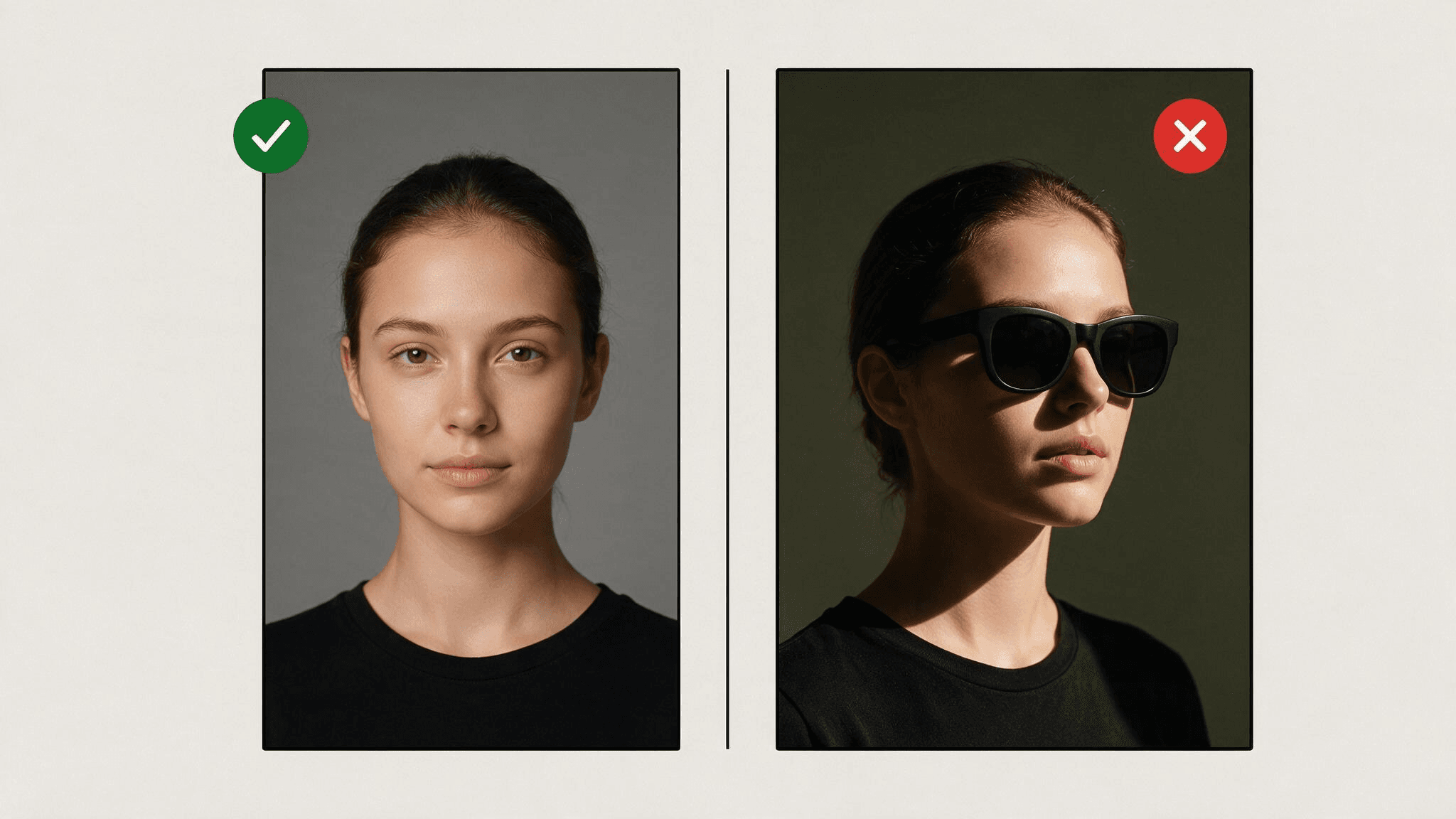
Making face swap birthday cards online free is the quick part; making them look print-shop clean instead of pasted on comes down to the source photo, so it is worth ten seconds of choosing.
What works: a front-facing photo, both eyes visible, even light on the face, and nothing covering it. What causes problems: sunglasses, heavy shadow across one cheek, a face turned toward profile, hair over an eye, or a photo where the face is a tiny fraction of the frame.
Quick note before you upload: the card design side matters just as much. If the generated card's face came out blurry, tilted, or half-covered by a crown, regenerate the design first. A swap can only be as clean as the two faces it starts from.
Printing and Sending Your Face Swap Card
Once you have made a couple of face swap birthday cards free of watermarks, the last step is getting them in front of the birthday person, and the 1280 pixel output shapes what works.
For digital delivery, 1280 pixels is plenty. Send the PNG in a chat, post it as a story, or set it as the cover photo of a group message on the day. For paper, the safe zone is small formats: at the usual print target of 300 dots per inch, 1280 pixels covers a bit over 4 inches on the long side, which suits a small folded card or a gift tag. Larger prints will come out softer, so proof one page before printing a stack.
Frequently Asked Questions
Can I make face swap birthday cards online free without a watermark?
Yes. The finished card downloads with no watermark on it, and the run itself costs nothing. Those terms come straight from the tool page as of August 2026, so if anything ever changes, the page itself is the place to check.
Can the card design have more than one person on it?
Group designs work, with a caveat: the tool page recommends one clear face per photo, so expect the cleanest result when the birthday person's face dominates the frame. Replacing every face in a scene is a separate workflow with paid image models; the group card section links a guide for it.
Do I need the birthday person's permission to use their photo?
Yes, treat that as non-negotiable. A birthday card is a friendly use, and most people will love it, but their face is still their face. Ask first, especially before posting the card anywhere public.
Does the card design have to be AI-generated?
No. Any image you have the right to use works as the target, as long as it shows one clear, fairly realistic face: last year's party photo, a family portrait, or a design from any image generator. The prompts in this guide are just the fastest route to something that looks like a card.
Conclusion
A personalized card used to mean a craft afternoon or a print-shop order form. Now it means one prompt for the design, one photo, and an 8-second swap, with the hardest part being the choice between making someone a superhero or a Baroque monarch. The five prompts above are starting points; changing the costume, the headline, or the age in a prompt gives you a new card for the next person on the calendar.
Start with the person's photo, since it decides most of the final quality, then pick the design that will get the biggest laugh. Everything you need to make face swap birthday cards free is already in the browser, and the first finished card takes less time than signing a paper one.





