You walk past a bright red watering can, turn behind a wall, then come back. Is the same can still beside the bench? That is the useful question behind a Genie 4 environment consistency and object permanence test. As of October 28, 2026, Google DeepMind has acknowledged that visual details and objects can drift during longer sessions, after complex prompt edits, or while exploring. Its launch examples show real-time steering, but they do not establish a repeatable consistency score. This guide gives you a controlled test to run when you have access, and separates official demonstrations from results that still need independent measurement.
Key takeaways
- Genie 4 is a research preview, and the reviewed public materials include no numerical consistency benchmark.
- Track object identity, count, position, appearance, and scene layout separately across occlusion, camera movement, edits, and elapsed time.
- A polished demo illustrates a capability; repeated, logged trials are needed to measure reliability.
- A video model can help probe clip-level continuity, but it cannot test an interactive world's persistent state.

Reference frame for the five-clip glasshouse case below. The blue butterfly, gold crescent hanger, iron arch, and marble plinth are the features to compare across the clips. This generated starting image is not a Genie 4 test result.
What environment consistency means in Genie 4
“Consistency” can describe several different things. A world may look convincing in one frame while failing to preserve an object across a turn. It may keep a red can visible but change its shape, duplicate it, or move it to the other side of the bench. A useful evaluation records these dimensions separately instead of assigning one vague pass or fail to the whole scene.
For a simple object-permanence test, define the target before the run. In the example below, the target is exactly one bright red metal watering can on the ground beside a wooden bench. The can is distinctive enough to find again, while the bench gives you a stable landmark for measuring relative position.
| Dimension | What to check on return | Example failure |
|---|---|---|
| Identity | Is it recognizably the same target object? | The can becomes a bucket or changes design |
| Count | Is the number of target objects unchanged? | A second red can appears |
| Position | Is its location relative to the bench preserved? | It reappears across the courtyard |
| Appearance | Are color, shape, and major details stable? | Red becomes blue or the handle disappears |
| Layout | Do the bench, wall, and courtyard remain in the same arrangement? | The wall or path shifts after a camera turn |
Object permanence is narrower than overall scene quality. It asks whether an object continues to exist with a stable identity and state when it is hidden or outside the current view. Environment consistency also covers the surrounding geometry, visual details, and consequences of edits. Report the two separately: an object can persist while the background drifts, or the courtyard can remain stable while the object changes.
This distinction matters when evaluating a world model for game prototyping or agent research. A developer may accept a background variation during early concept exploration, but an object that teleports after a player walks behind a wall can invalidate a puzzle, a route, or an interaction sequence. The test should match the cost of that failure in the intended workflow.
What Google has disclosed about Genie 4 drift
Google DeepMind describes Genie 4 as a real-time interactive world model that can respond to keyboard navigation, camera controls, and text prompts. In its launch post, the company says it can steer a scene as it evolves and shows examples of prompt-led changes and navigation (Google DeepMind announcement, October 2026). Those examples establish what the public demonstrations are intended to show. They do not supply repeated trials, a fixed seed, measured object coordinates, or a pass rate for return-to-scene tests.
The same announcement names the relevant limitation directly: visual details and object permanence can shift or drift over time. It says this becomes more noticeable as a simulation runs longer, after several complex prompt edits, or while navigating around the scene. The product page adds that Genie 4 supports a few minutes of continuous interaction rather than extended sessions, and lists long-term consistency as an area of ongoing work (Genie 4 model page).
That wording gives testers a useful set of conditions to vary: elapsed session time, number and complexity of edits, and distance or range of navigation. It does not tell us how often a watering can will move, how much visual change counts as a failure, or how Genie 4 compares with another system under the same conditions. Those questions need an operational test and public observations.
The access status also affects what can be claimed. The official pages describe a research preview for trusted testers, with wider access planned through Project Genie and early access partners. Availability can change, so confirm the current access route before treating this protocol as something every reader can run. The article date records when this status was checked; it is not a claim that the preview will remain staged indefinitely.
A repeatable Genie 4 object permanence test
Use a plain scene and one target object first. Elaborate scenes introduce extra variables: people can block the object, reflections can change its apparent color, and several similar props can make identity hard to judge. Start with the courtyard, one bench, one low wall, and one red watering can. Keep the prompt and control sequence unchanged between comparable runs.
Use this sequence once you can access Genie 4:
- Create the starting scene. Enter: “Create a simple outdoor courtyard with a low stone wall, one wooden bench, and exactly one bright red metal watering can placed on the ground beside the bench. Keep the layout clear and stable. Do not add, remove, move, or duplicate objects unless I explicitly ask.”
- Record the reference view. Capture the scene before acting. Note the can’s screen position and its relation to the bench, wall, and camera orientation. Record whether the starting scene actually contains one can in the requested place.
- Hide and return. Move the camera behind the stone wall, then return to the original viewing position. Avoid a text edit in this pass. Check whether the can is still singular, recognizable, and beside the same bench.
- Explore and return. Move around the bench and across the courtyard using the same controls each time. Return to the original position. Note whether the landmarks and relative position survived the route.
- Apply one isolated edit. Ask: “Change the sky to overcast gray. Do not change the courtyard, bench, watering can, or their positions.” Check the sky change, then score any unrelated changes separately.
- Inspect again later. Repeat the return view after a defined interval or a logged number of actions. Record elapsed time and everything done in between. Do not treat separate sessions as matched trials unless the product provides a reproducible reset or seed.
The test matrix makes each pass answer a distinct question. A clean occlusion return tests whether the target remains represented out of view. A route tests whether spatial relationships survive camera movement. The isolated edit tests whether an explicit change spills into unrelated state. A later inspection probes drift over time. Together these checks make a more useful report than a single screenshot labeled “consistent.”
| Pass | Action | Keep fixed | Record |
|---|---|---|---|
| Reference | Capture initial courtyard | Prompt and initial view | Object count, appearance, landmark positions |
| Occlusion | Move behind wall and return | No text edit | Identity, count, position |
| Navigation | Walk around bench and return | Route and controls | Relative positions, layout |
| Prompt edit | Change sky only | All object instructions | Requested change plus unintended changes |
| Later check | Repeat return after a logged interval | Inspection viewpoint | Elapsed time, intervening actions, drift |
Record the setup before the first run
A result without its setup is hard to interpret. Log the date, access route, session duration, full scene prompt, exact follow-up prompts, controls used, and the recording method. Include the test order and any pauses. If the interface exposes a seed, reset, or session identifier, record it; if it does not, write “no reproducible reset or seed observed.”
Keep video or frame captures with timestamps, especially the starting view, the moment the object becomes occluded, and the return view. Those captures let someone else check whether the apparent change came from the object, camera angle, lighting, or an ambiguous frame. They also protect against memory bias: after a visually rich session, people tend to recall the intended scene rather than its exact rendered state.
For a repeat, reuse the same prompt and actions as closely as the interface permits. If the start state changes between attempts, report the attempts as separate observations, not a controlled A/B comparison. Run count matters. One successful return is evidence about one run; it does not show that the same outcome is reliable across sessions.
Score drift without false precision
Use an ordinal label for each of the five dimensions. This is a practical reporting rubric, not a validated benchmark or a claim about DeepMind's internal evaluation. A score should summarize what the recording shows, not imply pixel-level measurement when none was performed.
| Rating | Use it when | Reporting example |
|---|---|---|
| Pass | The target and relevant scene feature match the reference for the tested condition | “Count: pass after occlusion” |
| Minor drift | A visible difference appears, but the target or layout remains usable for the stated task | “Appearance: minor drift, handle shape changed slightly” |
| Major drift | Identity, count, position, or layout changes enough to alter the task | “Position: major drift, can returned across the courtyard” |
| Unobservable | The view, capture, or access limitations prevent a fair judgment | “Identity: unobservable behind a full-screen transition” |
Score identity, count, position, appearance, and layout independently for each pass. Add a timestamp or frame reference and a short factual note for every minor or major drift. If a point is unobservable, leave it unscored rather than converting missing evidence into a pass. Keep the evidence close to the score so that readers can distinguish a measured observation from an impression.
Do not average these labels into a percentage. The categories are ordinal, and a simple average would hide whether the critical failure was a slight color shift or a duplicate object. If the application needs a single decision, define its failure condition first. For example, a game mechanic that depends on the can staying beside the bench may treat any major position drift as a failure, while an early mood-board exploration may tolerate minor appearance drift.
What public Genie 4 demos show and what they cannot prove
Google says its launch recordings show real-time interactions in which people navigate with standard controls and steer scenes with text. They are useful for understanding the intended interaction loop: prompt a world, move the camera, and change a scene while it continues. They are selected demonstrations, however, and the official pages do not identify them as repeated object-permanence trials.
A clip can show that an object appears in two moments. Without a documented starting state, an explicit occlusion, a return to the same camera position, and repeated runs, it cannot show how often the object persists or how much it changed out of view. A selected recording may also omit time between moments. Treat launch footage as qualitative capability evidence, not a controlled benchmark.
This boundary is especially important because the announcement itself reports drift conditions. The public material offers an honest starting point for evaluation, while leaving the key reliability question open. A careful article or lab note should label evidence as “official demonstration,” “single hands-on run,” or “repeated hands-on result.” Those labels stop readers from mistaking one category for another.
When the current evidence is enough for a workflow decision
For concept exploration, the relevant question may be whether a team can iterate on atmosphere, camera direction, or an explorable scene quickly. A preview that produces a compelling starting point could be useful even if a prop shifts, provided the team treats the result as a draft and does not promise stable state. DeepMind describes creative direction and interactive experience prototyping among the areas trusted testers are exploring, while also positioning the model as early research.
For agent evaluation, gameplay logic, or a simulation whose outcome depends on persistent object state, a launch demo is not enough. A team should require repeated tests on the exact interaction that matters, with the scene, controls, session length, and failure threshold written down. If a task depends on precise object locations or complex interactions between several agents, those are separate tests; a successful single-object occlusion pass cannot establish them.
A practical decision rule is to match the evidence bar to the consequence of drift:
- Low consequence: Use generated worlds to explore visual direction or rough interaction ideas. Keep a human in the loop and expect manual repair.
- Moderate consequence: Prototype a mechanic only after repeated runs of its core object and camera sequence. Log resets, retries, and failure cases.
- High consequence: Do not rely on public launch clips or an isolated pass. Require task-specific validation, stable session behavior, and a way to reproduce the starting state before treating the world as a dependable simulation.
This is not a verdict that Genie 4 cannot support demanding uses. It is a decision boundary based on the public evidence currently available. As preview access expands and independent testing appears, teams can replace this cautious threshold with data from their own tasks.
A five-shot continuity case: the butterfly lantern in the glasshouse
The plain courtyard above is the controlled test. A more demanding creative case asks whether a richly dressed character, a moving camera, and a crowded background can coexist with a stable target object. Imagine a twilight glasshouse filled with teal windowpanes, coral bougainvillea, magenta orchids, amber lamps, and reflections on a wet mosaic floor. A dancer with a copper braid and jade-green embroidered jacket follows a curved path through the room. The target is exactly one ultramarine glass butterfly lantern with a small gold crescent handle, hanging from the left side of a black iron arch above a white marble plinth. It must remain there with the same color, shape, and handle throughout the sequence.
If you have Genie 4 access, create this world once and record five consecutive ten-second segments while navigating through it. Keep the same session; do not regenerate a new world for each segment. Segment 1 establishes the reference view. Segment 2 hides the lantern behind foliage and returns. Segment 3 circles the arch and comes back from a new direction. Segment 4 changes only the sky and light. Segment 5 returns after further movement. Save the camera path and timestamps, and score identity, count, position, appearance, and layout against segment 1. These are proposed actions, not results from a completed Genie 4 run.
For a visual-continuity proxy you can make yourself on Atlas Cloud, use Wan 2.7 Image-to-Video, model alibaba/wan-2.7/image-to-video. Its published mode supports ten-second clips and first-frame guidance. Create one carefully composed reference frame, then use it as the first frame for clip 1; use each clip's final frame as the first frame of the next clip when that control is available. Request five separate ten-second, silent, 16:9 clips and convert each finished clip to its own GIF. Do not split one source clip into five GIFs. The complete reference-frame prompt and five timed video prompts are supplied in the accompanying prompt sheet. The clips can reveal within-clip or cross-clip visual drift; they cannot measure whether Genie 4 remembers an interactive world.
The five clips below show a reference view, an occlusion, a camera route, an attempted light-only edit, and a later return. Each GIF comes from a separate ten-second source clip. They illustrate what to inspect; they do not establish a Genie 4 consistency score.
1. Reference view. The camera descends and arcs toward the dancer as she turns, smiles, and gestures toward the blue butterfly. The arch, marble plinth, crescent hanger, and butterfly are visible together, giving the later clips a comparison point.
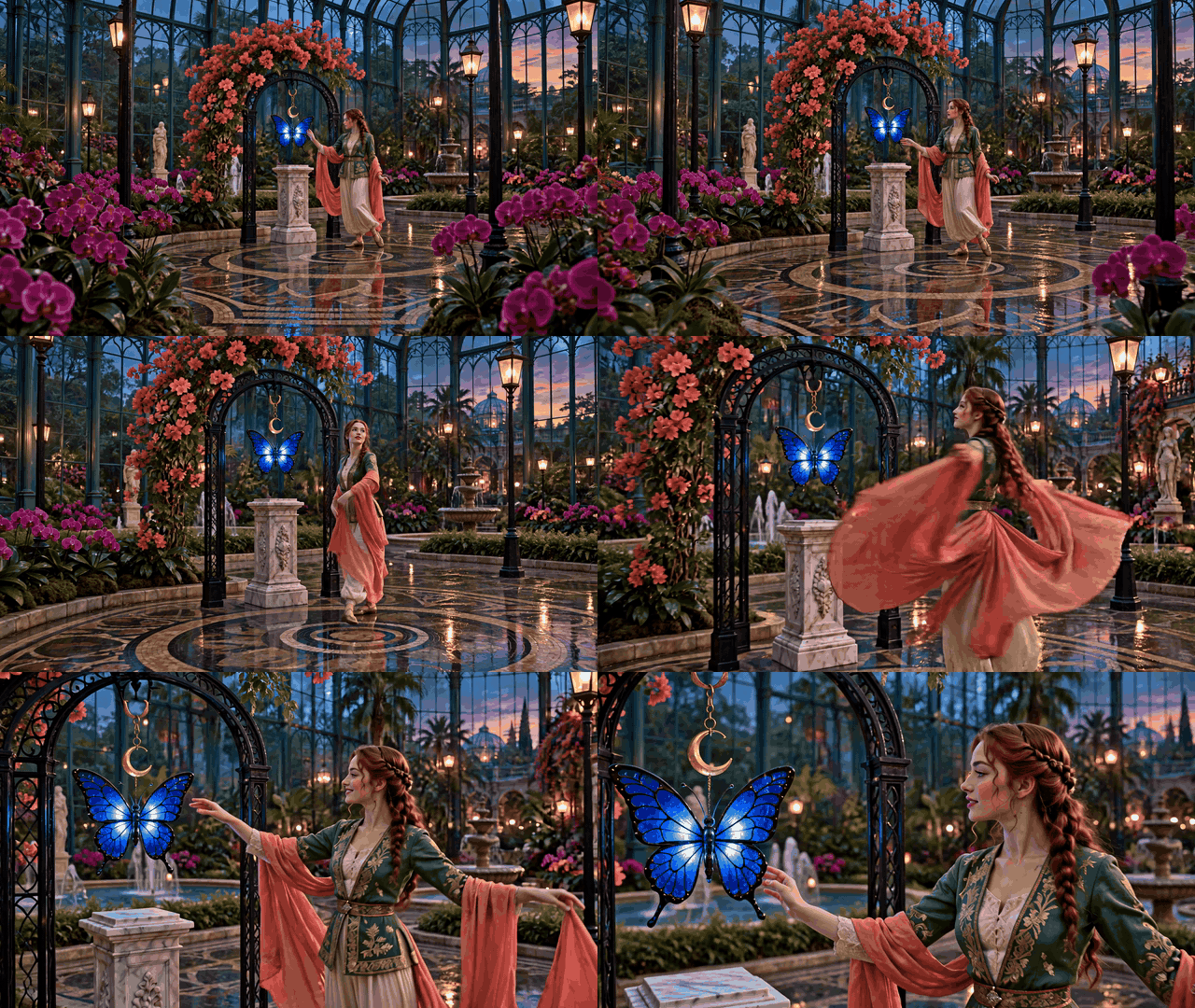
Clip 1: Save the opening view and the clear final view as the reference for object identity, count, position, and layout.
2. Occlusion and return. The camera moves through foliage as the dancer steps around the plinth. The butterfly leaves view briefly, then reappears beside the same arch and plinth. Compare its blue wing pattern and gold crescent hanger before and after the obstruction.
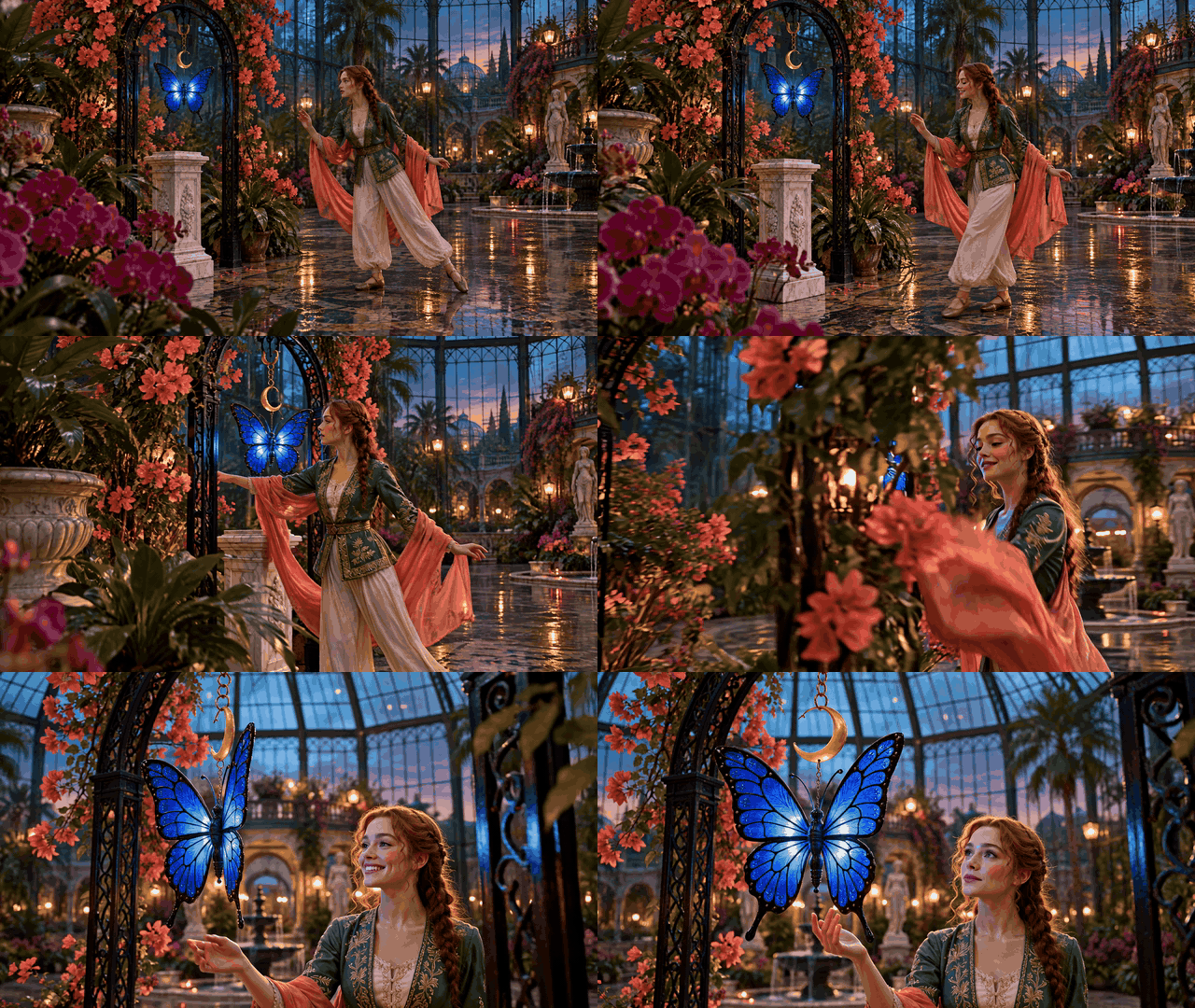
Clip 2: The important observation is the butterfly's appearance and hanging point on return, not the dancer's movement alone.
3. Camera route. The camera travels across the glasshouse, changes its angle on the arch, and follows the dancer as she reaches toward a drifting petal. The blue butterfly remains a visible spatial landmark in the sampled views.

Clip 3: Compare the butterfly, arch, and plinth from the changed viewpoint before judging whether the layout moved.
. Light-only edit. The requested change is cooler rain-blue light through the skylight. The footage shows that cooler light during the overhead move, while the final view warms toward the earlier dusk palette. That visible change matters when scoring a supposed light-only edit; it should not be reported as a perfectly held weather state.
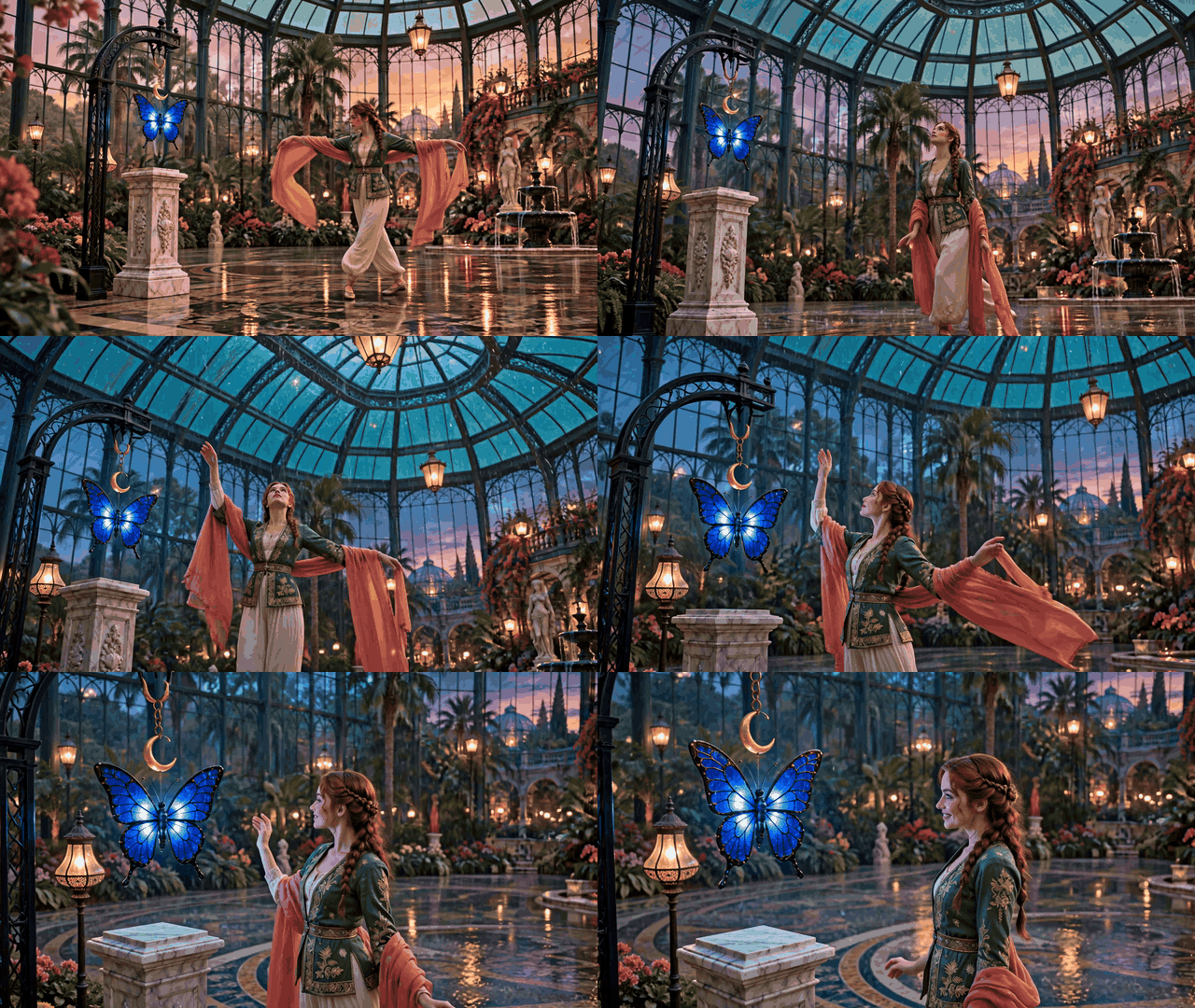
Clip 4: Inspect the weather and lighting separately from the butterfly's count, shape, and position.
5. Delayed return. The dancer follows another curved path, turns back toward the arch, and extends her hand as the camera widens. The final view again shows one blue butterfly beneath the crescent hanger and above the marble plinth.

Clip 5: Compare this final view with Clip 1. The submitted footage is a visual-continuity example, not a recorded interactive return in Genie 4.
The saturated palette and expressive motion make the example easier to follow, but reflections, flowers, fabric, and changing light also create opportunities for false impressions. In sampled frames, the butterfly remains recognizable at the arch; the cool rain-blue light requested for Clip 4 does not persist through the final return. A rigorous report would inspect the full clips frame by frame and record any object drift separately from the lighting change. These five independently generated clips cannot show whether Genie 4 maintains state while a user navigates away.
What remains unknown about Genie 4 consistency
The reviewed launch materials do not publish a quantitative consistency benchmark, a numerical tolerance for object drift, repeated runs from fixed starting states, or an independent hands-on result for this protocol. They also do not provide a public Genie 4 API price in the materials reviewed. Absence from these sources does not prove that no internal evaluation or tester data exists; it means readers cannot inspect those results here.
Several useful questions remain open: How does consistency vary across scene types? Does a short, simple prompt edit cause less drift than a chain of edits? How much does the starting image or scene complexity matter? Can testers reset to the same world and compare runs? How often does an object change identity, count, or location after it leaves view?
The next useful evidence would be a test report that publishes the prompts, access route, session length, number of attempts, control path, reset conditions, recordings, and per-dimension scores. Until then, the most accurate conclusion from a Genie 4 environment consistency and object permanence test is a method, not a score: the model has acknowledged long-session and navigation-related drift, while the public demonstrations do not yet quantify how often it occurs.
When access becomes available, run the small courtyard test before committing to a workflow that depends on persistent state. Save each recording and score the five dimensions separately. That gives you a reproducible baseline, and it keeps a striking demo in its proper place: a reason to test, not a substitute for the test.
Frequently Asked Questions
Is Genie 4 publicly available?
The official pages checked on October 28, 2026 describe it as a research preview for trusted testers, with broader access planned through Project Genie and early access partners. Check the current Genie 4 page before planning a run, since preview access can change.
Has Google published a Genie 4 consistency benchmark?
The official launch materials reviewed for this article do not provide a numerical consistency score or repeated object-permanence results. They do disclose that visual details and object permanence can drift over time, especially during longer sessions, after complex edits, or while navigating.
Does camera movement count as an object permanence test?
It is one useful condition, but record whether the object was fully hidden and whether the camera returned to a comparable view. A camera orbit that never occludes the object tests viewpoint consistency more than persistence while out of sight.
Can a video-generation model test object permanence in an interactive world?
No. It can test whether an object looks stable within a generated clip. It cannot establish that an interactive world retains state after a user changes position, acts on the environment, or returns in a later part of a session.





