A level can look convincing in a concept image and still fail when a player tries to read its route. Genie 4 for game level design and rapid prototyping is worth watching because it can turn a world idea into an interactive simulation that a person explores and steers in real time. That makes it a potential tool for early questions about space, mood, and direction. It does not make Genie 4 a level editor, a game engine, or a source of production-ready assets.
As of October 28, 2026, Google DeepMind says Genie 4 is in research preview for trusted testers. The practical approach is to treat it as a concept exploration surface if and when you receive access, then translate any promising observation into a controlled test in your target engine. The distinction protects teams from mistaking a persuasive demo for a reproducible level.
Key takeaways
- Genie 4 may help designers explore a spatial idea before committing to a detailed blockout.
- DeepMind has not publicly documented a level export or Unity or Unreal integration workflow.
- Scene continuity and complex interactions remain research limitations.
- Turn each promising observation into a repeatable engine test before making production decisions.
What Genie 4 Does, and What It Does Not Promise
A world model generates an environment that responds to user input over time. DeepMind describes Genie 4 as a real-time interactive simulation that people can navigate with standard keyboard controls and steer with text prompts. Its announcement also describes native audio, including environmental sound and interactive dialogue. That combination differs from a video generator, where the usual deliverable is a clip to watch rather than a world to explore.
The distinction matters to level designers. A video can help a team discuss visual tone or camera composition. An interactive simulation could additionally let a designer inspect how a route feels from a player viewpoint, or ask how a scene might change after a prompt. Neither format by itself supplies the authored rules, collision geometry, navigation data, or repeatable runtime behavior that an engine project needs.
Genie 4 is the model. Project Genie is the planned consumer-facing experience through which people may access it. DeepMind's announcement says it has started with trusted testers, with access intended to expand to Google AI Ultra subscribers in Project Genie and selected early-access partners using Gemini API and Google AI Studio. Those are announced future routes, not proof that every developer can use the model today. (Google DeepMind, October 2026)
The public material supports evaluating Genie 4 as a way to explore interactive concepts. It does not establish that a designer can download a generated level, save a deterministic world state, or continue development in a standard game engine. Keep those questions open until Google publishes a concrete interface or you can verify one through your own access.
Where Genie 4 Could Help With Level Design
Explore a spatial concept before building the blockout
A useful early question is whether a space communicates an intended direction. Imagine a small exploration level with an entry path, a landmark on a ridge, and a visible exit beyond it. A designer could use an interactive world to discuss whether the landmark draws attention and whether the layout suggests more than one route.
That is a qualitative read, not a measurement. A generated scene cannot tell the team that a jump is exactly 2.4 meters, that a ledge has the right collision shape, or that a route takes 30 seconds on a particular controller. Those questions depend on authored dimensions, movement code, camera settings, and playtests in the intended build.
Use this kind of exploration to decide what deserves a blockout. If the generated space suggests a readable landmark or an appealing fork, write down the design hypothesis and reproduce it with simple geometry. If it does not suggest a useful path, revise the idea while revisions are still cheap.
Case: a traveler at a mountain trail fork
Picture a third-person exploration level, with the player character standing in the scene rather than a designer shown at a computer. A traveler in a teal cloak reaches a fork. The left path curves behind a dark boulder; the right crosses a shallow stream toward a stone arch. A warm beacon above the arch is the intended exit cue. The level-design question is whether the traveler can spot that cue from the starting viewpoint and still recognize it after trying each route.
Here is an illustrative scene prompt, proposed for a future interactive session. This article has not run it in Genie 4, and the wording does not guarantee stable geometry or behavior:
plaintext1Create a third-person exploration scene. A traveler in a weathered teal cloak stands on a narrow alpine trail at a fork. The left trail curves behind a large dark boulder. The right trail crosses a shallow stream toward a stone arch on a ridge. A warm amber beacon above the arch is visible from the starting viewpoint. Keep the traveler inside the world and follow them at walking height as they try both paths. Use overcast daylight. Preserve the fork, boulder, arch, and beacon as the viewpoint moves. Do not add signs or interface elements.
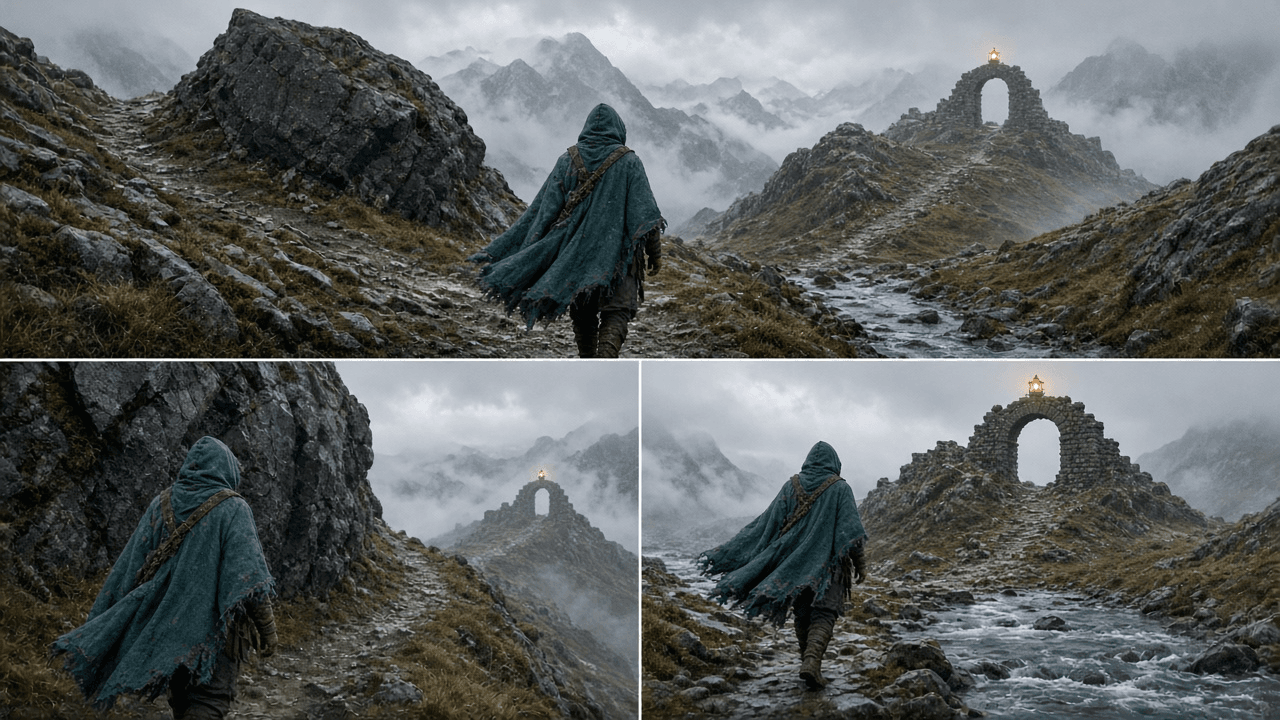
User-supplied concept composite showing the proposed starting view and two routes. It is not a Genie 4 output or a tested level.
The first useful observation would be whether the beacon stays legible as the traveler moves past the boulder. A shift in the generated route or landmark would be recorded as uncertainty, not counted as a successful navigation test. The team would then rebuild the fork and beacon with simple geometry in its game engine and ask playtesters where they expect to go.
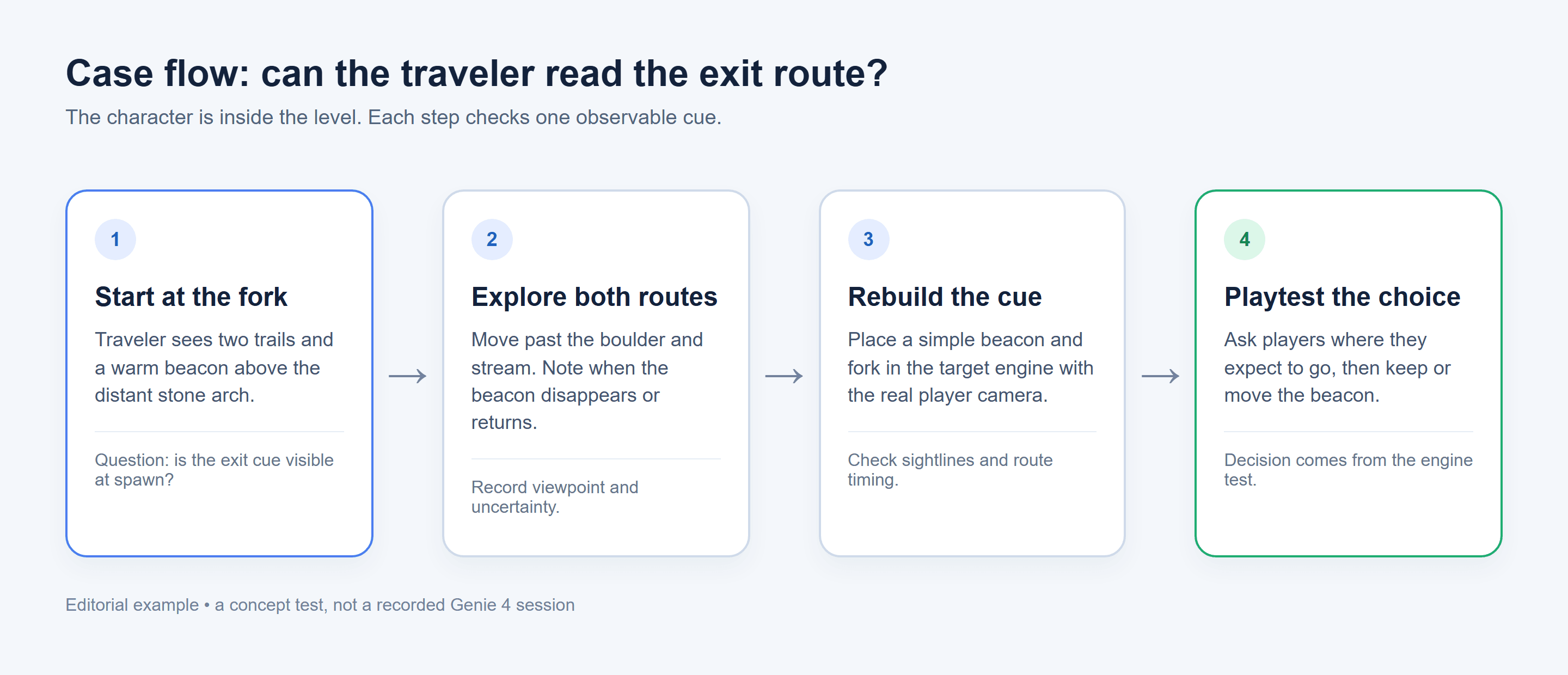
This case flow separates a character's route observation from the later player test in the authored level.
Try a visual direction while a level is still cheap to change
A designer may need to choose between a foggy forest, an exposed stone ridge, or a warm interior before committing to detailed art. A steerable simulation could give a team material for that conversation: where the eye travels, whether the silhouette remains legible, and how weather changes the sense of distance.
Treat the result as a visual reference. Record what the team actually sees and which prompt or change produced it. Do not turn an impression into a performance claim. If a route seems readable in one view, test it with the target camera, lighting, color accessibility settings, and representative player movement in the engine.
Change a scene to probe one design idea
DeepMind shows text-directed changes to a live scene. A level team could therefore frame a hypothesis such as, “Does a rainier, lower-contrast version make this route feel more exposed?” or “Does adding a large landmark make the destination easier to notice?” These are proposed evaluation questions, not prompts tested by this article and not guaranteed Genie 4 outcomes.
Change one dimension at a time. If the team changes weather, landmark scale, and route shape together, it cannot tell which change affected the impression. Capture the initial question, the scene state as observed, and the next engine test. That turns a generated world into a design conversation with a clear follow-up.
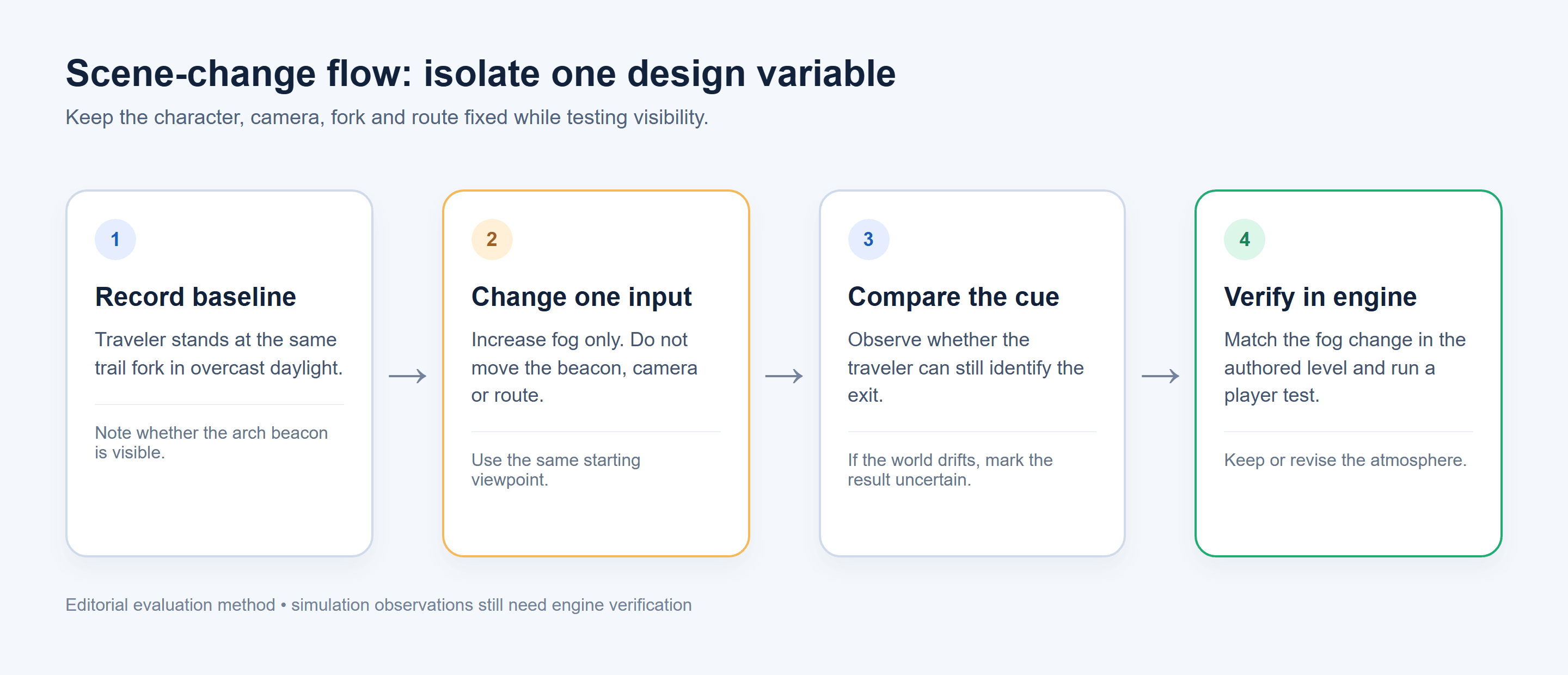
In the trail-fork case, changing only the fog gives the team a specific visibility question to test again in the engine.
A Practical Evaluation Loop for Game Prototyping
The value of a prototype comes from the decision it supports. Use this loop when you have access to Genie 4 or another interactive world tool. It is an editorial method for evaluating a concept, not a built-in Genie 4 feature.
1. Write one testable level-design question
Replace “make a fun level” with an observable question:
- Can a player identify the high exit from the starting view?
- Does a fork in the path make both routes look plausible?
- Does the landmark remain visible after the player moves behind the first obstacle?
- Does a change in atmosphere alter the intended sense of exposure?
Keep each question narrow enough that the team can agree on what evidence would count. A visual impression can support a discussion, but it cannot settle a question about exact movement or collision.
2. Observe the generated world against that question
If the model is available, explore with the question in mind. Note the apparent start, destination cue, route options, and any scene changes. Also record inconsistencies: a landmark may shift, a path may change, or an interaction may not behave the same way twice.
Do not log only the most attractive frame. A level designer needs to know whether the observation held during exploration. Keep the question, the observation, and uncertainty together. If the world drifts, that may still be useful as a visual prompt, but it is weak evidence for a stable gameplay rule.
3. Translate a promising observation into an engine test
Build the smallest blockout that can test the idea in Unity, Unreal, or the team's chosen engine. Use primitive geometry and the intended player controller. Then check the parts that an open-ended simulation cannot settle for the project:
- sightlines from the actual player camera
- distances, slopes, jump reach, and collision
- route timing and encounter pacing
- whether another person can reproduce the same sequence
- how the scene behaves under the project's graphics and accessibility settings
A promising generated view might suggest placing a beacon above a branching trail. The engine test is to place a simple beacon mesh, run the route with the project camera, and ask playtesters where they expect to go. The transferable result is the design hypothesis and test, not an assumed importable level.
4. Keep a decision log
Use a small record that separates what the team proposed from what it verified.
| Design question | Simulation observation | Engine verification | Decision |
|---|---|---|---|
| Is the exit visible from the start? | Record what appeared during exploration, including uncertainty | Check sightline from the actual spawn and camera | Keep, move, or redesign the cue |
| Does the fork invite route choice? | Note whether both routes looked plausible | Compare route geometry, timing, and playtest choices | Retain the fork or clarify its purpose |
| Does weather support the intended mood? | Note the observed atmosphere and any drift | Test the authored lighting and visibility settings | Keep the direction or adjust it |
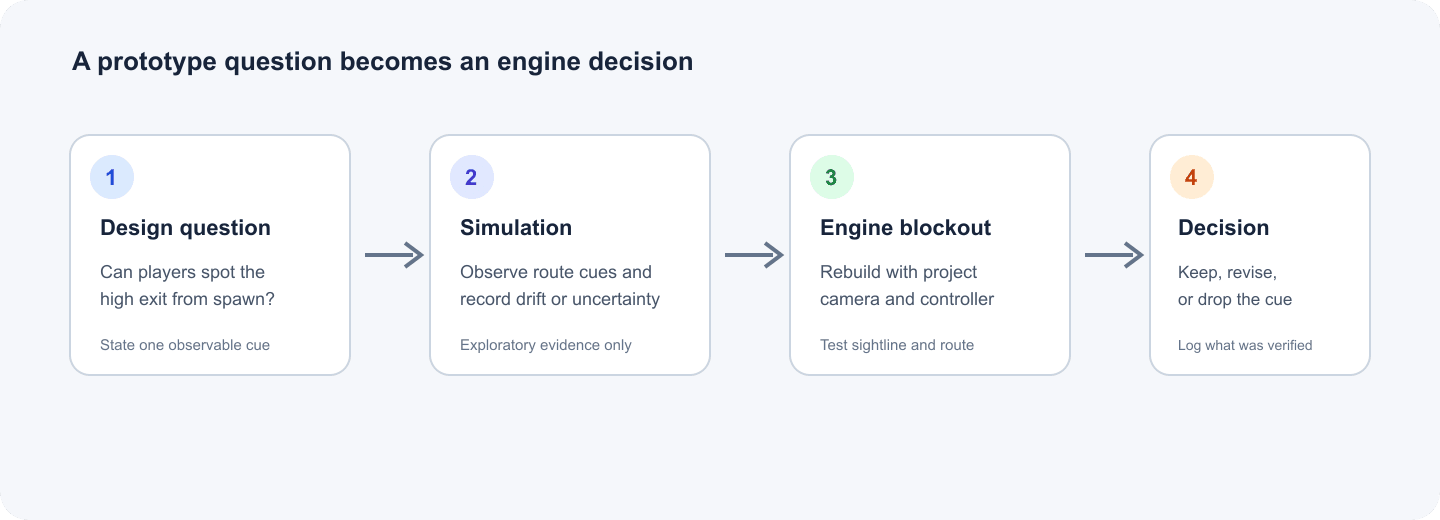
The loop keeps a generated observation connected to a test the team can repeat.
This log also helps teams explain why an idea survived or changed. If an art review likes the mood but playtests miss the exit, the team can preserve the visual direction while revising the landmark. Separating those decisions avoids treating one attractive simulation as evidence for every part of a level.
Genie 4 vs. Genie 3: What Designers Should Verify
The safe comparison is based on published descriptions, not on invented benchmark scores. DeepMind presents Genie 4 as a newer world simulation with improved realism and real-time interaction, plus native audio. The available announcement also describes scene steering and people who move, react, and speak. That indicates a broader simulation ambition. It does not show how the model performs on a controlled level-design task against Genie 3.
| Question for a game designer | What public Genie 4 material says | What remains to verify |
|---|---|---|
| Is it interactive? | DeepMind describes real-time navigation and text steering | Whether an interaction is stable and repeatable in your use case |
| What changed from Genie 3? | The announcement emphasizes improved realism, fluid movement, and native audio | A controlled, like-for-like level-design benchmark |
| Who can access it? | Research preview for trusted testers; broader routes are planned | Eligibility, timing, geography, and any account requirements |
| Can it export a level? | No public level export workflow is described in the announcement | File formats, state persistence, and engine integration |
| What does it cost? | No Genie 4 price is provided in the announcement | Any consumer, API, or partner pricing |
Ars Technica's launch coverage also frames Genie 4 as an interactive world model with implications for game-like experiences, while underscoring that a generated simulation should not be confused with a finished game. The practical comparison for a team is therefore less about declaring a winner and more about checking whether a newly announced capability changes a specific design decision. (Ars Technica, October 2026)
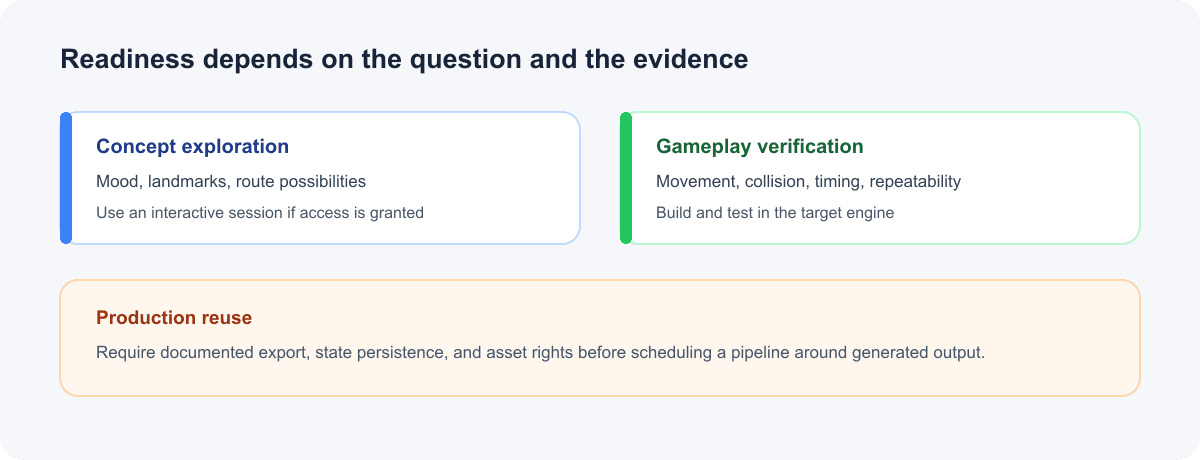
Public preview access and production pipeline readiness are separate decisions.
If you are comparing Genie 3 and Genie 4 for a project, document the task, starting conditions, input method, and result you care about. Avoid relying on a short promotional clip to infer persistence, level scale, or engine compatibility. The public material is changing quickly, so check the official page again before committing a schedule around access.
Limits That Matter Before a Production Pipeline
DeepMind lists limitations that map directly to prototyping risk. It says scene detail and object permanence can drift, complex interactions remain under research, and real places are not reproduced with exact precision. It also identifies limits in text rendering and audio accuracy, and describes continuous interaction in a minutes-scale context. These are research caveats, not a guarantee that every run will fail in each way.
For level design, continuity matters because a designer may want to compare the same room before and after a change. If the room or objects shift, the comparison may not isolate the intended variable. Complex interaction matters because a generated character or object response should not be treated as proof that a game mechanic will work. Text and audio caveats affect scenes where signage or dialogue carries the route information.
Production questions need separate evidence. In the public announcement reviewed for this article, DeepMind does not describe a general-purpose level export, a stable save-state interface, deterministic replay, or direct Unity and Unreal integration. That is a statement about what the public material documents today, not proof that no private tool or future interface exists.
Before using an interactive simulation as more than a reference, ask:
- Can the same starting conditions be restored?
- Can another designer reproduce the observation?
- Can the team export geometry or only capture a view?
- Does the project need exact collision, timing, or AI behavior?
- Who owns and maintains the resulting project assets?
If exact answers determine whether a feature ships, do the validation in the engine and build pipeline that will ship it.
A Lightweight Concept-Art Bridge While You Wait
A team can still prepare visual references while waiting for access or deciding whether an interactive world model fits its process. A concept image can help art and design agree on a landmark silhouette, material direction, or lighting reference. It cannot validate navigation, collision, or gameplay.
For that supporting task, Atlas Cloud offers the Seedream 5.0 Pro image model as one option for making a visual concept reference. Use it to develop a scene direction or mood board, then label the result as concept art in reviews. It does not provide Genie 4 access or convert an image into a playable level. Teams exploring other Atlas Cloud image tools can start from the model catalog.
A useful brief is specific about the design variable: “A narrow alpine pass with one high-contrast beacon visible from the entry, overcast daylight, no signage.” The image can help the team discuss whether that beacon belongs in the scene. The engine blockout still answers whether players see it from the actual camera and whether the route works at the intended scale.
Is Genie 4 Ready for Your Game Prototype?
Genie 4 is worth evaluating for early concept exploration when your question concerns how a space reads or how a scene direction feels. It is not yet something a team should assume can deliver a production level or replace an engine blockout. Its current research-preview status and stated limitations make a two-part evaluation sensible: explore the idea if you can access the model, then verify the design in your engine.
| Your immediate need | Best next step |
|---|---|
| Discussing mood, landmarks, or possible routes | Follow the Genie 4 access announcement and evaluate an interactive session if invited |
| Testing exact movement, collision, or route timing | Build a minimal engine blockout and test with the actual controller |
| Planning to reuse generated geometry | Wait for documented export and licensing details; do not assume an export path |
| Preparing art direction now | Create clearly labeled concept references and keep them separate from gameplay evidence |
For Genie 4 for game level design and rapid prototyping, the useful decision is whether an exploratory simulation can produce a question your team can test. Check the current access and feature statements, choose one spatial hypothesis, and bring any promising idea back to a repeatable engine test.
Frequently Asked Questions
Is Genie 4 publicly available to game developers?
Google DeepMind announced a research preview for trusted testers on October 27, 2026. It says access is expected to expand through Project Genie for Google AI Ultra subscribers and early-access partners for Gemini API and Google AI Studio. Check the official announcement for current eligibility because access can change.
Can Genie 4 export a playable level to Unity or Unreal?
The public announcement does not document a level export or Unity or Unreal integration workflow. Treat generated scenes as exploration material unless your own access includes a documented export path that you have verified.
Can Genie 4 test exact gameplay mechanics?
It may let a user explore and steer a simulation, but that does not establish that a mechanic is precise, deterministic, or reproducible. Test movement, collision, timing, and interactions in the target engine.
What should a designer validate after exploring a generated world?
Rebuild the relevant idea as a small blockout. Check sightlines, route choice, distances, collision, pacing, and reproducibility with the actual camera and controller. Keep the original design question in the decision log so the engine test answers the same problem.





