Walk through a familiar street in a simulation and the first view may feel convincing. Turn a corner, revisit a shopfront, or change the weather, and small differences can change what the place means. Genie 4 real-world location simulation accuracy is therefore best judged as a set of observable questions, not a single score. Google says Genie 4 cannot yet simulate real places with perfect accuracy, and it has not published a standardized location-fidelity benchmark. Street View grounding gives a generated world a real-place starting reference; it does not certify a geographic copy.
This guide separates those claims, offers a repeatable way to inspect a result, and explains which tasks can tolerate visual drift. The checklist below is an editorial evaluation framework, not a Genie 4 test result.
Key takeaways
- Street View grounding anchors a starting location in real imagery; styles and prompts can reshape the resulting world.
- Google lists imperfect real-place representation and scene drift as current limitations, with no public location-accuracy score.
- Check landmarks, layout, continuity, local details, and stability after a prompt change separately.
- Treat generated scenes as exploratory unless independent evidence validates the precision your task requires.
What does real-world location simulation mean in Genie 4?
Genie 4 is an interactive world model: it generates an environment that a person can explore and steer. In Project Genie, users can choose a location from Maps Street View, select a style, describe a character, and generate a world whose starting point is tied to Street View imagery. The current Project Genie help page says location grounding supports eligible U.S. locations that comply with the Street View Imagery Policy (Google Labs Help, accessed October 2026).
That description contains three different ideas. First, real imagery supplies a reference for the starting place. Second, the system generates an interactive environment from that reference and the chosen instructions. Third, a digital twin would aim to preserve a real place’s geometry and properties with a degree of verified fidelity. The first two do not establish the third.
A style prompt makes the distinction especially clear. Google describes transforming a grounded place into imaginative settings. The location can inform the scene while the generated environment changes its appearance, objects, or conditions. A snowy version of a city block may be useful as a creative exploration, but it is not evidence that the model retained the exact curb, storefront, or road measurements.
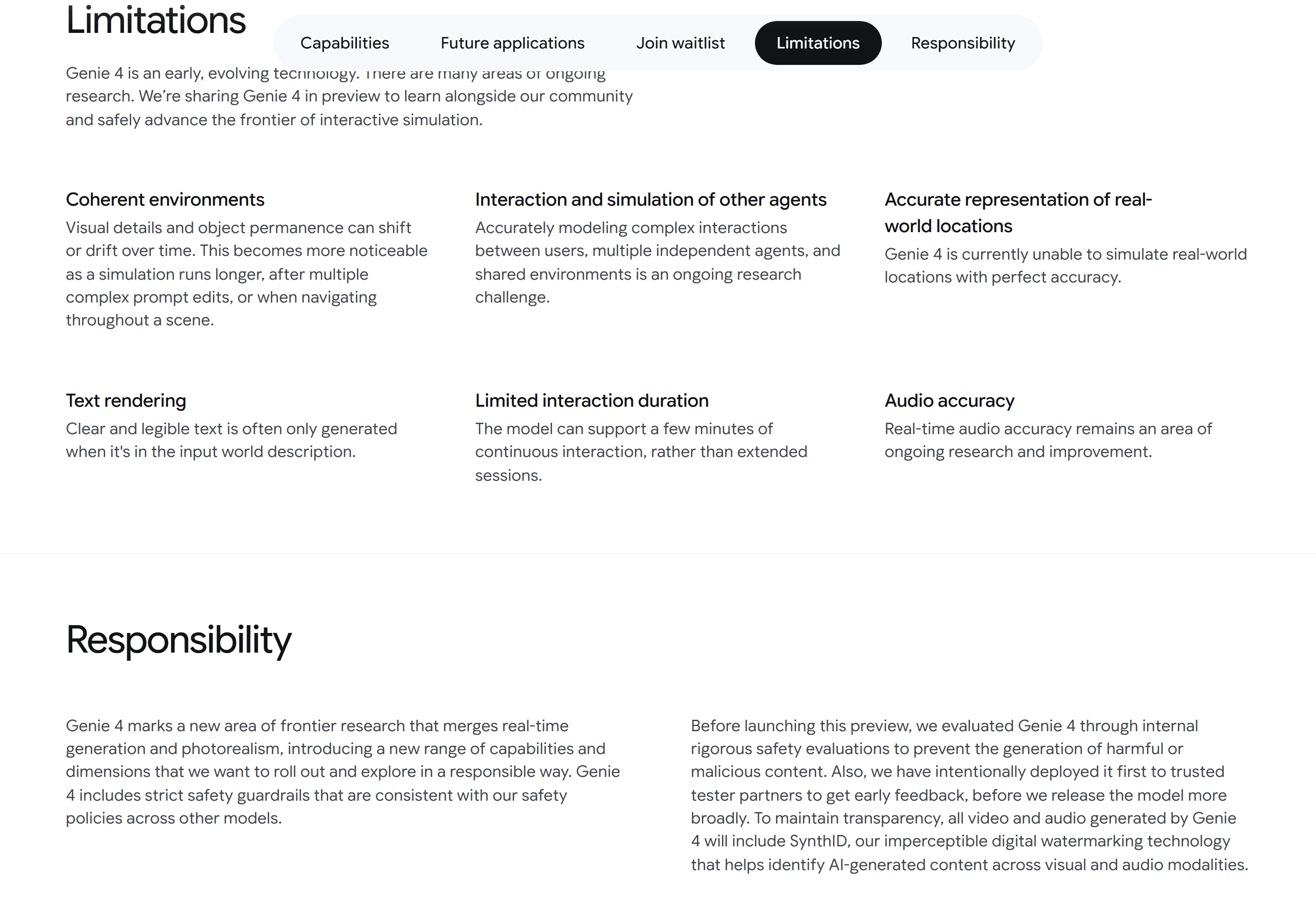
Official Genie 4 page captured as product-source context. The page describes capabilities and limitations; it is not a location-accuracy benchmark.
Before evaluating a result, decide which promise matters to your work. “A recognizable place-inspired experience” is a different target from “a faithful reconstruction suitable for spatial decisions.” Keeping those targets separate prevents a compelling first impression from being mistaken for measurement evidence.
Which parts of a real place should you check?
“Looks right” compresses several independent properties. A generated scene could preserve a recognizable landmark while relocating a side street. It might maintain a plausible route but replace signs and street furniture. Record each property separately so a strong result in one area does not hide a failure in another.
The five dimensions below are a practical rubric proposed for this article. They are not Google’s published benchmark, and the labels do not imply that Genie 4 has been scored against them.
| Dimension | What to inspect | A useful observation |
|---|---|---|
| Landmarks | Distinctive buildings, bridges, corners, or other fixed features | Is the feature recognizable, and does it appear in the expected part of the scene? |
| Layout | Road direction, intersections, building order, openings, and turns | Do relative positions and connections match the reference? |
| Spatial continuity | What appears after turning, moving away, or returning | Does the route connect plausibly, and does the starting area remain consistent? |
| Local details | Signs, vegetation, pavement, street furniture, and facade details | Which details remain, disappear, or change during exploration? |
| Prompt-change stability | The same place after one controlled change, such as weather or style | Did the intended property change while the underlying layout stayed recognizable? |
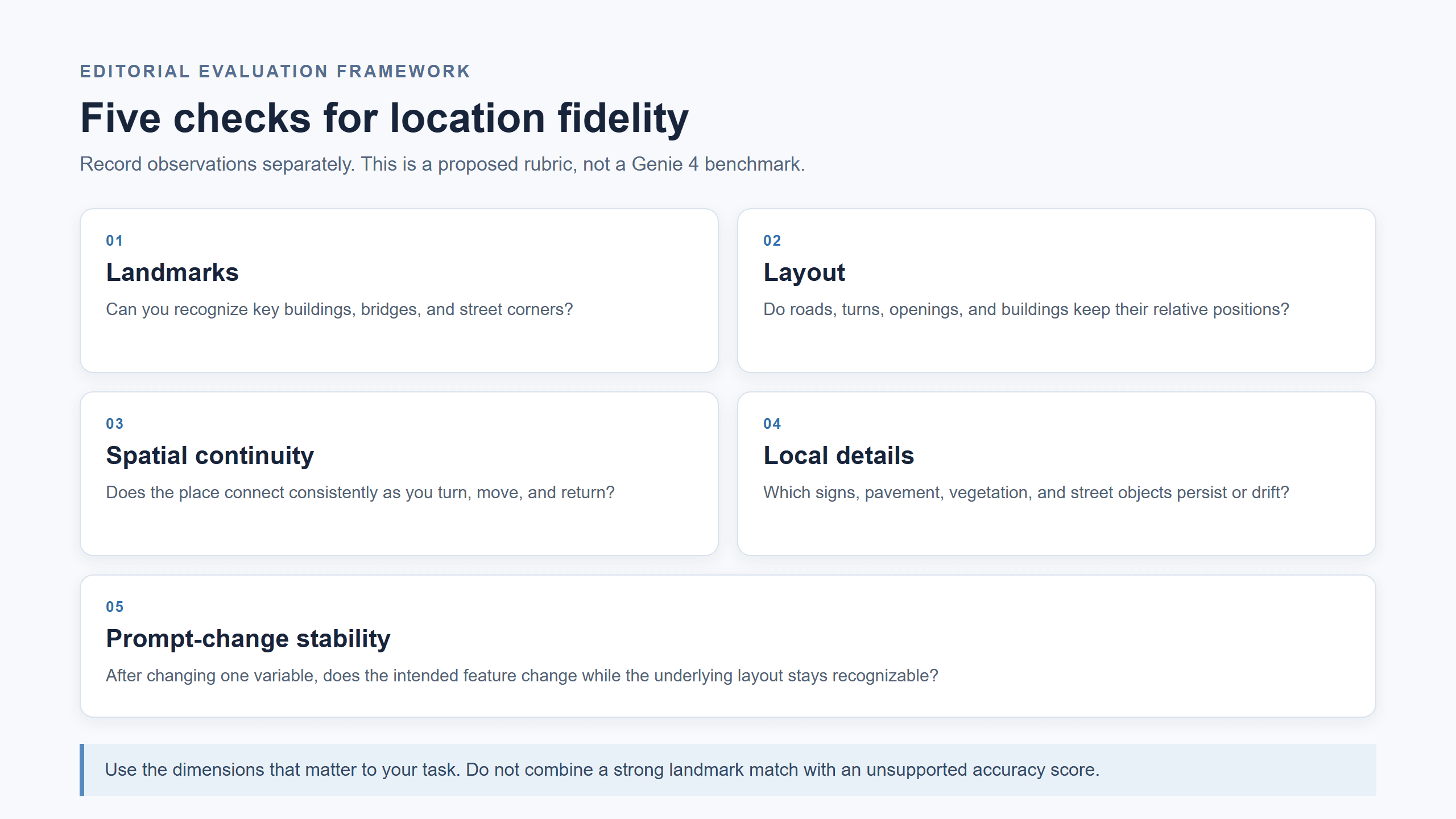
Editorial assessment checklist, not a measured scorecard. Use it to record observations from your own runs.
These dimensions matter because visual realism and geographic fidelity are not interchangeable. A textured facade and convincing lighting may increase immersion while concealing an incorrect street connection. Conversely, a scene with imperfect signs may still preserve enough of the block’s major arrangement for a storyboarding exercise.
Choose dimensions according to the decision you need to make. A creator exploring atmosphere may care most about recognizable landmarks and mood. A researcher studying navigation behavior needs route continuity and a written account of failures. A planner, engineer, or safety team needs validated spatial evidence beyond a generated scene.
Case 1: A pedestrian checks landmark order
Suppose a reference corner has three identifiable features. A pedestrian in a yellow coat starts at the crossing and walks toward the turn. The supplied concept image below uses a brick facade, a glass-front building, and a rooftop sculpture to make the question concrete. It is an invented street scene, not the reference for a real test. When testing, choose an eligible Street View location, save its actual landmarks, and check whether those features appear in the same order and on the same sides in the recorded run.
Proposed environment and character prompt (not tested in Genie 4):
plaintext1Environment: Use the selected Street View location as the starting visual reference. Keep its three most distinctive fixed landmarks, the crossing, and the turn in their reference-relative positions. Use neutral daylight. Do not invent a new landmark to fill a gap. 2Character: A pedestrian in a mustard-yellow coat starts at the selected corner and walks toward the turn in third-person view.
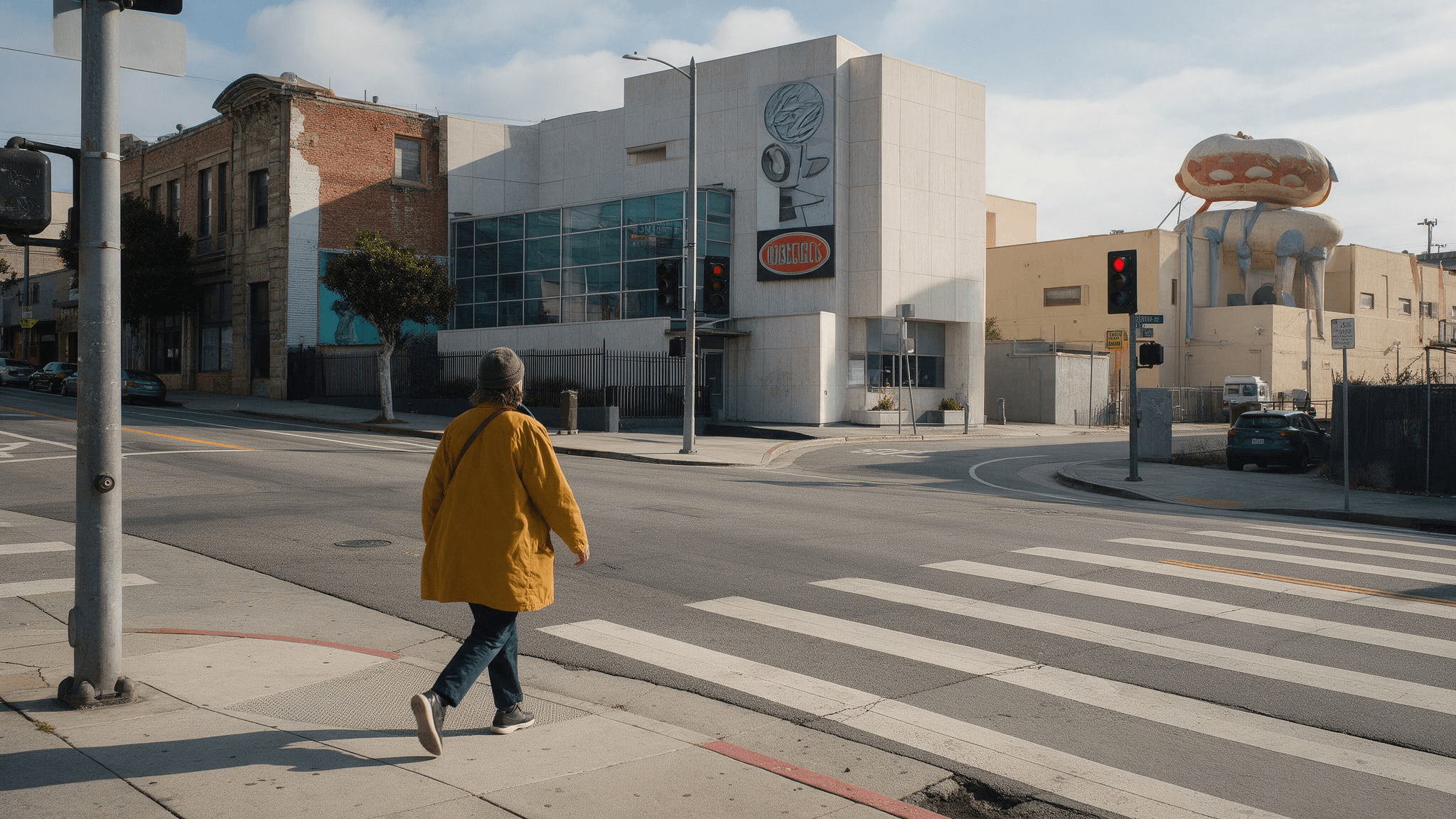
User-supplied concept image, not a Street View capture or Genie 4 output. Its invented landmarks illustrate what to record; they do not establish location fidelity.
How can you test Genie 4 location accuracy repeatably?
A repeatable check does not require inventing a pass rate. It requires preserving the reference, recording the conditions, and describing what you observed. The same procedure also helps another person distinguish a stable pattern from a fortunate run.
- Choose a reference location. Select an eligible place with a public Street View reference, at least two identifiable landmarks, and a turn or intersection. Avoid a featureless stretch where there is little to compare.
- Save the baseline. Record the reference view or location, date, selected style, character description, view mode, model or product version shown, and any other visible generation options. Keep the source imagery and generated result clearly distinguished.
- Follow one fixed route. Start from the same position and move through the same sequence of landmarks and turns. Note the order of buildings, street direction, visible openings, and features that appear or disappear. Do not change style or weather during this pass.
- Check continuity separately. Turn around, move away, then return to the starting area if the controls allow it. Record whether the environment connects plausibly and whether landmarks or local details shift. Do not combine this observation with the first-view resemblance score.
- Change one prompt variable. For example, request a weather change while leaving the character and location description alone. Compare whether the requested property changed and whether the core arrangement remained recognizable. A style change may intentionally alter more of the scene, so label it accordingly.
- Repeat when possible. If the product permits a fresh generation, run the same setup again and report the number of runs. Keep failures and unusual outputs. A hand-picked successful segment does not establish repeatability.
Case 2: Return to a plaza
A pedestrian passes a small pavilion, turns at the far corner, and returns to the starting view. The practical question is whether the pavilion and bench are still present in the same relative places. If one appears absent, check whether it is merely outside the camera view before calling it drift. This route is a proposed test sequence, not an observation from a Genie 4 session.
Proposed environment and character prompt (not tested in Genie 4):
plaintext1Environment: Ground the starting view in the selected Street View location. In the plaza portion of the reference, preserve the visible pavilion, bench, walkway, and corner as the viewpoint moves. Keep a natural daytime appearance. 2Character: The same pedestrian in a mustard-yellow coat walks through the square in third-person view.
Walk past the pavilion, turn the corner, then return using the same route. Record the pavilion and bench in the starting and return views rather than relying on memory.
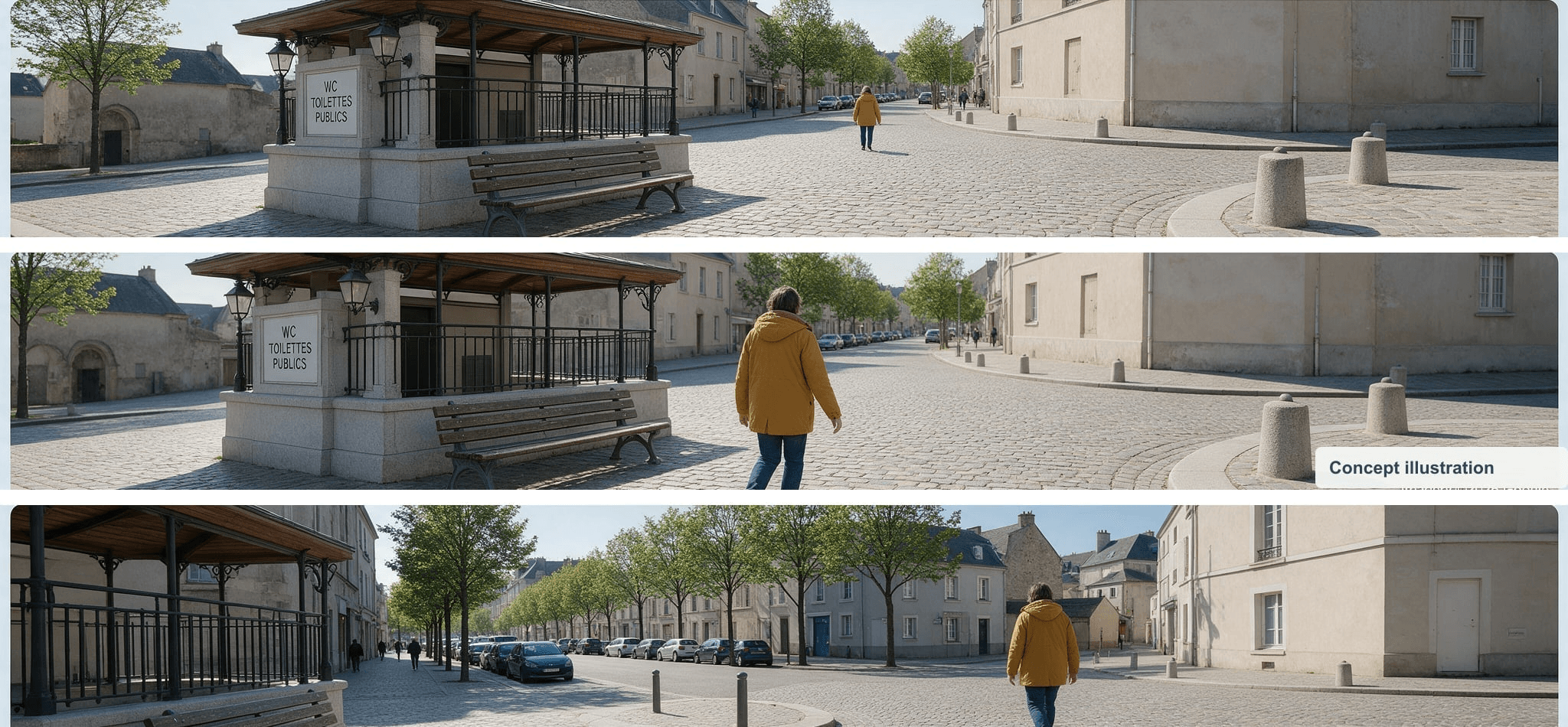
User-supplied concept panels show the features to compare. They are not Street View captures, consecutive Genie 4 frames, or evidence of object permanence.
A compact report can use this format: location and reference source; date and product version; starting setup; route; selected style and prompt changes; observations for each of the five dimensions; notable failures; number of runs; and what the test cannot establish. Use descriptions such as “the bridge remained recognizable after one turn” rather than a fabricated percentage.
If you do not have access, official demos can help explain the intended interaction, but they cannot supply your own test score. Do not compare a Street View image with an unrelated Genie scene and present the pairing as a controlled before-and-after. A valid comparison needs the same location, a documented route, and a clear account of the conditions.
For research use, retain raw observations alongside summaries. State whether a landmark was absent, displaced, or simply out of view. That distinction matters: an object missing from one camera angle is not automatically proof that the model forgot it, while an object that changes position after returning to the same spot is a stronger continuity concern.
Case 3: Change the weather, then check the layout
Return to the same starting corner and request rain while keeping the pedestrian and viewpoint fixed. Compare the clock tower, shopfront row, crossing, and road direction before and after the change. The weather request is one controlled variable; if the buildings or intersection also move, record that separately. DeepMind describes weather changes as a steering example, while also warning that scene details can drift (Google DeepMind).
Proposed follow-up prompt (not tested in Genie 4):
plaintext1Change only the weather from overcast to steady rain. Keep the same pedestrian, starting viewpoint, clock tower, shopfront row, crossing, and street layout in their current positions. Do not change the route or add new buildings.
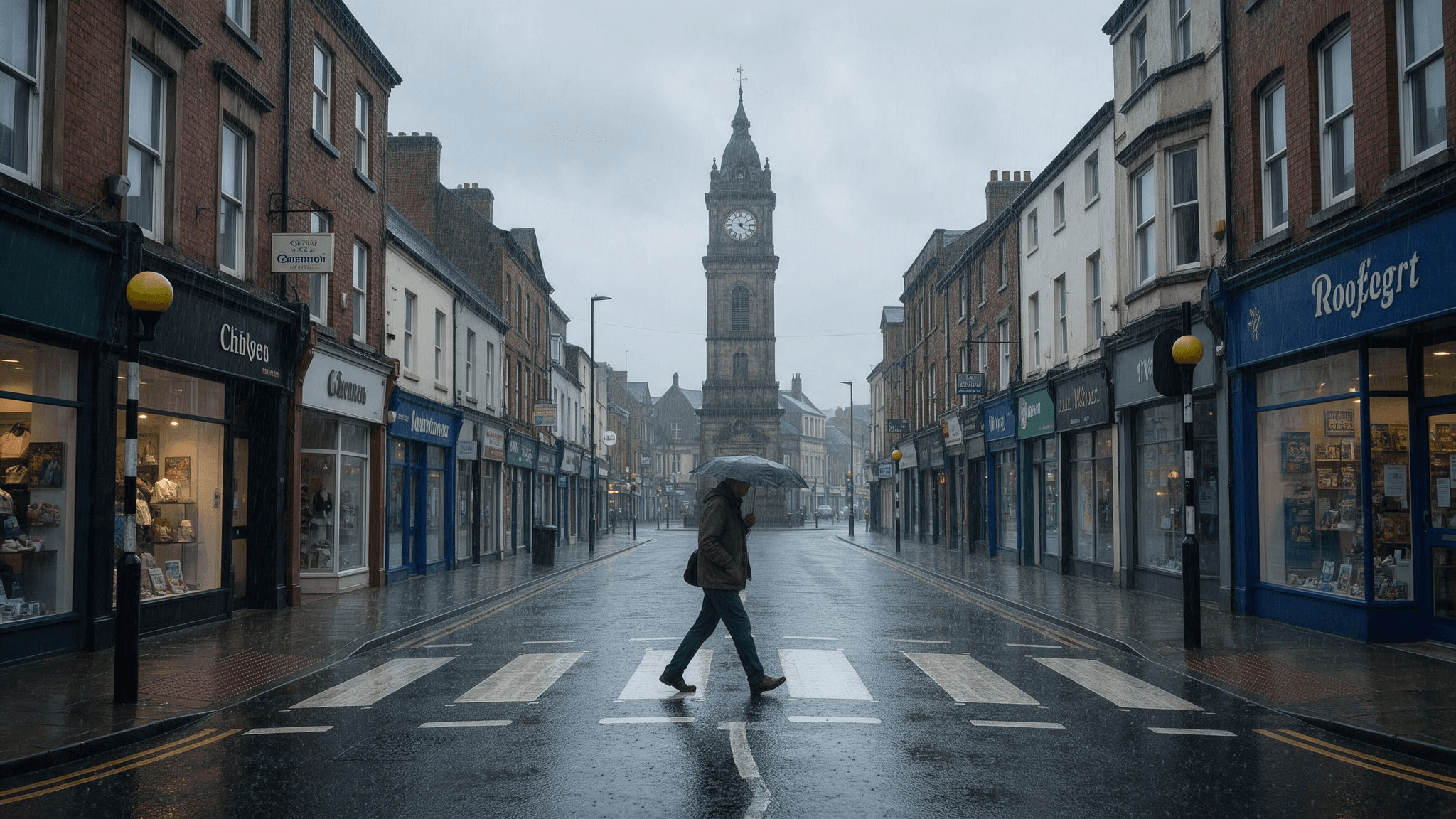
User-supplied rainy-scene concept, not a Genie 4 weather-change result. A real comparison needs a recorded baseline, the changed view, and the selected reference.
What does the public evidence prove, and what remains unknown?
Google’s current Genie 4 limitations page states that visual details and object permanence can shift over time. It says drift can become more noticeable in longer sessions, after multiple complex prompt edits, or while navigating a scene. Google also says real-world locations cannot yet be simulated with perfect accuracy, complex interactions remain a research challenge, and continuous interaction lasts a few minutes rather than extended sessions (Google DeepMind, accessed October 2026).
Those statements establish the company’s own description of known limitations. They do not give a coordinate error, landmark-retention rate, or standardized score across locations. Public material reviewed for this article does not provide a reproducible location benchmark from which readers could derive such a number.
A TechCrunch report on the earlier Street View integration described recognizable examples but also a visibly simulated, game-like quality. The reporter quoted a DeepMind researcher cautioning that the feature was experimental and that accuracy needed improvement. The article also reported a Google Maps product leader’s description of spatial continuity as a notable capability, while noting that Genie was not yet a faithful street reconstruction (TechCrunch, May 2026). This is a reported hands-on experience and interview, not a controlled study of Genie 4’s location accuracy.
Keep evidence labels explicit when you write about results:
- Official capability or limitation: what Google’s product and help pages say.
- Published observation: what a named reporter or researcher saw in a particular demonstration.
- Your test result: what your recorded run showed under documented conditions.
- Unknown: any rate, error, or generalization that your available evidence cannot establish.
The distinction is particularly important because Genie 4 adds real-time steering and audio capabilities. Those features may change how people interact with a world, but they do not by themselves prove improved geographic fidelity. Likewise, one polished official clip demonstrates that a result occurred, not that it will occur consistently across locations or repeated runs.
When is Genie 4 accurate enough for a task?
Use the cost of an error to set the bar. The same scene may be useful for ideation and unsuitable for a decision that depends on exact geography.
| Use case | What fidelity matters most | Sensible next step |
|---|---|---|
| Concept exploration or storyboards | Recognizable features, mood, and broad spatial relationships | Use the result to explore ideas; label altered or invented details clearly. |
| Interactive experience prototype | Landmarks, route continuity, and behavior after steering | Test a fixed route and preserve examples of drift before building around the scene. |
| Research hypotheses or agent exploration | Repeatability, scene stability, and documented failure cases | Treat generated worlds as experimental environments and validate important findings independently. |
| Mapping, engineering, navigation, or safety decisions | Verified geometry, measurements, and reliable behavior under defined conditions | Use authoritative geospatial data and validated simulation or measurement tools. Do not substitute a generated scene for them. |
The practical threshold is not “photorealistic enough.” It is whether the dimensions that matter to your task remain supported by evidence, and whether a failure would change the decision. A prototype can tolerate a changed shopfront. A route study cannot quietly assume that a road connection is correct because the rendered street looks familiar.
If you need supporting creative assets for a location-exploration story or prototype presentation, Atlas Cloud’s image and video model directory may help you produce editorial visuals. That is a separate creative task: those assets do not provide Genie 4 access, verify coordinates, or serve as geographic evidence.
For now, approach Genie 4 real-world location simulation accuracy as a question to test against your own use case. Start with the dimensions that carry the greatest risk, keep the reference and conditions, and state what your observations cannot prove. That gives a reader a more useful answer than assigning an unsupported universal score.
Frequently Asked Questions
Can Genie 4 recreate an exact real-world location?
Google says Genie 4 cannot currently simulate real-world places with perfect accuracy. It can generate an interactive environment grounded in Street View imagery, but no public documentation reviewed here establishes exact reconstruction or a standardized error tolerance.
Does Street View grounding make a Genie 4 world geographically accurate?
Grounding supplies real-place imagery as a reference for the starting location. Project Genie’s help describes choosing a Street View location and a style. It does not state that every generated feature preserves surveyed geometry or remains fixed during exploration.
Can I use Genie 4 as a digital twin or for navigation testing?
Do not treat it as a verified digital twin based on the public evidence. It may support exploratory research, but navigation findings should be checked against independent spatial data and a validated test environment before they inform real-world decisions.
Who can access Genie 4 or Project Genie right now?
Genie 4 is described as a research preview for trusted testers, with broader access planned through Project Genie and early-access partners. Project Genie’s current help says it is available to Google AI Ultra subscribers in supported regions who are at least 18; Street View grounding itself currently supports eligible U.S. locations. Availability can change, so check the official pages before planning a test.





