To create an interactive world with Genie 4, start with one place, one subject, and one action you can check. Then explore the result and see whether the environment responds while keeping its important details recognizable. That is a useful first test for an indie developer or creative technologist; it does not make a finished game.
Access matters first. Google DeepMind currently describes Genie 4 as a research preview for trusted testers. Google says it plans to bring the model to Project Genie for Google AI Ultra subscribers and to early access partners through Gemini API and Google AI Studio. The existing Project Genie help pages document a Genie 3 prototype, so their controls are not verified Genie 4 instructions. Check the Genie 4 research preview before planning a run.
Key takeaways
- Genie 4 is a real-time world model preview, not a general-purpose game engine.
- Confirm your own access before following any hands-on steps; Project Genie’s published controls describe its current prototype.
- Test one action and a few continuity anchors before expanding a prompt into a larger world.
- Use an interactive world model for exploration; use video generation for a fixed, edited shot.
What Is Genie 4, and What Makes a World Interactive?
A conventional generated video plays a sequence chosen in advance. An interactive world model generates what happens next in response to movement, camera direction, or a new instruction. The distinction is the feedback loop: the creator can act, observe the resulting state, and steer again.
DeepMind says Genie 4 can create and change worlds in real time through natural language. Its examples include changing landscapes or weather, moving the camera, adding characters, simulating collisions and flowing water, and generating audio such as footsteps or character speech. The page also describes Gemini models helping plan events and maintain coherence. These are stated capabilities of the research preview, not a promise that every prompt will produce a reliable simulation.
For a creator, “interactive” should mean more than a moving image. Ask whether an action produces a legible consequence. If a character approaches a gate, does the gate remain in the same place when the camera turns? If the creator asks for rain, does the scene visibly and audibly change? Those small checks reveal whether a world is useful for exploring an idea.
A world model still differs from a production game engine. Genie 4’s public page does not promise exportable game assets, deterministic physics, a scripting system, save states, networking, or a release-ready rules layer. Treat generated environments as exploratory simulations until those production requirements are independently met.
Can You Use Genie 4 Right Now?
The model and the product prototype are related, but access statements need careful reading. As of October 30, 2026, DeepMind says Genie 4 is available to trusted testers as a research preview. It says wider access is planned through Project Genie for Google AI Ultra subscribers and through early access partners of Gemini API and Google AI Studio. “Coming soon” is not a public launch date, and the page does not establish that every subscriber or developer has access today.
Project Genie is Google’s interactive-world experience. Its current support page describes an early research prototype, while its existing creation and navigation instructions refer to Genie 3. That page says eligible users can describe an environment and character, choose first- or third-person view, then explore with WASD, Space, and arrow keys. It also documents a 60-second exploration period for that prototype. Those details help explain the Project Genie concept, but they do not establish Genie 4’s eventual controls, time limit, or input flow.
Check access directly before setting aside time:
- Open DeepMind’s Genie 4 page and read the current availability statement.
- Follow the official Project Genie link or waitlist shown there. Sign in with the account you expect to use.
- Check the actual page for your account, region, eligibility requirements, and any waitlist message.
- If you see an interactive Genie 4 experience, follow its live interface. Do not assume a video, news story, or Project Genie Genie 3 walkthrough proves your account has access to Genie 4.
Google’s current Project Genie help article says the prototype is available to Google AI Ultra subscribers where the subscription is offered, for people aged 18 and older. It also says prototype generations do not use AI credits. That describes Project Genie as documented there, not Genie 4’s final availability, billing, or commercial-use terms. The public Genie 4 page does not list a general price, public API endpoint, or broad release schedule. The current Project Genie access and controls help page describes that separate prototype and its eligibility requirements.
How to Write a Genie 4 Prompt for an Explorable World
A useful world description gives the model enough structure to respond without asking it to solve an entire game concept at once. Write five information blocks:
- Place and environment: name the location, time, weather, and a few visible structures.
- Viewpoint: say whether you want first-person or third-person, if the available interface offers that choice.
- Main subject: describe one character or object and where it starts.
- Action and response: give the subject one observable action and say what should change in response.
- Continuity anchors: identify two or three details that should stay recognizable as the view changes.
A compact prompt can make the first run easier to evaluate. The five fields below organize the brief; they are a planning aid, not a captured Genie 4 screen.
plaintext1Create an explorable [place] in [time and weather]. Use a [first-person / third-person] viewpoint. The main subject is [character or object], positioned [location]. Let me [simple action] and show how [specific environmental response] changes. Keep [two or three continuity anchors] consistent as I move. The atmosphere is [sound and mood cues]. Avoid adding unrelated characters or changing the setting without a prompt.
For example, an indie developer testing a rainy harbor might specify a stone pier, a red buoy, a small rowboat, and one action: walk toward the buoy while the rain strengthens. The continuity anchors could be the buoy’s color and position, the pier’s edge, and the boat’s distance from shore. That gives the creator a concrete check: after turning away and walking back, are the same objects still present in roughly the same spatial relationship?
Google’s Project Genie prompt guidance recommends describing the environment, character, movement, style, and sensory mood with direct language.
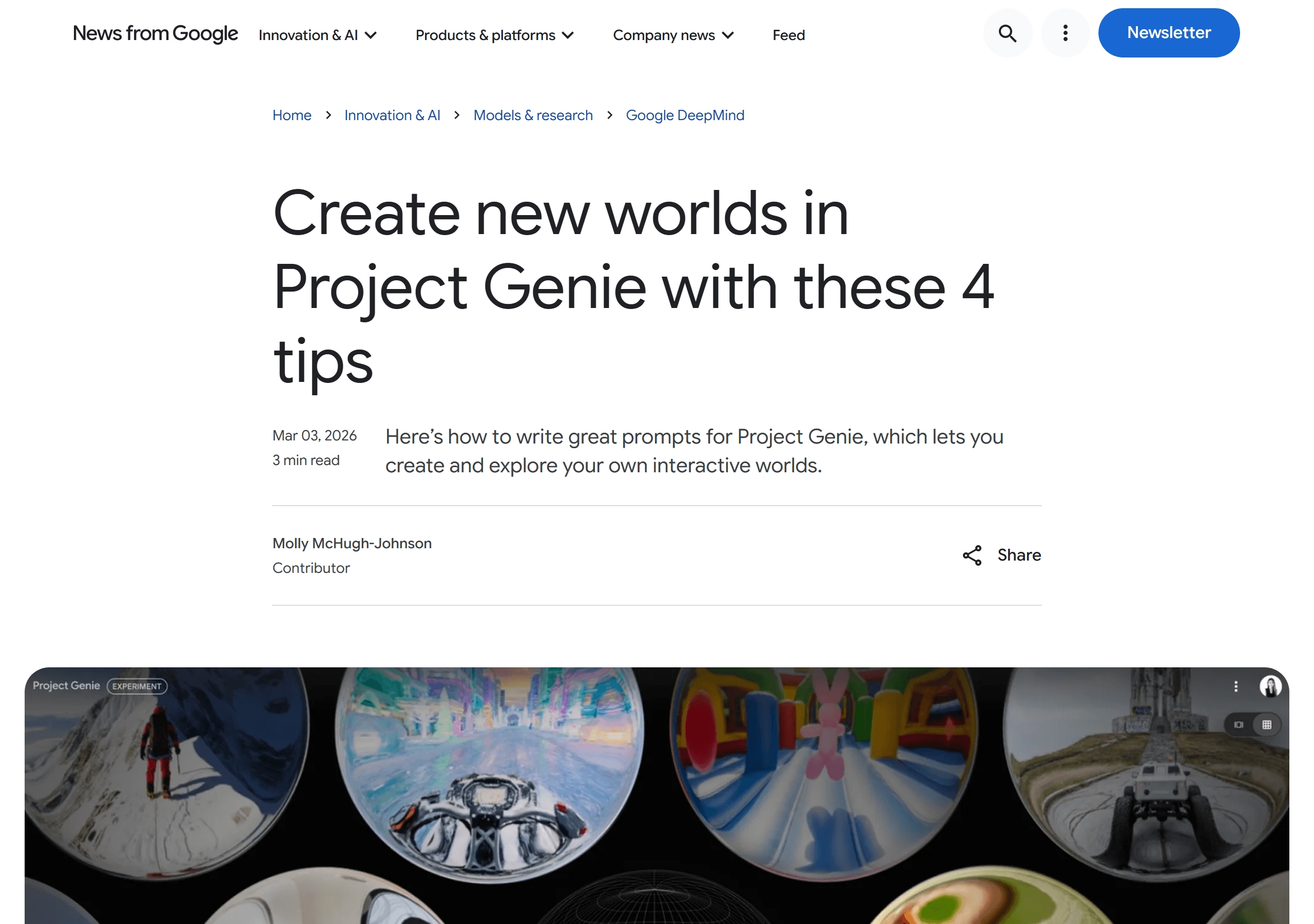
Official prompt-writing guidance for Project Genie, used here as context rather than Genie 4 UI documentation. It also discusses text and image inputs for Project Genie. Use that advice as guidance for the existing prototype. The template above is a planning aid, not a verified Genie 4 incantation, and image support must be confirmed in the Genie 4 interface you actually receive.
Keep the first prompt narrow. If it asks for a harbor, a talking crew, a branching quest, day-to-night transitions, inventory, a storm, and several camera cuts, a failure will be hard to diagnose. One action and a few anchors make the output easier to judge and the next edit easier to choose.
Three scene tests with observable outcomes
These are proposed tests for a Genie 4 session, not reports of completed runs. The author-supplied still images are concept frames for the scenes below. They show the intended people and landmarks, but they do not prove navigation, object interaction, or weather changes. Adapt each prompt to the controls your live interface actually provides, and record what you observe.
Case 1: Can you return to the same harbor? Use the rainy pier to test whether a small set of landmarks remains stable after a turn.
plaintext1Create an explorable rainy harbor in late afternoon, viewed in third person behind a traveler in a yellow raincoat. She starts on a stone pier. Place one red buoy just off the pier's right edge, one blue rowboat moored to the left, and low warehouses ahead. Let me walk toward the end of the pier, turn around, and return. Keep the buoy, boat, and pier edge in the same spatial relationship as I move. Wind moves a loose rope, and rain ripples the puddles. Do not add unrelated boats.

Concept image supplied for this proposed test, not a Genie 4 capture. After walking back, check whether the red buoy is still to the right of the pier and the blue boat remains moored to the left. A single attractive frame cannot answer that question.
Case 2: Does the village gate respond to a push? This is an action-response test only if the live experience offers object interaction. Otherwise, use the same landmarks for a camera-continuity test.
plaintext1Create an explorable hillside village in third-person view. A courier in a blue jacket starts beside a heavy wooden gate. A copper bell hangs on the wall to the left, a yellow handcart stands to the right, and a white plaster arch is visible beyond the gate. Let me push the gate inward and pass through if object interaction is available. Show the gate turning on its hinges rather than disappearing or changing shape. Keep the bell, cart, and arch in their original positions as I move.
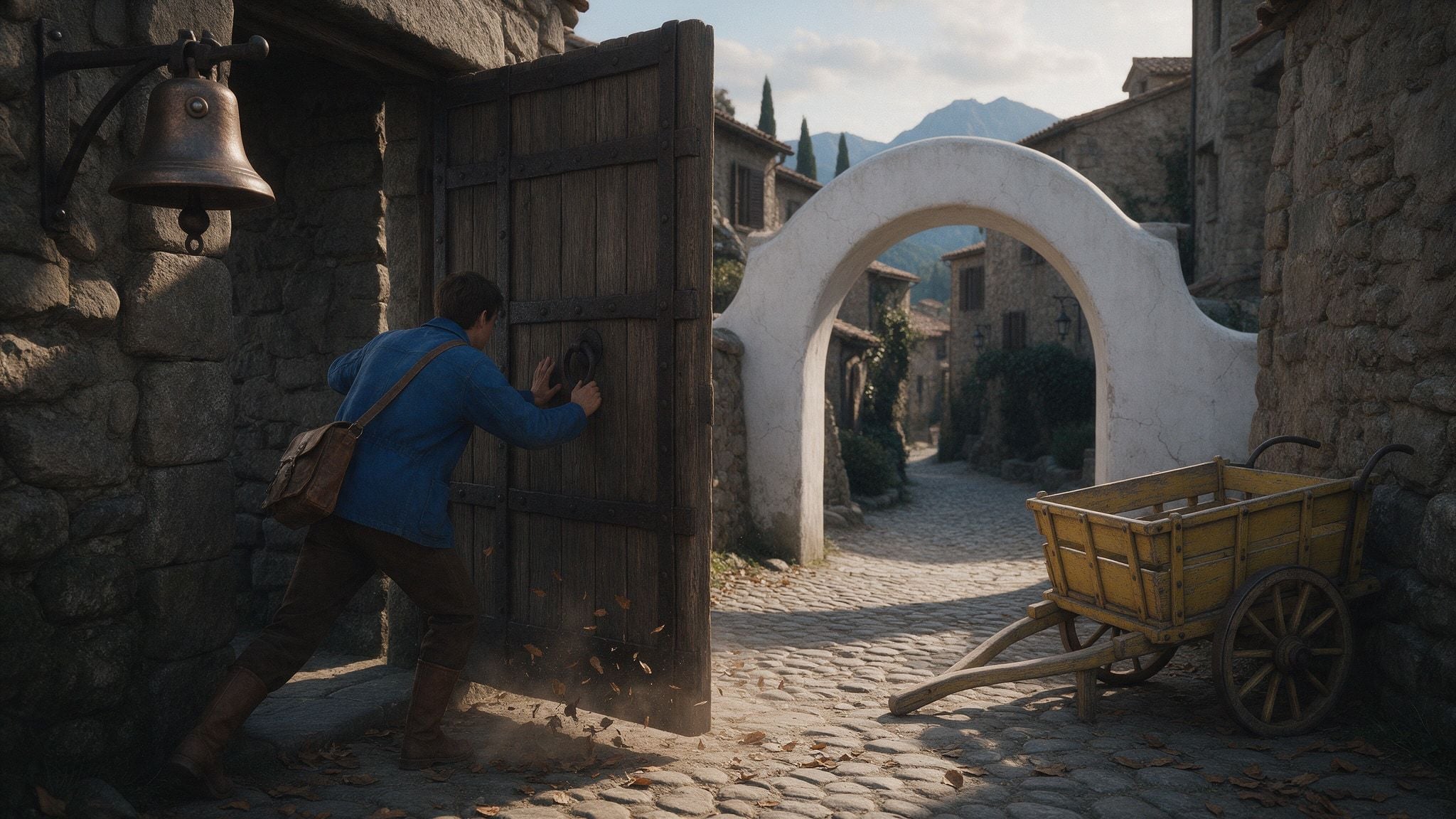
Concept image supplied for this proposed test, not a Genie 4 capture. Watch for a legible gate movement and a path through it. If the gate cannot be pushed in your interface, do not record that as a physics failure; test whether the bell, cart, and arch stay in place as you move past them.
Case 3: Can a market change weather without moving its landmarks? Start with a dry square, then request light rain if live text steering is available.
plaintext1Create an explorable market square in late afternoon, initially dry, in third-person view behind a bicycle messenger riding toward the center. Keep a green fountain in the middle, an orange produce stall on the left, and a clock arch at the far end. If live text steering is available, let me request a light rain shower. Show drops, ripples in new puddles, and awnings moving in the wind while the fountain, stall, and arch remain in place. Keep the street open enough to ride through.
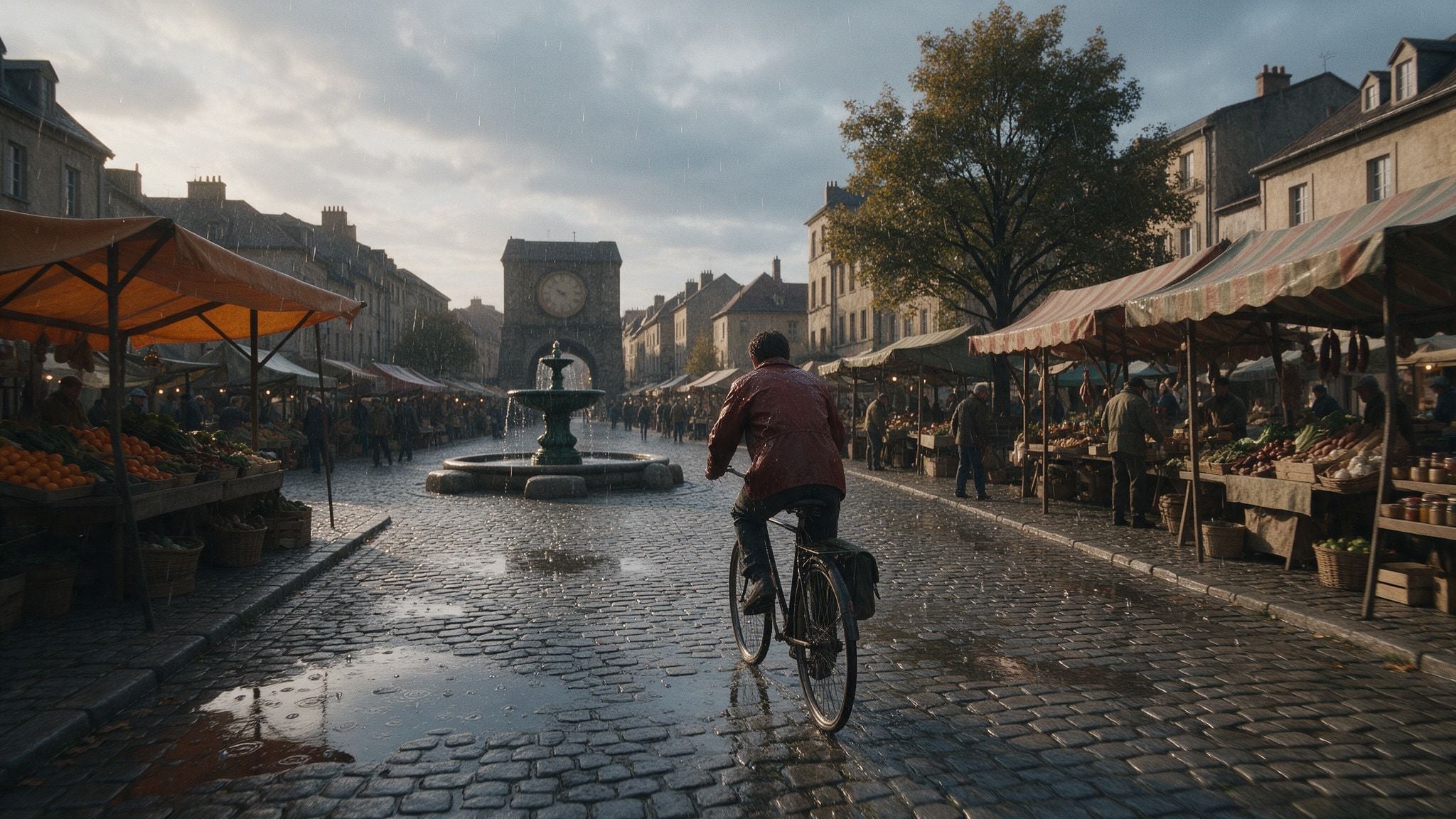
Concept image supplied for this proposed test, not a Genie 4 capture. The still shows a possible rainy state. To test the change, compare the dry view with the later view and note whether the fountain, produce stall, and arch remain where they were. If the interface has no live steering, do not claim this weather-change test was performed.
A First-World Workflow: Create, Explore, and Iterate
Treat the first session as a small experiment. The objective is to find out whether one scene can support one meaningful action, not to produce a complete level.
- Choose a test question. For example: “Can a player approach a pier marker and still recognize the harbor after turning around?” A specific question defines what success looks like.
- Write the scene brief. Fill in place, viewpoint, subject, action, response, and continuity anchors. Keep each detail observable. “A tense mood” is less testable than “wind moves the hanging rope and rain ripples the puddles.”
- Use only inputs the live interface offers. If the Genie 4 experience presents text and reference-image fields, use them as described. If it does not, do not invent an upload step based on another product’s instructions.
- Generate and inspect the initial view. Note the location of the subject and the paths or landmarks you expect to use. If the preview already contradicts the brief, revise the scene description before exploring.
- Try two actions. First move or change camera direction to test navigation and spatial continuity. Then trigger the prompt’s environmental event, if live natural-language steering is available, and observe its response.
- Record what happened. Separate the expected response from what you observed. This keeps a striking first frame from masking broken interaction.
- Change one variable. If the buoy disappears, add a clearer location anchor; if the rain change is invisible, describe a visible consequence. Re-run only if the interface allows it, and compare the same action.
Use a simple test log. The row below is an example recording format, not a report of an actual Genie 4 run.
| Prompt version | Action tested | Expected response | Observed response | Continuity issue | Next change |
|---|---|---|---|---|---|
| A | Turn and walk back to the pier | Red buoy remains off the pier’s east edge | Record what the run shows | Record any drift | Change one location detail |
| B | Ask for heavier rain | Rain and water surface visibly change | Record what the run shows | Note whether anchors shift | Refine only the weather instruction |
The table is a capture sheet, not a claim that these exact runs have been performed. Keep a screenshot or recording only if you have access and permission to save the output. DeepMind notes that its published Genie 4 recordings show real-time interactions, but the sequences are shortened for illustration. A polished clip demonstrates a possible interaction; it does not establish that another user can reproduce it from the same prompt.
What to Test Before Calling the Result a Usable Prototype
Judge the result against the job you need it to do. A visual sketch can be useful even when it fails as a game prototype. Write down the evidence for each level before showing the result to a team.
| Intended use | Evidence to look for | Decision rule |
|---|---|---|
| Explorable concept | You can move through a scene and recognize its main subject and landmarks | Useful for discussing an environment idea if the motion is understandable |
| Presentation preview | A short sequence communicates the intended mood, layout, and action | Useful for discussion when the team understands it is a generated preview |
| Playable prototype | Repeated inputs cause predictable outcomes; paths, collisions, and important objects remain stable | Test repeatedly and implement core rules in a game engine before relying on it |
| Shippable game | Production assets, authored rules, performance, save behavior, accessibility, rights, and QA are under your control | Do not infer release readiness from a Genie 4 preview |
Check four properties during exploration. The readiness card summarizes the distinction between an exploratory concept and a production game.
- Continuity: Do key objects and locations remain recognizable when you turn away or move farther through the scene?
- Action response: Does your input cause a result that a player can understand, or does the scene simply change without a clear relationship?
- Spatial logic: Do routes, obstacles, and subjects keep plausible relationships? Can you return to a landmark without the world shifting underneath it?
- Audio and dialogue: If sound is part of the concept, does it match the visible event? Does any dialogue remain understandable and contextually connected?
DeepMind’s limitation notes matter when you interpret those checks. It says visual details and object permanence can drift over time, especially during longer simulations, complex prompt edits, or movement through a scene. It describes multi-agent interaction as ongoing research, says real-world locations may not be represented perfectly, and notes that text rendering and audio accuracy remain areas for improvement. The preview supports a few minutes of continuous interaction, not extended sessions.
This is why an indie team should separate a successful mood test from a successful mechanic test. A world can look convincing while the object positions drift. Conversely, a simple environment may still be useful to discuss a camera angle or a movement idea. Record the observed limitation beside the intended use instead of describing the output as generally “game-ready.”
Genie 4 vs. Video Generation: Which Workflow Fits?
Choose the medium by what the viewer needs to do. If the question depends on a viewer walking into a space or steering what happens next, an interactive world model is the relevant experiment. If the story is already decided and the goal is a polished sequence, a video workflow offers a more direct route to a fixed shot.
| Need | Better fit | Why |
|---|---|---|
| Walk into a scene and observe a response | Interactive world model | Exploration and action feedback are the point |
| Produce a fixed cinematic moment or campaign clip | Video generation | The output is a chosen sequence for viewing and editing |
| Set a visual direction before choosing a simulation | Concept image, then decide | A still can settle palette, materials, and composition without implying interactivity |
If you need a visual brief before an interactive test, Atlas Cloud can be one optional place to create a concept image or a fixed video preview using available models. That can help a designer align on color, setting, or a camera moment. It does not provide Genie 4 access, and a generated reference image does not become an Atlas-hosted interactive world. Use the Atlas Cloud model catalog only for that separate visual-material task. No model price is included here because the article does not depend on a particular model or configuration.
Limits, Access, and Responsible Use
A research preview can change its eligibility, controls, and behavior as testing expands. Re-check the official availability statement on the day you plan to use it. For any commercial project, review the current terms for the specific service and account. The public Genie 4 announcement is not a substitute for a license or a guarantee about ownership, reuse, or distribution rights.
Also distinguish realistic appearance from accurate simulation. A wave can look plausible without matching fluid dynamics. A person can move naturally in one clip without responding consistently to repeated commands. Test the behaviors that matter to your project, especially if a team plans to use an output to make design, safety, or production decisions.
For concept work, keep a record of the prompt, date, access surface, actions tried, and known defects. That gives collaborators context when they see a short recording later. Avoid presenting edited preview footage as a repeatable gameplay capture unless you can reproduce the same interaction and explain any editing.
The useful next action is modest: verify access, pick one scene question, and write a prompt with one action and three continuity anchors. That is enough to decide whether Genie 4 deserves another test in your prototype process.
Frequently Asked Questions
Is Genie 4 available to everyone?
No. As of October 30, 2026, DeepMind describes a trusted-tester research preview and says further access is planned through Project Genie and early-access developer partners. Check the official page for changes.
Is Project Genie the same thing as Genie 4?
Project Genie is Google’s product and research-prototype experience for creating and exploring worlds. Its current help instructions describe the Genie 3 prototype. DeepMind says Genie 4 is planned for Project Genie, but that does not make the currently documented Genie 3 controls a verified Genie 4 interface.
Can Genie 4 create a complete playable game?
The public announcement describes interactive world simulation, not a full game-development toolchain. Do not assume it supplies production-ready rules, assets, deterministic behavior, or release workflows. Validate a mechanic in your own engine before treating it as playable software.
Can I use an image to start an interactive world?
Google’s Project Genie prompt guide describes image input for Project Genie. Whether image input is available in a Genie 4 experience depends on the actual interface and access you receive. Check its current instructions before preparing a reference image.
Does Genie 4 have public pricing or an API?
The public Genie 4 page does not list general pricing or a broadly available API. It mentions early access partners of Gemini API and Google AI Studio. Project Genie’s help page says its early-access prototype generations do not use AI credits, but that statement is not a Genie 4 price schedule.


