

The mirror this morning was fine. The selfie you took ten minutes later was not, and you have no idea what changed. Nothing about your face did. The phone sat about 12 inches from it, and at that distance the lens widens whatever is closest to it. Much of the advice on how to make selfies look better is advice on hiding that one problem.
This guide names the problem and gives you six fixes: distance, camera height, light, the mirror setting, your expression, and the propped phone. Then comes a shortcut. If a good photo of you already exists, an AI selfie generator can rebuild it as a selfie without a reshoot, and a real before-and-after is below so you can judge the result yourself.
Key Takeaways
- A phone held at arm's length sits about 12 inches from your face, and a 2018 model published in JAMA Facial Plastic Surgery puts the nasal base roughly 30 percent wider at that distance than at 5 feet.
- Camera slightly above eye level, chin forward and then down, light in front of you: three moves, no editing app required.
- Your saved selfie is flipped relative to the preview unless Mirror Front Camera is on. Turn it on once and stop being surprised by your own face.
- To make a selfie not look like a selfie, get the phone away from you: rear camera, self-timer, or a watch remote.
- If you already own one photo you like, the free AI selfie generator rebuilds it as an arm's-length selfie with your face, hair and scene carried over. No reshoot.
Why Selfies Look Worse Than You Do
Nobody has a 5-foot arm. That single fact explains more bad selfies than lighting, angles and filters combined.
Boris Paskhover, an assistant professor of otolaryngology at Rutgers New Jersey Medical School, and Ohad Fried, a research fellow in Stanford's computer science department, built a mathematical camera model to measure what proximity does to a face. Rutgers announced the results on March 1, 2018, and the paper appeared in JAMA Facial Plastic Surgery.
According to the Rutgers release on the study, a selfie taken about 12 inches from the face makes the nasal base appear approximately 30 percent wider, and the nasal tip 7 percent wider, than a photograph taken at 5 feet, which the release calls a standard portrait distance.
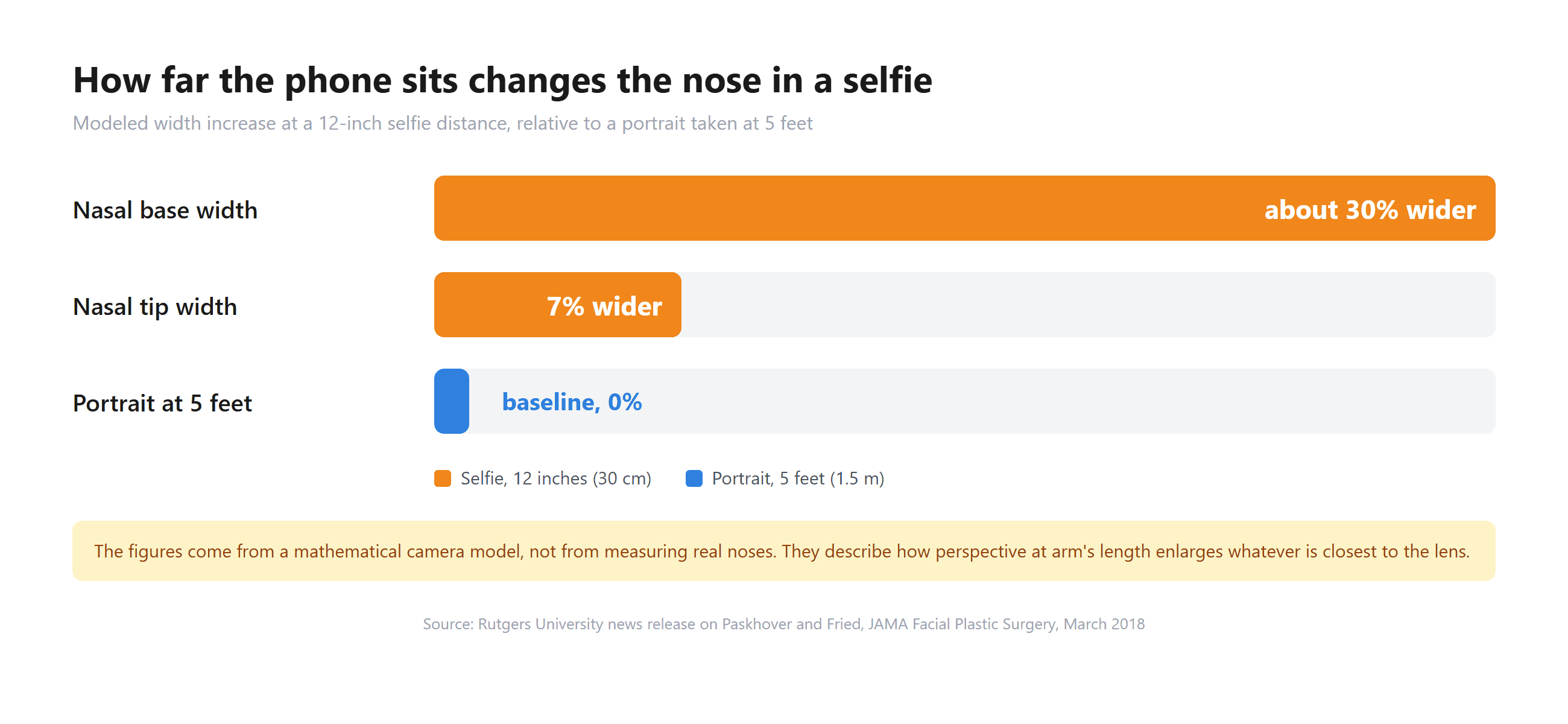
Two cautions before you panic about your nose. The figures come from a geometric model, not from measuring people, and they describe perspective rather than any lens defect. Perspective is indifferent to what it enlarges: hold the phone high and the forehead grows, hold it low and the chin does. The camera fixes in the next section either move the lens farther away or change which part of you sits closest to it.
How to Make Selfies Look Better With the Phone You Have
Start with what costs nothing. A few inches of distance reshape the whole face, and a bent elbow gives those inches away.
Where to Hold the Camera for a Good Selfie
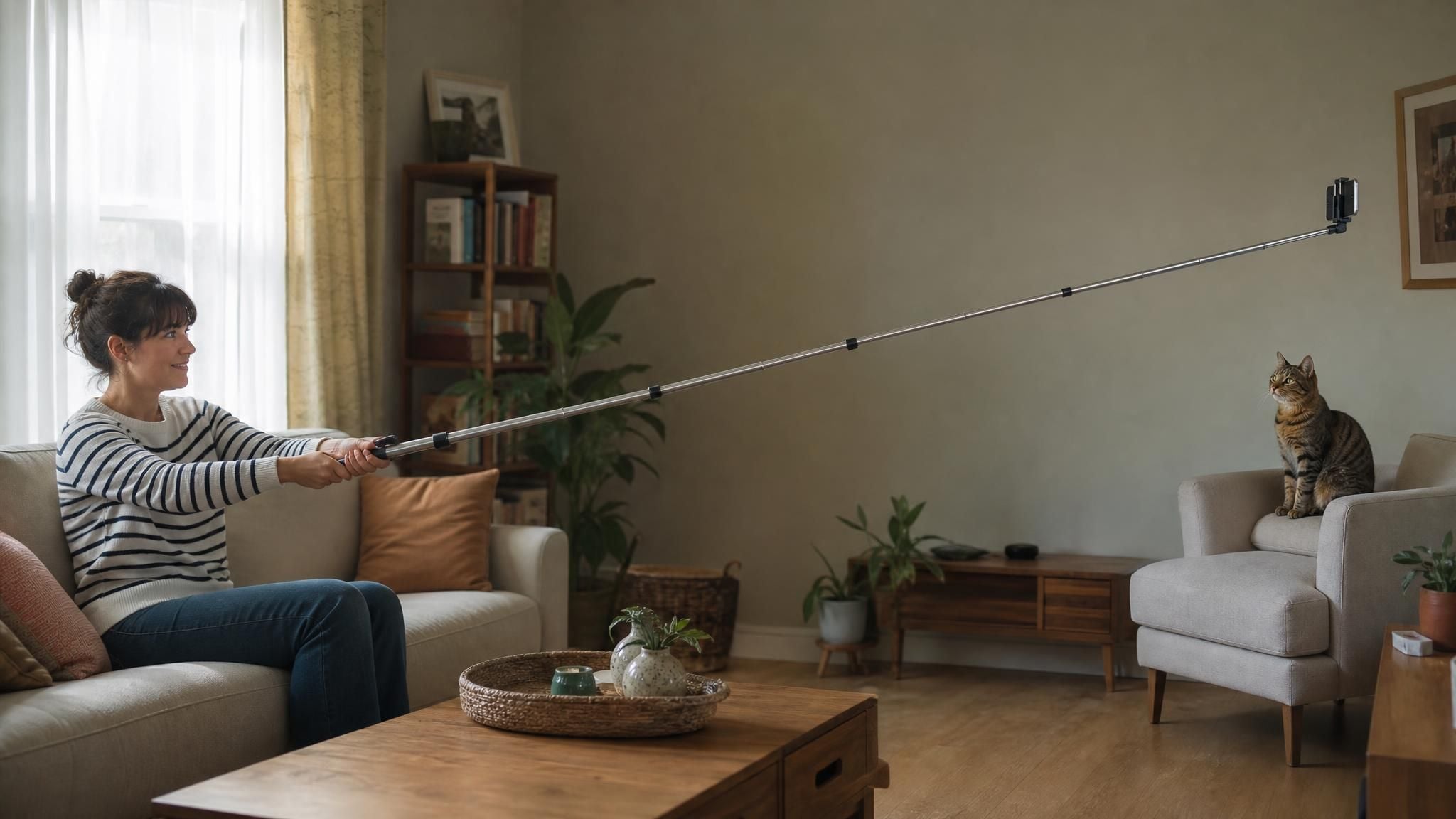
Lock the elbow. A bent arm parks the phone several inches closer than a straight one, and perspective widening grows fastest at the close end. If you own a selfie stick or a small tripod, use it for the same reason: more distance, less widening.
Then work on height. Hold the phone a little above eye level and tilt it down slightly. Your eyes become the closest feature to the lens, which reads as flattering, while the jaw and neck fall away. Push the chin forward and then down, which feels absurd and photographs as a defined jawline. Turn your head a few degrees off square so the nose has a cheekbone to be measured against instead of sitting dead center. Photographers have taught these three moves for years. We found no study behind them, only working habit.
Light matters as much as geometry. Face a window. Overhead light drops shadows into the eye sockets, and a bright background behind you turns your face into the darkest thing in the frame. Then take ten frames and keep one. Small changes in the mouth and eyelids between frames decide the shot more than any setting.
Mirror Front Camera: Why the Saved Selfie Looks Flipped
The preview lies to you, in a small way. Your screen shows a mirrored image, like a bathroom mirror, because that is the face you recognize. The file the phone saves is the unflipped view. Text on your shirt reads correctly in the saved photo, and your face looks wrong to you, because you have spent your whole life seeing the mirrored version.
Apple documents a fix in its camera guide for selfies: go to Settings, then Camera, and turn on Mirror Front Camera. Apple's own wording: the setting captures the shot "as you see it in the front-facing camera frame, rather than reversing it." Android phones vary, so look for a mirror or flip option in your camera settings.
The same Apple guide notes that on iPhone 17, iPhone 17 Pro, iPhone 17 Pro Max and iPhone Air the frame "can automatically zoom and rotate when faces are detected in a group selfie," which removes one more reason to hold the phone at a strange angle.
| Setting | What it does for your selfie | Where to find it |
|---|---|---|
| Mirror Front Camera | Saves the photo the way the preview showed it | Settings > Camera (iPhone) |
| Self-timer | Gives you time to drop the arm out of frame or step back | Camera app controls |
| Portrait mode on the front camera | Softens the background so the face carries the frame | Camera app, Portrait tab |
| Center Stage on iPhone 17 models and iPhone Air | Auto zooms and rotates the frame when it detects faces in a group selfie | Camera app, per Apple's selfie guide |
| Camera Remote on Apple Watch | Fires the iPhone camera from a distance with a 3-second default timer | Camera Remote app on the watch |
How to Make a Selfie From a Photo You Already Like
Here's the thing: the best-proportioned photo of you probably already exists. Someone took it across a dinner table, at portrait distance, without the arm's-length widening. It just doesn't look like a selfie, and for a dating profile or a casual social post you may want one that does.
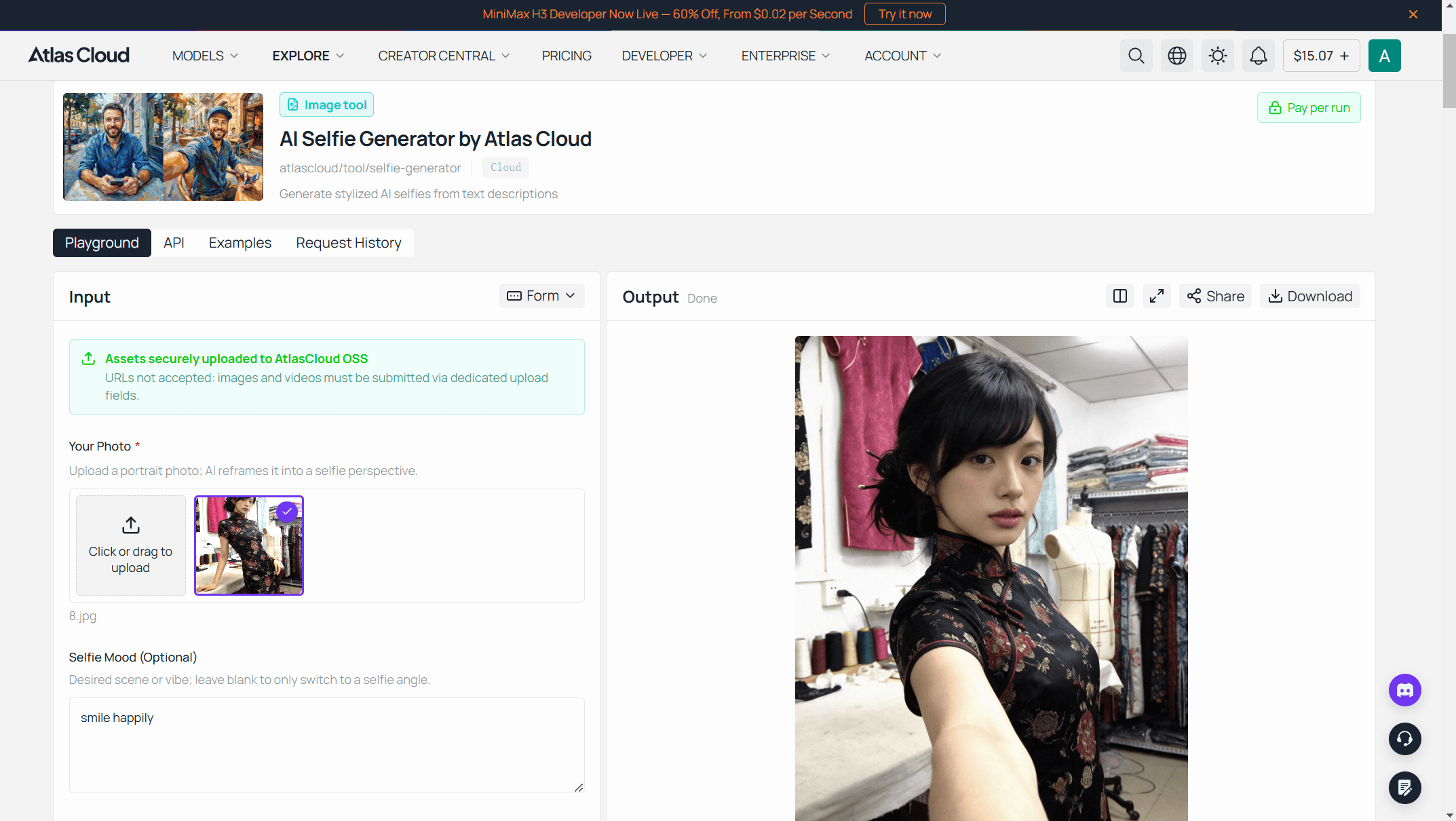
Atlas Cloud runs a hub of free AI tools, several of them built around one photo of a real person, and the free AI selfie generator does exactly this job.
You upload a portrait, taken by anyone, and it re-renders the scene from an arm's-length phone camera position.
The page puts it plainly: "Your face and hairstyle carry straight into the result, freckles and all." The official sample below shows what that means.
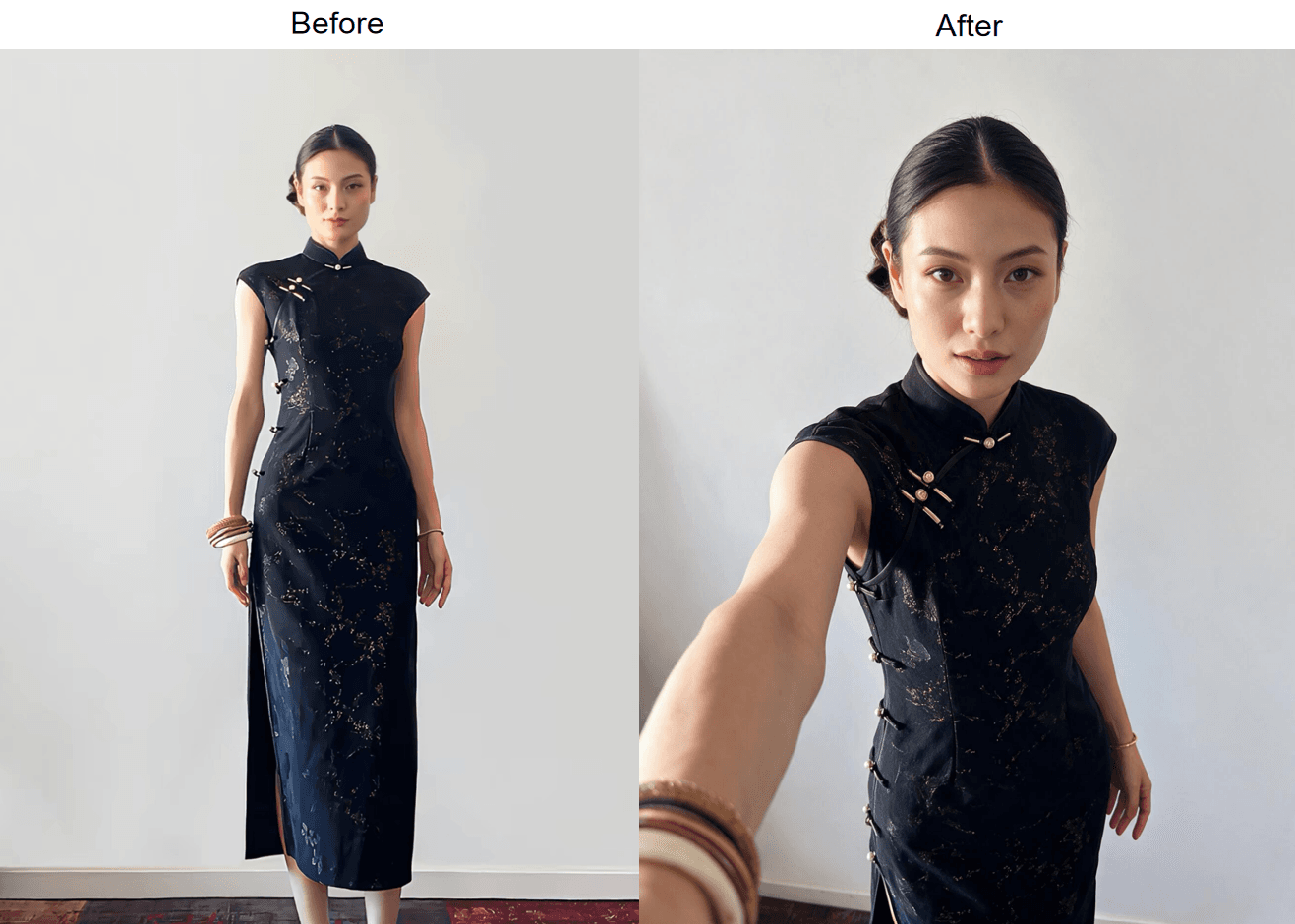
Official sample images from the Atlas Cloud free AI selfie generator page, checked September 3, 2026.
Look at what stayed put. The banquette, the mirror strip on the wall, the glass on the table, the black top, the small earrings, the hair falling to the same side. The camera moved, from across the table to the end of her own arm, and the body turned to meet it. The model re-rendered the scene rather than cropping it, which is why an arm reaching toward the lens exists in the second frame.
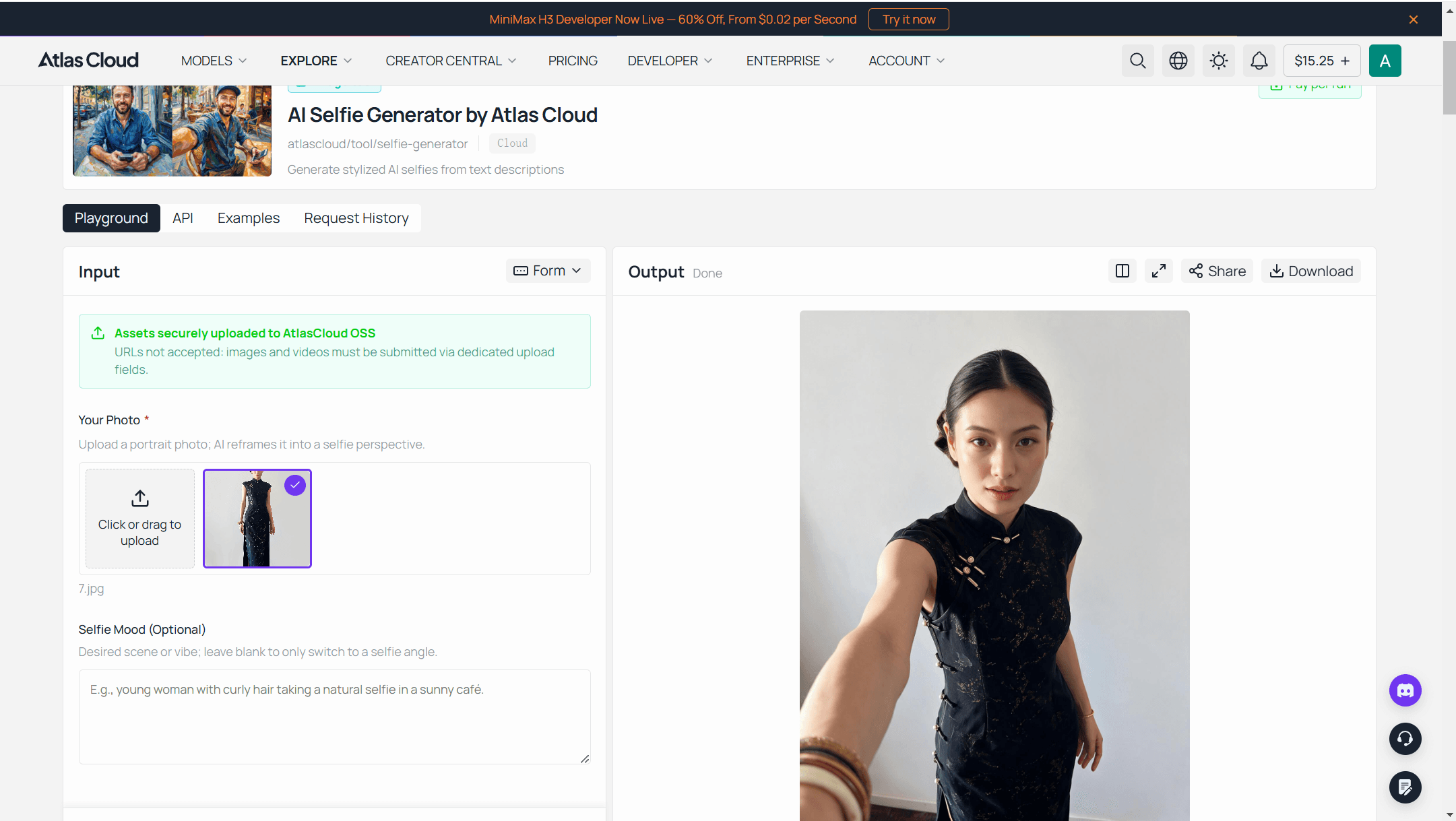
The practical limits are short. Uploads go up to 10 MB. A run takes about 30 seconds. The output is 1328 × 1776 pixels, a phone-portrait aspect, and the download has nothing stamped on it. There is an optional mood line for a scene or vibe. In our test runs the background stayed exactly as it was in the source photo, with the line filled or empty, so choose a photo whose setting you already like. Sign-in is by Google, GitHub or email, and the first generation on each eligible account is free, with results filed in your request history.
Three Steps to Make Selfies With the Free AI Selfie Generator
- Sign in on the tool page. Google, GitHub or an email address. The free run is tied to the account, so you only do this once.
- Upload the photo you like. One person in frame, face easy to see, no heavy filters: the tool page calls that most of the recipe. A shot someone else took from a normal distance keeps the proportions from the first section.
- Generate, with or without a mood line. Your original room and light come along either way. Wait about 30 seconds and download the 1328 × 1776 file.
Faces to Make in a Selfie That Read as Natural
You have fixed distance and height. What's left is the face itself, and this is where the freeze happens. A held smile stiffens within a couple of seconds, and the camera catches the stiffness.
The trick is to build the expression in the last half-second. Look down and away from the phone, count to three, then look up into the lens and let the smile arrive as you tap. Thinking of something specific and funny works better than telling yourself to smile. For the eyes, tighten the lower lids a fraction, the way you do when you spot someone across a street, without pulling the brows down. Wide-open eyes read as startled; slightly narrowed ones read as sure of themselves.
| Face to make | How to get it | Where it works |
|---|---|---|
| Soft closed-mouth smile | Think of something funny, then relax the lips before the shutter | Lead photo on a dating profile |
| Full smile with teeth | Look down, count to three, look up and smile as you tap | Social posts, group selfies |
| Narrowed lower eyelids | Squint from the bottom lids only, brows stay still | Anything meant to look confident |
| Parted lips, loose jaw | Exhale through the mouth first, then shoot | Casual, editorial-style shots |
| Quarter turn, eyes to lens | Rotate the shoulders away, bring only the eyes back | Selfies that lean professional |
Skip the duck face, the wide forced grin, and the chin tucked so far it doubles. If you plan to send the photo through the AI route instead, pick a source photo whose expression you already like. The tool page describes the face and hairstyle carrying over; it does not say whether the expression is changed, so treat the source expression as what you will get.
How to Make Selfies Look Professional Without a Studio
Professional, in a selfie, means nobody can tell where the phone was. The clues that give it away are mostly distance clues: the arm entering the frame, the slight top-down tilt, the perspective stretch on the shoulder nearest the lens.
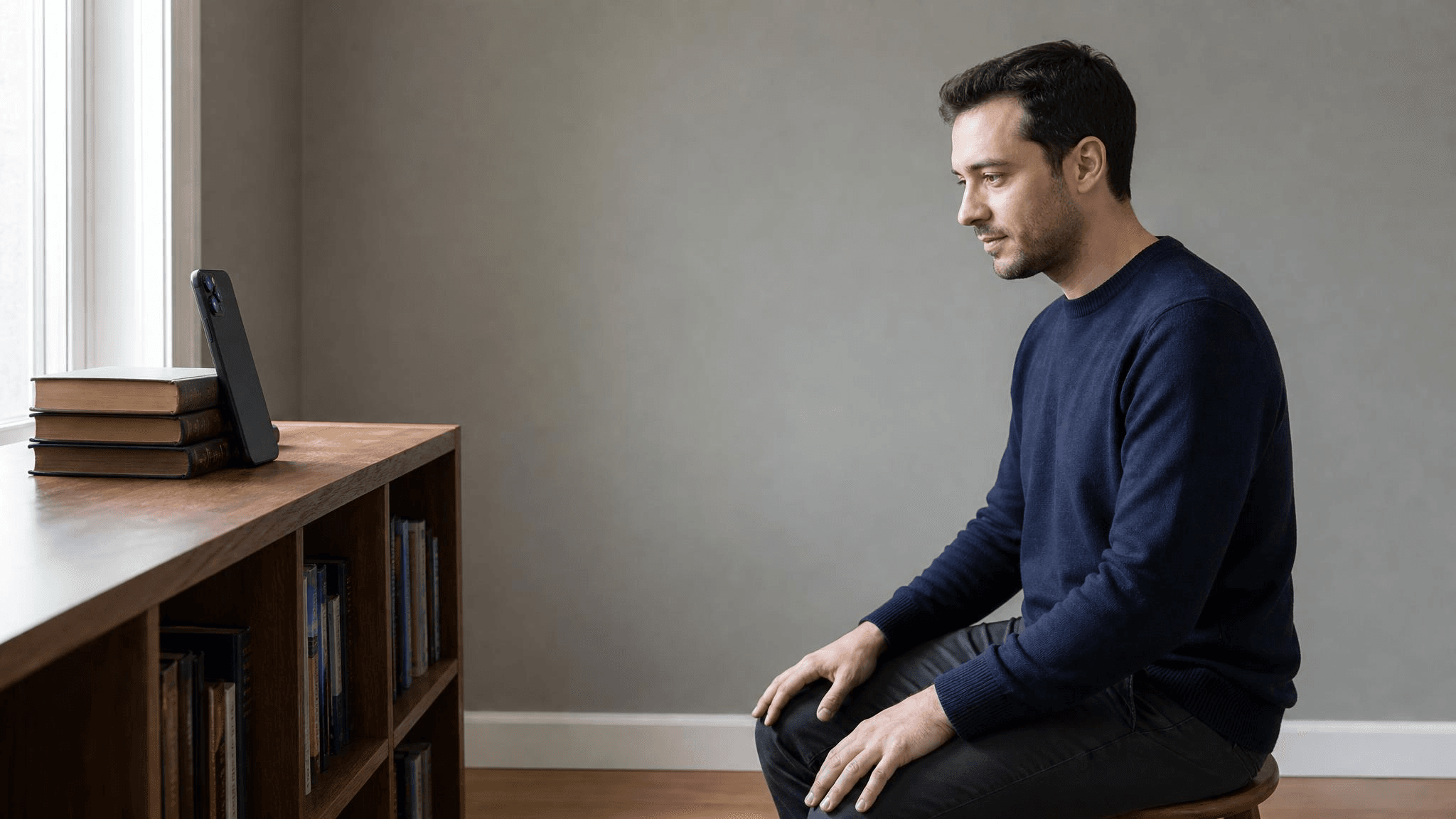
So remove the distance clue. Prop the phone on a shelf or a stack of books at eye level, switch to the rear camera, and use the self-timer. The rear camera is usually the sharper one: on an iPhone 16, Apple's spec sheet lists a 48MP main camera on the back against 12MP on the front. Stand or sit far enough back that your head and shoulders fill the frame without any zoom.
Put a plain wall behind you and a window off to one side, roughly 45 degrees from your face, so one cheek is brighter than the other and the face has shape. Portrait mode helps if the wall is cluttered. Angle the shoulders a quarter turn and bring the eyes back to the lens. Keep the phone at eye level. A high angle reads as a selfie on sight.
Draw one boundary, though. A professional-looking selfie and a professional headshot are different jobs. If the destination is a LinkedIn profile or a company page, the background, framing and crop rules change, and a dedicated conversion tool makes sense. Our breakdown of what an AI selfie to headshot run actually rewrites covers that path. For everything short of a headshot, the propped-phone method above is enough.
How to Make a Selfie Not Look Like a Selfie
Push the previous section one step further and you arrive at the request that gets its own search phrase: a selfie that does not look like one. There are two routes, and which one you take depends on what is already in your camera roll.
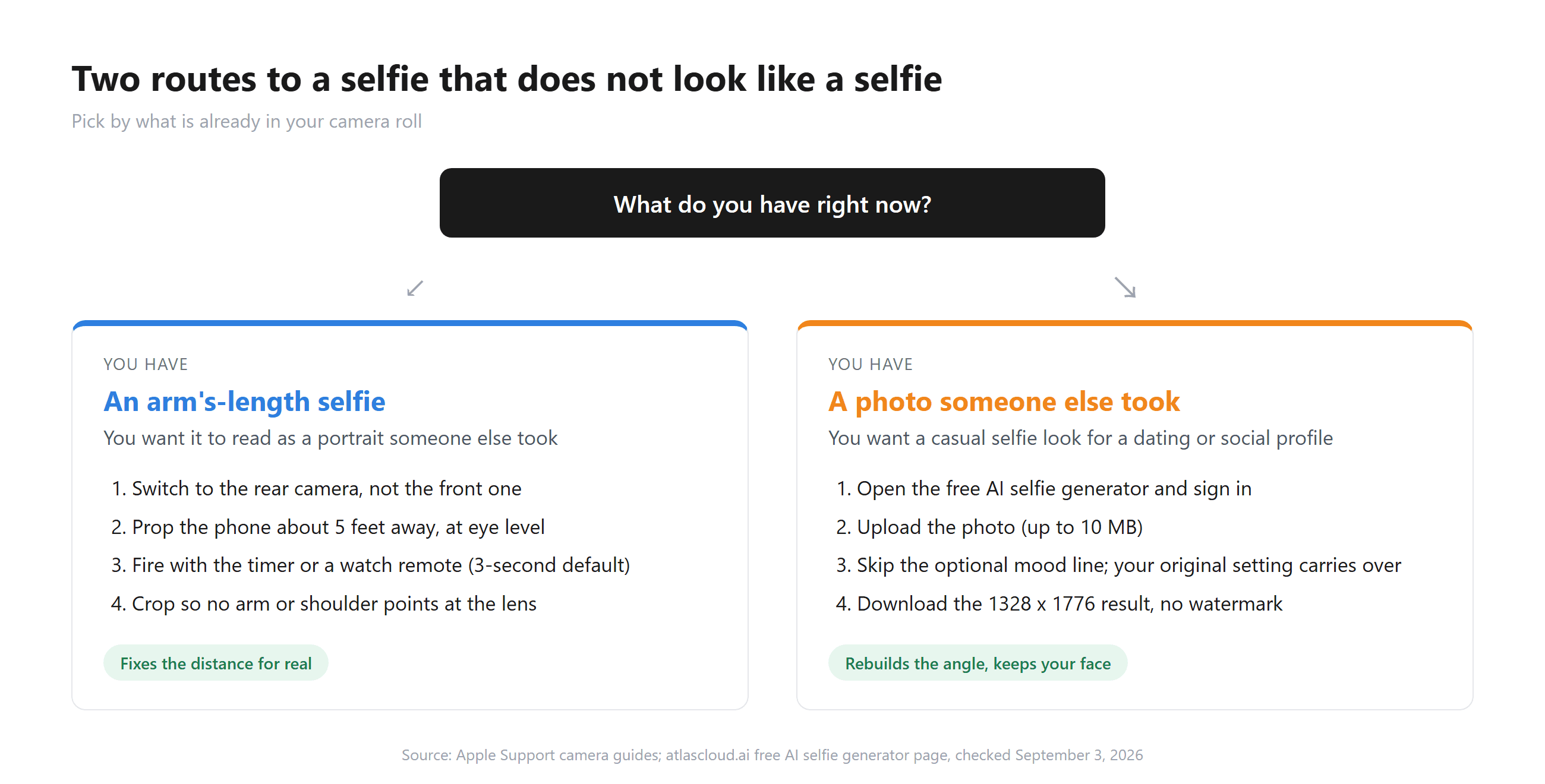
Route one takes the propped-phone setup from the last section to its logical end. Move the phone out to about 5 feet, the portrait distance from the Rutgers model, and use a trigger that keeps your hands out of the shot.
The self-timer works. So does an Apple Watch: Apple's Camera Remote guide says the watch acts as a viewfinder for the iPhone within normal Bluetooth range, about 33 feet, and fires with a 3-second timer by default. Then crop so no shoulder line points at the lens. This route removes the distance problem rather than disguising it.
Route two runs the other way, and selfie guides rarely mention it. You have a good photo someone else took, and you want it to read as a casual, in-the-moment selfie for a dating app or a story post. Upload it to the free AI selfie generator and let the model move the camera to the end of your arm. The room in the source photo comes along, so pick a photo whose setting already fits the story you want the selfie to tell.
The source photo was taken at portrait distance, so the proportions it carries into the selfie skipped the arm's-length widening. You solve the distance problem before the image exists.
Frequently Asked Questions
How do I make a selfie look good without editing?
Fix the capture instead of the file. Straighten the arm to buy distance, hold the phone a little above eye level, face a window, and shoot ten frames so you can pick the one with relaxed eyes. Turn on Mirror Front Camera so the saved photo matches the preview you approved.
Why does my face look different in selfies than in the mirror?
Two things happen at once. The saved selfie is the unflipped view of your face, which you rarely see because mirrors and camera previews both show the reversed version. And the phone sits at arm's length, where the 2018 JAMA Facial Plastic Surgery model puts the nasal base around 30 percent wider than at portrait distance. The mirror shows you from farther away than your arm ever can.
How to make selfies look professional for a dating app or LinkedIn?
For a dating app, the propped-phone setup above is enough. For LinkedIn the rules tighten around framing and background, and a headshot conversion is the better fit. Our ranking of the best free AI headshot generator options walks through what each free tier lets you download.
Is the free AI selfie generator really free?
The first generation on each eligible account is free after you sign in with Google, GitHub or email, and the download carries no watermark. Signing in is what ties the free run to you and files the result in your request history. The tools hub lists it under Limited Free Tools, where each eligible user gets one free trial, next to the headshot and aging photo tools.
Does the AI selfie generator keep my face?
The tool page states that your face and hairstyle carry straight into the result. In the official sample, the earrings, the black top, the hair parting and the restaurant behind her all survive the move from a three-quarter portrait to a front-facing selfie. Give it a well-lit photo of one person and you get the same person back at arm's length.
Conclusion
Nearly every selfie problem in this guide traces back to a phone held 12 inches from a face. The mirror flip is the exception, and one switch fixes it. Straightening the arm, raising the camera, dropping the chin and facing the window all either add distance or hide what distance does. Expression work sits on top of that, and the propped phone removes the problem outright.
Then there is the shortcut. When a photo you already like exists, you can stop asking how to make selfies from scratch and let the free AI selfie generator move the camera for you, keeping the face, hair and room from the original. Try the propped phone first if you enjoy the process. Try the upload if you have a photo and five minutes.





