A person or pet walks across a glowing path of marigold petals. Sometimes they stop, gather the flowers, and look back; sometimes the crossing becomes a small reunion story. The marigold bridge AI trend turns a remembrance photo into a short Día de Muertos video. Before making one, it helps to watch how different creators handle movement, expression, and the meaning of the crossing. The three published examples below lead into an original longer video made from an image reference and an Atlas Cloud video run.
Key takeaways
- The bridge is a visual interpretation of the marigold petal path used in Día de Muertos remembrance, rather than a single historical ritual with one fixed shot list.
- A strong short clip gives its subject a legible action and an emotional change, not just a moving background.
- A clear reference frame should establish the same face, clothing, bridge, and direction of travel that the video prompt later describes.
- Check the finished video frame by frame for identity drift, extra limbs, and petals or candles that change position between cuts.
Three published videos to study first
1. A person pauses on the bridge
In the first published clip, an older man steps onto a luminous marigold bridge, bends down, and gathers petals. His change of posture is the point: the clip moves from arrival to a quiet act of remembrance. The surrounding lanterns establish the setting without requiring a long introduction.
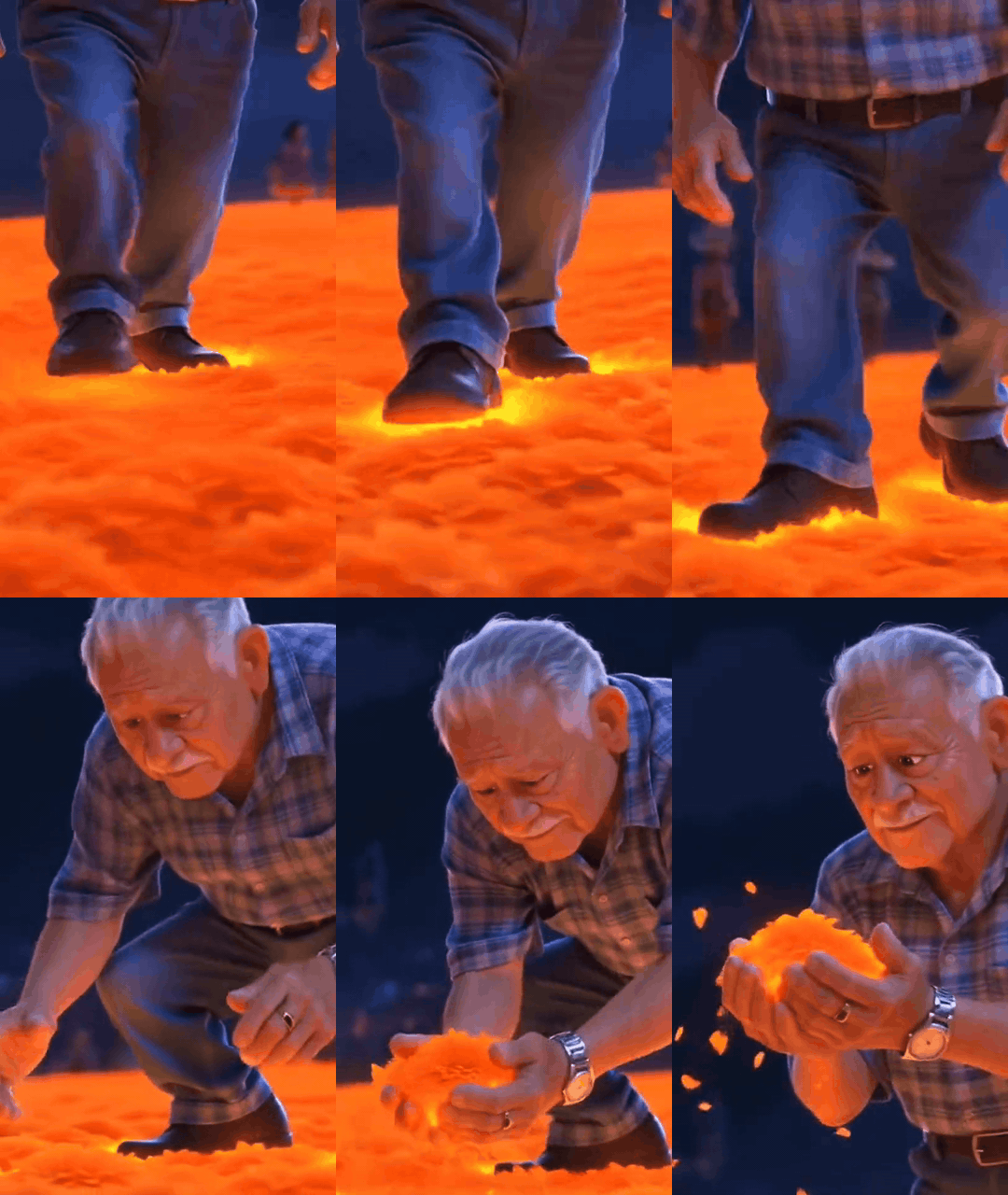
Published video excerpt. The GIF is silent and loops for comparison.
2. A pet reaches a symbolic checkpoint
The second published clip uses a different narrative device. A dog enters a glowing gate; a skeleton attendant checks a picture and gestures it onward. Its expressive pause and release give the pet a recognizable beginning, middle, and end. The checkpoint is a fictional visual device within the wider Día de Muertos AI trend, not a traditional ceremony.
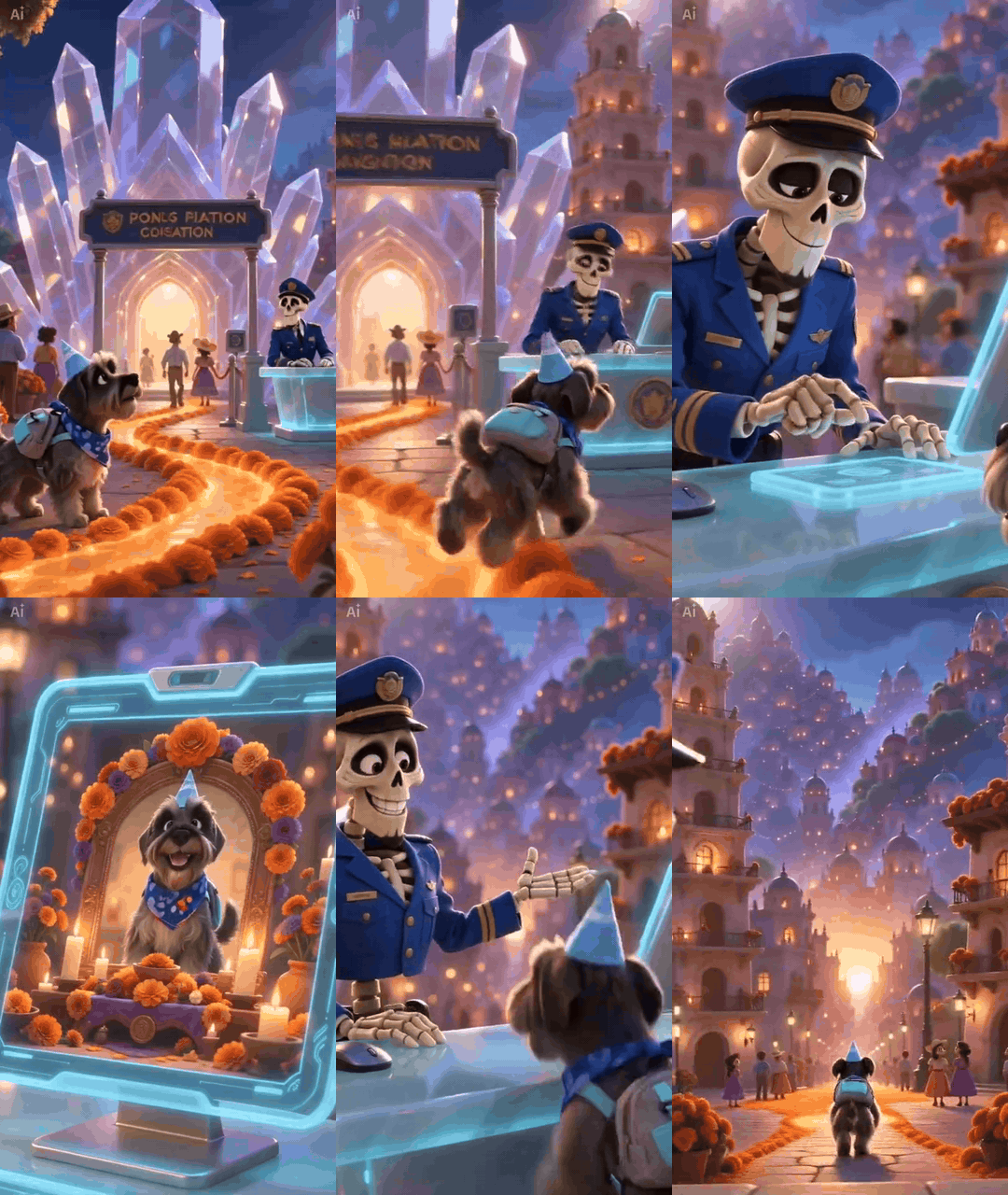
Published pet video excerpt. It shows the neighboring checkpoint variation rather than the flower bridge itself.
3. A dog crosses the flower bridge
In the third published clip, a dog moves along the marigold bridge toward the viewer. The animal remains the focal point while the petals, candles, and distant architecture supply context. This earlier pet version shows that the image was circulating before the recent person-focused template took off.
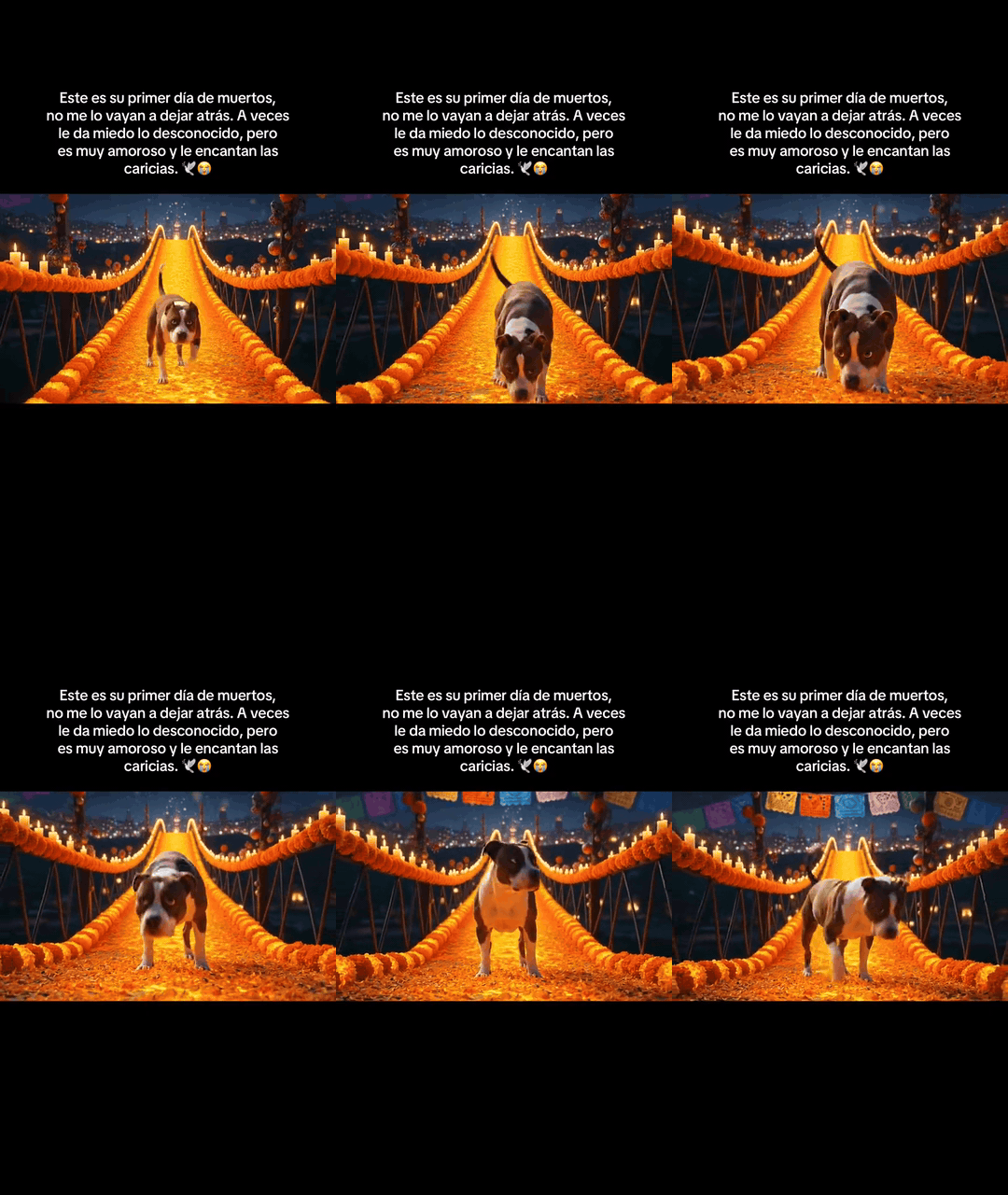
Published video excerpt. On-screen Spanish text belongs to the source clip.
These clips share a visual vocabulary, but they should not be collapsed into one alleged original. Pet memorial videos were being posted in 2025, while a person-crossing version circulated in October 2026. For the cultural context, the Smithsonian explains how cempasúchil petals make a path toward the family ofrenda. The magical bridge is also a memorable visual in Pixar's Coco. Neither source establishes a single inventor of the current AI video format.
Build an original memorial scene
The published examples suggest a practical structure: show the crossing, add one small physical action, then make the face carry the emotional turn. Our original concept uses a fictional older woman rather than the likeness of a real deceased person. She moves from cautious attention to recognition and a restrained smile. The setting keeps the marigold path, candles, papel picado, and a visible destination, so the viewer can understand where she is going.
Make the reference frame
Start in Seedream v5.0 Pro Text-to-Image on Atlas Cloud. A vertical full-body composition leaves space for walking and keeps the face large enough to read. We used this prompt for the reference image:
plaintext1Vertical 9:16 cinematic realism, a respectful original Day of the Dead memorial scene. One fictional Mexican woman around age 62, warm expressive brown eyes, delicate smile, silver-streaked dark braid, deep indigo embroidered rebozo shawl over a cream blouse and long rust-colored skirt. Full body, standing at the near entrance of a gently arched bridge entirely covered with golden marigold petals. Her face is clearly visible in a three-quarter view as she turns toward the path, one hand loosely holding a single marigold bloom. Rich layers of glowing candles in safe glass lanterns, papel picado banners, cempasuchil flower beds, warm twilight violet sky, distant courtyard beyond the bridge, soft depth and realistic hands. The bridge and both ends remain visible, with open path ahead for walking. Grounded human proportions, authentic petal texture, expressive but restrained face, luminous cinematic light, no skeletons, no text, no logos, no watermarks.
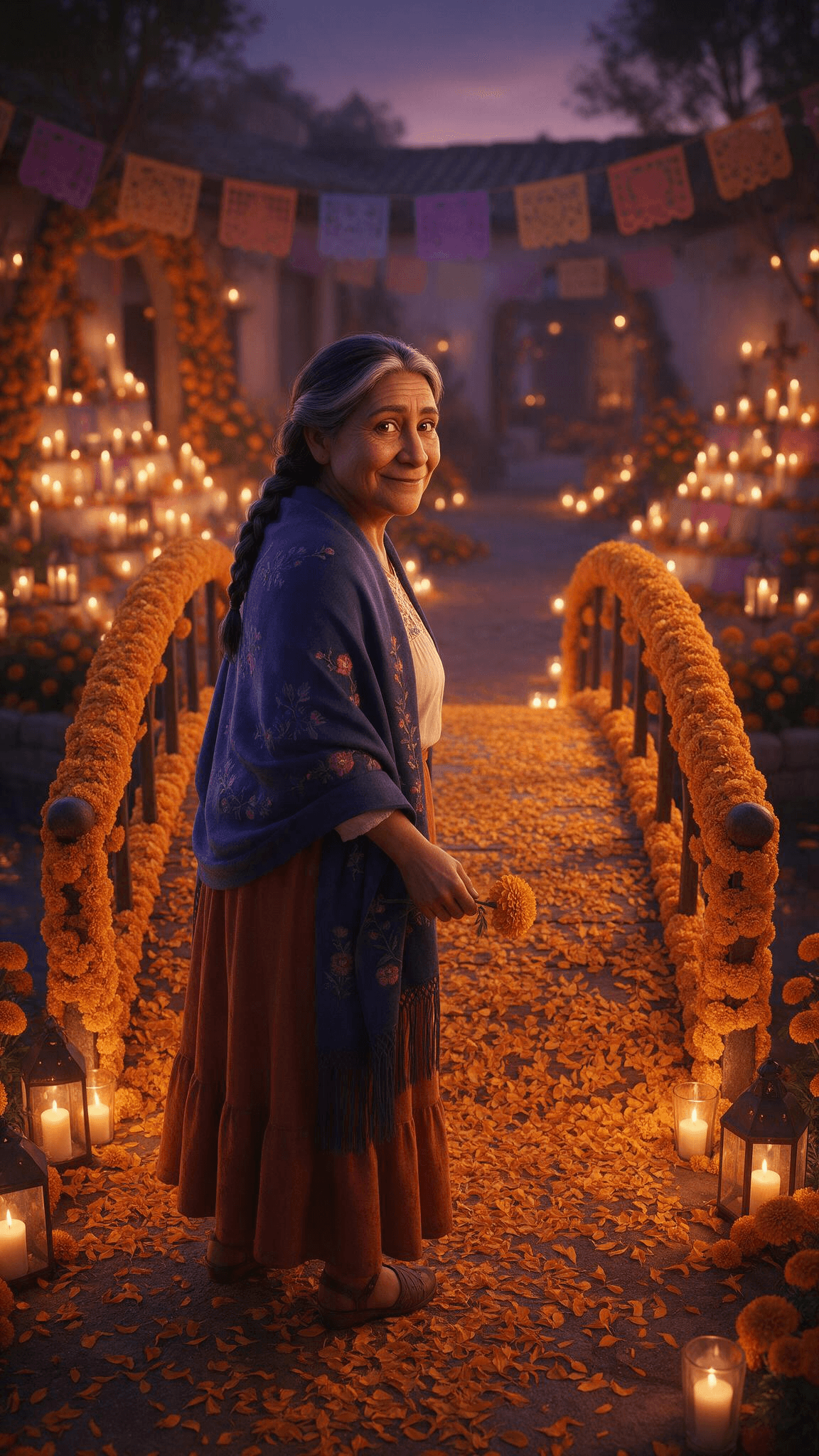
Our original 1152 × 2048 reference frame. The visible bridge rails, lanterns, clothing, and three-quarter face provide continuity anchors for the animation.
Animate the crossing
Upload the approved image to Seedance 2.5 Image-to-Video on Atlas Cloud. The model's documentation lists a 4–30 second duration range. The form's committed setting and the downloaded file determine the length of this actual example.
We used the reference as the first frame, selected 24 seconds, 720p, automatic aspect ratio from the vertical image, MP4 output, native audio on, and watermark off. The shot plan divides the available time into actions that can be checked in the result:
| Time | Visible action and expression | Camera and setting |
|---|---|---|
| 0–5 s | She looks toward the courtyard and steps onto the petal path, hesitant but curious. | Wide tracking view keeps the flower-covered rails visible. |
| 5–9 s | Her shawl shifts and she continues across. | Side view shows candles, papel picado, and moving petals. |
| 9–13 s | Her eyes glisten and her mouth relaxes in recognition. | A closer three-quarter view makes the facial change legible. |
| 13–18 s | She kneels, gathers a few petals, holds them close, and releases them. | The hand action recalls the first published example without copying its shot. |
| 18–24 s | She rises, turns back with a restrained smile and nod, then approaches the courtyard. | A wider ending restores the destination and closes the small story. |
The video prompt keeps the character and bridge fixed while giving the model several viewpoints to render. It also requests an original quiet soundtrack without dialogue or on-screen lettering:
plaintext1Animate the supplied first frame into a 24-second vertical 9:16 cinematic remembrance film. The same fictional older Mexican woman, silver-streaked dark braid, expressive brown eyes, indigo embroidered rebozo shawl, cream blouse, rust skirt, and single marigold remains recognizable in every shot. Keep the same gently arched marigold bridge, lanterns, papel picado, violet twilight, and courtyard. 0-5 seconds: she looks from the camera toward the courtyard, takes three measured steps onto the petal bridge, her face cautious and reflective; tracking wide shot with visible flower rails. 5-9 seconds: side tracking medium shot as she walks, shawl moves in a light breeze, candles flicker and loose petals lift naturally. 9-13 seconds: a close three-quarter view catches a brief wistful pause; her eyes glisten, her mouth softens, and she notices the single flower in her hand. 13-18 seconds: she kneels by the rail, gathers a few petals with natural fingers, holds them near her heart, then releases them into the breeze. 18-24 seconds: she stands near the courtyard end, turns her face back toward the viewer, gives a warm restrained smile and a small nod, then walks toward the candlelit courtyard. Clear emotional progression from hesitant to tender to peaceful. Smooth motivated camera changes, no simple push-in, consistent face and hands, realistic petal physics and lighting. Original quiet acoustic guitar and soft night ambience, no dialogue, no recognizable song, no subtitles, no text, no logos, no watermark, no extra people or duplicated limbs.
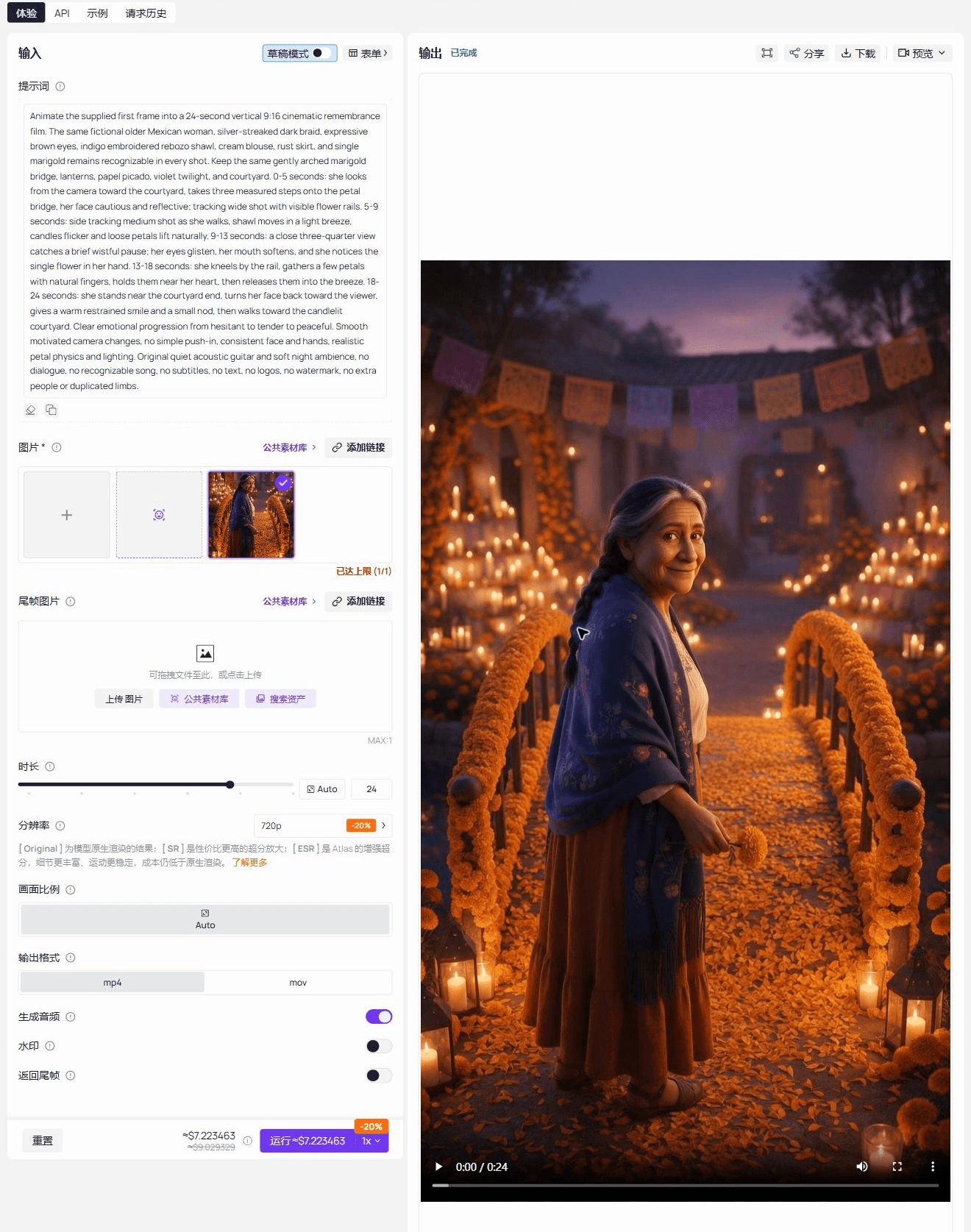
The original completed Atlas Cloud playground. The input panel shows the written prompt, selected reference image, 24-second duration, and 720p setting; the output panel shows the generated video. This is a single crop from the real page capture, not a composite of separate screenshots.
Watch the finished 24-second video
Our original 24.064-second, 720 × 1280 video made from the reference frame above. The MP4 retains its generated audio track; use the player for the complete sequence rather than judging it from the poster.
The result does not hit every requested second exactly. It opens on the bridge, follows her steps toward the courtyard, cuts closer to a worried, glistening-eyed expression, then shows her touching the flower-covered rail. Near 20 seconds, she looks back with a gentle smile; the final shot lets her turn toward the lights. The face, braid, shawl, rust skirt, and bridge remain recognizable across those viewpoints. The changes in distance and action give the 24 seconds a small story instead of stretching one camera move. The flower-handling gesture is softer than the prompt's explicit petal release, so this is better described as a moment of touch and remembrance than as a precise imitation of the published clip.
Make the tribute personal without losing the story
If you use a real person's or pet's photo, choose one you have permission to use. A clearly visible face, natural light, and enough body detail help you check continuity. Show the finished clip to the family before sharing it publicly: the generated scene is a creative remembrance, not a record of an event. Keep names, dates, and dedications in the video editor if they must be exact, because generated lettering can change from frame to frame.
Frequently asked questions
What is the original marigold bridge AI video?
There is no verified single original for every version. The older pet memorial posts and the newer person-on-the-bridge template are related but separate strands. The first GIF above shows a person crossing; the third shows an earlier pet crossing.
Can one photo make a video longer than 20 seconds?
Yes, if the selected video model and form support that duration. Plan several distinct actions and review the entire result. Extra seconds are useful only when the character and setting remain coherent.
Should the source videos be reused in a new generation?
Use them to study timing and visual structure. Build the actual tribute from your own permitted photo or original character image, and write an original motion prompt.





