You do not worry about MiniMax H3 after the perfect clip lands. You worry before pressing Run, when the page says 2K, 10 seconds, native audio, and you do not know whether a failed render burns the money anyway.
This guide answers minimax h3 billing and refunds from the operator view: what usually gets charged, what normally gets released, what evidence to save, and how to run a first test without turning a small creative question into a surprise bill.
For this guide, the cleanest path is to run H3 through Atlas Cloud, where pay-as-you-go model pages keep the rate, settings, and billing record visible. The point is not to sell you a plan. The point is to make your first H3 run auditable.
Key takeaways
- H3 video cost usually follows output seconds and resolution.
- A completed output is normally billable.
- Failed provider tasks should release the reserved amount.
- Subjective quality issues are weak refund cases.
- Start with one short 768P run before scaling.
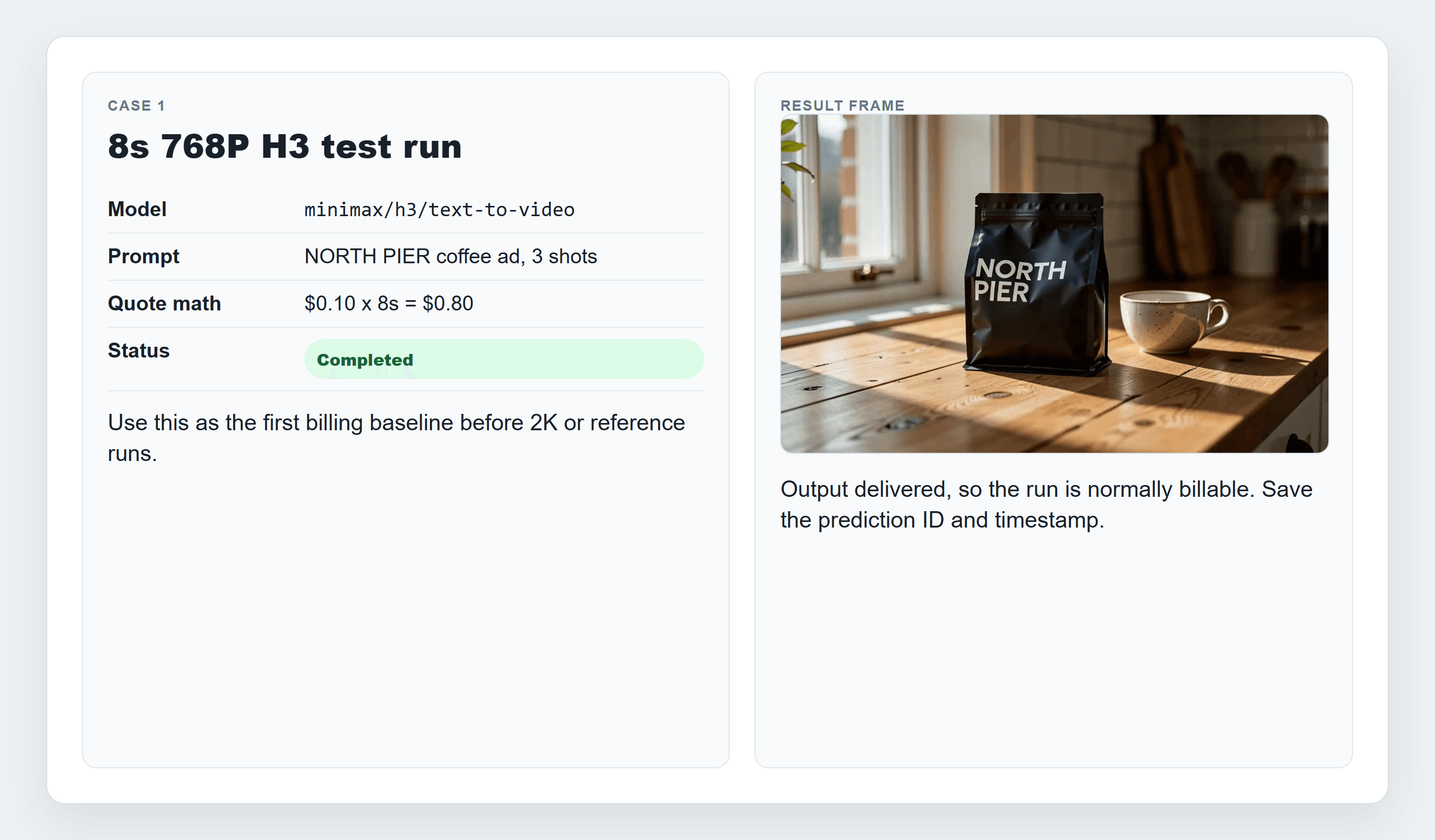
MiniMax H3 billing and refunds showcase card for an 8-second 768P coffee test
MiniMax H3 billing example for a first 8-second 768P test run.

MiniMax H3 768P coffee product test shown as a silent GIF
The successful test output is shown as a silent GIF ; the delivered H3 file may include native audio when the run supports it.
Why MiniMax H3 Billing and Refunds Feels Confusing in 2026
MiniMax H3 is not just one checkout page. Search results mix the official Hailuo app, open weights, hosted model pages, unofficial generators, credit packs, and subscription pages. A creator can read 5 pricing pages and still miss the only question that matters before production: what exactly will this platform charge for this run?
MiniMax describes H3 as a multimodal video model that can use text, images, video, and audio context, with native stereo audio and output up to 15 seconds at 2K resolution (MiniMax H3 launch, July 2026). The open-source announcement also lists a 4 to 15 second output range, broad aspect ratios, and reference rules that matter for billing disputes (MiniMax H3 open source, August 2026).
The refund language changes by platform. Hailuo AI payment terms say failed video generations or content-review blocks automatically refund consumed credits, while paid subscription cancellation takes effect at the next billing cycle and does not refund payments already made (Hailuo AI payment terms, July 2025). Atlas Cloud’s billing docs use a pay-as-you-go balance model: successful results are charged, failed image, video, and audio tasks release the reserved amount, and top-ups are final.
Keep 3 words separate:
| Concept | What it means | Practical result |
|---|---|---|
| Cash refund | Money goes back to the payment method | Harder, usually tied to payment errors or policy rights |
| Credit refund | Credits return inside the platform | Common for failed or blocked tasks on credit systems |
| Reserved balance release | A temporary hold returns after failure | Common for async model runs that never completed |
That distinction saves time. A failed validation is usually a balance-release question. A duplicate charge is a billing-support question. A clip that completed but feels off is usually a prompt and settings question.
MiniMax H3 Billing and Refunds Workflow Overview With Model Prices
As of August 25, 2026, Atlas Cloud models/all lists MiniMax H3 Text-to-Video, Image-to-Video, and Reference-to-Video at From $0.1/SEC, with no discount label visible in the model list. Check the detail page before running because resolution, duration, account discounts, and future price changes can affect the final quote.
Table 1: MiniMax H3 billing paths on Atlas Cloud
| Workflow | Atlas model | Input | Best use | Price unit | Current listed price | Refund risk note |
|---|---|---|---|---|---|---|
| Text-to-video | minimax/h3/text-to-video | Prompt only | First creative draft and budget test | Per output second | From $0.1/SEC | Low refund chance after a completed output |
| Image-to-video | minimax/h3/image-to-video | First frame, optional last frame | Animate a locked starting visual | Per output second | From $0.1/SEC | Bad prompt fit is usually not a billing error |
| Reference-to-video | minimax/h3/reference-to-video | Reference image plus prompt | Product or character consistency | Per output second | From $0.1/SEC | Reference imperfection is not automatic refund proof |
Use the workflow like a small billing SOP:
- Pick the endpoint before adding media.
- Set duration and resolution before estimating cost.
- Run one clip, not a batch.
- Save prediction ID, timestamp, settings, status, and output URL.
- Check billing history before contacting support.
Step 1: Open MiniMax H3 Billing and Refunds With a First 768P Cost Estimate
Start with the lowest-risk useful clip. Open MiniMax H3 Text-to-Video on Atlas Cloud, paste one clean product prompt, and choose a short 768P run. This gives you a real cost baseline before you try 2K or references.
Use this exact prompt:
Plain1Create an 8-second 16:9 product video for a small independent coffee brand called NORTH PIER. Start with a realistic tabletop packshot of a matte black coffee bag beside a ceramic cup. Cut to a close shot of coffee being poured with visible steam. End on the same coffee bag centered on the table with soft morning window light. Natural handheld camera, warm kitchen ambience, subtle native stereo sound of pouring coffee and room tone. Keep text minimal and legible: NORTH PIER only.
Settings to pick:
| Setting | Value |
|---|---|
| Resolution | 768P |
| Duration | 8s |
| Aspect ratio | 16:09 |
| Audio | Native audio on if available |
| Run count | 1 only |
If the page lists From $0.1/SEC and the 768P estimate uses that base rate, the visible mental math is simple: $0.10 x 8 seconds = $0.80 before any account-specific adjustment. Treat the on-page quote and final billing record as authoritative.
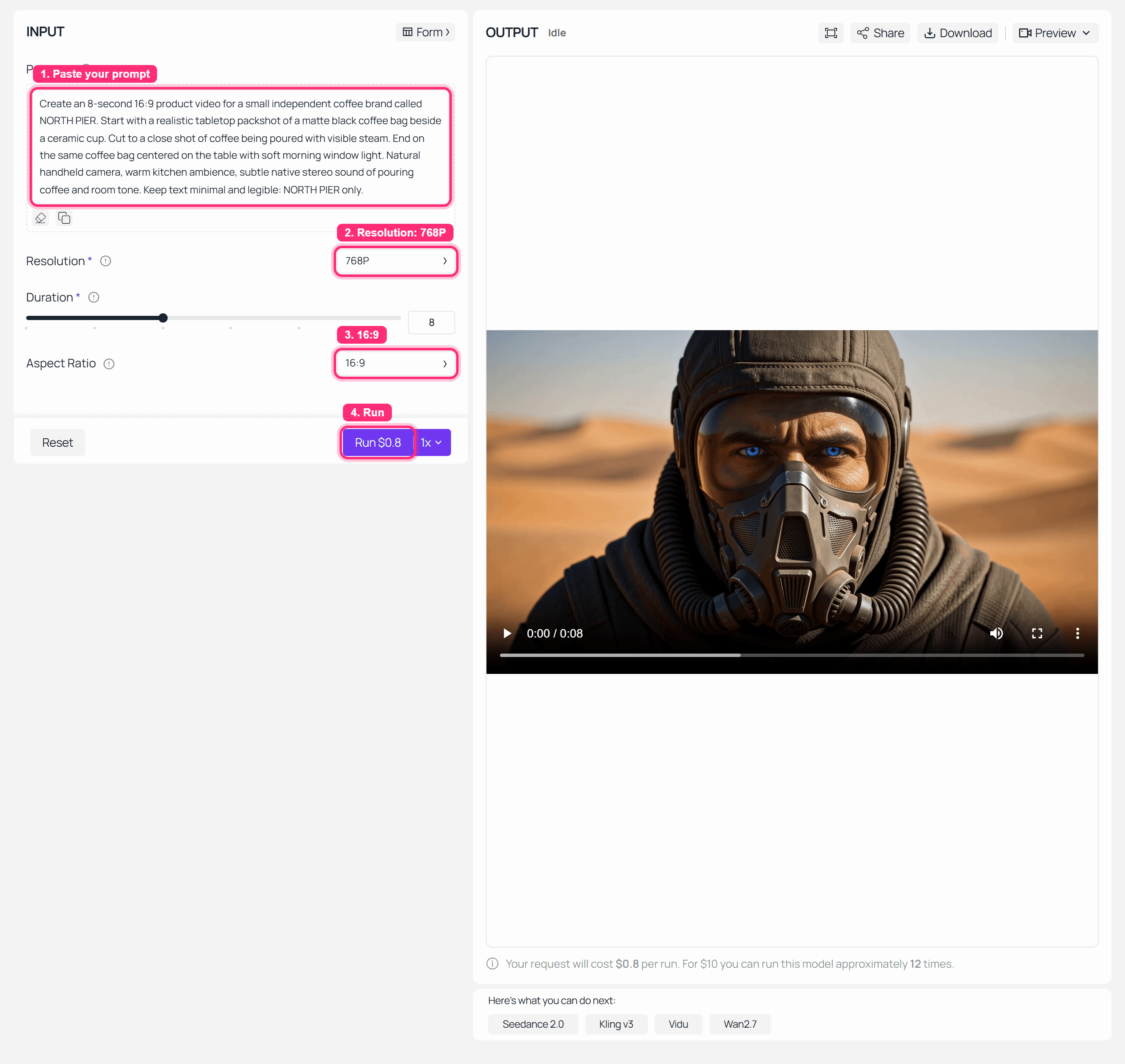
MiniMax H3 billing and refunds Step 1 cost estimate screenshot
MiniMax H3 Text-to-Video cost estimate before pressing Run.
Step 2: Run the MiniMax H3 Billing Test and Save the Completed Output
Run the exact Step 1 prompt once. Do not open 5 variations yet. Wait for the completed state, then save the prediction ID or request ID, the timestamp, and the output file. This is the first proof point for MiniMax H3 billing and refunds because it ties one creative decision to one billing event.
Use this exact prompt:
Plain1Create an 8-second 16:9 product video for a small independent coffee brand called NORTH PIER. Start with a realistic tabletop packshot of a matte black coffee bag beside a ceramic cup. Cut to a close shot of coffee being poured with visible steam. End on the same coffee bag centered on the table with soft morning window light. Natural handheld camera, warm kitchen ambience, subtle native stereo sound of pouring coffee and room tone. Keep text minimal and legible: NORTH PIER only.
Settings to pick:
| Setting | Value |
|---|---|
| Resolution | 768P |
| Duration | 8s |
| Aspect ratio | 16:09 |
| Audio | Native audio on if available |
| Output handling | Download the result, then convert to GIF for article review if audio is not the point |
The completed output normally settles the charge. If you wanted a colder color grade or a different cup, that is feedback for the next prompt. It is usually not a refund argument.
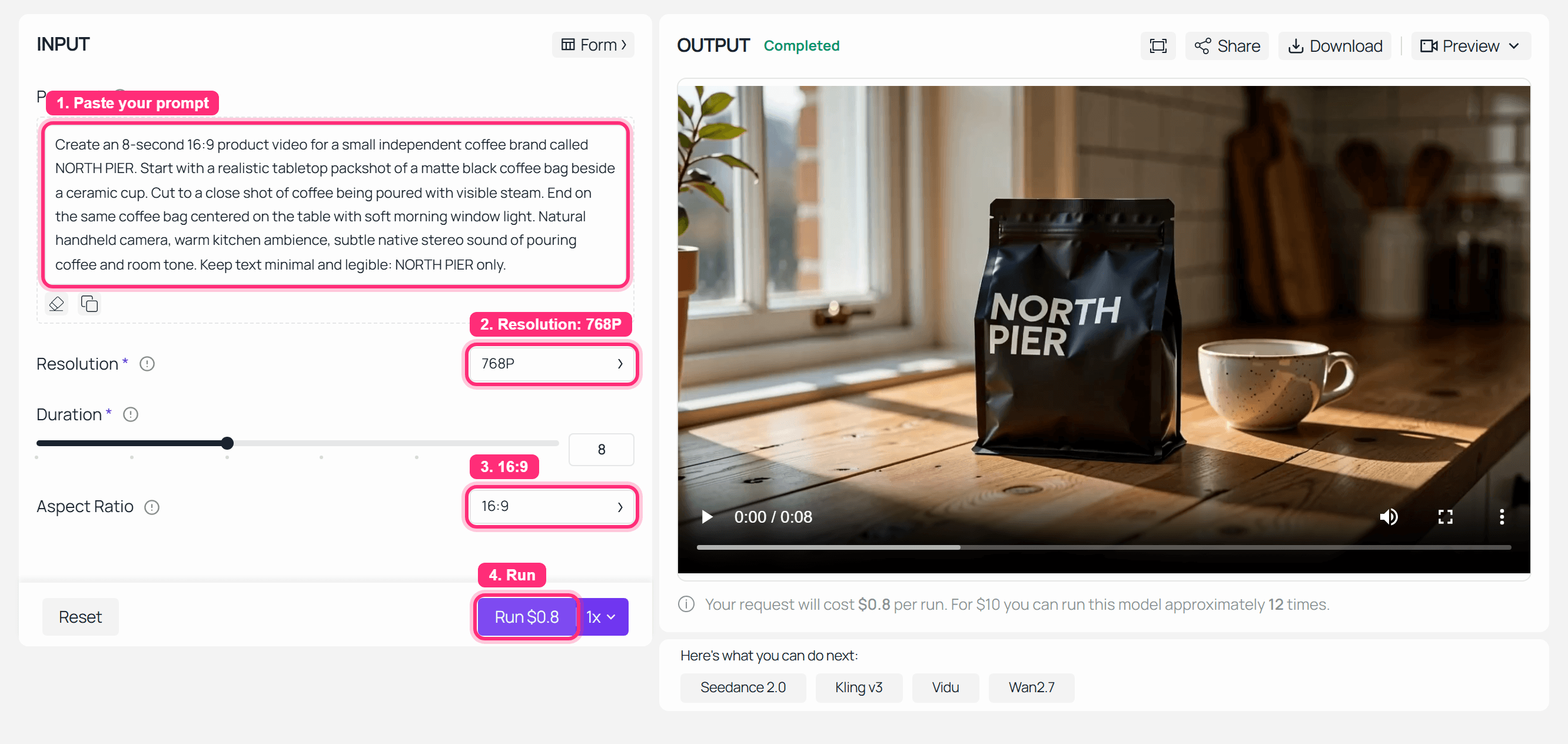
MiniMax H3 billing and refunds Step 2 completed run screenshot
Completed MiniMax H3 Text-to-Video run used for the first billing example.
The longer coffee-shop review clip below gives the billing check a second visual reference point: it shows the kind of finished footage you should archive beside the prediction ID, settings, timestamp, and charge record. Use a clip like this as refund evidence only when it matches the actual MiniMax H3 task record. A pretty output without the matching billing metadata is just creative review material.
Longer coffee-shop review clip to archive beside the MiniMax H3 billing record.
Step 3: Check MiniMax H3 Billing History After the Successful Run
Open billing or usage history after the run completes. Match the event by model name, approximate time, resolution, duration, and prediction ID. A successful run should have a settled charge or visible usage line. If your account shows a temporary hold first, wait for the async task to reach a final state before assuming there is a problem.
Use this exact checklist before you ask for a refund:
Plain1Before you ask for a refund, collect: model name, prediction ID, run time, settings, status, deducted amount, and whether an output URL was delivered.
Settings to verify:
| Field | What to record |
|---|---|
| Model | minimax/h3/text-to-video |
| Resolution and duration | 768P, 8s |
| Status | Completed |
| Charge | Amount shown in billing history |
| Output | URL or downloaded file present |
For a completed output, ask support for a billing review only if the amount does not match the quoted settings, the task appears twice, or the output never delivered despite a successful charge.
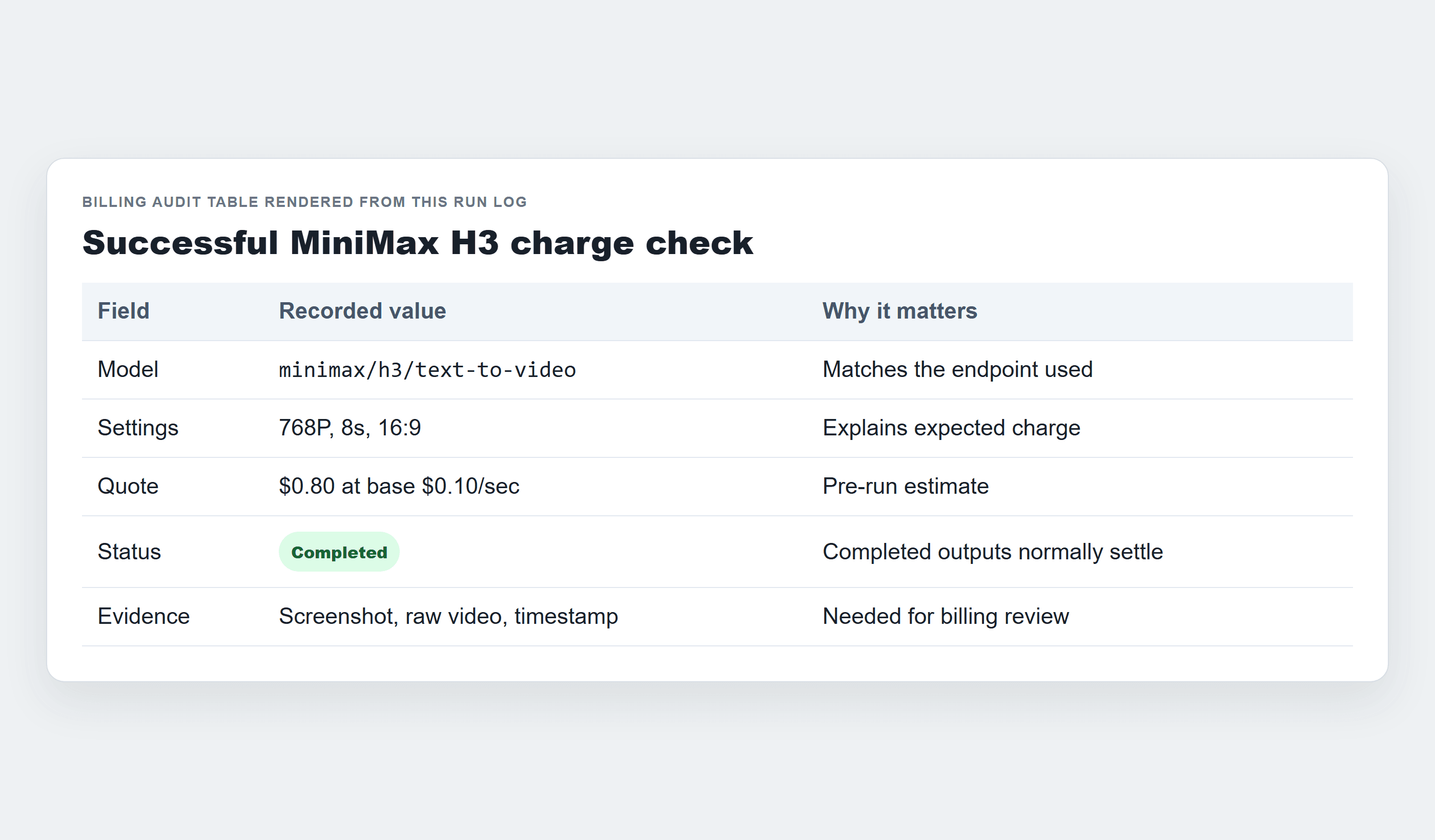
MiniMax H3 billing and refunds Step 3 billing history success table
Billing history evidence for a successful MiniMax H3 test run.
Step 4: Run the MiniMax H3 Billing and Refunds 2K Reference Ad Case
Move to 2K only when identity matters enough to justify the higher estimate. A product launch ad, a fashion accessory shot, or a talent reference test is a better 2K candidate than a throwaway draft. For this case, open MiniMax H3 Reference-to-Video and use 2 reference images: one product packshot and one style or talent frame.
Use this exact prompt:
Plain1Create a 10-second 16:9 premium product ad for the referenced black ceramic travel mug. Keep the mug shape, matte texture, lid design, and logo placement consistent in every shot. Scene 1: a commuter places the mug beside a laptop on a train table. Scene 2: close-up of steam rising as the lid opens. Scene 3: the mug sits in a clean desk setup while morning sunlight moves across the surface. Use polished but realistic commercial lighting, smooth match cuts, subtle train ambience, soft desk room tone, no extra text except the existing logo on the mug.
Settings to pick:
| Setting | Value |
|---|---|
| Resolution | 2K if the detail page and quote confirm it |
| Duration | Request 10s, then verify the delivered file duration |
| Aspect ratio | 16:09 |
| References | 2 images |
| Audio | Native audio on if available |
Reference files are not refund insurance. They guide the run, but a completed output with imperfect logo lock or product geometry is usually a creative-quality issue unless the platform ignored required inputs or charged settings that did not commit. In this operated run, the 2K setting committed and the delivered file was 8 seconds, so the billing audit should use the delivered output record instead of the requested duration alone.
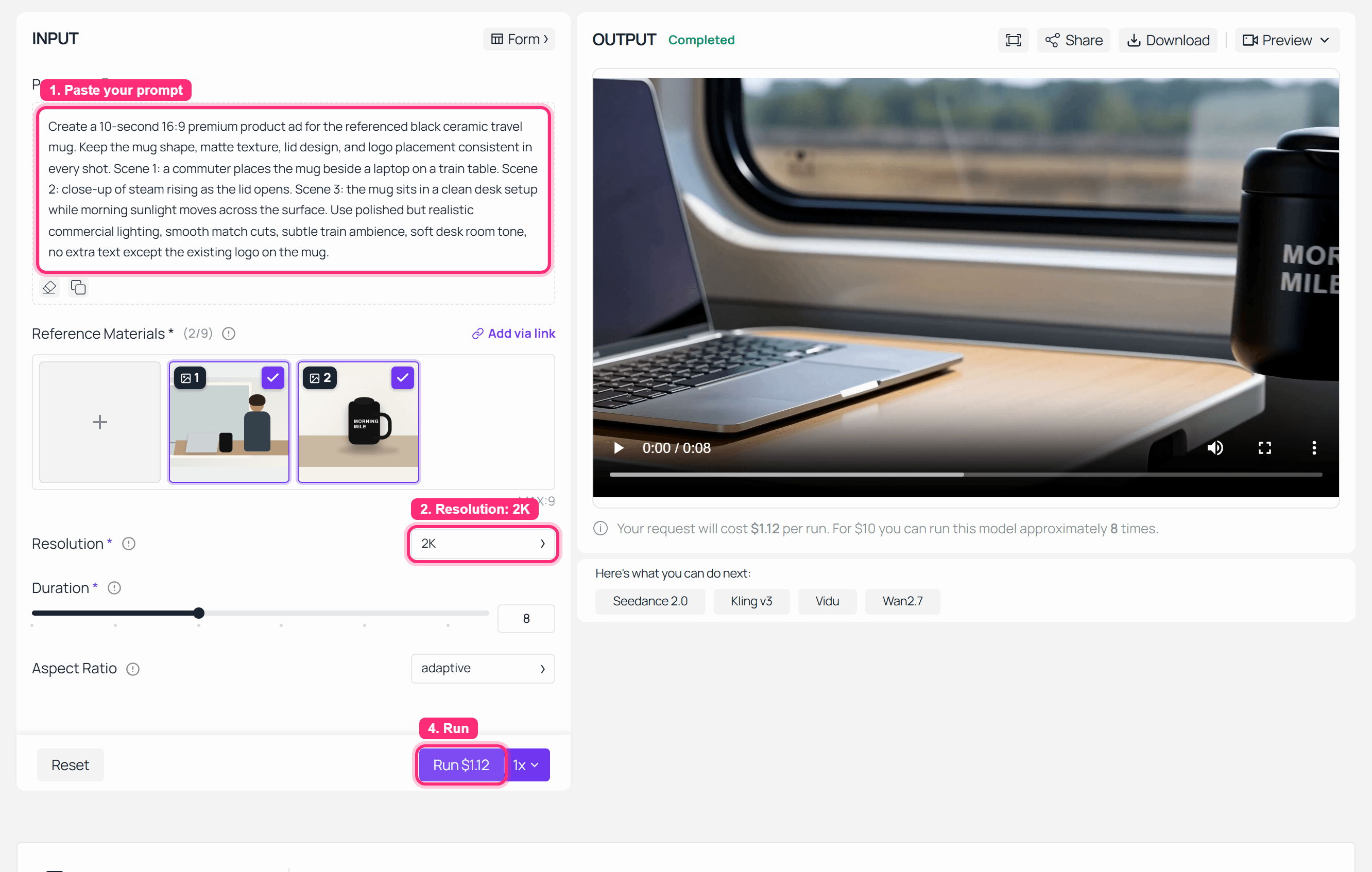
MiniMax H3 billing and refunds Step 4 reference-to-video completed screenshot
Completed MiniMax H3 Reference-to-Video run for the 2K product ad case, with the delivered file verified at 8 seconds.
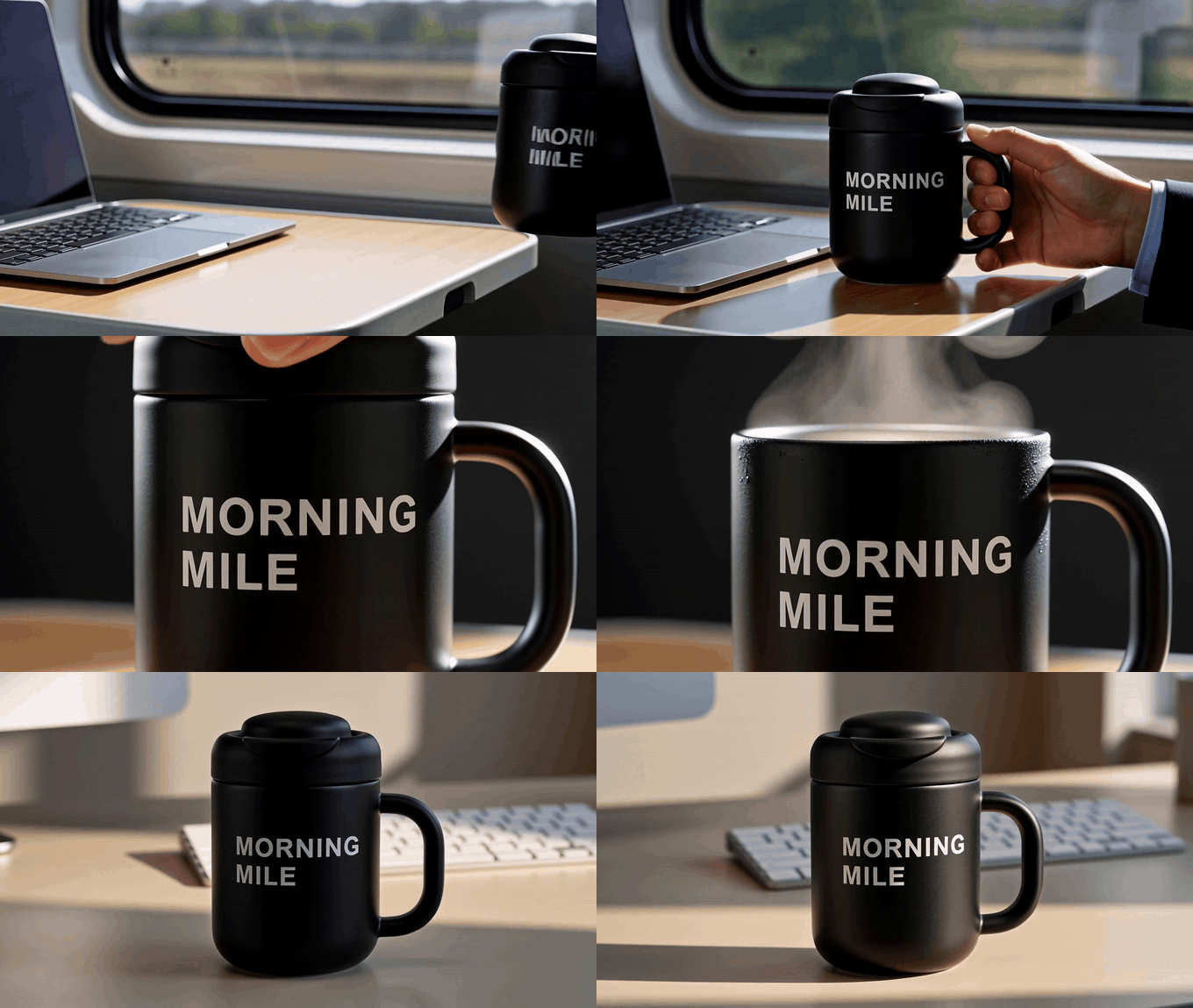
MiniMax H3 2K reference product ad silent GIF
The 2K reference ad result is shown as an 8-second silent GIF so the motion can be reviewed in place.
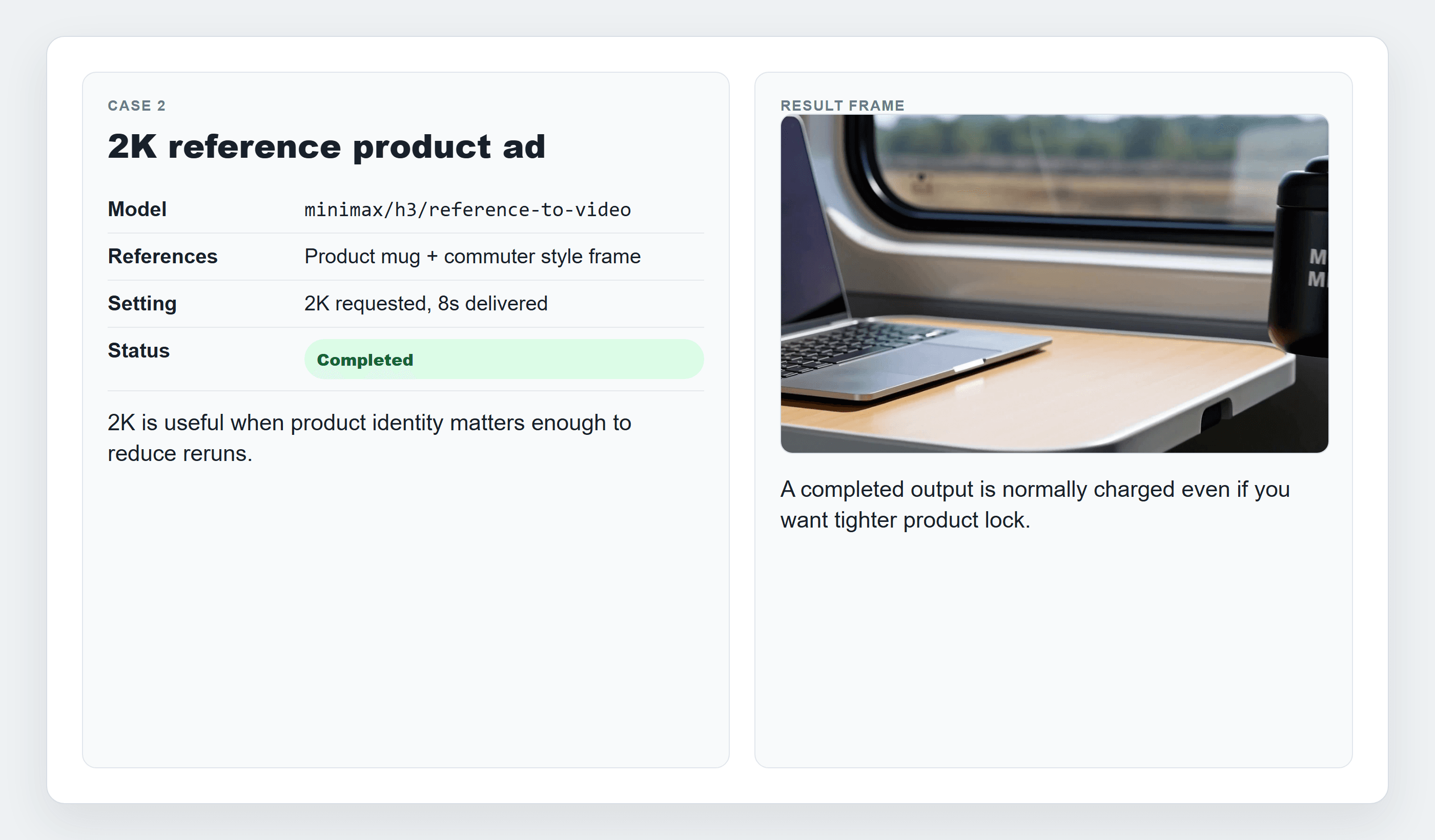
MiniMax H3 billing and refunds 2K reference billing decision card
2K can reduce reruns when product identity matters, but it does not make every creative mismatch refundable.
Step 5: Test a Failed MiniMax H3 Reference Request Before Assuming Refund Eligibility
A failed task is the cleanest way to understand the difference between a refund and a release. MiniMax’s open-source notes say audio cannot be the sole input reference for certain H3 reference workflows. Use a deliberately invalid audio-only reference request only if you are prepared for it to fail and you want to verify how your platform handles the billing state.
Use this exact prompt:
Plain1Use the reference audio as the full mood and pacing guide. Generate a 5-second 16:9 video of a quiet studio desk at night with soft keyboard clicks and a low synth bed.
Settings to pick:
| Setting | Value |
|---|---|
| Model | minimax/h3/reference-to-video |
| Resolution | 768P |
| Duration | 5s |
| Aspect ratio | 16:09 |
| Reference | Audio only |
| Expected result | Failure or rejection because audio cannot be the sole reference input |
If the task fails due to platform or provider validation, Atlas Cloud billing docs say failed tasks are not charged and the reserved balance is released. If the task completes but the style is wrong, treat it as a new prompt iteration.
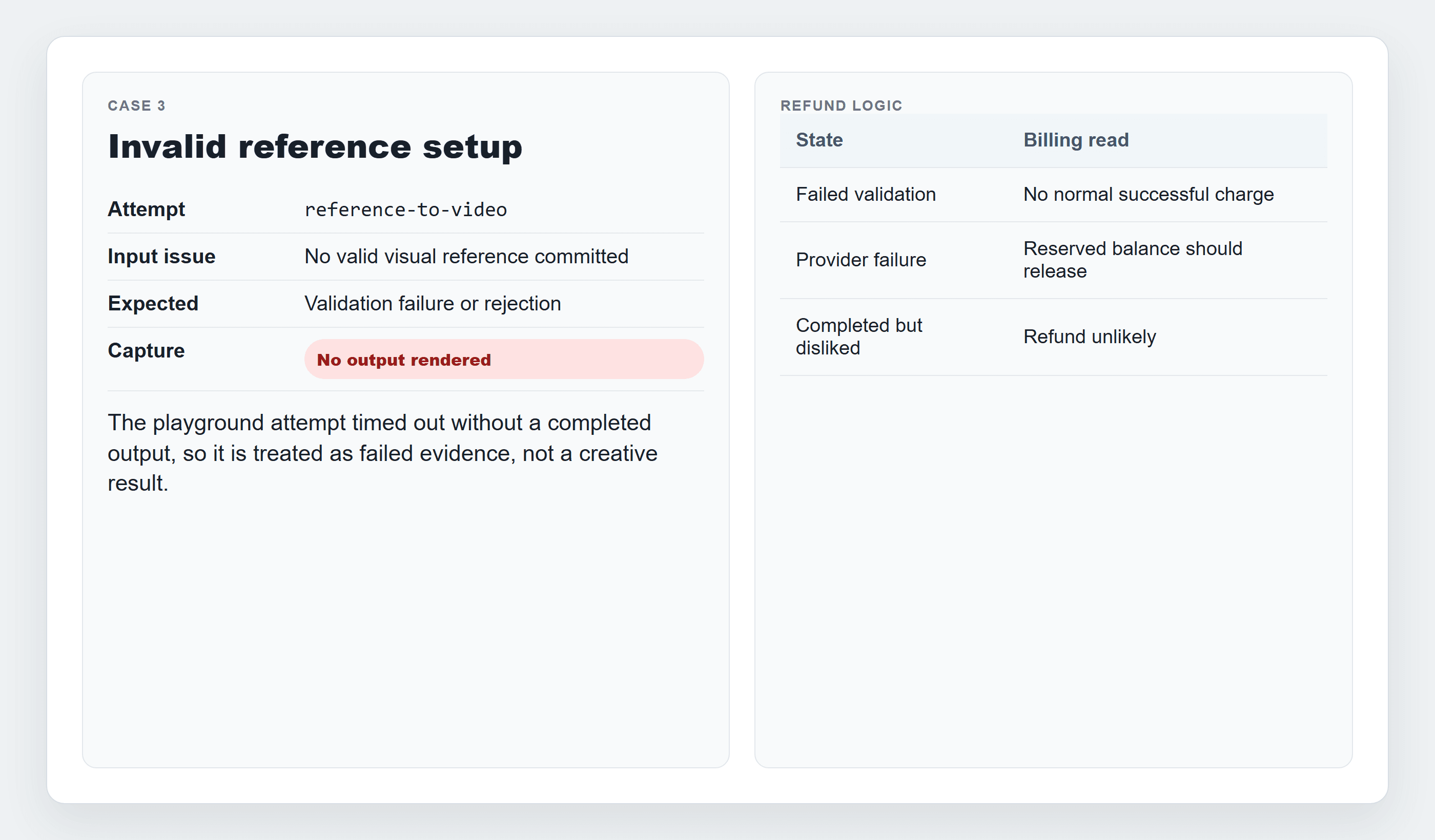
MiniMax H3 billing and refunds Step 5 failed audio-only request screenshot
Failed MiniMax H3 Reference-to-Video request using audio as the only reference input.
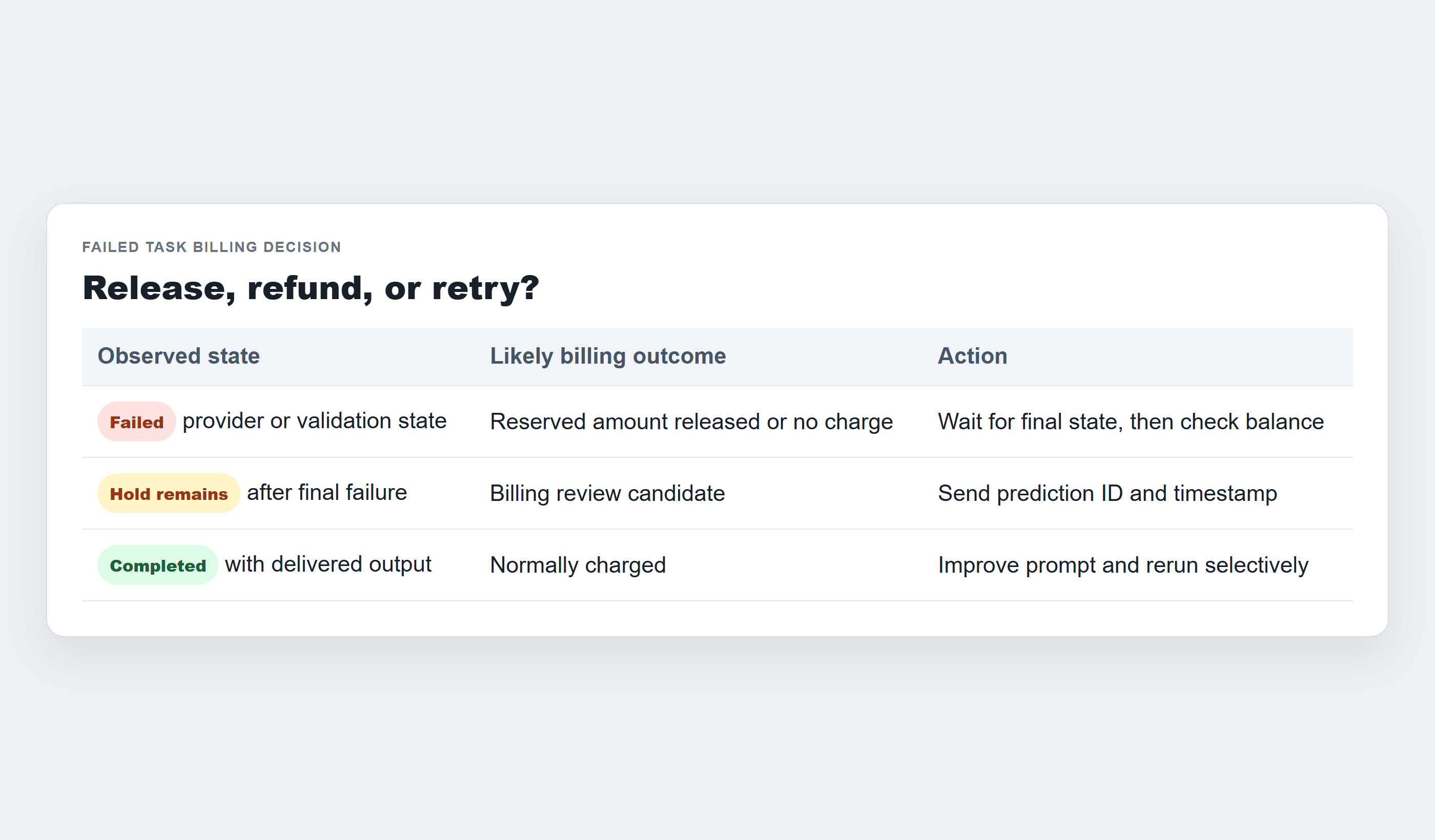
MiniMax H3 billing and refunds failed task billing release card
Billing decision card showing why a failed task is handled as a release or no-charge event, not a normal cash refund.
Step 6: Turn the MiniMax H3 Billing Evidence Into a Refund Request
Use support only when the evidence points to a billing defect: duplicate charge, failed task charged, missing credits, missing output after a successful charge, or a visible mismatch between committed settings and billed usage. Do not start with a chargeback. Give support the records that let them find the task.
Use this exact support template:
Plain1Subject: Billing review request for MiniMax H3 prediction [prediction_id] 2 3Account email: 4Model: 5Prediction ID: 6Approximate run time: 7Resolution and duration: 8Expected charge: 9Observed charge: 10Final status: 11Output delivered? Yes/No 12Issue: 13Screenshots attached:
Settings to attach:
| Evidence | Why it matters |
|---|---|
| Prediction ID or request ID | Lets support find the exact run |
| Timestamp | Helps match billing events |
| Model and endpoint | Separates text-to-video from reference-to-video |
| Resolution and duration | Explains the expected cost |
| Status screenshot | Shows completed, failed, or rejected state |
| Billing screenshot | Shows charged, released, or missing amount |
For Atlas Cloud, send the prediction ID and approximate time to billing support. For official Hailuo subscription issues, the payment channel and Hailuo policy control the outcome.
MiniMax H3 Billing and Refunds Variations Worth Knowing
Use 768P drafts before 2K finals. This is the simplest cost-control pattern because creative direction mistakes are cheaper at draft resolution.
Choose the endpoint before running. Text-to-video is good for idea discovery, image-to-video is better when a first frame is locked, and reference-to-video makes sense when the product or person must stay recognizable.
Do not treat reference files as a refund clause. If the model uses a reference imperfectly but produces a complete clip, your stronger move is to tighten the prompt, lower the run count, and rerun only the best candidate.
Occasional users should pay attention to renewal risk. A pay-as-you-go model page fits teams that want to test MiniMax H3 without starting a subscription.
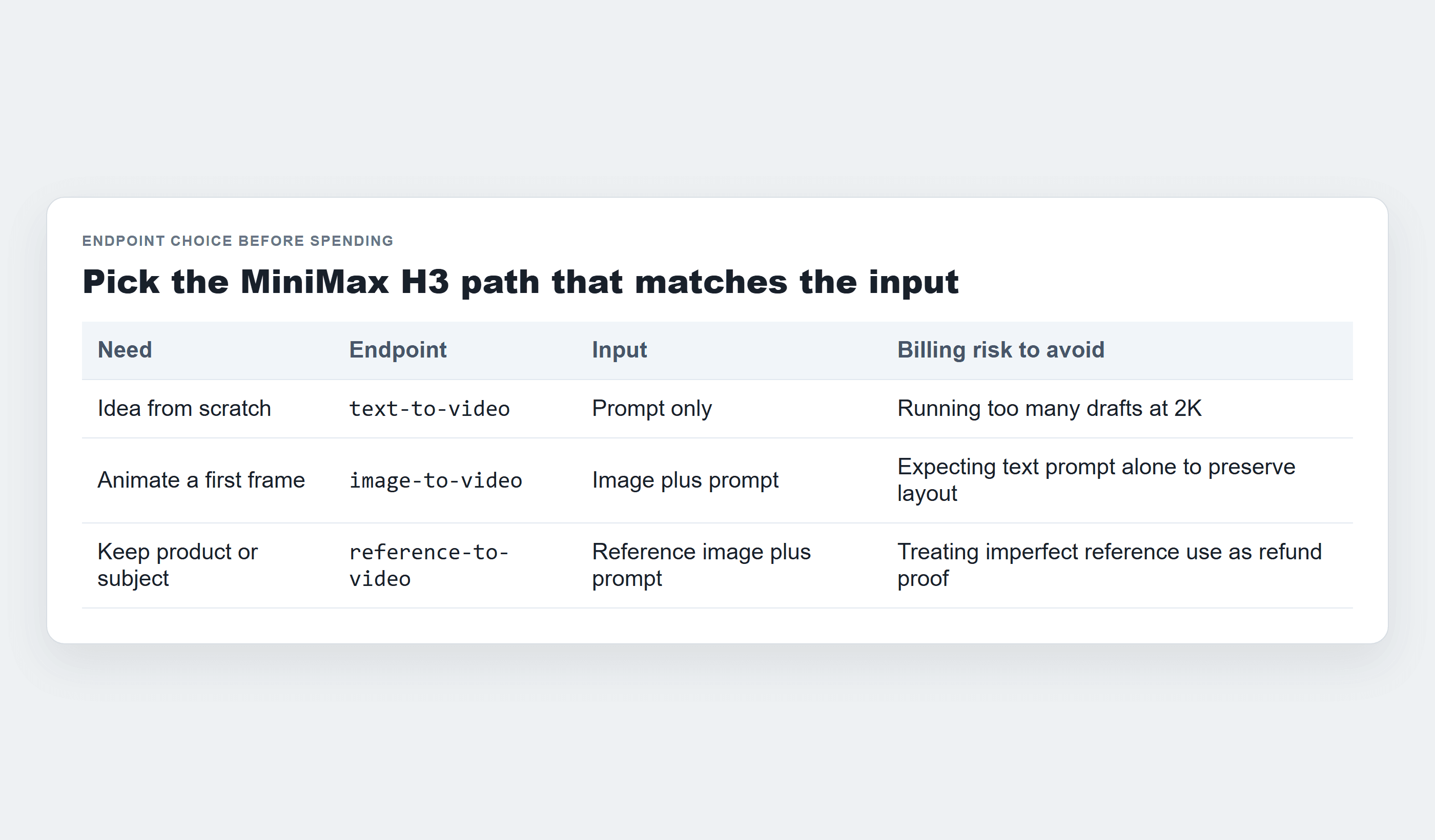
MiniMax H3 billing and refunds endpoint choice table
Endpoint choice table for deciding between text-to-video, image-to-video, and reference-to-video before you spend.
MiniMax H3 Billing and Refunds Cost Examples
Use this formula before each run:
Plain1estimated cost = listed per-second rate x output seconds x resolution multiplier if applicable
Do not invent the 2K multiplier. Read the model detail page or the actual bill for the exact account and settings. The public model list shows the starting per-second price, while the run quote and billing record settle the exact amount.
Table 2: Three MiniMax H3 billing examples before you render
| Scenario | Model | Settings | Expected before run | What happened | Refund / release outcome | What to do next |
|---|---|---|---|---|---|---|
| 8s 768P T2V coffee test | minimax/h3/text-to-video | 768P, 8s, 16:9 | $0.80 if base $0.10/sec applies | Completed output delivered | Normally charged | Save ID, review quality, improve prompt |
| 2K reference product ad | minimax/h3/reference-to-video | 2K requested, 8s delivered, 2 references | Quote must come from page or bill | Completed output delivered | Normally charged | Use 2K only for locked identity |
| 5s invalid audio-only reference request | minimax/h3/reference-to-video | 768P, 5s, audio only | Temporary hold may appear | Failed or rejected | No charge or reserved balance released | Save failed status if the hold does not clear |
MiniMax H3 Billing and Refunds Legal Note
This is practical billing guidance, not legal advice. Paid outputs can still create rights questions. Before using an H3 video commercially, check the rights for input images, brand assets, product logos, people, music samples, and audio references.
Hosted use and open weights are different choices. If you deploy open MiniMax H3 weights yourself in the United States, the EU, the UK, South Korea, or another regulated market, read the license terms and local rules. If you run H3 on Atlas Cloud, review the platform’s acceptable use rules and keep a human approval step before publication.
The clean operating pattern for minimax h3 billing and refunds is simple: quote first, run once, save evidence, audit the charge, then scale.
Frequently Asked Questions
Is H3 based on seconds or credits?
It depends on the platform. Atlas Cloud currently lists the H3 endpoints by per-second pricing, while Hailuo and other sites may use credits, subscriptions, or credit packs. Do not mix one site’s price table with another site’s refund policy.
Do failed generations return money?
Failed tasks are usually handled as a credit return, no charge, or reserved-balance release, not always a cash refund. Atlas Cloud docs say failed tasks are not charged and reserved amounts are released. Hailuo terms say failed or review-blocked video generations automatically refund consumed credits.
Can I get a refund if my video looks bad?
Usually no. Subjective style, motion, composition, or prompt-following dissatisfaction is normally not the same as a platform billing error. Start with a short 768P draft so creative mistakes cost less.
What happens if I cancel a subscription?
It depends on where you bought it. Official Hailuo terms say termination takes effect in the next billing cycle and payments already made are not refunded. Atlas Cloud model usage is pay-as-you-go for this workflow, so you can test H3 without starting an H3 subscription.
How do I prove a billing issue?
Send the account email, prediction ID or request ID, timestamp, model, settings, final status, billing screenshot, error message, and payment receipt if the issue is tied to checkout. The prediction ID matters more than a general complaint.
Is Atlas Cloud cheaper for occasional MiniMax H3 use?
It can be cleaner for occasional testing because you can run a short clip from a visible model page without committing to a recurring plan. Do the live math on the model page and your billing history before calling any route cheaper.





