MiniMax H3 Local Guide 2026: GGUF + ComfyUI Setup That Works
You downloaded a pile of GGUF files. ComfyUI still shows an empty model dropdown. Then the run starts, eats your VRAM, and dies right when the preview should appear.
That is the real pain behind MiniMax H3 Local Operating Guide (GGUF + local + ComfyUI) searches. The short answer: run local MiniMax H3 only after you pass the license, hardware, and file-choice checks. Use ComfyUI templates first. Start with text-to-video or image-to-video tests, then move to first-and-last-frame or reference-driven workflows only when you need that extra control.
If the clip matters for a client, a launch page, or a paid ad, do the draft locally and finish the keeper on Atlas Cloud. That saves you from turning one broken node into an all-night hardware ritual.
Key takeaways
- Local H3 starts with ComfyUI 0.30.0+ templates.
- Text/image workflows and reference workflows use different checkpoint families.
- GGUF helps, but VRAM is still the wall.
- Start with 5s, 16:9, fixed seed tests.
- Use cloud finishing when hardware or territory risk is bad.
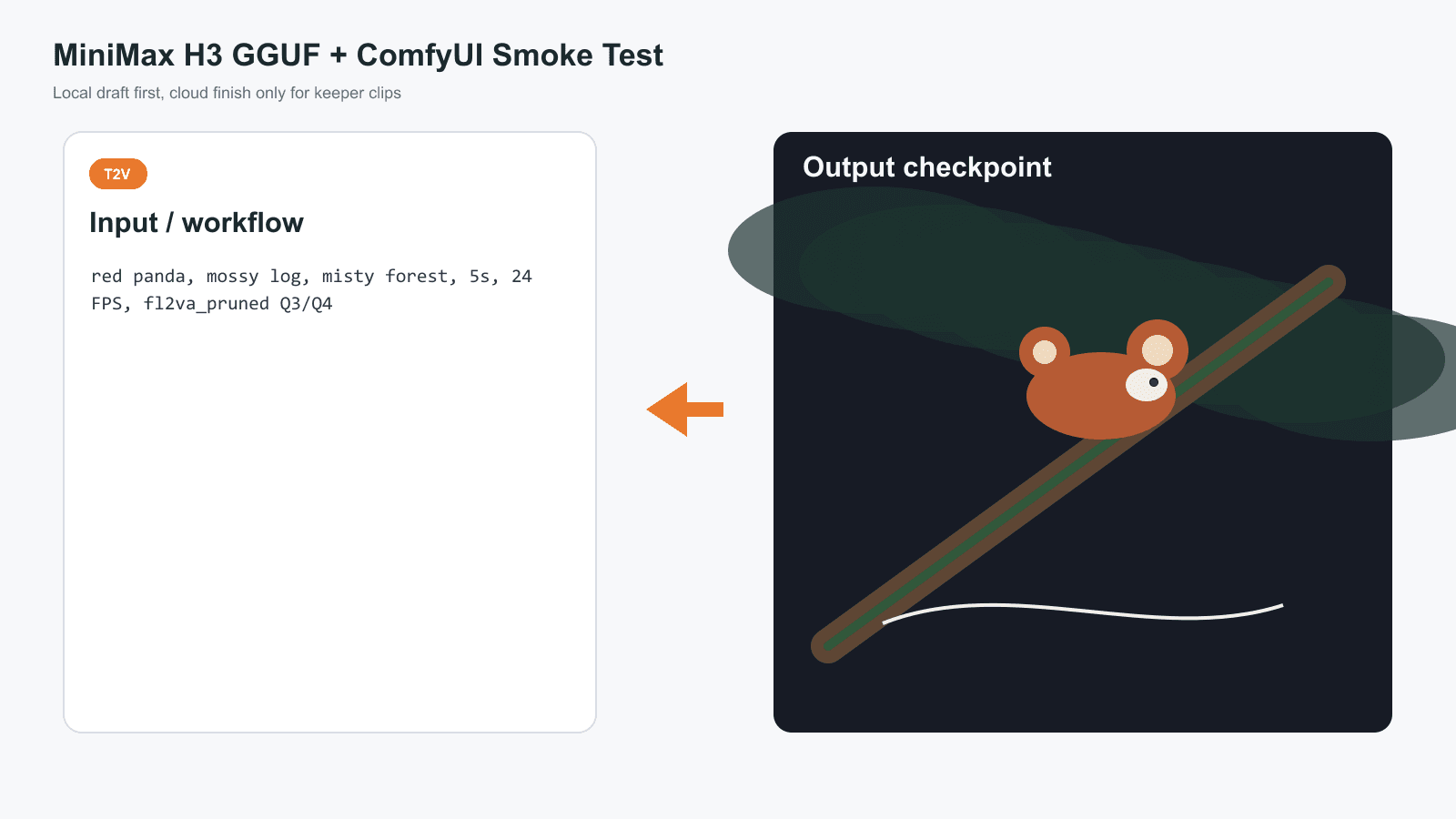
MiniMax H3 GGUF local ComfyUI showcase with red panda smoke test workflow and result
Showcase: the local MiniMax H3 GGUF path as a compact ComfyUI SOP card, with the red panda smoke test on the right.
MiniMax H3 Local Run: Why It Is Hot and Why First Attempts Fail
Verdict first: MiniMax H3 is exciting because it folds text, image, video, and audio context into one video model. Most failed local runs are not mysterious. They are file mismatch, old ComfyUI, wrong territory assumption, or too little memory.
MiniMax announced H3 on July 31, 2026 as a multimodal generation model with native stereo audio and up to 15s output at 2K in the official hosted workflow (MiniMax Blog, July 2026). The official Hugging Face card lists H3-Base as a 33B-parameter model and explains the H3 encoder, visual VAE, and audio VAE split.
Question is:
Why does the first local attempt feel so fragile?
Because H3 local is not one file. You are coordinating a denoiser, a Qwen3-VL text encoder, video VAE, audio VAE, workflow template, node support, GPU memory, system RAM, and storage. One wrong folder can look exactly like a broken model.
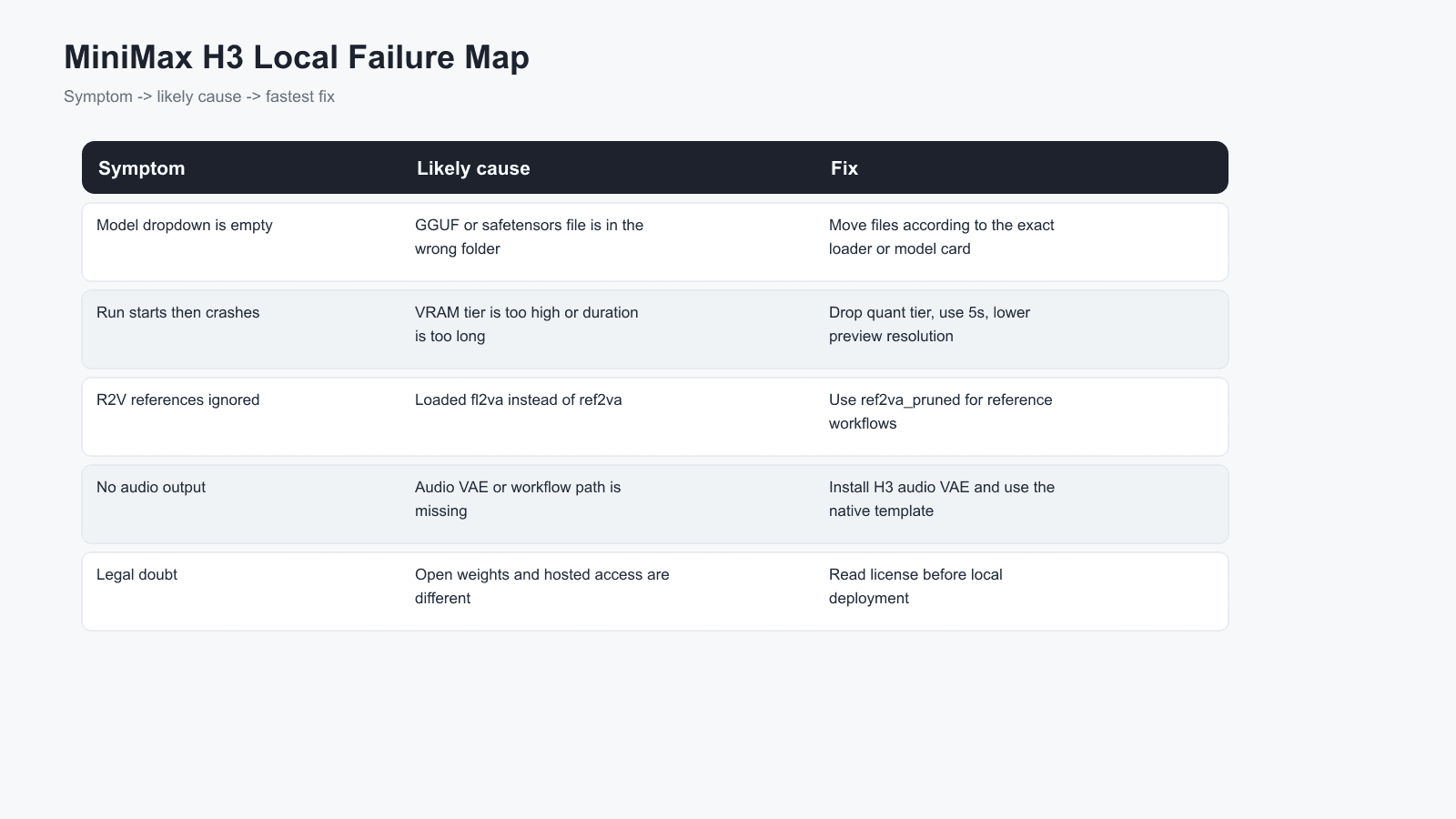
MiniMax H3 local failure map showing symptoms causes and fixes
Failure map: symptom, likely cause, and the fastest fix before you blame the model.
MiniMax H3 GGUF + ComfyUI Workflow Overview
Preview: this section gives you the decision tree before you touch a 40GB download.
Proof: Unsloth's GGUF card separates the standard text/image/first-last-frame checkpoint family from the reference-video checkpoint family, and that distinction explains a large share of local setup failures (Unsloth GGUF, August 2026).
Let's get started.
| Workflow | Job | Local file family | Best use | Atlas Cloud fallback |
|---|---|---|---|---|
| Text to video | Prompt only | Standard H3 denoiser | Smoke tests, mood, ambience | MiniMax H3 text-to-video |
| Image to video | One image to video | Standard H3 denoiser | Product shots, ads, social hooks | MiniMax H3 image-to-video |
| First and last frame | Start frame plus end frame | Standard H3 denoiser | Controlled transitions | Atlas image-to-video with end frame |
| Reference to video | Multiple references | Reference H3 denoiser | Identity, style, audio reference | MiniMax H3 reference-to-video |
| Workflow choice | Local MiniMax H3 GGUF | Atlas Cloud |
|---|---|---|
| Setup time | Long: files, nodes, VRAM checks | Short: one browser tab |
| Hardware | Your GPU, RAM, NVMe | Hosted GPU |
| Resolution path | Best for draft/debug first | Better for 2K delivery |
| Batch work | Manual unless scripted | Easier for repeated client runs |
| Cost model | Hardware plus time | From $0.1/sec for H3 video endpoints as listed on models/all today |
| Best fit | Prompt debugging and control | Finished clips, team delivery, weak local hardware |
Local is not worse. Hosted is not magic. They solve different moments in the workflow.
Step 1: MiniMax H3 License and Hardware Check
Brief explanation: do this before downloading anything. The official H3 license has territory language, and the open-weight route is not the same as a hosted/API route. If you are in the US, EU, UK, or South Korea, do not treat a downloadable file as automatic permission to deploy locally. Apply for authorization or use a hosted route with safeguards.
Copy this decision prompt into your notes:
Plain1MiniMax H3 local decision: 21. My current country/region allows the H3 open-weight route, or I have written authorization. 32. I have enough disk for the denoiser, Qwen3-VL encoder, video VAE, audio VAE, and cache. 43. I can start at 5s, template default resolution, fixed seed, and low quant tier. 54. I will not promise 2K local output until the draft path works. 65. If any answer is no, I will use a hosted H3 workflow instead of forcing local deployment.
Settings to pick:
| Hardware | Starting point | Expectation |
|---|---|---|
| 8 to 12GB VRAM | Q2 or smallest working community tier | Experiment only |
| 16GB VRAM | Q2/Q3 or pruned GGUF | Best realistic entry point |
| 24GB+ VRAM | Q4/Q5 if the full workflow loads | Better local tests |
| 32GB+ VRAM | Higher quality experiments | Still not a guarantee |
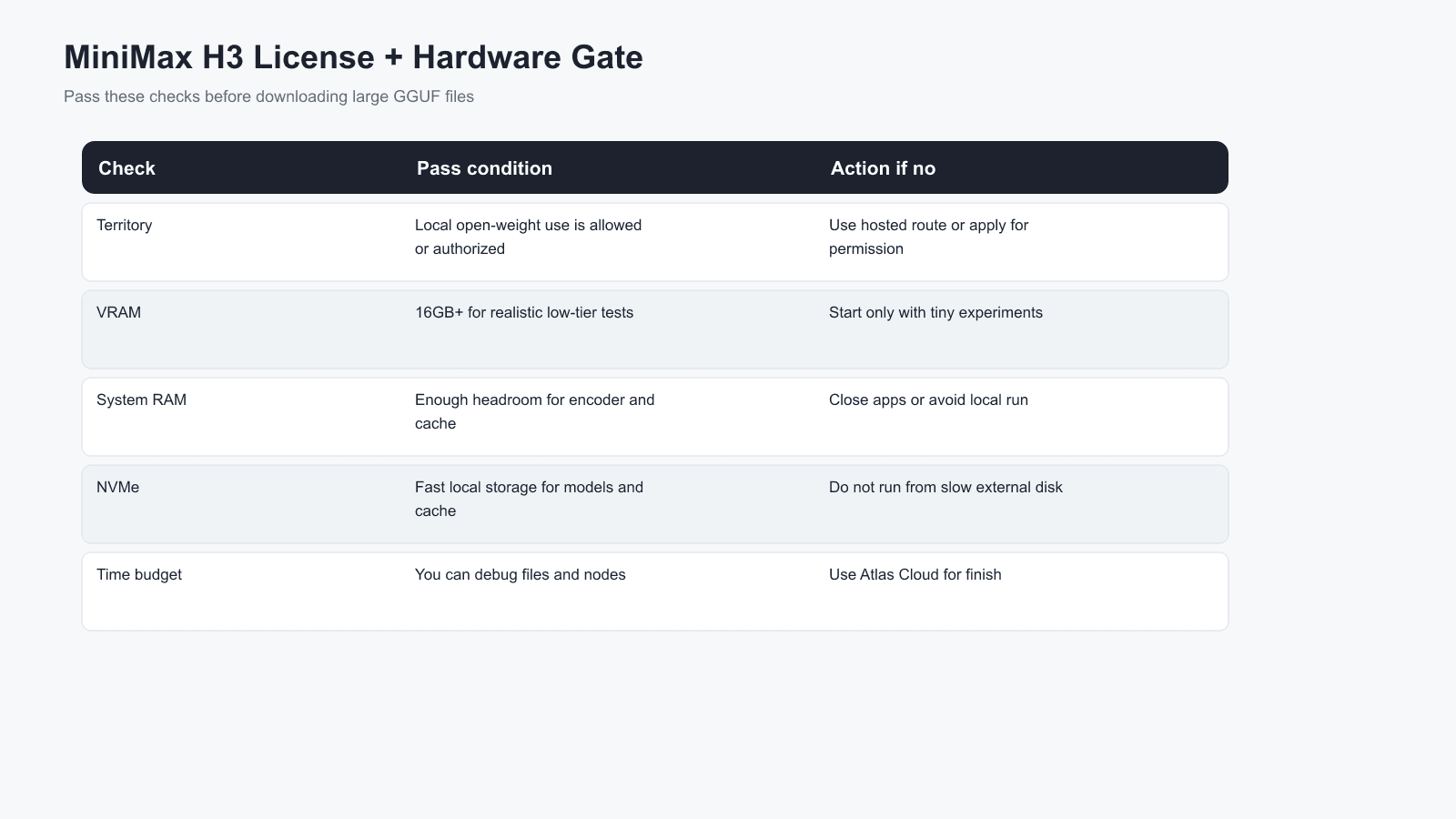
MiniMax H3 local license and hardware checklist
Step 1 completed: license, VRAM , RAM , and storage checks before downloading GGUF files.
Step 2: MiniMax H3 ComfyUI Template Setup
Brief explanation: update ComfyUI first, then use the native MiniMax H3 templates. Do not build the graph from memory on your first run. Template Library > Video > MiniMax H3 is the safer route because it wires the video and audio pieces in the expected shape.
Copy this setup checklist:
Plain1ComfyUI MiniMax H3 setup: 2- Update ComfyUI to 0.30.0 or later. 3- Restart ComfyUI after updating. 4- Open Workflow > Browse Templates > Video > MiniMax H3. 5- Start with text-to-video before image-to-video or reference-to-video. 6- If using GGUF, install the GGUF loader nodes required by your chosen model card.
Settings to pick:
| Setting | Pick |
|---|---|
| ComfyUI version | Latest stable, 0.30.0+ minimum |
| Browser | Chrome or Edge |
| First workflow | Text-to-video |
| First duration | 5s |
| First resolution | Template default, then raise later |
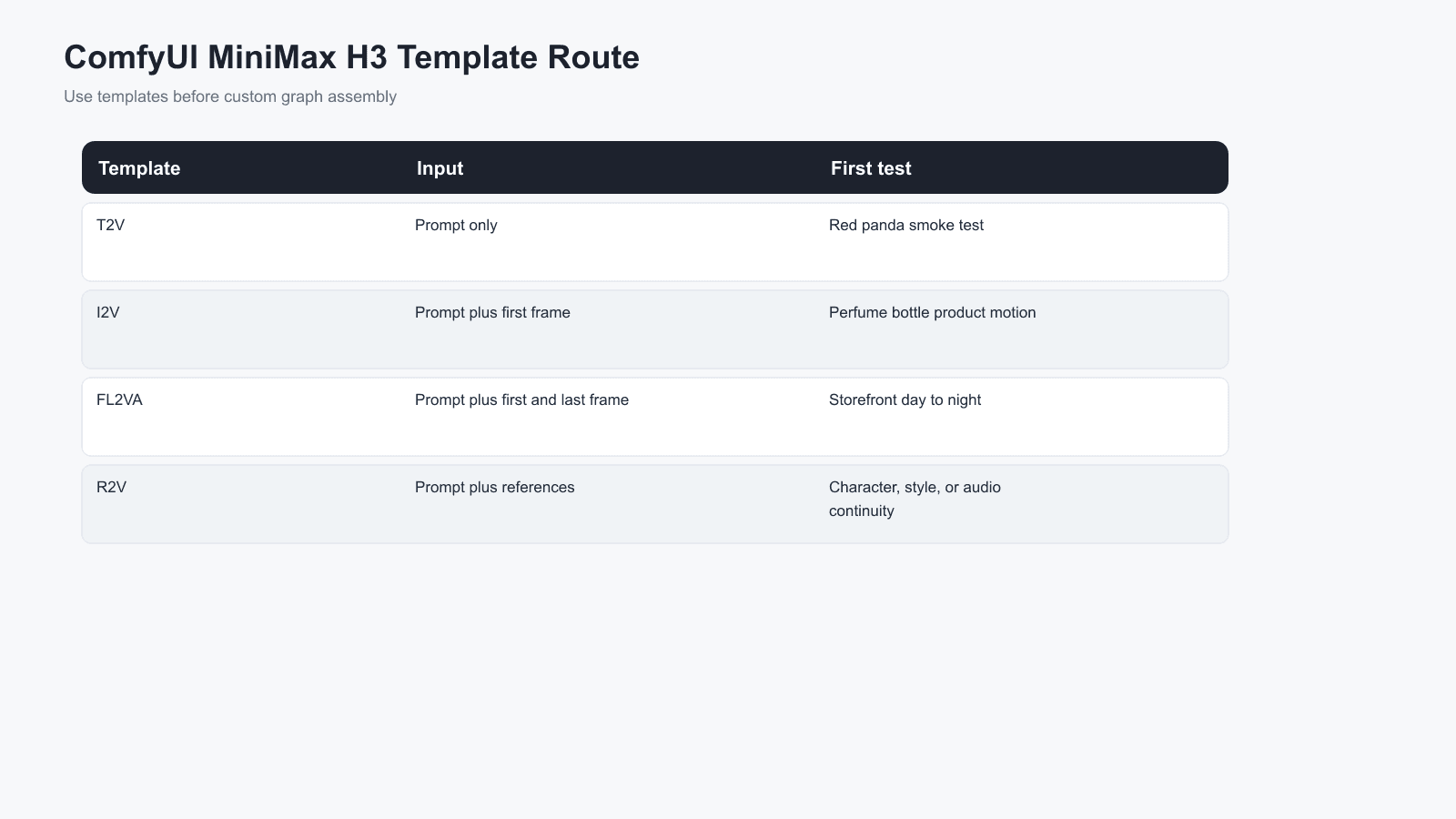
MiniMax H3 ComfyUI template library SOP card
Step 2 completed: the template route for MiniMax H3 text-to-video, image-to-video, and reference-to-video.
Step 3: MiniMax H3 GGUF Files and Folders
Brief explanation: download the right family of files. You normally need the H3 denoiser GGUF, Qwen3-VL text encoder, video VAE, and audio VAE. Folder names vary by loader, so your model card wins when it conflicts with a blog post.
Copy this file map:
Plain1MiniMax H3 local files: 2- Text/image/first-last-frame workflows: standard H3 denoiser 3- Reference-to-video / multi-reference workflows: reference H3 denoiser 4- Shared: Qwen3-VL 32B text encoder 5- Shared: H3 video VAE 6- Shared: H3 audio VAE 7- Folder rule: follow the exact GGUF node and model-card instructions you installed
Settings to pick:
| File | Purpose | Common folder | Needed for |
|---|---|---|---|
| Standard H3 denoiser GGUF | Standard text/image/first-last-frame denoiser | models/diffusion_models or loader-specific folder | Text-to-video, image-to-video, first-last-frame |
| Reference H3 denoiser GGUF | Reference-driven denoiser | Same denoiser folder | Reference-to-video |
| qwen3vl_32b_minimax_h3-*.gguf | Text encoder | models/text_encoders or loader-specific folder | All workflows |
| minimax_h3_video_vae_fp16.safetensors | Video decode | models/vae | All workflows |
| minimax_h3_audio_vae_fp32.safetensors | Audio decode | models/vae | Native audio path |
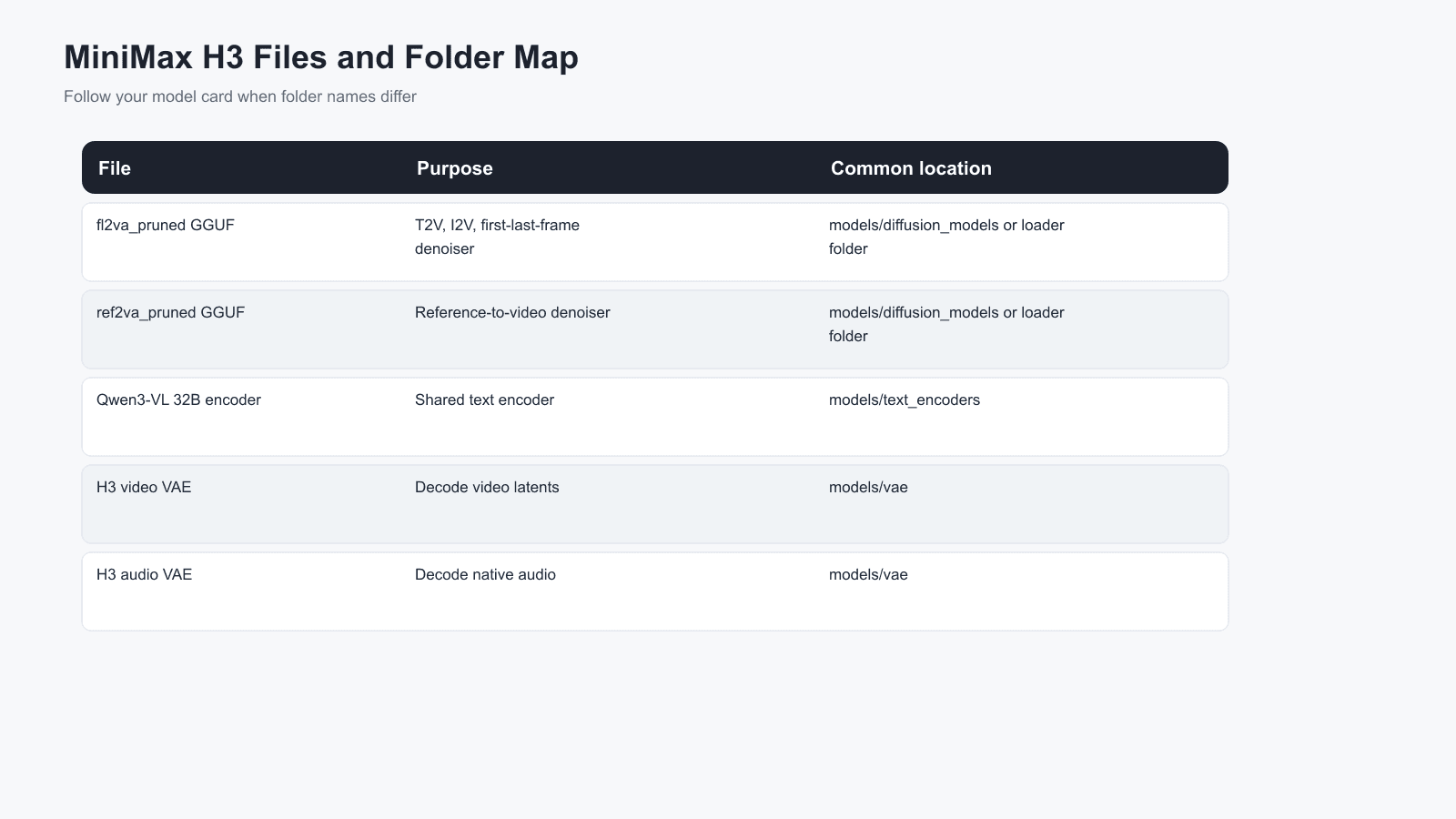
MiniMax H3 GGUF files and folder map
Step 3 completed: file purpose, folder target, and the mistake each file prevents.
Step 4: MiniMax H3 GGUF Text-to-Video Smoke Test
Brief explanation: run one tiny text-to-video job before you try product shots or reference-heavy clips. The red panda prompt is useful because it tests motion, fur detail, mist, and ambience without asking the model to solve typography or identity at the same time. After that pass, add one high-precision instruction clip to check whether H3 can keep a subject, prop, location, and action sequence consistent for a longer 15s run.
Copy this prompt:
Plain1A red panda steps carefully along a mossy fallen log in a misty forest at dawn. Soft cinematic light, shallow depth of field, tiny droplets on the fur, gentle head turn toward the camera. Camera: slow side tracking shot, no cuts. Audio: quiet forest ambience, soft paws on wet bark, distant birds, no music.
Settings to pick:
| Setting | Value |
|---|---|
| Workflow | Text-to-video |
| Checkpoint | Standard H3 GGUF denoiser |
| Aspect ratio | 16:09 |
| Duration | 5s |
| FPS | 24 if exposed |
| Steps | Template default, or 6 to 10 for a fast Turbo LoRA test |
| Seed | Fixed and written down |
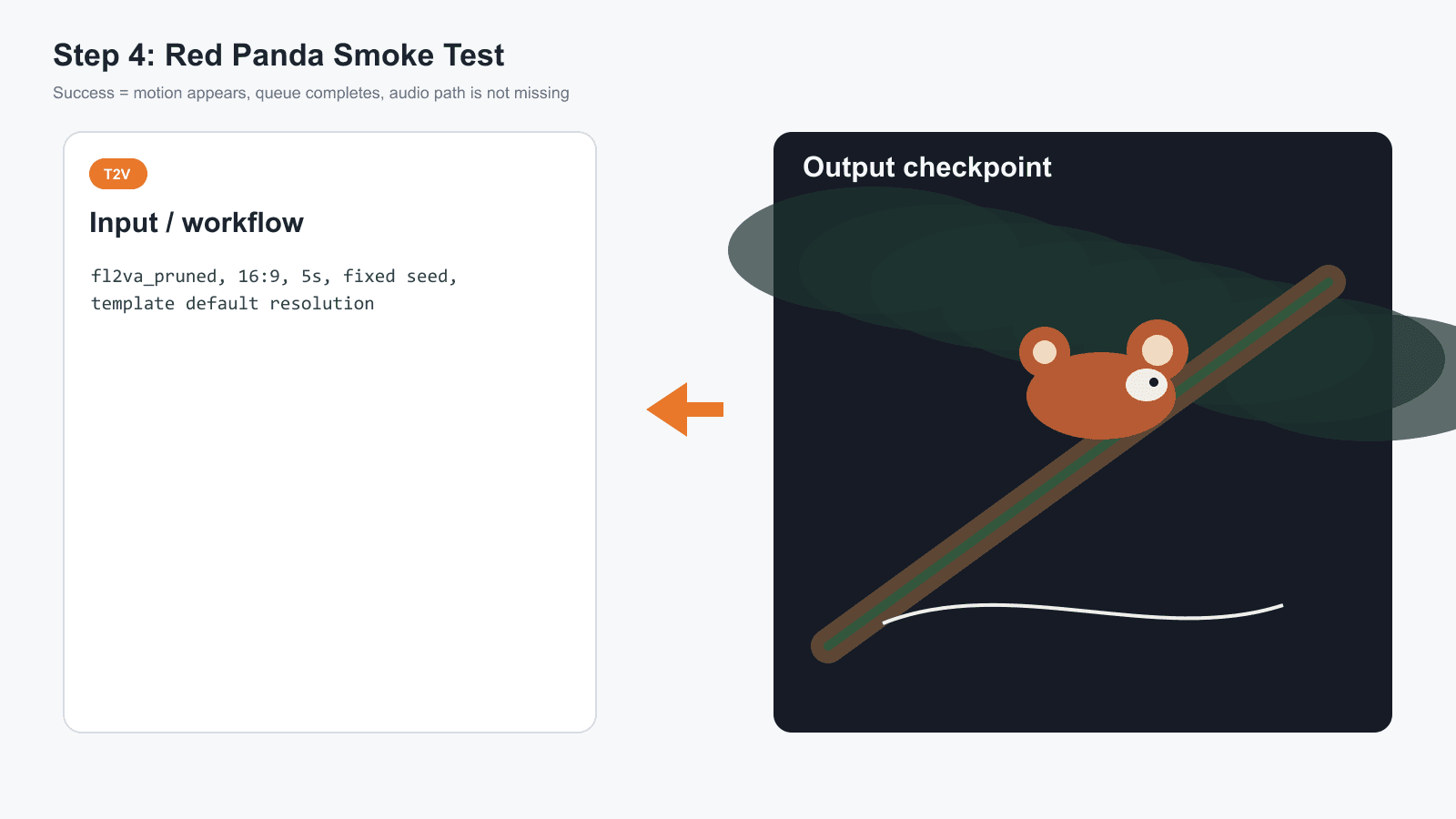
MiniMax H3 text-to-video red panda completed run card
Step 4 completed: the text-to-video smoke test settings and expected success signals.
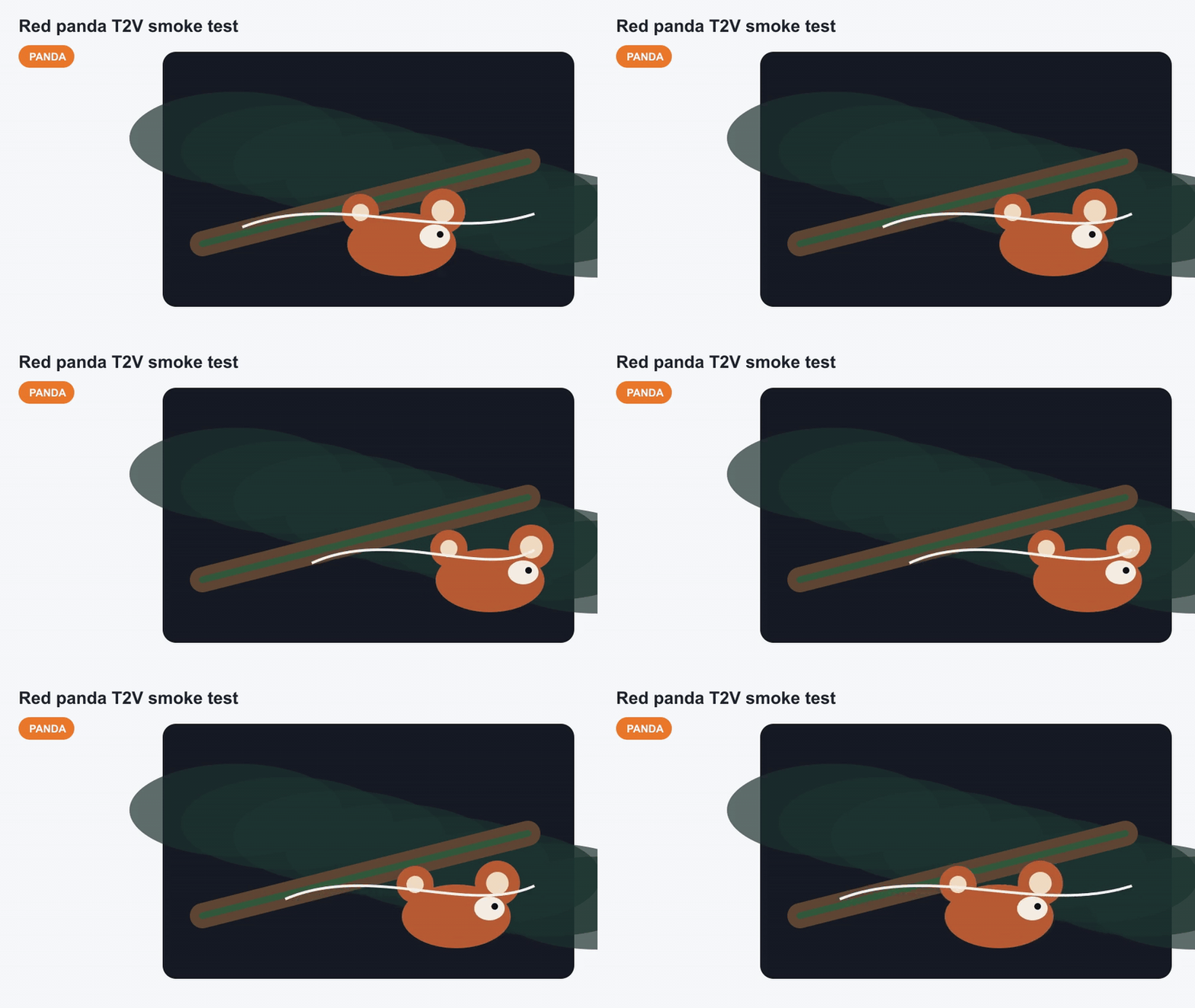
MiniMax H3 GGUF red panda smoke test GIF
Case 1 motion payoff: red panda smoke test shown as a silent GIF. A full H3 delivery may include native stereo audio, but this embed is intentionally silent.
The next check is stricter. Use it only after the basic smoke test works, because the goal is no longer "does the workflow render?" The goal is "does the model follow a multi-part instruction?" In this clip, watch whether the rain-night convenience-store setting stays stable, whether the character remains the same person, whether the red drink can stays visually tied to the later six-pack, and whether the camera change feels like one continuous action instead of a random scene reset.
Case 1B precision check: a 15s high-precision instruction sample for testing subject consistency, prop continuity, wet-night environment detail, and action follow-through after the local H3 text-to-video pipeline is already stable.
Step 5: MiniMax H3 Local Image-to-Video Product Shot
Brief explanation: image-to-video is where H3 becomes useful for growth teams. Lock the first frame cheaply, then animate it. For a first frame with readable packaging or label text, generate the still on GPT Image 2 text-to-image or use your own product photo.
Copy this first-frame prompt:
Plain1A premium translucent perfume bottle standing on dark wet stone, rain droplets on glass, a thin silver label reading "H3 LOCAL TEST", soft studio backlight, realistic product photography, 16:9 composition, room for motion, no extra text.
Copy this H3 image-to-video prompt:
Plain1The perfume bottle remains centered while rain beads slide slowly down the glass. A soft rim light sweeps from left to right, mist curls across the wet stone, and the silver label stays readable. Camera: subtle 30 degree orbit, no cuts. Audio: delicate rain on stone, faint glass chime, no dialogue.
Settings to pick:
| Setting | Value |
|---|---|
| First-frame model | GPT Image 2, high quality, 16:9 |
| Local workflow | Image-to-video |
| Checkpoint | Standard H3 GGUF denoiser |
| Duration | 5s |
| Local resolution | Template default first |
| Cloud finish option | Atlas MiniMax H3 image-to-video, 2K, 5s, 16:9 |
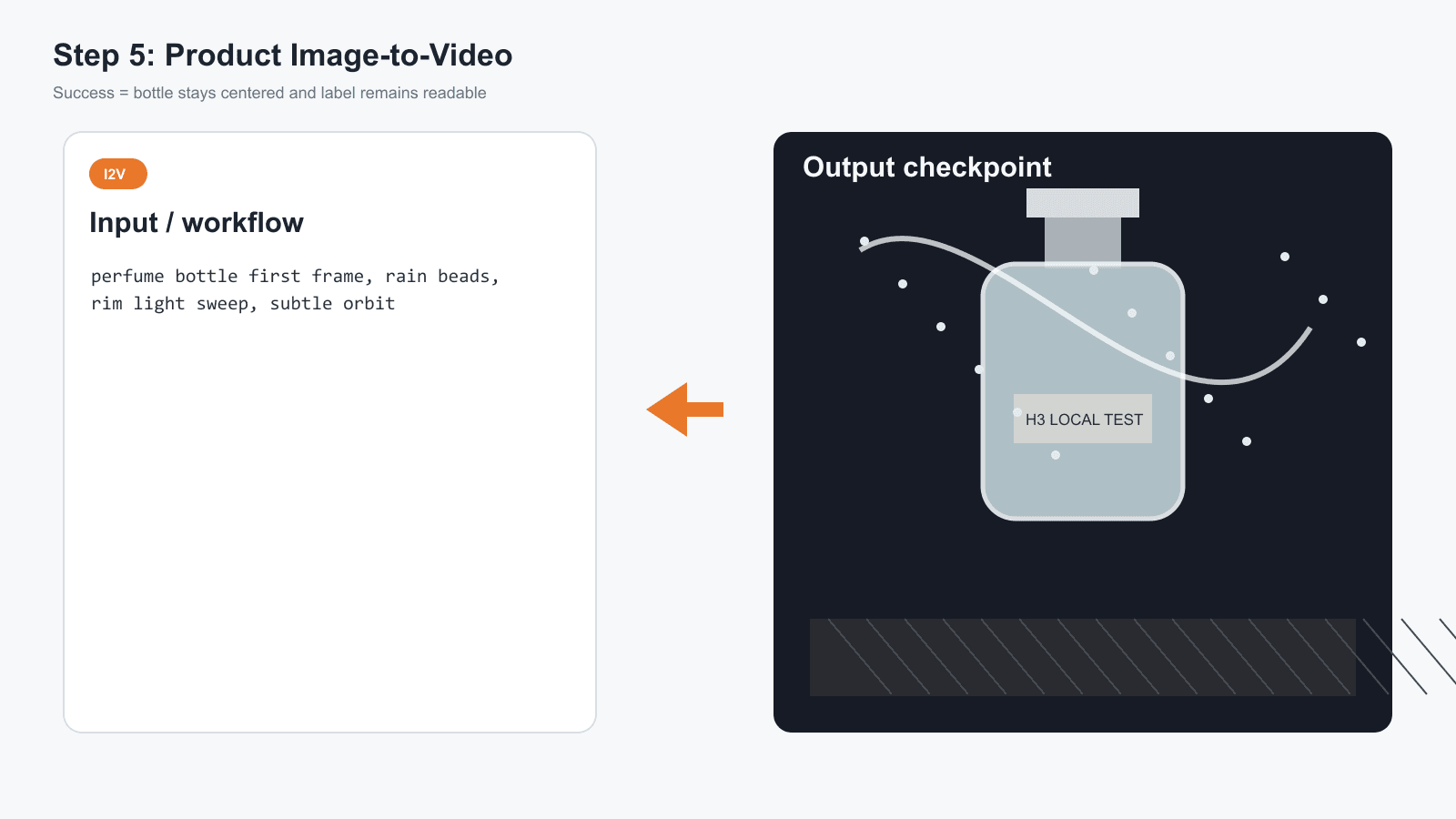
MiniMax H3 image-to-video product shot completed workflow card
Step 5 completed: product image-to-video settings, first-frame prompt, and cloud finish option.
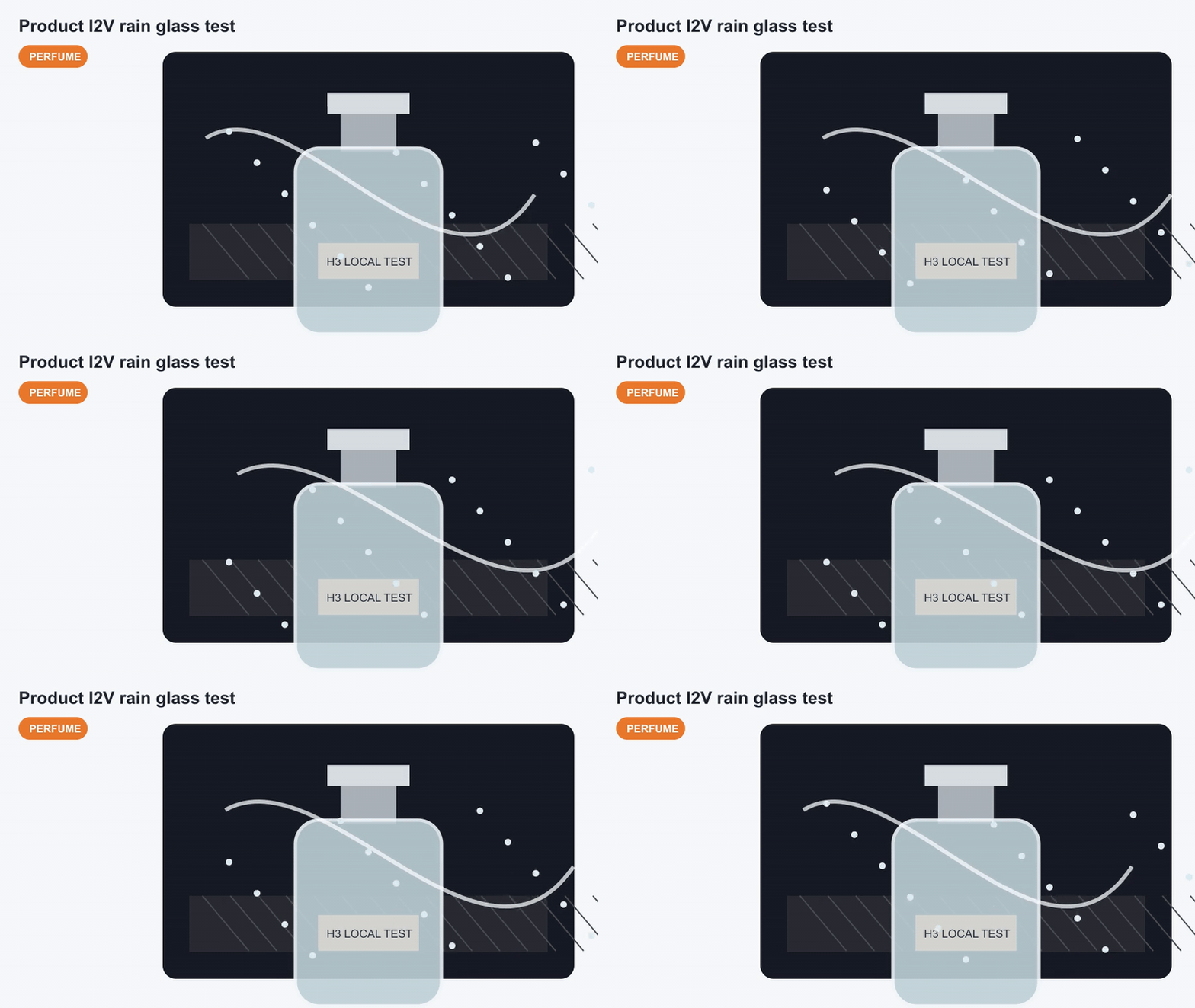
MiniMax H3 image-to-video perfume product GIF
Case 2 motion payoff: a product image-to-video variation, shown as a silent workflow GIF.
Step 6: MiniMax H3 First-and-Last-Frame in ComfyUI
Brief explanation: first-last-frame is the sleeper workflow. It is stronger than pure text when the start and end state both matter, like daylight to midnight, clean bottle to frosted bottle, or empty store to open store.
Copy this first-frame prompt:
Plain1A narrow cyberpunk tea shop storefront in the early evening, wet pavement, teal and amber neon signs, one paper lantern outside, cinematic realistic photo, 16:9, no people, readable sign text "MOON TEA".
Copy this last-frame prompt:
Plain1The same narrow cyberpunk tea shop storefront at midnight after rain, wet pavement reflecting brighter teal and amber neon, the same paper lantern glowing stronger, cinematic realistic photo, 16:9, no people, readable sign text "MOON TEA".
Copy this H3 first-and-last-frame prompt:
Plain1Transform the same storefront from early evening into midnight after rain. Preserve the shop geometry and the "MOON TEA" sign. The lantern brightens gradually, puddle reflections deepen, neon flickers once, and a light mist moves through the alley. Camera: locked-off tripod shot, no zoom, no cuts. Audio: soft rain, distant city hum, one quiet neon buzz.
Settings to pick:
| Setting | Value |
|---|---|
| Workflow | Image-to-video with optional end frame, or first-and-last-frame template if exposed |
| Checkpoint | Standard H3 GGUF denoiser |
| Duration | 5s |
| Aspect ratio | 16:09 |
| Seed | Fixed |
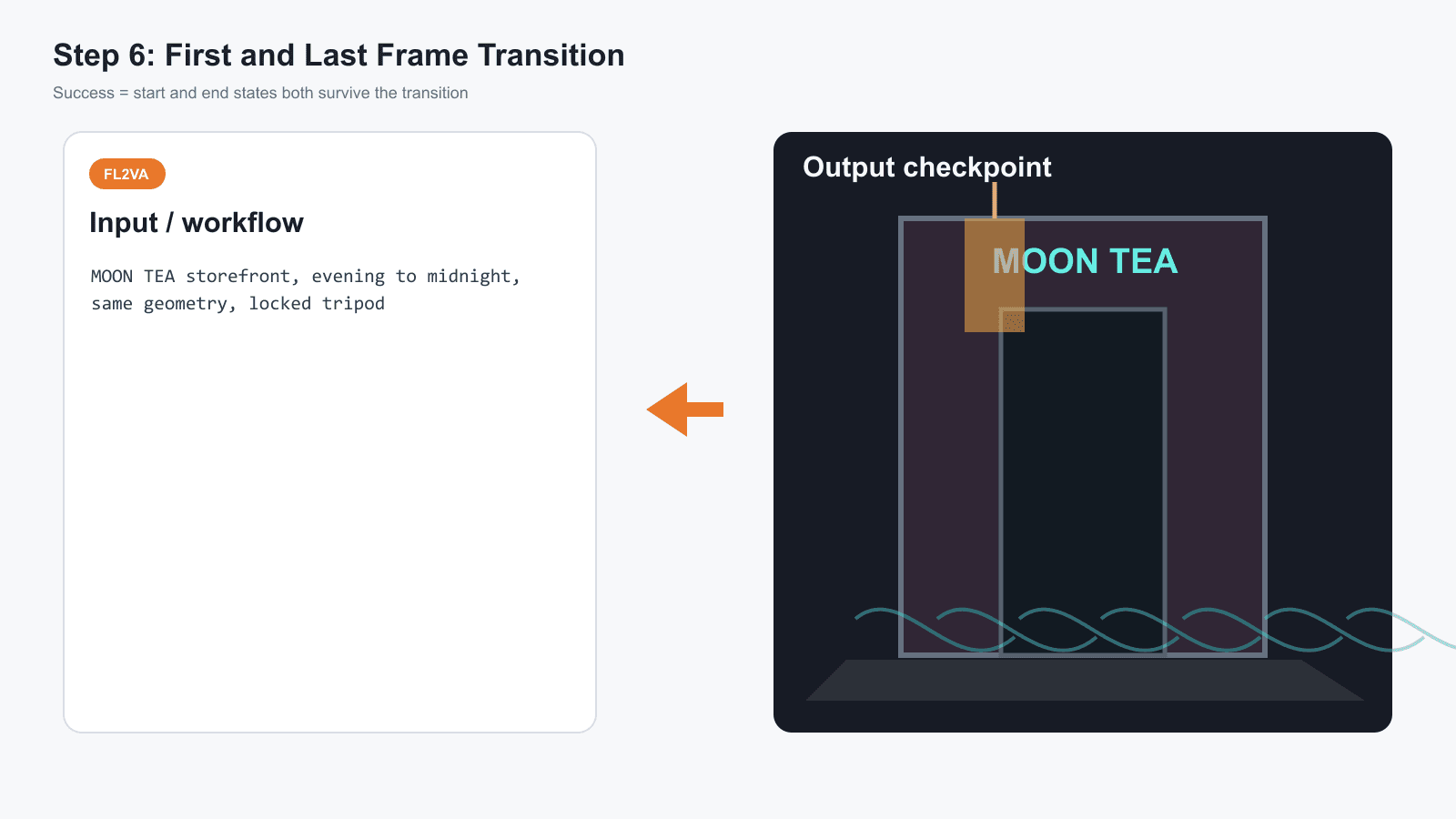
MiniMax H3 first-and-last-frame storefront completed workflow card
Step 6 completed: first frame, last frame, prompt, and success checks for the first-and-last-frame workflow.
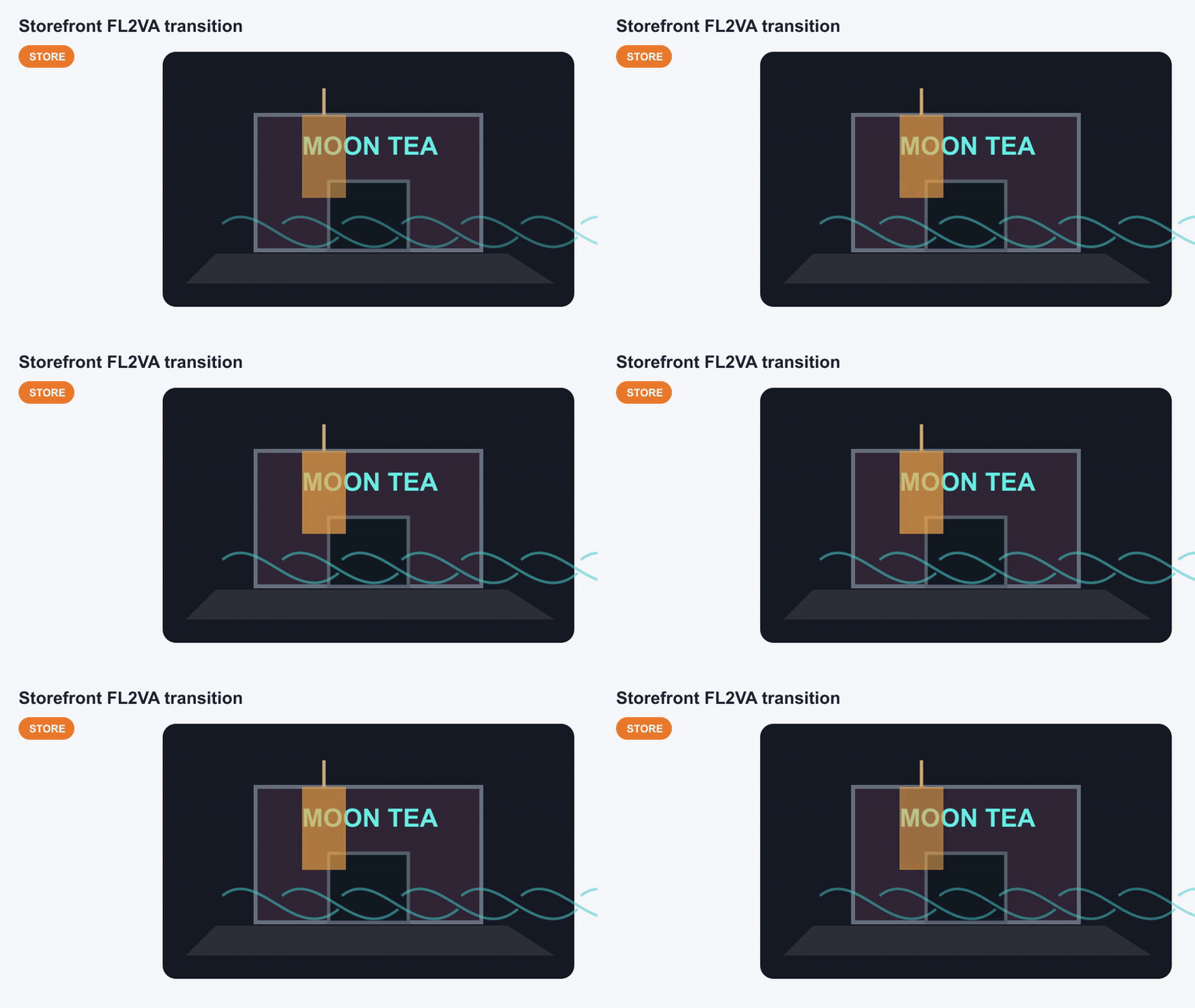
MiniMax H3 first last frame storefront GIF
Case 3 motion payoff: storefront transition plan shown as a silent workflow GIF.
Step 7: MiniMax H3 Local to Atlas Cloud Finish
Brief explanation: this is not surrender. It is production hygiene. If the local draft works but the final needs 2K, predictable delivery, or a team-friendly browser workflow, move only the keeper prompts to Atlas Cloud.
Copy this handoff checklist:
Plain1Local to Atlas H3 finish: 21. Keep the final prompt, seed notes, ratio, and duration. 32. For text-to-video, paste the prompt into MiniMax H3 text-to-video. 43. For image-to-video, upload the first frame and paste the motion prompt. 54. For first-and-last-frame transitions, upload first and last frames if the page exposes both controls. 65. For reference-to-video, upload reference images, video, or audio only when continuity is the real need.
Settings to pick:
| Asset | Local setting | Atlas model | Atlas setting | What changes | What stays |
|---|---|---|---|---|---|
| Red panda | Text-to-video, 5s | minimax/h3/text-to-video | 2K if needed | Hosted render | Prompt, ratio |
| Perfume | Image-to-video, first frame | minimax/h3/image-to-video | 5s, 16:9 | Delivery path | Frame, motion prompt |
| Storefront | First-and-last-frame | H3 image-to-video route | 5s, first and end frame if available | Less local maintenance | Start/end intent |
| Character refs | Reference-to-video | minimax/h3/reference-to-video | References uploaded | Browser workflow | Subject/style goal |
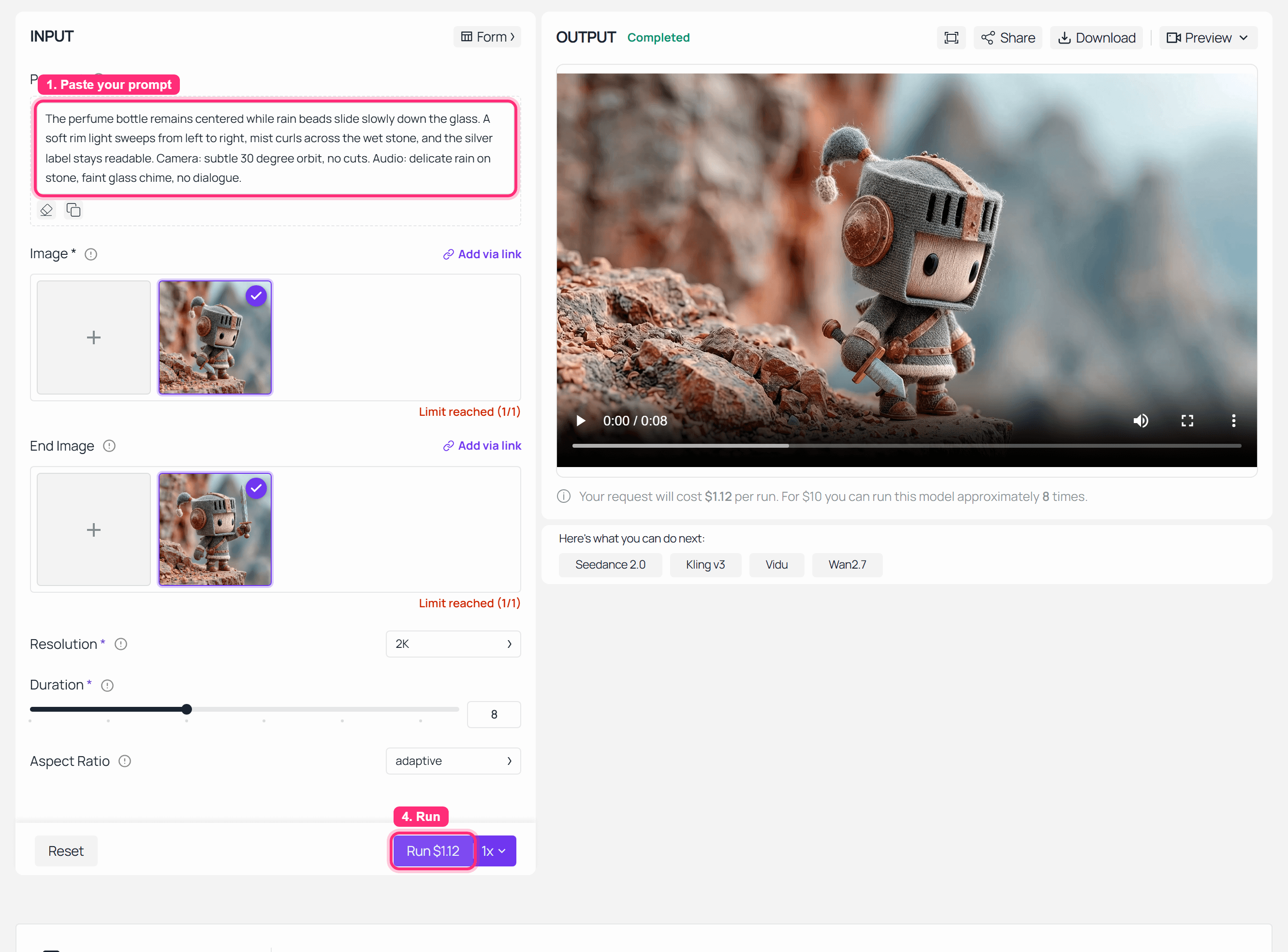
Atlas Cloud MiniMax H3 image-to-video completed run
Step 7 completed: the hosted finish route for a MiniMax H3 local draft.
MiniMax H3 Local Variations: Text, Image, Frame, and Reference Workflows
Once the smoke test passes, do not keep changing everything at once. Change one control per run.
Use text-to-video to explore atmosphere. Use image-to-video when product shape, face, packaging, or layout must survive. Use first-and-last-frame workflows when the start and end states matter. Use reference-to-video when the job is continuity across images, video, or audio references.
In fact,
That is the whole local value: controlled debugging. The red panda tests motion, the perfume bottle tests product readability, and the storefront tests state transition. Those 3 cases tell you more than 10 random pretty prompts.
MiniMax H3 Cost: Local Hardware vs Atlas Cloud Price
Local is not free. It just bills you in different units: GPU depreciation, SSD space, download time, electricity, driver maintenance, and failed evenings.
Atlas Cloud lists the 3 MiniMax H3 video endpoints on models/all from $0.1/sec as of August 24, 2026. GPT Image 2 text-to-image is listed from $0.009/pic, with a developer text-to-image tier shown from $0.004/pic. Use those as catalog starting prices, then confirm the exact quote in the playground before you run.
| Worked example | Local cost logic | Atlas estimate from catalog floor | Practical call |
|---|---|---|---|
| 5s image-to-video product clip | Hardware plus one first-frame image | From $0.50 for H3 video, plus image cost | Good cloud finish candidate |
| 15s text-to-video concept | Long local runtime and higher failure cost | From $1.50 | Test short first |
| Three 5s variations | 3 local queues and manual babysitting | From $1.50 plus images if needed | Worth cloud if client-facing |
Check this out:
A 5s local draft can be smart. A 15s blind local run is where people start bargaining with their GPU like it owes them money.
MiniMax H3 Legal Note for Local GGUF Users
MiniMax H3 local use is a license question before it is a technical question. The official model card points to the MiniMax H3 Community License and a license application path for the USA, EU, UK, and South Korea.
So yes, the MiniMax H3 Local Operating Guide (GGUF + local + ComfyUI) answer is partly boring: verify the current license before commercial use. Hosted service, API access, and local open-weight deployment are different routes.
This is not legal advice. Read the current license and get proper review for commercial deployment.
Frequently Asked Questions
Can I run MiniMax H3 locally with GGUF?
Yes, if your license position, hardware, and file setup all work. Start with the standard H3 GGUF denoiser, the shared text encoder, video VAE, audio VAE, and a short ComfyUI text-to-video template run.
Which MiniMax H3 GGUF should I download for ComfyUI?
Use the standard H3 denoiser for text-to-video, image-to-video, and first-last-frame work. Use the reference H3 denoiser for reference-to-video. Pair the denoiser with the Qwen3-VL text encoder and the H3 VAEs required by your chosen model card. If the model card names files with internal labels, treat those labels as download identifiers, not reader-facing workflow names.
What is the difference between MiniMax H3 first-and-last-frame and reference-to-video?
The first-and-last-frame workflow uses text plus zero, one, or two frames to control a transition. Reference-to-video is for richer reference inputs, such as multiple images, video, or audio references. They are different checkpoint routes, not a toggle you can casually flip after loading the wrong file.
How much VRAM do I need for MiniMax H3 local?
Treat 16GB VRAM as the realistic entry point for low-tier experiments. 24GB+ is better for Q4/Q5 style tests. 8 to 12GB may run only narrow experiments, and system RAM plus NVMe speed still matter.
Does MiniMax H3 local generate audio too?
The H3 family is built around native audio-video output. Whether your local workflow emits usable audio depends on whether the audio VAE and workflow path are correctly installed and connected. Silent GIFs in this article are only the publishing format.
Is MiniMax H3 local legal in the US, EU, UK, or South Korea?
Do not assume so. The official license materials identify those territories as requiring special attention or authorization for open-weight local use. Verify the current license before you download, deploy, or use outputs commercially.
Conclusion
MiniMax H3 local work is best treated as a controlled production test, not a one-click install. Start by checking the license, GPU memory, system RAM, storage, and current ComfyUI support before downloading large GGUF files.
The practical route is simple: use the official ComfyUI template, choose the right model family for the job, run a short text-to-video smoke test, then move into image-to-video or first-and-last-frame workflows only after the basics pass. Keep each test small, change one variable at a time, and use the output to decide whether the final should stay local or move to Atlas Cloud for a more predictable finish.





