MiniMax published a community roundup of H3's first week as an open model. It mentions close to 300 derivative models, a spread of quantized builds, a native Mac inference engine, and agent-driven production pipelines. All of it is worth a look.
But the single thing most worth pulling out is a line near the end of the first section, describing how one animation creator actually works. In the official words:
He generates 480p video on an RTX 3060 to iterate, using local hardware for preview, selection and trial and error, and only once a version satisfies him does he move to the cloud to render the final at higher resolution and finish with super resolution.
The official write-up gives the habit a name: local drafting, cloud finishing.
Those three words are the same conclusion we kept running into over months of model comparison work. This piece is an attempt to say it properly: why the split holds, and once it holds, what you actually need to keep.
Key takeaways
- Local MiniMax H3 finally runs on consumer hardware, but local is the low-resolution end. The 2K final is a separate pass, not a bigger render.
- The only thing that has to cross from draft to final is the prompt, so the whole workflow depends on whether your prompt survives the trip.
- Run one verbatim MiniMax H3 prompt across several models at once to health-check the prompt, not to rank the models.
- A constraint can be satisfied to the letter and still miss the point. Lock the property that carries the concept, not the side effect.
- The two assets worth keeping are a categorized prompt library and the decision logic behind each prompt.
Why "local draft, cloud finish" only works for MiniMax H3 now
The split depends on one thing: the local end suddenly got strong.
In a single open-source week the community moved fast on inference efficiency. The ComfyUI team cut the modulation weights that made up around forty percent of the parameter count, swapped them for precomputed tables, added INT8 quantization and custom kernels, and brought the smallest model combination from 123.6GB down to 42.5GB of memory. Add dynamic offloading and a consumer graphics card can run local inference.
Separately, Redis creator antirez wrote a native Apple Silicon inference engine from scratch in C and Metal. It reads the safetensors weights directly and packs the text and vision encoders, the DiT, and the vision and audio VAEs into a single native Mac program, with no dependence on Python or PyTorch.
NVIDIA's research team finished a first pass of inference optimization within 4.5 hours of launch day and reported a 3.95x end-to-end speedup over Diffusers on an eight-card setup.
Stack all of that together and the result is clear: local runs now, but what it renders is low resolution.
So the creator's split follows naturally. Low resolution is fast, cheap and repeatable, which is exactly what trial and error wants. Delivery still goes back to the cloud for the final. The two ends are not substitutes. They are two stations on one line.
What actually crosses between the two MiniMax H3 stages
This is the question we really care about.
You spend twenty passes at 480p locally and finally dial in the look you want. Now you move to the cloud for the final. What is the one thing you can actually carry with you?
Not the 480p clip, its resolution is too low. Not the model weights, the cloud has its own.
It is the prompt.
Across the whole line, the only thing that has to cross both ends and take effect unchanged is the prompt. It is the one asset in this workflow.
The implication matters more than it sounds:
- If your prompt stops working when the environment changes, this layered workflow does not run at all. Everything you tuned locally is wasted on the way to the cloud.
- If you rewrite it for every model, you repeat the drafting stage every time you switch models.
- Turn it around: if the prompt is portable enough, you can even draft on a cheaper model, as long as its reading of the same sentence is predictable.
So the question becomes: how do you write a prompt that still works after the environment changes? We tested this.
One MiniMax H3 prompt, four models at once
Over the last few days we ran more than a dozen comparisons like this: one verbatim prompt, changing only the submission parameters, sent to four models each, across subjects from VFX to product UI motion to music shorts.
Below is the same test run across eight subjects. Each clip is a four-way split of the identical prompt: top left Seedance 2.5, top right MiniMax H3, bottom left Seedance 2.0, bottom right Kling v3.0pro.
Wuxia duel: one prompt, four models. Sound on.
Anime romance scene, same four-way split.
Handbag commercial: a product spot from the same prompt.
Girl-group performance, with synced audio across the split.
KNNOfby0vtwA character-driven scene, four models side by side.
Camera commercial, same prompt in parallel.
Sneaker commercial, the last of the eight subjects.
What this run is actually testing
It is not a ranking. It is a physical for the prompt.
Because the prompt is verbatim and only the submission parameters changed:
- The differences across the four are the differences between the models. That reads like a truism, but it is the foundation of the whole exercise, and it holds only when the four run in the same execution environment. Stitch together a few interfaces from different sources and you mix link-level variables into the differences, and you can no longer tell a model difference from a platform difference.
- Whatever all four fail to do is a prompt problem, not a model problem. This is the most valuable signal in the drafting stage, and it is one you can never get from running a single model. One model misses and you suspect the model. Four miss and the answer is clear: go back and fix that one line, do not switch models.
- Change one thing per version, leave the rest untouched. It is the only way "this version is better" can stand up. Spread the changes out and you cannot attribute anything. Running several models in parallel means one single-variable change gives you four observation points at once.
So what goes in the file
Not a parameter table. Parameters are on the model page, and copying them carries no information. What is worth recording is "what I wrote, then what I observed." Two examples:
| What the prompt said | What the four runs showed |
|---|---|
| Three beats at 4s / 8s / 12s | Both time-drift, in opposite directions. MiniMax H3 runs early and the lead compounds, landing nearer 4/6/8s. Seedance 2.0 lags, and drops the middle beat entirely. |
| "Keep it flat graphic, do not render as a realistic creature" | Both obey to the letter and return smooth vector neon outlines. Flat? Yes. Hand-drawn? Not at all. |
The value of the first is direction. Recording only the size of the error is useless, because next time you compensate you will compensate the wrong way. One needs pushing later, the other pressing earlier.
The second is worth more, and it is the subject of the next section.
You no longer need a script for this
When we ran those comparisons, we wrote our own script to submit jobs and poll results. Not anymore. Atlas Cloud launched Model Explorer.
Write one prompt, select up to 10 models to run in parallel, and the results come back side by side.
Its real value is not convenience, it is control. The reason that comparison could reach a conclusion is that the four ran in one execution environment. Wire up four interfaces from different sources and platform variables leak into the differences: gateway behavior, default parameters, how assets are encoded. Change any one and you think you are comparing models when you are comparing platforms. Run inside one model pool and those variables are held down by construction.
A few things map straight onto the drafting stage:
- Preset model groups. SOTA, Trending and Cheap, plus your own saved set. Draft with the cheap group to settle direction, then move to the SOTA group for the final. That is the same split from the top, with both ends now on the cloud.
- A cost estimate before you run, so you are not waiting until the end to learn what a round cost.
- Images and video both, with text-to-image and image-to-image on the image side.
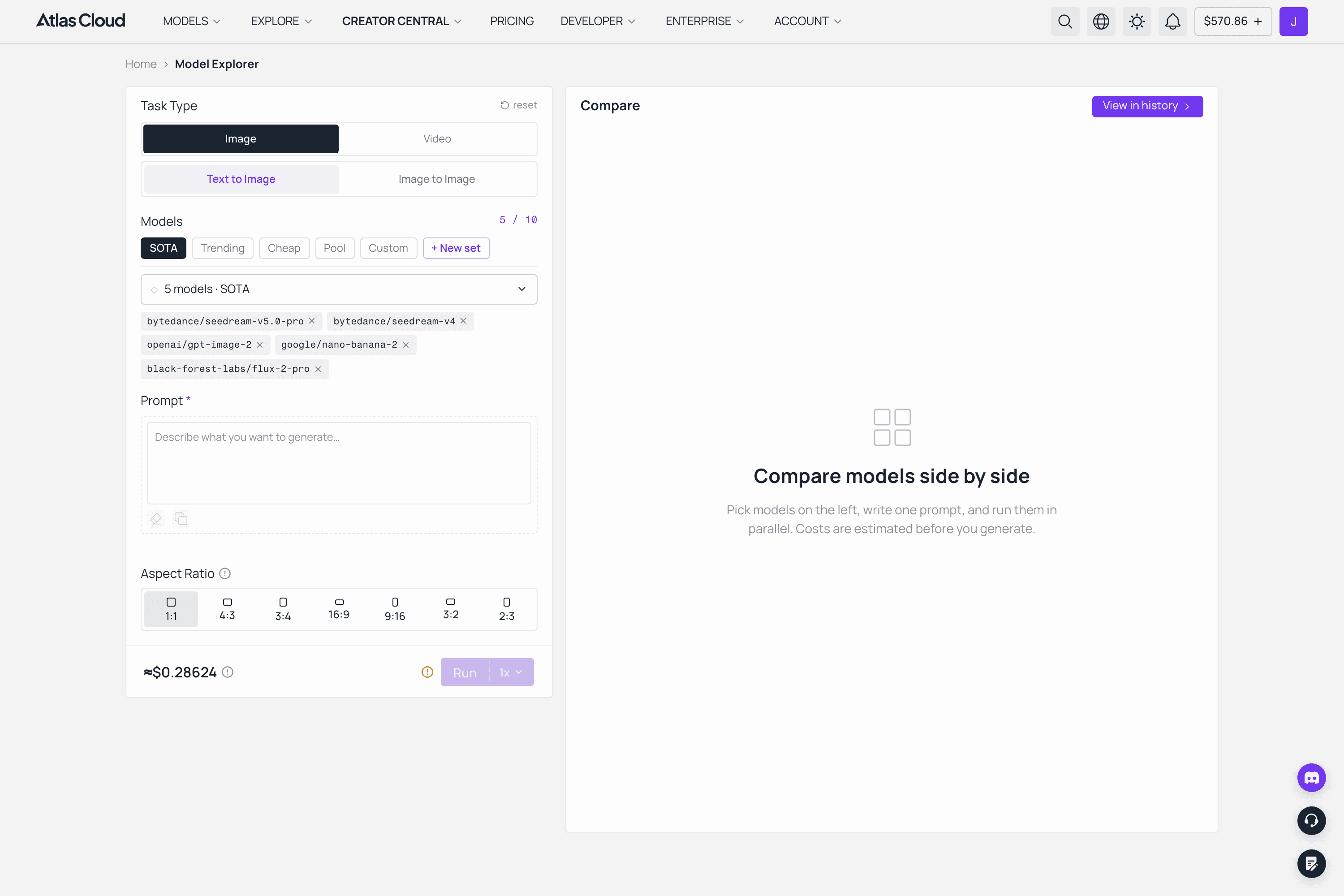
Atlas Cloud Model Explorer: a preset group of models selected to run in parallel from one prompt, with the per-run cost estimate shown before running
Verifiable is not the same as locking the right dimension
That line from the last section, "keep it flat, not photoreal," is the most typical trap we have hit.
The strange part is that the constraint can be fully satisfied and still fully fail. Flat? Yes. Hand-drawn? Not at all. Tick every box on the checklist and you score full marks.
The problem: we locked "flatness," but the property that actually carries the concept is "visible tool marks." Swap in "crayon, colored pencil, coarse brush, hatching direction, uneven fill, rough edges" and the same model reverses completely.
The hand-drawn subject across four models. "Flat" is easy to satisfy, "visibly hand-made" is the property that actually had to be locked.
That distills into a test:
Take each constraint you wrote and ask: can the model satisfy this sentence and still drop the thing I actually want?
If yes, the lock is aimed at a side effect, not the concept.
The symptom is familiar: the output matches your checklist line by line, but anyone who knows the reference can see at a glance that it is wrong.
The right move at that point is not to add more locks. It is to go back and find the property that actually carries the concept.
Put back into "local draft, cloud finish," this one carries more weight: a constraint aimed at the wrong dimension may be invisible at draft resolution. At 480p the difference between a smooth outline and a coarse brush is already blurry, and you only discover the direction was wrong after spending the effort on a cloud final. Whether drafting saves you time depends on whether the property you locked while drafting was the real one.
The community already packaged the MiniMax H3 process
The official write-up carries one more signal worth calling out on its own: developers are starting to wrap the whole production process into something reusable.
One AI artist uses Claude Code on a Mac to orchestrate a local model on a second machine. The Mac handles project setup, fact-checking, script, timeline, subtitles, storyboard and structural review, and the other end handles model inference. The whole thing is broken into 14 stages, from brief all the way to batch render, edit assembly and ledger write-back, without ever opening a traditional editor.
Another project wrapped the same idea into a plugin with built-in skills that go from a story or business brief to character and scene setup, storyboard and keyframe design, then pick a workflow per shot. Prompts, input assets, the workflow, candidate shots and the selections are all kept in the project record, so an interrupted task resumes where it stopped.
The direction is the same: everyone is turning "how this one was made" into a reusable asset, instead of leaving behind a pile of finished films. The two things we made sit on exactly that line.
Two MiniMax H3 resources you can take right now
-
The official MiniMax H3 prompt library (52 prompts, 16 categories, each with a preview)
Plain1https://github.com/AtlasCloudAI/awesome-minimax-h3-prompts
Not rewrites, but the original prompts from the official showcase, organized by scenario, each paired with a real generated preview video so you can see the result before you decide which one to copy.
The 16 categories cover brand and cinematic, visual creative and packaging, motion graphics and VFX, AI narrative, product and e-commerce, digital and game creative, industrial and embodied AI, animation and stylization, multi-material reference, character/action/camera reference, voice cloning, character and object editing, scene and VFX editing, audio and dialogue editing, precise instruction following, and style presets. It supports 20 languages and takes submissions.
The most time-saving way to use it while drafting: find a prompt whose subject is close to yours, watch its preview, and use it as a starting point to edit. Far faster than starting from a blank box.
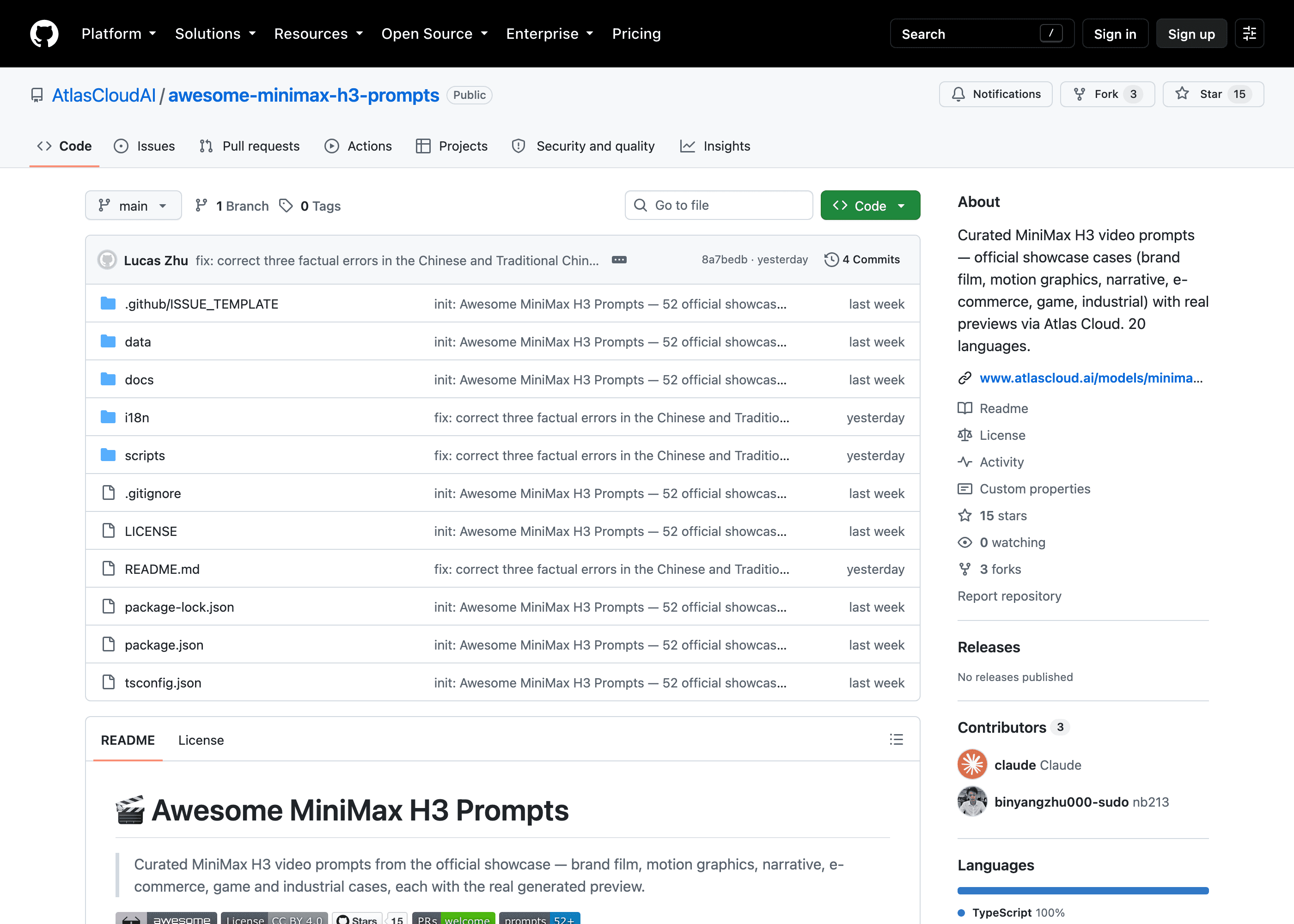
The awesome-minimax-h3-prompts repository on GitHub, showing the category index and one entry with its preview video
-
The universal video prompt Skill
Plain1https://github.com/kiana-liang/universal-video-prompt-skill
Plain1npx skills add kiana-liang/universal-video-prompt-skill
It solves the problem from the second section: you copied the prompt, but you could not copy the judgment made while writing it. The slogan says exactly that. The underlying decision logic you cannot copy by copying the prompt is what lives here.
What it does is break "think it through first, then write it into a form" into a reusable decision checklist:
- Two questions before every line: which layer does this belong to (global, locked, or temporal), and did it get written in an observable form?
- Translate the unverifiable into the verifiable. "Keep consistent" becomes a visible end state. "Tense" becomes eye movement, breathing and hand motion.
- A dialect-proof method: write the term and an observable description together. A model that knows the term takes the shortcut, one that does not follows the description, and one prompt covers both.
- No rewrite across environments. The pure language layer is written once, and model-specific biases go in a separate profile table, the kind from the third section.
The repo ships 5 shot types, 4 fully worked cases, 6 model profiles, and 4 demo videos. Each video is bound to the specific rule it demonstrates, it is not a showreel.
It is also clear about what it does not do: no required slots, no example is a rule, every rule has exceptions. If you are looking for a fill-in-the-blank template to drop in, this is not it.
The finishing end: running MiniMax H3 on Atlas Cloud
All three MiniMax H3 call modes are live on Atlas Cloud, text-to-video, image-to-video and reference-to-video, with parameters, duration options and request examples on each model page.
Plain1Overview https://www.atlascloud.ai/models/minimax-h3 2Text-to-video https://www.atlascloud.ai/models/minimax/h3/text-to-video 3Image-to-video https://www.atlascloud.ai/models/minimax/h3/image-to-video 4Reference-to-video https://www.atlascloud.ai/models/minimax/h3/reference-to-video 5Comparison tool https://www.atlascloud.ai/model-explorer
Atlas Cloud gathers these mainstream video models into one pool, so with a single API you change one model string to run the whole comparison. That is how the four-model test in the third section ran, except back then we still wrote our own script, and now it is a few clicks in Model Explorer.
So the pipeline connects up like this in practice:
| Stage | Where | Purpose |
|---|---|---|
| Draft | Model Explorer, cheap preset, one prompt in parallel | Test direction fast, build the model profile table |
| Finalize | Same pool, switch to the target model | Prompt unchanged, only the model string changes |
| Ship | API call, into your own production flow | Batch, orchestratable |
All three stages use the same prompt and the same key. Nothing gets rewritten in the middle and nothing changes environment, which is the point from the second section: the one asset that has to cross stages is the prompt, so do not let it deform on the way. Parameters, duration options and API examples all live on the MiniMax H3 model pages.
In closing
A week of open source, and the community has already fit MiniMax H3 onto consumer graphics cards, into a native Mac program, and inside automated production flows. That work is what made the local end genuinely usable.
But local running is not local delivery. "Local draft, cloud finish" is a good habit because it does not set the two ends against each other. It accepts that this is one pipeline, with two stations doing two jobs.
And for the line to move, the piece that gets handed off in the middle has to be reliable. That piece is the prompt. So the thing worth your time is never any one film you rendered. It is why you wrote it the way you did.
MiniMax H3 prompts FAQ
Where can I run MiniMax H3 without a local GPU?
All three MiniMax H3 modes, text-to-video, image-to-video and reference-to-video, run on Atlas Cloud, with the parameters and duration options on each model page. Local inference is useful for cheap 480p drafting once the community builds are set up, but the higher-resolution final still renders in the cloud.
How do I compare MiniMax H3 against other video models fairly?
Run one verbatim prompt across the models in a single execution environment. Model Explorer does this with up to 10 models in parallel, which keeps gateway behavior, default parameters and asset encoding constant so the differences you see are the model differences.
Do MiniMax H3 prompts transfer to other models?
That is the whole point of writing them well. Keep the pure language layer observable and dialect-proof, term plus description, and record model-specific timing biases in a separate profile table. The prompt then survives moving from a draft model to the final model unchanged.
Where do I find ready-made MiniMax H3 prompts?
The awesome-minimax-h3-prompts library has 52 official showcase prompts in 16 categories, each with a real preview video, in 20 languages. Find one close to your subject, watch the preview, and edit from there.





