

Watch someone pick up a shoe in a store. They turn it to see the profile, flip it to check the sole, run a thumb along the stitching, then try it on. Four moves, every time. Online, your photos have to do all four jobs before anyone taps add to cart.
This guide covers shoe photography for sellers working with a phone and a table: the white-background main image, the three-quarter view of the pair, the sole and seam close-ups, and the on-foot shot. Each section ends with the same shoe rendered on Atlas Cloud, so you can see what one clean product photo turns into.
Key Takeaways
- Wipe the upper, fasten the strap and clean the sole edge before the first frame, because no edit fixes a dusty shoe.
- Amazon's main image rule for shoes is one shoe, facing left, at a 45-degree angle on pure white.
- A three-quarter view of the pair shows the toe box, the strap, the side panel and the sole edge in one frame.
- Sole and seam close-ups prove the build, and one on-foot shot proves fit and heel height.
- One clean product photo is enough for the Image ads workflow to build scene images and promo posters.
How to Prep a Pair for Shoe Photography
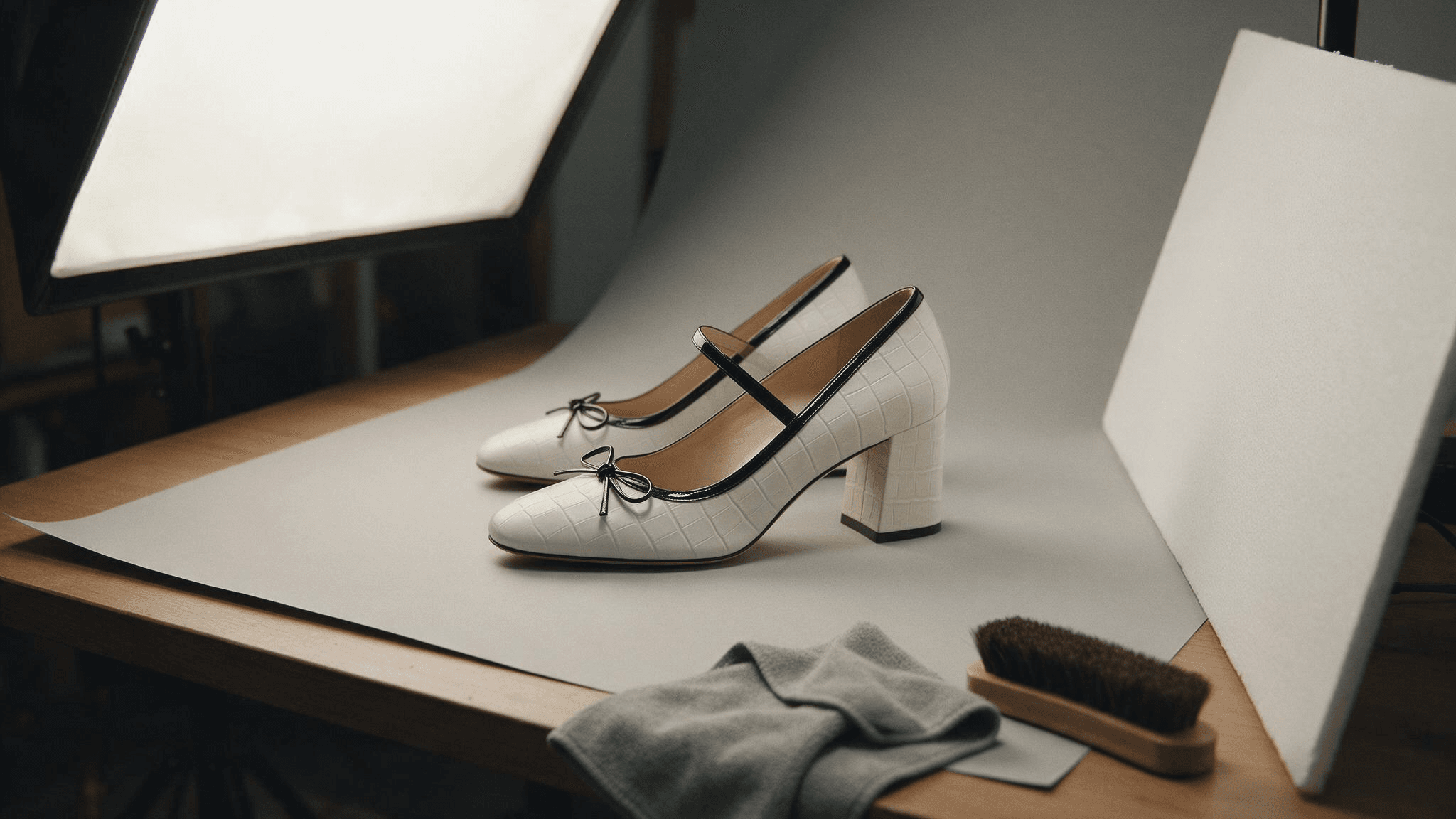
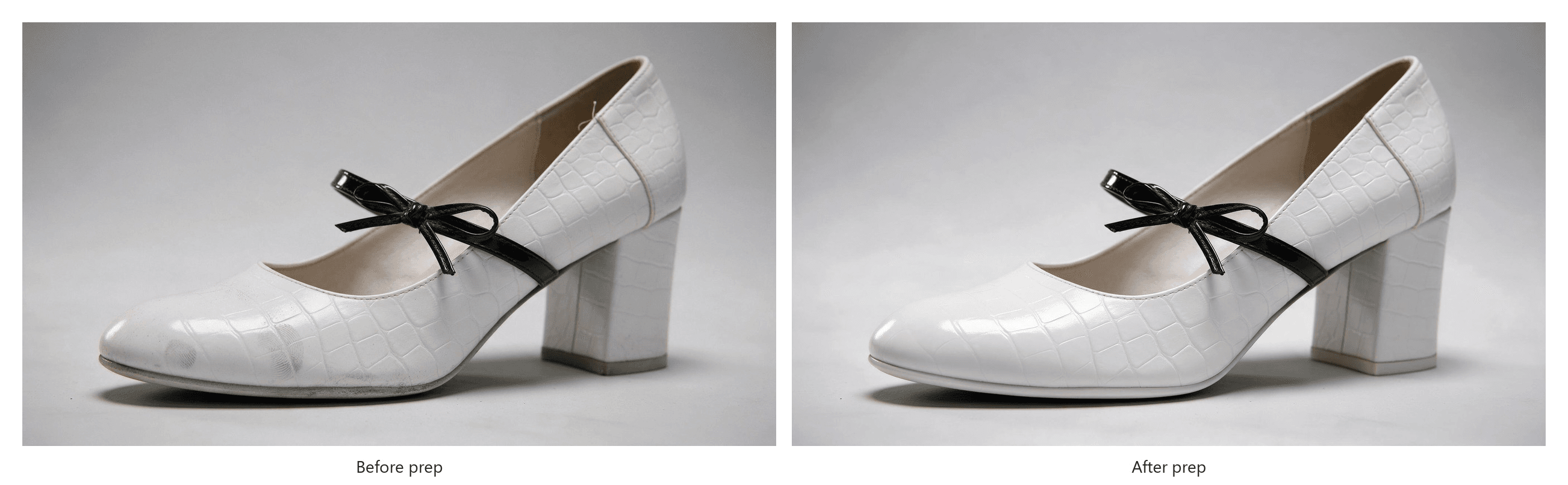
A shoe that looks fine in your hand looks worn in a 2,000-pixel photo. Dust settles in the grain, a fingerprint on patent leather reads as a smear, and a gray line along the sole edge makes a new pair look returned. Pick the better shoe of the pair for the single-shoe shots, then:
- Wipe the upper with a dry microfiber cloth, and handle glossy finishes by the sole from then on.
- Brush suede in one direction, and give smooth leather a thin coat of polish.
- Clean the sole edge with a damp cloth, and rub scuffs out with a soft eraser.
- Fasten every strap, buckle and bow and center it, because a bow that leans pulls the eye off the shape.
- Fill soft shoes with tissue paper, since sneakers and flats collapse at the toe box, and re-lace them evenly.
- Snip loose threads at the heel seam and the topline, where a phone at 2x will find them.
AI Shoe Photography: Turn One Product Photo Into Listing Images
The four shots in this guide are evidence, and they need the real shoe under real light. The scene images and sale posters around them are marketing, and those swallow afternoons in props, backdrops and reshoots.
That second group is what the Marketing Studio workflows on Atlas Cloud cover. Image ads takes one product photo and a short brief, then renders a product hero image, a product detail page or a promotional poster around your shoe.
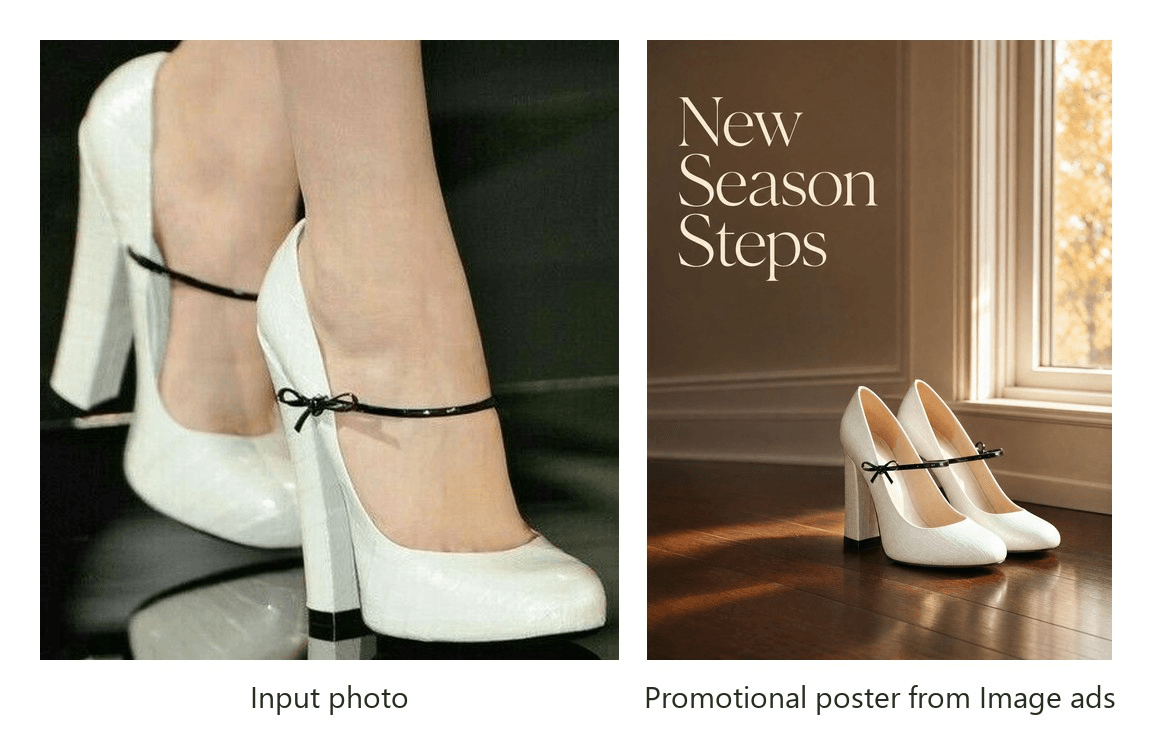
The poster came from Image ads as a Promotional poster at 3:4 and 2K, with the headline set in the brief.
We started from one photo of the shoe used throughout this guide, a white croc-effect block-heel pump with a black patent bow, photographed on a model's feet. Every image in the next four sections came from that photo with a different Visual type and brief, and so did the autumn launch poster above. Here's the run for the on-foot shot.
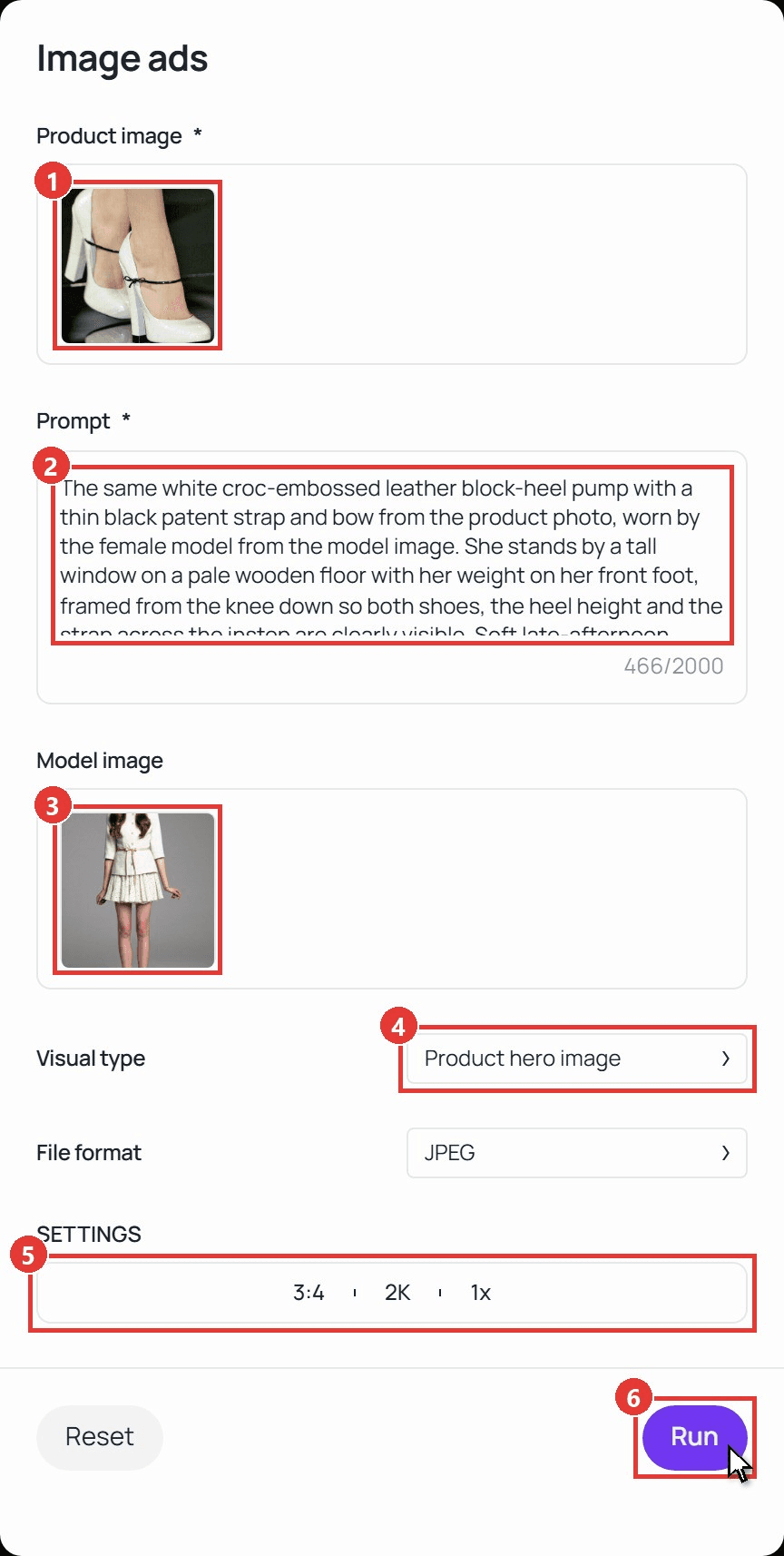
- Upload the shoe under Product image. One sharp photo is enough, up to 10 MB.
- Write the brief in Prompt. Name the material, the setting and the framing:
plaintext1The same white croc-embossed leather block-heel pump with a thin black patent strap and bow from the product photo, worn by the female model from the model image. She stands by a tall window on a pale wooden floor with her weight on her front foot, framed from the knee down so both shoes, the heel height and the strap across the instep are clearly visible. Soft late-afternoon window light, cream and warm neutral palette, clean editorial ecommerce style, no text.
- Add a Model image if you want a specific person. We uploaded a full-length photo of our model.
- Choose the Visual type: Product hero image, Product detail page or Promotional poster.
- Set the output under SETTINGS: the ratio, the resolution (1K, 2K or 4K) and up to four images per run.
- Click Run. The finished image appears under Output with a Download button beside it.
Keep the generated scenes for your own store, ads and social posts. Amazon's main image slot still wants a real photo of the product, and our Amazon image requirements guide explains where AI images can go.
How to Photograph Shoes on a White Background for the Main Image
Amazon is specific about footwear. Its Product image guide tells sellers to "Show a single shoe, facing left, at a 45-degree angle (applies to all footwear)." The same page wants a pure white background, the product filling 85% of the frame, one unit only and no part of a mannequin.
| Amazon main image rule for shoes | What it means on the table |
|---|---|
| A single shoe, facing left, at a 45-degree angle | Shoot the better shoe alone, toe toward the left edge of the frame |
| Pure white background, RGB 255, 255, 255 | White seamless paper or poster board, then a white point correction in editing |
| Product fills 85% of the image | Move in until the shoe nearly touches the edges, then crop square |
| No mannequin, no props | Nothing in the frame but the shoe and its shadow |
Stand the shoe with the toe pointing left, then turn the heel toward you until the inside of the vamp and the outer side panel show at the same time. Keep the phone at the height of the vamp, since shooting down from standing height squashes the heel and hides the profile.
For exposure, tap the shoe and drag the slider up until the paper reads white, the same correction our phone product photography guide walks through.
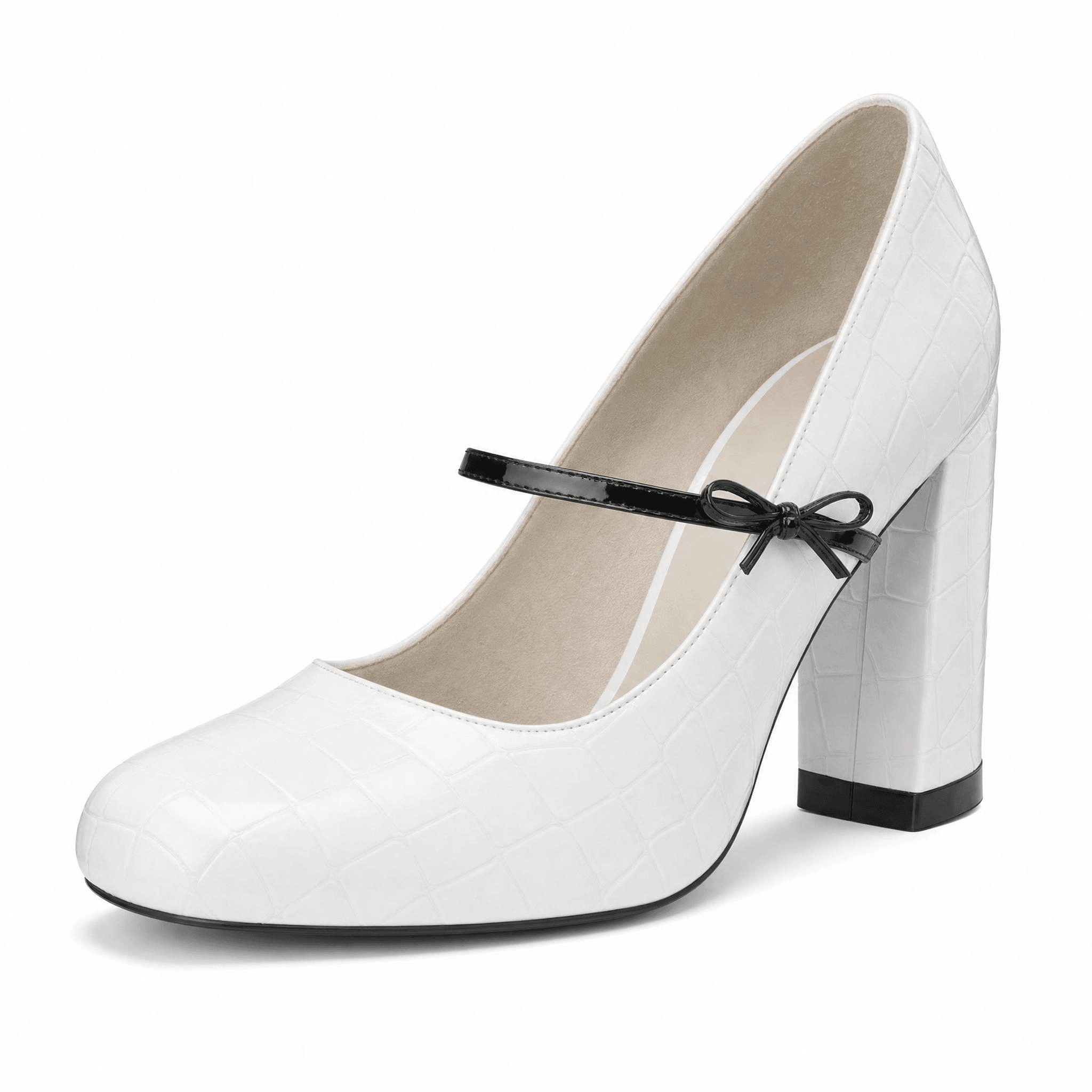
Built by Image ads as a Product hero image at 1:1 and 2K from the on-foot photo above.
The 45-Degree Shoe Photography Angle That Shows the Whole Pair
The second image answers a question the main image can't: what does the pair look like together, from the angle a buyer sees on a shelf?
Set the front shoe at the same 45 degrees, toe left. Put the second shoe half a step behind it and turn it a little further, so one shoe shows its outer side and the other shows its inner side and heel. Raise the phone a touch above vamp height, enough to show the opening of the shoe without flattening the heel. A plain surface with a visible edge gives the pair a floor to stand on, and one soft side light keeps the shadows falling the same way.
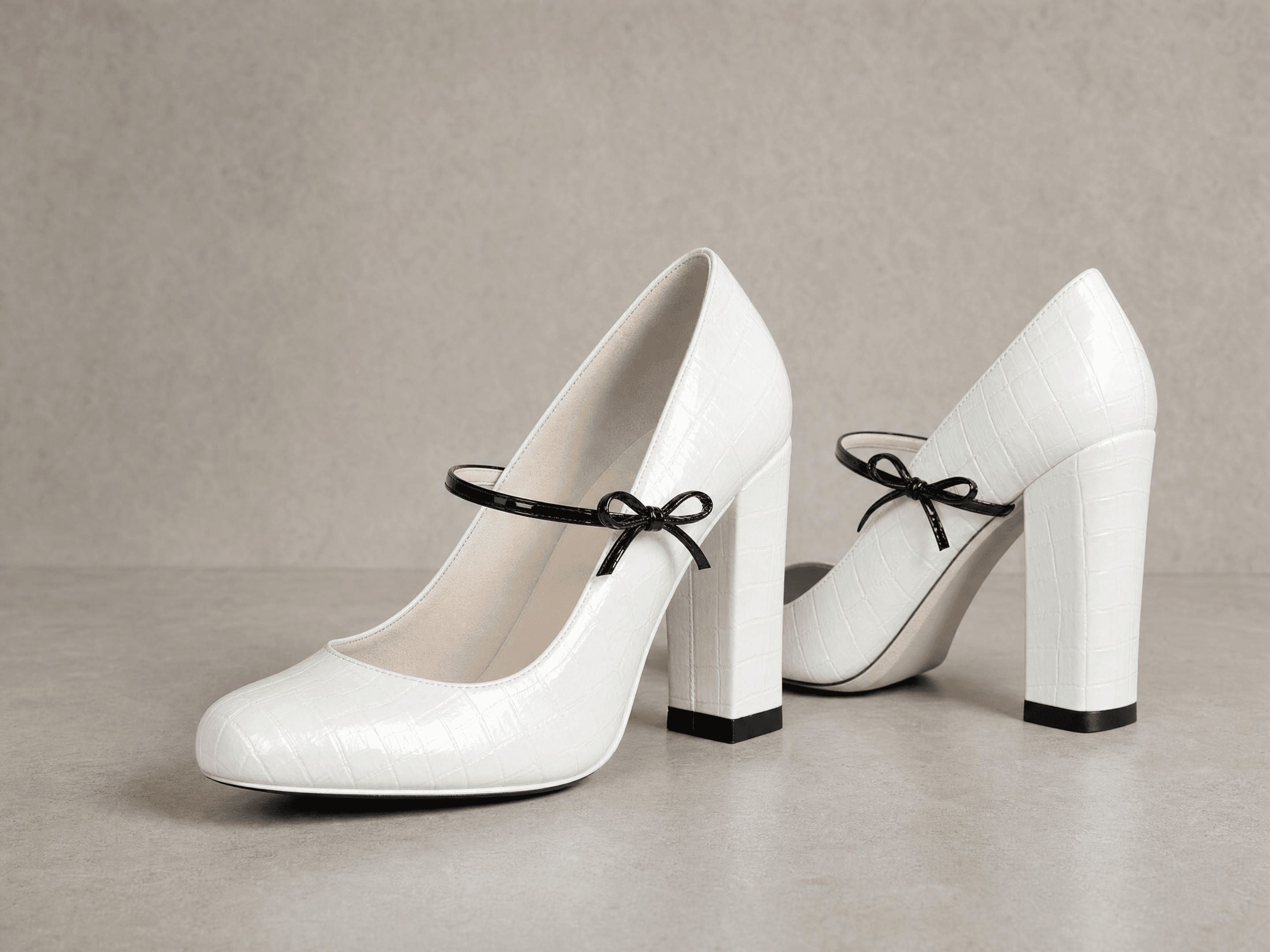
Built by Image ads as a Product hero image at 4:3 and 2K.
Shoe Photography Close-Ups That Prove the Build
Buyers zoom in on three places: the sole, the seams and the label inside.
For the sole, flip the shoe sole-up on the paper and move the light to one side, so it rakes across the tread and the heel tip instead of flattening them into a gray blob.
For the seams, zoom to 2x and shoot from about 15 cm: the join where the heel cover meets the upper, the binding along the topline, the stitching that holds the strap. Macro mode handles the tightest shots, and our jewelry photography guide lists which phones have it. Finish with the insole, where the size stamp and the brand mark live.
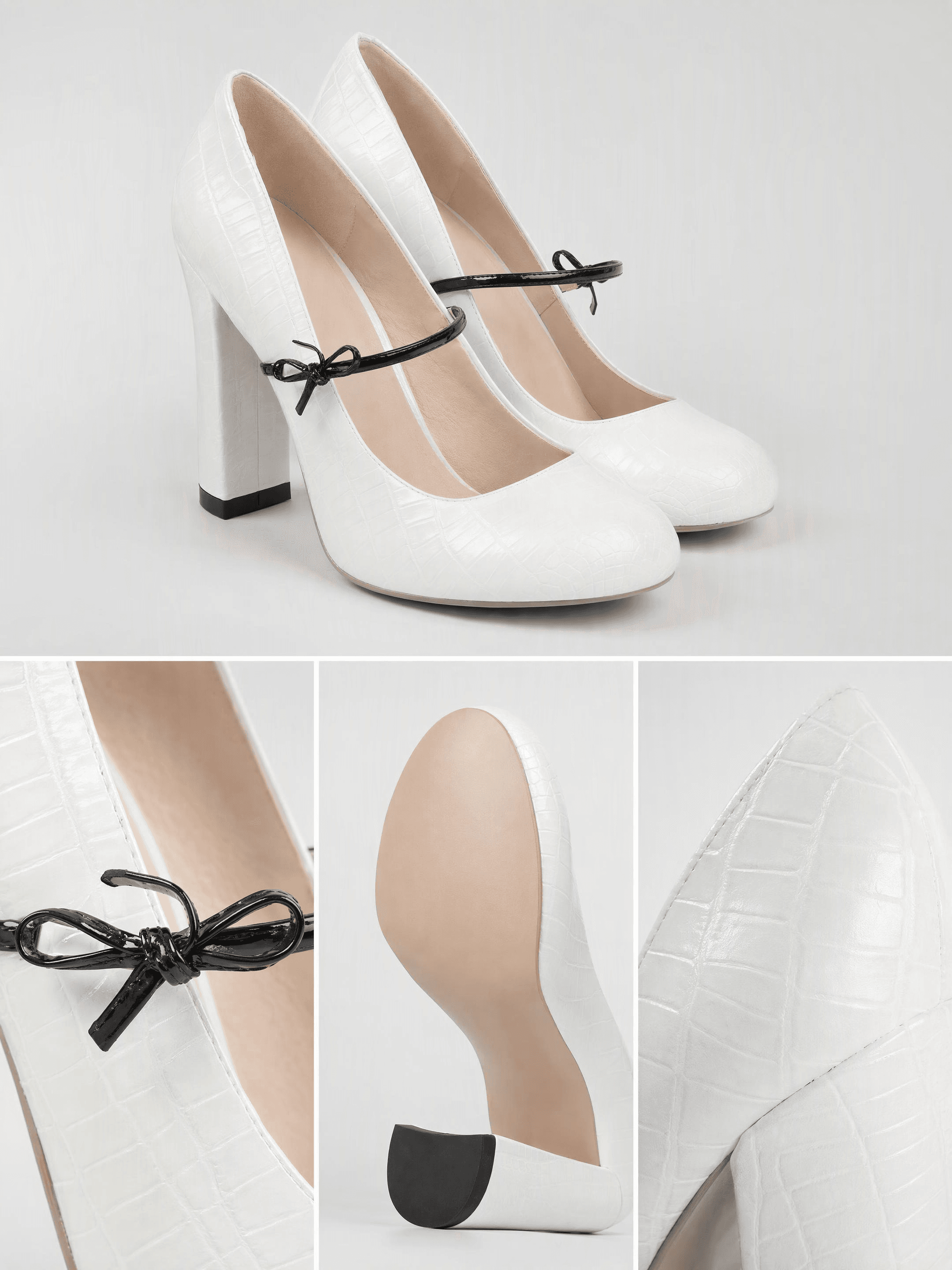
Built by Image ads as a Product detail page at 3:4 and 2K.
How to Photograph Shoes on Feet So Buyers See Fit and Size
A shoe on a table shows shape. A shoe on a foot shows what shape can't: how high the heel sits in use, where the strap lands on the instep, and how much toe the shoe covers.
Ask your model to stand with their weight on the foot you're shooting, and frame from the knee down. Put the phone at ankle height, not eye height, or the shoe shrinks into the floor. Use a plain floor, a hem that stops above the topline, and the same side light as the rest of the set.
One rule before you upload: Amazon's image suppression page lists a human model in the main image as a suppression trigger for shoes. The on-foot shot belongs in the additional images, where it does its best work anyway. No model on hand? The Model image slot in Image ads covers it, which is how we made the shot below.
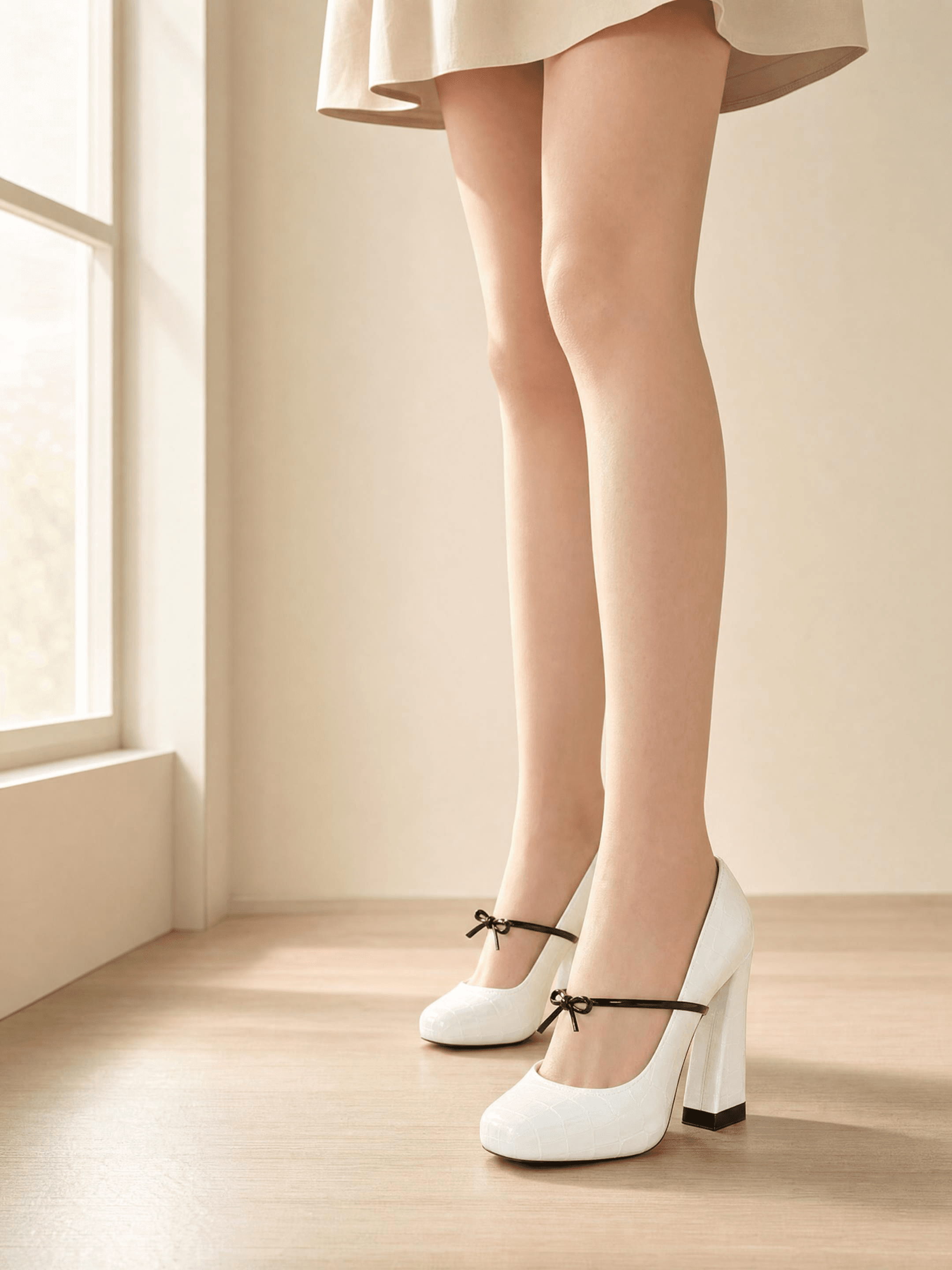
Built by Image ads as a Product hero image with a Model image, at 3:4 and 2K.
FAQ
What is the best angle for shoe photography?
The three-quarter view, with the toe pointing left and the heel turned about 45 degrees toward the camera. It shows the toe shape, the side panel, the heel and the sole edge in one frame, which is why Amazon requires it for the main image.
Should you photograph one shoe or both?
Both, in different images. The main image shows a single shoe, because Amazon's main image rule asks for one unit and one shoe reads larger in a search thumbnail. The second image shows the pair at the same angle, so buyers see that the shoes match.
How do you photograph shoes without a model?
Stuff the toe box so the shoe holds its shape, then shoot the three-quarter, side, sole and detail views on a plain surface. For a walking look, hang the shoe from a clear fishing line tied to a rod above the table. For an on-foot image with no model booked, a workflow like Image ads can place the shoe on a model from a product photo and a reference photo.
How do you photograph heels so the heel height shows?
Shoot the side profile with the phone level with the heel, not above it, and keep the whole sole edge in the frame. A tape measure beside the heel in one supporting image settles the question for buyers who read specs.
Conclusion
Good shoe photos come from four angles and a clean pair. The white main image shows one shoe at 45 degrees, the pair shot shows the set, the close-ups prove the sole and the seams, and the on-foot frame shows fit.
Once you know how to photograph shoes this way, one clean product photo per style is enough to start. Keep the real shots for the listing, and let a workflow like Image ads build the scenes and posters around that same shoe for your store, ads and social feed. That is shoe photography that scales with your catalog instead of your calendar.





