
You asked for a synonym and got a spinning "Thinking" line instead. Fifteen seconds later the answer is one word. If that happens a few times an hour, you want to know how to stop ChatGPT from thinking on questions that don't need it.
The fix depends on your plan, and OpenAI reworked these controls three times in 2026. This guide follows the October 2026 interface on the web, on your phone and in the API.
Key Takeaways
- On Plus and Pro, move the Thinking slider to Instant and ChatGPT answers without a reasoning pass.
- Free and Go users get fast answers by default and only reason when they tap Think.
- Since September 14, 2026, Instant no longer switches itself to Thinking on Plus and Pro, except for safety.
- Typing "think harder" no longer changes the thinking level on Plus and Pro; the picker does.
- Developers can switch reasoning off per request with GPT-6 Luna on Atlas Cloud.
How to Stop ChatGPT From Thinking on the Web
On a paid plan, the control sits inside the message box. OpenAI's GPT-6 help article puts it plainly: "Use the Thinking slider to choose your effort." The stops are Instant, Medium, High and Extra High.
- Click the model control in the message composer.
- Move the Thinking slider to Instant.
- Send your message.
Free and Go accounts have no slider. They answer on a fast model by default, and a Think toggle in the message box adds reasoning for harder questions. A blue Think means it's on:
- Click Think so it turns grey.
- Send your message.

ChatGPT Thinking on Instant Mode: Why It Still Reasons Sometimes
Picked Instant and still saw a thinking line? The reason depends on your plan.
| Situation | What you see | What to do |
|---|---|---|
| Plus or Pro on Instant | Fast answers; OpenAI says ChatGPT "can still switch automatically for safety purposes" | Nothing. Sensitive topics may get a reasoning pass. |
| Business workspace | Instant adds reasoning on its own | Turn off Higher intelligence in Settings > General |
| Free or Go | Reasoning only after you tap Think | Leave Think unselected for quick questions |
The Business setting matters more than it looks. OpenAI notes that automatic reasoning "may use your reasoning allowance even while Instant remains selected."
Switch Reasoning Off Per Request With GPT-6 Luna on Atlas Cloud
ChatGPT's slider is a choice you make before each chat. Apps need the same choice made in code, request by request. Atlas Cloud serves GPT-6 Luna, the lighter model in OpenAI's GPT-6 family, and one request field turns its reasoning off.
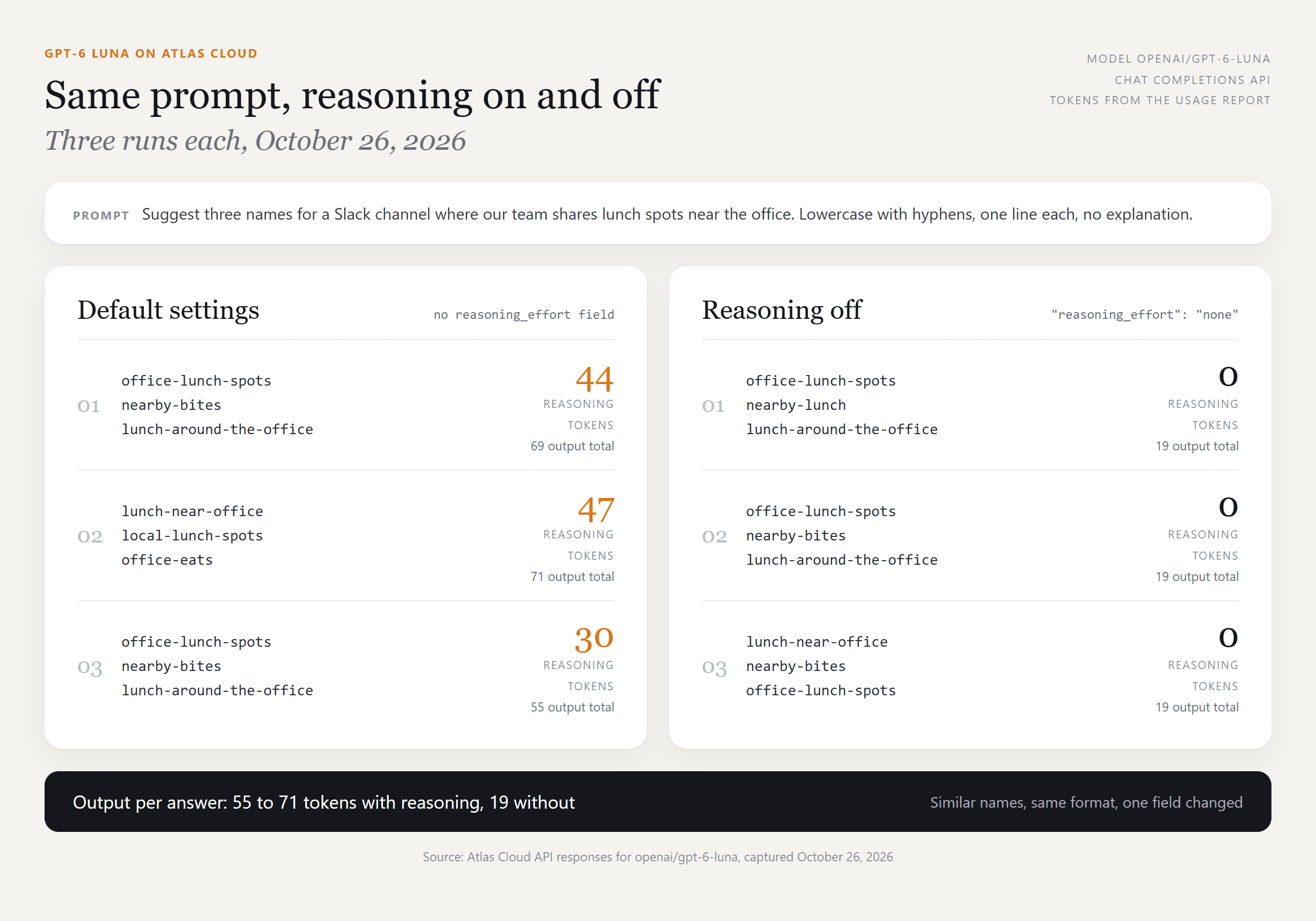
We sent one prompt six times, asking for three Slack channel names for a team's lunch spots. On default settings Luna spent 30 to 47 reasoning tokens per run. With reasoning set to none it spent zero, and the names were just as usable. Output per answer fell from 55 to 71 tokens to 19, a gap that adds up across thousands of quick calls.
Method 1: Try GPT-6 Luna in the Playground
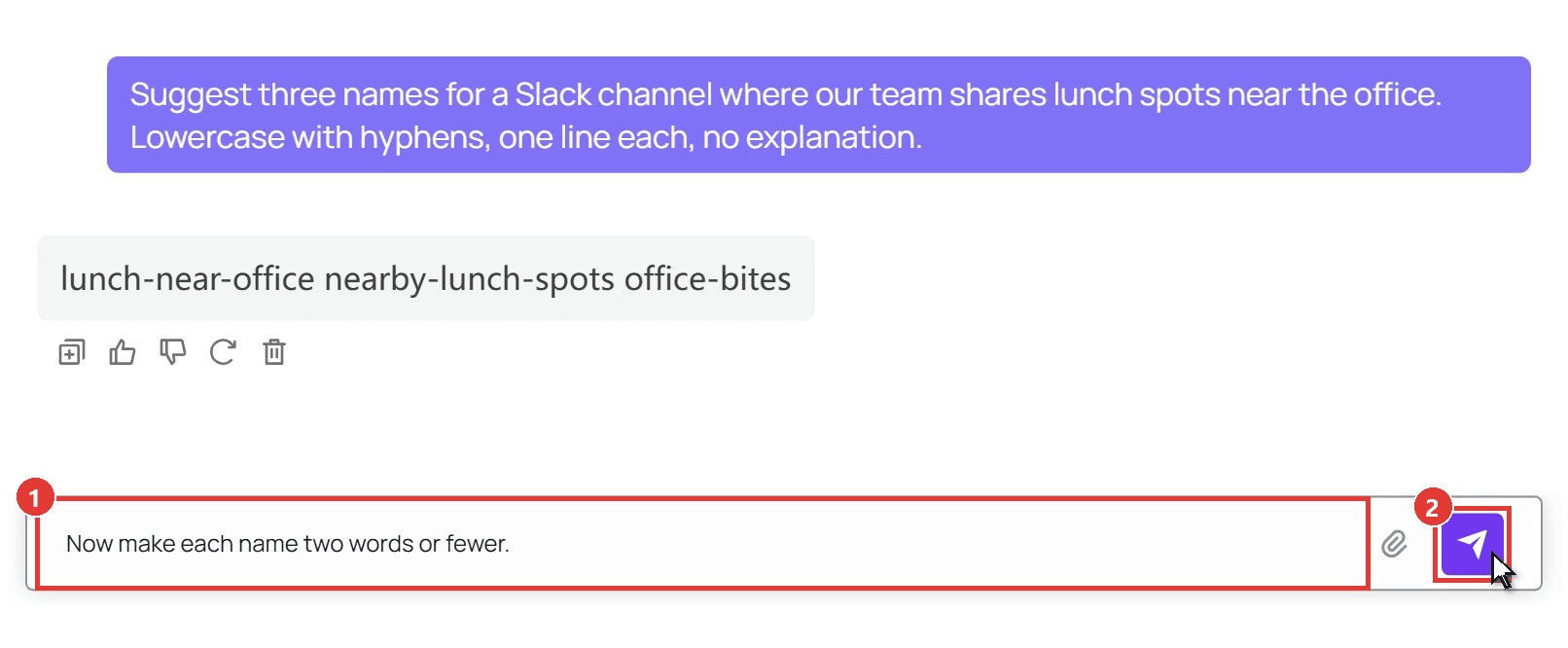
Check that Luna's answers suit your task before writing code. Sign in, open the GPT-6 Luna playground, then:
- Type your prompt in the message box.
- Click the send arrow and read the reply in the chat area.
Method 2: Set reasoning_effort to None in the API
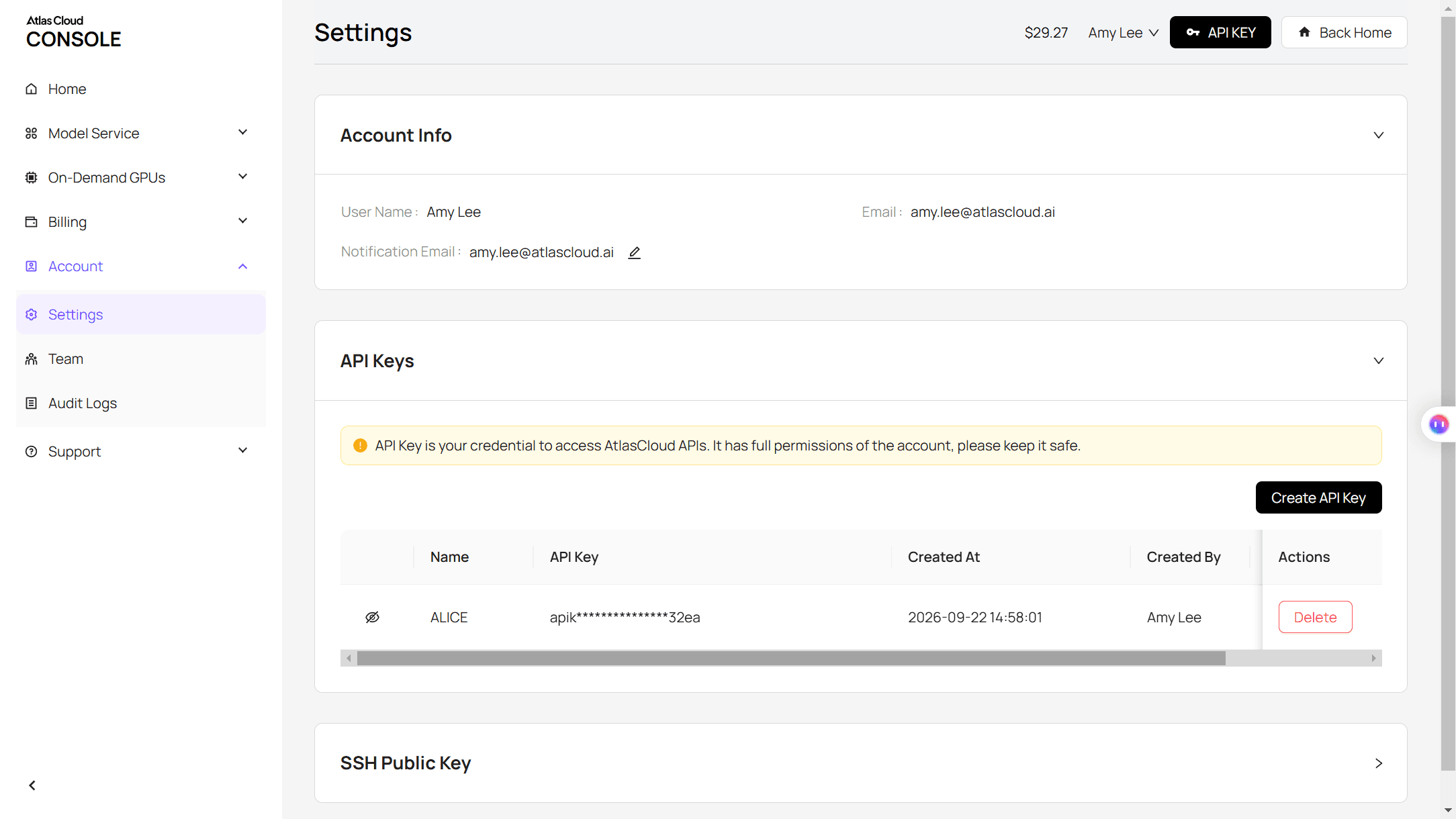
Step 1: Create an API key. In the console, open Settings, go to API Keys and click Create API Key.
Step 2: Check the request format. The API docs cover the chat completions format used below.
Step 3: Send the request with reasoning off. Add "reasoning_effort": "none" to the body. The reply arrives in choices[0].message.content, and usage.completion_tokens_details.reasoning_tokens reads 0.
plaintext1curl -X POST "https://api.atlascloud.ai/v1/chat/completions" \ 2 -H "Authorization: Bearer $ATLASCLOUD_API_KEY" \ 3 -H "Content-Type: application/json" \ 4 -d '{ 5 "model": "openai/gpt-6-luna", 6 "reasoning_effort": "none", 7 "messages": [{"role": "user", "content": "Suggest three names for a Slack channel where our team shares lunch spots near the office. Lowercase with hyphens, one line each, no explanation."}], 8 "max_tokens": 200 9 }'
Drop the field when a request deserves reasoning. The OpenAI-compatible chat models on Atlas Cloud share this endpoint and key, so switching models only changes the model string.
How to Stop ChatGPT From Thinking on iPhone and Android
In the app, the picker moves. OpenAI's June 10, 2026 release note: "On iOS and Android, you can find the picker at the top of the conversation."
- Plus and Pro: tap the model name at the top of the chat and drag the Thinking slider to Instant.
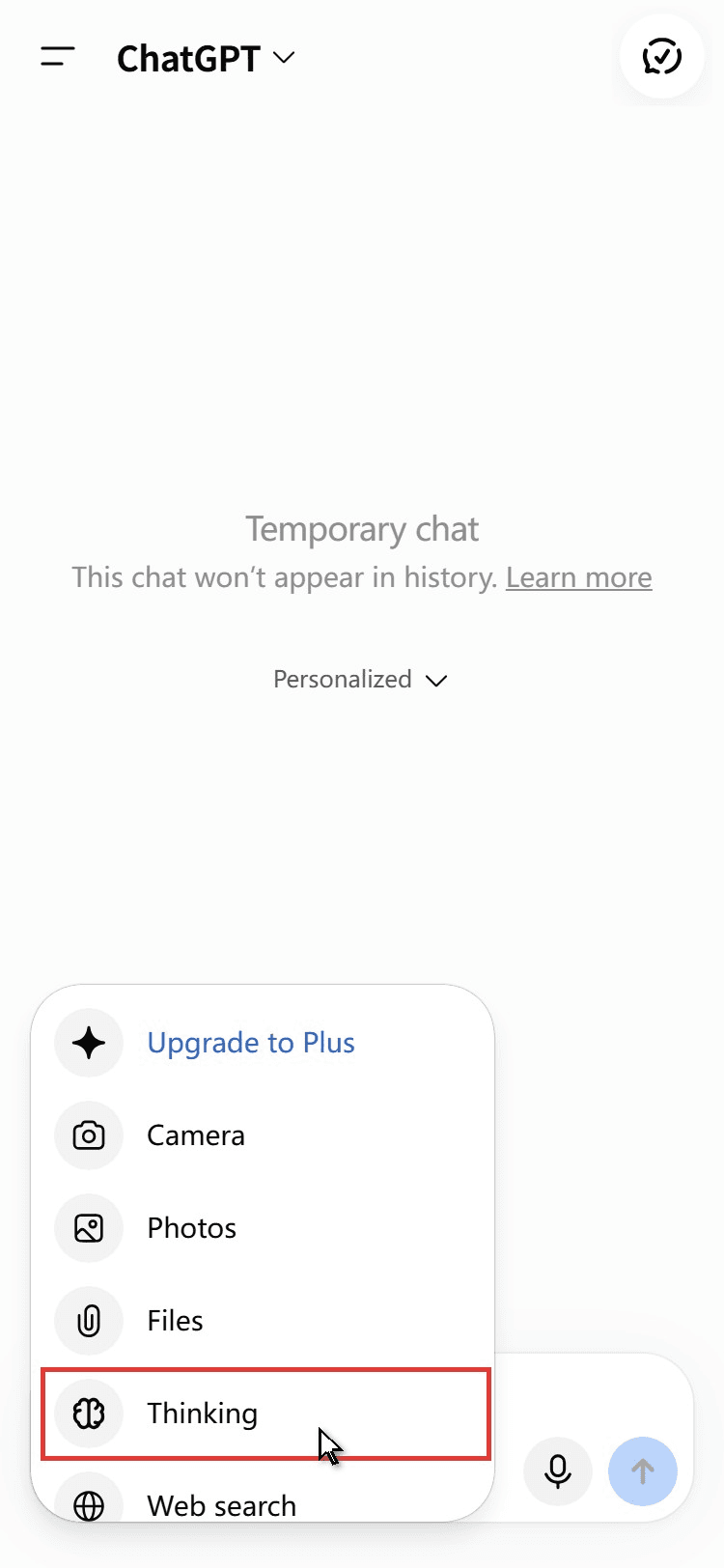
- Free and Go: reasoning lives in the + menu next to the message box, listed as Thinking (OpenAI's help pages call it Think, or Think harder on Go). Leave it unselected.
What "Thinking Longer for a Better Answer" Means
The line shows up when ChatGPT passes your message to a reasoning model. OpenAI's help center doesn't explain the phrase, but the behavior traces to the router launched with GPT-5 on August 7, 2025. It weighed, among other signals, "your explicit intent (for example, if you say 'think hard about this' in the prompt)," per the GPT-5 announcement.
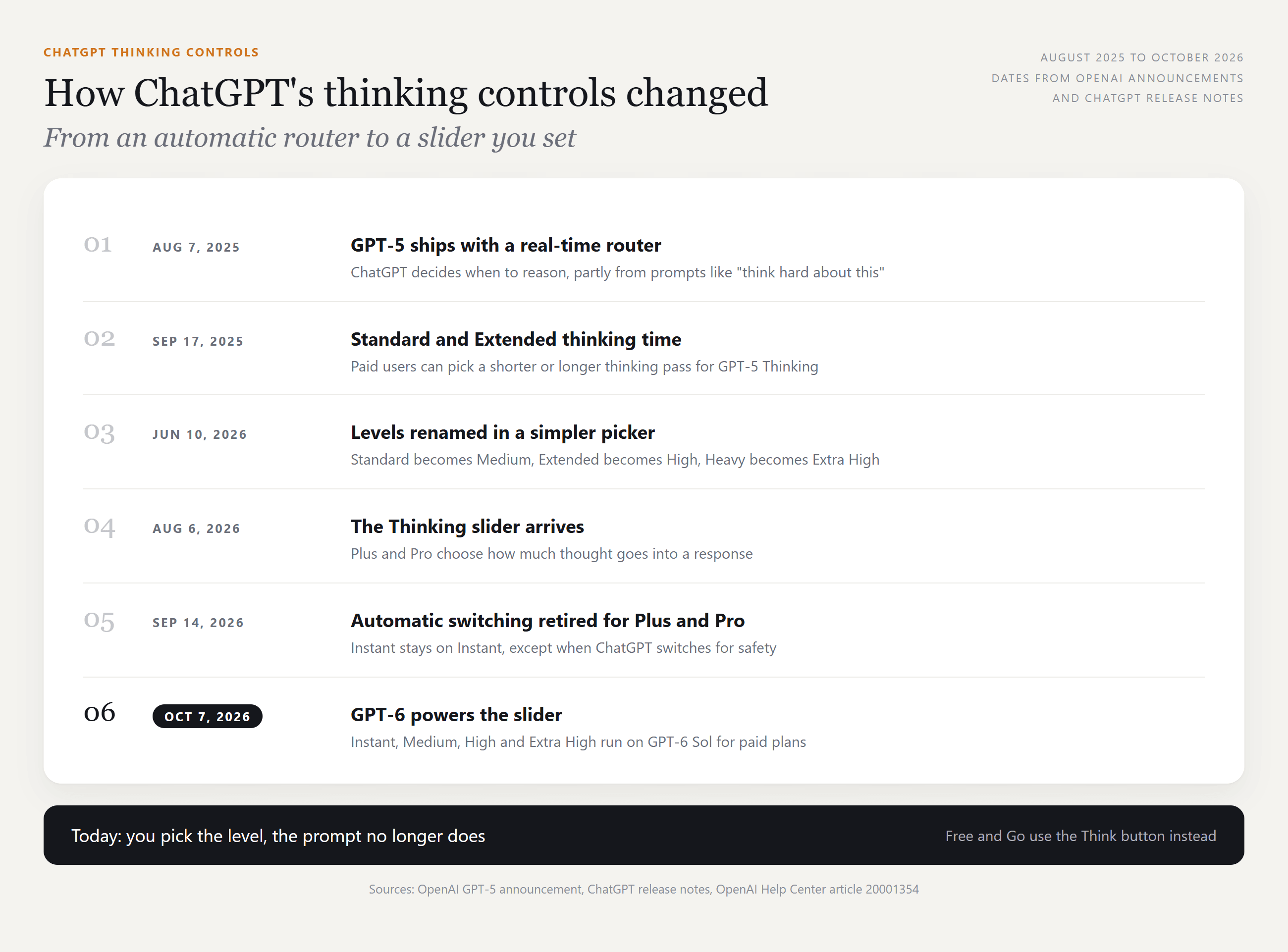
Plenty of users wanted the opposite and got long answers to short questions. On September 14, 2026, the release notes announced: "We're retiring automatic switching from Instant to Thinking (reasoning) for ChatGPT Plus and Pro users globally."
Prompt wording stopped steering it too: per the help article, asking ChatGPT to "think harder" or "think deeply" won't switch the level. On a paid plan today, the line most likely means a safety reroute or a level you picked earlier.
ChatGPT Thinking vs Extended Thinking vs Instant: Which Level to Keep
The names changed on June 10, 2026, which is why guides contradict each other. OpenAI's mapping: "Thinking Standard is now Medium, Thinking Extended is now High, and Thinking Heavy is now Extra High." Thinking Light was dropped.
| Level today | Old name | Plans | Use it for |
|---|---|---|---|
| Instant | Unchanged | Plus and up; the default on Free and Go | Rewrites, quick facts, translations, short replies |
| Medium | Thinking Standard | Plus and up | Multi-step math, planning, code review |
| High | Thinking Extended | Plus and up | Long documents, tricky debugging, research questions |
| Extra High | Thinking Heavy | Pro, Business and Enterprise | Problems where minutes of waiting are worth it |
So chatgpt extended thinking is High in today's menu. OpenAI doesn't publish thinking times, which it says aren't directly comparable across models. Start on Instant and move up only when an answer misses something.
ChatGPT Stuck on Thinking? Drop a Level Before You Refresh
A long think on High or Extra High may just be work in progress. When the wait outlasts your patience:
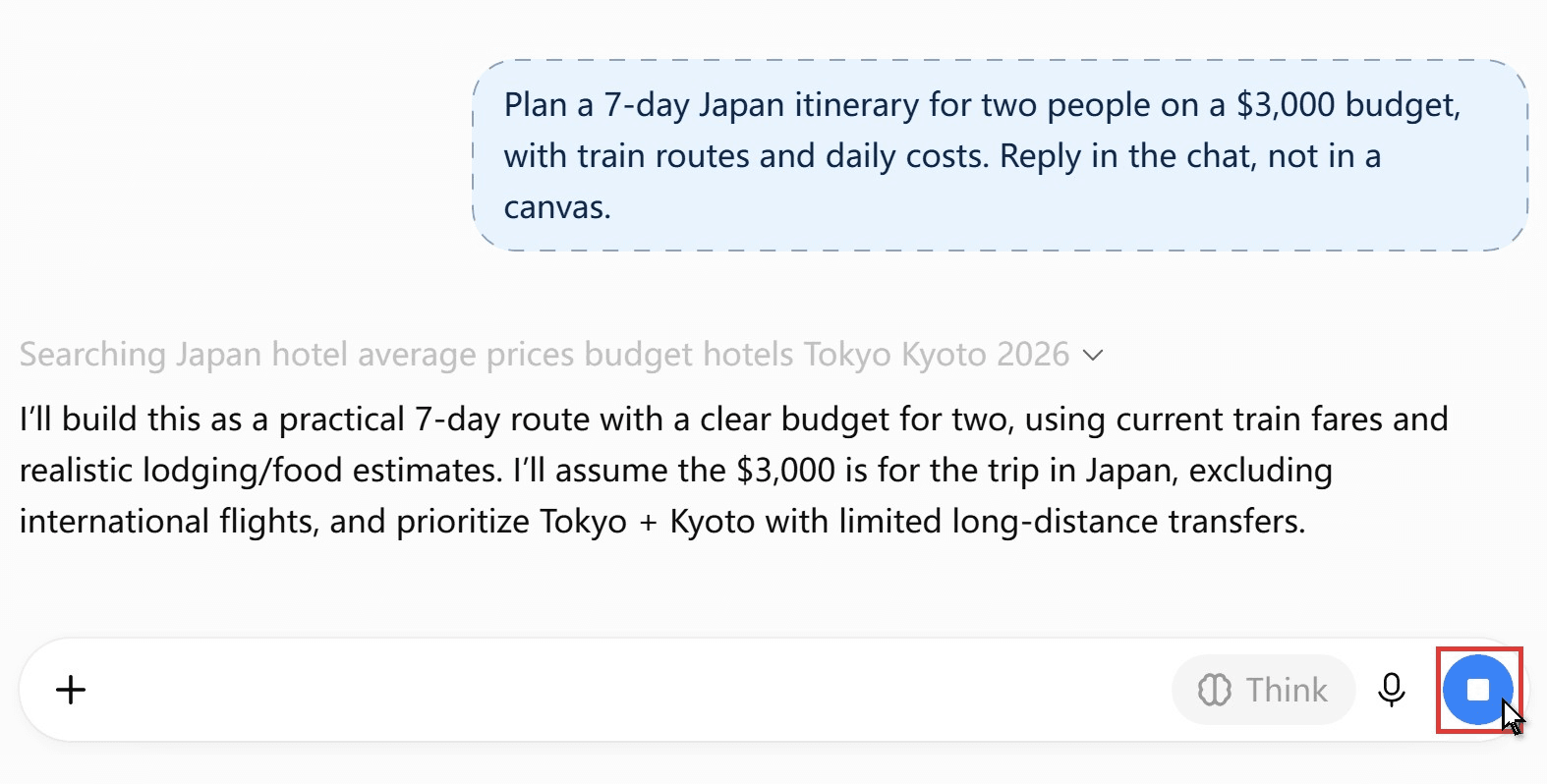
- Press the stop button.
- Move the slider to Instant, or turn Think off.
- Send the same message again.
If even Instant hangs, check whether ChatGPT is not working for everyone, or open a fresh chat, since long conversations slow ChatGPT too. Plan limits play a part as well: "If you reach a Thinking limit, ChatGPT may continue with another available model."
FAQ
How do I make ChatGPT think longer instead?
Reverse the steps. On Plus, slide to High; Pro, Business and Enterprise can go up to Extra High. Free and Go users tap Think. Pro subscribers also get a separate Pro option, powered by GPT-6 Astra, for the hardest problems.
Does Instant mode count against my Thinking limit?
OpenAI describes them separately: "Thinking limits depend on your plan," while Free and Go get unlimited everyday text chats, subject to abuse safeguards. Routine questions on Instant leave your Thinking allowance for the ones that need it.
What happened to ChatGPT 5.4 Thinking?
GPT-5.4 Thinking launched on March 5, 2026, and its name still fills search results. On paid plans the GPT-6 levels from Medium up now do that job, though OpenAI says the GPT-6 rollout doesn't retire older selectable models. Our GPT-6 availability guide lists who gets what.
Does turning reasoning off lower the GPT-6 Luna bill on Atlas Cloud?
The model page lists $0.1 per million input tokens and $0.5 per million output tokens for prompts up to 272K tokens, with no discount running as of October 26, 2026. Reasoning tokens count toward the output total in each response's usage report, so switching reasoning off trims the output side of short calls.
Conclusion
ChatGPT now asks you how hard to think instead of guessing. On Plus and Pro, set the Thinking slider to Instant; on Free and Go, leave Think alone. Since September, Instant on Plus and Pro stays fast unless a safety check steps in.
Save the higher levels for work that earns the wait, and stop a stuck reply instead of refreshing. If you build on the model, reasoning_effort set to none does the same job in one field. Either way, how to stop ChatGPT from thinking comes down to one setting you control.





