You give an AI video model a perfect product still. Five seconds later, the shoe has changed shape, the camera ends on a useless crop, and the "final hero shot" looks like a random pause.
Wan 3.0 first and last frame fixes the part creators complain about most: the ending. You upload a first frame, add an optional last frame, then prompt the model to generate the motion between them.
Use it when the finish matters: product reveals, food loops, fashion turns, cinematic transitions, app demos built from real screenshots, and story beats that need to land on a brand-safe frame.
In this workflow, Atlas Cloud is useful because the frame generation step and the Wan-3.0 Image-to-video step sit in the same model library. You can create the first and last frame with Qwen Image 3.0 Pro, then animate them with Wan 3.0 without moving files across a local stack.
Key takeaways
- Match subject, lens, aspect ratio, and light across both frames.
- Prompt the middle motion, not just the destination.
- Draft at 720P and 5s before paying for polish.
- Keep product and human pose changes believable.
- Check text, logos, hands, faces, and final-frame arrival.
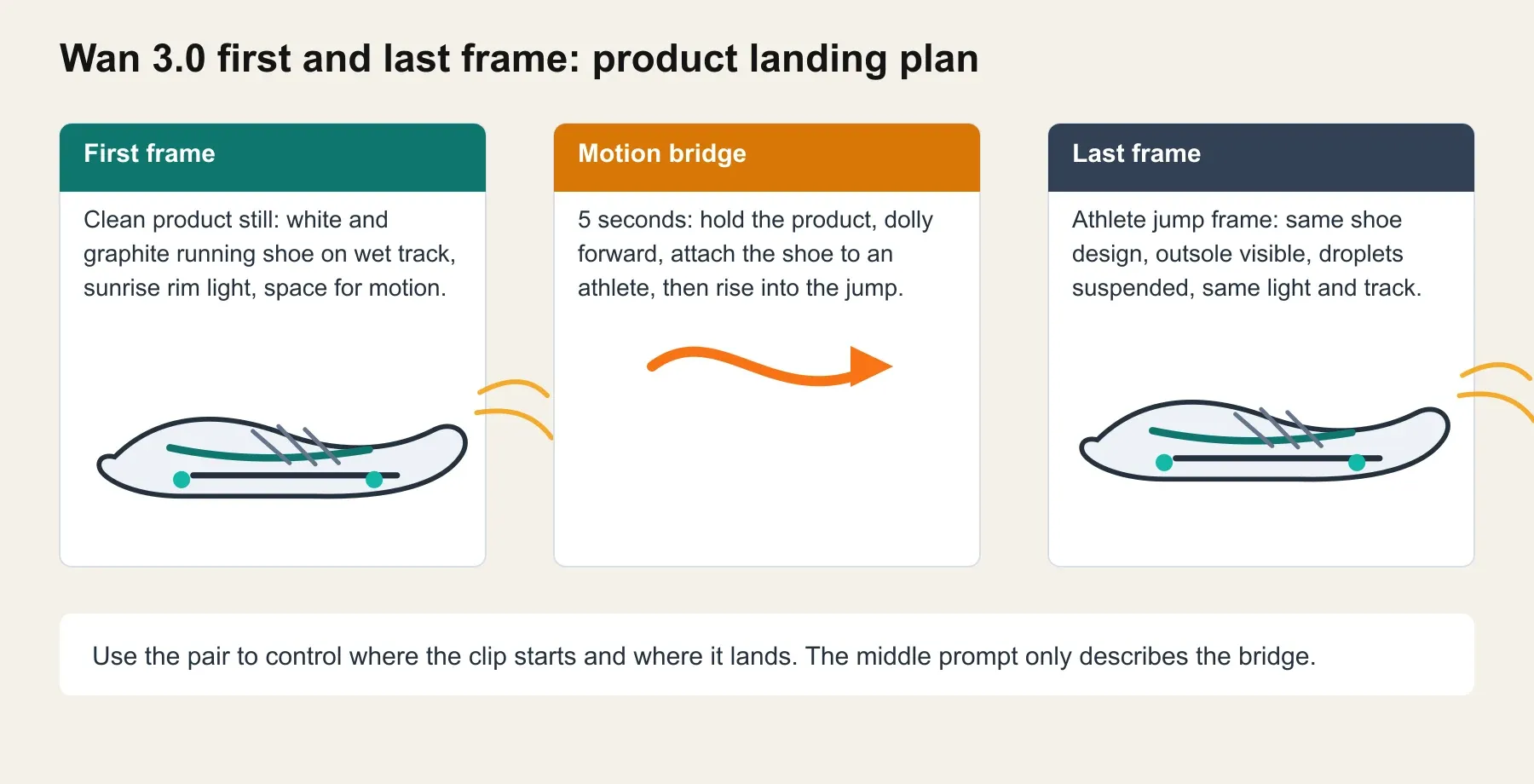
Wan 3.0 first and last frame running shoe showcase with first frame, motion GIF panel, and last frame
Running shoe case: first product still, generated Wan 3.0 motion, and the requested final-frame landing.
Why Wan 3.0 First and Last Frame Is Hot, and Why Attempts Fail
Wan 3.0 arrived with the headline features creators wanted: native clips up to 30s, 1080P output, richer multimodal references, document input, and native audio-visual generation. Alibaba Cloud describes Wan3.0 as a model that can generate video from text, images, audio, video, and documents, with public pricing tiers of 480P at $0.05/s, 720P at $0.10/s, and 1080P at $0.20/s (Alibaba Cloud Community, Aug 2026).
The official release page frames Wan 3.0 around native 30s generation, 1080P quality, audio-visual output, and omni reference workflows (Alibaba Cloud Model Studio, Aug 2026). TechNode also reported the official launch on August 24, 2026, including document input and a temporary 30% discount on selected platforms from August 24 to September 23, 2026 (TechNode, Aug 2026). Treat that discount as platform-specific unless the run page you use shows it.
First and last frame is the hot sub-workflow because it attacks a practical failure: regular image-to-video often starts well and ends wherever the model runs out of good ideas.
Most bad runs come from 6 causes:
| Failure | What it looks like | Prompt or frame fix |
|---|---|---|
| Frame mismatch | The clip feels like a hard cut | Use the same subject, lens, ratio, and light |
| Vague motion | The model drifts for 5s | Write second-by-second motion beats |
| Too much change | Product identity or face changes | Make one clean transformation only |
| Text expectation | Logo or label melts | Add text in post, or inspect manually |
| Wrong mode | Last frame is ignored | Use Wan-3.0 Image-to-video, not prompt-only |
| Expensive first pass | You pay for failed 1080P tests | Draft at 720P and 5s first |
Wan 3.0 First and Last Frame Workflow Overview: Models, Links, and Price
Open Atlas Cloud, generate the stills, then run the video in the same browser workflow. The product mention belongs here because the pain is operational: fewer tabs, fewer downloads, and a visible run cost before you commit.
As of August 25, 2026, the Atlas model catalog lists Wan-3.0 Text-to-video, Image-to-video, and Reference-to-video from $0.05/sec, with a visible discounted $0.04/sec line on the all-models page. Qwen Image 3.0 Pro Text-to-Image and Edit are listed from $0.04/pic. Check the run button for the current effective price before publishing or scaling.
| Workflow need | Atlas Cloud model | Where to run it | Input | Output | Price to verify |
|---|---|---|---|---|---|
| Generate first frame from text | Qwen Image 3.0 Pro Text-to-Image | Qwen Image model page | Text prompt | Image | From $0.04/pic |
| Create matching last frame | Qwen Image 3.0 Pro Edit or Text-to-Image | Qwen Image model page | First frame plus edit instruction, or matched prompt | Image | From $0.04/pic |
| Animate first and last frame | Wan-3.0 Image-to-video | Wan 3.0 model page | First frame, optional last frame, prompt | Video | From $0.05/s, check discount |
| Prompt-only backup | Wan-3.0 Text-to-video | Wan 3.0 model page | Text prompt | Video | From $0.05/s |
| Multi-reference backup | Wan-3.0 Reference-to-video | Wan 3.0 model page | Images, video, audio, docs, web page plus prompt | Video | From $0.05/s |
Step 1: Create the First Frame for Wan 3.0 First and Last Frame
Start with the cleanest possible opening image. For a product ad, the first frame should already look like a finished still. Do not ask the video model to invent product design, lighting, and camera language later.
Use Qwen Image 3.0 Pro Text-to-Image on Atlas Cloud. Pick the highest available quality, 16:9, and the largest 16:9 size the form actually commits.
text1Create a photorealistic 16:9 product advertising first frame for a premium running shoe. 2Scene: a single white and graphite running shoe on wet black track surface at sunrise. 3Camera: low macro three-quarter front angle, 35mm lens, shallow depth of field. 4Lighting: warm sunrise rim light from the left, cool blue shadows, tiny water droplets on the knit upper and midsole. 5Composition: shoe centered slightly left, enough empty space on the right for motion direction, no text, no logo, no watermark. 6Style: realistic sports commercial still, crisp materials, natural reflections, high detail. 7
Settings to pick: Qwen Image 3.0 Pro Text-to-Image, quality high, 16:9, top available resolution, no text, no logo, no watermark.
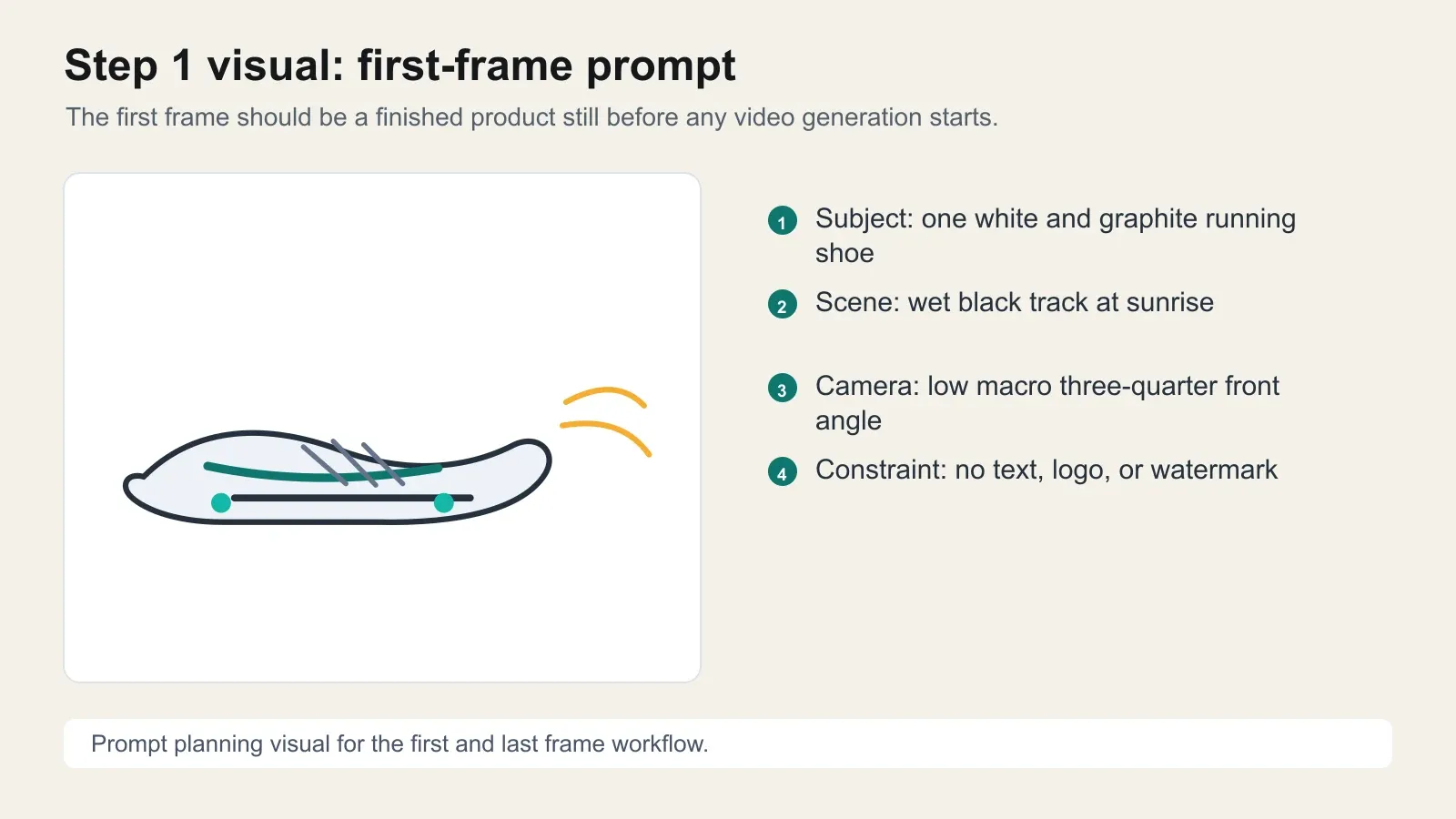
Wan 3.0 first frame planning card for a running shoe product ad
First-frame planning card: define the product, track surface, camera angle, light, and no-text constraint before opening the video model.
Step 2: Create the Last Frame for Wan 3.0 First and Last Frame
The last frame should feel like the natural destination of the first frame. Keep the same visual world. Change only the action.
If the playground exposes Qwen Image 3.0 Pro Edit, upload the first frame and use the edit prompt below. If the edit control is unavailable, use Text-to-Image again with the same lens, light, product identity, and track environment.
text1Use the uploaded first frame as the visual reference. Create the final frame of the same running shoe ad. 2Preserve the shoe design, colors, material, lighting style, camera lens, and sunrise track environment. 3Change only the action: the shoe is now worn by an athlete at the peak of a leap above the wet track, with the outsole visible, water droplets and tiny track particles suspended in the air. 4Keep the same warm left rim light, cool shadows, realistic sports commercial look, no text, no logo, no watermark. 5The frame must feel like the natural ending of a 5-second motion from the product hero shot to the athletic jump. 6
Settings to pick: Qwen Image 3.0 Pro Edit when available, same 16:9 frame, highest available quality, same shoe identity, same sunrise track light.
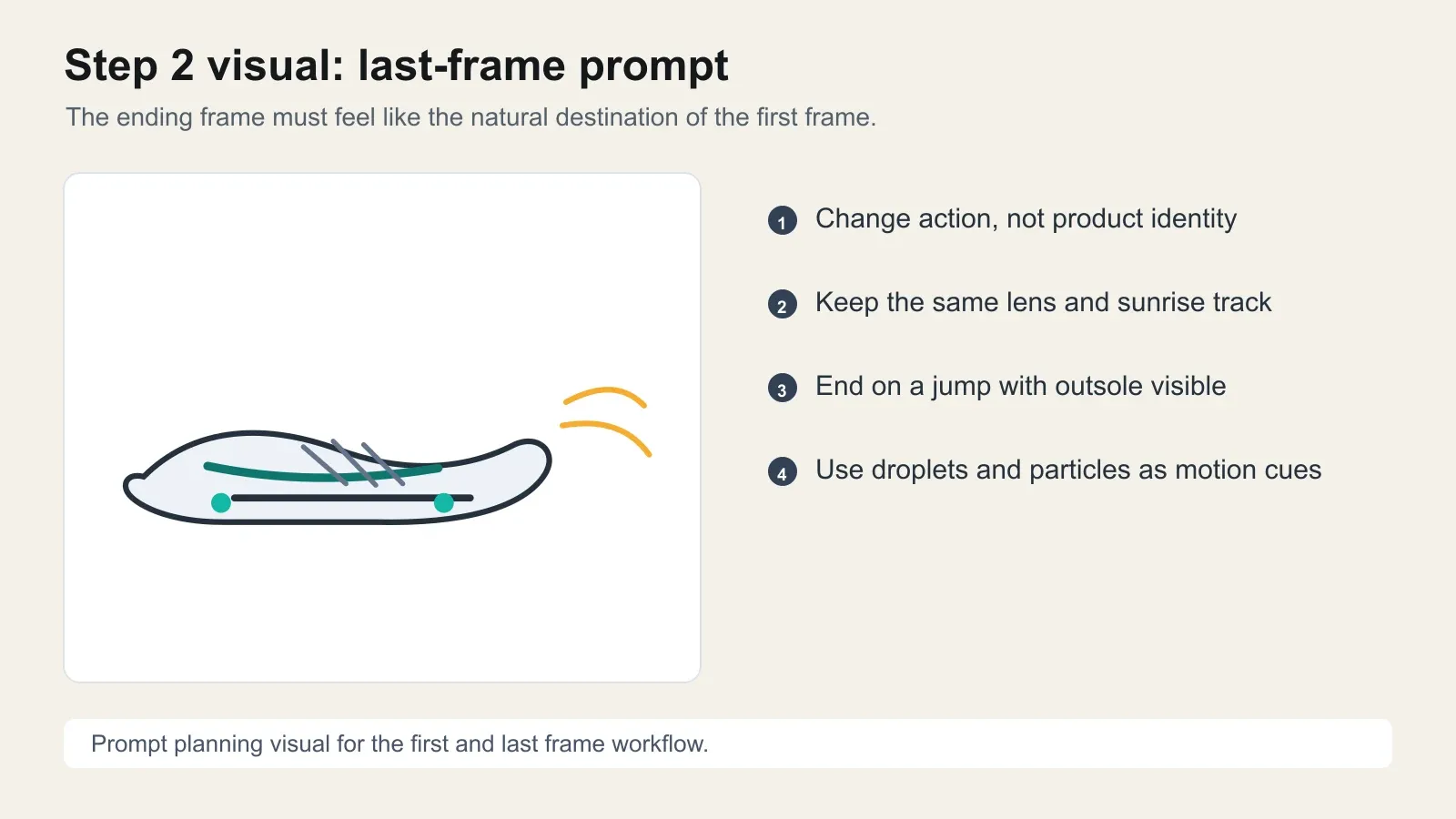
Wan 3.0 last frame planning card for the same running shoe product ad
Last-frame planning card: change only the action, then keep shoe identity, lens, light, and location consistent.
Step 3: Run Wan 3.0 First and Last Frame Image-to-Video
Upload the first frame as Image 1 and the last frame as the optional ending frame. Use Wan-3.0 Image-to-video. For the first pass, keep it short: 5s, 720P, 16:9 or adaptive if the images are already 16:9, audio off for a silent GIF embed, and seed lock if the form offers it.
text1Animate from Image 1 to Image 2 as one continuous 5-second sports commercial shot. 20-1s: hold the product hero angle for a brief beat while water droplets tremble on the knit upper. 31-3s: the camera begins a smooth low dolly track as the shoe transitions from the product still into motion on an athlete's foot, preserving the exact shoe design and wet sunrise track environment. 43-4.5s: the athlete accelerates and leaps; water droplets, track particles, and rim light streak naturally across the frame. 54.5-5s: land exactly on the final-frame composition, with the shoe frozen at peak jump, outsole visible, droplets suspended, no text and no logo. 6Motion should feel continuous, physically plausible, and high-end sports commercial. Avoid morphing the shoe shape, changing colors, or cutting to a new scene. 7
Settings to pick: Wan-3.0 Image-to-video, 5s, 720P draft, 16:9 or adaptive, audio off for this article GIF.
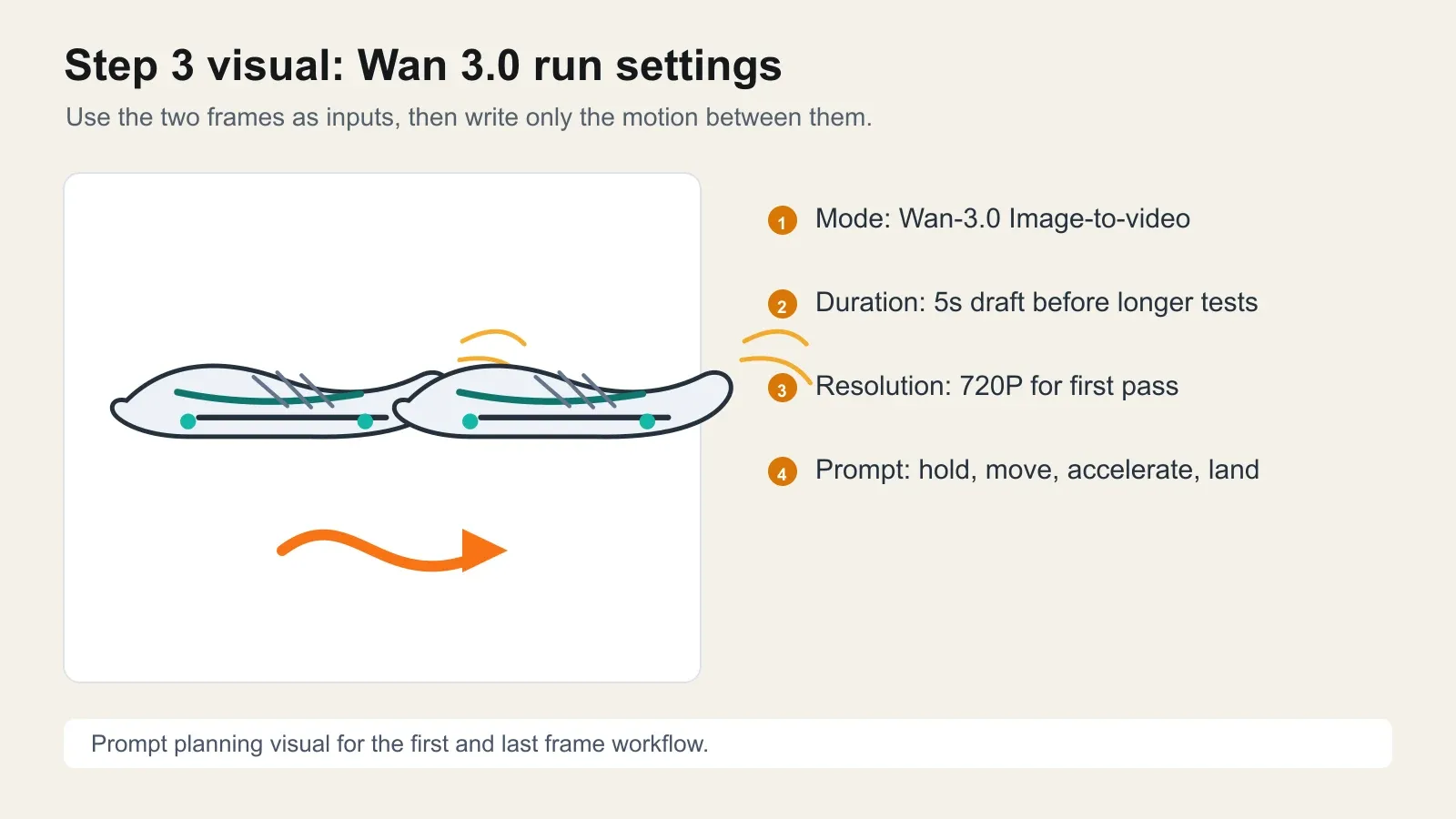
Wan 3.0 image-to-video settings card for running a first and last frame shoe ad
Wan 3.0 run settings card: use the two frame inputs, keep the first pass short, and prompt the bridge instead of repeating the destination.
Step 4: Add a Wan 3.0 First and Last Frame Food Loop
Food clips expose a different problem. The ending is often the money shot, so the last frame should lock the butter pour, steam, gloss, and pan position.
First frame prompt:
text1Create a photorealistic 16:9 food commercial first frame. 2Scene: extreme close-up of a chef's knife slicing fresh rosemary on a dark wooden cutting board, tiny water droplets on the herbs, warm kitchen side light, shallow depth of field. 3No text, no hands covering the herbs, no logo, no watermark. 4
Last frame prompt:
text1Create the matching final frame for the same food commercial. 2Scene: a spoon pours glossy golden rosemary butter over a seared steak in a cast-iron pan, steam and tiny bubbles visible, same warm kitchen lighting, same macro lens and shallow depth of field. 3Make it feel like the natural end of a 5-second cooking sequence from chopping rosemary to finishing the steak. No text, no logo, no watermark. 4
Wan 3.0 motion prompt:
text1Animate from the rosemary cutting first frame to the steak butter-pour last frame as one continuous 5-second food commercial. 20-1.5s: rosemary is sliced in slow motion, droplets shake loose. 31.5-3s: transition naturally to the hot cast-iron pan as the steak lands and begins to sear, steam and oil bubbles rising. 43-4.5s: rosemary and butter enter the pan, butter melts into golden bubbles. 54.5-5s: finish exactly on the final butter-pour frame, with glossy sauce flowing over the steak. 6Keep the same warm kitchen light, macro lens, realistic food texture, no text, no logo. 7
Settings to pick: Qwen Image 3.0 Pro for the two 16:9 frames, then Wan-3.0 Image-to-video, 5s, 720P, 16:9 or adaptive. Keep audio off if the article will embed a GIF.
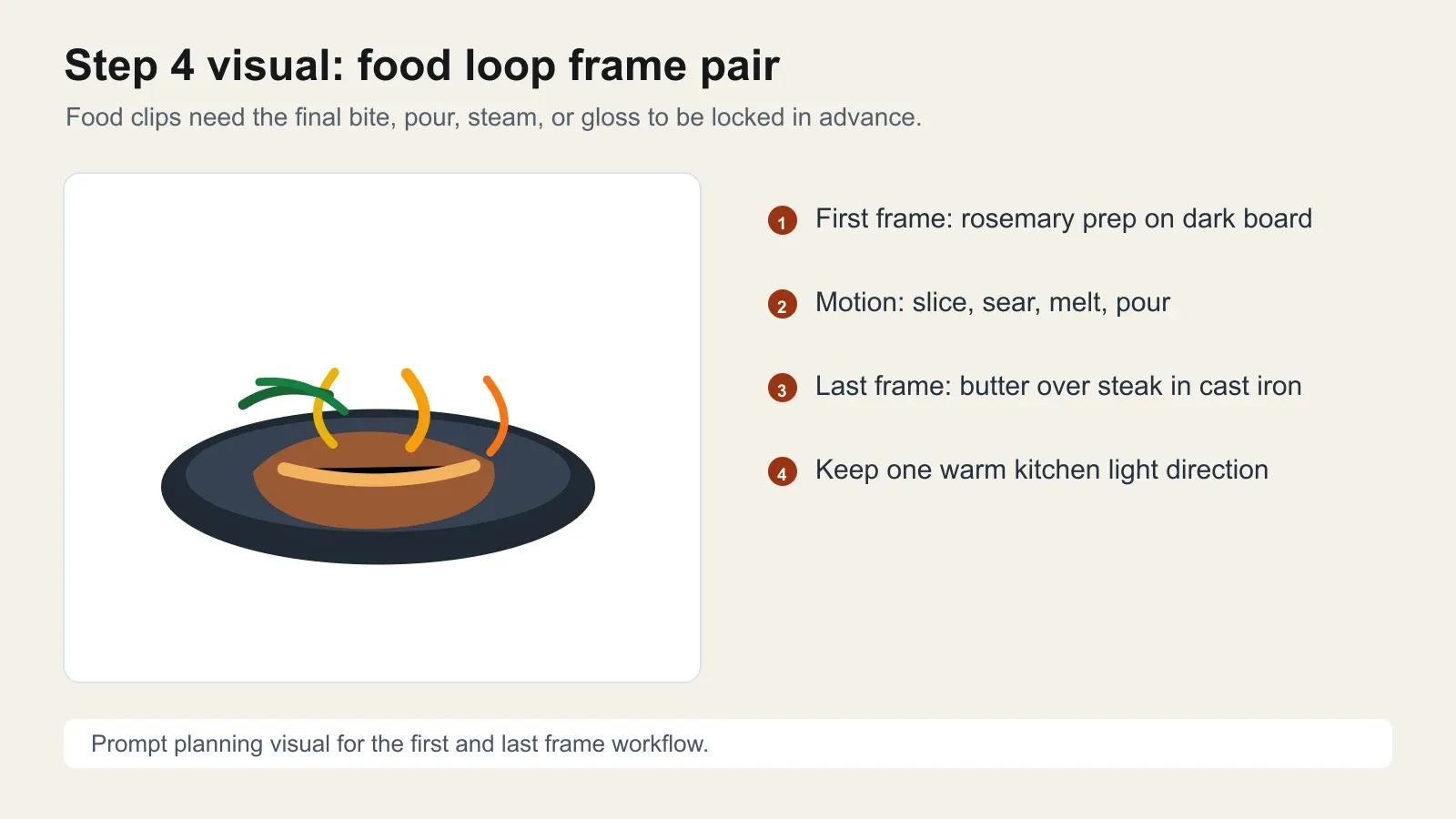
Wan 3.0 food loop planning card with rosemary prep and butter pour ending
Food loop planning card: a prep frame becomes a finished pour frame because the ending is specified before the video run.
Step 5: Review a Wan Handbook First and Last Frame Cinematic Example
The local Wan 3.0 handbook includes a first/last-frame clip named as a 35mm film, retro sunny garden, "beautiful past" memory shot. The extracted duration is 30.08s, so this article keeps it as a real video instead of converting it to a heavy GIF.
The useful lesson is emotional continuity. This frame pair works when the whole clip stays inside one filmic world: warm garden palette, 35mm grain, a sunlit memory mood, and one clear emotional state change. The last frame should feel like arrival, not a cutaway.
Use this inspection checklist before publishing a similar cinematic shot:
| Check | Pass signal | Fix if it fails |
|---|---|---|
| Face consistency | The same person reads across the clip | Reduce pose change and add wardrobe details |
| Wardrobe | Hat, necklace, and white clothing remain stable | Mention each item in the motion prompt |
| Sun direction | Warm garden light stays believable | Match first and last frame light direction |
| Arrival | The final second settles into the last frame | Add a final 0.5s landing instruction |
text1Create one continuous 30-second 35mm film memory transition in a retro sunny garden. 2Start from the first frame's warm garden portrait and move through a soft recollection beat with slow lateral tracking, brief foreground leaf blur, and natural sunlight flicker. 3Preserve the same person, straw hat, black necklace, white clothing, garden palette, film grain, and gentle emotional tone. 4End on the supplied last frame as a resolved memory, with no hard cut, no text, and no change in identity. 5
Settings to pick: Wan-3.0 Image-to-video or first/last-frame mode, 30s only when the story needs it, 720P for review, 1080P only after the 5s motion logic is proven.
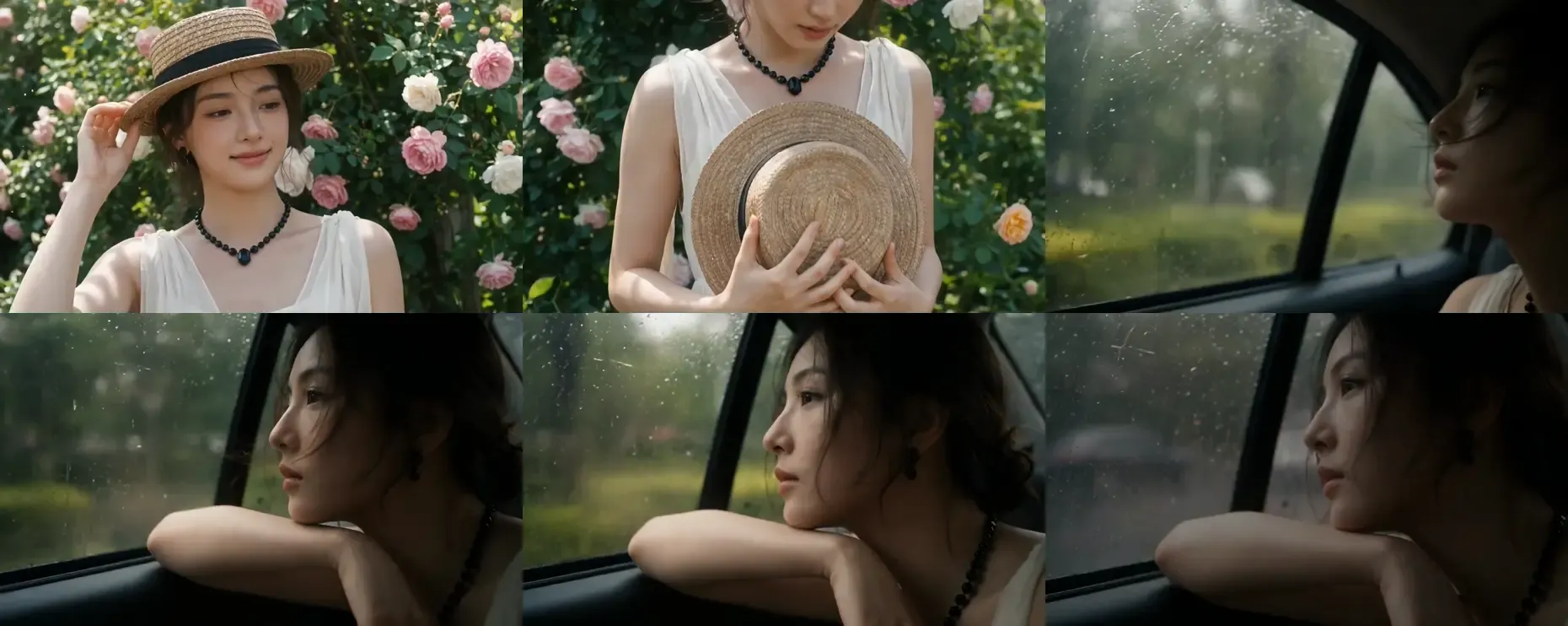
Extracted frame grid from the Wan 3.0 first and last frame retro garden handbook clip
Frame grid from the handbook clip: use it to inspect whether the garden memory arrives cleanly at its ending.
Handbook video: a longer first/last-frame cinematic memory example, kept as video because the source is 30.08s.
Variations worth testing after the tutorial
| Use case | Best first frame | Best last frame | Risk | Prompt fix |
|---|---|---|---|---|
| Product reveal | Static SKU hero | Product in use | Shape drift | Repeat product materials and exact silhouette |
| Food loop | Prep action | Finished pour, bite, or steam | Hard scene jump | Bridge with a visible process beat |
| Fashion movement | Pose A | Walking turn into pose B | Face and garment drift | Keep lens, wardrobe, and pose delta modest |
| App UI demo | Real browser screenshot | Real final state screenshot | Fake UI text | Capture real screens, never AI-generate UI |
| Cinematic emotion | Calm portrait | Resolved expression | Random cutaway | Describe the emotional arc and final 0.5s |
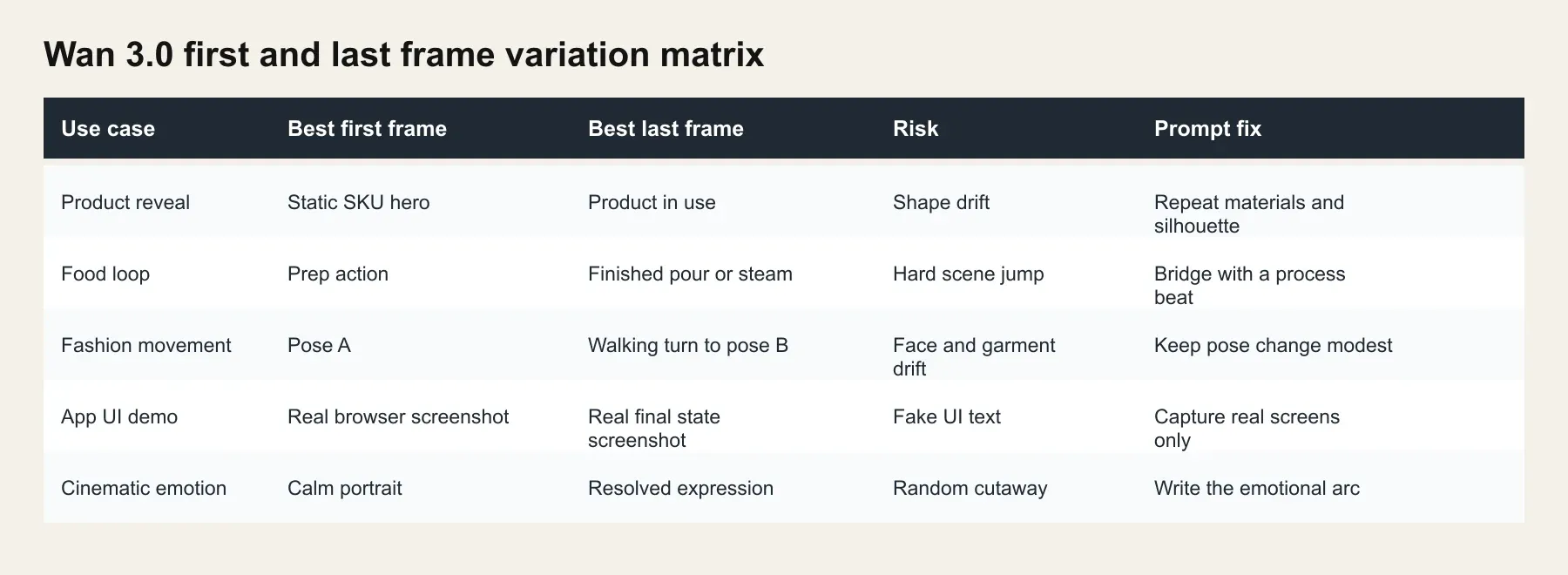
Browser-rendered variation matrix for Wan 3.0 first and last frame use cases
Variation matrix: pick the frame pair by what must stay stable and what may change.
Wan 3.0 first and last frame cost on Atlas Cloud
Use the model catalog and Atlas model pricing as the final source of truth because discounts can change. As of August 25, 2026, the all-models page shows Wan-3.0 from $0.05/sec with a visible $0.04/sec discounted line, and Qwen Image 3.0 Pro from $0.04/pic.
For the main tutorial, the minimum listed asset cost is 2 Qwen frames plus one 5s Wan video. At the listed Wan rate, that is $0.08 in image generation plus $0.25 for video before any temporary discount.
| Scenario | Image steps | Wan 3.0 duration | Atlas listed video rate | Estimated video cost |
|---|---|---|---|---|
| Fast GIF draft | 2 images | 5s | From $0.05/s | From $0.25 |
| Social ad test | 2 images | 10s | From $0.05/s | From $0.50 |
| Product reel | 2 images | 15s | From $0.05/s | From $0.75 |
| Full story test | 2 images | 30s | From $0.05/s | From $1.50 |
Alibaba's own public Model Studio tiers are higher at 720P and 1080P: 480P $0.05/s, 720P $0.10/s, and 1080P $0.20/s. A 30s 1080P official-tier run is $6.00. Do not mix those tiers with Atlas's current catalog line unless the run page shows the same price.
Legal and production review notes
Wan 3.0 first and last frame is still generative media. Do not make the generated clip carry legal copy, exact prices, medical claims, certification claims, or precise UI text. Add those in post where a human can verify every character.
Review product logos, packaging, real-person likeness, music, ad disclosures, hands, faces, and any native audio before a campaign ships. If you use brand or human reference material, confirm the license.
Frequently Asked Questions
What is Wan 3.0 first and last frame?
It is an image-to-video workflow where you provide a starting image and an optional ending image. Wan 3.0 generates the motion between them so the clip has a controlled start and finish.
Do I need both a first frame and a last frame?
No. You can run image-to-video with only the first frame. Add the last frame when the final pose, product shot, UI state, or emotional ending matters.
How do I make Wan 3.0 end exactly on the last frame?
Make both frames visually compatible, then write the final half-second into the prompt. Say what should settle, what must stay unchanged, and what must not appear.
What settings should I use first, 720P or 1080P?
Start at 720P and 5s for motion tests. Move to 1080P or 30s only after the subject, camera, and ending frame are stable.
How much does Wan 3.0 first and last frame cost?
On Atlas Cloud, check the run page and model catalog on the day you publish. As of August 25, 2026, the catalog lists Wan-3.0 from $0.05/sec and Qwen Image 3.0 Pro from $0.04/pic, with a visible Wan discount line on the all-models page.
Is Wan 3.0 first and last frame better than regular image-to-video?
It is better when you know the ending. Regular image-to-video is faster for loose motion tests, while first and last frame is stronger for product hero shots, food loops, fashion turns, and cinematic endings that need a specific landing frame.





