

Some creators are already running into the uncomfortable part of the Wan 3.0 storyboard workflow: the model can produce strong motion, but it may not reliably read a storyboard or character sheet the way a human director would.
That does not make Wan 3.0 weak. It means the input needs translation. A six-panel board, a dense character sheet, or a production deck may contain too many visual decisions at once: shot order, identity, wardrobe, blocking, camera axis, color, mood, audio, and story logic. A model can use those references, but it may flatten them into one mood board unless you tell it exactly which information matters for the next shot.
The practical fix is simple: stop asking Wan 3.0 to infer the whole production plan. Turn the board into shot packets, repeat the identity anchors, and run the sequence one controlled clip at a time.
Key takeaways
- Wan 3.0 can use rich references, but it still needs shot-level direction.
- Storyboards fail when panels, characters, and scene logic compete in one prompt.
- A character sheet works better as a small identity bible than as one uploaded image.
- Use one shot packet per generated clip: objective, subject, action, camera, constraints.
- Review continuity after each shot, before the drift spreads.
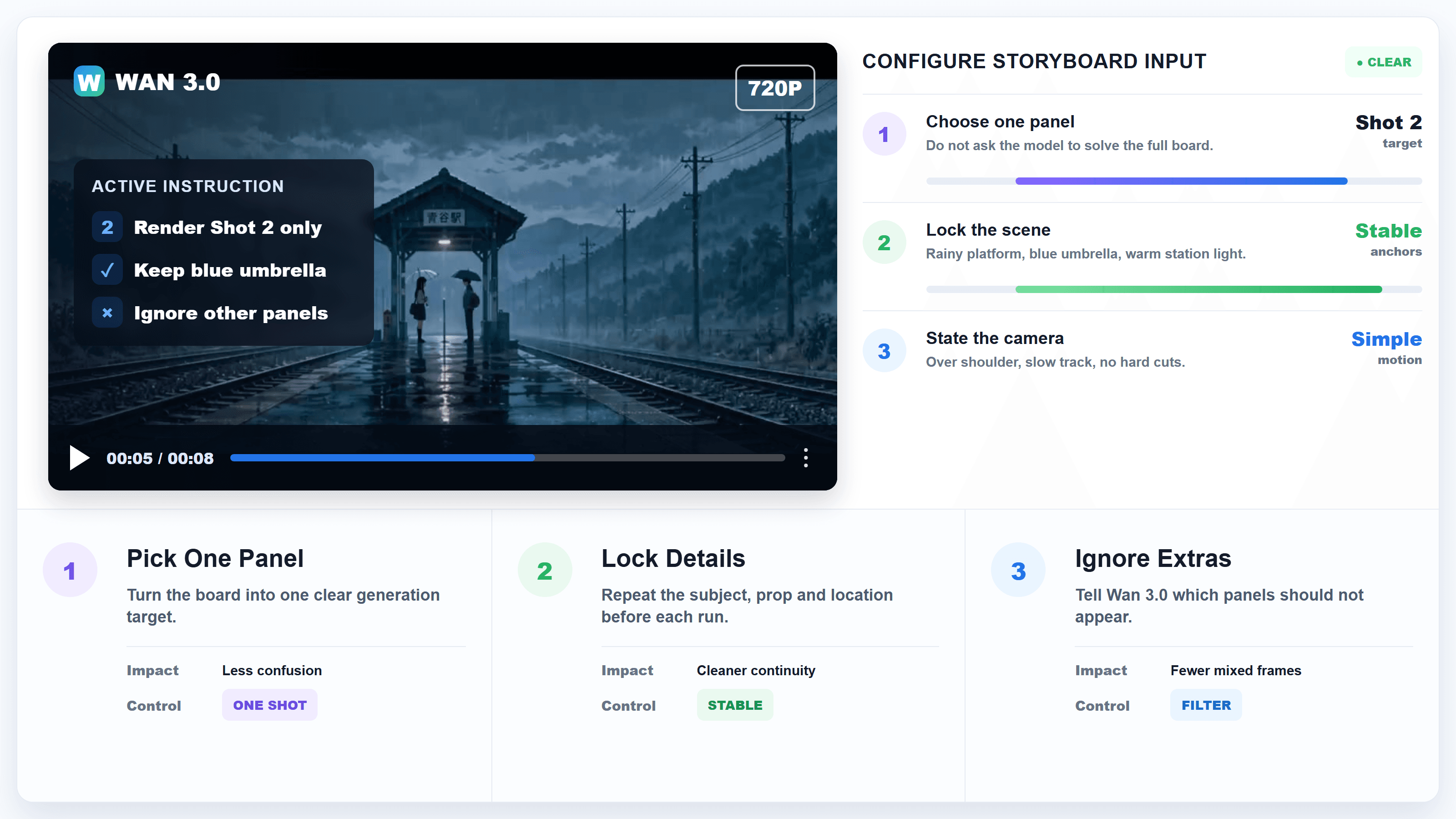
Wan 3.0 storyboard workflow card showing a dense board translated into shot packets
A Wan 3.0 storyboard works better when the board is treated as production data, not as a single visual hint.
Why Wan 3.0 Storyboard Attempts Break
The current search demand around Wan 3.0 is not only hype. The negative query matters too: creators want to know why Wan 3.0 still gets confused by storyboards, character sheets, and multi-panel references. Recent creator feedback points at the same pain: even when the visual planning is clear to a person, the model can still miss the intended reading.
The gap is easy to understand if you look at what a storyboard asks the model to do. A board is not just an image. It is a compressed production document. One panel may define the opening frame, the next panel may define an emotion shift, the third may define a prop handoff, and a character sheet beside it may define which facial features should never change. Humans read those layers by convention. We know panel order, shot size, blocking, and continuity. A video model sees pixels, text, references, and a prompt. It does not automatically know which layer has priority unless the prompt says so.
Wan 3.0 is stronger than earlier prompt-only workflows because it accepts broad reference material. Alibaba Cloud's own Wan 3.0 release page describes text, image, video, audio, documents, and webpages as possible creative references, with native 30-second generation and omni-reference input. Atlas Cloud's Wan 3.0 model page also positions the model around long-form generation, multi-reference control, and native audio. Those are real upgrades. They do not remove the need for hierarchy.
Most failed storyboard attempts come from four habits:
- The prompt uploads a full board but does not say which panel should become the next clip.
- The character sheet contains many views, expressions, and wardrobe notes, but no invariant list.
- The scene prompt restates the character differently in every shot.
- The user asks for a whole sequence at once, then judges the model for not preserving every detail.
The model may still produce a beautiful clip. That is the tricky part. It can look cinematic while ignoring the board's exact order, changing the character, softening the prop logic, or inventing a more dramatic camera move than the shot required.
Wan 3.0 Workflow on Atlas Cloud
For Atlas Cloud users, the clean workflow is to treat Wan 3.0 as a strong video renderer with multimodal references, not as a production coordinator. Keep the creative plan outside the model, then feed Wan 3.0 the smallest useful unit of direction.
Use the Wan family endpoint when you need native audio, longer clips, and mixed references. Use the Atlas Cloud model hub to check live model availability and pricing before a production batch. On August 26, 2026, the model hub listed standard Wan 3.0 text-to-video, image-to-video, and reference-to-video from $0.05 per second with a visible $0.04 per second discount, and Wan 3.0 Prime from $0.068 per second with a visible $0.061 per second discount. Prices can change, so confirm them on the page before publishing a quote into campaign copy.
| Job | Best Wan 3.0 mode | What to upload | Practical risk | How to control it |
|---|---|---|---|---|
| Single cinematic shot | Text-to-video | Prompt only | Camera over-invention | Use one clear action arc and 2 to 3 camera moves |
| Board panel animation | Image-to-video | One keyframe, optional last frame | Motion ignores panel intent | Name the panel's job and what must not change |
| Character continuity | Reference-to-video | Character image plus shot prompt | Face, outfit, or age drift | Repeat identity anchors in every shot packet |
| Full storyboard sequence | Multiple shot runs | One packet per shot | Panel order collapses | Generate, review, then assemble outside the model |
For teams already building with Atlas Cloud, the product point is not complicated: the same browser flow can hold prompt drafting, reference upload, run review, and iteration. The user still has to direct the sequence. The model should not be asked to guess the edit plan from a single crowded upload.
Step 1: Convert the Wan 3.0 Storyboard Into Shot Packets
Start by translating the board into text before you generate. Do not describe all panels equally. Choose the next shot and give that shot a job.
A good shot packet has five parts:
- Shot objective: what this clip must communicate.
- Locked references: character, outfit, prop, location, color mood.
- Action: what changes during the clip.
- Camera: shot size, movement, angle, and cut behavior.
- Constraints: what must not change or appear.
Use this prompt when your storyboard has multiple panels but you only want Wan 3.0 to render one clip:
Plain1Use the uploaded storyboard only as a shot plan. 2 3Generate Shot 2 only. 4Shot objective: the audience realizes the train is arriving before the girl speaks. 5Locked references: rainy rural station, blue umbrella, wet platform reflection, long-haired girl, warm station light in the background. 6Action: the boy turns his head toward the girl as train headlights grow behind him. 7Camera: begin with a medium over-the-shoulder angle from behind the girl, then slowly track toward the boy's face. Keep one continuous shot with no hard cuts. 8Constraints: do not combine other storyboard panels, do not change the umbrellas, do not move the scene to a city station, do not add extra characters. 9
Recommended settings:
| Setting | Pick |
|---|---|
| Mode | Image-to-video if you have a keyframe, reference-to-video if you need multiple references |
| Duration | 8 to 12 seconds for a test, longer only after the shot logic works |
| Ratio | Match the board delivery format, usually 16:9 for YouTube or 9:16 for short-form |
| Resolution | Start with 720P for iteration, then rerun final shots higher if needed |
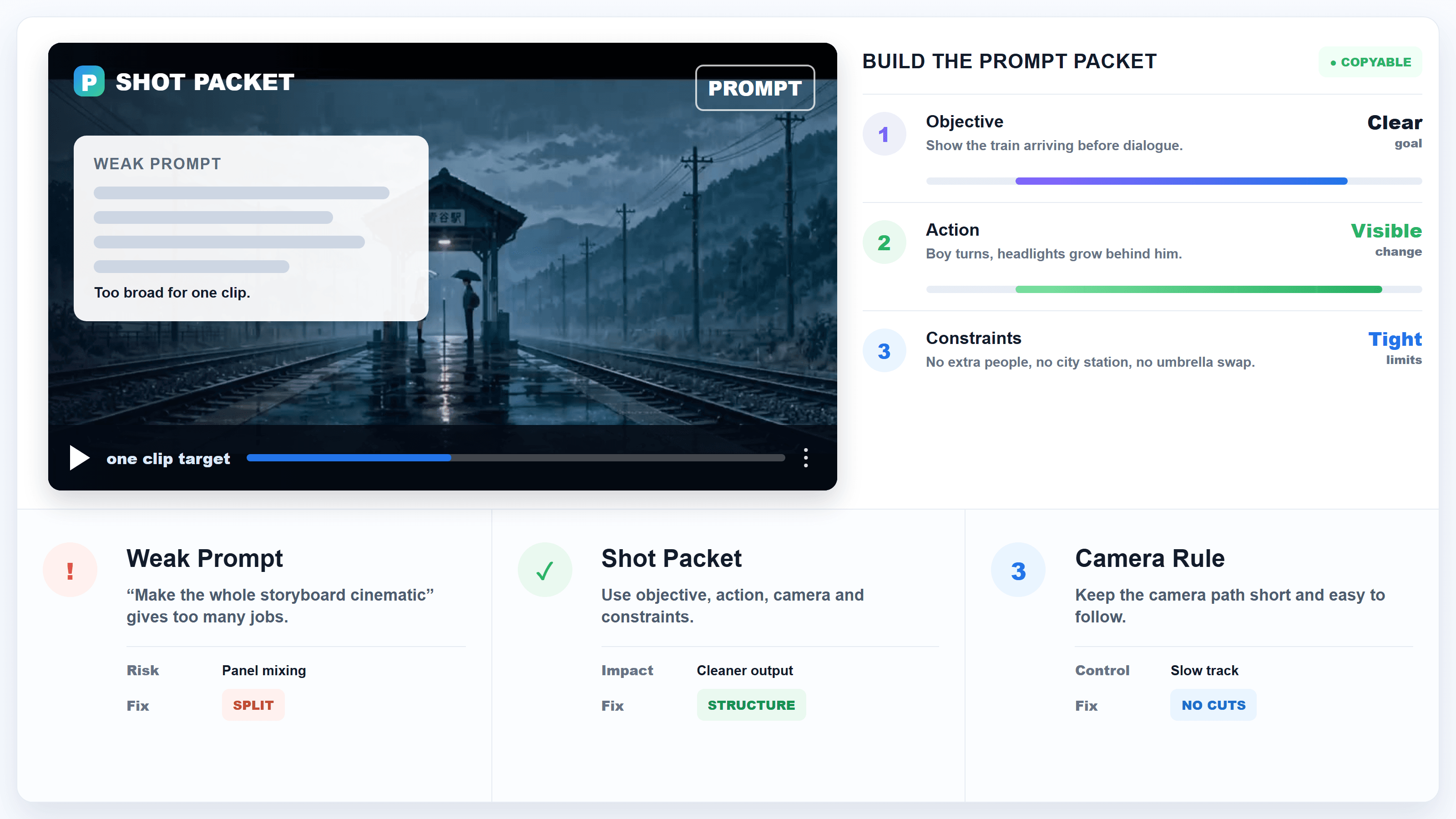
Wan 3.0 shot packet card showing one storyboard panel converted into a copyable prompt structure
The key change is priority: Wan 3.0 gets one shot to solve, not an entire wall of panels.
The local Wan 3.0 handbook includes a useful example: a rainy train-platform sequence generated from a storyboard-style reference. The clip works because the prompt names the station, the blue umbrella, the girl, the train arrival, and the shot sequence rather than expecting the model to infer every beat from the board.
Handbook case: a rainy station board becomes a readable sequence because the reference is paired with explicit shot language.
Step 2: Turn Character Sheets Into a Wan 3.0 Identity Bible
A character sheet is useful, but it is not magic. If you upload a sheet with front view, side view, expressions, wardrobe, props, color swatches, and notes, the model may treat all of it as texture. The fix is to extract the details that must survive the shot.
Use a compact identity bible:
Plain1Character identity bible for every shot: 2Name: Mira. 3Face: oval face, straight black bob with blunt bangs, narrow nose bridge, soft jaw, small beauty mark under left eye. 4Wardrobe: cropped cream motorcycle jacket, black pleated skirt, red enamel hair clip, silver ankle boots. 5Body and motion: slim build, quick guarded movements, shoulders slightly forward when nervous. 6Do not change: hair length, hair clip color, jacket shape, boots, age, beauty mark, eye color. 7
Then add the current shot:
Plain1Generate Shot 3. 2Mira waits outside the elevator as the hallway lights flicker. She hides the red envelope behind her back, then looks up when the elevator chime sounds. 3Camera: static medium shot for two seconds, slow push to close-up, then a small handheld wobble when the doors open. 4Keep the character identity bible unchanged. 5
Recommended settings:
| Setting | Pick |
|---|---|
| Reference images | Use one clean approved character image plus the sheet if needed |
| Prompt length | Keep identity stable, keep shot action short |
| Number of people | Limit early tests to one recurring lead |
| Review point | Compare face, hair, outfit, prop, and posture after each run |
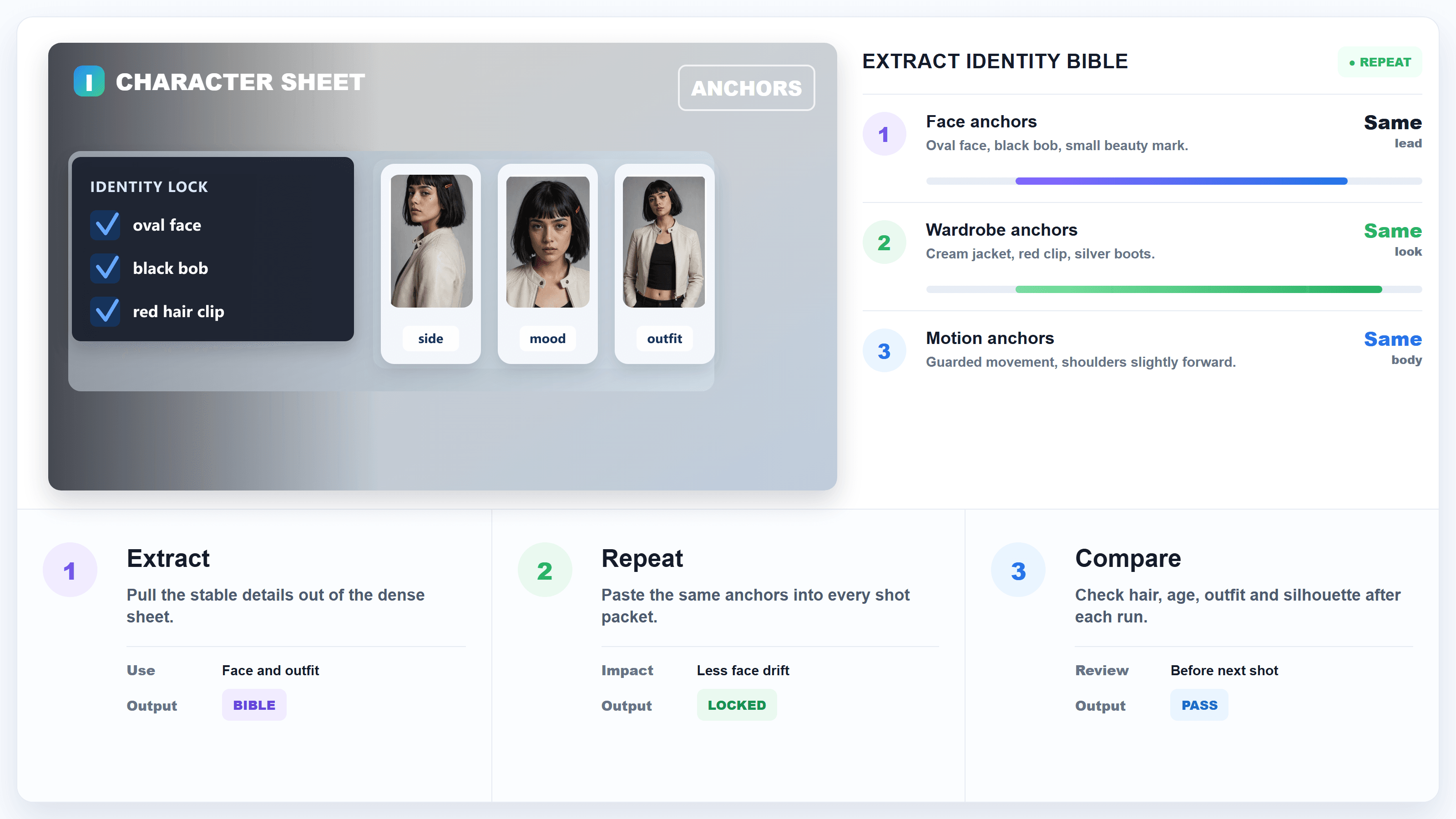
Wan 3.0 character sheet card showing a dense sheet reduced to stable identity anchors
A character sheet helps more when its visual decisions are repeated as text anchors in every shot.
This matters most when you are making ads, short dramas, music videos, or creator-led social clips. Viewers forgive a strange background faster than they forgive a lead character whose face changes between two shots.
Step 3: Review the Wan 3.0 Sequence Like an Edit, Not a Prompt
After each generation, do a continuity pass before you run the next shot. Do not wait until the whole sequence is complete. If the lead's jacket changes in shot two and you keep generating, every later prompt now has to fight that drift.
Use this review checklist:
Plain1Continuity review after each Wan 3.0 shot: 21. Identity: same face, age, hair, silhouette. 32. Wardrobe: same outfit unless the story changes it. 43. Props: same item shape, color, and hand ownership. 54. Space: same room, station, street, or product layout. 65. Camera axis: screen direction still makes sense. 76. Story state: the clip begins where the previous clip ended. 87. Audio intent: dialogue, sound, and silence match the beat. 9
Recommended settings:
| Setting | Pick |
|---|---|
| Iteration order | Approve shot 1, then shot 2, then shot 3 |
| Fix strategy | Repair the first broken shot instead of rewriting all later prompts |
| Reference reuse | Keep the same identity images and invariant text |
| Final assembly | Edit clips together outside the generation run |
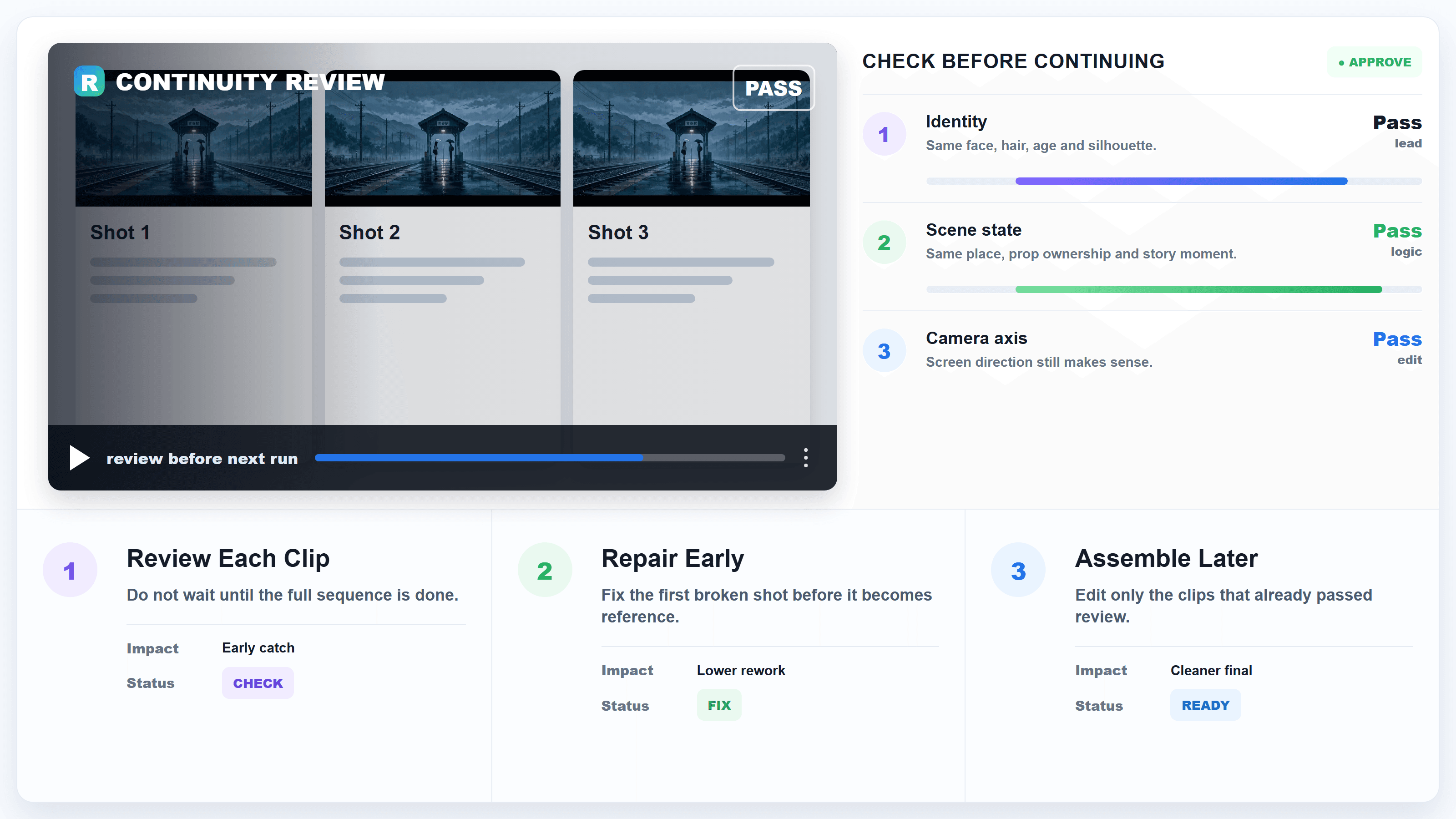
Wan 3.0 continuity review card showing identity, prop, camera, and story checks across shots
A review grid catches storyboard drift while the sequence is still cheap to repair.
The biggest mental shift is to stop chasing one perfect mega prompt. Wan 3.0 can carry a lot of context, but a production sequence still needs human-owned state: which shot is approved, which reference is canonical, which detail can change, and which one breaks the story if it moves.
Wan 3.0 Storyboard Cost and Practical Limits
The cost issue is less about one clip and more about failed retries. A single vague storyboard prompt can burn several runs because the output looks almost right, just not aligned with the board. Shot packets reduce that waste because each run has a smaller target.
Based on the live Atlas Cloud model hub checked on August 26, 2026:
| Model family entry | Listed starting price | Useful note |
|---|---|---|
| Wan 3.0 standard video modes | From $0.05 per second, with $0.04 per second discount visible | Good first choice for most storyboard tests |
| Wan 3.0 Prime video modes | From $0.068 per second, with $0.061 per second discount visible | Consider for final shots after the packet works |
| MiniMax H3 video modes | From $0.1 per second | Useful reference point for multimodal video budgets |
| Seedance 2.5 video modes | From $0.134 per second | Useful reference point for native-audio video workflows |
The workflow also has creative limits:
- It will not always preserve exact panel order from a full storyboard image.
- It can mistake supporting reference images for things that should appear in-frame.
- It may over-emphasize cinematic motion when the board asks for a quiet insert shot.
- It can preserve a face in one shot and still drift across later shots if the prompt changes.
- It may read a document, deck, or sheet broadly but miss the hierarchy that a director intended.
That is why the best workaround is boring in a useful way: write the hierarchy yourself. Tell the model what matters this shot. Tell it what to ignore. Repeat the identity anchors. Review the output as part of an edit.
The final production pattern looks like this:
- Approve a character reference.
- Extract a short identity bible.
- Convert the storyboard into shot packets.
- Generate one clip per packet.
- Review continuity immediately.
- Assemble the approved clips.
- Use the approved model page for the final production runs after the workflow is stable.
Wan 3.0 is moving toward a broader creative interface, and Alibaba Cloud's official Wan 3.0 release page shows how much the input surface has expanded. Still, a storyboard is a directing system. Until models can reliably infer production hierarchy from messy boards, the safest habit is to translate visual planning into shot-level instructions.
FAQ
Can Wan 3.0 read a storyboard?
Wan 3.0 can use storyboard-like visual references, but you should not assume it will read panel order, shot intent, continuity, and character notes the way a human would. Treat the storyboard as source material, then convert it into one shot packet per generation.
Why does Wan 3.0 ignore my character sheet?
It may not be ignoring it. It may be averaging the sheet with the rest of the prompt. Extract the stable identity anchors into text, reuse one approved character reference, and repeat the details that cannot change in every shot.
Should I upload the whole storyboard or one panel?
For early tests, use one panel or one keyframe whenever possible. If you upload the full board, tell Wan 3.0 which panel to render and which panels to ignore. The more crowded the input, the more hierarchy you need in the prompt.
Is text-to-video enough for storyboard work?
Text-to-video is fine for concept shots, but image-to-video or reference-to-video gives you more control when framing, identity, product shape, or scene layout matters. Use text for direction and references for visual anchors.
What is the best Wan 3.0 prompt format for multi-shot video?
Use a stable global identity bible plus one shot packet per clip. Keep the invariant details nearly identical across shots, and change only the action, camera, and story beat needed for that clip.





