Gemini Omni Conversational Video Editing
Gemini Omni is Google DeepMind's natively multimodal video family for prompt guided creation and editing. Generate from text, animate still images, or revise existing footage with optional visual references while preserving untouched content. Flexible resolution, aspect ratio, and duration controls support varied production workflows. Atlas Cloud unifies access with transparent pay-as-you-go pricing. Start building today.
Gemini Omni Flash is developed by Google. Atlas Cloud (operated by Atlas Cloud AI LLC) provides access to it and does not own it. All trademarks belong to their respective owners.
Explore the Leading Gemini Omni Flash
Atlas Cloud provides you with the latest industry-leading creative models.


Choose the Right Gemini Omni Video Endpoint
Compare Gemini Omni input routes, output capabilities, and production uses across seven specialized video endpoints.
| Modality | Description |
|---|---|
| Gemini Omni Flash R2V API (Reference To Video) | Pair a text prompt with one to five reference images to generate cinematic video with native sound. Consistent subjects, scenes, and styles make this endpoint suitable for branded sequences, recurring characters, and coordinated visual storytelling. |
| Gemini Omni Flash I2V API (Image To Video) | Beginning with a still image and text prompt, this endpoint creates a cinematic, sound-enabled video while preserving the source subject and composition. It fits product animation, portrait motion, and visual concept development. |
| Gemini Omni Flash Video Edit API | Submit an existing video, a text instruction, and optional reference images to apply scene-consistent changes with native audio. Because untouched footage remains preserved, editors can make focused revisions without reconstructing the entire scene. |
| Gemini Omni Flash T2V API (Text To Video) | A text prompt alone becomes cinematic video with synchronized native audio and motion grounded in real-world physics. Its controllable, high-speed generation supports concept visualization, story development, and rapid video prototyping. |
| Gemini Omni Flash R2V Developer API | For guided transformations, combine an existing video clip with reference images and text prompts. The endpoint supports video style transfer, scene editing, and character insertion for creative applications that generate directed variations from supplied footage. |
| Gemini Omni Flash I2V Developer API | Up to seven reference images can guide a text-prompted video while preserving visual identity throughout the result. Choose this route for recurring characters, consistent product imagery, or cohesive assets across a campaign. |
| Gemini Omni Flash T2V Developer API | Choose a text prompt together with the required resolution, aspect ratio, and duration to produce a controllable cinematic video. Flexible output settings help developers create platform-specific content, automate generation workflows, and test multiple creative directions. |
Gemini Omni: Direct Every Frame by Conversation
Gemini Omni combines conversational editing, native multimodal guidance, synchronized audio, physics aware motion, layered reference control, and precise first and last frame direction through one Atlas Cloud API.
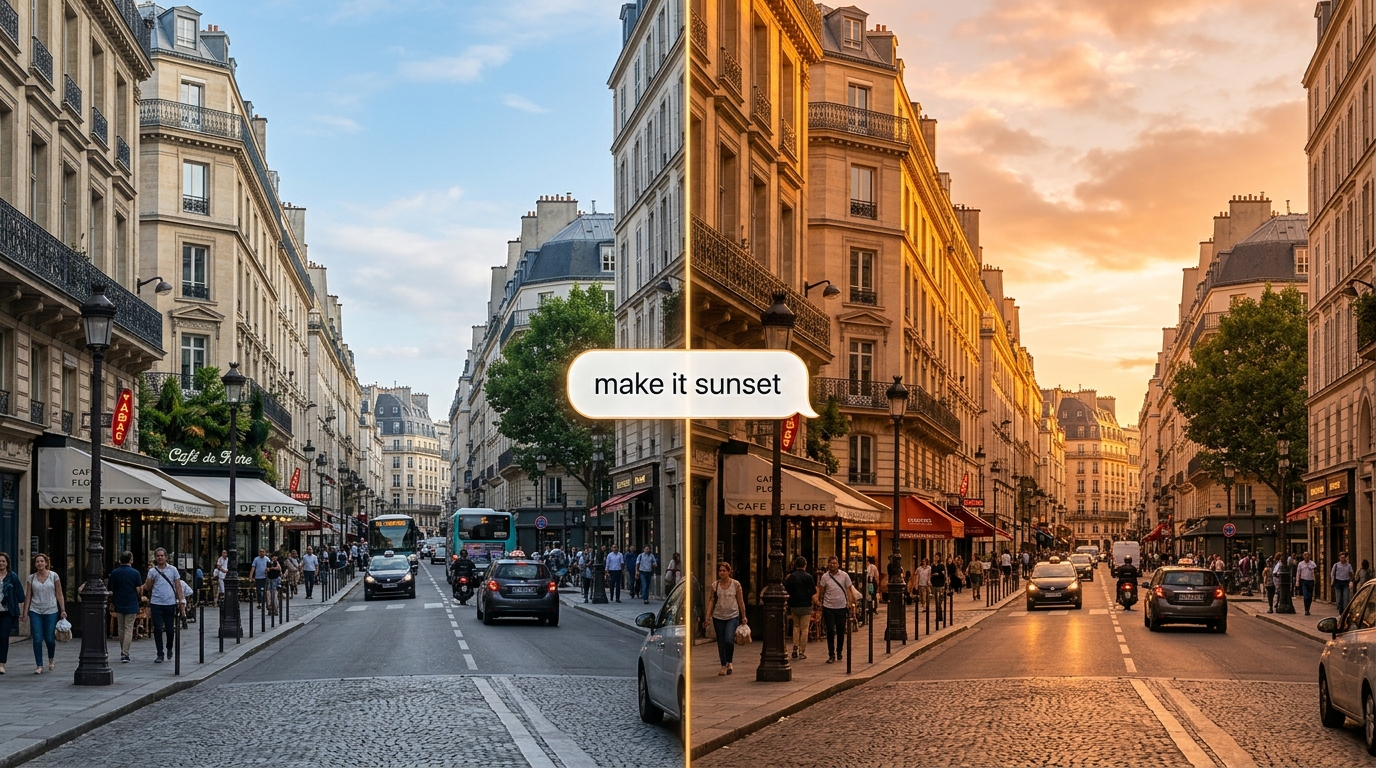
Gemini Omni Conversational Editing
Gemini Omni accepts an existing video and a natural language instruction, then applies scene consistent changes while preserving footage outside the requested edit. Optional reference images can guide the revision when appearance matters. Through the Interactions API, each new turn can build on the preceding result. This suits iterative lighting, wardrobe, object, and background changes without rebuilding an approved shot.
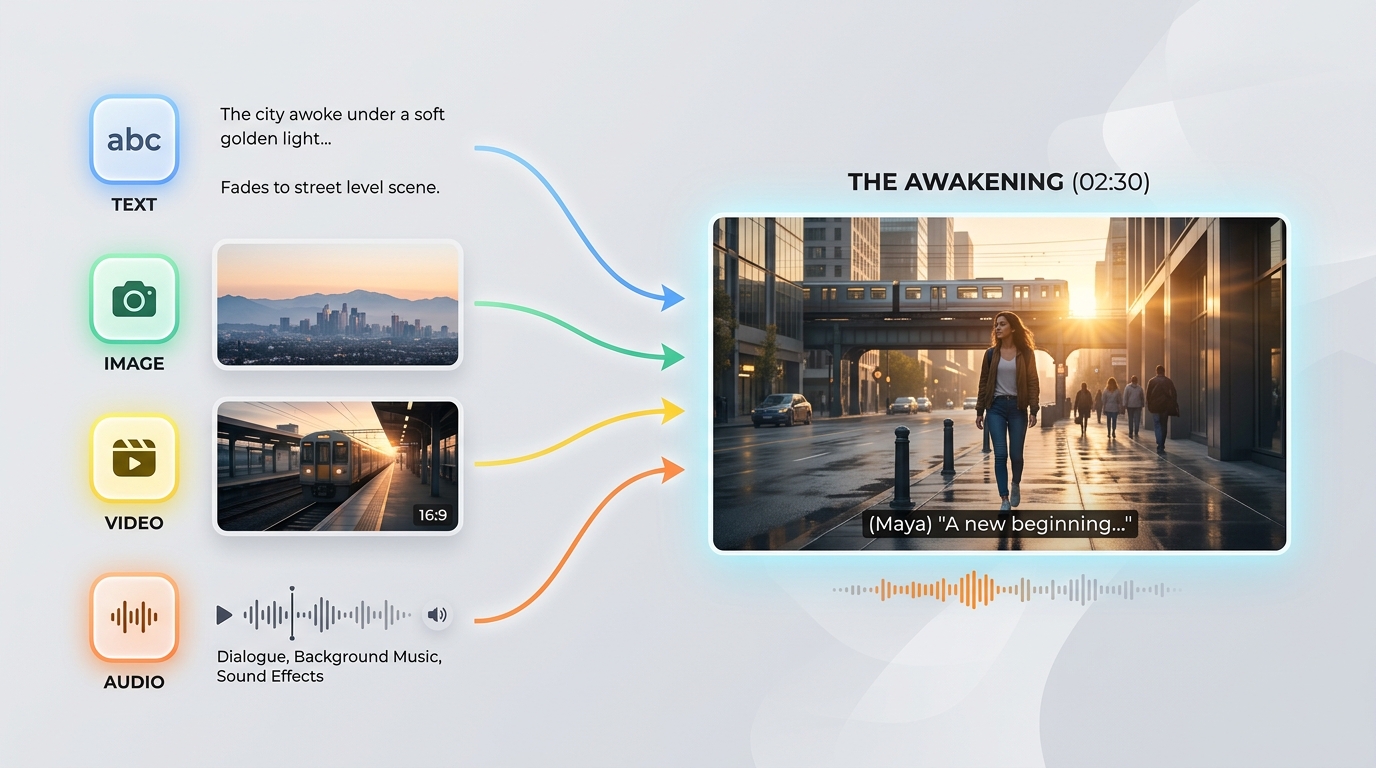
Native Multimodal Direction
Feed Gemini Omni any combination of text, images, video, and audio so one model can reason across the creative brief and supplied media. Text sets intent, images anchor subjects or style, video contributes motion and context, and audio can guide sound. The model resolves those signals into one coherent video rather than separate stitched outputs. It fits projects that begin with real assets instead of a blank prompt.
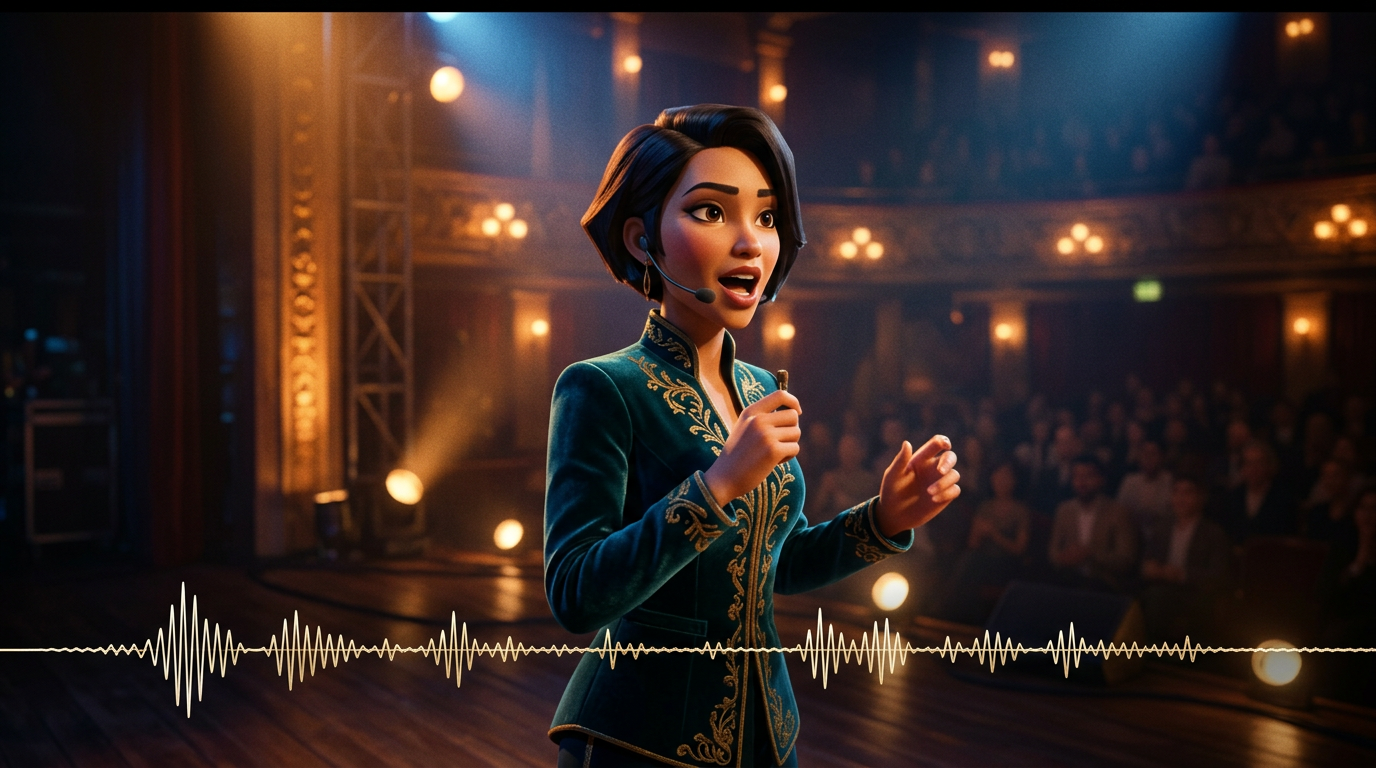
Synchronized Sound and Grounded Motion
The text to video route generates cinematic motion and synchronized native audio from one prompt, while Gemini's real world knowledge supports more coherent physical behavior. Dialogue, effects, and ambience can be directed alongside camera movement and scene action. Objects, movement, and environmental reactions therefore have stronger grounding. Choose this mode for sequences where sound timing and believable motion must work together.

Gemini Omni Reference Control
Gemini Omni 1.1 Flash can guide a new clip with up to 10 reference images and three reference videos, each no longer than three seconds. Images establish characters, products, locations, or style, while short clips communicate motion, gestures, pacing, or camera behavior. Earlier family endpoints support different limits, including one to five images or up to seven images. Use the matching route when visual identity must hold across campaign shots.
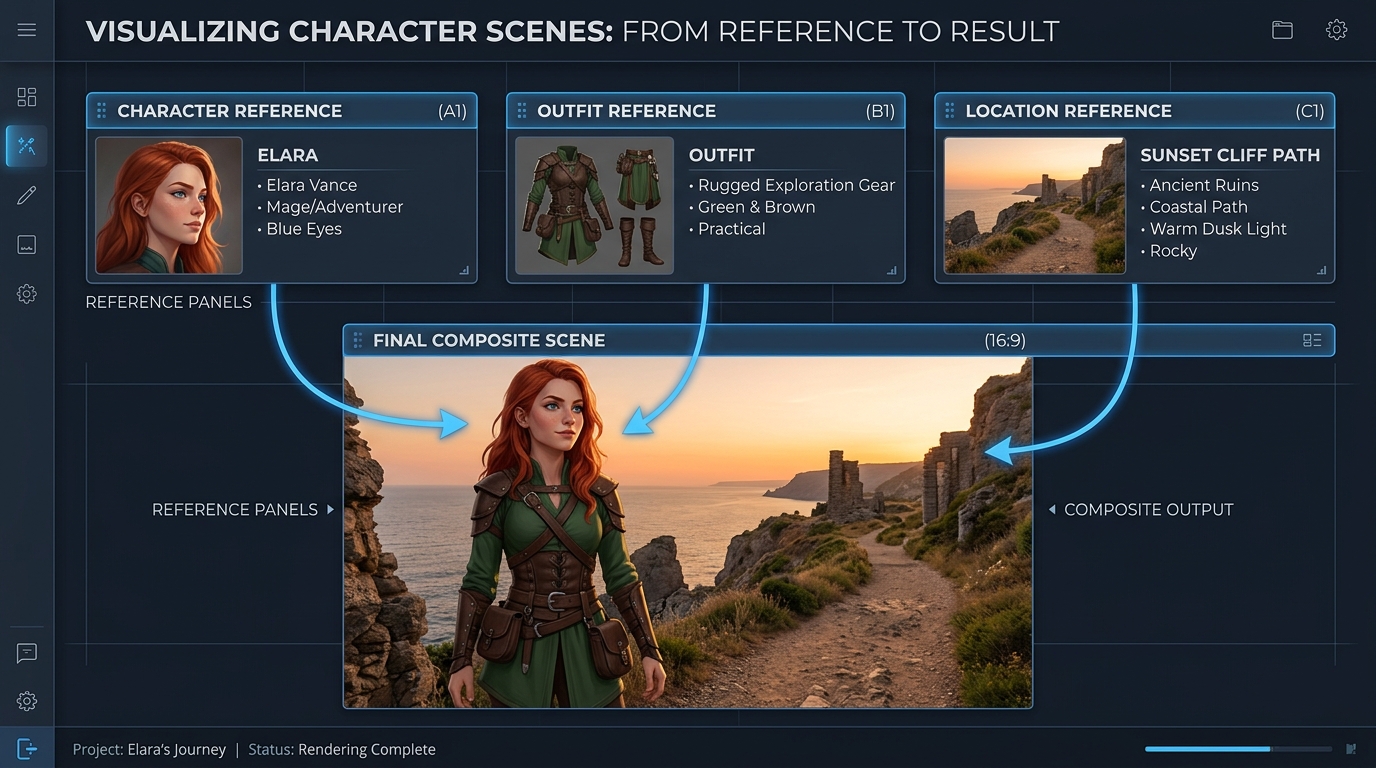
First and Last Frame Precision
Start with one image and optionally define the last frame so Gemini Omni 1.1 Flash generates the motion between them. Output duration spans 3 to 10 seconds, with 16:9 and 9:16 framing available on generation routes. Resolution choices run from 360p through 720p, 1080p, and 4K. This gives creators a controlled path from fast composition tests to polished transitions, reveals, and final delivery.
Gemini Omni vs Other Models - One Prompt
The same prompt, generated by Gemini Omni and other leading video models: Multi-shot and high-end commercial film
Generate a 3-scene continuous video: Scene 1: The woman stands under neon lights in a rainy street in Tokyo. Reflections on wet ground, cinematic depth of field, handheld camera movement. Scene 2: The camera slowly transitions to a closer shot. She speaks softly in sync with the provided voice, her lip movements perfectly matched. Background traffic continues seamlessly. Scene 3: She enters a subway station. The environment remains consistent in lighting, weather, and mood. The camera follows her from behind, maintaining identity consistency. Constraints: - Maintain identical facial identity across all scenes - Preserve lighting continuity (rain, neon reflections) - Ensure physical realism (rain interaction, wet surfaces) - Ensure audio-visual synchronization with voice input - No scene reset between transitions; continuous world state Style: high-end cinematic realism, film grain, anamorphic lens, shallow depth of field, 4K film look
Gemini Omni
Wan 2.7
Kling v3.0
Generate a 4-scene continuous video: Scene 1: A small white robot sits motionless on a wooden desk in a dim apartment at midnight. Moonlight enters through the window. The robot’s eyes slowly light up, and a faint mechanical hum begins. Scene 2: The robot climbs down from the desk carefully. Its small metal feet make soft clicking sounds on the wooden floor. The camera follows at a low angle, keeping the robot’s size and shape consistent. Scene 3: The robot walks into the kitchen. Reflections from the refrigerator door and the tiled floor respond naturally to its movement. The same moonlight and quiet nighttime atmosphere continue from the previous scene. Scene 4: The robot stops near a window and looks outside at the city lights. The camera slowly pushes in from behind, preserving the robot’s identity, material, scale, lighting, and sound continuity. Requirements: - Maintain the exact same robot design across all scenes - Preserve one continuous apartment layout, with no scene reset - Keep lighting consistent from room to room - Match footsteps and mechanical humming to the robot’s motion - Use physically realistic reflections, shadows, and object interactions - Smooth transitions between scenes, as if one continuous world is being filmed Style: cinematic realism, quiet sci-fi atmosphere, soft moonlight, detailed materials, realistic camera movement, shallow depth of field, high-end commercial film look
Gemini Omni
Kling V3.0
Pixverse v6
Gemini Omni Across Campaigns, Stories, and Creative Products
Gemini Omni moves campaign production, conversational revision, previsualization, visual learning, brand continuity, and embedded creator tools through text, image, reference, and video editing workflows with synchronized native audio.

Product Launch Films
Animate an approved product still into cinematic motion while preserving its subject and composition. Marketing teams can produce launch teasers, social ads, and polished product reveals with synchronized native audio.

Gemini Omni Scene Revisions
Describe a focused change, and Gemini Omni edits existing footage while keeping untouched content intact. Editors can create alternate treatments, localized variants, and client revisions without rebuilding an approved scene.

Brand and Character Continuity
Guide generation with reference images to keep products, characters, and visual style consistent throughout a clip. Studios can develop coordinated campaign assets, recurring brand worlds, and recognizable episodic content across channels.

Gemini Omni Previsualization
Start from a text prompt and generate cinematic video with synchronized audio and motion grounded in real world physics. Directors and designers can explore story beats, camera ideas, and platform specific formats before production.

Visual Learning Stories
Turn abstract concepts into short visual explanations by describing the scene, action, and intended learning sequence. Education teams can create science demonstrations, process walkthroughs, and training modules with native sound.

Gemini Omni Creator Workspaces
Combine text generation, still image animation, creation guided by references, and video editing behind one Gemini Omni integration. Creator platforms can offer connected production tools without assembling separate visual and audio pipelines.
How Gemini Omni Compares for API Video Editing
Compare Gemini Omni video editing models with Atlas Cloud alternatives across accepted media, editing scope, output resolution, audio handling, and standard base price.
| Model | Input Media | Editing Scope | Output Resolution | Audio Handling | Standard Base Price |
|---|---|---|---|---|---|
| Gemini Omni 1.1 Flash Video Edit | Text, source video, reference images | Conversational additions, removals, replacements, and restyling | 360p, 720p, upscaled 1080p, upscaled 4K | Native synchronized audio | $0.041 |
| Gemini Omni Flash Video Edit | Text, source video, up to 5 reference images | Scene-consistent edits that preserve untouched footage | 720p | Native audio editing | $0.14 |
| HappyHorse-1.0 Video-edit | Text, source video, up to 5 reference images | Instruction-guided video changes with visual references | 720p, 1080p | Automatic audio or original audio retention | $0.14 |
| Wan-2.7 Video-edit | Text, source video, reference images, optional driving audio | Style transfer, scene changes, and element replacement | 720p, 1080p | Original audio retention, regeneration, or driving audio | $0.10 |
How to Use Gemini Omni Flash on Atlas Cloud
Get started in minutes — follow these simple steps to integrate and deploy models through Atlas Cloud's platform.
Create an Atlas Cloud Account
Sign up at atlascloud.ai and complete verification. New users receive free credits to explore the platform and test models.
Why Use Gemini Omni Flash on Atlas Cloud
Combining the advanced Gemini Omni Flash models with Atlas Cloud's GPU-accelerated platform provides unmatched performance, scalability, and developer experience.
Performance & flexibility
Low Latency:
GPU-optimized inference for real-time reasoning.
Unified API:
Run Gemini Omni Flash, GPT, Gemini, and DeepSeek with one integration.
Transparent Pricing:
Predictable per-token billing with serverless options.
Enterprise & Scale
Developer Experience:
SDKs, analytics, fine-tuning tools, and templates.
Reliability:
99.99% uptime, RBAC, and compliance-ready logging.
Security & Compliance:
SOC 2 Type II, HIPAA alignment, data sovereignty in US.
Gemini Omni Answers for Video API Developers
Gemini Omni is Google DeepMind’s natively multimodal family for conversational video generation and editing. Through Atlas Cloud, developers can generate video from text or still images, guide results with reference media, edit existing footage, and use endpoints that produce synchronized native audio.
Available routes cover text to video, image to video, reference to video, and targeted editing of an existing clip. Gemini Omni 1.1 Flash also supports first and last frame interpolation and scene extension, giving developers more control over transitions and longer sequences.
Create an Atlas Cloud account, keep your API key on the server, and select the endpoint that matches your input. Follow that endpoint’s published schema for media, prompts, and generation settings; one OpenAI-compatible key provides access across the Atlas Cloud model catalog.
Start with text to video for a prompt alone, image to video to animate a still, reference to video for identity or style guidance, or video edit to revise existing footage. Choose the 1.1 extension route when you need to append new footage to the end of a clip.
Limits vary by route. The verified Gemini Omni Flash reference route accepts 1 to 5 images, the developer image route supports up to 7 images, and Gemini Omni 1.1 Flash can accept up to 10 images plus 3 reference videos. For 1.1, each reference video is limited to 3 seconds, and its audio is ignored.
Gemini Omni 1.1 Flash supports 360p and 720p output, plus upscaled 1080p and 4K, with 720p as the official default. Supported aspect ratios are 16:9 and 9:16, but available Atlas Cloud controls can differ by endpoint.
When an endpoint exposes stateful editing, a follow up request can reference the previous interaction so the model retains its video context while applying the new instruction. Describe only the requested change because overly detailed editing prompts can introduce unintended modifications.
Pricing is pay as you go and varies by endpoint. Atlas Cloud’s verified standard base prices currently range from $0.112 to $0.14 across the listed Gemini Omni Flash routes, so confirm the route’s billing unit and live price before submitting a production request.
In the official Gemini API, uploaded videos used for editing or extension must be 10 seconds or shorter, and extension can append content only to the end. Voice editing and audio references are unsupported, while regional restrictions apply to editing or extending uploaded videos.
First verify the endpoint ID, API key handling, required fields, media limits, file accessibility, and content safety requirements against the current schema. If a job already has an interaction or task identifier, check its status before resubmitting to avoid creating an unnecessary duplicate request.
Explore More Families
Kling 4.0
The Kling 4 API delivers Kling 4.0, the video model Kuaishou released on October 15, 2026. It generates up to 30 seconds in a single pass, follows up to 10 keyframes, blends 15 images, videos, and subjects through Omni Reference, and adds stereo audio with lip sync. Atlas Cloud serves all four endpoints, including video editing, on one OpenAI-compatible key from $0.11 per second. Start building today.

Seedance 2.5
The Seedance 2.5 API gives developers ByteDance Seed’s joint audio and video model, generating 4 to 30 seconds in one pass from text, a first frame, or up to 50 references across images, video, and audio. It edits selected regions, extends clips, and follows white-model and green-screen inputs. Atlas Cloud, an authorized U.S. reseller, adds a 480p draft mode, native 1080p finals, and enhanced 4K delivery with pay-as-you-go pricing.
Wan 3.0
Wan 3.0 is Alibaba’s newest video model, producing up to 30 seconds of 1080p video at 30fps with audio in one generation. Steer it with a text prompt, a first frame, up to 10 reference images, or a document. Standard costs less per second, while Prime keeps the same capabilities and returns results faster. Both run on the same Atlas Cloud key as Wan 2.7, 2.6, and 2.5.
MiniMax H3
MiniMax H3 is MiniMax's multimodal video family for text, image, and reference guided creation. Across supported routes, it preserves subjects from reference media, offers flexible aspect ratios, and pairs generated sound with visuals through H3 Developer, with output profiles selected by endpoint. Atlas Cloud unifies the family behind one OpenAI-compatible key with transparent pay-as-you-go pricing from the standard rate of $0.038 per second. Start building today.
GPT Image 2.5
GPT Image 2.5 is OpenAI’s image generation and editing model, released on September 8, 2026 in two API versions. Flare is the default, with up to 50% lower latency than GPT Image 2, while Sunburst takes longer to give finer control over detailed edits. Both support up to 16 reference images, five quality tiers, transparent backgrounds, and custom sizes up to 3840px. Atlas Cloud serves the GPT Image 2.5 API at OpenAI’s per token rates, or at a flat price per image by 1K, 2K, or 4K tier.
Seedream 5.0 Pro
Seedream 5.0 Pro API gives developers ByteDance's controllable image editing model on Atlas Cloud. It places edits precisely with anchors and coordinates, separates images into editable layers, fuses multiple references, and matches exact colors and materials, with multilingual text at 2K and 3K. On Atlas Cloud you reach it through one key!
Seedance 2.0
Seedance 2.0 is ByteDance’s production video model for precise shot creation. Turn prompts into video, animate a first-frame image with optional last-frame guidance, or shape results with reference media and optional web search. Atlas Cloud brings these workflows into one unified API with transparent pay-as-you-go pricing and one OpenAI-compatible key. Start building today.
Kling V3.0
From Kuaishou, the Kling V3 API family supports text, image, and reference video workflows. Transfer motion while preserving character identity, guide generation with visual references, and edit videos through natural language commands. Atlas Cloud offers Standard and Pro endpoints for different production needs. Update: Kling V4 is now available on Atlas Cloud. Explore it on the[Kling V4](https://www.atlascloud.ai/zh/models/kling-v4) page.
Grok Imagine Video
Grok Imagine Video gives developers access to xAI’s video family for creating, animating, extending, and editing clips. Generate 1 to 15 second videos from prompts, guide people, objects, or styles with up to seven reference images, and work at 480p or 720p. Atlas Cloud brings these capabilities together through OpenAI-compatible endpoints with transparent pay-as-you-go pricing. Start building today.
Vidu Q4 Preview
Vidu Q4 is Vidu's latest flagship video model, designed for image-to-video and reference-to-video generation. It can animate a single still image and create automatic scene transitions, giving developers two input paths for different product workflows. Atlas Cloud provides dedicated API endpoints with published parameter schemas at the verified standard price of $0.04 per second. Start building today.
Gemini Omni 1.1 Flash
Gemini Omni 1.1 Flash is Google DeepMind’s natively multimodal video family for flexible production workflows. Edit existing footage through text instructions, maintain visual consistency with up to 10 reference images and 3 video clips, or extend a shot in chainable segments to 40 seconds. Access every workflow on Atlas Cloud with one OpenAI-compatible API key, pay-as-you-go pricing, and Day-0 availability. Start building today.
Nano Banana 2.1
Nano Banana 2.1 is Google's image model family built on Gemini 3.6 Flash. It delivers Pro-level generation and editing at Flash-level speed, supports natural-language edits and merges across 1 to 14 input images, and maintains consistency for up to 4 characters and 10 objects. Through Atlas Cloud, developers can access the family with one OpenAI-compatible key, reliable uptime, and Day-0 availability. Start building today.
Recommended Articles
Guides, tutorials, and product updates to help you get the most out of Atlas Cloud.





