
 Atlas Cloud ist jetzt autorisierter US-Reseller von Dreamina Seedance 2.5 und Seedream 5.0 Pro.Atlas Cloud ist jetzt autorisierter US-Reseller von Dreamina Seedance 2.5 und Seedream 5.0 Pro.
Gemini Omni ist die nativ multimodale Videofamilie von Google DeepMind für promptgesteuerte Erstellung und Bearbeitung. Erstellen Sie Videos aus Text, animieren Sie Standbilder oder überarbeiten Sie vorhandenes Videomaterial mit optionalen visuellen Referenzen, ohne unveränderte Inhalte zu beeinträchtigen. Flexible Einstellungen für Auflösung, Seitenverhältnis und Dauer unterstützen verschiedenste Produktionsabläufe. Atlas Cloud bündelt den Zugriff mit transparenter nutzungsbasierter Abrechnung. Beginnen Sie noch heute mit der Entwicklung.
Gemini Omni Flash wurde von Google entwickelt. Atlas Cloud (betrieben von Atlas Cloud AI LLC) stellt lediglich den Zugang bereit und ist nicht Eigentümerin des Modells. Alle Marken sind Eigentum ihrer jeweiligen Inhaber.
Atlas Cloud bietet Ihnen die neuesten branchenführenden kreativen Modelle.
Vergleichen Sie Gemini Omni Eingaberouten, Ausgabemöglichkeiten und produktive Einsatzszenarien für sieben spezialisierte Video-Endpunkte.
| Modalität | Beschreibung |
|---|---|
| Gemini Omni Flash R2V API (Reference To Video) | Kombinieren Sie einen Text-Prompt mit ein bis fünf Referenzbildern, um ein filmisches Video mit nativem Ton zu erzeugen. Konsistente Motive, Szenen und Stile machen diesen Endpunkt geeignet für gebrandete Sequenzen, wiederkehrende Charaktere und visuell abgestimmtes Storytelling. |
| Gemini Omni Flash I2V API (Image To Video) | Ausgehend von einem Standbild und einem Text-Prompt erstellt dieser Endpunkt ein filmisches Video mit Ton und bewahrt dabei das Ausgangsmotiv sowie die Komposition. Er eignet sich für Produktanimationen, Porträtbewegungen und die Entwicklung visueller Konzepte. |
| Gemini Omni Flash Video Edit API | Übermitteln Sie ein vorhandenes Video, eine Textanweisung und optionale Referenzbilder, um szenenkonsistente Änderungen mit nativem Ton anzuwenden. Da unverändertes Filmmaterial erhalten bleibt, können Editoren gezielte Überarbeitungen vornehmen, ohne die gesamte Szene neu zu erstellen. |
| Gemini Omni Flash T2V API (Text To Video) | Allein aus einem Text-Prompt entsteht ein filmisches Video mit synchronisiertem nativem Ton und einer an der realen Physik orientierten Bewegung. Die steuerbare Hochgeschwindigkeitsgenerierung unterstützt die Visualisierung von Konzepten, die Entwicklung von Geschichten und das schnelle Prototyping von Videos. |
| Gemini Omni Flash R2V Developer API | Für gezielte Transformationen kombinieren Sie einen vorhandenen Videoclip mit Referenzbildern und Text-Prompts. Der Endpunkt unterstützt die Übertragung von Videostilen, die Szenenbearbeitung und das Einfügen von Charakteren für kreative Anwendungen, die aus bereitgestelltem Filmmaterial gezielte Varianten erzeugen. |
| Gemini Omni Flash I2V Developer API | Bis zu sieben Referenzbilder können ein durch einen Text-Prompt gesteuertes Video anleiten und dabei die visuelle Identität im gesamten Ergebnis bewahren. Wählen Sie diese Route für wiederkehrende Charaktere, konsistente Produktdarstellungen oder aufeinander abgestimmte Assets innerhalb einer Kampagne. |
| Gemini Omni Flash T2V Developer API | Wählen Sie einen Text-Prompt zusammen mit der erforderlichen Auflösung, dem Seitenverhältnis und der Dauer, um ein steuerbares filmisches Video zu erzeugen. Flexible Ausgabeeinstellungen helfen Entwicklern, plattformspezifische Inhalte zu erstellen, Generierungs-Workflows zu automatisieren und mehrere kreative Richtungen zu testen. |
Jede Anfrage an die Gemini Omni Flash API kann beliebige Kombinationen aus Text, Bildern, Videos und Audio enthalten, synchronisierten Ton erzeugen, die Physik der realen Welt modellieren und das Ergebnis im Dialog verfeinern.
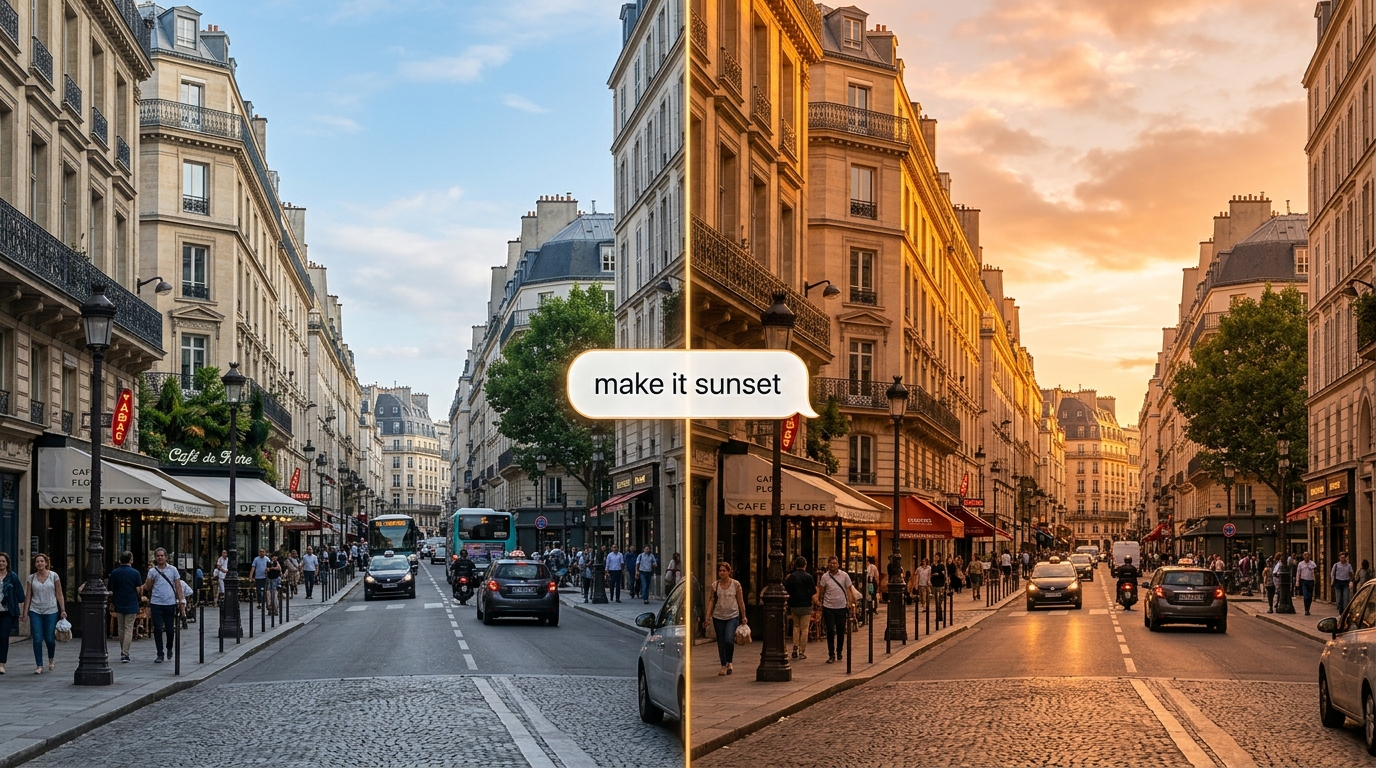
Verfeinern Sie einen Clip per natürlicher Sprache, und die Gemini Omni Flash API wendet die Änderung an, während der Rest der Szene erhalten bleibt. Die zustandsbehaftete Interactions API merkt sich jede Gesprächsrunde, sodass Bearbeitungen aufeinander aufbauen.
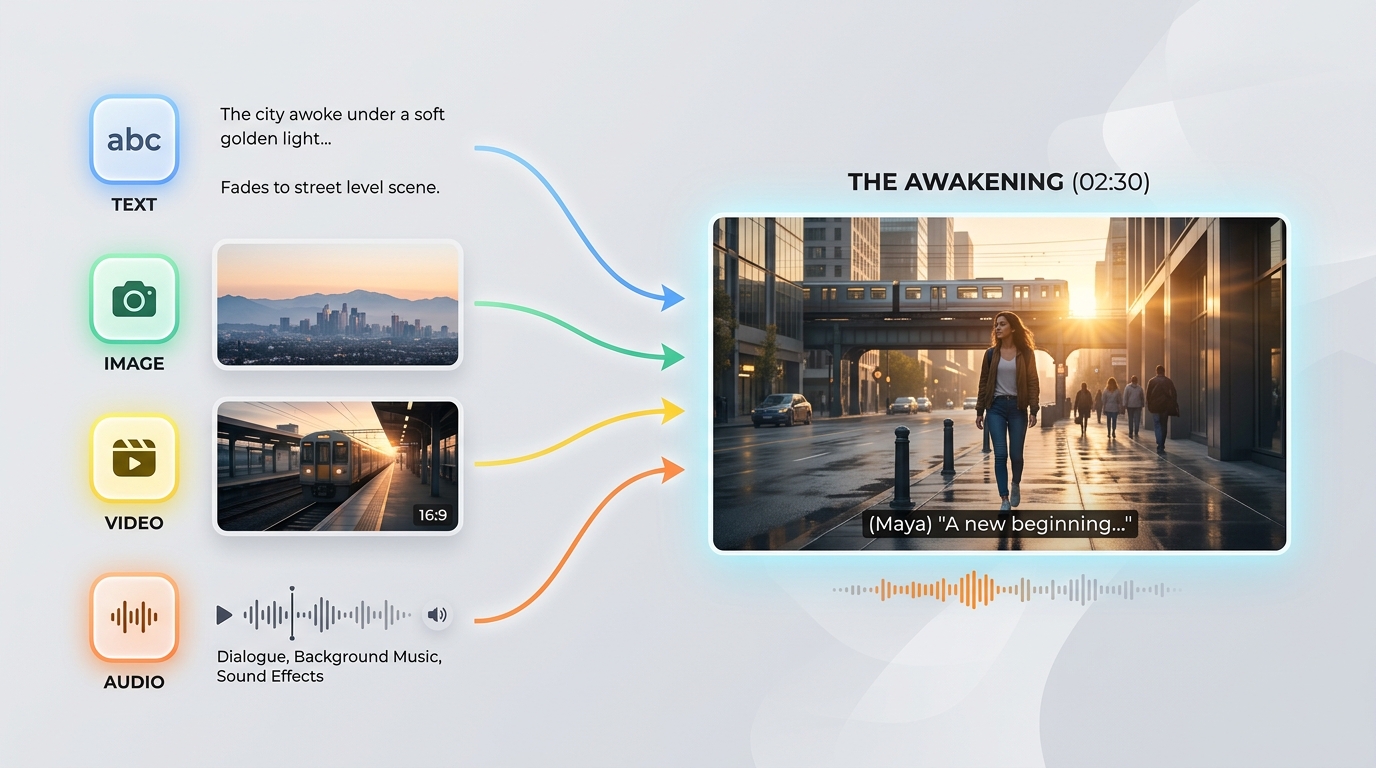
Die Gemini Omni Flash API akzeptiert beliebige Kombinationen aus Text, Bildern, Videos und Audio in einer einzigen Eingabe. Mit dieser Eingabefunktion aus beliebigen Quellen können Sie eine Generierung mit dem Ausgangsmaterial steuern, das Ihnen bereits vorliegt.
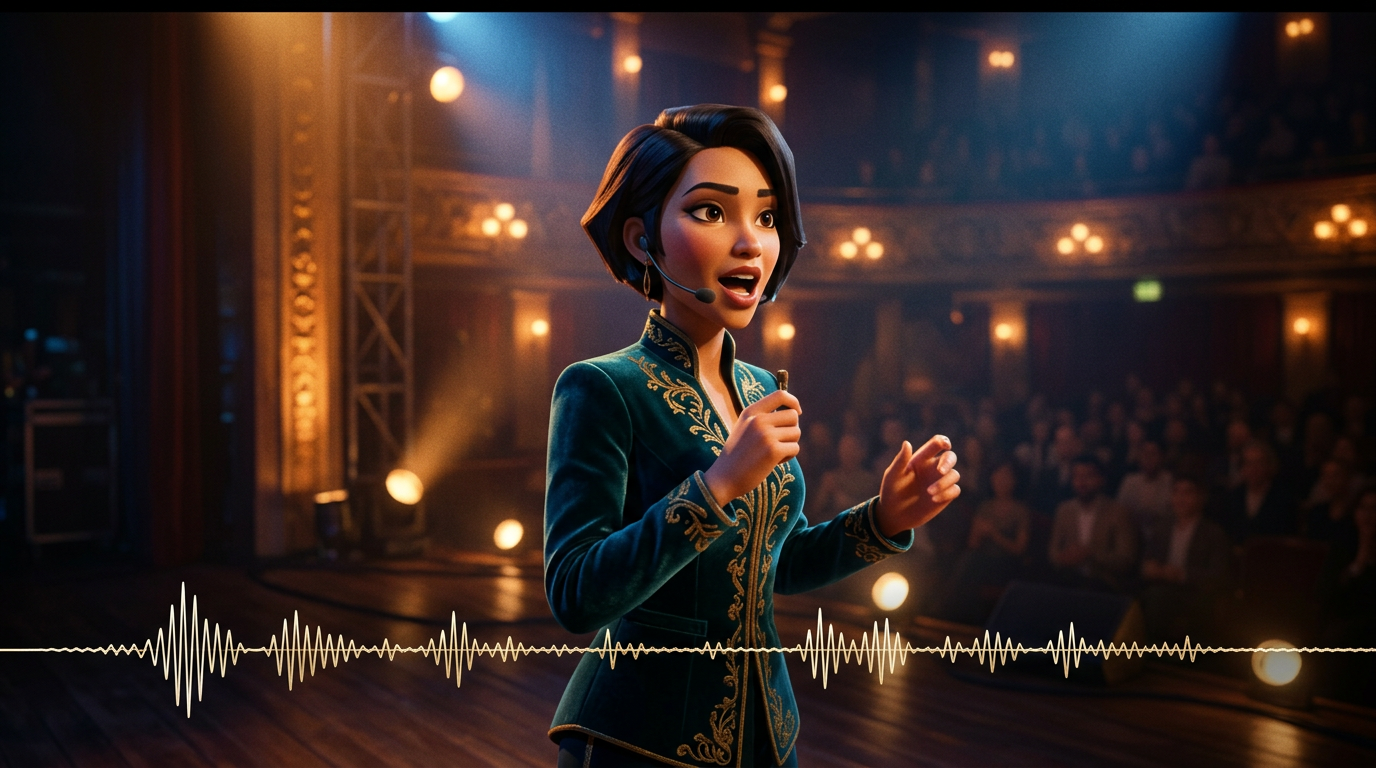
Der Ton wird gemeinsam mit dem Bild in einem Inferenzdurchlauf erzeugt, sodass Dialoge, Effekte und Umgebungsgeräusche exakt auf die Handlung abgestimmt bleiben. Die Gemini Omni Flash API benötigt anschließend keinen separaten Audioschritt.

Auf Grundlage eines Modells der Physik der realen Welt erzeugt die Gemini Omni Flash API glaubwürdige Reflexionen, Schwerkraft, Beleuchtung und Wettereffekte. Szenen bleiben visuell konsistent, statt sich in Artefakte aufzulösen – selbst bei dynamischen Aufnahmen.
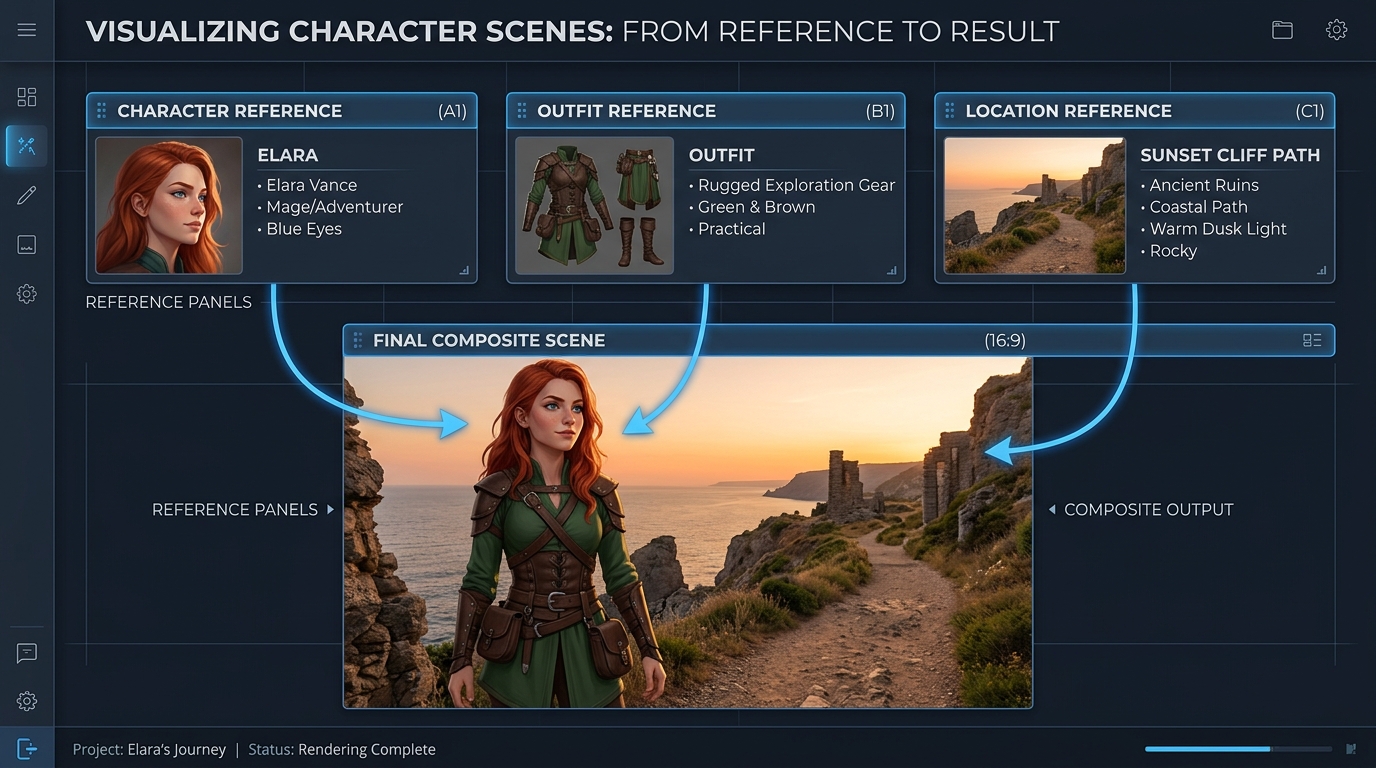
Steuern Sie eine Generierung mit bis zu sieben Referenzbildern und drei kurzen Videoclips, während die Gemini Omni Flash API Motive, Stil und Szene konsistent hält. So bleibt die Identität über Bearbeitungen und Aufnahmen hinweg stabil.
Derselbe Prompt, generiert von Gemini Omni und anderen führenden Videomodellen: Mehrere Einstellungen und hochwertiger Werbefilm
Erzeuge ein kontinuierliches Video mit 3 Szenen: Szene 1: Die Frau steht unter Neonlichtern auf einer regennassen Straße in Tokio. Spiegelungen auf dem nassen Boden, filmische Tiefenschärfe, Handkamera-Bewegung. Szene 2: Die Kamera geht langsam in eine nähere Einstellung über. Sie spricht leise synchron zur bereitgestellten Stimme, ihre Lippenbewegungen sind perfekt abgestimmt. Der Verkehr im Hintergrund setzt sich nahtlos fort. Szene 3: Sie betritt eine U-Bahn-Station. Beleuchtung, Wetter und Stimmung bleiben konsistent. Die Kamera folgt ihr von hinten und bewahrt die Konsistenz ihrer Identität. Einschränkungen: - Identische Gesichtsidentität in allen Szenen beibehalten - Kontinuität der Beleuchtung bewahren (Regen, Neonreflexionen) - Physikalischen Realismus sicherstellen (Regeninteraktion, nasse Oberflächen) - Audio-visuelle Synchronisation mit dem Spracheingang sicherstellen - Kein Szenen-Reset zwischen den Übergängen; kontinuierlicher Weltzustand Stil: hochwertiger filmischer Realismus, Filmkorn, anamorphotische Linse, geringe Tiefenschärfe, 4K-Filmlook
Gemini Omni
Wan 2.7
Kling v3.0
Erzeuge ein kontinuierliches Video mit 4 Szenen: Szene 1: Ein kleiner weißer Roboter sitzt um Mitternacht regungslos auf einem Holztisch in einer dämmrigen Wohnung. Mondlicht fällt durch das Fenster. Die Augen des Roboters leuchten langsam auf, und ein leises mechanisches Summen setzt ein. Szene 2: Der Roboter klettert vorsichtig vom Tisch herunter. Seine kleinen Metallfüße erzeugen leise Klickgeräusche auf dem Holzboden. Die Kamera folgt ihm aus einem niedrigen Winkel und bewahrt dabei die Konsistenz von Größe und Form des Roboters. Szene 3: Der Roboter geht in die Küche. Spiegelungen an der Kühlschranktür und auf dem Fliesenboden reagieren natürlich auf seine Bewegung. Dasselbe Mondlicht und die ruhige nächtliche Atmosphäre aus der vorherigen Szene setzen sich fort. Szene 4: Der Roboter bleibt nahe einem Fenster stehen und blickt auf die Lichter der Stadt hinaus. Die Kamera fährt langsam von hinten näher heran und bewahrt die Kontinuität von Identität, Material, Maßstab, Beleuchtung und Ton des Roboters. Anforderungen: - Exakt dasselbe Roboterdesign in allen Szenen beibehalten - Ein durchgängiges Wohnungsgrundriss bewahren, ohne Szenen-Reset - Eine konsistente Beleuchtung von Raum zu Raum beibehalten - Schritte und mechanisches Summen an die Bewegung des Roboters anpassen - Physikalisch realistische Spiegelungen, Schatten und Objektinteraktionen verwenden - Flüssige Übergänge zwischen den Szenen, als würde eine einzige zusammenhängende Welt gefilmt Stil: filmischer Realismus, ruhige Science-Fiction-Atmosphäre, sanftes Mondlicht, detaillierte Materialien, realistische Kamerabewegung, geringe Tiefenschärfe, hochwertiger Werbefilm-Look
Gemini Omni
Kling V3.0
Pixverse v6
Gemini Omni bringt Kampagnenproduktion, dialogbasierte Überarbeitung, Vorvisualisierung, visuelles Lernen, Markenkonsistenz und integrierte Creator-Tools in text-, bild-, referenz- und videobasierten Bearbeitungs-Workflows mit synchronisiertem nativem Audio zusammen.

Animieren Sie ein freigegebenes Produktfoto zu einer filmischen Bewegung und bewahren Sie dabei Motiv und Komposition. Marketingteams können Teaser zur Markteinführung, Social Ads und hochwertige Produktinszenierungen mit synchronisiertem nativem Audio erstellen.

Beschreiben Sie eine gezielte Änderung, und Gemini Omni bearbeitet vorhandenes Filmmaterial, während unveränderte Inhalte erhalten bleiben. Editoren können alternative Fassungen, lokalisierte Varianten und Kundenänderungen erstellen, ohne eine freigegebene Szene neu aufbauen zu müssen.

Steuern Sie die Generierung mit Referenzbildern, damit Produkte, Charaktere und visueller Stil während des gesamten Clips konsistent bleiben. Studios können abgestimmte Kampagnen-Assets, wiederkehrende Markenwelten und unverwechselbare episodische Inhalte für verschiedene Kanäle entwickeln.

Starten Sie mit einem Text-Prompt und generieren Sie filmisches Video mit synchronisiertem Audio und einer an der Physik der realen Welt orientierten Bewegung. Regisseure und Designer können Storybeats, Kameraideen und formatspezifische Varianten für Plattformen vor der Produktion erkunden.

Verwandeln Sie abstrakte Konzepte in kurze visuelle Erklärungen, indem Sie Szene, Handlung und beabsichtigte Lernabfolge beschreiben. Bildungsteams können mit nativem Ton naturwissenschaftliche Demonstrationen, Prozessanleitungen und Schulungsmodule erstellen.

Bündeln Sie Textgenerierung, Animation von Standbildern, referenzgestützte Erstellung und Videobearbeitung in einer einzigen Gemini Omni-Integration. Creator-Plattformen können vernetzte Produktionswerkzeuge anbieten, ohne separate Pipelines für Bild und Audio zusammenstellen zu müssen.
Vergleichen Sie Referenzvideomodelle der Gemini Omni API, einschließlich Gemini Omni 1.1 Flash, mit führenden Alternativen hinsichtlich unterstützter Eingaben, Referenzkapazität, Audiogenerierung und Standardpreisen.
| Modell | Akzeptierte Eingaben | Referenzkapazität | Audiogenerierung | Standardpreis | Standard Base Price |
|---|---|---|---|---|---|
| Gemini Omni 1.1 Flash Reference-to-Video | Text, source video, reference images | Conversational additions, removals, replacements, and restyling | 360p, 720p, upscaled 1080p, upscaled 4K | Native synchronized audio | $0.041 |
| Gemini Omni Flash Reference-to-Video | Text, source video, up to 5 reference images | Scene-consistent edits that preserve untouched footage | 720p | Native audio editing | $0.14 |
| Seedance 2.0 Reference-to-Video | Text, source video, up to 5 reference images | Instruction-guided video changes with visual references | 720p, 1080p | Automatic audio or original audio retention | $0.14 |
| Wan-2.7 Reference-to-video | Text, source video, reference images, optional driving audio | Style transfer, scene changes, and element replacement | 720p, 1080p | Original audio retention, regeneration, or driving audio | $0.10 |
In wenigen Minuten startklar — folgen Sie diesen einfachen Schritten, um Modelle über die Plattform von Atlas Cloud zu integrieren und bereitzustellen.
Registrieren Sie sich auf atlascloud.ai und schließen Sie die Verifizierung ab. Neue Nutzer erhalten kostenlose Credits zum Erkunden der Plattform und Testen von Modellen.
Die Kombination der fortschrittlichen Gemini Omni Flash-Modelle mit der GPU-beschleunigten Plattform von Atlas Cloud bietet unübertroffene Leistung, Skalierbarkeit und Entwicklererfahrung.
Niedrige Latenz:
GPU-optimierte Inferenz für Echtzeit-Reasoning.
Einheitliche API:
Führen Sie Gemini Omni Flash, GPT, Gemini und DeepSeek mit einer Integration aus.
Transparente Preisgestaltung:
Vorhersehbare Token-basierte Abrechnung mit serverlosen Optionen.
Entwicklererfahrung:
SDKs, Analysen, Fine-Tuning-Tools und Vorlagen.
Zuverlässigkeit:
99,99% Verfügbarkeit, RBAC und compliance-bereite Protokollierung.
Sicherheit & Compliance:
SOC 2 Type II, HIPAA-Ausrichtung, Datensouveränität in den USA.
Die Gemini Omni API ermöglicht Entwicklern über Atlas Cloud den Zugriff auf die nativ multimodale Modellfamilie von Google DeepMind zur Videogenerierung und -bearbeitung. Je nach ausgewähltem Endpunkt kann sie Videos aus Text oder Bildern generieren, Referenzmedien verwenden, vorhandenes Videomaterial bearbeiten und synchronisiertes natives Audio erzeugen.
Gemini Omni 1.1 Flash bietet jetzt Videoverlängerung, Interpolation zwischen dem ersten und letzten Frame, Ausgabeauflösungen von 360p bis 4K und erweiterte Referenzführung. Die Extension-Variante fügt pro Anfrage 3 bis 10 Sekunden hinzu und kann verkettet werden, um ein zusammenhängendes Video mit einer Länge von bis zu 40 Sekunden zu erstellen.
Erstelle ein Atlas Cloud-Konto, bewahre deinen API-Schlüssel auf dem Server auf und wähle den Modell-Endpunkt, der zu deinem Workflow passt. Atlas Cloud stellt einen OpenAI-kompatiblen Schlüssel bereit, während das veröffentlichte Schema jedes Endpunkts die erforderlichen Prompts, Medieneingaben und Generierungseinstellungen festlegt.
Wähle text to video, wenn du mit einem Prompt beginnst, image to video, wenn du ein Standbild animieren möchtest, oder reference to video, wenn Identitäts- und Stilvorgaben wichtig sind. Verwende video edit, um vorhandenes Videomaterial zu bearbeiten, und den Gemini Omni 1.1 Flash video extend-Endpunkt, um eine Szene fortzusetzen.
Die Referenzlimits variieren je nach Endpunkt und Modellversion. Gemini Omni 1.1 Flash Reference to Video akzeptiert bis zu 10 Referenzbilder und 3 Referenzvideoclips, während frühere Endpunkte andere Limits unterstützen. Prüfe daher vor dem Übermitteln von Medien das Schema des ausgewählten Endpunkts.
Gemini Omni 1.1 Flash unterstützt Ausgaben mit einer Länge von 3 bis 10 Sekunden bei 24 FPS sowie die Auflösungsoptionen 360p, 720p, hochskaliertes 1080p und hochskaliertes 4K. Unterstützte Seitenverhältnisse sind 16:9 und 9:16, wobei die verfügbaren Steuerungsmöglichkeiten je nach Atlas Cloud-Endpunkt abweichen können.
Ja. Die video edit-Variante folgt Textanweisungen, um Elemente hinzuzufügen, zu entfernen, zu ersetzen oder stilistisch neu zu gestalten, während Videomaterial erhalten bleibt, das im Prompt nicht erwähnt wird. Für iterative Änderungen solltest du fokussierte Anweisungen und den vom ausgewählten Workflow unterstützten Interaktionskontext verwenden.
Um eine Szene fortzusetzen, übergib dem Gemini Omni 1.1 Flash video extend endpoint einen vorhandenen Clip und fordere zusätzliche 3 bis 10 Sekunden an. Verlängerungen können bis zu einer Gesamtlänge von 40 Sekunden verkettet werden, während die image to video-Variante zwischen den vorgegebenen ersten und letzten Frames interpolieren kann.
Der Standardpreis von Atlas Cloud für Gemini Omni 1.1 Flash beträgt $0.041 pro Sekunde für text to video, reference to video, video editing und video extension, während image to video $0.043 pro Sekunde kostet. Frühere Gemini Omni Flash-Endpunkte beginnen bei $0.112 pro Sekunde; die Abrechnung erfolgt nutzungsbasiert und es ist kein Abonnement erforderlich.
Jedes generierte Video enthält ein unsichtbares SynthID-Wasserzeichen, das programmgesteuert erkannt werden kann. Sicherheitsfilter gelten sowohl für Prompts als auch für generierte Ausgaben, während die Verarbeitungszeit je nach Dauer, Auflösung und Dienstlast variiert. Separate Steuerungen für negative Prompts, Systemanweisungen, temperature, top_p und stop sequence werden nicht unterstützt; formuliere Ausschlüsse daher im Haupt-Prompt.
Die Seedance 2.5 API ist jetzt auf Atlas Cloud verfügbar! Sie bietet Entwicklern das neueste Videomodell von ByteDance. Es generiert in einem einzigen Durchgang bis zu 30 Sekunden natives Video aus Text, einem einzigen Bild oder bis zu 50 multimodalen Referenzen, mit synchronisiertem Audio und mehrsprachigem Text im Bildrahmen. Auf Atlas Cloud greifen Sie über einen einzigen Schlüssel darauf zu, wobei Motivkonsistenz und verbesserte Physik lange Einstellungen kohärent halten.

Die Wan 3.0 API ist die nächste Generation von Alibabas Wan-Videofamilie, die entwickelt wurde, um Langformat-Generierung, Multi-Referenz-Steuerung und audiovisuelle Qualität auf ein neues Niveau zu heben. Atlas Cloud hostet bereits Wan 2.7, 2.6 und 2.5, und Wan 3.0 läuft mit demselben einheitlichen Schlüssel ohne separate Einrichtung. Beginnen Sie noch heute mit der Entwicklung. Scrollen Sie nach unten zum Showcase, um zu sehen, was Wan 3.0 erschaffen kann.
MiniMax H3 ist die multimodale Videofamilie von MiniMax für text-, bild- und referenzgesteuerte Erstellung. Über die unterstützten Routen hinweg bleiben Motive aus Referenzmedien erhalten, flexible Seitenverhältnisse stehen zur Verfügung, und H3 Developer kombiniert generierten Ton mit visuellen Inhalten, wobei die Ausgabeprofile je nach Endpoint ausgewählt werden. Atlas Cloud bündelt die Familie hinter einem OpenAI-kompatiblen Schlüssel mit transparenter nutzungsbasierter Abrechnung zum Standardtarif von $0.038 pro Sekunde. Beginnen Sie noch heute mit der Entwicklung.
Die gpt-image-2.5-Familie von OpenAI bietet Entwicklern die Wahl zwischen Flare und Sunburst für produktive Bild-Workflows. Rendern Sie mit beliebigen Auflösungen bis zu 3840x2160 und wählen Sie aus fünf Qualitätsstufen, darunter xhigh und max, um spezifische Ausgabeanforderungen zu erfüllen. Atlas Cloud stellt eine sofort einsatzbereite REST-Inferenz ohne Kaltstarts und mit einer Standardpreisgestaltung ab $0.004 pro Generierung bereit. Beginnen Sie noch heute mit der Entwicklung.
Die Seedream 5.0 Pro API bietet Entwicklern das steuerbare Bildbearbeitungsmodell von ByteDance auf Atlas Cloud. Sie platziert Bearbeitungen präzise mit Ankern und Koordinaten, trennt Bilder in bearbeitbare Ebenen, verschmilzt mehrere Referenzen und passt exakte Farben und Materialien an, mit mehrsprachigem Text in 2K und 3K. Auf Atlas Cloud erreichen Sie es über einen einzigen Schlüssel!
Seedance 2.0 ist ByteDances Produktionsvideomodell für die präzise Erstellung von Einstellungen. Verwandle Prompts in Videos, animiere ein Erstbild mit optionaler Führung durch ein Letztbild oder gestalte Ergebnisse mit Referenzmedien und optionaler Websuche. Atlas Cloud vereint diese Workflows in einer einheitlichen API mit transparenter nutzungsbasierter Preisgestaltung und einem einzigen OpenAI-kompatiblen Schlüssel. Beginne noch heute mit der Entwicklung.
Die Kling 3.0 API bringt die Flaggschiff-Video-Suite von Kuaishou über einen OpenAI-kompatiblen Schlüssel in die Atlas Cloud. Sie umfasst zwei Modelle: Kling 3.0 für AI Director Storytelling, mehrsprachiges Lip-Sync und präzisen Bildschirmtext sowie Kling 3.0 Omni (O3) für das Klonen von Motiven und Stimmen aus einem kurzen Video oder Bild. Beide generieren im selben Durchgang natives Audio mit einer Ausgabe von bis zu 4K. Erstellen Sie kinoreife Erzählungen, globales Marketing, mehrsprachige Anzeigen und serielle Charakterinhalte auf einer zuverlässigen Infrastruktur.
Grok Imagine Video ermöglicht Entwicklern den Zugriff auf xAIs Videofamilie zum Erstellen, Animieren, Erweitern und Bearbeiten von Clips. Erstelle 1- bis 15-sekündige Videos aus Prompts, steuere Personen, Objekte oder Stile mit bis zu sieben Referenzbildern und arbeite in 480p oder 720p. Atlas Cloud bündelt diese Möglichkeiten über OpenAI-compatible Endpoints mit transparenten Pay-as-you-go-Preisen. Beginne noch heute mit der Entwicklung.
Vidu Q4 ist Vidus neuestes Flaggschiff-Videomodell, entwickelt für die Generierung von Image-to-Video- und Reference-to-Video-Inhalten. Es kann ein einzelnes Standbild animieren und automatische Szenenübergänge erstellen, sodass Entwicklern zwei Eingabepfade für unterschiedliche Produkt-Workflows zur Verfügung stehen. Atlas Cloud stellt dedizierte API-Endpunkte mit veröffentlichten Parameterschemata zum verifizierten Standardpreis von $0.04 pro Sekunde bereit. Beginnen Sie noch heute mit der Entwicklung.
Gemini Omni 1.1 Flash ist die von Google DeepMind entwickelte, von Grund auf multimodale Videomodellfamilie für flexible Produktions-Workflows. Bearbeiten Sie bestehendes Filmmaterial per Textanweisung, wahren Sie mit bis zu 10 Referenzbildern und 3 Videoclips die visuelle Konsistenz oder verlängern Sie eine Aufnahme in verkettbaren Segmenten auf bis zu 40 Sekunden. Greifen Sie mit einem einzigen OpenAI-kompatiblen API-Schlüssel, nutzungsabhängiger Abrechnung und Verfügbarkeit ab Tag 0 auf jeden Workflow in Atlas Cloud zu. Beginnen Sie noch heute mit der Entwicklung.
Nano Banana 2.1 is Google's image model family built on Gemini 3.6 Flash. It delivers Pro-level generation and editing at Flash-level speed, supports natural-language edits and merges across 1 to 14 input images, and maintains consistency for up to 4 characters and 10 objects. Through Atlas Cloud, developers can access the family with one OpenAI-compatible key, reliable uptime, and Day-0 availability. Start building today.
Entwickeln Sie mit der Nano Banana 2 API, angetrieben vom Gemini 3.1 Flash Image-Modell von Google. Sie generiert natives 4K-Bildmaterial mit bis zu 4096x2304 Pixeln, präzisem Text-Rendering und konsistenten Charakteren über bis zu 14 Referenzbilder hinweg, sowohl für die Generierung als auch für die Bearbeitung. Auf Atlas Cloud haben Sie über eine einheitliche API neben über 300 Modellen Zugriff darauf, mit Preisen ab 0,04 $ pro Bild, 99,99 % Betriebszeit und kostenlosem Startguthaben.
Anleitungen, Tutorials und Produkt-Updates, mit denen Sie das Beste aus Atlas Cloud herausholen.



