Yapay zekâdan özet iste
A surreal ad can stop a scroll and still fail its job. People may remember a shoelace flowering in an old shop, a giant orange, or rain inside a hallway while forgetting the product. MiniMax H3 Image Surreal Advertising Visuals work best when the impossible element explains one product benefit, the product remains recognizable, and the composition survives a smaller placement. The 4 prompts below give a designer a starting point, plus a practical way to reject weak outputs before anyone builds a campaign around them.
Key takeaways
- Put the product and its selling point in the brief before inventing the impossible scene.
- Give the scene one visual surprise, then protect the product silhouette and copy space in the prompt.
- Inspect the actual output at feed size and in final crops before calling it an ad asset.
- Treat reference preservation, local edits, pricing, and commercial rights as separate checks.
Can MiniMax H3 Image Make a Usable Surreal Ad?
MiniMax H3 Image is a still-image generation and editing model. MiniMax H3 is also the name of a video model, so a video tutorial or motion example does not demonstrate MiniMax H3 Image's static results. MiniMax says the image model supports text-to-image, reference-based generation, editing, up to 16 reference images, and output areas labeled 1K, 2K, and 4K. Its reported sub-10-second 4K generation is a vendor service claim, not a delivery guarantee for a particular interface or computer (MiniMax release, November 2026).
For an advertiser, resolution is only one part of usability. An image can have crisp droplets and still fail if the shoe has changed shape, the orange looks larger than the juice glass for no clear reason, or a rain effect masks the umbrella. A useful first pass answers 4 questions:
- Can someone identify the product in a phone-sized preview without reading a caption?
- Does the impossible element point to the benefit or ingredient the ad is trying to communicate?
- Is there usable space for real copy after the image is cropped for its placement?
- Do the product's edges, material, reflections, and contact shadow hold up at full size?
These are editorial checks, not claims that the model will pass them. They also keep a concept pitch separate from a finished commercial image. A brand's packaging, trademark, and regulated product claims need their own review. A convincing generic shoe is not proof of a faithful branded shoe.
Start With the Product, Then Break One Rule of Reality
Write the One-Sentence Ad Brief
Start with a sentence a creative director could approve without seeing a generated picture. For the canvas high-top: “Make a familiar everyday shoe feel unexpectedly alive in a real shoe shop, while keeping its construction easy to see.” For orange juice: “Make the fruit feel immediate while keeping the drink as the thing being sold.” For an umbrella: “Show protection from rain in a place where rain should not occur.”
Then name the product's visible constraints. Are the high-top’s canvas weave, rubber toe cap, eyelets, laces, and sole legible? Is the orange juice in a transparent glass? Must the complete umbrella canopy fit inside the frame? Specify those facts before textures and atmosphere. If the product is generic, say so. If it is a real SKU, use an authorized product photograph and list the packaging details that must remain exact.
A short working brief has 7 parts: product, audience, one benefit, impossible event, camera position, copy area, and features that must stay fixed. The last 2 parts are easy to miss. A beautiful centered composition can leave no room for a headline; a product can be “present” while its outline is cut off or visually merged into the surreal element.
Keep One Impossible Element
Make the extraordinary part specific and limited. One shoelace becoming a flowering vine changes a familiar store detail, while the shoe, shelves, and shop retain ordinary proportions. An enormous orange slice changes scale, while the glass and liquid remain ordinary. Indoor rain changes location, while a real umbrella still makes sense as protection. Each concept has one rule a viewer can grasp quickly.
Stacking several unrelated surprises makes judging a result harder. If the shelves float, the whole shop turns into a forest, and the floor becomes a mirror portal, a reviewer can no longer tell which visual idea carries the product. The constraint is a decision tool rather than a claim about model limits. Once a single idea works, a team can test a more elaborate variant against it.
Choose a camera description that serves the product. A bench-height three-quarter view lets viewers read the high-top’s shape and materials against the softly blurred shelves of a real shoe shop. Table-height framing keeps the glass of juice grounded even when the slice behind it is oversized. A 35 mm hallway view can show the umbrella, the indoor rain, and the dry floor together. Keep the lighting plausible enough that the strange event feels intentionally placed in a photographed world.
Two Documented MiniMax H3 Image Cases
Case 1: A fragrance banner built for a wide placement. In a published MiniMax H3 Image field test, a text-to-image request produced a 3001 × 1001 fragrance banner at the requested dimensions. An amber bottle sits on wet slate at the right, with blossom and rain details around it; the darker left side carries the short “AFTER RAIN” headline. This is a useful advertising case because the product, atmosphere, and copy area have distinct jobs. The source records the prompt, settings, and original file; the image below is that documented MiniMax H3 Image output, resized for this article.
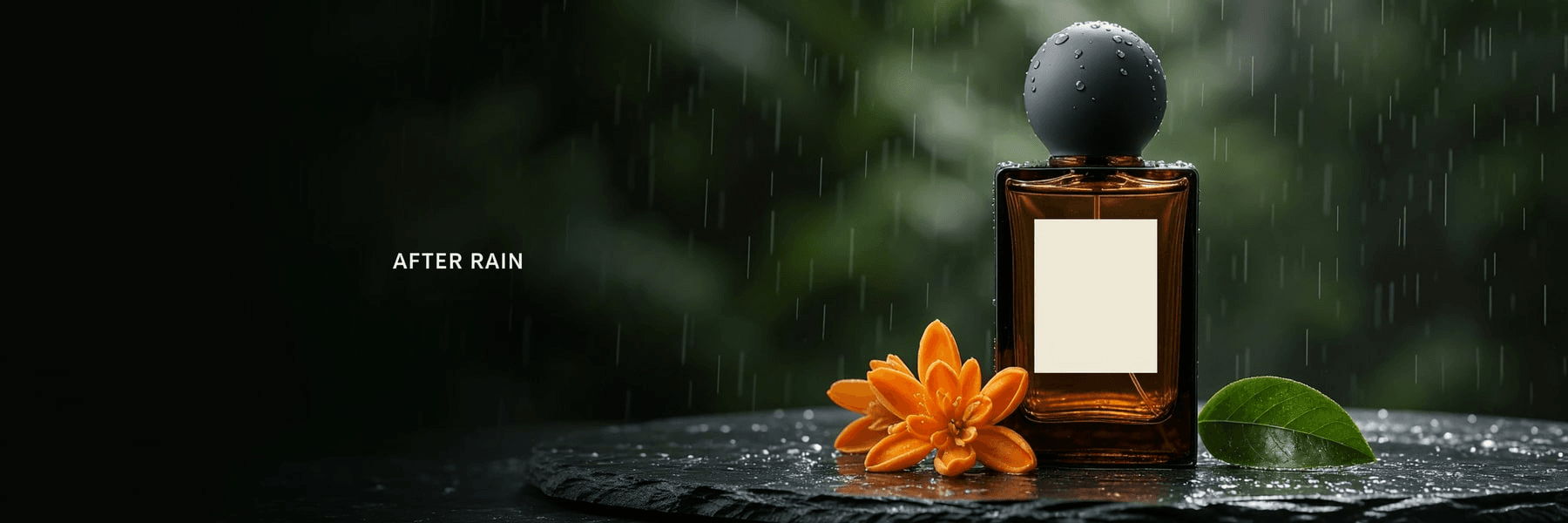
MiniMax H3 Image text-to-image output, 3001 × 1001 original; source and run settings. The displayed copy is part of this recorded output, not a claim that every run will reproduce it.
Case 2: One controlled change to a campaign visual. The same field test used an existing fragrance image as a reference and asked MiniMax H3 Image to change its foreground fabric ribbon from burnt orange to cobalt blue. The selected edit keeps the bottle, round cap, brass stand, title placement, and camera framing recognizable. The comparison below puts the starting reference on the left and the documented MiniMax H3 Image edit on the right. It demonstrates a practical campaign variation, while still requiring a close check for unintended product changes.
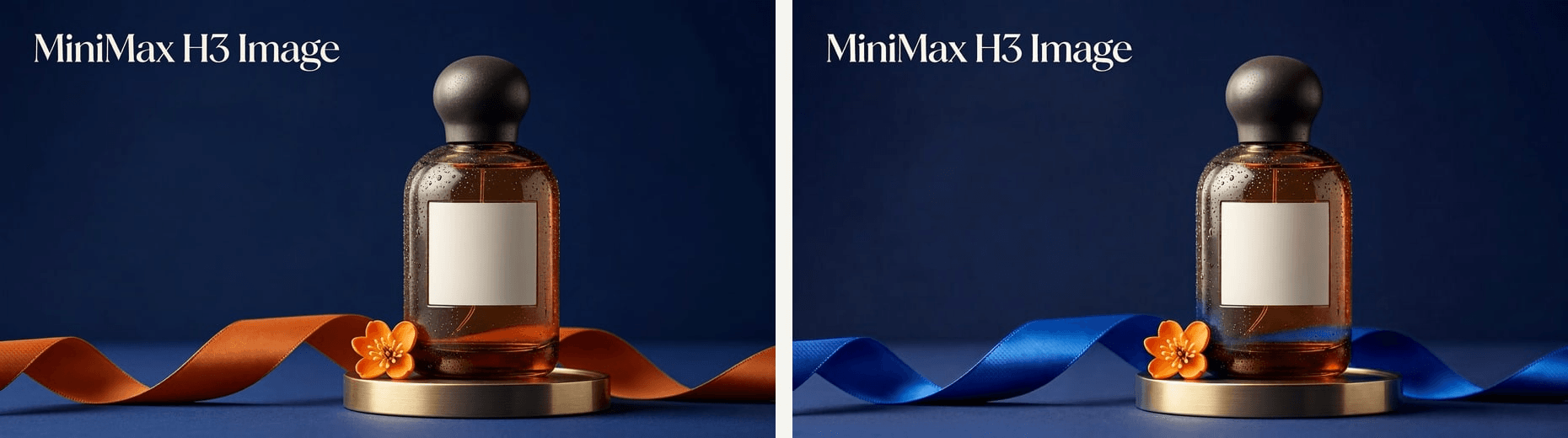
Left: starting reference. Right: MiniMax H3 Image image-edit output from a two-candidate run; source, prompt, and settings. The two original files were only resized and placed side by side here.
These are source-documented MiniMax H3 Image results, not outputs from the four new prompts below. Their useful pattern is to show the brief, the actual file, and what a reviewer should inspect. For multi-panel concepts, a published three-zone product ad example assigns a separate purpose to each panel. A firsthand MiniMax H3 Image contact-sheet test also shows a limit worth testing: its requested six-frame layout came back with nine frames. The panel count and product consistency need inspection in the real output.
4 MiniMax H3 Image Surreal Ad Prompts to Try
These are four original, unbranded campaign briefs with images generated using MiniMax H3 Image, not finished client ads. The first uses a single hero frame; the others use a triptych, a diptych, and a four-panel contact sheet. Every panel has a defined role, while the product and one impossible event stay consistent.
Canvas High-Top: One Lace Comes to Life
An unbranded cream-and-forest-green canvas high-top rests on a worn fitting bench in an old shoe shop. The prompt asks for one loose lace to become a slender flowering vine, while the rest of the store stays ordinary. The shoe is the closest and sharpest object; shelves of other shoes give the frame a lived-in background without competing for attention.
plaintext1Create one photorealistic 16:9 editorial photograph inside a small, lived-in vintage shoe shop. The unmistakable subject is ONE unbranded cream-and-forest-green retro canvas high-top sneaker, resting naturally on a worn honey-brown wooden fitting bench in the foreground. Show the entire shoe from rubber toe cap to heel in a clear three-quarter side view, occupying roughly half the frame. Make the canvas weave, stitched green panels, metal eyelets, white laces, rubber toe cap, and slightly worn cream sole sharply legible. Only one loose shoelace tip changes into a thin living vine with a few tiny white flowers; it curls gently along the bench and never covers the shoe. This is the sole impossible event. Behind it, keep a believable old shop: rows of different shoes on dark wooden shelves, stacked cardboard boxes, a scuffed tile floor, a narrow window, and warm late-afternoon light. The shelves and distant shoes are softly out of focus but recognizable, with natural depth rather than a blank or studio background. Photograph from bench height with a 50 mm lens, realistic fabric texture, soft window light, gentle shadows, and a restrained warm film color grade. Let the shoe remain the brightest, clearest point of attention; leave a little quieter shop detail at upper left. No person, second foreground shoe, oversized product, retail signage, brand mark, logo, lettering, or numbers.
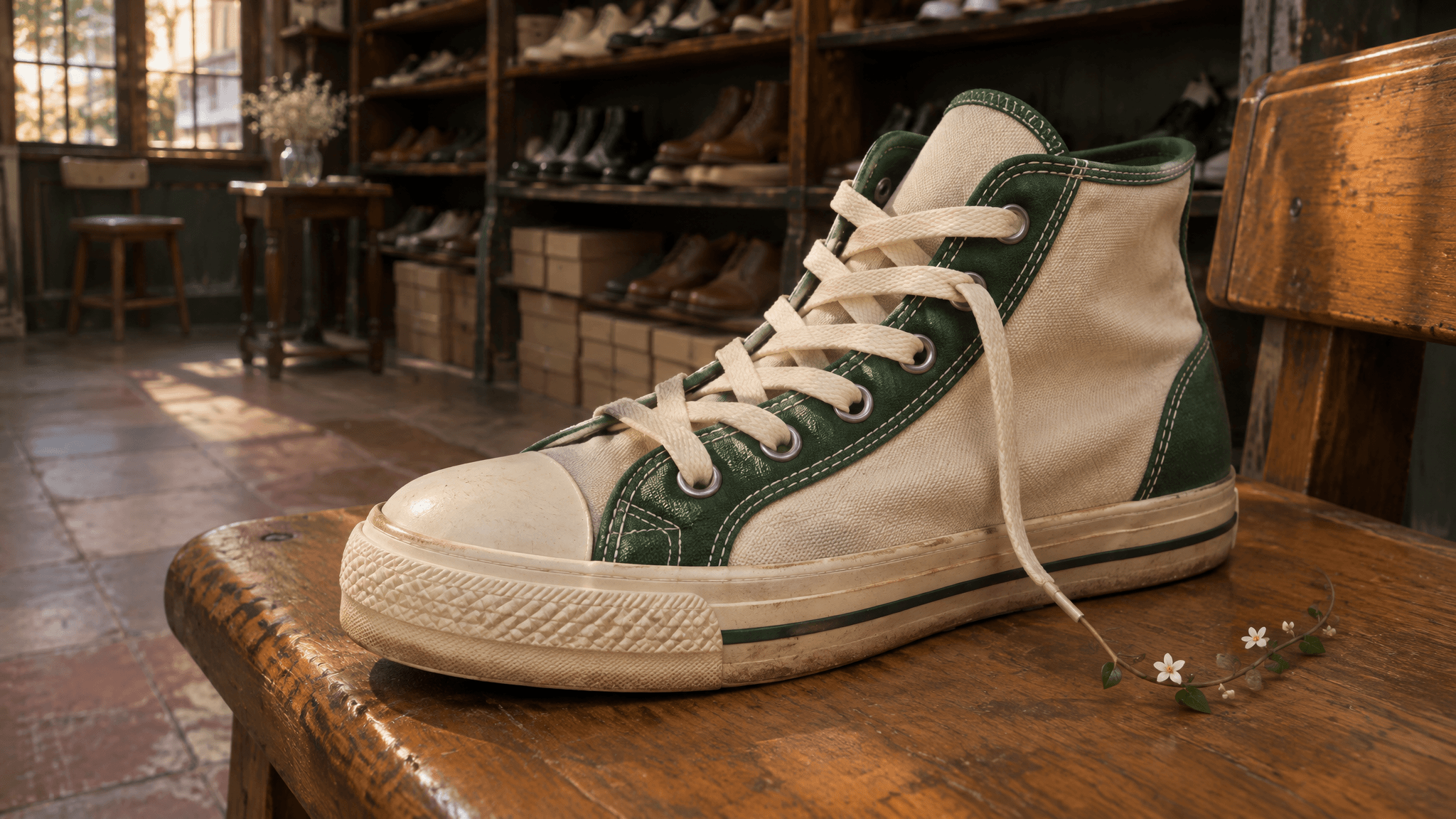 MiniMax H3 Image output. The complete high-top stands out against a recognizable shoe shop, but the sprig's connection to the lace is difficult to see.
The supplied image keeps attention on the sneaker, but the flowering sprig reads as a separate object. Before treating this as a finished ad, make its connection to the lace clearer without changing the shoe or the store. At feed size, viewers should notice the high-top first and discover the surreal lace second.
Orange Juice: A Three-Panel Ingredient Story
The triptych makes the scale surprise readable in stages: citrus texture, the drink as hero, then the full impossible scene. It follows the online ad example's useful practice of assigning each panel a job, but the glass must remain the same product across all three views.
plaintext1Create one 16:9 horizontal luxury beverage campaign triptych: three equal photographic panels in a single file, separated by narrow clean ivory gutters, with no text. Use the same unbranded clear tumbler of fresh orange juice, the same liquid level, and one coherent amber-and-deep-green color grade throughout. Left panel: a tight macro of a fresh orange slice with translucent citrus cells and tiny droplets; the glass edge is visible for product continuity. Center panel: a full, sharply focused hero view of the glass on sunlit travertine, with one clean rim, natural pulp, condensation, accurate refraction, and a firm contact shadow; behind it rises one impossibly oversized backlit orange slice like a warm sun. Right panel: a wider table-height view of that same glass and giant slice, showing their shared shadow and leaving a calm dark area for later copy. The giant slice is the only impossible event. Commercial 85 mm and macro photography, warm low sunlight, controlled flash on droplets, tactile stone, rich but natural color. The glass must be more prominent than the slice in the center and right panels. No extra glass, people, logo, label, letters, or numbers.
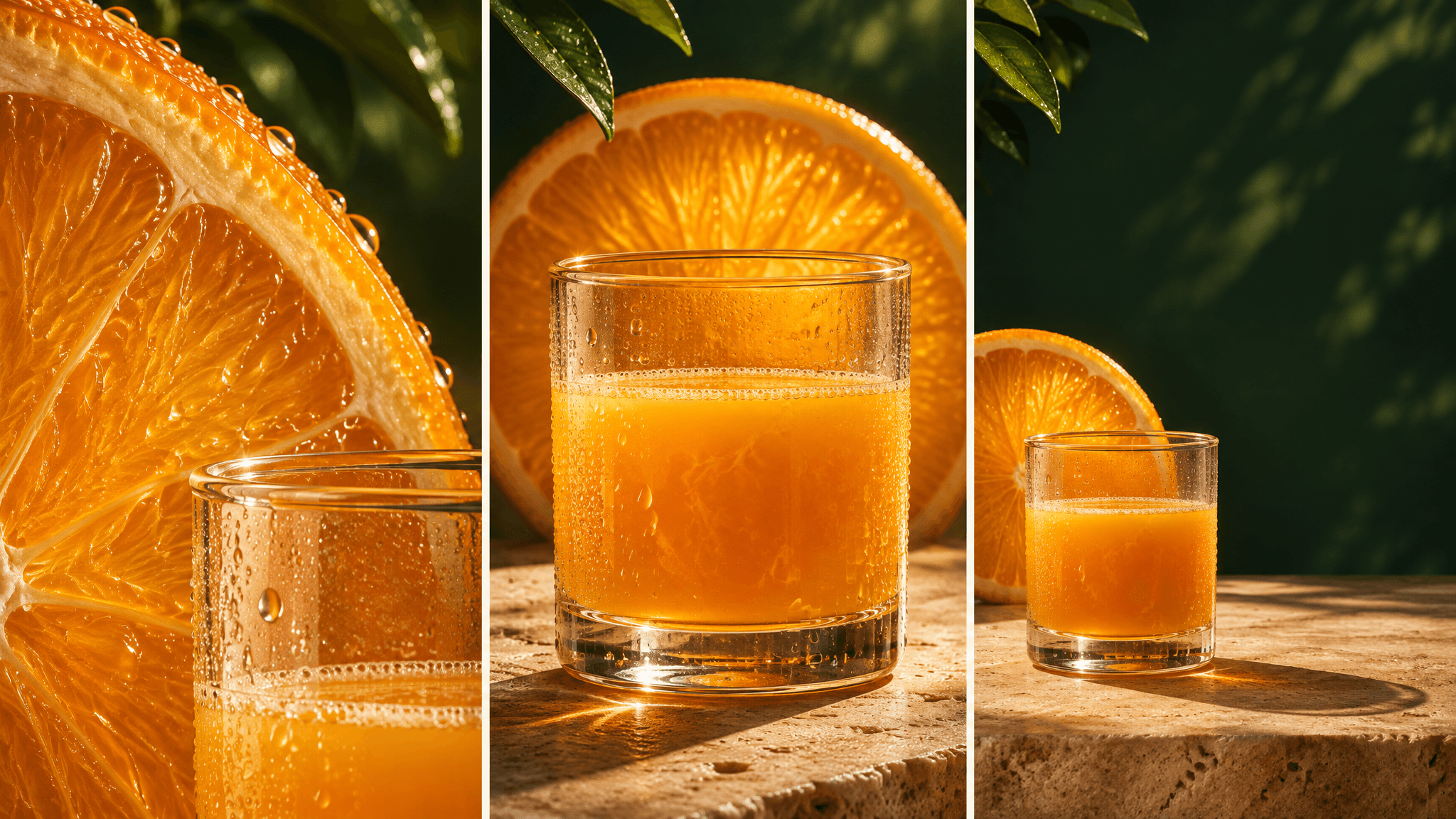 MiniMax H3 Image output. The three views show citrus detail, a hero glass, and a wider copy-ready composition.
If the model changes the number of panels or the glass between views, generate the three photographs separately and assemble them in a design tool. A clean real layout is more useful than accepting an inconsistent contact sheet.
Umbrella: Two Views of Indoor Rain
This diptych pairs a complete product view with a close material detail. The indoor rain is the only impossible event; the dry area under the canopy makes the protection idea clear without a slogan.
plaintext1Create one cinematic photorealistic 16:9 advertising diptych with two adjacent photographs and a narrow dark gutter. Both panels show the same plain deep-red umbrella, the same believable marble hallway, and the same slate-grey and brass palette. Left panel, about two thirds of the canvas: a full umbrella, open and completely inside the frame, seen at eye level from a 35 mm commercial camera. A narrow curtain of heavy rain falls impossibly inside the grand hallway behind the canopy; the floor beyond is wet and reflective, while the floor directly beneath the canopy is dry. Show functional ribs, shaft, curved handle, real fabric tension and a grounded contact shadow. Right panel, about one third: a precise macro photograph of rain beads collecting on that same red canopy, with the hallway softly visible behind it. Late-afternoon window light and restrained theatrical contrast connect the two views. Keep rain behind or on the canopy, never passing through it. Leave a simple dark area in the left panel for copy added later. No person, second umbrella, logo, lettering, or numbers.
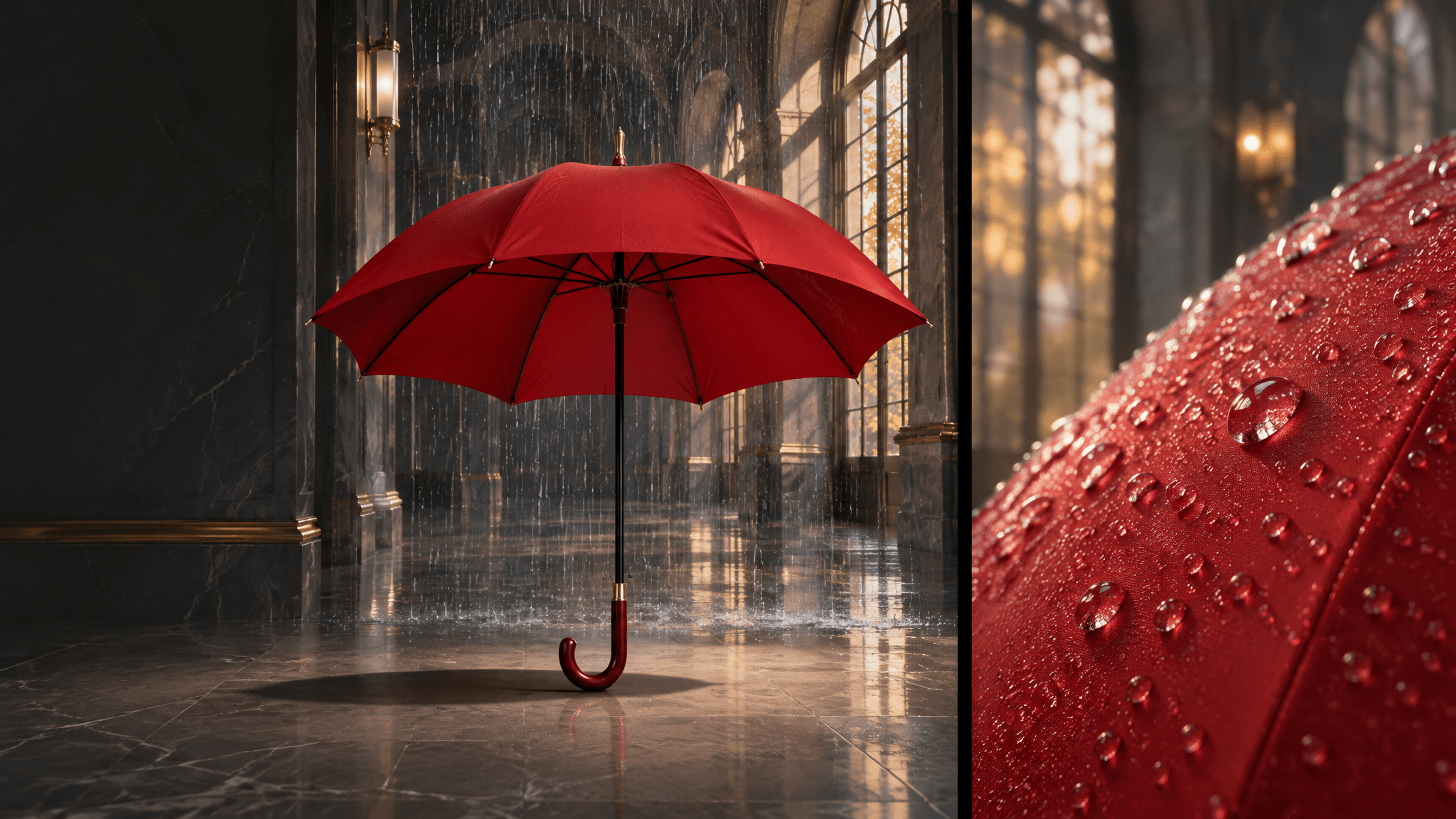 MiniMax H3 Image output. The full umbrella and close fabric view share the same indoor-rain treatment.
If the close view invents a different canopy or the hero panel crops the handle, rerun the panels separately with the same product reference. The comparison only works when both views clearly belong to one umbrella.
Perfume: A Four-Frame Rose-Note Campaign Board
This contact sheet explores four usable crops of one concept: product hero, glass detail, atmosphere, and a layout-ready frame. A strict grid and shared bottle description make it easier to reject inconsistent results.
plaintext1Create one photorealistic luxury fragrance campaign contact sheet in a 16:9 horizontal image: exactly four photographs in a clean 2-by-2 grid with narrow burgundy gutters and no text. The same single unbranded rectangular clear-glass perfume bottle appears in every frame, filled to the same level with pale rose liquid and topped by the same faceted glass cap. The only impossible element is a loose arc of individual crimson rose petals suspended in air; petals never cover the bottle. Top left: full bottle hero on dark burgundy marble, crisp silhouette and contact shadow. Top right: close detail of the same cap, glass edges, liquid line, and warm caustics. Bottom left: wider view showing the bottle and the airy petal arc in a wine-red gallery, with plausible shadows and depth. Bottom right: layout-ready three-quarter bottle view with quiet dark space to its left for later copy. One continuous campaign palette: wine red, rose glass, restrained gold rim light, rich blacks, tactile velvet petals, controlled glossy reflections and subtle film grain. Editorial 85 mm product photography with precise realistic optics. Exactly one bottle per panel; no hands, person, label, logo, letters, or numbers.
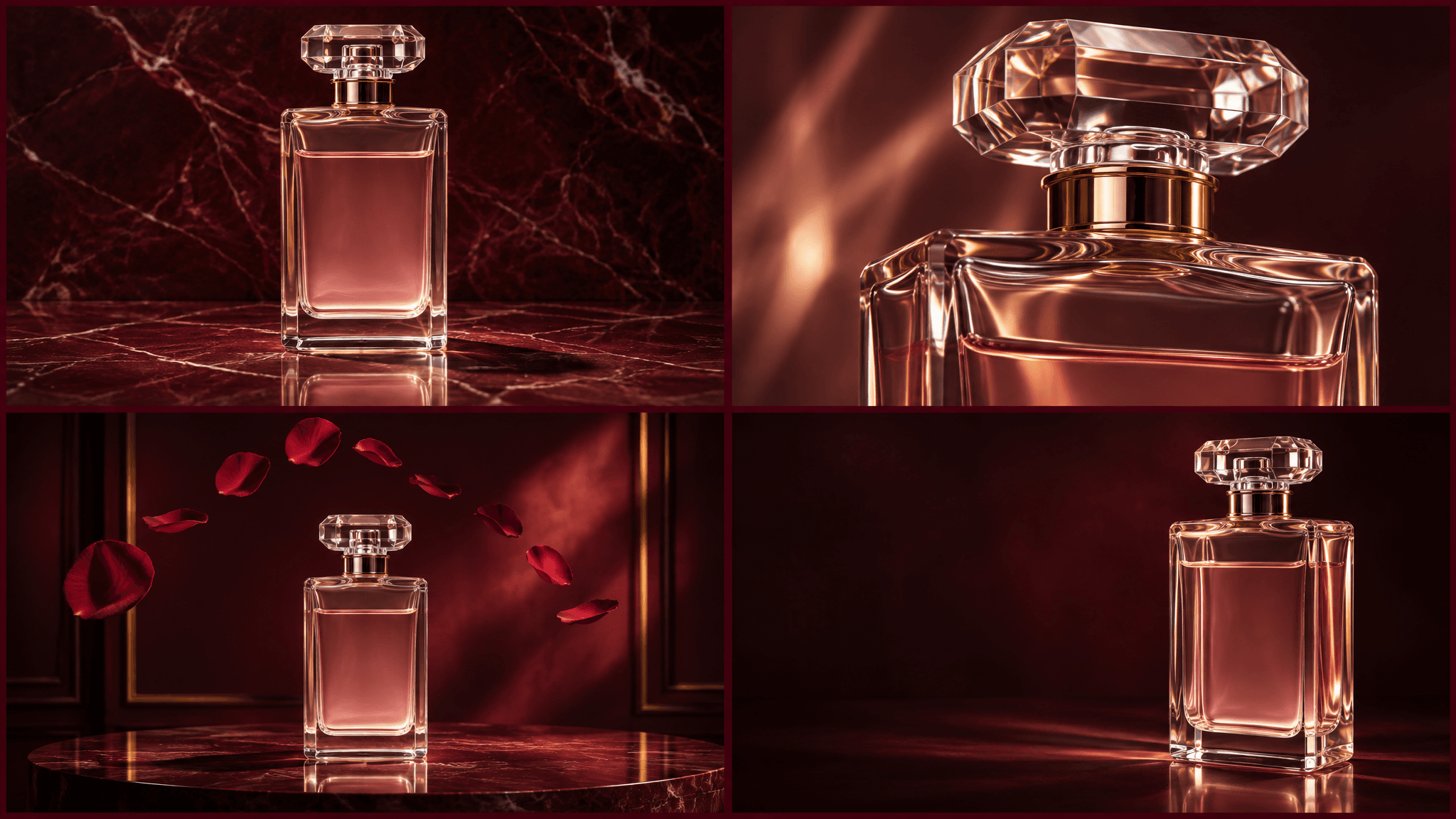
MiniMax H3 Image output. Four frames cover the hero bottle, cap detail, suspended petals, and a layout-ready view.
At feed size, the full-bottle frames should register before the petals. If the model returns extra frames or changes the bottle, use one approved bottle image as a reference for separate views and assemble the board from verified files.
How to Generate the Images in MiniMax H3 Image
Choose Format and Resolution
Use MiniMax H3 Image's text-to-image mode for the 4 original concepts. Select one image per request, a 16:9 horizontal frame, and the 4K area setting when the chosen interface exposes them. The official specification supports aspect ratios from 1:3 to 3:1 and describes 4K as an output area, with a documented 16:9 example of 5472 × 3072 pixels. Do not assume a control labeled “4K” means a 4096-pixel-wide landscape file. Read the delivered dimensions (MiniMax H3 Image official README, November 2026).
Paste each prompt unchanged for the first pass. Prompt expansion is on by default for hosted text-to-image requests, and the expanded prompt may be returned. Save it if the interface provides it. Record the actual aspect ratio, dimensions, mode, date, and file. The current hosted API specification does not support a user-specified seed, so do not tell a teammate that a number entered elsewhere guarantees a repeatable hosted run.
If an interface lacks an exact 16:9 option, choose its nearest horizontal option and record what it used. Do not stretch a square result into a banner. A 4K export leaves more room to inspect details and make crops, but it cannot recover a missing handle or repair false text in a label.
Run and Compare Variants
Run the 4 prompts separately. Keep the first results, including failures, so the team can distinguish a useful edit from a lucky reroll. Evaluate each at a small preview size before zooming in: the initial glance is where the product and the surreal idea must both register. Then inspect geometry and shadows at full size.
Use the same 4-question screen for all 4 concepts. If an output fails on product recognition, change the product's scale or placement first. If it fails on the concept, clarify the single impossible event. If it fails only on a local detail, try an edit. This order keeps the creative brief stable while addressing the smallest visible problem.
The four supplied outputs show how MiniMax H3 Image rendered these product concepts. A published comparison should name the producing model beside each output and retain the original run record.
Fix One Detail Without Losing the Concept
When a Real Product Photo Is Required
Text-only prompts can make a generic concept. They cannot verify a real SKU. For a brand campaign, obtain a product photograph you are allowed to use, supply it as a reference, and write down the exact features that cannot change: package silhouette, closure, label content, color, and required marks. Compare the output with the source photo side by side. The model's support for up to 16 references is a capacity, not a promise that every detail will survive.
Keep legible campaign copy and legally required text out of the generated image when you can. Set those elements in a design tool after the background and product have passed review. This also makes localization and channel resizing less fragile.
Check the Ad at Feed Size and Landing-Page Size
Product Readability
Export or preview the image near the size a person would encounter in a feed. Ask a colleague who has not seen the prompt to name the product and the intended idea. If they name only “a flowering vine” or “a giant orange,” adjust the visual hierarchy. This is a practical review, not a substitute for an ad effectiveness study.
At full size, inspect what the thumbnail hides: shoe canvas, eyelets, and rubber toe, glass rim, umbrella ribs, reflections, and any malformed hand or object the model introduced. Look for accidental letters or pseudo-labels despite the no-text instruction. An unbranded concept should not accidentally imply a recognizable mark. For a real product, compare every visible package feature against the authorized source.
A short acceptance sheet makes the review repeatable: product identifiable, one clear surreal rule, plausible contact and light, no stray text, and clear copy area. Mark each line pass or fail for each concept. If a result fails multiple lines, rerun the original prompt with a clearer composition rather than building a chain of edits on an unstable base.
Availability, Cost, and Commercial-Use Checks
MiniMax lists MiniMax H3 Image through its own web and service channels. As of November 13, 2026, the Atlas Cloud MiniMax H3 Image page is marked “Coming Soon”; I could not verify a live MiniMax H3 Image generation route in the Atlas Cloud model directory. Atlas Cloud pages for the MiniMax H3 video model do not establish MiniMax H3 Image access. If your team needs an immediately available Atlas image option for these same conceptual prompts, GPT Image 2 Text-to-Image is a separately named route. Its results must be labeled GPT Image 2, not MiniMax H3 Image.
Do not infer an Atlas MiniMax H3 Image price from a MiniMax launch promotion or from the MiniMax H3 video listing. Recheck the Atlas model directory and the exact MiniMax H3 Image detail page before quoting a rate. Confirm the requested area, ratio, output count, and any promotion end date on the page you will actually use. The cost of a failed concept and its edit also belongs in a production estimate.
Open weights do not remove usage conditions. The MiniMax H3 Image community license has territorial restrictions and separate written authorization requirements for certain commercial use and hosted services. It names the EU, UK, Republic of Korea, and US as excluded territories, so an overseas campaign needs a careful rights check before publication (MiniMax H3 Image license, November 2026). If you use a hosted service, inspect that service's terms as well as your product-photo and trademark rights. This is a publishing decision, not a prompt setting.
For a team testing MiniMax H3 Image Surreal Advertising Visuals, the useful next move is to run the 4 prompts where MiniMax H3 Image is genuinely available, keep the untouched outputs, and apply the same product-clarity sheet to each. Only then choose an edit and build channel crops from the result that passed.
Frequently Asked Questions
Is MiniMax H3 Image the same model as MiniMax H3 video?
No. MiniMax H3 Image produces and edits still images. MiniMax H3 video pages and tutorials demonstrate motion workflows and cannot prove how these 4 static-image prompts will render.
Can I use MiniMax H3 Image outputs for commercial ads in my region?
Check the current license and your chosen service's terms before use. The community license includes territory and commercial conditions; brand imagery adds product-photo, trademark, and claim-review obligations. A generic concept image does not clear those rights for a real campaign.
What should I do if MiniMax H3 Image is not yet available on Atlas Cloud?
Use a verified MiniMax H3 Image channel for a MiniMax H3 Image test, or use a clearly named image model that is available on Atlas Cloud for a separate concept prototype. Keep the model name with the image and compare outputs only after both have been run with documented settings.


