


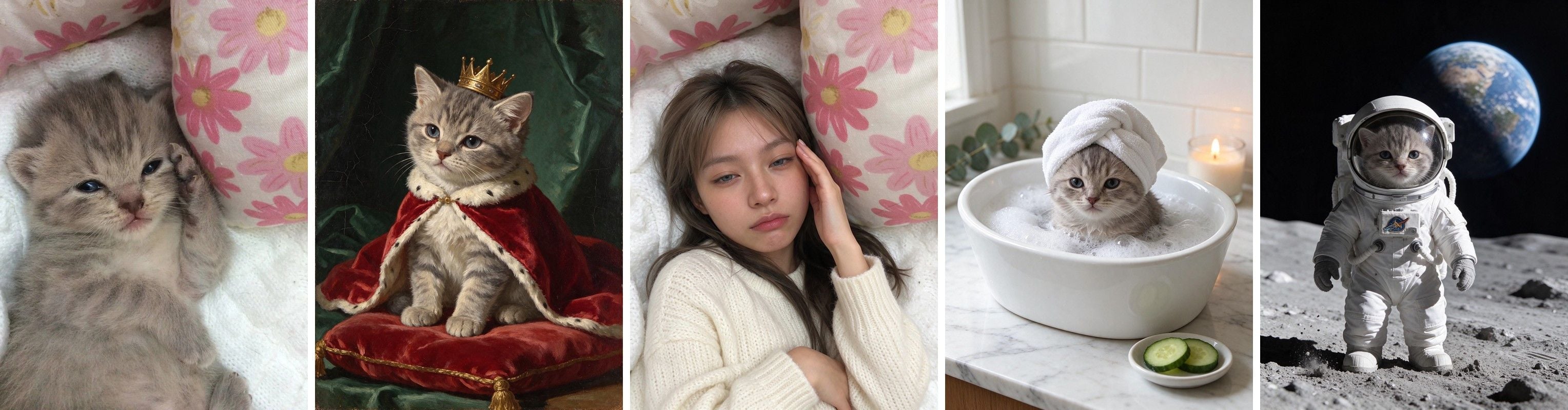
A good ChatGPT cat photo prompt does two jobs: it names your cat's coat pattern, eye color and nose color so they survive the edit, then asks for one change. Below are 17 copy-paste prompts for cat portraits, cat to human edits, bathroom photos and holiday shots, each run on the same gray tabby kitten.
Every prompt starts with the same keep line, and every result sits right under its prompt, so you can judge a style before you spend an image on it.
Key Takeaways
- A ChatGPT cat photo prompt works best when it names the coat pattern, eye color and nose color.
- Upload one sharp photo that shows the face and markings, then change one thing per round.
- A cat to human prompt should turn fur color into hair color and keep the eye color.
- Bathroom portraits took off as a dog trend, and a cat in a towel turban is just as funny.
- Every prompt here also runs in the Atlas Cloud image editor with Seedream v5.5.
How to Write a ChatGPT Cat Photo Prompt That Keeps Your Cat's Markings
A ChatGPT cat photo prompt keeps your cat recognizable when it describes the cat before it describes the change. Image models know what a tabby looks like in general, so a bare "make my cat a king" can come back with an average tabby: the stripes may rearrange and the eye color may drift.
Describe your cat the way a vet's chart would. A prompt that holds up has three parts:
- Keep: the coat pattern and where it sits, the eye color, the nose color, any white patches.
- Change: one thing per round, such as the setting, the outfit or the art style.
- Format: the light, the medium and the frame shape.
Your cat won't look like our kitten, so here are the details worth naming in the keep line and plain words for each:
| What to name | Plain words to use | Example in a keep line |
|---|---|---|
| Coat pattern | tabby (striped, spotted or swirled), tuxedo, calico, tortoiseshell, bicolor, colorpoint, solid | "silver-gray tabby fur with darker stripes" |
| Where the markings sit | stripes on the forehead, white chest, white paws, dark mask, patch over one eye | "the dark stripes running up its forehead" |
| Eye color | blue, blue-gray, green, gold, amber, copper, two different colors | "blue-gray eyes" |
| Nose and paw pads | pink, pinkish-brown, black, brick red, spotted | "a pinkish-brown nose" |
| Fur and face shape | short or long fur, round or wedge-shaped face, ear tufts, folded ears | "long fluffy fur and tufted ears" |
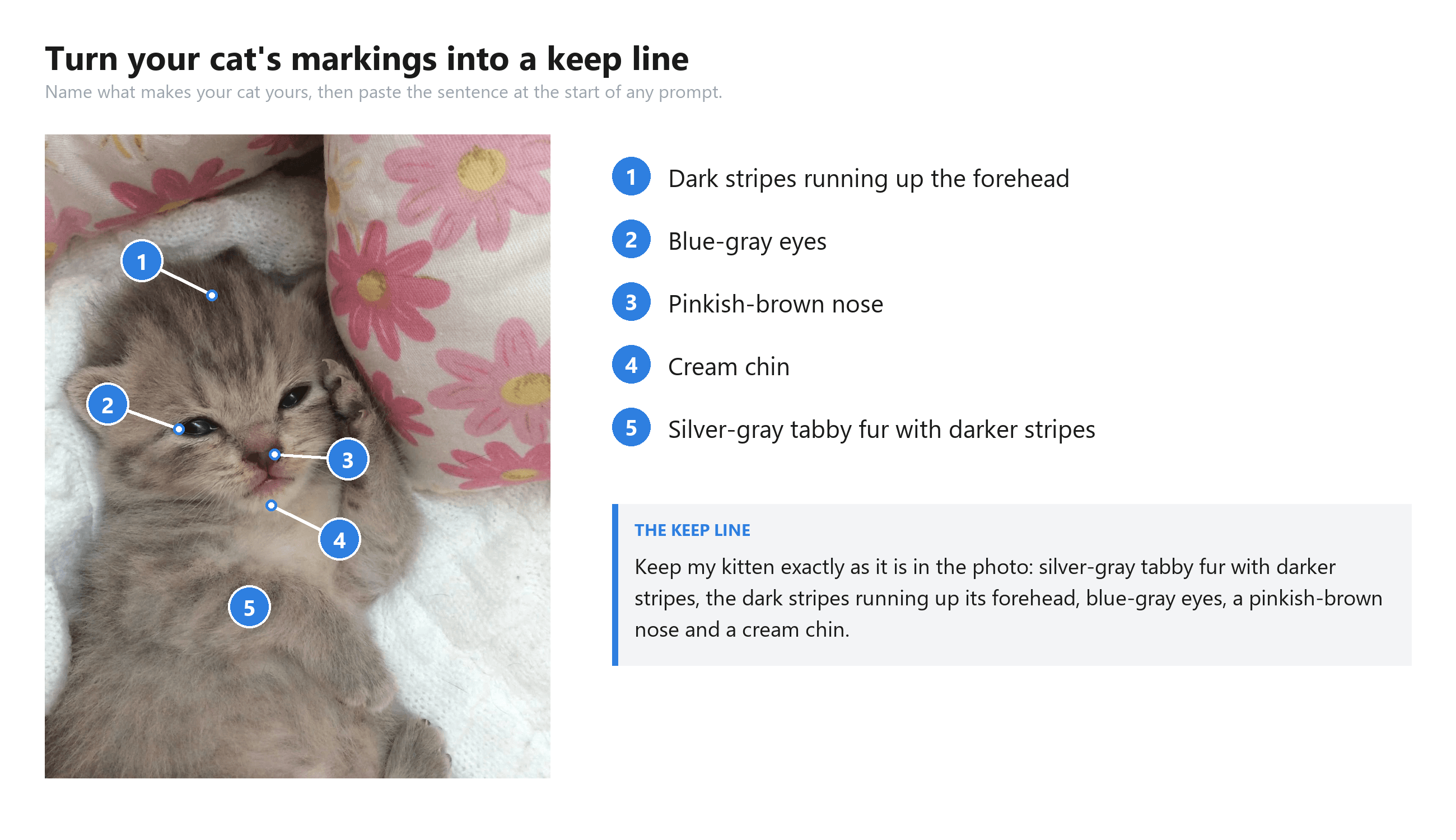
Here is the keep line we wrote for our kitten. Swap in your own cat's details and paste it at the start of any prompt in this article:
Plain1Keep my kitten exactly as it is in the photo: silver-gray tabby fur with darker stripes, the dark stripes running up its forehead, blue-gray eyes, a pinkish-brown nose and a cream chin.
Pick a source photo where the face is in focus and the markings are evenly lit. Pose matters less than you'd think: our kitten is lying on its back on a flowered blanket, and most prompts still sat it upright.
In ChatGPT, upload the photo, paste the prompt and send. OpenAI's November 4, 2026 release notes say ChatGPT Images 2.6 "is better at preserving details across edits." If a result still drifts, reply with one fix at a time, such as "keep the dark stripes on its forehead," instead of rewriting the whole prompt.
Run Every Cat Photo Prompt in Atlas Cloud's Image Editor
Atlas Cloud's image editor runs the same cat photo prompts outside ChatGPT. That helps once you want 17 styles in one sitting, two takes of each, or a portrait for every cat in a shelter's adoption gallery.
Its Seedream v5.5 model edits from 1 to 10 reference images and is built to keep unedited areas stable over 100+ editing rounds. That is the job a pet edit needs done: the outfit changes, the cat stays.
Every result in this article came from the image generator with one kitten photo, one prompt and a 3:4 frame. Here is the photo next to the studio portrait prompt's result:
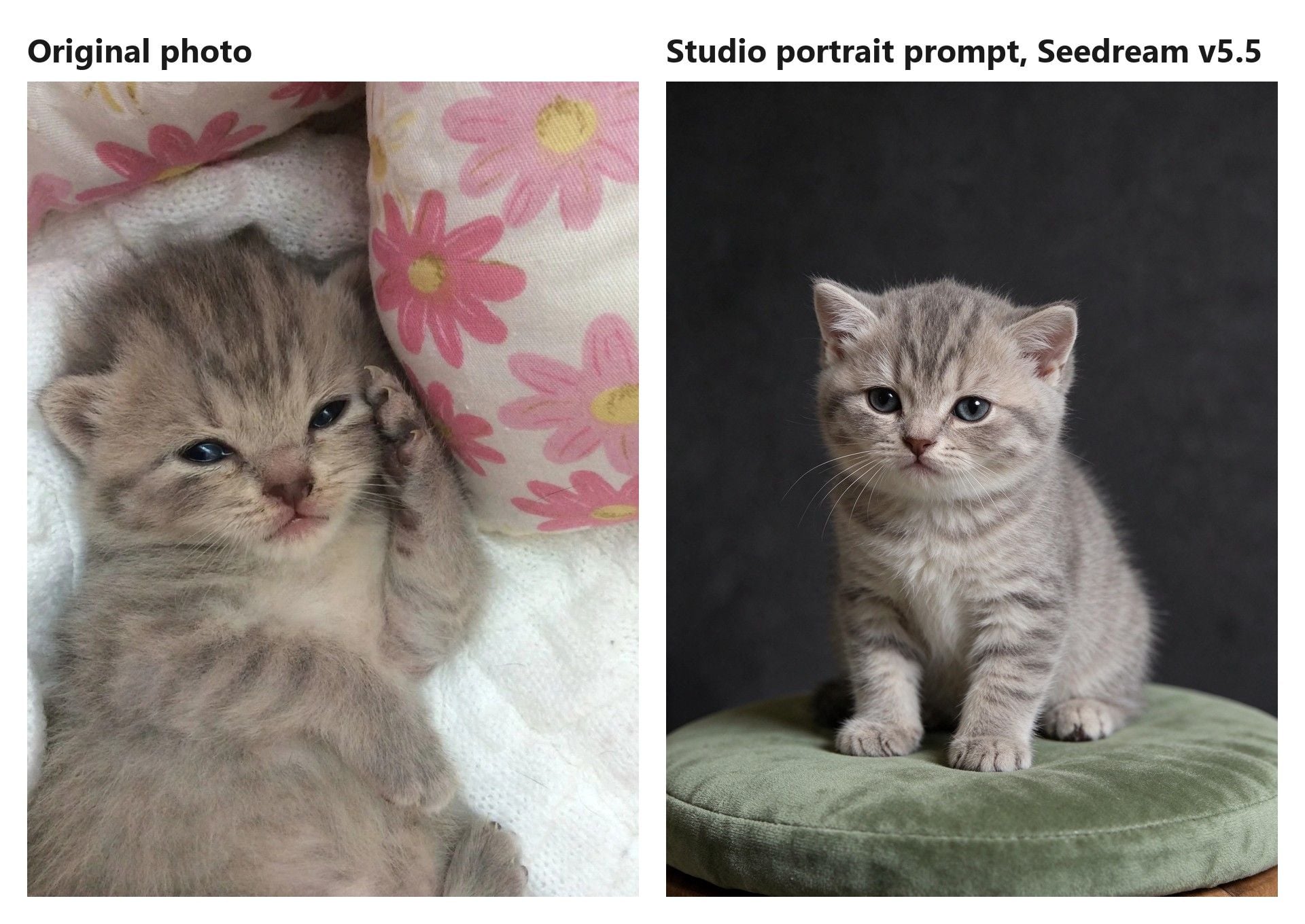
The studio portrait prompt:
Plain1Turn this photo of my kitten into a studio pet portrait. Keep my kitten exactly as it is in the photo: silver-gray tabby fur with darker stripes, the dark stripes running up its forehead, blue-gray eyes, a pinkish-brown nose and a cream chin. Sit the kitten upright on a round sage-green velvet cushion in front of a warm charcoal paper backdrop. Soft key light from a large softbox at the upper left, a thin rim light along the fur, shallow depth of field like an 85mm lens. Photorealistic photograph with sharp whiskers and natural fur texture, vertical 3:4.
Method 1: Edit Your Cat Photo With Seedream v5.5 in the Browser
Sign in and open the image generator. The Seedream v5.5 Edit playground takes the same inputs if you'd rather work on the model page.
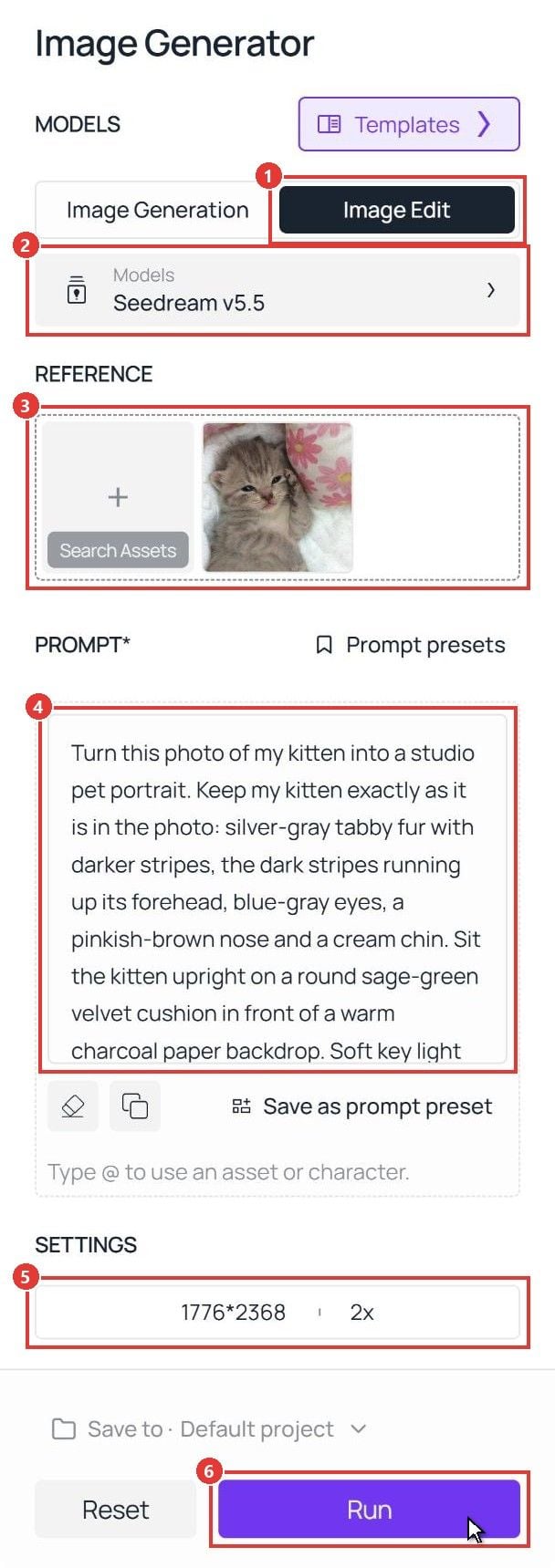
- Open the Image Edit tab.
- Pick Seedream v5.5 from the model list.
- Upload your cat photo under Reference.
- Paste a prompt from this article into the Prompt box.
- Under Settings, choose 1776*2368 for a 3:4 portrait and how many takes you want.
- Click Run.
Two takes per prompt gives you a choice of pose and expression for the same scene.
Method 2: Send Cat Photo Prompts Through the Seedream v5.5 API
Making portraits for a pet store's customers, or a menu board of every cat at a cat café? The API takes the same photo and the same prompt.
Step 1: Create an API key. In the console, open Settings and create a key under API Keys.
Step 2: Check the request format. The API docs cover authentication, and the API tab on the Seedream v5.5 Edit model page lists every field.
Step 3: Send the request and poll. Your cat photo goes in reference_images as a public URL, and size takes one of the preset values, such as 1776*2368 for 3:4:
Plain1curl -X POST https://api.atlascloud.ai/api/v1/model/generateImage \ 2 -H "Authorization: Bearer $ATLASCLOUD_API_KEY" \ 3 -H "Content-Type: application/json" \ 4 -d '{ 5 "model": "bytedance/seedream-v5.5/edit", 6 "prompt": "Turn this photo of my kitten into a studio pet portrait. Keep my kitten exactly as it is in the photo: silver-gray tabby fur with darker stripes, the dark stripes running up its forehead, blue-gray eyes, a pinkish-brown nose and a cream chin. Sit the kitten upright on a round sage-green velvet cushion in front of a warm charcoal paper backdrop.", 7 "reference_images": ["https://your-cdn.com/my-cat.jpg"], 8 "size": "1776*2368", 9 "output_format": "png" 10 }'
Poll the returned prediction ID until the status reads completed, then download the image from the outputs array:
Plain1curl https://api.atlascloud.ai/api/v1/model/prediction/<prediction_id> \ 2 -H "Authorization: Bearer $ATLASCLOUD_API_KEY"
The endpoint and the key stay the same across every image model on Atlas Cloud. Trying another one means changing the model string.
ChatGPT Cat Portrait Prompts: Studio, Royal and Painted
These five ChatGPT cat portrait prompts turn one cat photo into an oil painting, a watercolor, a film photo, a pop-art print or a 3D movie character. Each opens with the keep line, so you only edit your cat's details once.
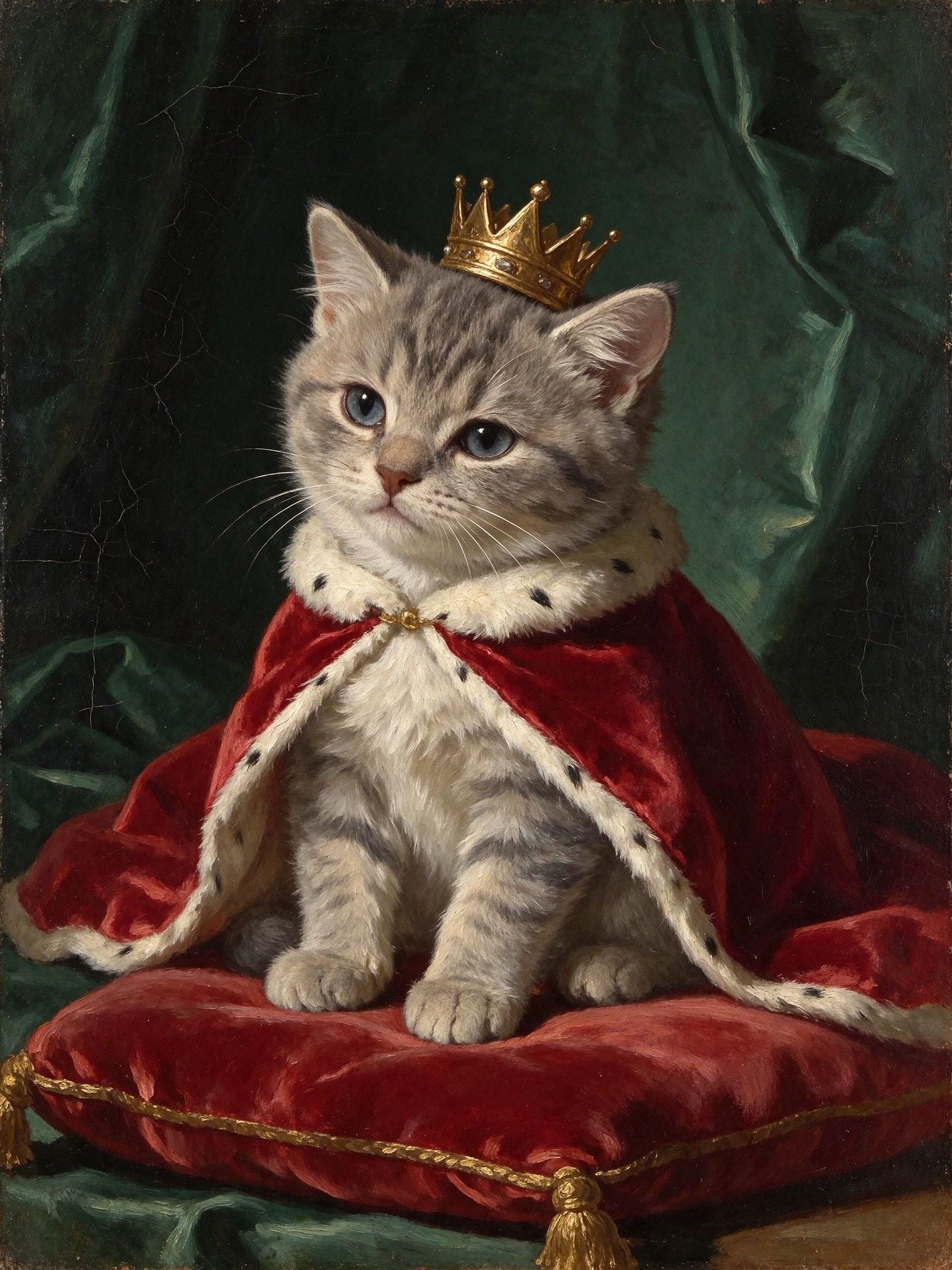
Renaissance royal portrait. The crown sits tilted on purpose. A straight crown on a kitten looks stiff.
Plain1Paint my kitten as a Renaissance royal portrait. Keep my kitten exactly as it is in the photo: silver-gray tabby fur with darker stripes, the dark stripes running up its forehead, blue-gray eyes, a pinkish-brown nose and a cream chin. The kitten sits upright on a gold-trimmed red velvet cushion, wearing a small crimson velvet cape with a white ermine collar and a tiny gold crown tilted on its head. Dark green drapery behind it, warm Rembrandt lighting from the left. Classical oil painting on canvas with visible brushstrokes and fine craquelure, vertical 3:4.
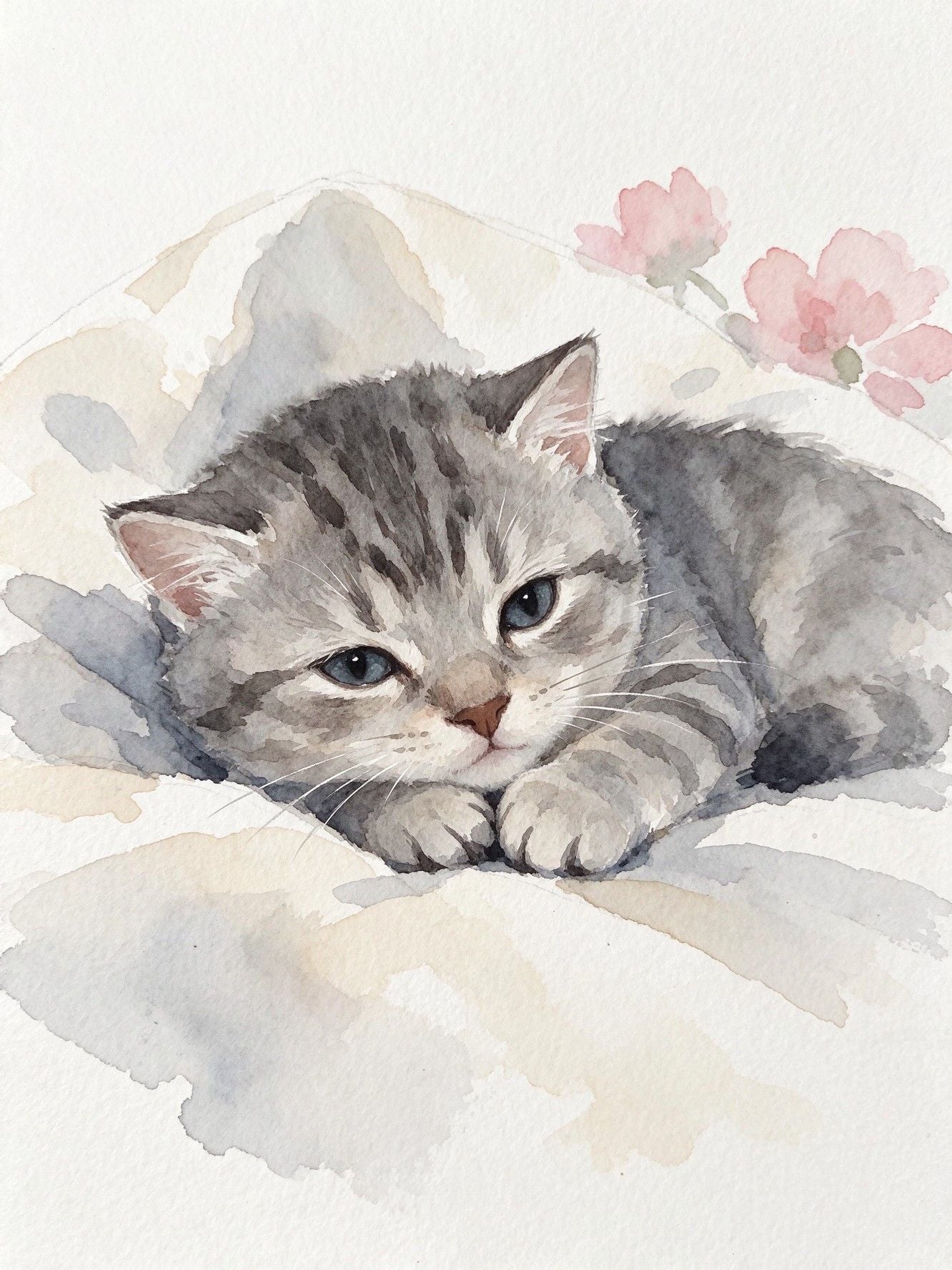
Watercolor. Ask for crisp strokes only on the stripes, eyes and whiskers. Loose washes everywhere else keep it from looking like a filter.
Plain1Turn my kitten into a loose watercolor portrait. Keep my kitten exactly as it is in the photo: silver-gray tabby fur with darker stripes, the dark stripes running up its forehead, blue-gray eyes, a pinkish-brown nose and a cream chin. Show the kitten curled up on a soft blanket with its front paws tucked neatly under its chin, painted with wet-on-wet washes of cool gray and warm cream, with crisp darker strokes only on the stripes, eyes and whiskers. Leave plenty of white cold-press paper around the edges, with a few pale pink flower blooms in one corner. Hand-painted watercolor texture, vertical 3:4.
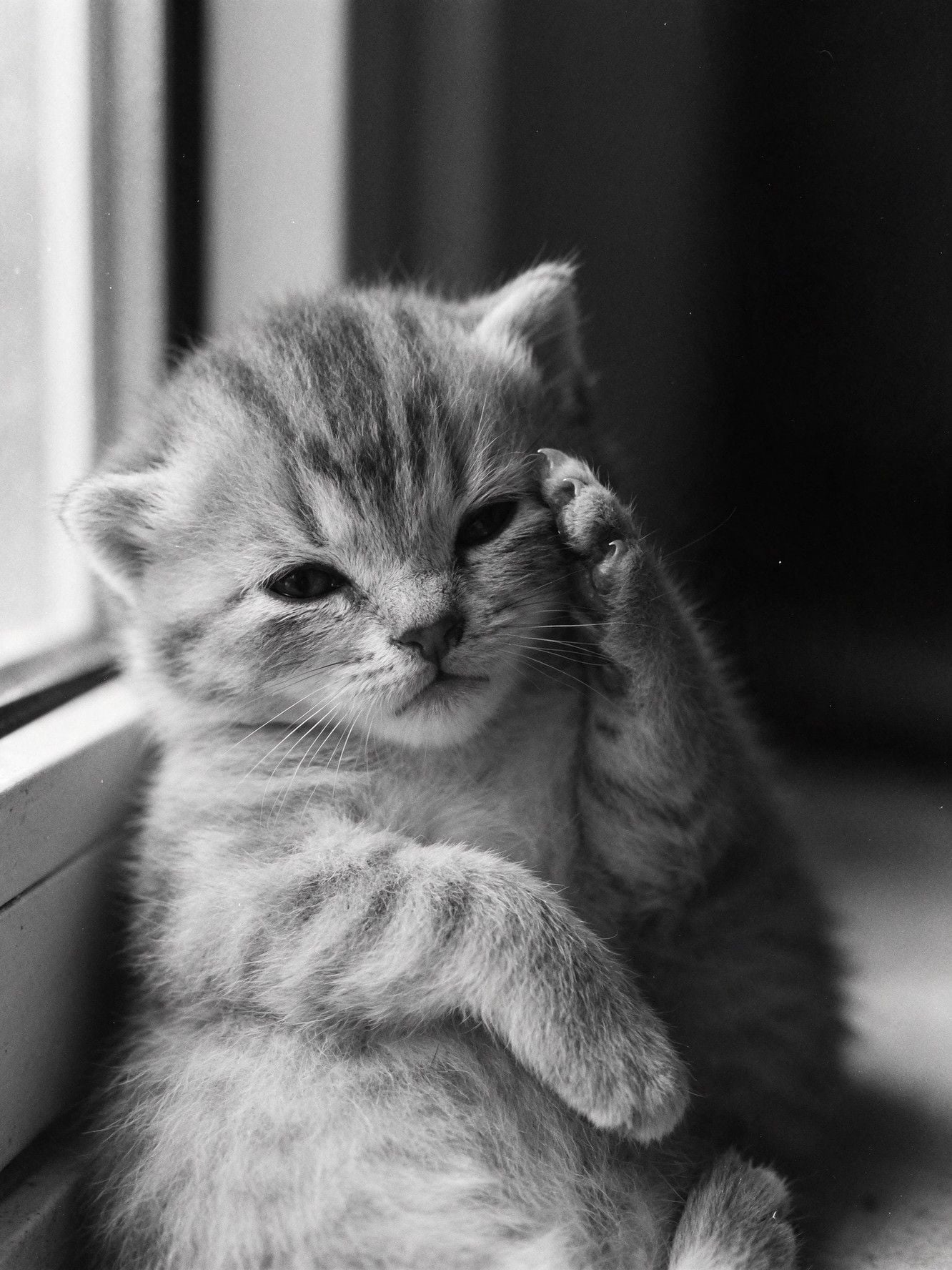
Black-and-white film. Color words do nothing here, so the keep line switches to pattern and expression.
Plain1Make a black-and-white film portrait of my kitten. Keep my kitten exactly as it is in the photo: its tabby stripes, the dark stripes running up its forehead, its pale chin and its sleepy half-closed eyes. The kitten sits on a windowsill with soft window light falling from the left and the background fading into shadow. 35mm film look with visible grain, deep blacks and gentle highlights, sharp focus on the eyes, vertical 3:4.
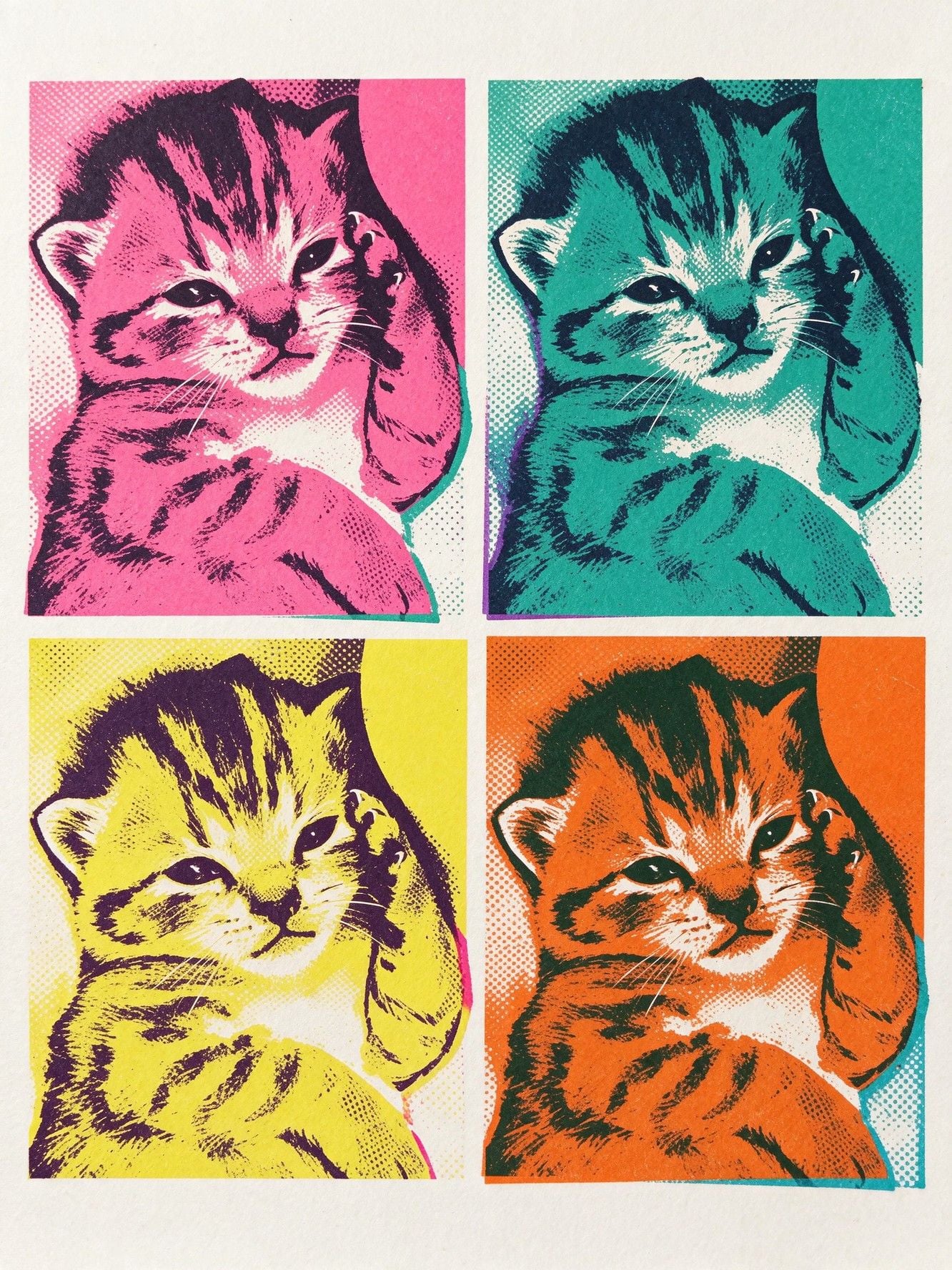
Pop-art print. The colors change on purpose, so this prompt locks the face shape and stripe layout instead.
Plain1Turn my kitten into a 1960s pop-art screen print. Keep its face shape, stripe layout and sleepy expression from the photo so it still reads as my kitten. Make a 2x2 grid of the same kitten portrait, each panel in a different bold flat color scheme: hot pink, turquoise, lemon yellow and orange. Thick black outlines, halftone dot shading and slightly off-register ink, like a print on matte paper, vertical 3:4.
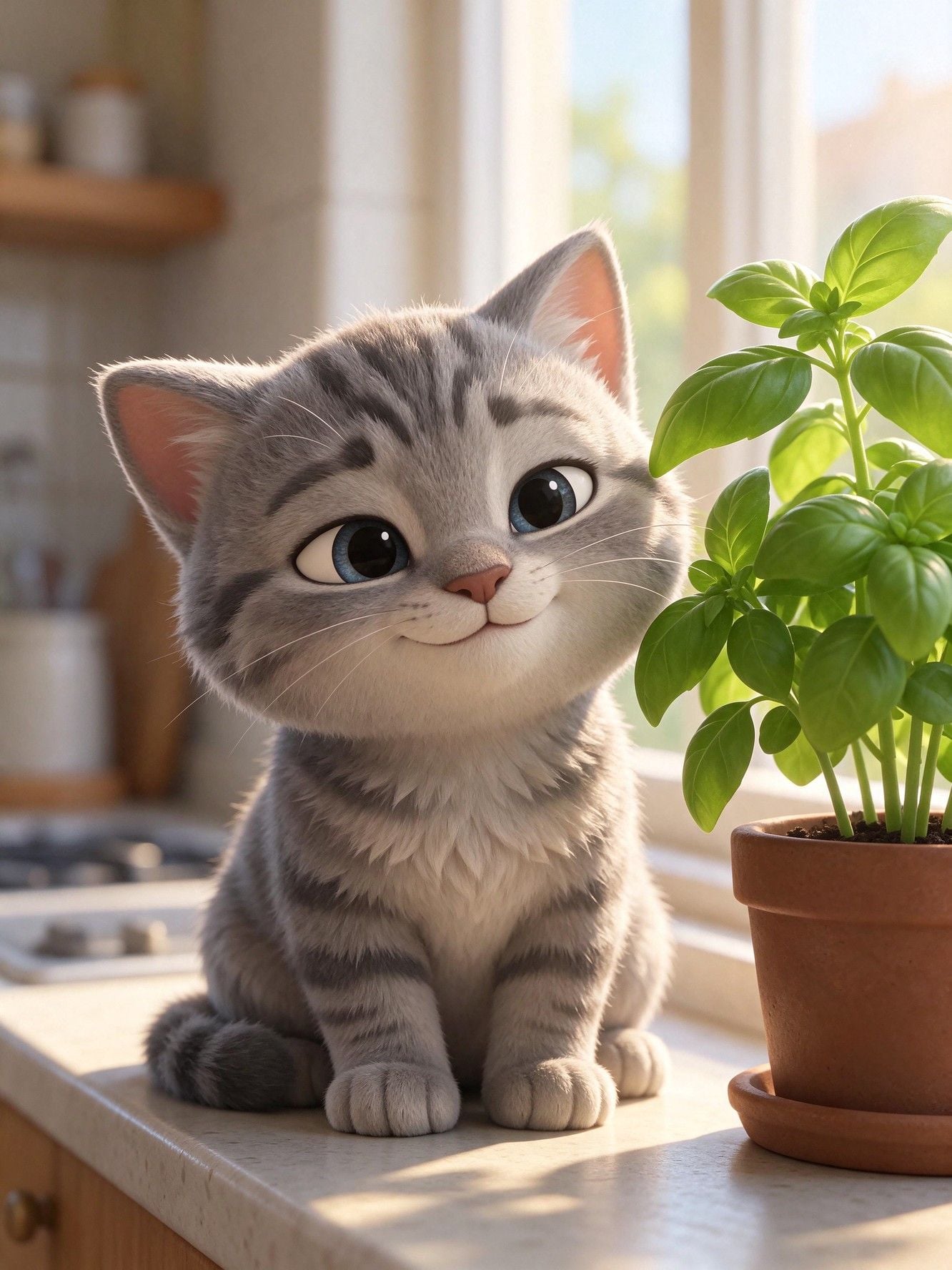
3D animated movie character. Bigger eyes are part of the style. Naming the eye color keeps them your cat's eyes.
Plain1Turn my kitten into a character from a 3D animated feature film. Keep my kitten recognizable: silver-gray tabby fur with darker stripes, the dark stripes running up its forehead, blue-gray eyes, a pinkish-brown nose and a cream chin. Give it slightly bigger eyes and a cheeky half-smile, sitting on a sunny kitchen windowsill next to a potted basil plant. Soft global illumination, detailed stylized fur, cinematic depth of field, vertical 3:4.
ChatGPT Cat to Human Prompts: What Would My Cat Look Like as a Human?
A ChatGPT cat to human prompt asks the model to picture your cat as a person: fur color becomes hair color, the eye color stays, and the cat's attitude becomes the expression. Pet-to-person edits went viral in spring 2025, and ChatGPT's own Instagram account told people to upload a photo and ask what their pet would look like as a human. PetaPixel covered the trend on April 17, 2025.
Set the age and gender yourself, since a kitten photo says nothing about either.
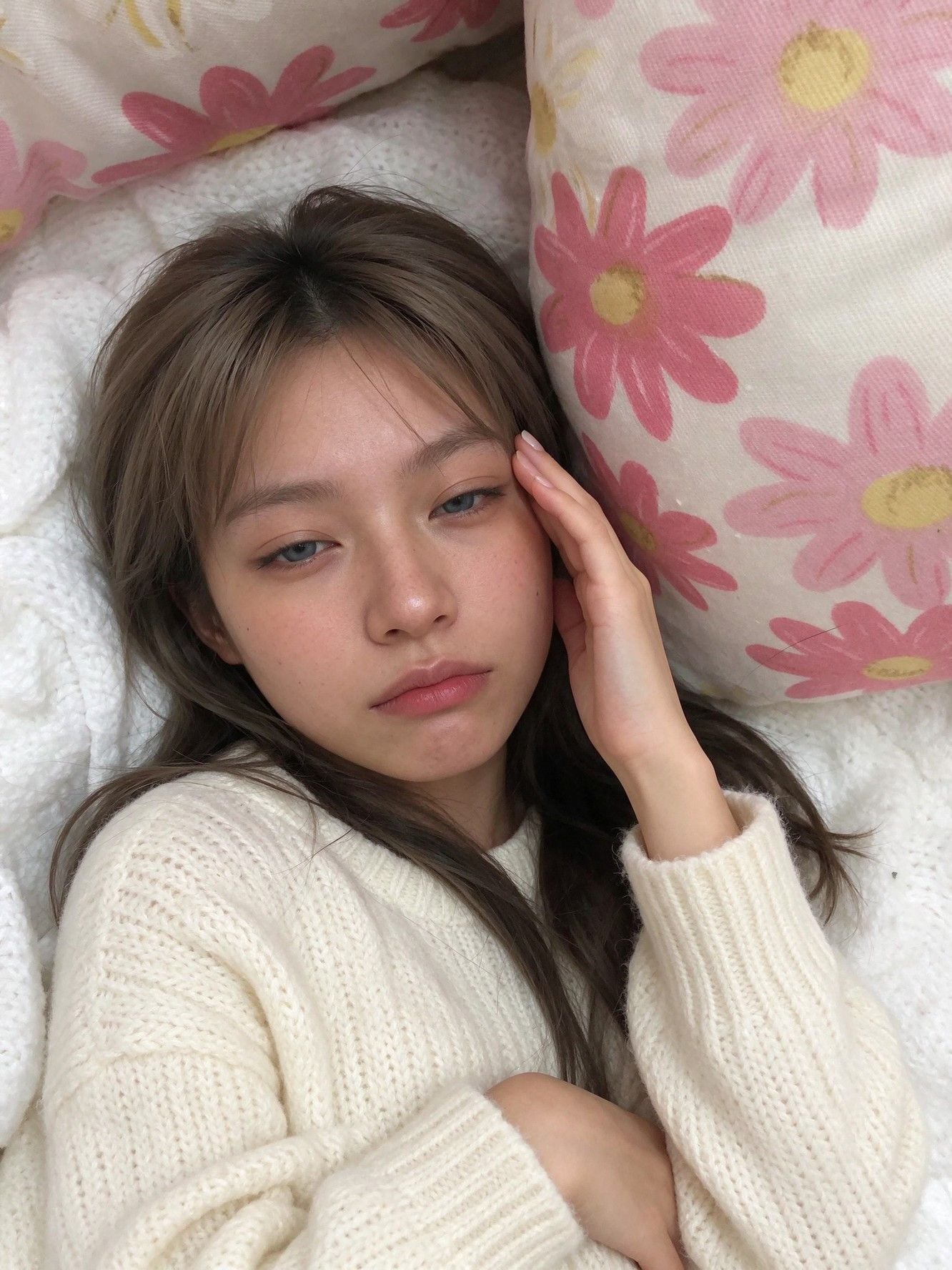
Realistic cat to human prompt. Fill in the brackets. We ran it as a woman:
Plain1Using the photo of my kitten, show what it would look like as a human. Make it a realistic [woman/man] in [her/his] mid-20s. Turn its silver-gray tabby stripes into ash-brown hair with darker lowlights, keep its blue-gray eye color, and carry over its sleepy, slightly grumpy expression. Dress [her/him] in a cream knit sweater the color of the kitten's chin. Keep the same pink daisy cushions and white knit blanket from the photo, with [her/him] lying back and one hand raised beside [her/his] face like the kitten's paw. No cat ears, no tail, no fur on the skin. Photorealistic photograph, soft daylight, natural skin texture, vertical 3:4.
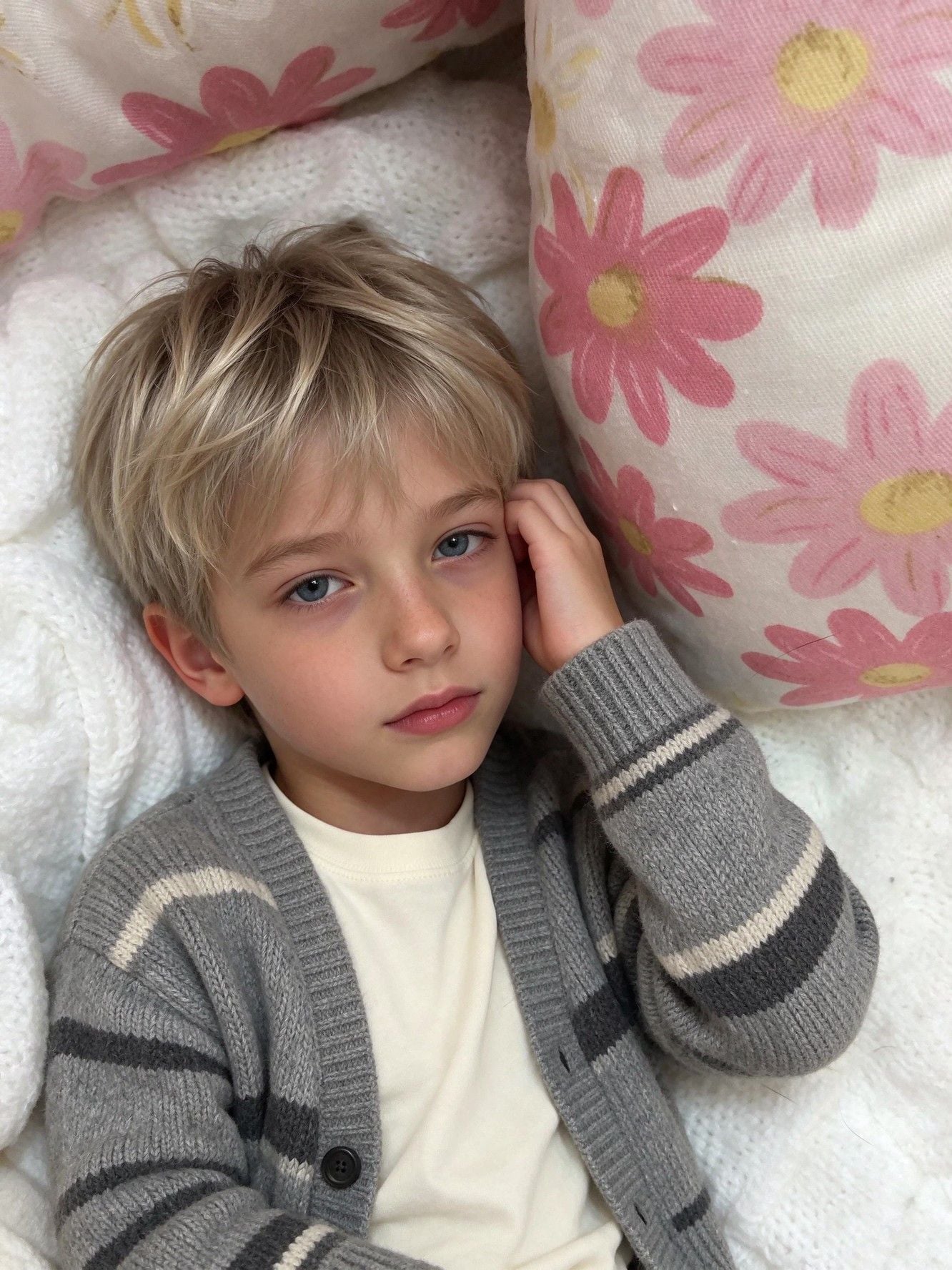
Quick version. Shorter, and it keeps the original photo's pose and background. Our cat is still a kitten, so this time we asked for a boy:
Plain1Make this kitten look like a real boy about 10 years old, keeping the same pose, expression and background. His hair takes the kitten's silver-gray tabby pattern as ash-blond hair with darker streaks, his eyes keep the kitten's blue-gray color, and he wears a gray striped knit cardigan over a cream T-shirt. Show him from the waist up with natural proportions, one hand resting beside his face. No cat ears, no tail. Photorealistic photograph, soft daylight, vertical 3:4.
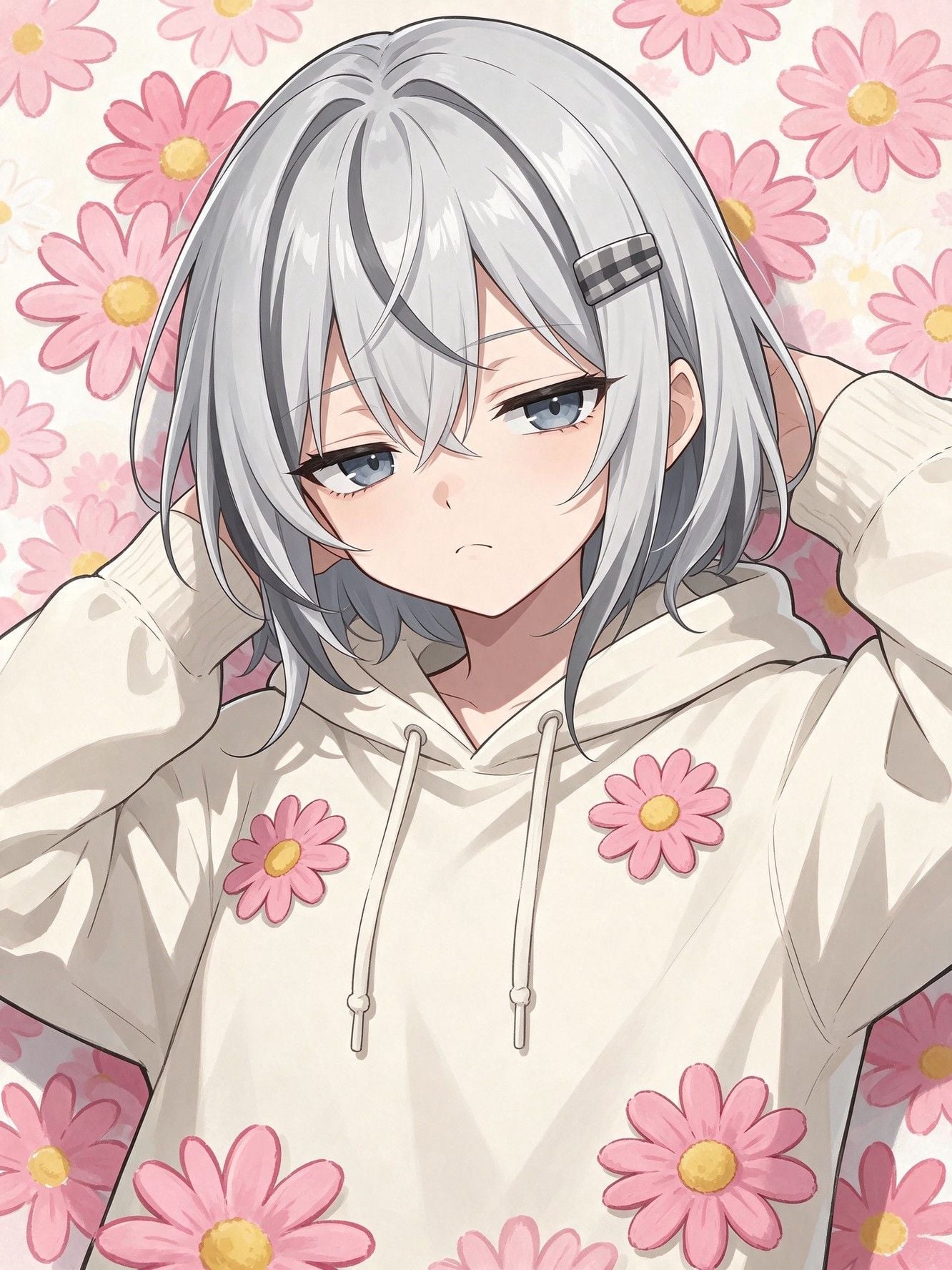
Anime version. A striped hair clip carries the tabby pattern without cat ears:
Plain1Turn my kitten into an anime character: a young woman with silver-gray hair streaked with darker gray, blue-gray eyes and the kitten's sleepy, unimpressed expression. She wears an oversized cream hoodie with a few pink daisy patches and a small striped hair clip that echoes the kitten's tabby pattern. Clean line art, cel shading, a soft pastel background in the same pink daisy pattern as the photo, anime key visual, vertical 3:4.
Cat Bathroom Photos Prompts From the ChatGPT Pet Bathroom Trend
Cat bathroom photo prompts put your cat in a funny bathroom scene, a ChatGPT trend that started with dogs. In May 2025, ChatGPT's official Threads account called bathroom portraits of your dog "the latest ChatGPT Image trend," and some owners printed the results for the actual bathroom. Cats take to a towel turban just as well.
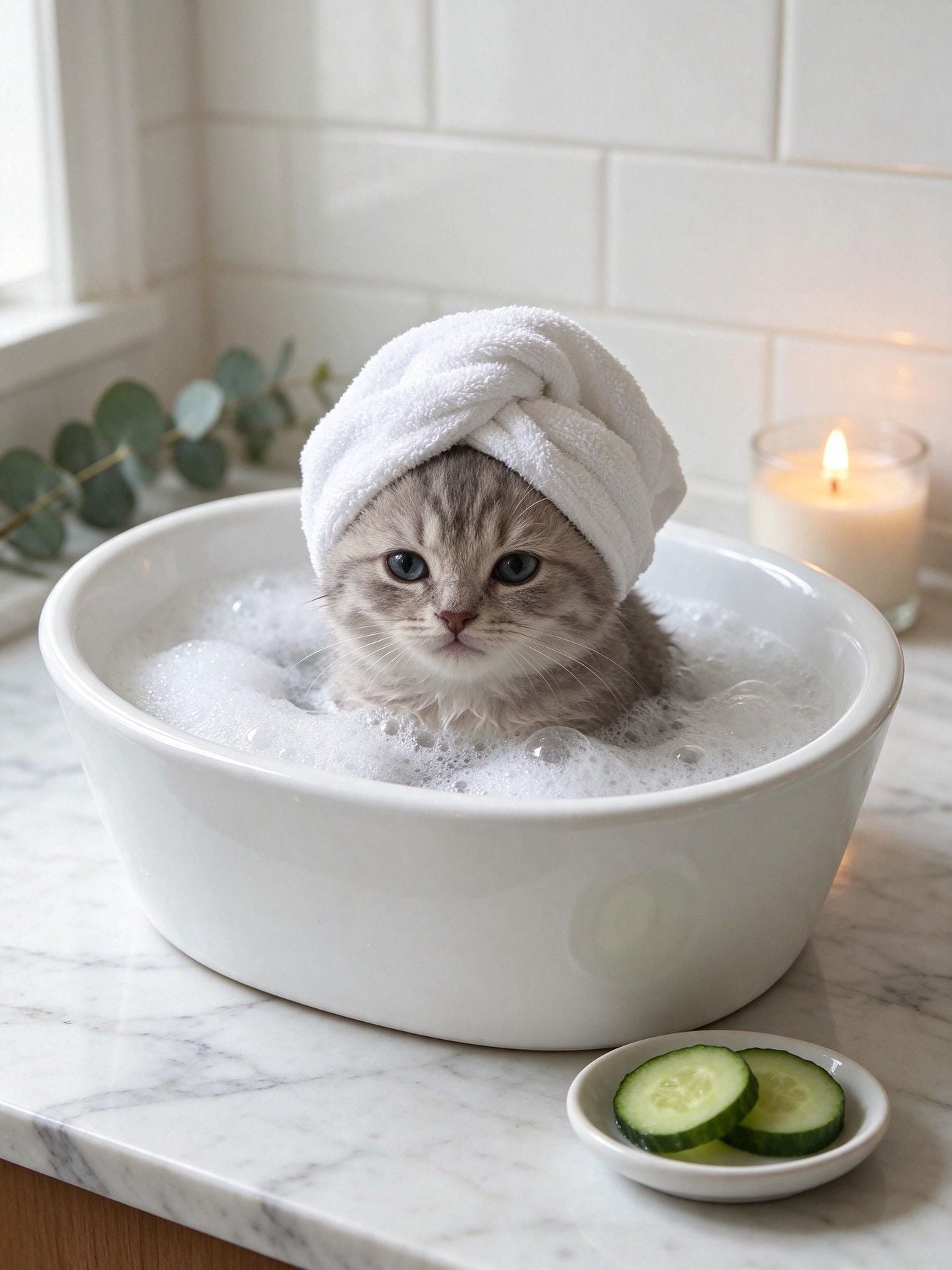
Spa day. Put the cucumber slices on a saucer, not on the eyes, or the eye color has nothing to hold on to.
Plain1Show my kitten having a spa day in the bathroom. Keep my kitten exactly as it is in the photo: silver-gray tabby fur with darker stripes, the dark stripes running up its forehead, blue-gray eyes, a pinkish-brown nose and a cream chin. The kitten sits in a small white ceramic tub of foam bubbles on a marble bathroom counter, with a tiny white towel wrapped around its head like a turban and two cucumber slices on a saucer beside it. A eucalyptus sprig, a lit candle and white subway tiles behind, soft morning light. Its eyes are open and clearly visible. Photorealistic photograph, vertical 3:4.
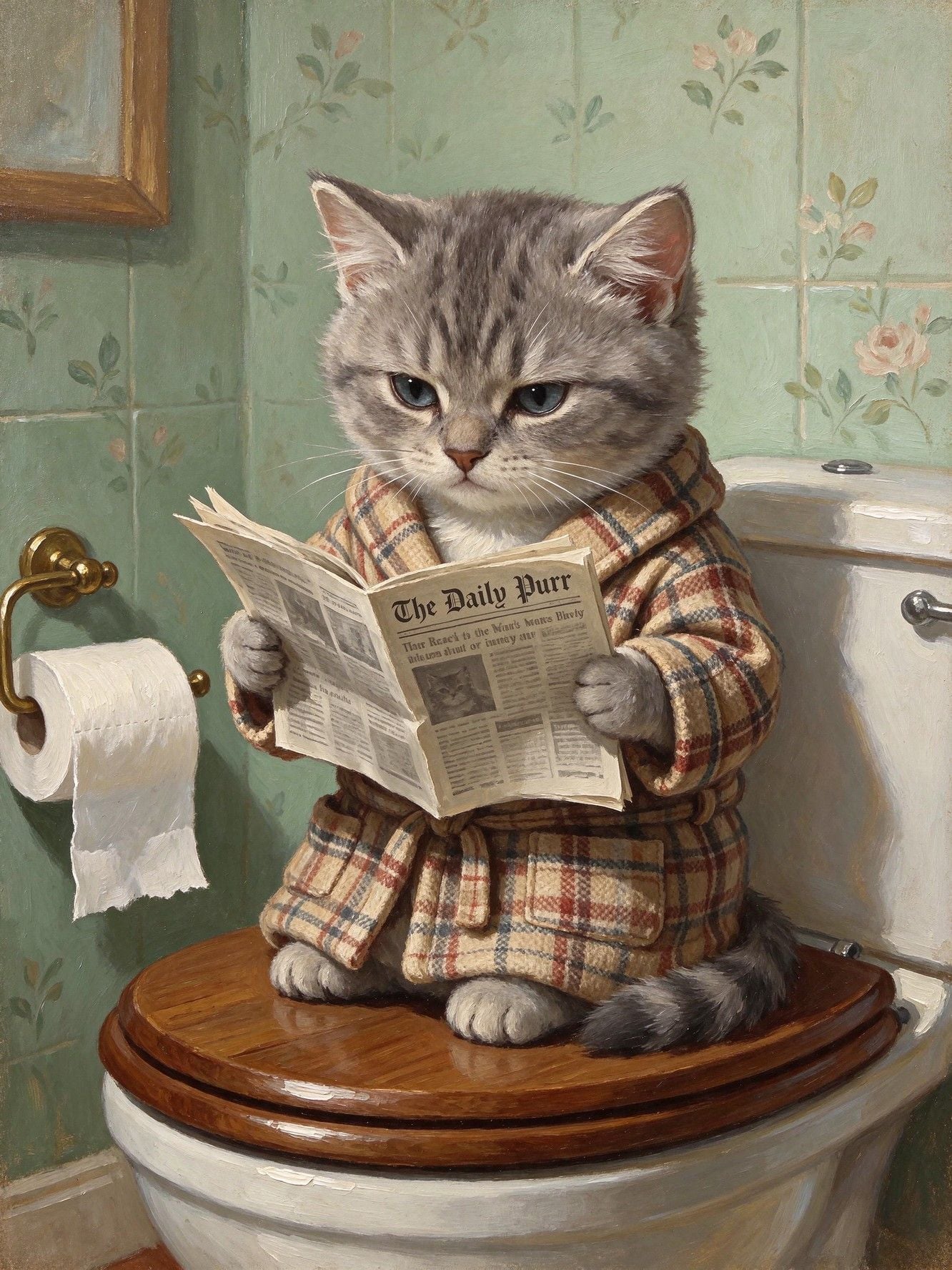
The morning paper. Oil paint makes the joke look like an heirloom. Put the newspaper's name in quotes so the model spells it out.
Plain1Paint my kitten as a funny vintage oil portrait for a bathroom wall. Keep my kitten exactly as it is in the photo: silver-gray tabby fur with darker stripes, the dark stripes running up its forehead, blue-gray eyes, a pinkish-brown nose and a cream chin. The kitten sits upright on a closed wooden toilet lid in a tiny plaid bathrobe, reading a newspaper titled "The Daily Purr" with a very serious face. A roll of toilet paper on a brass holder and pale green wallpaper behind it. Classic oil painting with visible brushstrokes and warm varnish tones, vertical 3:4.
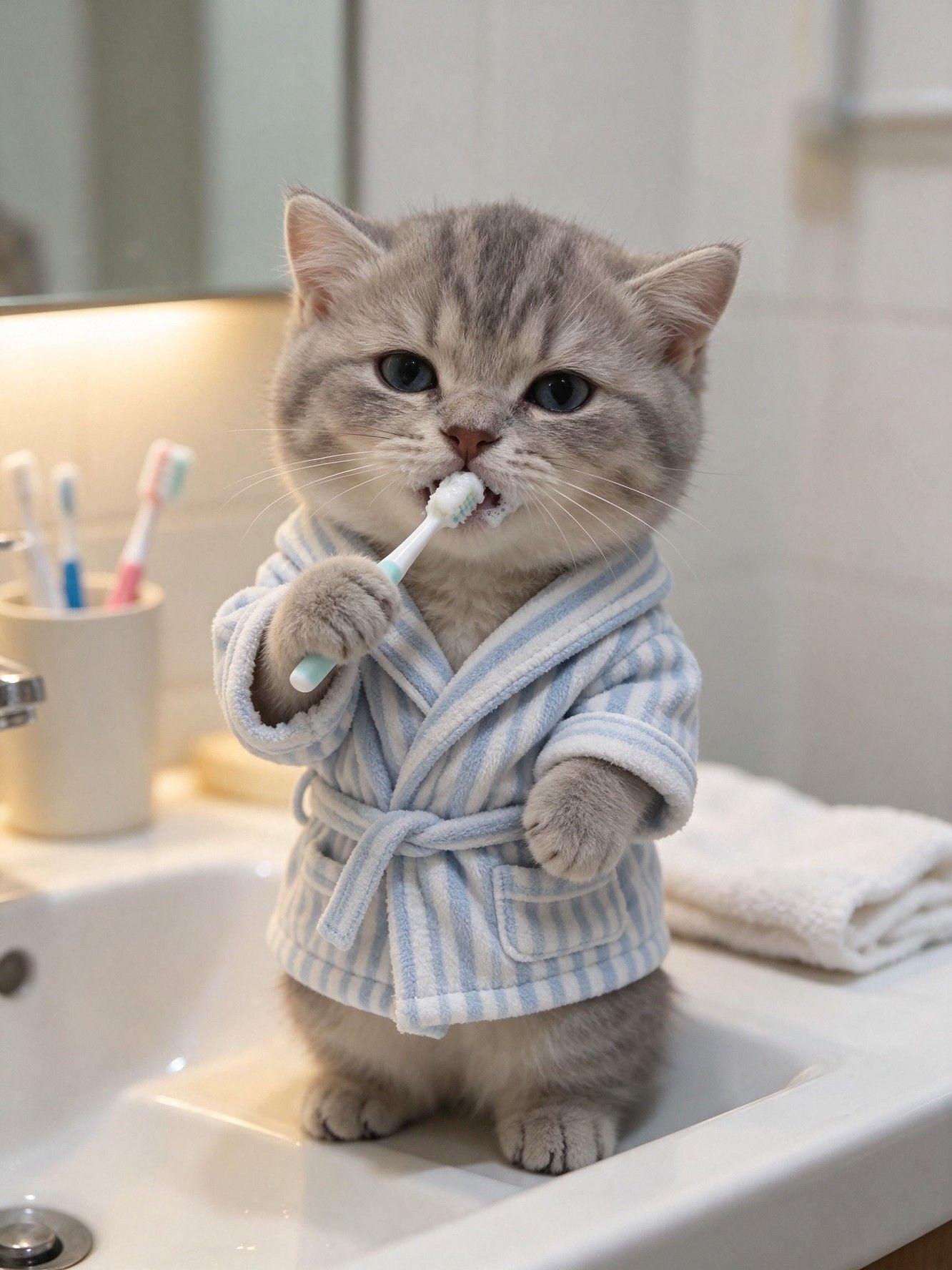
Brushing teeth. "No mirror in the frame" keeps the shot on one cat instead of a cat and its reflection.
Plain1Make a bathroom print of my kitten brushing its teeth. Keep my kitten exactly as it is in the photo: silver-gray tabby fur with darker stripes, the dark stripes running up its forehead, blue-gray eyes, a pinkish-brown nose and a cream chin. The kitten stands on its hind legs at a white bathroom sink in a tiny striped bathrobe, holding a small toothbrush, with a little foam on its whiskers. A cup of toothbrushes and a folded hand towel beside it, warm vanity light, no mirror in the frame. Photorealistic photograph at eye level, shallow depth of field, vertical 3:4.
Funny and Seasonal AI Cat Prompts for ChatGPT
Funny AI cat prompts work best as costumes and holiday scenes, because the outfit carries the joke while the cat's face stays exactly as it is.
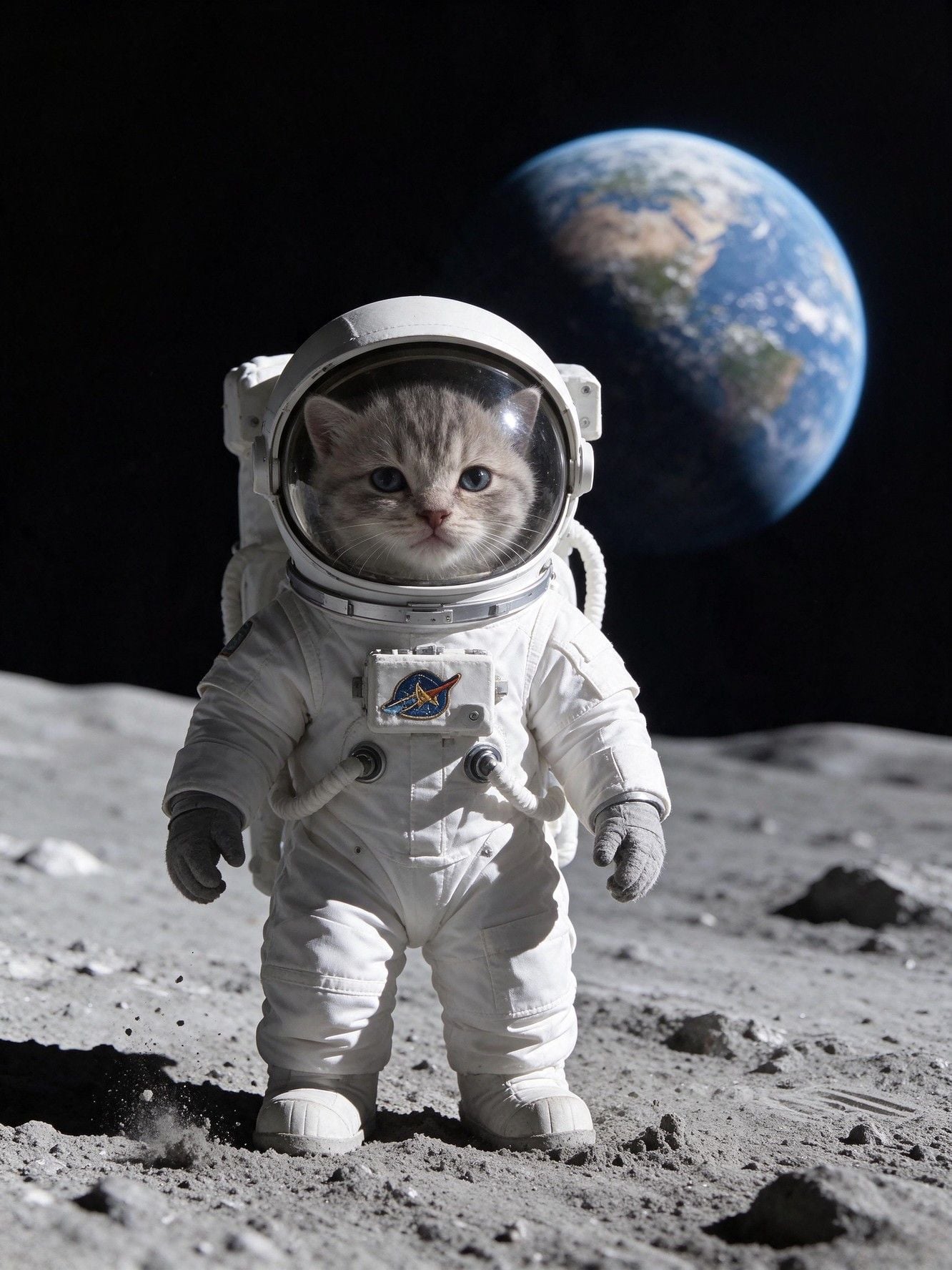
Astronaut. Ask for an open visor, or the helmet glass hides the face you worked to keep.
Plain1Put my kitten in a tiny white astronaut suit on the surface of the moon. Keep my kitten exactly as it is in the photo: silver-gray tabby fur with darker stripes, the dark stripes running up its forehead, blue-gray eyes, a pinkish-brown nose and a cream chin. The helmet visor is open so its whole face shows, with a small fish-shaped mission patch on the chest. Gray lunar dust around its boots and Earth rising in the black sky behind it. Hard sunlight from one side with crisp shadows. Photorealistic photograph, vertical 3:4.
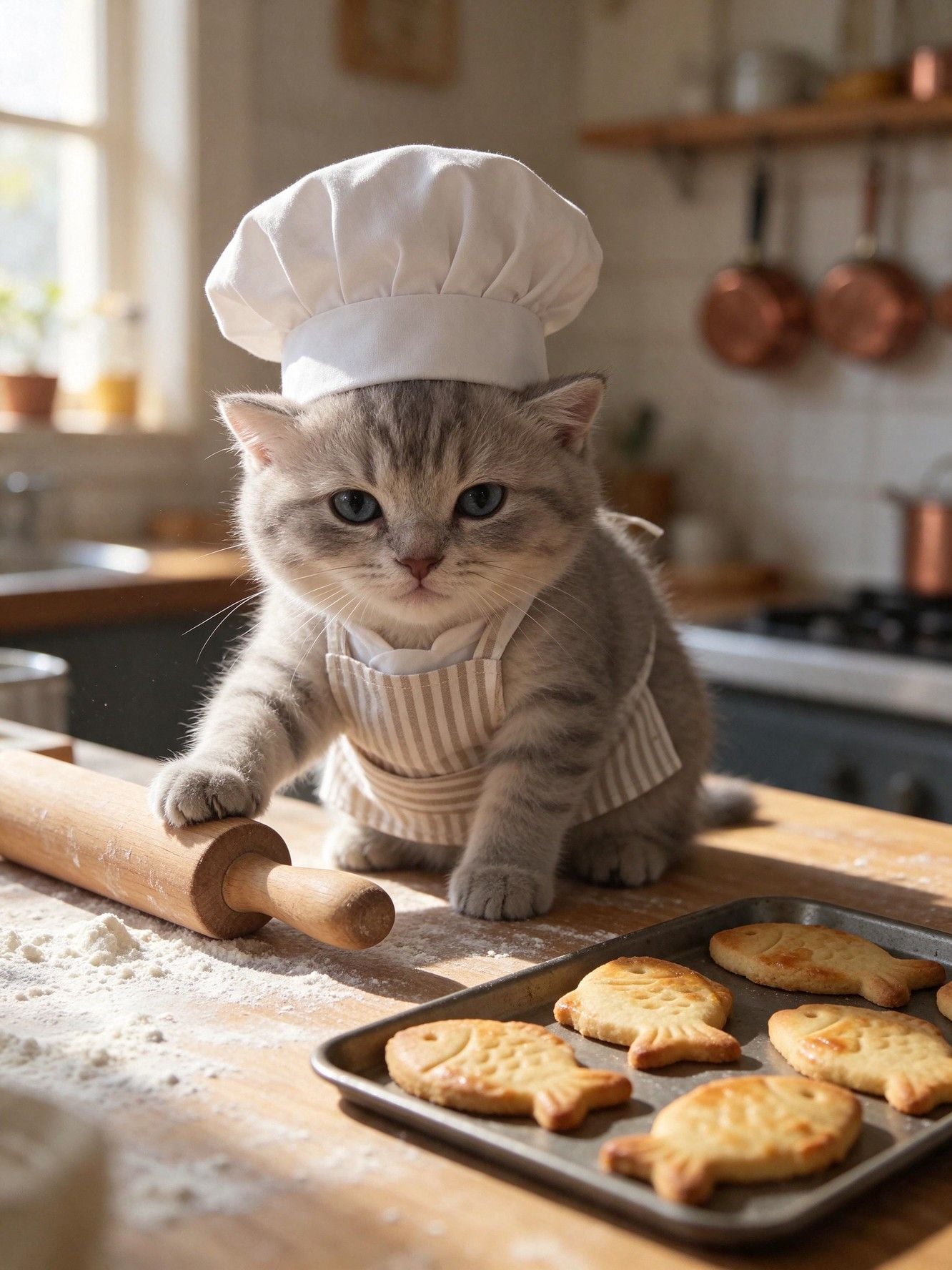
Tiny chef.
Plain1Turn my kitten into a tiny chef. Keep my kitten exactly as it is in the photo: silver-gray tabby fur with darker stripes, the dark stripes running up its forehead, blue-gray eyes, a pinkish-brown nose and a cream chin. It stands on a floured wooden kitchen counter in a white chef's hat and a small striped apron, one paw on a rolling pin next to a tray of fish-shaped cookies. Warm afternoon window light, copper pans hanging behind, shallow depth of field. Photorealistic photograph, vertical 3:4.
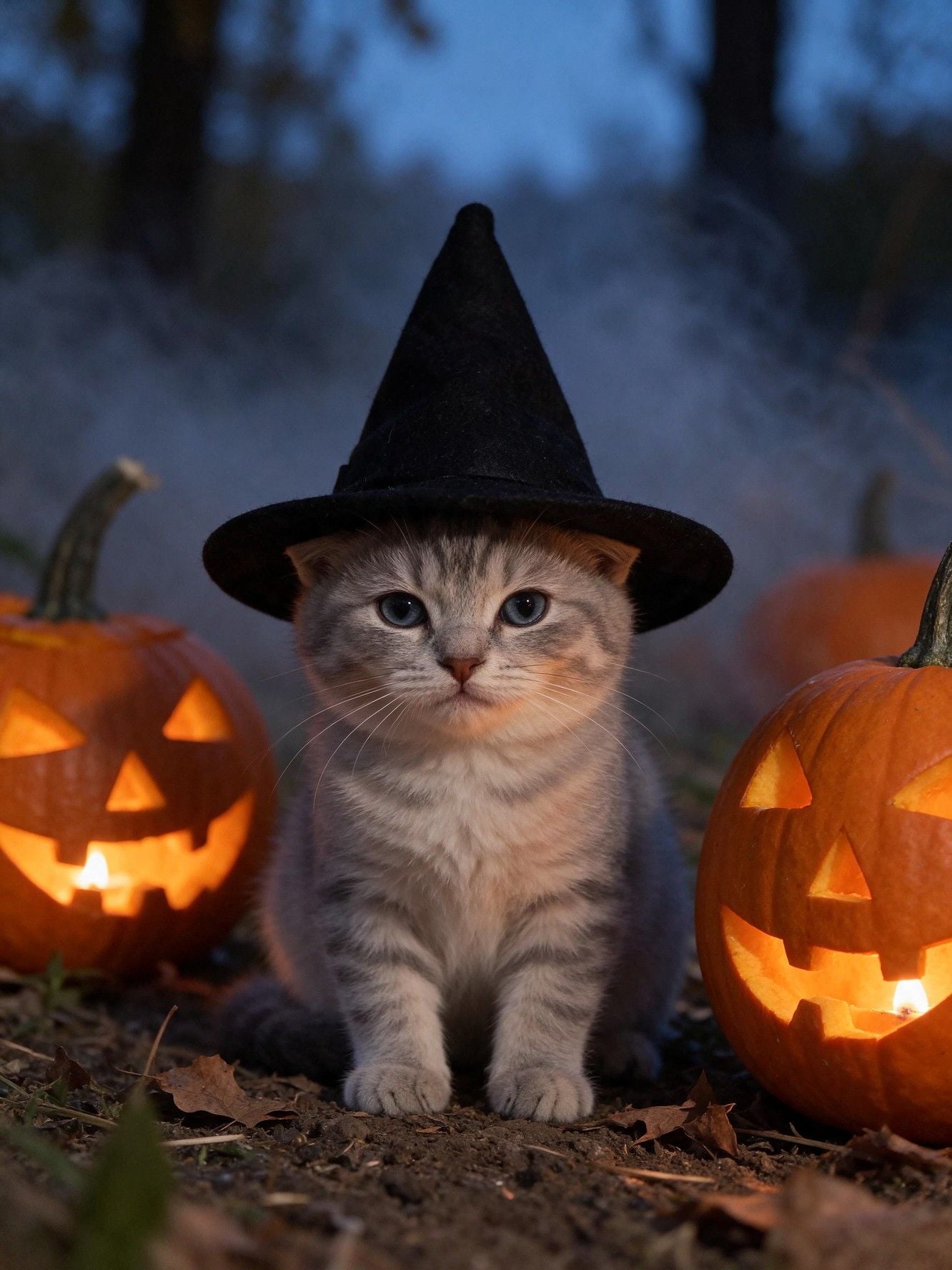
Halloween witch.
Plain1Dress my kitten up for Halloween. Keep my kitten exactly as it is in the photo: silver-gray tabby fur with darker stripes, the dark stripes running up its forehead, blue-gray eyes, a pinkish-brown nose and a cream chin. It sits in a pumpkin patch at dusk wearing a small black felt witch hat, between two carved jack-o'-lanterns glowing orange, with dry leaves and faint mist behind. Warm candlelight on its face, cool blue twilight in the background. Photorealistic photograph, vertical 3:4.
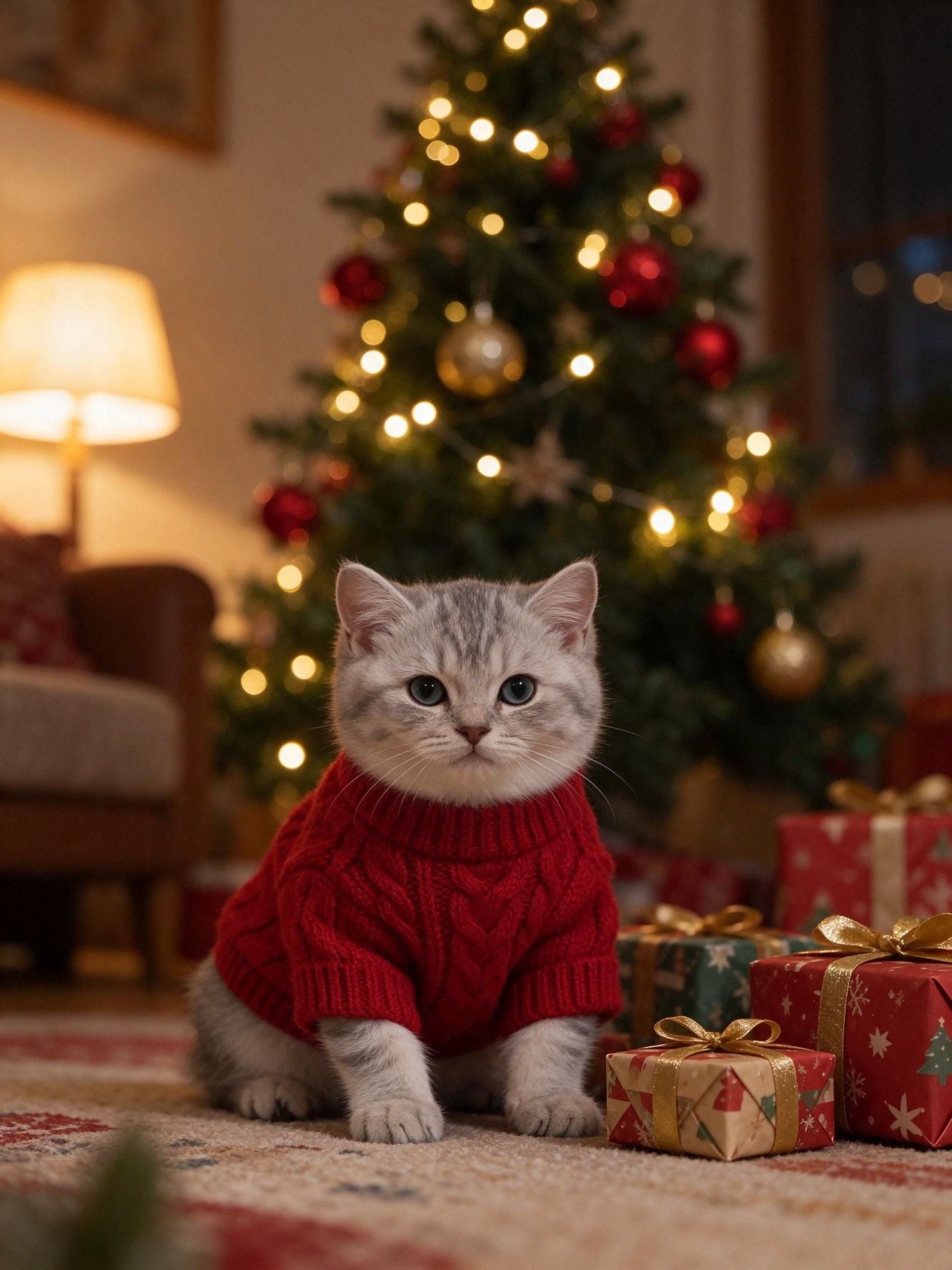
Christmas card.
Plain1Make a Christmas card photo of my kitten. Keep my kitten exactly as it is in the photo: silver-gray tabby fur with darker stripes, the dark stripes running up its forehead, blue-gray eyes, a pinkish-brown nose and a cream chin. It sits in a red cable-knit sweater under a decorated Christmas tree, next to small wrapped gifts with gold ribbon, with warm fairy lights glowing out of focus behind it. Cozy living room at night. Photorealistic photograph, vertical 3:4.
You and your cat. Upload two photos, your cat first and yourself second, and the prompt can call them Image 1 and Image 2. Describe what to keep from each one separately.
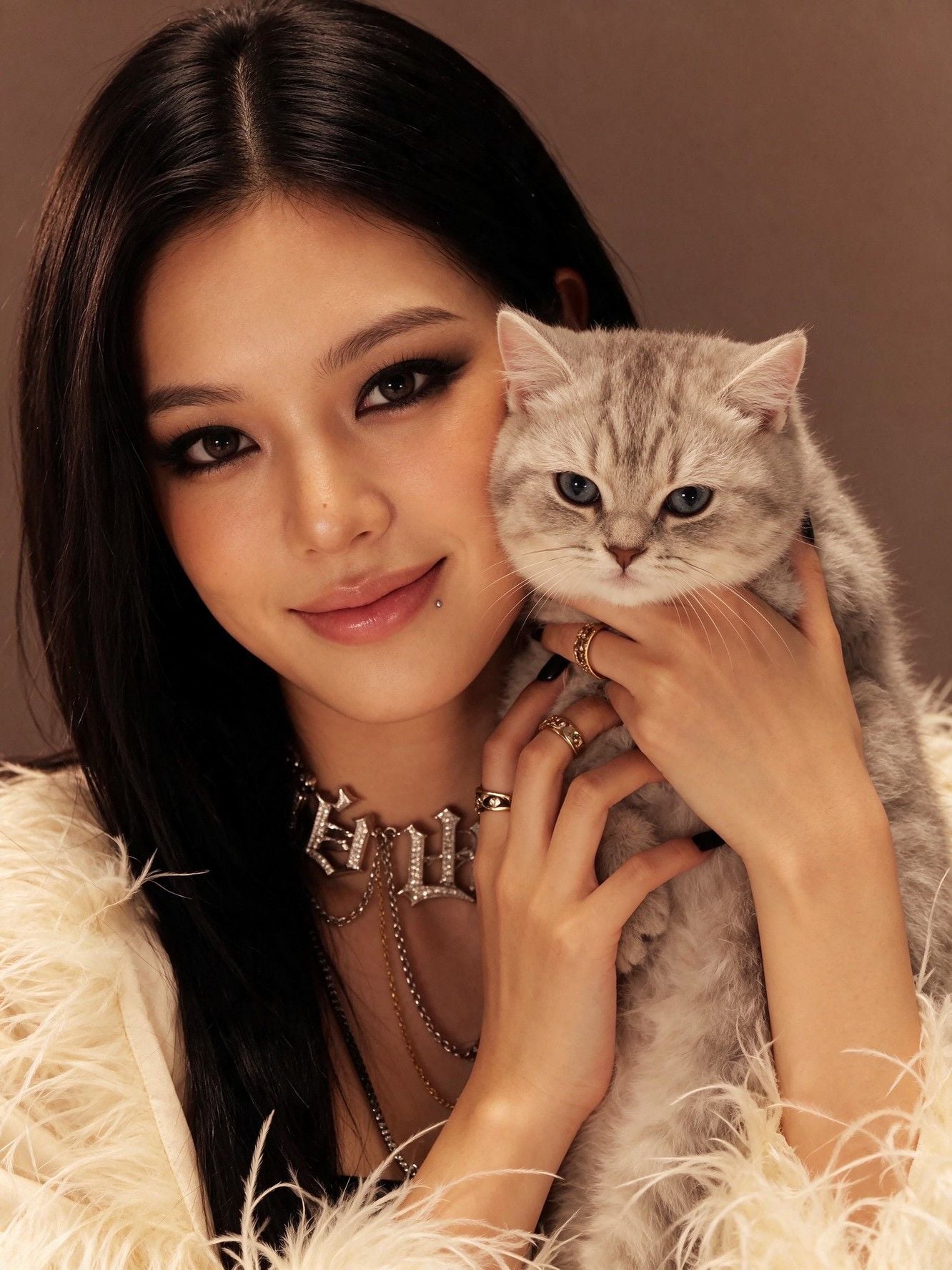
Plain1Image 1 is my kitten and Image 2 is me. Make a photo of the two of us together. Keep my kitten from Image 1 exactly as it is: silver-gray tabby fur with darker stripes, the dark stripes running up its forehead, blue-gray eyes, a pinkish-brown nose and a cream chin. Keep my face, long straight black hair, makeup, lip piercing, black nails, rings and layered necklaces from Image 2. I hold the kitten up against my cheek with both hands and look at the camera with a soft closed-lip smile, and the kitten looks at the camera too. Same cream feather jacket and warm brown studio backdrop as Image 2, soft beauty-dish light. Photorealistic photograph, natural skin texture, vertical 3:4.
Frequently Asked Questions
Do these cat photo prompts work in Gemini or other AI image tools?
Yes, these cat photo prompts work in Gemini and other AI image editors. They are plain-English edit instructions with no tool-specific syntax, so any editor that takes a photo plus a text instruction can read them. Each model renders styles a little differently, so keep the keep line in every prompt whichever tool you use.
Do these prompts work for dogs and other pets?
These prompts work for dogs and other pets with two changes: swap "kitten" for your pet, and rewrite the keep line around what makes your pet recognizable, such as coat color, ear shape, muzzle markings and eye color.
How many free cat images can I make in ChatGPT?
OpenAI published no number for any plan when we checked on October 12, 2026. In our ChatGPT image limit test, one free account sent 22 image requests in a day without hitting the limit message, but the cap can change without notice.
Can I print an AI cat portrait?
Yes, an AI cat portrait prints well at the right size. A 1776 × 2368 image prints at about 6 × 8 inches at 300 DPI, which suits a desk frame or a small bathroom print. For a larger frame, run the portrait through an upscaler first so fur and whiskers stay sharp.
How much does a cat photo edit cost on Atlas Cloud?
Seedream v5.5 Edit costs $0.0344 per 1776 × 2368 image with one input photo, as of November 26, 2026, after a 20% discount on the $0.043 list price. The cat-and-owner prompt uses two photos and costs $0.0408. One take of all 17 prompts in this article comes to about $0.59.
Conclusion
The whole trick fits in one sentence: tell the model what your cat looks like before you tell it what to change. Name the stripes, the eye color and the nose, change one thing per round, and the royal kitten, the astronaut and the bathroom portrait all stay recognizably yours.
Pick a prompt above, swap in your cat's keep line and run it. Once a ChatGPT cat photo prompt gives you a portrait you love, the AI cat dance guide shows how to turn the same photo into a video.







