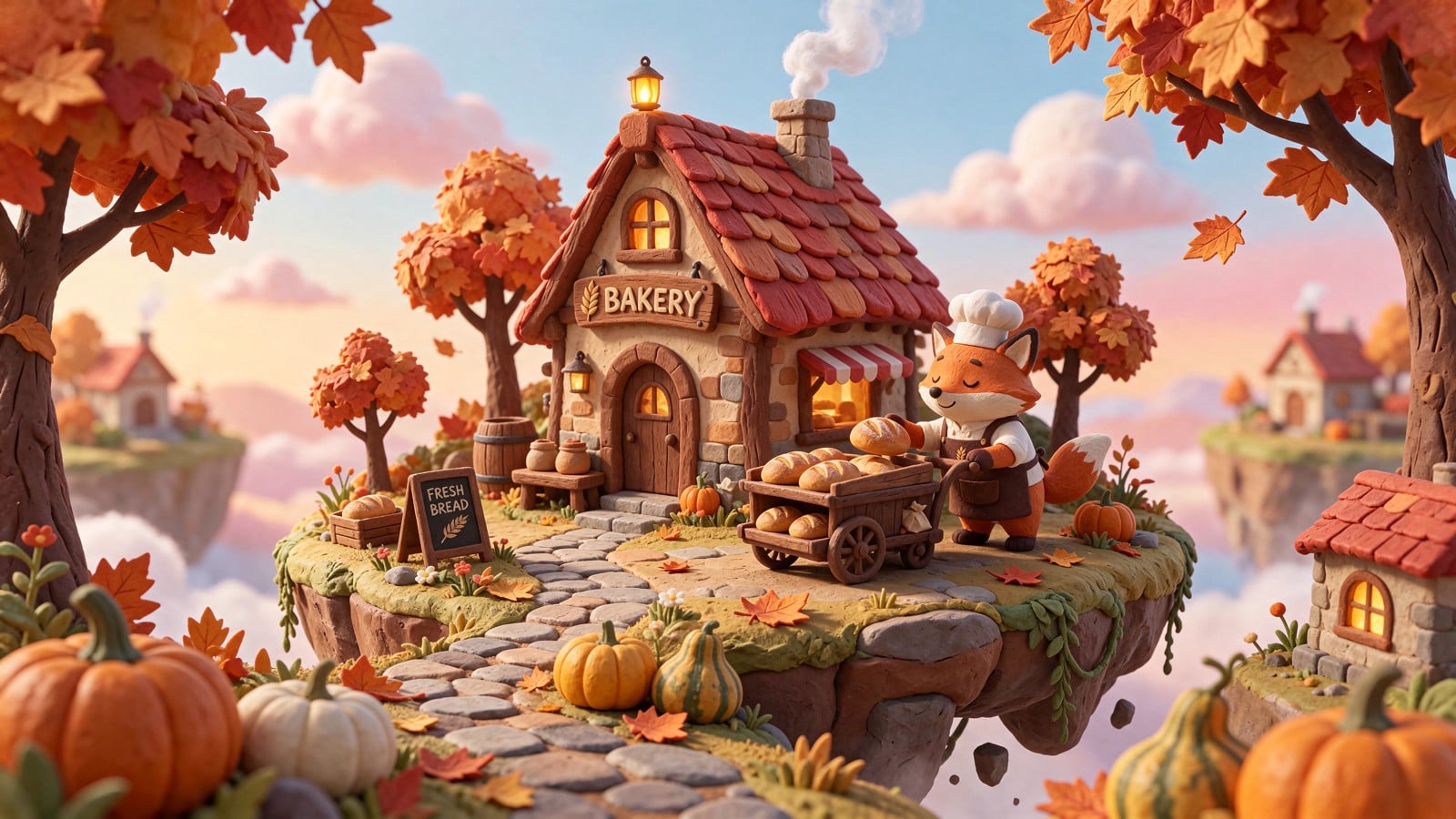
Seedream 5.5 Precision Image Editing
Seedream 5.5 is ByteDance Seed's image generation and editing family. Guide edits with up to 10 reference images, or split an image into a base image and up to 99 editable layers, with optional OCR for text layers. On Atlas Cloud, generation, editing, and layer decomposition each cost a standard $0.02 per image, helping developers plan image workflow budgets. Start building today.
Seedream 5.5 is developed by ByteDance. Atlas Cloud (operated by Atlas Cloud AI LLC) provides access to it and does not own it. All trademarks belong to their respective owners.
Explore the Leading Seedream 5.5
Atlas Cloud provides you with the latest industry-leading creative models.


Seedream 5.5 Specifications Across Three Image Workflows
Compare inputs, outputs, and capabilities for image generation, precision editing, and editable layer extraction.
| Modality | Description |
|---|---|
| Seedream 5.5 Text-to-Image API | Seedream 5.5 generates one photorealistic image from a text prompt, with accurate rendering of small and multilingual text. Native transparent RGBA PNG output supports workflows that need isolated visual assets. Use this endpoint for product concepts, localized campaign visuals, and text-rich design drafts. |
| Seedream 5.5 Image Editing API | Provide 1 to 10 reference images and natural-language instructions to create an edited image. Unedited areas remain stable across 100+ editing rounds, while native transparent RGBA output supports assets that require transparency. This endpoint suits product revisions, iterative art direction, and campaign asset refinement. |
| Seedream 5.5 Layer Decomposition API | Split one image into an opaque base image plus up to 99 editable transparent PNG layers. Optional rich-text OCR handles text layers within the decomposition workflow. The resulting assets suit design handoffs, reusable compositions, and further editing of individual visual elements. |
Inside Seedream 5.5: Precision You Can Reuse
Seedream 5.5 combines anchored edits, reusable transparent layers, ten-reference fusion, multilingual typography, structured layouts, and controlled image generation in one Atlas Cloud workflow.
Seedream 5.5 Precision Editing
Direct edits with points, arrows, boxes, coordinates, anchor points, rough sketches, color codes, or material instructions. Seedream 5.5 applies the requested change to the intended region while preserving surrounding content. Replace one surface, recolor a product, or refine a small object without rebuilding the entire composition. This control suits product variants, brand corrections, and late-stage creative adjustments.
Editable Layer Decomposition
Turn one finished image into a base image plus up to 16 transparent PNG layers. Each returned element includes its stacking order, bounding box, name, and description, so downstream tools can identify and reassemble the scene. Leave the prompt empty for automatic detection or specify which elements to isolate. Designers gain reusable assets for templates, animation preparation, and non-destructive handoff.
Multi-Reference Photorealism
Combine as many as 10 reference images within a single editing request. Products, subjects, backgrounds, styles, colors, and materials can guide one coherent result while identity, lighting, and color tone remain stable. Select from 13 output size presets across 1.5K and 2K tiers, including landscape, portrait, and square formats. This workflow reduces manual compositing for campaigns and catalog production.
Seedream 5.5 Multilingual Typography
Build localized visuals with native text rendering across 15 prompt languages, including Arabic, Thai, Korean, Japanese, French, Russian, Spanish, and Portuguese. Seedream 5.5 organizes copy within the composition instead of treating it as a detached overlay. Cultural details such as attire and patterns can also follow the target language context. Use it for regional posters, packaging concepts, campaign variants, and multilingual design drafts.
Structured Information Design
When a visual must carry data, dense text, and several relationships at once, the model plans a clear hierarchy and professional layout. It can arrange timelines, charts, diagrams, report content, and realistic imagery within one frame. Deep thinking prompt optimization runs by default and can be disabled when faster prompt handling matters more. The result fits infographics, decks, explainers, and information-rich marketing assets.
One Key for Seedream 5.5
Move from text-to-image generation to reference-based editing and layer decomposition through one Atlas Cloud key. JPEG and PNG outputs, transparent pay-as-you-go billing, and shared access to the wider model catalog keep integration choices straightforward. Developers can switch among the three Seedream workflows without maintaining separate provider accounts or infrastructure. This setup supports prototypes, production pipelines, and mixed-model creative applications.
One Prompt, Three Visions: Seedream 5 Pro Compared
Compare how Seedream 5 Pro and two rival image models interpret the same detailed prompt across cinematic realism and graphic design.
Create a complete, polished, single-file interactive HTML5 game titled “Ramen Rhythm Laboratory,” set in the back kitchen of a midnight Japanese ramen shop. Output only the final HTML document. Inline all CSS and JavaScript; do not use external libraries, frameworks, CDNs, fonts, images, audio files, or network requests. The page must run immediately when opened locally in a modern browser. Design the experience as a responsive full-page website, not a fixed 16:9 image or video. It must adapt gracefully to desktop, tablet, and mobile screens without clipping, horizontal scrolling, unreadable text, or overlapping controls. Use semantic HTML, accessible labels, strong focus states, reduced-motion support, and a clear mobile control alternative for keyboard actions. Build a genuinely playable single-page rhythm-and-skill game. Make the central workstation the main focus: the player drags a piece of dough to stretch it, folds it back onto itself, and performs fast whipping motions to form ramen strands. Implement satisfying pointer-based physics with inertia, elasticity, resistance, velocity detection, strand deformation, and clear visual feedback. Support mouse and touch through Pointer Events. Evaluate stretch distance, fold accuracy, whipping speed, rhythm timing, and consistency to determine noodle thickness and quality. The interaction should feel physical rather than like moving a static icon. Add keyboard-controlled cooking and topping rhythms. Use clearly displayed keys such as A/D or arrow keys to regulate the boiling-water pot, Space to blanch or lift noodles, and J/K/L for timed topping actions. Include visible mobile buttons offering the same controls. Present beat markers, timing windows, combo feedback, pot temperature, cooking progress, broth level, topping readiness, and serving actions. Prevent the page from scrolling when gameplay keys are used. Place a vertical order queue on the left and animated precision instruments on the right. Each order card should specify a requested noodle thickness, doneness, topping pattern, and time limit. Score every completed bowl in real time for thickness accuracy, doneness, rhythm precision, and serving speed. Include total score, combo multiplier, best streak, countdowns, and a concise results breakdown. Maintain coherent game state across multiple orders, progressively increase difficulty, and provide Start, Pause, Restart, and How to Play controls. Make mistakes dramatic and mechanically meaningful: overstretched or poorly folded noodles should knot together; mistimed boiling should cause broth splashes, shaking gauges, warning stamps, and lost combo; overcooking should visibly soften or darken the noodles. Successful streaks should trigger an exaggerated steam celebration with expanding clouds, manga speed lines, flashing celebratory Japanese-style stamps, bouncing instruments, and a brief screen-wide impact animation. Create all visuals with HTML, CSS, SVG, and Canvas generated inside the file. Use a distinctive visual language combining Japanese manga panel composition with precise mechanical cutaway diagrams. Show sectional views of gears, valves, pipes, burner mechanisms, labeled measurement ticks, technical callouts, halftone textures, speed lines, inked contours, and restrained comic sound-effect lettering. Illuminate the stainless-steel worktop with warm tungsten light while an indigo snowy night is visible through the kitchen window. Snow should drift subtly outside, steam should curl above the pot, liquid should bubble, gauges should respond continuously, and small reflections should move across metal surfaces. Organize the interface into clearly separated vermilion, creamy white, and deep navy zones. Use warm amber highlights, charcoal ink outlines, layered shadows, crisp typography, and subtle paper grain created procedurally with CSS. Keep the central noodle action dominant, with the order queue and dynamic instruments visually balanced around it. Animations should be detailed, smooth, and purposeful, with satisfying transitions and micro-interactions rather than constant visual noise. Include a compact opening tutorial overlay, an attract-mode idle animation, audio-style feedback recreated visually without requiring sound, and enough procedural variation for repeated play. Ensure the core scoring, timers, collisions, combo logic, order progression, pause state, restart flow, responsive layout, and all controls actually work. Do not produce a static mockup, landing-page-only design, fake controls, placeholder panels, unfinished TODOs, external assets, broken image icons, alert-based interactions, or decorative elements that obscure gameplay. Do not constrain the webpage to a fixed 16:9 canvas. Return only one complete HTML document beginning with <!DOCTYPE html>.
Generated with Seedream 5 Pro on Atlas Cloud
Generated with Nano Banana 2 on Atlas Cloud
Generated with Seedream v4.5 on Atlas Cloud
Create a complete, polished, single-file interactive HTML webpage titled “Abyssal Archive Decryption Console.” Output only the final HTML document. Include all CSS and JavaScript inline. Do not use external libraries, frameworks, fonts, images, SVG files, APIs, CDNs, or network requests; every visual element must be generated with HTML, CSS, inline SVG, and Canvas. Build an immersive deep-sea research terminal centered on a large semi-transparent mechanical jellyfish rendered procedurally with layered Canvas graphics. Give it a luminous glasslike bell, visible brass mechanisms, articulated internal rings, drifting particles, and animated bioluminescent tentacles. The jellyfish must be draggable to alter the simulated ocean current and rotatable and zoomable using pointer gestures, mouse dragging, the wheel, and touch input. Its position and movement should visibly affect nearby particles, tentacle curvature, node drift, current vectors, and interface readings with smooth inertia. Arrange four distinct categories of unidentified-creature archives in a radial network around the jellyfish: Abyssal Hunters, Colonial Organisms, Living Fossils, and Signal-Bearing Entities. Each category must contain multiple connected specimen nodes, for at least twelve records total. Use animated filaments or tentacles to connect nodes to the central jellyfish. Clicking a node must open a richly composed hand-drawn specimen card with a procedural engraved creature illustration, taxonomy-style metadata, depth, pressure, discovery status, behavioral notes, waveform or anatomy details, and a close control. Cards should animate in like physical research plates sliding beneath a scanner, and different records must have meaningfully different content rather than repeated placeholders. Include a prominent sonar-frequency input that responds continuously while the user types numeric values. Valid frequencies should reorganize the Canvas particle swarm into different procedural formations such as spirals, rings, schools, skeletal silhouettes, or coordinate glyphs; update the waveform, terminal readouts, and ocean-current behavior; and unlock several hidden records at discoverable frequency ranges. Show clear but atmospheric feedback for invalid input, locked records, successful decoding, and newly revealed evidence. Add a compact frequency-history log and a visual unlock-progress indicator. Support useful keyboard controls: focus the sonar input, submit or clear a frequency, cycle archive nodes, open the selected record, close overlays with Escape, and display a keyboard-help panel. The visual direction must fuse a deep-sea scientific terminal, antique copperplate museum illustration, and distressed glitch-scanning textures. Use restrained ink navy, oxidized teal, cyan-green bioluminescence, and rusted gold, with cold blue light as the primary illumination and intermittent amber warning lights as localized accents. Create a central radial composition with side-mounted vertical depth scales, pressure ticks, specimen coordinates, subtle grid lines, scan bars, chromatic misregistration, film grain, engraved hatching, and occasional data corruption. Maintain strong hierarchy and readable typography despite the atmospheric treatment. Add restrained audio-terminal-inspired visual pulses without requiring sound. Use a layered, information-dense layout: top mission header and status strip; left-side archive filters and vertical depth ruler; central interactive Canvas chamber; right-side live telemetry, current direction, pressure, selected specimen summary, and unlock status; bottom sonar console, waveform, frequency input, keyboard hints, and event log. Add tooltips, active, hover, focus, selected, locked, loading, and unlocked states. Include a short first-run onboarding overlay that explains the core interactions and can be dismissed. All primary interactions must be functional and state-linked, not decorative simulations. Make the page responsive and usable across wide desktop, laptop, tablet, and mobile screens. Do not impose a fixed 16:9 aspect ratio: this is a responsive webpage that must fill the available viewport and intelligently reorganize its panels at narrow widths. Preserve the central jellyfish interaction area, readable controls, touch targets, and accessible overlays at every size. Include semantic HTML, visible keyboard focus states, ARIA labels where appropriate, reduced-motion support, and high-contrast text. Aim for exceptional visual polish and interaction completeness: smooth animation loops, adaptive particle counts for performance, crisp high-DPI Canvas rendering, procedural detail, coordinated state transitions, and graceful resizing. Prevent accidental page scrolling while manipulating the Canvas, but retain normal scrolling when the responsive layout requires it. Do not create a static mockup, hero-only landing page, simple card grid, generic admin dashboard, fixed 16:9 canvas, video, slideshow, or screenshot-like composition. Do not use placeholder rectangles, lorem ipsum, emoji as interface icons, external assets, broken controls, fake buttons, alert() dialogs, excessive neon rainbow colors, overly bright backgrounds, or unreadably tiny text. Do not omit the jellyfish manipulation, particle reconfiguration, sonar input, archive unlocking, specimen-card system, keyboard interaction, responsive behavior, or interconnected state changes.
Generated with Seedream 5 Pro on Atlas Cloud
Generated with Nano Banana 2 on Atlas Cloud
Generated with Seedream v4.5 on Atlas Cloud
Build Production Visuals with Seedream 5.5
Whether you are styling product shots, localizing campaigns, assembling transparent assets, illustrating information, planning storyboards, or refining client edits, Seedream 5.5 supports visual work from the first brief through successive revisions.

Seedream 5.5 Product Photography
Turn product references into new display scenes with natural language edits that keep untouched details stable. Build catalog drafts, apparel showcases, and merchandising variations around the product features your brief specifies.

Multilingual Campaign Design
Small and multilingual text rendering brings campaign headlines, labels, and supporting copy into generated visuals. Designers can develop localized posters, packaging concepts, and promotional layouts from briefs that specify wording and placement.

Seedream 5.5 Transparent Assets
When designs need standalone elements, native transparent PNG output keeps stickers, icons, and decorations separate from backgrounds. Reuse these assets across web graphics, presentation layouts, and campaign compositions in your design tools.

Infographics and Presentation Visuals
For information graphics, Seedream 5.5 renders small text alongside visuals described in your prompt. Presenters and educators can prepare diagram concepts, illustrated explainers, and slide visuals with specified headings and annotations.

Storyboard and Film Concepts
Reference images and written scene directions guide Seedream 5.5 edits for storyboard frames and cinematic concepts. Filmmakers can explore character placement, lighting, and composition before choosing images to guide production planning.

Creative Direction Iteration
Refine selected objects with successive editing instructions while Seedream 5.5 keeps unedited regions stable across revisions. Retouchers can adjust accessories, product colors, or portrait details as client feedback develops through review cycles.
Seedream 5.5 in Context: Editing, Layers, and Cost
Compare Seedream 5.5 with other image models on Atlas Cloud by source image limits, creative workflow, output structure, and standard pricing.
| Model | Source Images | Primary Workflow | Output Structure | Standard Price (USD/Image) |
|---|---|---|---|---|
| Seedream v5.5 Text-to-Image | 1 to 10 | Precision image editing | Edited image with native RGBA support | $0.02 |
| Seedream v5.5 Layer Decomposition | 1 | Editable layer extraction | Opaque base plus up to 99 transparent PNG layers | $0.02 |
| Seedream v5.5 Text-to-Image | Text-to-image generation | One generated image with native transparent PNG support | $0.02 | |
| Qwen Image 3.0 Edit | 1 to 3 | Instruction-guided image editing | Edited image preserving key identity details | $0.03 |
| MAI-Image-2.6 Edit | Up to 5 | Targeted editing and multi-reference composition | Edited or composited image | $0.099 |
How to Use Seedream 5.5 on Atlas Cloud
Get started in minutes — follow these simple steps to integrate and deploy models through Atlas Cloud's platform.
Create an Atlas Cloud Account
Sign up at atlascloud.ai and complete verification. New users receive free credits to explore the platform and test models.
Why Use Seedream 5.5 on Atlas Cloud
Combining the advanced Seedream 5.5 models with Atlas Cloud's GPU-accelerated platform provides unmatched performance, scalability, and developer experience.
Performance & flexibility
Low Latency:
GPU-optimized inference for real-time reasoning.
Unified API:
Run Seedream 5.5, GPT, Gemini, and DeepSeek with one integration.
Transparent Pricing:
Predictable per-token billing with serverless options.
Enterprise & Scale
Developer Experience:
SDKs, analytics, fine-tuning tools, and templates.
Reliability:
99.99% uptime, RBAC, and compliance-ready logging.
Security & Compliance:
SOC 2 Type II, HIPAA alignment, data sovereignty in US.
Seedream 5.5 FAQ for Creative Production
Seedream 5.5 is ByteDance's image generation and editing model family for professional visual creation. Atlas Cloud provides dedicated models for text-to-image generation, image editing, and layer decomposition.
Start with the intended use, then describe the subject, setting, composition, materials, and lighting. For an editing request, identify the source image and separate the requested changes from the details you want preserved.
A product brief should identify the item's shape, color, material, patterns, and branding, along with the intended display format. Specify whether you want a flat lay, hanging display, or modeled presentation, then describe the camera position, framing, background, and lighting.
Describe where the light comes from, how soft or direct it is, and how it should affect the face, hair, clothing, and background. For a backlit portrait, specify the shadow detail and rim lighting you want, alongside the subject's expression, pose, and skin texture.
Give each reference a clear role, such as product appearance, character identity, background, composition, or visual style. Explain which details to borrow from each image and describe how those elements should relate in the finished scene.
Define the panel arrangement and reading order, then outline the story's opening, development, and turning point. Describe each panel's framing, camera angle, character actions, props, and lighting, while stating the visual details that should remain consistent throughout.
Identify each sketch region by its position or line color, then explain the object it represents and its intended appearance. State which placements, proportions, outlines, and spatial relationships should guide the finished composition.
Separate changes to framing, viewpoint, and focus so the intended result is clear. Describe the camera's position and direction, the subject's size within the frame, and which elements should appear sharp or blurred.
Check whether the brief specifies a shared light direction, compatible subject sizes, perspective, and foreground or background placement. Revise those relationships explicitly, including shadow placement, reflections, and which objects should overlap, then inspect the resulting image against the references.
Use the same creative briefs and reference assets, then compare product fidelity, portrait detail, composition, material appearance, and lighting. Define acceptance criteria before reviewing results and record how many attempts produce usable assets, rather than judging from a single showcase image.
Explore More Families
Kling 4.0
The Kling 4 API delivers Kling 4.0, the video model Kuaishou released on October 15, 2026. It generates up to 30 seconds in a single pass, follows up to 10 keyframes, blends 15 images, videos, and subjects through Omni Reference, and adds stereo audio with lip sync. Atlas Cloud serves all four endpoints, including video editing, on one OpenAI-compatible key from $0.11 per second. Start building today.

Seedance 2.5
The Seedance 2.5 API gives developers ByteDance Seed’s joint audio and video model, generating 4 to 30 seconds in one pass from text, a first frame, or up to 50 references across images, video, and audio. It edits selected regions, extends clips, and follows white-model and green-screen inputs. Atlas Cloud, an authorized U.S. reseller, adds a 480p draft mode, native 1080p finals, and enhanced 4K delivery with pay-as-you-go pricing.
Seedream 5.5
Seedream 5.5 is ByteDance Seed's image generation and editing family. Guide edits with up to 10 reference images, or split an image into a base image and up to 99 editable layers, with optional OCR for text layers. On Atlas Cloud, generation, editing, and layer decomposition each cost a standard $0.02 per image, helping developers plan image workflow budgets. Start building today.
Wan 3.0
Wan 3.0 is Alibaba’s newest video model, producing up to 30 seconds of 1080p video at 30fps with audio in one generation. Steer it with a text prompt, a first frame, up to 10 reference images, or a document. Standard costs less per second, while Prime keeps the same capabilities and returns results faster. Both run on the same Atlas Cloud key as Wan 2.7, 2.6, and 2.5.
GPT Image 2.6
The GPT Image 2.6 API gives developers OpenAI’s image model released on November 4, 2026, in two versions: Flare for fast iteration and Sunburst for detailed visual work. It generates images 50% faster than before and adds animated GIF output, SVG export, markup edits that target the area you circle, and a complexity setting. Atlas Cloud serves both models on one OpenAI-compatible key with pay-as-you-go pricing.
MiniMax H3
MiniMax H3 is MiniMax's multimodal video family for text, image, and reference guided creation. Across supported routes, it preserves subjects from reference media, offers flexible aspect ratios, and pairs generated sound with visuals through H3 Developer, with output profiles selected by endpoint. Atlas Cloud unifies the family behind one OpenAI-compatible key with transparent pay-as-you-go pricing from the standard rate of $0.038 per second. Start building today.
GPT Image 2.5
GPT Image 2.5 is OpenAI’s image generation and editing model, released on September 8, 2026 in two API versions. Flare is the default, with up to 50% lower latency than GPT Image 2, while Sunburst takes longer to give finer control over detailed edits. Both support up to 16 reference images, five quality tiers, transparent backgrounds, and custom sizes up to 3840px. Atlas Cloud serves the GPT Image 2.5 API at OpenAI’s per token rates, or at a flat price per image by 1K, 2K, or 4K tier.
Seedream 5.0 Pro
Seedream 5.0 Pro API gives developers ByteDance's controllable image editing model on Atlas Cloud. It places edits precisely with anchors and coordinates, separates images into editable layers, fuses multiple references, and matches exact colors and materials, with multilingual text at 2K and 3K. On Atlas Cloud you reach it through one key!
Seedance 2.0
Seedance 2.0 is ByteDance’s production video model for precise shot creation. Turn prompts into video, animate a first-frame image with optional last-frame guidance, or shape results with reference media and optional web search. Atlas Cloud brings these workflows into one unified API with transparent pay-as-you-go pricing and one OpenAI-compatible key. Start building today.
Kling V3.0
From Kuaishou, the Kling V3 API family supports text, image, and reference video workflows. Transfer motion while preserving character identity, guide generation with visual references, and edit videos through natural language commands. Atlas Cloud offers Standard and Pro endpoints for different production needs. Update: Kling V4 is now available on Atlas Cloud. Explore it on the[Kling V4](https://www.atlascloud.ai/zh/models/kling-v4) page.
Grok Imagine Video
Grok Imagine Video gives developers access to xAI’s video family for creating, animating, extending, and editing clips. Generate 1 to 15 second videos from prompts, guide people, objects, or styles with up to seven reference images, and work at 480p or 720p. Atlas Cloud brings these capabilities together through OpenAI-compatible endpoints with transparent pay-as-you-go pricing. Start building today.
Vidu Q4 Preview
Vidu Q4 is Vidu's latest flagship video model, designed for image-to-video and reference-to-video generation. It can animate a single still image and create automatic scene transitions, giving developers two input paths for different product workflows. Atlas Cloud provides dedicated API endpoints with published parameter schemas at the verified standard price of $0.04 per second. Start building today.
Recommended Articles
Guides, tutorials, and product updates to help you get the most out of Atlas Cloud.


