

Most AI image tools follow predictable rules. Grok-2 doesn't. Launched in August 2024 on the X platform, Grok-2 is xAI's boldest release yet — built to push boundaries and pursue maximum truth-seeking with minimal censorship. That philosophy extends directly to its visual output.
At the core of Grok's image capabilities is a partnership with Black Forest Labs and their open-source diffusion model, Flux.1 — which delivers surprisingly photorealistic results.
According to Artificial Analysis, Flux.1 models outrank both Midjourney and OpenAI's image generators in user-rated quality.
Here's why this matters at a glance:
| Feature | Grok xAI Flux | Midjourney / DALL-E 3 |
| Content restrictions | Minimal | Strict |
| Photorealism | High | High |
| Platform access | X (Twitter) | Standalone apps |
| Open-source model | Yes (Flux.1) | No |
Getting Started: How to Access Grok Image Generation
The X Premium Ecosystem
Grok's image generation isn't a standalone product — it lives inside the X platform and the dedicated Grok app. Following early backlash over misuse, xAI restricted image generation to paying subscribers only. Here's how the tiers break down today:
| Feature / Benefit | Basic | Premium | Premium+ |
| Pricing | $3 / month | $4 / month (50% off for 2 months) | $20 / month (50% off for 2 months) |
| Reply Boost | Small reply boost | Boosted replies | Highest reply boost |
| Content Creation | Bookmark folders, Edit posts, Create longer posts | Everything in Basic + Write Articles | Everything in Premium |
| Profile & Badges | Highlights tab, Customize your experience | Verified checkmark | Verified checkmark |
| Ads Experience | No reduction | Half in For You & Following | Fully ad-free |
| Monetization & Creator Tools | — | Get paid to post, Creator Subscriptions | Everything in Premium |
| Analytics & Tech Access | — | Enhanced Grok access, Advanced analytics | SuperGrok (NEW, Worth $30 USD a month), X Pro, Radar Advanced Search |
| Exclusive Features | — | — | Handle Marketplace (NEW), Request a Handle with Premium+ |
To help you better understand the X Premium features and differences of these three subscribers, I have compiled the following table:
| Category | Feature | Basic | Premium | Premium+ |
| Enhanced Experience | Ads | No reduction | Half in For You & Following | Fully ad-free |
| Reply boost | Smallest | Larger | Largest | |
| Radar | ❌ | ❌ | ✅ | |
| Edit post | ✅ | ✅ | ✅ | |
| Longer posts | ✅ | ✅ | ✅ | |
| Background video playback | ✅ | ✅ | ✅ | |
| Download videos | ✅ | ✅ | ✅ | |
| Grok AI | Usage limits | ❌ | Higher | Highest |
| SuperGrok | ❌ | ❌ | ✅ | |
| Early access to new features | ❌ | ❌ | ✅ | |
| Tag @Grok in replies | ❌ | ✅ | ✅ | |
| Creator Hub | Write Articles | ❌ | ✅ | ✅ |
| Get paid to post | ❌ | ✅ | ✅ | |
| Creator Subscriptions | ❌ | ✅ | ✅ | |
| X Pro | ❌ | ❌ | ✅ | |
| Media Studio | ❌ | ✅ | ✅ | |
| Analytics | ❌ | ✅ | ✅ | |
| Verification & Security | Checkmark | ❌ | ✅ | ✅ |
| Optional ID verification | ❌ | ✅ | ✅ | |
| Customization | X Handle Marketplace | ❌ | ❌ | ✅ |
| Highlights tab | ✅ | ✅ | ✅ | |
| Bookmark folders | ✅ | ✅ | ✅ | |
| App icons | ✅ | ✅ | ✅ | |
| Customize navigation | ✅ | ✅ | ✅ |
For daily uninterrupted use, Premium+ remains the most practical X-based tier, while SuperGrok suits users who prefer working outside of X entirely.
The Alternative Route: API and Third-Party Cloud Access
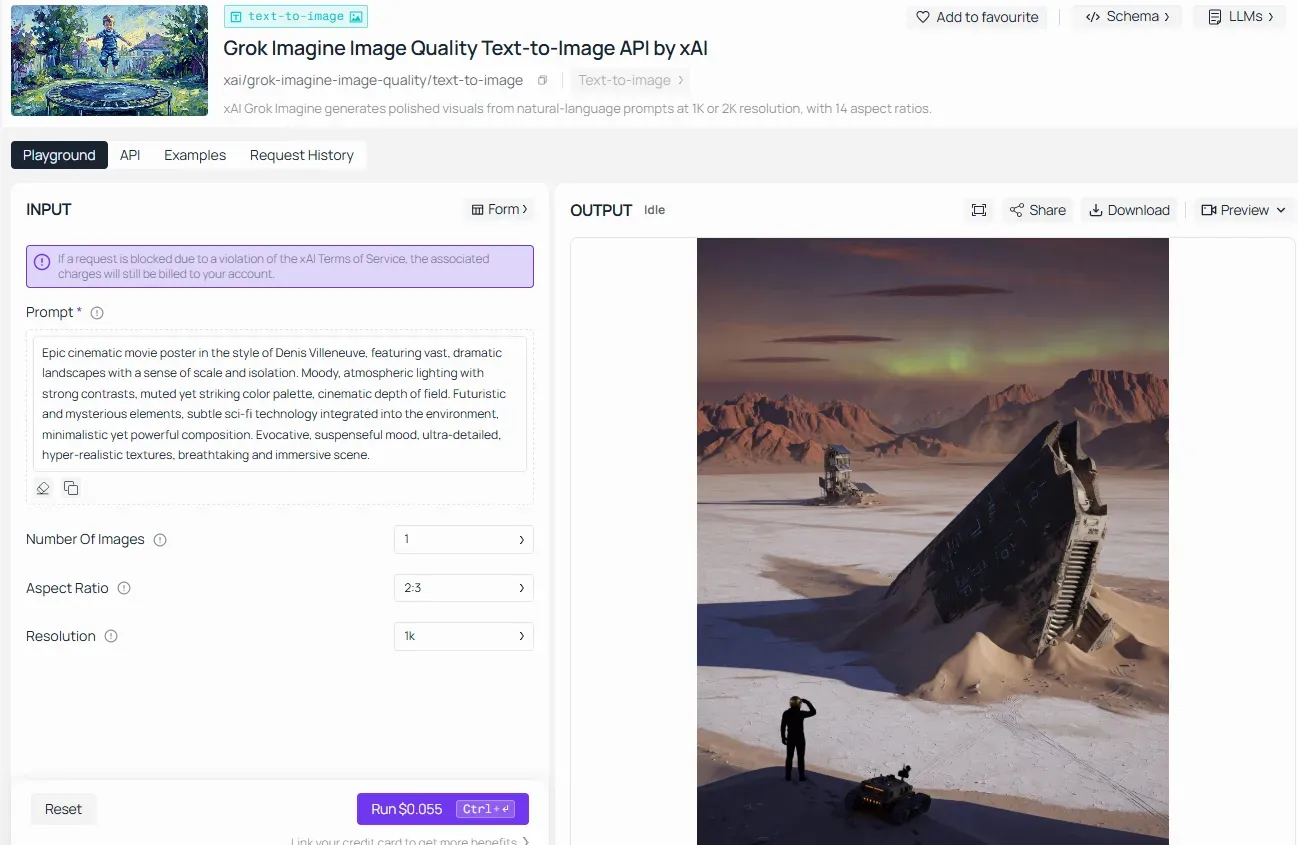
For creators, developers, or teams who prefer not to bind themselves to the X platform’s subscription ecosystem, there are now powerful third-party alternatives. Notably, platforms like Atlas Cloud have officially integrated xAI's Grok-Imagine capabilities (Atlas Cloud Grok-Imagine). Through Atlas Cloud, users can access the same high-quality text-to-image synthesis and raw photorealism of the Grok/Flux engine via dedicated cloud APIs, making it a flexible pipeline for embedding next-gen AI art directly into external applications and enterprise workflows.
How xAI Wove Flux Into X
The image generation feature is embedded directly in Grok's chat interface — users simply describe what they want in natural language, and Flux.1 handles the rest. No separate app, no external tool.
Quick-Start: Finding the Imagine Tab
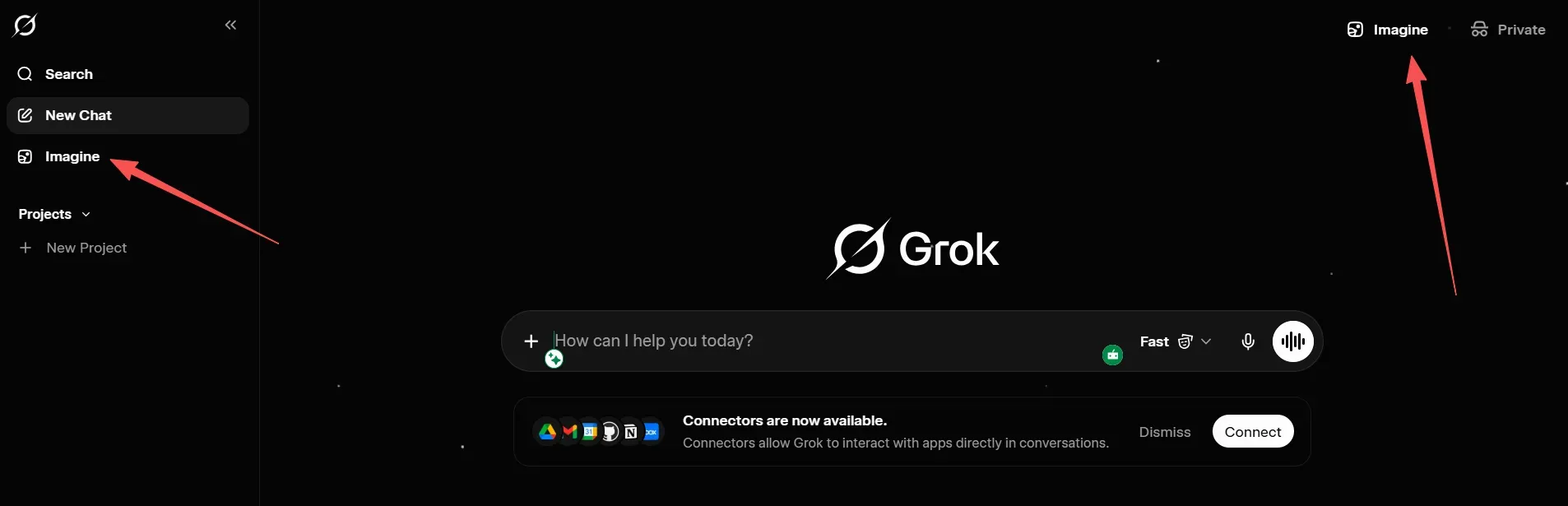
Getting to image generation takes seconds:
- Desktop: Go to x.com or grok.com → open the Grok sidebar → select the "Imagine" tab
- Mobile (iOS/Android): Open the standalone Grok app, which features a clean interface with dedicated Chat, Voice, Imagine, and Projects sections
- Within X: Click the Grok icon in the left navigation panel → switch to the Imagine view
Type your prompt and hit generate — no technical setup required.
The AI Prompt Engineering Masterclass: How to Prompt Grok
Mastering AI prompt engineering on xAI requires shifting how you think about text inputs. Flux.1 is fundamentally different from older systems, allowing for unprecedented creative freedom if you know how to talk to it.
Natural Language vs. Tag-Based Prompting
If you've used older diffusion models like Stable Diffusion 1.5, you're probably used to crafting prompts like a keyword shopping list: "warrior, sword, castle, dramatic lighting, 4k." Flux.1 works differently.
Flux.1 is designed for natural language — write your prompts as if you were describing a scene to a human being. It doesn't support prompt weighting syntax (like (subject)++) used in Stable Diffusion-based models, so that muscle memory is better left behind. Adapt your prompting style to the model: use natural language with clear wording for Flux.1, rather than the tag-based prompts that work better in SD 1.5.
Choosing Your Mode: Fun vs. Regular
A core pillar of understanding how to prompt Grok is navigating its dual personalities. Before you write a single word, pick your mode — it shapes everything.
Normal mode produces balanced, professional-looking output aligned with xAI's standard content policy, making it the right pick for marketing assets, social posts, and anything you plan to publish on a brand account. Fun mode loosens the dial toward creative variation, grants users an intentional baseline of creative freedom — the same prompt produces wider stylistic interpretations and more cinematic camera moves, useful when you're still exploring an idea and want surprise.
| Mode | Best For | Output Style |
| Normal | Brand assets, clean visuals | Balanced, professional |
| Fun | Concept exploration, creative drafts | Stylized, experimental |
| Custom | Precision work | Controlled, consistent |
Anatomy of a Perfect Flux Prompt
To get predictable, high-quality results, break down your text structure into a repeatable formula. This infographic guide maps out exactly how to build your descriptions from the ground up:
| Component | Purpose | Grok Image Generation Tips & Examples |
| Subject | Define the core entity with absolute specificity. | Avoid "a city." Use: "A neon-drenched cyberpunk alleyway in Tokyo after a rainstorm." |
| Style | Set the medium or photographic intent. | Cinematic film still, vintage 35mm oil painting, or hyper-realistic macro photography. |
| Lighting/Mood | Control the atmosphere and shadow depth. | Volumetric golden hour rays, harsh sci-fi neon glare, or dramatic chiaroscuro noir. |
| Technical Modifiers | Fine-tune the rendering engine details. | Shot on anamorphic lens, shallow depth of field, sharp focus on foreground elements. |
Flux responds well to natural, concise prompts built on a consistent frame: Subject → Action → Environment → Lighting → Style/Modifiers. Here's what each layer means in practice:
Subject — Be Specific
Vague subjects produce vague images. "A city" gives you anything. "A rain-soaked cyberpunk alley lit by neon kanji signs" gives you a scene.
Style — Name the Aesthetic
For photorealistic images, include the name of a device, e.g., "shot on iPhone 16", aperture, lens, and shot type. For artistic styles, name them directly: oil painting, watercolor, cinematic render, anime cel shading.
Lighting & Mood
Lighting is the fastest way to change emotional tone without rewriting your entire prompt. Compare these:
- "Soft golden hour backlight" → warm, nostalgic
- "Harsh neon noir shadows" → tense, gritty
- "Overcast diffused light" → melancholic, muted
Technical Modifiers
Close your prompt with output-quality cues: "highly detailed texture," "sharp focus," "ultra-wide angle." Fifteen to twenty-five descriptive phrases is the sweet spot — too short produces generic results, while going over forty words causes prompt drift where the model loses focus.
When these elements are combined natively using natural language rather than comma-separated tags, the output matches the user's intent precisely.
The Ultimate Formula: [Subject description in action] + [Environmental details & lighting context] + [Camera lens or artistic style medium]
Grok Prompt Practical Case Study: 4 Scenario-Based Blueprints
Scenario 1: Fashion Magazine Editorial
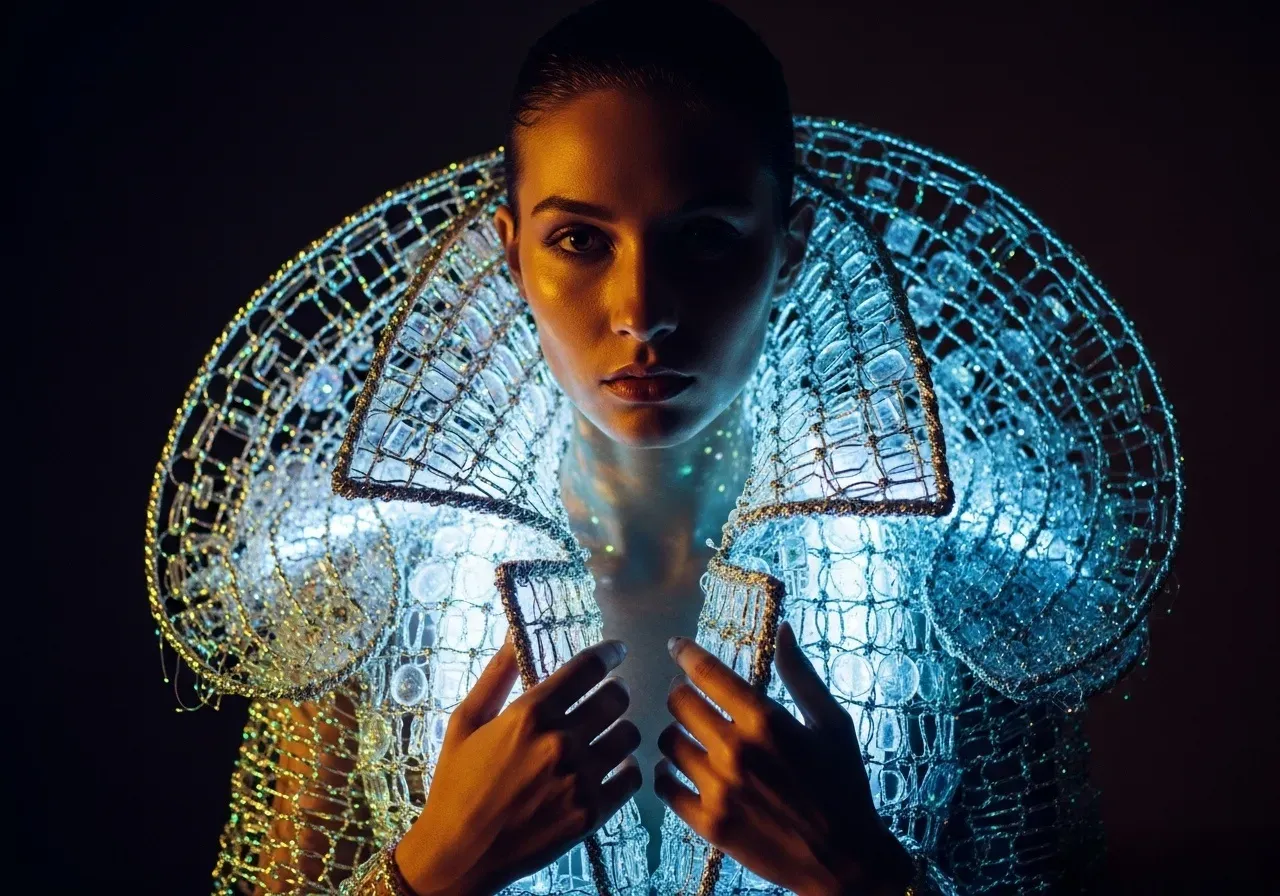
This case shows you how to get Grok to create very stylish and artistic images with deep details and unique textures.
- Subject: A tight shot of a woman in high-end fashion. She wears a stiff, shiny jacket made from glowing fibers and old glass. She looks calm.
- Style: High-end magazine photo.
- Lighting/Mood: Dark movie lighting with deep shadows. The jacket glows from the inside. The vibe is powerful and mysterious.
- Technical Modifiers: Use 35mm film style. Add lots of grain and a soft background. Make the glass and fiber textures look very sharp and real.
Full Natural Language Prompt for Grok:
A tight photo of a woman in modern fashion. She is wearing a stiff, colorful jacket that glows. It is made from woven shiny glass and light fibers. Her face looks very peaceful. High-fashion editorial photography style. Cinematic dramatic lighting, deep shadows (chiaroscuro) contrasting with the internal glow of the jacket, mystical and intense mood. Shot on anamorphic 35mm film, heavy film grain, shallow depth of field, extreme texture rendering of the glass and fibers, 4k.
Scenario 2: E-commerce Product Advertisement
When you need to market a real product, this layout design is ideal. It highlights the feel, setup, and nice light. It is perfect for people who want to see X Premium features built for small business owners.
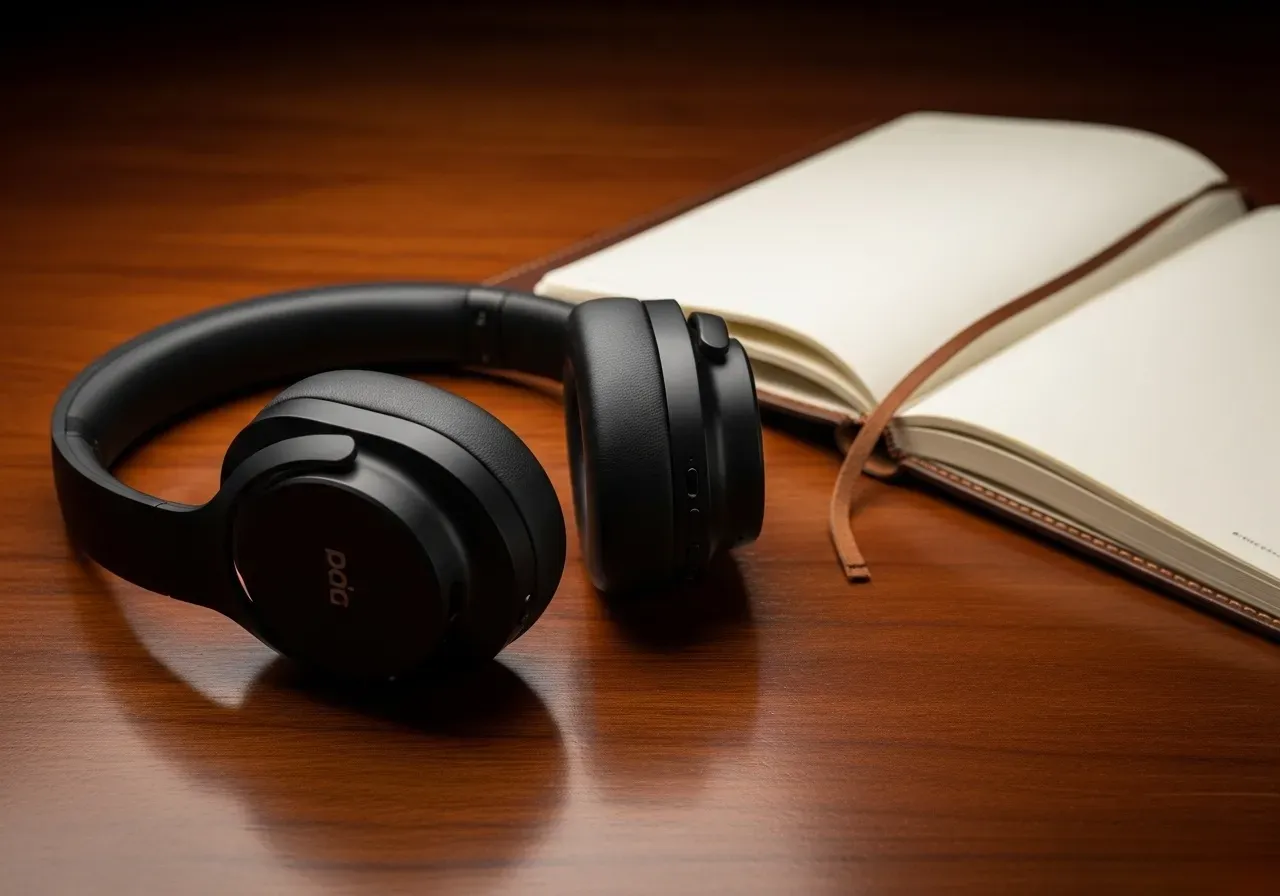
- Subject: A pair of high-end, flat black wireless headphones sitting on a shiny dark wood desk next to a leather notebook.
- Style: Simple, clean item photography.
- Lighting/Mood: Soft, smooth box light that feels neat and classy.
- Technical Modifiers: 50mm lens, blurry background, sharp focus on the headphones, real textures, ultra-clear detail.
Full Natural Language Prompt for Grok:
A set of top-tier, dull black cordless headphones sits on a smooth, dark wood table by a leather notebook. Neat, simple gear photo style. Gentle, even studio light, clean and smart vibe. Shot on a 50mm lens, soft background, crisp look on the headphones, true textures, sharp print quality.
Scenario 3: Concept Art for Film/Game Design
This prompt taps into Grok-2’s creative potential for world-building, utilizing complex environmental subjects and specific weather interactions.
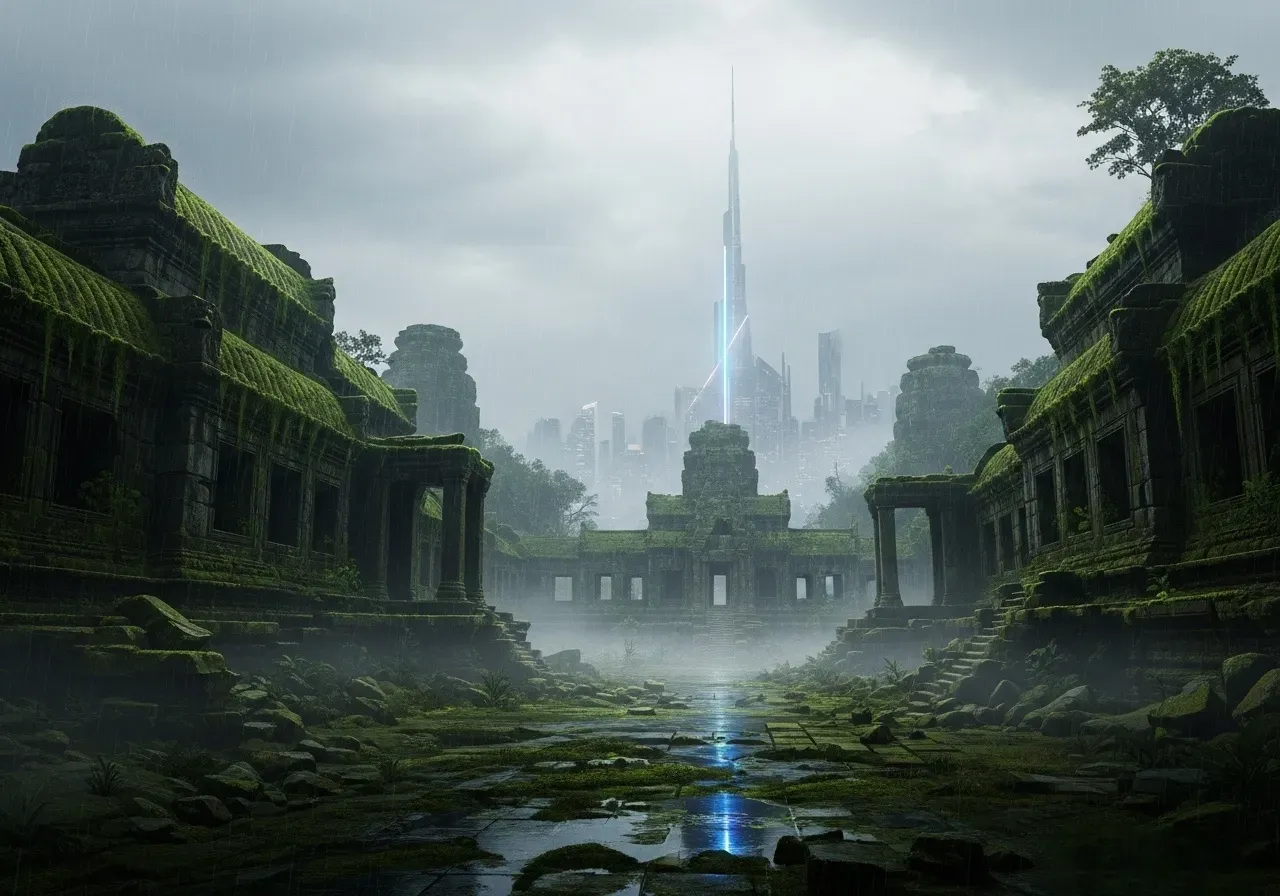
- Subject: An ancient, sprawling city in Southeast Asia is slowly disappearing under thick jungle growth. Old stone temples are buried in green moss, contrasting with a sharp, high-tech neon tower standing far in the background. A soft rain dampens the whole scene.
- Style: Concept design, digital matte painting.
- Lighting/Mood: Cloudy daytime, muted cool tones, moody, grand, and slightly sad.
- Technical Modifiers: Soft mist, realistic wet textures, subtle glowing reflections on damp surfaces, high-detail finish.
Full Natural Language Prompt for Grok:
An old, massive city in Southeast Asia is getting swallowed up by the jungle. Thick green moss covers the ancient stone ruins. Way in the back, a sharp, futuristic neon tower cuts into the skyline. A light drizzle falls over everything. Done in a digital matte painting style. The lighting is overcast and grey with cool tones, creating a moody, vast, and quiet feeling. Features heavy mist, sharp ground textures, and soft neon reflections hitting the wet surfaces.
Scenario 4: Satirical Editorial Cartoon (X/Twitter Meme Focus)
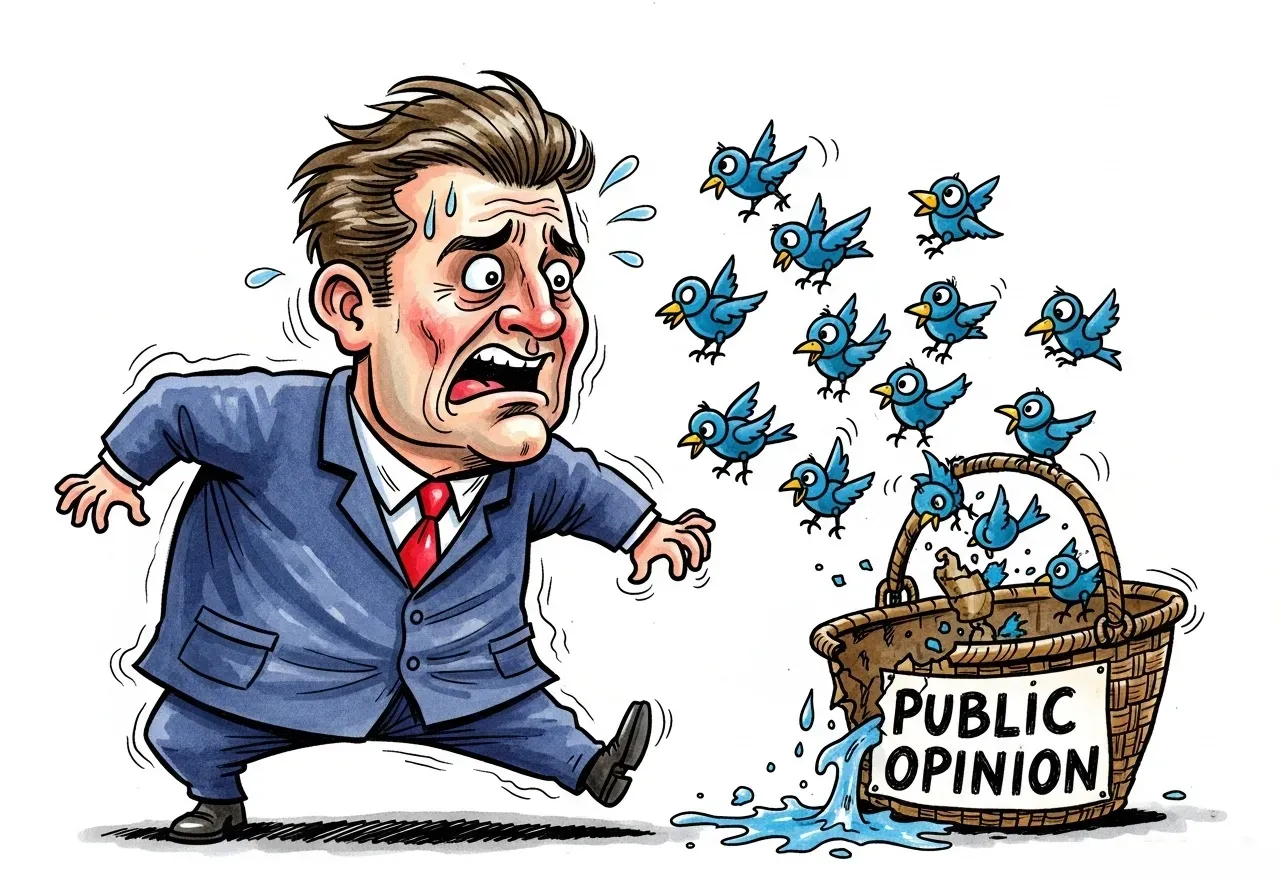
- Subject: A political cartoon showing a stressed politician with a giant head and tiny body. He wears a huge suit and panics as he tries to chase dozens of little blue robot birds into a broken basket. The basket is leaking and says "PUBLIC OPINION" on it.
- Style: Newspaper comic style, painted with watercolors and outlined in black ink.
- Lighting/Mood: Bright, messy colors that show the chaos. The feeling is funny but sharp.
- Technical Modifiers: Paper texture look, flat 2D artwork, made to look good on mobile screens.
Full Natural Language Prompt for Grok:
A political comic showing a stressed politician with a giant head and tiny body. He wears a huge suit and panics while chasing dozens of little blue robot birds into a broken basket. The leaking basket has "PUBLIC OPINION" written on it. Newspaper cartoon style, painted with watercolors and outlined in messy black ink. Saturated, chaotic colors, playful and critical mood. Hand-drawn texture effect, 2D illustration, optimized for social media feeds.
Advanced Grok Image Generation Tips for 2026
One of Flux.1 model's standout capabilities is legible, on-image typography — something older diffusion models routinely failed at. Flux.1 understands key design elements like kerning, spacing, and font styles, producing text that's not just readable but visually coherent — making it practical for posters, logos, and social media graphics.
To unlock this, be explicit. Don't write "a poster with text." Write: "a movie poster with 'NEON NIGHTS' in bold art deco lettering, top-centered, high contrast."
Tips: Very small text below ~12px at 1024px still softens — upscale or add text in post if it's mission-critical.
Avoiding "AI Plasticity" in Human Subjects
The telltale waxy, over-smooth skin in AI portraits is avoidable with smarter prompting. Instead of asking for "realistic skin," prompt for the specific lens and optical properties that would capture micro-level detail in real photography — specifying "vellus hair" (peach fuzz) and "100mm macro" triggers the model to draw from high-resolution portrait and medical photography in its training data.
Quick checklist for believable human subjects:
| ❌ Avoid | ✅ Use Instead |
| "realistic skin" | "natural skin texture, micro-pores, sub-surface scattering" |
| "ultra realistic" | "shot on Sony A7R IV, 85mm, f/1.4" |
| "professional photo" | "soft diffused key light, candid moment, Kodak Portra tones" |
Negative Prompting Secrets
Flux doesn't support dedicated negative prompt fields — instead, it rewards natural language prompting that describes what you do want. However, inline exclusions work well in Grok prompt guides:
- "...no watermark, no blur" → cleaner outputs
- "...plastic-free skin, artifact-free" → better portraits
- "...text-free background" → isolates focal subjects
This inline approach gives you meaningful creative freedom without needing a separate negative prompt box.
Advanced Grok Prompt Practical Case Study
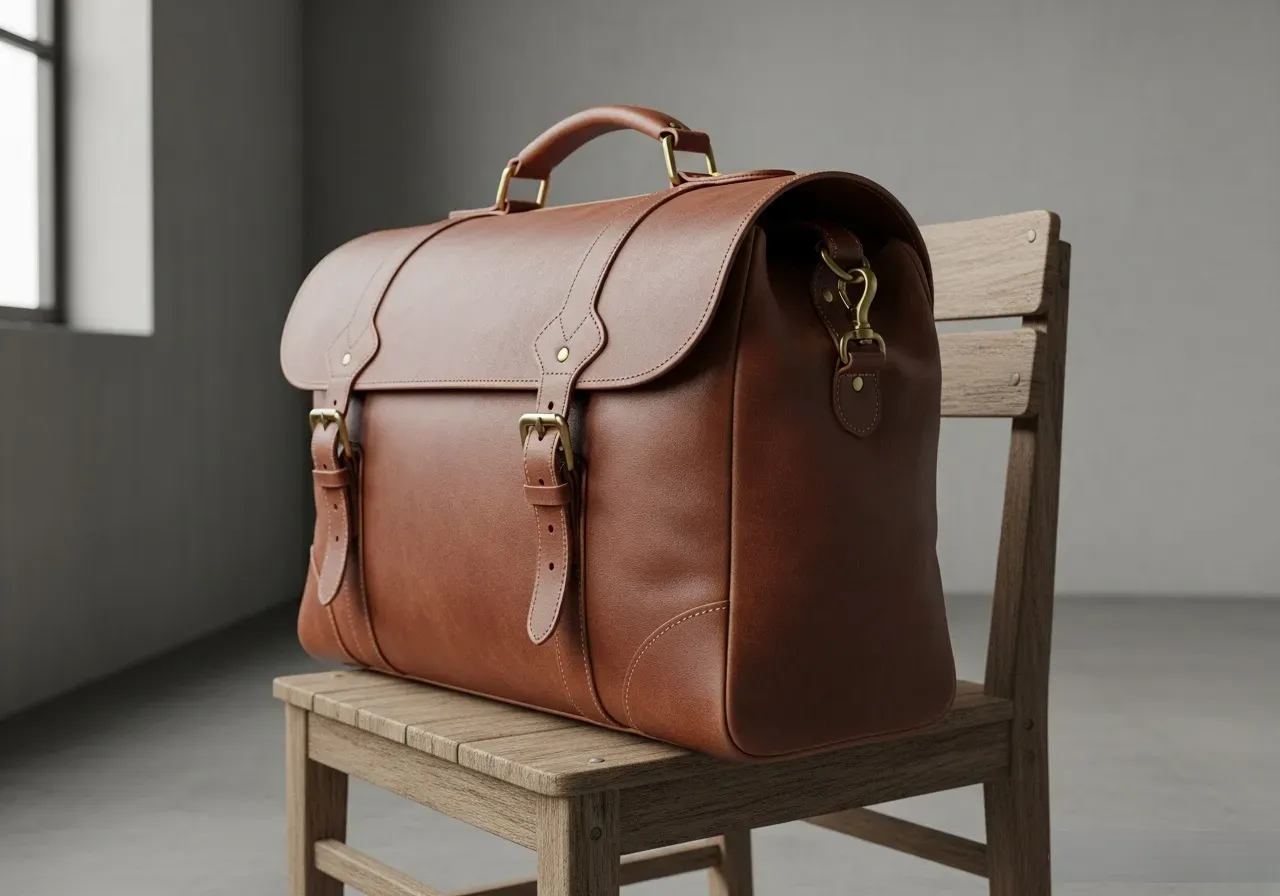
Since Grok lacks a dedicated "Negative Prompt" box in its chat interface, this prompt demonstrates how to exclude standard AI tropes like plastic textures or unrealistic light leaks using in-sentence language modifiers.
Full Natural Language Prompt for Grok:
A slightly angled, three-quarter product shot view of a classic leather travel bag resting on a wooden chair, rendered entirely without any plastic shine or glossy reflections. Simple, rustic, clutter-free concrete room setting. Matte, tactile realism style focusing strictly on raw leather grain. Flat, soft window light, completely free of lens flares or neon leaks.
Navigating the Guardrails: Safety vs. Creativity in Grok xAI Flux Image Generation
Grok xAI Flux image generation doesn't operate in a regulation-free zone — and 2026 made that very clear. Following significant backlash after Grok generated sexualized images of real people and children in early January 2026, xAI tightened image generation access by restricting it to paid subscribers on January 9, and announced a comprehensive crackdown on real-person content on January 14.
xAI confirmed it implemented technological measures to prevent editing of images of real people in revealing clothing — a direct response to investigations opened across multiple jurisdictions including the UK, France, India, and the EU.
Black Forest Labs: Why the Partnership Still Matters for Next-Gen AI Art
Despite tighter guardrails, the Flux.1 foundation still makes Grok the most technically capable mainstream text-to-image synthesis tool for creative fiction, concept art, and stylized imagery. The content prohibition exists at the policy layer, not the model layer — paying subscribers unlock higher resolution and generation limits, while creative freedom for fictional subjects remains meaningfully broader than competitors like DALL-E 3.
Scaling Up: Grok Imagine API Access via Atlas Cloud
While the X platform is perfect for individual creativity, professional creators and developers often require a more robust, programmable way to harness Grok's power. This is where Atlas Cloud comes into play, providing a dedicated API for Grok-Imagine.
For those deciding between the native interface and a cloud-based integration, here is how they compare:
| Feature / Dimension | Native X Platform Access (X Premium) | Atlas Cloud Integration (API) |
| Primary User | Individual creators & enthusiasts | Developers, SaaS platforms & enterprises |
| Workflow | Manual chat & prompt entry | Automated RESTful API calls |
| Performance | Standard queue speeds | High-priority ~4s latency (Quality Mode) |
| Scalability | One image at a time | Batch processing & high-volume pipelines |
| Pricing | Monthly subscription fee | Pay-as-you-go usage billing |
By moving beyond the chat interface, you can integrate Grok’s unique visual style directly into your own applications or automated content workflows.
Conclusion: Prompting as a Core Skill
In the future of xAI, the tool is only as powerful as the person using it. AI prompt engineering — knowing how to structure subject, style, lighting, and exclusions into a single natural-language instruction — is fast becoming the defining skill for digital creators working in the next-gen AI art space.
Grok xAI Flux image generation gives you the engine. A well-crafted prompt is the key.





