

Upload one still photo. Wait about a minute. Watch it move.
That single trick is why PixVerse AI Image to Video keeps flooding feeds with hugs, winks, and old snapshots brought back to life. The appeal is instant. The pricing, the limits, and the content rules are not.
Key Takeaways
- PixVerse image to video renders 1 to 15 second clips at up to 1080p, with optional audio generated in the same pass.
- New users get 90 sign-up points plus 60 daily points. A 5-second clip costs at least 25 points — so you can generate at most two free videos per day.
- Through Atlas Cloud, the same PixVerse model runs from $0.025 per second, pay-as-you-go, well under PixVerse's own $100-per-month API floor.
What Is PixVerse AI Image to Video, and How Does It Work?
PixVerse AI image to video turns a static photo into a short moving clip. You feed it one image and a short prompt describing the motion. It returns a video of 1 to 15 seconds, at 360p, 540p, 720p, or 1080p, across six aspect ratios including 16:9 and 9:16.
Under the hood, this is not a face filter. The model reads pose, facial structure, and lighting from your photo, then predicts motion frame by frame while keeping the person recognizable. Optional audio, dialogue, ambient sound, or effects, renders in the same pass instead of a second step.
The full pixverse ai image to video feature set goes further than one photo. Reference-to-video takes several images, a person, an outfit, a location, and blends them into one coherent shot. Preset motion templates like Hug and Kiss are the same engine with the prompt pre-filled. Every PixVerse image to video feature here runs on that one engine. Search terms like ai image to video pixverse, image to video pixverse, pixverse image to video ai, or pixverse ai image to video official all point to the same single tool.
Where to Find the Official PixVerse Image to Video Tool
The official PixVerse image to video entry points are two: the web app at app.pixverse.ai, and the developer API at docs.platform.pixverse.ai. Both run identical models. One warning first: plenty of third-party sites resell PixVerse under their own branding.
The difference between the two comes down to how you pay. In the pixverse ai image to video app, you buy a monthly subscription and every video deducts credits from it. With the API, there is no subscription: you are billed a few cents per second of video you generate. Casual users barely notice this difference. But if you generate videos at volume, the two models produce wildly different bills, so pick your channel before you commit money to either.
So the real question is which door you walk through. Casual creators want the app and its templates. Anyone generating at volume wants a metered API, which is where pricing gets interesting.
PixVerse Image to Video AI on Atlas Cloud: Cheaper Per-Second Access
Here is the part most guides skip. You do not need PixVerse's $100-per-month floor to use its models. According to PixVerse's published pricing docs, its cheapest plan is Essential at $100 monthly, and 1080p generation costs 18 to 24 credits per second.
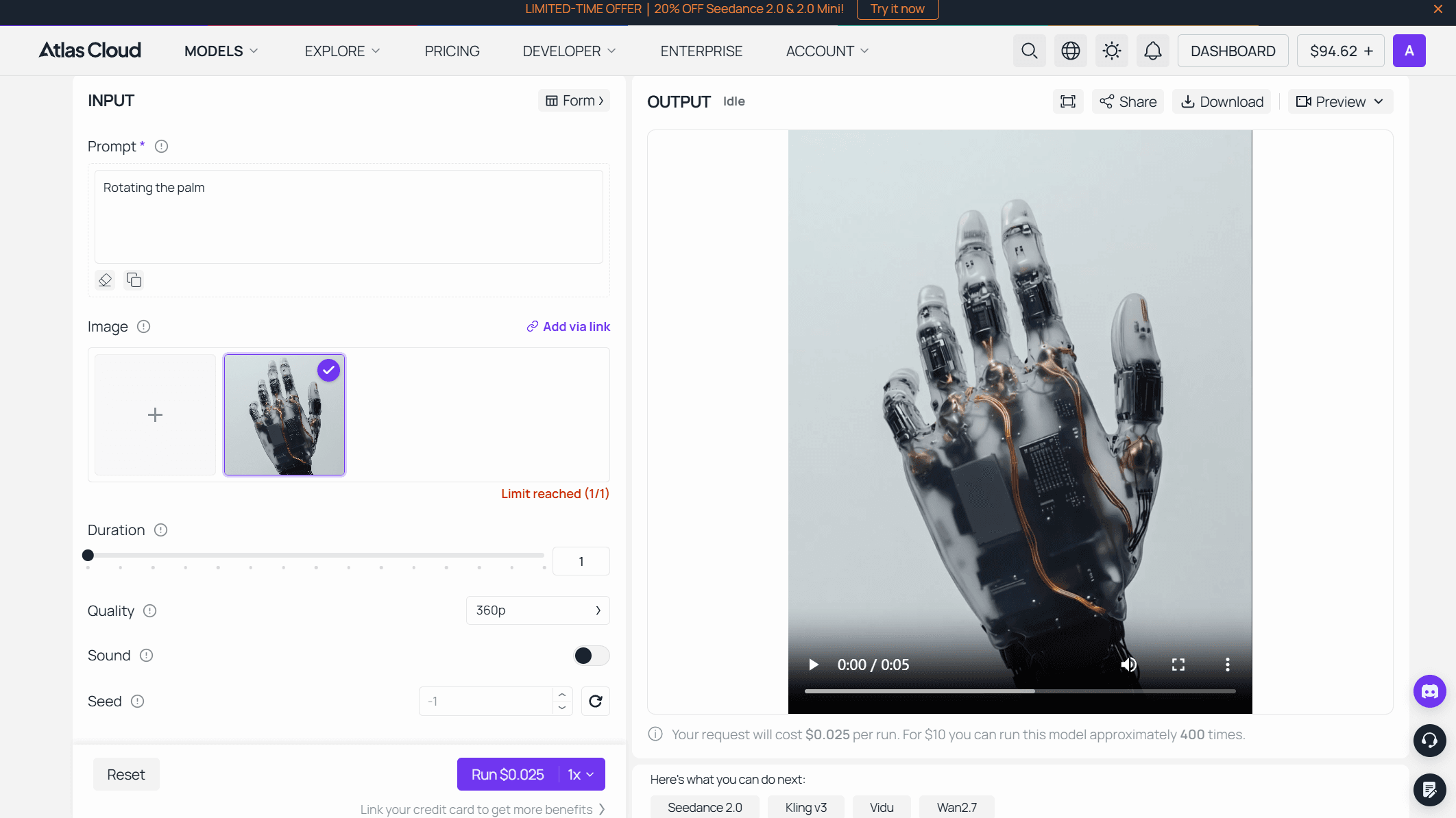
Atlas Cloud hosts the same PixVerse image-to-video models and bills purely per second, no subscription. You can browse the whole PixVerse model family on Atlas Cloud, where image-to-video starts at $0.025 per second at 360p and scales to $0.090 per second at 1080p, with audio a small per-second add-on.
The gap is easy to see with real numbers. A 10-second 1080p clip with audio costs about $1.15 on Atlas Cloud. The same clip on PixVerse's own Essential plan runs roughly $1.53, and only after you have paid $100 to unlock the plan at all. At lower resolutions the gap grows, since Atlas Cloud's rate drops to $0.025 while credit pricing does not scale down the same way.
Atlas Cloud is one API across 400+ models, billed as you go, watermark-free, with no minimum. The fastest way to try this image to video ai PixVerse generator without code is the PixVerse image-to-video model page on Atlas Cloud: upload a photo, generate it in the browser, then copy the API call when you scale. Swap one model name and the same call serves other video models too, so testing costs you nothing in re-integration.
How to Animate a Photo With PixVerse AI Photo to Video
Using PixVerse AI photo to video takes four steps. Open the tool. Upload your photo. Write a motion prompt. Pick a resolution, toggle audio, and generate. That is the whole PixVerse AI image to video animate photo flow, upload to export, and a pixverse photo to video clip usually lands in under a minute.
The prompt is where most people fail. "Make her smile" gives a generic result. A strong prompt names four things: subject, action, timing, and camera. Try "She turns her head slowly, smiles, then looks into the camera, soft afternoon light." Concrete verbs and a light cue beat adjectives every time. That is the core skill the pixverse ai image to video generator rewards.
Your photo matters just as much as your words. Before the PixVerse AI image to video upload image step, run a quick check. Front-facing or clear half-body shots, even lighting, and a plain background give the model the cleanest signal. Harsh shadows, extreme angles, and busy backgrounds cause warped limbs and frozen faces. That failure shows up in almost every bad pixverse image to video example people share online.
Two shortcuts save time. Prompts written for PixVerse AI text to video image to video generation transfer almost directly to a photo, so test motion on text first, then apply it. And duration is a lever: a 5-second clip costs far fewer credits than 15, so draft short, then extend only the takes you like. Whichever pixverse ai image to video mode you pick, template or manual, the engine underneath is the same.
PixVerse AI Image to Video Examples: Prompts You Can Copy
Theory is cheap, so here is a working pixverse ai image to video example for each common use case. Paste the prompt, swap the details, and adjust from there.
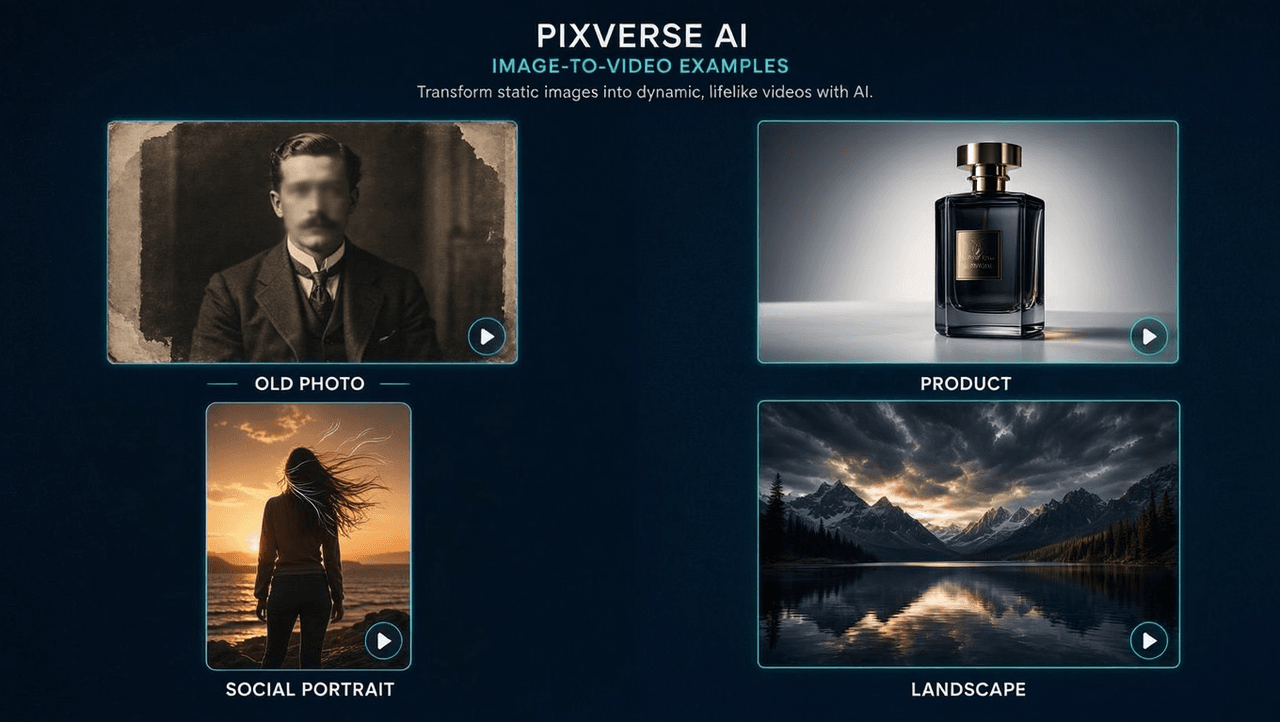
Old family photo. Keep motion minimal, because faces from old prints distort fast. Try: "Subtle motion only: she blinks slowly, gives a gentle smile, slight head tilt. Camera static, soft warm light. No body movement." Less motion means fewer artifacts on low-resolution scans.
Product clip for a listing. Motion sells texture, not acrobatics. Try: "Slow 180-degree turntable rotation of the product, studio lighting sweeps left to right, plain background, camera locked." Keep it at 5 seconds and loop it in your editor rather than paying for 15.
Social portrait. Movement in hair and eyes reads as most alive. Try: "Wind gently lifts her hair, she looks off-frame then turns to camera with a small laugh, golden hour light, handheld feel." Vertical 9:16 for feeds.
Travel or landscape shot. Fake a drone move. Try: "Slow push-in toward the horizon, clouds drift right, water shimmers, birds pass in the distance." Parallax on a still landscape is the cheapest cinematic trick this tool offers.
Two habits save credits with every pixverse image to video example above. Draft at 5 seconds and 540p, then re-render only your best take at full length and 1080p. And change one variable at a time between attempts, otherwise you cannot tell whether the photo or the prompt fixed the result.
Is PixVerse AI Image to Video Free in 2026?
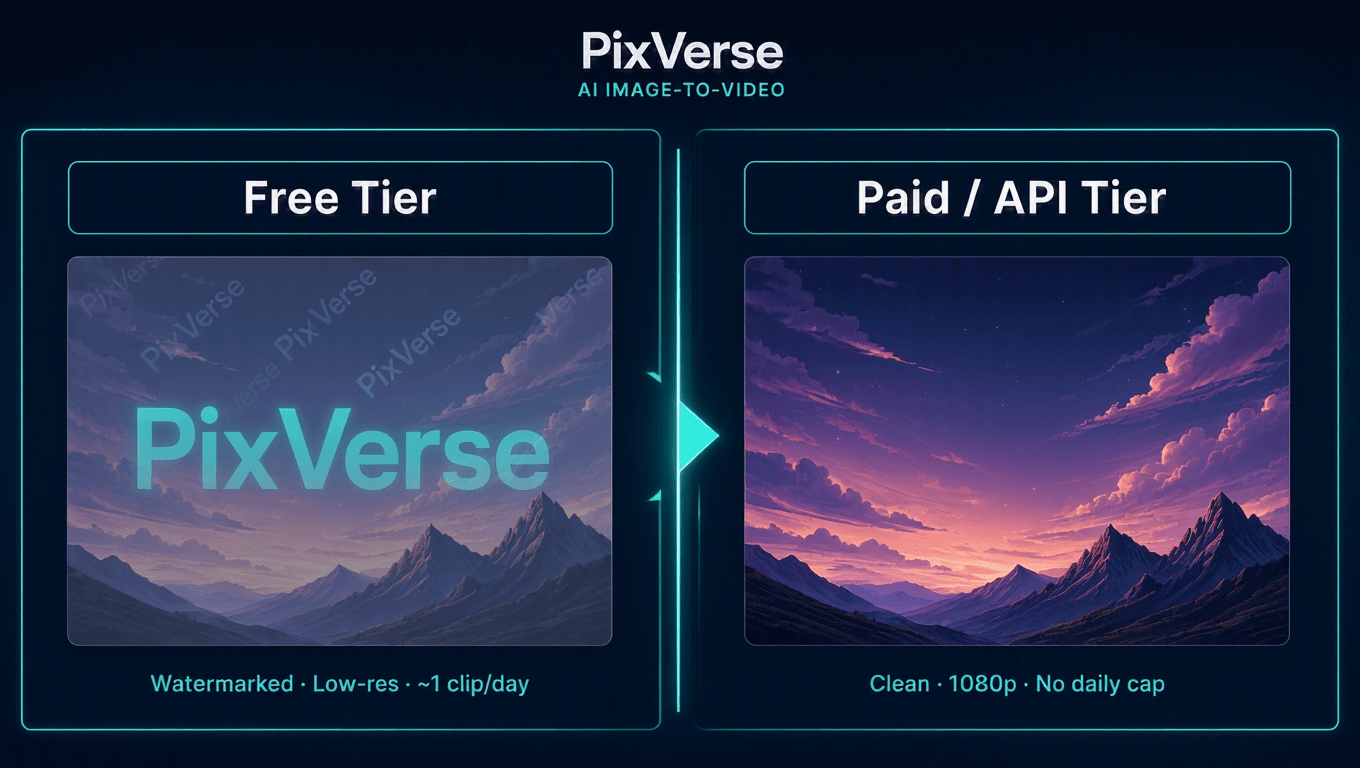
Yes, PixVerse AI image to video free 2026 access is real, not a trial that expires. New accounts get 90 one-time signup credits plus 60 credits that refresh daily. A 5-second clip costs at least 25 credits, so pixverse free image to video 2026 works out to roughly one video a day, or 30 a month if you never miss a day.
Two catches keep the free tier honest. First, every free clip carries a visible watermark and a lower resolution ceiling, which rules it out for commercial work. Second, you pay per attempt, not per keeper. A bad first take costs the same 25 credits as a good one, so the pixverse free tier image to video allowance empties faster than the daily math suggests.
For occasional personal clips, that is plenty. But an ai image to video generator free pixverse plan falls apart at scale. A business making more than a handful of clips a day burns the allowance almost instantly. At that point the choice narrows to a paid PixVerse subscription or a metered API, watermark-free and priced per second.
Frequently Asked Questions
Is PixVerse image to video actually free to use?
Yes. New accounts get 90 signup credits plus 60 daily credits, and a 5-second clip costs at least 25 credits, roughly one free video a day (PixVerse Platform Docs, 2026). Free output includes a watermark and a lower resolution ceiling.
What can the PixVerse image to video generator create?
It turns one uploaded photo into a PixVerse image to video animation of 1 to 15 seconds at 360p to 1080p, with optional synchronized audio and six aspect ratios. Reference-to-video also blends several source images into a single coherent shot.
How much does the PixVerse image to video tool cost through an API?
On PixVerse's own API, 1080p runs 18 to 23 credits per second on a $100-per-month plan. On Atlas Cloud, the same model starts at $0.025 per second, pay-as-you-go, with no monthly minimum and no watermark.
Why does my animated photo look stiff or warped?
Almost always the source photo. Swap an extreme angle or harsh shadow for an even-lit, front-facing shot, then rewrite the prompt with specific motion cues before blaming the model.
Conclusion
Call this the short pixverse ai image to video review 2026: it does what it promises. One photo in, a moving clip out, in about a minute. The free tier is real at roughly one watermarked video a day, and the content rules come down to two hard lines, consent and child safety.
The decision is simpler than the pricing pages make it look. Testing for fun? Use the free app and never spend a cent. Posting for a brand or building a product? Skip the $100-per-month API floor and pay per second instead, starting at $0.025 on Atlas Cloud. For a deeper cost teardown before you commit, the hands-on PixVerse review on Atlas Cloud runs API math in detail. Pick your door based on volume, and the rest fall into place.





