Four buttons, one form, and a rule that silently logs you out on your other device. That is the whole PixVerse login system, and most people find out about the last part the hard way.
This guide walks the entire account lifecycle. Which sign-in method to pick, what the sign up form really asks for, why sessions vanish, how to fix the failures people actually hit, and the two documented ways to delete a PixVerse account when you are done. Everything below was checked against the live login screen and PixVerse's own documents on July 23, 2026.
Key Takeaways
- The PixVerse web app offers exactly four login methods as of July 23, 2026: Google, Apple, Discord, and an email account with a password.
- Email sign up asks for a username, email, and password, and runs a Cloudflare Turnstile bot check before the account is created.
- Each account holds one web session plus one app session. A new sign-in kicks the older session on that side, according to a login FAQ published under the PixVerse name.
- Account deletion has two documented routes: a settings path that finalizes after 5 days, and an email request to [email protected] that PixVerse commits to completing within 30 days. PixVerse's own instructions call the process irreversible.
PixVerse Login Methods: Google, Discord, Apple, Email
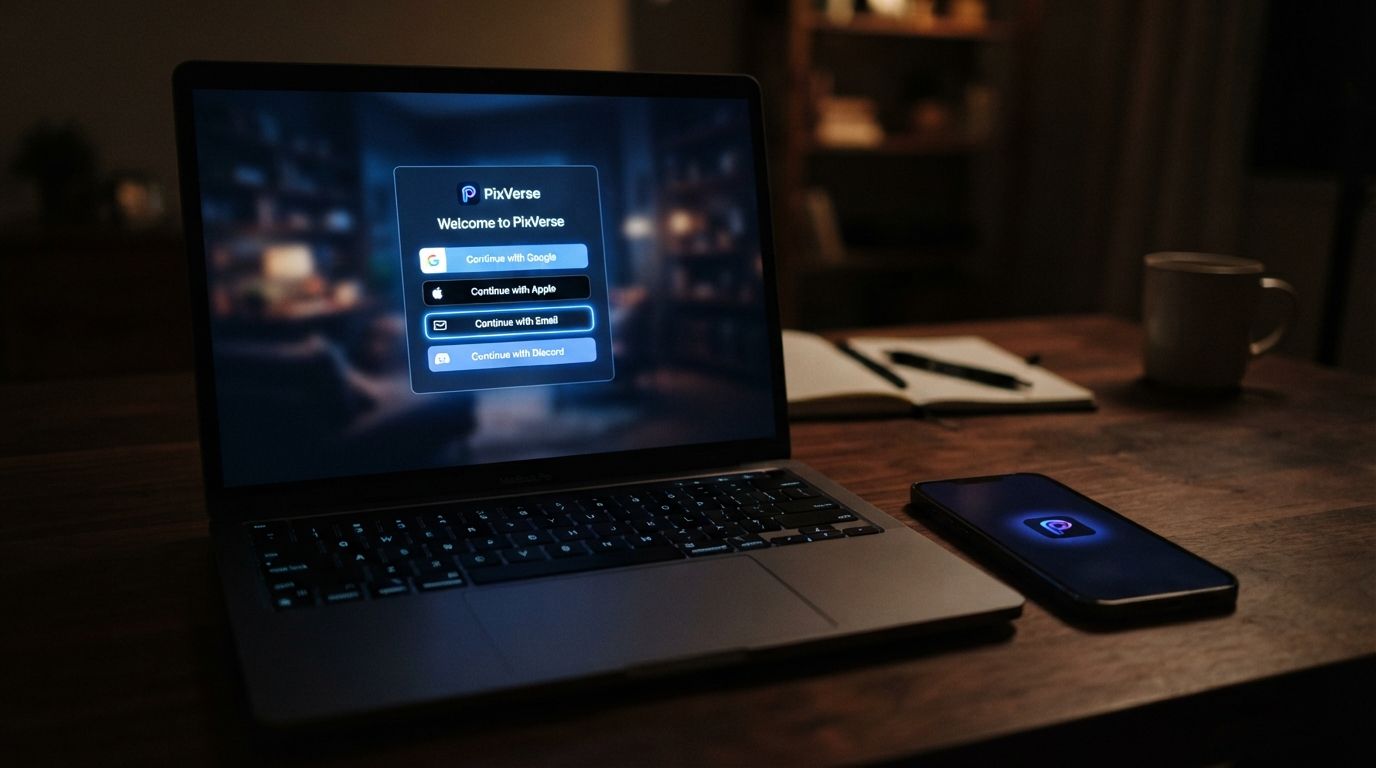
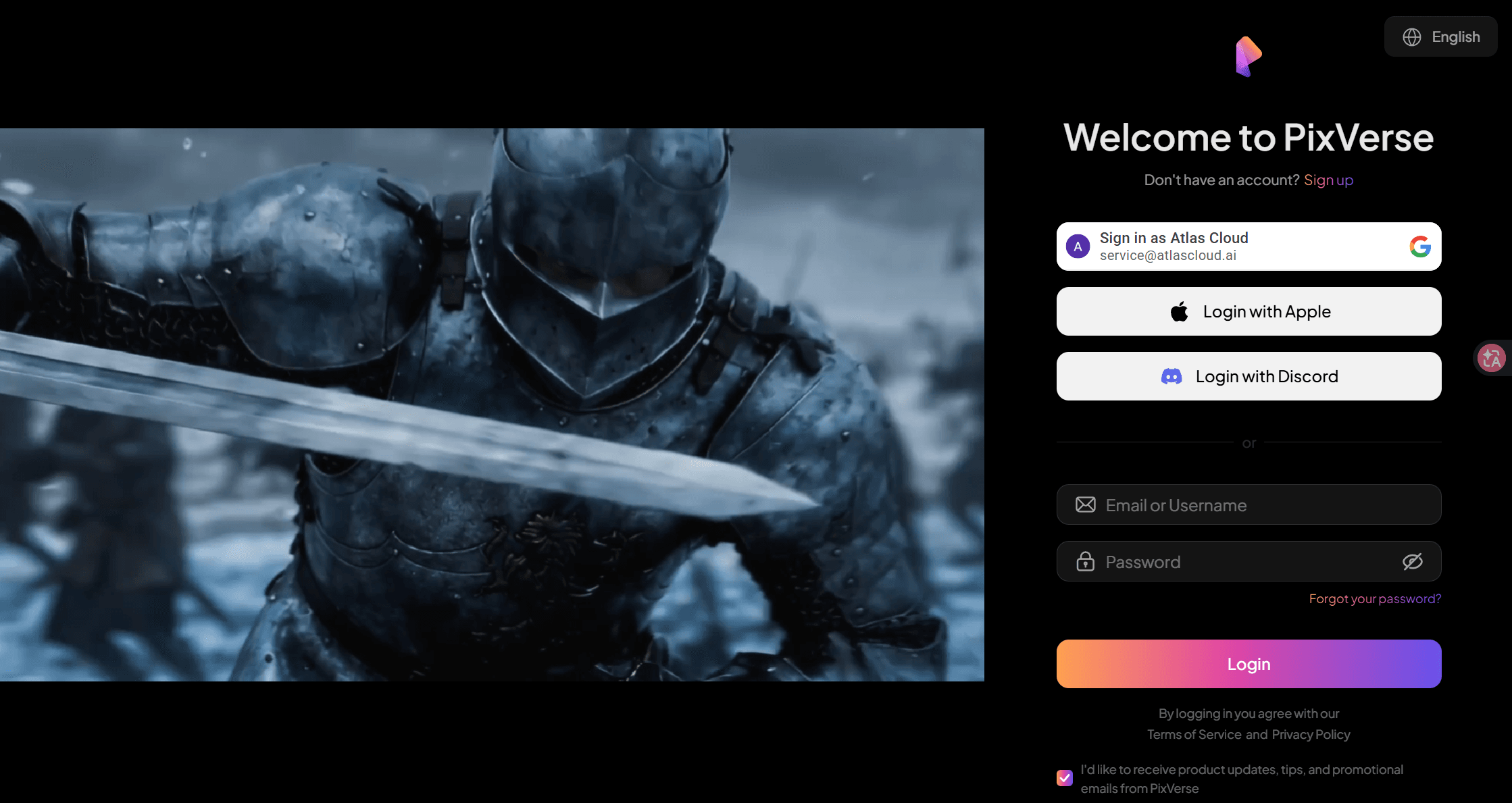
Open app.pixverse.ai and hit Sign In. The modal that appears is the full menu. Three OAuth buttons sit on top, in this order: Google, Apple, Discord. Below them, an email and password form with a forgot-password link. There is no phone-number option and no other social provider on the web app as of July 23, 2026.
The fine print under the buttons matters more than it looks. Signing in through any of the four routes counts as agreement to PixVerse's Terms of Service and Privacy Policy. A separate checkbox opts you into product and promo emails, and it is optional.
| Method | What you need | Worth knowing |
|---|---|---|
| A Google account | One tap, no password to manage; first use registers the account | |
| Apple | An Apple ID | Supports Apple's Hide My Email relay, so PixVerse may never see your real address |
| Discord | A Discord account | Convenient if you already sit in PixVerse's Discord for events and credit drops |
| Username, email, password | The only method with a PixVerse-side password, and the only one with a reset flow |
Which one should you pick? The boring answer is the provider you are least likely to lose. A PixVerse login with Google or Discord depends on that outside account staying in good standing. If the provider account ever gets disabled, your PixVerse access goes with it. The email route keeps everything inside PixVerse, at the cost of one more password to remember. Whatever you choose, stay consistent. PixVerse does not document whether a social sign-in and an email sign-up under the same address merge into one account, and if they end up separate, your credits sit on only one of them.
PixVerse Sign Up: What the Form Actually Asks For
The PixVerse AI login modal doubles as the registration screen. Tap the sign up link and the social buttons disappear, because Google, Apple, and Discord handle registration inside their own popups. A PixVerse sign up with Google is just the login button on first use. The dedicated form exists for the email route only.
Here is everything the email form collects, verified on the live page:
| Field | Required | Detail |
|---|---|---|
| Username | Yes | Public-facing display name |
| Yes | Doubles as your login identifier | |
| Password | Yes | Entered twice for confirmation |
| Bot check | Automatic | Cloudflare Turnstile runs invisibly before submission; the layer most tutorials skip |
| Marketing consent | Optional | A checkbox for product updates and promotions |
New accounts start on the free tier. How many credits that means is a number PixVerse deliberately does not publish: its own blog says balances, campaign bonuses, and eligible models vary by account, region, and product route, and points users to the in-app balance instead. Treat any specific signup-credit figure you read elsewhere as dated. Check the counter in the app; that number is the only one that binds.
One Login for Every PixVerse Model: Atlas Cloud
Managing a PixVerse account makes sense if you live in the app. If what you actually want is the model output, there is a route with less account overhead. Atlas Cloud hosts the PixVerse model family behind a single metered account: no daily credit reset to track, no watermark on output, and no separate subscription to cancel later.
The V6 text-to-video playground runs in the browser, so you can test a prompt right after signing in, then switch to the API when volume grows. One login covers every model on the platform, PixVerse or otherwise.
Pricing is per second of finished video. These rates come from the Atlas Cloud V6 model page, verified July 23, 2026, with no discount active on this model at the time of writing:
| Resolution | Per second, no audio | Per second, with audio |
|---|---|---|
| 360p | $0.025 | $0.035 |
| 540p | $0.035 | $0.045 |
| 720p | $0.045 | $0.060 |
| 1080p | $0.090 | $0.115 |
A 5-second 720p clip with audio lands at $0.30. Clips run 1 to 15 seconds, with eight aspect ratios including vertical 9:16.
PixVerse Login Session Rules: One Web, One App
Here is the behavior that surprises people. PixVerse allows each account one active web session and one active app session at the same time. Sign in on a second browser and the first browser gets logged out automatically. The phone app counts as its own slot, so web plus phone works fine together; two laptops do not.
The source for this is a login-policy FAQ on pixverse.blog, a site that describes itself as the official PixVerse blog although the main pixverse.ai site does not link to it. It is the only written statement of the session policy we found, so here is how it plays out across common setups:
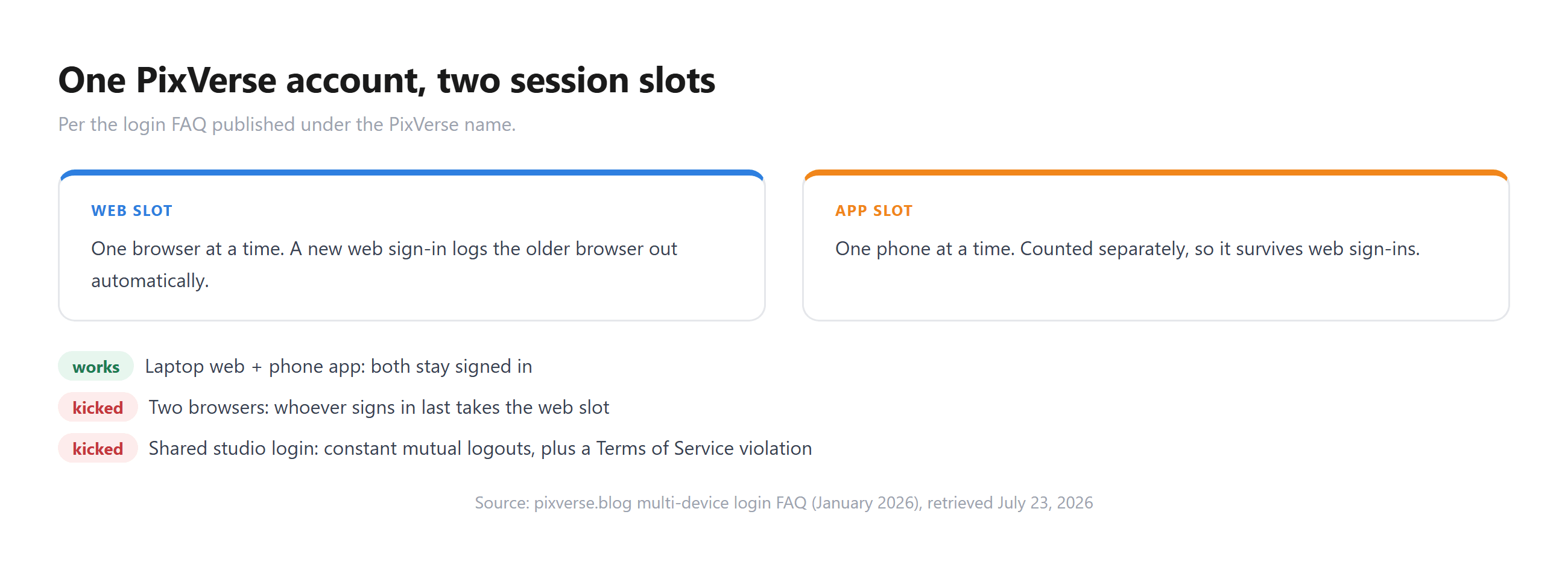
That last row deserves a pause. The terms state your account can only be used by you, with lending, renting, and sharing all prohibited. A studio rotating one login is breaking the rule and losing sessions all day. Registering extra accounts instead trades one problem for another, since community rules cap each user at a single account. The full picture on pixverse account ban multiple accounts risk, including what actually triggers enforcement, is in our multi-account rules breakdown.
PixVerse Login Problems: Symptoms, Causes, Fixes
Most PixVerse login failures trace back to five causes, and none of them need a support ticket.
| Symptom | Likely cause | Fix |
|---|---|---|
| Page loads in the wrong language | Region detection on app.pixverse.ai | Use the language picker at the top of the sign-in modal |
| Password rejected | Wrong or forgotten email-account password | Use the forgot-password link on the modal; reset arrives by email |
| Sign up button dead, form will not submit | Cloudflare Turnstile check failing | Pause privacy extensions, settle the VPN on one region, retry |
| Google or Discord popup closes with no login | Popup or third-party cookies blocked | Allow popups for pixverse.ai, or try the email route |
| Logged out without warning | Someone signed in on another device | Expected under the one-session rule; change your password if it was not you |
The last row doubles as a security warning. The terms make you responsible for what happens under your credentials, so an unexpected logout you did not cause deserves that password reset before anything else.
One failure mode sits outside the table: the login itself works, but the account comes back restricted. That is enforcement, and the fix is an appeal, an email to [email protected] with your username and an explanation, per the Community Guidelines. Do not register a fresh account instead. Ban evasion is the one multi-account behavior PixVerse's terms prohibit by name.
PixVerse Delete Account: Two Documented Paths
Leaving takes more care than arriving. Two deletion routes are documented, and they differ in speed, proof, and who does the work.
The settings route is the fast one. Third-party walkthroughs, including the JustDeleteAccount directory, document it as: account icon in the top right, then UserInfo, then Delete Account, then two confirmations. Deletion finalizes after 5 days. The interface shifts between updates, so expect the wording to drift; every walkthrough we checked places the entry point under the account menu.
The email route is the official one on paper. PixVerse's own Account Deletion Instructions page, now offline but preserved in a June 2025 archive, lays out the process: email [email protected] with the subject line "Account Deletion Request", verify your identity with your registration email and account ID, receive a confirmation, and PixVerse commits to completing deletion within 30 days of a valid request. The archived page is blunt about the outcome. All associated data goes, nothing is recoverable, and no user data is retained afterward.
| Settings route | Email route | |
|---|---|---|
| Where | Account icon → UserInfo → Delete Account | [email protected] |
| Confirmation | Two in-app prompts | Email verification, then written confirmation |
| Timeline | Finalizes after 5 days | Completed within 30 days |
| Paper trail | None | Full email thread |
| Documented by | Third-party walkthroughs | PixVerse's archived official instructions |
Before you delete a PixVerse account, close out the money side. A subscription billed through the App Store or Google Play keeps charging until you cancel it in the store, whether or not the account behind it still exists. Cancel first, confirm the cancellation, then delete; the store-by-store steps are in our PixVerse unsubscribe guide. Remaining paid credits are also lost with the account, and nothing in PixVerse's terms promises compensation.
One narrower option exists if your concern is data rather than the account. The privacy policy lets you request deletion of specific personal data while keeping the account active, through a written request, with identity verification required.
Frequently Asked Questions
What login methods does PixVerse support?
Four, as of July 23, 2026: Google, Apple, Discord, and an email account with a password. All four appear on the same sign-in modal at app.pixverse.ai, and there is no phone-number login on the web app.
Can I log in to PixVerse with Google?
Yes, and it is the first button on the sign-in modal. A PixVerse login with Google also handles registration: the first time you use it, the account is created in the same step, with no separate form to fill.
Can I sign up for PixVerse with Discord?
Yes. A PixVerse sign up with Discord works through the Discord button on the login modal, which registers the account on first use after Discord's own authorization popup. It pairs naturally with PixVerse's Discord community, where credit events run regularly.
Why was I logged out of PixVerse on my other device?
Each account carries one web session and one app session. Signing in on a new browser automatically ends the older web session, and the app slot behaves the same way. If you were not the one signing in elsewhere, treat it as a compromised-credentials warning and change your password.
How do I delete my PixVerse account?
Two ways. In settings: account icon, UserInfo, Delete Account, confirm twice, and deletion finalizes after 5 days. By email: write to [email protected] with the subject "Account Deletion Request", and PixVerse's archived instructions commit to completing it within 30 days. Cancel any store-billed subscription first, because deleting the account does not stop the billing.
Can I have two PixVerse accounts?
The Community Guidelines limit each user to one account, even though the Terms of Service never mentions a number. Enforcement today concentrates on ban evasion and reward farming rather than quiet second logins, but every extra account is a standing rule violation that PixVerse can act on at its discretion.
Conclusion
PixVerse login is simple on the surface and opinionated underneath. Four ways in, one session per side, one account per person, and two ways out that both end in permanent deletion. The practical moves are just as short: pick the sign-in provider you trust to outlive the account, keep the password reset path in mind if you chose email, and cancel the subscription before you touch the delete button.
If the account maintenance is the part you want to skip, the same PixVerse models run metered on Atlas Cloud, from $0.025 per second, under one login with no daily credit balance to track.





