Tired of messy product visuals and slow turnaround times hurting your ad results? Most AI tools make clips that are too short or look wrong for your brand, leaving you with useless videos that do not sell.
Most teams rely on speed over precision, ending up with short, generic AI clips that completely miss the mark for brand identity. By running the Seedance 2.5 tutorial workflow inside Dreamina, you can generate native 30-second clips that lock directly onto your existing product assets. This stops the AI from drifting or vomiting random text onto your screen, letting you fix specific spots without starting over. You needn't guess with random prompts and build a reliable workflow, cutting render times down while pushing out clean, high-performing ads.
Key Takeaways:
- The Problem: Generic AI video generators create short, inconsistent clips with "hallucinated" details and random text overlays that hurt ad performance.
- The Solution & Core Pipeline: A structured multi-reference workflow using Seedance 2.5 and Dreamina to lock in brand identity, control motion, and enable localized editing.
Step-by-Step Integration Workflow:
- Prepare Assets: Compile product pack shots, brand palettes, and selling points.
- Define Hierarchy: Upload critical images as primary identity references.
- Prompt with Constraints: Detail camera movement and add negative constraints (e.g., no random text/music).
- Localized Iteration: Refine specific areas (like lighting or scale) rather than regenerating full clips.
Reference Strategy for Conversion:
- Product Photos →Maintain brand identity & build trust.
- Storyboard Frames → Control sequence & ensure benefit demonstration.
- Green-screen Clips → Guide human motion & increase realism.
Foundational Workflow: Integrating Seedance 2.5 Into Your Operations
Before you start: Seedance 2.5 is live on Atlas Cloud right now, so you can follow this e-commerce product-video workflow end to end today — text-to-video, image-to-video, and reference-to-video from one API.
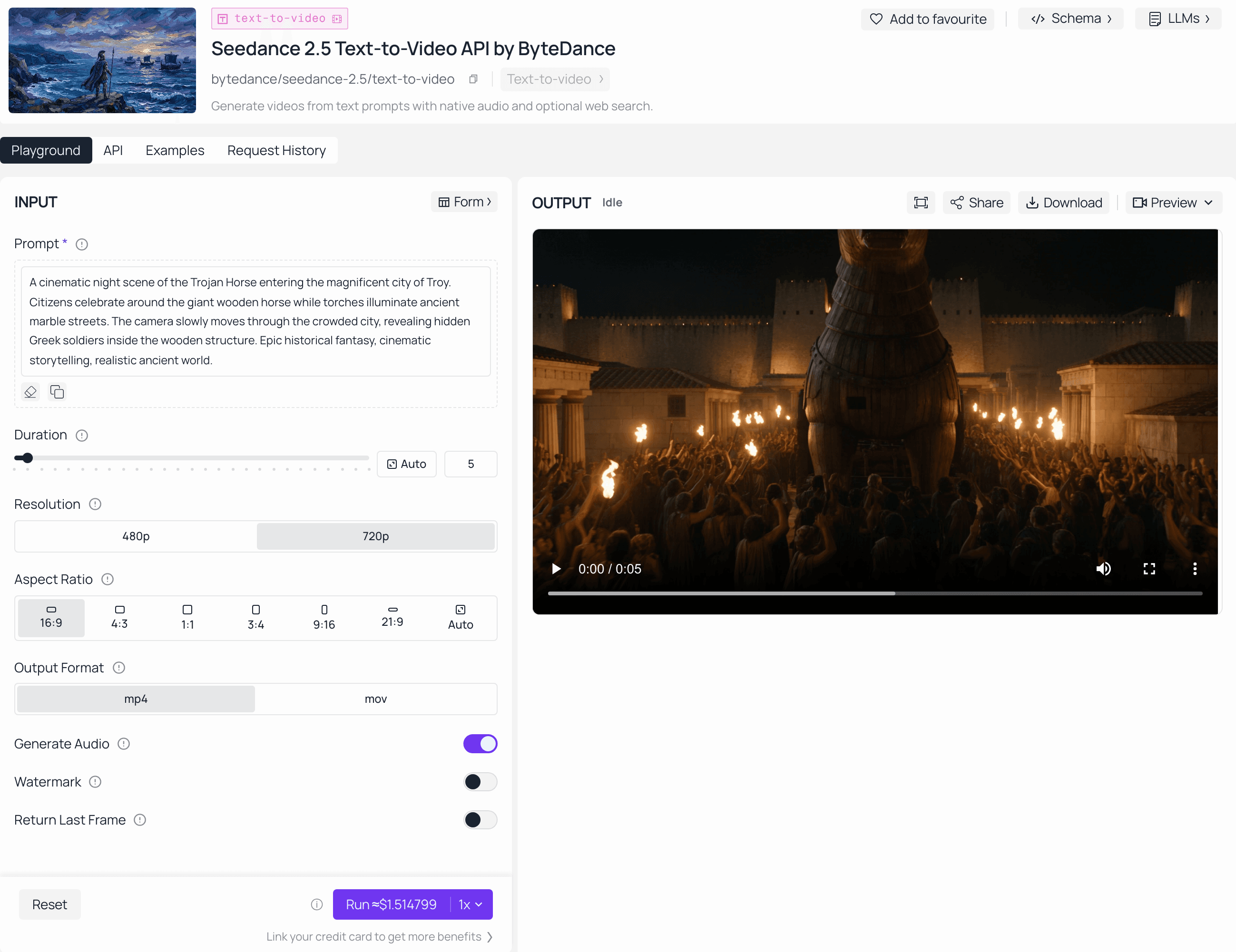
Most marketers waste hours fixing AI clips, only to find the lighting shifts mid-scene or the product logo warps into weird shapes. Moving from a casual AI user to a real producer means changing how you handle your source data.
Strategic Input Preparation
Before you touch the Seedance 2.5 production guide, curate a clean asset library. High-converting videos fail when inputs are messy. Organize your source material into distinct buckets:
- Identity Assets: High-resolution product pack shots and brand style frames.
- Motion References: Short clips demonstrating the desired camera path or character movement.
- Audio/Script Cues: Voice references that lock in the tone for your 30-second spot.
Mastering Multimodal Prompting
The 50-reference capacity is your greatest leverage. Do not dump files randomly; assign roles to your inputs. Use your product photo as the primary identity anchor, and your storyboard as the structural guide. The multimodal prompting approach restricts the model from deviating into "hallucinated" brand styles, ensuring consistency across your entire AI content pipeline—especially when leveraging unified multi-model architectures like ByteDance's video and generation models on Atlas Cloud to process complex visual assets.
To see the level of complex, 30-second scene coherence possible with this workflow, check out this narrative showcase produced by Atlas Cloud. This 30-second clip demonstrates precise camera transitions, environmental locking, and identity consistency—all achieved through the Seedance 2.5 multimodal pipeline we've detailed above.
Precision via Local Editing
Regenerating a full 30-second clip because of a minor lighting glitch is a massive efficiency killer. Instead, use localized editing to isolate the specific region of the frame that needs correction. Whether you are adjusting a character’s expression or softening a harsh highlight on your product, targeted edits preserve the surrounding composition and timing. This is the key to maintaining professional standards without starting from scratch.
Pro-tip: The biggest hurdle was "motion drift," where the product shape changed slightly during camera pans. You can solve this by uploading a "white model" reference—a simple 3D shape—alongside the final product photo. This forces the model to respect the physical dimensions and spatial orientation of the object while layering the high-quality textures on top.
To scale this across a team, never skip the handoff phase. Most creators lose their winning formulas because they rely on memory. For every campaign, make it a habit to log your exact prompt, reference hierarchy, and localized edit steps into a simple "Production README" file. This internal documentation ensures your team can easily replicate a successful aesthetic for the next product launch without having to guess why the previous video performed so well.
From Static to Sales: Converting Viewers into Customers
Spending days on a single professional shoot only to watch your ad engagement tank by day three is a fast way to burn budget. Relying on just one "hero video" kills growth because ad creative burns out instantly nowadays.
I have found that it's effective to run video creation like a data-gathering machine, producing variations automatically so you can see what truly sticks, rather than treating it like high art.
Aligning Formats with the Sales Funnel
Your AI video marketing strategy must adapt to where your customer sits in the buying journey. Use Seedance 2.5 to generate purpose-built assets for these funnel stages:
| Ad Format | Target Stage | Objective |
| Lifestyle Demo | Top of Funnel | Emotional connection and brand awareness |
| Technical Explainer | Middle of Funnel | Educate on specific product benefits |
| Unboxing/Proof | Bottom of Funnel | Overcome hesitation and close the sale |
Fueling High-Frequency A/B Testing & Measuring ROI
Social video success relies on rapid-fire testing. With Seedance 2.5, you can instantly test variations of a single product clip—swapping out the backdrop, playback speed, or hook—to see what actually grabs attention on social media.
But high-frequency testing falls flat if you track the wrong numbers. Most teams make the mistake of celebrating view counts while their CPA silently bleeds cash. If you are automating ad variants, your evaluation framework needs to shift strictly to hard performance data.
Core KPIs to Monitor for AI-Assisted Workflows:
- Production Time-Per-Unit: Dropping from days to ~30 minutes per variant.
- Engagement Rate Lift: Measuring audience retention improvements driven by rapid visual iteration.
- Conversion Cost (CPA): Tying individual Seedance asset IDs directly to ad sets to reveal which specific visual prompts drive actual purchases.
Pro-tip: The key to unlocking true scalability is maintaining a post-campaign audit trail. By logging your exact prompt parameters right alongside your final sales figures and CPA data, you take the emotion out of production and build a private, data-backed library of winning style guides that competitors cannot copy.
Scaling Your Output: Automated Consistency and Performance
When you start scaling up your creative assets, quality usually tanks—it’s the classic bottleneck. Traditional editing takes days, which makes the ROI on e-commerce video look pretty rough. But honestly, the teams winning right now are the ones who figured out how to automate the heavy lifting while keeping their brand guardrails locked down tight.
Achieving Reliable Scale
Automated brand consistency is now possible by treating Seedance 2.5 as an engine for dynamic personalization. Instead of creating one video, you generate hundreds of variants from a single core concept to test specific regional or demographic preferences.
| Metric | Manual Production | AI-Assisted Pipeline |
| Time to Asset | 2 to 3 days | 30 minutes |
| Variant Output | 1 to 2 clips | 50+ clips |
| Iteration Speed | Slow | Near instant |
Balancing Automation with Review
People worry that automating everything means losing control of the brand, but that’s honestly pretty overblown. If you just drop a quick human check right at the draft stage, you get all the insane speed of AI video generation without ever waking up to weird, off-brand content.
Pro-tip: The biggest hurdle was ensuring the AI consistently applied the correct brand logo. You can solve this by using a dedicated "logo placement reference" in my seed set, ensuring the model never ignored brand identity during the scaling phase.
To keep your momentum, don't just track how fast you're generating videos. Keep an eye on "retention-lift" across your automated variants. Showing that scalable AI production actually drives a lower CPA is what separates a gimmick from a real growth engine.
Workflow Iteration: Debugging and Refining Your AI Outputs
Hitting generate on a first video draft only to watch the camera violently spin while your product's core logo turns into random smudges happens all the time. Expecting a perfect video right away is a quick way to waste time and credits. Treating AI video tweaks like a coding fix rather than pure luck changes the whole game.
The Art of AI Video Debugging
When your initial output misses the mark, avoid rewriting your entire text block. Instead, isolate the exact failure point. If your lighting looks blown out or object motion feels unstable, apply targeted adjustments during your video production workflow.
| Issue Identified | Diagnostic Check | Corrective Action |
| Harsh Highlights | Light source too general | Specify "diffused softbox lighting" |
| Object Drift | Missing identity anchor | Upload a clear reference pack shot |
| Erratic Camera | Uncontrolled text prompt | Define exact dolly or pan paths |
Building a Reusable Prompt Library
Trying to recreate winning prompts from memory kills your momentum when you're trying to scale. Setting up a shared prompt library for your e-commerce campaigns changes that—just log your best-performing prompt structures, asset combinations, and negative constraints. Instead of starting from each time, your team may quickly replicate a winning look for the next product launch by saving those parameters.
Troubleshooting Common Generation Hurdles
Managing output quality often raises specific technical questions during editing. Here is how to handle frequent roadblocks:
- How do I ensure consistent character appearance across clips? Lock in character identity by uploading a dedicated facial reference sheet alongside your text prompt, restricting the model from altering facial geometry between scene cuts.
- What do I do if the AI keeps changing my product's logo or color? Use a high-resolution pack shot as a primary identity anchor and add explicit negative constraints to block unwanted style shifts.
Pro-tip: Adjusting too many variables at once during debugging is a common mistake. Changing the camera angle, lighting, and text prompt simultaneously makes it impossible to figure out what actually fixed the render. Isolate your changes to just one variable per generation pass to speed up your refinement loop.
To keep your edge, don't just throw away your failed generation logs—most teams miss out on that data entirely. Documenting your failed prompts right alongside the wins gives your team a much clearer picture of why certain parameters trigger artifacting, giving you predictive control over future video automation projects.
Prompt Engineering for High-Converting Product Videos
You spend an hour typing descriptive words into a video generator, only to watch the output render a plastic perfume bottle that melts into liquid mid-air. Random keyword lists fail because generative models lack a director. Mastering Seedance 2.5 prompt engineering requires shifting from casual text input to writing a rigorous AI production brief that dictates precise physical rules. If you are aiming to push your renders beyond standard limits, you can also review the Seedance 2.5 4K Workflow Guide for resolution optimization
The Production-Brief Structure
Treat your text box as a call sheet rather than a search engine. A high-conversion product prompt must read like a compact director note. Use the following syntactic model: Subject, Action, Camera, Lighting, and Style, rather than combining random adjectives. This structured breakdown prevents the AI from guessing parameters and keeps your commercial assets grounded in physical reality.
Here is a production template that may be used across several product lines, along with an example of how to fill it out:
The Universal Template:
plaintext1[Subject]: [Your exact product name, material, and placement, e.g., a luxury glass perfume bottle on a marble slab] 2[Action]: [The specific interaction or physical movement, e.g., a slow rotation as fine mist sprays into the air] 3[Movement]: [Camera path and stability rules, like smooth side panning, locked horizon, and zero shape warping] 4[Lighting]: [Exact studio lighting setup, such as soft overhead light boxes with a 45-degree edge glow] 5[Style]: [Cinematic tier and technical rendering, for instance, commercial product film style, crisp look, sharp focus] 6[Negative Constraints]: [Elements to exclude, e.g., no random text overlays, no flickering lights, no warping labels]
Practical Example (e.g., E-commerce Perfume Ad):
plaintext1[Subject]: A minimalist amber glass perfume bottle centered on a wet slate tile. 2[Action]: Slow macro close-up as crystal water droplets slide down the curved glass surface. 3[Movement]: Steady 15mm zoom-in, locked horizon, zero shape warping. 4[Lighting]: Soft overhead box light with a side fill to catch sharp glints on the glass rims. 5[Style]: Commercial product film look, ultra-clear, sharp focus, high-res finish. 6[Negative Constraints]: No random text overlays, no flickering lights, no warping labels.
Multimodal Input Optimization
Text alone cannot capture exact brand aesthetics. Through effective multimodal AI prompting, you must combine your text instructions with precise asset references.
| Input Type | Function | Benefit |
| Product Pack Shots | Locks in exact label design | Prevents logo distortion |
| Brand Style Guides | Enforces color grading rules | Maintains aesthetic consistency |
| Motion Reference Clips | Controls speed and path | Eliminates erratic object jitter |
Micro-Constraint Prompting
Commercial quality depends on material physics and exact camera mechanics. When writing your AI video prompt structure, explicitly define the lighting setup and camera movement. Instruct the generator to execute a slow dolly in with soft rim lighting rather than typing generic cinematic quality tags. The model is forced to obey material qualities when physical interactions are specified, such as water droplets beading on glass or light reflecting off brushed aluminum.
Pro-tip: Lazy terms "bright studio light" would always blow out the highlights on metallic products. You get way better results just spelling out the actual setup—like asking for "diffused softbox overhead lighting with a 45-degree fill" to get those clean, commercial-grade reflections right out of the box.
To really lock down your outputs, don't forget to use explicit exclusion clauses. Most people skip this, but instructing the generator to strictly avoid random text overlays or unrequested background music saves you hours of post-editing. Keeping that level of tight control ensures your video clips drop straight into performance campaigns without needing cleanup.
Case Study: Scaling Multi-Language Ad Localization via Seedance 2.5
Global e-commerce and social marketing brands often hit a big wall: making local video ads for different countries like France, Japan, Spain, South Korea, and India takes too much time and money. Hiring local actors, running separate shoots, and recording audio in each region slows down product launches and difficult to maintain a consistent brand identity.
Core Technical Workflow & Execution
Powered by Seedance 2.5's multimodal capabilities and precise editing controls, this case demonstrates how a single core asset can be efficiently scaled into localized marketing videos worldwide:
- Precise Character Substitution: By feeding the base video and a target character image into the system, the model seamlessly replaces the main talent while preserving the original video's camera motion, character movements, performance pacing, lip-sync duration, and scene environment.
- Multi-Language Audio and Rhythm Synchronization: The pipeline replaces the original speaker with diverse models representing various cultural backgrounds and skin tones, all while maintaining the environmental audio and overall pacing, enabling natural multi-language delivery (including French, Japanese, Spanish, Korean, and Hindi).
- From "Random Generation" to "Industrial Iteration": Traditional AI video generation often feels like a slot machine due to high randomness. This case proves that Seedance 2.5 enables controlled, local adjustments while maintaining visual consistency, drastically cutting down trial-and-error costs and production cycles for global ad campaigns.
Business Value Summary
For global brands, this case highlights the massive potential of AI video workflows in multi-region asset adaptation:
- Maximized Efficiency: Removes repetitive physical shoots, helping you turn one core asset into dozens of local variants fast.
- Brand Consistency: Secures major product traits, like lipstick finishes, macro views, and scenery backdrops to keep worldwide branding tight.
- Automated Scaling: Linked with APIs and prompt rules, this fast editing loop drives massive ad output, helping brands grab global social views easily.
Conclusion
Traditional video production is too slow for modern social commerce, and throwing random prompts at an AI generator is just wasting credits. Success with Seedance 2.5 comes down to treating your creative pipeline like a system, not an art project.
When you combine Seedance 2.5's precise editing controls with a disciplined testing loop, AI stops being a gimmick and becomes an actual growth engine. Build your asset libraries, log your prompt parameters, and let hard CPA data drive your scaling decisions. That’s how you build an uncopyable edge in global e-commerce.





