Generating authentic 2D anime in AI video pipelines usually breaks down when models default to volumetric CGI lighting, soft plastic skin, or erratic 3-second scene cuts. Seedance 2.5 solves these bottlenecks by replacing short clips with native 30-second single-pass rendering, expanding multimodal reference tagging up to 50 assets, and enabling precise timestamp-level motion directing.
Core Takeaways
| Production Challenge | Seedance 2.5 Solution | Impact on Anime Workflow |
| 3D / Photorealistic Bias | Structural 2D style anchors (cel-shaded 2D anime, sakuga animation, flat vector ink) combined with 3D-suppressing negative prompts | Enforces true flat shading and clean line work without plastic CGI textures. |
| Style & Character Drift | Expanded multimodal @ tagging supporting up to 50 reference assets simultaneously | Locks character sheets, turn-arounds, and background keys across complex multi-shot arcs. |
| Fragmented Scene Cuts | Native 30-second single-pass rendering paired with time-coded camera directives | Delivers fluid, extended action sequences without multi-clip stitching or jump cuts. |
🎬Watch Demo Showcase: Seedance 2.5 renders intricate dark fantasy and traditional Chinese watercolor aesthetics with precise asset consistency and dynamic lighting transitions.
To achieve production-ready results, use the gold standard formula: Structural 2D Style Anchor + Multimodal @ Character Binding + Timestamp Camera Directives + 3D Suppression Negative Prompts.
Introduction to Seedance 2.5 Anime Generation
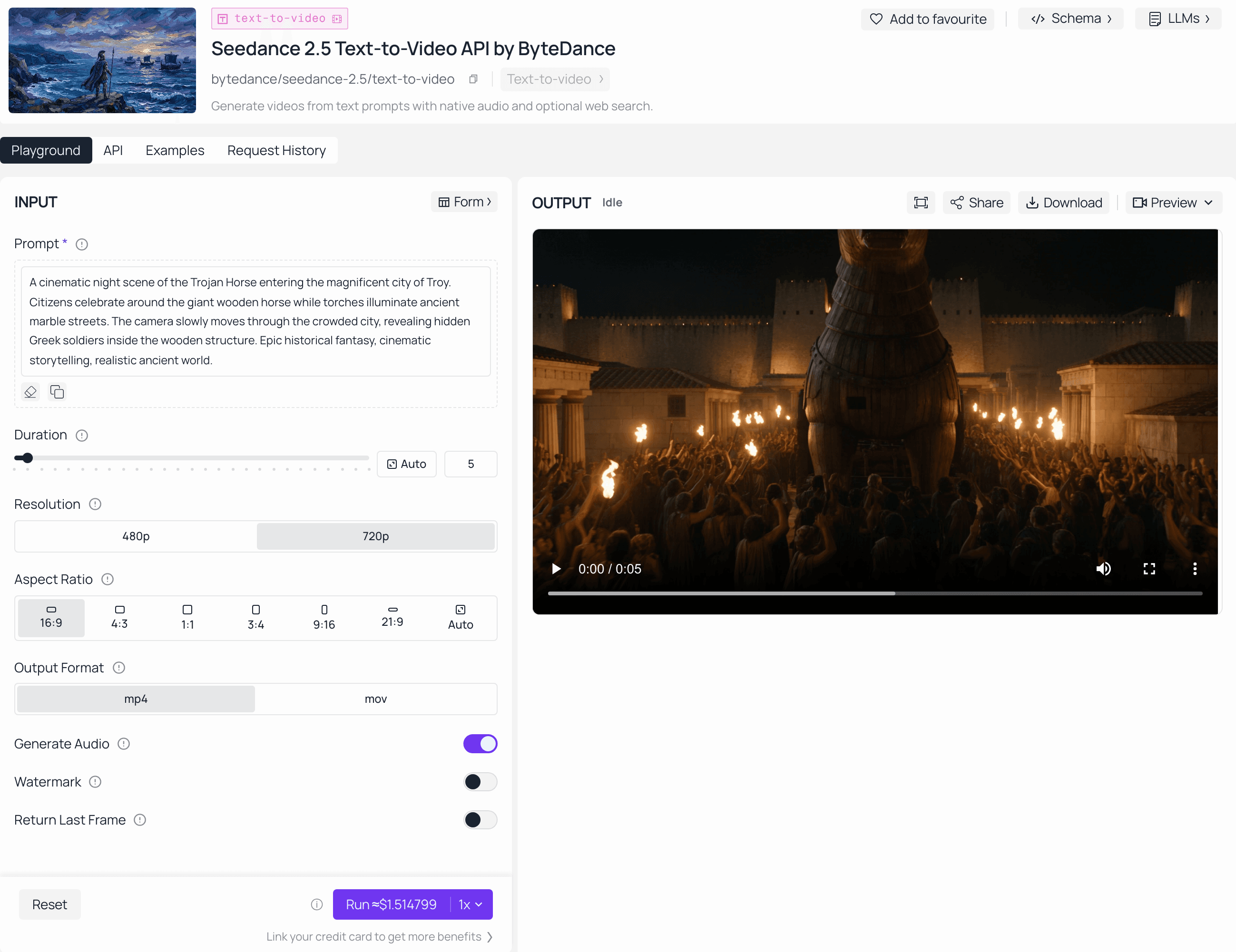
You can generate these styles right now. Seedance 2.5 is live on Atlas Cloud — take the anime prompt formulas below into its playground and render native 30-second 2D scenes today.
Feeding a classic 2D character into an AI video tool usually creates fake 3D skin, shiny CGI lighting, or bad flickering every few seconds. Keeping that genuine hand-drawn anime look has always required tons of manual edits—until now.
Seedance 2.5 anime workflows shift this dynamic by decoupling rendering logic from photorealistic defaults. Instead of stitching together fragmented short clips, creators can deploy a native 30-second anime workflow in a single generation pass.
Key Capabilities for 2D Animation AI
- Extended Single-Pass Generation: Renders continuous 30-second sequences, eliminating temporal jump cuts during complex character interactions.
- Flat Shading Fidelity: Supports native 2D animation AI aesthetics, preserving sharp vector lines and flat cel-shading without forced ambient occlusion.
- Multimodal Style Binding: Accepts up to 50 reference inputs via @ tagging to hold artistic styles stable across frames.
Establishing full style control requires specifying both light diffusion types and line weights directly within your core prompt structure.
Anatomy of the Perfect Seedance 2.5 Anime Prompt Formula (AI Prompt Formulas)
Writing anime prompts using standard cinematic descriptors often produces generic 3D hybrid outputs because video diffusion models default to photorealistic lighting models. While basic syntax rules cover general camera tags (as detailed in guide to writing Seedance 2.5 prompts), constructing predictable 2D anime outputs requires structuring your input into explicit layers that dictate rendering logic before defining scene motion.
The 4-Layer Prompt Framework
To control 2D rendering stability, use this modular prompt formula sequence:
| Prompt Layer | Function | Example Syntax |
| 1. Style Anchor | Locks 2D aesthetic & flat shading | cel-shaded 2D anime, flat ink linework, 2D vector art |
| 2. Character Description | Defines appearance & @ references | @Image1 defines character face, split-dyed hair, navy jacket |
| 3. Scene & Camera | Directs motion & timestamps | 00:00-00:05 fast pan tracking character running through alley |
| 4. Technical & Negative | Suppresses 3D lighting artifacts | crisp outline, flat color fills, no volumetric lighting, no 3D CGI |
Adhering strictly to anime prompt syntax ensures the rendering pipeline processes aesthetic constraints before computing spatial physics.
Style Anchor Library
Use these weighted terms to lock specific Japanese aesthetics:
- 90s retro anime, limited color palette, thick ink outlines
- modern Kyoto Animation aesthetic, soft pastel shading, detailed backgrounds
- Makoto Shinkai lighting, golden hour lens flare, hyper-detailed skies
- Trigger studio action style, exaggerated motion, sharp impact frames
- classic Studio Ghibli watercolor, hand-painted textures, gentle character movement
Stack two anchors maximum. Overloading creates style drift. Pair the chosen anchors with Seedance 2.5’s native audio-syncing and timestamp directing so dialogue beats and camera moves stay locked to the same 2D rules.
🎬 Watch Demo Showcase: Traditional 2D style anchors (e.g., traditional 2D anime, flat color fills, clean vector lineart) with Seedance 2.5 produces flawless flat cel-shaded animation without unwanted 3D CGI lighting artifacts.
Eliminating 3D Artifacts and Preserving Pure 2D Aesthetics
Watching a prompt turn an anime character into a shiny 3D figurine with plastic skin and realistic ray-traced shadows is a common frustration for AI animators. Maintaining clean 2D aesthetic preservation requires overriding Seedance 2.5's built-in spatial lighting models.
Why 3D Render Artifacts Occur and How to Fix Them
If Seedance 2.5 keeps rendering anime scenes like 3D video game graphics, the cause is usually implicit lighting triggers. Prompts containing terms like cinematic lighting, dramatic shadows, or 4k render prompt the diffusion engine to calculate volumetric light and smooth gradients. This automatically strips away flat cel-shading.
To achieve total Seedance 2.5 anime style control and eliminate 3D look in AI anime, apply a two-step fix:
- Enforce Flat Color Terminology: Replace generic lighting prompts with explicit line-art instructions such as solid vector lineart, unlit flat tones, or traditional anime cel-shading.
- Deploy Targeted Negative Prompts: Actively suppress 3D spatial calculations.
Negative Prompting for Pure 2D Output
Include these targeted negative prompts for anime in your syntax configuration to block unwanted depth calculations:
| Target Artifact | Specific Negative Keywords |
| 3D CGI & Depth | 3D render, ambient occlusion, depth map, CGI texture, subsurface scattering, Unreal Engine |
| Realistic Textures | photorealistic skin, skin pores, realistic hair strand shading, specular highlights, glossy plastic |
| Gradient Lighting | volumetric light, ray tracing, soft gradient shading, realistic shadow falloff |
Pro tips: Adding flat sRGB color space to your positive prompt disables post-processing depth maps, keeping line weights sharp across fast-moving frames.
Copy-and-Paste Seedance 2.5 Anime Prompt Templates
Testing dozens of prompt variations only to end up with distorted character limbs or blurry motion trails wastes both generation credits and time. Using structured Seedance 2.5 anime prompt templates removes guesswork by combining explicit line-art directives, camera paths, and negative anchors into ready-to-use formulas.
Production-Ready Anime Prompt Library
Copy these sub-genre formulas directly into Seedance 2.5 to lock in specific Japanese animation aesthetics.
Cinematic Shonen Action (Sakuga Style)
- Key Architectural Focus: Sakuga & Perspective
- Style Anchors & Specific Controls: sakuga 2D anime, impact frames, black-and-white inverted frames, forced-perspective
- Critical Negative Terms: 3D CGI, smooth shading, motion blur, interpolated frames
- Recommended Motion & Camera Directive: Dynamic forced-perspective, fast camera zoom, 360-degree high-speed orbit tracking
Prompt Example:
plaintext1[Anime Perspective & Motion] Dynamic wide forced-perspective, dynamic high-speed orbit tracking shot, intense speed lines, spatial tracking locked on @Image1. 2[30s Action Sequence Arc] 300:00-00:05: [Calm Before Storm] Static shot, rain heavy in dark alley, @Image1 stands motionless; 400:05-00:12: [Initiation] Fast camera push-in, @Image1 draws glowing sword, high-speed foot step close-up with floor cracking; 500:12-00:22: [Sakuga Climax] 360-degree high-speed orbit shot during blade clash, impact frames flashing, black-and-white inverted color frames, debris particles flying in 2D vectors; 600:22-00:30: [Landing & Freeze] Slow-motion sliding landing, sword lowers, dust settles into flat vector clouds. 7[Sakuga Animation Control] 2D anime animation, high contrast lineart, flat cel-shading, discrete keyframe animation, zero optical flow blur.
- Negative: 3D CGI, smooth shading, motion blur, photorealism, interpolated frames
Cyberpunk / Sci-Fi Aesthetic
- Key Architectural Focus: Flat Light Isolation
- Style Anchors & Specific Controls: 2D vector linework, hard-edged shadows, sRGB flat color blocks, neon contrast boundaries
- Critical Negative Terms: volumetric glow, Unreal Engine render, ambient occlusion, glossy surfaces
- Recommended Motion & Camera Directive: Wide static pan across alleyways, slow linear push-in, low-angle close-up
Prompt Example:
plaintext1[Flat Light Isolation] Hard-edged shadows, zero volumetric glow, 2D vector linework, sRGB flat color blocks, neon contrast boundaries. 2[30s Urban Tracking Arc] 300:00-00:07: [Atmosphere] Wide static pan across neon-lit alleyway, rain ripples on vector pavement, shadows cast by flickering signboards; 400:07-00:20: [Street Walk] @Image1 steps out from pitch-black shadow, medium tracking shot, coat swaying, holographic HUD overlays flickering over eye; 500:20-00:30: [Close Encounter] Camera locks in low-angle close-up, @Image1 tilts head under neon rain light, high-contrast shadow across half face. 6[Anti-3D Constraints] No raytracing, no ambient occlusion, flat unlit anime shading, sharp vector edges.
- Negative: volumetric glow, Unreal Engine render, 3D model, depth map, glossy surfaces
Slice-of-Life / Pastel Anime
- Key Architectural Focus: Material Layering
- Style Anchors & Specific Controls: hand-drawn watercolor background, soft pastel palette, distinct vector character layer
- Critical Negative Terms: sharp metallic reflections, 3D CGI, hyperrealism, heavy dramatic shadows
- Recommended Motion & Camera Directive: Wide static setup, gentle tracking push-in, subtle hand-drawn drift, micro-physics
Prompt Example:
plaintext1[Material Layering] Hand-drawn watercolor background layer, distinct anime character vector layer, soft pastel tone Palette. 2[30s Emotional Arc] 300:00-00:08: [Ambient Warmth] Wide static shot, afternoon sunlight filtering through watercolor tree leaves, dust motes drifting; 400:08-00:20: [Character Micro-Action] Gentle push-in on @Image1 sitting on wooden bench, subtle eye blink animation, finger turning a book page; 500:20-00:30: [Wind Impulse] Wind blows cherry blossom petals across screen, @Image1's hair sways smoothly, character glances up toward camera with soft smile. 6[Micro-Physics] Petals drift on wind vectors, hair strands move independently, linework remains paper-like without digital gloss.
- Negative: sharp metallic reflections, 3D CGI, hyperrealism, heavy dramatic shadows
90s Retro Hand-Drawn OVA
- Key Architectural Focus: Medium Constraints
- Style Anchors & Specific Controls: 4:3 aspect ratio, VHS signal noise, analog chromatic aberration, thick ink outlines
- Critical Negative Terms: modern digital vectors, 60fps interpolation, glossy skin, 16:9 aspect ratio
- Recommended Motion & Camera Directive: Locked tripod view with analog jitter, slow fixed-camera tracking, limited frame rate feel
Prompt Example:
plaintext1[Analog Film Medium] 4:3 aspect ratio framing, VHS signal noise texture, analog chromatic aberration, thick ink hand-drawn outlines. 2[30s Retro Scene Arc] 300:00-00:10: [Retro Cityscape] Static wide view of 1990s Tokyo skyline at twilight, glowing analog streetlamps, subtle VHS tracking drift; 400:10-00:22: [Walk in Dusk] @Image1 walks into frame, slow fixed-camera tracking, classic cel-shaded deep shadows on clothes; 500:22-00:30: [Crosswalk Pause] Character stops at crosswalk, static tight shot, gentle wind blowing coat, red signal light reflecting on eyes. 6[Retro Cel Rules] Vintage anime OVA style, rich muted hand-mixed paints, limited animation frame rate (12fps feel).
- Negative: modern digital vectors, 60fps interpolation, glossy skin, smooth gradients, 16:9
Mecha & Complex Line-Art
- Key Architectural Focus: Anti-Fusion Constraints
- Style Anchors & Specific Controls: sharp mechanical vector lines, non-deforming armor, rigid mechanical axis locks
- Critical Negative Terms: curved plastic 3D surfaces, organic warping, fluid-like metal, soft metallic blur
- Recommended Motion & Camera Directive: Low-angle static setup, linear vertical tilt-up tracking, rigid panel articulation
Prompt Example:
plaintext1[Mechanical Structural Integrity] Sharp mechanical vector lines, non-deforming armor plates, rigid mechanical axis locks, clear panel line separation. 2[30s Deployment Sequence] 300:00-00:08: [Hangar Activation] Low-angle static shot of dark hangar, sequential emergency yellow warning lights flashing on @Image1 mecha; 400:08-00:20: [Articulation & Lock] Slow vertical tilt-up tracking, @Image1 mecha shoulder armor slides open, hydraulic pistons extend, chest hatch seals locked; 500:20-00:30: [Thruster Ignition] Low-angle close-up, thruster nozzles vent flat-shaded vector flames, optical main visor powers up with cyan line lock. 6[Anti-Fusion Rules] Armor plates must not melt or fuse during animation, rigid metal color blocks, zero organic deformation.
- Negative: curved plastic 3D surfaces, organic warping, soft metallic blur, fluid-like metal
Pro tips: Enforcing native aspect ratios (16:9 for modern cinematic anime or 4:3 for 90s OVA) alongside rigid physical constraint tags in your initial prompt block locks the spatial bounding box, preventing camera vector drift across the full 30-second sequence.
Leveraging 50-Asset Multimodal Inputs for Character & Style Consistency
Rendering an anime character from a front angle and then losing their hair style, outfit details, or eye shape on a side profile shot destroys narrative continuity. Solving style drift requires linking structural reference assets directly into the prompt stream rather than relying solely on text descriptions.
Seedance 2.5 expands its multimodal reference input architecture to support up to 50 simultaneous reference tags (@Image, @Video, @Audio). This expanded capacity allows creators to bind full character turn-arounds, key visual backgrounds, and line-art weights directly into a single video generation run.
Multi-Angle Character Sheet Binding
To maintain complete Seedance 2.5 character consistency across shifting camera angles, upload your anime character sheets into the workspace and reference specific angles in sequence using @Image reference tagging:
| Reference Tag | Asset Type | Functional Role in Generation |
| @Image1 | Front View Turn-around | Locks facial geometry, eye color, and bangs structure |
| @Image2 | Profile / Side View | Maintains hair length, ear placement, and costume profile |
| @Image3 | Back View | Binds rear hair details, jacket embroidery, and cape physics |
| @Image4 | Expression Sheet | Supplies mouth shapes and emotional range for dialogue |
Maintaining Consistent Features Across Angles
To keep an anime character’s hair and costume identical across different camera angles in Seedance 2.5, combine multi-angle @Image tags with explicit body-part binding syntax:
plaintext1@Image1 front view, @Image2 profile view, 2the character @Image1 turns head 90 degrees to match @Image2, 3maintaining exact hair strands and jacket collar construction
Assigning weight tags like @Image1:1.2 for facial structure and @Image2:0.8 for secondary angles prevents conflicting reference features from morphing the character mesh.
🎬 Watch Demo Showcase: Watch the complete anime trailer below to see the final result of Seedance 2.5's character consistency in action. Notice how the protagonist's design, facial geometry, and costume details remain unified across shifting scenes and lighting environments.
Masterclass: Timestamp Directing for 30-Second Anime Fight Scenes
Stitching five separate 3-second clips to build a single sword duel almost guarantees jarring jumps in character position, shifting line weights, and broken camera momentum. Generating an extended anime fight scene AI sequence requires precise temporal control across a single rendering pass.
Seedance 2.5 removes clip stitching by combining native 30-second continuous animation rendering with timestamp directing. To master precise spatial trajectories and lens dynamics during these long-pass generations, check out our complete Seedance 2.5 camera control guide. Creators can then program explicit camera cuts, character actions, and choreography shifts directly into specified time blocks.
Time-Coded Sakuga Prompting Framework
To maintain fluid sakuga motion control throughout a 30-second sequence, break your prompt into explicit time intervals using brackets:
| Time Block | Action & Camera Directive | Technical Render Anchors |
| [00:00-00:05] | Wide shot, two fighters crouch in alley, rain falling | flat 2D cel-shading, static camera |
| [00:05-00:12] | @Image1 draws sword, fast tracking push-in shot | impact frames, high speed lineart |
| [00:12-00:22] | High-speed blade clash, 360-degree camera orbit | sakuga animation, debris particles |
| [00:22-00:30] | Slow-motion dodge, character lands, camera settles | flat color fills, crisp line weight |
Structuring Time-Coded Prompt Input
Feed this explicit time-code syntax directly into the model input console:
plaintext1cel-shaded 2D anime, flat vector lineart, 2[00:00-00:05] wide static shot of @Image1 facing villain in alley, 3[00:05-00:15] fast push-in tracking shot as @Image1 lunges with glowing sword, impact frames, 4[00:15-00:30] dynamic camera orbit around blade clash, sakuga motion, debris flying, ending on wide shot
Inserting easing cues like ease-in camera pan at timestamp boundaries prevents abrupt velocity drops during camera angle transitions.
Troubleshooting Common Seedance 2.5 Anime Rendering Errors
Few things ruin a render faster than line weight shifting every few frames or background buildings melting during a high-speed tracking shot. Performing efficient AI animation artifact repair requires targeted fixes applied directly to prompt syntax and reference configurations.
Diagnostic Matrix for Common 2D Rendering Errors
When technical glitches occur during generation, use this Seedance 2.5 troubleshooting quick-reference table:
| Visual Artifact | Root Cause | Immediate Syntax Fix |
| Line Flickering | Unstable stroke weight calculations | Add constant 1px vector lineart, anti-aliased outlines to prompt |
| Warped Hands / Limbs | Ambiguous spatial pose data | Bind a pose reference image using @Image tagging with a :1.2 weight |
| Audio-Action Desync | Misaligned timestamp directives | Match beat markers directly with explicit timestamp tags like [00:04] impact frame |
| Background Warping | Unconstrained parallax recalculation | Lock environmental assets using @Image background anchors |
Fixing Background Warping During Fast Camera Pans
To fix anime line flickering and background distortion during fast camera pans, combine static reference tags with spatial locking modifiers in your prompt:
plaintext1@Image1 background art key, lock background perspective, 2smooth horizontal camera pan, static environmental architecture
If background perspective continues to stretch during pan directives, refine the sequence using regional Seedance video editing tools to repaint affected frame zones without re-rendering the primary character.
Strategic Workflow: Integrating Seedance 2.5 with Your Content Pipeline
Spending hours rendering scenes only to realize your downstream video editor cannot cleanly upscale or color-grade the footage burns production budgets quickly. Fitting Seedance 2.5 into an established AI anime workflow requires establishing clear handoff points between initial generation, asset organization, and final post-processing.
Pipeline Allocation Matrix
Different production stages require specific tools. Use Seedance 2.5 where its 30-second single-pass rendering and 50-asset multimodal tagging provide maximum leverage:
| Production Phase | Primary Tool | Key Deliverable |
| Character & Style Locking | Seedance 2.5 (@Image binding) | Character sheets, line-art keys |
| Extended Scene Generation | Seedance 2.5 (30s single-pass) | Uncut action shots, timestamped camera moves |
| Upscaling & Vector Sharpening | Topaz Video AI / External Upscalers | Native 4K output, 60fps frame interpolation |
| Audio & Dialogue Sync | Seedance Native Audio / DAW | Lip-synced dialogue tracks, sound FX placement |
Optimizing the Seedance 2.5 Production Pipeline
To maximize efficiency across your entire Seedance 2.5 production pipeline:
- Export Raw ProRes / Uncompressed: Always export initial renders without heavy compression to preserve crisp 2D vector edges for color grading.
- Combine with Regional Guides: Integrate camera moves with advanced character consistency setups. Exporting in Rec.709 with a fixed sRGB gamma curve prevents flat cel-shading colors from shifting during final social media platform compression.





