The singer does not exist. The song is not in your language. You feel it anyway.
That is the reaction under a clip creator Cia0 shared on X on July 19, 2026: fifteen seconds of a character mid-song, billed as "song you can feel even without understanding a single word." The caption names the whole stack in one line: Seedream 5.0 Pro for the image, Seedance 2.0 for the video, run on CapCut. What sells it is the detail work. The lips track the vocal. The hair moves like hair. The face holds an emotion instead of a pose.
This guide rebuilds that pipeline step by step: which model does what, the prompts that carry emotion across the image-to-video handoff, and what a finished MV actually costs.
Key Takeaways
- The workflow is image-first: art-direct a keyframe in Seedream 5.0 Pro for $0.045, then pay video rates only when the look is locked. Fixing a face in the still costs about a twentieth of re-rolling the clip.
- Seedance 2.0 image-to-video accepts a first frame plus an optional last frame, generates 4 to 15 seconds per run with native audio, and can return its final frame so the next clip continues the shot.
- Lip-syncing a character to your own track uses the reference-to-video endpoint: up to 9 images, 3 videos, and 3 audio clips as references, with @-mentions in the prompt.
- A 40-second, 720p vertical MV lands around $10 at July 2026 discounted rates, with your soundtrack the only cost not counted.
The Seedream + Seedance MVs Worth Copying
Three posts inside two days, plus an earlier lip-sync test, sketch the whole territory this pairing covers. None of them is a lab demo. Each names its tools.
| Creator | Posted | What the clip shows | Toolchain |
|---|---|---|---|
| @Cia0_exe | July 19, 2026 | 15 s ballad performance: lip sync, hair physics, a held emotion | Seedream 5.0 Pro + Seedance 2.0, on CapCut per the caption |
| @Cia0_exe | July 20, 2026 | 15 s of "peak 2.5D anime action," the kind "studios take years" to ship | Same model pairing, run on a third-party app |
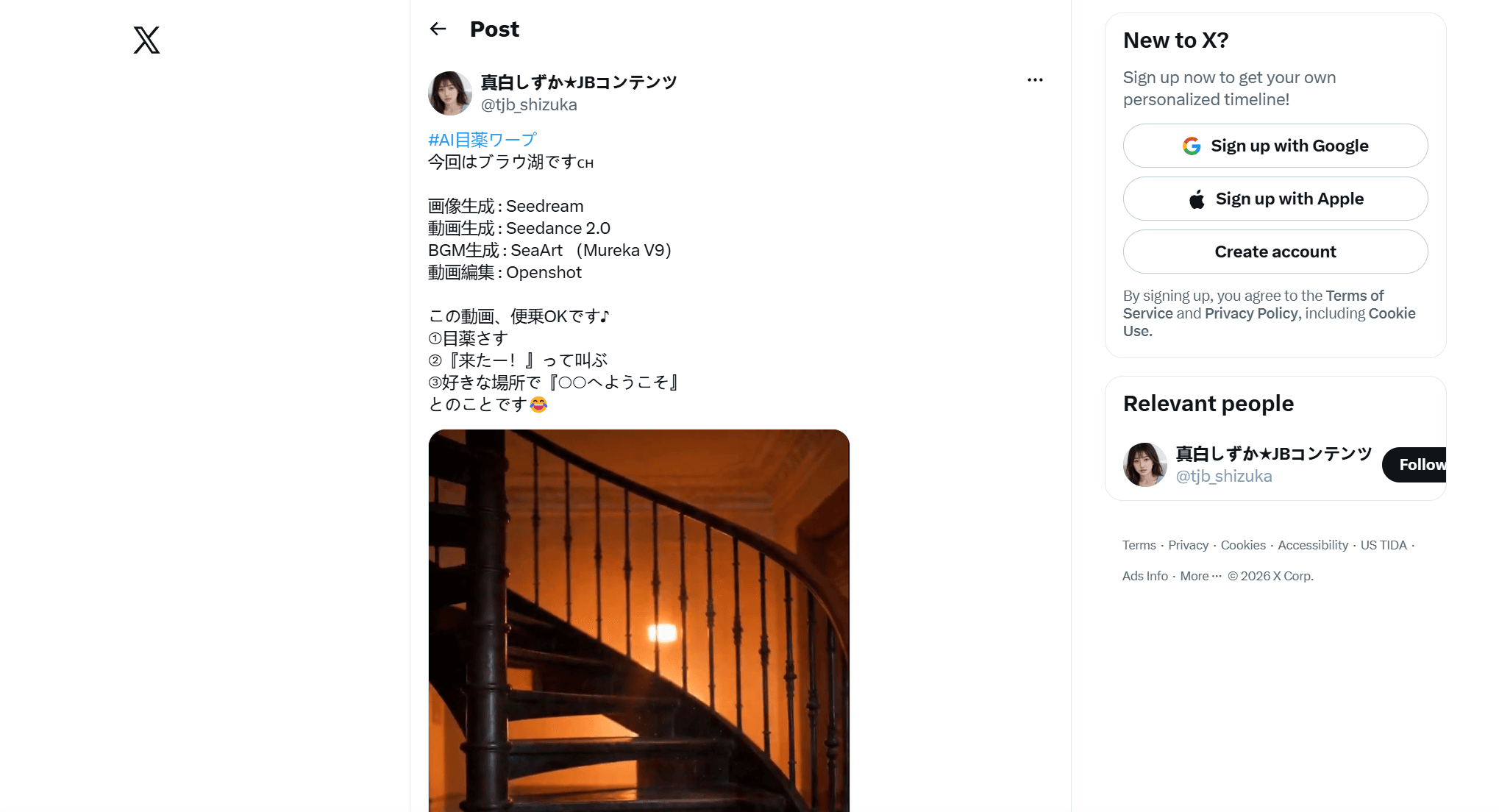
| @tjb_shizuka | July 20, 2026 | 30 s "eyedrop warp" travel meme set at a Swiss lake, with an open invite to copy the format | Seedream stills, Seedance 2.0 motion, Mureka V9 soundtrack, OpenShot edit |
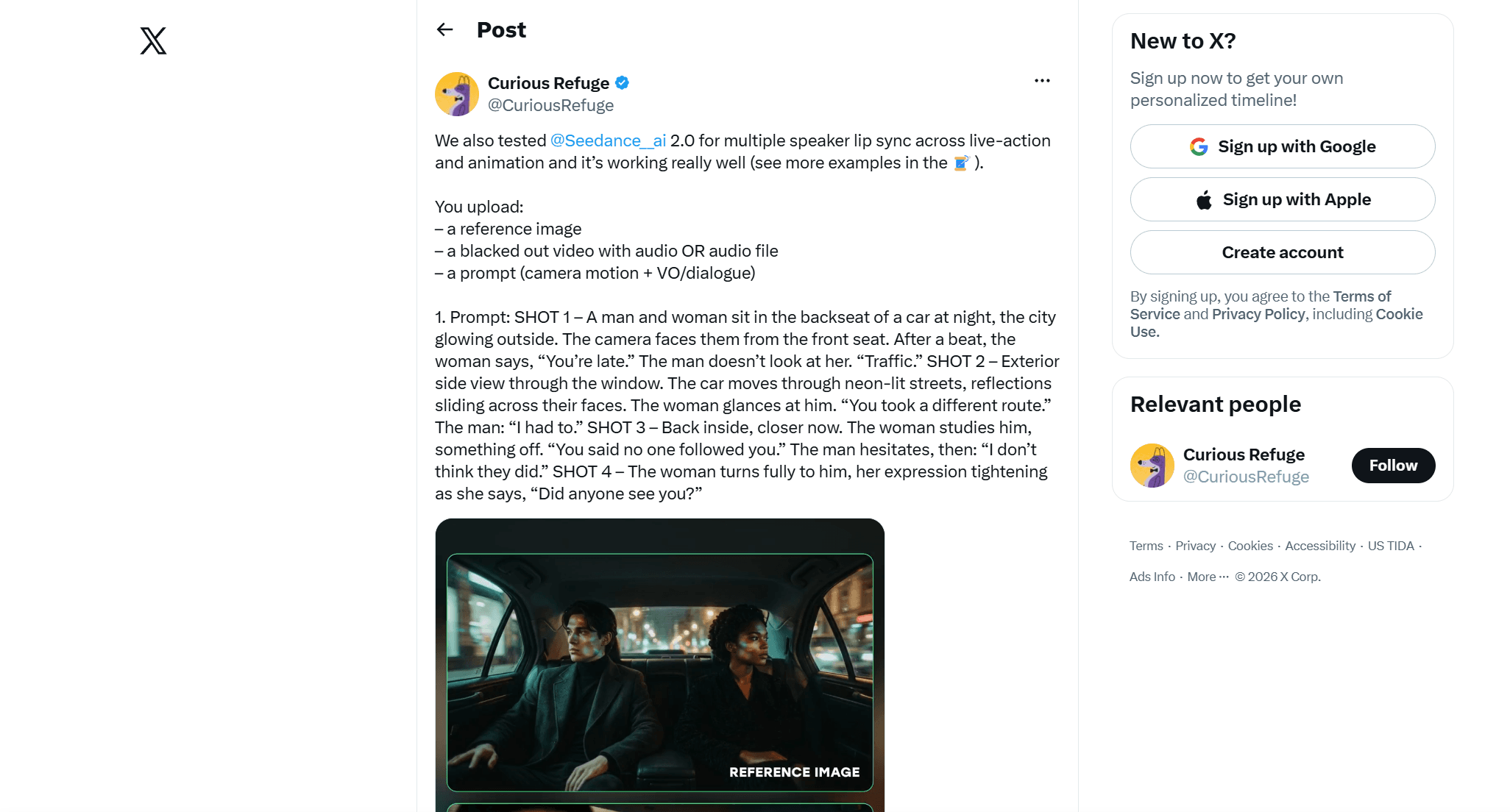
| @CuriousRefuge | May 5, 2026 | Multi-speaker lip sync tests across live action and animation | Reference image, audio file, camera and dialogue prompt |
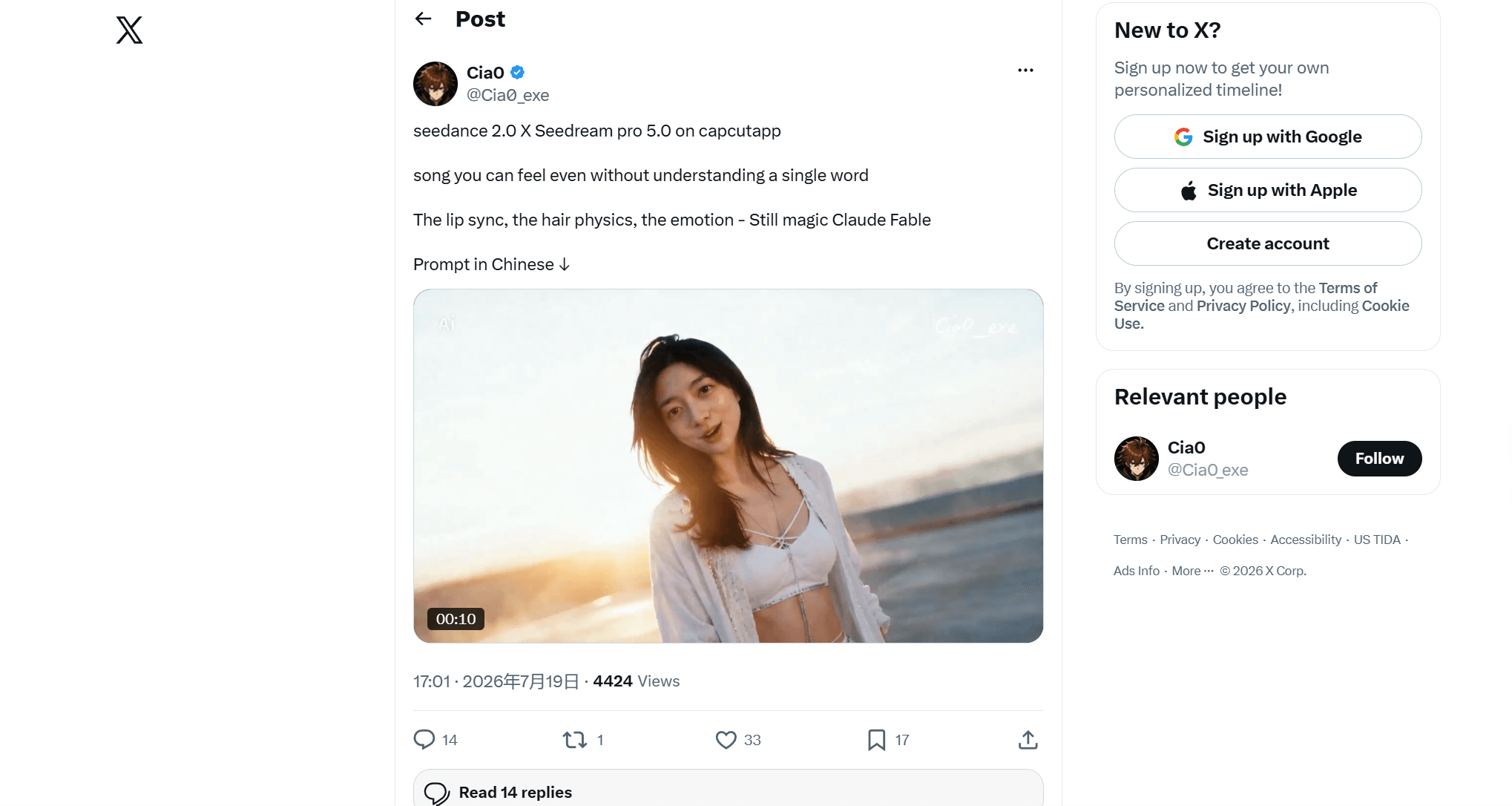
Two things repeat across all four. First, the image model and the video model are treated as separate jobs: casting happens in Seedream, performance happens in Seedance. Second, the video model is only the middle of the stack. Every caption names what surrounds it: the app it ran on, a soundtrack source, an editor for the cut. Both Cia0 posts promise the prompt "in Chinese" in the replies, and the Japanese post spells out its four-tool assembly line in the caption itself.
Why the Seedream-First Workflow Beats Pure Text-to-Video
Seedance 2.0 has a perfectly good text-to-video mode. The people making the clips above skip it, and the reason is arithmetic plus control.
On Atlas Cloud, a Seedream 5.0 Pro still costs $0.045. A 5-second, 720p Seedance 2.0 clip costs about $0.97 with the current discount. Every wrong face, wrong outfit, or wrong framing you catch at the still stage costs one still to fix. Every one you catch at the video stage costs a full re-roll at about 20 times the price, plus the wait.
| Straight text-to-video | Seedream keyframe first | |
|---|---|---|
| Cost to fix a bad face | ≈$0.97 per 5 s re-roll | $0.045 per still |
| Casting consistency across shots | New dice roll every clip | Same character block, same face |
| Framing control | Prompt and hope | You approve the exact composition first |
| Where mistakes surface | In the expensive step | In the cheap step |
The consistency point matters most for an MV. A music video returns to the same face eight or ten times. Text-to-video re-invents the character on every generation. A keyframe pipeline holds identity two ways: reuse the approved still as the first frame of each clip, or feed the same reference images to every generation. You art-direct once, then spend video money animating a decision you already like.
Running the Seedream + Seedance Workflow on Atlas Cloud
Both halves of the pipeline run in one place. Atlas Cloud hosts the full ByteDance model family, so Seedream 5.0 Pro (public APIs since July 8, 2026) and Seedance 2.0 (launched February 12, 2026) sit behind the same account, the same credits, and the same API shape. There are two ways to work: click through the playgrounds, or chain the endpoints in code.
Method 1: Generate Your MV Shots in the Playground
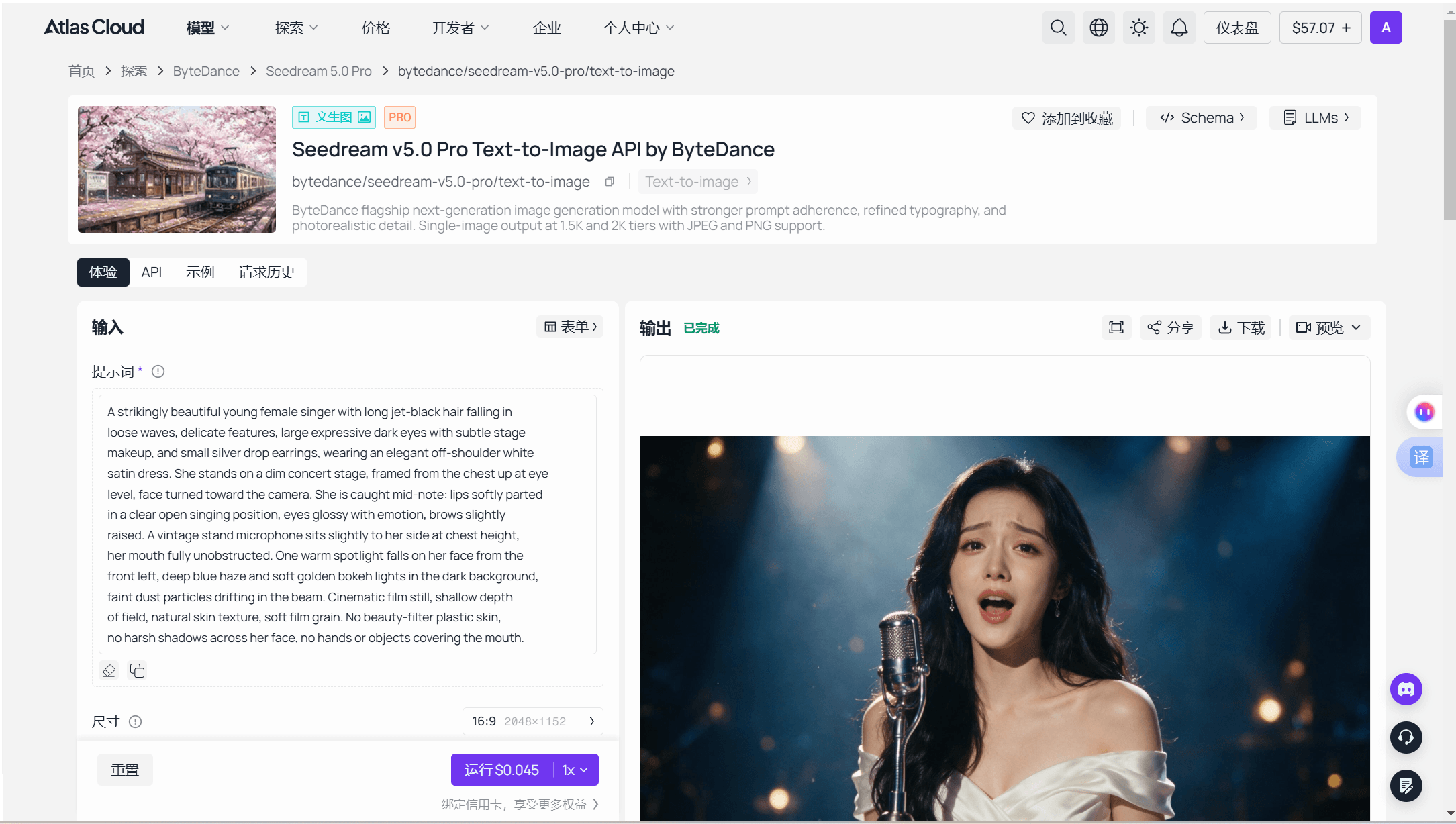
Step 1: Cast your character in Seedream. Open the Seedream 5.0 Pro playground and write the keyframe prompt (a full recipe is two sections down). Match the aspect ratio to your delivery format now, 9:16 for Shorts and TikTok, 16:9 for YouTube. Each run returns one image at $0.045, so iterate until the face, wardrobe, and light are exactly right.
Step 2: Load the still into Seedance. Open the Seedance 2.0 image-to-video playground. The form takes one required image, your approved keyframe, plus an optional last-frame image if you want the shot to end on a specific composition.
Step 3: Write the motion prompt and set the clip. Duration runs 4 to 15 seconds, or Auto to let the model choose. Pick the ratio that matches your keyframe, or leave it on Auto. Resolution defaults to 720p.
Step 4: Check three toggles. "Generate audio" gives the clip native sound. "Watermark" stays off for clean masters. "Return last frame" hands you the closing frame as a separate image; feed it back in as the first frame of the next generation and the new clip picks up where this one stopped. That toggle is the difference between four disconnected clips and one continuous performance.
Step 5: Read the price, then run. The Run button quotes the cost of your exact settings before you commit. As of July 21, 2026, a 5-second 720p clip shows ≈$0.97 with the platform's 20% limited-time discount applied (≈$1.21 at list).
Method 2: Chain Seedream and Seedance Through One API
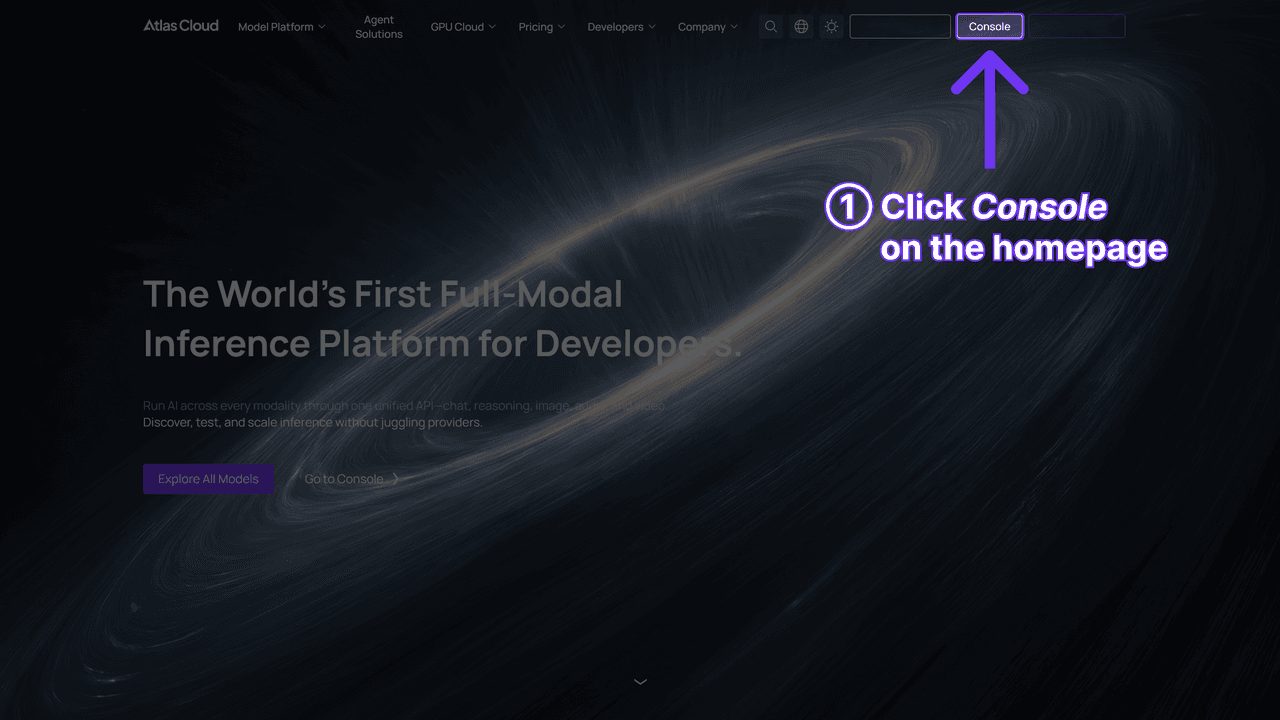
Step 1: Get your API key. Create a key in the Atlas Cloud console and export it as an environment variable. Keep it out of client code.
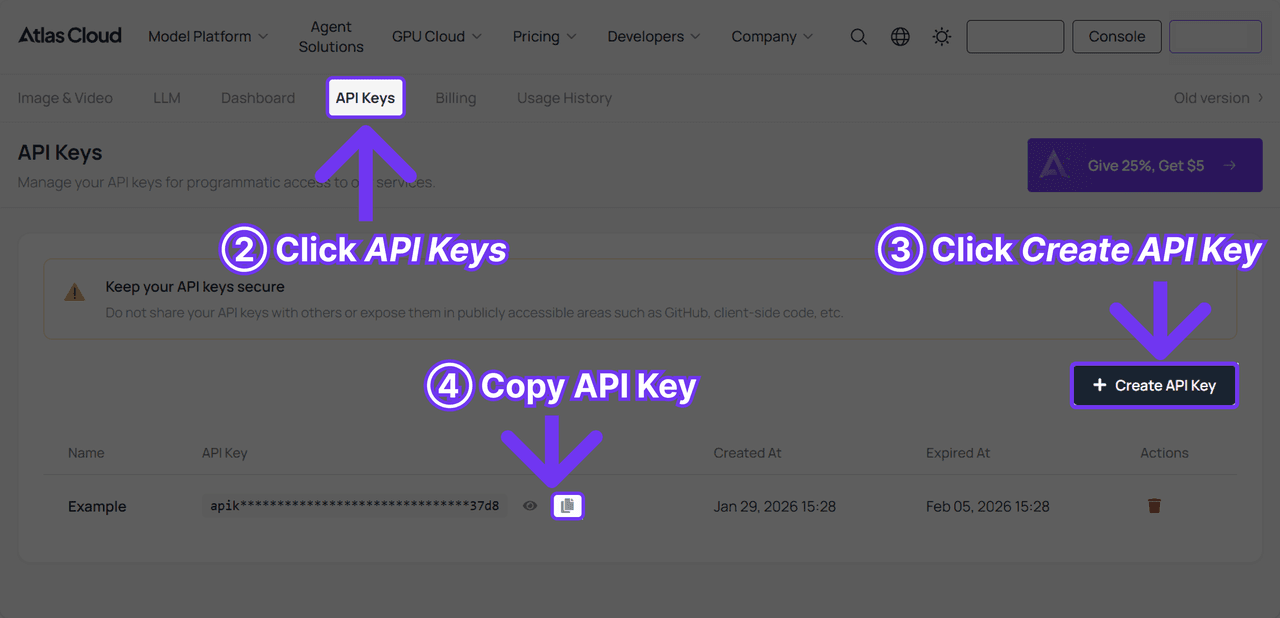
Step 2: Check the API docs. Endpoints, parameters, and polling behavior live in the API documentation. The whole pipeline is two submit-and-poll cycles.
Step 3: Make the two calls. First the keyframe:
plaintext1curl -X POST https://api.atlascloud.ai/api/v1/model/generateImage \ 2 -H "Content-Type: application/json" \ 3 -H "Authorization: Bearer $ATLASCLOUD_API_KEY" \ 4 -d '{ 5 "model": "bytedance/seedream-v5.0-pro/text-to-image", 6 "prompt": "<your keyframe prompt>", 7 "size": "1152*2048" 8 }'
Poll GET /api/v1/model/prediction/ until the job completes, take the hosted image URL from the output, and pass it straight into the video call:
plaintext1curl -X POST https://api.atlascloud.ai/api/v1/model/generateVideo \ 2 -H "Content-Type: application/json" \ 3 -H "Authorization: Bearer $ATLASCLOUD_API_KEY" \ 4 -d '{ 5 "model": "bytedance/seedance-2.0/image-to-video", 6 "prompt": "<motion and performance prompt>", 7 "image": "<Seedream output URL>", 8 "duration": 10, 9 "resolution": "720p", 10 "ratio": "adaptive", 11 "generate_audio": true, 12 "return_last_frame": true 13 }'
image takes a URL, Base64, or an asset reference, and duration accepts -1 to let the model pick. watermark defaults to false. With return_last_frame set, the completed prediction includes the final frame as an image, so a script can loop: generate clip, grab last frame, submit next clip. That loop is the entire MV pipeline in about thirty lines.
Both calls use the same base URL, the same bearer header, and the same prediction polling. That is the practical payoff of the one-API design: your Seedream integration and your Seedance integration differ by a model string and a couple of fields, and the next ByteDance release will slot into the same code.
Seedream 5.0 Pro Prompt Recipe for MV Keyframes
An MV keyframe is a casting decision, so the prompt's first job is to define a person you can summon again. The working pattern is a character block: one sentence, 40 to 60 words, locking face, hair, and wardrobe. It gets reused verbatim in every keyframe prompt for the project. Change a word and you risk casting a stranger.
Here is a full keyframe prompt in that pattern:
A young woman with waist-length black hair, soft rounded features, and silver drop earrings, wearing an oversized cream knit sweater. She stands alone on a rain-wet rooftop at dusk, framed from the shoulders up at eye level. Her eyes are glossy, lips parted as if about to sing, gaze just past the camera. Cool blue city glow behind her, one warm rim light on her cheek, shallow depth of field, cinematic film still, soft grain, 9:16.
The first sentence is the character block. Everything after it changes per shot. An MV needs a small coverage set, not one image:
| Shot | Purpose | What changes in the prompt | What stays fixed |
|---|---|---|---|
| Wide | Establish the place and mood | Location detail, full-body framing | Character block, light direction |
| Medium | Verse performance | "Framed from the waist up," a gesture | Character block |
| Close-up | Chorus emotional peak | "Shoulders up," the facial tells | Character block |
Two Seedream-specific notes. Write the emotion as physical evidence, not a label: "eyes glossy, jaw tight, a breath held" animates later, while "sad" flattens into a stock expression. And set the aspect ratio in the size picker, not just in prose, because the parameter wins. For the deeper prompt anatomy, including exclusion patterns and the model's known bugs, see our prompt guide for Seedream 5.0 Pro.
Seedance 2.0 Prompts for Lip Sync, Physics, and Emotion
The keyframe hands Seedance 2.0 a face worth animating. The motion prompt decides whether the clip performs or just moves. Seedance 2.0 generates dual-channel audio natively and lip-syncs at the phoneme level in eight-plus languages, per ByteDance's launch post, so the prompt's job is to tell it what is being performed, by whom, and how the camera treats it.
There are two routes to a singing character.
Route A, generated song: stay on image-to-video, switch "generate audio" on, and describe the vocal in the prompt. The model invents the music and syncs the lips to its own track. This is the fastest path to a Cia0-style performance clip.
Route B, your own track: switch to reference-to-video, which accepts up to 9 reference images, 3 videos, and 3 audio clips per run. Upload your song section as an audio reference, add your keyframe as an image reference, and @-mention it in the prompt to bind the character to the action. This is the recipe Curious Refuge validated in May for multi-speaker lip sync: "a reference image," "a blacked out video with audio OR audio file," and "a prompt (camera motion + VO/dialogue)." Trim the audio to your clip length before uploading; billed tokens count input duration plus output duration, so padding costs real money.
The cues that separate a performance from a screensaver:
| What you want | Prompt cue that works | Why it works |
|---|---|---|
| Lip sync that reads | Name the language and vocal style: "she sings a slow ballad in Mandarin, soft breathy voice" | Phoneme-level sync needs to know what is being sung |
| Hair and fabric physics | Give the force a cause: "a gust of wind lifts her hair, the sweater ripples" | Physics follows stated forces, not adjectives |
| Visible emotion | Physical tells with timing: "her eyes close on the sustained note, a single tear at the outer corner" | Models animate actions far better than moods |
| Camera feel | One move per clip: "slow push-in from medium to close-up" | Stacked camera moves fight each other inside 15 seconds |
| Multi-shot drama | Describe the sequence in order: "open on the skyline, cut to her face as the vocal enters" | Seedance 2.0 handles multi-shot sequences natively in one run |
Anything longer than 15 seconds is a chaining job: the return-last-frame trick from the setup section, with the next line of the song in each new prompt. Keep the character block phrasing from your Seedream prompts inside the motion prompts too. Redundancy is cheap insurance for identity.
From Seedance Clips to a Finished MV: Editing and Budget
The Japanese "eyedrop warp" post is the clearest picture of the finishing stage, because the creator lists the whole assembly line in the caption: Seedream for the stills, Seedance 2.0 for the motion, Mureka V9 for the soundtrack, and OpenShot, a free desktop editor, for the cut. Cia0's clip names CapCut as its venue instead. Whatever editor you pick, the cut is the same job: lay the full track down first, trim clips on the beat, and keep one aspect ratio end to end.
A note on that CapCut route. Inside CapCut, Seedance 2.0 runs as Dreamina Seedance 2.0, available in the US since April 7, 2026, and per CapCut's own announcement it ships with restrictions that include blocking video generation from images containing real faces, plus a visible watermark on output. Fine for memes, limiting for clean MV masters. The API and playground route leaves the watermark off by default and takes any keyframe you generated.
What the whole thing costs, at July 2026 discounted rates on Atlas Cloud:
| Stage | Model or tool | Volume | Cost |
|---|---|---|---|
| Keyframes | Seedream 5.0 Pro | 10 stills at $0.045 | $0.45 |
| Motion drafts | Seedance 2.0 Mini image-to-video | 4 clips × 10 s at $0.045/s | $1.80 |
| Final clips | Seedance 2.0 image-to-video, 720p | 4 clips × 10 s at ≈$0.1935/s | ≈$7.74 |
| Soundtrack | Your own track, or an AI music model | 1 song | varies |
| Edit | CapCut or OpenShot | 1 session | $0 |
| Total | ~40 s finished MV | ≈$10 |
The draft line is the one people skip and should not. Seedance 2.0 Mini runs the same first-frame-plus-prompt workflow from $0.045 per second (list $0.056), about a quarter of the flagship's 720p rate, so blocking, camera moves, and physics get debugged cheaply before the final render. Without the discount the same budget lands near $12.40 at list prices, still less than most stock-footage subscriptions charge for a month.
Frequently Asked Questions
Can Seedance 2.0 lip-sync a character to my own song?
Yes. Use the reference-to-video endpoint, which takes up to 3 audio clips alongside 9 images and 3 videos per generation. Upload the song section as an audio reference, add your Seedream keyframe as an image reference, @-mention it in the prompt, and describe the performance and camera. Trim the audio to the clip length first, since billed tokens count input plus output duration.
Do Seedream and Seedance prompts have to be in Chinese?
No. Cia0 shares prompts in Chinese, and Chinese-language prompt culture around ByteDance models is strong, but both models take English prompts, and Seedance 2.0's lip sync works at the phoneme level in eight-plus languages. What matters is naming the language of the vocal in the prompt so the mouth shapes match the track.
How long can a single Seedance 2.0 generation be?
4 to 15 seconds per run, with multi-shot sequences supported inside that window, or set duration to -1 and the model chooses. For a full MV, chain generations: enable "return last frame" and start the next clip from the previous clip's closing frame so the performance stays continuous.
Will my MV clips have a watermark?
Not by default on the API or playground: the watermark parameter ships false, so masters come out clean. The CapCut consumer version is different. Dreamina Seedance 2.0 applies a visible watermark and blocks generation from images with real faces, part of the guardrail package it relaunched with in 2026.
What does a complete Seedream + Seedance MV cost?
About $10 for a 40-second 720p vertical video at July 2026 discounted rates: $0.45 in keyframes, $1.80 in Mini drafts, and roughly $7.74 in final 720p clips, with editing free in CapCut or OpenShot. At list prices the same run is about $12.40. The keyframe stage is what keeps the number that low, because look decisions get made at $0.045 instead of ≈$0.97 per re-roll.
Conclusion
The clips traveling this month are not the work of a secret feature. They are a division of labor: Seedream 5.0 Pro decides who is on screen and how the frame feels, Seedance 2.0 decides how they move and sound, and a free editor turns clips into a song with a face. Every step is inspectable, and every mistake gets caught in the cheapest possible place.
Steal the order of operations. Lock a character block, buy your mistakes at $0.045, animate only what you have already approved, and let the last frame of one clip open the next. The tools are new. The discipline is just filmmaking.





