You spend twenty minutes on a logo tool, get a dozen stock-looking marks, pick one, and only then find out the good file costs $65. We ran ten tools through the same three briefs — a coffee roaster, a fintech app, a boutique gym — and tried to download the result free every time. The best AI logo generator for you depends on one question: do you need a print-ready file or just a website header?

Key Takeaways
- Three of the ten free tiers here let you design a logo and never let you download anything until you pay.
- Vector is the real dividing line. Some tools call a download "SVG" when it's a flattened image wrapped in a vector shell.
- Frontier image models now spell a brand name correctly and hold a consistent mark across variations. Atlas Cloud runs Nano Banana 2 andSeedream 5.0 Proside by side in one AI Image Generator.
- A trademark comes from using a mark in commerce, not from who or what drew it. US copyright registration is a separate question and needs a human author behind the file.
- Decide on export format and ownership terms before you decide on style. Style is the easy part.
AI Logo Generator Comparison Table
Four of the ten tools here let you download something for free without paying. Shopify's logo maker hands you a commercial-use file for free with no login and no paywall at all. Three tools sell a true vector file at the entry paid tier or below (Recraft, free; Brandmark, $35; Wix's Wixel, $90/yr). Two others make you climb past their cheapest paid plan before vector shows up (Looka, Logopony). Canva lists SVG as an export option but never states which plan actually unlocks it for a given design, and Ideogram never offers vector at any price.
| Tool | Best for | Free Tier | Entry Paid Plan | Vector (SVG) | What Free Actually Downloads |
|---|---|---|---|---|---|
| Atlas Cloud AI Image Generator | Logo concepts from a real brief | Free credits to start | Pay per image | Raster PNG/JPEG (pair with a vectorizer) | Full-res image, yours from generation |
| Recraft | A true vector file for free | 30 generations/day | Subscription from $10-12/mo | Yes, native SVG, free tier included | True SVG, but non-commercial and public |
| Looka | A full matching brand kit | Unlimited design and preview | $20 one-time (PNG) / $65 (vector) | Only at the $65 tier | Nothing, preview only |
| Canva | Non-designers already in Canva | PNG with free elements only | Canva Pro subscription | Listed as an option, plan not stated | PNG, if no Pro elements used |
| Brandmark | A one-time price with vector included | Unlimited previews | $35 one-time | Yes, included at $35 | Nothing, preview only |
| Adobe Express | Quick PNG for social or web | Limited daily AI credits | $9.99/mo | No, separate tool required | PNG with transparent background |
| Ideogram | Full ownership, no download gate | Weekly credits (varies) | Paid credit plans | Never, no tier includes SVG | Full-res PNG/JPEG, but output stays public |
| Logopony | The cheapest one-time entry | Preview only | $15 one-time (capped) | Only at the $45 tier | Nothing, preview only |
| Wix Logo Maker (Wixel) | Wix users who want it bundled | 20 logos free | $90/yr (50 logos) | Yes, at paid tiers | Up to 20 logos, format by plan |
| Shopify Logo Maker | Free forever, no paywall | Unlimited, always free | None | Not published by Shopify | PNG, always free, yours to keep |
How We Tested Every AI Logo Generator on This List
We read each tool's live pricing page and help center during September 2026, ran the same coffee roaster, fintech, and gym briefs where a free trial allowed it, and tracked the exact moment each tool asked for payment. That's really the question behind best AI for logo design: is it the tool that draws the prettiest mark, or the one that lets you actually leave with a file?
Four criteria decided the ranking. Output usability under a real brief matters most, because a locked file is moot if the design missed what you asked for in the first place. Logo-specific tooling comes second, since a business card mockup or a brand color palette saves a separate design step. File access and format transparency is third: what a free tier actually lets you download, not what it lets you preview. Commercial-use and ownership terms round it out, since a mark you can't legally put on a product isn't a logo yet.
Output usability got the heaviest weight because every other category is downstream of it. A tool that hands you a free vector file of a logo that doesn't fit your brand at all isn't a win.
Disclosure: Atlas Cloud publishes this article and operates the AI Image Generator ranked first. No other tool on this list paid for placement. Each entry is described using its own public pricing page and terms as of September 2026.
1. Atlas Cloud: Best AI Logo Generator Overall
Atlas Cloud's image generation workspace builds a mark from the actual brief you write, a specialty coffee roaster called Roast & Rivet, terracotta and cream, a bird-and-bean icon, instead of filling in a preset template. Switch models mid-project if one doesn't nail the brand feel, and the workspace remembers your reference images so a second variation stays on-brand.
Why it stands out: Nano Banana 2 spells a brand name correctly inside the generated mark and holds a consistent icon across up to 14 reference images, so a second pass to fix the color or add a tagline doesn't redraw the whole logo from zero.
Best for: founders and marketers who want several genuinely different directions from one brief, not twelve variations on a template.
Pricing: Atlas Cloud starts new accounts with free credits, then bills per image generated rather than per month.
Here's the same brief run through Seedream 5.0 Pro instead, since switching models for a second pass is exactly the point.
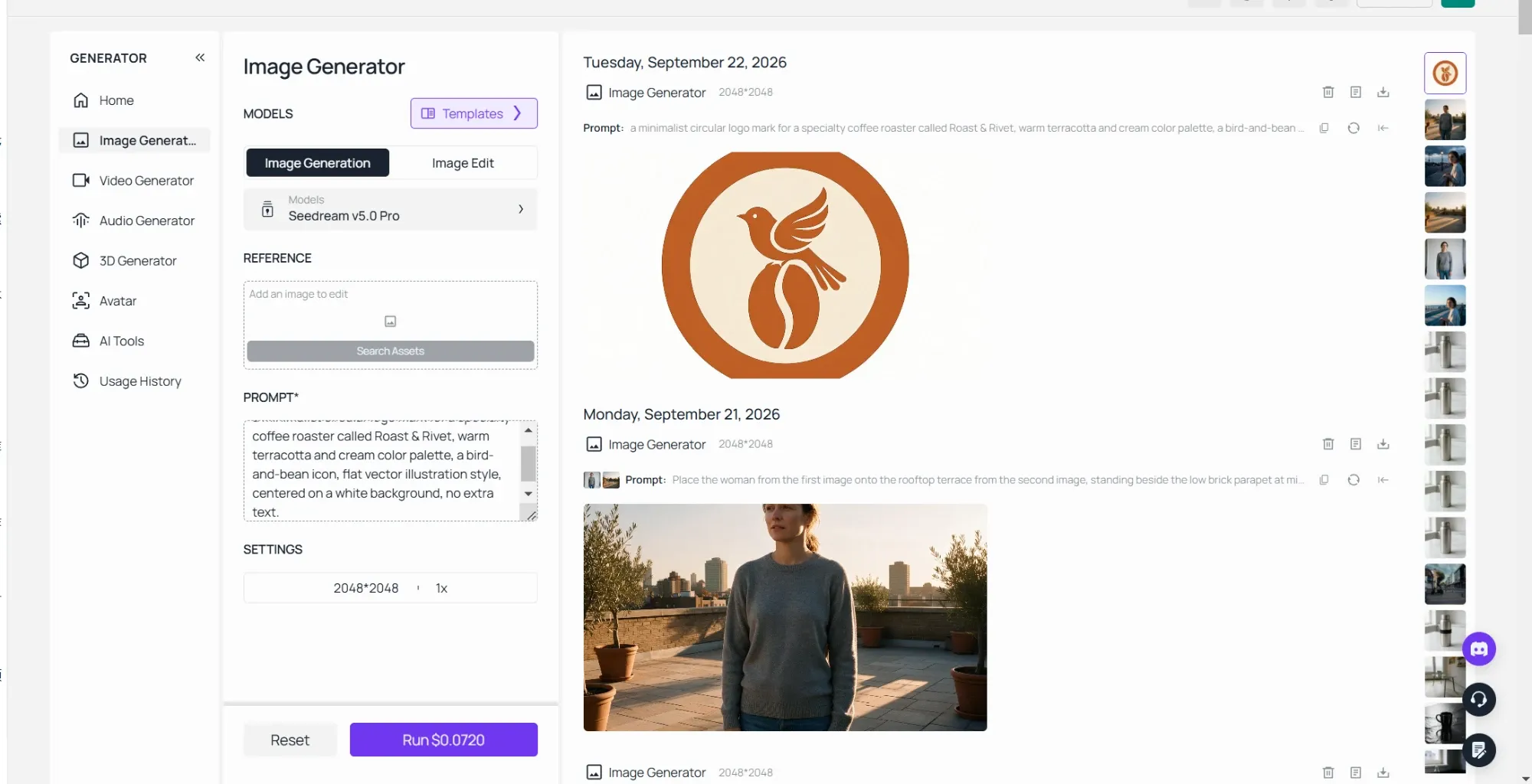
Prompting a nano banana logo works best as a full creative brief, not a one-line request. "Logo for a gym" returns a generic dumbbell icon nine times out of ten. A nano banana logo prompt that names the business, the mood, one or two colors, and a specific icon idea (a bird and a coffee bean, not just "coffee") gives the model something concrete to render instead of guessing at a category average. If the mark needs to bake in an exact tagline or a longer business name, Seedream 5.0 Pro's text rendering tends to hold up better than a one-word icon prompt.
2. Recraft: Best AI Logo Generator for True Vector Files
Recraft's free tier hands you a genuine SVG, editable paths and all, not a raster image dressed up in a vector wrapper.
Where the free tier stops you: 30 generations a day, full SVG export included, but Recraft's own pricing FAQ states free-tier output is "not licensed for commercial use" and gets published to a public community gallery.
What one usable file actually costs: the Basic plan runs $12/mo billed monthly, or $10/mo ($120/yr) billed annually, which unlocks 1,000 credits and clears the output for commercial use.
What users report: Trustpilot shows 1.6 out of 5 from 32 reviews, mostly billing and refund complaints. That's a small sample, worth weighing against the much larger, higher scores below.
Where it falls short for logo work: Recraft is a general vector image generator, not a branding tool. It doesn't bundle a business card mockup or a brand color guide the way Looka and Brandmark build their logo tools around.
Fits: designers who want an editable SVG they'll finish themselves in Illustrator or Figma. Not for you if: you need the free output cleared for commercial use right away, or want a packaged brand kit without extra design steps.
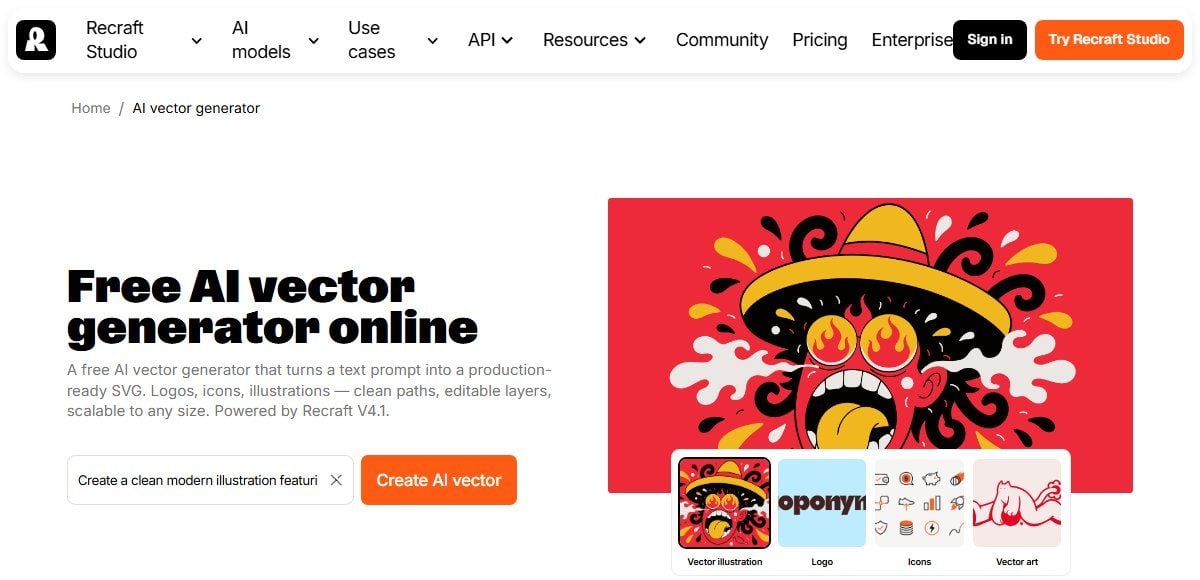
Screenshot from Recraft's official AI vector generator page, September 2026.
3. Looka: Best AI Logo Generator for a Full Brand Kit
Looka builds more than a mark. Once you pick a direction, it extends the same logo across business cards, social templates, and a brand guide, which is the actual reason its Brand Kit add-ons exist at $96/yr and $129/yr.
Where the free tier stops you: unlimited design and preview, but nothing downloads without payment. You can spend an hour picking a favorite and still leave with zero files.
What one usable file actually costs: the $20 Basic package is one PNG, full stop, no source file, no resizing without quality loss. The $65 Premium package is what actually unlocks PNG, EPS, SVG, and PDF, plus transparent and color variants.
What users report: Trustpilot puts Looka at 4.4 out of 5 across 14,474 reviews. Its App Store listing sits at 4.5 out of 5 from 487 ratings.
Where it falls short for logo work: Looka's own help center notes that individual fonts and icons aren't exclusive to you. It draws from a shared library it doesn't remove from rotation after purchase, so paying doesn't guarantee no other business ends up with a similar-looking mark.
Fits: someone who wants a complete brand kit, not just a logo file. Not for you if: $20 sounds like the full price. It buys one flat PNG; the editable version is the $65 tier.
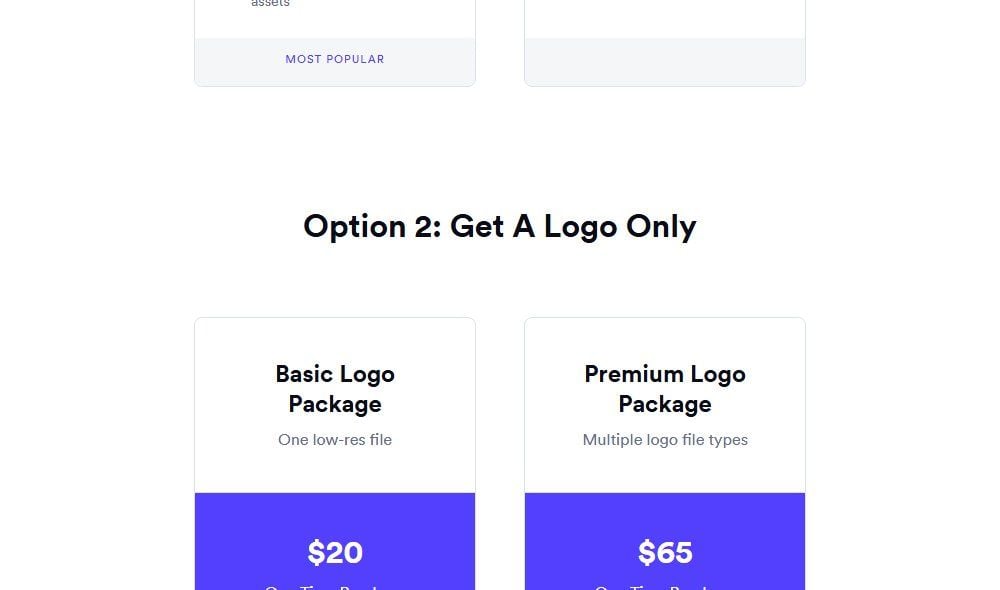
Screenshot from Looka's official pricing page, July 2026.
4. Canva: Best Free AI Logo Generator for Non-Designers
Canva builds the logo inside its general design editor, so a mark made entirely from free elements can download as a PNG without hitting a paywall specific to "logo."
Where the free tier stops you: the moment your design includes even one Pro-locked element, typically a specific icon or font, the whole file stops being downloadable until you upgrade. Nothing warns you which elements are Pro before you've built around them.
What one usable file actually costs: a Canva Pro subscription, billed monthly or annually (check Canva's own pricing page for the current rate, since Canva changes it periodically).
What users report: Trustpilot scores Canva at 4.0 out of 5 from 7,305 reviews. Its iOS app sits far higher, 4.9 out of 5 across 3.5 million ratings, a gap worth noting since the two review pools measure different things: paying subscribers venting about billing versus a much broader casual user base rating the app itself.
Where it falls short for logo work: Canva doesn't clearly document which plan actually unlocks SVG for a given design. Its own file-type help page lists SVG as an export option without mentioning a plan at all, so the only way to know if your logo will export as vector is to try it and see what's grayed out.
Fits: someone already living inside Canva for other design work. Not for you if: you want to know your export format in advance instead of finding out at the download button.
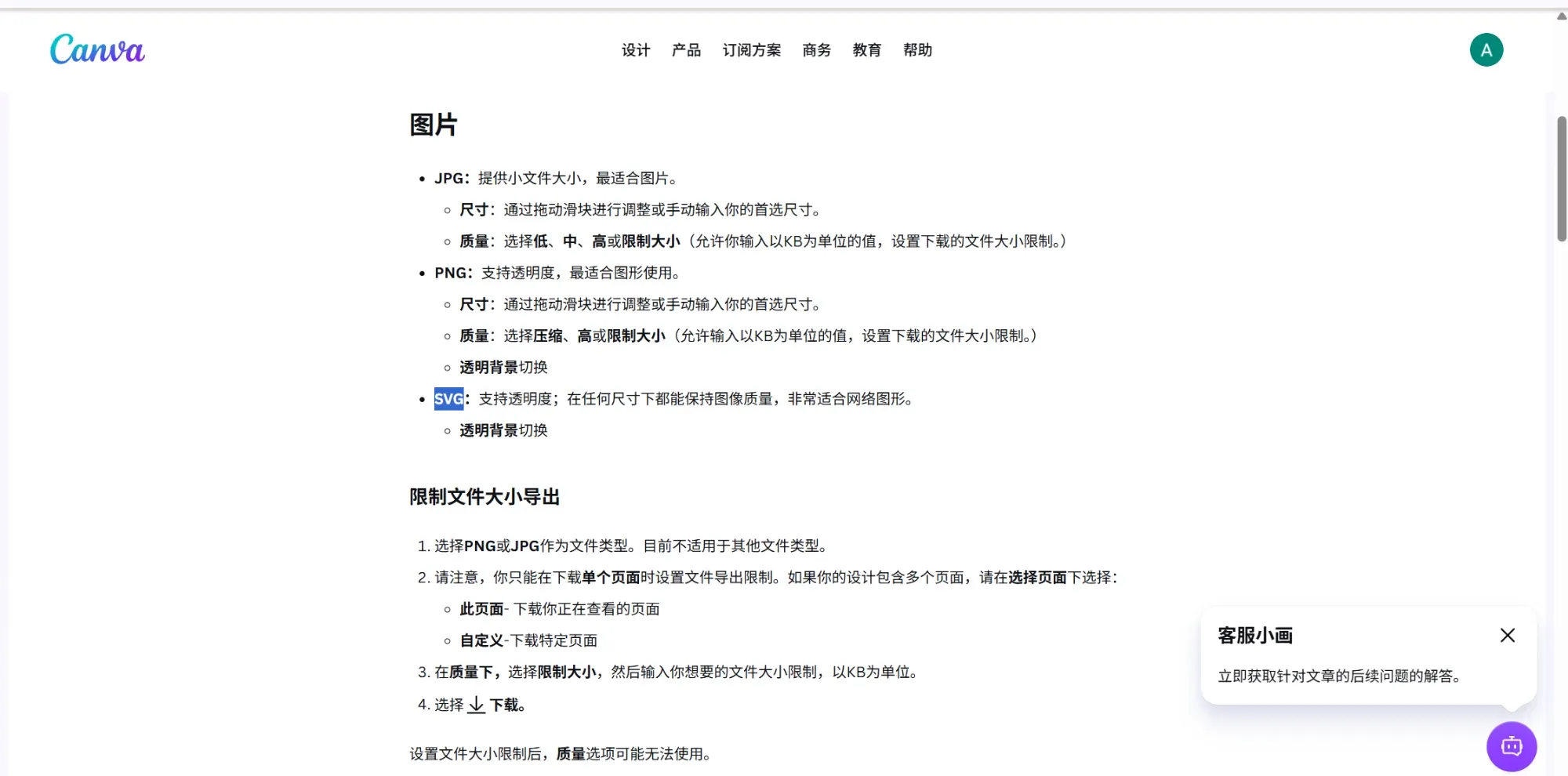
Screenshot from Canva's official help center, September 2026.
5. Brandmark: Best AI Logo Generator for a One-Time Price
Brandmark charges once instead of monthly, and it includes a vector file at the very first paid tier instead of gating it two plans up.
Where the free tier stops you: unlimited previews, but nothing downloads until you pay. Same pattern as Looka.
What one usable file actually costs: the Basic package is $35 one-time and includes both PNG and vector formats together. Designer ($95) adds brand guidelines and more source assets. Enterprise runs $195.
What users report: Brandmark doesn't have the large third-party review sample that Looka or Canva do. Its pricing page is the clearest signal here, and it states plainly what each one-time tier includes rather than leaving format questions for a support ticket.
Where it falls short for logo work: there's no ongoing brand kit subscription the way Looka offers. Business cards and matching social templates aren't part of the deal, one-time or otherwise.
Fits: someone who wants to pay once and own a vector file immediately. Not for you if: you want an ongoing brand kit with matching collateral built in.
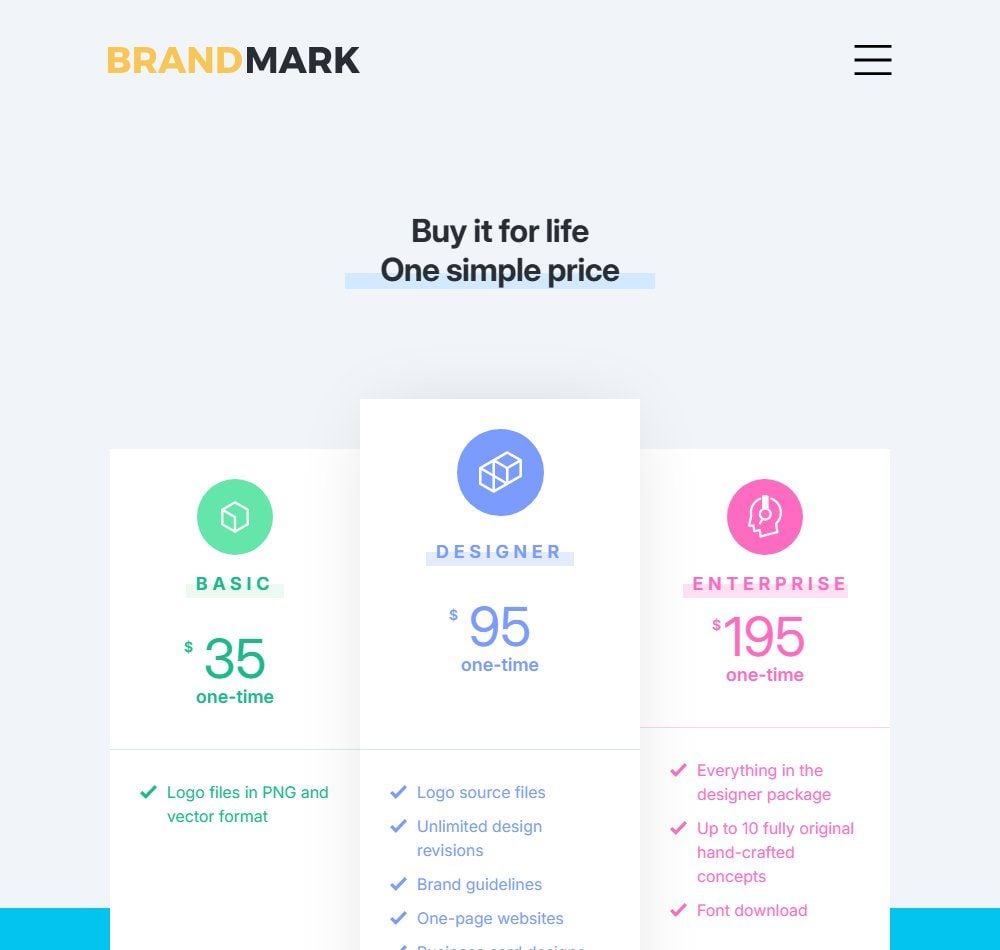
Screenshot from Brandmark's official pricing page, September 2026.
The Other Five AI Logo Generators Worth Knowing
These five didn't crack the top five, mostly because each one asks a tradeoff that's sharper than what's above: a format that's missing, a price model mid-change, or specs the vendor simply doesn't publish.
| Tool | Free Allowance | One Hard Number | Tradeoff |
|---|---|---|---|
| Adobe Express | Limited daily AI credits (count not published) | $9.99/mo Premium adds SVG and MP4 export | Native logo output is PNG-only; vector needs a separate tool |
| Ideogram | Weekly credits (amount not currently published) | No vector export at any tier, any price | Free-tier output stays public in the Explore feed until you pay |
| Logopony | Preview only | $15 one-time buys a file capped at 1000px, no transparency | Vector formats (EPS, PDF) need the $45 tier |
| Wix Logo Maker (Wixel) | 20 logos free | Basic plan is $90/yr for 50 logos | The old one-time $20/$50 model is gone, replaced by a credit subscription |
| Shopify Logo Maker | Unlimited, always free | $0, no paid tier exists | Export resolution and file format aren't published, so check before betting on it for print |
6. Adobe Express: Best for a Fast PNG With No Sign-Up Friction
Adobe Express generates a logo from a prompt on a limited daily AI-credit allowance and says plainly on its own page: "Download your logo as a PNG file with a transparent background to save or share." There's no native vector output in the logo tool itself; getting an SVG means running the file through Adobe's separate conversion feature rather than exporting one directly from the logo tool.
7. Ideogram: Best for Full Ownership With No Paywall
Ideogram's terms don't split free from paid on commercial rights: output is yours to use commercially at any tier, full stop. The real free-tier cost is privacy, not money. Anything generated on the free plan stays visible in Ideogram's public Explore feed until you're on a paid plan. Vector export doesn't exist here at any price, which rules it out the moment a print shop asks for one.
8. Logopony: Best for the Lowest One-Time Price
Logopony's $15 Basic tier is the cheapest single-logo purchase in this entire list, and it says so on its own pricing page: one low-resolution file, capped at 1000px wide, no transparent background. The $45 Premium tier is what actually adds SVG, EPS, and PDF along with dozens of file variants, at three times the entry price.
9. Wix Logo Maker (Now Wixel): Best for Existing Wix Users
Wix folded its old one-time logo maker into "Wixel," a credit-based AI subscription. Free gets you 20 logos; the $90/yr Basic plan raises that to 50 and, per Wix's own pricing page, adds the ability to "download in any quality and format." Reviews still citing the old $20/$50 flat pricing are describing a product that no longer exists in that form.
10. Shopify Logo Maker: Best Free AI Logo Generator With No Paywall
Formerly branded Hatchful, this tool now lives at shopify.com/tools/logo-maker with no separate app. Shopify states outright that the logo "is 100% free and yours to own," no account tier required. The tradeoff is transparency: Shopify doesn't publish the exact download resolution or file format on the page itself, so it's worth a quick check before you commit to it for anything beyond a website header.
Will Your AI Logo Survive a Print Shop and a Trademark Filing?
The top-ranking guides for this search mostly judge these tools on how the logo looks on a laptop screen. Few of them ask what happens when you try to put that logo somewhere other than a website.
A raster file, PNG or JPEG, breaks the moment it needs to get bigger. Vector-file specialist VectorFixer puts it plainly: a small PNG "will not scale cleanly for banners, storefront signs, or vehicle graphics." Sign shop SignsNY's own artwork guidelines ask for .AI, .EPS, or a print-ready PDF, with fonts converted to outlines and layers flattened, not a PNG at any resolution. Large-format and embroidery shops commonly work from roughly 100 to 150 DPI at the final output size, which sounds low next to desktop-print standards until you remember a storefront sign is viewed from ten feet away, not ten inches.
There's a trap hiding inside "SVG" itself. Some tools export a file with an .svg extension that's technically a vector container with a raster image embedded inside it. The wrapper scales, the pixels inside it don't, so the logo still turns blurry the moment it's blown up past its original size. A true vector file has no embedded pixels at all, only mathematical paths, which is the actual difference between what Recraft and Brandmark hand you and what a flattened export looks like even when the file extension matches.
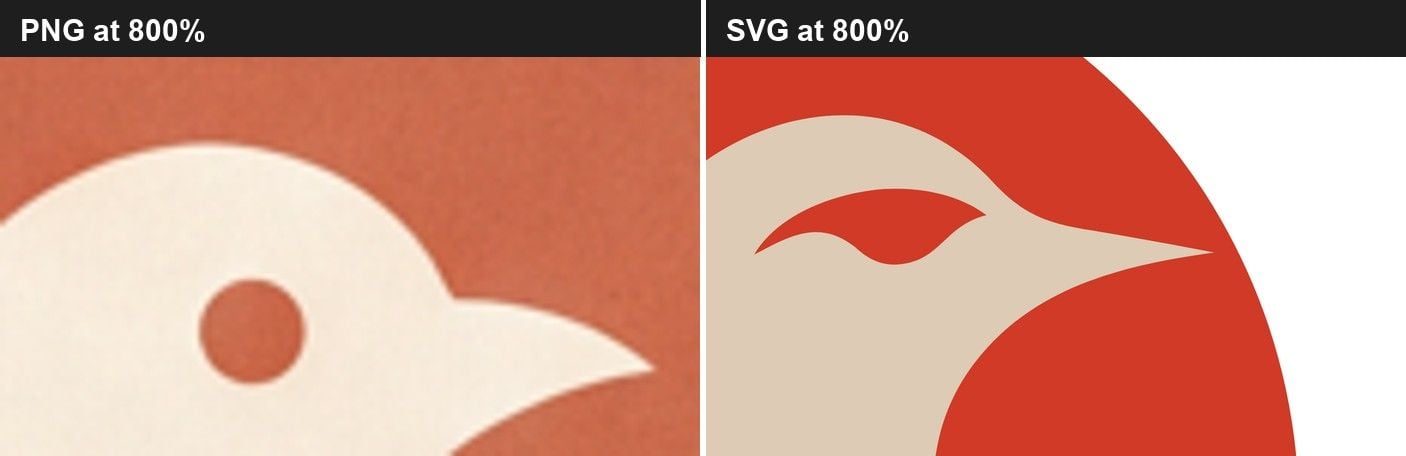
What to do instead: if there's any chance you'll need a large-format print, embroidery, or engraving down the line, start with one of the tools above that includes real vector export (Recraft's free tier, or Brandmark's $35 entry price) rather than discovering the gap at the print shop counter. If you're stuck with a raster-only logo, running it through a dedicated vectorizer before you need it beats redoing the whole design under deadline.
The legal side splits in a way the guides above blur together. The US Copyright Office's March 2023 guidance states that "copyright can protect only material that is the product of human creativity," and its January 2025 follow-up report goes further, noting that prompts alone don't hand a user enough creative control to count as the work's author. That's the copyright half, and it's genuinely unsettled for a logo generated with minimal human input.
Trademark works on a different basis entirely. The USPTO explains that trademark rights come from "use of the trademark in commerce within a particular geographic area," not from who or what created the artwork. So the practical split is real: you can very plausibly build trademark rights in an AI-generated logo once you're using it to sell something, while formally registering copyright in the image file itself sits on much shakier ground. Worth knowing before you assume a logo is automatically "yours" the same way a copyright would make it yours.
What AI Logo Generator Reviews Actually Warn You About
Line up the numbers below and one pattern jumps out: which review pool you're reading matters as much as the score itself. A Trustpilot rating mostly reflects people who signed up to complain about a subscription charge. An App Store rating reflects a much bigger, more casual crowd just rating the app. Canva's own split, a middling Trustpilot score against a near-perfect App Store one, is the clearest example of that gap in this whole list, and it's worth checking both numbers for any tool here rather than trusting whichever one a vendor links to on its own site.
| Tool | Trustpilot | App Store |
|---|---|---|
| Looka | 4.4 / 5 (14,474 reviews) | 4.5 / 5 (487 ratings) |
| Canva | 4.0 / 5 (7,305 reviews) | 4.9 / 5 (3.5M ratings) |
| Recraft | 1.6 / 5 (32 reviews) | Not independently confirmed |
| Ideogram | 4.0 / 5 (162 reviews) | Not independently confirmed |
Frequently Asked Questions
What is the best AI logo generator in 2026?
It depends on what you're actually optimizing for. Atlas Cloud's AI Image Generator works best for genuinely different concepts drawn from a real brief instead of template variations. Recraft is the pick if you want a true vector file without paying anything upfront. Brandmark suits a one-time budget that still needs vector included. None of them is universally "best" because they solve different problems, design range, file format, or price structure, and picking the wrong one for your actual need is how people end up paying twice.
Can I use an AI-generated logo for my business?
In most cases yes, commercially, once you've paid whatever the tool requires to clear that use. Ideogram's terms explicitly cover commercial use at every tier; Looka and Brandmark unlock it once you purchase. The catch isn't the AI part, it's making sure no one else already holds a similar mark in your industry before you commit to business cards and signage. A quick trademark search costs far less than reprinting everything later.
Can AI make a logo?
Yes, but two different kinds of tools answer "yes" in different ways. General image models like Nano Banana 2 or Recraft generate a flat graphic from a text description, which reads as a logo but isn't built from separate, editable layers the way a purpose-built tool like Looka assembles an icon and typeface together. That distinction matters later: an image-model logo needs vectorizing before a printer will touch it, while a layered logo-maker file often exports print-ready from the start.
Is there a free AI logo generator?
Yes, and two on this list are worth naming specifically. Recraft's free tier hands you a real vector SVG, but the output is explicitly non-commercial and lands in a public gallery. Shopify's logo maker is free with no paid tier at all and states the file is yours to keep, though it doesn't publish exact export specs. Which one fits depends on whether the logo needs to go on something you're selling right away or just needs to exist for now.
Conclusion
Every tool on this list can draw something that looks like a logo. The gap between them shows up at the download button, in the fine print about who owns what, and in whether the file that lands in your folder is something a print shop can actually run. That gap is the real story this year, more than which generator has the trendiest style options.
Start from what you'll do with the file, not from the preview screen. If you need vector from day one, Recraft or Brandmark save you a second purchase later. If you want a brand kit built around the mark, Looka earns its price. And if you're just testing a business name before you commit to anything, Atlas Cloud or Shopify's free logo maker cost nothing to try. The same file-format gap shows up one category over in what actually happens when an AI poster generator meets a real print run, if a logo is only the first piece of the brand you're building. Whichever you pick, the best AI logo generator for your situation is the one whose fine print you actually read before you needed to.





