You ask ChatGPT for a short clip and it hands back a script. In October 2026 that is still the default answer. Can ChatGPT make videos? Not by itself. OpenAI closed the Sora app on April 26, 2026 and the Sora API on September 24, and ChatGPT itself still has no video generator.
A plugin closes that gap. Install Atlas Cloud and the same chat returns real video files. We tested three ways to do it on a free ChatGPT account: from a text prompt, from a photo, and from reference images. Every clip below came back inside the chat.
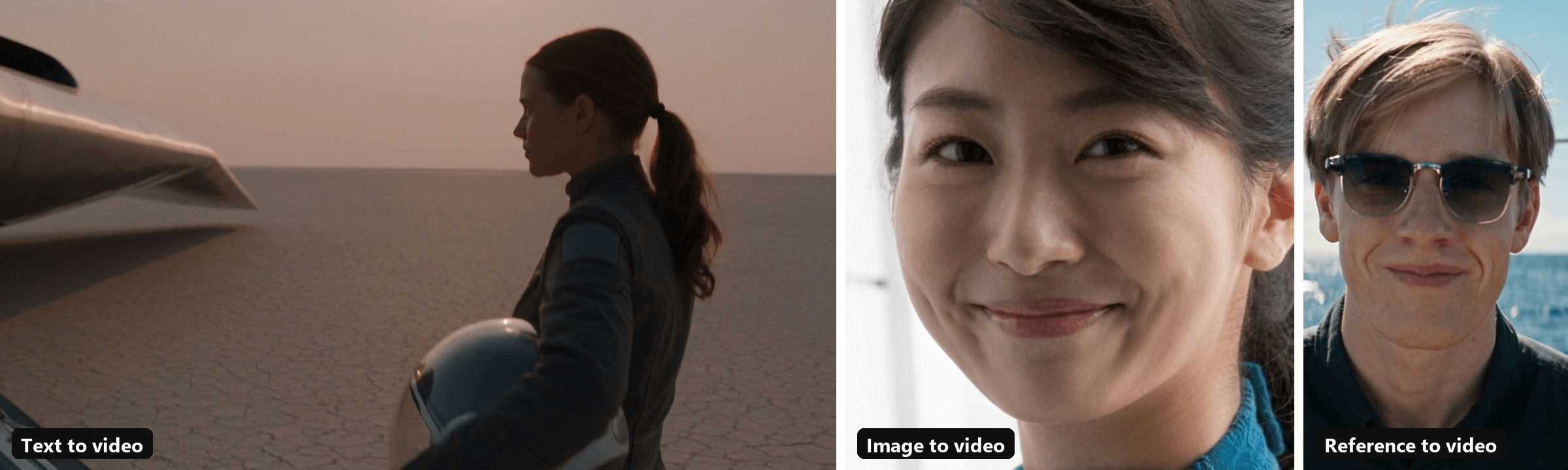
Three modes, three clips, one ChatGPT thread each.
Key Takeaways
- ChatGPT has no built-in video generator in 2026, and Sora's app and API have both closed.
- Add the Atlas Cloud plugin and the same chat returns finished Seedance 2.5 video files.
- Text-to-video builds a new scene; image-to-video animates your photo from its first frame.
- Reference-to-video keeps a face or product consistent while the scene around it changes.
- Each Seedance 2.5 clip runs 4 to 30 seconds, with sound generated by default.
Does ChatGPT Have Video Generation on Its Own?
No. OpenAI's plan comparison page lists image generation on Free, Go, Plus and Pro. Video generation has no row there. The nearest feature, voice with video, lets ChatGPT look through your camera while you talk. It reads video. It doesn't make any.
We asked it anyway. In the ChatGPT desktop app, with plugins ruled out in the prompt, we requested a five-second clip of a hot-air balloon lifting off over a red-rock canyon at sunrise.
The reply opened with "I can't generate a finished 5-second video using only ChatGPT's built-in tools." It offered a still image of the scene instead and noted that a moving clip needs a video-generation capability it doesn't have.
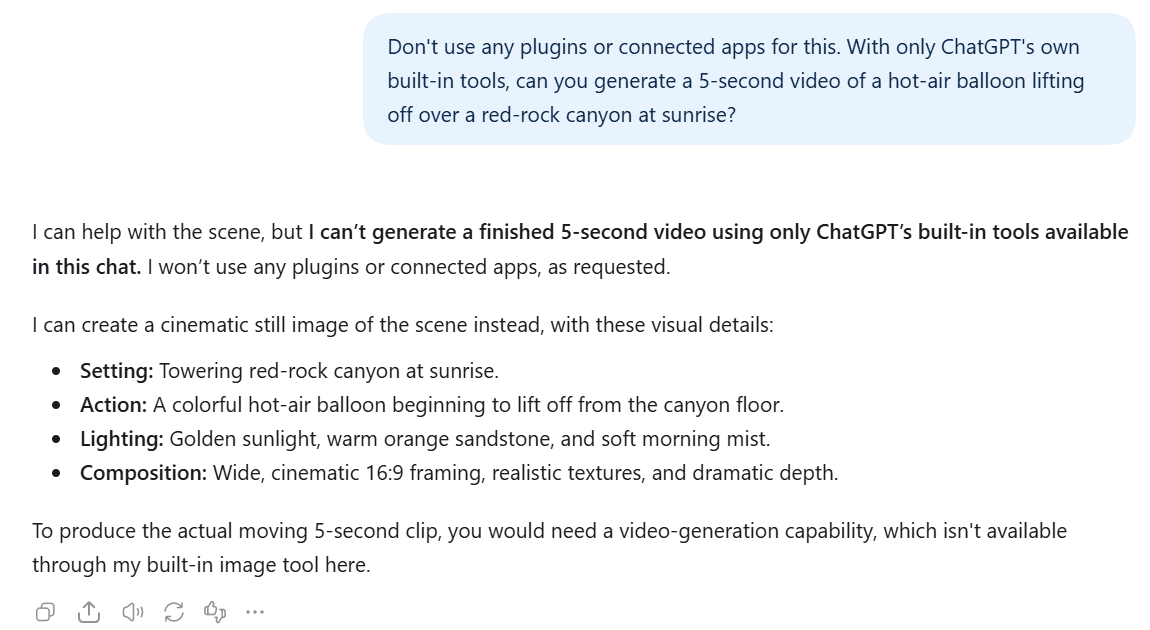
What you do get without a plugin is the paperwork around a video: a script, a shot list, a prompt to paste somewhere else, or a still image to start from. All useful. You still have to leave the chat to render a single frame of motion.
How to Make Videos With ChatGPT Using the Atlas Cloud Plugin
Atlas Cloud connects ChatGPT to Seedance 2.5 and the rest of a 400+ model catalog. Install it once from its Plugins Directory listing and sign in with your Atlas account. Our launch walkthrough covers each click. From then on, the finished clip lands in the same thread as your request and plays right there.
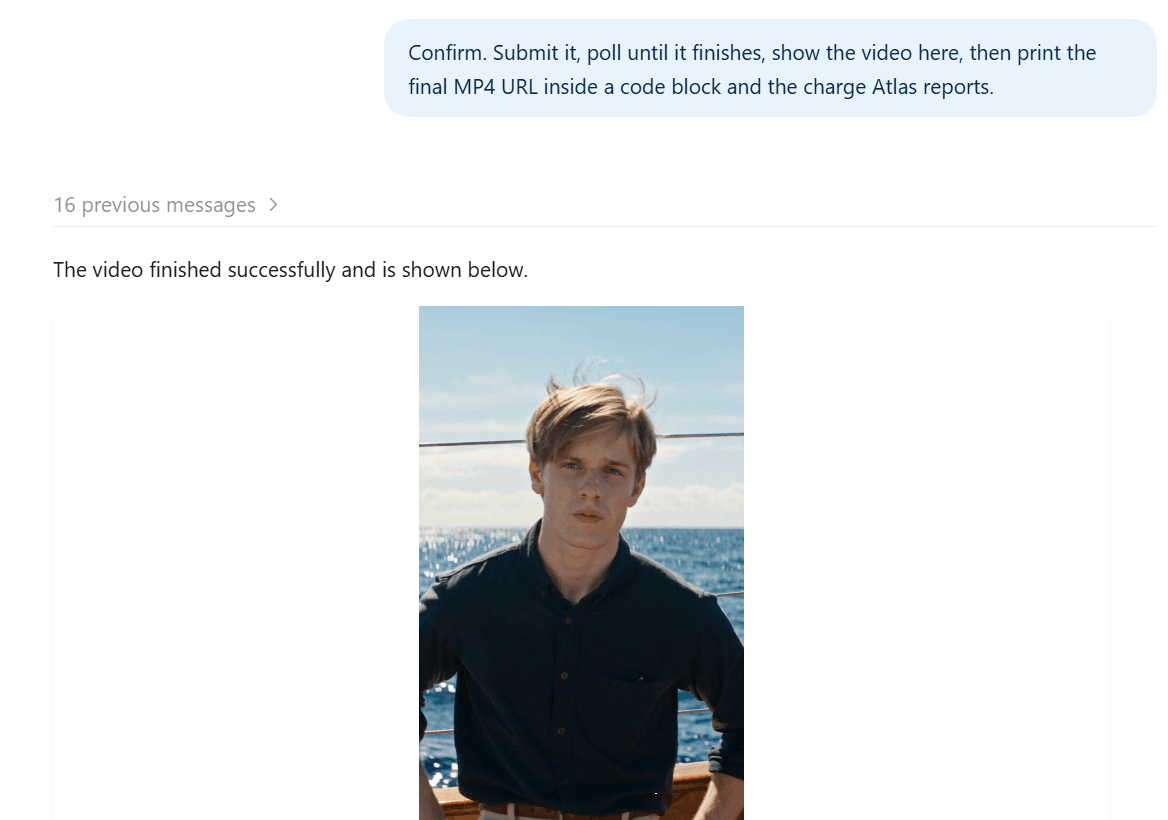
Getting there takes three moves:
- Attach your image with the plus button if the clip starts from a photo. Skip this for a pure text prompt.
- Write the request. Name the plugin, the model and the mode, then the length, resolution and the scene. Ask to see the request before it runs.
- Send it. The plugin replies with the exact settings it plans to submit and waits. Reply "confirm" and it starts the job, checks on it and reports back when the clip is ready.
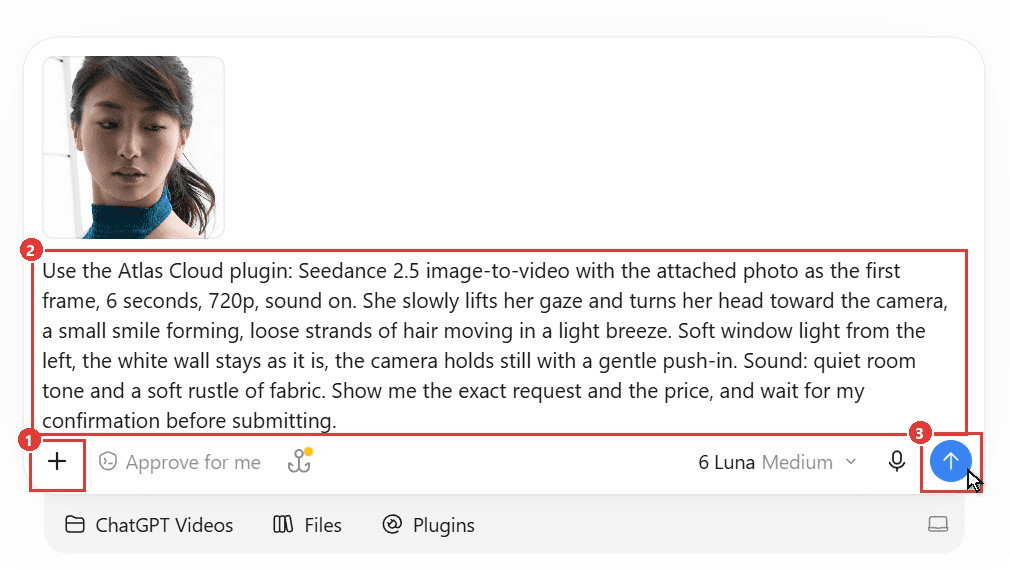
The real decision is the mode. Seedance 2.5 comes in three modes on Atlas, and the next three sections test one each.
Can ChatGPT Generate Videos From a Text Prompt?
Yes, and this is the mode for a scene that doesn't exist yet. Text-to-video builds everything from your words: the subject, the location, the camera move and the soundtrack.
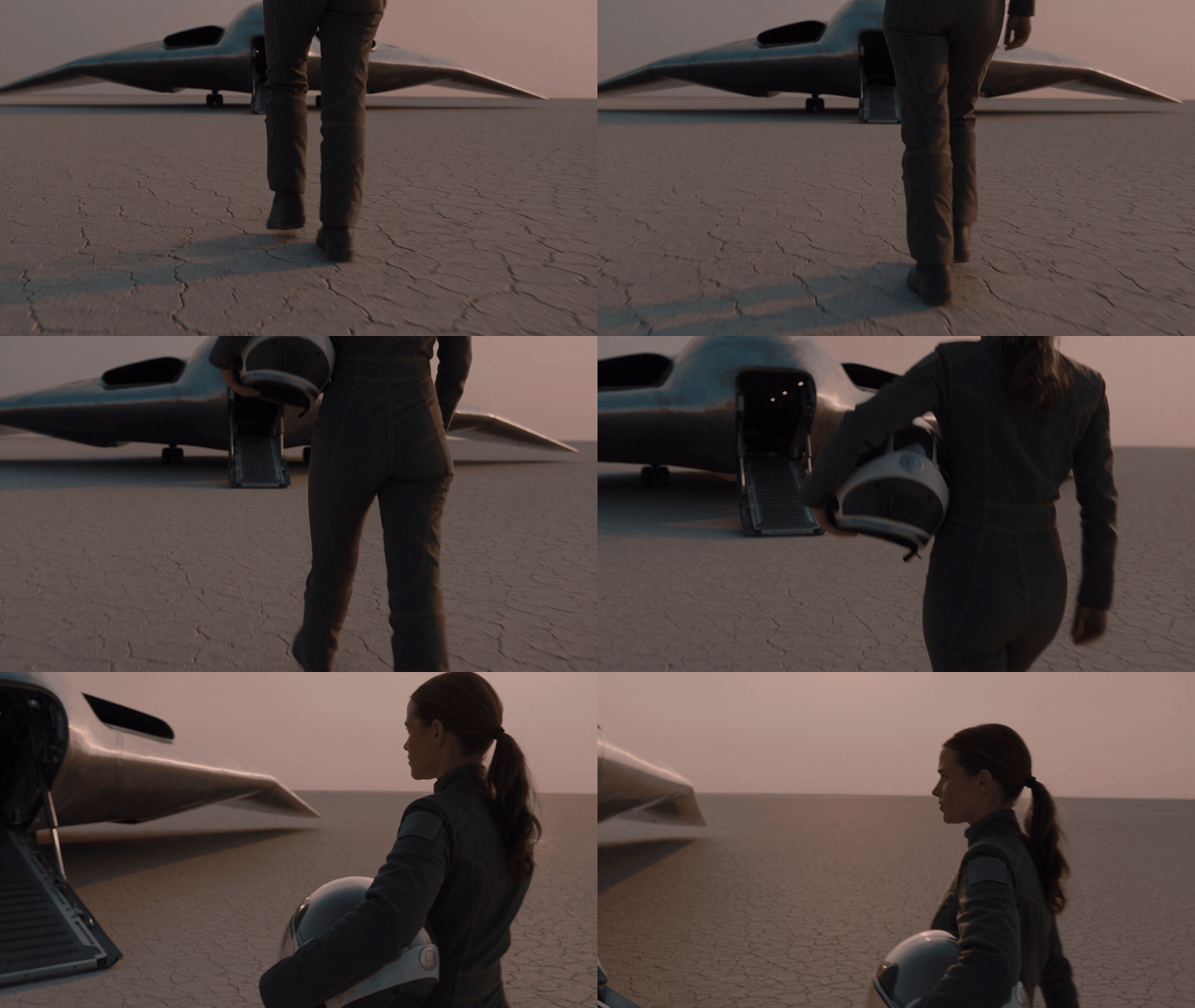
We asked for a sci-fi landing shot with no reference at all. Here is the full message, ready to paste:
Plain1Use the Atlas Cloud plugin: Seedance 2.5 text-to-video, 8 seconds, 16:9, 720p, sound on. A test pilot in a white flight suit walks across a cracked salt flat at dawn toward a sleek silver spacecraft with its landing ramp lowered, her helmet tucked under one arm. Low tracking shot from behind her shoulder that drifts around to her profile as the engines wind down. Fine dust drifts across the ground, pale pink sky, long shadows, realistic film grain. Sound: wind, salt crunching under her boots, a fading turbine hum. Show me the exact request and the price, and wait for my confirmation before submitting.
One "confirm" later, the job ran. The camera opens low on her boots crossing the cracked ground, rises past the helmet under her arm and swings around to her profile as the ramp fills the frame. The audio track arrived in the same file, generated in the same pass as the picture.
Notice how much of the prompt is about the camera and the sound rather than the subject. That is where text-to-video gains or loses a shot. Our guide to writing Seedance 2.5 prompts breaks that structure down line by line.
ChatGPT Image to Video: Animate a Photo From Its First Frame
Image-to-video starts from a photo you already have. The image becomes frame one, so the face, the outfit and the light are yours before anything moves. Your prompt only has to describe the motion.
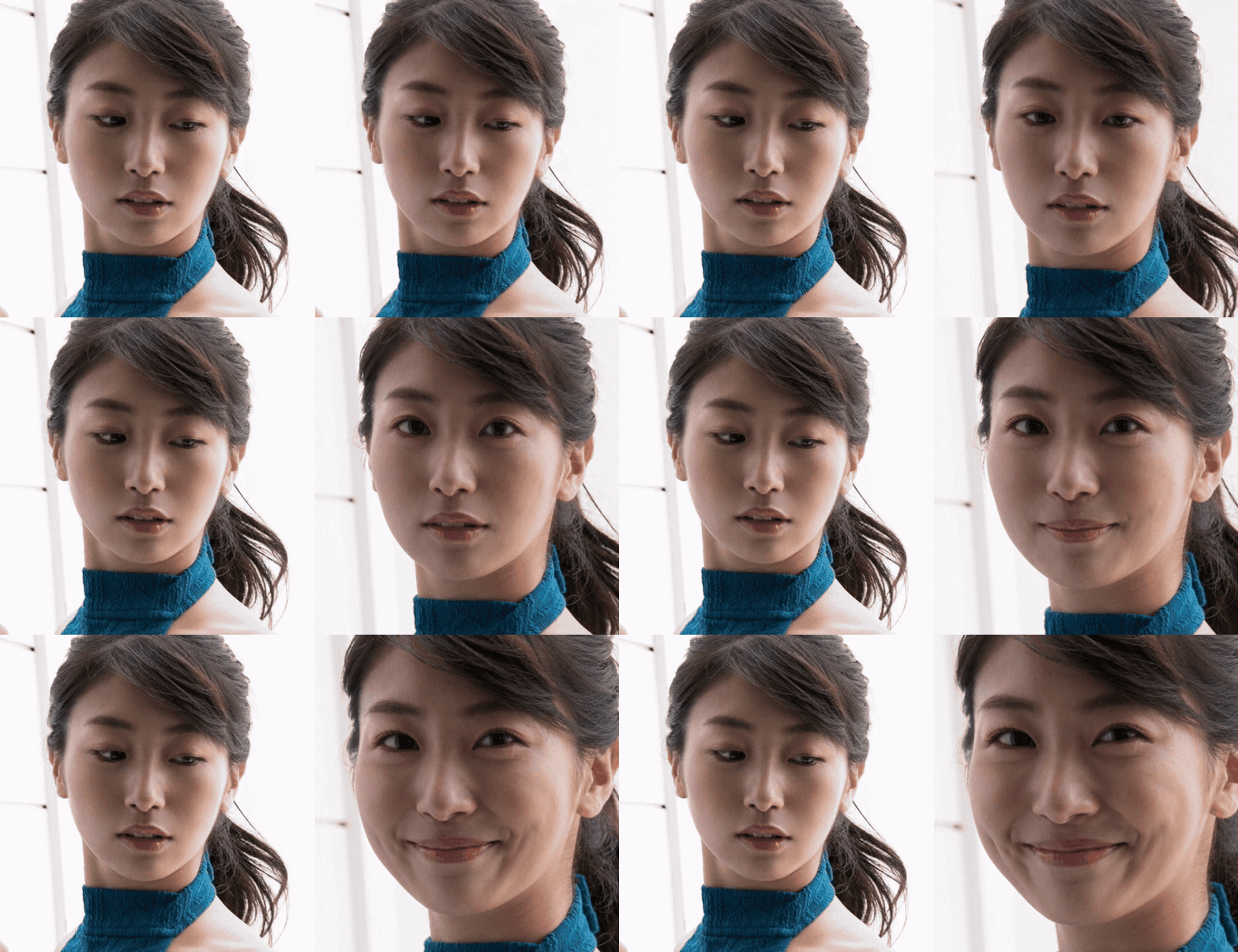
We attached a close portrait of a woman glancing down and to the side, then asked for one small, natural movement:
Plain1Use the Atlas Cloud plugin: Seedance 2.5 image-to-video with the attached photo as the first frame, 6 seconds, 720p, sound on. She slowly lifts her gaze and turns her head toward the camera, a small smile forming, loose strands of hair moving in a light breeze. Soft window light from the left, the white wall stays as it is, the camera holds still with a gentle push-in. Sound: quiet room tone and a soft rustle of fabric. Show me the exact request and the price, and wait for my confirmation before submitting.
The plugin uploaded the photo to Atlas and set it as the first frame. By the end of the six seconds, she has lifted her eyes, turned to face the lens and settled into a smile while the camera eases closer. Her ponytail, the teal knit collar and the white wall behind her hold steady from the first frame to the last.
Two details are worth knowing before you try your own. The output keeps your photo's proportions, since Seedance 2.5 image-to-video matches the aspect ratio of the source image. Ours came back nearly square because the portrait was.
And if you know where the shot should end, attach a second photo as the last frame and the model fills in the motion between the two. The same settings sit on the Seedance 2.5 image-to-video page if you would rather fill in a form than chat.
Reference-to-Video in ChatGPT: Put the Same Face in a New Scene
Reference-to-video treats your images as a cast list rather than a starting frame. The model learns who the person is and what the product looks like, then builds a new shot around them. Use it when a character has to appear somewhere your photo never showed.
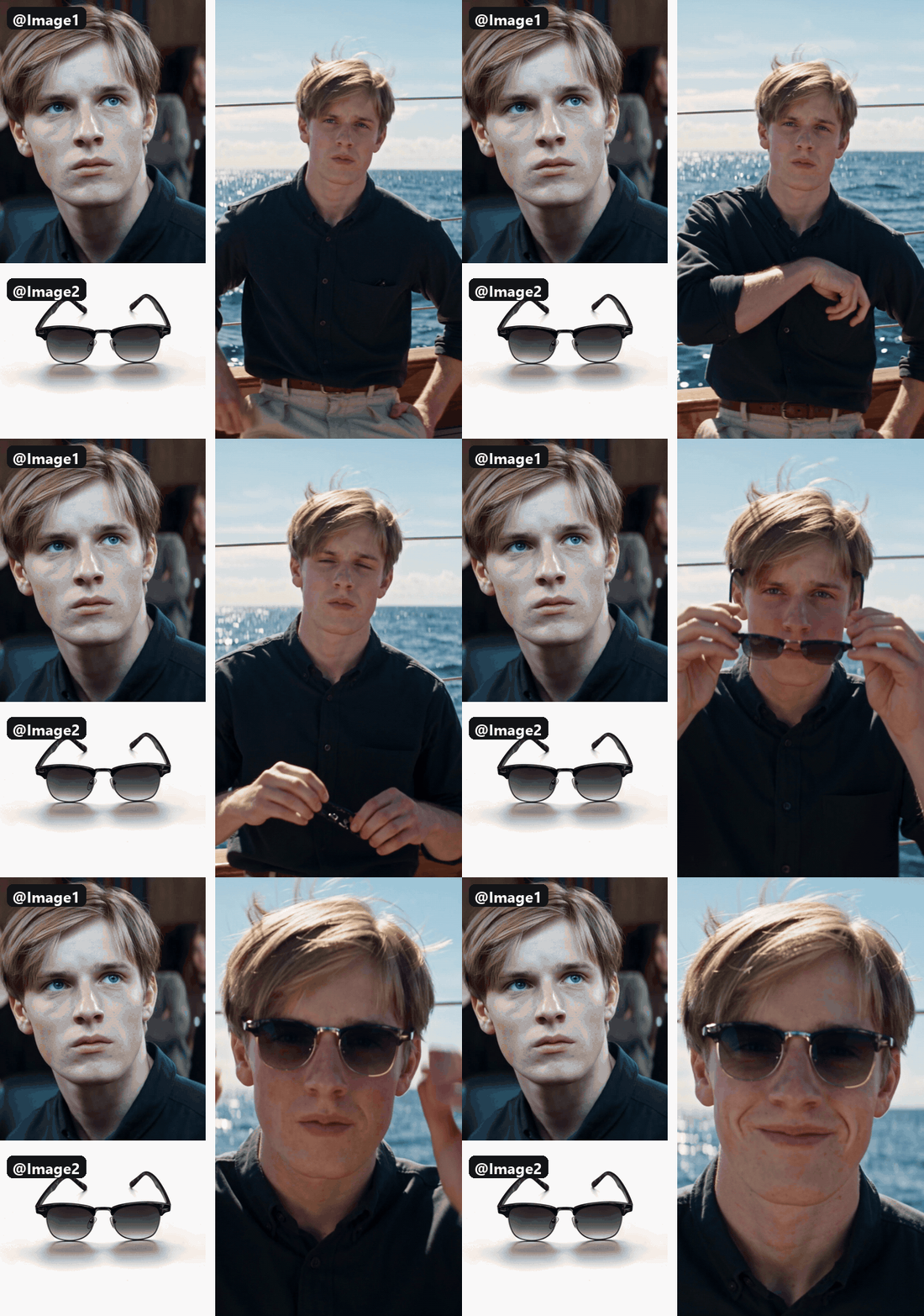
In the prompt, each image is called by its upload order: @Image1 for the first attachment, @Image2 for the second. We attached a portrait of a young man shot indoors and a product photo of clubmaster sunglasses, then moved him somewhere neither photo had been:
Plain1Use the Atlas Cloud plugin: Seedance 2.5 reference-to-video, 8 seconds, 9:16, 720p, sound on. Pass the first attached photo as @Image1 (the man) and the second as @Image2 (the sunglasses). The man from @Image1 leans on the rail of a sailboat on a bright summer afternoon, wind in his hair, the sea glittering behind him. He takes the sunglasses from @Image2 out of his shirt pocket, puts them on and grins at the camera. Handheld medium shot that pushes in to a close-up. Keep his face, hair and dark shirt as in @Image1 and the frame shape of the sunglasses as in @Image2. Sound: waves, rigging clinking, a gull overhead. Show me the exact request and the price, and wait for my confirmation before submitting.
The request it showed us paired @Image1 with the portrait and @Image2 with the sunglasses, so the order was easy to check before anything ran.
The clip puts him on a sunlit deck with open water behind him. He pulls the glasses from his pocket, unfolds them, puts them on and breaks into a grin as the camera closes in. The face, the swept hair and the dark shirt carry over from the portrait, and the frames keep the clubmaster shape from the product shot.
One request can carry up to 30 reference images, plus reference videos and audio clips. That headroom is what turns ChatGPT into a practical video generator for recurring characters: keep the same reference photo, change the scene line, and the face follows you into the next clip.
Text, Image or Reference: Which ChatGPT Video Mode Fits Your Clip?
Start from what you already have. A prompt alone points to text-to-video. One good photo points to image-to-video. A person or product that must stay recognizable in a new place points to reference-to-video.
| Mode | What you send | What stays locked | Aspect ratio | Pick it when |
|---|---|---|---|---|
| Text-to-video | A prompt only | Nothing; the model invents every frame | You choose, from 21:9 to 9:16 | You need a scene that doesn't exist yet |
| Image-to-video | One photo, plus an optional last frame | The first frame, exactly as shot | Follows your photo | You want a specific photo to start moving |
| Reference-to-video | Reference images, plus optional videos or audio | The faces, products and styles you reference | You choose | The same person or product needs a new setting |
FAQ
Can ChatGPT make videos for free?
The ChatGPT side costs nothing extra. All of our tests ran on a free ChatGPT account. Atlas bills the video itself per clip, from your own balance.
As of October 2026, Seedance 2.5 carries a 20% discount on Atlas with no end date listed. At that rate, Atlas quoted our clips at $2.42 for 8 seconds of text-to-video, $1.82 for 6 seconds of image-to-video and $2.42 for 8 seconds of reference-to-video, all at 720p. Drafting at 480p brings each one down further.
Can ChatGPT make videos with sound?
Yes, once the plugin is in place. Seedance 2.5 generates synchronized audio by default, covering ambience, sound effects and speech if your prompt includes a spoken line. Describe the sounds you want the same way you describe the picture. If you plan to lay your own music over the clip later, ask for it without audio.
How long can a ChatGPT video be?
Each Seedance 2.5 clip runs from 4 to 30 seconds, and you set the length in the request. For anything longer, send a finished clip back as a reference video and ask the model to continue it. Reference-to-video handles that extension, so a minute-long sequence is two or three requests in the same thread.
Can ChatGPT edit a video you already have?
Yes, for clips between 4 and 30 seconds. Upload it as a reference video and describe the change, such as a new background or a different jacket. When the prompt asks to modify the input clip, Seedance 2.5 switches into editing mode and the result keeps your clip's original length.
Conclusion
ChatGPT still can't render video on its own, and the Sora shutdown took away OpenAI's own video app. What it can do is drive a video model for you. With a plugin installed, a text prompt, a photo or a set of reference images becomes a finished Seedance 2.5 clip without leaving the thread.
Pick the mode by what you already have, describe the motion and the sound, and confirm the request before it runs. So, can ChatGPT make videos? Not out of the box. Add one plugin, and your next clip starts in the same chat as its script.





