Codex will happily write the code for a game's title screen. Then it reaches the line that loads assets/harbor-bg.png and stalls, because nobody has painted the harbor yet. Codex plugins close gaps like that one.
Each plugin hands Codex a new set of skills or a live connection to another service, so the agent can open the pull request, read the Figma frame or produce the missing art inside the same project.
We read the listings of the plugins Codex users recommend most in the ChatGPT Plugins Directory, which ChatGPT and Codex share, and ran one of them through a real game prototype. Below are the ten worth installing, what each one actually adds to a repo, and the setup it asks for.

Every asset in this scene came from the Atlas Cloud plugin inside one Codex chat. Codex wrote the three.js code that places them.
Key Takeaways
- Codex plugins bundle skills and MCP servers, and ChatGPT and Codex share one plugin directory.
- Install them from the Plugins page in the desktop app, or type /plugins in Codex CLI.
- The Atlas Cloud plugin adds image, video and 3D generation from 400+ models to Codex projects.
- One Codex chat in our test produced a harbor backdrop, a cut-out heroine and a textured 3D helmet.
- Installed plugins can add skills and tools to each new chat, so install per job and trim the rest.
Codex Plugins Comparison Table
A Codex plugin is an installable bundle. It can carry skills, which are reusable instructions Codex loads for a certain kind of work, and MCP servers, which connect Codex to a live service such as GitHub or Vercel. Some plugins also add browser extensions or lifecycle hooks. OpenAI shipped plugin support in Codex on March 25, 2026, and the same directory now serves ChatGPT too.
Seven of the ten plugins below connect at least one app or MCP server, which means you sign in to that service before Codex can act on it. The other three ship skills alone. Bundled skills range from zero (GitHub and Linear) to 33 (Vercel), and Superpowers needs no account at all, since its listing shows skills only.
| Plugin | Best for | Built by | Bundled skills | Apps or MCP servers | Account it needs |
|---|---|---|---|---|---|
| Atlas Cloud | Images, video and 3D inside a project | Atlas Cloud AI Inc | 3 | 1 app | Atlas Cloud |
| GitHub | Pull request review, issues and CI | OpenAI | 0 | 2 apps | GitHub |
| Figma | Turning designs into code | Figma, Inc. | 14 | 1 app | Figma |
| Superpowers | Planning, test-driven work and debugging | Jesse Vincent | 15 | None | Nothing extra |
| Vercel | Deploying web apps | Vercel Labs | 33 | 1 app and an MCP server | Vercel |
| Codex Security | Security scans of a repository | OpenAI | 15 | 3 apps and a local MCP server | GitHub, Linear or Atlassian for its bundled apps |
| Supabase | Databases, auth and migrations | Supabase | 2 | 1 app | Supabase |
| Linear | Issues, projects and PRDs | Linear Orbit, Inc | 0 | 1 app and an MCP server | Linear |
| Sentry | Reading production errors | Sentry | 1 | None | Sentry |
| Firecrawl | Web search and page extraction | SideGuide Technologies | 1 | None | Firecrawl |
How We Picked the Best Codex Plugins
We read each listing in the ChatGPT Plugins Directory on October 10, 2026, inside the ChatGPT desktop app, where Codex now lives. We also checked which plugins the existing roundups keep recommending, then installed Atlas Cloud and ran it inside a working Codex project from first request to finished scene.
Four criteria decided the ranking:
- Work inside the repo. Does the plugin let Codex change something real, such as files, pull requests or deployments, rather than only answer questions?
- Setup cost. How many accounts, sign-ins and desktop-only steps stand between install and first use?
- Context load. How many skills, apps and MCP servers does it bring into every new chat?
- Permission footprint. Is the plugin read-only, or can it write to a service you care about?
The first criterion carried the most weight. Codex earns its keep by editing a project, so a plugin that ends in a file, a commit or a deploy beats one that ends in a chat reply.
Disclosure: Atlas Cloud publishes this article and builds the first plugin on the list. No other plugin maker paid for placement, and each one is described from its own directory listing.
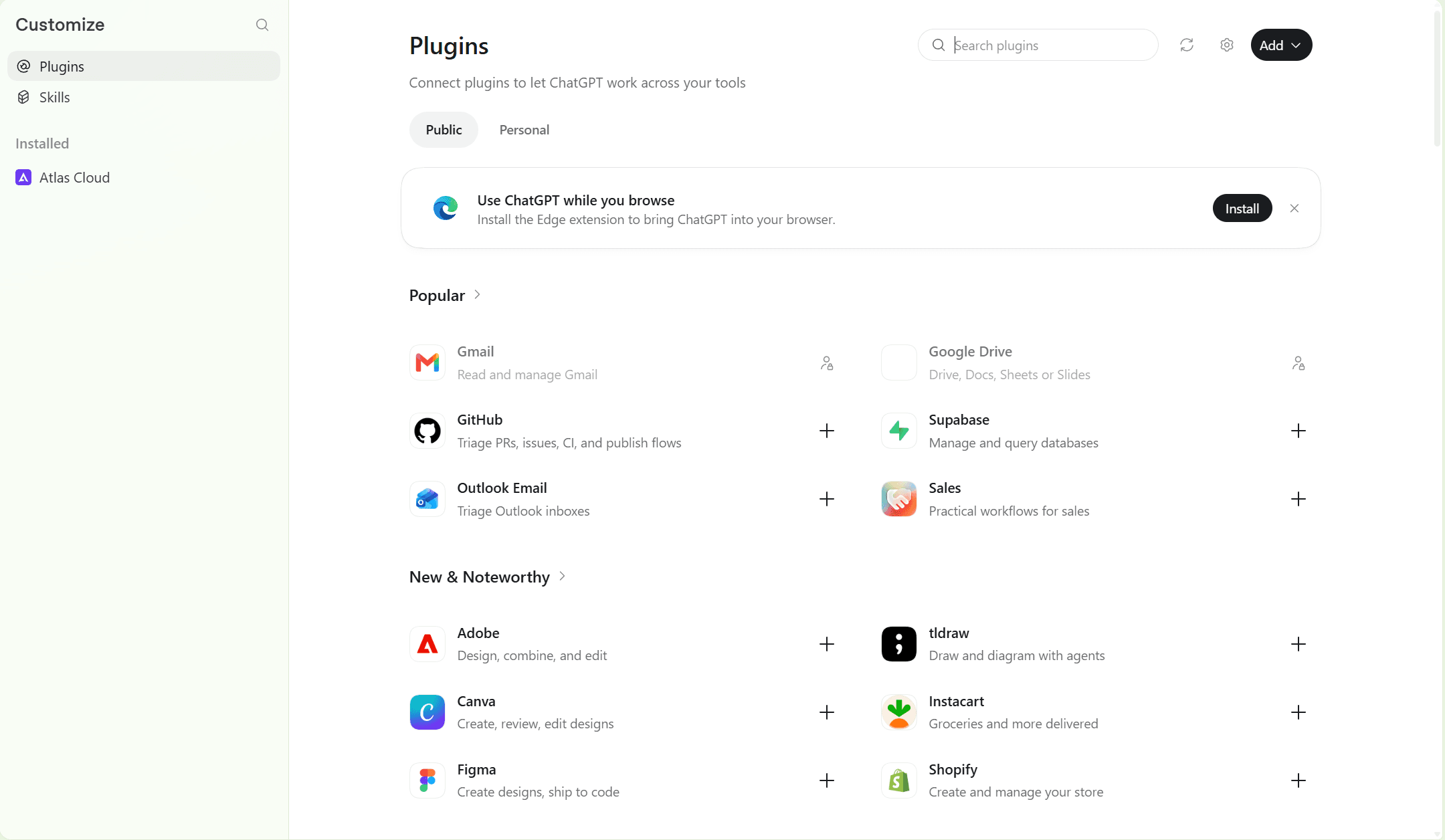
1. Atlas Cloud: Best Codex Plugin for Images, Video and 3D
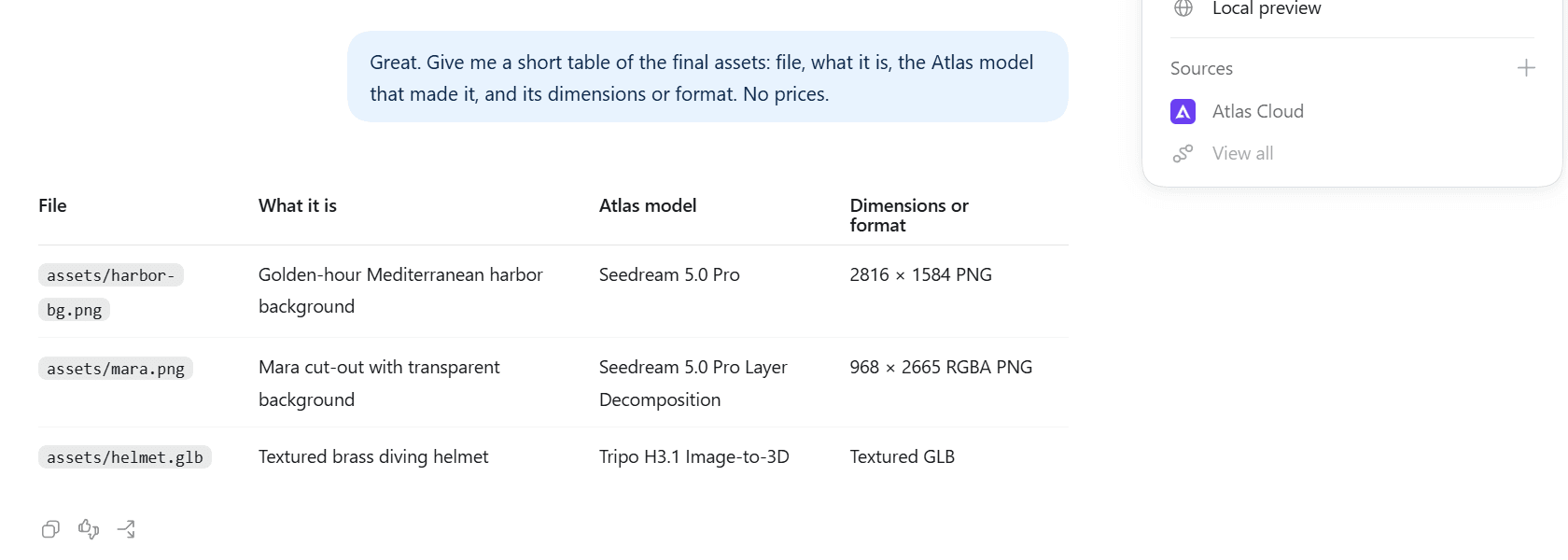
Ask Codex for art and Atlas Cloud puts real files in your project: a 2816 × 1584 background, a character on a transparent PNG, a textured GLB model. Codex then writes the code that uses them, so the asset brief and the build happen in one thread. Atlas Cloud runs the generation, and Codex saves each result into the folder you named.
Install it from Atlas Cloud's directory listing, sign in once in the browser, and start a new Codex chat.
Why it stands out: Codex already draws images on its own. OpenAI's image generation docs say the built-in tool uses gpt-image-2, counts toward your general Codex usage limits, and burns through them 3 to 5 times faster on average than a turn without an image.
The plugin widens the menu. You choose from a live catalog of 400+ models, from Seedream 5.0 Pro and Nano Banana for stills to Seedance and Kling for video and Hunyuan or Tripo for 3D. Before a job runs, the plugin can look up a model's inputs, output type and price, and billable jobs may wait for your confirmation.
Best for: indie game makers who need a backdrop, a character and a prop before the prototype feels real. It also suits front-end developers who keep shipping pages with gray placeholder boxes.
Pricing: the plugin is free to install. Each job draws on your own Atlas Cloud balance, and new accounts get a small sign-up credit once a payment method is on file. The FAQ lists what each asset in our test cost.

Left to right: harbor-bg.png from Seedream 5.0 Pro, mara.png cut out with Seedream 5.0 Pro layer decomposition, and helmet.glb from Tripo H3.1, rendered here in three.js.
Use Codex as an AI Game Asset Generator in Three Steps
Our test project, Tidewater, is a tiny harbor game with an index.html that already pointed at three files that did not exist. A short brief in assets/ASSETS.md described each one. Here is how the plugin filled the gap.
- Open the project in Codex. Pick the project folder under the composer so Codex can read the brief and write into assets/.
- Ask for the assets by name. Mention the Atlas Cloud plugin, the file names and the model for each job. Asking for a quote first keeps the spend visible.
- Send the request. The plugin submits each job, Codex saves the results into assets/, then updates index.html to load them.
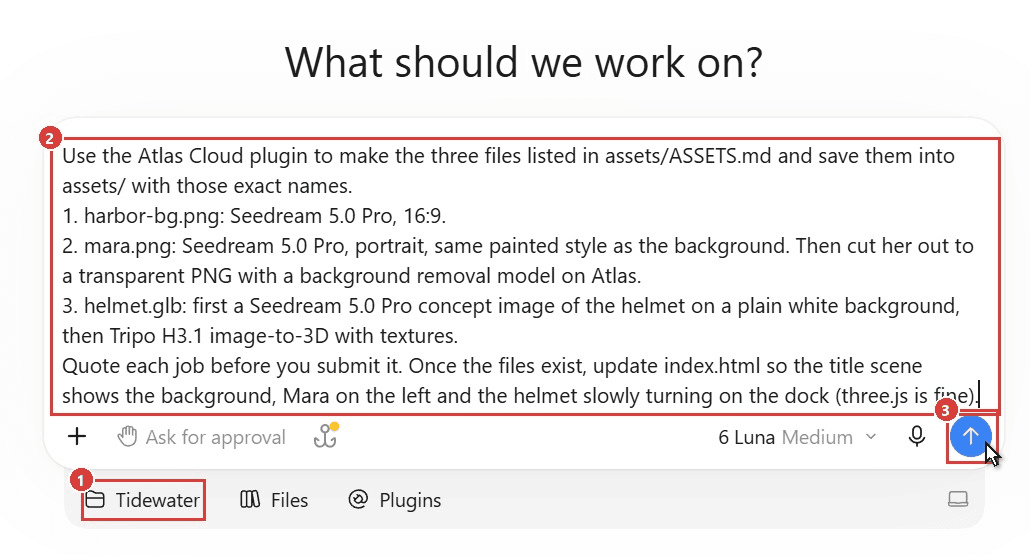
This is the request we sent, word for word:
Plain1Use the Atlas Cloud plugin to make the three files listed in assets/ASSETS.md and save them into assets/ with those exact names. 21. harbor-bg.png: Seedream 5.0 Pro, 16:9. 32. mara.png: Seedream 5.0 Pro, portrait, same painted style as the background. Then cut her out to a transparent PNG with a background removal model on Atlas. 43. helmet.glb: first a Seedream 5.0 Pro concept image of the helmet on a plain white background, then Tripo H3.1 image-to-3D with textures. 5Quote each job before you submit it. Once the files exist, update index.html so the title scene shows the background, Mara on the left and the helmet slowly turning on the dock (three.js is fine).
The helmet shows why the two-stage route pays off. Seedream 5.0 Pro drew a clean concept on white, and Tripo H3.1 turned that single image into a 43 MB GLB with brass PBR textures, bolts and a dark glass port. For Mara, one follow-up message pointed the plugin at Seedream 5.0 Pro's layer decomposition, which returned her on her own transparent layer at 968 × 2665.
Codex's three.js code took several short follow-ups of its own. It needed an import map so the model loader could find three.js, an environment light so the brass stopped looking muddy, and a nudge to turn the helmet's glass port toward the camera. Mara also moved to the water's edge, where Codex added a rippling reflection beneath her. Each fix was a sentence or two in the same chat.
Want more ideas for the character side? Our roundup of AI character generators compares tools built for consistent heroes and NPCs.
2. GitHub: Best Codex Plugin for Pull Requests and CI
OpenAI builds the GitHub plugin itself, and it sits in the directory's Popular row. It turns Codex into a reviewer and fixer for the code you already host on GitHub.
What it adds to Codex: the listing describes a connector-first workflow for inspecting repositories, reviewing pull requests, addressing feedback, debugging failing Actions checks and preparing changes for review, with targeted CLI fallbacks. Its sample prompts include a pull request summary written "like a senior reviewer" with the missing tests called out.
What you need first: a GitHub account connected through the plugin's app. The listing notes that this connection is required for some features such as Codex.
Where it falls short: the plugin bundles no skills, so its value depends on the app connection. Teams on a GitHub Enterprise host need a separate, workspace-specific connector.
First prompt to try: "Summarize this pull request like a senior reviewer: what changed, what could break, and what tests are missing or weak."
Fits: anyone whose code and CI live on GitHub. Not for you if : your repositories sit on GitLab or Bitbucket.
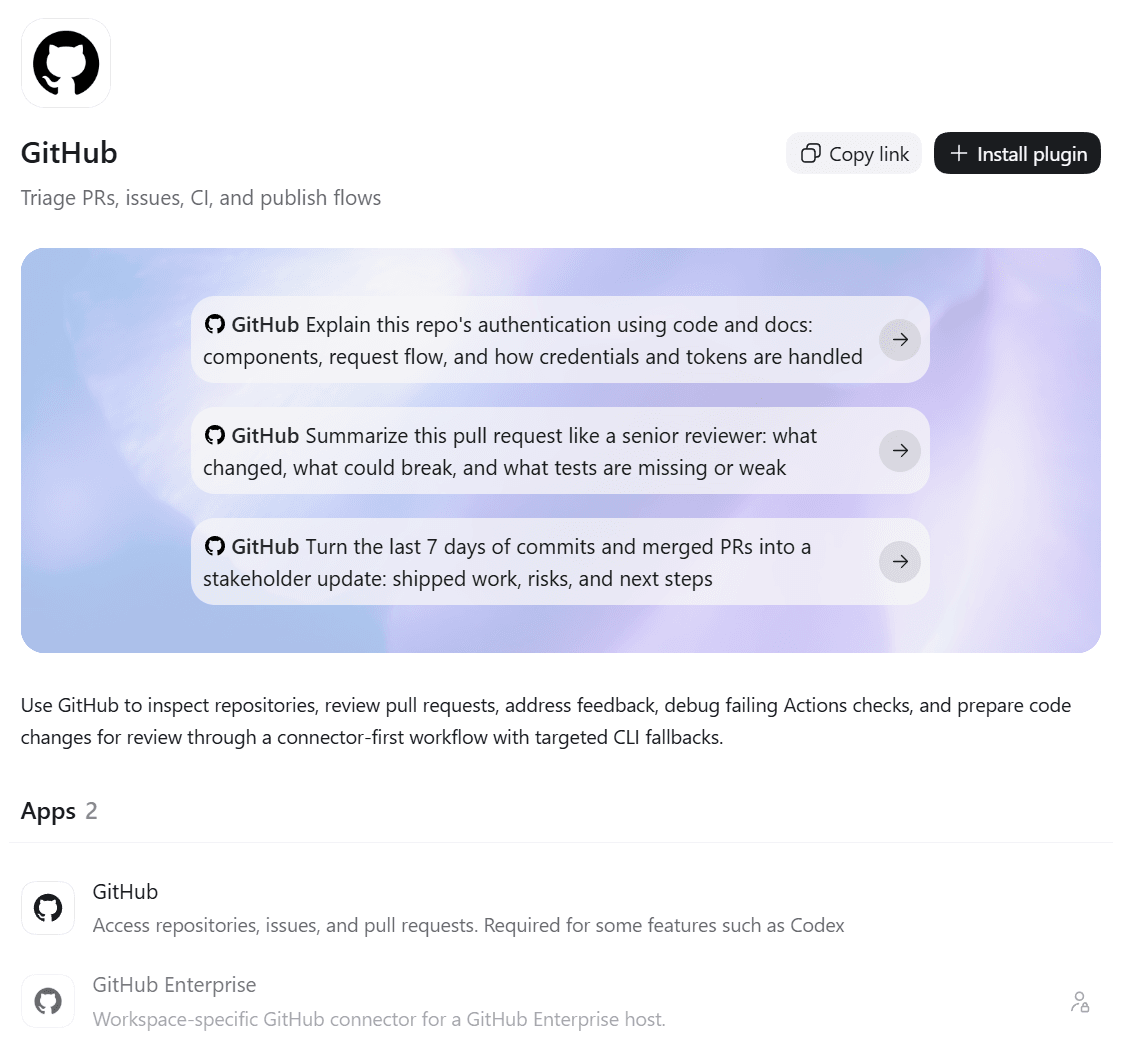
Screenshot from GitHub's listing in the ChatGPT Plugins Directory, October 2026.
3. Figma: Best Codex Plugin for Design-to-Code Work
Figma's plugin is the bridge between the design file and the codebase. Its listing says you can send product screens to Figma as editable layers, then send the designs back to Codex to implement in your code.
What it adds to Codex: 14 skills, including design-to-code, Code Connect mapping between Figma components and code snippets, and new-file creation for Figma Design, FigJam or Slides. The Figma app connection does the reading and writing.
What you need first: a Figma account, plus a design system in Figma if you want the generated layers to use your own components.
Where it falls short: it works from what already lives in Figma. If your team designs in code or in another tool, most of its 14 skills will sit idle.
First prompt to try: "Read the attached PRD and create a flowchart of the 2FA flow."
Fits: product teams that hand off from Figma to engineering every sprint. Not for you if : you rarely open Figma.
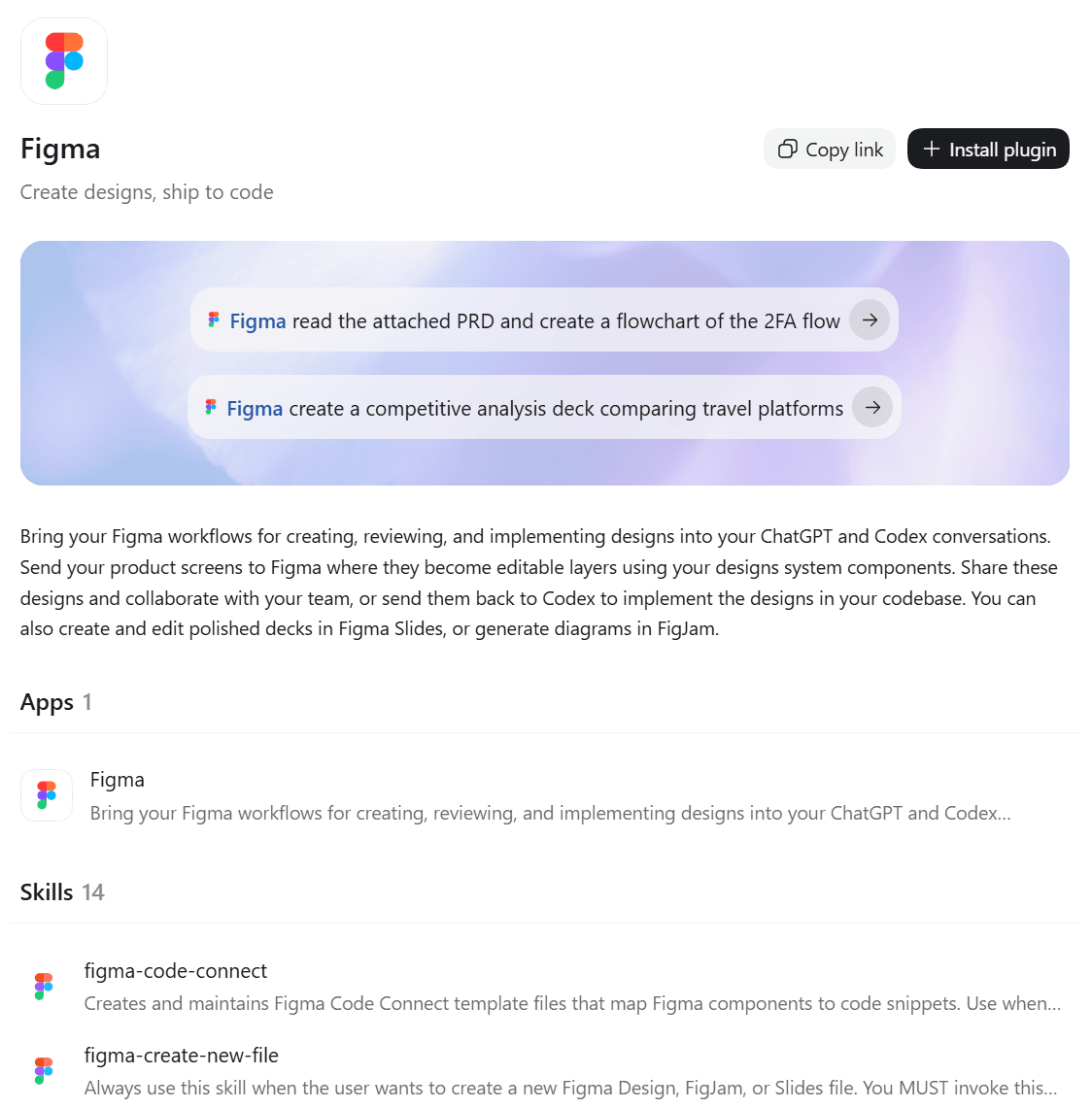
Screenshot from Figma's listing in the ChatGPT Plugins Directory, October 2026.
4. Superpowers: Best Codex Plugin for Planning and Test-Driven Work
Superpowers is a pure skills plugin from developer Jesse Vincent. It changes how Codex works and connects to no outside service, steering each task through brainstorming, a written plan, tests first and a review before the branch closes.
What it adds to Codex: 15 skills, among them Brainstorming, Executing Plans, Dispatching Parallel Agents, Requesting Code Review and Finishing a Development Branch. Version 6.4.2 was live when we checked.
What you need first: nothing beyond the install. The listing shows no app or MCP server, so there is no account to connect. If you are new to the idea of packaged skills, our walkthrough of a single Codex skill shows how one skill shapes an entire task.
Where it falls short: the process is the product. A one-line fix does not need a brainstorm and a plan, and the extra steps slow small jobs down.
First prompt to try: "Let's add a feature to this project." Expect Codex to ask about intent and requirements before it writes any code.
Fits: developers who want Codex to plan and test before it writes. Not for you if : most of your Codex work is quick edits.
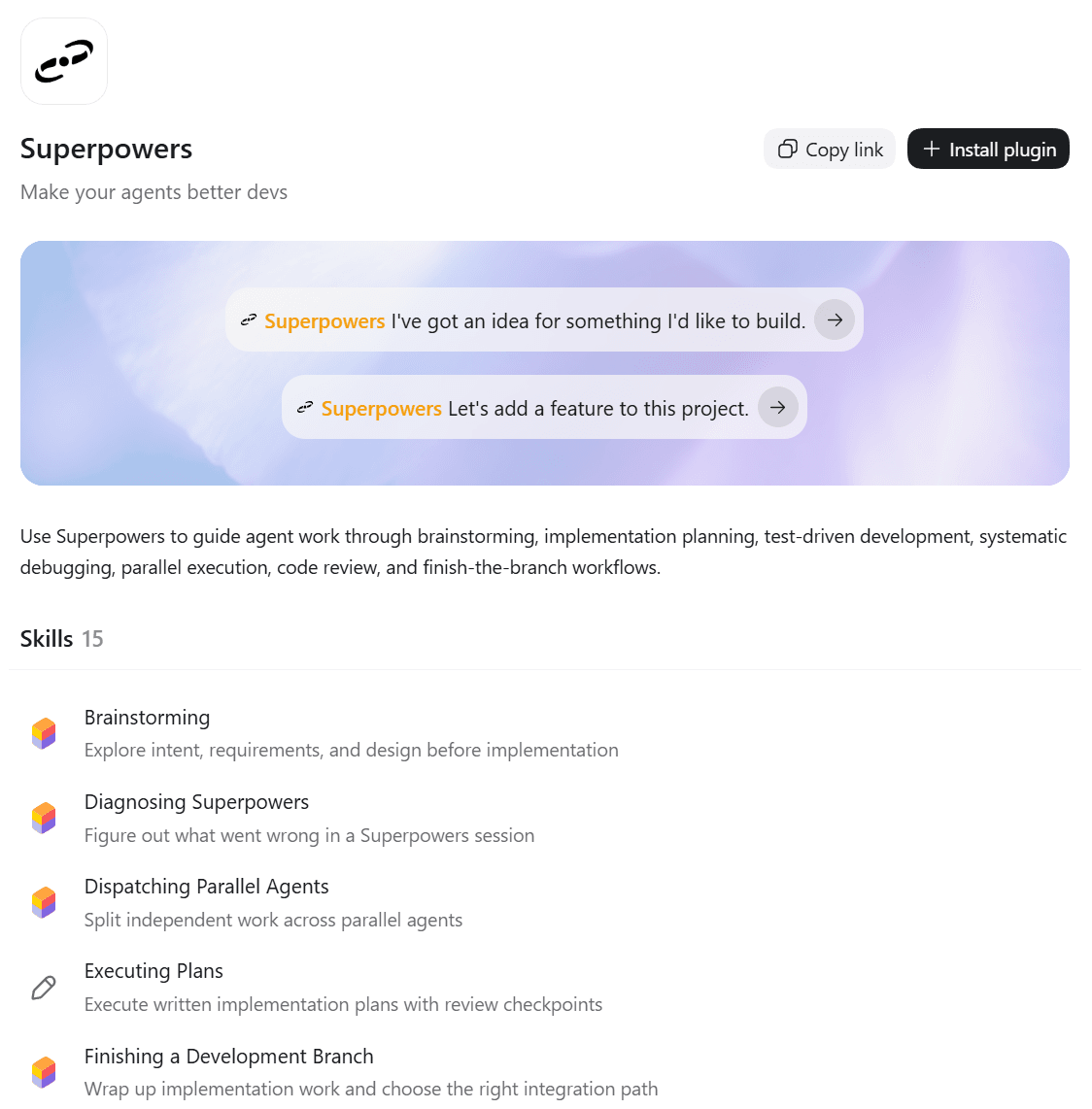
Screenshot from Superpowers' listing in the ChatGPT Plugins Directory, October 2026.
5. Vercel: Best Codex Plugin for Deploying Web Apps
Vercel's plugin carries the biggest bundle on this list: 33 skills of guidance for Next.js, the AI SDK, Workflow, storage and deployments.
What it adds to Codex: sample prompts such as auditing a repo for deployment risks, plus the MCP connection at mcp.vercel.com for inspecting and managing projects. OpenAI's plugin docs also list Vercel among the first partners for Sign in with ChatGPT.
What you need first: a Vercel account connected through the plugin. Sign in with ChatGPT can create or link one.
Where it falls short: 33 skills become available in each new chat whether or not the task touches Vercel. Teams that deploy elsewhere carry that weight for nothing.
First prompt to try: "Audit this repo for Vercel deployment risks."
Fits: teams shipping Next.js or AI SDK apps on Vercel. Not for you if : you deploy to another host.
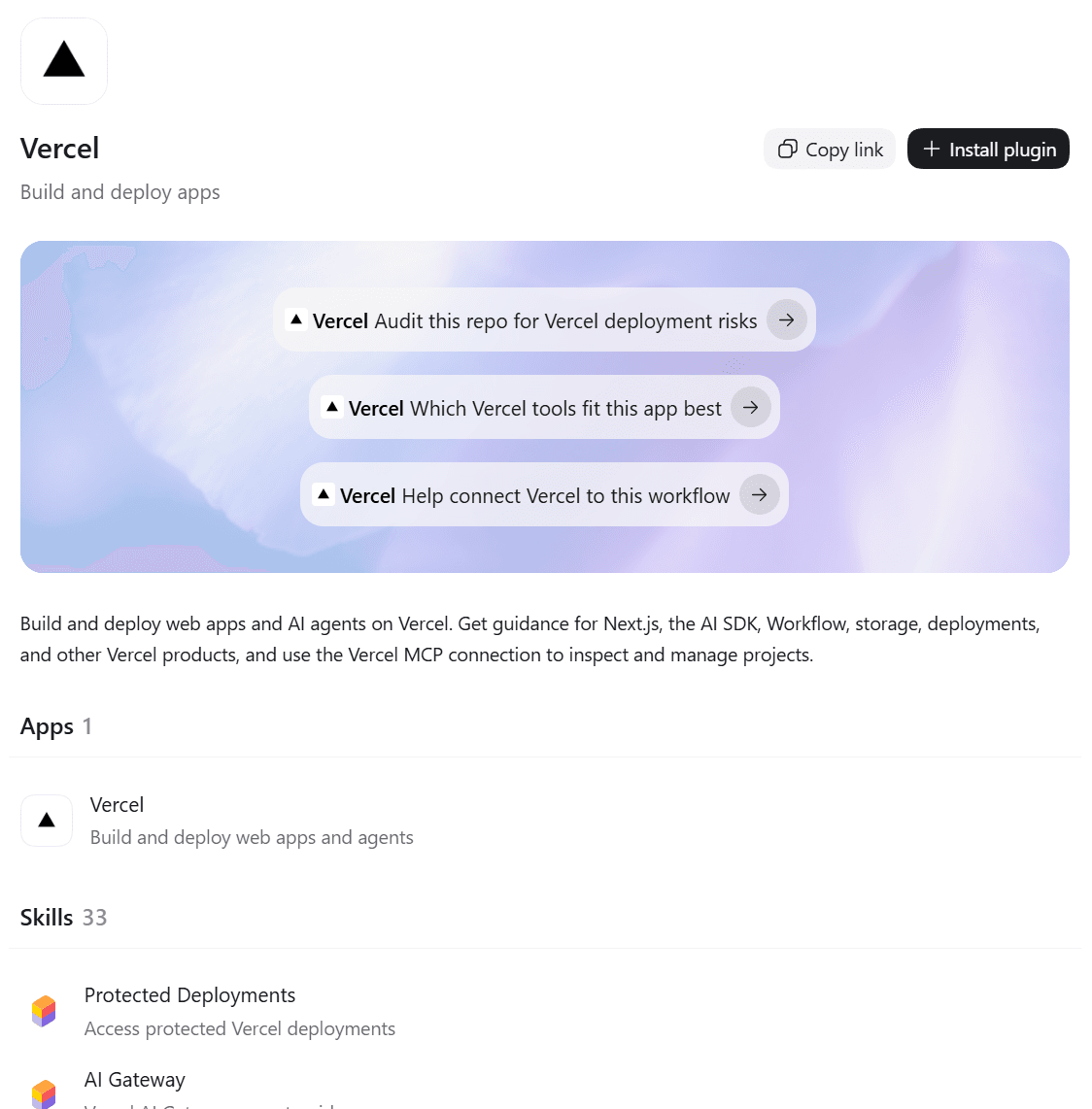
Screenshot from Vercel's listing in the ChatGPT Plugins Directory, October 2026.
The Other Five Codex Plugins Worth Knowing
These five do one job well, which kept them out of the top half. Each is worth a slot when that job is yours.
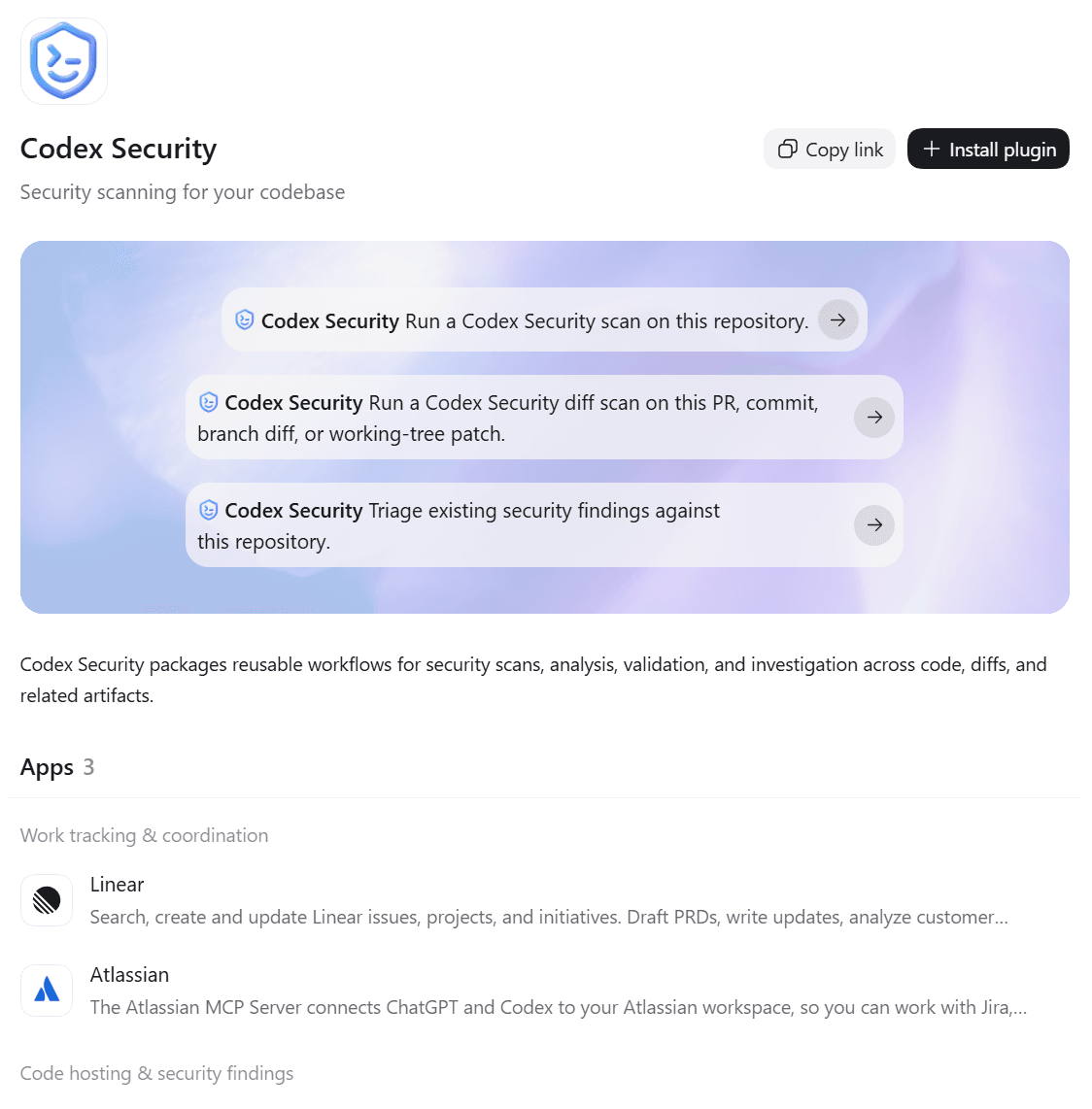
Screenshot from Codex Security's listing in the ChatGPT Plugins Directory, October 2026.
6. Codex Security
OpenAI's own security plugin packages 15 skills for deep scans, diff scans, attack path analysis and fixing findings, backed by a local MCP server and apps for Linear, GitHub and Atlassian. Its web listing sends you to the desktop app to install. Pick it when a repository needs a real audit before release.
7. Supabase
Supabase lets Codex run SQL, change schemas, deploy edge functions, set up auth and read logs on your project, with two skills that include Postgres best practices. It is a Sign in with ChatGPT partner, so you can create or link the Supabase account with your ChatGPT sign-in. Skip it unless Supabase is your backend.
8. Linear
Linear connects through an app and an MCP server at mcp.linear.app/mcp, and it bundles no skills at all. Codex can search, create and update issues, projects and initiatives, or draft a PRD. It suits teams that want ticket updates to follow the code change.
9. Sentry
Sentry ships a single skill with a read-only workflow: inspect recent issues, review events and summarize production errors. Read-only is the selling point. Codex can tell you what broke last night through a skill labeled read-only observability.
10. Firecrawl
Firecrawl gives Codex web search, page and document extraction, multi-page crawls and research across developer docs and papers, all through one skill. The listing also mentions account credit-usage checks, so expect heavy use to draw on a Firecrawl account. It is handy when Codex needs documentation newer than its training data.
How Many Codex Plugins Should You Install at Once?
Fewer than you think. OpenAI's plugin documentation says installed plugins can add skills and MCP tools to new chats, and the chart shows how uneven that load is. Install all ten picks above and each new chat has 84 bundled skills available, plus apps and MCP servers from seven of the plugins.
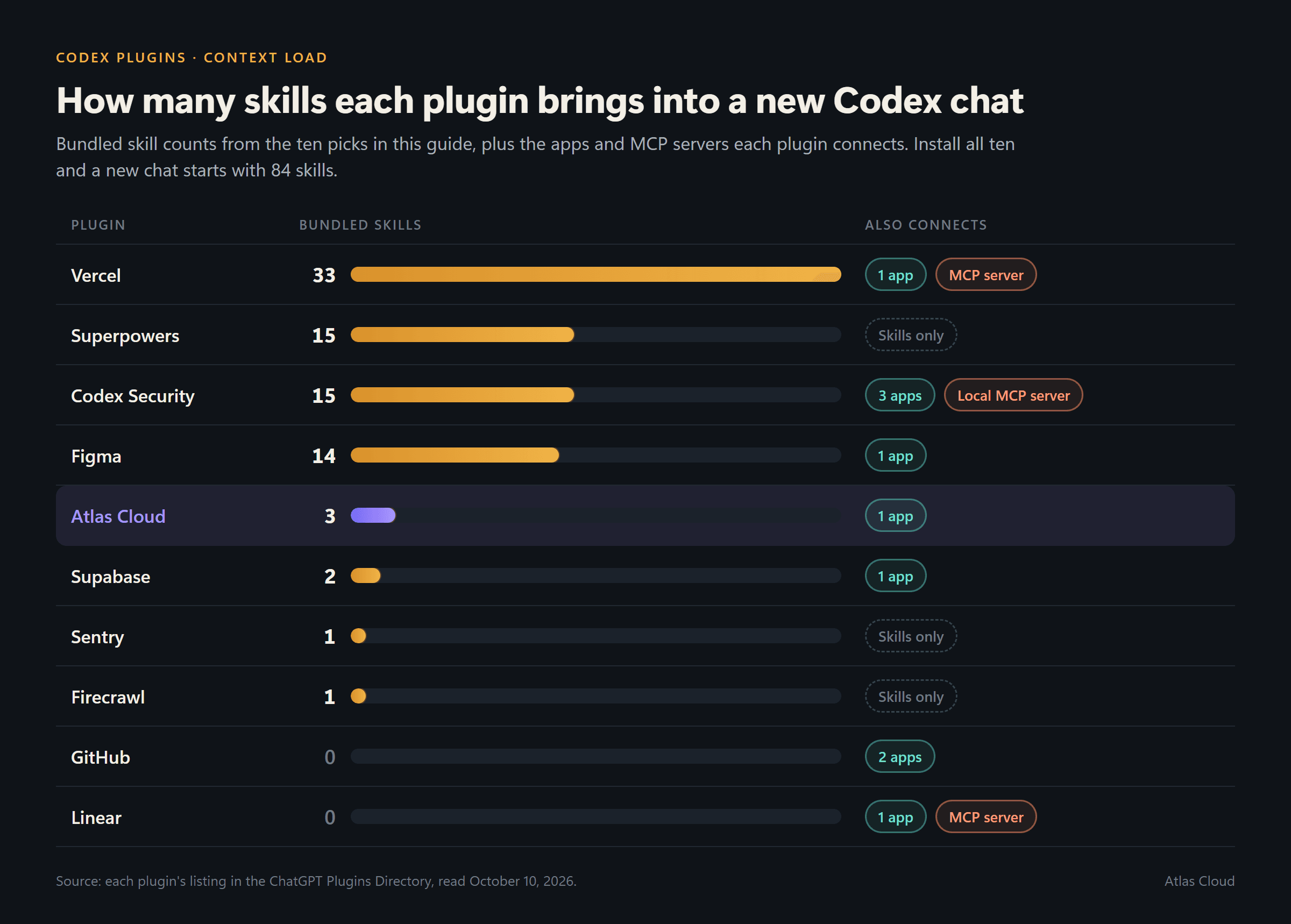
Context is the hidden cost. In an August 2026 guide to Codex context management, Dennis Pilarinos of Unblocked warns that loading several MCP servers "can consume tens of thousands of tokens before your first prompt." Every one of those tokens is room the agent no longer has for your code.
Permissions are the second cost. The same OpenAI docs note that a plugin running through Codex follows the host's sandbox and approval policy, and that signing in with ChatGPT doesn't approve actions on its own. Uninstalling a plugin also leaves its MCP connections in place until you disconnect them.
What to do instead: install for the job in front of you and remove what you stop using. When you keep a plugin but only need part of it, Codex's configuration reference lets you switch off a bundled MCP server or allowlist the tools it exposes in config.toml:
TOML1[plugins."<plugin-name>@<marketplace-name>".mcp_servers.<server>] 2enabled_tools = ["<tool-you-use>", "<another-tool>"]
Swap in the names from your own config. Set enabled = false in the same table to turn that server off without uninstalling the plugin.
What Does Reddit Say About the Best Codex Plugins?
The thread that ranks for this question lives in r/codex. It opened about five months before this review with a familiar admission: the poster had used Codex for months without a single plugin and wanted to know what they were missing. The post reached a score of 180, and the replies settled into three camps.
| Pick from the thread | What commenters liked | The catch they raised |
|---|---|---|
| Superpowers | Sharper design specs and plans than base Codex | Heavy on tokens; a lighter fork, Superpowers Optimized, came up as a middle ground |
| Matt Pocock's skills, such as grill-me and to-prd | Cheap on tokens with strong results | One reply said they stop short of turning a plan into work units |
| Context7 | Current library docs for Codex to look up | One reply noted that it isn't a plugin at all |
| Caveman and RTK | Lower token use on every task | No downside raised in the thread |
| Service connectors for Slack, Google Drive, Vercel and Stripe | They work in the background without being called by name | One commenter avoids untested plugins in case they damage working code |
Superpowers drew the most mentions and the sharpest split. Its fans credit it with better plans and reviews, while critics say it "chews more tokens than it's worth." One supporter answered that sloppy work you fix later costs far more than the tokens. The argument mirrors the context trade-off in the previous section.
A vocal minority said that no plugin is still the best setup for experienced engineers, and that plugins mainly help people who code by feel.
The connector camp pushed back hard. One commenter said Slack and Google Drive plugins, plus a few custom ones, now let them run most of their job from Codex, and another said the Vercel plugin works well. None of the replies we read touched image, video or 3D work, so creative plugins barely register in the thread.
FAQ
How do I install Codex plugins in the app or the CLI?
In the ChatGPT desktop app, open Plugins, pick a plugin, select the plus button and connect any account it asks for. Then start a new chat, because bundled skills become available only in a new chat or CLI session.
In Codex CLI, enter /plugins to open the same browser. Plugins from a GitHub marketplace go in with codex plugin marketplace add followed by the owner and repo name. Our step-by-step launch guide walks through both routes for Atlas Cloud.
Can Codex image generation work without a plugin?
Yes. Describe the image in the composer, or include $imagegen to call the built-in image skill by name. For large batches, OpenAI suggests setting OPENAI_API_KEY so those images bill at API rates instead of your included limits. A plugin earns its place when you want a different image model, a 3D file or a video clip.
Are Codex plugins free to use?
The directory listings we checked show no install fee. The cost sits with the service behind each plugin, and Atlas Cloud charges per job.
In our Tidewater run, the 2K harbor background cost $0.072 and each Seedream 5.0 Pro image at portrait or square size cost $0.036, prices that reflected a 20% discount on Seedream 5.0 Pro in October 2026. The textured Tripo H3.1 helmet cost $0.22, and the layer decomposition that cut Mara out cost $0.648, so the full set came to about a dollar.
Do Codex plugins work in the VS Code extension?
No. OpenAI's documentation states that the IDE extension doesn't support plugins. Use Codex in the ChatGPT desktop app or Codex CLI instead. Plugins marked Desktop only need the desktop app even if you find them on the web.
Conclusion
The ten picks split cleanly by job. GitHub, Figma, Superpowers and Vercel cover the code side, from review to deploy, and the other five each solve one narrower problem well. Atlas Cloud fills the gap the rest leave open: the art, footage and 3D files a project needs before it looks finished.
Start with the two or three Codex plugins that match the work on your desk this week, prune the ones you stop using, and let the agent fetch the missing assets the next time a file path points at nothing.





