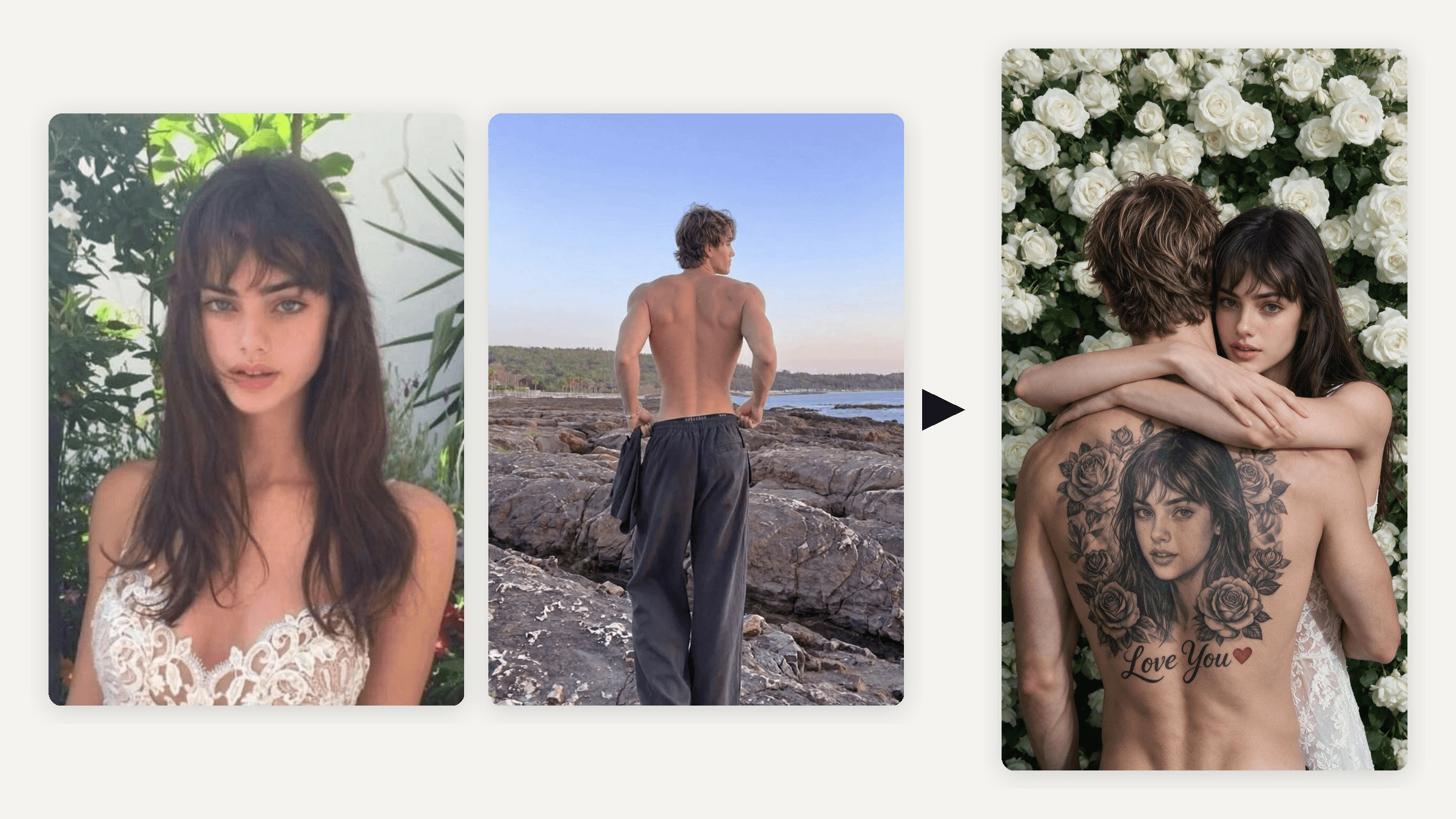
He stands with his back to the camera. Across it, inked in black and gray, is her face, framed by roses and the words "Love You." She leans over his shoulder and looks straight at you. None of it is real, and that is the joke behind the couple back tattoo AI trend now filling TikTok. Here are the CapCut templates behind both waves, and a way to make your own with your actual partner, video included.
Key Takeaways
- The couplebacktattoo AI trend went viral twice: Spanish tutorials in July, French and English in October.
- Each wave ran on different CapCut templates, and the October ones added white roses and Love You.
- Two photos are enough: her face for the tattoo and any clear shot of his back.
- The AI image editor keeps her face the same in the tattoo and in the hug.
- The finished photo can become the first frame of a shortcoupleback tattoo video.
What Is the Couple Back Tattoo AI Trend?
On Pinterest, a couple back tattoo is real ink two people get together. The AI trend is one edited photo where her face becomes a full back piece on him. Nobody gets inked.
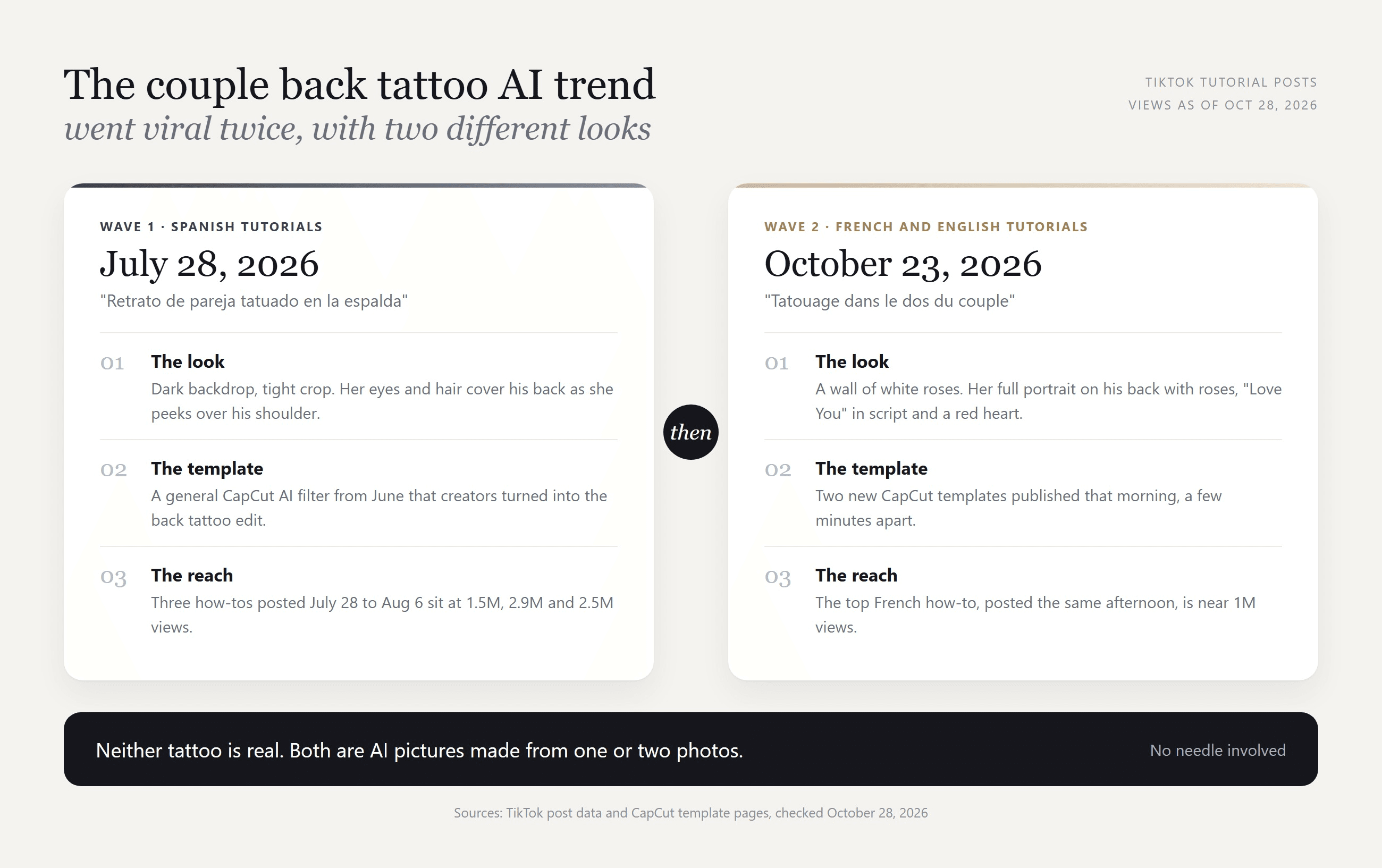
The first wave was Spanish. On July 28, 2026, a CapCut tutorial by torilang2 explained the "retrato de la pareja tatuado en la espalda" (the couple portrait tattooed on the back) with a template that crops tight on a dark backdrop. Two more Spanish how-tos followed within nine days.
The Love You tattoo trend came next. On October 23, a French how-to showed the white rose version, captioned "C'est en fait généré par l'IA" (it's actually generated by AI). Five days later it sat near a million views.
How to Make an AI Tattoo of a Girlfriend's Face on His Back
The CapCut templates start from her photo alone and invent the man. To put your real boyfriend in the picture, the model has to read two photos at once. Atlas Cloud runs Seedream 5.0 Pro, which takes up to 10 reference images and keeps each person's identity. We gave it her portrait and a beach photo of his bare back:
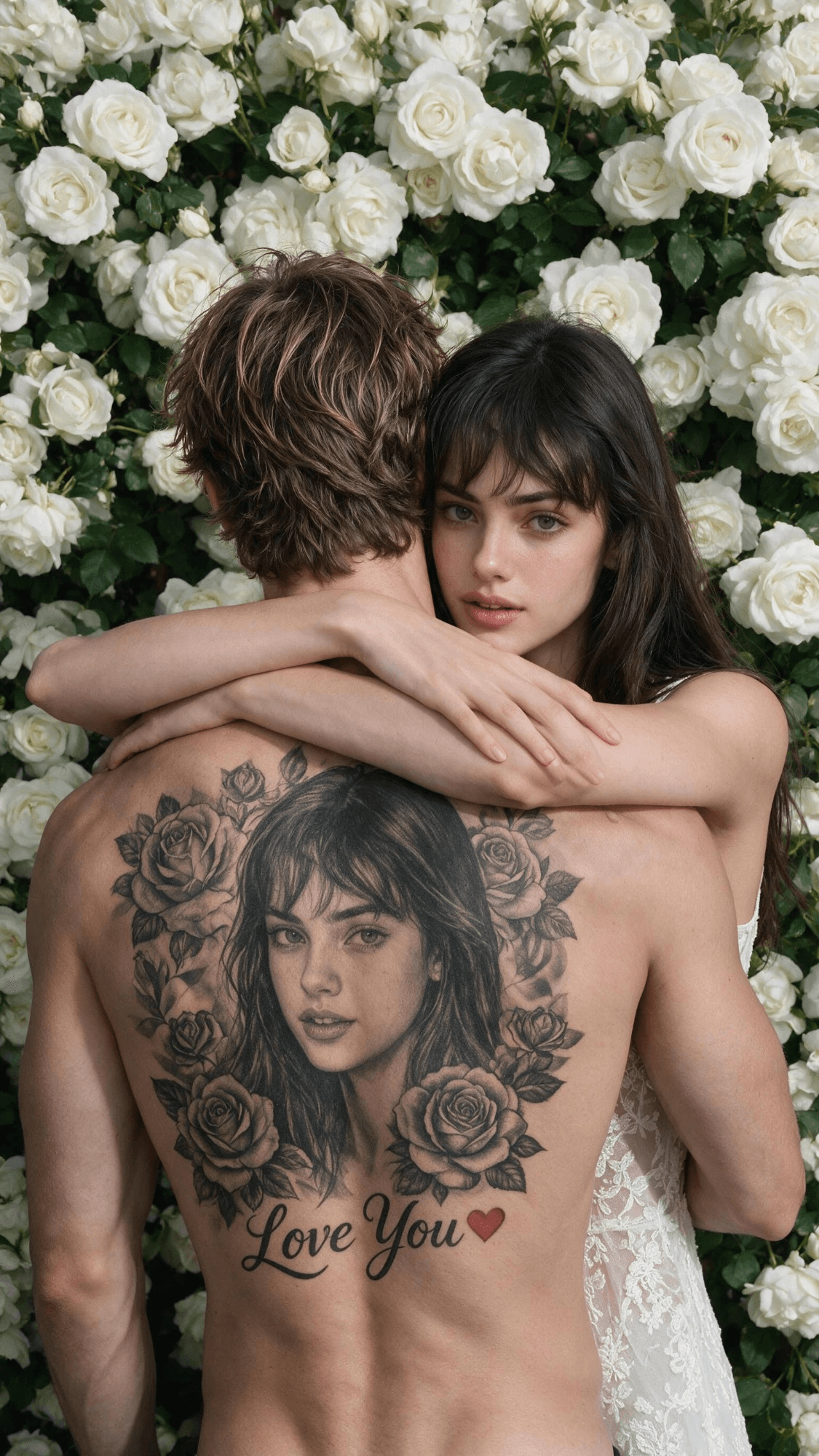
His hair and build come from his photo. Her face appears twice, in ink and in the hug, and the rose wall comes from the prompt alone.
Method 1: Use the AI Image Editor With Two Photos
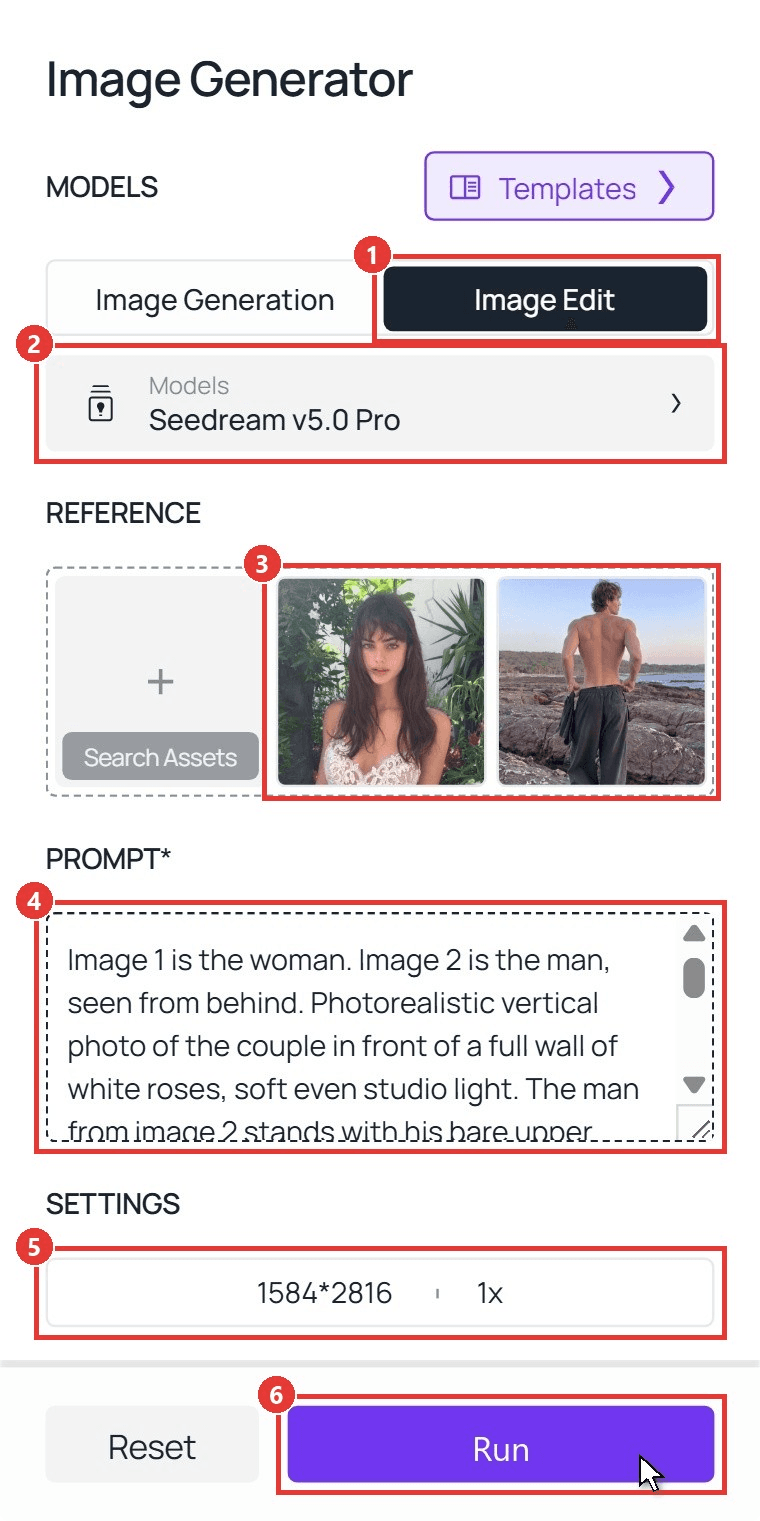
Sign in, open the Atlas Cloud image generator, and follow the numbers on the screenshot:
- Switch to the Image Edit tab.
- Pick Seedream v5.0 Pro under Models.
- Upload her photo first, then his back photo.
- Paste the prompt below.
- Open Settings and pick 9:16 (1584×2816) under Resolution.
- Click Run.
plaintext1Image 1 is the woman. Image 2 is the man, seen from behind. Photorealistic vertical photo of the couple in front of a full wall of white roses, soft even studio light. The man from image 2 stands with his bare upper back to the camera, with the same tousled light-brown hair, skin tone and build. The woman from image 1 stands in front of him, facing the camera, with the same face, long dark hair, bangs and white lace top. Her arms wrap around his neck, one hand resting on his upper back, and her face rests just above his left shoulder as she looks into the lens. Across his back is a large, realistic black-and-gray tattoo: a detailed portrait of her face from image 1, framed by shaded roses and leaves, with "Love You" in flowing script below and one small red heart. The ink follows the curve of his muscles and shows natural skin texture. Her hands never cover the tattoo face. No other text, no logos, no extra people.
Swap the hair and clothing details for your own photos. Image 1 is always the face that becomes the tattoo.
Method 2: Run It Through the Seedream 5.0 API
Making these for a wedding photo booth? The API takes the same two photos, one request per couple.
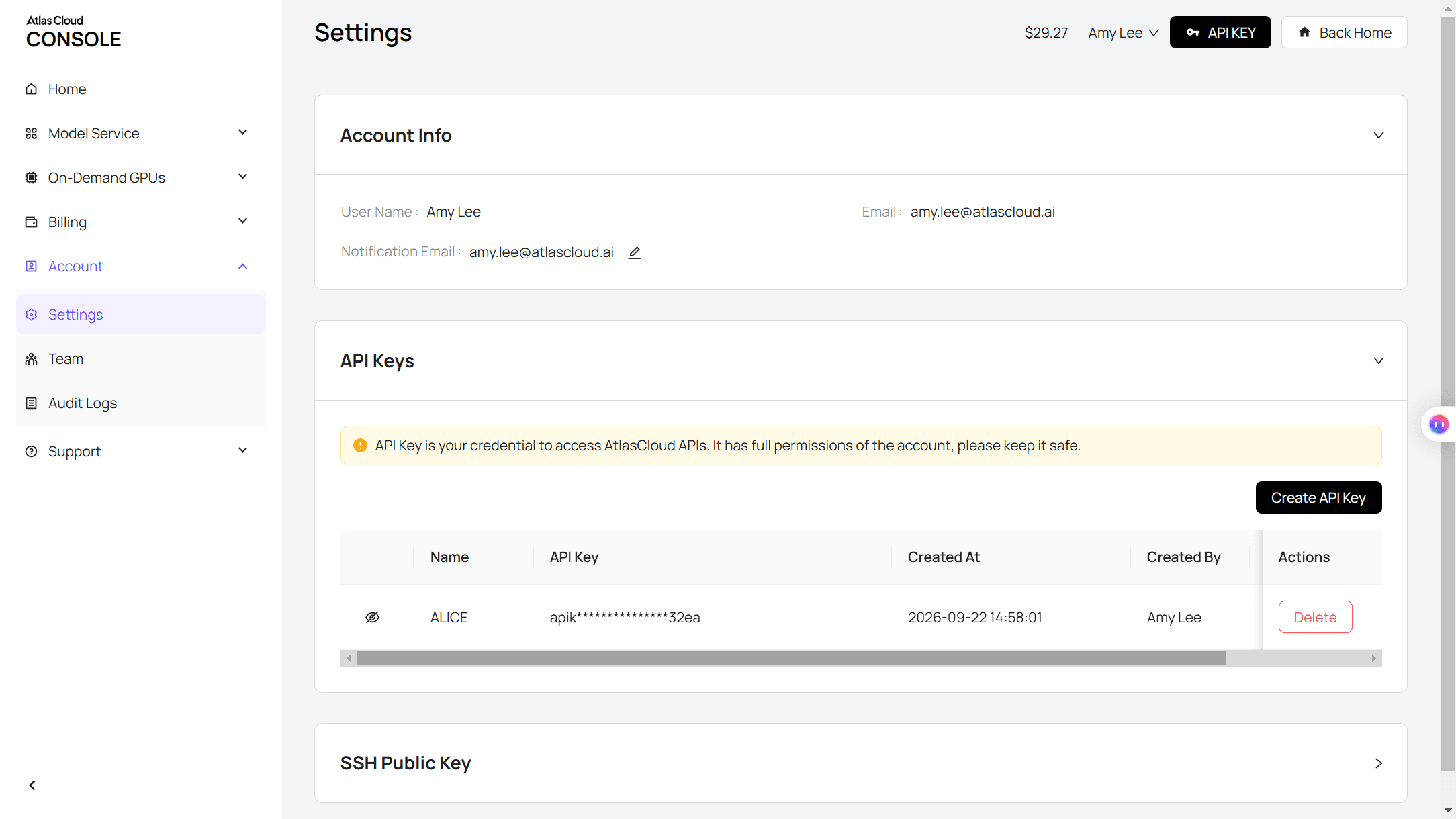
Step 1: Create an API key. In the console, open Settings and create a key under API Keys. One key works for every model.
Step 2: Check the request format. The Atlas Cloud docs cover authentication and the image endpoint.
Step 3: Send the request and poll. The photos go in the images array, face first:
plaintext1curl -X POST https://api.atlascloud.ai/api/v1/model/generateImage \ 2 -H "Authorization: Bearer $ATLASCLOUD_API_KEY" \ 3 -H "Content-Type: application/json" \ 4 -d '{ 5 "model": "bytedance/seedream-v5.0-pro/edit", 6 "prompt": "<paste the Method 1 prompt here>", 7 "images": ["https://your-cdn.com/her-portrait.jpg", "https://your-cdn.com/his-back.jpg"], 8 "size": "1584*2816", 9 "output_format": "jpeg" 10 }'
Poll the returned prediction ID until the status reads completed, then download the image from the outputs array:
plaintext1curl https://api.atlascloud.ai/api/v1/model/prediction/<prediction_id> \ 2 -H "Authorization: Bearer $ATLASCLOUD_API_KEY"
The endpoint and key stay the same across image models. To compare another one, change the model string.
The Couple Back Tattoo Prompt to Copy
No photo of him? Give the model her portrait only and let it invent the man. This run copies the darker July look:
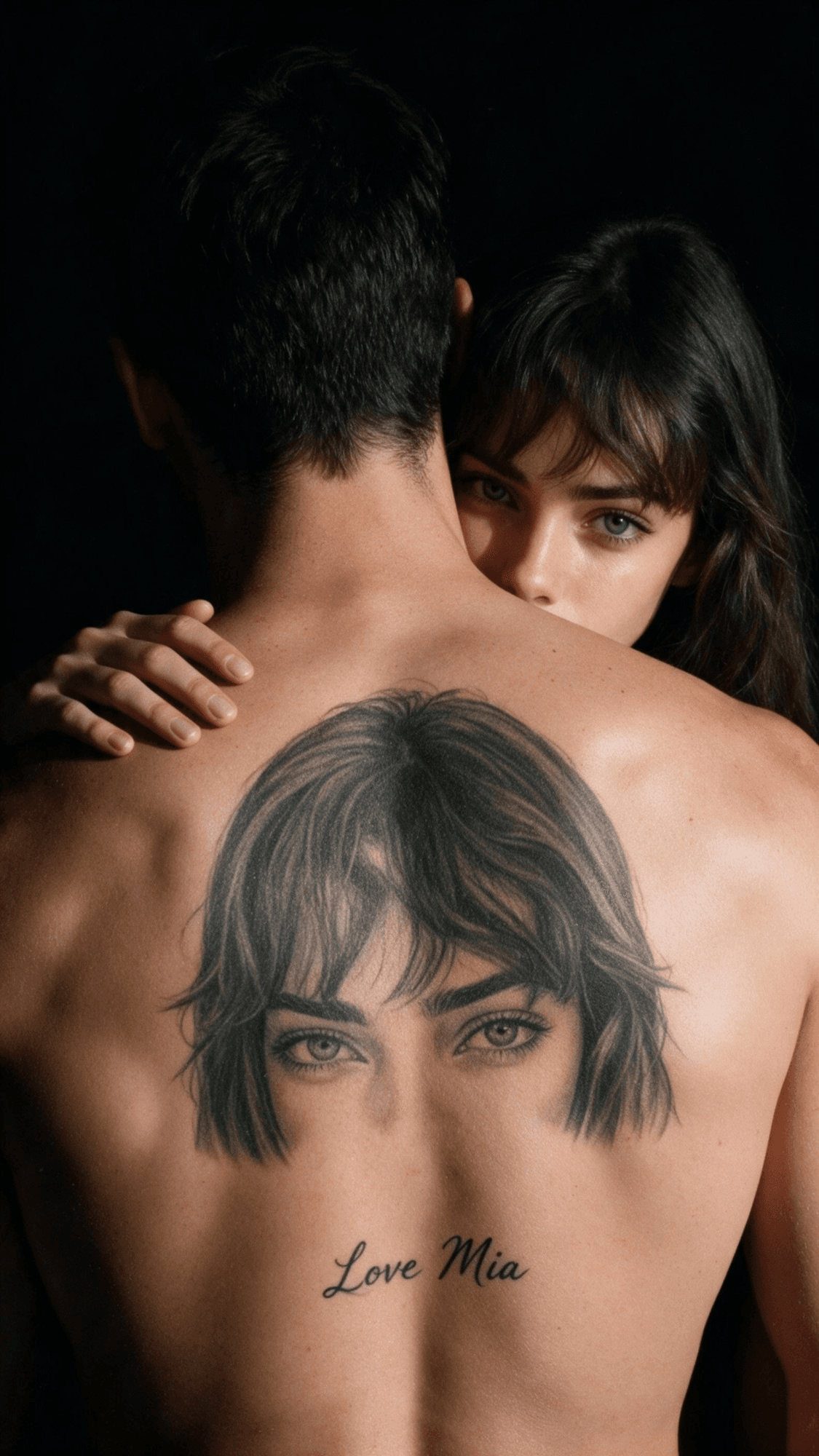
plaintext1Use image 1 as the identity reference for the woman. Photorealistic vertical close-up of her with an AI-generated man with short dark hair, against a plain black backdrop in low, warm side light. He turns his bare back to the camera. She peeks over his right shoulder, eyes and bangs visible, looking into the lens, one hand on his shoulder. His upper back carries a large black-and-gray tattoo of her face from image 1, cropped to her eyes, brows and bangs, with "Love Mia" in small script below. Real skin texture, fine ink shading, slight film grain. No other text, no logos.
Both prompts are built from the same lines:
| What you want | The line that does it |
|---|---|
| Her face reads as ink, not a sticker | "black-and-gray tattoo" plus "follows the curve of his muscles" |
| Words in the tattoo | The exact words in quotes, such as "Love You" or a name |
| The hug never hides the portrait | "Her hands never cover the tattoo face" |
Which Couple Back Tattoo CapCut Template Matches Each Look?
Five of the six tutorials we checked link their template through the CapCut button on the video. We opened those templates on October 28, 2026:
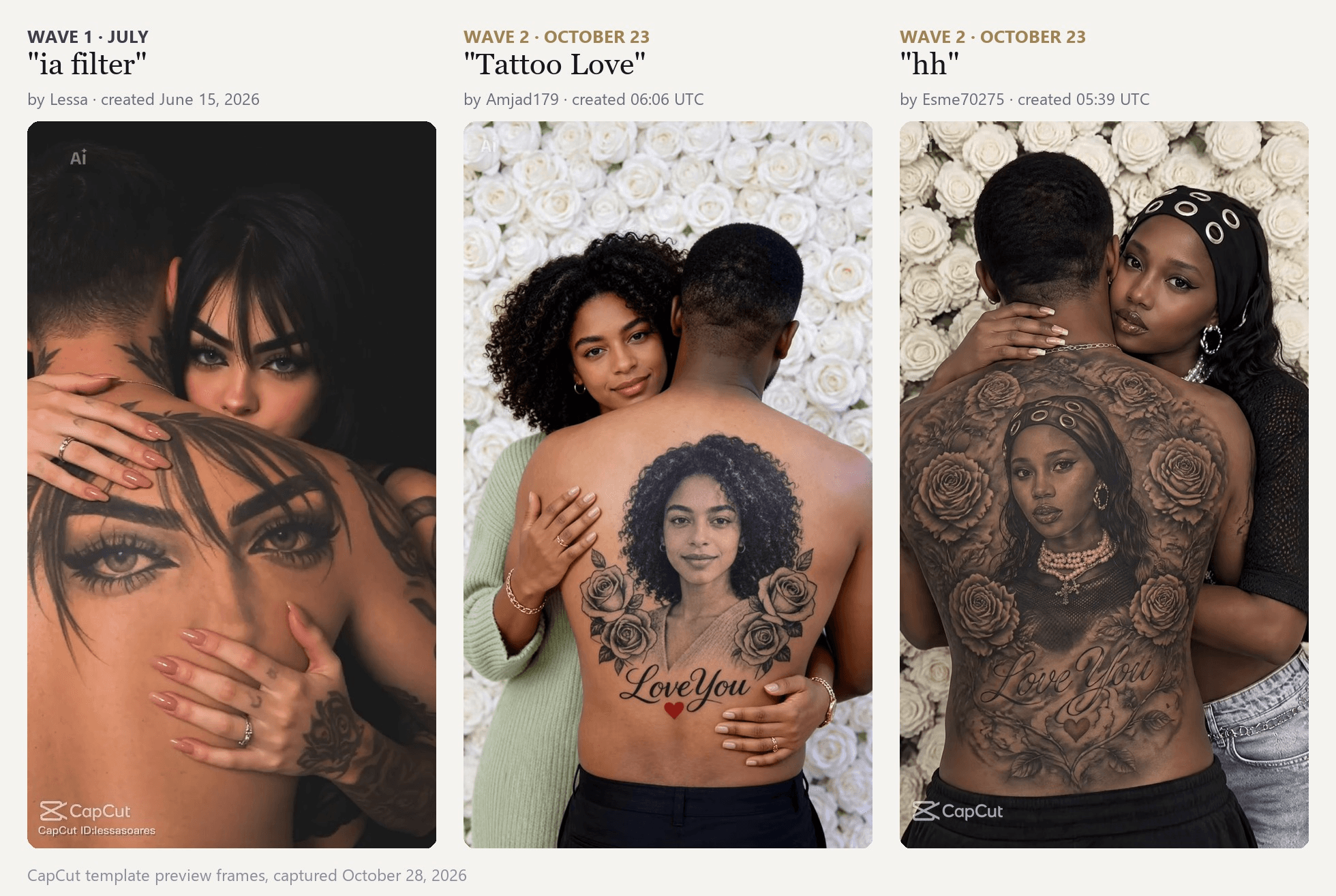
Preview frames from the CapCut templates ia filter (Lessa), Tattoo Love (Amjad179) and hh (Esme70275).
| Template | Creator | Created | Uses (October 28) | Used by |
|---|---|---|---|---|
| ia filter | Lessa | June 15, 2026 | 985,244 | All three Spanish July how-tos |
| Tattoo Love | Amjad179 | October 23, 06:06 UTC | 10,433 | The French October how-to |
| hh | Esme70275 | October 23, 05:39 UTC | 1,140 | An English how-to posted the same day |
The July template is a general-purpose filter the tutorials repurposed. The two October templates went up 27 minutes apart, the morning the second wave began. Other CapCut results for this back tattoo trend are lookalikes: "AI Couple Tattoo" puts a pair of eyes inside filigree, and "My Love Tattoo" puts the couple on a hand. Outside CapCut, MakeViral runs a browser version on Nano Banana 2.1 that accepts one or two photos.
Turn the Photo Into a Couple Back Tattoo Video
The three CapCut templates above return a still, with at most a slow push-in. Open the AI video generator, pick Seedance 2.5, and upload your finished photo as the first frame. We ran it at 8 seconds and 1080p with this prompt:
plaintext1The woman slowly lifts her face from his shoulder, smiles softly at the camera, then rests her cheek back on his shoulder and closes her eyes. Her fingertips stay on top of his shoulder, never covering the tattoo. He breathes slowly. The camera pushes in from his lower back toward the tattoo portrait and her face. The tattoo stays fixed in his skin: the portrait, roses and Love You letters keep their shape in every frame. The white roses stay still and slightly soft. Sound: quiet room tone and a soft piano note.
The line about the tattoo keeping its shape matters most: ink should move with his shoulders, never redraw itself. For camera wording, see our guide to writing Seedance 2.5 prompts.
Which Photos Work Best for a Couple Portrait Tattoo AI Edit?
The tattoo copies her face line by line, so her photo matters most.
| Photo | Works best | Why |
|---|---|---|
| Her portrait | Face toward the camera, shoulders up, soft daylight | The tattoo needs both eyes and a clear jawline to copy |
| Her portrait | Hair styled the way she wants it inked | Bangs, curls and braids carry into the tattoo |
| Her portrait | No sunglasses, filters or other people | Anything on the face ends up in the ink |
| His back | Bare back, arms relaxed, any background | The model keeps his hair and build and replaces the scene |
Want ideas for a tattoo you would actually get, rather than a joke photo? Our roundup of AI tattoo generators compares tools built for real designs.
Frequently Asked Questions
Is the couple back tattoo real?
No. Every picture is AI-generated. Mention it in your caption, or friends may ask him where he got it done.
Do I need a photo of my boyfriend?
Only if you want him in it. With her photo alone, the model invents a man. Add his back photo as image 2 for his real hair and build.
Can his face go on her back instead?
Yes. The girlfriend face tattoo on back AI edit works in reverse too: his portrait as image 1, her back photo as image 2, and "man" and "woman" swapped in the prompt. An open-back dress keeps it tasteful.
Can I change Love You to a name?
Yes. Replace the quoted words with a name or a date. Two or three words in script come out cleaner than a full sentence.
How much does it cost on Atlas Cloud?
One 9:16 photo from two references costs $0.0744 at 2K or $0.0384 at the 1.5K size (1152×2048). The one-photo version is $0.036 at 1.5K. An 8-second Seedance 2.5 clip at 1080p is about $4.76, or $2.42 at 720p. All prices include a 20% discount running on October 28, 2026.
Is there a free couple tattoo AI?
Partly. The CapCut templates above run in the CapCut app, which is free to download, though the man is always made up. The couple tattoo AI tools that rank in search design tattoo art rather than this edit. On Atlas Cloud, new accounts get a $1 credit after adding a payment method, enough for about 13 two-photo runs at 2K.
Conclusion
The trend went through two looks in three months: a dark close-up in July, then white roses and "Love You" in October. A CapCut template gives you either look with a made-up man. Two photos and one prompt put the person you actually love in it.
Pick a sharp portrait of her and any clear shot of his back, and upload them in that order. Add a few seconds of motion if you want more than a still. That is the whole couple back tattoo AI recipe.





