Kling 4 Native 4K is for final shots where resolution earns a practical return: material detail, compositing headroom, or a crop that must stay clean. On Atlas Cloud, use the Kling Video O3 4K routes for Text-to-Video and Image-to-Video work.
The decision is practical. A large export file alone does not prove that a shot will survive a 100% crop, a vertical reframing, or a product close-up. Treat 4K as a final-delivery option for a shot that already works in motion and composition. Then inspect the result where extra pixels can earn their cost: materials, edge geometry, distant objects, and the crop your editor actually needs.
Key takeaways
- Use 4K only after action and framing have passed a lower-cost draft.
- Kling describes the feature as direct 4K generation rather than a post-render upscaling pass.
- Draft action and framing at a lower-cost setting, then reserve 4K for selected final shots.
- Judge the downloaded file at 100%, through motion, and in its intended crop.
| Final use | Start with | Why |
|---|---|---|
| Concept exploration, storyboards, prompt changes | Standard or lower-resolution draft | Validate action, framing, and shot logic first. |
| Product close-ups, material work, or later crops | Native 4K final render | Detail and edge quality have room to matter. |
| Fast social delivery | Draft, then render only winners in 4K | Avoid spending a final-render budget on unproven shots. |
What Kling 4 Native 4K Should Deliver in a Final Render
Kling 4 Native 4K is most useful when final delivery can reveal the difference. A high-resolution master should give editors more usable detail for product materials, edge geometry, distant shapes, and reframing. It still needs proof from the downloaded output rather than a browser preview.
Use the 4K route as a selective finishing step. On Atlas Cloud, Kling Video O3 4K has Text-to-Video and Image-to-Video routes, so a team can either build a shot from a prompt or animate a controlled source frame.
One rule remains: check the live form and the delivered file for the settings used in your own run. Resolution, duration, and available controls can change, while a production decision needs evidence from the actual export.
Keep the exact route, prompt, source frame, and exported master with the selected shot. That record makes crop and continuity review repeatable for the next delivery.
When Kling 4 Native 4K Is Worth the Render Budget
Native 4K earns its place when a shot has detail that can be inspected, a delivery that can expose it, and a creative decision that is already stable. If one of those conditions is missing, a draft is usually the better first move.
Start with the subject. Fine material cues give a high-resolution render a real job: condensation on glass, brushed metal, fabric weave, hair, water reflections, or small repeated objects in a wide scene. A flat graphic field, a heavily blurred background, or a shot with no planned crop gives you less to gain.
Next, look at delivery. A 16:9 master that will be reframed to 9:16, composited with live footage, shown on a large display, or used for a product crop has more technical exposure than a fast social post. Finally, lock the shot in a draft. A 4K pass cannot make an uncertain camera plan cheaper to revise.
| Stage | Purpose | Recommended output | What to check | Re-render? |
|---|---|---|---|---|
| Draft | Test prompt, action, and camera logic | Standard or low-resolution clip | First second, transition, final composition | Yes, if the idea changes. |
| Selection | Choose a keeper | Downloaded draft | Subject continuity and usable framing | Only if the shot survives review. |
| Final | Create delivery master | Native 4K | 100% crop, mid-motion frame, end frame, safe crop | Yes, only for a fixable production issue. |
This is where a single catalog is helpful rather than promotional. You can move from a draft to the final Kling route in the same Atlas Cloud directory and keep the prompt record beside the chosen run. The useful benefit is fewer handoffs, not a promise that every 4K generation will be better.
Budget the final route as a selective production step. A winning product close-up may justify it. A prompt that still has three competing camera directions does not.
Kling 4 Native 4K Test 1: Product Texture at 100% Crop
The first test isolates a problem that a preview window hides: whether a product remains credible when a viewer looks closely. The test scene uses one unbranded dark-chocolate raspberry tart on wet black slate, with a glossy mirror glaze, a crisp pastry edge, cocoa nibs, and fresh raspberries. Avoiding packaging and readable text keeps the test focused on material, texture, and geometry.
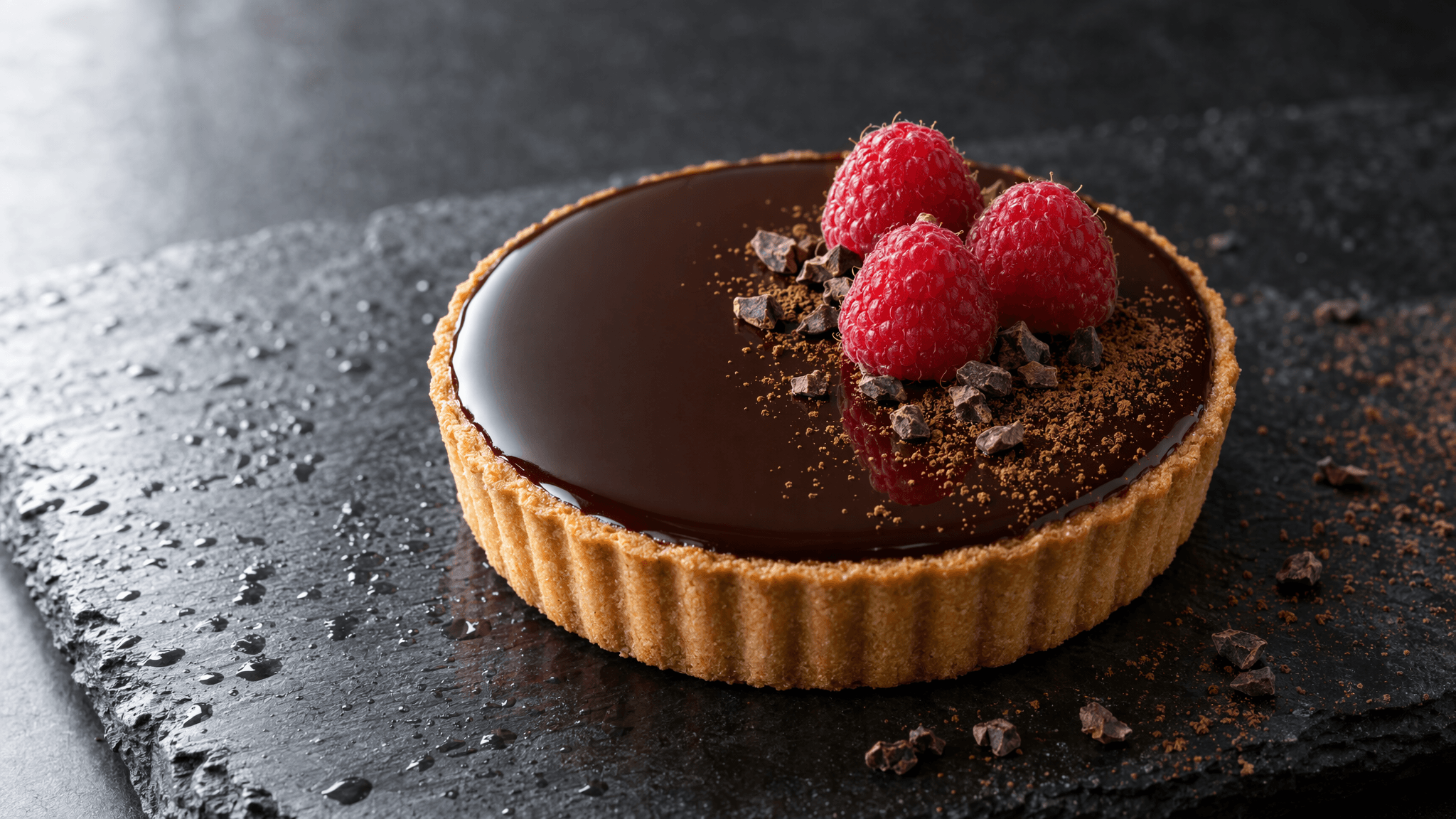
16:9 reference frame of a dark-chocolate raspberry tart on wet black slate
Controlled 16:9 food reference: the glaze, pastry edge, raspberries, and slate surface define the details to preserve through motion.
Review the original downloaded output, not the scaled browser player. At 100% crop, examine four areas: the pastry edge, the glaze-to-background boundary, raspberry texture, and the individual cocoa nibs. Then scrub through the orbit. A still can look convincing while an edge changes shape or a reflection detaches during motion.
Build a contact sheet only after you have a completed source file: one full composition plus three close crops from the same run. It documents the inspection method without claiming that one generated product represents every product category. Use the same approach with your own product reference, material, and planned edit crop.
For a stronger result, put the product’s geometry into the input rather than hoping a text prompt will infer it. The Image-to-Video route later in this guide starts with a controlled high-resolution frame for exactly that reason. It improves the starting constraint; it does not guarantee a perfect tart throughout an 8-second camera move.
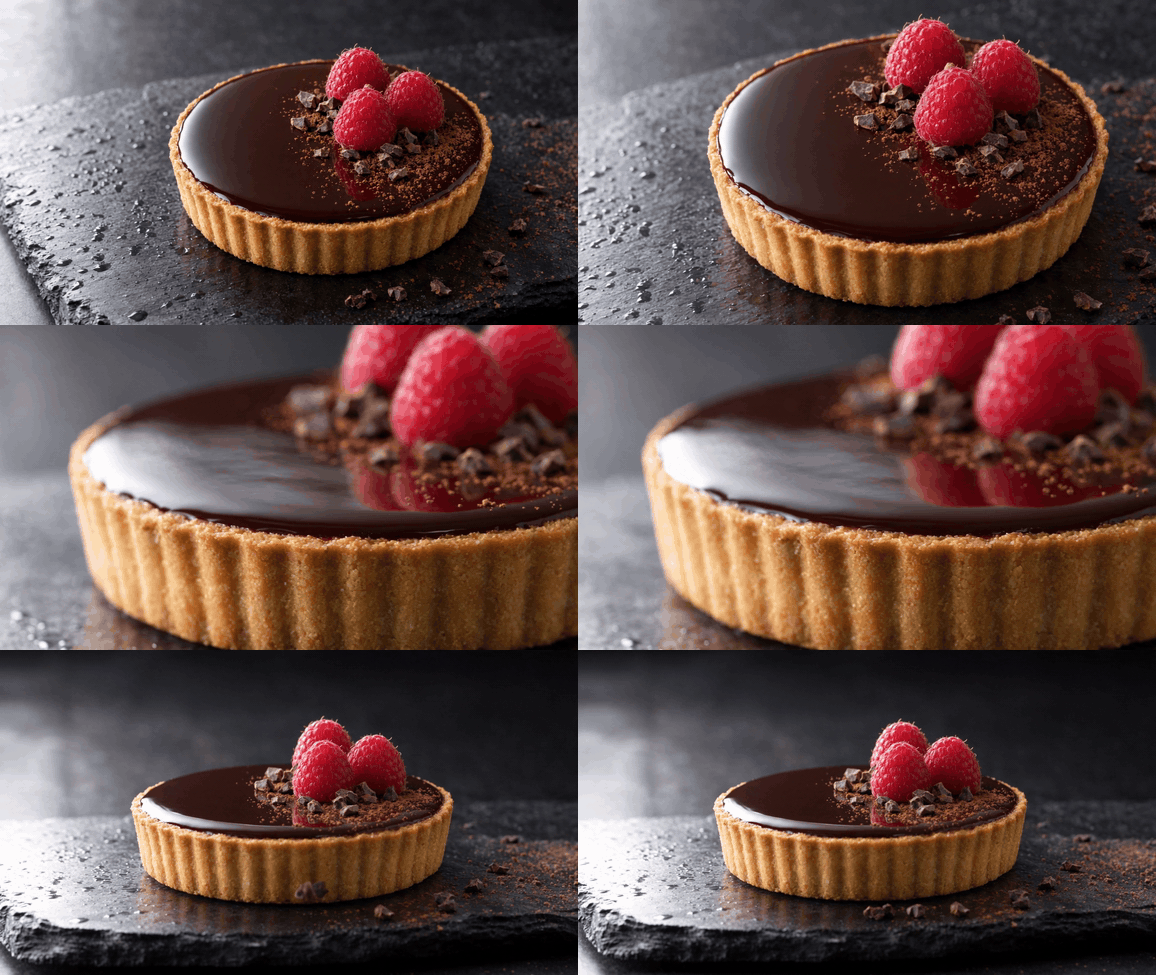
Eight-second product-motion test of the dark-chocolate raspberry tart
Product-motion test: use the full clip, not its sharpest still, to check whether the tart’s glaze, pastry edge, and toppings remain coherent through the camera move.
Kling 4 Native 4K Test 2: Motion, Fabric, and Camera Changes
Resolution does not solve continuity by itself. This test asks a harder question: can a generated clip preserve a dark waterproof jacket, rain reflections, and the viewer’s sense of space while the camera changes? The test brief follows a person walking on a rain-wet rooftop. It moves from a medium lateral track to a closer view and then a rear follow shot.
When you have a completed 8-second source, convert the whole clip to a silent GIF for an article preview. Watch the whole clip rather than stopping at its sharpest frame. Check whether folds extend from the same parts of the jacket, whether wet highlights jump between surfaces, whether the person’s face and clothing drift at the change in viewpoint, and whether the roof still reads as one place.
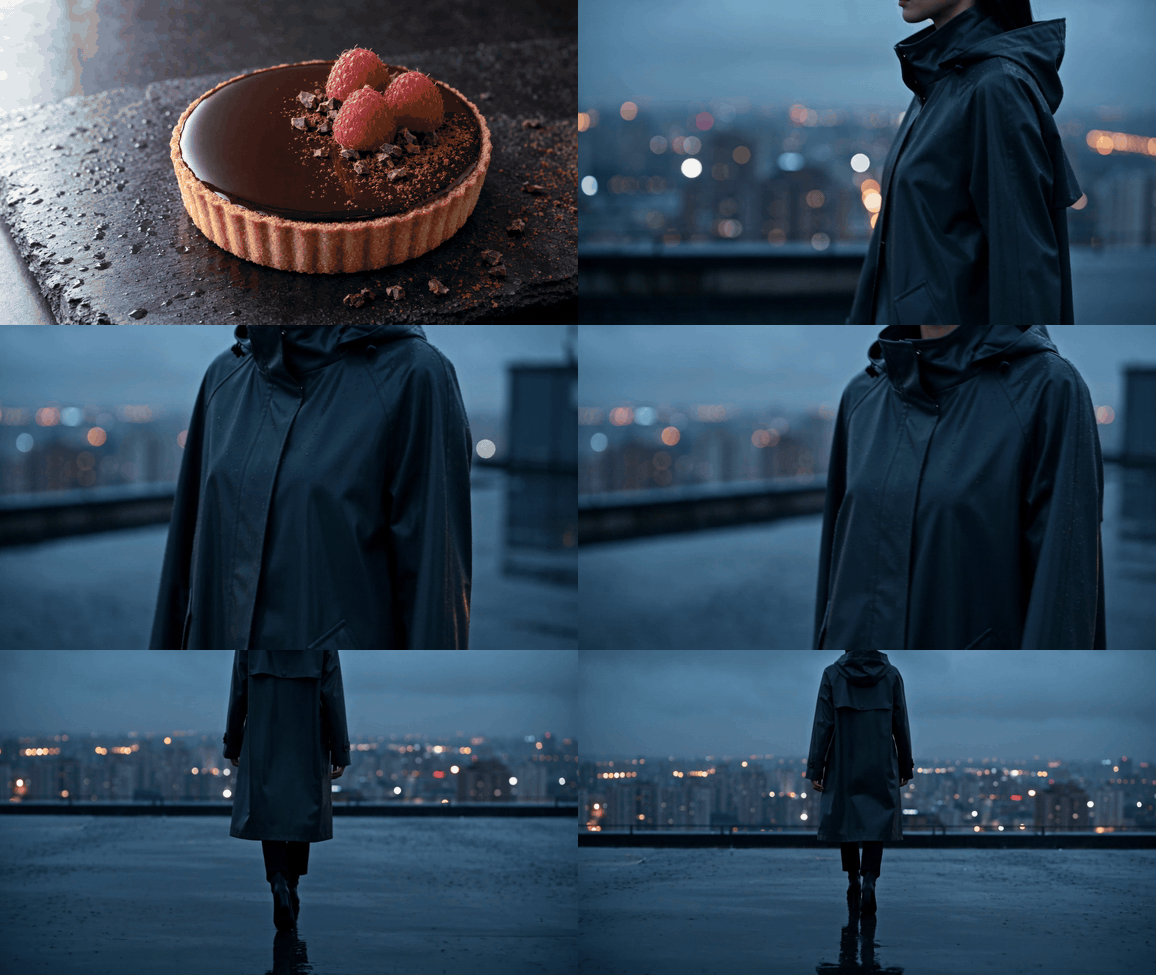
Rainy-rooftop continuity test with a dark waterproof jacket
Continuity test: the lateral view, closer view, and rear follow shot make jacket shape, rain reflections, and rooftop geography easy to compare.
This test sets the right expectation for Kling 4 Native 4K. Higher output resolution can make a good result more useful in finishing, but it cannot guarantee stable faces, physically exact cloth, or flawless multi-shot storytelling. In community discussion, creators have reported an Image-to-Video tendency to spend early seconds easing away from the still frame. A practical response is to describe the action as already underway at frame 1, using decisive motion and camera language rather than restating the image (KlingAI_Videos discussion, July 2026).
If the back-follow cut changes the subject’s identity or collapses the jacket silhouette, treat that as a shot failure. Do not excuse it because the export is 4K.
Kling 4 Native 4K Test 3: Wide Scenes, Small Details, and Safe Cropping
Wide scenes create a different pressure. A rain-wet night market contains distant stalls, umbrellas, reflections, walkers, steam, and building edges. In a 16:9 master, many of those elements are small. A 4K output is useful only if the final crop retains a clear subject and the small forms do not become distracting patterns.
The test prompt asks for no logos and no readable text. Blurred signs and licence plates are not proof of capability, and they do not help a team decide whether a scene can survive a vertical crop. Instead, inspect repeatable shapes: umbrella rims, stall lights, vertical building lines, reflections on the wet surface, and human figures that remain recognisably separate in the far field.
For a completed wide-scene source, create one evidence sheet with a master frame, a distant 100% crop, and a 9:16 safe-crop guide. It answers a production question that resolution labels cannot: does the vertical crop still have a usable visual centre without exposing damaged background detail?
Set a safe crop before generating if the social cut is non-negotiable. Keep the main action inside the central vertical region, leave the edges for atmosphere, and use the final file for the actual crop test. A sharp-looking full-width preview is not enough evidence.
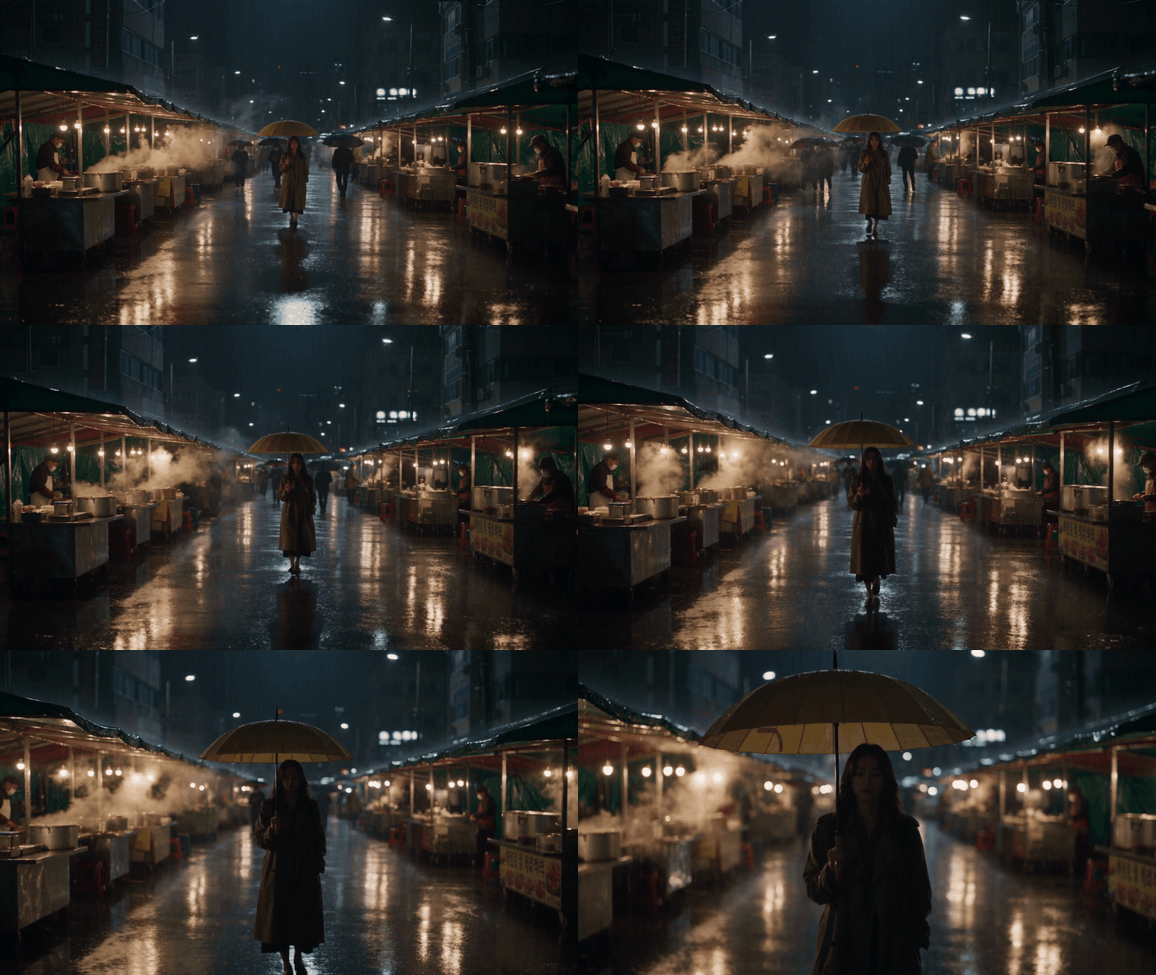
Eight-second rain-wet night-market test for a vertical safe crop
Safe-crop test: the central walker, market stalls, steam, umbrellas, and wet reflections show whether a 16:9 master still has a usable vertical composition.
How to Generate Kling 4 Native 4K on Atlas Cloud
There are two practical paths. Use Text-to-Video when you are testing a shot from scratch. Use Image-to-Video when a product, composition, or lighting direction needs a controlled first frame. Both paths should finish with an original-file review, not a thumbnail approval.
Path A: Text-to-Video for a final product-motion test
Open Kling Video O3 4K Text-to-Video. Select 4K, 16:9, 8 seconds, sound off, multi-shot on, and Customize shot type. Confirm the setting that the form actually commits before you run it.
Paste this 3-shot prompt:
plaintext1Shot 1, 0-2 seconds: 2Macro tracking shot across one premium unbranded dark-chocolate raspberry tart on a dark wet slate surface. A flawless glossy chocolate mirror glaze, crisp golden pastry edge, three fresh raspberries, cocoa nibs, and a light cocoa dusting. Soft daylight reflections move across the glaze. No packaging, no logo, no readable text, no subtitles. 3 4Shot 2, 2-5 seconds: 5A smooth 30-degree orbit around the same tart. Keep the tart shape, pastry edge, raspberries, cocoa nibs, slate surface, and lighting consistent. Focus travels from the mirror glaze to the crisp pastry layers. Realistic food texture and controlled shallow depth of field. 6 7Shot 3, 5-8 seconds: 8Pull back to a clean medium food product shot as one tiny cocoa nib settles beside the tart. Keep the tart centered and sharp, preserve the same wet slate surface and neutral studio lighting. No new props, no melting, no distorted food geometry, no text.
Download the completed source before converting a short article preview to GIF. Check 100% crops and all three shot boundaries. Keep the downloaded source beside its prompt and settings so the review can be repeated without relying on a scaled browser preview.
Path B: Controlled first frame, then Kling 4K Image-to-Video
First, make a clean 16:9 food source in GPT Image 2 Text-to-Image. Select High quality, 3840×2160, and PNG if those exact controls are available. Keep only a result where the tart shape, pastry edge, lighting, and toppings are coherent. Do not use a low-resolution web preview as the I2V input.
plaintext1A clean 16:9 studio food photograph of one premium unbranded dark-chocolate raspberry tart on a dark wet slate surface. A flawless glossy dark-chocolate mirror glaze, crisp golden pastry edge, three fresh raspberries, a few cocoa nibs, and a thin dusting of cocoa powder. Soft neutral window light from the left, restrained reflections, shallow depth of field, realistic food texture, no people, no packaging, no logo, no readable text, no watermark, no caption.
Keep the selected 16:9 source file with the exact prompt and settings. That record lets an editor distinguish a good I2V starting condition from a low-resolution browser preview.
Upload that frame to Kling Video O3 4K Image-to-Video. Use 8 seconds, sound off, multi-shot on, and Customize. The uploaded 16:9 frame should determine the output shape. Where the route offers an end-frame reference, use it only when you have an actual last-frame design to constrain.
plaintext1Shot 1, 0-2 seconds: 2The tart is already in motion at frame one. A slow lateral camera move begins immediately across the front of the tart. Keep the mirror glaze, pastry edge, raspberries, cocoa nibs, wet slate, and left-side window light unchanged. 3 4Shot 2, 2-5 seconds: 5Continue into a gentle half-orbit around the same tart. The tart remains fixed in scale and position while reflections move naturally across the glaze. Keep the pastry edge and toppings physically consistent. 6 7Shot 3, 5-8 seconds: 8End on a composed three-quarter hero angle. A faint soft shadow shifts across the wet slate while the tart stays sharp. No new props, no label text, no logo, no melting geometry, no abrupt camera jump.
Do not send a small, compressed still into a 4K I2V pass and expect it to become a detailed master. Do not combine unrelated actions in one short multi-shot prompt. Do not skip the draft test before committing the final route.
Costs, QA, and Commercial Checks Before Delivery
Price is a moving input, so treat this as a publication-date snapshot rather than a permanent offer. The Atlas Cloud models directory listed $0.42/s standard and $0.357/s current price for both Kling Video O3 4K routes when checked in September 2026, marked 15% off. That makes an 8-second render approximately $2.856 before any retries or additional versions. GPT Image 2 Text-to-Image was listed from about $0.004 per image, with final price depending on size and settings.
| Model route | Duration | Current price snapshot | 8-second estimate | Best stage |
|---|---|---|---|---|
| GPT Image 2 Text-to-Image | Still image | From about $0.004/image | N/A | Controlled I2V first frame |
| Kling Video O3 4K Text-to-Video | 3 to 15 seconds | $0.357/s, marked 15% off | $2.856 | Final motion from a prompt |
| Kling Video O3 4K Image-to-Video | 3 to 15 seconds | $0.357/s, marked 15% off | $2.856 | Final motion from a controlled frame |
Recheck the exact model page and the Atlas Cloud models catalogue on publication day. Rates, availability, and discounts can change.
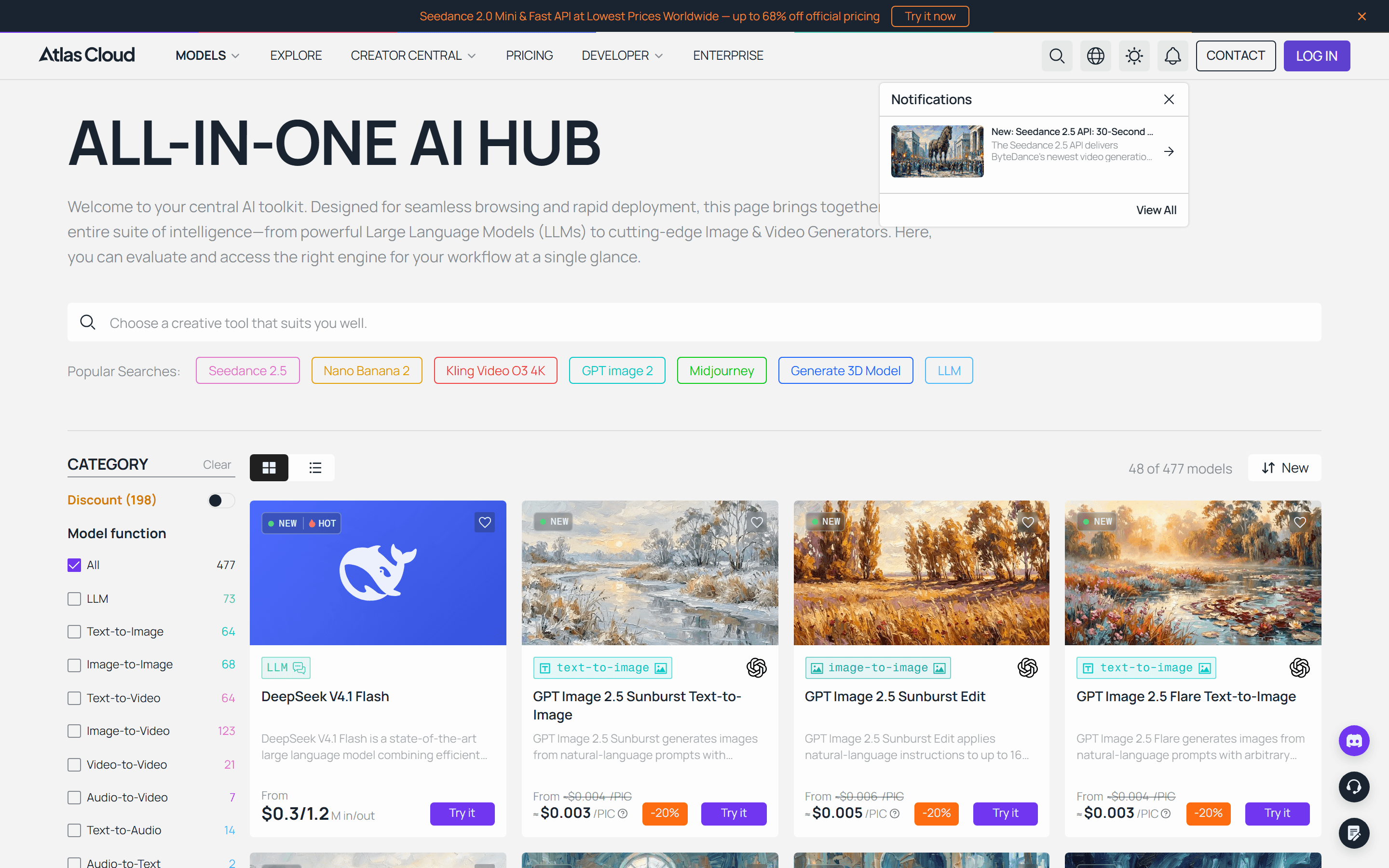 Atlas Cloud models catalogue with Kling Video O3 4K as a popular search route
Atlas Cloud’s live models catalogue lists Kling Video O3 4K as a route to locate before checking its active price and settings.
Before delivery, run this QA list:
- Download the original file. Do not approve from a browser thumbnail.
- Review 100% detail crops, a middle motion frame, the last frame, and the final safe crop.
- Save the prompt, model route, duration, sound state, reference-image version, and delivery crop with the chosen master.
- Confirm that you have rights to use source photos, likenesses, product designs, logos, and brand assets.
- Recheck commercial-use permissions and current platform terms before a public campaign or paid distribution.
Kling 4 Native 4K can become a reliable finishing step when a team treats it as a testable production choice, not a resolution badge.
Frequently Asked Questions
Is native 4K generated at 3840×2160 or simply upscaled?
Kling’s launch announcement describes the feature as native, direct 4K generation rather than a post-process upscale. A creator should still verify the delivered file’s dimensions and judge its production value through crops and motion. “Native” is a description of the generation approach, not a guarantee that every droplet, face, sign, or moving object will be flawless. Avoid repeating unverified frame-rate or subscription-tier claims alongside the resolution label.
When should I choose a 4K final render over a draft?
Choose the final render after the action, framing, and camera progression have already passed a draft review. The strongest candidates have fine material detail, require a crop or composite, or will be shown large. Stay with a draft while the prompt is changing heavily, the final output is small social video, or the shot has little detail to preserve. This order protects budget and makes the remaining 4K renders easier to review.
Can Image-to-Video use a reference image and an end frame?
The useful baseline is a high-quality first frame that locks the product, composition, and lighting before motion begins. Depending on the active model route and its current controls, an optional end-frame reference can further constrain a final composition. Check the live form and documentation before making it part of a production promise. An end frame can guide a destination, but it does not eliminate the need to inspect the middle of a shot for geometry, subject identity, and camera continuity.
How much does an 8-second Kling 4 Native 4K video cost on Atlas Cloud?
At the September 2026 snapshot used here, the listed current rate was $0.357 per second for Kling Video O3 4K Text-to-Video and Image-to-Video. An 8-second run is therefore about $2.856. That is a planning estimate, not a permanent rate or a promise that every setting has the same cost. Check the exact route, resolution, duration, and current discount on the model page before you approve a production budget.
Does the model guarantee stable faces, readable text, and perfect multi-shot continuity?
No. Native 4K does not remove familiar generative-video failure modes. Faces can drift, text can be unreliable, a fabric fold can change direction, and a multi-shot handoff can weaken spatial continuity. Design around those limits: avoid critical readable text, keep product marks nonverbal where possible, start I2V action immediately, and review the entire delivered clip. The final 4K pass should be a quality-control checkpoint, not the first time anyone checks the footage.





