Your mascot artwork is approved, but a talking face alone will not carry a 30-second brand story. The harder job is giving the character a reason to move, react, and meet the camera while its design stays recognizable. OmniHuman 2.0 animated brand mascot videos use a character image and supplied audio to produce a performed clip, with optional text direction. The Atlas Cloud listing currently describes 720p output and audio from 4 to 300 seconds. Those are listed limits, not a promise that every mascot, prompt, or long take will look consistent.
Five character concepts make the design choice tangible. The bird's wings, the rabbit's ears, the turtle's shell, the fox's face, and the robot's jointed arms all call for different gestures and framing. A single direction cannot make every mascot expressive in the same way.
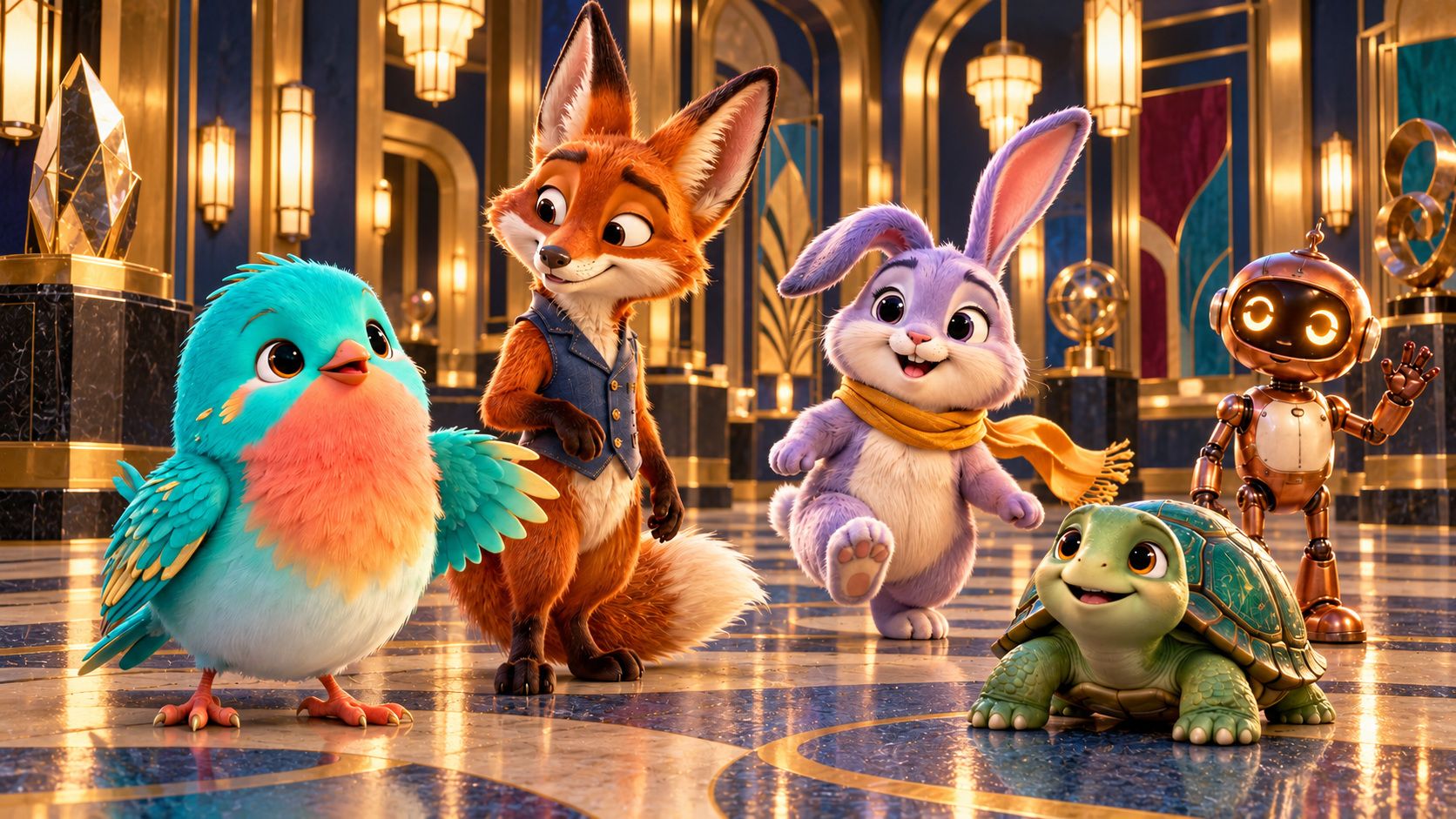
Concept illustration, not a video-model result: compare each character's silhouette, visible face, and possible gestures before choosing one for a motion test.
For a brand team, the useful approach is to test a short, finished voice track first. Check whether the output preserves the mascot and communicates the line clearly. The finished 30-second bird film below gives the team a concrete visual and musical target, with changes in action and camera direction. Treat it as a creative brief for a separate OmniHuman 2.0 test, not as proof of that model’s output. At the time of research, Atlas Cloud lists the model at $0.07 per second, with a displayed $0.056 discounted rate. Confirm the detail page and checkout estimate before each run because rates and availability can change.
Key takeaways
- Supply the character image and a completed audio track; a direction prompt does not replace either input.
- Run a short identity test before comparing a longer result with the completed 30-second visual brief.
- Compare the white character reference, garden scene, and two real film frames; review identity, motion, camera changes, soundtrack, and background separately.
- Atlas Cloud lists 720p and up to 300 seconds, but a listing does not verify a successful run or guarantee quality.
- Check the current model page and displayed rate before spending credits.
What OmniHuman 2.0 Can Do for a Brand Mascot
OmniHuman 2.0 is an audio-driven character video model. Its Atlas Cloud page describes a workflow built around an image, an audio track, and an optional prompt. Audio supplies the performance to animate. The prompt can add direction for movement, scene details, or camera behavior. The model page also lists 720p output, multi-person scenes, and up to five minutes of audio.
That makes it relevant to an existing mascot that needs to speak an announcement, answer a recurring FAQ, or perform a short scripted message. It does not write the script, create the voice track, establish brand approval, or assemble a finished campaign. Plan for a human to prepare the copy and audio, judge the generated performance, and add any required subtitles, logo placement, or edits afterward.
A cartoon or 3D mascot is a reasonable candidate to test, but the page’s general capability description is not a guarantee for every illustration style. A mascot with a clear face and visible mouth gives you a more useful first test than a tiny full-body figure with the face turned away. Treat the first output as a production check, not proof that a full content series is ready.
One important evidence limit: Atlas’s recent model notes describe a prior test-environment request that failed with an upstream unsupported-model error before a 2.0 result rendered. That earlier failure does not establish current availability, and a successful 1.5 output cannot stand in for a 2.0 example. Verify a completed result in the current interface before treating a workflow as demonstrated.
Prepare a Mascot Image and Brand Audio That Work Together
Choose a clear, brand-approved character image
Use an image the brand owns or is licensed to animate. Before upload, check that the face is large enough to inspect, the mouth outline is visible, and the eyes are not hidden by hair, costume, or props. A clean, front-facing or mildly angled view makes it easier to judge identity and expression in the result.
Keep the original design legible. If the mascot depends on a particular eye shape, muzzle, head silhouette, costume, or color palette, make sure those details are present in the input. Avoid cropping off the head or including several characters when the goal is to learn how one mascot behaves. A minimal, still background also makes background drift easier to notice.
Use a landscape source only when that composition suits the intended placement. Do not assume that a social platform’s vertical format is an available model control. Confirm the actual input and output options shown on the model page, then handle reframing in post-production if necessary.
Finish and listen to the voice track before generation
The listed workflow uses supplied audio, so finalize the line before you animate it. Read the recording once while looking at the mascot image. Does the voice sound like the brand? Is the emphasis on the right phrase? Are pauses and names pronounced as intended? Fixing those issues in the audio is more reliable than asking a motion prompt to compensate.
For the first pass, use a short announcement with one clear emotional direction. A sample line might be: “The spring collection is here. Meet the new colors this Friday.” Record or produce the voice track using tools your team has rights to use, then listen from beginning to end. Remove long silence at the start and end if it is not intentional.
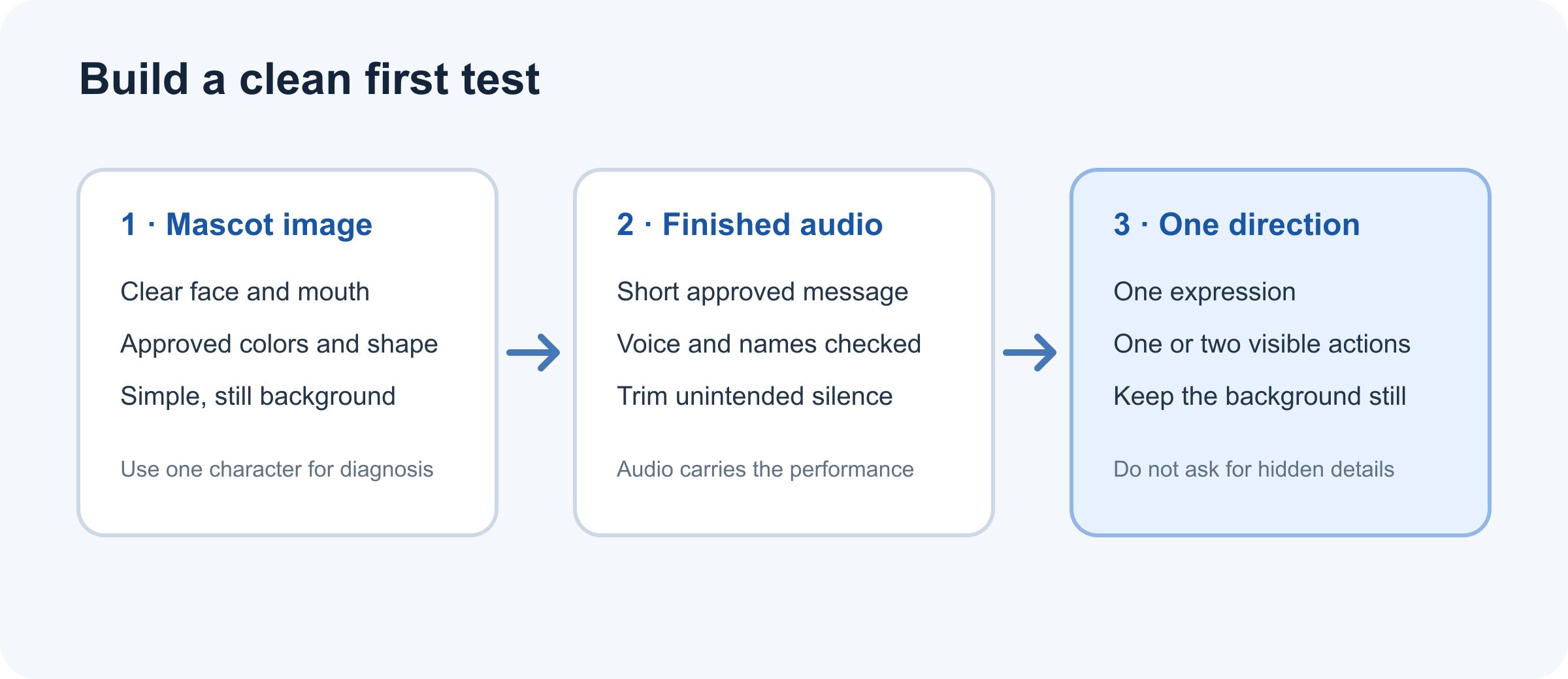
Prepare one approved character image, finished audio, and a short direction that fits the visible pose.
Check the current upload requirements before exporting. The Atlas model listing and any current form controls are the authority for accepted formats, duration, and file size. The research plan previously recorded MP3/WAV and a 4-to-300-second range, but recheck those details in the live interface rather than relying on a saved note.
A Reproducible OmniHuman 2.0 Mascot Video Workflow
Step 1: Confirm the current model page and inputs
Open the Avatar Omni Human 2.0 model page and confirm the model name, current price, input fields, and any visible duration or resolution controls. The current listing describes a 720p output and up to 300 seconds. Check the precise rate shown for your account before submitting.
The page currently says $0.07 per second and displays a $0.056 per second discounted rate. At those displayed rates, an 8-second test would have a listed generation charge of $0.56 at the standard rate or $0.448 at the discounted rate, before any taxes, account rules, or pricing changes. This is arithmetic from the displayed per-second rates, not a quote for a specific account. Use the interface’s estimate as the final check.
Upload one approved mascot image and the finished short audio. If the form includes a prompt field, keep it focused on visible behavior. Avoid asking for actions the frame cannot support, such as a detailed walk cycle from a tightly cropped portrait.
Step 2: Run a short test with one direction prompt
Start with approximately 6 to 10 seconds of speech when the interface permits it. A brief test is easier to review and limits the cost of discovering an input mismatch. Use one calm direction rather than stacking several moods, gestures, camera moves, and scene changes into one instruction.
Copy and adapt this prompt:
plaintext1A friendly brand mascot delivers the supplied announcement with a warm, confident expression. Use small natural head movements and one brief open-hand gesture near the key phrase, if the visible pose supports it. Keep the original design, colors, costume, and proportions consistent. Maintain a steady medium shot and a still, clean background. Do not add props, characters, text, or new brand details.
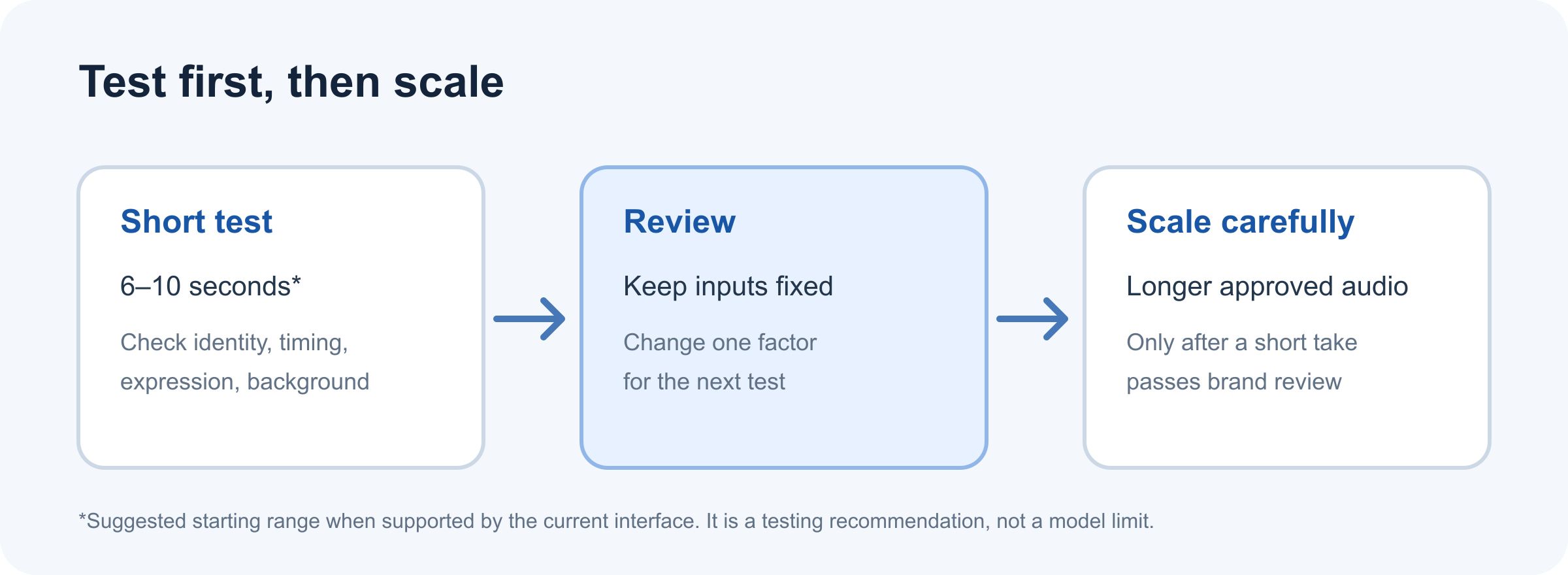
The short test is a decision point. The five-minute listing is a maximum, not a recommended starting duration.
The phrase “if the visible pose supports it” matters for mascots whose hands are not visible. A prompt can guide a performance, but it cannot make every requested movement fit every source image. If the result looks strained, remove the gesture and test only the expression and head movement.
Step 3: Review the result before making a longer version
Wait for the job to finish and confirm that the output belongs to the selected 2.0 model. Play the complete clip with sound. Save the model version, prompt, image, audio, settings, displayed price, and completion status together so a teammate can reproduce the review.
Do not scale up because a thumbnail looks plausible. Inspect the opening, the emphasized phrase, and the closing moment. These are where an expression may begin too early, a mouth may lag a word, or a held pose may change. If the first sample fails, change one input at a time: first simplify the prompt, then consider a different crop or a cleaner audio edit. A controlled comparison helps identify what actually improved.
A 30-Second Mascot Film: From Character Sheet to Moving Story
The same turquoise-and-coral bird appears in a plain character reference, a richly lit garden frame, and a finished 30-second film with sound. Together, these assets make a concrete creative target for character identity, movement, camera direction, and soundtrack. Use the film as a visual brief for a later OmniHuman 2.0 test. It is not evidence of that model's output or speech synchronization.
Start with an unmistakable character
The front-facing white-background image fixes the bird's round silhouette, turquoise feathers, coral chest, gold wing details, eye shape, beak, and feet without any scenery competing for attention. A reviewer can use it to notice identity changes that are easy to miss in a colorful moving scene.
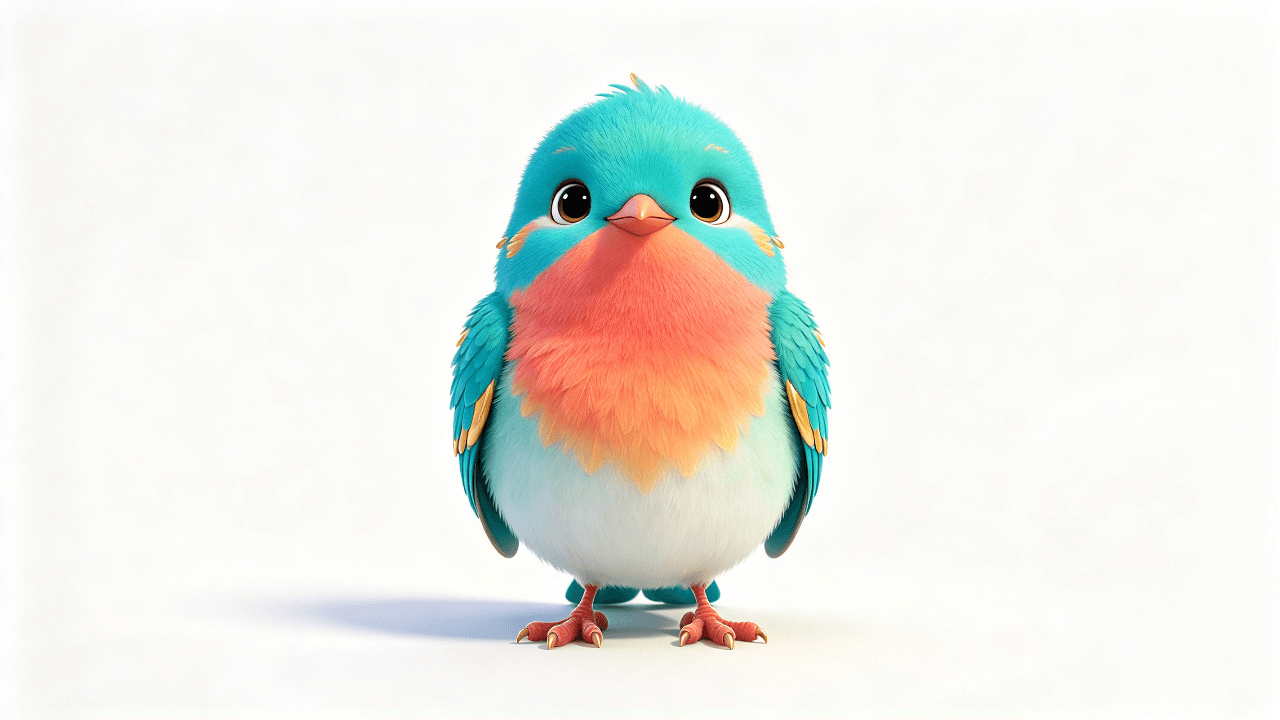
Character reference: the complete mascot is visible against white, so its colors and proportions can be compared with later frames.
The second image puts that design on a branch inside a glass conservatory at blue hour. The blue arches, warm lanterns, flowers, and reflecting pool give the movement somewhere to go. The bird starts left of center, leaving visible space for its flight path.
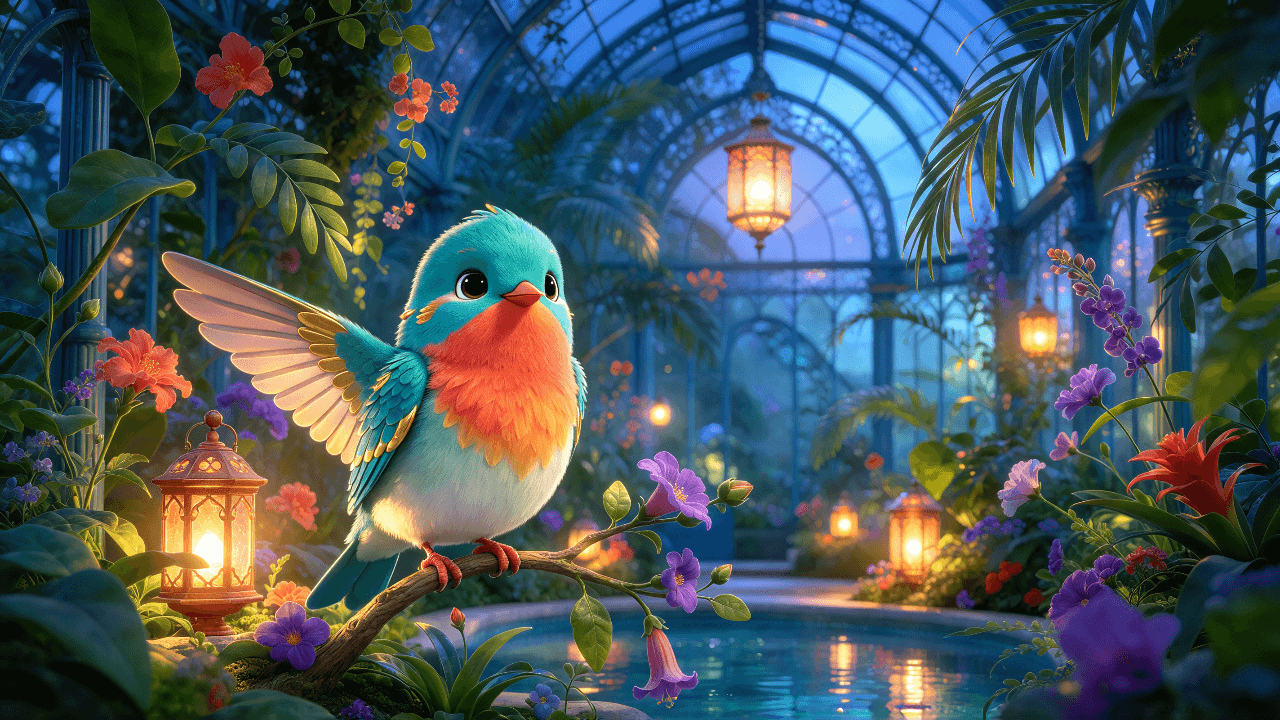
Scene input: the same mascot, now framed with room to fly through the garden.
Watch the complete movement, with sound
The supplied film runs just over 30 seconds. The bird opens its wings on the branch, leaves the perch, flies past a lantern and across the conservatory, then returns to the garden branch. The viewpoint changes from a closer side view near the lantern to wider views of the pool and flowers. Play it with sound as well as muted: the picture can show identity and movement, while the audio review should judge whether music and effects support the same warm, curious brand character.
The complete mascot film with its audio track. Check the actual soundtrack and motion before using it as a brand asset.
The creative direction behind a scene like this should describe action and music together, without asking the character to stand still or merely speak:
plaintext1Keep the same turquoise-and-coral bird and the same glass conservatory throughout one 30-second film. Begin with a curious head tilt on the branch. Let the bird unfold both wings, lift into a smooth curved flight between flowers, hover near a warm lantern, glide low above the reflecting pool, and return to the branch for a small welcoming wing flourish. Follow it from front three-quarter to side view, arc gently around the lantern, track low over the water, then settle into a clear frontal closing frame. Preserve the bird's colors, eye shape, wing structure, and natural weight in every view. 2 3Give the film one original, memorable brand-music theme: a gentle four-note marimba and glockenspiel motif at the opening; soft piano, airy strings, and restrained brushed percussion as the bird takes flight; a fuller variation over the pool; and a warm, clean resolution when it lands. Synchronize light wingbeats, moving leaves, glass-lantern chimes, and water sounds with the visible actions. Keep the mix graceful and the music coherent from start to finish. No dialogue, singing, abrupt cuts, simple zoom-only movement, new characters, changed colors, captions, or logos.
Compare two moments from the real film
At the lantern, the bird is airborne with one wing raised and its head turned toward the light. This frame reveals the side of its face and wing, giving the reviewer a different identity check from the static front view.
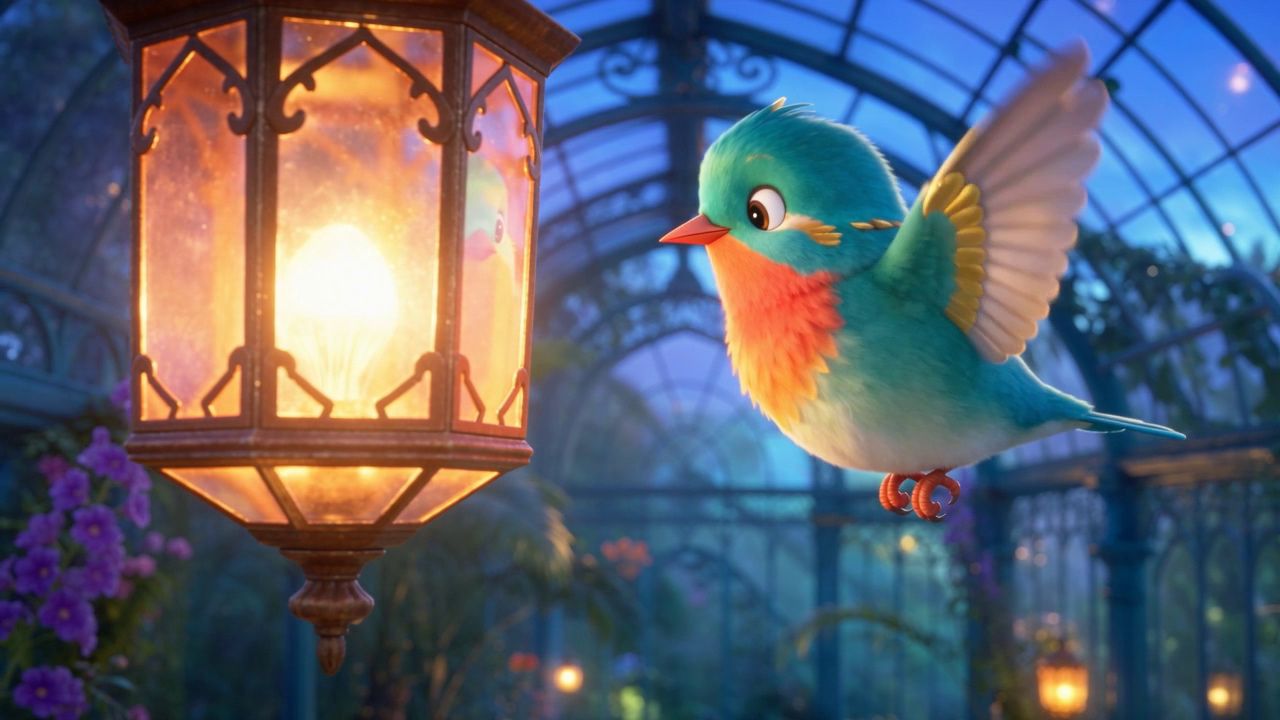
Middle frame from the completed film: a side view during flight beside the lantern.
A later frame shifts to a low tracking view at pool level. The bird crosses the water in profile, with one wing raised and its reflection below. This angle checks whether the face, coral chest, wing detail, and scale remain recognizable during a faster movement.
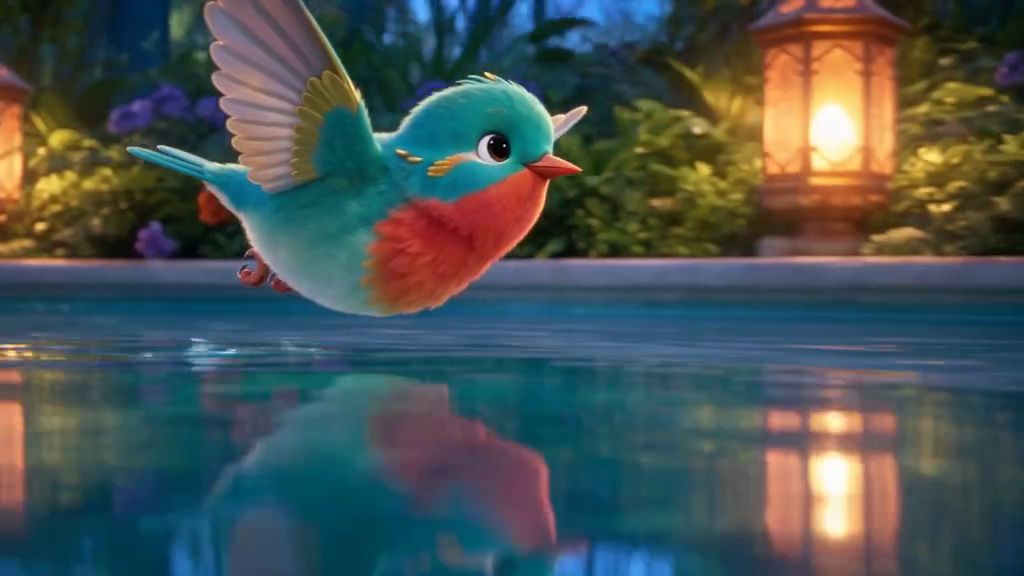
Pool-level frame from the completed film: the camera and pose differ from both the static garden image and the lantern-side flight shot.
These assets show a useful target for an animated brand character: a clear source design, a scene with depth, purposeful motion, changing viewpoints, and a soundtrack that can carry a recurring identity. A separate completed image-and-audio run is still needed to judge OmniHuman 2.0's lip sync, prompt following, and long-take consistency.
How to Check Lip Sync, Character Expression, and Brand Fit
Check the same moments with sound on and muted
Choose three moments from the output: the first spoken word, the most emphasized phrase, and the final beat. Watch each with sound, then replay it muted. With sound on, listen for timing and whether the face seems to follow the voice. Muted, look for expression changes that contradict the line or gestures that distract from it.
This is a practical review method, not a formal lip-sync metric. It helps a small team notice obvious mismatches before publishing, but it does not prove frame-perfect synchronization. If the character speaks a brand name or product term, inspect that exact section closely and check the audio pronunciation separately.
Use a simple acceptance checklist
| Check | Pass condition | If it fails |
|---|---|---|
| Character identity | Distinctive face, colors, costume, and proportions remain recognizable | Try a clearer source image and simplify the direction |
| Speech timing | Mouth motion appears plausibly aligned at the three review moments | Recheck the source audio and test a shorter line |
| Expression | Face supports the spoken message without an unwanted mood shift | State one restrained expression and remove extra actions |
| Gesture | Movement is readable and does not obscure key design features | Remove the gesture or use a source image with visible arms |
| Background | The scene stays visually stable enough for brand use | Simplify the source background or ask for a still background |
| Brand safety | No unapproved text, props, logos, or identity changes appear | Reject the take and regenerate only after reviewing the prompt |
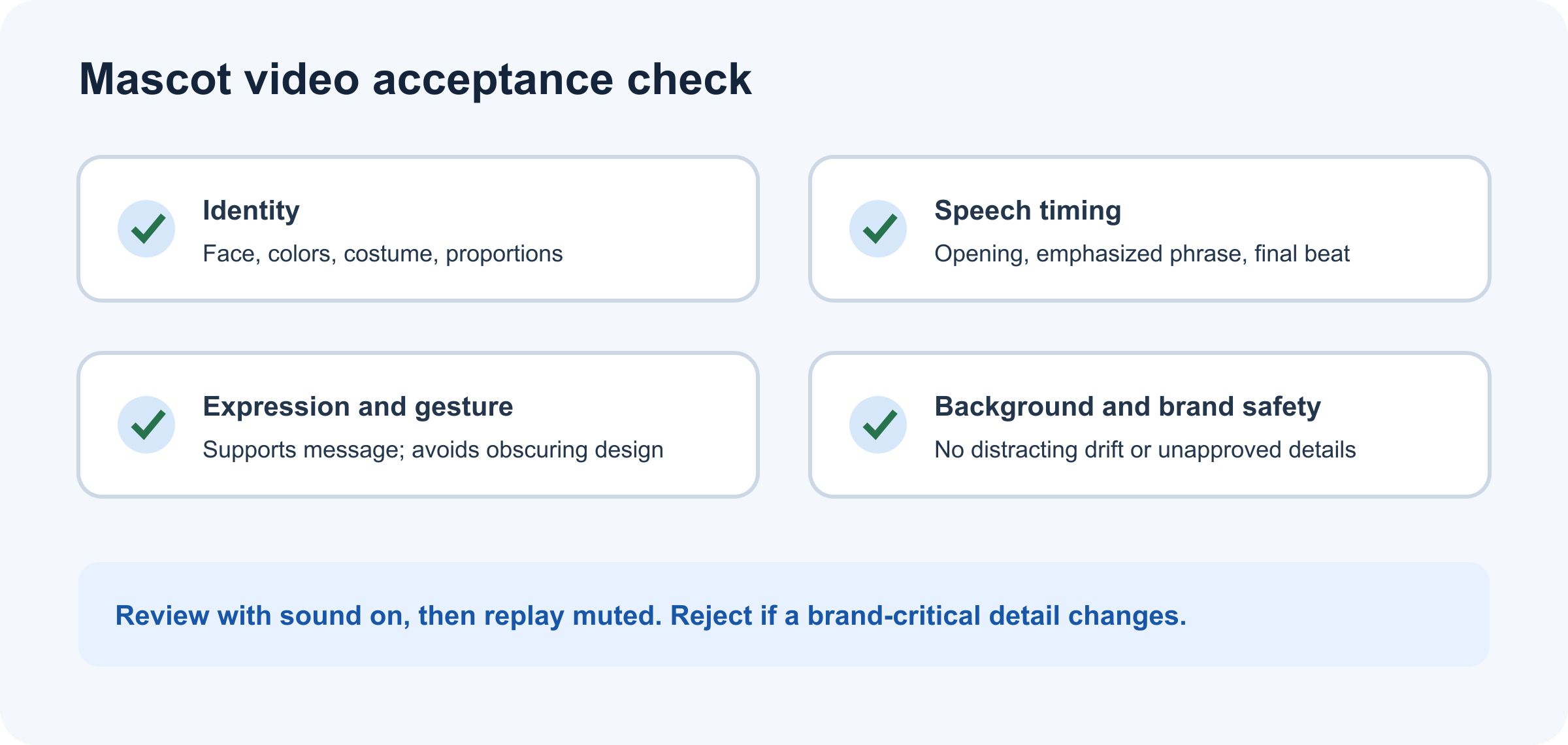
Review the same moments with sound on and muted, then reject any take that changes a brand-critical detail.
Set the acceptance bar before generation. For a routine social update, a clear message and recognizable mascot may matter more than a large gesture. For a product announcement, an unintended new label or altered logo can make an otherwise smooth take unusable. The team that owns the brand should make that decision.
Common OmniHuman 2.0 Mascot Video Problems and Fixes
| What you see | Likely factor to inspect | Smallest next test |
|---|---|---|
| Mouth moves at the wrong moments | Audio edit, unclear speech, or a timing issue in the generated take | Use a clean shorter audio segment with no added pause |
| Expression is too excited or too flat | Prompt asks for competing emotions, or the input face strongly conveys another mood | Keep the same audio and use one simple expression direction |
| Background seems to shift | Detailed source background or generated scene movement | Use a simpler approved image and explicitly request a still background |
| Mascot design changes | Source details are small, hidden, or visually ambiguous | Use a larger, clearer face crop and name only the key design traits |
| Gesture looks awkward | The requested action does not fit the source pose | Remove the gesture and preserve the original framing |
| Long take loses consistency | The listed maximum duration is being treated as a quality guarantee | Test a short section first; consider editing approved sections in post |
These are diagnostic hypotheses, not claims about measured failure rates. Change one factor per rerun and keep the other inputs fixed. If a shorter test improves, note the difference before you prepare a longer version. A new prompt, new audio, and new image in the same rerun make it hard to learn which change mattered.
Turn One Mascot Performance into a Repeatable Content Format
After one take passes review, reuse the production pattern rather than expecting one long clip to become a complete campaign. Keep a compact record with the approved image, voice treatment, prompt, model version, output dimensions, and review notes. For later posts, vary the spoken message while preserving the visual inputs that define the mascot.
A small content calendar could include a weekly announcement, a short answer to one customer question, and an event reminder. Each item should have its own finished audio and a clear purpose. If the same mascot speaks in different languages, have a fluent reviewer check pronunciation, tone, and product names before release.
Treat editing as part of the workflow. Add captions, brand marks, safe-area adjustments, and end cards in your normal video editor. Check that the generated action leaves space for those elements. Do not assume the model will create accurate on-screen text or place a logo correctly unless the current workflow explicitly supports and you verify that operation.
Atlas Cloud Availability, Model Choice, and Pricing
Atlas Cloud’s current public listing identifies the model as Avatar Omni Human 2.0 and describes it as a ByteDance model available through Atlas Cloud. The listing gives a standard price of $0.07 per second and shows a 20% discounted rate of $0.056 per second when checked for this article in October 2026. Its page describes image plus audio and an optional prompt, 720p output, and clips up to five minutes.
That establishes what Atlas currently lists. It does not establish that a particular account has access, that every request will complete, or that a five-minute mascot clip will preserve the design throughout. The listing’s API workflow also does not by itself prove that a public playground is available in every account. Confirm the actual entry point and run status in your account before planning a production deadline.
For a small team, use the displayed per-second estimate to decide whether a short test is affordable, then judge the returned result before rendering more audio. Do not estimate from a third-party price or from a previous month’s promotion. Check the current Atlas Cloud model catalog and the model detail page each time pricing affects your decision.
If the current interface exposes the inputs you need and the test completes, OmniHuman 2.0 animated brand mascot videos can be evaluated as a focused character-performance step in a broader content process. Start with one approved image, one short voice track, and one restrained prompt. Keep the take only if the result passes your brand’s own review.
Frequently Asked Questions
Can OmniHuman 2.0 animate a cartoon mascot?
The Atlas listing describes character animation from an image and audio, but it does not guarantee results for every illustration. Test your own licensed mascot with a clear face and judge whether its defining features remain recognizable.
Does OmniHuman 2.0 generate the brand voice, or must I upload audio?
The listed workflow uses an audio track as input. Prepare or record the approved voice audio separately, and confirm the current form’s accepted formats before uploading.
How long can an OmniHuman 2.0 video be?
Atlas Cloud currently lists audio input up to 300 seconds, or five minutes. This is a listed maximum, not a recommendation to begin with a long take. Test a short section and verify consistency before using longer audio.
How much does OmniHuman 2.0 cost on Atlas Cloud?
The model page currently displays $0.07 per second and a discounted $0.056 per second rate. For example, eight seconds calculates to $0.56 or $0.448 at those rates. Check the live estimate because account access, discounts, and prices can change.
What should I change if the mascot’s expression or background looks wrong?
Keep the image and audio fixed, then simplify the prompt to one expression and a still background. If that does not help, try a clearer source image. Change only one factor per test so the review remains useful.


