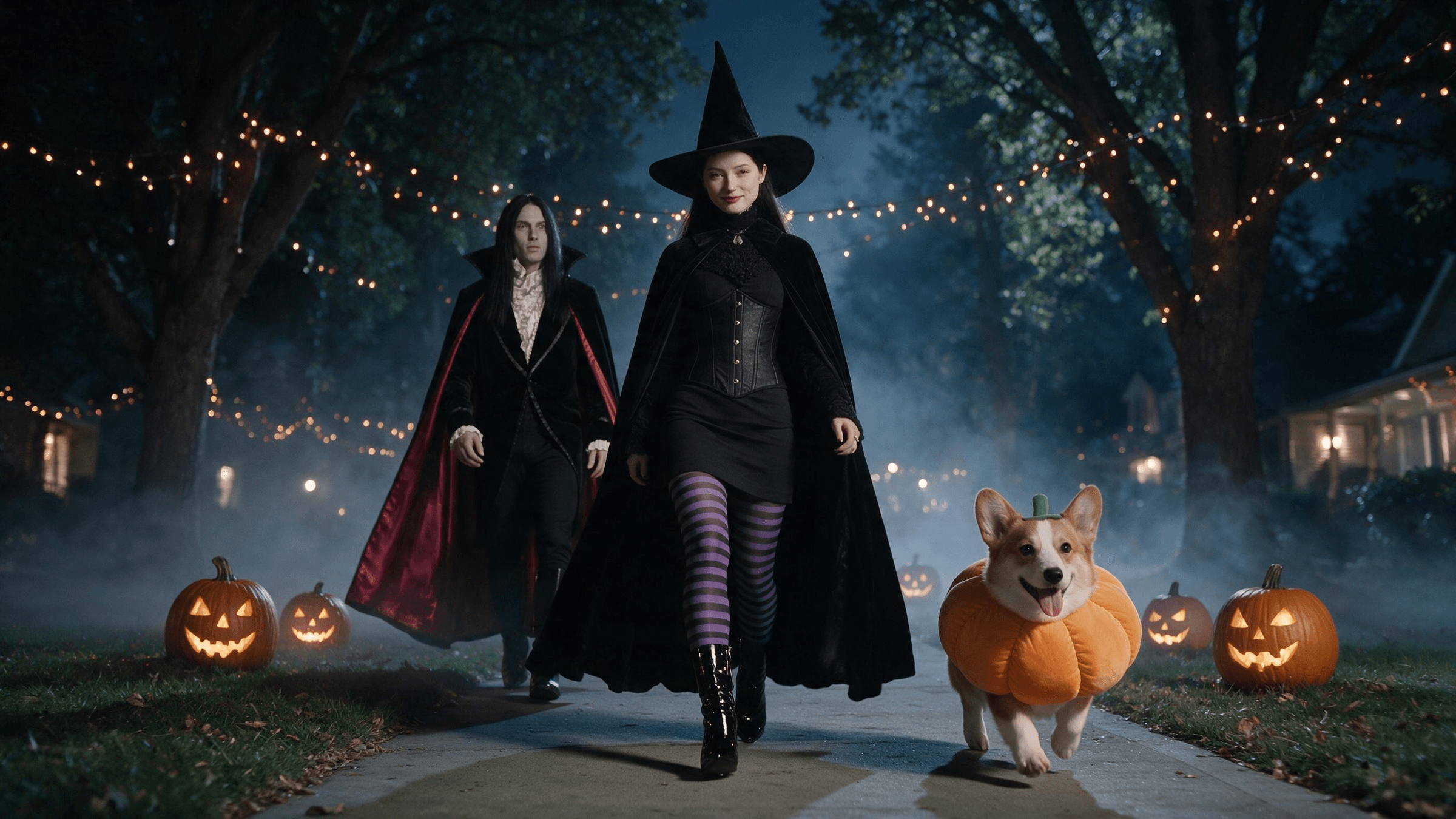
A pair of pointed boots clicks down a foggy sidewalk, filmed from the pavement. The hook drops, the camera whips up, and a witch is standing there in full costume. That is the ramalama costume walk, a Halloween format set to Róisín Murphy's "Ramalama (Bang Bang)."
You don't need the costume, a tripod or a friend lying on the ground. One photo and an AI video model can fake the whole shot. Below: which templates do it, and a prompt that builds it from any photo, pets included.
Key Takeaways
- The ramalama costume walk films your shoes at ground level, then tilts up to reveal the costume on the beat.
- The song is Róisín Murphy's "Ramalama (Bang Bang)," track 8 on her 2005 debut solo album Ruby Blue.
- Ofsix AI templates we checked, only Veevid names its model: Seedance 2.0 Mini, with Seedance 2.5 optional.
- The Atlas Cloud video generator runs Seedance 2.5, which builds the walk and the reveal from one everyday photo.
- Pets work too: keep the camera at paw height, then tilt up to a pumpkin or witch costume.
What Is the Ramalama Bang Bang Trend?
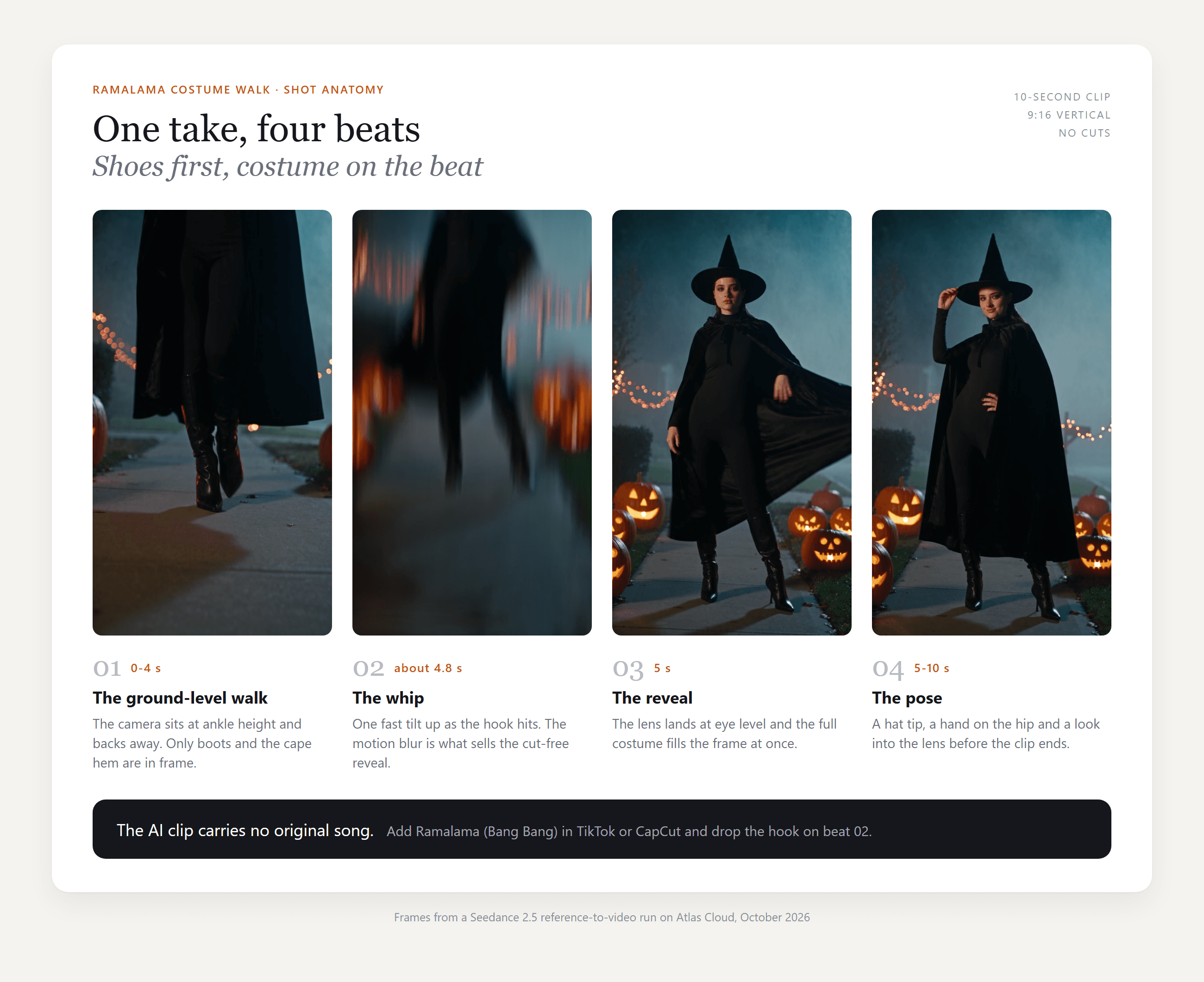
The ramalama bang bang trend is a costume reveal in one take. The camera sits at knee height or lower and backs away while someone walks toward it, so all you see are boots, tights and the hem of a cape. When the hook of the song hits, the camera tilts up and the full costume, face included, lands in frame.
Group versions reveal one face per bar and often carry the caption "Did we win this trend?" The format isn't new, either. TikTok has had a search page for the "ramalama bang bang original walk" since October 2025, and template makers say it came back for Halloween 2026 with witches, vampires and pumpkins in place of everyday outfits.
The track is older still. "Ramalama (Bang Bang)" is the eighth song on Ruby Blue, Róisín Murphy's debut solo album, released on June 13, 2005 by Echo and produced with Matthew Herbert. On TikTok it lives on the Ramalama Bang Bang sound page, and the reveal is timed to the hook, the "takin' a picture of me" line.
Here is how one 10-second AI version breaks down:
Which AI Templates Do the Ramalama Costume Walk?
Here is what each one-photo template page says it does, checked on October 27, 2026:
| Tool | Template name | What you upload | Output | Model named on the page |
|---|---|---|---|---|
| Zooop | Ramalama Costume Walk | One person or pet photo, then witch, vampire or pumpkin | 10 s, 9:16, 480p or 720p | Not stated |
| Veevid | Ramalama Costume Reveal | One adult or pet photo, 8 costume presets | 12 s by default, 9:16, 480p to 1080p | Seedance 2.0 Mini, Seedance 2.5 optional |
| Media.io | Ramalama Costume Walk AI | One photo, solo, duo or group | 9:16 HD, no watermark | Not stated |
| Remix Meme | Ramalama Bang Bang Trend | One photo with a clear adult face | About 15 s, 9:16, 480p or 720p | Not stated |
| GoFaceless | Ramalama Walk | A chest-up photo, plus up to three friends | 12 to 18 s, 1080 x 1920 | Not stated |
| PicLumen | The Costume Parade | One photo and a typed costume idea | Not stated | Not stated |
Dreamina also ranks for the trend, but its page is a gallery of prompts for its general video generator, not a one-photo template. We found no Ramalama template page on PixVerse, Kling, Hailuo or Higgsfield, though trend templates appear within days.
Check the audio before you pay. Veevid adds its own instrumental and says the original track isn't included. Media.io and Remix Meme tell you to attach the sound yourself when you post.
How to Make a Ramalama Costume Walk AI Video With Seedance 2.5
A reference-to-video model takes your photo plus a prompt you write, so the costume, the street and the timing are yours. Atlas Cloud runs the Seedance 2.5 models, the same family Veevid builds on. This is the 10-second clip it made from one photo and the prompt below:
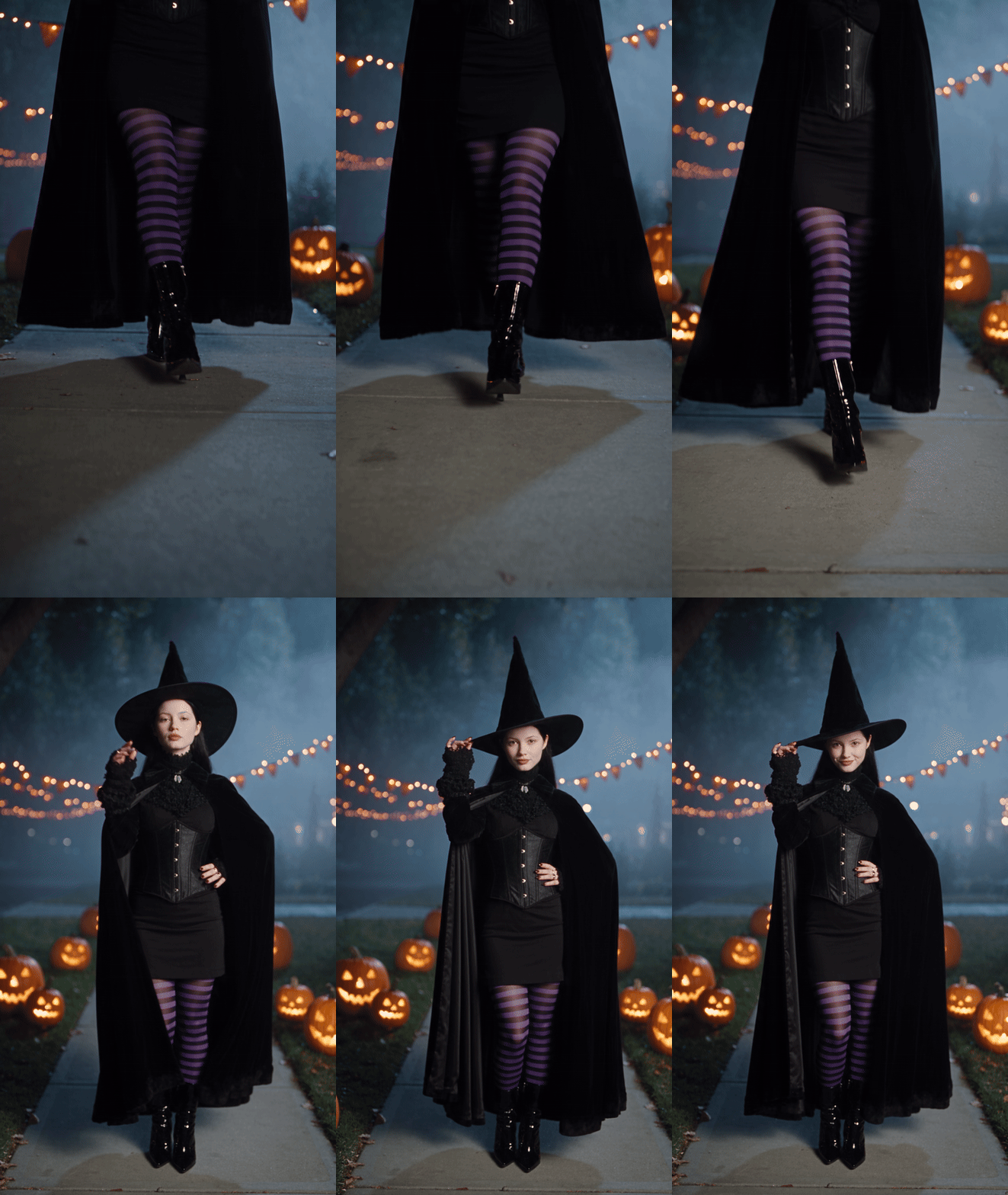
The reference photo showed a woman in a black velvet dress holding a lantern. The prompt kept her face and dressed her as a witch. For about four seconds the camera stays below her waist, then it rises to eye level around the five-second mark. You can also pick Seedance 2.5 in the AI video generator, or use the playground below.
Method 1: Build the Low-Angle Walk and Reveal in the Playground
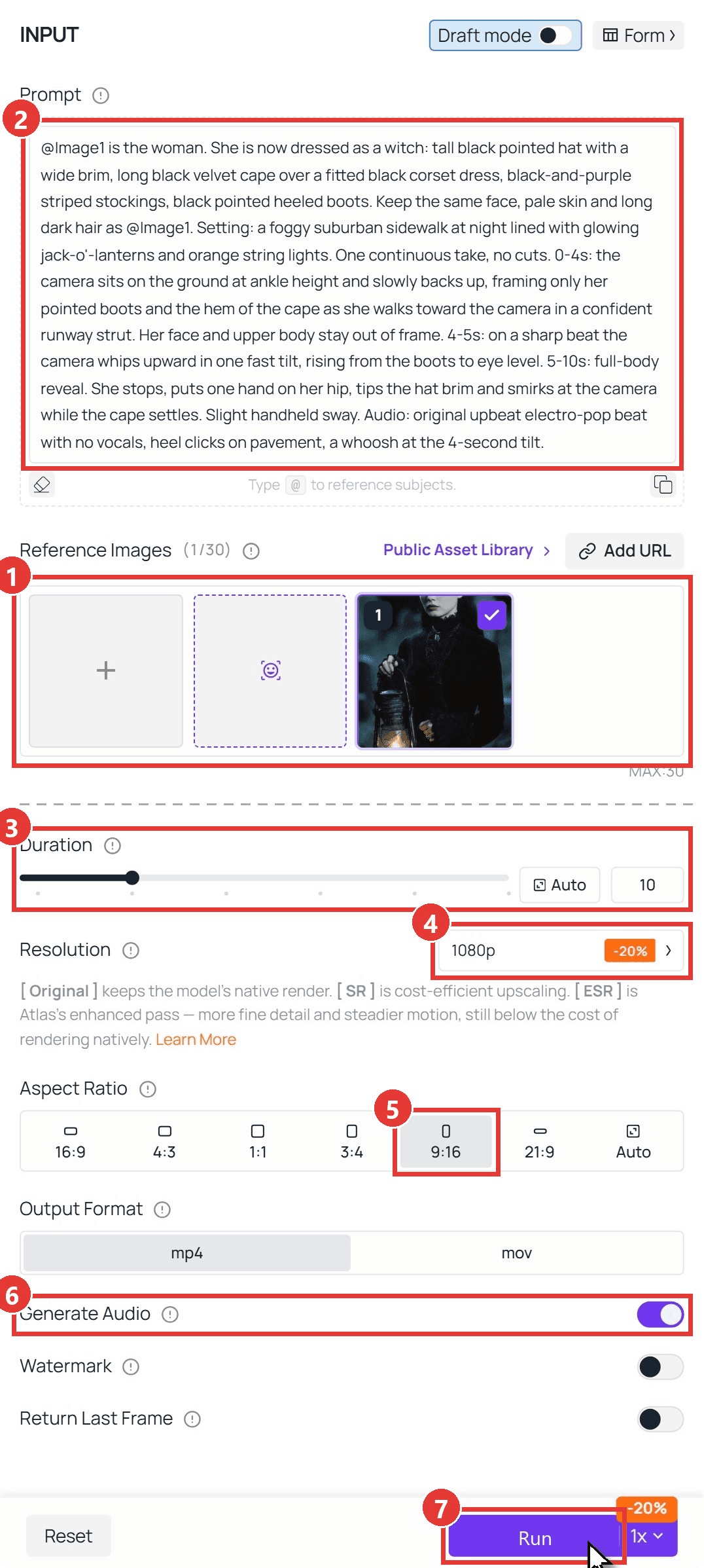
Sign in, open the Seedance 2.5 reference-to-video playground, and follow the numbers on the screenshot:
- Under Reference Images, delete the sample images, then upload one clear photo you have the right to use.
- Paste the prompt below. "@Image1" points at your photo.
- Set Duration to 10 seconds.
- Pick 1080p, or 720p for a quick draft.
- Choose 9:16.
- Leave Generate Audio on.
- Click Run.
plaintext1@Image1 is the woman. She is now dressed as a witch: tall black pointed hat with a wide brim, long black velvet cape over a fitted black corset dress, black-and-purple striped stockings, black pointed heeled boots. Keep the same face, pale skin and long dark hair as @Image1. Setting: a foggy suburban sidewalk at night lined with glowing jack-o'-lanterns and orange string lights. One continuous take, no cuts. 0-4s: the camera sits on the ground at ankle height and slowly backs up, framing only her pointed boots and the hem of the cape as she walks toward the camera in a confident runway strut. Her face and upper body stay out of frame. 4-5s: on a sharp beat the camera whips upward in one fast tilt, rising from the boots to eye level. 5-10s: full-body reveal. She stops, puts one hand on her hip, tips the hat brim and smirks at the camera while the cape settles. Slight handheld sway. Audio: original upbeat electro-pop beat with no vocals, heel clicks on pavement, a whoosh at the 4-second tilt.
Rewrite the "Keep the same face" sentence so it describes your own photo.
Method 2: Generate Costume Walk Clips Through the API
Making clips for a friend group or a pet account? The API runs one prompt over a folder of photos.
Step 1: Create an API key. In the console, open Settings and create a key under API Keys. Keep it server-side; one key covers every model.
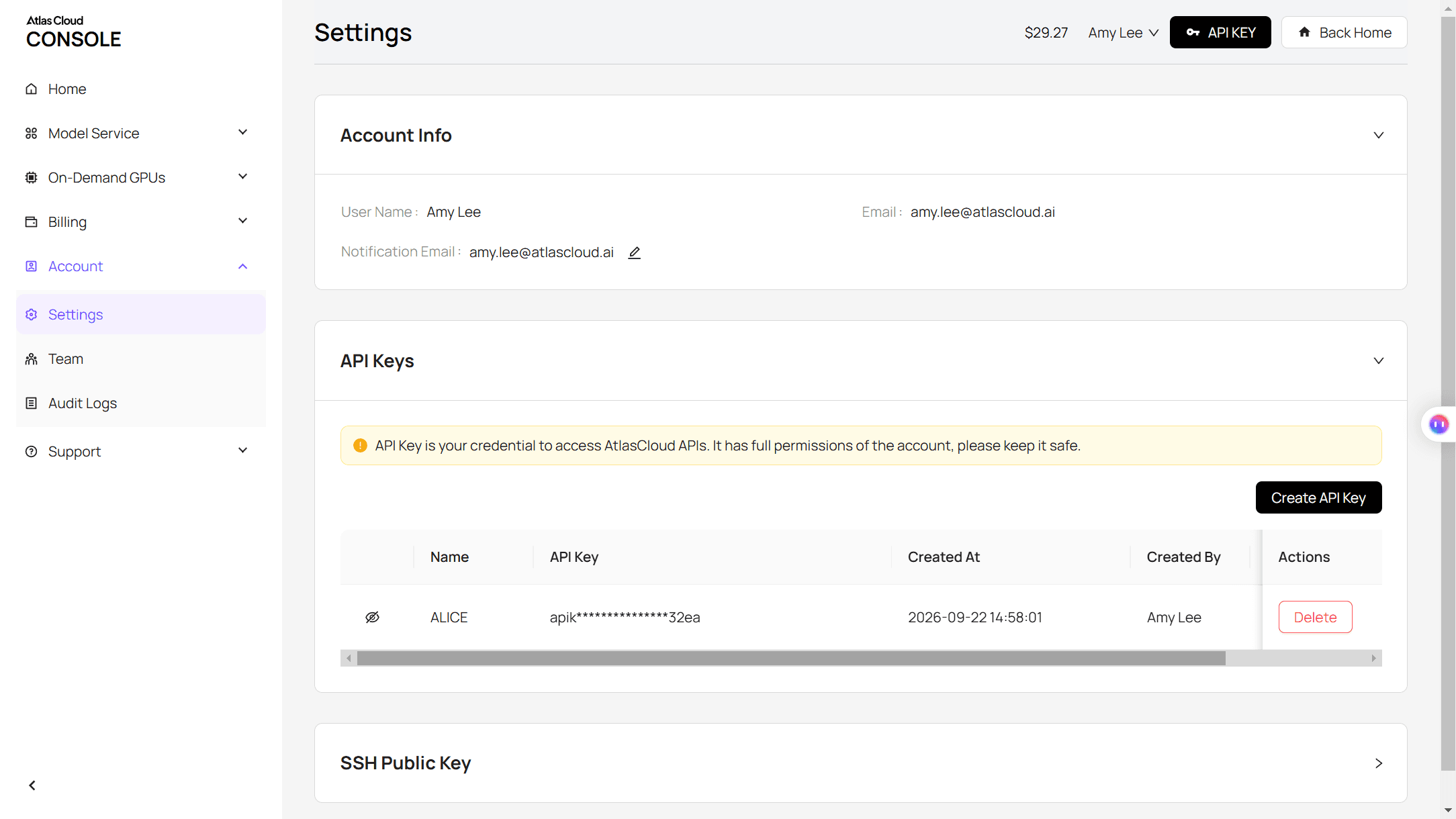
Step 2: Check the request format. The Atlas Cloud docs cover authentication, and the playground's API tab lists every field.
Step 3: Send the request and poll. Photos go in the reference_images array, and "@Image1" in the prompt maps to the first one:
plaintext1curl -X POST https://api.atlascloud.ai/api/v1/model/generateVideo \ 2 -H "Authorization: Bearer $ATLASCLOUD_API_KEY" \ 3 -H "Content-Type: application/json" \ 4 -d '{ 5 "model": "bytedance/seedance-2.5/reference-to-video", 6 "prompt": "@Image1 is the woman. She is now dressed as a witch: ... 0-4s: the camera sits on the ground at ankle height ... 4-5s: the camera whips upward in one fast tilt ... 5-10s: full-body reveal.", 7 "reference_images": ["https://your-cdn.com/your-photo.jpg"], 8 "duration": 10, 9 "resolution": "1080p", 10 "ratio": "9:16", 11 "generate_audio": true 12 }'
Poll the returned prediction ID until the status reads completed, then download the clip from the outputs array:
plaintext1curl https://api.atlascloud.ai/api/v1/model/prediction/<prediction_id> \ 2 -H "Authorization: Bearer $ATLASCLOUD_API_KEY"
Same endpoint and same key for every video model on Atlas Cloud, so testing another one means changing the model string.
Writing a Ramalama Prompt That Lands the Reveal on the Beat
Seedance 2.5 follows time codes, so give each beat its own sentence with seconds attached. These lines did the work in our runs:
| What you want | Line that gets it |
|---|---|
| No face before the reveal | "Her face and upper body stay out of frame" in the 0-4s beat |
| A tilt, not a jump cut | "One continuous take, no cuts" plus "one fast tilt" |
| The reveal near the 5-second mark | Put the tilt in its own 4-5s beat |
| A clean edit point for the song | "A whoosh at the 4-second tilt" |
| No accidental vocals | "Original beat with no vocals" |
| A calm vampire smile | "Gives a slow closed-mouth smile" |
Leave the song itself out of the prompt. It is a commercial recording, so the safer route is to generate a beat and a whoosh, then add "Ramalama (Bang Bang)" from the TikTok or Instagram sound library and slide the hook onto the whoosh.
The reference photo doesn't need to match the final look either. Our vampire started from a black-and-white, waist-up portrait. The prompt opened with "Full-color, realistic cinematic video (the reference photo is black and white, but the video must be in natural color)," then described boots and a crimson-lined cape the photo never showed:
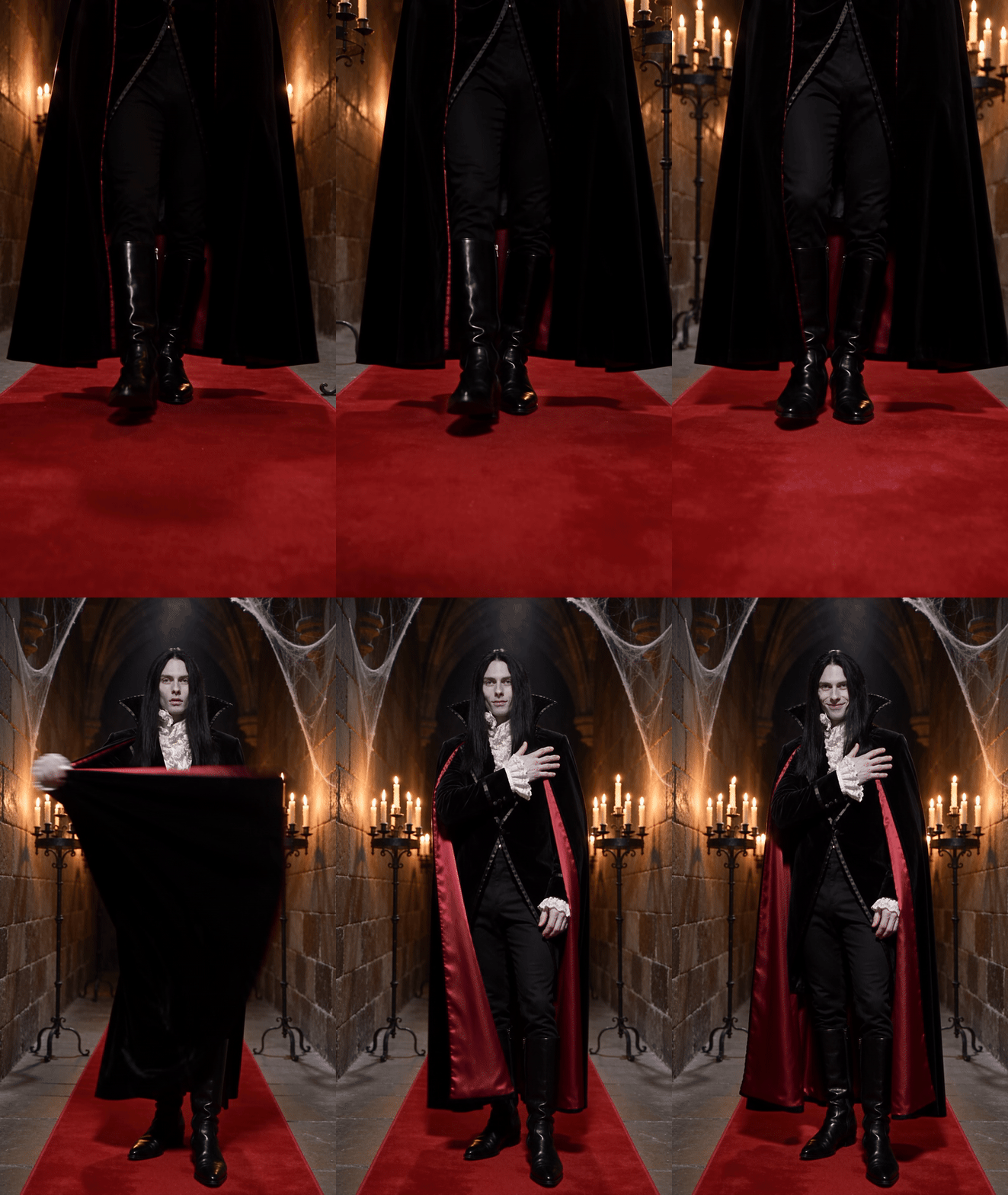
More on time-coded prompts in our guide to writing Seedance 2.5 prompts.
Ramalama Costume Walk Ideas for Pets, Couples and Groups
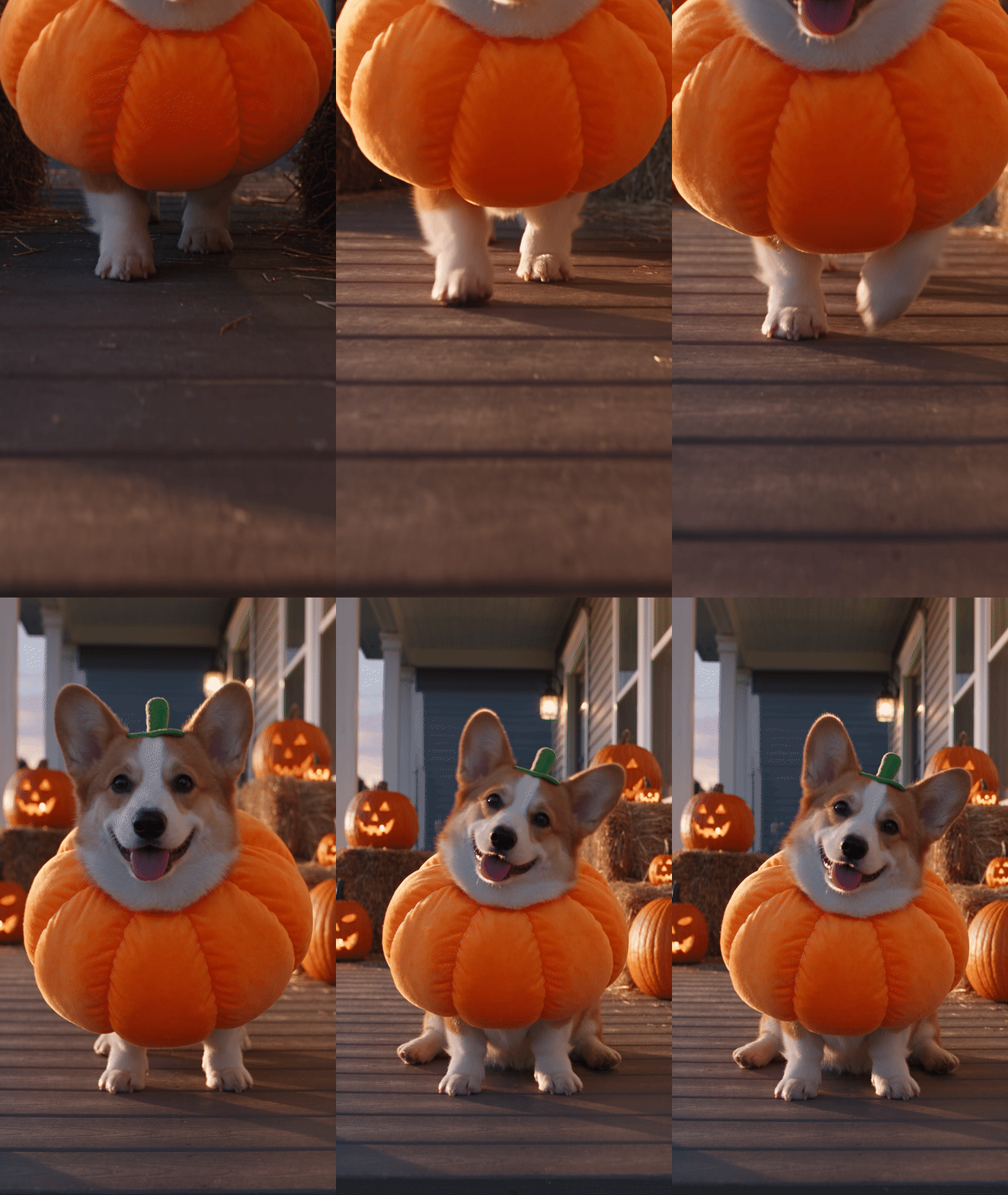
Pets carry this trend well, because the slow walk toward the camera is what most dogs do anyway. Zooop and Veevid both take pet photos. In your own prompt, swap the subject for "the corgi from @Image1," drop the camera to paw height and give the animal something it can do at the reveal: sit, tilt its head, wag. Ours trotted down a porch in a pumpkin suit:
Couples and friend groups are where the "Did we win this trend?" caption comes from, and Media.io and GoFaceless take several people. With Seedance 2.5, upload one photo per person, cite them as @Image1, @Image2 and so on, and give each face its own short beat after the tilt, in reveal order.
Matching costumes help: a witch and her black cat, a vampire couple. For a two-person routine set to music, our Wyw My Sweetie duo guide walks through a duo run.
Frequently Asked Questions
Can I use the Ramalama (Bang Bang) song in my AI video?
Add it when you post, from the app's own sound library, rather than baking it into the file. That keeps the track tied to the platform's own music library. An ad or a paid client video is a different case, so check the platform's commercial music rules before you use it there.
Is Ramalama AI the same as the RamaLama developer tool?
No. RamaLama is an open-source tool for serving AI models locally through containers, and it fills most of the search results for "ramalama AI." The costume trend only borrows the song title.
Can I do the costume walk with my dog or cat?
Yes. Pick a sharp photo where the whole animal is visible and describe its fur and markings in the prompt. A cat sitting still in a witch hat at the reveal reads funnier than one forced to strut.
Does my photo need to show my whole body?
No. GoFaceless asks for nothing more than a chest-up selfie, and our vampire came from a waist-up portrait. Describe the shoes and the lower half of the costume in the prompt, since the first four seconds show nothing else.
How long should a Ramalama costume walk clip be?
Ten to twelve seconds covers a solo walk, with the reveal around the fourth or fifth second. Groups need more room, which is why GoFaceless stretches to 18 seconds when you add friends.
Conclusion
The trick is all in the camera: four seconds of boots, one tilt on the hook, then the costume. Templates hand you that shot with a fixed costume list. A prompt lets you dress anyone, or any pet, you can describe.
Start with a clear photo, rewrite the appearance line and run it at 9:16. Add the song when you post, slide the hook onto the whoosh, and your ramalama costume walk is ready for Halloween.





