Two browser tabs, one prompt, one reference portrait, one stopwatch. The Flash tab finished a Mars night-market astronaut in 27.9 seconds. The Pro tab needed 56.9 seconds for the same 2816×1584 frame. That gap is the whole Seedream 5.0 Flash vs Pro question in a single number, and it explains why a model that ByteDance ships as the budget tier deserves more than a shrug.
This guide puts the two side by side on real runs: generation time, the spec sheet, the API, the layer decomposition endpoint that both share, and the billing rules that decide what a batch actually costs. By the end you will know which jobs Flash handles outright and which ones still justify Pro's slower, quality-first pipeline.

Key Takeaways
- Seedream 5.0 Flash is Pro's sibling, not a renamed Lite: same 10-reference cap, same layer decomposition, same pixel envelope, standard prompt mode only.
- In our playground runs a 2816×1584 Flash image finished in 18 to 28 seconds, from plain text-to-image to a one-reference edit, and every presetbillsthe same flat rate.
- Layer decomposition returned one base image plus 7 named PNG layers from a single photoreal scene, each with a z-index and bounding box.
- Stay on Pro when per-image quality or its fast optimization mode matters more than throughput.
- Lite, not Flash, is the tier that carries 3K and 4K output and sequential generation.
What Changed With Seedream 5.0 Flash
Seedream 5.0 Flash rolled out in late September 2026 without a launch post. ByteDance added it to its two clouds under the IDs doubao-seedream-5-0-flash-260915 and dola-seedream-5-0-flash-260915, and the documentation did the talking. The BytePlus tutorial for the family describes Flash in one line: it "generates images faster and costs less, making it suitable for latency- and cost-sensitive scenarios", while Pro is the pick for higher image quality.
What makes Flash interesting is how much of Pro it keeps. The request contract is the same. Both accept up to 10 reference images, both offer precision editing with coordinates and markers, and both expose the layer decomposition mode that splits a finished image into a base plus up to 16 PNG layers. The pixel envelope matches too: any size between 921,600 and 4,624,220 total pixels, with aspect ratios from 1:16 to 16:1.
The trimmed parts are easy to list. Flash runs prompt optimization in standard mode only, so Pro's fast mode does not exist here. It does not do sequential image generation, streaming output, or web search. None of those are quality switches. They are workflow features, and if your pipeline never touched them on Pro, Flash drops nothing you use.
ByteDance is already treating Flash as a default rather than an afterthought. A product-community write-up of the Doubao app's new creative-design beta reported that Flash is the image model behind it, with a one-click layer split in the same canvas. Channel behavior still varies, so the watermark default and moderation gates covered in our Seedream 5.0 Pro channel guide apply to Flash as well.
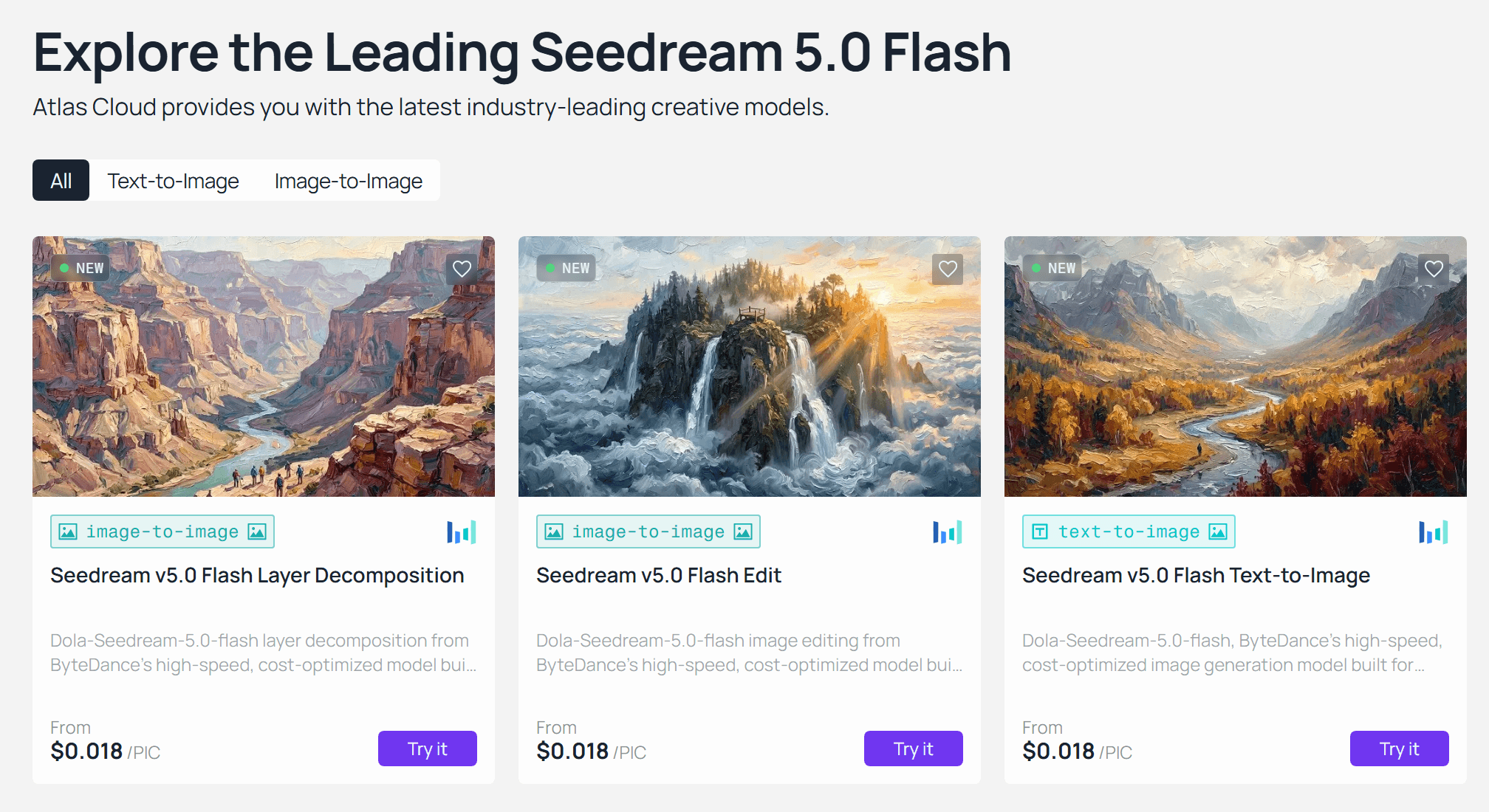
Seedream 5.0 Flash vs Pro: The Spec Sheet Side by Side
Lite was widely read as the fast-and-cheap tier when it shipped in February, so the name Flash invites a mix-up. The ByteDance docs draw the lines clearly once you lay the three tiers next to each other. Flash and Pro share almost everything. Lite is the outlier.
| Seedream 5.0 Flash | Seedream 5.0 Pro | Seedream 5.0 Lite | |
|---|---|---|---|
| Output presets | 1.5K and 2K class, up to 2816×1584 on Atlas Cloud | Same envelope, plus 1024×1024 | 2K, 3K, and 4K |
| Reference images | Up to 10 | Up to 10 | Up to 14 |
| Layer decomposition | Yes, base plus up to 16 layers | Yes | No |
| Precision editing with coordinates | Yes | Yes | No |
| Prompt optimization | Standard only | Standard and fast | Standard |
| Sequential generation, streaming, web search | No | No | Yes |
The reference cap and the feature split come from ByteDance's image generation API reference, which states that Pro and Flash accept at most 10 reference images while Lite, 4.5, and 4.0 accept 14. Some third-party listings copy the 14 figure onto Flash. The official document does not.
One practical note on sizes. The Flash preset picker on Atlas Cloud lists 16 presets from 1536×1536 up to 3136×1344, grouped as 2K, a 1.5K-class group, and a group labeled 3K that still sits inside ByteDance's 4,624,220-pixel ceiling. There is no 1024×1024 preset in that list. Pick by pixel count, not by label.
Running Seedream 5.0 Flash on Atlas Cloud
The hero image at the top of this article came out of the Flash Edit playground on Atlas Cloud in one pass, from a text prompt plus a single reference portrait, with no prompt tuning and no retries. Three endpoints sit under the Flash family: text-to-image, edit with up to 10 references, and layer decomposition. They share one account, one key, and one request shape, so moving a job from generation to layer extraction is a model-string change.
Method 1: Seedream 5.0 Flash in the Playground
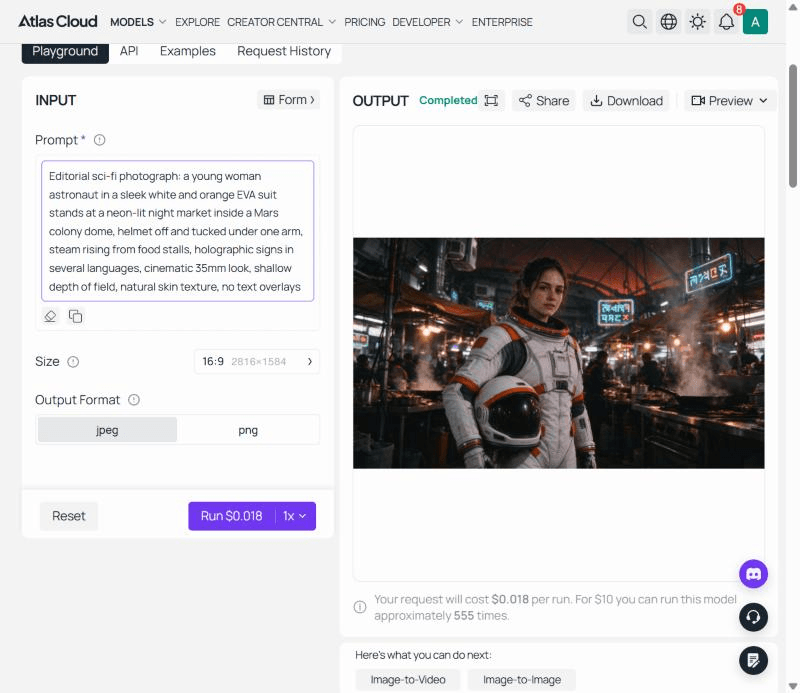
Open the Seedream 5.0 Flash text-to-image playground and sign in. The form has four controls: the prompt box, the size picker, the output format toggle between jpeg and png, and the Run button, which shows the per-run price before you commit.
- Paste your prompt. The schema recommends staying under 600 English words, and the model page lists 14 prompt languages beyond Chinese and English, from Arabic to Vietnamese.
- Pick a size preset. The default is the 16:9 preset at 2816×1584, and the picker groups the rest by pixel class.
- Choose jpeg for web delivery or png for design handoff, then press Run.
The result lands in the output panel with Download and Share controls, and the Request History tab keeps every run for 14 days according to the notice at the top of that tab. Our runs took 18 to 22 seconds from the click to the Completed label.
Method 2: Seedream 5.0 Flash API in Three Steps
Step 1: Get your API key. Create a key in the Atlas Cloud console and keep it in an environment variable rather than in client-side code.
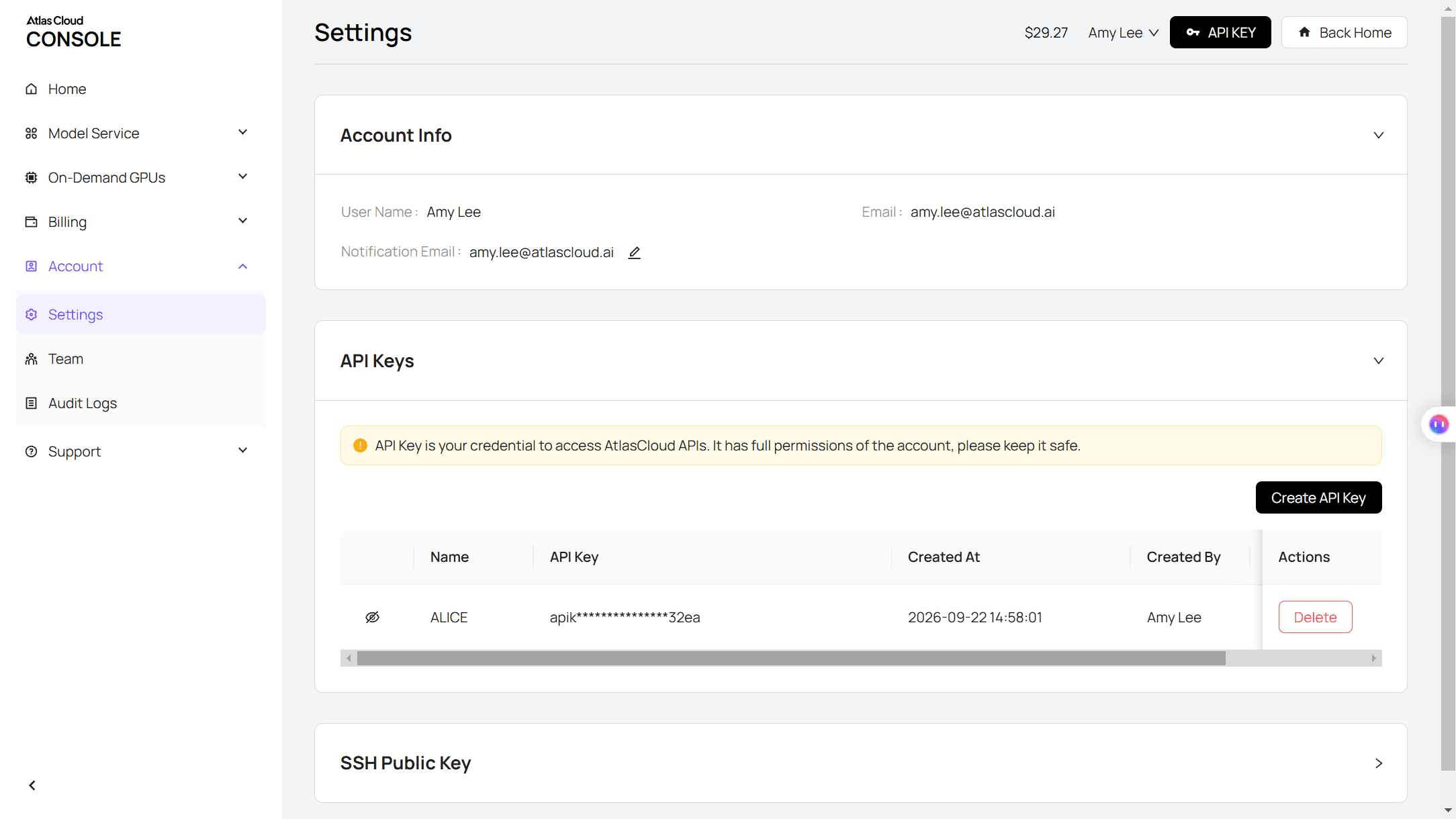
Step 2: Check the API docs. Endpoints, parameters, and authentication live in the API documentation.
Step 3: Make your first request. Submit the job:
plaintext1curl -X POST https://api.atlascloud.ai/api/v1/model/generateImage \ 2 -H "Content-Type: application/json" \ 3 -H "Authorization: Bearer $ATLASCLOUD_API_KEY" \ 4 -d '{ 5 "model": "bytedance/seedream-v5.0-flash/text-to-image", 6 "prompt": "Editorial sci-fi photograph: a young woman astronaut in a white and orange EVA suit at a neon-lit night market inside a Mars colony dome, helmet tucked under one arm, cinematic 35mm look", 7 "size": "2816*1584", 8 "output_format": "jpeg" 9 }'
The response returns a prediction ID. Poll it until the status reads completed:
plaintext1curl https://api.atlascloud.ai/api/v1/model/prediction/<prediction_id> \ 2 -H "Authorization: Bearer $ATLASCLOUD_API_KEY"
The completed response carries the hosted image URL. One detail worth knowing before you ship: the API default size is 2048*2048, which is the 2K tier, so pass size explicitly if you want the wide preset the playground uses. The request shape is the long-term payoff. Atlas Cloud runs one API across the platform, so the same key, the same header, and the same submit-and-poll loop cover Pro, the edit endpoint, and layer decomposition. Switching models means changing the model string and nothing else.
How Fast Is Seedream 5.0 Flash? Same-Prompt Timing Against Pro
The Atlas Cloud model page says a 2K Flash image "typically completes in 10–20 seconds". ByteDance publishes no latency figure of its own, so we timed it. Two prompts, each sent to the Flash Edit and Pro Edit endpoints from the playground with identical settings: the same reference portrait as the only input image, the 2816×1584 preset, jpeg output, prompt optimization left on its default. The clock started on the Run click and stopped when the Completed label appeared, polled once a second.
The first prompt was the Mars night market. Flash returned in 27.9 seconds, Pro in 56.9 seconds. The second was a woman street racer in a holographic jacket, helmet under her arm, leaning on a hover motorcycle in a rain-soaked Tokyo alley. Flash returned in 23.0 seconds, Pro in 79.0 seconds. Across both runs Flash came in between two and three and a half times faster. Plain text-to-image runs without a reference were quicker still on Flash, at 18 to 21 seconds, which matches the range the model page claims.
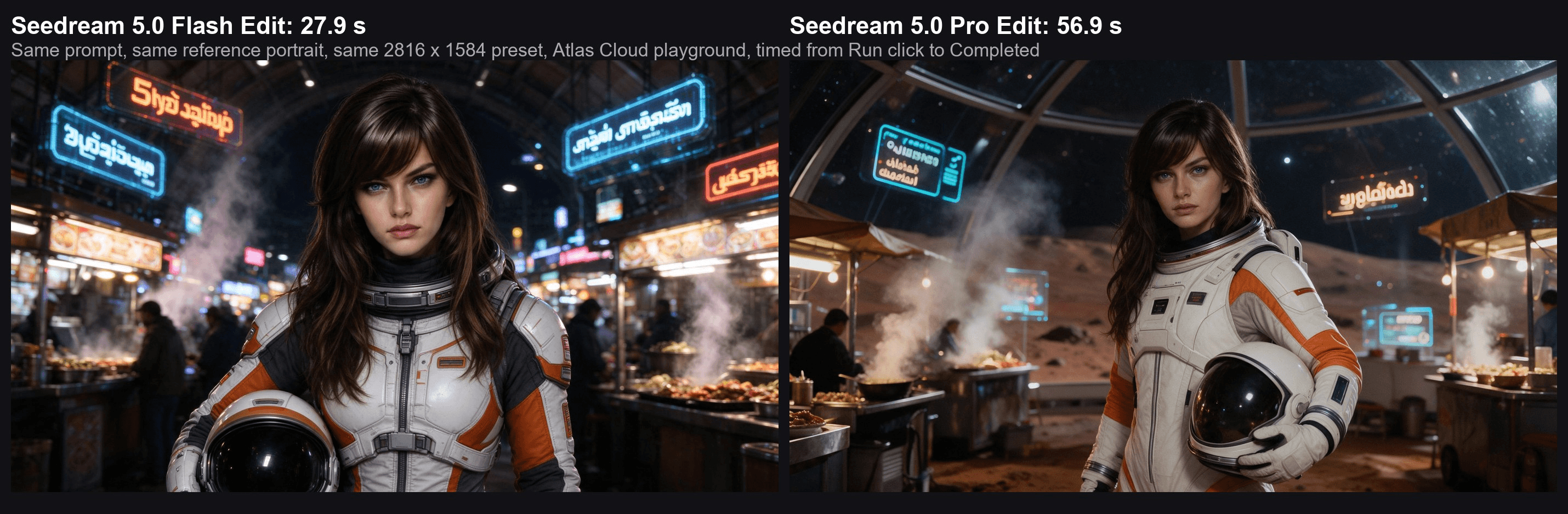
What the two models did with the same words is as telling as the clock. Both kept the reference face, the dark fringe, and the blue eyes. Flash framed her square to the camera against hard neon signage. Pro pulled back to show more of the dome, the stalls, and a softer tungsten glow. Both kept the suit's orange trim and the helmet under the arm. Neither needed a second attempt.
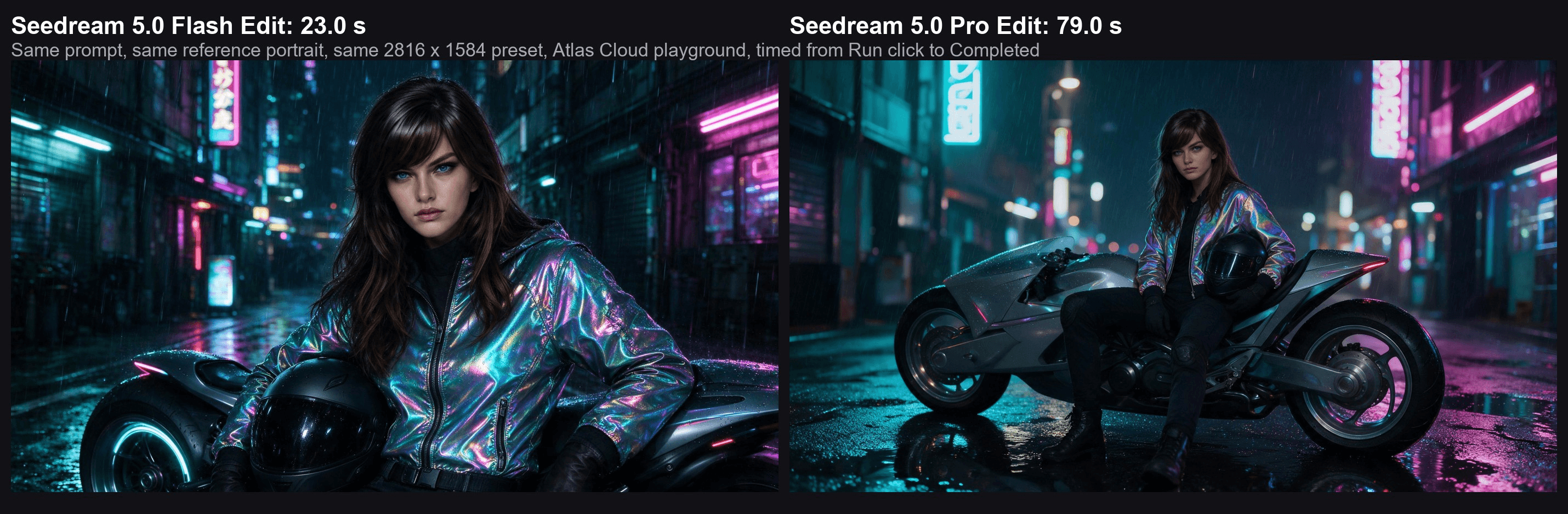
Four runs make a sample rather than a benchmark, and queue conditions on any given day will move the numbers. The ratio is the useful part. If a campaign needs 200 variations before lunch, Flash turns a roughly four-hour Pro queue into about an hour and a half at the same resolution.
Seedream 5.0 Flash Layer Decomposition: One Base Image Plus 16 Layers
When Pro launched in July, one of the recurring practical complaints in the r/singularity launch thread was about layers. A commenter who had expected editable output wrote that "as far as API providers go it just outputs a single solid image just like all the other image gen models". That gap closed. Layer decomposition is now a dedicated endpoint, and Flash runs it at the Flash rate.
We fed it a Flash-generated photoreal scene: a woman astronaut holding her helmet inside a Mars hangar, a six-wheeled rover, a drone hovering above her, stacked cargo crates, and two holographic panels. The Seedream 5.0 Flash layer decomposition endpoint returned one base image and 7 transparent PNG layers in 92.0 seconds.
The layer names came back as plain English: "Woman in spacesuit", "Handheld spacesuit helmet", "Six-wheeled rover", "Floating drone", "Stacked storage crates", "Left holographic panel", and "Right holographic panel". The playground stacks them in an editor where you can drag any layer, nudge it with the arrow keys, and watch the background fill in behind it.
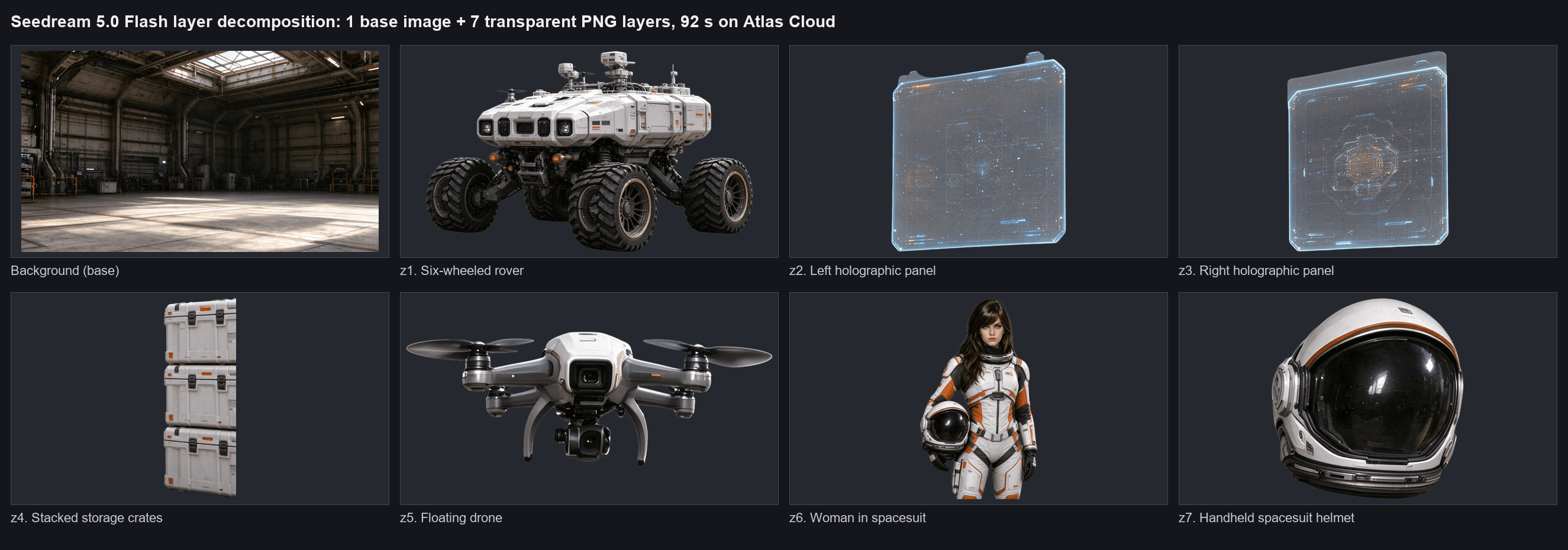
The structure matters more than the pictures for anyone building on it. Each output carries a z_index, with the base at 0 and higher values stacked on top, plus a bounding box in both absolute pixels and 0 to 1000 normalized units, a name, and a description. Composite the layers in ascending z-order inside their boxes and you rebuild the original.
The endpoint accepts exactly one PNG or JPEG of at least 512×512 and at most 30 MB, takes an optional prompt that can steer the split with coordinate tags, and defaults to an auto size setting alongside the 1K, 1.5K, and 2K options. If any single layer fails, the whole request fails rather than returning a partial set.
Through the API the call is the same submit-and-poll loop as text-to-image, with the model string set to bytedance/seedream-v5.0-flash/layer-decomposition and an image URL instead of a prompt.
Billing is the part to plan around: the playground estimate shows the 17-image maximum, and the actual charge is one image for every file returned. Our run was billed for 8. Whether those layers hold up as design assets, and how the family's layered output compares to the competition, is a question we tackled in the Seedream 5.0 Pro vs Nano Banana 2 comparison.
Seedream 5.0 Flash Pricing: What Gets Billed and What Doesn't
Flash pricing is simple enough that the rules fit in one table, and the rules are where it differs from Pro. The exact per-image figures are in the FAQ below. What follows is the mechanism.
| Rule | Seedream 5.0 Flash | Seedream 5.0 Pro |
|---|---|---|
| Output size | One flat rate for every preset. The Atlas Cloud schema states that "every image bills the same flat price regardless of size" | Two tiers by total pixels: up to the 1.5K tier, and above it |
| Reference images | Free, up to 10 | First image free, each additional image adds a small surcharge |
| Layer decomposition | Billed per image returned, base plus layers | Billed per layer, in the same two pixel tiers |
| Moderated or failed outputs | Not billed | Not billed |
Two of those rows change batch math in Flash's favor. A 10-reference edit costs the same as a one-reference edit, so stacking product shots, style frames, and a scene reference into one request is free of penalty. And because output size does not change the price, there is no reason to run a wide 16:9 draft at a smaller preset to save money.
The moderation rule comes straight from the BytePlus pricing page, which notes that "images that are not successfully output due to reasons such as content moderation are not billed". The layer rule is the one to read twice. One buyer on r/generativeAI reported in August that a Pro image pack on ByteDance's own cloud did not cover layer requests, which were metered separately per layer. On pay-as-you-go the bill is simply the file count, as the 8-image run above showed.
When to Stay on Seedream 5.0 Pro
Flash covers drafts, variations, UGC pipelines, and any assistant that has to answer in seconds. Pro keeps three jobs.
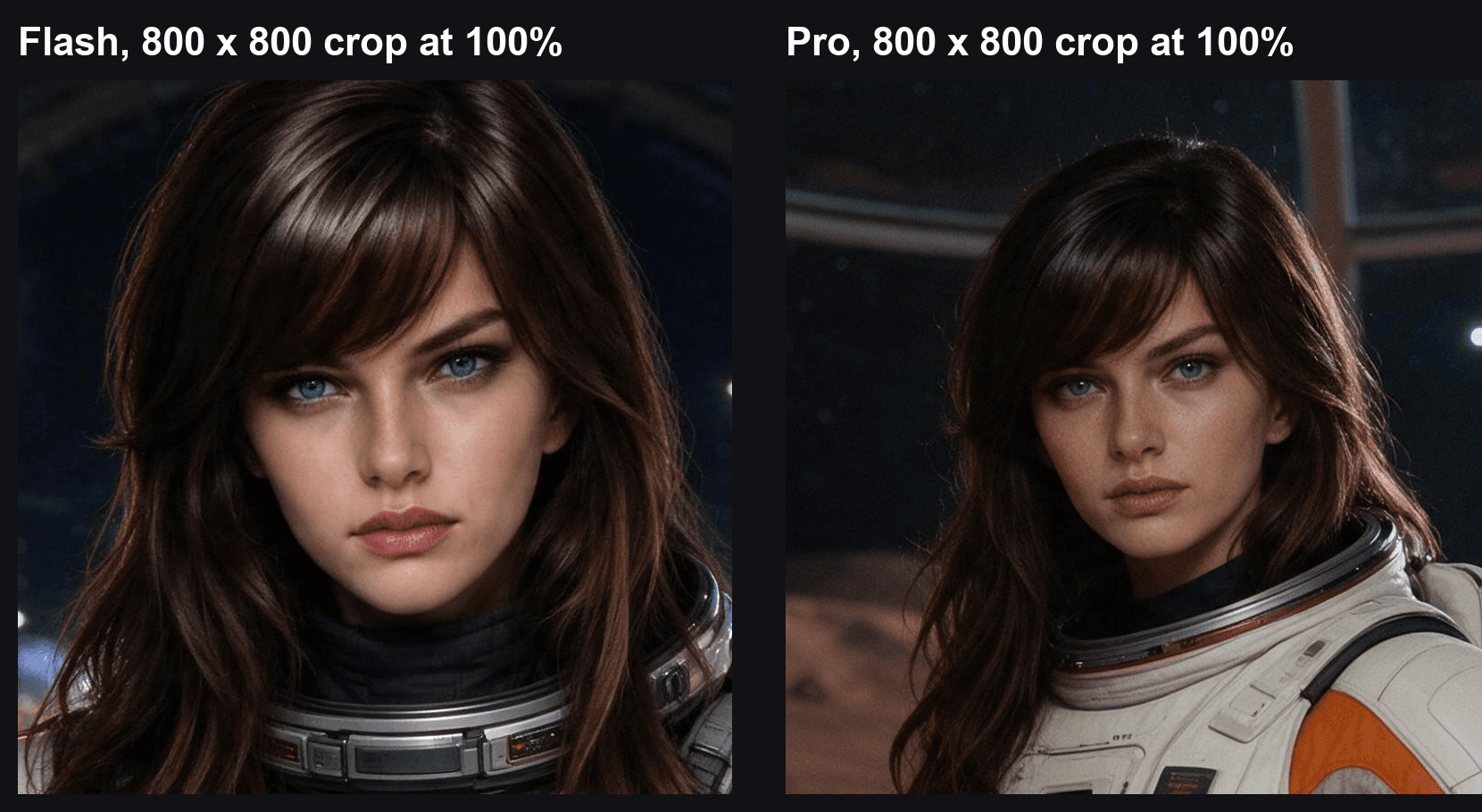
The first is final-quality work where a single hero image will be scrutinized at full size and the four-minute difference across a batch of five does not matter. ByteDance's own tutorial points latency-sensitive work at either Flash or the fast prompt-optimization mode of Seedream 5.0 Pro, a middle setting that Flash does not have.
The second job is the one people get wrong. If you need 3K or 4K output, sequential generation, or web-grounded prompts, neither Flash nor Pro is the answer. Those belong to Seedream 5.0 Lite and the 4.x models, which trade layer decomposition and precision editing for a bigger canvas and group output. Match the tier to the feature you need before you look at the price.
The third is a budget question that answers itself. A Pro render at the 1.5K tier lists at a rate that buys two and a half Flash renders. At the 2K tier it buys five. If you are iterating, that ratio means Flash explores five directions in the time and money Pro spends on one. Once the direction is set, moving the final to Pro is a one-word change in the request.
Frequently Asked Questions
How much does Seedream 5.0 Flash cost per image?
On Atlas Cloud, every Seedream 5.0 Flash run across text-to-image, edit, and layer decomposition lists at $0.018 per image as of October 2026, with no surcharge for reference images and no price change by size. Seedream 5.0 Pro lists at $0.045 per image up to the 1.5K tier and $0.09 above it, and at the time of writing both Pro endpoints show a 20 percent limited-time discount.
A full breakdown of what Pro actually costs per image is in our Seedream 5.0 Pro price guide. For a batch of 1,000 drafts, that difference is the gap between an afternoon experiment and a line item someone has to approve.
Is Seedream 5.0 Flash the same as Seedream 5.0 Lite?
No. Lite shipped in February 2026 as a separate model with its own feature set: 3K and 4K output, up to 14 reference images, sequential generation, streaming, and web search, but no layer decomposition and no precision editing. Flash arrived in late September as a faster, cheaper sibling of Pro with Pro's feature set minus the fast optimization mode. If your workflow depends on layers or coordinate edits, Flash is the right cheap tier and Lite is the wrong one.
Does Seedream 5.0 Flash support 4K?
ByteDance documents 1K, 1.5K, and 2K tiers for Flash, with a custom-size ceiling of 4,624,220 total pixels. That ceiling allows wide presets such as 2816×1584 and 3136×1344, but it stops short of a true 4K frame, which needs about 8.3 million pixels. For posters or print at that size, generate the composition in Flash and upscale the chosen frame, or move that one job to Lite.
Does Seedream 5.0 Flash add a watermark?
ByteDance's API has a watermark parameter that defaults to on and stamps an "AI generated" mark in the bottom-right corner. Channels decide how to set it. The image we generated on Atlas Cloud for this article came back with no visible mark in that corner, so check your own first output on whichever platform you use before building a pipeline that assumes a clean corner.
How many reference images does Seedream 5.0 Flash accept?
The edit endpoint accepts up to 10 reference images per request, and the layer decomposition endpoint accepts exactly one. Each reference can be a PNG, JPEG, WebP, or similar file up to 30 MB. Because references are free on Flash, the practical limit is coherence rather than cost: three or four well-chosen references usually steer an edit better than ten loosely related ones.
Conclusion
Seedream 5.0 Flash earns its place by keeping almost everything that made Pro useful and giving back the time. The reference cap, the precision editing, the layer decomposition, and the pixel envelope are all intact. What you trade away is the fast prompt-optimization mode and Pro's quality-first pipeline, in exchange for renders that came back two to three and a half times faster in our reference-edit runs and a billing model with no size tiers and no reference surcharge.
The practical split is clear. Draft, explore, and produce in volume on Flash. Reserve Pro for the frames that will be judged at full size, and send 3K and 4K jobs to Lite. If you have been weighing Seedream 5.0 Flash vs Pro for a production pipeline, run both on your own prompt once, note the clock, and let that number make the call.





