
Running out of rendering credits mid-project is the fastest way to kill a workflow, yet many users still hunt for a "completely free" version of Google’s latest video model that doesn’t exist. To be direct: the Veo 3.1 AI video generator free or paid question has a simple answer. It is a freemium platform. You can access the model without spending money, but you will face strict operational caps.
Google structures access through three distinct channels designed for different user needs:
- If you’re just testing prompts: Stick with the free Google Flow interface. You get 50 credits every 24 hours—enough to roll the dice on 2 or 3 short test clips a day without entering a credit card.
- If you publish regularly: Grab a monthly Google AI subscription. It removes the annoying daily reset, giving you a predictable pool of credits each month so you can batch-edit social content without getting cut off mid-afternoon.
- If you’re building an app or automation: Skip the consumer UI entirely and route through the Vertex AI or Gemini API. You pay purely for what render on a per-second basis, making it the only option if you need programmatic control or massive scalability.
| Access Tier | Pricing & Cost Structure | Credit Rules & Limits | Key Unlocked Features | Best For |
| Free Tier (Google Flow) | $0 / Free | 50 credits/day (Resets daily); Approx. 2 fast clips (8s) / day | Basic 720p/1080p rendering/ Digital watermark included/ Standard rendering queue | Casual creators, quick testing, & daily prompt experiments |
| Subscription (Google AI Plans) | $1.29 – $99.99 / mo | 200 – 10,000 credits/mo; Resets monthly (No credit rollover) | Watermark-free exports/ 4K Ultra HD upscaling/ Priority rendering queues | High-volume social creators, agencies, & visual editors |
| Developer API (Vertex AI / Gemini) | ~$0.05 – $0.60 / second | Pay-as-you-go (No monthly caps); Approx. $0.4 – $3.20 per 8s clip | Full programmatic automation/ Option to disable audio (Saves 25%–33%)/ White-label integration | App developers, SaaS platforms, & enterprise pipelines |
Choosing the right path depends entirely on your daily output volume and whether you require automated pipeline integration.
Understanding Veo 3.1 Access Models: Free vs. Paid Tiers
Hitting a "Credit Limit Reached" notification exactly when you have three more social media clips to export is a universal frustration for creators. Many users hunt for a completely unlimited free version of Google’s video engine, but no such tier exists. All entry points for Veo 3.1 are governed by compute-based restrictions, ensuring that server resources remain available for all users.
To manage your AI video generation costs, you must first distinguish between the two primary ways to access the model: the consumer-facing Google Flow UI and the programmatic Developer API.
1. Google Flow UI: Consumer & Creator Tiers ($0 to $99.99/mo)
Watching a high-quality video render stall because you hit a "monthly limit" is a common bottleneck for professional creators. Unlike standalone video editors, Google ties your output capacity directly to your Google AI subscription tier. Understanding these limits is critical for managing your monthly video generation costs and ensuring your projects never stall mid-production. If you choose the web interface over raw code, mastering the Google Flow creator interface is key to managing prompt generation pipelines, aspect ratio toggles, and daily credit resets efficiently.
Free Tier Mechanism & 24-Hour Reset
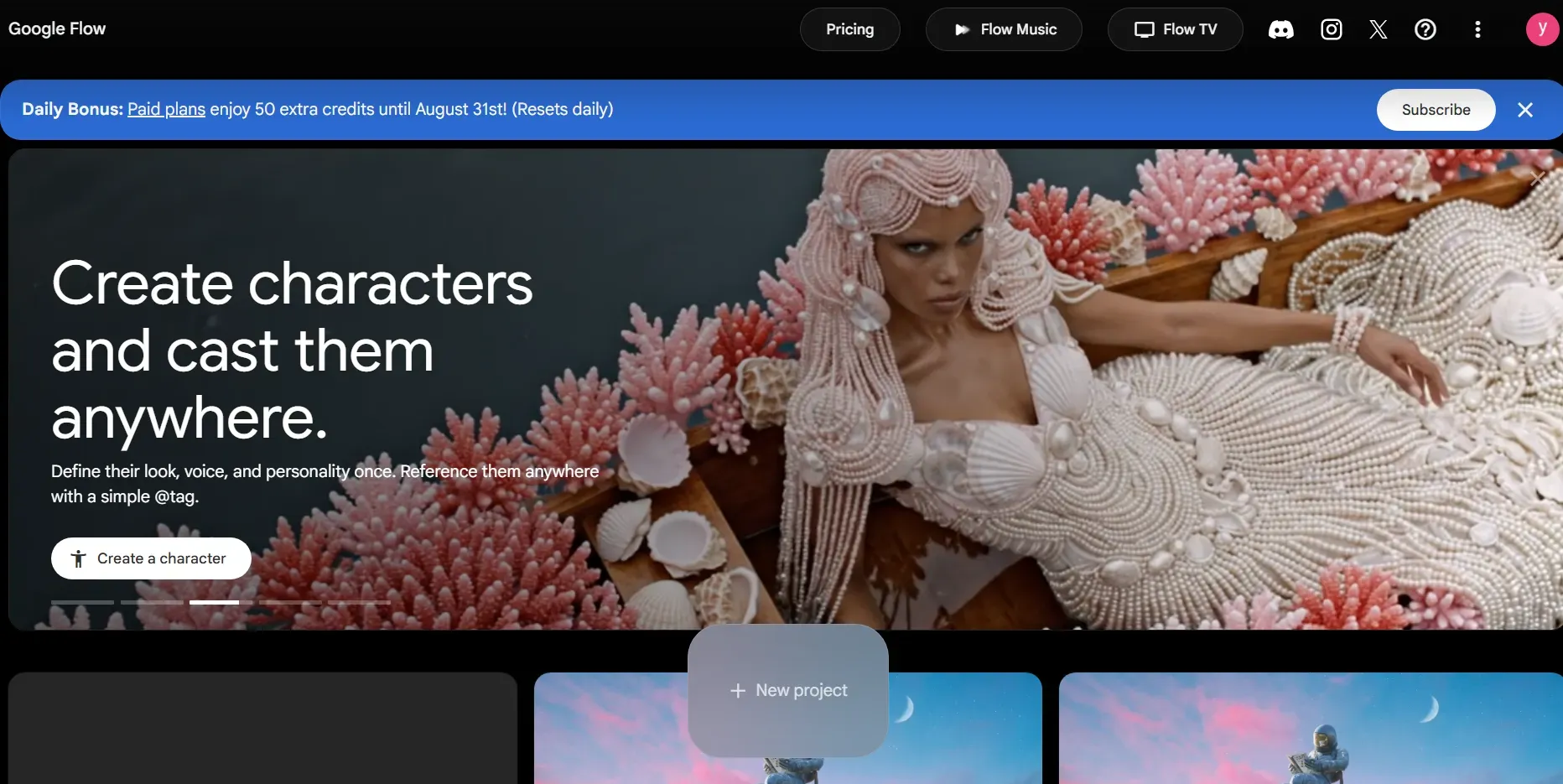
The Google Flow free tier acts as a daily sandbox for casual creators and prompt testing. Unlike monthly rolling subscriptions, free access operates on a strict 24-hour reset cycle tied directly to your usage time.
-
Daily Allowance: Free accounts get 50 credits every day, but they’re strictly "use-it-or-lose-it." Any leftover credits reset instead of rolling over to tomorrow, and the second you sign up for a paid plan, your free credit balance gets replaced.
-
24-Hour Reset: The timer starts when you launch your first generation of the day. A 2:00 PM render today locks in a 2:00 PM refresh tomorrow, so plan your renders accordingly.
-
Generation Yields & Model Costs: Depending on which Veo 3.1 model you select, your 50 credits yield different output volumes per day:
- Veo 3.1 Lite (10 credits/pass): Generates up to 5 clips daily (4s, 6s, or 8s).
- Veo 3.1 Fast (20 credits/pass): Generates up to 2 clips daily.
- Veo 3.1 Quality (100 credits/pass): Exceeds the daily free allowance, requiring a paid subscription credit pool to render.
Google Flow Subscription Tiers Breakdown
Once you hit the 50-credit wall on Google Flow, bumping up to a paid Google AI plan gives you a much larger monthly credit buffer—plus extra Google One storage to keep your raw assets organized.
Note on Pricing: Keep an eye out for intro promos. Google routinely discounts starting rates often dropping Plus to $1.29/mo or Pro to $4.99/mo for the first few billing cycles. Standard rates are broken down below:
| Subscription Plan | Price | Storage | Key AI & Flow Benefits | Best For |
| Free Tier | $0 | Standard | 50 credits / day (Resets every 24h) / Watermarked exports; basic queue | Daily experimentation & testing |
| Google AI Plus | $4.99 / mo | 400 GB – 2 TB | Higher credit limits than Free / 2x usage limits on Flash Thinking models | Casual creators needing modest monthly credit buffers |
| Google AI Pro | $19.99 / mo | 5 TB – 10 TB | Expanded monthly Flow credit pool / 4x usage limits on Pro models & Deep Research / Includes YouTube Premium Lite & Google Home benefits | High-frequency content creators & daily social editors |
| Google AI Ultra | $99.99 / mo | 20 TB | Maximum Flow priority & credit allocation / 5x to 20x usage limits across Gemini app | Agencies, power users, & heavy multi-model production |
Maximizing Your Subscription ROI
For individual creators publishing several times a week, the Google AI Pro ($19.99/mo) tier represents the sweet spot for value. It significantly expands your monthly credit pool beyond the daily free cap while bundling 5TB+ of cloud storage for raw footage archive.
The $99.99/mo Ultra plan only makes sense if you’re living inside the entire Google AI ecosystem and need those massive 20TB storage perks. But if you’re just looking to crank out thousands of automated video clips a month, skip the consumer subscription entirely. You’ll save a lot more money routing requests directly through the Vertex AI API on a pay-as-you-go rate.
2. The Professional Route: Vertex AI and Gemini API
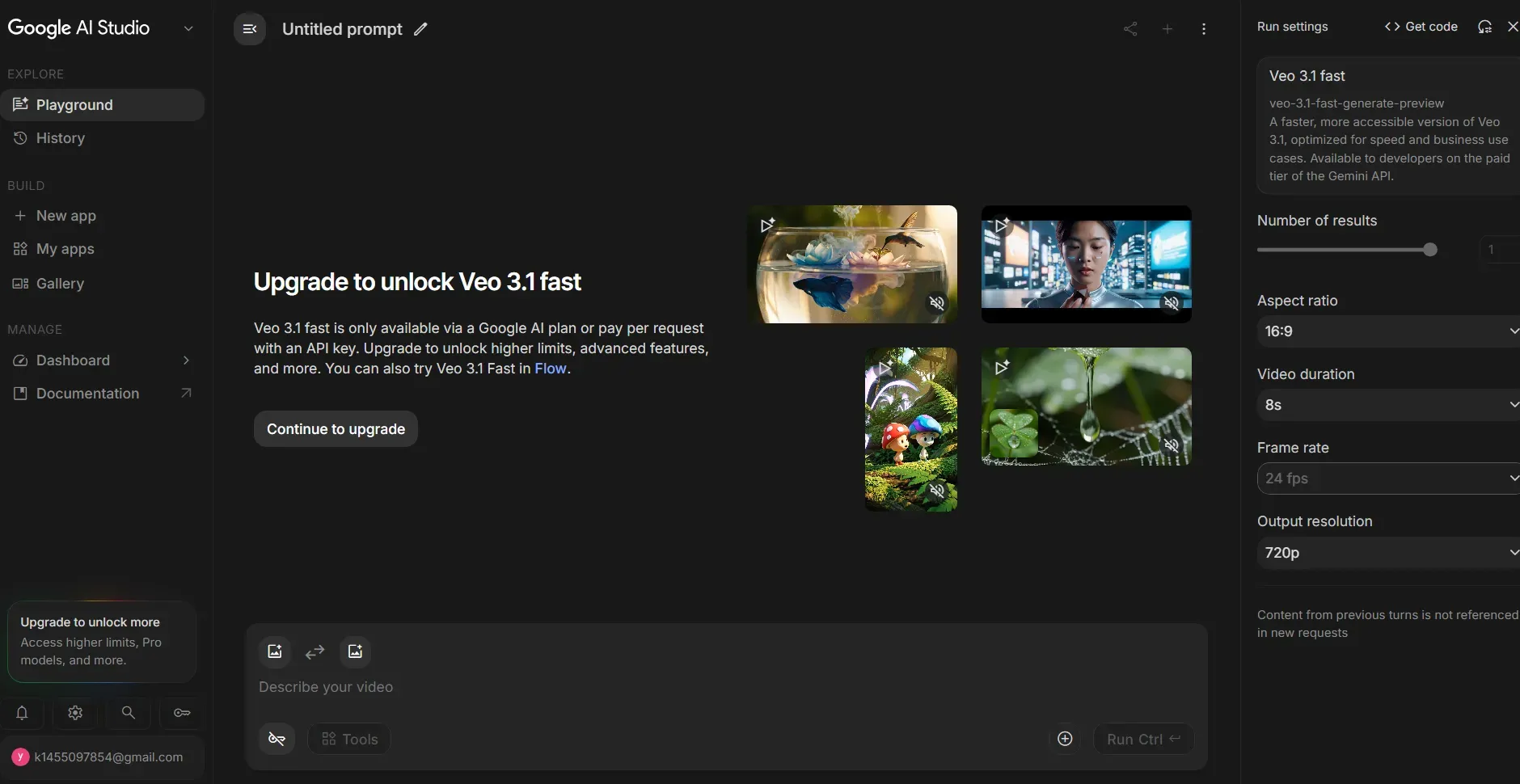
For developers and enterprises building automated video pipelines, SaaS applications, or white-labeled integrations, Google provides two programmatic entry points to Veo 3.1. Bypassing the consumer web interface entirely allows you to scale without daily credit caps or fixed monthly subscription overheads. While both platforms share identical baseline pricing for the underlying model, their unit-billing terminology differs:
- Gemini API (via Google AI Studio): Billed per second of video rendered. Ideal for lightweight developer integrations and rapid prototyping.
- Vertex AI (via Google Cloud / Agent Platform): Billed per generation count (per-use). With granular controls over audio/video components, enterprise SLAs, and advanced data compliance, it is designed for enterprise infrastructure.
Note: Neither platform offers a free tier for Veo 3.1. All programmatic requests require a paid account (Gemini API Paid Tier or Google Cloud Billing).
Veo 3.1 API Pricing Breakdown (Gemini API & Vertex AI)
| Model Variant | Output Resolution | Video + Audio Rate | Video Only Rate (Vertex AI) |
| Veo 3.1 Lite | 720p, 1080p | $0.05, $0.08 | $0.03 |
| Veo 3.1 Fast | 720p, 1080p, 4K | $0.10, $0.12, $0.30 | $0.08, $0.10, $0.25 |
| Veo 3.1 Quality | 720p, 1080p, 4K | $0.40, $0.60 | $0.20, $0.40 |
Platform Billing Unit: Gemini API: per second; Vertex AI: per count
Key API Fine Print & Optimizations:
- Audio-Off Discount: On Vertex AI, disabling audio generation drops your cost on Veo 3.1 Standard from $0.40 down to $0.20 per count—a 50% savings for projects using post-production soundtracks.
- Failed Generation Protection: Both Gemini API and Vertex AI only charge for successfully rendered assets. If a processing error occurs mid-render, your account will not be billed.
- Data Privacy: Paid tiers on both Gemini API and Vertex AI explicitly opt you out of data collection—your video inputs and outputs are not used to train Google models.
Alternative Developer Route: Multi-Model Cloud Platforms
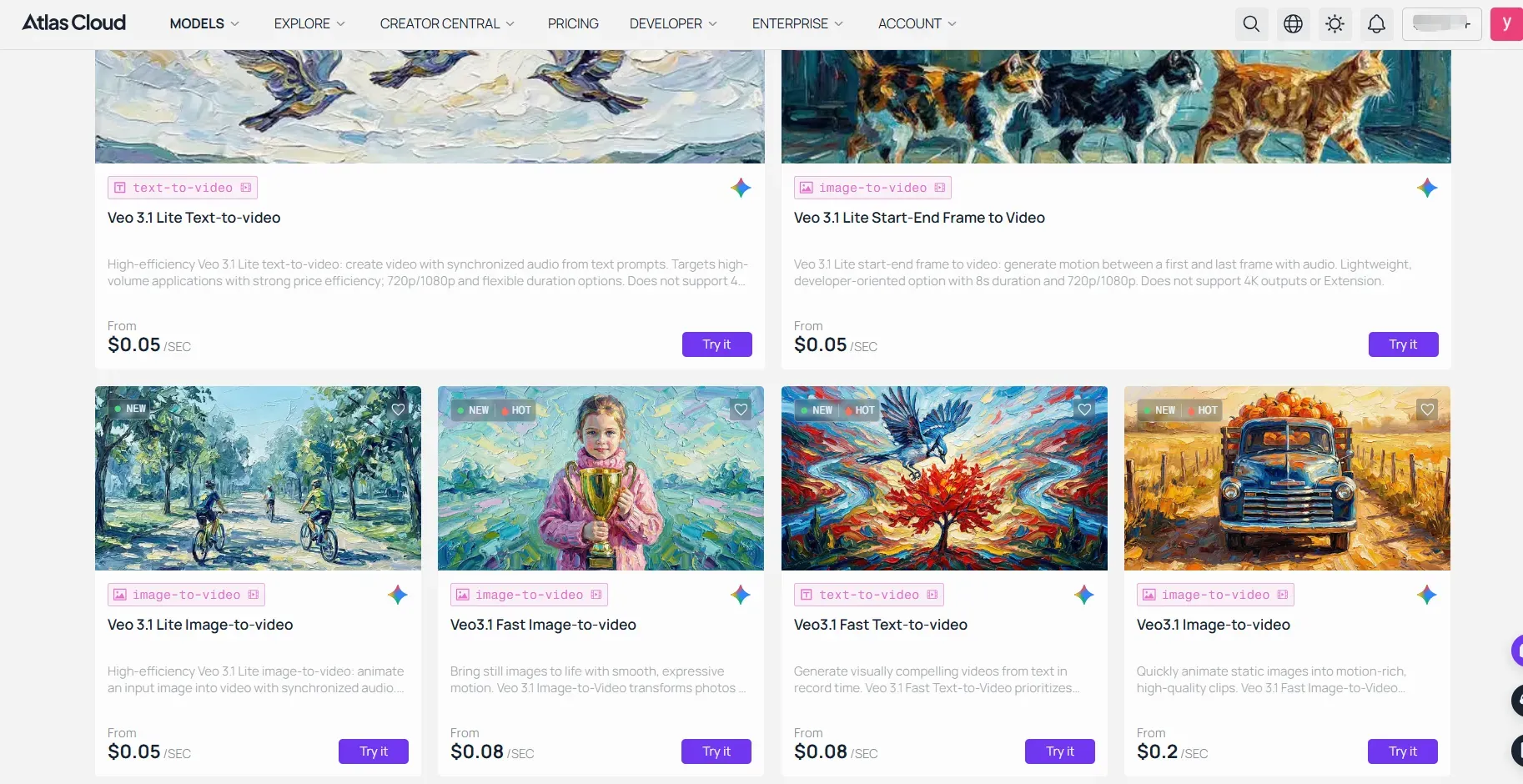
If you want to bypass the complex setup of Google Cloud Console or GCP enterprise billing, third-party API providers like Atlas Cloud offer direct access to Veo 3.1 and Veo 3.1 Fast via a unified API key.
- Simplified Integration: Access Veo 3.1's text-to-video, image-to-video, and native audio capabilities with pay-as-you-go pricing (starting at ~$0.05–$0.2/sec) without entering high-commit enterprise SLAs.
- Multi-Model Workflows: Ideal if your pipeline pairs Veo 3.1 video generation with other specialized models (like Nano Banana for character reference generation) under a single billing dashboard.
Cost-Efficiency Hack: The Three-Tiered Rendering Strategy
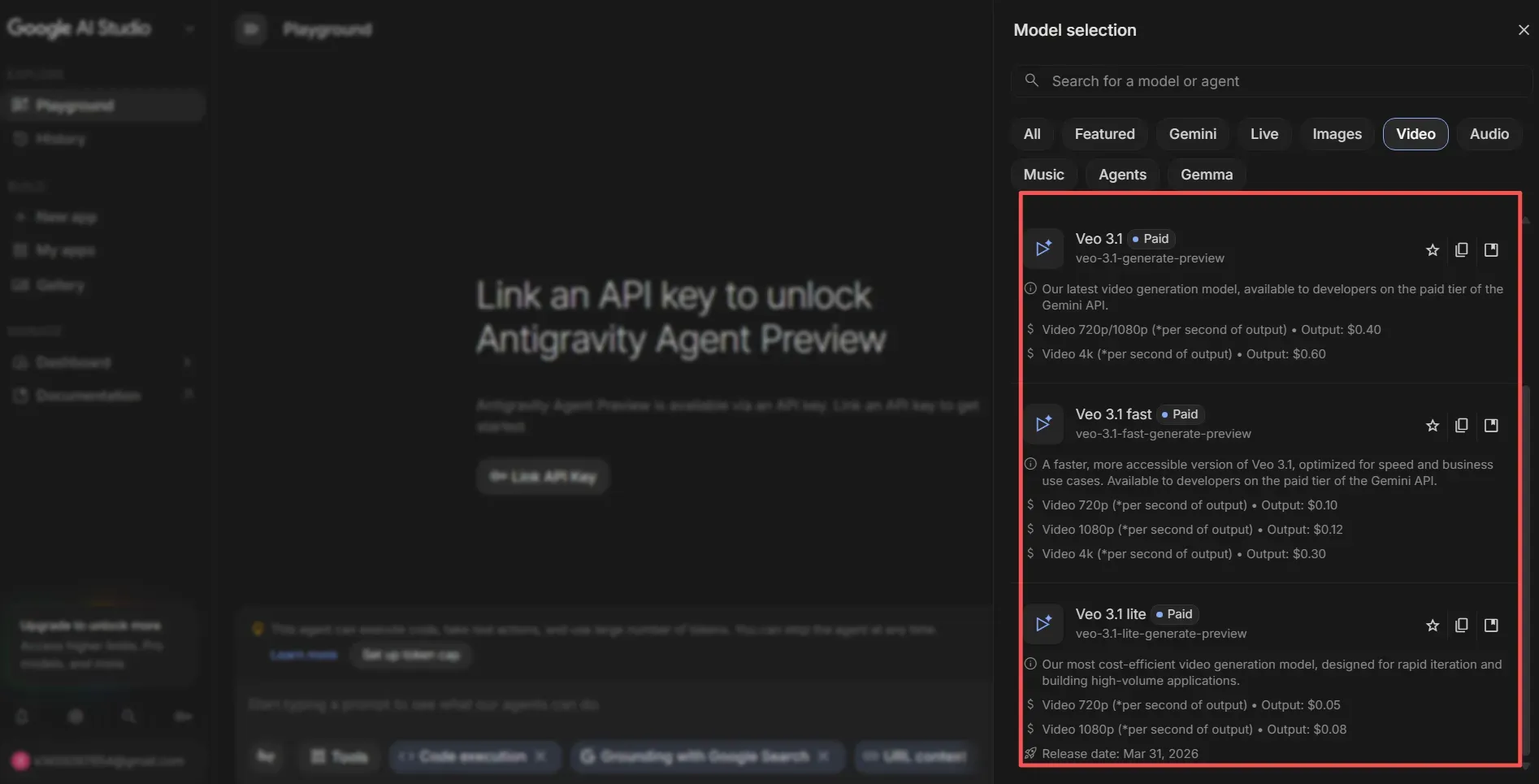
Many creators burn through their monthly credit pool in a single afternoon by defaulting to max-quality export settings for raw test prompts. Treating every initial generation as a final master copy imposes a heavy "rendering tax" that drains your budget without adding creative value.
Depending on the technical features of Veo 3.1 your project requires, switching between Lite, Fast, and Quality modes allows you to test camera motion and lighting without draining your high-tier credit pool.
Model Tier & Credit Consumption Breakdown
| Render Mode | Primary Focus | Cost per Pass (Google Flow) | Cost per Pass / Sec (API) | Best Usage Scenario |
| Veo 3.1 Lite | Ultra-fast drafting | 10 Credits | $0.05 – $0.08 | Rapid prompt testing, camera motion verification, & rough blocking |
| Veo 3.1 Fast | Balanced iteration | 20 Credits | $0.10 – $0.30 | Storyboard composition, character positioning, & lighting tests |
| Veo 3.1 Quality | Master release quality | 100 Credits | $0.40 – $0.60 | Final renders requiring high temporal consistency & refined textures |
How to Implement the "Draft-to-Master" Pipeline
To maximize your credit budget, adopt a strict two-stage production pipeline:
- The Blocking Phase (Lite/Fast Tier): Run your text prompts in Lite or Fast mode first. Use these lower-cost passes to confirm that camera pans are smooth, prompt intent is captured, and subjects remain framed correctly. Ignore minor visual flaws or skin textures at this stage.
- The Mastering Phase (Quality Tier): Once your prompt composition and camera path are completely locked, switch to Quality mode for the final render pass.
Pro Tip: Don't waste high-tier credits on early tests. By keeping 80% of your rough concepts in Lite or Fast mode, you can squeeze up to 5x more video out of your monthly plan without spending an extra dime.
The Breakeven Analysis: Matching Your Plan to Production Volume
Guessing your rendering needs usually leads to overpaying. If you drop $99.99 on a top-tier plan but only render ten draft clips a month, your effective cost per asset jumps to $10. Finding the sweet spot comes down to matching your monthly output and model tier (Lite, Fast, or Quality) against Google's credit structures.
Production Volume & Tier Recommendation Matrix
| Creator Profile | Target Monthly Output | Best Access Route | Base Price | Core Strategic Advantage |
| Casual / Tester | Up to 150 draft clips/mo | Free Tier | $0 | Daily 50-credit sandbox; ideal for prompt testing in Lite mode. |
| Social Manager | 50–200 finished clips/mo | Google AI Pro | $19.99 / mo | Best bang-for-buck; 5TB+ storage archive with a high monthly credit buffer. |
| Agency / Power User | 200–1,000+ master clips/mo | Google AI Ultra | $99.99 / mo | Maximum priority queueing, 20TB storage, and high multi-model usage limits. |
| Automated Pipeline | 1,000+ automated clips/mo | Vertex AI / Gemini API | Pay-as-you-go | Uncapped scalability; pay purely for exact seconds or generation counts rendered. |
Choosing Your Growth Path
The right transition point depends on workflow mechanics rather than brand loyalty. If you manually edit and storyboard content via a web interface, Google AI Pro $19.99/mo remains the safest baseline for individual creators.
However, if your pipeline relies on programmatic automation, bulk scripting, or generating thousands of variations per month, bypass consumer web interfaces entirely. Switching to the Vertex AI or Gemini API unlocks lower unit economics without forcing you into high monthly fixed subscription overheads.
Hidden Costs & Limitations to Watch Out For
You finish a perfect edit, only to find a faint watermark burned into the corner of your clip or realize the final export is stuck at 720p resolution. Marketing pages for AI models often emphasize what you can do, but they rarely highlight the specific technical constraints that turn a "free" project into a series of unexpected roadblocks. Understanding these Veo 3.1 limitations upfront prevents wasted time and helps you avoid reactive AI video generation hidden fees.
Core Operational Constraints
Before committing to a workflow, check your requirements against these hard-coded system boundaries:
- Duration Caps: Native generation is strictly limited to 8 seconds per clip. While "Extend" features exist, they require separate credit passes, meaning a 24-second sequence actually costs three times the base generation price.
- Watermarking: Content generated on the Free tier includes a non-removable digital watermark. You must upgrade to a Google AI subscription or utilize the paid API to remove this branding for commercial use.
- Aspect Ratio Defaults: Generating 9:16 vertical video for social media often triggers higher processing loads than standard 16:9 widescreen formats, occasionally resulting in longer queue times during peak usage hours.
Escalating Costs for High-End Output
Standard 1080p generation is the baseline for most plans, but professional delivery demands higher fidelity. If your project requires 4K video rendering costs, you must account for the following premium multipliers:
| Feature Requirement | Default Capability | Upgrade Requirement | Cost Impact |
| Resolution | 1080p | Google AI Ultra / API | 2x - 3x credit usage |
| Watermark Removal | Included | Paid Subscription | Monthly recurring fee |
| Duration | 8s (Max) | Sequence Stacking | Linear cost increase |
Managing "Gotchas"
The most common mistake is assuming that "Unlimited" access in higher tiers covers all compute needs. Even on Ultra plans, 4K upscaling is a resource-intensive operation that consumes credits faster than base generation. Always perform initial drafts in 720p "Fast" mode to lock in your visual composition. Only scale to 4K resolution once the final storyboard is approved. This simple two-step process preserves your monthly credit pool and prevents the need for unplanned mid-month plan upgrades.
Conclusion: Optimizing Your AI Video Budget
Staring at a monthly invoice for tools you rarely use is just as frustrating as running out of credits during a deadline. You do not need to commit to expensive enterprise plans to begin experimenting with Google’s latest video technology. The best strategy is to treat the free Google Flow tier as your laboratory. Use these 50 daily credits to stress-test your prompts and refine your visual style without spending a cent.
Transitioning to a paid plan becomes necessary only when your production frequency outpaces your daily allowance or when you require watermark-free, 4K assets for professional client delivery. If you reach this stage, map your projected monthly clip volume against our breakeven table to avoid overpaying for unused capacity.
Recommended Next Steps:
- Audit Your Usage: Spend three days using the free tier to track your average daily clip count.
- Start Testing: Open the Google Flow interface today to claim your daily 50 credits.
- Upgrade Strategically: Move to the Google AI Pro plan only when your production schedule demands consistent, high-volume throughput.
Start building your first storyboard in Google Flow now to see how your specific workflow fits the model.
FAQ
Is there a completely unlimited free version of Veo 3.1?
No. All free access is strictly capped by daily compute credits. To generate high volumes of video, you must transition to a paid Veo 3.1 pricing plans structure. These plans replace the daily "reset" with a large monthly pool of credits, enabling consistent production without the risk of mid-day access termination. Choosing between these models effectively comes down to whether your workflow requires a visual editor or a backend integration.
Can I remove the watermark on the Veo 3.1 Free Tier?
No. Free tier exports automatically include a digital watermark. Watermark-free downloads require an active Google AI subscription Plus, Pro, or Ultra or API access.
Is Vertex AI cheaper than Google Flow for high-volume video generation?
Yes. If you need to generate over 1,000 video clips per month, routing requests directly through the Vertex AI or Gemini API is generally far more cost-effective than relying on consumer web subscriptions.
Should I use the Google Flow UI or the Developer API?
Go with Google Flow if you need a clean web interface and want to know exactly what you’re paying each month. If you're looking to run batch scripts, build apps, or simply need uncapped output without daily limits, skip the UI and run everything through the API.





