

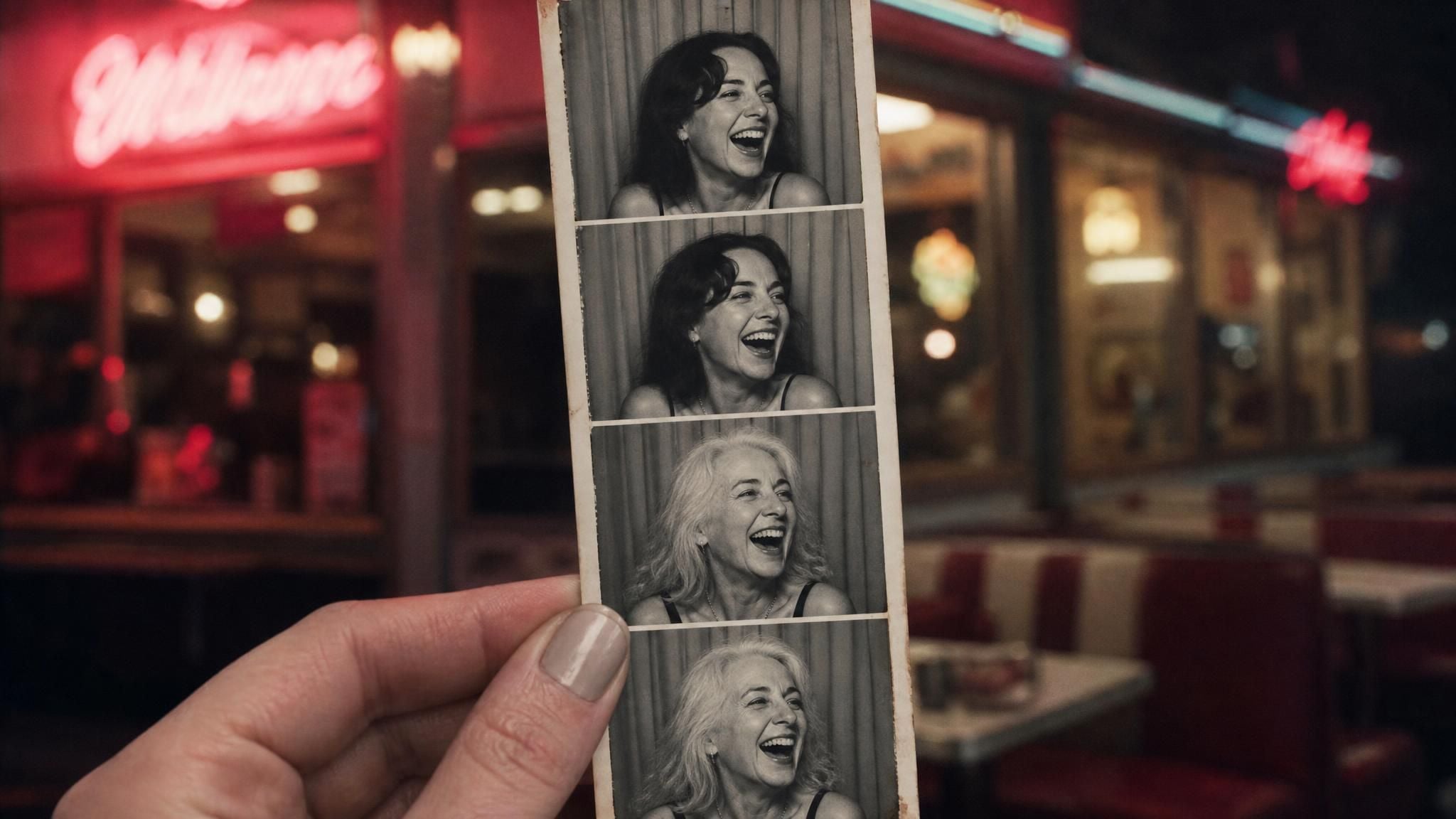
At some point, usually while scrolling through old photos or noticing a new gray hair in the mirror, the question shows up on its own: what will I look like when I'm older? Not a stranger's after picture from an ad, an actual preview built from your own face. A tool that reads your real photo and adjusts skin, hair, and bone structure accordingly gets much closer to an answer than trying to picture it yourself. Atlas Cloud built exactly that into a free browser tool, and a result comes back in under a minute.
Key Takeaways
- Atlas Cloud's Free AI Aging Photo Online tool turns one uploaded photo into a realistic older version of the same face, no drawing skill or editing software involved.
- The AI applies one full aging transformation instead of letting you dial in an exact year count, so it answers "what will I look like when I'm older," not "what will I look like in exactly 12 years."
- Genetics, sun exposure, and everyday habits shape real-world aging more than any single photo tool can account for, which is worth keeping in mind before reading too much into one result.
- Results come back in well under a minute at a fairly high resolution with no watermark, so the output is actually usable, not just a quick throwaway preview.
- A clear, front-facing photo with even lighting is the single biggest factor in how convincing the output looks.
See What You'll Look Like When You're Older
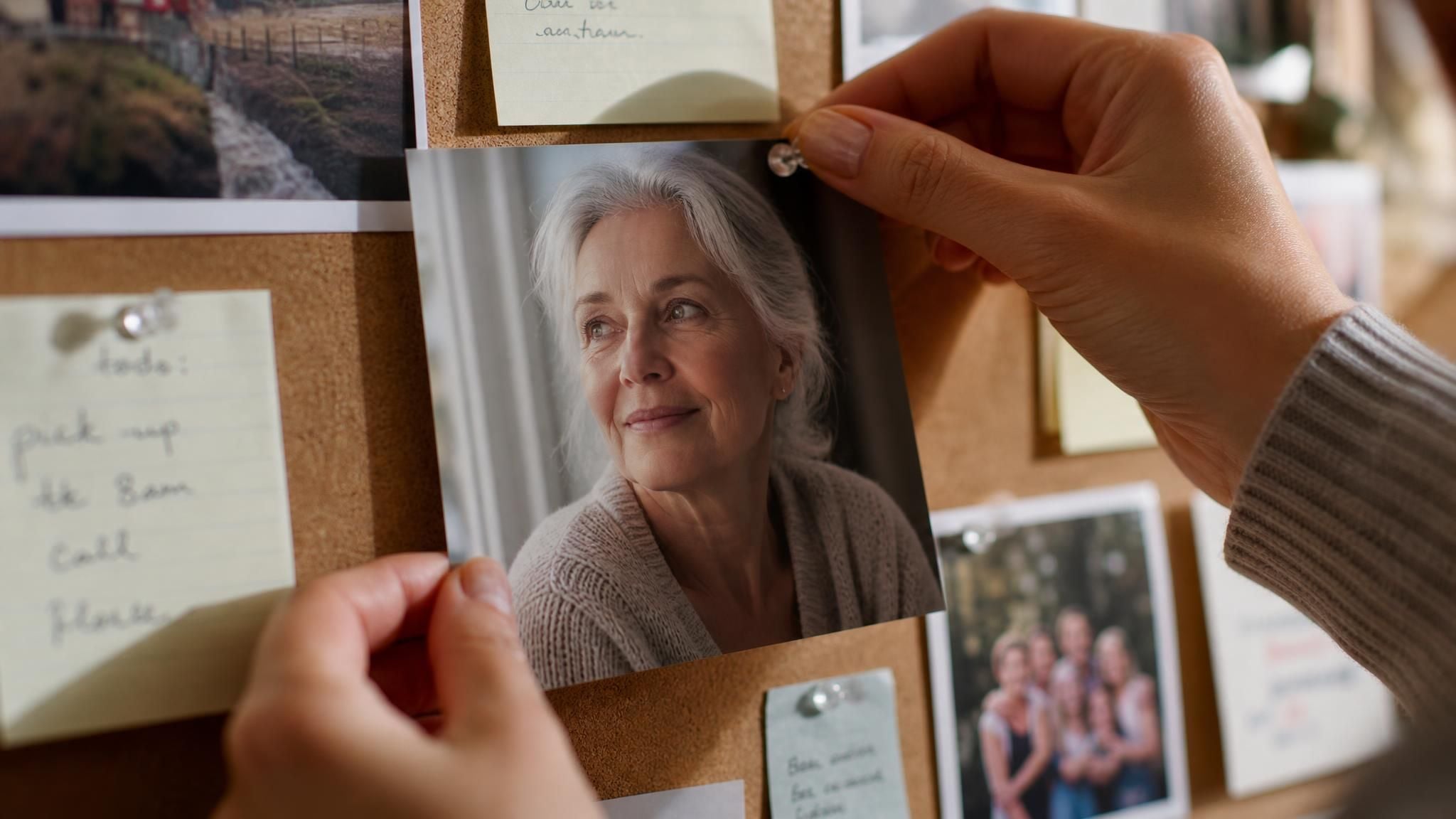
Upload a portrait, and the tool hands back a version of the same person carrying visibly more years, gray or white hair, softer jawline, the kind of change that would otherwise take decades to actually see.
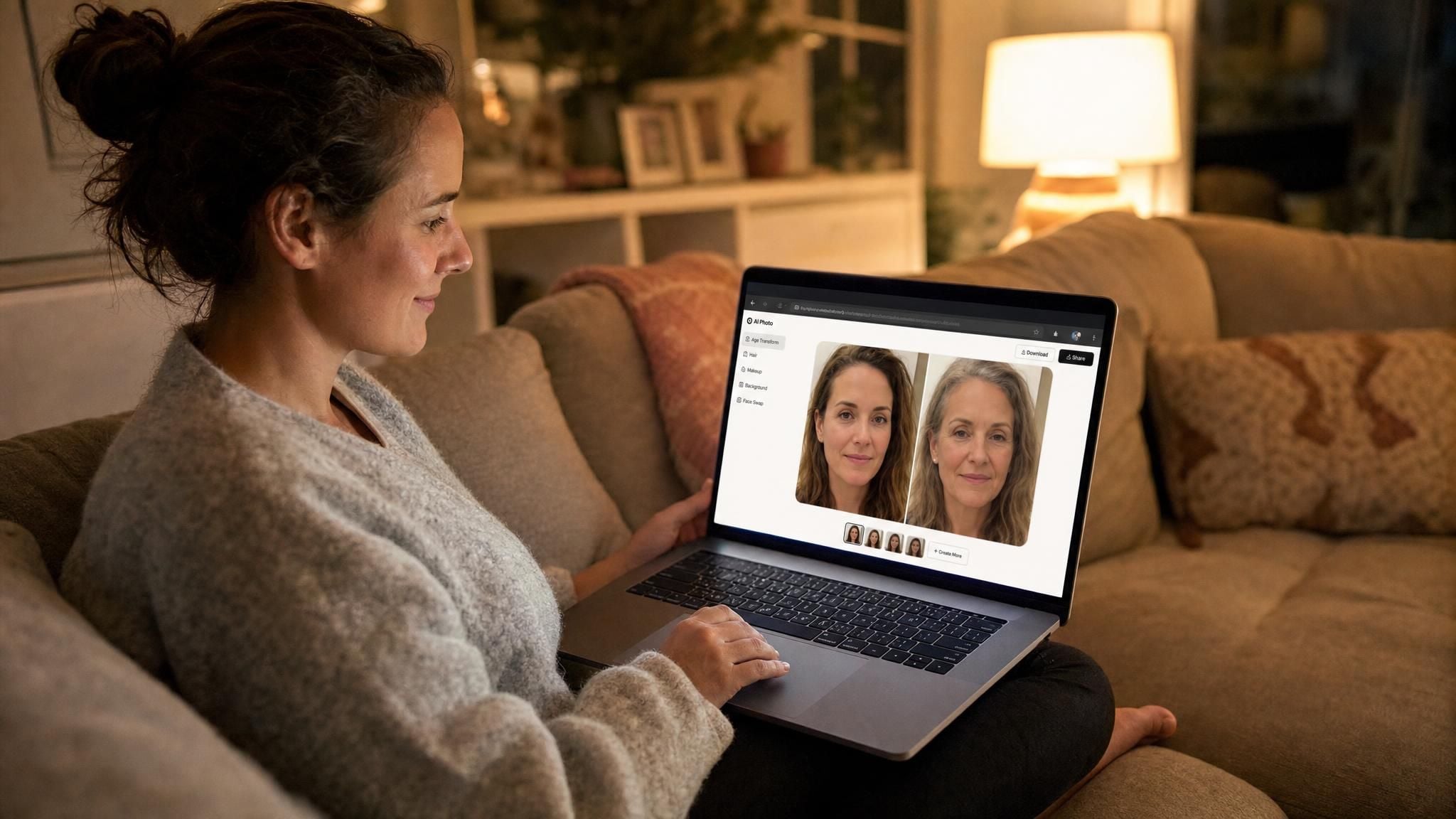
That framing, meeting a future version of yourself over coffee, is closer to what the tool is going for than a scientific age simulator. It isn't measuring your telomeres or running a dermatology model, more a photo edit built to resemble a real photograph of an older you: plausible, not clinically exact.
How the AI Aging Photo Generator Works
Atlas Cloud keeps a set of single-purpose photo editors under one roof, and the one built for this exact question is the Free AI Aging Photo Online tool. Three steps cover the whole process:
- Upload a clear, front-facing photo. Anything up to 10MB works, JPEG or PNG.
- Generate. The tool takes roughly 30 seconds to return a result.
- Download it, or find it again later. Every generation gets saved to your account history, so there's no need to screenshot it immediately.
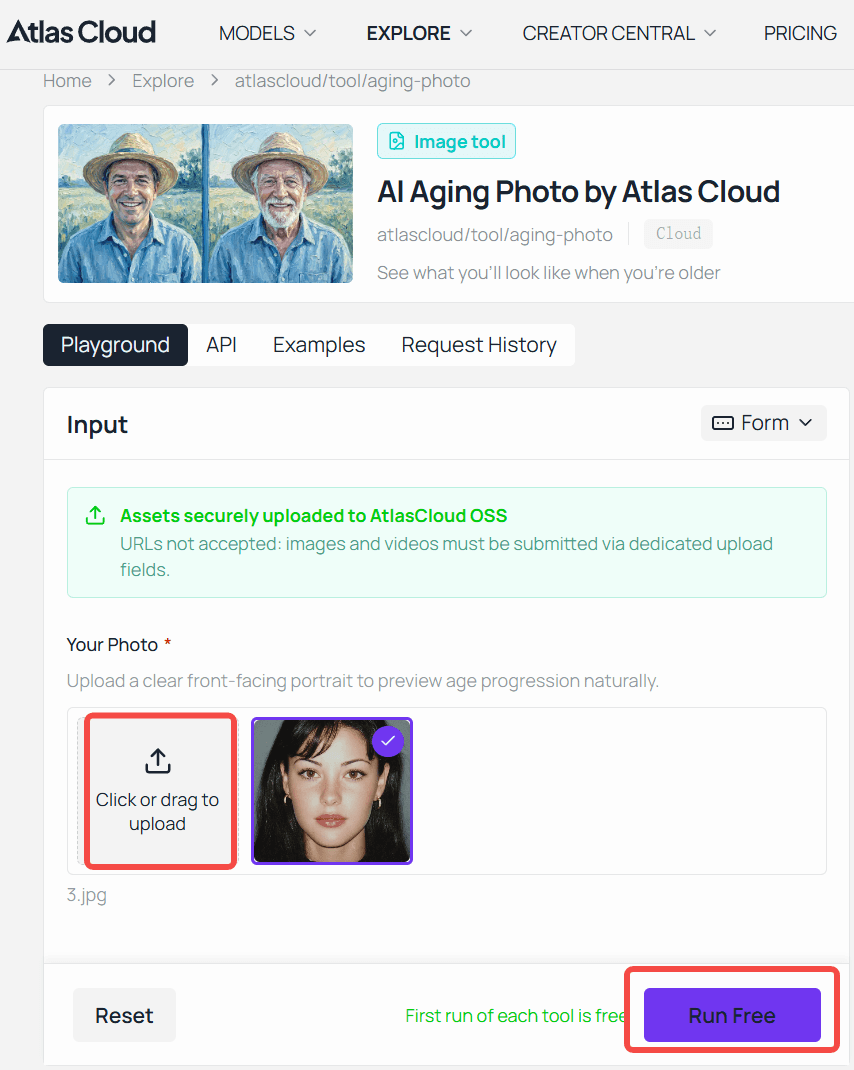
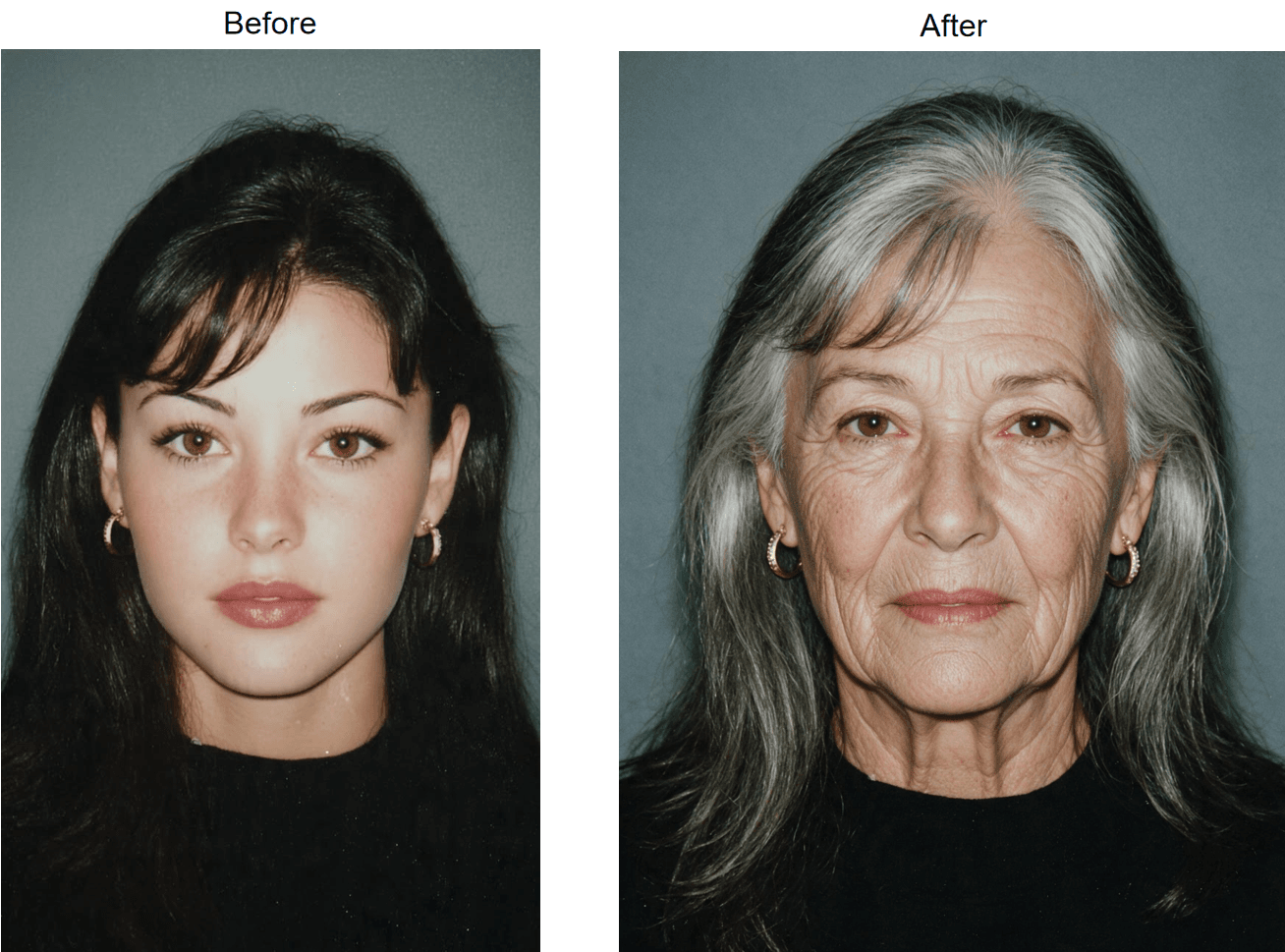
The whole thing runs in a browser, phone or desktop, with no separate app to install, and the output comes back at a fairly high resolution, around 1328 by 1776 pixels, with no watermark stamped across it. That matters if the plan is to actually use the image somewhere, not just glance at it once. The generation itself runs on a free account, no separate purchase required to get a first result.
If you'd rather write your own prompt and control the edit more directly, the same kind of image editing sits inside Atlas Cloud's Nano Banana family of models, including an edit variant you can run yourself in the Nano Banana Edit playground. That's a different, more manual path than the one-click tool, useful if a project needs more say over exactly how the edit is described.
It also isn't the only thing worth trying inside Atlas Cloud's broader AI Tools lineup. The same sign-in covers other single-purpose photo editors, so a session that starts with an aging preview can easily wander into a hairstyle or outfit test on the same photo.
Build an Aging Effect Into Your Own App via API
A one-off preview satisfies personal curiosity. A birthday app, a genealogy platform, or a content tool built for other people needs the model available directly instead of routing everyone through a single browser page.
Step 1: Create an API key. Generate one from the Atlas Cloud console and keep it on the server side, never in client-facing code.
Step 2: Check the schema. Nano Banana Edit publishes its full parameter set on its model page. The fields that matter for an aging-style edit:
| Field | Required | Default | Notes |
|---|---|---|---|
| model | Yes | N/A | google/nano-banana/edit |
| prompt | Yes | N/A | Describe the aging effect directly, e.g. "age this person by several decades, add gray hair and natural wrinkles, keep the same identity and background" |
| images | Yes | N/A | 1 reference photo is enough; up to 10 accepted |
| aspect_ratio | No | Not set | Optional; set it explicitly for a fixed output shape, e.g. 1:1 or 3:4 |
| output_format | No | default | png or jpeg also accepted |
Step 3: Send the request, then poll for the result.
plaintext1curl -X POST https://api.atlascloud.ai/api/v1/model/generateImage \ 2 -H "Authorization: Bearer $ATLAS_API_KEY" \ 3 -H "Content-Type: application/json" \ 4 -d '{ 5 "model": "google/nano-banana/edit", 6 "prompt": "Age this person by several decades. Add gray or white hair, natural wrinkles, and a softer jawline. Keep the same identity, expression, and background.", 7 "images": ["https://your-cdn.example.com/selfie.jpg"], 8 "aspect_ratio": "3:4", 9 "output_format": "jpeg" 10 }'
plaintext1curl https://api.atlascloud.ai/api/v1/model/prediction/{prediction_id} \ 2 -H "Authorization: Bearer $ATLAS_API_KEY"
The first call returns a prediction ID immediately. Poll the second endpoint until status reads completed, then pull the image out of outputs. Swapping the prompt's wording, lighter aging, heavier aging, a specific hair color, changes the result without touching anything else in the request.
Tips for a More Realistic Result
Photo quality does more work than people expect here. A dim, angled, or heavily filtered selfie gives the model less to actually work with, and it shows in the output.
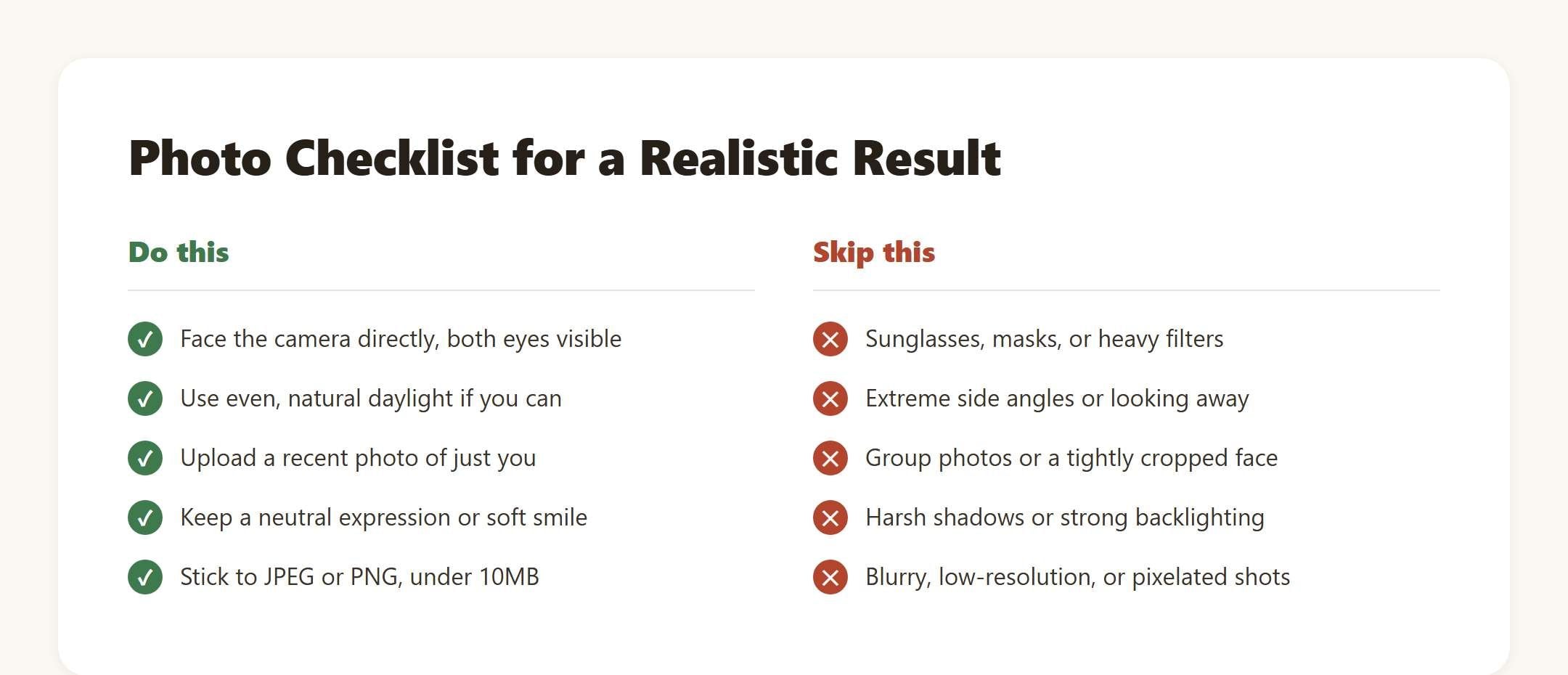
A recent, front-on photo in natural light beats a flattering but three-year-old profile picture every time. The model is working from what's actually visible in the frame, not filling in gaps with assumptions.
What Your Future Self Photo Actually Shows
The tool's own product notes describe the transformation as going decades ahead all at once, not a subtle five-year nudge. In practice that means hair shifting toward gray or white, fine lines settling in around the eyes and mouth, a softer jawline, skin texture that reads as genuinely older, not just tired. What it's specifically built to preserve is recognizability: keeping your own face underneath all of that, not swapping it out for a generic elderly one.
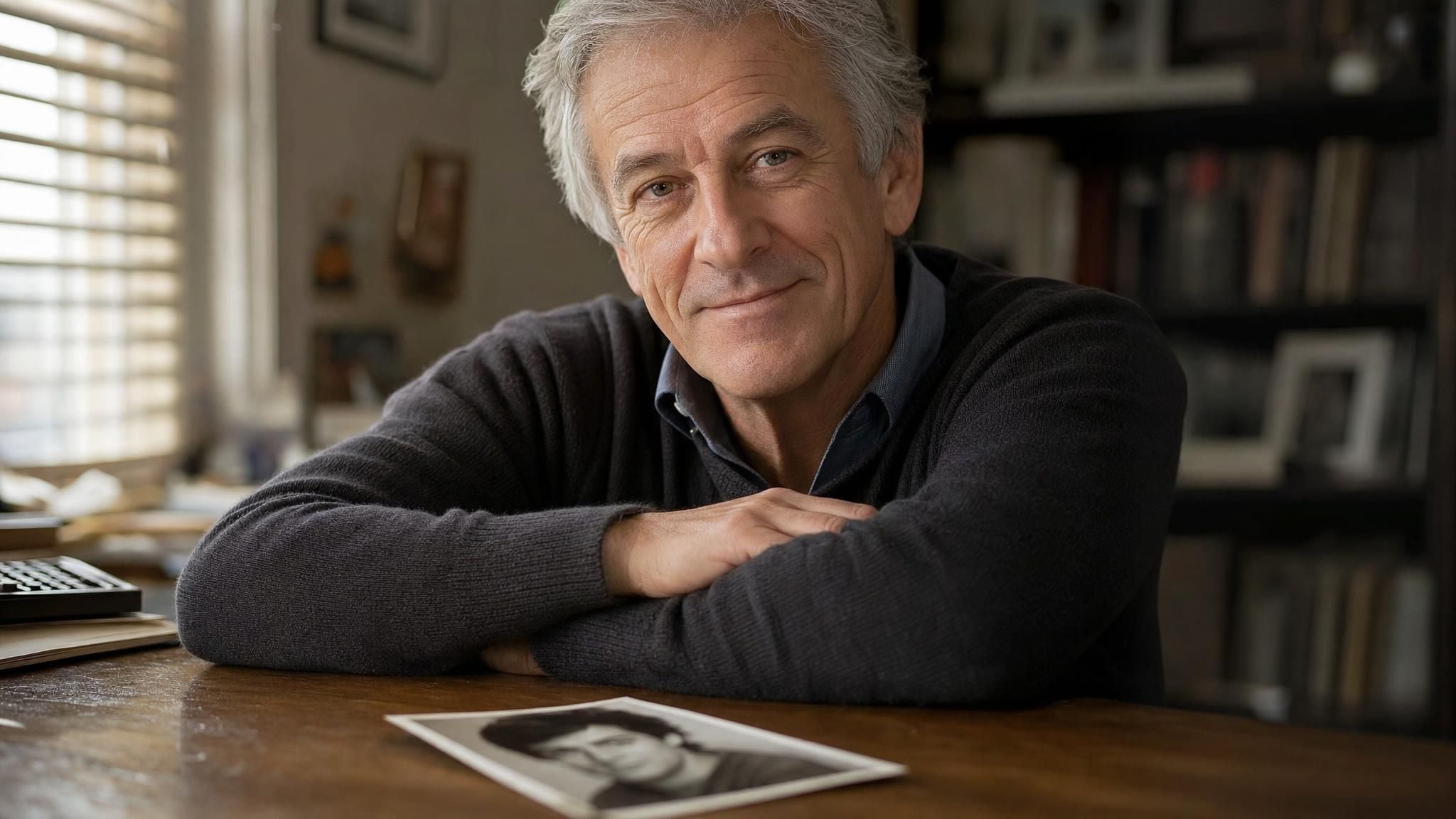
That's also why there's no slider for choosing an exact age or year count. Whether someone typed "what will I look like in 10 years" or "what will I look like in 20 years" into a search bar, both land on the same kind of output: one plausible older version of the uploaded face, not a set of numbered stages to pick between.
What Will I Look Like in the Future? The Real Factors Behind Aging
Any photo tool is working from one snapshot and a set of visual patterns. Actual aging depends on a mix of things no algorithm fully sees: family history, how much sun exposure your skin has taken over the years, sleep, diet, whether you smoke. The National Institute on Aging points to a loss of collagen and elastin as the main driver behind thinner, less elastic skin over time, with sun damage speeding up wrinkles, age spots, and rough texture well beyond what genetics alone would produce.
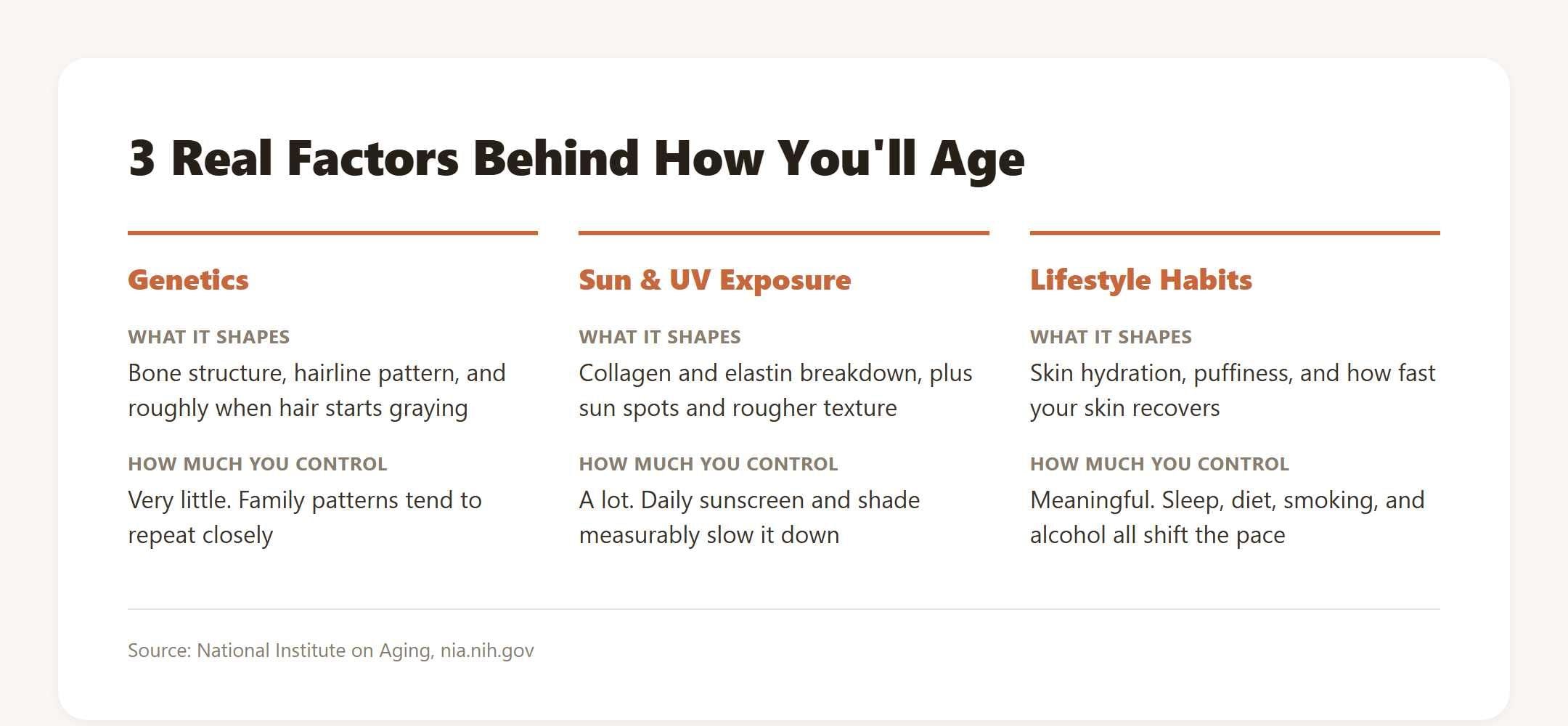
That's the honest gap between a photo preview and reality. Two people the same age, same genetics even, can end up looking noticeably different two decades out depending on sunscreen habits alone. A generated photo answers what will I look like when I get older in a visual sense; it isn't tracking any of those variables individually.
Who Uses These AI Aging Photos
The searches behind this topic come from a few different directions. Some of it is plain curiosity with no real occasion behind it, the same impulse that makes someone try on a filter they'd never actually commit to. A fair amount is more sentimental: couples curious what growing old together might look like on their own faces, or someone putting together a slideshow for a parent's milestone birthday.
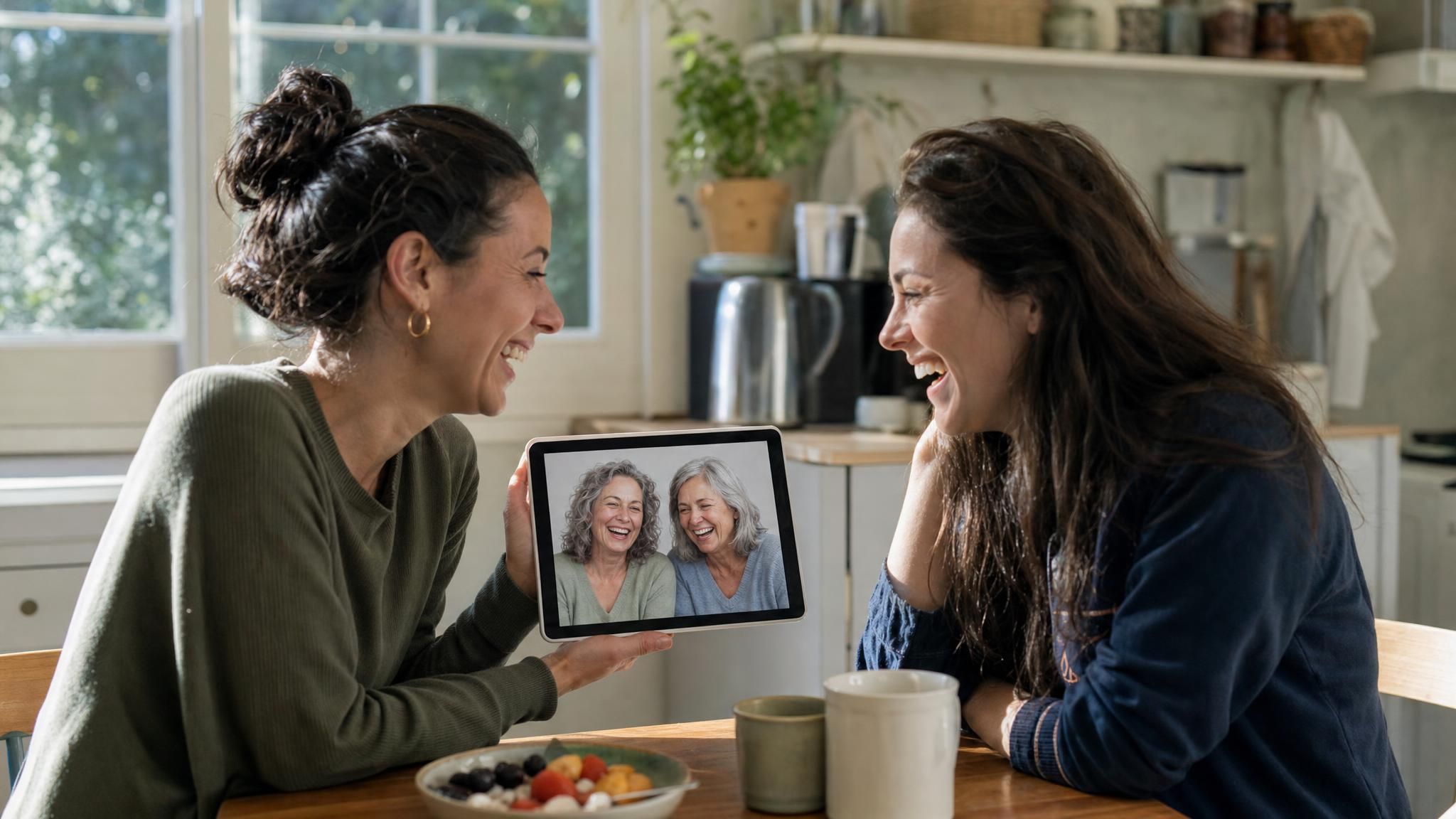
There's also a practical, creative-work slice of this audience: people making retirement announcements, "flash forward" video intros, or just an aged profile picture for a joke thread. None of those need a scientifically defensible prediction, just something that reads as convincingly older at a glance.
Free Ways to Preview Your Future Self Online
The output comes back at a fairly high resolution, around 1328 by 1776 pixels, with no watermark stamped across it, which matters if the plan is to actually use the image somewhere, not just glance at it once. The generation itself runs on a free account, no separate purchase required to get a first result.
It also isn't the only thing worth trying inside Atlas Cloud's broader AI Tools lineup. The same sign-in covers other single-purpose photo editors, so a session that starts with an aging preview can easily wander into a hairstyle or outfit test on the same photo.
Frequently Asked Questions
Can I see what I'll look like in 10 or 20 years?
No. The tool applies one aging transformation per photo instead of offering selectable year stages, so a request framed around 10 years or 20 years produces the same kind of long-range, plausible result either way.
What will I look like as an old person, not just "older"?
There's no separate setting for a lightly older look versus advanced old age, one transformation covers both, usually landing in a believable older-adult range rather than a specific decade of life. Projects that need something further into old age specifically get more control by writing that intent into a prompt through the API instead of the one-click tool.
What will I look like as I get older, based on my own photo?
The model works from whatever is already in your photo rather than a generic template. Curly hair stays curly, just grayer; your existing bone structure is what carries the added lines and softer jawline. It's an extension of your actual face, not a stock illustration of an older person.
Is there a free app for this, or does it only work online?
It runs entirely in the browser, on both phone and desktop, with no separate app download. Every account gets one free generation on this tool, after which further runs use Atlas Cloud credits.
Do I need to upload a full-body photo, or just my face?
Just your face. A close, front-on headshot is all the model needs. Full-body shots or a face cropped in from a group photo tend to produce a less convincing result.
Does it matter if I upload an old photo instead of a recent one?
Yes. The model works from whatever is actually visible in the frame, so a recent, well-lit, front-facing photo gives a more accurate starting point than a photo from years ago, especially if your hairstyle, weight, or facial hair has changed since then.
Is my photo stored or shared with anyone?
Generation happens through your logged-in Atlas Cloud account instead of an anonymous public upload, and the tool's own guidance is to only upload photos you're authorized to use in the first place, your own face, or someone else's with their permission.
Conclusion
The honest answer to what will I look like when I'm older has no guaranteed number of years attached to it, and no precise medical forecast either. What you get is a plausible, photo-based preview built from your own face instead of a stock model's, and that detail, your actual bone structure and features carrying the change, is most of what makes the result worth a second look, not just a shrug.
Start with a clear, recent photo, run it through the free tool, and treat the output as a reasonable guess, not a promise. Genetics, sun exposure, and everyday habits will still have the final say on what will I look like when I'm older in real life, but as a five-minute answer to a question that's been on your mind, this gets closer than trying to picture it yourself.





