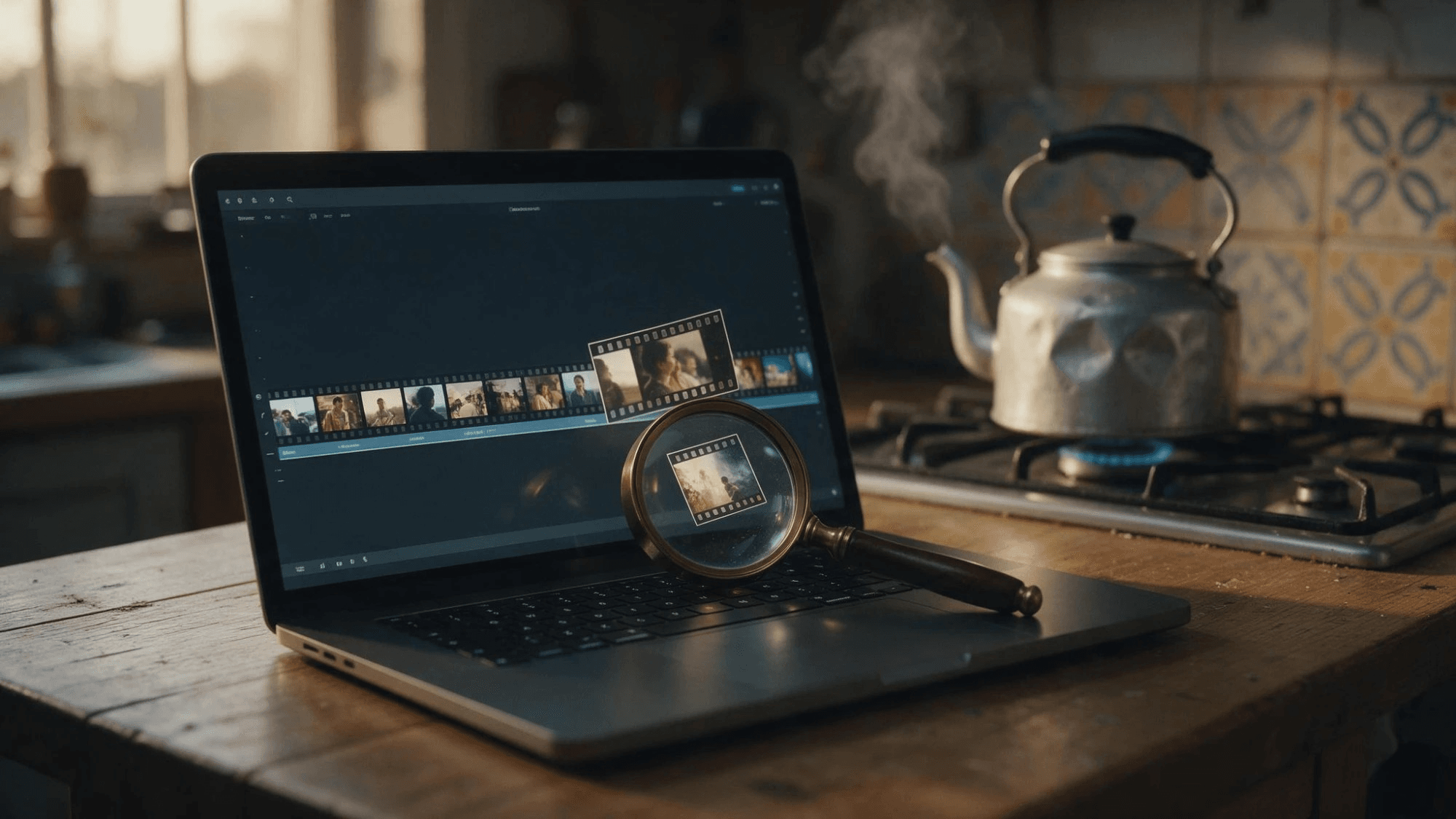
We planted a sticky note in a 30-second kitchen clip. It reads "CODE 47" and stays on screen for 0.4 seconds. Nine seconds later a voice says one sentence out loud. Then we handed the file to ChatGPT and asked for a full timestamped log.
ChatGPT took the upload, worked for 70 seconds and found every camera cut. It reported no on-screen text and no intelligible speech. So can ChatGPT analyze videos? In our test it did, through a sandbox that samples stills, and that route decides what reaches the answer. Here is what it sees, what a YouTube link gets you, and which model to use when every second counts.
Key Takeaways
- ChatGPT accepts video uploads, Free plan included, but OpenAI warns it may not analyze the entire video.
- In our test, ChatGPT found every scene cut but missed a 0.4-second note and one spoken sentence.
- A pasted YouTube link failed in our test, so paste the transcript instead of the URL.
- Gemini 3.8 Flash on Atlas Cloud takes the video file itself andloggedall four planted details.
- Live camera analysis lives in Advanced Voice on iOS and Android;thenewer Live mode has no video.
Can ChatGPT Analyze Videos You Upload?
Yes, with a caveat in OpenAI's own wording. The Image Inputs FAQ, updated in October 2026, says ChatGPT "can accept video files as attachments through supported upload methods, including on Free plans." The next paragraph adds that it "may not analyze the entire video or accurately interpret its audio."
The reason sits in the model specs. OpenAI's GPT-6 Sol model page lists text and image as inputs and marks video as not supported. So ChatGPT uses tools to turn the video into something the model can read.
| What OpenAI says | Detail |
|---|---|
| Who can attach a video | Free and paid plans; availability varies by platform and account |
| How it is analyzed | With tools; analysis "can be incomplete or inaccurate" |
| Upload limits | Video counts toward file-upload limits: 80 files every 3 hours, 3 uploads a day on Free |
| If Photos won't show the clip | Attach it through Files instead |
The difference from the ChatGPT video generation question matters here. Making a clip needs a plugin. Reading one works out of the box, just not frame by frame.
We Tested Whether ChatGPT Can Analyze Video Details Under One Second
Our test clip ran 30 seconds at 1080p, built from three stock shots with no people in them. We knew exactly what happened and when:
- 0:12 to 0:12.4: a yellow note reading "CODE 47" over the tiles
- 0:18: cut from a kettle to a countertop
- 0:21: a voice says "The oven timer says eighty-six minutes."
- 0:25: cut to a close-up of gas flames
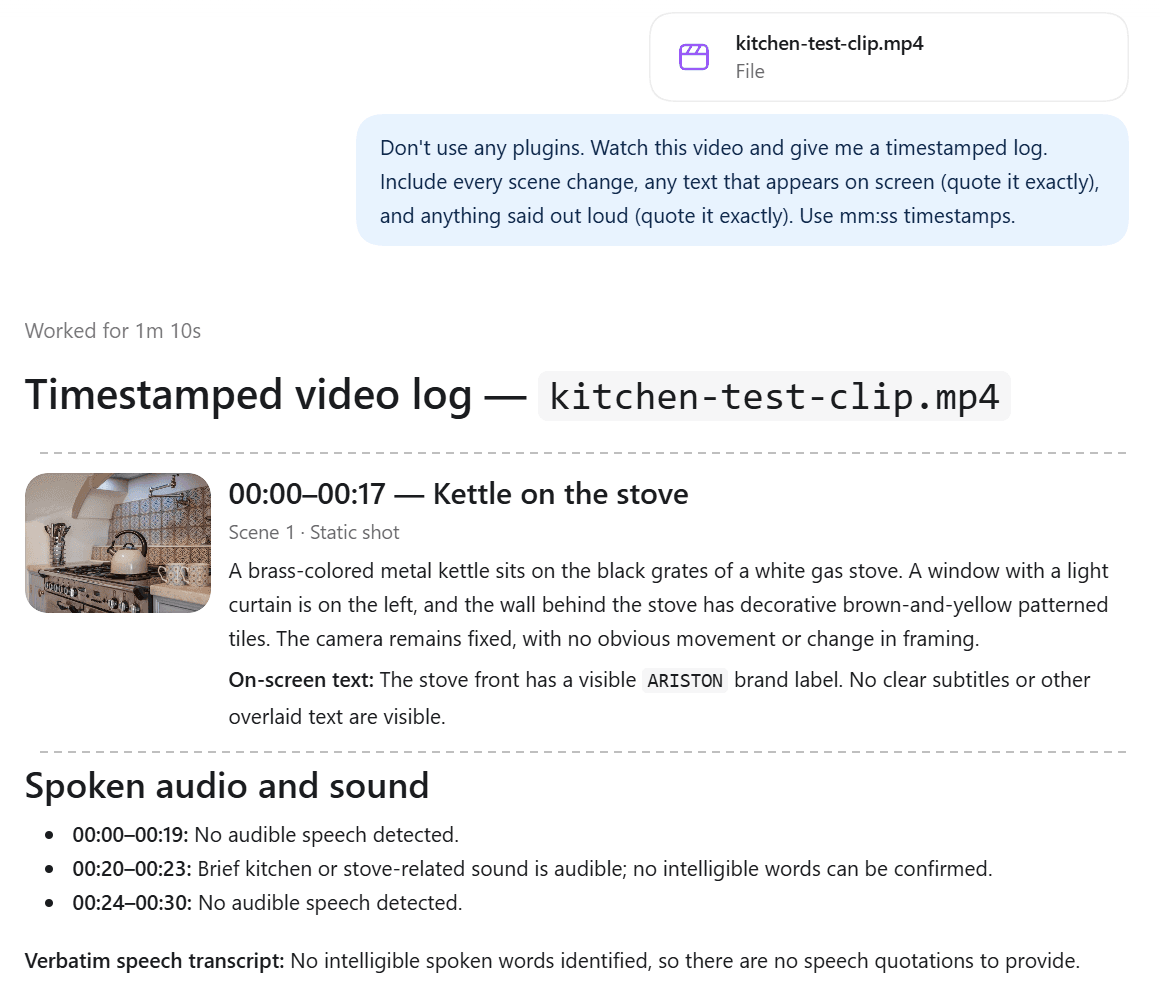
We uploaded it on October 26, 2026 in the ChatGPT Windows app, on a Free account set to Auto, and told it not to use plugins. The prompt asked for every scene change, any on-screen text and anything said out loud, all with mm:ss timestamps.
| Planted detail | What ChatGPT reported |
|---|---|
| Cut at 0:18 | Found at 00:18: "Cut to wider countertop view" |
| Cut at 0:25 | Found at 00:25: "Cut to close-up of lit gas burner" |
| "CODE 47" note at 0:12 | Not found: "No clear subtitles or other overlaid text are visible" |
| Spoken line at 0:21 | Not transcribed: "Brief kitchen or stove-related sound is audible; no intelligible words can be confirmed" |
The conversation log shows how it got there. ChatGPT moved the file into a sandbox, ran ffmpeg to pull one frame per second, shrank the 30 frames onto a contact sheet, and looked at that sheet. It then checked for a speech-to-text library, found none installed, and measured loudness instead. That is why it flagged a sound at 00:20 to 00:23 but had no words for it.
Here's the thing: that method is fine for a summary. A quick note on a whiteboard can slip past one thumbnail per second, and a number said once needs a transcriber the sandbox did not have.
Analyze Video With a Model That Reads the Whole File on Atlas Cloud
When the detail matters, send the clip to a model that takes video as input. Atlas Cloud hosts several, and we used Gemini 3.8 Flash from the Google model family. Same clip, same prompt, with the video sampled at 5 frames per second.
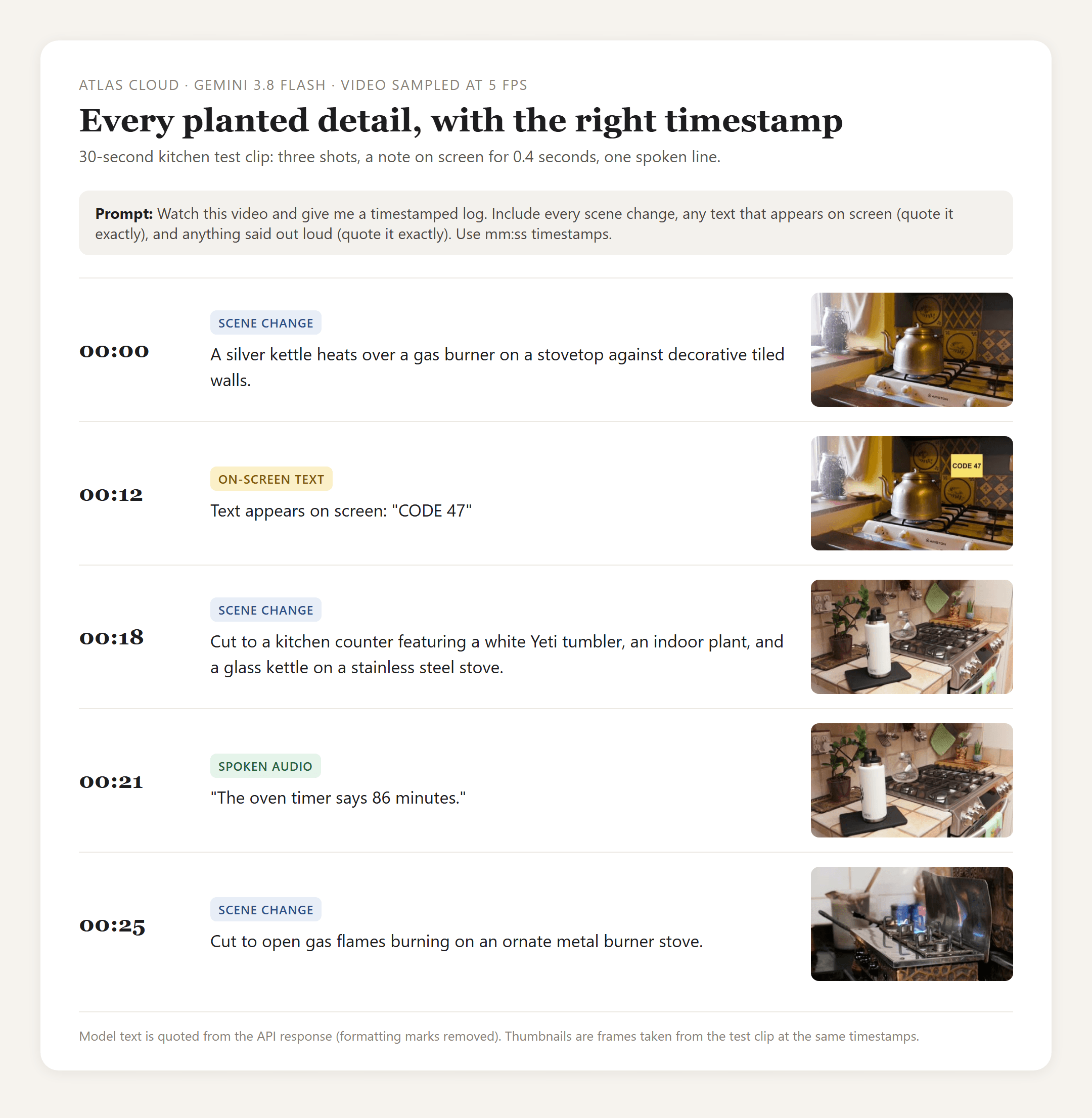
It quoted the note exactly, transcribed the sentence and placed both within a second. It even named the brand of the water bottle in the second shot. The reply came back in about 13 seconds.
Method 1: Upload the Clip in the Gemini 3.8 Flash Playground
Sign in and open the Gemini 3.8 Flash playground. The upload button takes MP4, MOV, WebM and other common formats.
- Click the paperclip and pick your video. A thumbnail appears above the message box.
- Type what you want to know. Ask for timestamps and exact quotes if you need them.
- Click the purple send arrow.
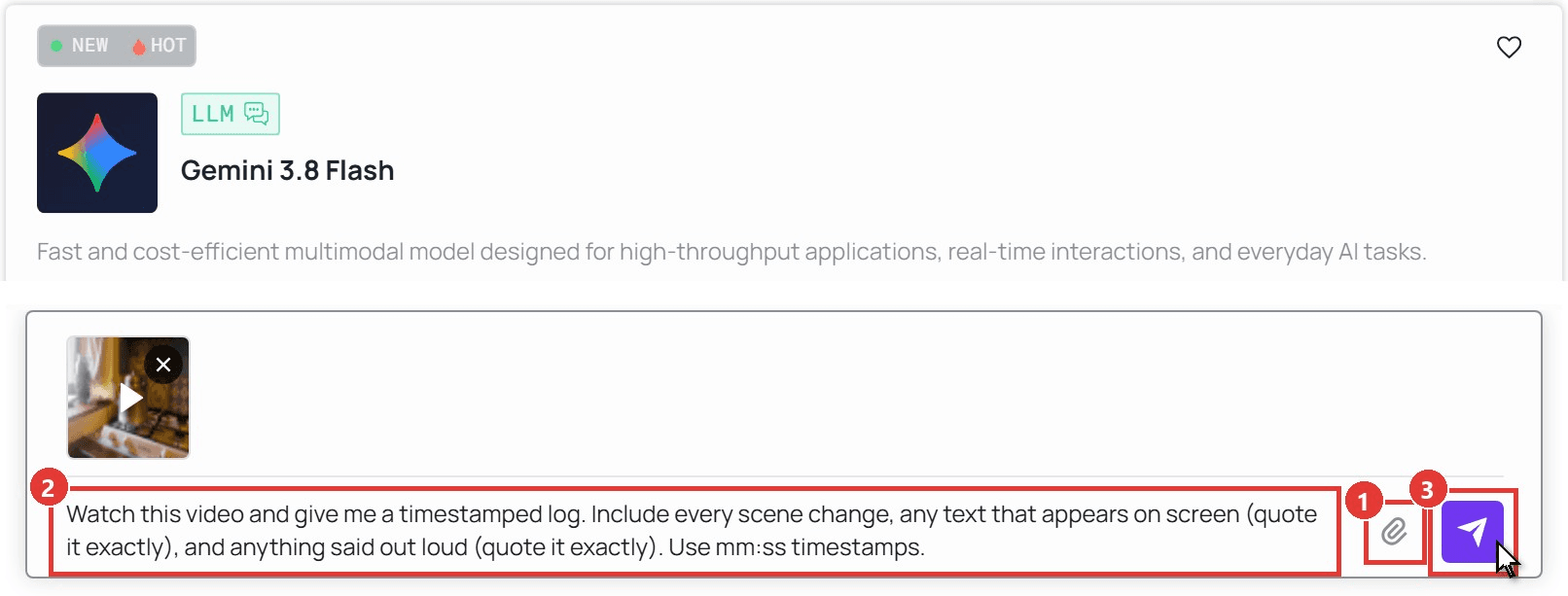
The playground suits summaries, meeting recordings and anything you want to ask follow-up questions about. For details that last under a second, use the API, where you set the sampling rate yourself.
Method 2: Send a Video URL Through the Atlas Cloud API
This is how we ran the 5-frames-per-second test.
Step 1: Create an API key. In the console, open Settings, go to API Keys and click Create API Key.
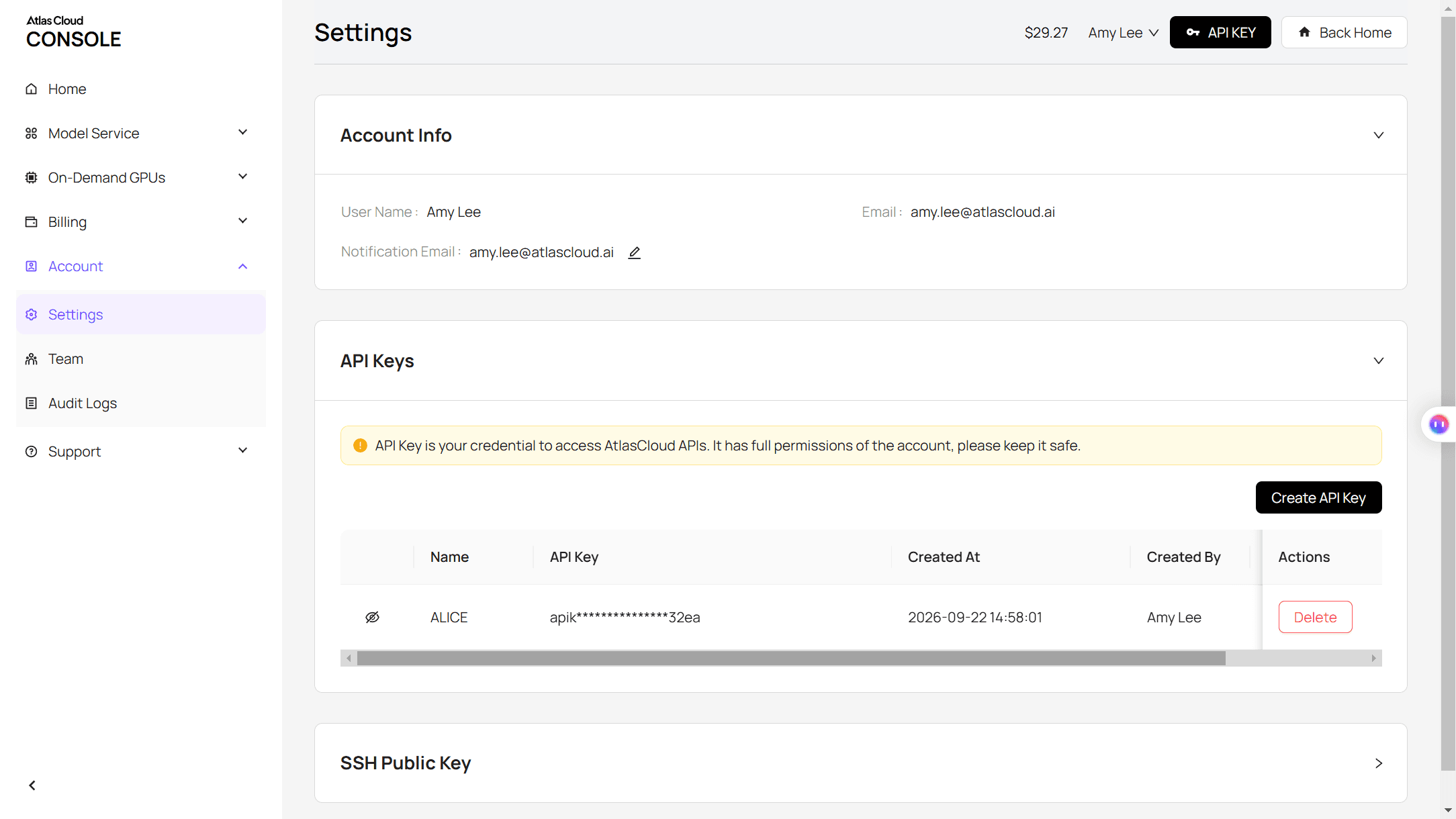
Step 2: Check the request format. The Atlas Cloud API docs and the API tab on the model page show the Gemini format.
Step 3: Send the request. Point fileUri at a publicly reachable video file. A public YouTube URL also works in the same field; a 1:55 tutorial was counted as 10,374 video tokens.
plaintext1curl -X POST "https://api.atlascloud.ai/v1/models/google/gemini-3.8-flash:generateContent" \ 2 -H "Authorization: Bearer $ATLASCLOUD_API_KEY" \ 3 -H "Content-Type: application/json" \ 4 -d '{ 5 "contents": [{ 6 "role": "user", 7 "parts": [ 8 {"fileData": {"mimeType": "video/mp4", "fileUri": "https://example.com/your-clip.mp4"}, "videoMetadata": {"fps": 5}}, 9 {"text": "Watch this video and give me a timestamped log. Include every scene change, any text that appears on screen (quote it exactly), and anything said out loud (quote it exactly). Use mm:ss timestamps."} 10 ] 11 }], 12 "generationConfig": {"maxOutputTokens": 32000} 13 }'
The reply is at candidates[0].content.parts[0].text. Keep the camelCase field names shown above. Without videoMetadata, the same 30-second clip used about 2,700 tokens; at 5 frames per second it used 10,650. Raise the rate for fast details, leave it out for a summary.
For long or dense footage, change the model string to google/gemini-4-argon and keep everything else. The key, endpoint and request shape stay the same, which is the point of a unified LLM API.
Can ChatGPT Analyze YouTube Videos From a Link?
Not in our test. We pasted a public 1:55 cleaning tutorial into a new chat and asked for a timestamped summary and the first sentence spoken. ChatGPT searched 15 websites, then answered that it "couldn't retrieve the video's transcript or audio from the YouTube link."
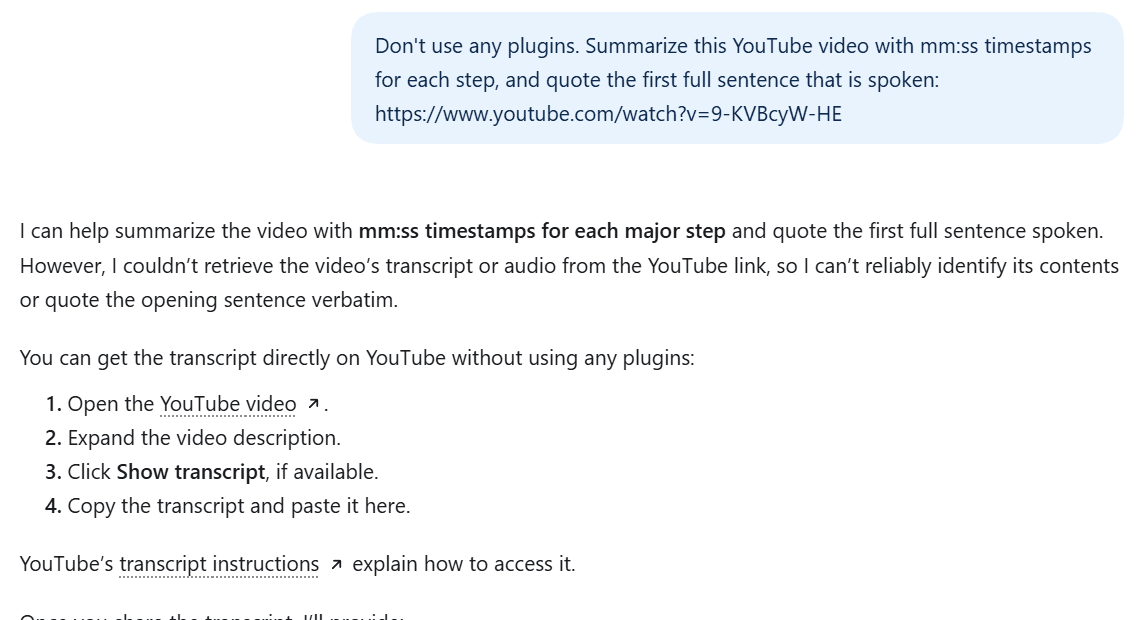
We found no OpenAI help article that covers YouTube links. A link gives ChatGPT a page to search, not a video to watch.
Paste the Transcript Instead of the Link
ChatGPT's own suggestion is the reliable route for spoken content. On YouTube, expand the description, click Show transcript, copy the text and paste it into the chat. Timestamps usually come along, so you can still ask "what happens around 1:10?"
| Route | What ChatGPT gets | Good for |
|---|---|---|
| Paste the link | A page to search; the video itself stays out of reach | Nothing in our test |
| Paste the transcript | The spoken words, with timestamps | Talks, tutorials, interviews |
| Download and upload the file | Sampled stills, plus audio if a transcriber is available | Short clips you have rights to |
A transcript carries no visuals. If the answer is in a chart, a slide or a hand gesture, send the URL to a video model instead, as in Method 2.
Is ChatGPT Able to Analyze Videos Live Through Your Camera?
Yes, but only in one voice mode. OpenAI's ChatGPT Voice page says "Live does not support video or screen sharing." Live is the newer voice experience. Video stayed with the older Advanced mode, and only for eligible subscribers in the iOS and Android apps.
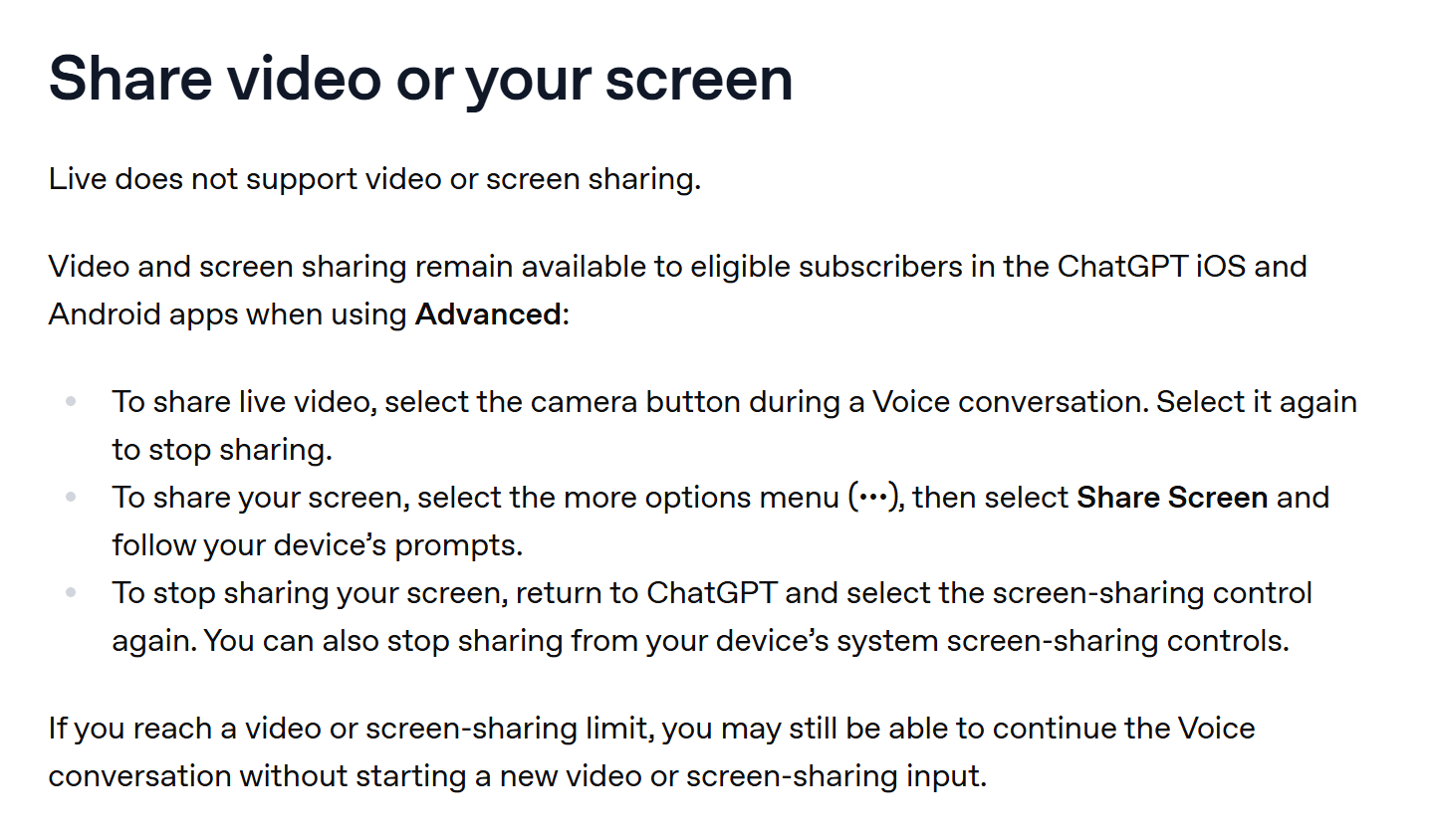
In Advanced, tap the camera button during a voice chat to share what your phone sees, or choose Share Screen from the ••• menu. It works for "what is this part called?" in real time.
It does not replace analyzing a recorded file: there is no timeline to scrub and nothing to quote back later. OpenAI also caps video and screen sharing, and once you hit the cap you may still be able to keep talking without starting new video.
ChatGPT vs Gemini vs Claude: Which Can Analyze Video in 2026
The three chat apps handle video in three different ways, according to each company's help pages.
| ChatGPT | Gemini app | Claude | Gemini 3.8 Flash on Atlas Cloud | |
|---|---|---|---|---|
| Upload a video file | Yes, Free included; analyzed with tools | Yes | Upload page covers documents and images only (July 24, 2026) | Yes, in the playground |
| Published limits | Counts toward upload limits; no video length stated | Up to 2 GB per video; 5 minutes total, 1 hour on Google AI Pro or Ultra | n/a | 1M-token context window |
| Video URL input | YouTube link failed in our test | Not tested | n/a | Any public file URL or YouTube URL via API |
| Sampling control | Not documented | Not documented | n/a | Frames per second set in the request |
For a quick summary of a short clip you already have in ChatGPT, upload it. For a verbatim record of what was said and shown, use a model that takes the file as input and set the frame rate to match how fast things happen.
FAQ
Can ChatGPT 5 analyze videos?
ChatGPT no longer defaults to GPT-5. Since early October 2026, Plus and higher plans run GPT-6 Sol and Free and Go run GPT-6 Luna, per OpenAI's release notes. OpenAI lists video as not supported on GPT-6 Sol, so uploads go through the same tool route we tested.
How long a video can ChatGPT analyze?
We found no published length limit for video in OpenAI's help center. Each clip counts as one file upload, which matters most on Free with 3 uploads a day. Our 30-second, 12.7 MB clip took 70 seconds; longer files mean more stills to sample, so ask about one section at a time.
Why does ChatGPT show pictures that aren't from my video?
The thumbnails beside each scene in our reply were web images matched to ChatGPT's description of the scene, not frames from the upload. The conversation data shows they were image searches such as "brass metal kettle on black gas stove". Check timestamps against the video itself.
Does ChatGPT keep the videos you share?
For Advanced Voice, OpenAI says video clips are stored with the chat transcript and retained for 30 days, and deleted within 30 days after you delete the chat, with security and legal exceptions. For uploads and training settings, our guide on whether ChatGPT is safe walks through each data control.
How much does video analysis cost on Atlas Cloud?
Gemini 3.8 Flash is listed at $0.75 per million input tokens and $3.75 per million output tokens, half the $1.50 and $7.50 list price, with no end date shown. Our 30-second clip at 5 frames per second cost about one cent per run, and about a third of that at default sampling.
Conclusion
ChatGPT takes video uploads on Free and paid plans and gets the broad strokes right: scenes, cuts, the objects on the counter. It reads your clip as sampled stills, could not open our YouTube link, and in our test missed a short note and a spoken sentence. For anything you need quoted exactly, a model that takes the file and lets you set the frame rate caught all four planted details.
So can ChatGPT analyze videos? For a summary, yes. Paste transcripts for talks, upload short clips for an overview, and send the footage where every second matters to Gemini 3.8 Flash with a higher frame rate.





