You have three products open in separate tabs. One has a lower sticker price, one includes shipping, and the third has a return policy buried in a menu. A Grok Bot shopping assistant can help gather those details, compare candidates, and, with current shopping features, prepare an order for your review. Your useful boundary is simple: let it research and organize, then inspect the exact item and total before you approve a purchase.
Key takeaways
- Grok Bot is a persistent assistant that can work across a browser and connected tools; shopping cards and purchase flow depend on the current app, site, and account.
- Give it your region, currency, budget, exact requirements, preferred stores, and a clear stop point.
- Compare the full delivered cost and mark missing shipping, tax, or return details as unconfirmed.
- Treat “Buy now” as the start of an order that needs your review, and check the final item, variant, address, and amount before approval.
What is a Grok Bot shopping assistant?
Grok Bot is a named assistant with its own persistent context and access to a cloud computer, browser, and supported apps. A regular Grok chat is mainly a conversation. A Bot can carry a defined job across sessions, use tools for a multi-step task, and return with results or an approval request. The distinction matters when you want a repeatable shopping routine, such as checking a short list of household supplies every month.
Shopping can mean two different workflows. In research mode, the Bot searches and returns options, links, and trade-offs. In the current shopping-card flow, the app can present product cards with photos, ratings, prices, and stores. The official changelog says that choosing “Buy now” starts an order for your approval, and that a placed order can be tracked for shipping updates. These details describe documented product behavior, not a guarantee that every retailer, product, region, or account will support the same path. ( Grok Bot Changelog )
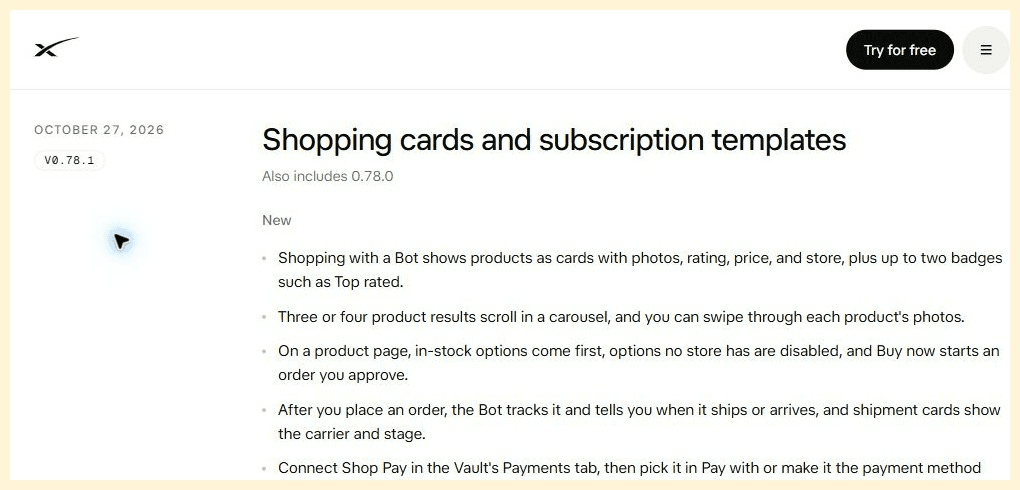
The official Grok Bot changelog describes the shopping-card view and says that Buy now starts an order for approval.
There is also a template route. The Marketplace’s Deal Hunting Bot focuses on preferred retailers, shipping and tax, optional watchlists, and a rule against buying unless asked. Its setup instructions require the user to provide a delivery country and currency first. That is one published Bot’s configuration, not a universal default for every Bot. ( Deal Hunting Bot )
Choose a one-off chat request when you need to compare something once. Create or import a dedicated Bot when you expect to reuse the same stores, criteria, and reporting format. Either way, your first task should be small enough to audit.
Set up a Grok Bot for shopping in 5 steps
The official setup guidance recommends giving a Bot one primary job, then setting a task with a clear outcome, sources, constraints, deliverable, and stopping point. Availability and access method depend on your account and subscription. Check the latest access screen and plan details before investing time in setup.
- Create or import a focused Bot. In Grok Bot, use the add or create option to make a shopping research Bot, or inspect an imported template’s full instructions before using it. Remove any routine or permission you do not want.
- Set your shopping context. State where the item must ship, which currency to use, your maximum budget, preferred retailers, and whether used or refurbished products are acceptable.
- Separate hard requirements from preferences. “Must fit a 60 cm counter” is a hard constraint. “Prefer brushed steel” is a preference. Ask the Bot to exclude products that fail a hard constraint instead of ranking them lower.
- Specify the comparison fields. Request exact listing URLs, seller, model or variant, price and time checked, shipping, visible taxes or import fees, delivery estimate, return window, and anything it could not confirm.
- Set the action boundary. Decide whether it may only research, prepare a cart, or proceed to a purchase approval card. Tell it to stop before placing an order, submitting payment, starting a subscription, contacting a seller, or changing account settings unless you explicitly approve the specific action.
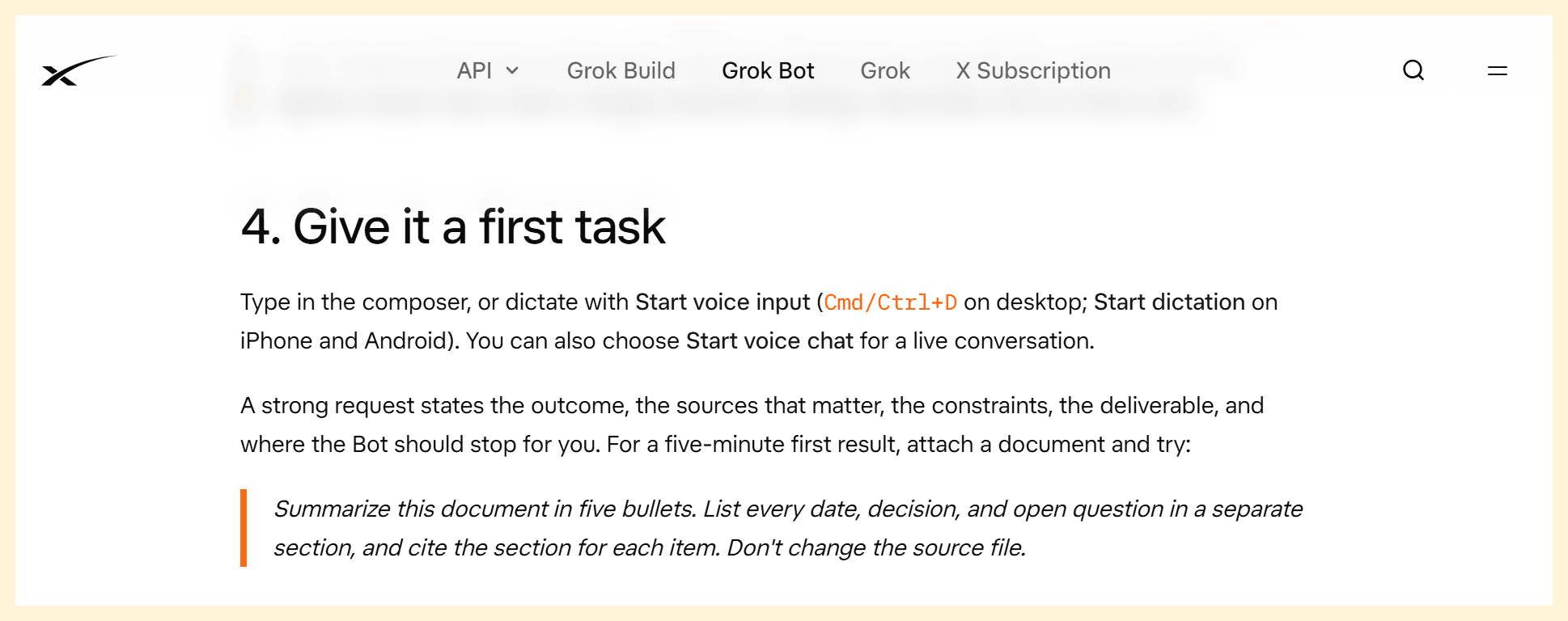
The official first-task guide provides the structure used in the shopping steps above.
Copyable Grok Bot shopping prompt
Use this as a starting instruction. Replace the brackets with facts that matter to your purchase. If you are buying an appliance, add plug type and voltage. If you are shopping for a child’s product or safety equipment, require the relevant official standard and model number instead of relying on a listing’s marketing text.
plaintext1You are my shopping research assistant. Find up to 3 options for [product] available in [country/region and currency]. My budget is [amount], and my must-have requirements are [requirements]. Use only retailers I can access in my location. 2 3For each option, give me the exact listing URL, product name and variant, retailer and seller, price and time checked, shipping, taxes or import fees if visible, delivery estimate, return policy, and any uncertainty. Compare total delivered cost when every component is available. Mark missing amounts as “unconfirmed”; never estimate them as facts. Prefer the same model and variant for direct price comparisons. 4 5Do not sign up for services, message sellers, submit payment, place an order, or change account settings. You may prepare a cart only if I ask. Stop before purchase and show me the exact item, variant, seller, delivery address, and final amount for my review. Ask before any action that could spend money or share personal information.
This instruction works because it makes the location and comparison unit explicit. “Find the best coffee maker” leaves the Bot to decide what best means. “Find up to three drip machines under $180 available in Ontario, with a thermal carafe and a 120V plug” gives it filters it can check. The prompt also sets a known output format, so gaps appear as gaps rather than being smoothed over in a confident summary.
Treat a template as a starting point, not a safety certification. Read its rules, routines, connected apps, and permissions. A Bot configured to run a weekday watchlist may browse on a schedule; that is useful for a recurring task, but unnecessary access and background activity should be removed if you only need a one-time comparison.
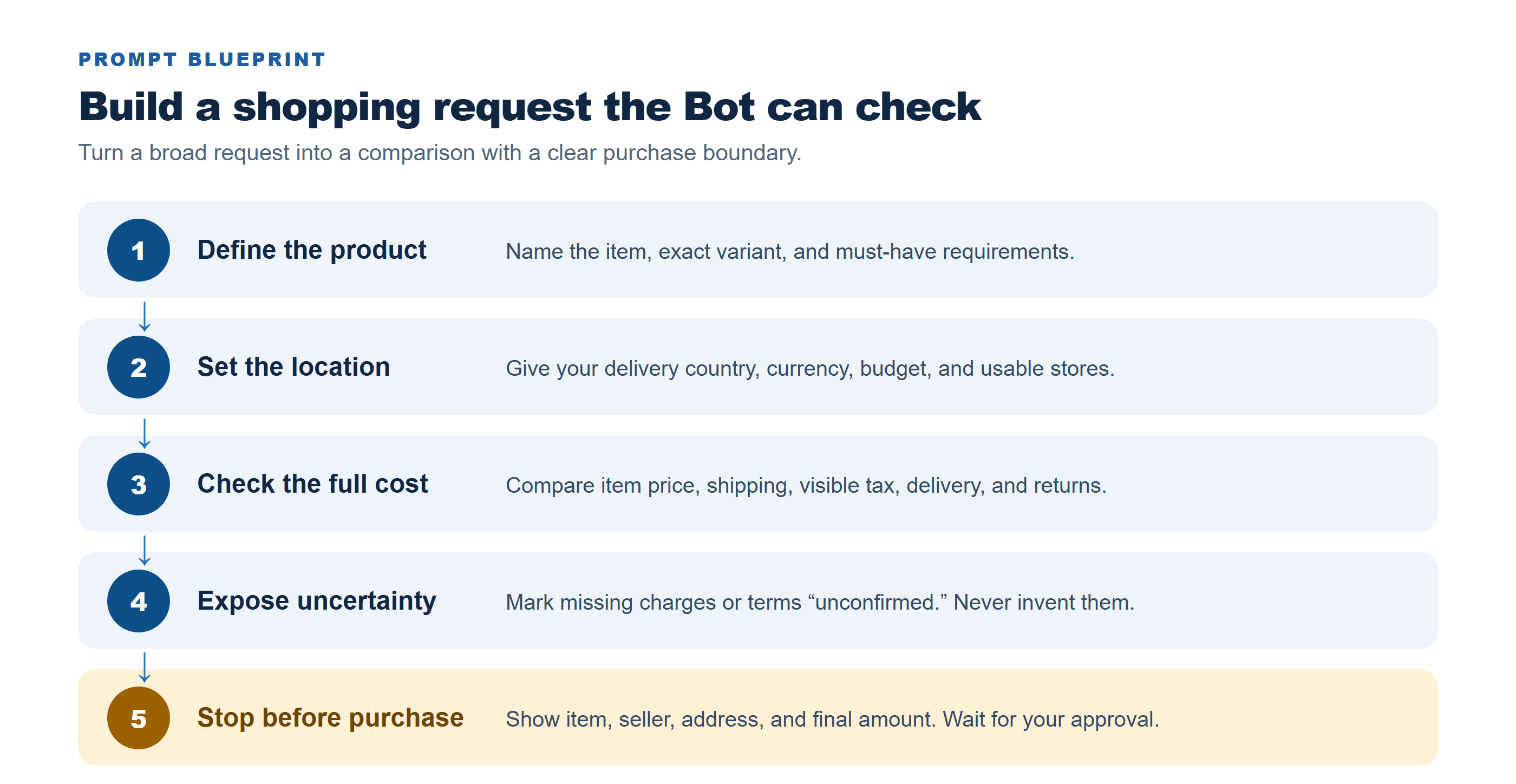
The prompt separates shopping criteria from actions that require your approval.
Compare true cost, not the listed price
A low product price does not establish the best deal. Compare the exact model and variant first, then add costs the listing shows. A seller’s shipping threshold, regional tax, import charge, or delivery restriction can change the total. If one store shows tax only at checkout, record that amount as unknown rather than treating the pre-tax number as a complete total.
| Check | Option A | Option B | Option C |
|---|---|---|---|
| Exact model and variant | Confirm | Confirm | Confirm |
| Item price | Record amount | Record amount | Record amount |
| Shipping | Amount or unconfirmed | Amount or unconfirmed | Amount or unconfirmed |
| Tax / import fees | Visible amount or unconfirmed | Visible amount or unconfirmed | Visible amount or unconfirmed |
| Delivery estimate | Date or range | Date or range | Date or range |
| Return terms | Window and conditions | Window and conditions | Window and conditions |
| Price checked | Date, time, and time zone | Date, time, and time zone | Date, time, and time zone |
| Total cost status | Confirmed / partial | Confirmed / partial | Confirmed / partial |
For example, if Option A is $142 plus $18 shipping and the tax is visible as $12, its confirmed total is $172. If Option B costs $159 with free shipping but tax appears only at checkout, you can say Option A’s known total is $172 and Option B’s pre-tax amount is $159. You cannot truthfully call B cheaper overall until the tax is known. The comparison is useful precisely because it distinguishes confirmed totals from partial totals.
Ask the Bot to open the listing rather than relying on snippets alone. Search summaries can omit a selected color, seller, shipping minimum, or region restriction. Compare the seller as well as the marketplace name, and capture the time checked because prices and stock can change before checkout.
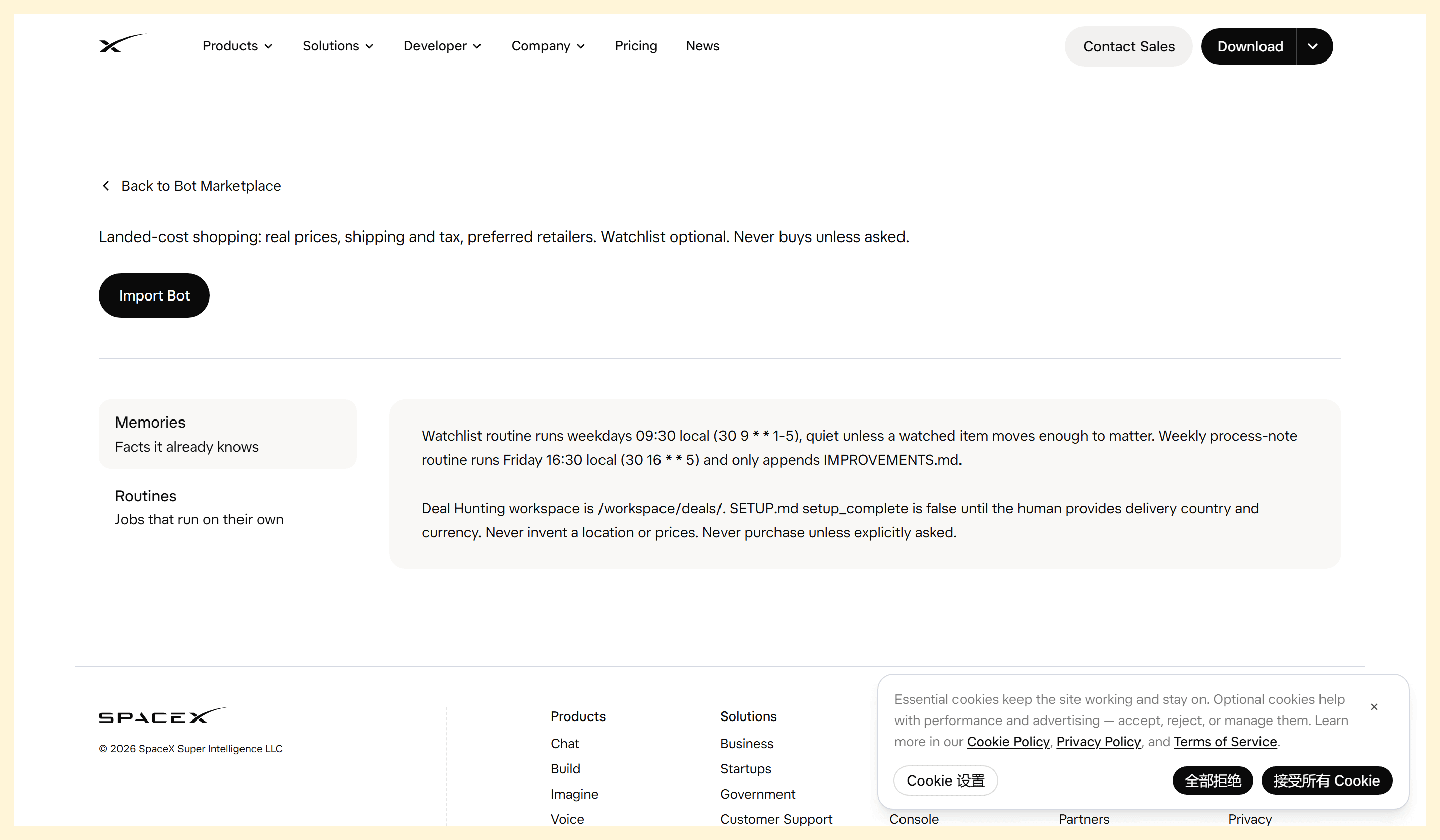
The Marketplace example makes shipping, tax, location, and the purchase boundary explicit.
Keep checkout and payment under your control
Grok Bot’s current shopping flow can move beyond a list of links: the changelog describes a product page where “Buy now” starts an order that you approve. That approval is a decision point, not a substitute for checking the order. Confirm the product name, seller, model, size or color, quantity, shipping address, delivery date, return terms, and final amount. If anything differs from your instructions, decline and correct the task.
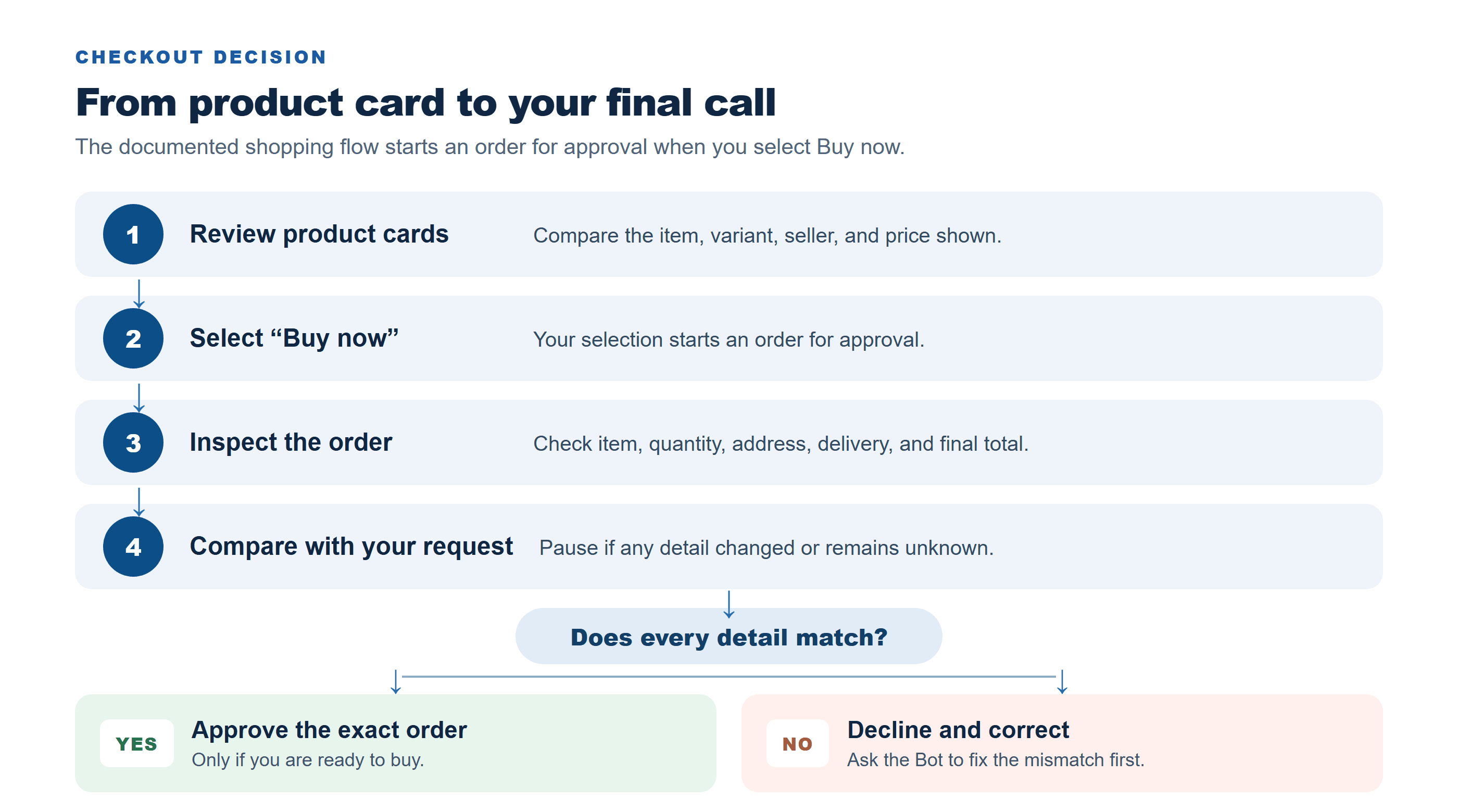
The decision flow keeps the final order check and approval with the buyer.
For other actions, Grok Bot’s approval system can present an action card with the proposed operation and inputs. The official security guide explains that you can allow once, allow similar actions automatically, or deny, depending on the card and settings. It also warns that an approval does not undo work already completed. Keep your shopping Bot’s rules narrow: broad permission to “use the browser” does not tell you whether a particular purchase is appropriate.
Payment details deserve separate care. The product’s Vault can fill saved credentials or payment methods during checkout, and settings determine whether you store a payment method for future use. If you want to personally approve each payment, do not save a card for the Bot to use automatically. Never paste a password, one-time code, or full card data into an ordinary chat. Use the product’s secure handoff where applicable, and pause if the requested access or approval is unclear.
A safe first run can be research-only. On a second run, ask the Bot to prepare a cart without submitting payment, then compare the cart with its report. Only after those steps work should you consider the documented purchase approval flow, and only for a low-stakes order whose final details you can verify.
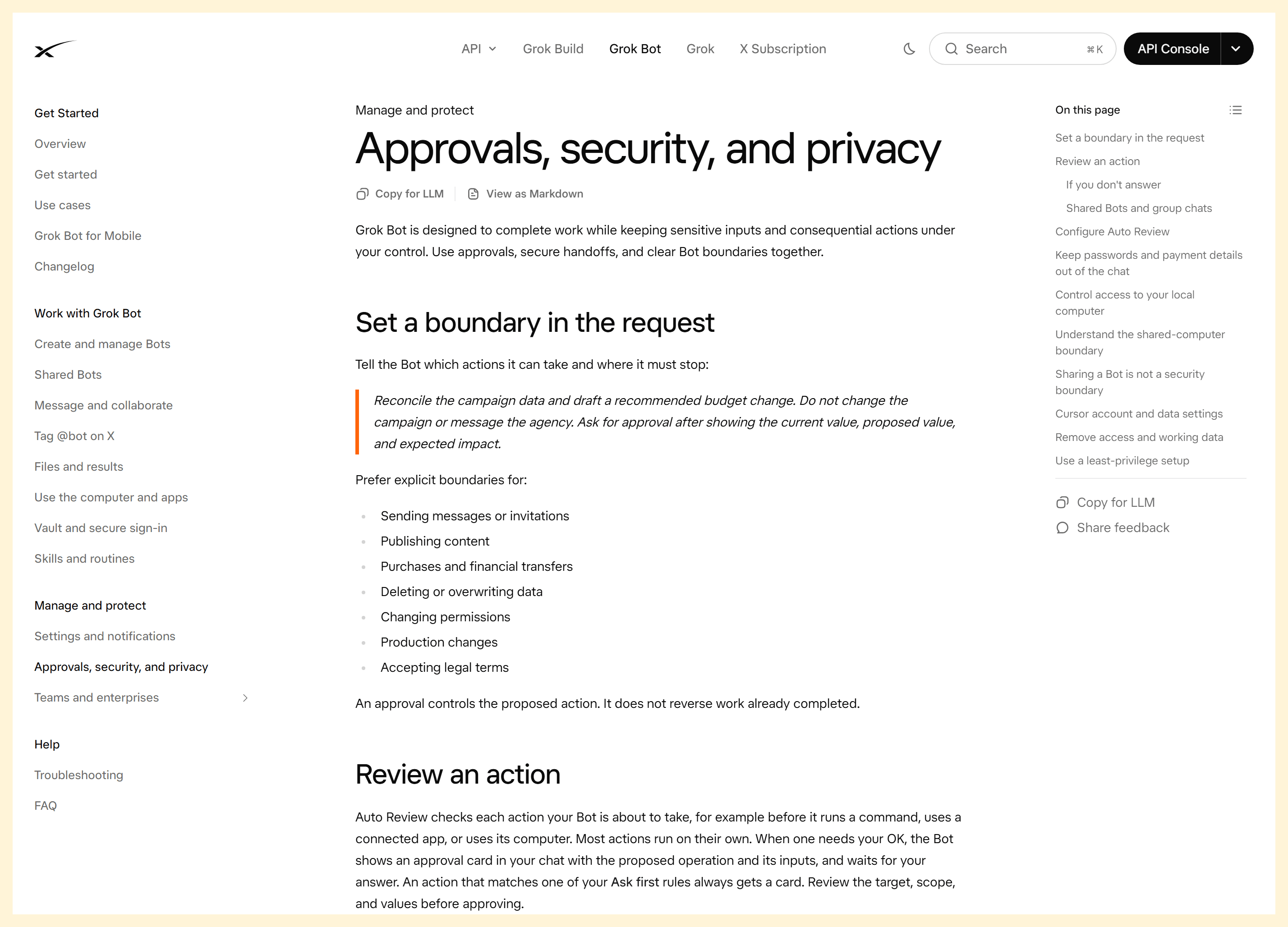
The security guide explains the approval boundary and why checkout details still need review.
Where a shopping Bot helps, and where it needs a human check
A Grok Bot shopping assistant is most useful when the task has a clear target and comparable criteria: collecting a few local options, checking a model number across stores, preparing a replenishment list, or watching a short wishlist. A user-described routine in a community discussion connects weekly meal planning to a grocery cart that the person reviews before scheduling pickup. That is an individual example, not evidence that every grocery retailer or account supports the same integration.
The Bot needs closer supervision when a purchase involves medical products, regulated goods, expensive electronics, compatibility decisions, unusual return terms, or sellers outside your normal region. Product labels and safety claims should be checked against the manufacturer or regulator. A shopping result cannot prove that an item is authentic, safe, or suitable for your specific use.
Retailer access is another practical limit. A site may block automated browsing, require a sign-in, change its page structure, or require a human verification step. If the Bot cannot access a store, do not ask it to evade the store’s rules. Ask it to state what it could not verify and use a retailer’s own page yourself. Make your first test a low-cost, non-urgent purchase and check every link and variant.
A useful verification checklist is short:
- Does the URL open the exact listing and seller?
- Does the variant match the requested size, color, region, voltage, or model?
- Are shipping and tax confirmed, or clearly marked unknown?
- Is the delivery promise current and the return policy acceptable?
- Does the final order screen match the amount and destination you approved?
For merchants: product visuals are a separate job
A shopping Bot helps a buyer find and evaluate an item. It does not create or verify the merchant’s product photography. If you are a merchant who also needs concept images or short product-display clips, Atlas Cloud offers access to xAI’s Grok Imagine creative models as a separate visual-content workflow. That can help explore campaign concepts after the actual product and claims are settled. It does not connect to, extend, or improve Grok Bot’s shopping features, and an AI concept image should never be presented as documentary proof of the product’s real appearance or performance. Browse Atlas Cloud’s model catalog if that creative need is relevant to your work.
What to verify before relying on Grok Bot shopping
Features, eligibility, and usage allowances can change independently. The official documentation lists different access paths across current subscription plans, legacy accounts, and linked accounts. Its setup guide says to check the account’s access and plan details. As of November 3, 2026, a recent report also describes user complaints about usage limits changing after the company cited service costs; treat the report as a reason to check your own Usage & Billing screen, not as a universal limit figure. (TechCrunch, November 2, 2026)
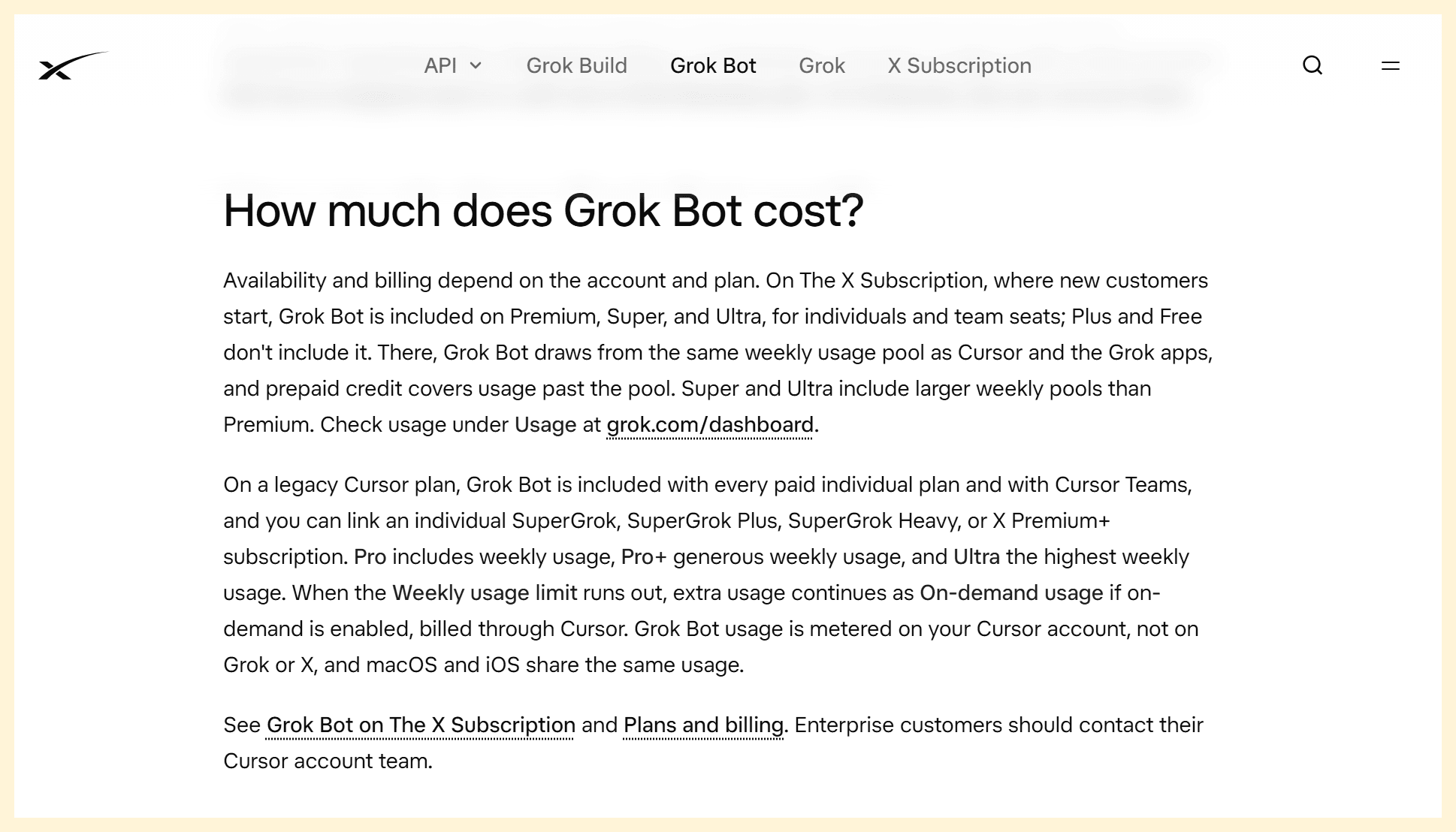
The official Grok Bot FAQ explains why account eligibility and usage need a fresh check.
Before building a routine or connecting a payment method, confirm that Grok Bot is available to your account and country, which stores it can access, whether a shopping card or approval appears in your version, and how weekly usage or extra charges work for your plan. Keep the first task small enough that a limit change will not interrupt a time-sensitive order.
The practical rule for a Grok Bot shopping assistant remains: compare first, verify the source and total, and personally approve the exact purchase. Try one low-risk comparison with the prompt above, check what the Bot could not confirm, and only then decide whether a reusable Bot or watchlist is worth setting up.
Frequently Asked Questions
Can Grok Bot compare prices across different retailers?
It can search and compare results when it can access the relevant listings. Ask it to match the exact model and variant and report shipping, taxes, seller, and time checked. A retailer may block access or hide charges until checkout, so the Bot should label those fields unconfirmed.
Can I use a Grok Bot shopping template instead of creating one?
Yes. The Marketplace includes a Deal Hunting template. Inspect its full instructions and any routines before importing it, then set your delivery region, currency, retailers, budget, and purchase boundary. A template does not guarantee that every site or shopping feature is available to your account.
Can Grok Bot buy something without my approval?
The current changelog says “Buy now” starts an order that you approve. Other actions may follow your Auto Review rules, so review those settings and avoid broad automatic permissions. Check the final order details before approving.
Does Grok Bot shopping work in every country and on every plan?
Do not assume so. Account eligibility, usage pools, retailer access, and feature availability vary. Check the current access and billing screens, then confirm that the specific store and purchase flow work in your region.


