A creative team needs six coherent people-in-action visuals by Friday. Draft images are easy. Keeping a person's pose, a bicycle's direction, or a working scene usable through revision 10 is where a visual pipeline earns its keep.
The direct answer: use MAI Image 2.6 API as a routing problem. Explore a human scene with Flash, then send one selected draft or approved reference into the standard model for one controlled refinement. Judge the route by approved assets per run, not by the most impressive first image.
This guide tests that logic with a riverside cyclist, a ceramics workshop, and an evening walk in Paris. Generated scenes are useful for creative development. They are not evidence for a real person's identity, a current location, or a real event.
Key takeaways
- Flash is for bounded exploration; standard is for final refinement.
- Test fidelity, whitespace, and ratio changes before a batch job.
- One edit should change one category of detail.
- Cost means runs per approved asset, not the nominal image price.
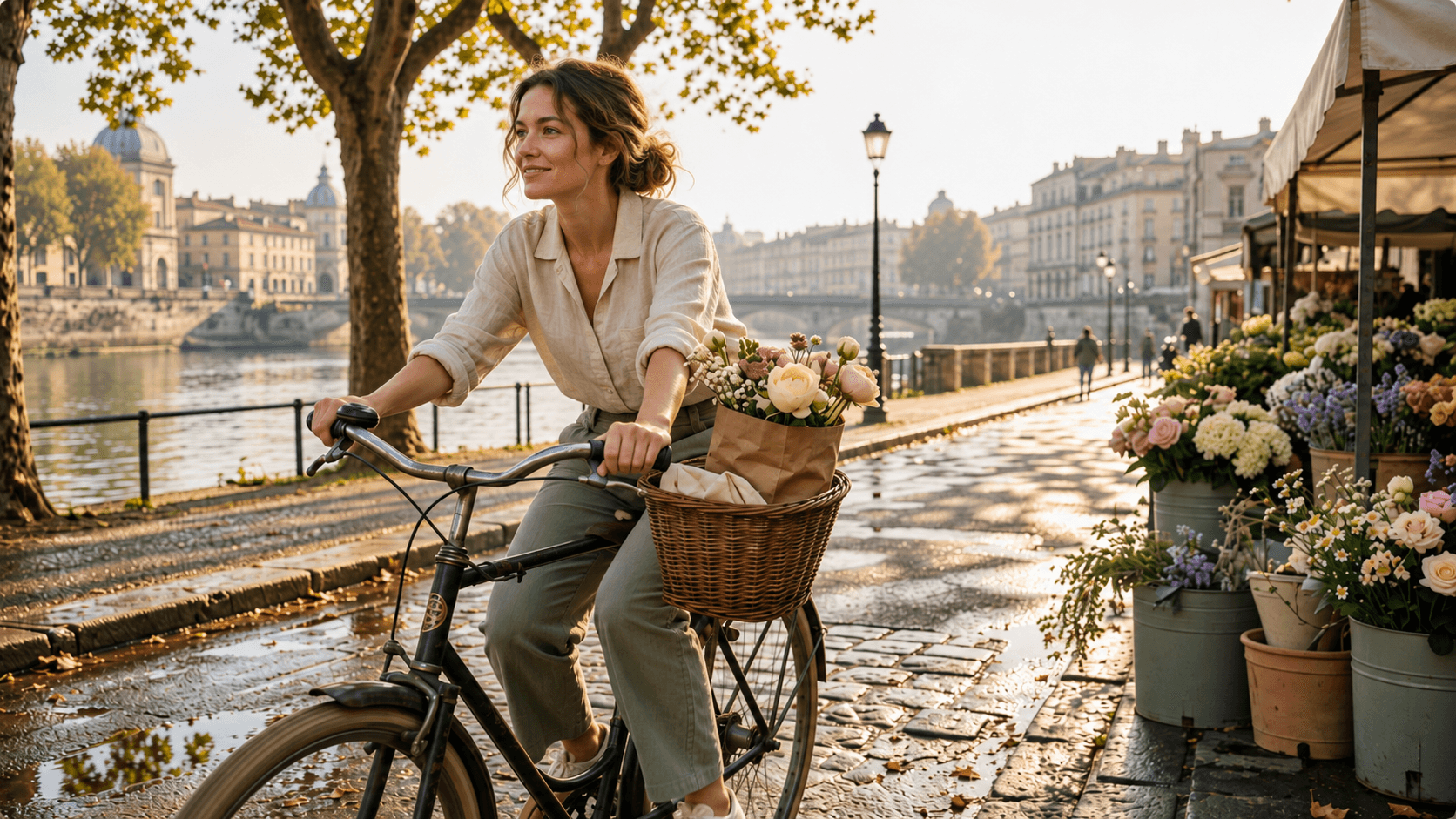
MAI Image 2.6 API hero: an adult cyclist passing a riverside flower market at morning
A fictional travel-and-lifestyle scene built as a controlled composition test. Do not present it as evidence of a real person or current location.
The finished cyclist frame gives the team four things to inspect before anyone writes a headline: a credible riding posture, one clear bicycle orientation, stable hand contact with the handlebar, and enough open space for later copy. It is deliberately focused. The point is to expose drift, not hide it behind a busy crowd or a decorative set.
The route behind the frame is also plain: Flash produces a small set of composition candidates, then the selected frame enters an image edit that preserves the rider, bicycle, and camera relationship while improving only the environment. That handoff is the repeatable part of a scene-production workflow.
Why MAI Image 2.6 API Is Hot, and Why First Attempts Fail
Why the MAI Image 2.6 API Is Getting Attention
Microsoft positioned MAI-Image-2.6 as the precision option and MAI-Image-2.6-Flash for latency-sensitive, high-throughput work. Its September 4, 2026 announcement says both support multi-image reference editing, web grounding, and dynamic aspect ratios; it also reported then-current Arena and Artificial Analysis standings. Those rankings and speed figures are dated claims, not permanent truths (Microsoft AI launch post, September 2026).
For an API team, the useful part is the control surface. Text-to-image and image-to-image cover the common handoff from a new visual direction to a selected source image. Microsoft Foundry lists both 2.6 variants as Public Preview, with a single PNG output, a 32K prompt context, a 768-pixel minimum per dimension, and a 1,048,576-pixel maximum total output area (Microsoft Foundry documentation, September 2026).
Public Preview deserves operational caution. Preview features can change and do not carry an SLA in the Foundry documentation. Treat web grounding as context assistance, not an authority for a location, commercial claim, date, or person’s identity.
Four MAI Image 2.6 API Failure Modes to Test First
Character drift shows up as a hand that changes position, a bicycle that points the wrong way, or a rider who gains a second arm. Fix it with a short must-preserve list, then verify each item against the source.
Instruction collisions happen when one prompt asks to preserve a person, replace the setting, change the camera, add typography, and alter the action. Split that into edits. One edit should change one kind of thing.
Text can look readable while still being inaccurate or unusable. Add prices, offers, dates, certifications, trademarks, and CTA copy later in a controlled design tool. Give the image model no legal copy to improvise.
The cheap-looking route can become the expensive route when a team retries without a reject log. Cap exploratory runs, note why each candidate failed, and promote only a winner into the final pass.
MAI Image 2.6 API Workflow: Flash Drafts, Final Master
Use the two variants as jobs in a small production line, not as a ranking contest.
| Work stage | Recommended model | Job | Run rule | Cost field |
|---|---|---|---|---|
| Concept exploration | MAI Image 2.6 Flash | Test composition, lighting, whitespace | Change one variable per run | Record live per-image quote before publishing |
| Final scene | MAI Image 2.6 | Produce one high-fidelity master | Refine an approved draft or reference once | Record model-page price and date |
| Controlled edit | MAI Image 2.6 edit route | Preserve person, pose, action, or scene details | State preserve / change / do not add | Check input-image and output billing separately |
| Batch variations | MAI Image 2.6 Flash | Reformat or localize a proven direction | Pilot a small batch and log rejects | Review approved-asset rate |
The supplier’s Foundry launch pricing is token-based, including a $1.75-per-million-token text input starting point for Flash, so it is not an Atlas Cloud per-image quote (Microsoft Foundry launch and pricing post, September 2026).
At the publication check on September 11, 2026, the live Atlas model catalogue did not expose verified English MAI Image 2.6 or Flash detail routes. This article therefore does not invent a model ID, price, discount, maximum UI resolution, or reference-image fee. Before shipping an integration, check the live Atlas Cloud model catalogue and use the exact route, inputs, and quote it exposes. A single browser workspace is useful when a team wants to compare the live route with adjacent approved options, but the production source remains the page available that day.
MAI Image 2.6 API Tutorial: Build Three On-Brand Visuals
Step 1: Draft a Riverside Cycling Scene with Flash
Use Flash for four composition tests. Keep the rider, bicycle, and direction of travel fixed; change only the background warmth or camera distance. Choose the frame with the clearest riding posture and upper-right whitespace, not the busiest frame.
plaintext1Create an editorial travel photograph of one young adult woman riding a vintage bicycle through a quiet European riverside market in early morning. She is mid-motion, turning her head toward a flower stall while one hand steadies a small paper bag in the bicycle basket. Sunlight enters from the left through plane trees, casting dappled shadows across wet cobblestones. Include a softly blurred foreground bicycle wheel, leading lines from the riverside path, muted sage green, warm cream, and terracotta color palette, natural fabric texture and realistic skin detail, cinematic 35mm documentary photography. Leave open, uncluttered space in the upper-right third. No logos, readable text, watermarks, duplicate people, distorted hands, or extra limbs.
Pick 16:9, the highest live 16:9 setting that the verified model page offers, and 1 output per run. If the API needs explicit dimensions, use a value within the published pixel-area limit, such as 1024 × 768 or a supported 16:9 preset, rather than copying an unverified 1.5K claim into code.
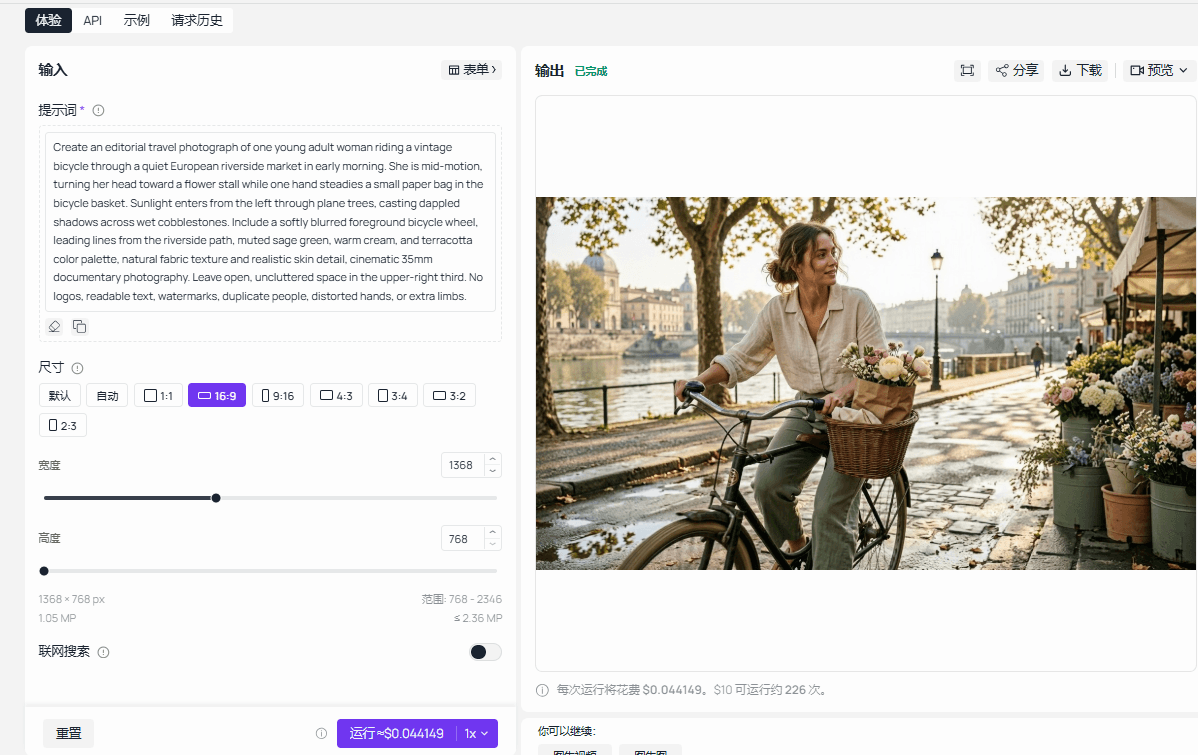
Real MAI Image 2.6 Flash playground run-completed output for the riverside cyclist prompt
Run-completed capture for the cycling-scene composition test. Verify the model name, committed ratio, resolution, and prompt version on the live page before reproducing it.
Step 2: Turn the Winning Draft into a Final Action Scene
Upload the selected draft as the edit source. The only job here is environmental refinement. Preserving the rider, bicycle, and action is a concrete instruction, so repeat their pose, direction, scale, camera angle, and position.
plaintext1Use the uploaded image as the source of truth. Preserve the same adult rider, bicycle frame, bicycle direction, riding posture, hand placement, basket, camera angle, and position in the frame. Refine only the environment: make the wet cobblestones more tactile, improve the dappled left-side morning light and natural wheel shadows, and keep the upper-right copy space uncluttered. Do not add text, logos, watermarks, extra people, a second bicycle, distorted hands, or extra limbs.
Pick 16:9 and the model page’s highest verified 16:9 setting. Inspect rider posture, bicycle geometry, hand placement, direction of travel, and copy space as separate checks. A failure on any one means shorten the edit prompt and rerun the edit, rather than piling on repair requests.
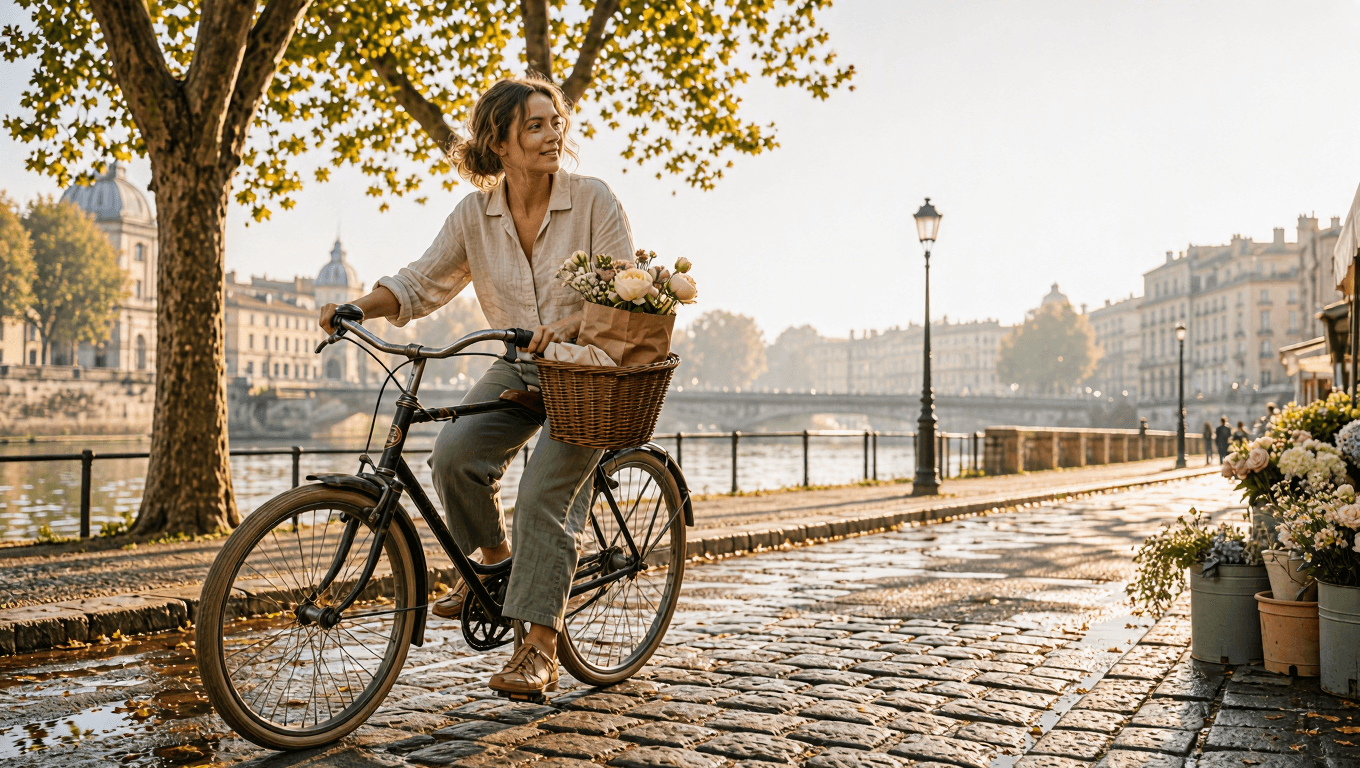
Real MAI Image 2.6 standard edit playground run-completed output retaining the rider and bicycle direction
Run-completed edit capture: preserved rider and bicycle geometry, refined street texture, and retained copy space are marked outside the generated image.
Step 3: Create a Native Vertical Social Scene with Flash
If the live standard-edit page does not expose 9:16, do not describe a forced crop as an edited output. Use Flash to generate a native vertical scene instead. Keep the same scene brief, but make the new composition visibly vertical rather than a stretched or padded copy of the horizontal draft.
plaintext1Create a genuinely native vertical 9:16 editorial travel photograph of one young adult woman riding a vintage bicycle through a quiet European riverside market in early morning. Use a slightly elevated street-level viewpoint. Show the full bicycle and both wheels, with the rider traveling diagonally from the lower-left toward the center. Extend the scene upward through the frame with plane-tree canopy, a flower stall, wet cobblestones, and a visible strip of river at the far right. Keep the rider within the lower 45 percent of the frame. Leave the upper-right 35 percent as clean, softly lit open space for later copy. Sunlight enters from the left through plane trees, casting dappled shadows across the street. Use muted sage green, warm cream, and terracotta color palette, natural fabric texture and realistic skin detail, cinematic 35mm documentary photography. Do not create a crop, resize, padded canvas, or close duplicate of a horizontal composition. Do not add text, logos, watermarks, extra people, a second bicycle, distorted hands, extra limbs, or cropped wheels.
Pick MAI Image 2.6 Flash, 9:16, and the highest verified vertical setting. Reject any output that stretches the bicycle, crops a hand or wheel, turns the image into a padded horizontal crop, or loses grounding shadows. Those are structural errors, not aesthetic preferences.
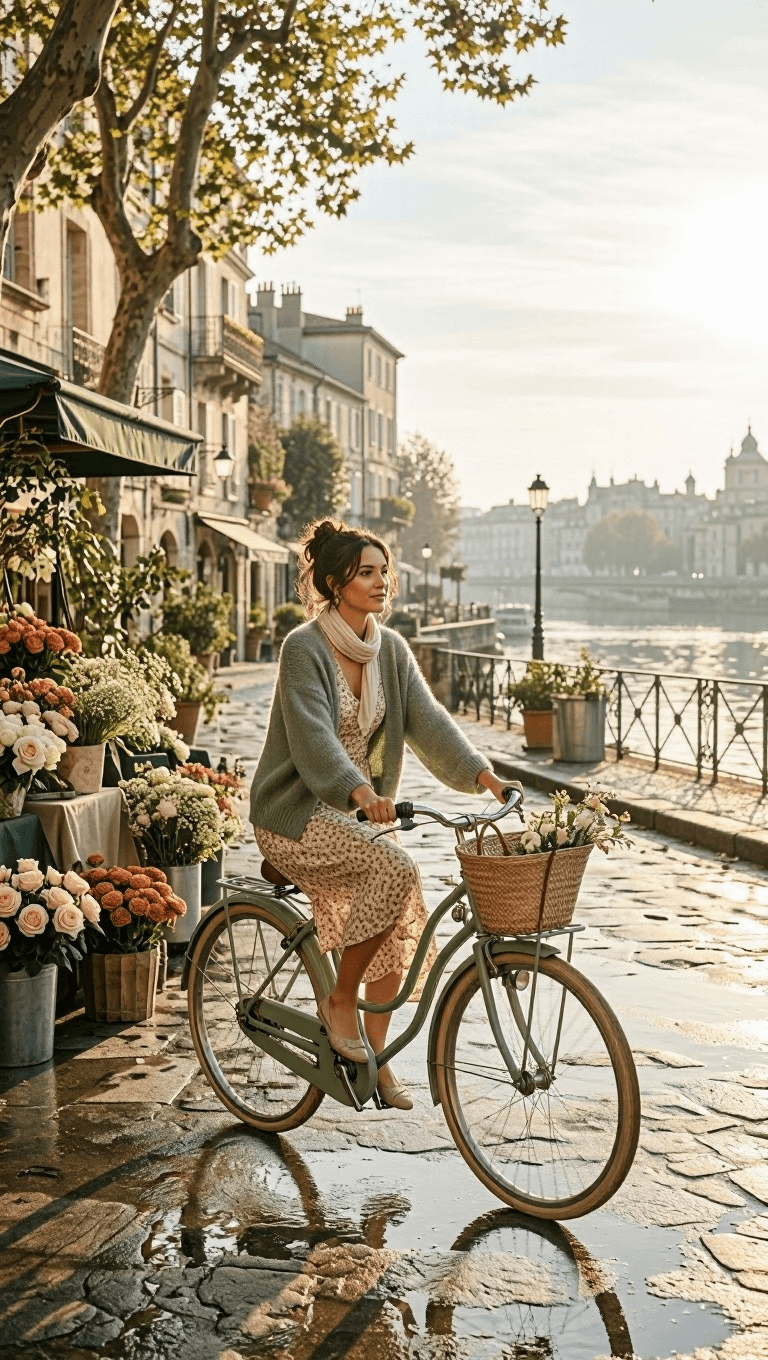
Real MAI Image 2.6 Flash playground output for a native vertical riverside cycling scene
The vertical test checks whether Flash can create an action scene natively for 9:16 without distorted movement, artificial padding, or accidental cropping.
Step 4: Run the Ceramics Workshop Reference Test
This second case tests two distinct references: an owned ceramics-workshop reference photo and a licensed adult action-pose reference. State which image controls which property. That separation gives QA a practical comparison list.
plaintext1Use reference image 1 as the source of truth for the ceramic workshop's pale green tiled wall, wood workbench, clay tools, and warm window light. Use reference image 2 only for one adult ceramic artist's leaning working posture. Create a documentary photograph of the same adult shaping a large wet clay bowl on a spinning wheel, captured mid-action as the clay rises between both hands. Preserve the workshop environment from reference 1 and the action posture from reference 2. Natural skin texture, clay-splattered linen apron, soft window light, documentary photography, 50mm lens, vertical 4:5 framing. Do not add logos, readable text, extra people, duplicate limbs, distorted hands, or a second wheel.
Pick 4:5, two reference uploads, and the page’s highest verified setting. Compare tile color, workbench, body lean, hand action, and wheel orientation against the supplied references. If two of the five drift, reject the output. Keep the original references and their permission records with the run record.
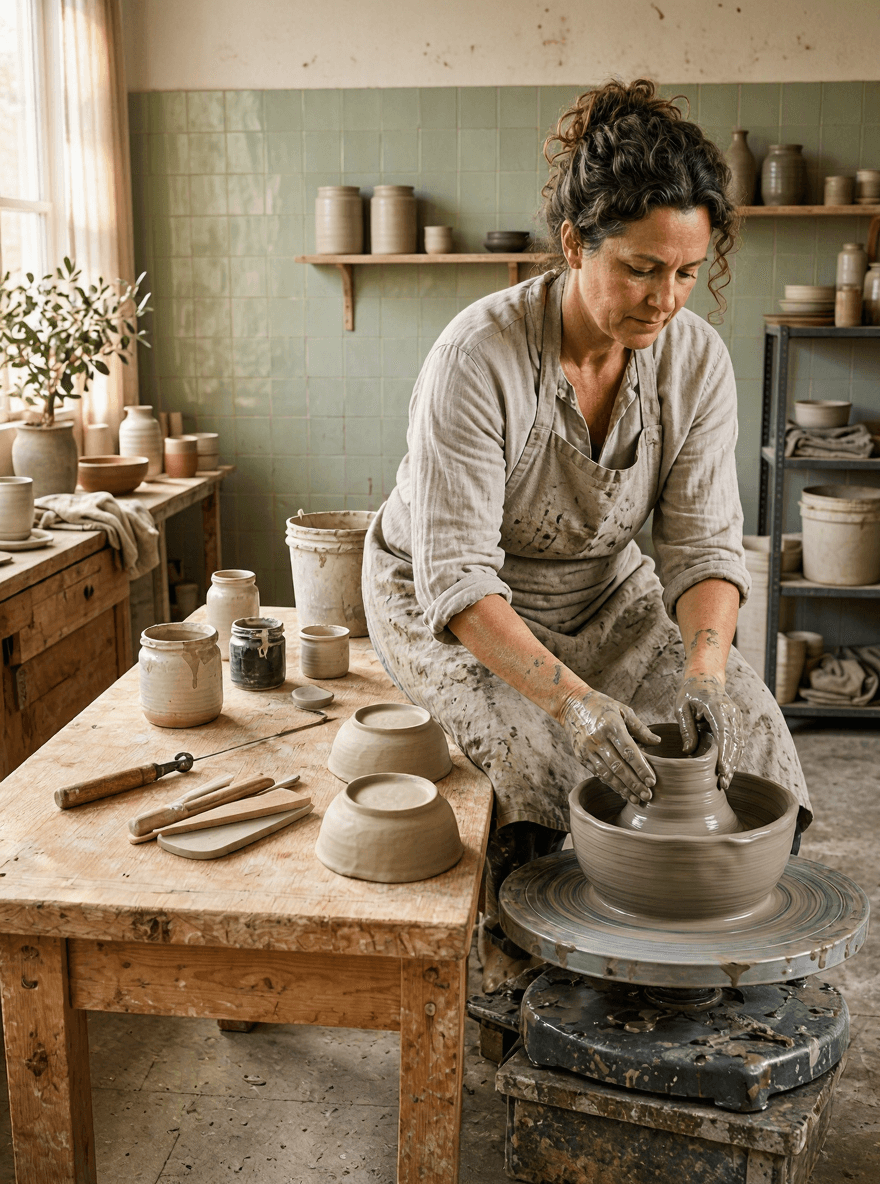
Feature demo for MAI Image 2.6 API workshop editing, showing environment and action references with a ceramics result
Feature-demo card: reference responsibilities at left, the generated workshop action at right, and the five-point scene QA at the bottom.
Step 5: Run the Paris Evening Walk Composition Test
The third case shifts from object retention to scene composition. Flash makes 3 horizontal drafts; standard refinement is reserved for the single draft that holds a readable Eiffel Tower and a usable upper-left headline area.
plaintext1Create a cinematic travel photograph of one adult traveler walking along a quiet Paris side street at blue hour, seen from behind at a natural walking pace. The Eiffel Tower is visible in the distance between elegant stone buildings, warm window lights are beginning to glow, and the deep blue sky has soft clouds. Include a subtle rain sheen on the pavement and a small out-of-focus café awning in the foreground. Use leading lines from the street, warm-cool color balance, realistic fabric movement, cinematic photographic realism, 35mm lens, horizontal 16:9 composition. Keep the Eiffel Tower clear but not oversized. Reserve clean dark-sky negative space in the upper-left third for later headline placement. Do not include logos, watermarks, prices, dates, readable text, maps, vehicles, or extra people.
Pick 16:9 and the highest verified horizontal setting. Treat the output as an atmospheric concept only. It cannot serve as a map, transit notice, event listing, or current depiction of Paris. Human review still owns any location claim that appears beside it.
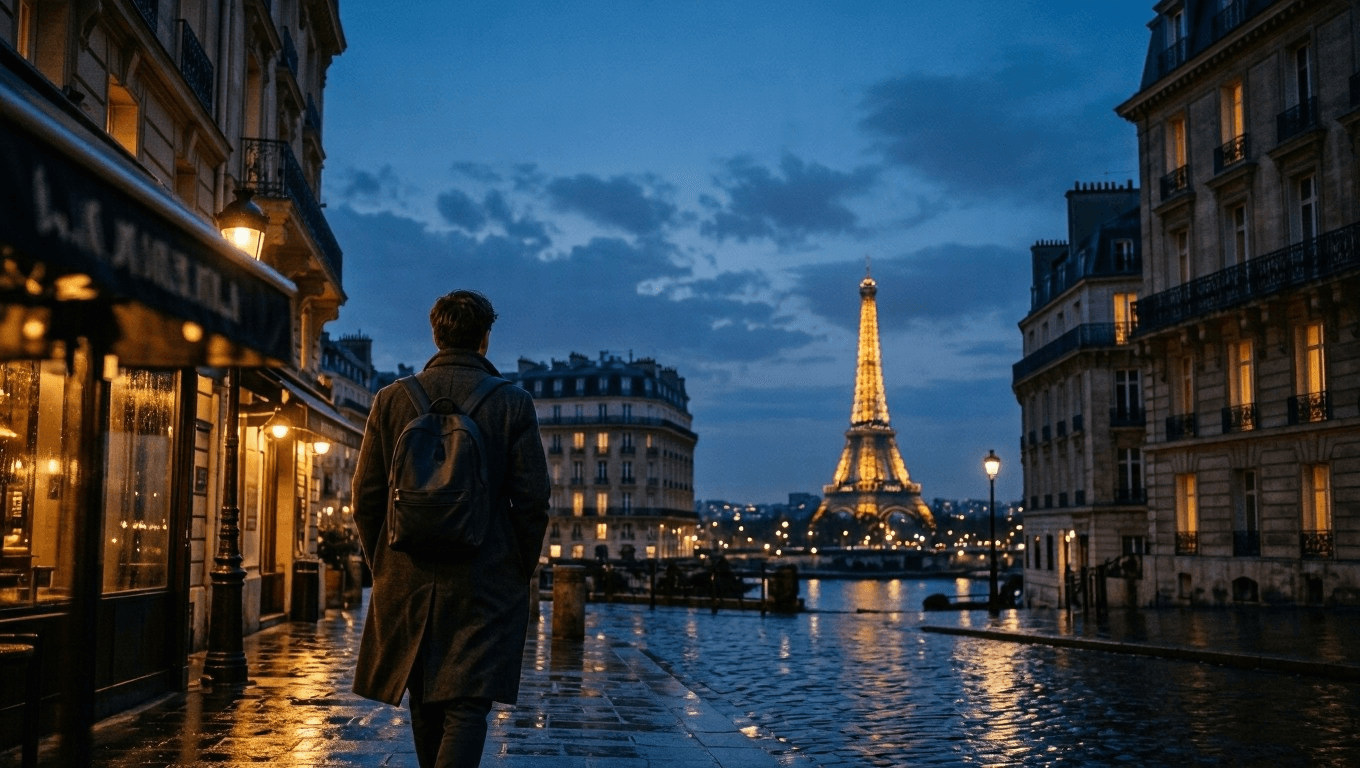
Feature demo for MAI Image 2.6 API Paris evening-walk composition, showing prompt and generated travel scene
Feature-demo card: the prompt specifies one traveler's action, landmark hierarchy, and headline space; the result is evaluated as a campaign concept, not travel information.
MAI Image 2.6 API Variations and Production QA
Three safer variations preserve a source-of-truth scene while changing only its delivery context:
- Put the same approved cyclist into another weather condition, while locking the rider, bicycle direction, and hand placement.
- Put the same approved ceramics worker into a new crop, while locking the lean, hand action, wheel orientation, and workshop details.
- Reframe the same Paris walking concept for a new ratio, while treating generated city imagery as atmosphere rather than fact.
Use this reject checklist before a creative leaves the test folder:
- For people, confirm adult status, limb count, hands, skin detail, and any implied identity.
- For action scenes, compare posture, contact points, direction of travel, props, and the scene's only intended change with an approved source.
- Add all prices, dates, discounts, certifications, trademarks, and CTAs manually after image QA.
- Upload only references you own or are allowed to use.
Move the winning prompt into your application as a versioned template. Do not hardcode a guessed MAI Image 2.6 model ID. Copy the current ID, endpoint, input field names, and limits from the live model detail page at implementation time. Save prompt_version, reference_asset_id, model, ratio, resolution, cost, and qa_verdict with every result. Before a release, check the live model route and quote rather than relying on a blog post or a stale code sample.
MAI Image 2.6 API Cost, Rights, and Deployment Notes
Fill this operational table on the publication day. It prevents a draft price from becoming a production promise.
| Cost item | Fill at publication | Verification point |
|---|---|---|
| Flash text-to-image | $X.XXXX / image, with discount terms if shown | Atlas model catalogue and Flash detail page |
| Standard text-to-image | $X.XXXX / image | Standard model detail page |
| Standard edit | $X.XXXX / image, including reference-image billing | Standard model detail page |
| Three-case actual cost | Total runs × day-of price ÷ approved assets | Run record and live quotes |
Flash can reduce exploration cost only when you cap retries and log rejects. The publishable-asset rate matters more than the lowest nominal image price. Foundry’s token-based launch prices are useful supplier context, yet they do not answer what a different provider charges per output.
Keep a short legal and safety note with the job: never present generated work as a real person's identity, a current place depiction, an event record, a certification, price, availability claim, or customer endorsement. Keep source files, permissions, and QA notes for all reference media. Follow the platform’s content rules and the advertising disclosure rules that apply where the campaign runs.
Frequently Asked Questions
What is MAI Image 2.6 API used for?
The MAI Image 2.6 API supports text-to-image and image-to-image workflows. The three cases here cover a cycling action scene, a workshop reference test, and a travel composition test. They show different production risks rather than turning one good image into a claim about every visual task.
What is the difference between MAI Image 2.6 and MAI Image 2.6 Flash?
Microsoft positions Flash for fast iteration and high-throughput work, while the standard model is its precision option for final assets and more demanding refinement. Treat that as a route-selection guideline, then test the current live implementation with your own references and QA criteria.
Does MAI Image 2.6 API support image editing?
Yes. Microsoft Foundry documents text-to-image and image-to-image for both Preview 2.6 variants. Confirm the active provider route, model ID, accepted image format, and limits before you integrate because Preview availability and product surfaces can change.
How do I keep a person and action consistent in MAI Image 2.6 API?
Start with an approved source image, list every feature to preserve, state one category of change, and compare the output with the source before publishing. In this guide, rider posture, bicycle direction, hand placement, camera relationship, and contact shadows are separate checks.
What does MAI Image 2.6 API cost?
Foundry launch pricing is token-based. Actual per-image price, reference-image billing, and discounts vary by provider and can change. Verify the live quote and calculate cost against approved assets, not total output count.
Can I use MAI Image 2.6 images in ads?
Use approved concepts only after brand, legal, and source-of-truth QA. Do not let generated visual content invent a real identity, event, location claim, certification, date, price, availability, or testimonial. That final review is part of a safe MAI Image 2.6 API production workflow.





