A useful image edit does not start over. It carries one believable moment into a new condition while the person, action, and camera relationship remain recognisable. The woman at a coffee-shop window, the gardener trimming herbs, and the hiker on a mountain path each give this guide a source scene and one deliberately limited revision.
The practical rule is simple: establish the scene once, list what cannot change, then ask for only one category of change. Light and time can change. Weather can change. The subject should not quietly become another person, gain a new prop, or move somewhere else in the frame.
Key takeaways
- Treat the source image as the reference for person, pose, wardrobe, and composition.
- Change one category at a time: time of day, weather, or atmosphere.
- Check the subject and the action before admiring the new light.
- Keep fictional scenes clearly labeled as creative concepts, not records of people, places, or events.
Why MAI Image 2.6 Scene Editing Needs a Preserve List
MAI-Image-2.6 and its Flash variant support image editing, and Microsoft describes the family as available in Public Preview. The official documentation lists text-to-image and image-editing workflows, while the launch announcement describes reference editing and flexible framing as part of the family (Microsoft Foundry documentation, Microsoft AI launch announcement).
That capability is most useful when the brief has boundaries. A vague request such as “make this cinematic” invites the model to redraw everything. A controlled request identifies the source-of-truth details first, then names the single intended difference. For a person-in-scene edit, the preserve list normally covers:
| Preserve | Change | Review after the run |
|---|---|---|
| Person, face, hair, clothing, action, camera angle | Time of day, weather, or colour temperature | Pose, hands, props, composition, and setting continuity |
| Place layout, main objects, and horizon line | Light direction and atmosphere | Whether any new objects or people appeared |
| Subject position in frame | Background conditions only | Whether the result still supports the nearby copy |
Use the current MAI Image 2.6 model page to confirm the active editing route and accepted input settings on the day you run a job. The examples below are fictional visual concepts. They are not evidence of a real location, person, weather condition, or event.
MAI Image 2.6 Scene Editing Workflow: Three Connected Cases
Each pair below begins with a source scene and ends with one constrained edit. The visual series has a shared documentary-photo feel, but every case tests a different type of continuity: time of day, weather, and warm light.
Step 1: Establish the Coffee-Shop Morning Scene
The first source fixes the woman, her charcoal knit sweater, her notebook, the ceramic cup, the table, and the window-side camera angle. These are the details that must survive the edit.
Source scene for MAI Image 2.6 scene editing: woman at a coffee-shop window on a rainy morning
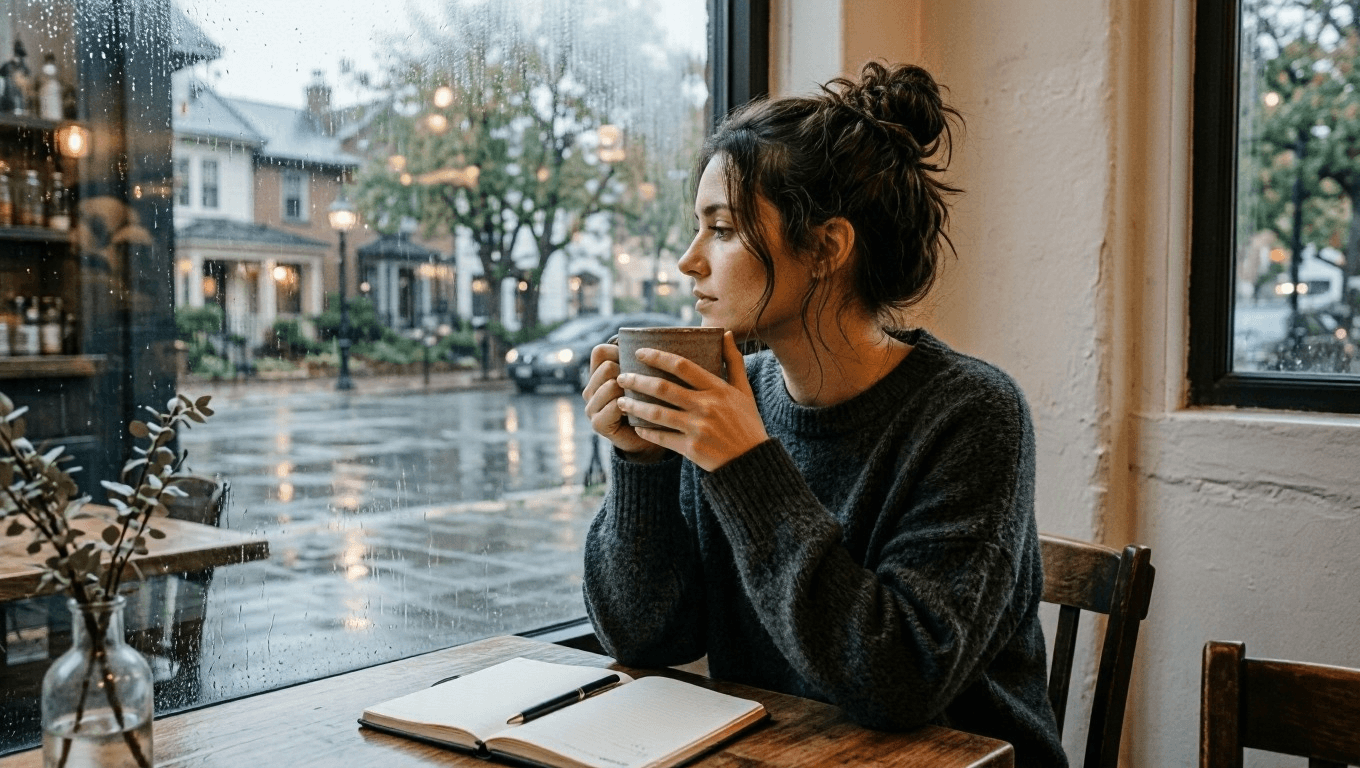
Source scene: a fictional quiet coffee-shop moment before the atmosphere changes.
Use this source prompt for a new scene:
plaintext1Create a cinematic editorial photograph of one young adult woman sitting alone beside a large window in a quiet neighborhood coffee shop at early morning. She wears a soft charcoal knit sweater, has a notebook open on the table, and holds a ceramic cup with both hands while looking out toward the rain-washed street. Warm wood tables, pale plaster walls, subtle reflections in the window, natural skin texture, soft overcast daylight, realistic documentary photography, vertical 4:5 composition. No readable text, logos, watermark, extra people, distorted hands, or duplicate objects.
Step 2: Change Only the Coffee-Shop Time of Day
Upload the approved morning image. Keep the woman, clothing, cup, notebook, table position, and camera angle unchanged. The only revision is the move from gray morning to blue-hour evening, with warmer interior lamps and a passing tram outside.
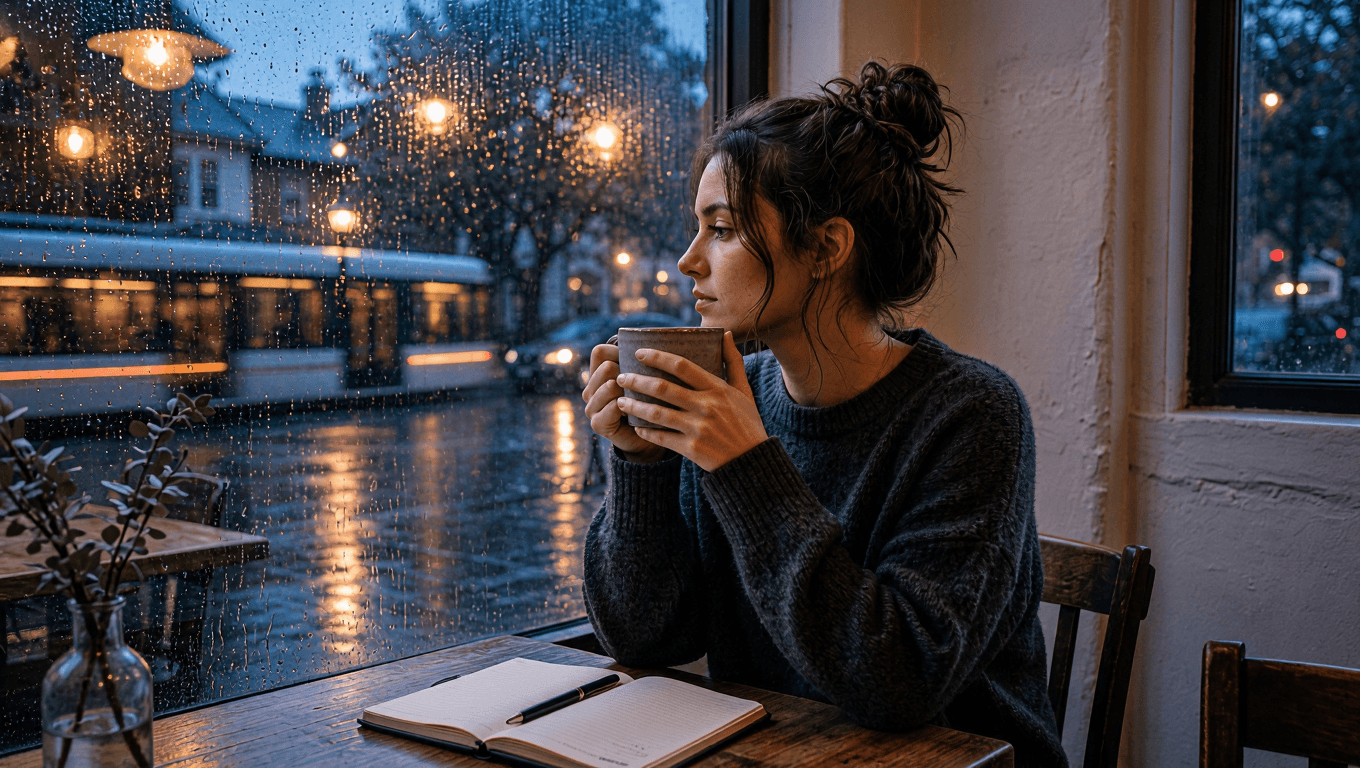 Controlled scene edit: the same woman in the coffee shop at blue hour with rain-lit street reflections
Controlled edit: the same window-side moment, now carried into a rain-lit blue hour.
plaintext1Use the uploaded image as the source of truth. Preserve the same adult woman, face, hairstyle, charcoal knit sweater, notebook, ceramic cup, seated posture, camera angle, and table position. Change only the setting and light: transform the same coffee shop into a calm blue-hour evening scene with warm pendant lights, rain droplets glowing on the window, and a softly blurred passing tram outside. Keep the woman looking toward the window. Cinematic realistic photography, vertical 4:5 composition. No text, logos, watermark, extra people, changed clothing, changed facial features, distorted hands, or duplicated objects.
Step 3: Establish the Rooftop-Garden Working Scene
The next source is about an action rather than a portrait. The gardener's kneeling posture, olive shirt, gloves, shears, raised planters, and rosemary become the preserve list. This makes it possible to judge a weather edit without losing the work being done.
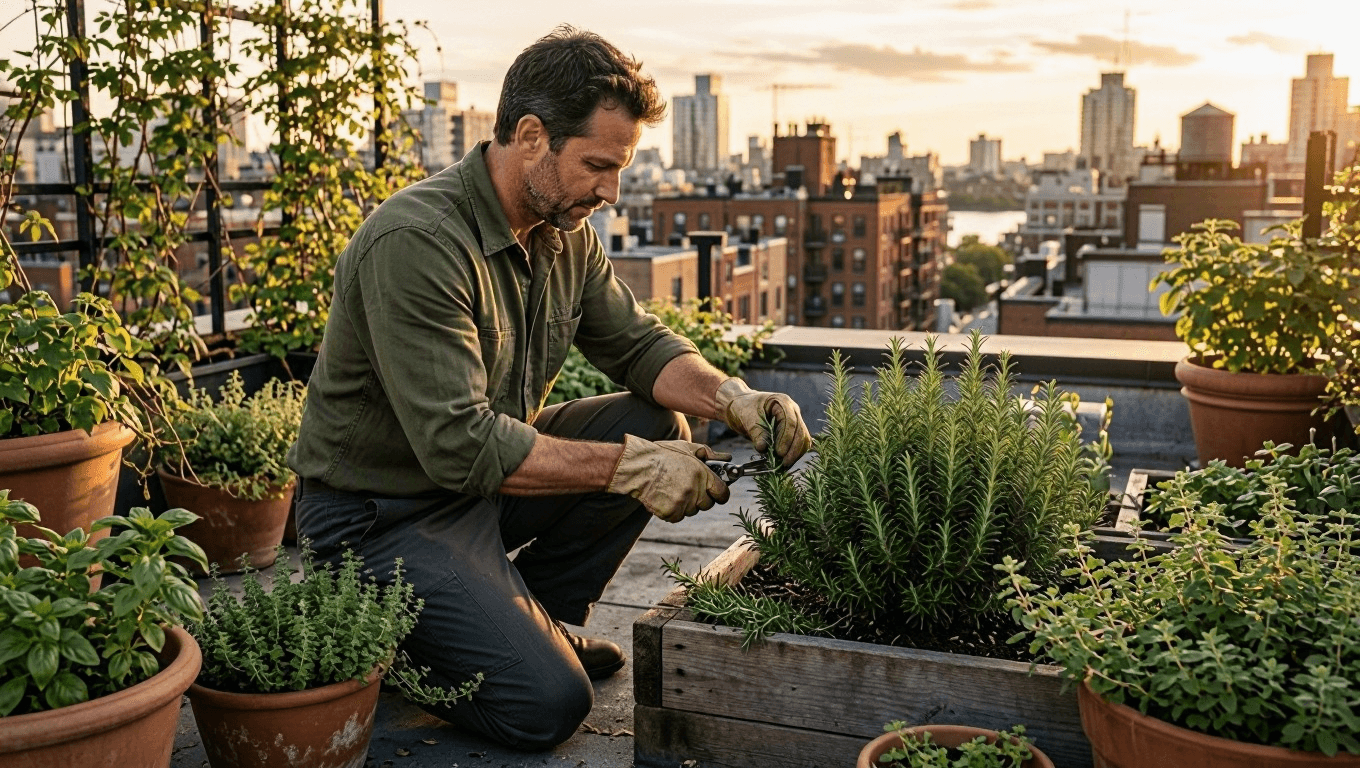 Source scene for MAI Image 2.6 scene editing: gardener trimming rosemary on a rooftop at late afternoon
Source scene: a fictional rooftop-garden task under clear late-afternoon light.
plaintext1Create a natural editorial photograph of one adult man tending herbs in a small urban rooftop garden during late afternoon. He wears an olive work shirt with rolled sleeves, dark trousers, and worn gardening gloves. He kneels beside raised wooden planters, carefully trimming rosemary with small shears. Surround him with terracotta pots, climbing vines, distant apartment rooftops, and gentle warm sunlight. Realistic fabric texture, natural skin, documentary 50mm photography, vertical 4:5 composition. No logos, readable labels, watermark, extra people, duplicate tools, distorted hands, or extra limbs.
Step 4: Make the Same Garden Just After Rain
Upload the rooftop source rather than describing a new garden. The action stays exactly the same; rain, wet leaves, and softer daylight are the only intended differences. Review the shears, hands, shirt, planters, and city layout before approving the mood.
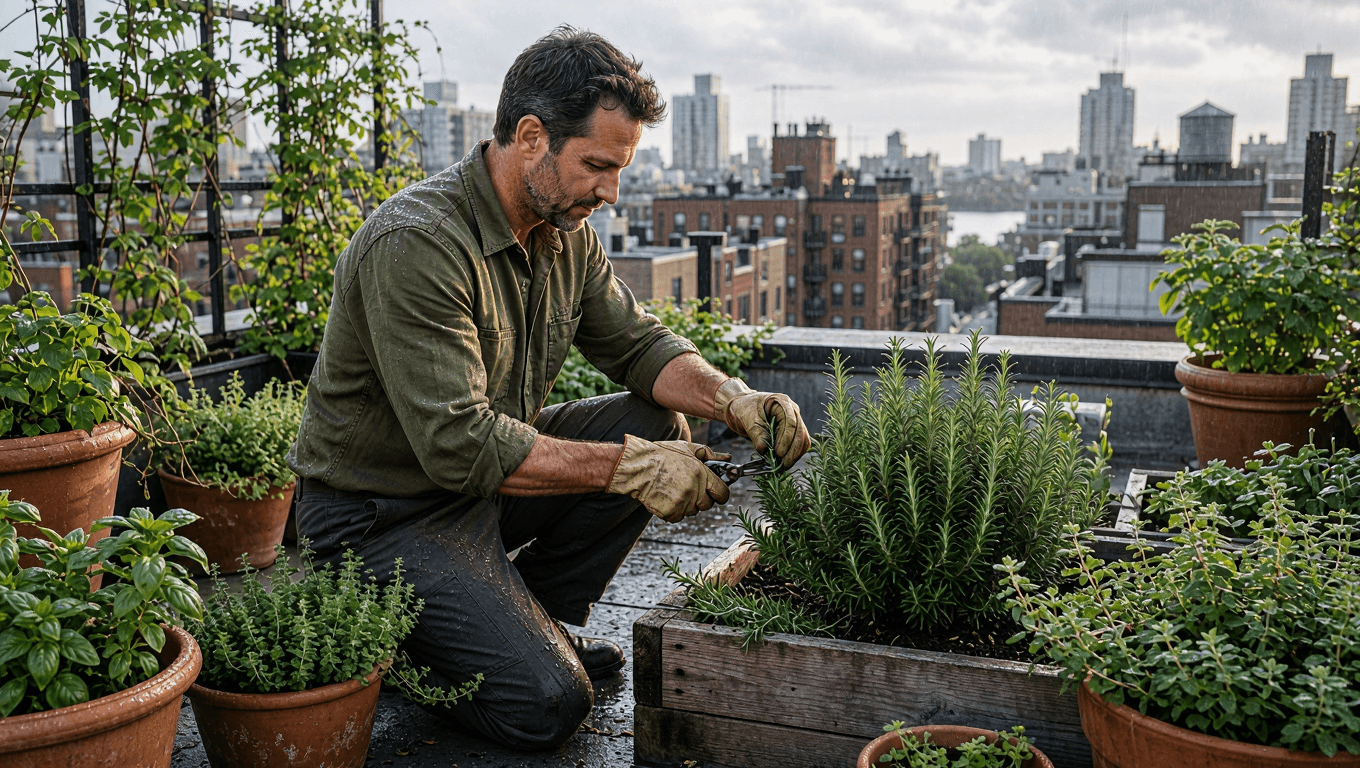 Controlled scene edit: the same gardener trimming rosemary in a rooftop garden just after rain
Controlled edit: weather changes, while the gardener, task, and rooftop geometry remain continuous.
plaintext1Use the uploaded image as the source of truth. Preserve the same adult man, olive work shirt, trousers, gloves, gardening shears, kneeling posture, rooftop-garden layout, raised wooden planters, and camera angle. Change only the weather and atmosphere: make it just after a light spring rain, with wet leaves, small water droplets on the rosemary, softened cloudy daylight, and a faint city haze beyond the rooftops. Keep the action of trimming herbs unchanged. Realistic editorial documentary photography, vertical 4:5 composition. No text, logos, watermark, extra people, changed clothing, extra tools, distorted hands, or altered pose.
Step 5: Establish the Mountain-Trail Morning Scene
For the final source, continuity is carried by route and movement. The rust-coloured windbreaker, green backpack, trekking pole, walking direction, trail, and mountain composition all need to remain stable before light is changed.
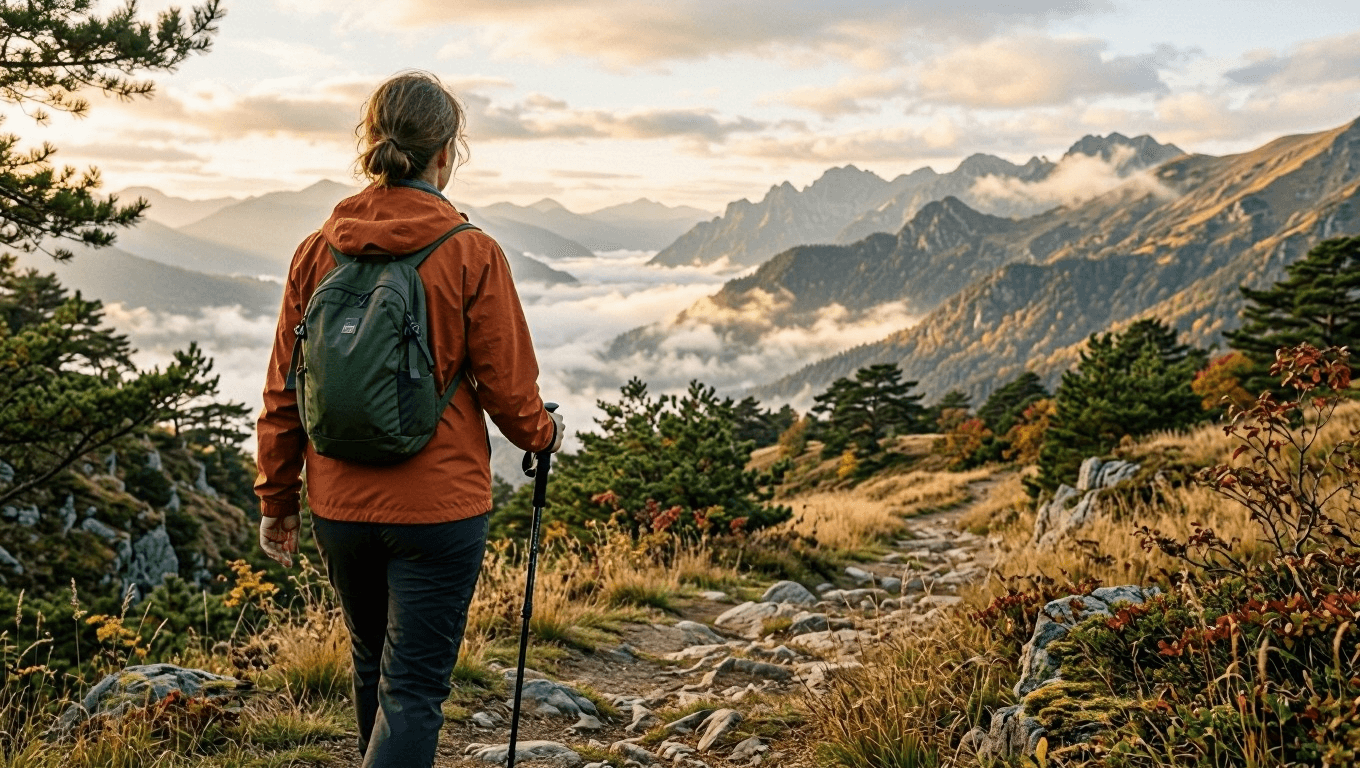 Source scene for MAI Image 2.6 scene editing: woman walking a mountain trail in early autumn morning light
Source scene: a fictional early-autumn mountain walk in soft morning light.
plaintext1Create a cinematic travel photograph of one adult woman walking alone along a narrow mountain trail in early autumn. She wears a rust-colored windbreaker, dark hiking trousers, and a small forest-green backpack. Seen from behind at a natural walking pace, she carries one trekking pole in her right hand. Golden grass, low pine trees, layered mountain ridges, and gentle morning mist fill the landscape. Natural light, realistic outdoor texture, documentary 35mm photography, vertical 4:5 composition. No logos, text, watermark, extra hikers, duplicate trekking poles, distorted limbs, or unrealistic terrain.
Step 6: Turn Morning Light into Golden Sunset
Upload the mountain source and leave the route intact. The edit should not move the hiker, replace her gear, or invent another group on the trail. It changes only the sun angle, colour temperature, horizon, and shadows.
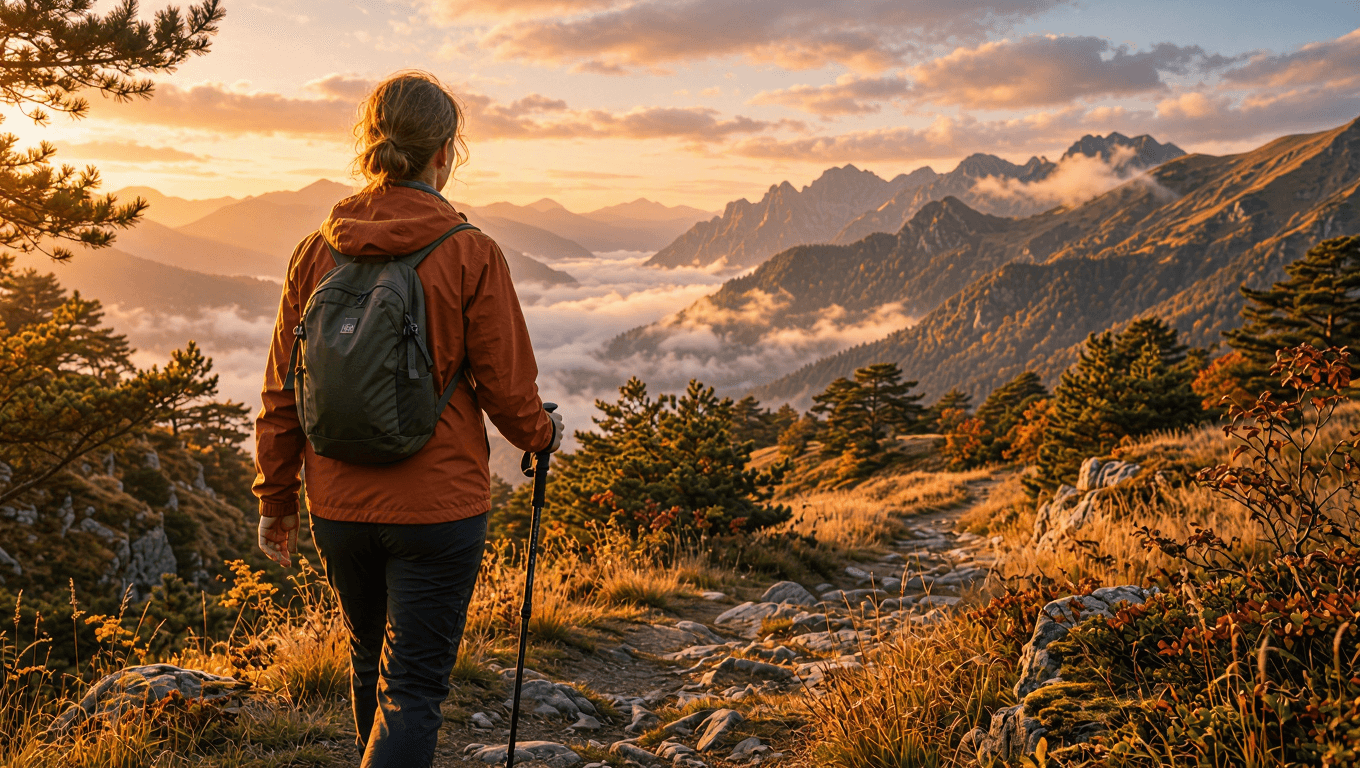 Controlled scene edit: the same hiker and mountain trail under a warm golden sunset
Controlled edit: the same route and hiker, with golden sunset light replacing the morning atmosphere.
plaintext1Use the uploaded image as the source of truth. Preserve the same adult woman, rust-colored windbreaker, dark hiking trousers, forest-green backpack, trekking pole, walking posture, trail, camera angle, and mountain composition. Change only the lighting and atmosphere: turn the early-autumn morning into a warm golden sunset, with amber rim light on the jacket and grass, long soft shadows across the trail, and a glowing peach-colored horizon behind the mountain ridges. Keep the subject walking in the same direction. Cinematic realistic travel photography, vertical 4:5 composition. No text, logos, watermark, extra hikers, changed clothing, altered backpack, duplicate limbs, or distorted terrain.
FAQ
What is MAI Image 2.6 scene editing useful for?
It is useful when a creative team wants to retain a person, action, or composition while testing one revised condition. The coffee-shop, garden, and mountain examples show how a time-of-day, weather, or lighting revision can be reviewed against a stable source.
Should I generate a new scene or edit an existing one?
Start a new scene when you are still deciding on the person, place, action, and framing. Use an edit when those foundations are already approved and only one creative variable needs to move.
How do I stop an edit from changing the person?
Upload the approved source, list the person, clothing, pose, props, and camera angle as preserve requirements, then name one category of change. Review the actual output instead of treating the prompt as a guarantee.
Can a generated scene document a real place or event?
No. Treat it as a creative concept. Do not present generated people, weather, locations, events, or travel conditions as factual evidence.
For model availability and current controls, use the MAI Image 2.6 page on Atlas Cloud and verify the selected route before production use.





