Everyone does the same thing on day one. You open the duration dropdown, you see 15, and you start dividing. Ten-minute film? Forty generations. Three-minute explainer? Twelve. Then you look at the number that division produces, close the tab, and decide the model is not ready for anything with a story in it.
I did the division too. Then I ran ffmpeg over nine real H3 clips and found something that made the whole calculation look silly.
One of those clips is 15.10 seconds long. Inside it, the scene detector flags ten clean cuts. Ten. Different wardrobe, different framing, different backdrops, full-frame type cards, all inside a single generation that cost the price of one generation. If I had planned that clip the way the division implies, one generation per shot, I would have paid ten times as much for the same fifteen seconds.
The division is the mistake. The cap is not a stopwatch, it is a container, and almost nobody is filling it.
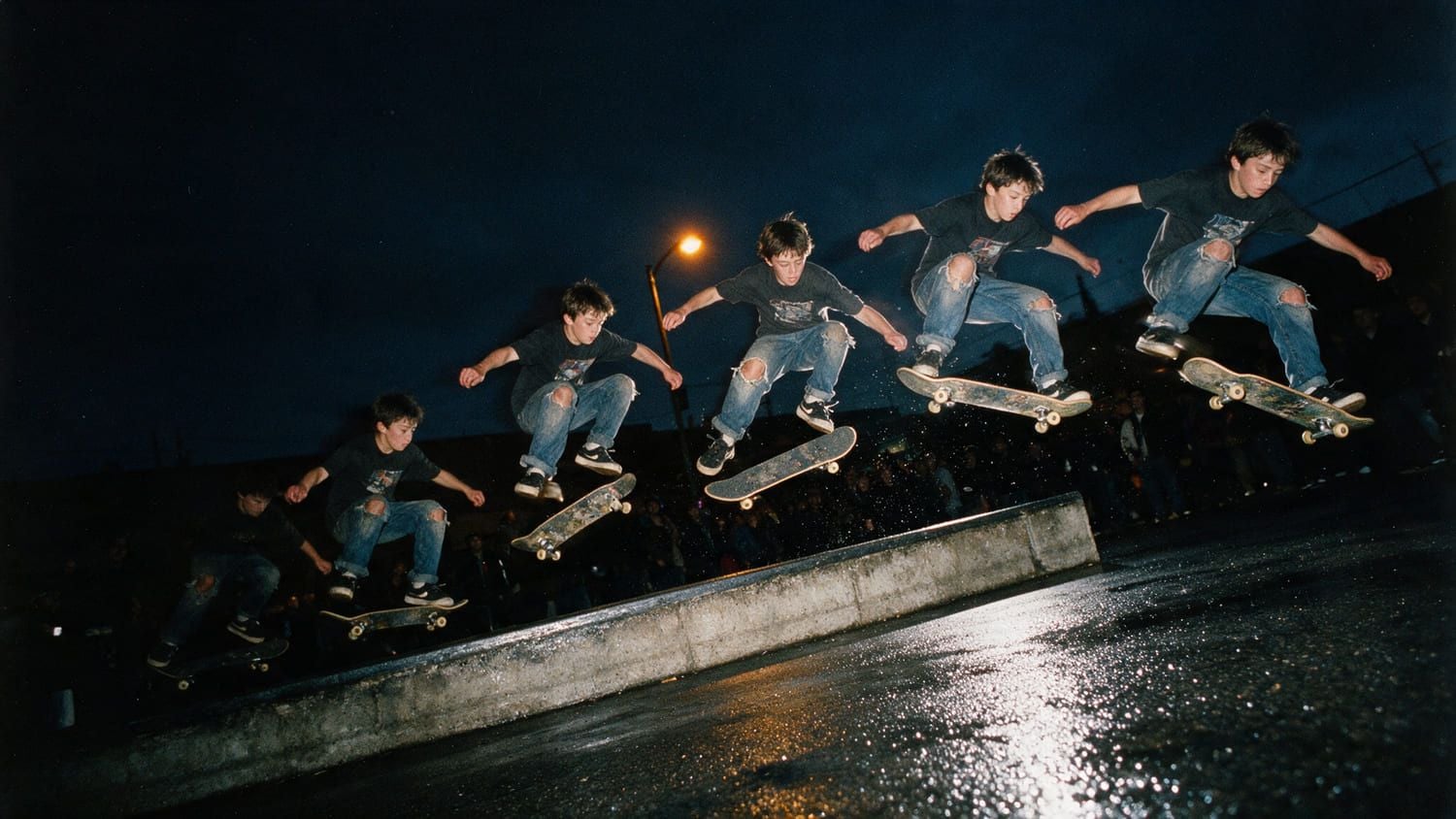
A skateboarder mid-trick captured as a strobe sequence, many distinct positions frozen inside one single frame
One frame, many moments. That is the mental model the duration dropdown talks you out of.
Key takeaways
- The
durationparameter accepts whole integers from 4 to 15 only. Default is 8. There is no 7.5, and no value above 15. - Every clip comes back 24 FPS, up to native 2K, with stereo audio generated in the same pass as the picture.
- Your "15 second" clip is actually 362 frames, which is 15.083 seconds. Durations snap up to a 17-frame grid, and only
duration: 8lands on a whole second. - One generation can hold many shots. Write
SHOT 1 / CUT TOinto the prompt and the model cuts for you, at no extra cost. - There is no extend parameter in the API. You get past 15 seconds by chaining: last frame into next first frame, reference images to hold the look, then a hard concat.
Watch 45 Seconds of MiniMax H3 Video Length, Built From Three Clips
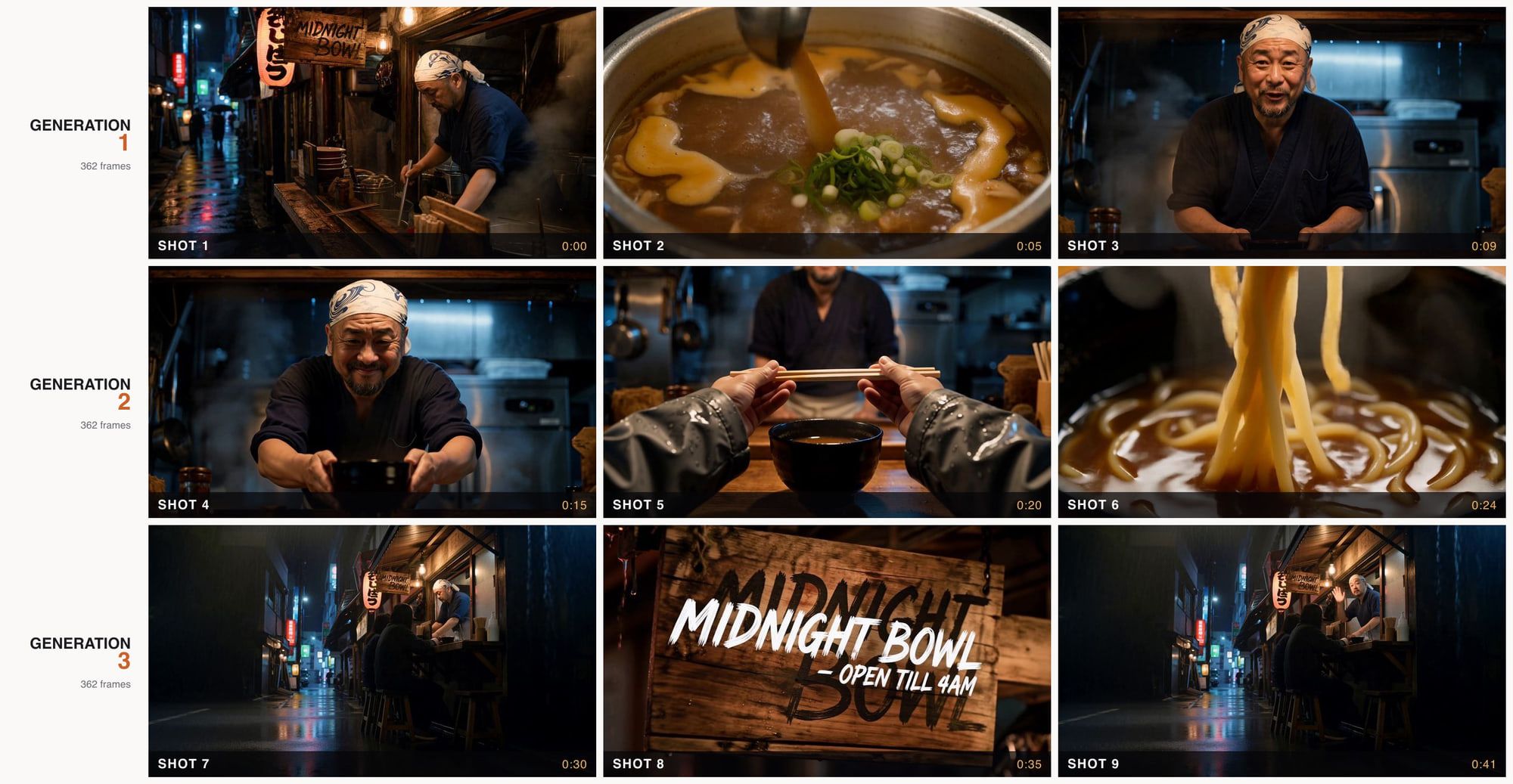
Before any theory, here is the thing itself. A 45 second noodle-stall spot called MIDNIGHT BOWL. Three generations, fifteen seconds each, three shots inside every one of them. Nine shots, one continuous piece of narrative, no dissolves hiding the joins.
The full 45 second cut. Three MiniMax H3 generations concatenated with no transition effects. The chef, the apron, the bulb and the hand-painted sign survive two handoffs.
Nine frames from the MIDNIGHT BOWL spot arranged as a 3x3 contact sheet, labelled SHOT 1 to SHOT 9 with timecodes
Nine shots, three generations. Every row is one generation, every column a cut the model made on its own. Shots 3 and 4 rhyme because generation 2 starts from generation 1's final frame, which is exactly what makes the seam invisible.
Three generations. Not nine. That gap is the entire point of this article.
I did not hand-cut any of it. I asked each generation for three timecoded shots, and ffmpeg's scene detector found the cuts sitting at 4.9s and 9.1s in the first, 4.9s and 9.0s in the second, 5.3s and 11.0s in the third. Nine shots, three invoices.
Why MiniMax H3 Video Length Wrecks Long-Form Plans
The number itself is fine. Fifteen seconds at the top of the range is generous for this generation of models, and the clips are 2K with real stereo sound attached. What wrecks people is the unit they plan in.
If you budget in seconds, a one-minute piece is "four clips" and a ten-minute piece is "forty clips," and forty clips of anything is a nightmare of continuity work. If you budget in shots, a one-minute piece is four generations holding roughly twelve shots, which is a normal amount of coverage for a commercial. Same model, same cap, completely different production plan.
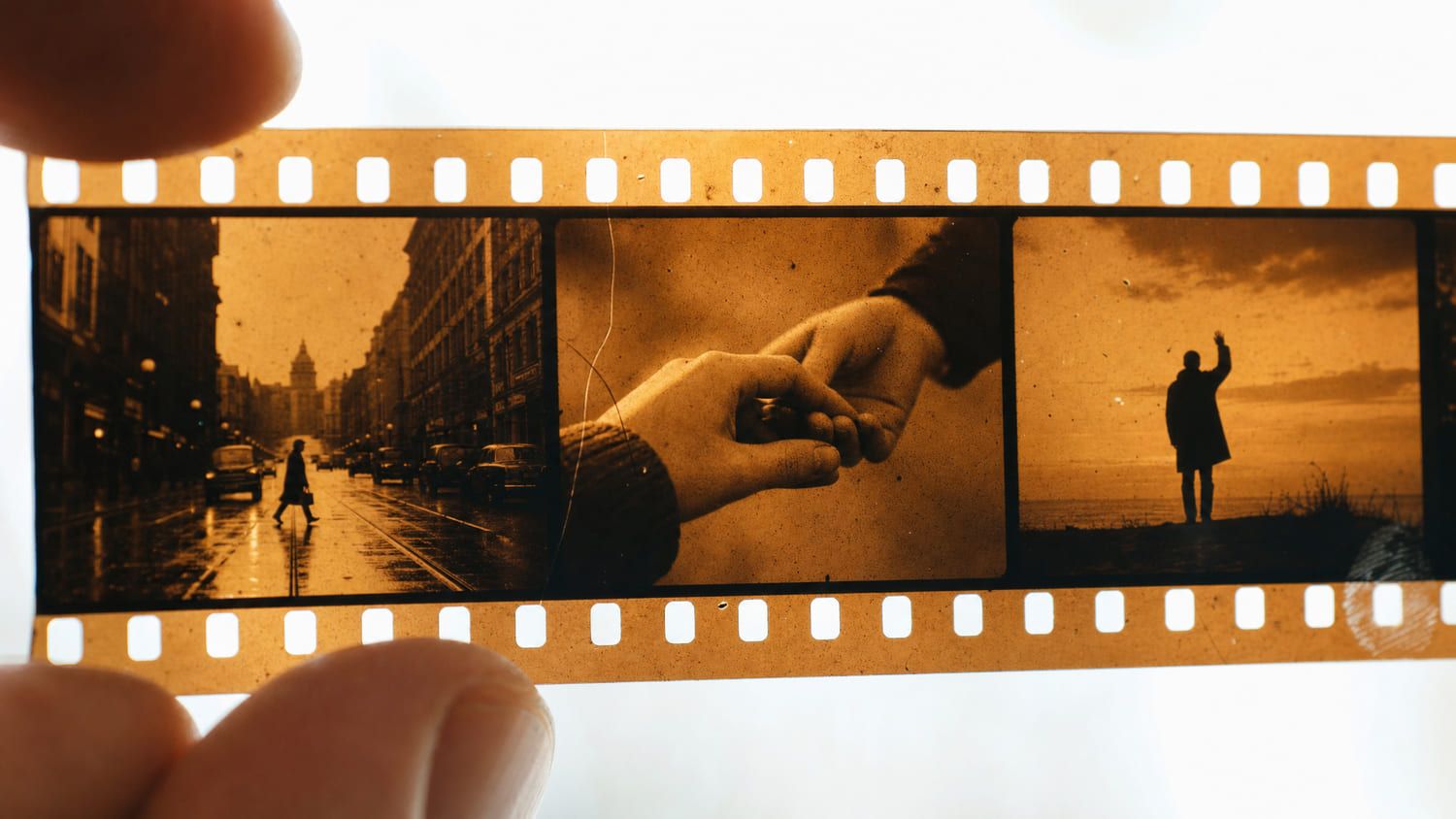
Retro flat poster illustration of a single strip of 35mm film in which three consecutive frames each hold a completely different scene
Budget in shots, not seconds. One billed strip, three different scenes inside it.
There is a second thing that breaks long-form plans, and it is not the cap at all. It is the seams. Individual clips almost never fall apart in the middle. They fall apart at the joins, because each generation invents its own audio bed and drifts slightly on wardrobe and light. Plan for the seams and 45 seconds is easy. Ignore them and four perfect clips still look like four clips.
What MiniMax H3 Video Length Really Is: 4 to 15 Whole Seconds on a 17-Frame Grid
Start with the spec, because two different numbers are circulating. The live API schema for all three H3 endpoints on Atlas Cloud lists duration as an enum of exactly 4, 5, 6, 7, 8, 9, 10, 11, 12, 13, 14, 15, with a default of 8. Whole integers, nothing fractional, nothing past 15. Launch coverage matches that reading: 2K output, 4 to 15 seconds, integer durations only (MarkTechPost, August 2026). MiniMax's own launch post describes it as up to 15 seconds at 2K with native stereo sound (MiniMax, August 2026).
You will still see "5 to 15 seconds" written in various profile blurbs and quickstarts, including some on-platform copy. Treat the schema enum as the truth. The floor is 4, and I have billed 4 second clips to prove it.
Now the part almost nobody mentions. Ask for 15 seconds and you do not get 360 frames. You get 362.
H3 builds video in 17-frame blocks and snaps your requested duration up to the next 17k + 5 frame count at 24 FPS. That grid is documented in ComfyUI's official H3 tutorial (ComfyUI Docs, 2026), and it holds on the API side too. I counted frames on nine real H3 files with ffmpeg:
text1ffmpeg -i video-1.mp4 -map 0:v:0 -c copy -f null - 2>&1 | tail -1 2# frame= 362 ... 3# Duration: 00:00:15.10, 1280x720, 24 fps 4
Every 15 second file came back at 362 frames. Every 10 second file came back at 243. The three fresh generations I ran for this article came back at 362 as well, and the 4 second rehearsal in Step 5 came back at 107. Run those through the grid: 362 is 17x21+5, 243 is 17x14+5, and 107 is 17x6+5. The formula predicted all three exactly, which is the kind of agreement that makes me trust the rest of the table.
| duration | Frames delivered (17k+5) | Real length at 24 FPS | Lands on a whole second? | Source |
|---|---|---|---|---|
| 4 | 107 | 4.458 s | No | Measured |
| 5 | 124 | 5.167 s | No | Grid |
| 6 | 158 | 6.583 s | No | Grid |
| 7 | 175 | 7.292 s | No | Grid |
| 8 | 192 | 8.000 s | Yes | Grid |
| 9 | 226 | 9.417 s | No | Grid |
| 10 | 243 | 10.125 s | No | Measured |
| 11 | 277 | 11.542 s | No | Grid |
| 12 | 294 | 12.250 s | No | Grid |
| 13 | 328 | 13.667 s | No | Grid |
| 14 | 345 | 14.375 s | No | Grid |
| 15 | 362 | 15.083 s | No | Measured |
Three things fall out of that table.
duration: 8 is the only value in the whole range that gives you a clean whole second, and it happens to be the default. That is not a coincidence, it is 17x11+5 = 192 = 8 x 24 exactly.
Ask for 6 and you are handed 6.583 seconds, more than half a second of free picture. Ask for 13 and you get 13.667. The grid always rounds up, never down, so you are never short.
And if you are cutting to music or matching a frame-accurate edit, never compute your timeline as duration x 24. Measure the file. A 40-clip project planned on the assumption of whole seconds is off by nearly four seconds by the end.
Ten Cuts Inside One 15-Second MiniMax H3 Generation
Here is the clip I mentioned at the top. One generation, 362 frames, 15.10 seconds in the container. It is a fashion kinetic-type piece, and it behaves like an edited music video rather than a single take.

One single MiniMax H3 generation. Wardrobe changes, framing changes, split screens and full-frame type cards, all inside one 15 second job.
I ran ffmpeg's scene detector over it rather than counting by eye:
text1ffmpeg -i video-5.mp4 -vf "select='gt(scene,0.6)',showinfo" -f null - 2# 18 breaks flagged, at 1.54 2.88 3.63 4.21 5.54 5.83 6.92 8.88 11.17 13.00 ... 3
Ten of those are clean shot changes across the first thirteen seconds. The tail is a strobing title card flickering on black, which inflates the raw count, so ten is the conservative honest number. Either way it is not one shot, and it is not three.
Now the control case, because "H3 always chops your clip into pieces" is the opposite failure and just as wrong. This next file is also a single 15 second generation, also 362 frames, and the same detector finds exactly zero cuts in it.
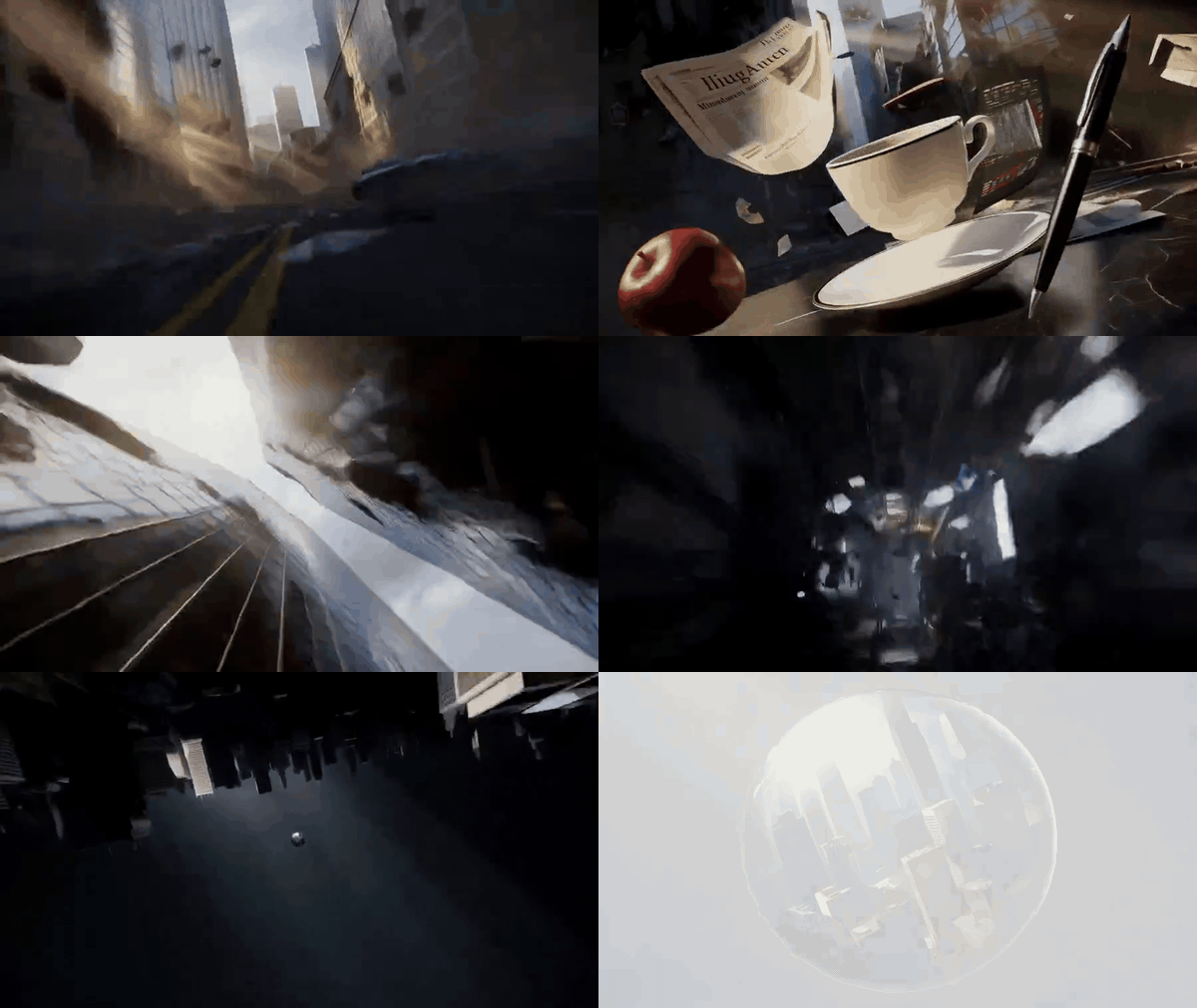
A different single generation, same 362 frames, zero detected cuts. One continuous camera move for the full fifteen seconds.
So the cap is not "fifteen seconds of footage." It is fifteen seconds of screen time that you get to subdivide however you like, from one unbroken take to ten cuts. You control it from the prompt, and you pay the same either way.
The Three Endpoints Behind MiniMax H3 Video Length, in One Tab
Getting past fifteen seconds needs three different jobs: something to make an anchor frame, something to animate and chain, and something to move the camera without losing the subject. On Atlas Cloud all four live in the same catalogue with one key and one balance, which matters here mostly because the chain in the next section hands files between them repeatedly.
| Step | Model | Job in this build | Length range | Listed rate, 4 Aug 2026 |
|---|---|---|---|---|
| Anchor frame | openai/gpt-image-2/text-to-image | One still that defines the whole look | n/a | $0.1745 for my run at high |
| Opening, no still needed | minimax/h3/text-to-video | Straight from prompt to clip | 4 to 15 s, default 8 | $0.14 / sec |
| Generations 1 and 2 | minimax/h3/image-to-video | Animate a first frame, then chain off a last frame | 4 to 15 s, default 8 | $0.14 / sec |
| Generation 3 | minimax/h3/reference-to-video | New camera position, same subject | 4 to 15 s, default 8 | $0.14 / sec |
All three H3 endpoints carry no discount right now, so the rate is the rate. You can confirm any of it on the full model catalogue.
Three parameter traps worth knowing before you write a single request, all taken from the live schemas rather than the docs prose:
ratiobehaves differently on each endpoint.text-to-videooffers six ratios and defaults to1:1, which will quietly hand you a square clip if you forget to set it, and it does not acceptadaptiveat all.image-to-videooffers onlyadaptive, so framing follows your first frame.reference-to-videois the only one with the full set plusadaptive.resolutionis768Por2K, defaulting to2K. Both tiers sit under a single listed per-second rate in the catalogue, so dropping to 768P does not save you money. Use 2K.image-to-videoalso takes an optionalend_image. You can pin both ends of a clip, not just the start. That turns the chaining trick below into something you can steer from both directions.
How to Beat the MiniMax H3 Video Length Limit, Step by Step
This is the full MIDNIGHT BOWL build. Every prompt below is the one I actually sent, copy them verbatim. Total runtime is three H3 generations plus one still, and the whole thing is reproducible in a browser tab.
Step 1: Lock the Look in One Anchor Frame
Do not start with video. Start with one still you genuinely like, because every clip in the chain will inherit its light, its wardrobe and its signage. Getting this wrong is expensive; getting it right costs cents.
Model: openai/gpt-image-2/text-to-image. Settings: quality high, ratio 16:9.
text1Film still, 2am at a narrow Tokyo back-alley noodle stall. A 50-year-old chef in a navy apron and white bandana leans over a steaming stockpot behind a scratched wooden counter, sleeves rolled to the elbow, forearms lit hot orange by a single hanging bulb. Rain-slick asphalt reflects red and green signage; paper lanterns and a hand-painted wooden sign reading "MIDNIGHT BOWL" hang above the counter. Steam rolls across the frame from camera right. Shot on a 35mm lens at f/2, shallow depth of field, deep shadows, warm tungsten key against cool blue night, visible fine film grain, no text overlays. 2
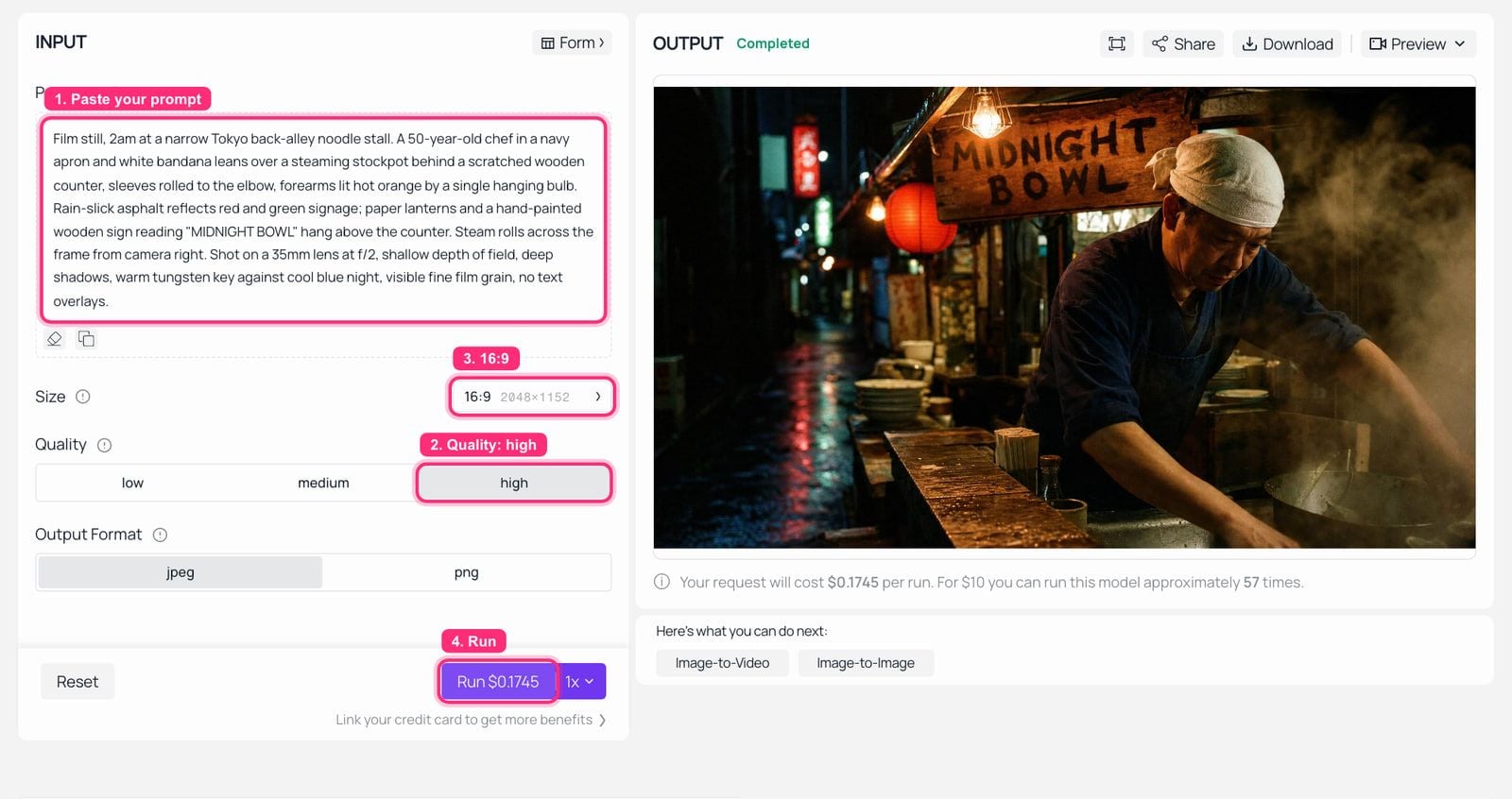
GPT Image 2 playground on Atlas Cloud with the MIDNIGHT BOWL anchor prompt filled in and the finished still in the output panel
GPT Image 2 on Atlas Cloud: quality set to high, 16:9, the anchor frame rendered on the right.

The MIDNIGHT BOWL anchor frame: a chef in a navy apron behind a steaming stockpot under a single hanging bulb in a rainy back alley
The anchor frame. Everything downstream inherits this bulb, this apron and this sign.
Step 2: Put Three Shots Inside One 15-Second MiniMax H3 Generation
Here is the move that changes the budget. Instead of asking for one continuous fifteen seconds, hand the model a shot list with explicit timecodes and the words CUT TO. It will cut for you, inside one billed generation.
Model: minimax/h3/image-to-video. Settings: resolution 2K, duration 15, ratio adaptive (the only option here, framing follows your first frame), first frame = the Step 1 still.
text1SHOT 1 (0-5s): Locked-off wide of the stall. Steam billows; the chef ladles broth into a black bowl; rain drips off the awning edge. SHOT 2 (5-10s): CUT TO a macro close-up of the ladle breaking the broth surface, golden fat swirling, chopped scallion falling in slow arcs. SHOT 3 (10-15s): CUT TO a medium shot of the chef looking straight into the lens, wiping his hands on the apron, and saying in Japanese with a tired smile: "Ippai, dozo." He sets the bowl down on the counter and the shot holds on his face. 2Audio: heavy rain on the awning, broth simmering, the ladle knocking the pot rim, a distant train, low late-night city hum. One line of clear male Japanese dialogue, natural room tone, no music. 3Keep the same chef, apron, bandana, bulb and signage in all three shots. Hard cuts only, no dissolves, no camera whip transitions. Warm tungsten key, cool blue night, 35mm look, film grain. 4
Three things make this work. Explicit second ranges, the literal string CUT TO, and a continuity clause at the bottom that names every element that must survive the cuts. Drop the continuity clause and shot 3 comes back with a different apron.
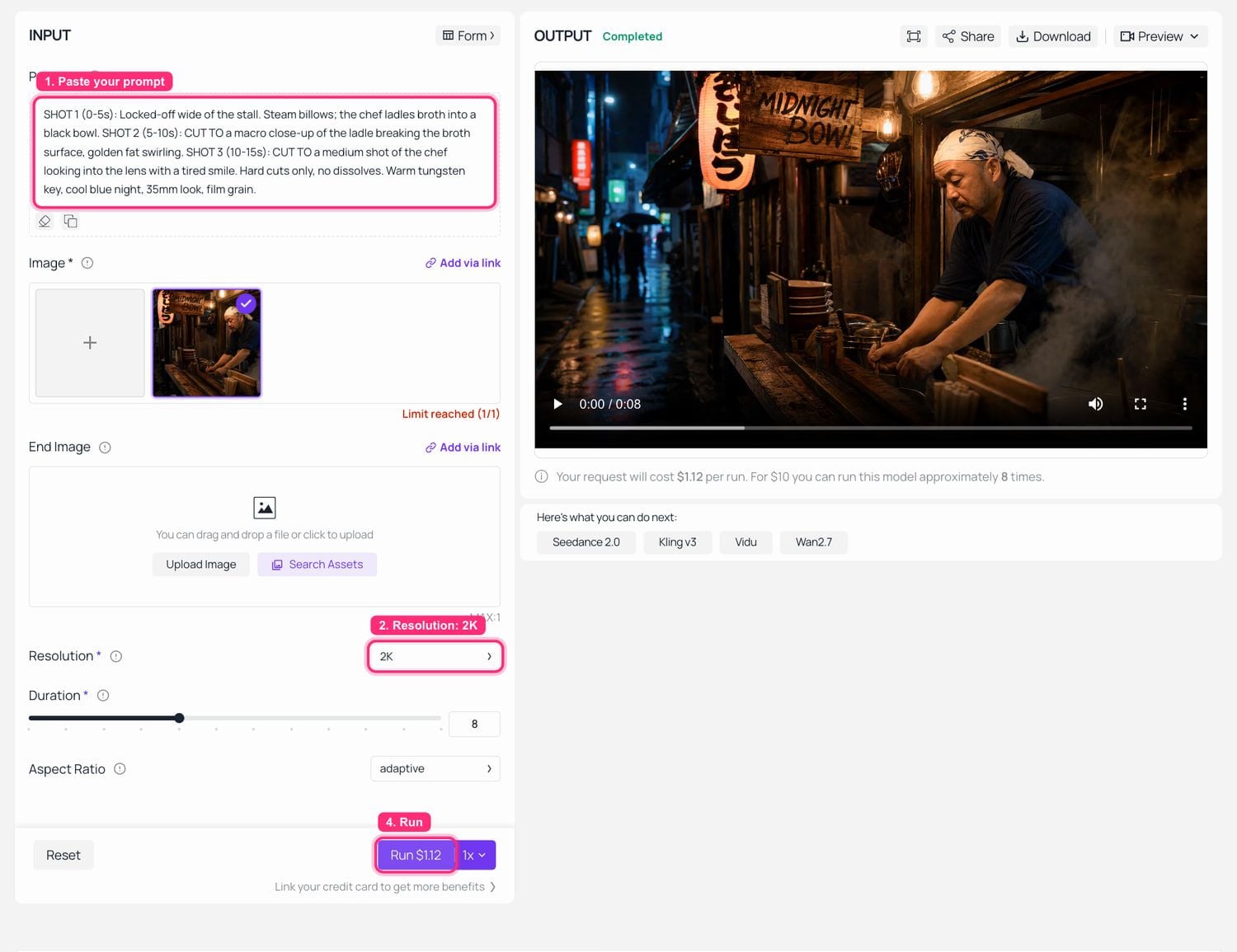
MiniMax H3 image-to-video playground on Atlas Cloud with the anchor frame loaded, duration 15 and 2K selected, the finished clip playing in the output panel
MiniMax H3 image-to-video on Atlas Cloud: anchor frame loaded as the first frame, resolution 2K, the finished clip on the right. Note the Duration slider and the price that tracks it. This particular run left duration on the default 8, which is why the button reads $1.12; at 15 it reads $2.10.
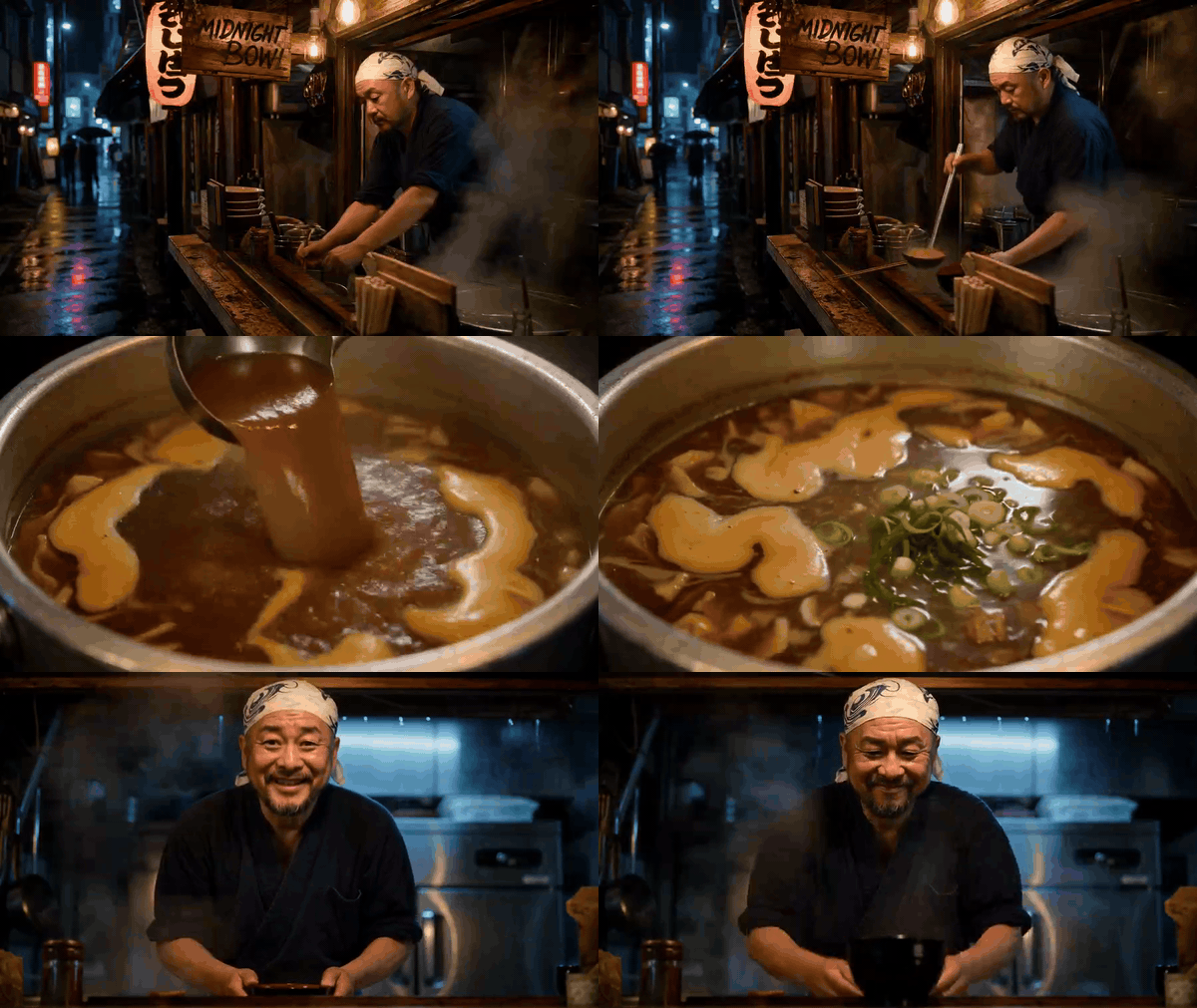
Generation 1. One billed job, three shots (cuts measured at 4.92s and 9.13s), one line of dialogue with lip sync, native 2560x1440, and 32 kHz stereo audio in the same file.
Step 3: Chain the Next 15 Seconds Off the Last Frame
There is no extend parameter. The chain is manual and it is trivial: pull the final frame of generation 1 and feed it back in as the first frame of generation 2.
bash1ffmpeg -sseof -0.08 -i generation-1.mp4 -frames:v 1 -q:v 2 handoff-frame-01.jpg 2
Model: minimax/h3/image-to-video again. Settings: first frame = handoff-frame-01.jpg, resolution 2K, duration 15, ratio adaptive.
The important discipline here is what you leave out. Do not describe the chef again. He is already in the pixels you just handed over, and re-describing him gives the model permission to reinterpret him.
text1Continue from this exact frame, same man, same apron, same light. SHOT 1 (0-5s): He slides the bowl across the counter with both hands toward camera. SHOT 2 (5-10s): CUT TO over-the-shoulder of a customer's hands lifting wooden chopsticks and splitting them, sleeve cuffs of a wet grey raincoat visible. SHOT 3 (10-15s): CUT TO an extreme macro noodle pull, steam curling up past the lens, broth dripping back into the bowl. 2Audio: continuous rain and simmering carried over from before, ceramic on wood, chopsticks snapping, a slurp, the same distant train. No music, no narration. 3Hard cuts only. Same tungsten key from the hanging bulb, same cool blue night behind, same 35mm shallow depth of field and film grain. 4

Generation 2, started from the last frame of generation 1. Same chef, same bandana pattern, same navy top, same kitchen behind him. Three shots again, cuts at 4.92s and 9.04s.

Two-second loop across the seam between generation one and generation two
The seam itself: last second of generation 1 into the first second of generation 2. No transition effect, just a cut.
Step 4: Move the Camera With Reference-to-Video
Last-frame chaining has one built-in limitation: it always resumes from where the previous camera was standing. To jump to a genuinely new angle while keeping the same subject, switch endpoints.
Model: minimax/h3/reference-to-video. Settings: refers = the Step 1 anchor frame plus the last frame of generation 2, resolution 2K, duration 15, and set ratio explicitly to 16:9 here rather than leaving it on adaptive. This endpoint accepts up to nine reference images, three reference videos and three audio clips, with reference video capped at 15 seconds total (MarkTechPost, August 2026).
text1Wide low-angle shot from the middle of the wet street looking back at the same noodle stall, the same chef inside it. SHOT 1 (0-6s): Rain streaks through the frame; two silhouetted customers sit at the counter; the chef works under the single bulb. SHOT 2 (6-11s): CUT TO the hand-painted wooden sign as kinetic white type animates on beside it, letter by letter: "MIDNIGHT BOWL - OPEN TILL 4AM". Type stays razor-sharp and locked to the sign as the camera drifts. SHOT 3 (11-15s): CUT BACK to the wide as the chef looks up, raises one hand in a small wave, and the bulb flickers once. 2Audio: rain, street ambience, a scooter passing, the same faint train, a single low sub hit as the type lands. No dialogue. 3Same chef, same apron and bandana, same signage and lantern colours as the reference images. Hard cuts only, film grain, 35mm, warm tungsten against cool blue. 4
That ratio instruction is not paranoia. Here is what happens when you leave the dropdown alone on this endpoint:
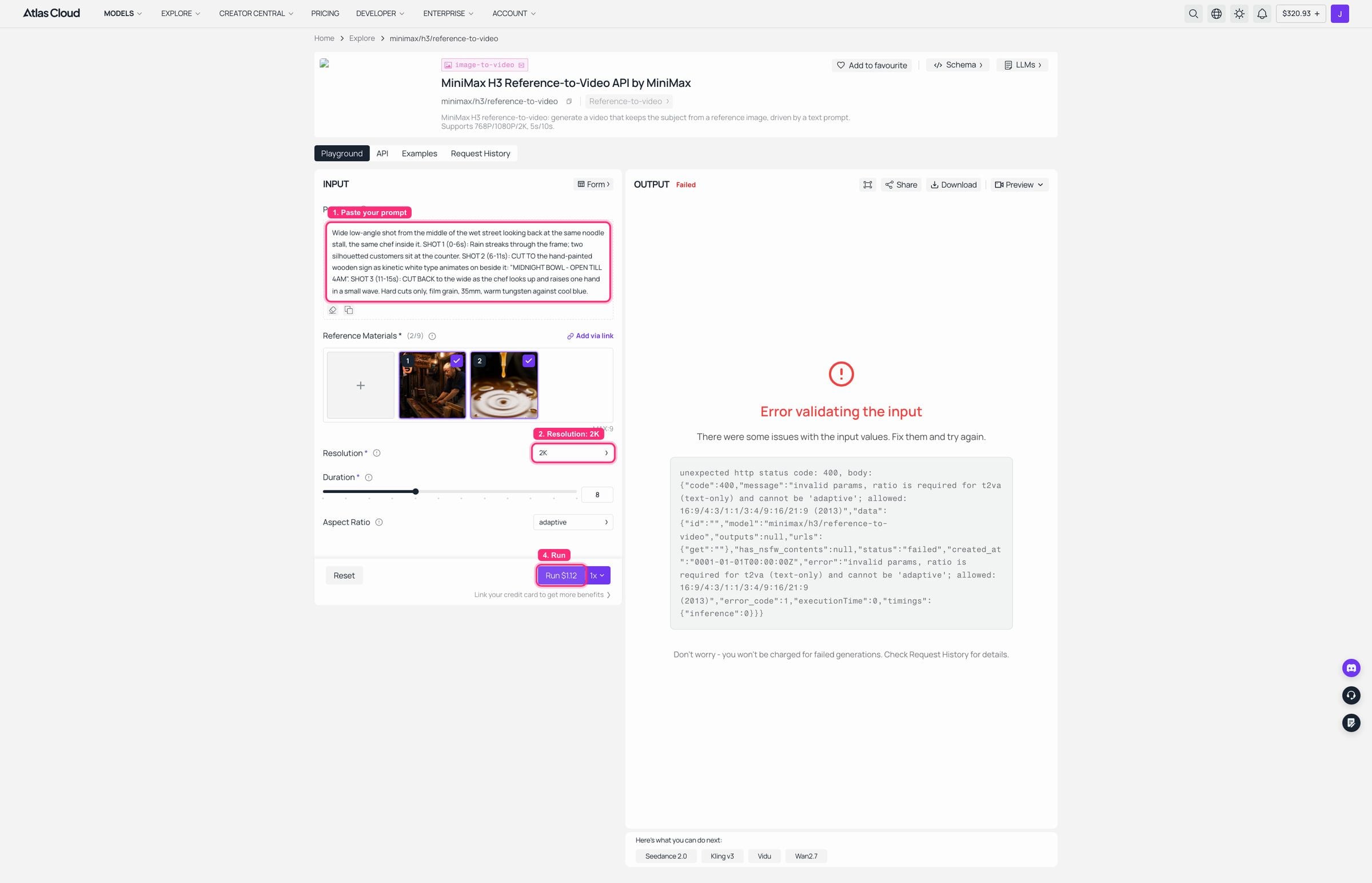
MiniMax H3 reference-to-video playground on Atlas Cloud with two reference images loaded, aspect ratio left on adaptive, and a 400 validation error in the output panel
MiniMax H3 reference-to-video on Atlas Cloud: both reference images loaded, resolution 2K, and Aspect Ratio still sitting on its adaptive default. The run comes back 400: "ratio is required for t2va (text-only) and cannot be 'adaptive'; allowed: 16:9/4:3/1:1/3:4/9:16/21:9". Set it explicitly and the same request goes through, which is how the clip below was made. Note the page blurb above also reads "768P/1080P/2K, 5s/10s" while the schema says 768P or 2K and 4 to 15 seconds. Trust the schema.
I could not get the playground's ratio dropdown to hold a scripted change across three tries, so the successful generation 3 below came from the API with ratio: "16:9" set in the request body. The failed run cost nothing.
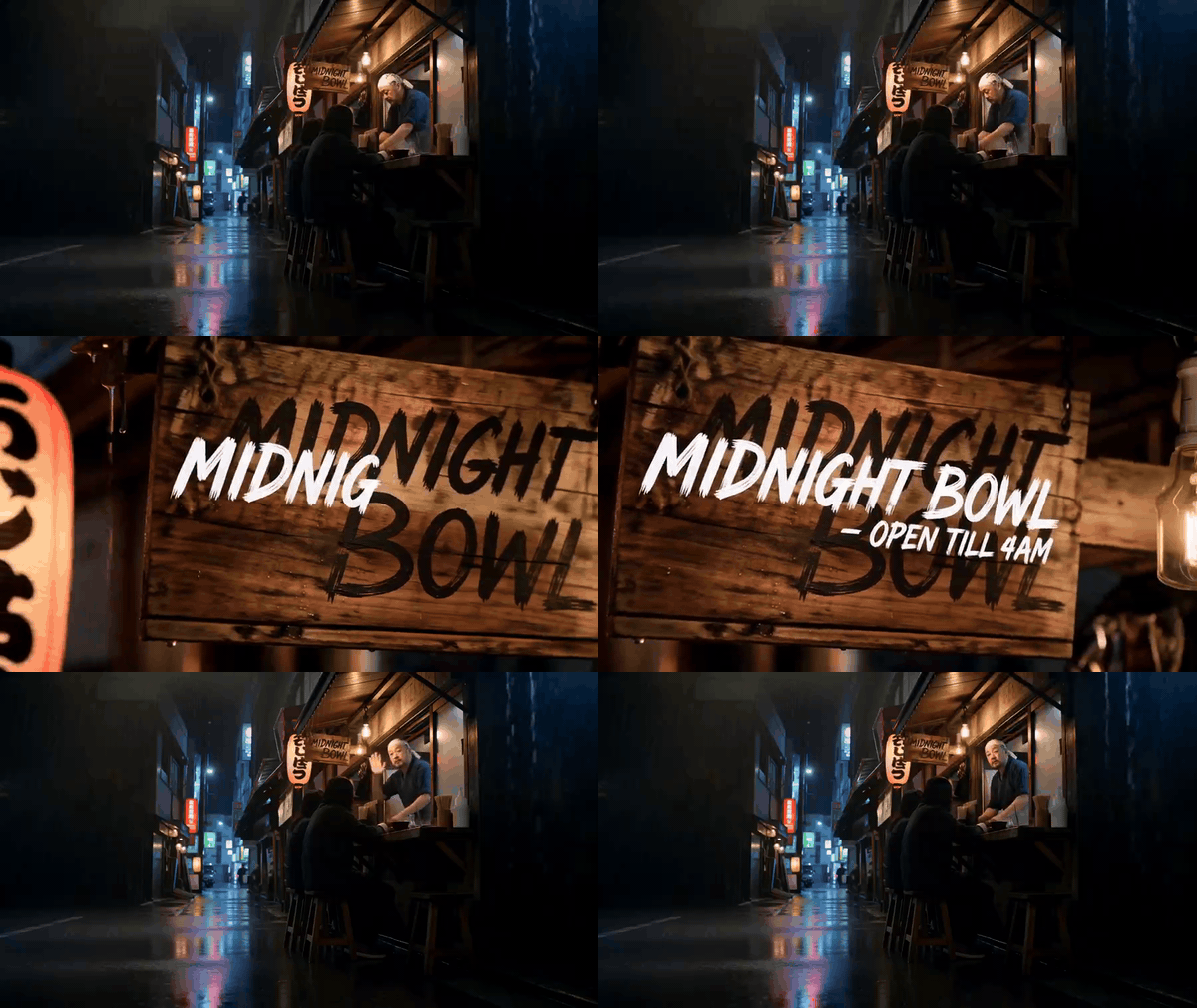
Generation 3. Brand new camera position from across the wet street, same chef, and the animated white type on the sign stays razor sharp while the camera drifts. Cuts at 5.29s and 10.96s.
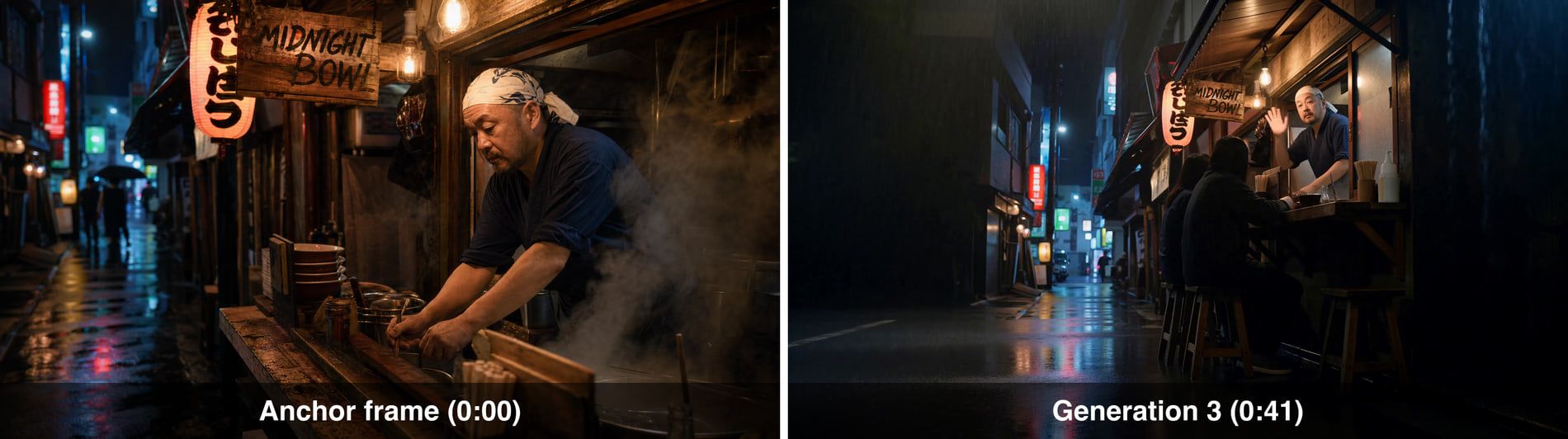
Side by side comparison of the original anchor frame and a frame from generation three, showing the same chef and signage 41 seconds and two handoffs later
Left: the Step 1 anchor. Right: generation 3 at the 41 second mark, two handoffs later. Same chef, same bandana, same navy top, same hand-painted sign, same red lantern.
Step 5: Measure the Real MiniMax H3 Video Length, Then Stitch
Two habits to finish with. First, shoot a cheap rehearsal before you buy fifteen seconds. Same prompt, duration 4, and you find out whether the model understood your shot list for roughly a quarter of the price.
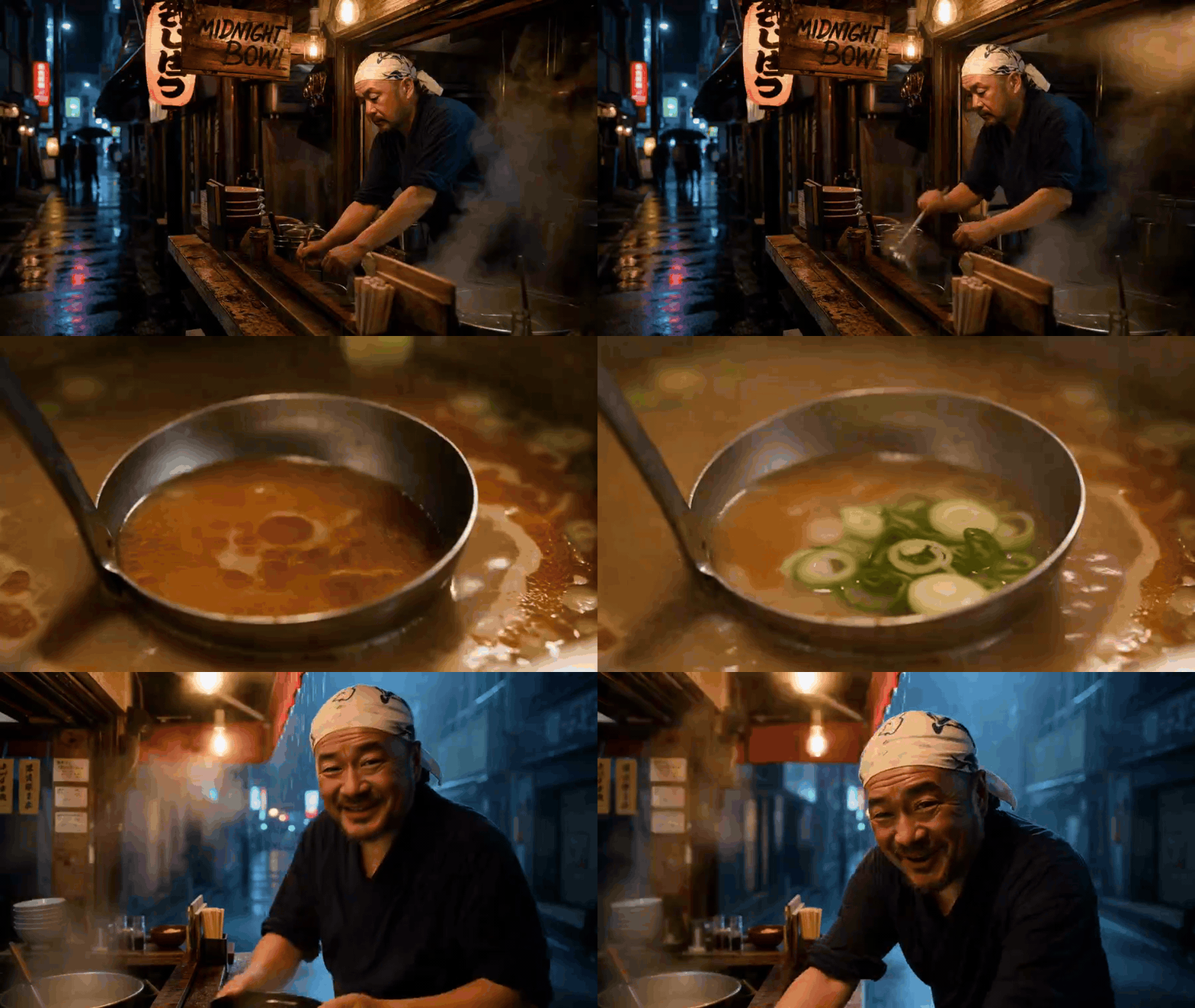
The 4 second rehearsal of the same shot list. Measured at 107 frames, which is 4.458 seconds, exactly what the grid predicts. Enough to see whether the model understood the scene before buying the full take.
Second, measure every file before you cut, because none of them are the length you asked for:
bash1# real frame count and container duration, not duration x 24 2ffmpeg -i generation-1.mp4 -map 0:v:0 -c copy -f null - 2>&1 | grep -o 'frame= *[0-9]*' | tail -1 3 4# hard-cut concat, no transitions, no re-encode 5printf "file 'generation-1.mp4'\nfile 'generation-2.mp4'\nfile 'generation-3.mp4'\n" > list.txt 6ffmpeg -f concat -safe 0 -i list.txt -c copy midnight-bowl-45s.mp4 7
Three files at 362 frames each gives 1086 frames, which I measured on the finished concat: 45.25 seconds of picture, not 45. Small, until you are stitching forty of them.
Variations: Dialogue, Vertical, and the 4-Second Rehearsal
Once the chain works, the same three endpoints cover most of what people actually ask for.
Shot and reverse shot dialogue. Put both sides of a conversation inside one generation rather than across two. Lip sync and the audio bed are continuous within a single job and independent across jobs, so a conversation split across two generations gets you two unrelated room tones. Keep exchanges inside one clip.
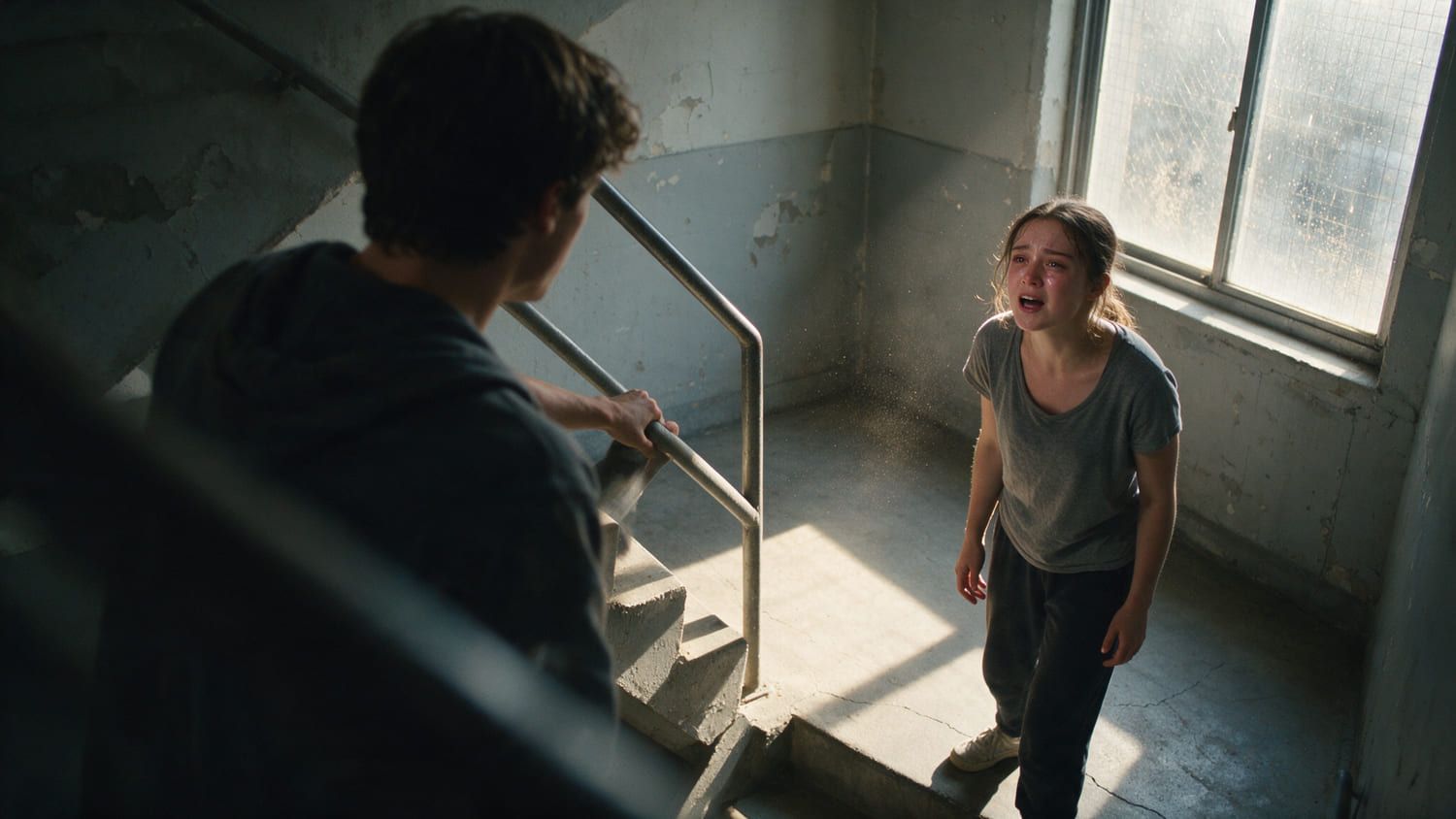
Two young actors mid-argument on a concrete stairwell landing, hard window light raking across them, shot over one shoulder
Shot and reverse shot works, as long as both angles live inside the same generation.
Vertical. On image-to-video you do not set the ratio, you set the first frame. Generate a tall anchor and adaptive follows it. One of the clips I measured came back at 1280x2276 with the same 243 frame count as its 16:9 siblings, so the frame grid does not care about your aspect ratio.
The 4 second rehearsal as standard practice. At $0.14 per second, four seconds is $0.56 against $2.10 for a full take. On a nine-shot build, rehearsing every generation before committing costs less than one wasted 15 second job.
Where the cap genuinely bites. Anything that needs an unbroken performance longer than fifteen seconds. A continuous 30 second monologue is not a chaining problem, it is a lip-sync-across-a-seam problem, and no amount of prompt discipline fixes it.
What 45 Seconds of MiniMax H3 Video Length Costs
At $0.14 per second, a full 15 second generation is $2.10. That is the only number you need; everything else is multiplication. The interesting column is the last one.
| Target length | Generations at 15 s | Straight-line cost | Realistic at a 1-in-3 keep rate | Shots delivered | Cost per shot |
|---|---|---|---|---|---|
| 15 s | 1 | $2.10 | $6.30 | 3 | $0.70 |
| 45 s (this build) | 3 | $6.30 | $18.90 | 9 | $0.70 |
| 60 s | 4 | $8.40 | $25.20 | 12 | $0.70 |
| 3 min | 12 | $25.20 | $75.60 | 36 | $0.70 |
| 10 min | 40 | $84.00 | $252.00 | 120 | $0.70 |
Read the per-shot column and the panic about the cap mostly evaporates. Planning one generation per shot puts you at $2.10 a shot. Packing three shots into each generation puts you at $0.70. Same model, same fifteen second cap, one third of the invoice.
The keep-rate column is the one people forget. Nothing usable comes back on the first attempt every time, and a plan that assumes it will is a plan that runs out of budget at minute two.
For context on where the cap sits against everything else in the catalogue, all of these are current as of 4 August 2026:
| Model | Max single generation | Notable | Listed rate |
|---|---|---|---|
| minimax/h3 | 4 to 15 s | 768P or 2K, native stereo audio | $0.14 / sec |
| bytedance/seedance-2.0 | 4 to 15 s, or -1 for auto | 480p to native 4K | $0.112 / sec |
| kwaivgi/kling-v3.0-pro | 3 to 15 s | Has an explicit multi_shot flag with per-shot prompts | $0.095 / sec, 15% off |
| alibaba/wan-2.7 | 2 to 15 s | Widest floor, 720P or 1080P | $0.10 / sec |
| google/veo3.1 | 4, 6 or 8 s only | No 15 second option at all | $0.20 / sec |
| alibaba/wan-2.5/video-extend | adds 5 to 10 s | Extends an existing file rather than generating fresh | $0.052 / sec |
Two conclusions. H3's fifteen seconds is at the top of the current generation, not behind it, and Veo 3.1 caps out at eight. And if what you truly need is one long file from one endpoint, a dedicated extend model exists, but switching models mid-chain means switching faces.
One Honest Note on Audio, Weights and MiniMax H3 Video Length
Three caveats, none of which move the cap.
Audio does not carry across generations. Each job composes its own stereo bed from scratch. Three chained clips means three unrelated rain beds, and you will hear the change even when the picture matches perfectly. Two fixes: write the ambience clause identically in every prompt so the beds land close, or mute the stitched cut and lay one continuous track underneath. For dialogue, keep the exchange inside a single generation.
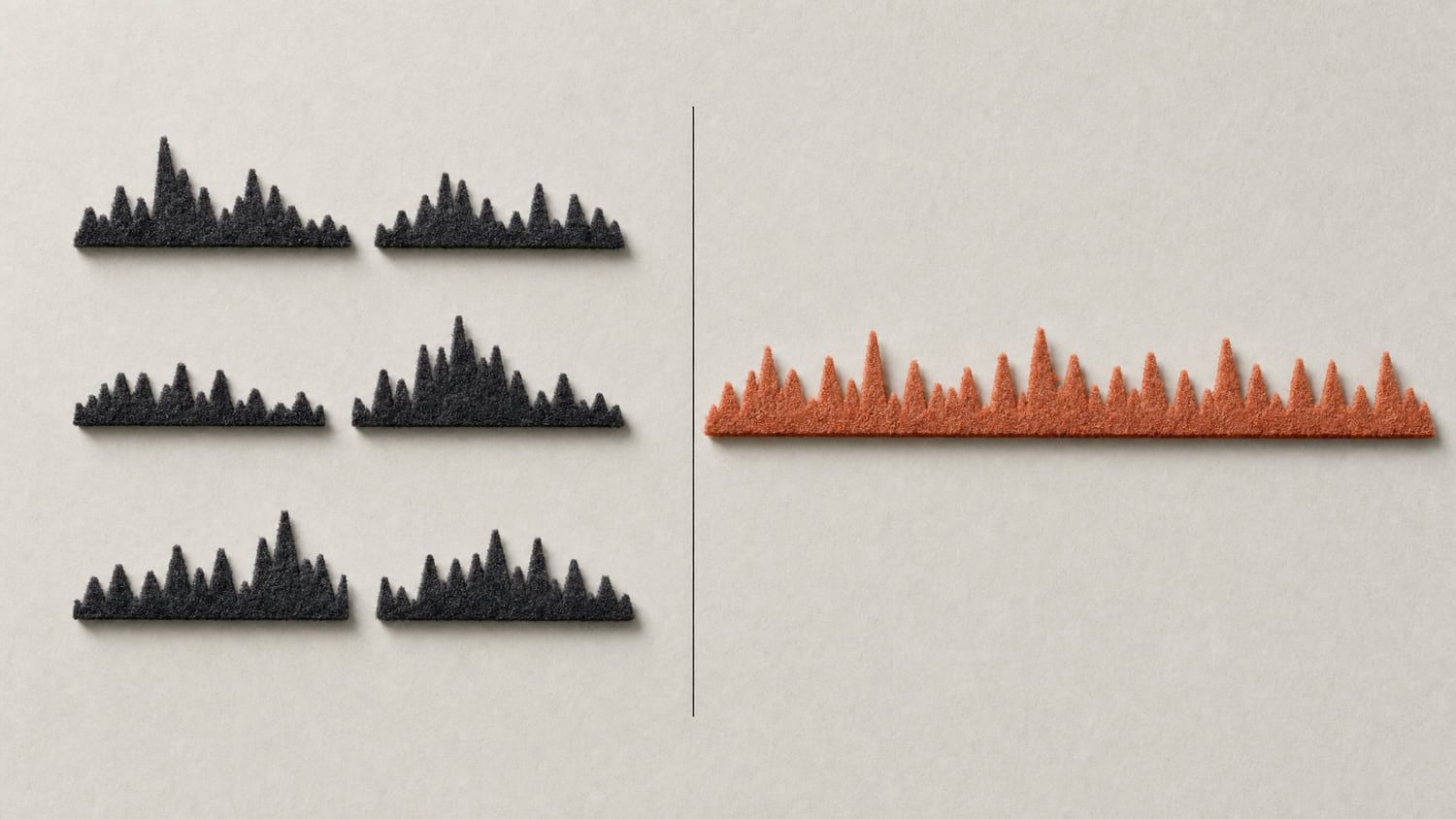
Several separate short audio waveform fragments with visible gaps between them on the left, one single continuous waveform on the right, on a pale unified background
Left: what chaining actually gives you. Right: what you have to build underneath it.
Self-hosting does not unlock longer clips. The open weights landed on 2 August 2026 (Hugging Face, August 2026), and running them locally gives you a 768 pixel short edge rounded to multiples of 32, per ComfyUI's setup notes. The 17-frame grid and the 15 second ceiling are the same. The community licence also does not currently cover the EU, UK, Korea or the US, so the API is the practical route for most teams.
The model can quietly rewrite you. I have had H3 return completed on a job where it silently dropped an element I asked for. Pull frames from every clip and look at them before you stitch. On a nine-shot chain, one unwatched clip is one wasted seam.
Frequently Asked Questions
What is the maximum MiniMax H3 video length?
Fifteen seconds. The duration parameter is an enum of whole integers from 4 to 15 with a default of 8, so 16 is rejected and 7.5 is not a valid value. Every clip is 24 FPS at up to native 2K with stereo audio generated alongside the picture.
Can MiniMax H3 generate videos longer than 15 seconds?
Not in a single generation, and the API has no extend parameter. You get past 15 seconds by chaining: pull the last frame of one clip in as the first frame of the next, use reference-to-video when you need a new camera angle, then concatenate with hard cuts. Some consumer front ends layer their own extend feature on top of H3 to reach roughly 30 seconds, but that is the product doing the stitching, not the model generating longer.
Why is my 15-second MiniMax H3 clip actually 15.08 seconds?
Because durations snap up to a 17-frame grid. Requesting 15 seconds returns 362 frames, which is 17x21+5, and at 24 FPS that is 15.083 seconds. Requesting 10 returns 243 frames, or 10.125 seconds. Only duration: 8 lands on a whole second, at exactly 192 frames. If your edit is frame-accurate, measure each file rather than computing duration x 24.
Can I put multiple shots inside one MiniMax H3 generation?
Yes, and it is the single biggest saving available. Write explicit timecoded shots into the prompt with the literal words CUT TO, and add a continuity clause naming what must survive the cuts. I measured ten clean cuts inside one real 15 second generation. Three shots per generation is comfortable and reliable, which turns a $2.10 clip into three $0.70 shots.
Does a shorter MiniMax H3 video length cost less?
Yes, linearly. Billing is per second at $0.14, so a 4 second rehearsal runs $0.56 against $2.10 for a full 15 second take. Resolution is a different story: 768P and 2K sit under one listed rate in the catalogue, so downgrading resolution saves nothing. Shorten the clip, not the pixels.
How many MiniMax H3 clips do I need for a one-minute video?
Four, if you fill all fifteen seconds each time. But count in shots instead: four generations at three shots each gives you twelve shots of coverage, which is a normal amount for a one-minute commercial. Then multiply your budget by roughly three to account for takes you throw away.





