A creator already has 14 usable seconds: hands moving, product visible, timing almost right. The hard part is changing one thing without wrecking the clip. That is why the Wan 3.0 Video Edit Arena moment matters.
In a supplied August 2026 research snapshot, the current with-audio Video Editing Leaderboard listed Wan 3.0 at rank 1 with 1,189 Elo, a 95% confidence interval of +/-7, and 5,225 votes. The live table can keep changing, so treat this as a fresh signal, not a permanent crown (Artificial Analysis, August 2026).
For creators, the practical lesson is simple: judge AI video editing by how well it preserves the parts you already like. A model that can follow an edit instruction, hold the scene together, and respect source material may save more production time than another raw text-to-video launch.
Key takeaways
- Wan 3.0 is a serious AI video editing signal.
- Editing tests should start from real footage.
- Preserve-first prompts beat vague remake prompts.
- Reference-to-video editing helps when one clip is not enough.
- Atlas Cloud is useful for fast browser-based tests.
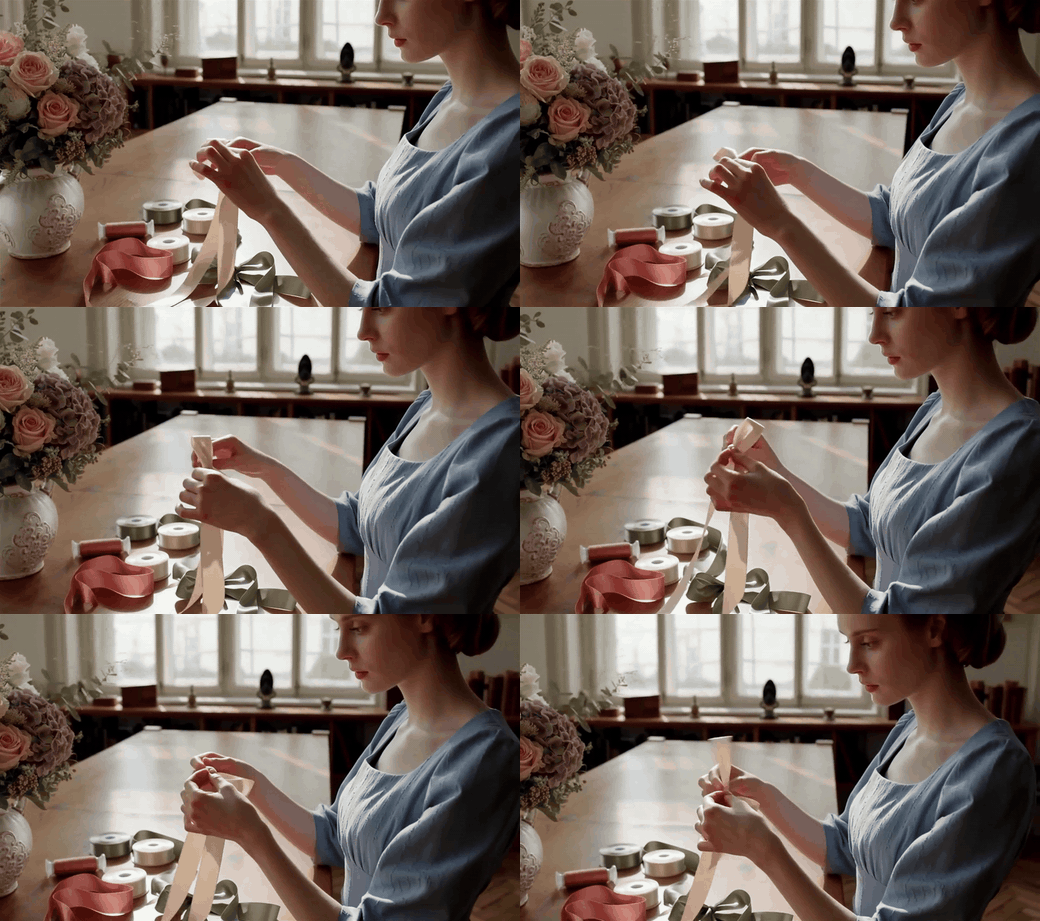
Wan 3.0 Video Edit Arena handbook GIF showing a craft maker handling ribbons at a worktable
Case 1: an illustrative Wan 3.0 handbook clip with a craft maker handling ribbons at a worktable. It is useful for evaluating whether an edit keeps hands, material contact, and workspace continuity readable.
Why the Wan 3.0 Arena Signal Is Hot
The Video Editing Leaderboard is different from a raw video-generation feed. Viewers compare edited outputs and vote on which result better follows the task. On the current with-audio AI video edit leaderboard, Wan 3.0 appears first in the supplied snapshot, with a narrow +/-7 interval and a large vote count for an August 2026 release entry.
That does not mean Wan 3.0 wins every video category. It means creators should stop evaluating video models only by the prettiest prompt-only clip. Editing is where production pain shows up.
Text-to-video asks: can the model invent a clip?
AI video editing asks: can the model change a clip while preserving what should not change?
That second question is harder in daily work. A brand team may need the same product shot with new lighting. A social editor may need one extra subject in an existing scene. A tutorial maker may need a small continuity fix without restarting from scratch.
Wan 3.0's official repository describes instruction-based and reference-based video editing, multi-person and human-object interactions, scene splitting, up to 20 reference assets, and native duration control (AlibabaCloud-Official Wan 3.0 repository, August 2026). Those features explain why the arena result is worth watching.
AI Video Editing Workflow on Atlas Cloud
Atlas Cloud fits this moment because creators can test Wan 3.0 modes in one browser tab, compare clips, then move the winning settings into production. For readers who want to test the model now, Wan 3.0 is currently 20% off on Atlas Cloud. You can see the current Wan 3.0 discounted rate before running a longer clip.
The practical workflow is small:
- Start with footage or reference assets you already trust.
- Write the edit as a change plus a list of invariants.
- Run the shortest version that proves the edit.
- Compare the result against your source material.
- Only then spend on longer duration or higher resolution.
| Model or page | Best job in this workflow | Price note |
|---|---|---|
| Atlas Cloud model catalog | Check current Wan 3.0 availability and discount before a run | Wan 3.0 text-to-video, image-to-video, and reference-to-video are listed at 20% off as of August 2026 |
| Wan 3.0 reference-to-video on Atlas Cloud | Test reference-to-video editing with source clips, images, and prompt direction | Confirm the live quoted rate in the playground before generating |
| Seedance 2.5 | A like-for-like comparison candidate for teams already testing model options | Use your own source clips and prompt set before choosing |
This is also where the phrase "Wan 3.0 vs Seedance 2.5" should stay practical. Do not pick from reputation. Put the same source clip, the same edit brief, the same duration, and the same review checklist through both models. The direct choice depends on your footage, your edit type, and the failure you can tolerate.
Step 1: Write the Preserve-First Edit Brief
Start with one clip and write the prompt like an editor, not like a generator. Name the requested change first. Then name the parts that must stay stable.
text1Edit the source clip so the scene feels like a warmer late-sunset version of the same beach moment. Preserve the shoreline layout, horizon position, wave motion, camera movement, and calm pacing. Change only the light, sky color, and environmental mood. Do not add text, logos, extra people, or a different camera angle. 2
Settings to pick: use Wan 3.0 reference-to-video editing, upload the source clip as the main video reference, choose a short 5-second test, keep the delivery resolution modest for the first pass, and review the playground's quoted cost before running.

AI video editing handbook GIF showing a beach at sunset for a Wan 3.0 environment edit case
Case 2: an illustrative Wan 3.0 handbook clip showing a beach at sunset. Use this kind of scene to judge whether an edit changes lighting or environment while keeping horizon, water, and pacing coherent.
Step 2: Add a New Subject Without Breaking the Scene
Adding a subject is a stronger stress test than changing mood. The model has to place the new subject into the scene, keep scale believable, and avoid breaking the original motion.
text1Edit the source clip so a large ostrich walks beside the sharply dressed man as part of the same scene. Preserve the man's outfit, walking direction, camera movement, street perspective, and lighting. The ostrich should match the scene scale and move naturally beside him. Do not change the man's face, clothing, or background. 2
Settings to pick: use the same Wan 3.0 reference-to-video editing page, upload the source clip, add any subject reference only if you need a specific animal or prop, keep the test around 5 seconds, and compare the output against the source frame by frame.

reference-to-video editing handbook GIF showing a suited man walking beside a large ostrich
Case 3: an illustrative Wan 3.0 handbook clip showing a sharply dressed man walking beside a large ostrich. It is a useful edit test because the added subject has to share scale, gait, and scene logic with the person.
Wan 3.0 vs Seedance 2.5: What to Test
The wrong comparison is a highlight reel against another highlight reel. The useful comparison is a repeatable edit test.
Use this quick decision frame:
| Test question | What to look for | Why it matters |
|---|---|---|
| Does the model preserve identity and objects? | Hands, faces, product shape, clothing, and props stay recognizable | Real campaigns often depend on continuity |
| Does the edit affect only the requested area? | Background, camera path, and timing remain stable | Rework costs rise when a "small edit" remakes the clip |
| Does motion stay coherent? | Feet, hands, fabric, waves, and object contact behave consistently | Still frames can hide failures that motion reveals |
| Does the prompt need many references? | The model accepts the number and type of assets your job needs | Reference-to-video editing changes what teams can test |
| Does the cost match the value of the pass? | The playground quote makes sense for draft, approval, or final delivery | Cheap tests reduce wasted premium runs |
For Wan 3.0 vs Seedance 2.5, run at least 3 clips from your own backlog: one hand-object interaction, one lighting or environment shift, and one added-subject edit. Keep the prompt wording identical except for model-specific setting names. Then choose based on the footage you actually ship.
AI Video Editing Checklist and Cost Notes
Use this prompt pattern for most edits:
text1Change: [one clear transformation]. 2Preserve: [subject identity], [object shape], [camera path], [timing], [background], [style]. 3References: [what each image, clip, or audio file is meant to control]. 4Reject if: [specific failure that would make the clip unusable]. 5Delivery: [duration], [resolution], [aspect ratio], [audio need if relevant]. 6
Before you run a longer clip, check these items:
- Can you explain the edit in one sentence?
- Did you list what must remain unchanged?
- Are your references role-based, not random?
- Is the first run short enough to be diagnostic?
- Did you compare motion, not only still frames?
Atlas Cloud's model catalog currently lists Wan 3.0 text-to-video, image-to-video, and reference-to-video at 20% off. Avoid hardcoding a promo price into a brief that may live for months. Use the live catalog and the run quote to decide whether a test belongs at draft quality, approval quality, or final delivery.
The bottom line: the Wan 3.0 Video Edit Arena signal is useful because it points creators toward a better test. Do not ask which model makes the prettiest random clip. Ask which model can change your real footage without making you start over.
Frequently Asked Questions
What is the Wan 3.0 Video Edit Arena?
It is a search-friendly way to describe the current attention around Wan 3.0's placement on a video editing arena leaderboard. The important part is the editing category, especially with-audio video editing, rather than a general claim across all video tasks.
Is Wan 3.0 first on every AI video leaderboard?
No. The supplied research snapshot is specific to the current with-audio Video Editing Leaderboard, where Wan 3.0 was listed first at 1,189 Elo with a +/-7 interval and 5,225 votes. Other leaderboards and categories can differ.
Why should creators care about AI video editing?
Creators often start from usable footage. AI video editing can be more valuable than raw generation when the job is to preserve timing, people, objects, and camera movement while changing one visible detail.
How should I test reference-to-video editing?
Start with one source clip and one clear edit. Add reference assets only when they answer a specific question, such as subject identity, product shape, outfit, motion, or audio. Review whether the unchanged parts survived.
Is Wan 3.0 vs Seedance 2.5 already decided?
No. Wan 3.0 vs Seedance 2.5 depends on your source material, edit type, settings, and review standard. Run like-for-like tests before choosing a model for production.





