Skip the testing rabbit hole. For the kling ai vs runway vs luma decision, here is what each tool actually does best: Kling 3.0 delivers photorealistic motion control AI at the lowest cost per clip, powered by its Omni One physics engine. Runway Gen-4 leads on multi-shot character consistency AI video, maintaining a subject's look across scenes using a single reference image. Luma Ray3.2 offers the tightest frame-level direction, with up to 16 keyframes per clip and native 16-bit EXR output built for compositing pipelines.
Comparison Matrix
| Feature | Kling 3.0 | Runway Gen-4 | Luma Ray3.2 |
| Max Clip Length | 15s | 10s | 20s |
| Output Resolution | 1080p / 4K | 1080p | 1080p |
| Keyframe Control | Start/end keyframes | Scene-level references | Up to 16 keyframes |
| Character Consistency | Multi-modal editor | Single reference image | Performance tracking (8 faces) |
| Audio Sync | Native, one-pass | Not native | Not specified |
| Entry Pricing | $29.90/mo (Pro Tier) | $12-35/mo (Standard) | $30/mo (Plus) |
| EXR Export | Yes (16-bit HDR) | Not specified | Yes (16-bit) |
| API Access | Yes | Yes | Yes (New in Ray3.2) |
Kling is one of 30+ video models you can line up on the same prompt in the Atlas Cloud model comparison — with the per-second cost shown before you generate.
Matching the best AI video generator 2026 to your workflow:
- Social Media Creators (Kling 3.0): The promotional Pro/Max tiers lower the cost barrier significantly. Its ultra-fast iteration modes make it highly practical for high-volume, short-form content requiring physics-accurate motion.
- Indie Filmmakers and Teams (Runway Gen-4): Gen-4 generates consistent characters across lighting conditions, locations, and treatments using just a single reference image, making it the strongest option for narrative multi-shot work without fine-tuning.
- Product Visuals / Atmospheric B-Roll (Luma Ray3.2): Ray3.2 supports clips up to 20 seconds at 1080p with native HDR generation and 16-bit EXR export, designed to drop directly into color grading and compositing pipelines without quality loss.
The AI video tools comparison comes down to volume vs. control vs. pipeline fit, not a single winner.
Character Consistency Showdown: Keeping Your Actors Uniform Across Shots
Getting a consistent character video across separate AI generations is still the hardest practical problem in this space. Each tool approaches it differently, and those differences have real production consequences.
Note: In the tests below, Runway and Luma utilized free credits, while Kling 3.0 was run on Atlas Cloud.
Runway's Control Suite
Runway Gen-4 lets you generate consistent characters across lighting conditions, locations, and treatments using just a single reference image, with no fine-tuning or additional training required. That is its clearest structural advantage. The Runway character consistency system works by feeding visual references into each generation, so the model maintains facial structure, clothing, and mood across separate shots rather than re-interpreting them from scratch.
Let's put it to the test:
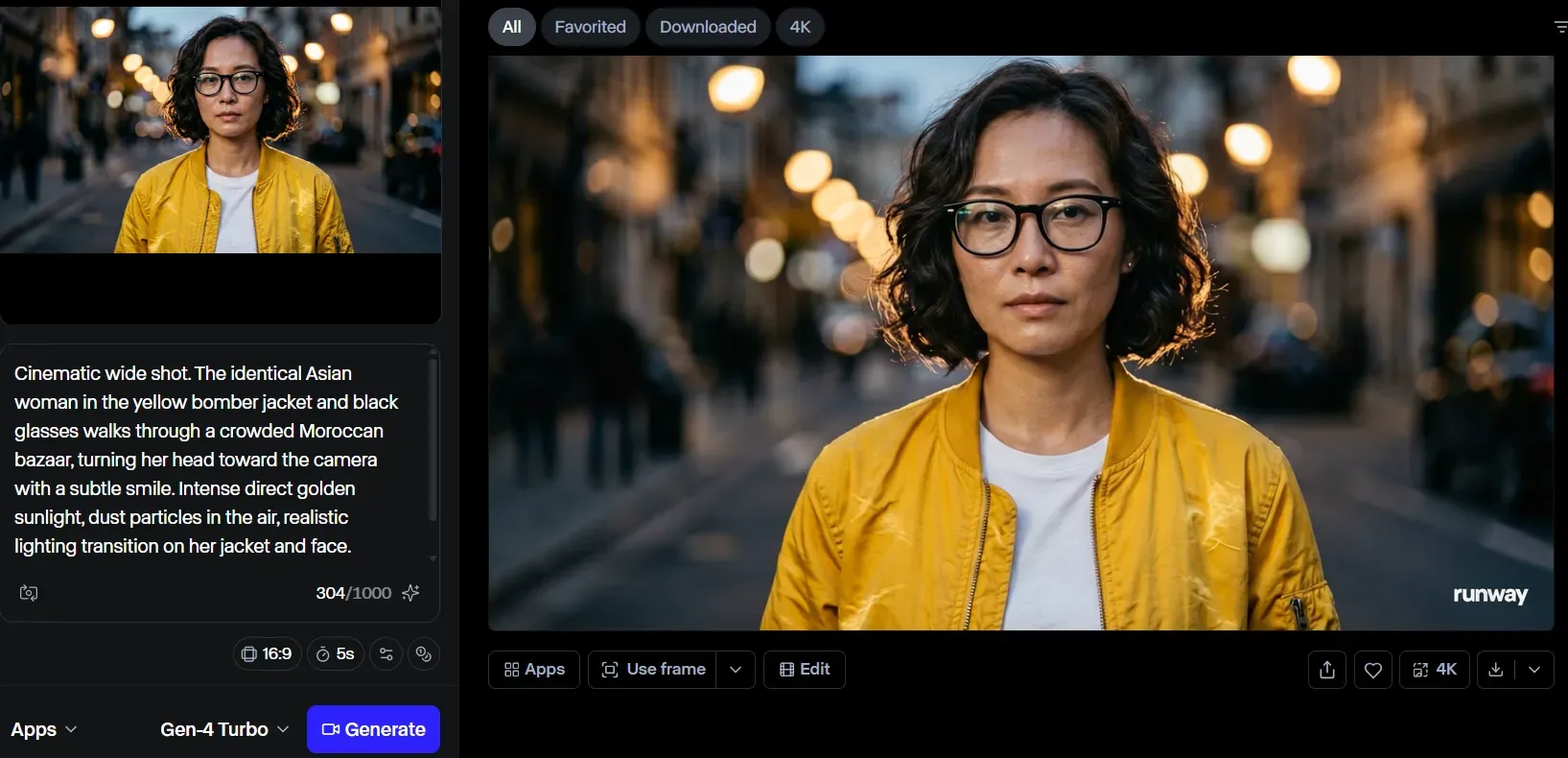
Analysis: The result showcases flawless preservation of key character assets (the glasses and jacket texture) during a subtle blink. However, it completely failed to execute the prompt's explicit request for a "wide shot in a crowded Moroccan bazaar under intense golden sunlight," opting instead for a generic close-up.
Kling AI's Image-to-Video Anchor
Kling AI consistent characters rely on a different mechanism: image-to-video generation using a fixed anchor frame. Feed Kling 3.0 a high-resolution reference image (from Flux or a similar image generator), and its 7-in-1 Multi-Modal Editor can extend that character into motion at 1080p while preserving the source frame's face structure.
This works well for single-scene extensions and short action sequences. Where it becomes less reliable is across fully separate generations without re-anchoring to the original image each time. The physics-aware Omni One engine keeps motion natural, but facial drift between unlinked clips remains a practical concern.
Let's put it to the test:
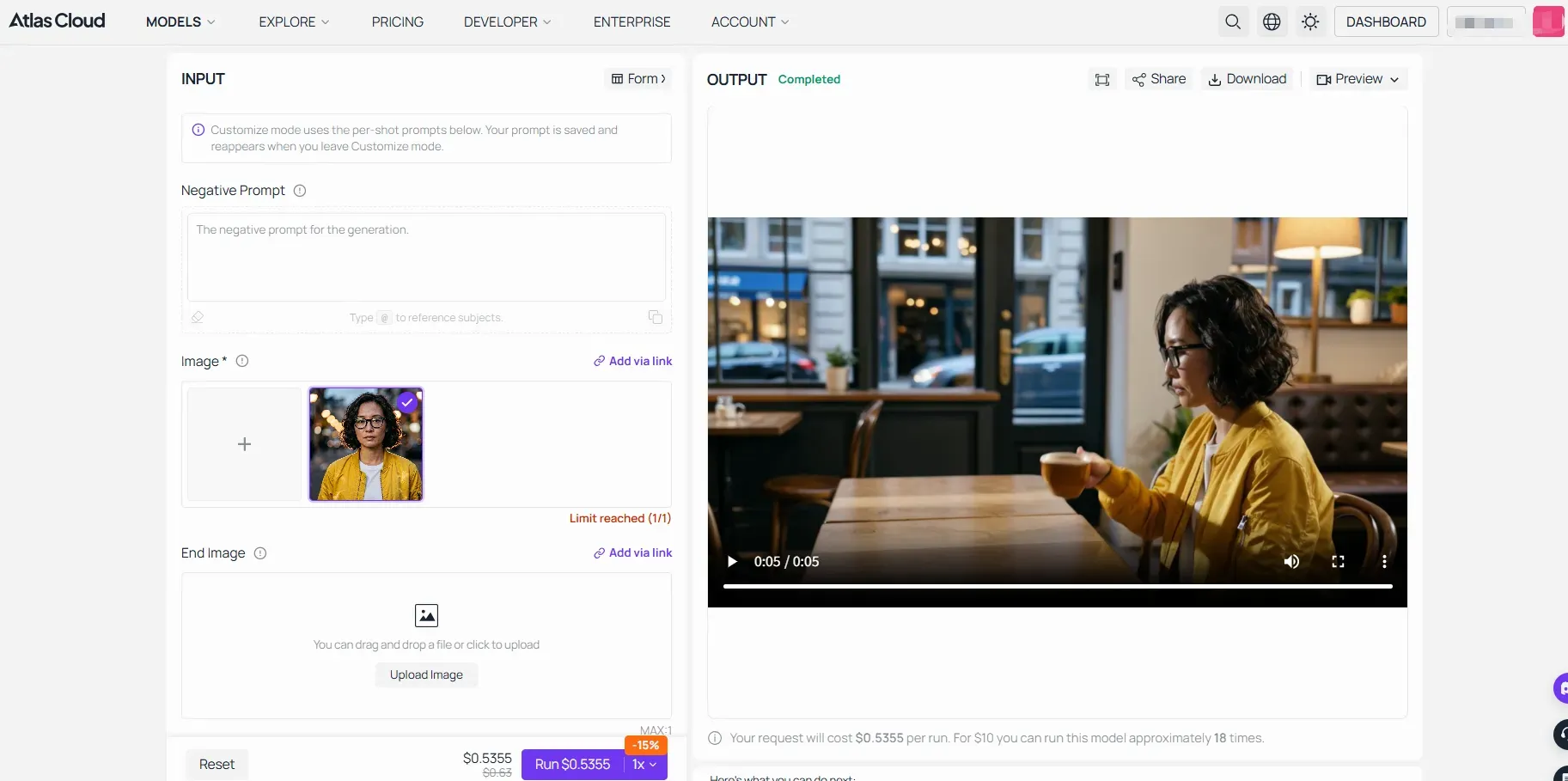
Analysis: The result highlights the physics engine's absolute supremacy as the character realistically walks from the street, pulls out a chair, and sits down in a cafe. The trade-off is a subtle facial and hair morphing that occurs right around the 2-second transition mark, proving the drift risk of an unanchored single-shot pipeline.
Luma's Ray3.2 Coherence
Image to video AI Luma coherence is strongest within a single clip. Ray3.2's enhanced Performance Tracking and Expressive Facial Performance can maintain skeletal posture, gestures, and full expressive state for up to eight faces simultaneously, frame by frame. That is a meaningful spec for ensemble scenes.
The limitation shows up between separate generations. Without a shared reference framework like Runway's, stylistic drift and subtle facial morphing can accumulate across sequential clips.
Let's put it to the test:
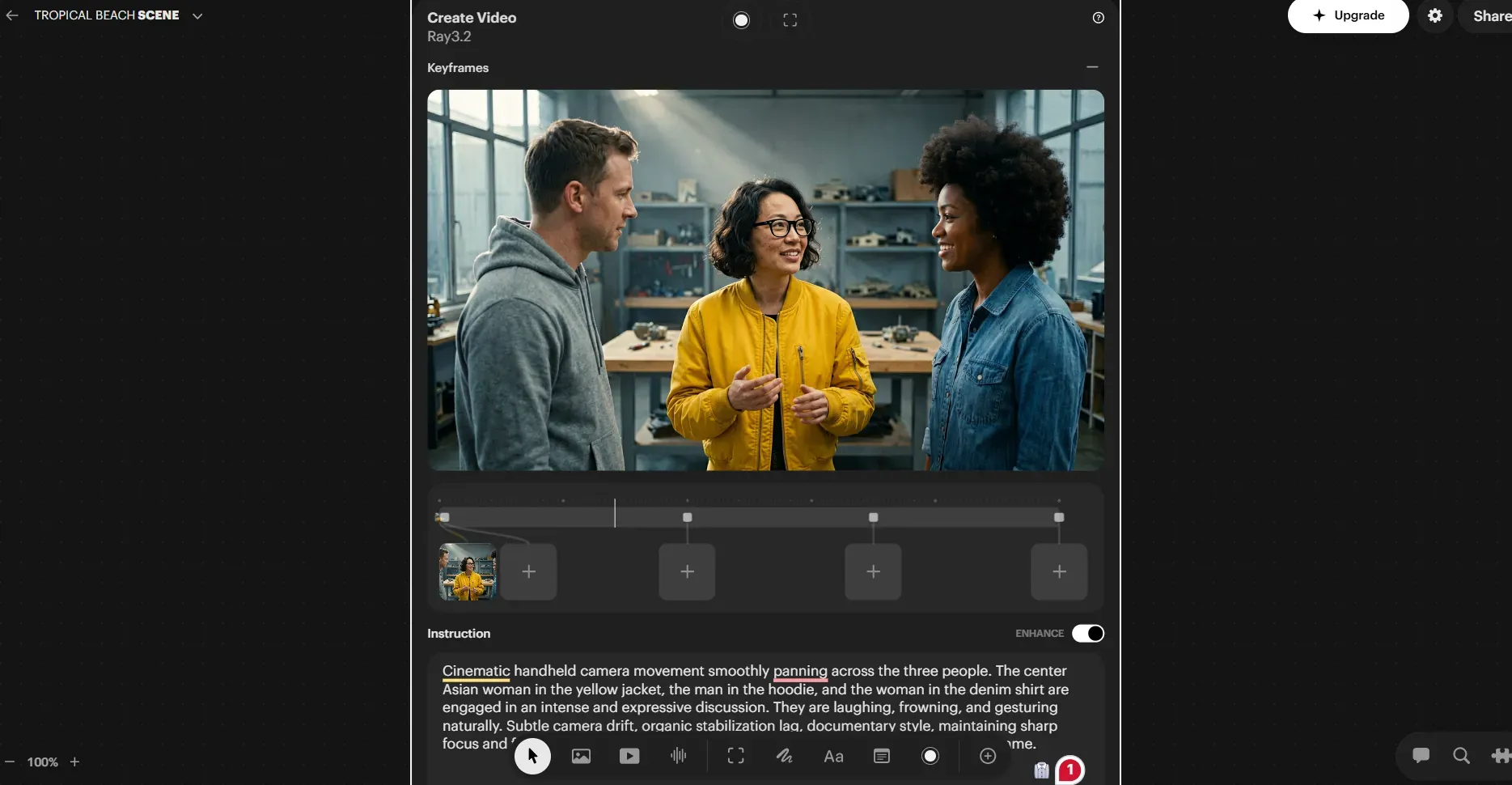
Analysis: The result delivers brilliant multi-character tracking and an organic, documentary-style handheld camera jitter without letting background faces deform. Its downside is a highly interpretive cinematic styling that begins to drift away from the strict photorealistic baseline of the original reference image.
Character Consistency Compared: Kling AI vs Runway vs Luma
| Feature / Criterion | Runway Gen-4 | Kling 3.0 | Luma Ray3.2 |
| Cross-Scene Reference | Single image, no fine-tuning | Anchor image per generation | Keyframe-based, within clip |
| Face Tracking Scope | Scene-level locking | Physics-anchored motion | Up to 8 faces simultaneously |
| Between-Clip Drift Risk | Low (Best for narrative) | Medium (Single-shot anchor) | Medium-High (Interpretive style) |
How Do You Keep a Character Consistent Across Different AI Video Generations?
No single tool solves this end-to-end. Based on our hands-on testing failures and successes, the most reliable production workflows combine these three tactical workarounds:
- The Fixed-Seed Foundation: Never let an AI video model guess the character from text alone. Always generate a flawless, high-resolution baseline character first via Flux or Midjourney to use as your universal image input.
- The Hybrid Pipeline: Use Runway Gen-4's actor reference framework as your narrative anchor for multi-shot dialogue scenes, but route high-action physical stunts through Kling 3.0’s image-to-video engine to get the best of both world-building and physics.
- Post-Production Normalization: For professional cinema pipelines, accept minor AI facial drift as a baseline. Budget time to run raw generations through face-swapping tools like Reactor, FaceFusion, or DeepFaceLab during post-production to lock down 100% uniformity.
The Bottom Line: For seamless narrative continuity, use a fixed seed image fed directly into Runway’s reference framework. For high-volume social content where speed trumps perfection, anchor your sequence shot-by-shot into Kling’s image-to-video pipeline.
Motion Control and Camera Physics: Managing Kinetic Energy
AI video motion control splits into two distinct problems: how the camera moves and how physical objects behave inside the frame. Each platform prioritizes one over the other.
Runway Gen-4: Cinematic Automation and Multi-Motion Logic
Runway Gen-4 excels at generating highly dynamic videos with realistic motion, superior prompt adherence, and best-in-class world understanding. Its Director Mode lets users describe camera behavior in natural language, covering pans, dollies, rack focus, and coverage angles without manual keyframing.
Where Gen-4 gains traction is in multi-shot scene logic. You can provide reference images of subjects and describe shot composition, and Gen-4 handles the rest, including maintaining consistent environmental lighting and object weight across cuts. Regional edits and localized dynamics respond well to conversational prompts, making it practical for teams who need camera behavior to stay predictable across a production pipeline.
Let's put it to the test:
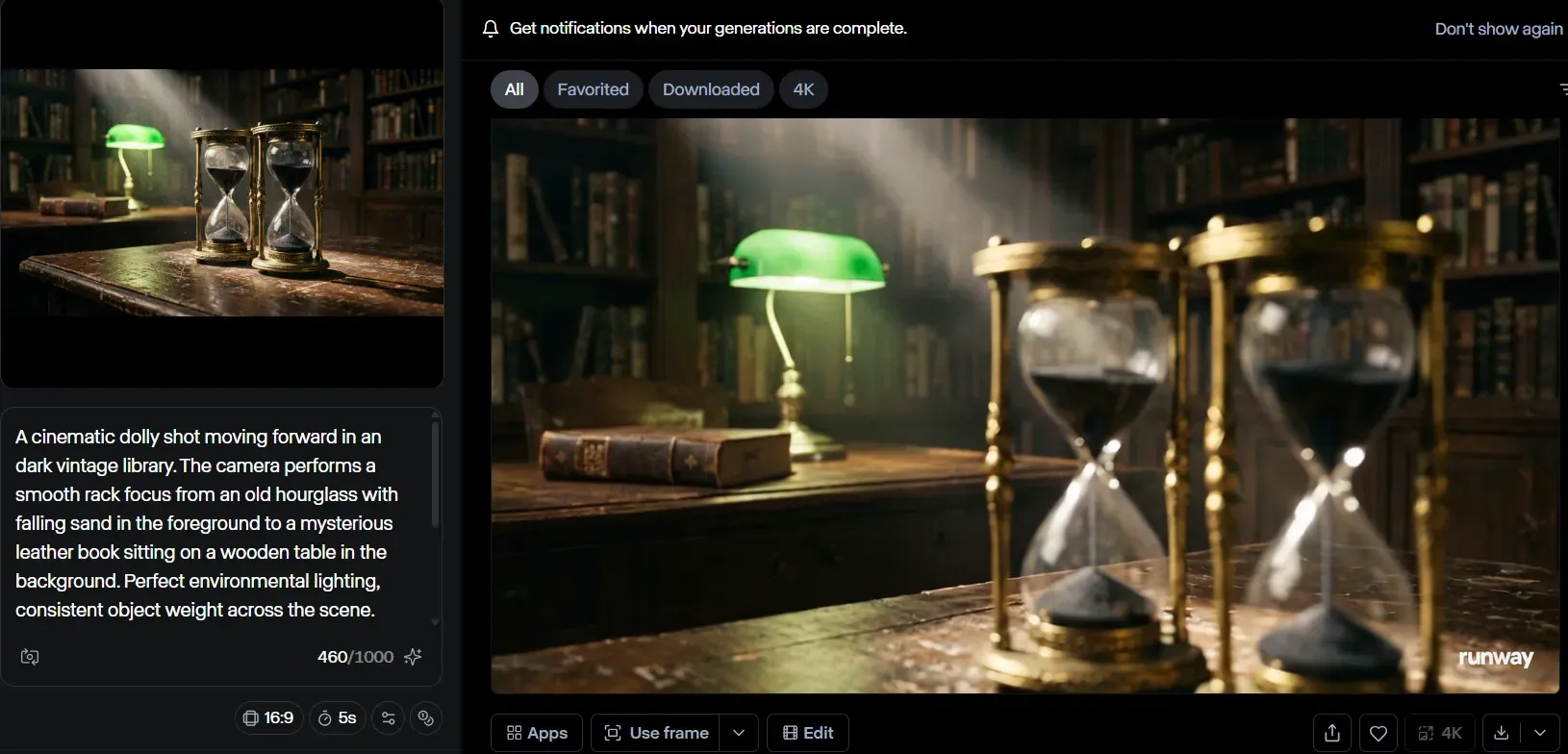
Analysis: The result handles spatial depth beautifully, shifting blur from the hourglass to the background assets flawlessly, though the sand inside remains physically inert.
Kling AI 3.0: Physics-First Asset Motion
The Kling AI physics engine takes a structurally different approach. Kling 3.0's Omni One architecture uses 3D Spacetime Joint Attention and Chain-of-Thought reasoning to simulate gravity, contact, balance, deformation, collision, and inertia, which translates to noticeably more accurate rendering of liquid dynamics, fabric movement, and complex human interactions. If you want the full picture of how this physics engine evolved, our deep dive on the Kling 3.0 Omni upgrade explains what the Omni One architecture changed under the hood.
Where Runway tends toward smooth, stylized motion defaults, Kling 3.0 tracks the physical consequence of actions frame by frame. Pouring water, cloth catching wind, or a character catching a falling object all behave with material-specific weight rather than generalized motion blur. This is the key distinction for the camera movement feature vs. physics fidelity gap between the two platforms.
Let's put it to the test:
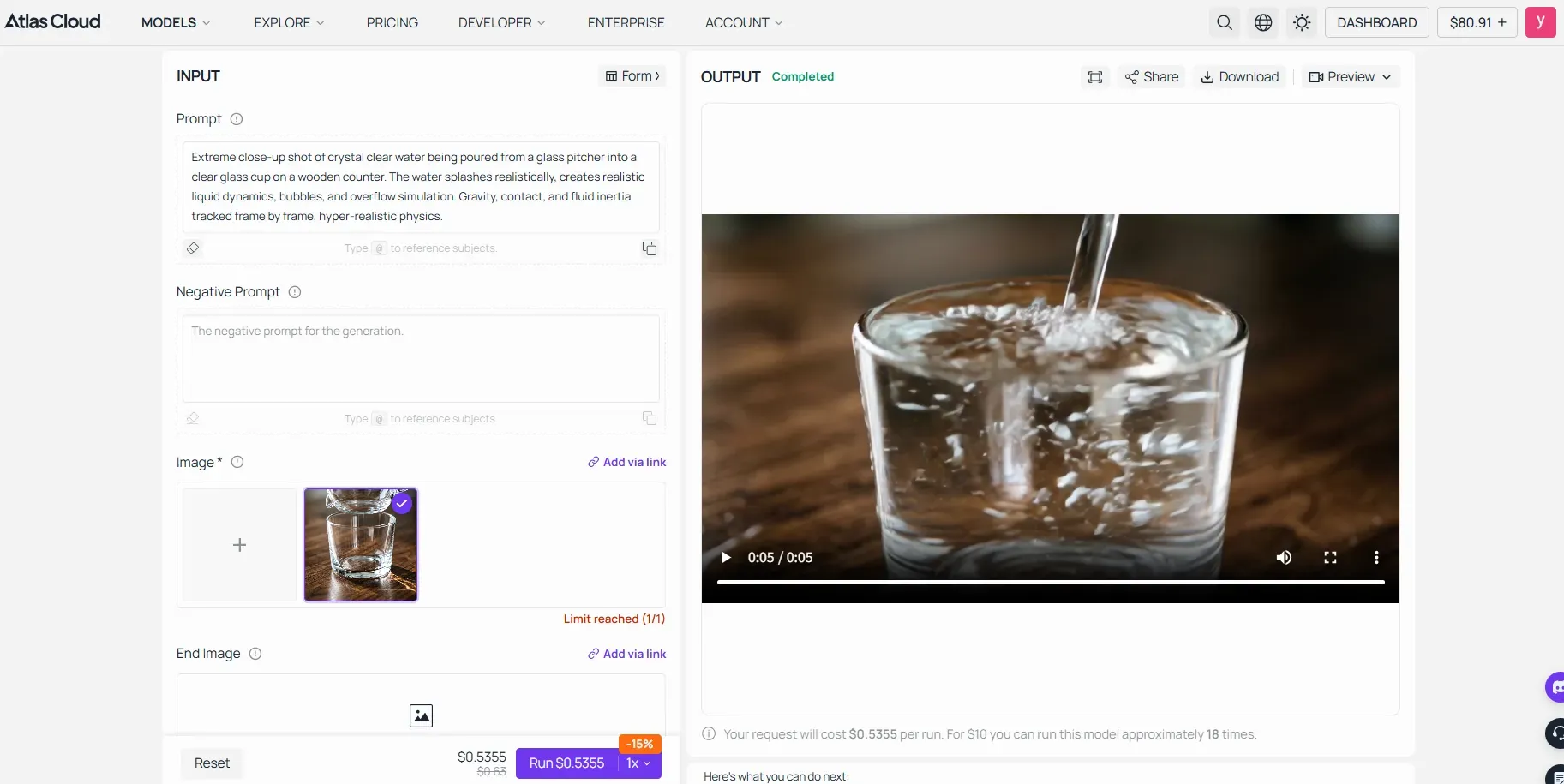
Analysis: The result delivers hyper-realistic, contact-accurate fluid collision and bubbles, proving its physics supremacy at the cost of a slightly mechanical camera path.
Luma Ray3.2: Documentary-Style Camera Realism
Luma's strength sits in organic camera simulation. Ray3.2 was designed in collaboration with creatives from entertainment, advertising, and gaming industries, and that production input shows in its handheld motion rendering. Subtle camera drift, natural stabilization lag, and documentary-style tracking give footage a tactile quality suited to cinematic AI filmmaking that wants to avoid the locked-off, sterile look common in generated content.
Let's put it to the test:
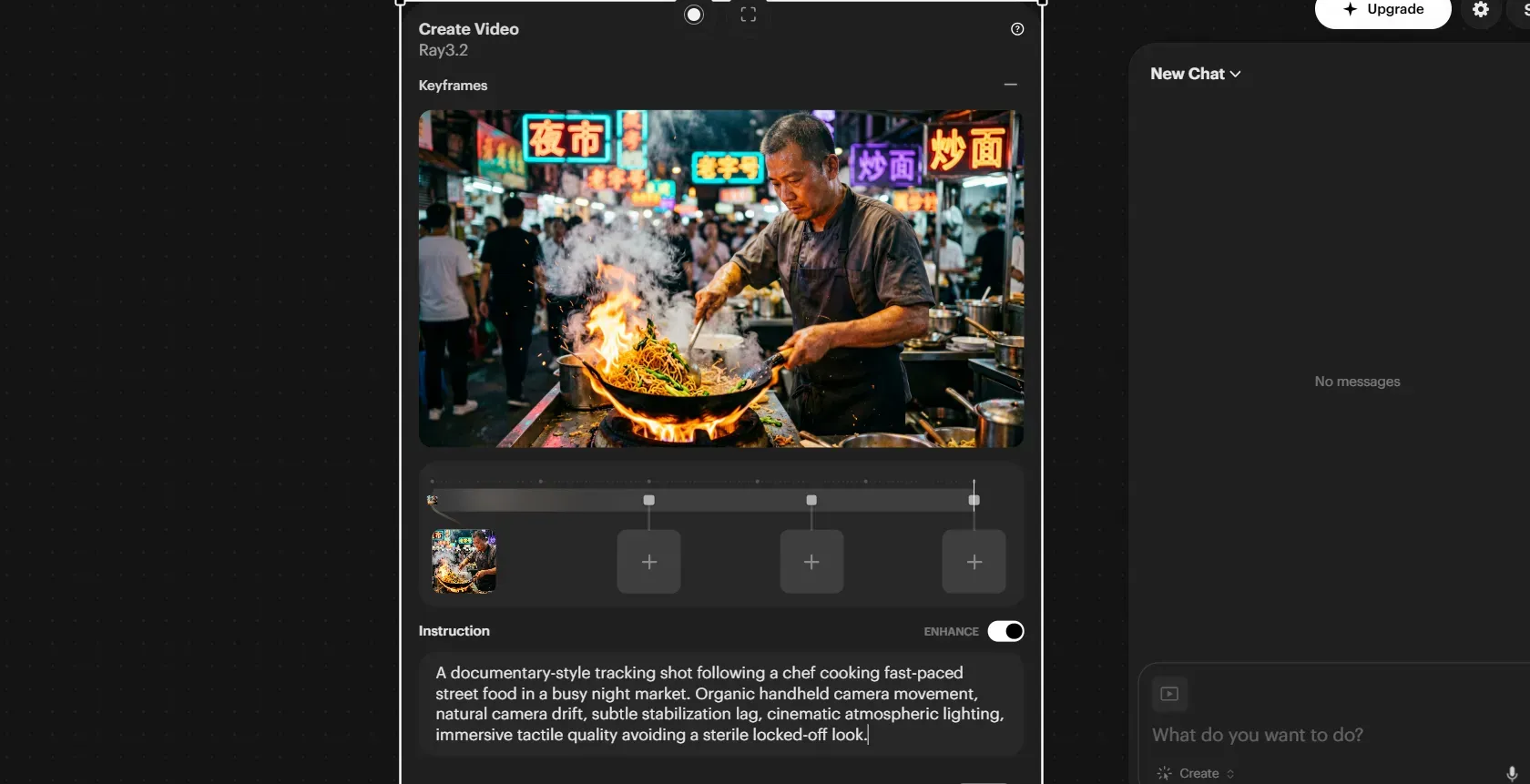
Analysis: The result delivers an unmatched, atmospheric documentary-style camera bounce with organic smoke rendering, though high-speed hand movements trigger minor asset warping near the end.
Motion Capability Compared: Kling AI vs Runway vs Luma
| Motion Capability | Runway Gen-4 | Kling 3.0 | Luma Ray3.2 |
| Camera Direction Control | Excellent (Cinematic Optics): Flawless depth-of-field & rack focus shifts. | Standard (Rigid Path):Linear camera execution, slightly mechanical. | Superior (Handheld Realism):Organic camera drift & natural breathing lag. |
| Physical Asset Realism | Medium: Stable static assets, but lacks micro-physics execution. | Hyper-Realistic (Omni One): Perfect frame-by-frame weight and refraction tracking. | Good (Atmospheric): Great smoke/fire cohesion; prone to high-speed warping. |
| Fluid / Particle Dynamics | Basic: Relies on generalized motion blur or static placeholders (e.g., frozen sand). | Industry-Leading:Contact-accurate fluid collision, realistic splashing, and bubbling. | Stylistically Coherent: Natural volumetric rendering (smoke/steam) but lacks mechanical precision. |
| Tested Failure / Risk Point | Frozen micro-movements inside the frame under dynamic lens shifts. | Abrupt entry frames and less cinematic default camera framing. | Accumulation of asset morphing (e.g., utensil deforming) during fast action. |
| Best Production Pipeline Use | Lens-focused narrative scenes requiring complex optical transitions. | Physics-critical close-ups involving liquids, collisions, or cloth dynamics. | High-vibe atmospheric work, documentary-style tracking, and street b-roll. |
Which AI Video Generator Has the Best Motion Control?
The choice comes down to a trade-off between optical cinematic logic and micro-physics simulation:
- For pure camera artistry and depth control:Runway Gen-4 Turbo wins by executing Hollywood-level rack focus, even if the physical assets inside the shot remain static.
- For flawless material behavior:Kling 3.0 completely dominates the field with its Omni One engine, making it the go-to tool for rendering complex fluid mechanics and gravity.
- For raw handheld immersion:Luma Ray3.2 delivers unmatched tactile realism and smoke physics, though you must prepare for minor post-production touch-ups if your characters move too quickly.
Image-to-Video Workflow: Still Frame to Cinematic Reality
Animating a Midjourney or Flux output is one of the most common entry points into AI video. Each platform handles this differently, and those differences affect both output quality and how much creative control you actually keep.
The Power of End Frames
The start and end frame function is where Kling 3.0 and Luma Ray3.2 pull ahead structurally. Both platforms accept a defined end frame alongside the opening image, giving you direct control over where the motion lands. Ray3.2 extends this further with support for up to 16 keyframes within a single clip, letting you choreograph exact visual progressions between frames rather than leaving the transition to the model.
Kling AI image to video uses start and end keyframe inputs paired with its Motion Control system, giving creators a mapped action path without relying on prompt description alone.
Runway currently lacks a native end-frame input. For text to video Runway workflows, you describe camera behavior and motion in prompts, which works well for coverage but gives less deterministic control over a specific final composition. For creators who prefer starting from a written brief rather than a still, our guide to Kling AI text to video covers how the same motion controls apply when you generate straight from a prompt.
Prompt Adherence vs. Creative Freedom
Kling AI adheres closely to the source image composition. Fine details from a Flux reference, fabric texture, lighting angles, and spatial layout, carry through into the generated clip with relatively low drift. This makes it predictable for commercial product work.
Image to video AI Luma takes more interpretive liberty. Ray3.2 can produce footage that feels cinematically richer than the source image, but background elements and minor structural details sometimes shift between the reference and the output.
Is Kling AI Better Than Runway for Image-to-Video?
For a single complex motion shot driven by a reference image, Kling AI edges ahead. The start/end frame control and lower per-clip cost on this AI video generation platform make it more efficient for isolated shots. Runway wins when that shot belongs to a broader multi-clip narrative, where its reference consistency framework keeps characters and environments stable across the full sequence.
Generation Speed, Iteration Costs, and Pricing Math
AI video rarely lands perfectly on the first attempt. Most creators run 3 to 8 generations per usable clip. That retry rate is what makes pricing structures matter far more than headline numbers.
The Price of Iteration
AI video rarely lands perfectly on the first attempt, making cost-per-retry your most critical pipeline metric.
While Runway and Luma structure their entry tiers around strictly capped generation ceilings that drain rapidly during prompt optimization, Kling 3.0 focuses on high-volume credit bundling. For professional workflows requiring dozens of iterations to lock down a single complex scene, choosing between a rigid runtime cap and a high-volume pool completely changes your bottom line.
| Plan Metrics | Runway (Standard to Pro) | Kling 3.0 (Max Tier) | Luma (Plus Tier) |
| Entry Price (Annual / Promo) | $12/mo (Standard) | $28/mo (Pro) | $59.90/mo (50% Off Promo) | $30/mo (Plus) |
| Monthly Credit Pool | 625 credits | 2,250 credits | 3,600 Credits | 10,000 credits |
| Est. Volume Per Month | ~13 to 50 Standard Clips | ~360 High-Quality Videos | ~100 Seconds of Video |
| Average Cost Per Video | Varies by sub-model complexity | $0.166 per video (Ultra drops to $0.124) | ~30¢ per second of render |
| Premium Pipeline Extras | 4K Upscaling, multi-platform models | Native 1080p, Audio Sync, 16-bit HDR & EXR | TTS, Sound Effects, 3rd party model support |
No Unlimited Plan Exists
Neither Runway nor Kling currently offers a true unlimited video generation plan. Runway's Max tier at $76/month provides 9,500 credits with one-month rollover, which is the highest volume tier available. Heavy users hitting render failures repeatedly will exhaust even this allocation on complex scenes.
Processing Speeds
Kling 3.0's specialized Turbo/Draft mode accelerates rendering up to 20x, with full-quality 1080p and 4K renders taking 30 to 120 seconds depending on complexity. Runway's Gen-4 Turbo processes faster than its standard model but does not publish equivalent public benchmarks. For high-volume workflows, Kling's low-tier draft options offer a clear path to cheap, fast iteration before committing full credits to a final render. To see how each credit bundle maps to those draft and full quality renders, walk through the full Kling AI pricing breakdown before you commit to a tier.
Final Verdict: Building Your Production Pipeline
The most practical answer to choose Runway vs Kling vs Luma is not to choose at all. Professional AI video production workflow increasingly runs across all three tools in sequence:
| Shot Type | Recommended Tool | Reason |
| Establishing / atmospheric shots | Luma Ray3.2 | Organic camera motion, cinematic HDR lighting |
| High-action physical sequences | Kling 3.0 | Physics-accurate asset motion, start/end frame control |
| Character-driven narrative closeups | Runway Gen-4 | Single-reference character consistency across scenes |
The right tool depends entirely on the shape of your output. For cinematic AI storytelling in narrative film, Runway anchors the pipeline. For social content at volume, Kling's credit model wins on cost. For commercial atmospheric work, Luma delivers the cleanest production-ready footage. Match the tool to the shot, not the other way around. If you are still weighing whether Kling belongs in your pipeline at all, our complete Kling AI guide covers its features, plans, and best use cases in one place.





