Waiting 15 minutes in a server queue only to receive a 480p export with an aggressive logo pasted across the chin is the primary reason creators leave Vismz. While Vismz initially gained traction for quick web edits, its server throttles, subscription paywalls, and motion-jitter artifacts in video face swapping in 2026 force creators toward higher-performance pipelines.
If you need a reliable vismz face swap alternative, the top cross-device pick is Atlas Cloud for HD rendering and pay-as-you-go processing. For maximum local data privacy on desktop, FaceFusion leads as self-hosted AI face swap software.
We evaluated the best vismz alternatives across render latency, hairline edge-blending, temporal stability, and pricing transparency.
Key takeaways
- Creators leave Vismz over server queues, forced watermarks, and motion jitter on video swaps. Every pick below removes at least one of those bottlenecks.
- Atlas Cloud is the top cross-device pick: studio-grade photo and short-video swaps with no watermark and no recurring subscription, billed only per generation.
- The free Swap Face tool on Atlas Cloud covers single-photo swaps at no cost, with no usage cap and no watermark per its own FAQ.
- FaceFusion is the open-source route when footage cannot leave your machine: local, unlimited after setup, and free.
- Judge any alternative on four vectors before committing: edge blending, temporal stability, cost model, and legal clearance.
Quick Comparison Matrix
| Tool Name | Best For | Max Resolution | Free Tier / Pricing | Watermark? |
|---|---|---|---|---|
| Atlas Cloud | Cross-device quality | 1080p | Free photo swaps (Swap Face tool); paid: video $0.2/s, image $0.09/img | No |
| Vidnoz | Beginner video edits | 1080p | Free plan / Subscription ($14.99+/mo) | Yes on Free |
| Remaker AI | Fast photo & batch edits | 2K | Free credits / Credit packs | No (on photos) |
| FaceFusion | Open source & full privacy | Unlimited | 100% Free (Local desktop) | No |
| Akool | Brand video consistency | 4K | Subscription (From $15-$30/mo) & Enterprise | No (Paid tiers) |
| Pica AI | Fast photo & viral templates | 1080p | Free limited / Paid packs ($9.99/mo) | Yes on Free |
| DeepSwapper | Casual photo swaps without signup | 1080p | Free photo swaps / Paid video credits | No (on photos) |
Deep Dive: 7 Top-Rated Vismz Alternatives Compared
1. Atlas Cloud – Best Cross-Device & High-Resolution Alternative
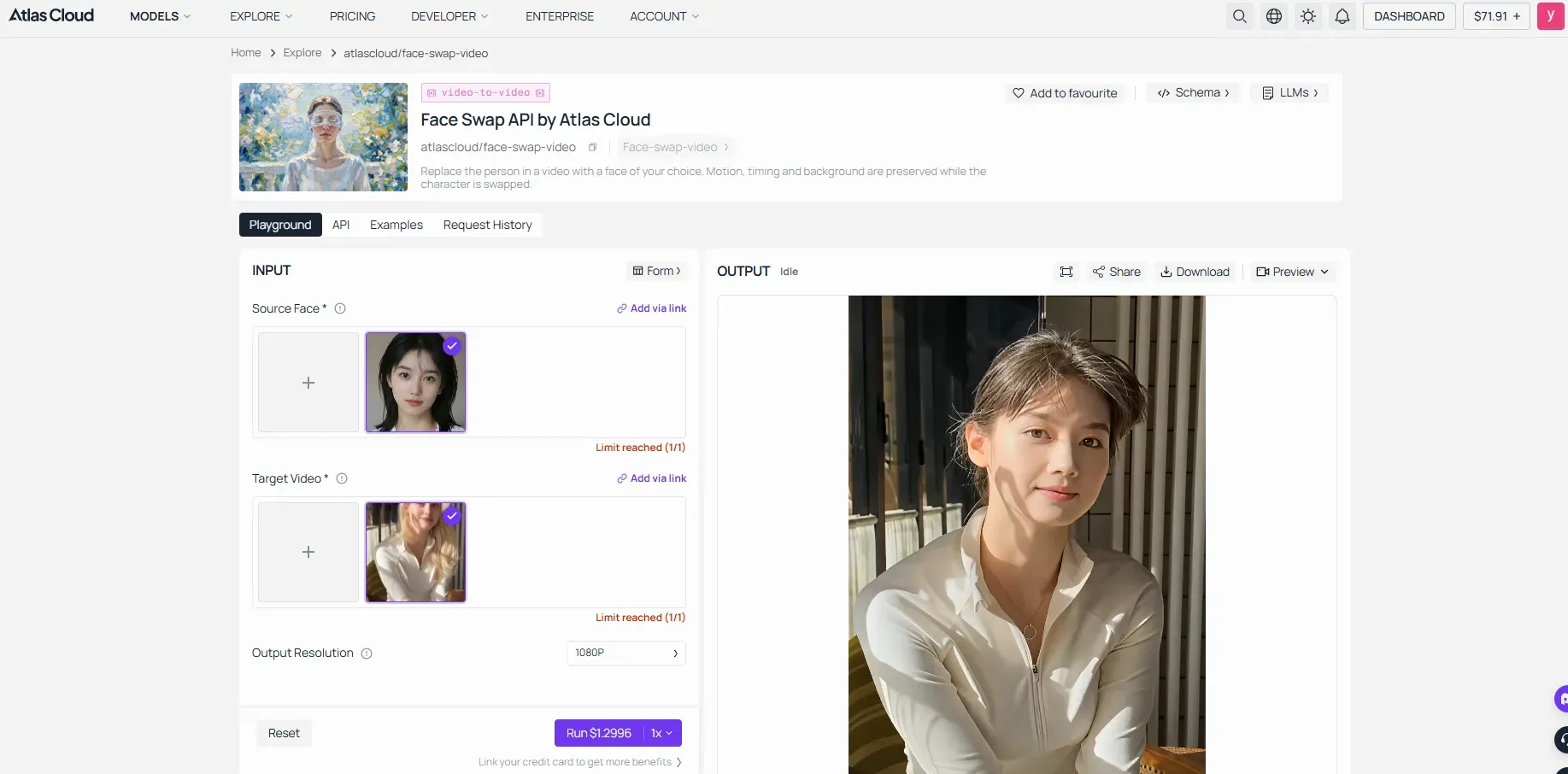
Waiting through Vismz queues only to receive soft edges and locked monthly fees frustrates anyone needing clean results on a laptop one day and a phone the next. Atlas Cloud removes that friction with its AI tools hub, which gathers the platform's face swap utilities on one page — including the completely free Swap Face tool covered below — and runs them across Mac, iOS, Android, and desktop with no installs required.
It delivers studio-grade photo and short video swaps that keep original pose, clothing, background, lighting, and motion intact. The dedicated face-swap-image model transfers identity while avoiding the hard “sticker edges” common on lighter tools. The companion face-swap-video endpoint handles 2–10 second clips the same way, preserving timing and camera movement. Users can also route work through identity-preserving edit models available on the same platform, including nano-banana-2 edit options, for tighter control over expressions and grain.
Note: Face swapping involves real people. Only upload media you have the right to use and obtain consent from the people depicted. Do not use this tool to create misleading or harmful content.
Best for: Cross-device AI face swap on photos and brief videos without device limits.
How it beats Vismz: Pay-as-you-go face swap pricing starts at $0.09/image and $0.20/second of video, with zero watermarks and no recurring subscription. Cloud endpoints scale on demand instead of forcing queue waits or resolution caps.
Practical limits to note:
- Requires a stable high-speed internet connection for large HD uploads/downloads.
- Advanced parameter adjustments such as custom facial mask modifications are not very flexible.
This pay-as-you-go model plus consistent edge quality makes Atlas Cloud the practical high-resolution choice when Vismz bottlenecks slow production.
Swap Face: The Free Lane in the Atlas Toolkit
Swap Face, the platform's free AI face swap, is the corner of the toolkit where no meter exists at all. The input panel is labeled "Free · No charge," and the FAQ confirms the deal in plain terms, with no usage cap and no watermark. Each run takes one photo and one face, maps 468 facial points, and returns a clean PNG in about eight seconds. Two sliders named Blend and Feather stand in for a prompt box, deciding how much of the new identity lands and how gently the edge dissolves into the surrounding pixels.
A fitting test for an article that opened with a logo pasted across a chin is to give the most famous chin in art history a new face. Load the Mona Lisa as the target photo and Vermeer's Girl with a Pearl Earring as the face photo. Both portraits sit safely in the public domain, and the swapped Mona Lisa comes back with nothing stamped on her.
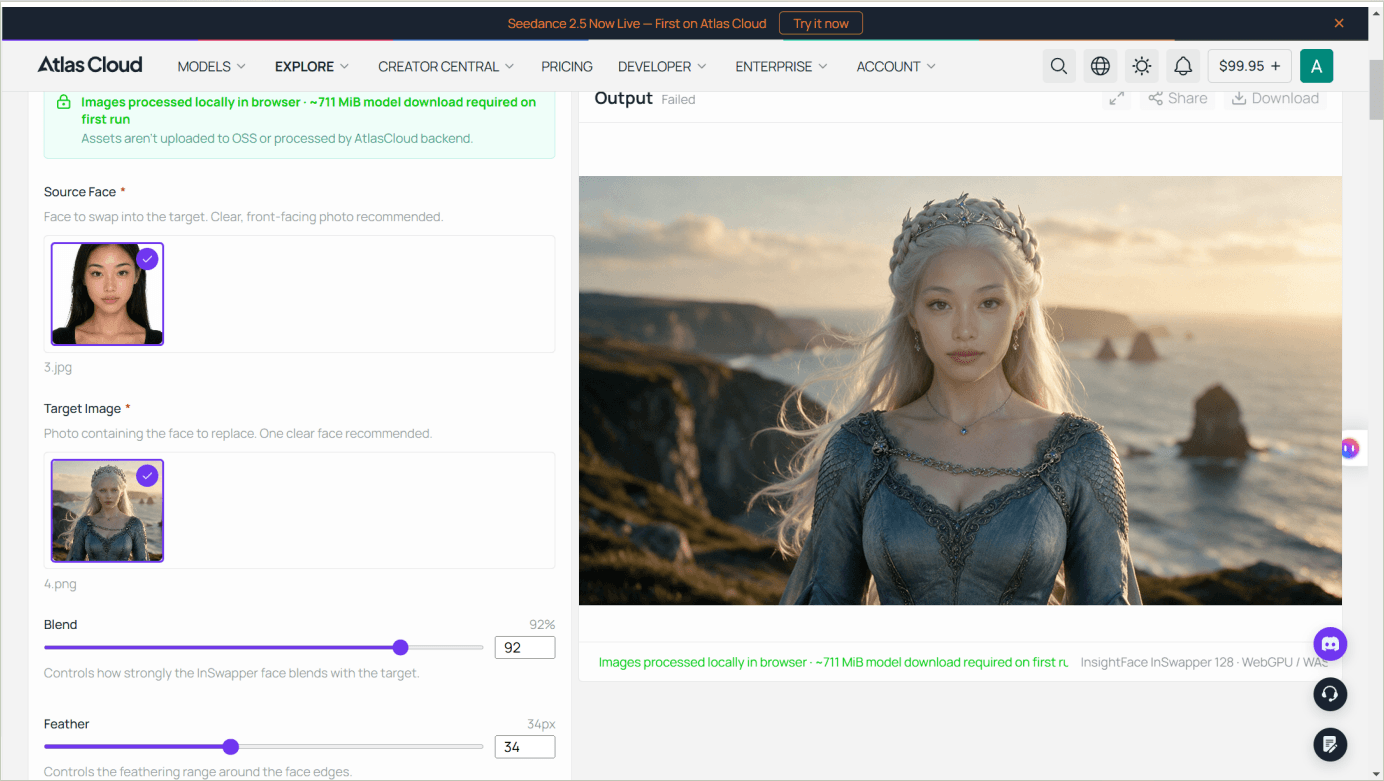
The limits are easy to state. Output tops out at 1280 pixels on the longest side, each run handles a single still with no batch upload, and the first visit downloads about 711 MiB of model files. DeepSwapper further down this list also keeps photo swaps free; what sets Swap Face apart is the edge control those two sliders give you.
2. Vidnoz AI – Best Free Browser Alternative for Beginners
Trying to make a quick meme or group photo swap and hitting a cluttered interface with slow processing kills the fun for most casual creators. Vidnoz face swap solves that with a straightforward browser layout that gets results in a few clicks.
The primary advantage of Vidnoz AI lies in its UI organization. Rather than requiring technical parameters or prompt construction, users upload source and target media directly into dedicated interface panels. The multi-face swap module automatically detects distinct facial structures within group photos, allowing targeted replacement per person.
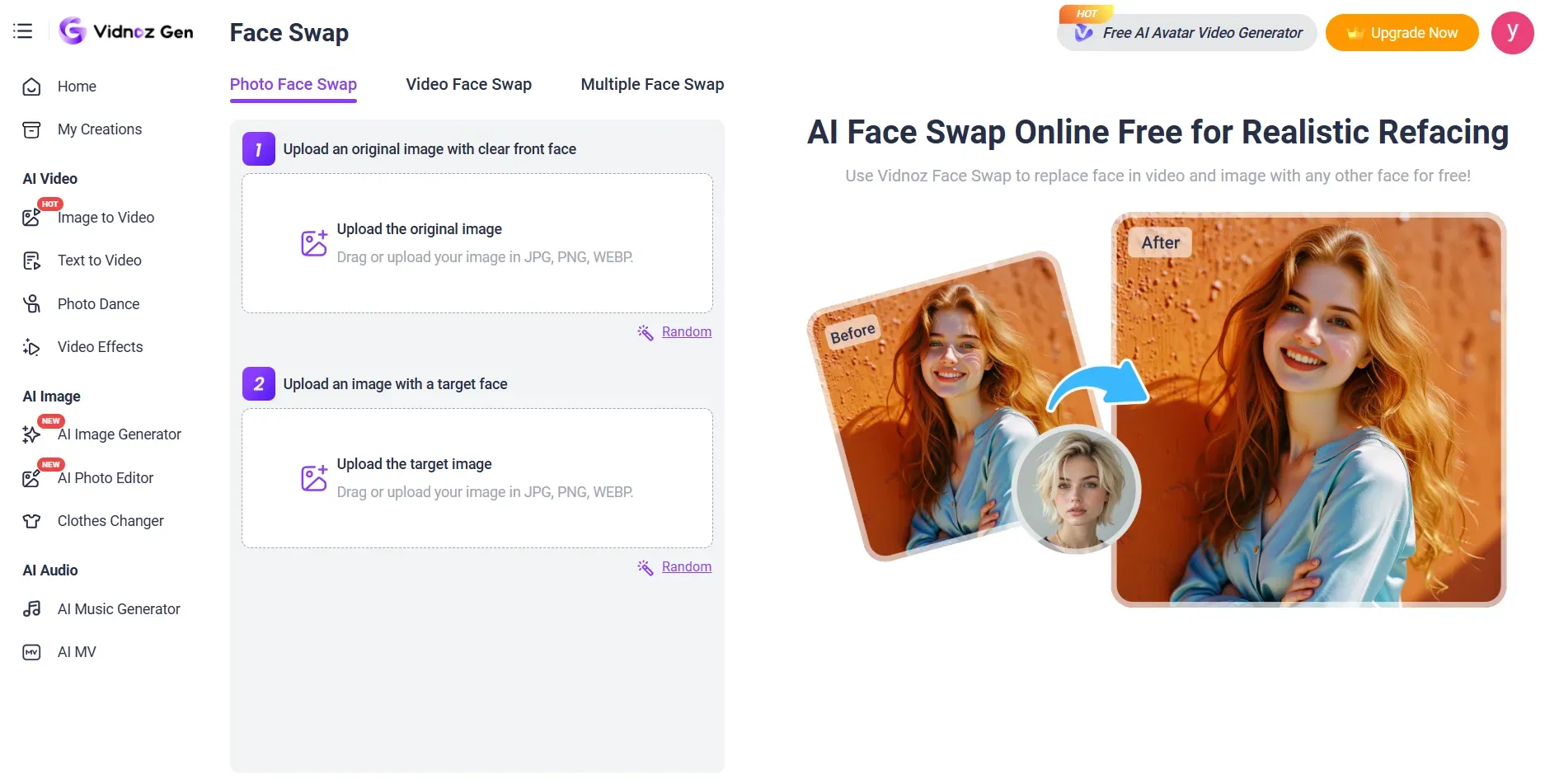
Best for: Quick social media clips, multi-face swap online projects, and light meme work without software installs.
How it beats Vismz: Dedicated single-click tabs and a cleaner browser face swap interface reduce steps compared with queue-heavy tools. Free daily usage covers basic needs, and HD mode supports exports above 1080p when credits allow.
Practical limits to note
- Daily credit caps on free accounts
- Resolution and watermark restrictions until upgrade
- Video files capped around 100 MB
Vidnoz remains one of the most approachable free options for beginners who want browser face swap access without learning curves. For higher volume or longer clips, paid credits unlock faster processing and cleaner exports, but the free tier already covers most casual social media needs.
3. Remaker AI – Best for Fast Photo & Batch Edits
Uploading a clean portrait only to wait minutes for a soft result that still needs manual cleanup is a common stop for anyone testing remaker vs vismz workflows. Remaker AI face swap cuts that delay with a simple browser flow built for speed on static images.
Upload an original photo, add a target face, choose model version v1 or v2, and generate. Version v2 prioritizes faster rendering and better handling of face obstructions while keeping areas outside the face intact. A dedicated batch face swap path lets users process multiple images in one session, and a separate multi-face tool handles group shots. GIF face swap is also available through a linked page for short animated edits, or you can follow our detailed GIF face swap guide to master frame-by-frame animation replacements. Free access requires no signup for basic trials, and outputs carry no watermark on the core photo tool.
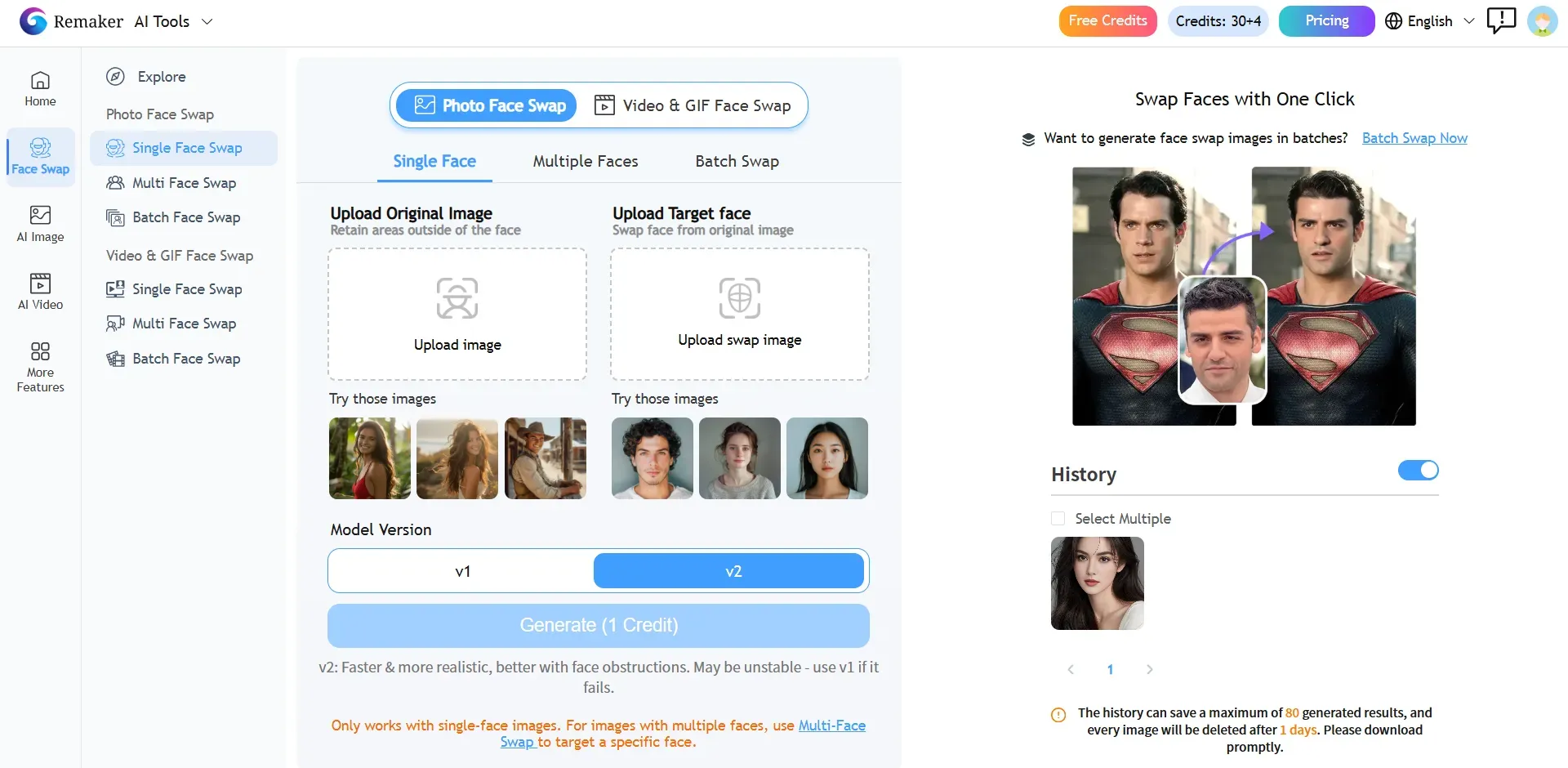
Note: New users receive 30 credits upon logging in, and points can also be earned through daily check-ins; check-in credits are valid only for the day they are earned.
Single Photo Face Swap: 1 credit
Single Video Face Swap: 5–20 credits
Best for: Rapid single-image swaps, simple GIF edits, and light batch face swap work.
How it beats Vismz: Shorter render times on static photos plus lightweight daily trial credits keep simple jobs moving without queue delays or subscription lock-in.
Practical limits to note
- Video face swapping may show boundary blur along complex hairlines on longer clips
- Free credits run out faster once video or high-volume batch jobs begin
- History holds results only briefly before automatic deletion
Remaker AI stays strongest when the job stays on photos or short GIFs. Its one-click interface and batch option fill a practical gap for creators who need hd photo face swap results without learning a full editing suite. For pure photo speed and trial flexibility it remains a reliable remaker vs vismz pick.
4. FaceFusion – Best Open-Source Alternative for Local Privacy
Uploading sensitive clips to a cloud queue only to wonder where the files go afterward stops many creators from finishing projects. FaceFusion open source removes that risk by running entirely on your own machine.
This local face swap software installs on Windows or macOS and processes photos and videos without any server upload. Once set up, batch-run and headless modes let advanced users queue multiple jobs and render without daily limits or wait times. The official repository supplies Windows and macOS installers plus a full Python command-line path, so private AI face swap work stays under user control. All renders stay on local storage, which suits privacy-focused workflows that Vismz cannot match.
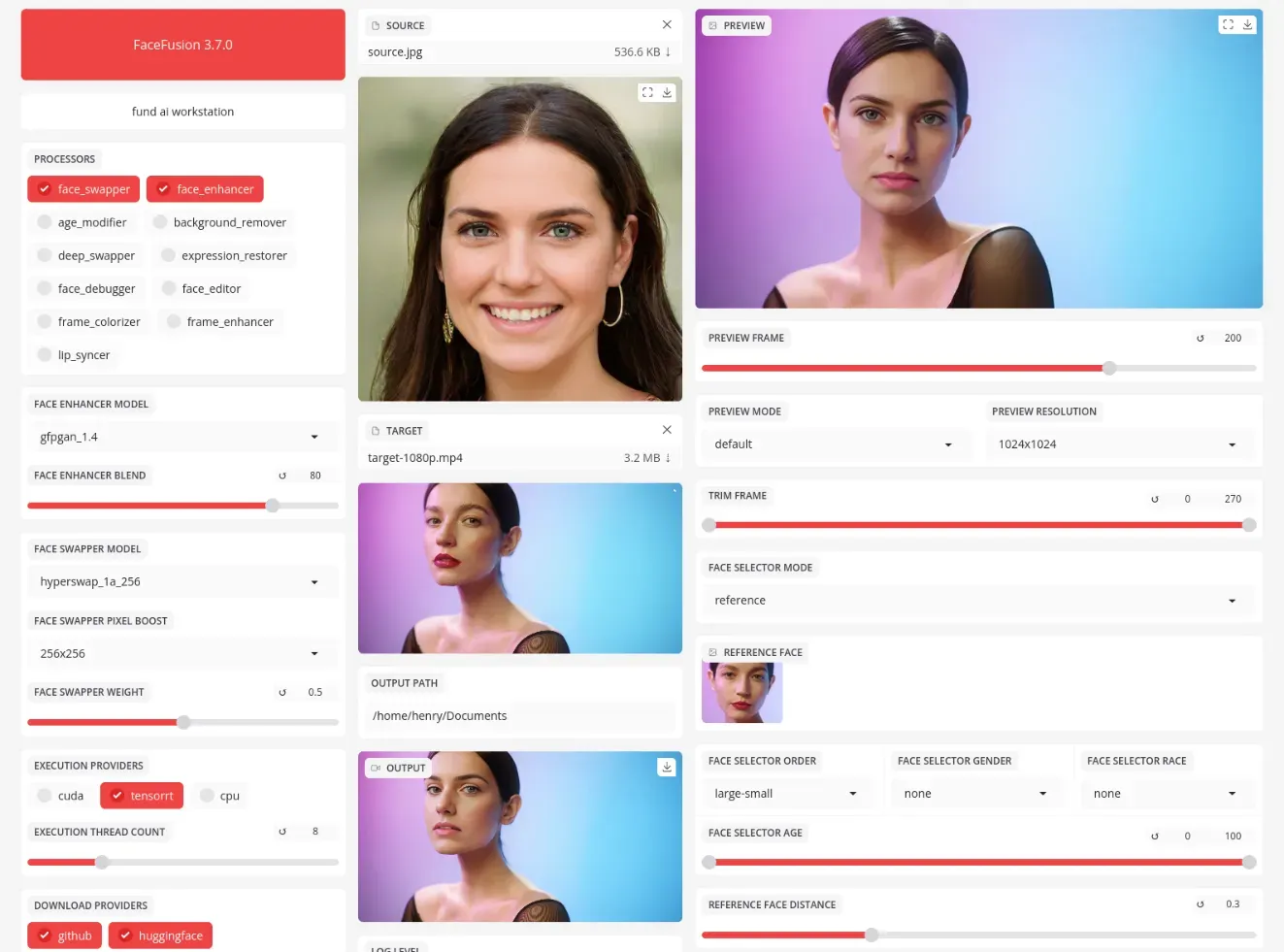
Best for: Advanced creators who need maximum privacy, zero server uploads, and local batch rendering on desktop hardware.
How it beats Vismz: Completely free, fully private, no cloud queues, and unlimited renders after installation.
Setup requirements
- Python environment (conda recommended) plus dependencies
- Compatible GPU for practical speed (8 GB VRAM or higher preferred)
- Technical comfort with terminal commands or the provided installers
macOS face swap local users can follow the dedicated installer path, while Windows users gain the same offline control. FaceFusion demands more upfront effort than browser tools, yet the payoff is complete ownership of every frame and model. For technical users who refuse to send faces off-device, it remains the clearest open-source path in 2026.
5. Akool – Best Enterprise & Commercial Video Alternative
Marketing teams that reshoot the same spokesperson clip for every regional campaign burn time and budget on every new face. Akool video face swap cuts that cycle by delivering stable identity across full-motion footage without new camera days.
The platform targets professional video marketing and e-commerce brands that need high consistency face swap video results. It preserves natural expressions, lighting, and skin texture while handling fast movements, face occlusions such as hands or objects, and rapid lighting shifts. Outputs reach 4K and higher for commercial use, and multi-face plus batch modes support group scenes at scale. A commercial face swap API lets developers embed the same pipeline into existing workflows with concurrent processing options.
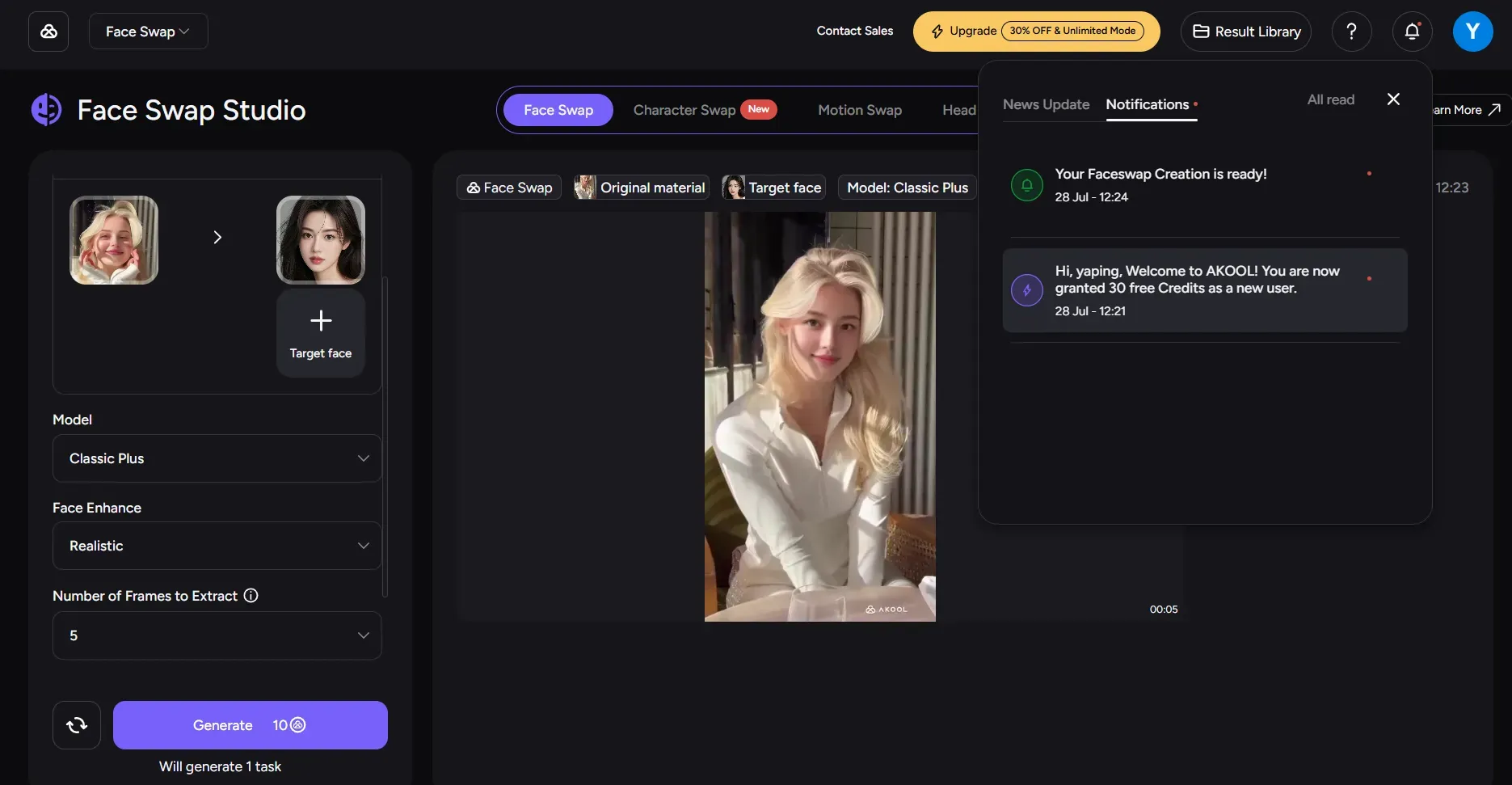
Note: New users receive 30 credits upon logging in; one Face Swap task costs 10 credits.
Best for: Professional video marketing campaigns and API integration.
How it beats Vismz: Stronger temporal consistency on longer clips and explicit occlusion prevention that keeps identity stable when objects cross the face.
Practical limits to note
- Credit-based pricing that scales into higher enterprise tiers
- Best suited to business volume rather than occasional personal use
- Concurrent limits vary by plan
Akool already powers campaigns for brands that require repeatable, high-volume identity swaps. For teams that treat face replacement as production infrastructure rather than a one-off experiment, the combination of occlusion handling and API access fills a clear commercial gap left by lighter consumer tools.
6. Pica AI – Best for Quick Photo-to-Video Experiments
Scrolling past the same three trending meme formats while trying to drop your face into each one wastes the short window those clips stay relevant. Pica AI face swap shortens that cycle with ready-made options built for speed.
The tool focuses on rapid template-based swapping on both web and mobile. Users upload a photo or short video, pick one or more target faces, or start from the built-in template library that covers popular meme styles and avatar scenes. Multi-face detection handles group shots in a single pass, and results for still images appear in seconds. Video exports land as MP4 or GIF, which suits quick social posts. A companion iOS app extends the same flow for on-the-go work.
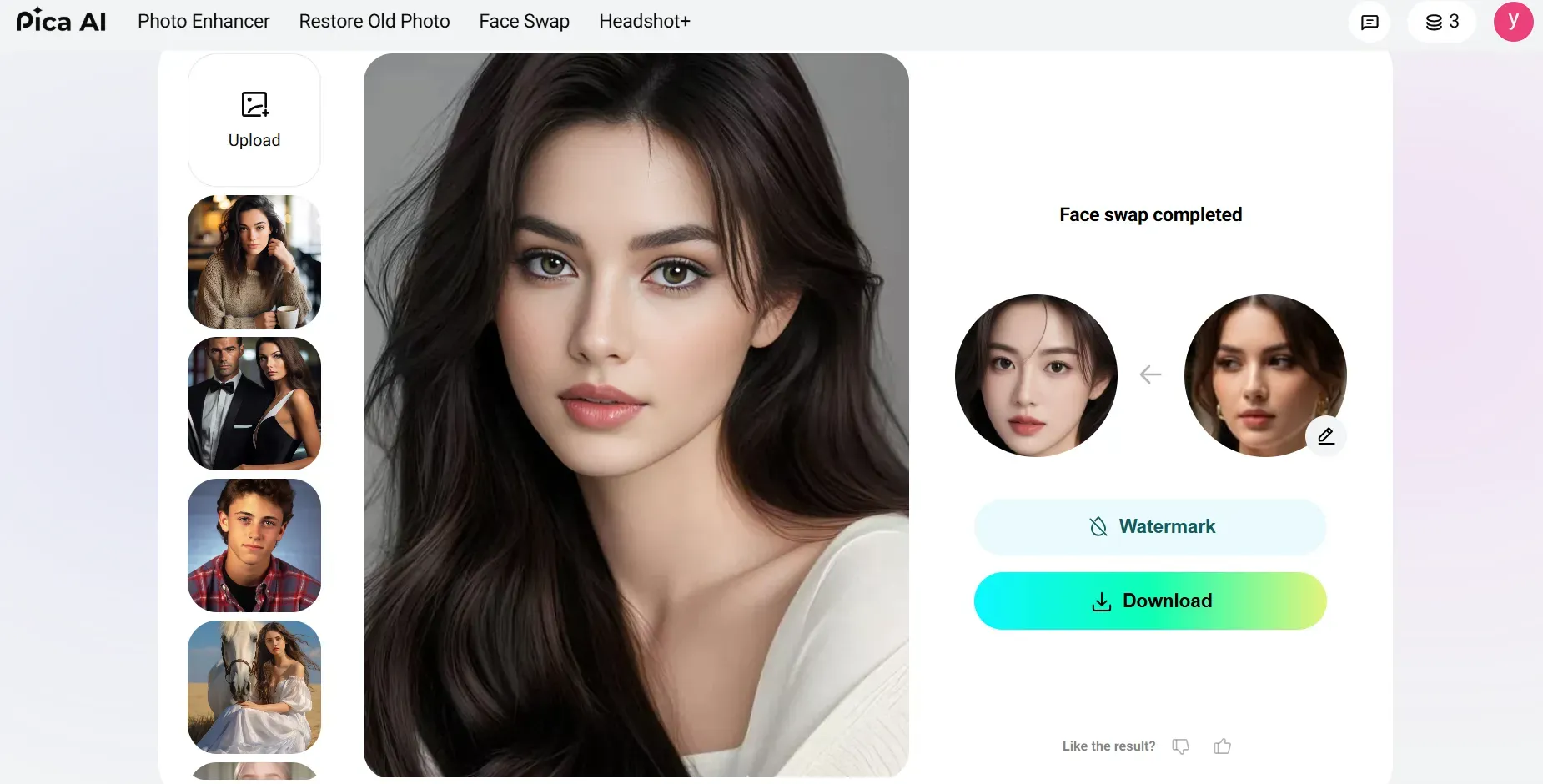
Note: Get 4 free credits per day; one face swap costs 1 credit, and downloaded images will have a watermark.
Best for: Rapid template-based swapping on mobile and web for short viral clips.
How it beats Vismz: A larger pre-built face swap video templates library lets creators jump straight into trending formats without building every scene from scratch.
Practical limits to note
- Free credits and HD generation available, yet volume quickly moves to paid packs
- Less flexibility when projects demand custom high-resolution commercial prompts
- Best results stay within short social-media lengths
Pica AI review feedback consistently notes the simple three-step flow and multi-face reliability for casual group edits. For creators who chase daily trends rather than long-form production, the combination of templates and quick mobile face swap access keeps output moving without extra setup.
7. DeepSwapper – Best Watermark-Free Casual Alternative
Hitting a sign-up wall just to remove a logo from a single photo swap stops most people before they finish the edit. DeepSwapper free removes that barrier with a direct web flow that keeps results clean.
The tool centers on a simple drag and drop face swap process. Users paste or upload a source image, add a target face, and generate without creating an account. Outputs carry no watermark, and photo swaps run without daily caps under the free tier. Multiple faces in one image can be selected and replaced in the same pass. Video support exists, yet full video features require a paid plan, which keeps the free path focused on stills. File formats cover common options such as JPEG, PNG, WEBP, GIF, and short video containers.
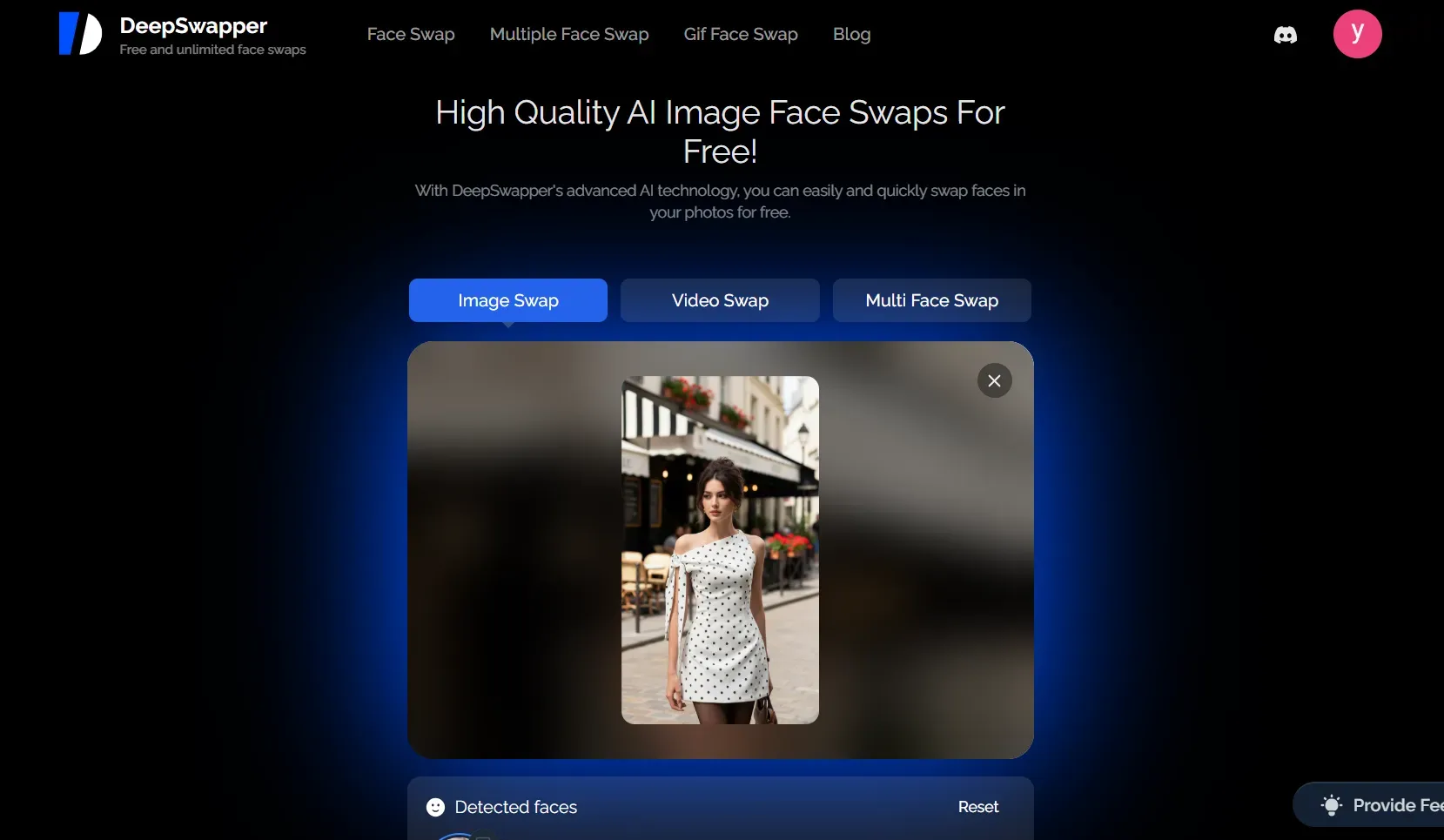
Best for: Casual users who need a clean, unwatermarked photo swap without registration friction.
How it beats Vismz: A lighter drag-and-drop workflow and fewer aggressive sign-up walls let users finish a quick job faster.
Practical limits to note
- Video face swap sits behind a subscription
- Parameter controls stay basic compared with advanced desktop tools
- Best suited to single or group photo work rather than long-form video
DeepSwapper keeps the process short: upload, swap, download. For anyone who only needs an unlimited photo face swap result without logos or account creation, the no watermark face swap approach fills a practical gap left by tools that push registration first.
How to Choose the Right Vismz Alternative
Selecting an AI editor by trial and error often results in pixelated skin textures, unexpected subscription renewals, or unusable commercial assets. If you want to explore wider industry options beyond Vismz, check out our broader round-up of the best AI face swap tools. Identifying a reliable Vismz alternative requires evaluating specific underlying technical capabilities rather than marketing surface claims.
| Evaluation Vector | Core Indicator | Target Benchmark |
| Blending Accuracy | Edge Smoothness & Lighting Match | Zero Artifacts |
| Compute Mode | Local GPU vs Cloud Rendering | Speed vs Privacy |
| Cost Model | Cost Per Render | Pay-As-You-Go |
| Legal Clearance | Data Retention & Commercial Rights | Full Ownership |
-
Spatial and Temporal Quality
High quality engines maintain consistent skin grain, natural lighting gradients, and matching shadow direction. Inferior models produce jarring sticker edges around cheekbones and chin lines. For video assets, temporal stability prevents distracting frame flickering during rapid head movements.
-
Device and Compute Compatibility
Local GPU setups like FaceFusion require dedicated hardware but keep image data entirely offline. Cloud-based platforms like Atlas Cloud eliminate hardware bottlenecks by running generation workflows across browser environments on any device.
-
Cost Structure Optimization
Calculate exact operational costs before committing to monthly tiers. Credit-based pay-as-you-go structures work best for intermittent rendering, whereas high-volume commercial producers save money using flat unlimited subscriptions. Watch out for auto-renew traps with low daily limits.
-
Safety, Legality, and Data Privacy
Is AI face swapping legal and safe to use?
Swapping faces is legal for authorized media production, parody, and internal creative projects. However, unauthorized commercial exploitation violates likeness rights under state frameworks like the Tennessee ELVIS Act. Always verify that platform terms guarantee cloud data deletion within 24 hours.
Do the best Vismz alternatives add watermarks on free tiers?
Most freemium providers enforce visible corner logos or resolution caps on free exports. The exceptions in this list keep photo output clean at no cost: Atlas Cloud's Swap Face tool sets no usage cap and adds no watermark per its own FAQ, and DeepSwapper keeps free photo swaps unwatermarked as well. Beyond those, watermark-free output usually means either token sign-up credits or open-source local processing.
Final Verdict: Which Vismz Alternative Should You Choose?
- Choose Atlas Cloud if you want high-resolution photo and video rendering across browser/mobile without subscription lock-in. Its free Swap Face tool covers single-photo jobs before any meter starts.
- Choose FaceFusion if you require 100% local data privacy and zero cost.
- Choose Vidnoz or DeepSwapper if you want beginner-friendly multi-face group swaps or the simplest drag-and-drop photo flow.





