

We typed one short request into ChatGPT about a woman in a silver space suit blowing a pink bubble until it pops. One reply later, a looping GIF was ready to download. Can ChatGPT make GIFs? Yes. Watch that bubble closely, though. It doesn't really grow. It swaps between six drawings that dissolve into each other.
That's how ChatGPT builds a GIF on its own, and for a quick reaction loop it does the job. For motion that actually flows, we added Atlas Cloud to the same app, had Seedance 2.5 render four seconds of real video, and let ChatGPT turn it into a GIF, a seamless loop and a captioned meme. Here are both methods, the settings we used and the file sizes we got.
Key Takeaways
- ChatGPT makes GIFs without plugins by drawing still frames and joining them with a few lines of code.
- Those frames are a few drawings with fades between them, so the motion steps from pose to pose.
- With the Atlas Cloud plugin, Seedance 2.5 renders four seconds of real video that ChatGPT turns into a GIF.
- With the same photoasfirst and last frame, our image-to-video GIF looped with no visible jump.
- GIPHY recommends 480p sources and files under 8 MB, so a short 480p clip is enough for a GIF.
Can ChatGPT Make GIFs on Its Own?
Yes, through a workaround it picks for you. On a free account, in ChatGPT on the web, we sent one message: "Can you make me an animated GIF? A woman in a silver space suit blows a pink bubblegum bubble until it pops. Don't use any plugins or connected apps."
ChatGPT's image generator can't draw motion, so it drew a storyboard. Its second image was a square sheet of six panels. The bubble starts as a dot, swells, bursts across her face and leaves her grinning.
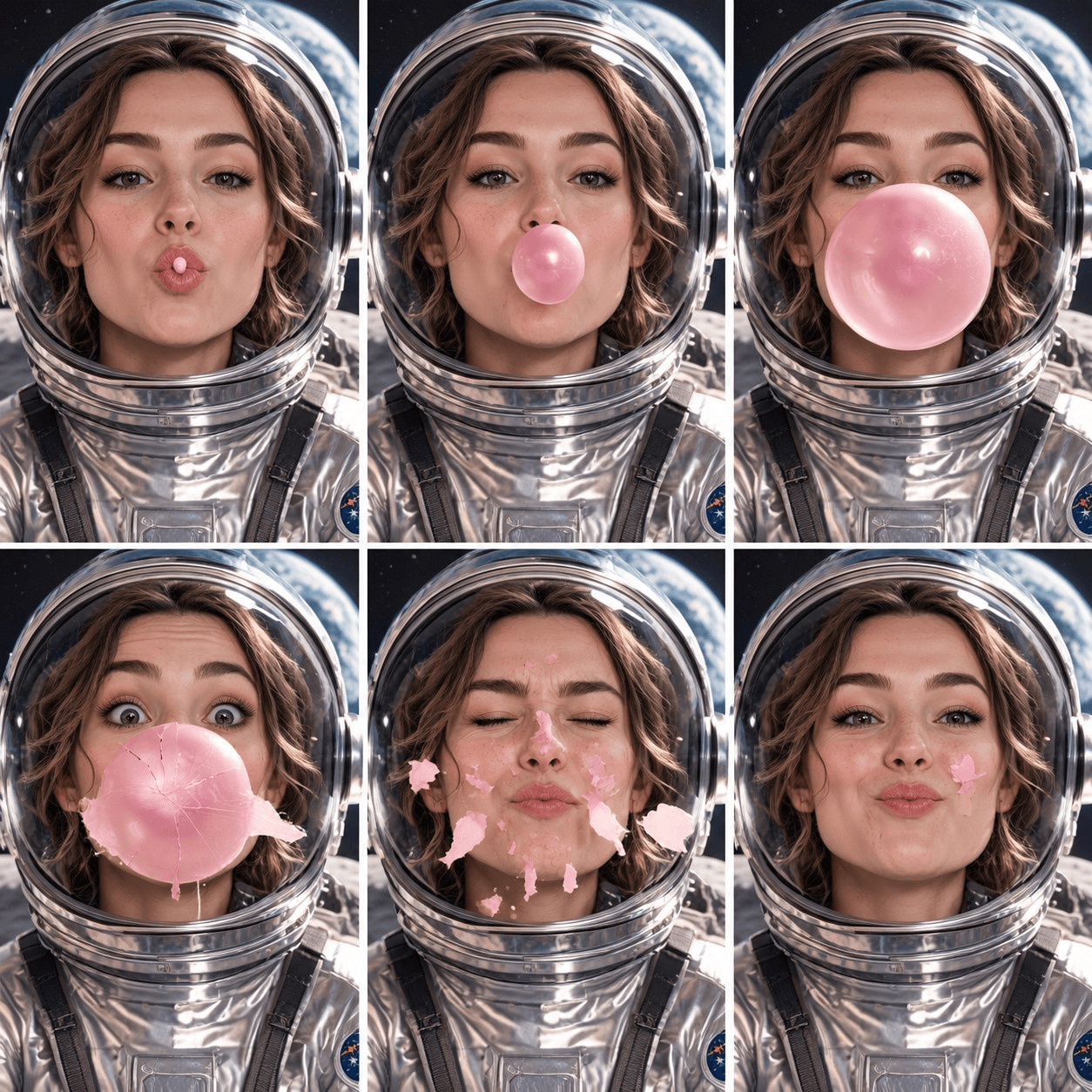
Then it switched to code. In its sandbox, it cut the sheet into six frames at 360 by 540 pixels and inserted three blended frames between each pair. The finished file has 21 frames shown for a tenth of a second each, plus a 0.7-second pause on the last one. That's 2.7 seconds and 3.2 MB, set to loop forever, with a download link in the reply.
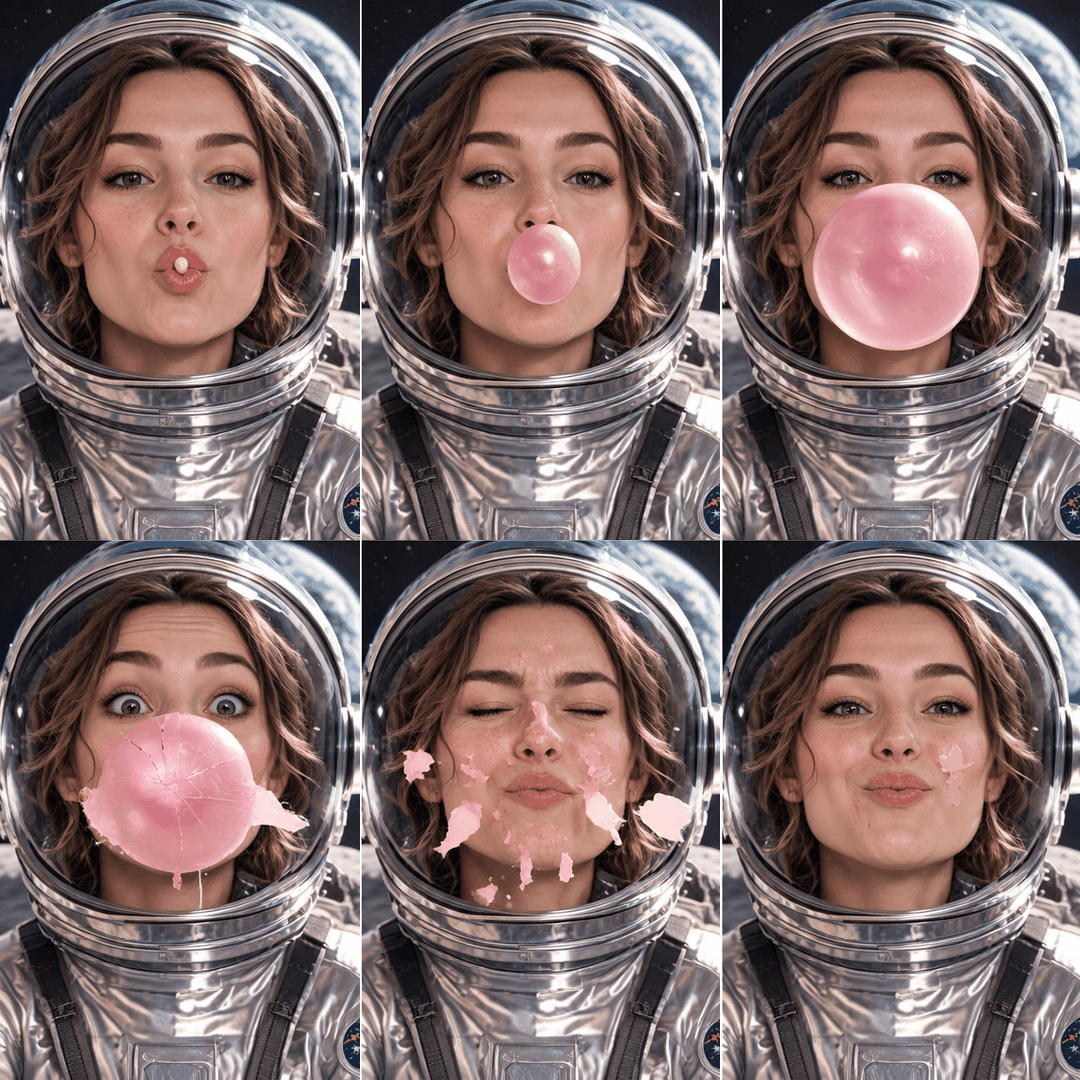
The blended frames explain the look. Between two panels, the GIF shows both at once, one fading into the other, so the bubble ghosts from size to size. That comes with the method. OpenAI's image API offers PNG, JPEG or WebP as output formats, all of them still images, so when ChatGPT makes a GIF by itself, the motion has to be assembled from stills afterward.
Older guides on the OpenAI forum and Reddit describe the same trick done by hand: ask for numbered frames or a sprite sheet, then have ChatGPT stitch them with Python. In our test, ChatGPT ran both steps without being asked.
How to Make a GIF With ChatGPT Using the Atlas Cloud Plugin
A video model fixes the ghosting at the source. The Atlas Cloud plugin connects ChatGPT to Seedance 2.5 and the rest of a 400+ model catalog, and Seedance renders every in-between moment of the motion itself. ChatGPT then samples those frames into a GIF. Here's the finished GIF in the chat that made it.
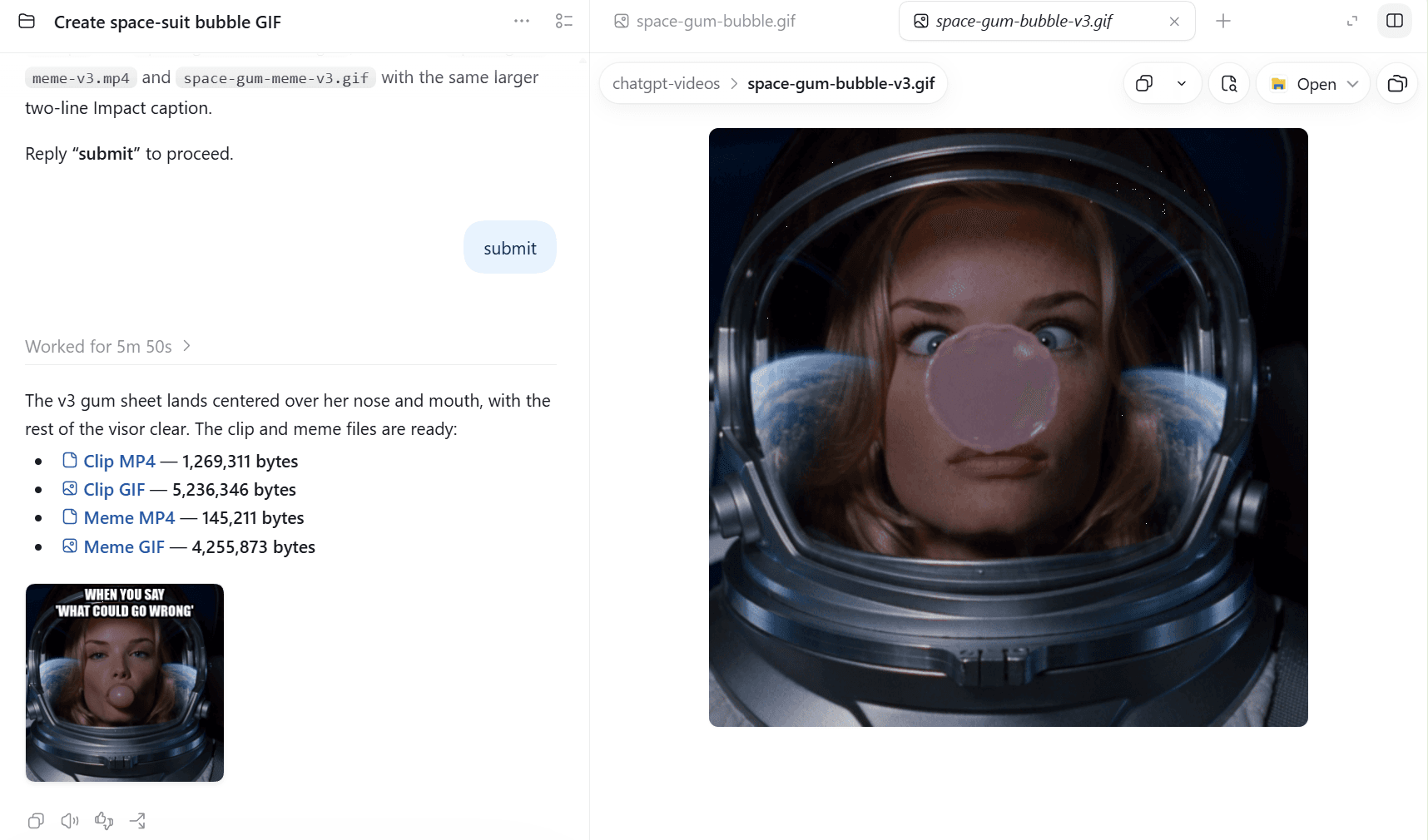
Install the plugin from the OpenAI Plugins Directory and sign in to your Atlas account once in the browser. Our plugin launch guide walks through each click. We worked in Work mode inside a ChatGPT project on the desktop app, so every file landed in a folder on our computer and ChatGPT could run ffmpeg there.
A GIF takes three moves:
- Attach a photo with the plus button if a person or product should appear in the GIF. It shows up above the message box. Skip this for a pure text prompt.
- Type @, pick Atlas Cloud and write the request. Name the model, then ask for 4 seconds, 480p, 1:1 and audio off, plus the GIF you want back: 480 px wide, 10 fps, with a palette generated from the clip. Ask to see the request before it runs.
- Send it, then reply "submit" once the preview looks right. The plugin runs the job and saves the MP4, and ChatGPT converts it into a GIF in the same folder.
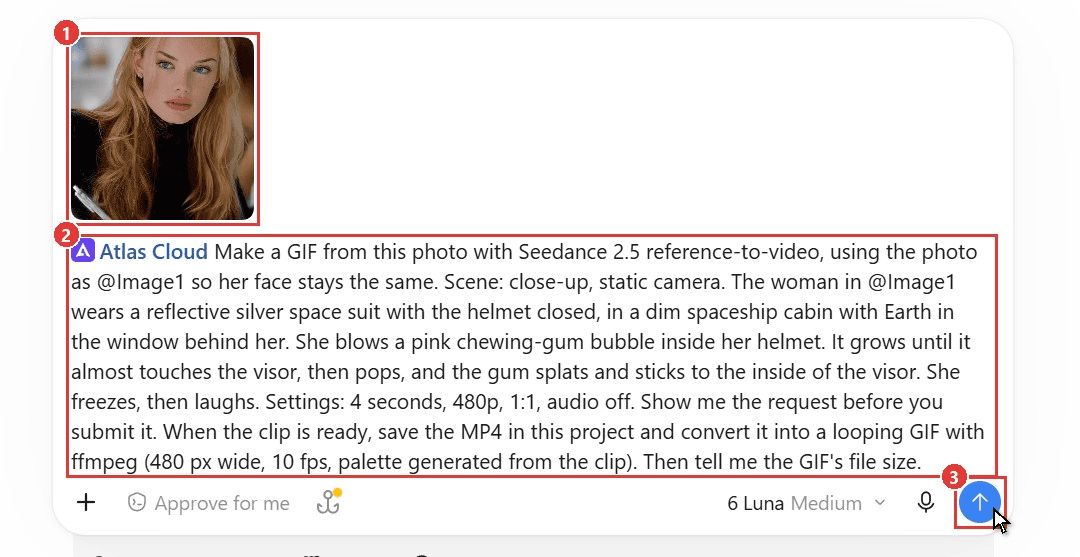
Four seconds is the shortest clip Seedance 2.5 makes, which suits a GIF. Audio off makes sense too, since a GIF can't carry sound.
Use ChatGPT as a GIF Generator With One Photo
For the main test, we attached one portrait and asked Seedance 2.5 to put the same woman in a silver space suit. Inside her helmet, she blows a chewing-gum bubble until it pops and the gum sticks to the middle of her visor.
Her face survived the costume change: same freckles, blue eyes and blonde hair under the glass. The bubble swells, bursts, and lands as a translucent pink patch right in front of her nose. She goes cross-eyed at it, then grins.
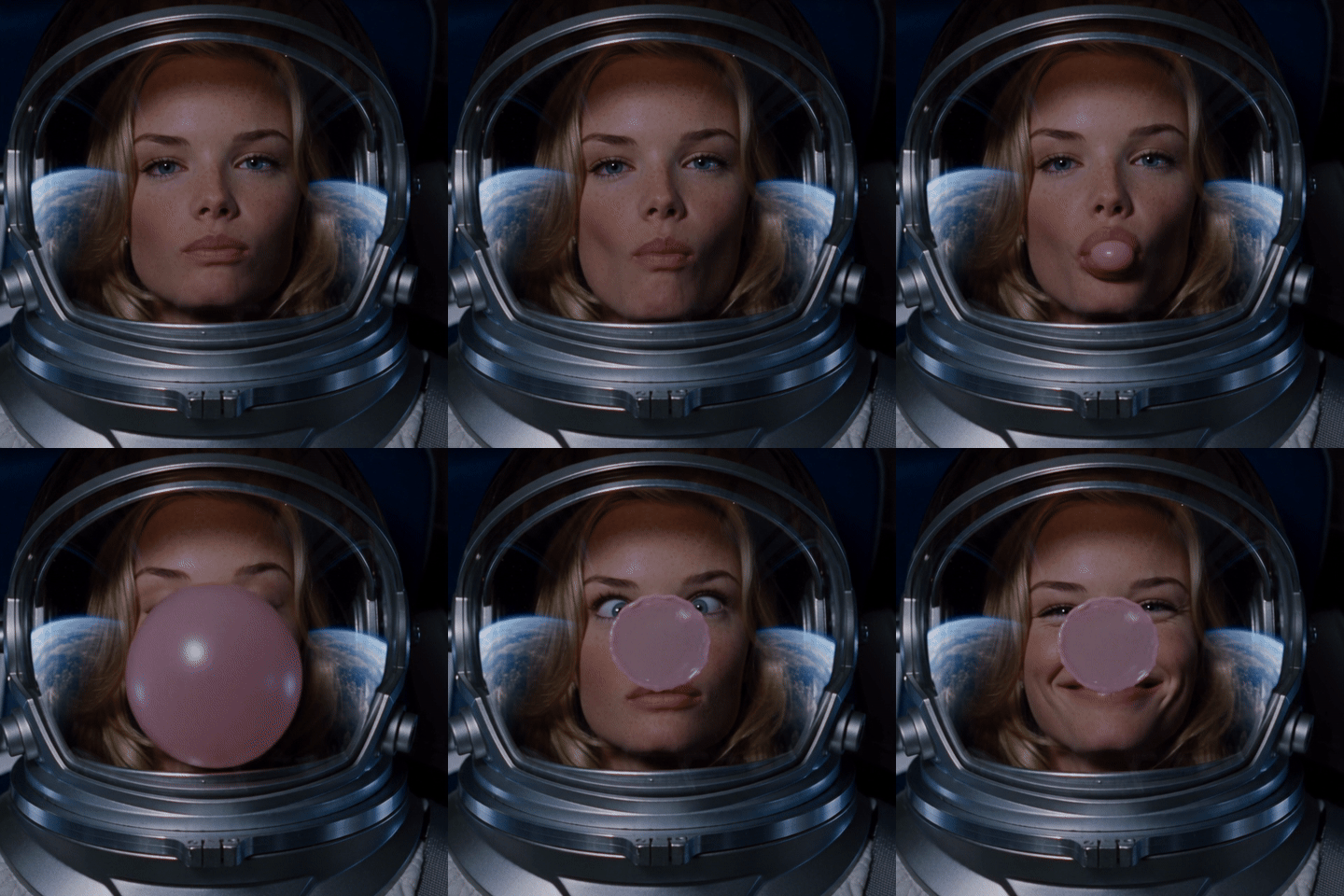
The Seedance clip came back at 640 by 640 pixels and 24 fps. ChatGPT's GIF keeps one frame every tenth of a second, so all 40 of its frames are moments the model actually rendered, and the file came to 5.2 MB. In the native GIF, 15 of its 21 frames were blends.
Want a longer clip, sound, or a video file instead? Our guide to making videos in ChatGPT covers the three Seedance modes in full.
Can ChatGPT Make GIFs From Images?
Yes, and that question hides two different jobs. The space suit GIF used her photo as a reference, which let the model change her outfit and everything around her. Sometimes you want the opposite: the photo itself, moving. That's image-to-video. Your picture becomes the first frame, and the scene stays the one you shot.
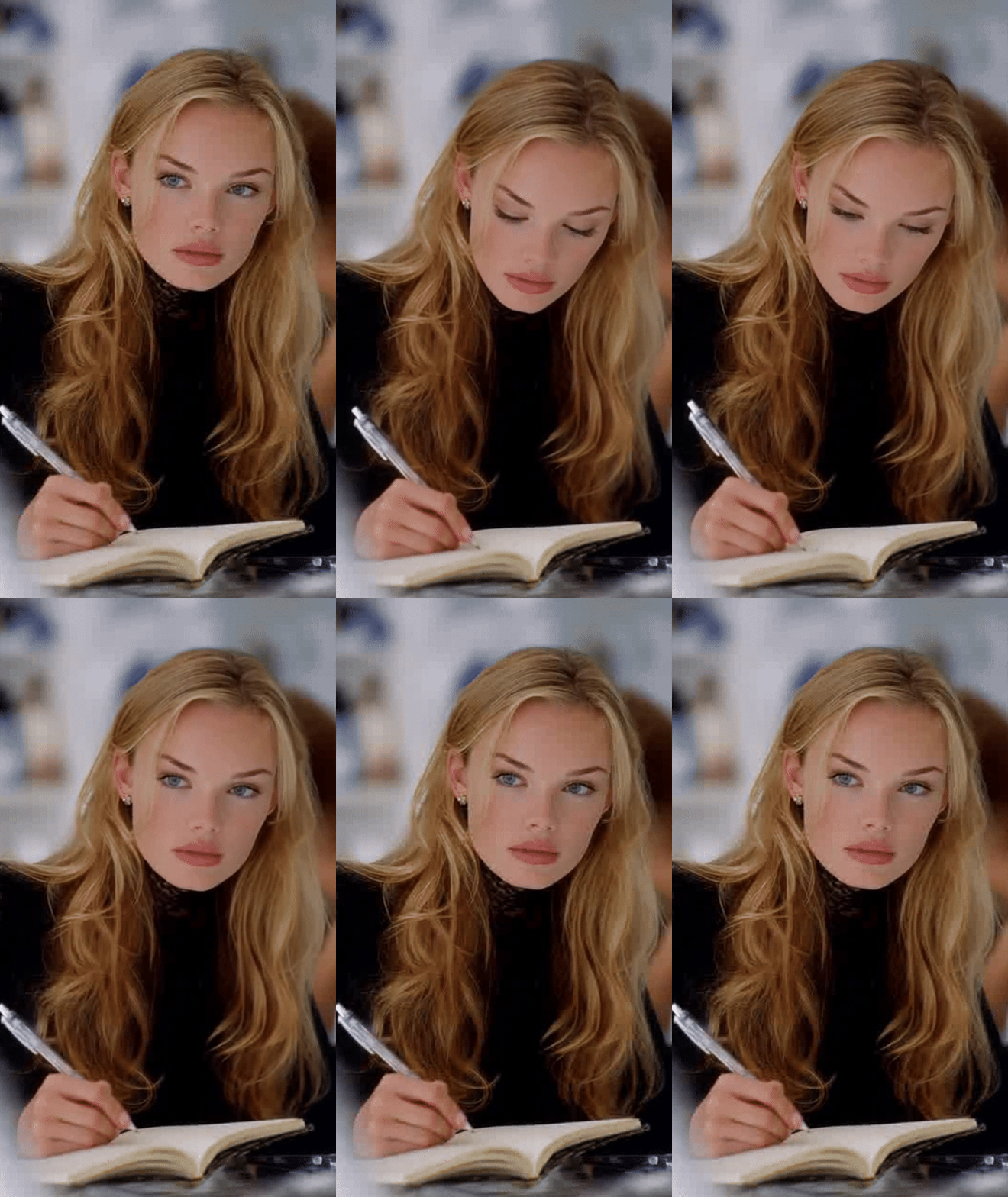
We pointed the plugin at the original portrait, her writing in a notebook, and asked for small motions only: look down, write a word, blink, then lift her eyes back to the camera. Seedance kept her face, the pen and the blurred room as shot, and the clip held the photo's tall proportions at 480 by 854 pixels.
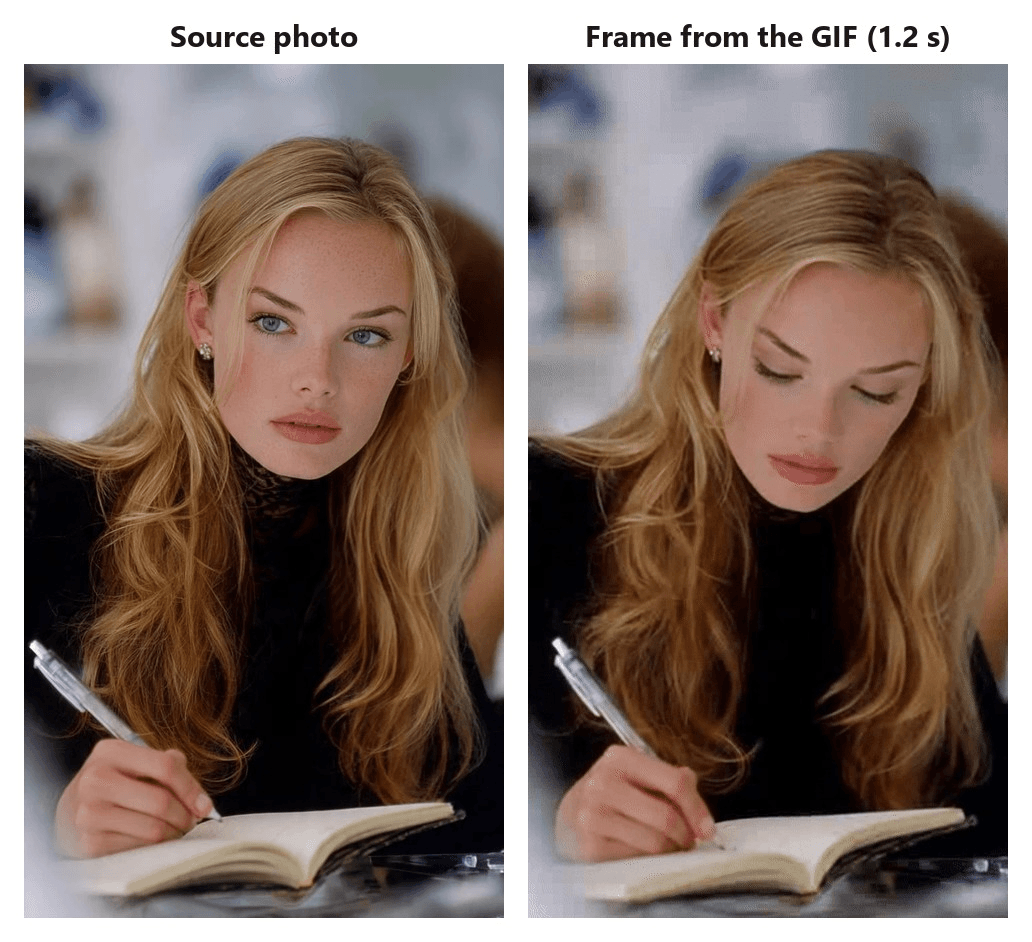
Without a plugin, the routes published guides describe are code effects on the whole picture, like a slow zoom, or a storyboard ChatGPT redraws panel by panel. A zoom keeps your pixels while nothing inside the photo moves, and a redrawn storyboard trades your original pixels for motion.
Make a Seamless GIF Loop With the Same First and Last Frame
A clip generated from a first frame alone ends wherever the motion takes it, so a looping GIF can snap back to the start with a visible jump. Seedance 2.5's image-to-video mode accepts an optional last frame as well as the first one. Give it the same photo twice, and the model has to bring the scene back to exactly where it began.
We asked for that in plain words: use this photo as both the first and the last frame. The finished GIF ends on the pose it starts with. When we compared its last and first frames pixel by pixel, they differed by about as much as any two neighboring frames, so the jump back to the start disappears into the motion.
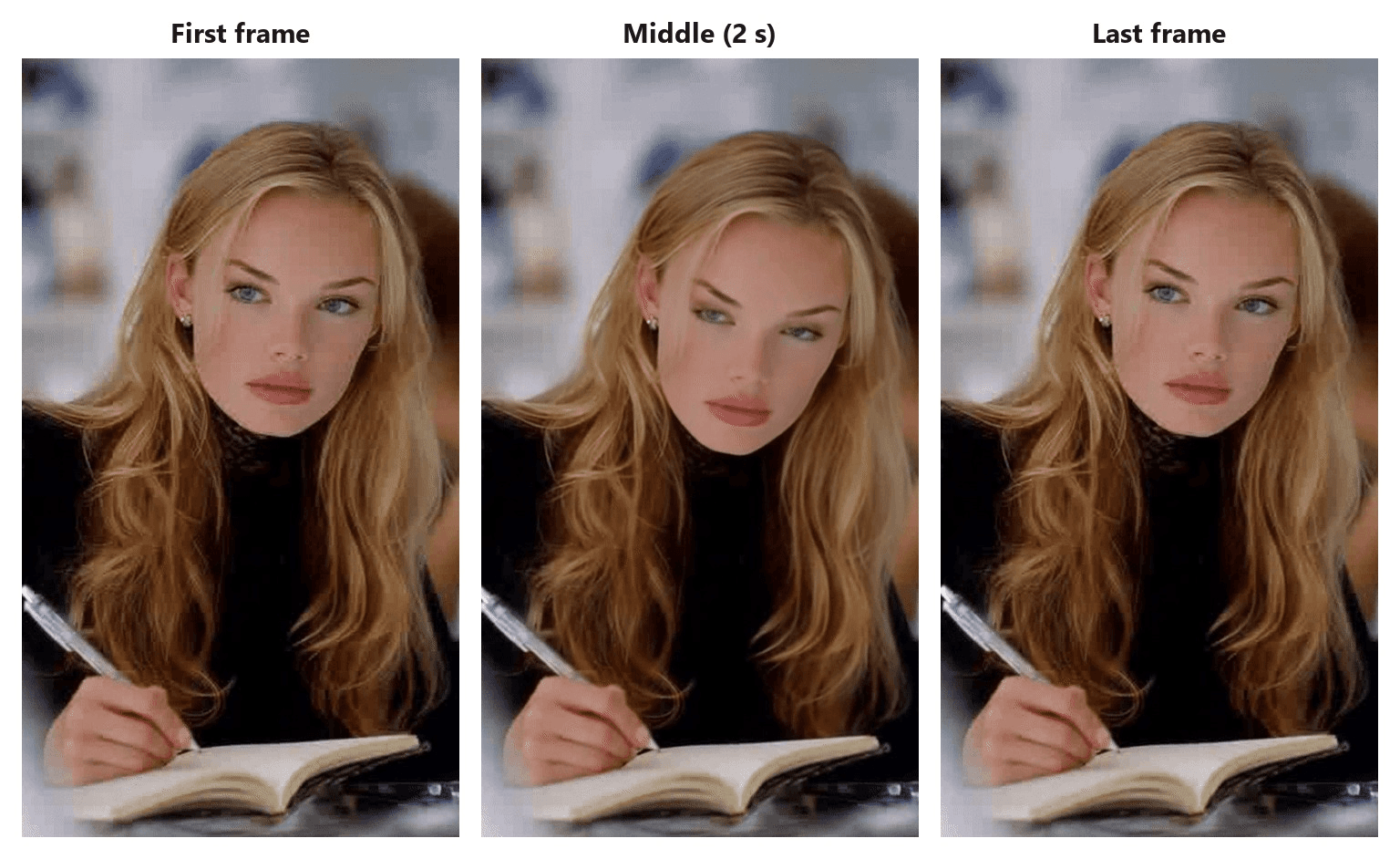
Pick motion that can return to its starting point: a blink, a glance up and back down, hair lifting and settling. A full head turn, or anything that leaves the frame, works against the loop. The same first and last frame fields sit on the Seedance 2.5 image-to-video page if you want to try a loop outside ChatGPT.
Forum guides for native GIFs fake a loop differently. They play the frames forward and then backward, which hides the jump but makes the motion visibly rewind.
Can ChatGPT Make Memes? Caption Your GIF in the Same Chat
Yes, and the plugin GIF is one message away from being a meme. We asked ChatGPT to burn a caption onto the bubble clip in white capitals with a thick black outline: "WHEN YOU SAY 'WHAT COULD GO WRONG'". It set the words in Impact across two lines at the top, burned them into every frame, and saved a new GIF next to the first.
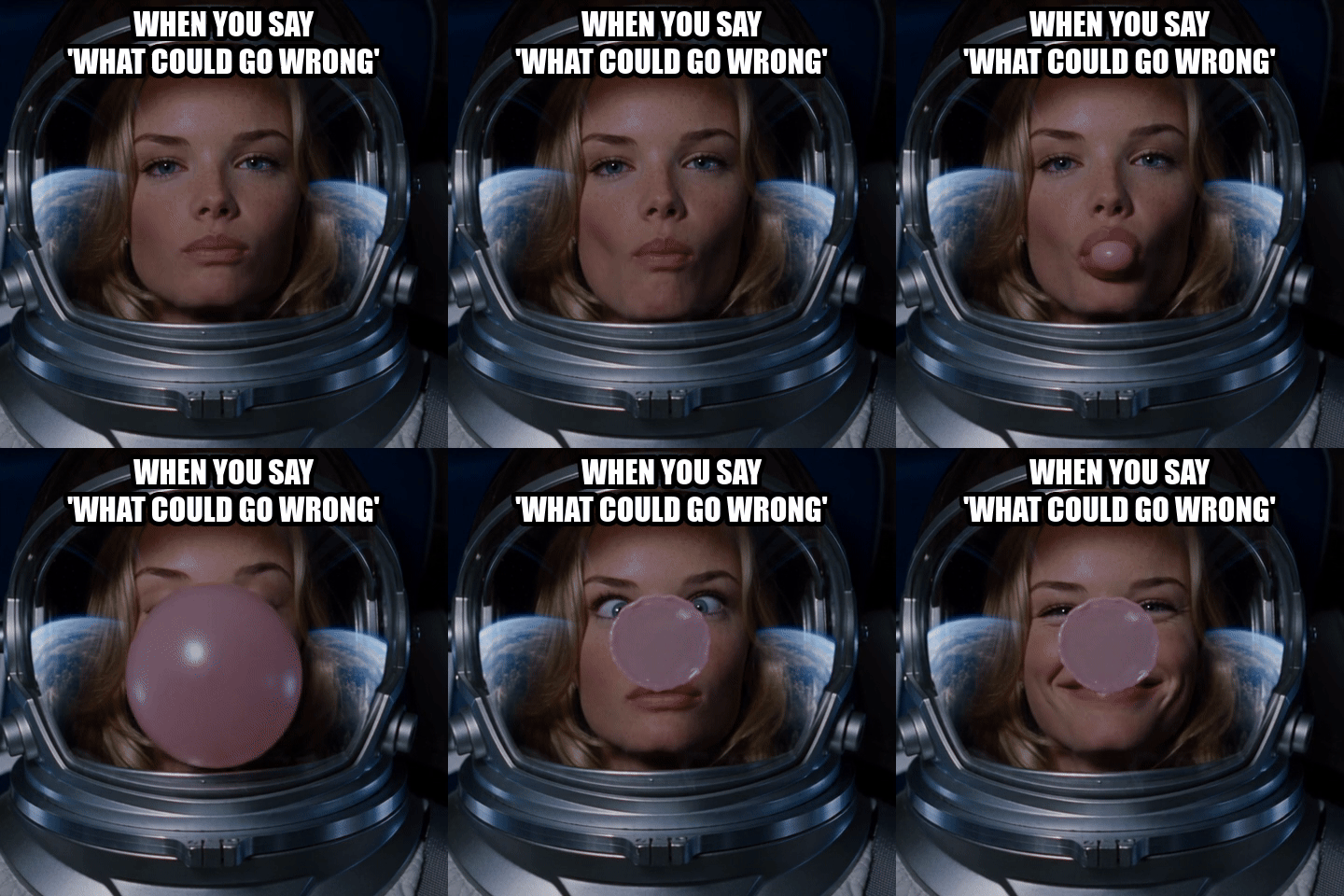
Adding the words afterward also keeps them steady. An image model draws text into each frame separately, so the lettering has to be redrawn every time. A caption burned in afterward is the exact same pixels on all 40 frames.
That makes ChatGPT a workable meme generator for reaction GIFs. If the meme is headed for TikTok, Reels or Shorts, ask for an MP4 with the same caption instead, and the same chat works as an AI meme video generator. Short-video apps take video uploads, and the file is far smaller. ChatGPT saved our captioned meme both ways at the same size and frame rate: 145 KB as an MP4 and 4.3 MB as a GIF.
ChatGPT GIF Maker Settings That Keep Files Under Platform Limits
Left to choose for itself, ChatGPT aims high. We uploaded a 4-second, 480p Seedance clip from an earlier test to a regular chat with no plugins and asked for a looping GIF it could hand back. Its sandbox had ffmpeg ready, and it picked 640 pixels wide, 15 fps and a 192-color palette. The file came to 9.2 MiB, or 9.6 MB.
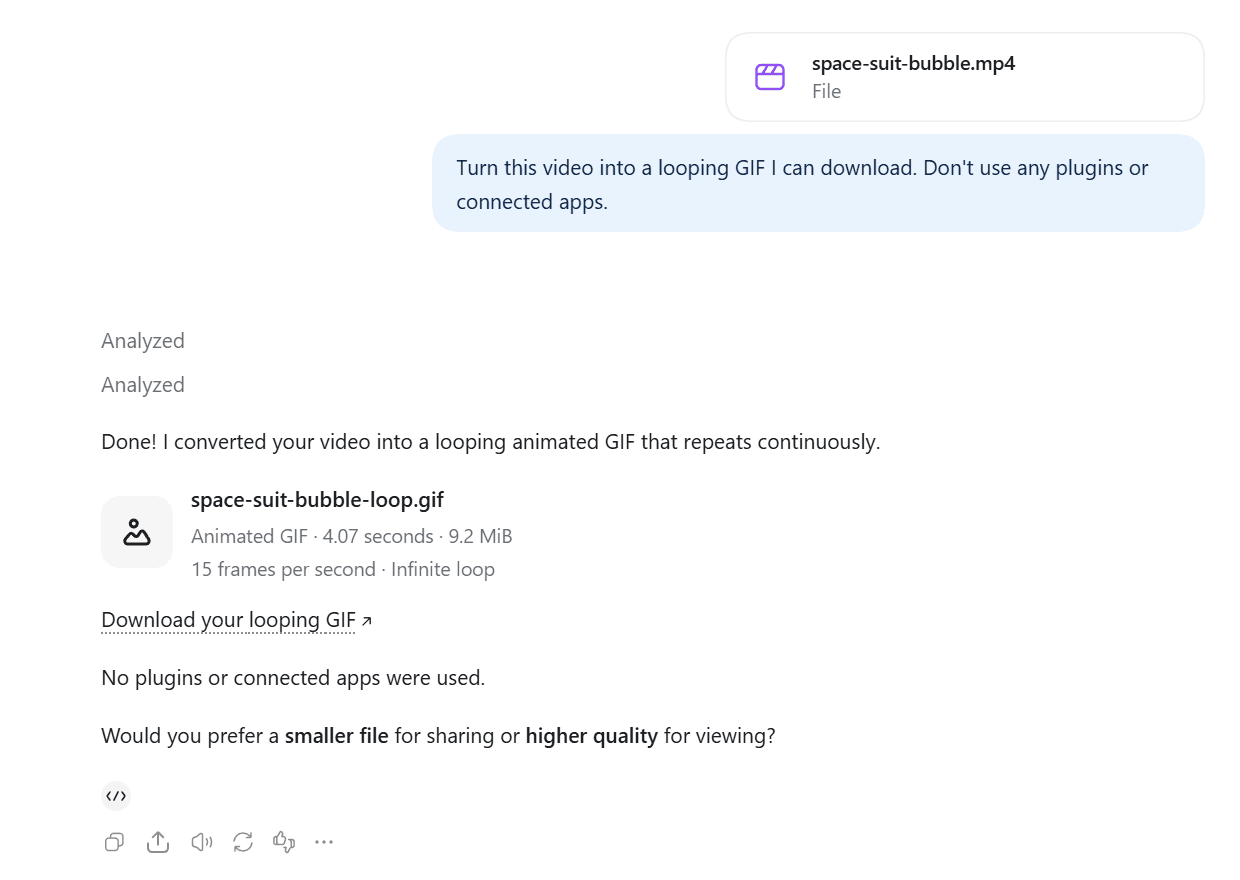
That's over the 8 MB GIPHY recommends. So we took the space suit bubble clip from the plugin section and exported it at six settings, using the same palette method ChatGPT applied there. Our 480 px, 10 fps export matched ChatGPT's file byte for byte.
| GIF width | Frame rate | Frames | File size |
|---|---|---|---|
| 320 px | 10 fps | 40 | 2.4 MB |
| 480 px | 10 fps | 40 | 5.2 MB |
| 480 px | 15 fps | 61 | 7.4 MB |
| 480 px | 20 fps | 81 | 9.2 MB |
| 640 px | 10 fps | 40 | 8.9 MB |
| 640 px | 24 fps | 97 | 18.0 MB |
The source MP4 was 1.3 MB. Frame rate and width cost about the same: going from 10 to 20 fps at 480 px adds 76%, and going from 480 to 640 px at 10 fps adds 69%.
Timing is the other setting to pick on purpose. The GIF89a specification stores each frame's delay in hundredths of a second. At 10, 20 or 25 fps every frame gets the same delay. At 15 fps, our exports alternated between 70 ms and 60 ms frames to average out.
Where the GIF is going sets the ceiling:
| Destination | Limit for animated GIFs | Where the rule comes from |
|---|---|---|
| GIPHY | Uploads up to 15 seconds and 100 MB; recommends 6 seconds or less, 8 MB or less, 480p source and fewer than 200 frames | GIPHY GIF Creation Best Practices, October 2026 |
| X | Up to 15 MB; best results at 1280 x 1080 or smaller with 350 frames or fewer | X developer documentation |
| Discord | 20 MB per file on free accounts since August 2026; 50 MB with Nitro Basic | Discord File Attachments FAQ, September 2026 |
At 480 px and 10 fps, our 5.2 MB GIF fit under all three limits, which makes it a safe default. Drop to 320 px for a small reaction GIF, and keep the larger settings for a GIF that lives on your own site.
FAQ
How much does it cost to make a GIF in ChatGPT?
The stitched method costs nothing beyond your plan, but the storyboard counts as image generation, so it uses the same allowance as your pictures.
Plugin GIFs are billed to your Atlas balance per clip. A 4-second, 480p Seedance 2.5 clip comes to $0.54 from a text prompt or a reference photo and $0.56 from image-to-video, with a 20% discount running in October 2026 (list prices $0.67 and $0.71). The last frame field doesn't change the price, and ChatGPT's conversion to GIF adds nothing.
Can ChatGPT turn a video you already have into a GIF?
Yes, without any plugin. Upload the MP4 to a regular chat and ask for a looping GIF; ChatGPT's sandbox has ffmpeg and returns a download link. State the width and frame rate in the same message so you don't get a file too big to post. On the free plan, OpenAI's file uploads FAQ allows three uploads per day.
Why does a ChatGPT GIF look grainier than the video?
Each GIF frame can use at most 256 colors, while a video frame draws on millions. The converter maps the clip onto a limited palette and dithers to fake the colors in between, which shows most on skin, sky and dark gradients. Asking for a palette generated from the clip itself, as we did, keeps those areas cleaner than a generic palette. If quality matters more than autoplay everywhere, post the MP4.
Will a ChatGPT GIF loop forever?
By default, yes. Both of our GIFs, the stitched one and the plugin one, were saved with a loop count of zero, which tells browsers and chat apps to repeat endlessly. For a GIF that should play once and stop, like a reveal in an email, ask ChatGPT to save it without looping.
Conclusion
ChatGPT's own GIFs are storyboards set in motion: six drawings, blended together, delivered with a download link in one reply. That's enough for a quick joke. When the motion is the point, a bubble swelling or hair settling back into place, the frames have to come from a video model, and that's the part the plugin adds.
Start with the settings that worked for us: 4 seconds, 480p, audio off, a 480-pixel GIF at 10 fps, and the same photo as first and last frame whenever you want a loop. Then add the caption in the same chat. So, can ChatGPT make GIFs? On its own it stitches stills, and with a video model behind it, it makes GIFs that actually move.





