Typing fitroom alternative into a search bar usually means one of two things: the free credits just ran out, or you would rather not add another app to your phone for a single outfit swap. FitRoom AI has built a real following as a virtual fitting room, letting shoppers and sellers try clothes on a photo through its website and its iOS and Android apps. Its free plan caps you at 10 credits a month and stamps a watermark on the result, though. This piece covers what FitRoom actually offers, where its own numbers do not quite agree with each other, and how Atlas Cloud's free clothes changer handles the same job.

Key Takeaways
- FitRoom AI is a genuine virtual try-on product, but its free plan is capped at 10 credits a month and adds a watermark to every result.
- Atlas Cloud's free clothes changer gives one full-resolution, watermark-free swap after a quick sign-in.
- FitRoom's own website and its iOS App Store listing describe the same subscription tiers with different terms, worth checking on whichever surface you actually plan to pay on.
- The two tools differ mainly in output tiers and how many reference photos one request can use, not in the basic idea of swapping clothes onto a photo.
- Which one costs less per bulk swap depends on volume: FitRoom's API only gets cheaper than a flat per-image rate at its highest credit tiers.
What Is FitRoom AI?
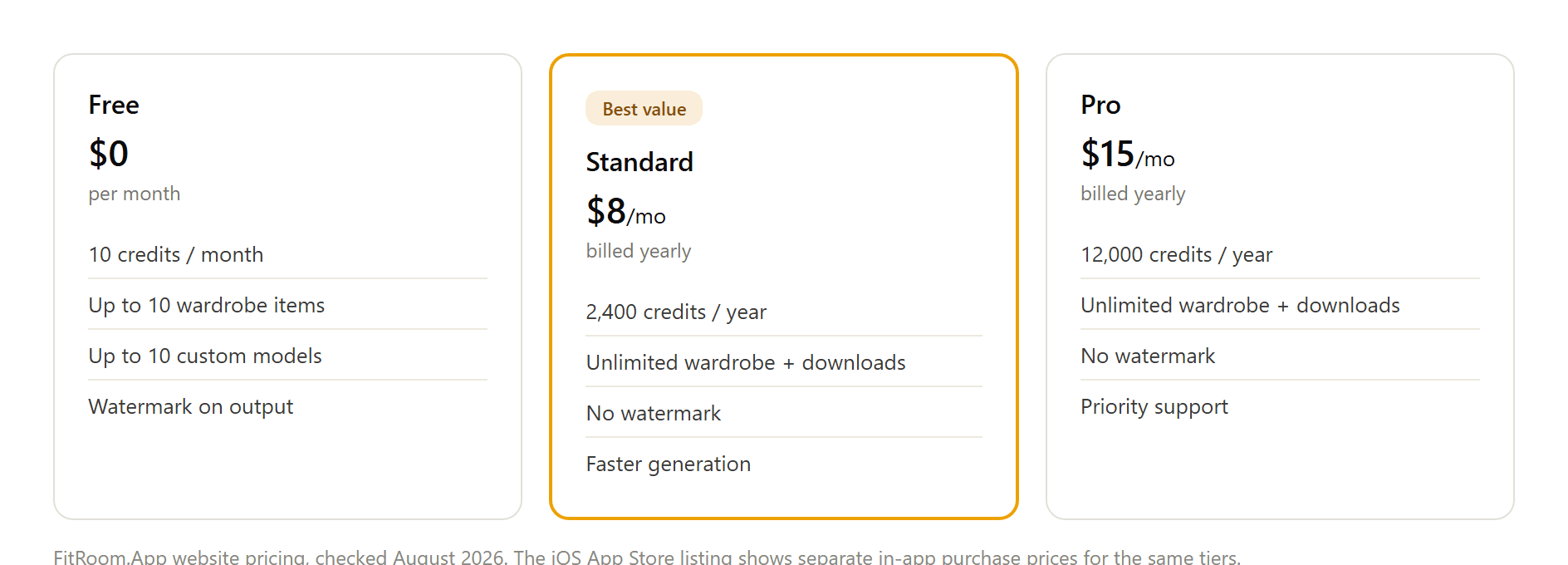
FitRoom AI is the clothes-changing engine behind FitRoom.App, built by SilverAI JSC. Upload a photo of a garment and a photo of a person, your own or one from FitRoom's model library, and the tool composites the outfit onto that person in roughly 10 to 15 seconds, matching creases, shadow, and fabric texture where it can. It ships in three places: a website usable straight from a phone or laptop browser, plus native iOS and Android apps.
Pricing runs on a credit meter. The free plan hands out 10 credits a month, caps saved wardrobe items and custom models at 10 each, and stamps every output with a FitRoom watermark. Paying removes the watermark: Standard runs $8 a month billed yearly for 2,400 credits a year, and Pro runs $15 a month billed yearly for 12,000 credits a year plus priority support. The iOS App Store lists a separate set of in-app purchase prices for what appear to be the same tiers, weekly and yearly plans that do not map cleanly onto the website's numbers, so check whichever surface you are actually about to pay on.
Try On Clothes for Free
Atlas Cloud's Free Change Clothes AI tool skips the credit math entirely. Upload a photo, describe the outfit you want the person wearing instead, and the AI redraws only the clothing, leaving face, pose, and background untouched. The first run on a new account is free, delivered at full resolution with no watermark.
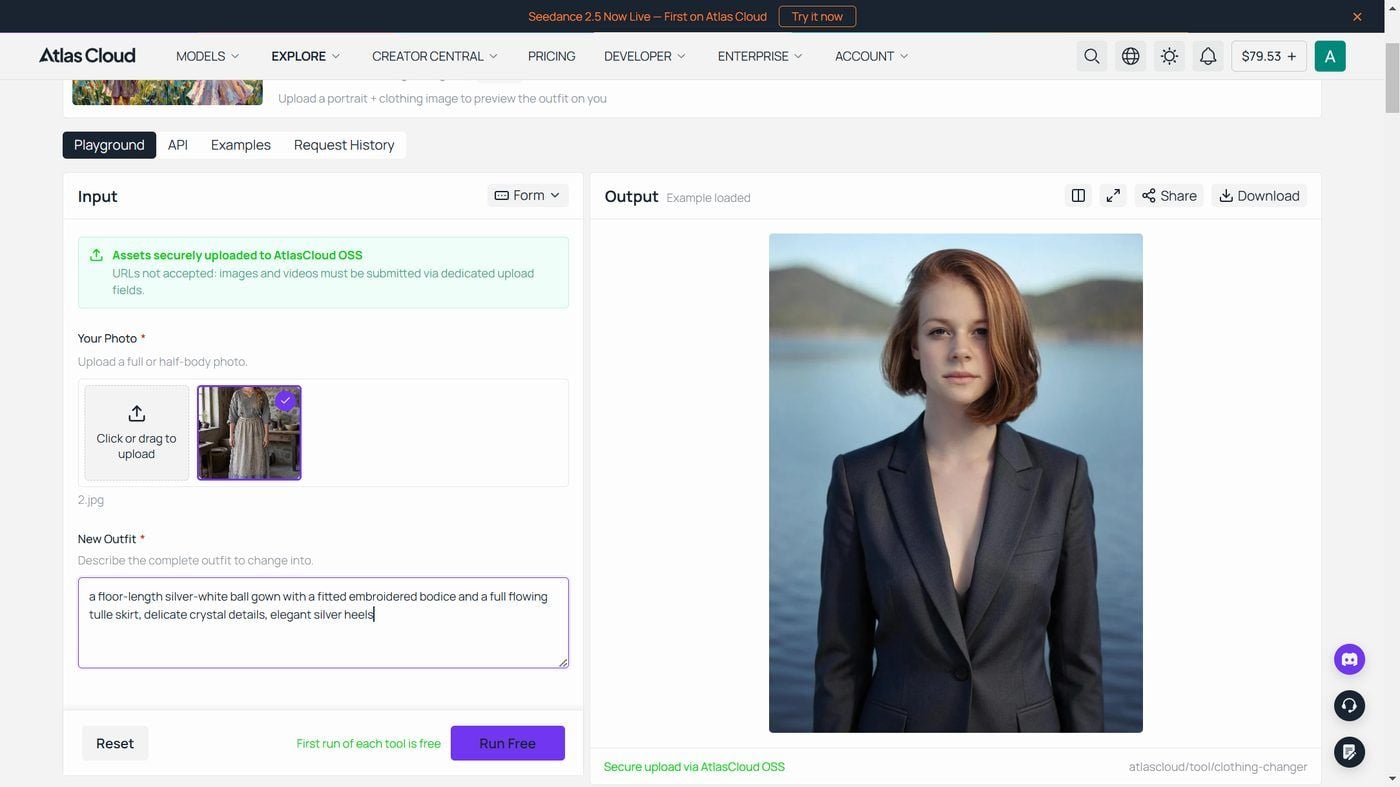
It's one of several free utilities in Atlas Cloud's AI tools collection, each one a ready-made front end for a hosted model rather than a separate product to learn.
How to Swap Clothes with Atlas Cloud, Step by Step
The free tool covers a single swap. For more control, or a request that needs more than one reference photo, the same platform runs the underlying model in a full playground.
Step 1: Upload your reference photos. Add the person you want dressed and, separately, a photo of the garment. Seedream v5.0 Pro Edit, the ByteDance editing model behind this route, accepts up to 10 reference images per request, so a model shot, a garment photo, and a style reference can all go into one call.
Step 2: Describe the swap in plain language. An instruction like "put the jacket from image 2 on the person in image 1, keep the face, hair, and background unchanged" is enough; the model maps the numbered references itself.
Step 3: Pick an output tier and run. Choose the economical 1.5K tier or the sharper 2K tier, then run the request. The playground shows the price for that exact combination before you commit to anything.
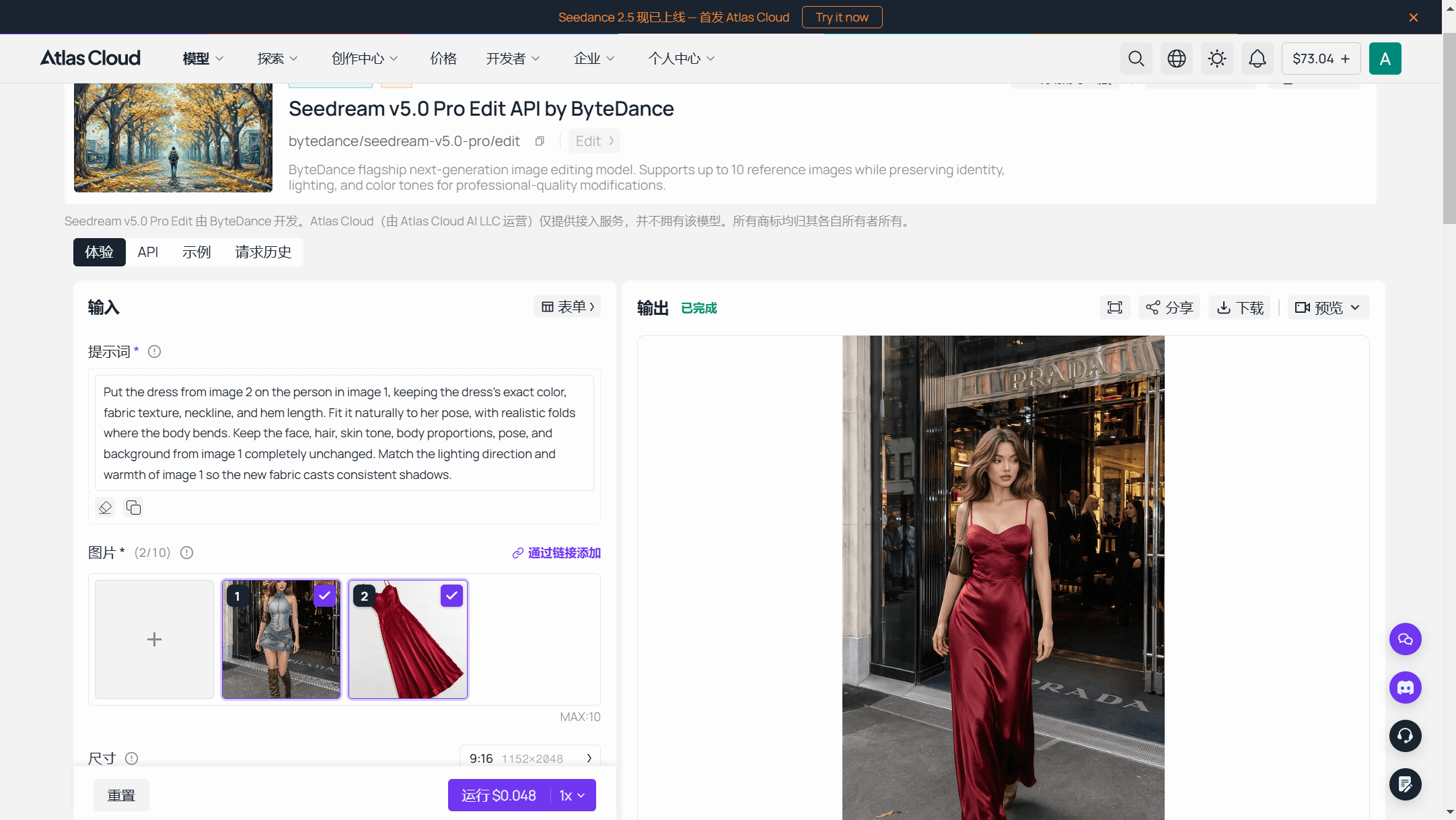
Sellers moving a whole product catalog usually skip the playground and call the same model directly. Generate an API key from the Atlas Cloud console, check the request shape in the API documentation, then submit and poll:
plaintext1curl -X POST https://api.atlascloud.ai/api/v1/model/generateImage \ 2 -H "Content-Type: application/json" \ 3 -H "Authorization: Bearer $ATLASCLOUD_API_KEY" \ 4 -d '{ 5 "model": "bytedance/seedream-v5.0-pro/edit", 6 "prompt": "Put the jacket from image 2 on the person in image 1. Keep the face, hair, pose, and background unchanged.", 7 "images": [ 8 "https://your-cdn.com/model-shot.jpg", 9 "https://your-cdn.com/garment.jpg" 10 ], 11 "size": "1328*1776" 12 }'
The request returns a prediction id; poll it until status reads completed, then pull the finished image from outputs. This route prices per finished image instead of per credit.
Why People Look for a FitRoom Alternative
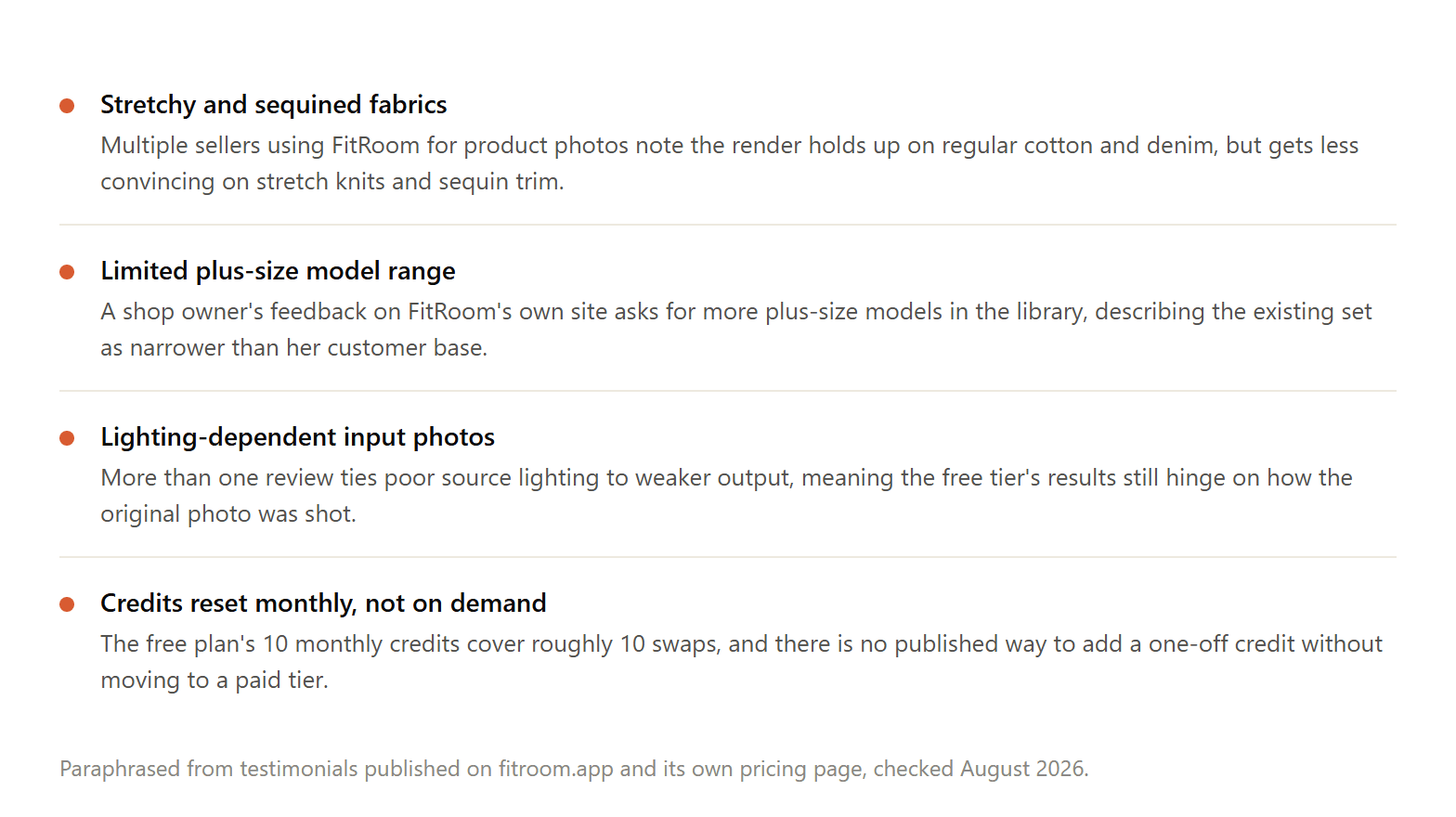
None of this makes FitRoom a bad tool. Its own published testimonials also credit it with cutting photography budgets and shortening the path from a garment photo to a usable product image. The complaints cluster around a handful of the same edges: fabric types the model hasn't fully learned, a model library some sellers find narrower than their customer base, and a free tier that resets once a month instead of on demand. 10 credits covers roughly 10 swaps, and there's no published way to buy a single top-up credit without moving to a paid plan first.
That gap, a fixed monthly reset with no on-demand top-up, is the detail most fit room searches are actually chasing, more than any complaint about output quality.
Atlas Cloud vs FitRoom: How the Clothes Changer Compares
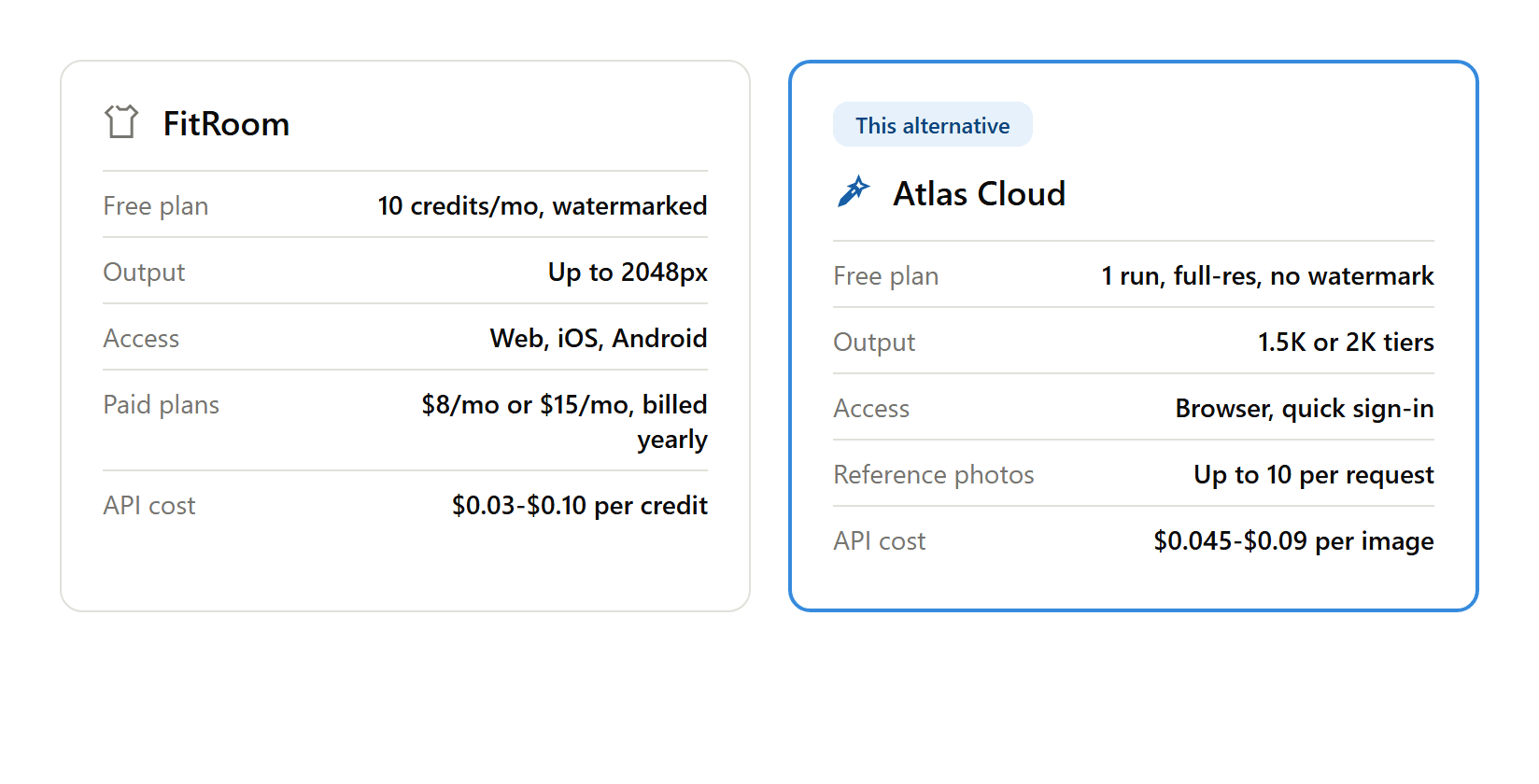
The free plans solve different problems. FitRoom's 10 monthly credits suit someone who wants to check a few outfits every month, watermark included. The one-time free run here suits someone who wants a single clean result right now, at full resolution; after that, further generations move to a paid balance rather than a monthly credit reset.
Reference photos are the other real difference. FitRoom's flow expects one garment photo matched against one model photo. The model behind this platform's route allows up to 10, a wider ceiling that matters most once a request needs more than two source images to get right.
Cost per generation depends entirely on volume, and it's worth being precise here rather than picking whichever number looks better. FitRoom's pay-as-you-go API starts at $0.10 a credit, and its subscription tier starts at $0.06 a credit, both above this platform's flat $0.045 to $0.09 per image (one credit equals one try-on on FitRoom's side). That relationship flips at FitRoom's highest published volume tiers, where pay-as-you-go falls to roughly $0.03 a credit and its subscription to $0.02, either one undercutting the flat rate here. Anyone forecasting API cost at real volume should run both vendors' numbers against their own expected batch size rather than trust either headline figure alone.
Who Should Switch from FitRoom
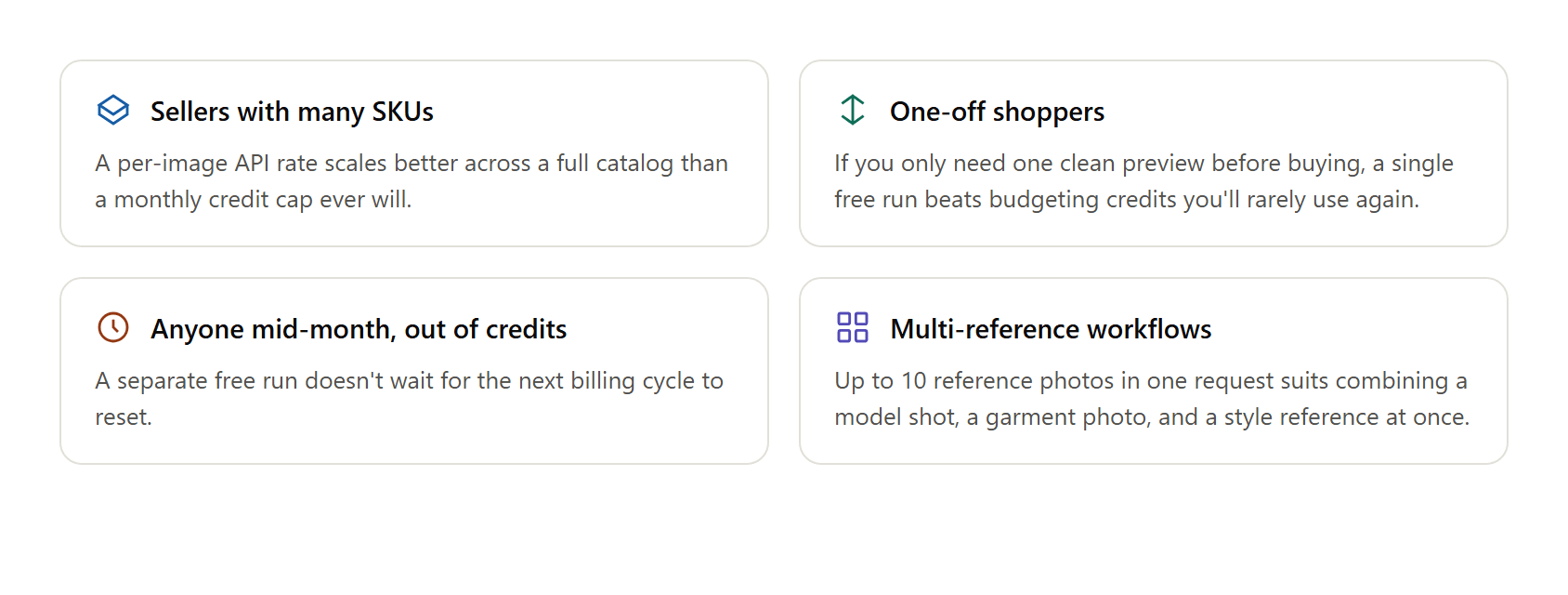
If a Standard or Pro subscription already earns its keep through the wardrobe library, saved models, and mobile app working together as a set, swapping out one piece for a comparison table isn't much of a reason on its own. A few situations make a stronger case.
Sellers running a large product drop get a cost that scales in a straight line, one price per image, instead of FitRoom's tiered credit packs, where the per-swap price changes depending which pack got bought. Someone who wants one accurate preview before buying an outfit, without becoming a repeat user of either service, gets that from a one-time free run instead of a monthly allowance sized for someone who swaps outfits every week. Anyone partway through a paid FitRoom cycle with nothing left to spend has an immediate, no-cost way to keep going elsewhere rather than upgrade a plan on the spot. And anyone whose request genuinely needs more than two source images at once fits a 10-image ceiling better than a flow built around one garment photo at a time.
Frequently Asked Questions
What is FitRoom AI?
FitRoom AI is the clothes-changing feature inside FitRoom.App, a virtual try-on product from SilverAI JSC available as a website and as iOS and Android apps. Upload a garment photo and a model photo, and it composites the outfit onto that person in about 10 to 15 seconds.
What is the FitRoom app used for?
Two main groups use it: shoppers who want to preview an outfit before buying, and sellers who want on-model product photos without booking a photoshoot. Its API also plugs into Shopify, WooCommerce, and Magento storefronts for catalog-level use.
Is FitRoom AI free to use?
Yes, with a monthly credit cap and a watermark on the output. Removing the watermark and the 10-item wardrobe limit requires the Standard or Pro plan.
Can I use the FitRoom app without downloading it?
Yes. FitRoom's own site states that clothes can be changed directly on its website, including from a phone browser, without installing the mobile app. The iOS and Android apps exist as a separate, optional download.
Are fit room and FitRoom AI the same thing?
Same product. People search it as one word or two, sometimes spaced out further as "fit room AI" or "fit room app," and shortened to "fit rom" in other searches. All of them lead to the same website and clothes-changing feature described above.
What does the FitRoom AI clothes changer support?
Per its API documentation, it works from flatlay, hanger, ghost mannequin, or product photos, and covers upper body, lower body, full-body, and combined top-and-bottom swaps, with output up to 2048px.
Is there a free alternative to FitRoom's clothes changer?
Yes. This free clothes-swap tool on Atlas Cloud runs one full-resolution swap with no watermark and no monthly credit reset to wait on, right after a quick sign-in.
Does switching save money on bulk outfit swaps?
It depends on volume. FitRoom's API is more expensive per generation than a flat per-image rate at entry-level usage, but its highest-volume tiers on either plan eventually undercut a flat rate. Compare both vendors' numbers against your own expected batch size before deciding.
Conclusion
FitRoom earns its following honestly: a real virtual try-on engine, a working API, and a free tier that, credit limits aside, does produce usable results. Its rough edges, mismatched pricing between its own website and its App Store listing, a monthly-only credit reset, and gaps in stretch-fabric rendering, are the kind any fast-growing product accumulates rather than signs of something broken.
Whether a fitroom alternative is worth setting up mostly comes down to how you plan to use it. A single free, full-resolution, watermark-free swap here can settle a one-off question about an outfit right away. Sellers with recurring volume get a clearer answer from running their own product photos through the developer docs than from either vendor's marketing page. For a broader shortlist beyond these two, the 9 best AI clothes changers roundup tests them side by side on identical photos, the outfit swap guide covers the prompt habits that raise any tool's hit rate, and the AI clothing generator explainer is the right stop if the garment you want to try on doesn't exist as a photo yet.





